trailer load AUDI Q3 2019 Owners Manual
[x] Cancel search | Manufacturer: AUDI, Model Year: 2019, Model line: Q3, Model: AUDI Q3 2019Pages: 280, PDF Size: 72.73 MB
Page 103 of 280
83A012721BA
Trailer towing
Trailer towing
Driving with a trailer
General information
Your vehicle is primarily intended for transport-
ing people and luggage. However, if you drive
with a trailer, follow the technical requirements,
the operation and driving tips, and the legal reg-
ulations.
Driving with a trailer affects the vehicle's energy
usage, performance, and wear. It also requires
higher concentration from the driver.
Z\ WARNING
Do not transport any people in a trailer due to
the risk of fatal injury.
Technical requirements
Certain requirements must be met when towing
a trailer.
Trailer hitch
Only use a trailer hitch with a removable ball
hitch mount and ball hitch. The trailer hitch must
be permitted for the vehicle, the trailer and the
permitted total weight of the trailer being
pulled. Above all, it must be securely and safely
attached to the vehicle trailer.
Never mount a trailer hitch on the bumper. The
trailer hitch must be mounted in a way that does
not impair the function of the bumper. Do not
make any changes to the exhaust system and the
brake system.
Check regularly if the trailer hitch is securely
mounted. Always follow the instructions given by
the trailer hitch manufacturer.
Trailer brakes
If the trailer has its own brake system, then fol-
low the manufacturer specifications. However,
the brake system on the trailer must never be
connected to the vehicle brake system.
Engine cooling system
Driving with a trailer means a higher load on the
engine and the cooling system. The cooling sys-
tem must be designed for additional load and
contain enough coolant > @.
Z\ WARNING
— Never mount a "weight-distributing" or
"load-balancing" trailer coupler as the trailer
hitch. The vehicle was not designed for
these types of trailer hitches. The trailer
hitch can malfunction and the trailer can
break off from the vehicle.
— If the trailer is equipped with electronic
brakes, these brakes cannot be activated by
a factory-installed control system, which in-
creases the risk of an accident.
—To reduce the risk of injury, always remove
the ball hitch mount if no trailer is mount-
ed
® Note
Longer inclines cannot be driven without a
suitable cooling system, especially if the out-
side temperatures are high. otherwise, this
increases the risk of engine damage.
Operating instructions
Towing capacity
Never exceed the maximum permitted weights
=> page 264.
In some scenarios, the load in trailer mode can
be reduced due to the permitted towing weight.
You can drive up larger inclines if you are not us-
ing the maximum towing capacity.
The towing capacities given only apply to eleva-
tions up to 3,200 ft (1,000 m) above sea level. As
the elevation increases, the engine power de-
creases due to the decreasing air pressures. This
reduces the hill climbing ability and towing ca-
pacity. For every additional 3,200 ft (1,000 m),
the maximum permitted towing weight must be
reduced by approximately 10%. The permitted
towing weight is the combined weight of the
(loaded) vehicle and the (loaded) trailer.
101
Page 104 of 280
Trailer towing
Tongue weight
The maximum permitted tongue weight of the
trailer drawbar on the trailer hitch ball head may
not be exceeded.
If the tongue weight is too low, this affects the
trailer's handling. For driving safety, we recom-
mend to always utilize the maximum permitted
tongue weight, but not exceed it. You can reach
it, for example, by distributing the cargo in the
trailer correctly.
You can determine the tongue weight using a
tongue weight scale, a bathroom scale, or a pub-
lic weigh station, for example.
The permitted tongue weight of your vehicle can
be found in the vehicle documentation or in
=> page 264.
Load distribution
Poor cargo load and distribution can negatively
impact vehicle handling. Load the trailer based
on the following criteria as much as possible:
— Store objects preferably in the vehicle luggage
compartment. The vehicle should always carry
the heaviest possible load and the trailer
should have the lightest possible load.
— Distribute the load in the trailer so that the
heavy objects are as close to the axle as possi-
ble.
— Secure objects from sliding out of place.
— Utilize the maximum permitted tongue weight
if possible.
Tires
Set the tire pressure on your vehicle for a “full
load”; see the tire pressure sticker > page 226. If
necessary, also adjust the tire pressure on the
trailer according to the manufacturer's recom-
mendation.
Winter tires should be mounted on the vehicle
and on the trailer during winter temperatures.
Outside mirrors
If you cannot see the traffic behind the trailer
with the standard exterior mirrors, then you
must attach additional exterior mirrors. Adjust
102
them so you have a sufficient visibility behind
you.
Exterior lighting
Follow the legal regulations for lighting on your
trailer that are applicable in the country where
you are operating the vehicle. Contact an author-
ized Audi dealer or authorized Audi Service Facili-
ty for more information.
Before starting to drive, check all lighting equip-
ment on the hitched trailer.
The headlight range control adjusts automatical-
ly to the light range of the headlights.
Safety chains
Make sure the safety chains are correctly applied
when pulling a trailer. The chains should hang
enough so that the trailer can drive around
curves. However, they must not touch the
ground.
@) Note
Attachments retrofitted on the vehicle may
cause damage, especially on the trailer hitch
ball head. In cases of damage, have the func-
tion checked by an authorized Audi dealer or
authorized Audi Service Facility.
G) Tips
— Use chocks when parking on inclines if the
trailer is loaded.
—We recommend also having the vehicle in-
spected between the inspection intervals if
you are towing a trailer frequently.
— Avoid driving with a trailer during the vehi-
cle break-in period.
Driving with a trailer
Driving with a trailer requires extra caution.
Speed
Adhere to the legal speed limits. Follow the legal
regulations that are applicable in the country
where you are operating the vehicle.
Page 125 of 280
83A012721BA
Driver assistance
of sharp braking. You will also be warned by an
indicator in the instrument cluster display. When
this warning occurs, it may only be possible to
avoid a collision by swerving or braking strongly.
Automatic deceleration
If you do not react to the acute warning, Audi pre
sense front can brake the vehicle to a full stop
within the limits of the system. This reduces the
vehicle speed in the event of a collision.
Automatic braking force increase
If Audi pre sense determines that you are not
braking strongly enough when a collision is immi-
nent, it can increase the braking force based on
the situation.
Take-over
If the message oa Please take over! appears, the
vehicle has been braked to a stop by Audi pre
sense and you must resume control of the vehi-
cle.
Z\ WARNING
— Follow the safety precautions and note the
limits of the assist systems, sensors, and
cameras > page 104.
— Audi pre sense front cannot overcome natu-
ral physical laws. It is a system designed to
assist and it cannot prevent a collision in ev-
ery circumstance. The driver must always in-
tervene. The driver is always responsible for
braking at the correct time. Do not let the
increased safety provided tempt you into
taking risks. This could increase your risk of
a collision.
— Among other things, Audi pre sense front
does not react to pedestrians who are sta-
tionary, stopped, oncoming, and crossing at
an angle. It also does not react to cyclists,
groups of people, animals, crossing vehicles,
or oncoming vehicles and objects, such as
posts, guardrails, and railway vehicles.
— Audi pre sense front may be limited or un-
available when driving in curves.
D_ In certain countries
— Loose objects can be thrown around the ve-
hicle interior during sudden driving or brak-
ing maneuvers, which increases the risk of
an accident. Store objects securely while
driving.
—In trailer mode, the braking behavior of the
trailer can be different than usual during au-
tomatic braking.
G) Tips
— If you switch off the ESC, Audi pre sense al-
so switches off automatically > page 99.
— Certain Audi pre sense front functions are
unavailable or have limited availability for
approximately 20 seconds after starting the
vehicle (may be longer depending on the
driving situation).
Adjusting Audi pre sense
Applies to: vehicles with Audi pre sense
You can adjust the Audi pre sense functions to
your preferences. The settings depend on the ve-
hicle equipment.
> Applies to: MMI: Select on the home screen:
VEHICLE > Driver assistance > Audi pre sense.
Possible settings:
The system can be switched off and on.
Prewarning!) - The prewarning can be switched
off or the Audi pre sense warning time can be set
(Early/Medium/Late).
Set the warning time for the early warning to
Early at first. If you feel that the prewarnings ap-
pear too early, then set the warning time to Me-
dium. The Late warning time should only be set
in special circumstances.
@) Tips
— If Audi pre sense is switched off, it switches
on again automatically once the ignition is
switched on again.)
— Switch Audi pre sense off when you are not
using public streets, when loading the
123
>
Page 231 of 280
83A012721BA
Wheels
passengers that the vehicle is in-
tended to carry (“seating capaci-
ty”) with an assumed weight of
150 lbs. (68 kg) for each passen-
ger at a designated seating posi-
tion and the total weight of any
luggage in the vehicle. If you tow
a trailer, the weight of the trailer
hitch and the tongue weight of
the loaded trailer must be includ-
ed as part of the vehicle load.
The Gross Axle Weight Rating
(“GAWR”) is the maximum load
that can be applied at each of the
vehicle’s two axles.
The fact that there is an upper
limit to your vehicle’s Gross Vehi-
cle Weight Rating means that the
total weight of whatever is being
carried in the vehicle (including
the weight of a trailer hitch and
the tongue weight of the loaded
trailer) is limited. The more pas-
sengers in the vehicle or passen-
gers who are heavier than the
standard weights assumed mean
that less weight can be carried as
luggage.
The Gross Vehicle Weight Rating
and the Gross Axle Weight Rating
are listed on the safety compli-
ance sticker label located on the
driver’s side B-pillar.
AN WARNING
Overloading a vehicle can cause
loss of vehicle control, a crash
or other accident, serious per-
sonal injury, and even death.
—Carrying more weight than
your vehicle was designed to
carry will prevent the vehicle
from handling properly and in-
crease the risk of the loss of
vehicle control.
—The brakes on a vehicle that
has been overloaded may not
be able to stop the vehicle
within a safe distance.
—Tires ona vehicle that has
been overloaded can fail sud-
denly, including a blowout and
sudden deflation, causing loss
of control and a crash.
—Always make sure that the to-
tal load being transported -
including the weight of a trail-
er hitch and the tongue
weight of a loaded trailer -
does not make the vehicle
heavier than the vehicle’s
Gross Vehicle Weight Rating.
229
Page 232 of 280
Wheels
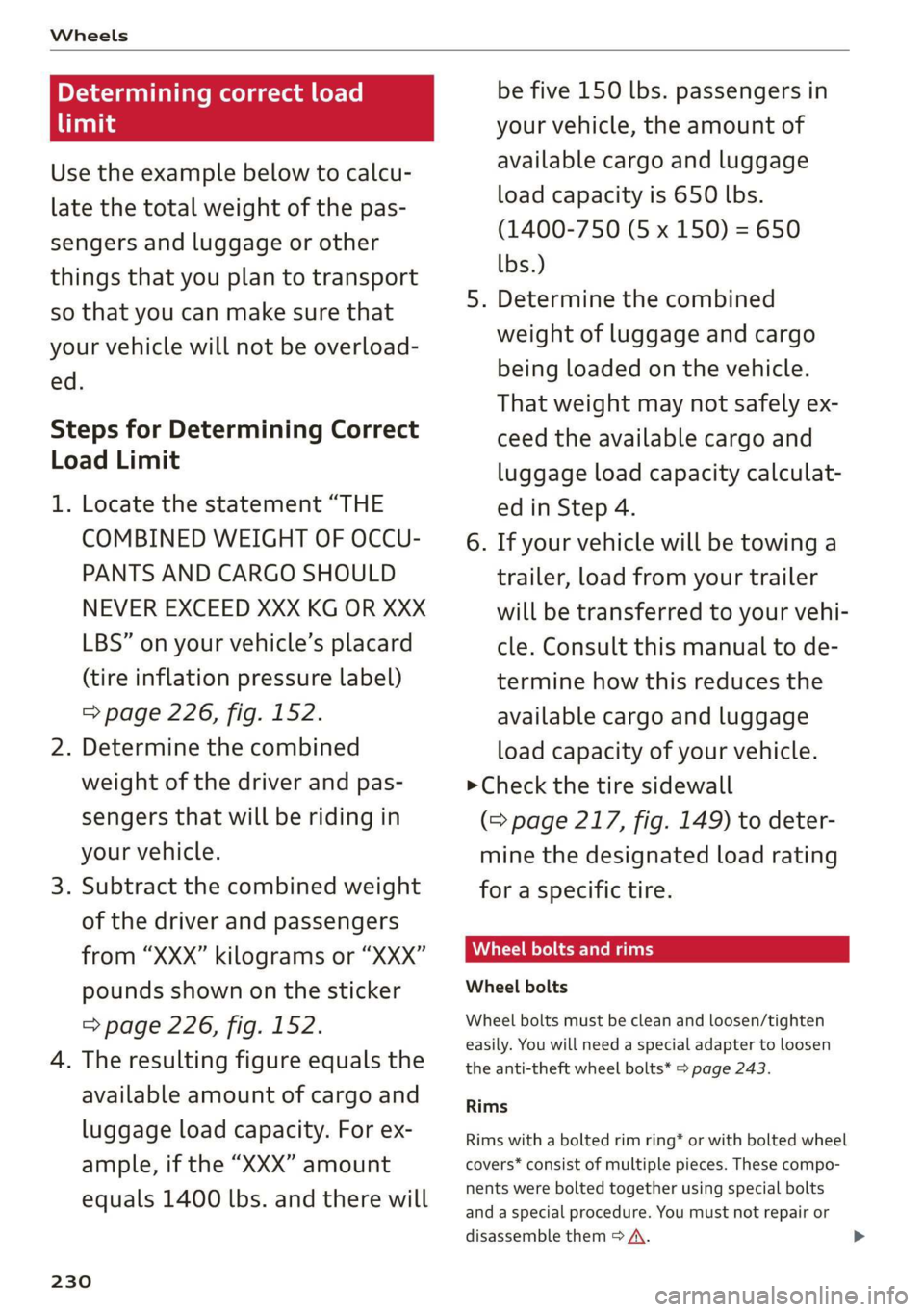
Determining correct load
limit
Use the example below to calcu-
late the total weight of the pas-
sengers and luggage or other
things that you plan to transport
so that you can make sure that
your vehicle will not be overload-
ed.
Steps for Determining Correct
Load Limit
1. Locate the statement “THE
COMBINED WEIGHT OF OCCU-
PANTS AND CARGO SHOULD
NEVER EXCEED XXX KG OR XXX
LBS” on your vehicle’s placard
(tire inflation pressure label)
=> page 226, fig. 152.
2. Determine the combined
weight of the driver and pas-
sengers that will be riding in
your vehicle.
3. Subtract the combined weight
of the driver and passengers
from “XXX” kilograms or “XXX”
pounds shown on the sticker
=> page 226, fig. 152.
4. The resulting figure equals the
available amount of cargo and
luggage load capacity. For ex-
ample, if the “XXX” amount
equals 1400 lbs. and there will
230
be five 150 lbs. passengers in
your vehicle, the amount of
available cargo and luggage
oad capacity is 650 lbs.
(1400-750 (5 x 150) = 650
bs.)
5. Determine the combined
weight of luggage and cargo
being loaded on the vehicle.
That weight may not safely ex-
ceed the available cargo and
uggage load capacity calculat-
ed in Step 4.
6. If your vehicle will be towing a
trailer, load from your trailer
will be transferred to your vehi-
cle. Consult this manual to de-
termine how this reduces the
available cargo and luggage
load capacity of your vehicle.
>Check the tire sidewall
(=> page 217, fig. 149) to deter-
mine the designated load rating
for a specific tire.
Wheel bolts and rims
Wheel bolts
Wheel bolts must be clean and loosen/tighten
easily. You will need a special adapter to loosen
the anti-theft wheel bolts* > page 243.
Rims
Rims with a bolted rim ring* or with bolted wheel
covers* consist of multiple pieces. These compo-
nents were bolted together using special bolts
and a special procedure. You must not repair or
disassemble them > A\.
Page 266 of 280
Technical data
(er) Fah a(t)
Fuel tank 15.9 gal (60 )
Windshield washer system _a)
Windshield and headlight washer system*
_a)
2) The value was not available at the time of printing.
B8U-0380
= DIINO NNO A
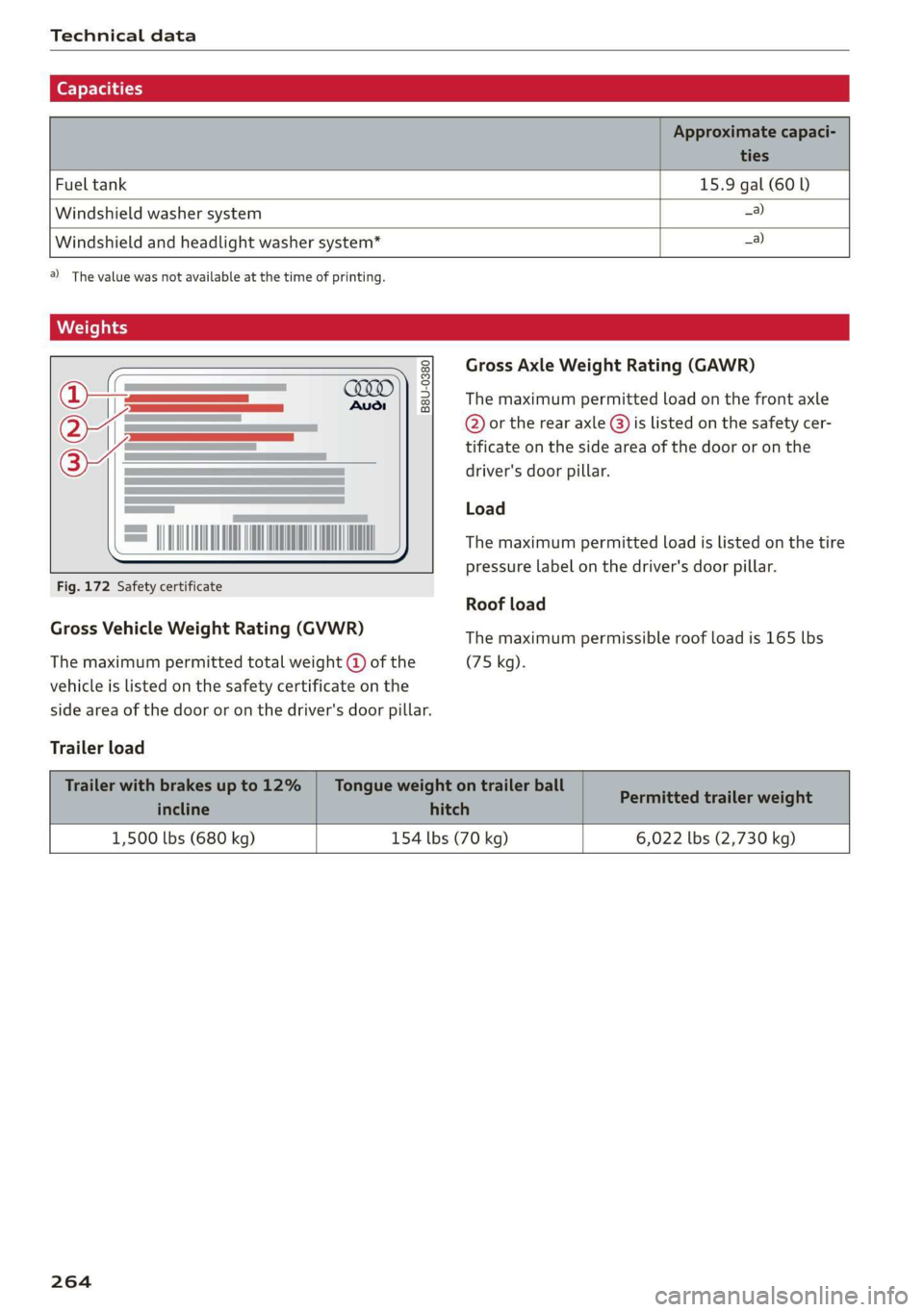
Fig. 172 Safety certificate
Gross Vehicle Weight Rating (GVWR)
The maximum permitted total weight @ of the
vehicle is listed on the safety certificate on the
side area of the door or on the driver's door pillar.
Trailer load
Gross Axle Weight Rating (GAWR)
The maximum permitted load on the front axle
@ or the rear axle @) is listed on the safety cer-
tificate on the side area of the door or on the
driver's door pillar.
Load
The maximum permitted load is listed on the tire
pressure label on the driver's door pillar.
Roof load
The maximum permissible roof load is 165 lbs
(75 kg).
1,500 lbs (680 kg) 154 lbs (70 kg) 6,022 lbs (2,730 kg)
264
Page 276 of 280

Index
Software information
Legalinformation..............0.0005 197
Software version (MMI)
Version information.................. 197
Sound
refer to Adjusting the sound............ 195
Space-saving spare tire (compact spare tire) . 245
SParGuites = 5 mane < 5 Hane & BES GF Heme G = He 245
Speedometer........... 0. cece eee eee ee 11
Speed warning systeM...... 0... e eee eee 108
Start/Stop systeM......... 0.0 cece eee 87
Switching offandon...............0--- 88
Starting to drive............ cee eee eee 82,92
Starting (engine).................. eee 88
Steering... 6... eee cee eee ee 97
Audi drive select...............000000. 96
alsoreferto Steering: « «cans se cas vs cae 97
St@ering lock: s < sass ss peas ss ewe s 80, 81,97
Steering wheel
ACjUSEING sie © 2 wenn oe ware 2 oe = eeeD oo 56
Adjusting manually..................0- 56
SHITE Paddles « ssras + ¢ aime & ¥ cease 3 x eS ae 84
Steering wheel heating................. 79
also refer to Multifunction steering wheel. . 12
Steps for determining correct load limit... 230
Stopover (navigation) ................-. 164
StOPPiNG (ENGINE) we. o 6 sees eo owen oo er a a 88
StOraG@ zs 5 « wewe ¢ 5 sews & eee s eo ee 73, 74
Storage bag = sess + eae% ¢ = Hees « ¢ eee ¥ gore 73
Storage compartment................... 73
Stored stations
Feferto FAVOrites . xen s « wows 2 x om s 2 oe 177
Streaming
refer to Online media................. 183
SubWOOfEr’s casaz x s saws 2 & mewn 2 9 wei 3 owe 245
Sunshade
refer to Sunshade (roof)..............-. 39
Sunshade ((0Of) sieisie es sssvee sv wae ov eww w 39
SUN'WISOIS » saw + game g » yeu gs ream ao eee se 48
SUSPENSION sacs 3 3 neue ss eooey 4 Fao 3 & BOERS 96
Audi drive select..............02--000- 96
Swap Call sswiec «2 nein 2 v eve 2 o aren ¥ a ee 147
Symbols
274
System Settings « vce ss cece wv serene vv ereseee 195
T
Tachomete@ tics: a 2 esse se crac sv ew 2 oo i, 13
Tail lights
Cleaning... ...... cee cece 237
Techinicalidatiay, « « wssess sa senine aw soanine 0 w avews 263
Technical modifications................. 258
Telephones « vases s eee ss gern se oes x es 139
Audi phone box..............2-0000ee 141
Dialing anumber.................2005 146
Options during aphonecall............ 147
PlayiMgeMUsie « cemese x o snenece « semen « 0 svete « 182
Temperature display
Coolant... 6... cece eee eee eee eee 11
Temperature display (outside temperature).. 14
TexXteINPUt s sncsene a + soccnme w 6 avon » 6 soem © w veneer 22
Text messages
Message options................00005 147
SOttinGS
scan « = seuss « y peux 2 ¢ eG «ee 147
also refer to Text messages............ 147
Tie*dowtise « » sams 2 2 gee 2 qamom ¢ « ween & 3 eee 75
Tightening specification
Wheel. Bolt staves 2 vscsie oo wna 2 0 onivaue w ¥ emus 245
Tightening specification (wheel bolts) .... . 245
Tit@ss « ¢ ewes = ¢ qews + 2 pew se eg ae a a 14
tiptronic
refer to Manual shifting................ 84
TPES = scwssn 2 > wrsee oo mie 2 oe ov ER wo 216
CHAM GIIAG psu + vssnnas ov ensues © & enetane oH wtmuene © 242
Loose wheel warning.............-.... 231
LOWsprovile
tires » www 2 2 caww a e wees s 2 xe 232
Service UiFE an avenina 0 a sneane a 4 axmuane «9 sme 225
Tire pressure... 2.2... 0c eee eee eee eee 226
Tire pressure monitoring system.... 233, 234
Tire pressure table.................0.. 227
Tire pressure (trailer towing)........... 101
Treadwear indicators...............0.. 225
Unidirectional...............0.2. 218, 245
Uniform tire quality grading............ 233
Tires and wheels
Glossary of tire and loading terminology... 219
Tires and vehicle load limits............ 228
TO0ks ¢ cies « 2 spams ¢ 2 caw «epee ¥ ore x 8 242
Top tether anchor (securing the child safety
SQAE) se 2 a cwcvese + savers eo vases =H ateeoes =H cree a 69
Page 277 of 280
83A012721BA
Touch display
Adjusting the brightness..............-. 18
TPMS
Tire pressure monitoring system........ 234
Traffic information................ 171,172
Traffic light information.............005 108
Traffic SIGNS 6.6... eee 109
Tatler loadisas x sisaws «x anens » ¥ sesens © « vanzens 9 264
Trailer mode (navigation) ............... 174
Trailer towing ies «2 sess 2s eves oe sew 2 eee 101
Air suspension...........0e eee eee eee 101
Trailer load... 2... eee eee eee eee 101
Trailer view.............22-.222.2020000005 130
Turn signals. ......... 0... e eee eee eee 44
U
Unable to pass.............0 0.000 e eee 114
Uniform tire quality grading............. 233
Unlocking/locking
With the central locking switch.......... 29
Unlocking and locking.............000005 28
By remote control.............--.000-5 33
Using thelockeylinders owes» s wae ae enn 30
With the convenience key............... 33
Updater (software) sisi 0 «seve w seamne o © sueiaue 196
Updating stations (radio)................ 175
USB
Adapter. .... 0.00. .c cee eee eee eee 141
Connecting a mobile device............ 140
USB charging port..................0005 72
USB stick
refer to Audi music interface........... 184
V
Vanity mirror... 22... eee eee eee eee 48
Vehicle
Carée/cleaning sensu < » eas sv eee e weeew ee 236
DiMeNSIONS esc co cvesees wo miaens vw enemas 6 w oe 263
Identification data................... 263
OUTOTSERVICE ce = x wows 2: wane xy Gee go: 241
RaiSig’s « cxssce v cssuane oo cavewce wow comeee ¥ & osmee 243
Starting... 2... cece eee 80
Vehicle care... 2 eee ee eee 236
Vehicle identification number............ 263
Vehicle jack. csoie se scenes 2 v envice 2 v ene 2 ae 242
Lifting points. ............ 0.0 e eee eee 243
Vehicle key. 1... . cece eee eee 28, 32
Vehicle starting system...............00. 88
Vehicle:tool:kitss «cesses v wacne ae enw ao eer 242
Ventilation’: «= sss os wwen os xeon 2 ¥ ecw x Ho 77
VIEW butt0ttes « = saws = 5 eeu peewee sees 12
Voicetiails: = s segs « = wees oe eoree + e wae 2 146
Voice recognition system
External scsi +o meee a wan ov ween ao wee 2 25
Operating. ..... 0... 0c cece eee eee 24
Ww
Warning lights
refer to Indicator lights...............-0. 7
Washing matte finish paint.............. 236
WEIGHESE: « « ccosase o asemie « eooren 9 0 onanens 0 0 one 264
Wheelibolt x cesccss 2 x sve « 0 snnuens oo onecnae #0 « 230
Changing atire.............. ee ee eee 242
Wheels .... 2... 6. cece cece eee eee 216
Cleaning’: « 2 sews + » wees cs wees eo wees ce: 237
Glossary of tire and loading terminology.. 219
Loose wheel warning.............-.0.. 231
Replacing « sess ss eas i ene0 si eeu eG Fe 242
Tire pressure monitoring system........ 234
Tires and vehicle load limits............ 228
Wheelwrench...........0 eee eee eee 242
Wi-Fi
Hotspot settings..................... 157
Online HEM ia sc = wee x x eee 5 2 ees 5 x oR 183
Using:a hotspot « wives seven es cen ee ews 155
Windows
Child safety lock.............02.-00000- 38
Cleaning and removing ice............. 238
Convenience opening and closing......... 39
Opening and closing................... 38
Power windows...........0000eee eens 38
Windshield
ClO@ANING’: s z swes io teen ee een se eee ee 49
also refer to Windshield................ 49
Windshield washer system..........- 49,214
Reservoir capacity: . « ssevus so sues 0 a sues 264