trailer AUDI Q3 2020 Owner's Manual
[x] Cancel search | Manufacturer: AUDI, Model Year: 2020, Model line: Q3, Model: AUDI Q3 2020Pages: 278, PDF Size: 72.66 MB
Page 174 of 278
Navigation
Your trips are recorded and destinations are sug-
gested by the MMI when this function is switched
on > page 165.
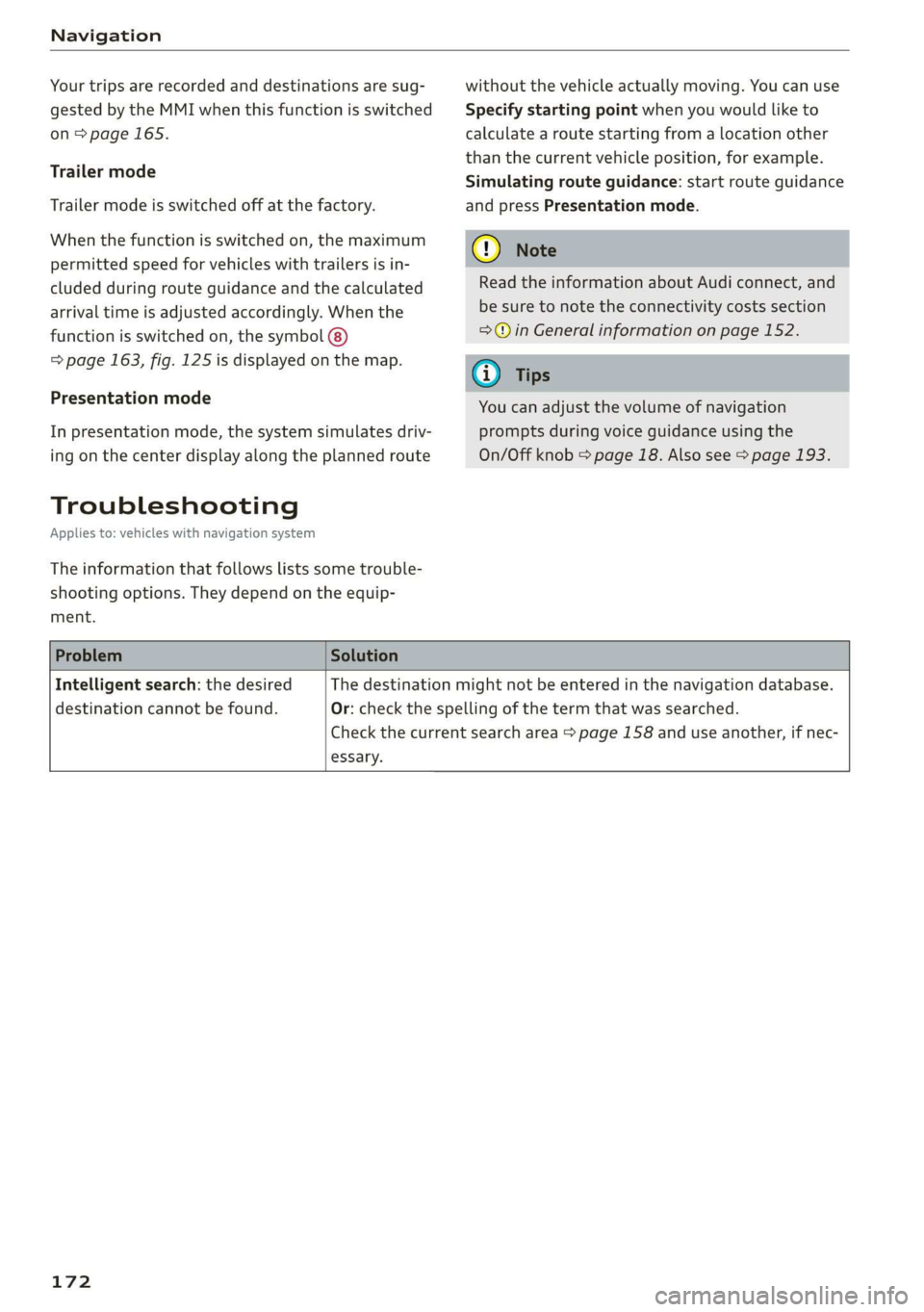
Trailer mode
Trailer mode is switched off at the factory.
When the function is switched on, the maximum
permitted speed for vehicles with trailers is in-
cluded during route guidance and the calculated
arrival time is adjusted accordingly. When the
function is switched on, the symbol (8)
=> page 163, fig. 125 is displayed on the map.
Presentation mode
In presentation mode, the system simulates driv-
ing on the center display along the planned route
Troubleshooting
Applies to: vehicles with navigation system
The information that follows lists some trouble-
shooting options. They depend on the equip-
ment.
without the vehicle actually moving. You can use
Specify starting point when you would like to
calculate a route starting from a location other
than the current vehicle position, for example.
Simulating route guidance: start route guidance
and press Presentation mode.
@) Note
Read the information about Audi connect, and
be sure to note the connectivity costs section
=@ in General information on page 152.
G) Tips
You can adjust the volume of navigation
prompts during voice guidance using the
On/Off knob = page 18. Also see > page 193.
Problem Solution
Intelligent search: the desired
destination cannot be found.
essary.
The destination might not be entered in the navigation database.
Or: check the spelling of the term that was searched.
Check the current search area > page 158 and use another, if nec-
172
Page 229 of 278
83A012721BB
Wheels
everybody and everything in and
on the vehicle. These load limits
are technically referred to as the
vehicle’s Gross Vehicle Weight
Rating (“GVWR”).
The “GVWR” includes the weight
of the basic vehicle, all factory in-
stalled accessories, a full tank of
fuel, oil, coolant and other fluids
plus maximum load. The maxi-
mum load includes the number of
passengers that the vehicle is in-
tended to carry (“seating capaci-
ty”) with an assumed weight of
150 lbs. (68 kg) for each passen-
ger at a designated seating posi-
tion and the total weight of any
luggage in the vehicle. If you tow
a trailer, the weight of the trailer
hitch and the tongue weight of
the loaded trailer must be includ-
ed as part of the vehicle load.
The Gross Axle Weight Rating
(“GAWR”) is the maximum load
that can be applied at each of the
vehicle’s two axles.
The fact that there is an upper
limit to your vehicle’s Gross Vehi-
cle Weight Rating means that the
total weight of whatever is being
carried in the vehicle (including
the weight of a trailer hitch and
the tongue weight of the loaded
trailer) is limited. The more pas-
sengers in the vehicle or passen-
gers who are heavier than the
standard weights assumed mean
that less weight can be carried as
luggage.
The Gross Vehicle Weight Rating
and the Gross Axle Weight Rating
are listed on the safety compli-
ance sticker label located on the
driver’s side B-pillar.
Z\ WARNING
Overloading a vehicle can cause
loss of vehicle control, a crash
or other accident, serious per-
sonal injury, and even death.
—Carrying more weight than
your vehicle was designed to
carry will prevent the vehicle
from handling properly and in-
crease the risk of the loss of
vehicle control.
—The brakes on a vehicle that
has been overloaded may not
be able to stop the vehicle
within a safe distance.
—Tires on a vehicle that has
been overloaded can fail sud-
denly, including a blowout and
sudden deflation, causing loss
of control and a crash.
227
Page 230 of 278
Wheels
—Always make sure that the to-
tal load being transported -
including the weight of a trail-
er hitch and the tongue
weight of a loaded trailer -
does not make the vehicle
heavier than the vehicle’s
Gross Vehicle Weight Rating.
Determining correct load
limit
Use the example below to calcu-
late the total weight of the pas-
sengers and luggage or other
things that you plan to transport
so that you can make sure that
your vehicle will not be overload-
ed.
Steps for Determining Correct
Load Limit
1. Locate the statement “THE
COMBINED WEIGHT OF OCCU-
PANTS AND CARGO SHOULD
NEVER EXCEED XXX KG OR XXX
LBS” on your vehicle’s placard
(tire inflation pressure label)
=> page 224, fig. 151.
2. Determine the combined
weight of the driver and pas-
sengers that will be riding in
your vehicle.
228
3. Subtract the combined weight
of the driver and passengers
from “XXX” kilograms or “XXX”
pounds shown on the sticker
=> page 224, fig. 151.
. The resulting figure equals the
available amount of cargo and
luggage load capacity. For ex-
ample, if the “XXX” amount
equals 1400 lbs. and there will
be five 150 lbs. passengers in
your vehicle, the amount of
available cargo and luggage
load capacity is 650 lbs.
(1400-750 (5 x 150) = 650
lbs.)
. Determine the combined
weight of luggage and cargo
being loaded on the vehicle.
That weight may not safely ex-
ceed the available cargo and
luggage load capacity calculat-
ed in Step 4.
. If your vehicle will be towing a
trailer, load from your trailer
will be transferred to your vehi-
cle. Consult this manual to de-
termine how this reduces the
available cargo and luggage
load capacity of your vehicle. >
Page 242 of 278

Emergency assistance
Emergency assistance
General information
> Park the vehicle as far as possible from moving
traffic in the event of a breakdown. In the event
of a flat tire, park the vehicle ona level surface.
If you are ona steep hill, be especially careful.
> Set the parking brake.
> Switch the emergency flashers on.
> Have the passengers exit the vehicle. They
should move to a safe place, for example be-
hind a guard rail.
Z\ WARNING
Follow the steps given above. This is for your
protection and the for the safety of others on
the road.
Equipment
Vehicle tool kit/vehicle jack
Applies to: vehicles with the vehicle tool kit and vehicle jack
Fig. 152 Luggage compartment: cargo floor cover
The vehicle tools and vehicle jack* are stored in
the luggage compartment under the floor cover.
> Lift up the cargo floor with the plastic handle
until it is clamped behind the tabs on both side
panels.
> If necessary, lift out the center floor panel.
Applies to: vehicles with spare tire/subwoofer
> Turn the handwheel counter-clockwise and re-
move it.
> Remove the subwoofer* > page 243.
> Remove the spare tire*.
240
@ Tips
The vehicle jack* does not require any mainte-
nance.
Changing a tire
You must complete the preparation before
changing a tire.
> Read and follow the important safety precau-
tions > page 240.
> Set the parking brake.
> Select the “P” position.
>» When towing a trailer: disconnect the trailer
from your vehicle.
> Lay out the vehicle tool kit > page 240 and the
spare tire > page 243.
> Switch the ignition off.
ZA\ WARNING
The vehicle must also be secured to prevent it
from rolling when using the vehicle jack”. Use
suitable objects to block the front and back of
the wheel that is diagonal from the wheel
with the flat tire.
Removing the cover
\
> a
Fig. 153 Wheel: wheel bolts with caps
N
> Slide the plastic clip from the vehicle tool kit
onto the cap until it engages > fig. 153.
> Remove the cap with the plastic clip.
Page 253 of 278
83A012721BB
Fuses and bulbs
No. | Equipment No. | Equipment
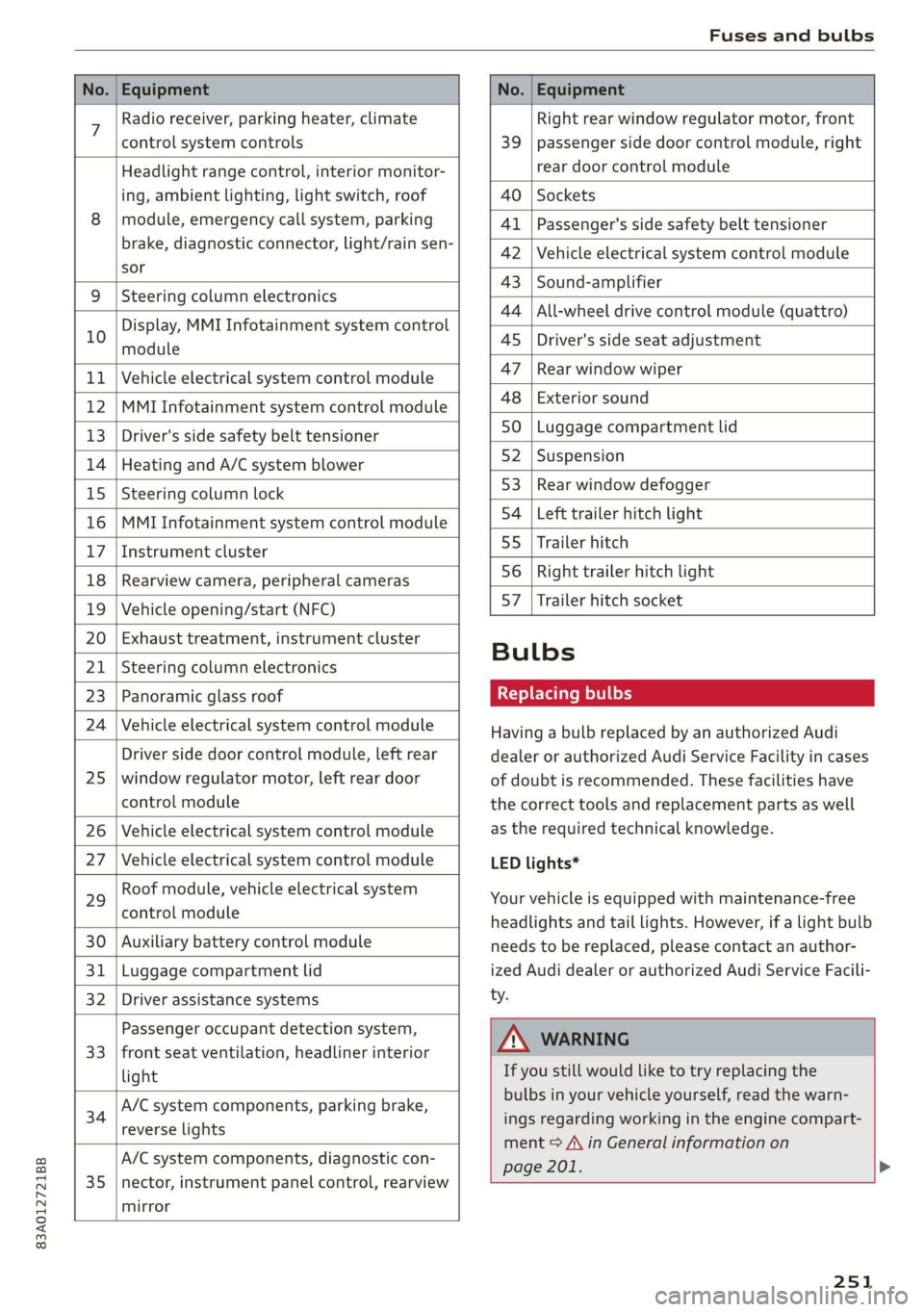
7 Radio receiver, parking heater, climate Right rear window regulator motor, front
control system controls 39 | passenger side door control module, right
Headlight range control, interior monitor- rear door control module
ing, ambient lighting, light switch, roof 40 | Sockets
8 | module, emergency call system, parking 41 |Passenger's side safety belt tensioner
brake, diagnostic connector, light/raih'sen- 42 |Vehicle electrical system control module
sor
= - 43 |Sound-amplifier
9 |Steering column electronics
- - 44 | All-wheel drive control module (quattro)
Display, MMI Infotainment system control
10 anadtile 4S Driver's side seat adjustment
11 | Vehicle electrical system control module 47 | Rearwindow wiper
12 |MMI Infotainment system control module a6 || Exteriorsound
13 | Driver's side safety belt tensioner 50 | tuggage: compartment lid
14 | Heating and A/C system blower 52. || Suspension
15 | Steering column lock 53 | Rear;window defogger
16 |MMI Infotainment system control module 54 | Left trailer hitch light
17 |Instrument cluster 29 | Ualler hitch
18 | Rearview camera, peripheral cameras 56. | Right trailer hitch light
19 | Vehicle opening/start (NFC) 87 [Trailer'hitch'socket
20 | Exhaust treatment, instrument cluster
; Bulbs
21 | Steering column electronics
23 | Panoramic glass roof Replacing bulbs
24 | Vehicle electrical system control module
25
Driver side door control module, left rear
window regulator motor, left rear door
control module
26 Vehicle electrical system control module
27 Vehicle electrical system control module
29
Roof module, vehicle electrical system
control module
30 Auxiliary battery control module
31 Luggage compartment lid
32 Driver assistance systems
33
Passenger occupant detection system,
front seat ventilation, headliner interior
light
34
A/C system components, parking brake,
reverse lights
35
A/C system components, diagnostic con-
nector, instrument panel control, rearview
mirror
Having a bulb replaced by an authorized Audi
dealer or authorized Audi Service Facility in cases
of doubt is recommended. These facilities have
the correct tools and replacement parts as well
as the required technical knowledge.
LED lights*
Your vehicle is equipped with maintenance-free
headlights and tail lights. However, if a light bulb
needs to be replaced, please contact an author-
ized Audi dealer or authorized Audi Service Facili-
ty.
ZA\ WARNING
If you still would like to try replacing the
bulbs in your vehicle yourself, read the warn-
ings regarding working in the engine compart-
ment > A\ in General information on
page 201. >
251
Page 264 of 278
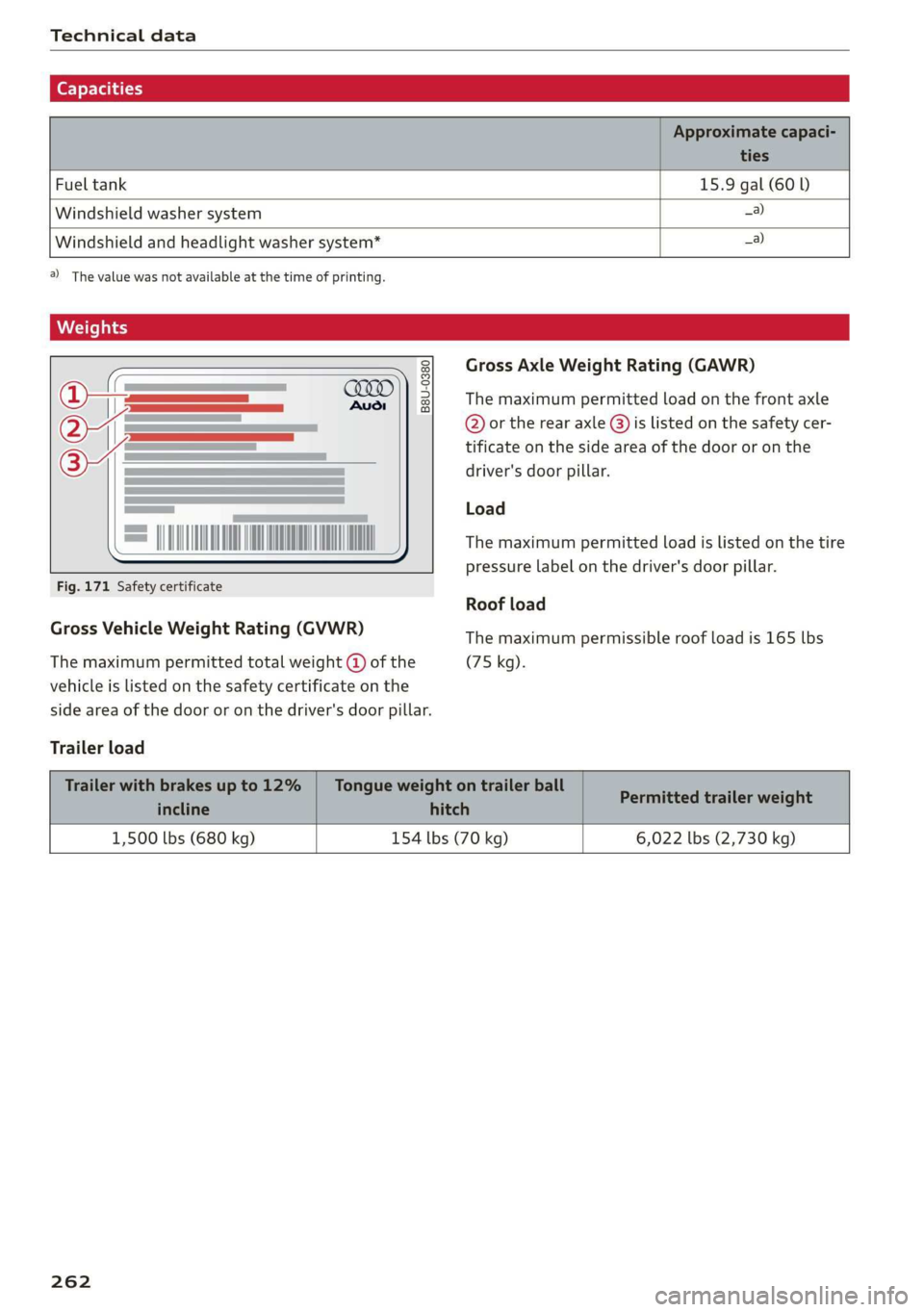
Technical data
(er) Fah a(t)
Fuel tank 15.9 gal (60 )
Windshield washer system _a)
Windshield and headlight washer system*
_a)
2) The value was not available at the time of printing.
B8U-0380
= DIINO NNO A
Fig. 171 Safety certificate
Gross Vehicle Weight Rating (GVWR)
The maximum permitted total weight @ of the
vehicle is listed on the safety certificate on the
side area of the door or on the driver's door pillar.
Trailer load
Gross Axle Weight Rating (GAWR)
The maximum permitted load on the front axle
@ or the rear axle @) is listed on the safety cer-
tificate on the side area of the door or on the
driver's door pillar.
Load
The maximum permitted load is listed on the tire
pressure label on the driver's door pillar.
Roof load
The maximum permissible roof load is 165 lbs
(75 kg).
1,500 lbs (680 kg) 154 lbs (70 kg) 6,022 lbs (2,730 kg)
262
Page 272 of 278
Index
P
Paint damage............2.- cee eee eae 236
Paint number............. 00. e ee eee eee 261
PANIC-DUEEOMY: » « seswees «a cameice = x omewene 0 semen & 32
Panic FUMGtiOn & sews « a amwene + a sswone a o ctiteoue oo 32
Panoramic glass roof..............000005 40
Convenience opening and closing......... 39
Emergency closing........-..seeeeeeees 40
Quickopening ie: = svc es wee se ore eo oe 40
Parktassist «ce: ¢ 2 sam « x nese & 2 Roe & ¢ see 136
Parking aid es « » exes ¢ e seen ¢ ees so ees 127
Cleaning the sensors and camera........ 235:
Parking space search...............05. 134
Peripheral cameras. ..............0005 129
Rearview camerabiies os saves oo sere ao aero 129
Trailer view...............0000000 eee 131
Parking
aids
Park assist... 0.2.0.0... eee eee ee eee 136
Parking and maneuvering............... 127
Parking brake
refer to Electromechanical parking brake.. 93
Parking lights. ............ 00 eee e eee ee 44
Parking lock
Manually releasing..............-..00- 87
alsovreferto Gears. « cmes ss van vo ewe ewe 85
Parking system
Adjusting the volume................. 128
Switching rear cross-traffic assist on and
Offs « = noms & 2 sume 4 e Beene x 2 Keo ae a 133
Parking
systems
Parking system plus...............0.. 127
Pass=through sissies 2s seeone 2 eens = sateen ee ae 76
Paths: « auws 2 2 anew 2 8 cagon ¢ Kamps 5 Heme & 3 BY L?
Pause (media files). ss wens oy eeea a been a es 184
P@dalSizaie x samm = seesu ¢ 2 Rass 3 F NaUER 3 t cere 87
Perchlorate. ... 0.2... 0c cee eee eee eee 256
Peripheral cameras...............0000. 129
Personal route assistance............... 165
Phone
Answering/ending acall............... 145
Connecting a second mobile device...... 140
Disconnecting a mobile device.......... 141
Settings ........ 0.0.2. ee eee eee eee 149
Phonebook
refer to ContactSies « s seas sc pees se ewes a 144
Playback (media) ..............2--00005 184
270
Podcast
refer to Online radio........... 2... eee 176
10) 160
Point of interest
refer to Online Points of Interest........ 160
Polishing .... 0.6.00. cece eee eee eens 236
Power sourceS.........000 eee eee 73,182
Power windows ...........--00 eee eee eee 38
Malfunction .......... 0.0 e eee eee 38,39
Power windows malfunction............05 38
pre sense
refer to Audi presense................ 122
Presentation mode............0e eee ane 172
Pressure
Tire pressure monitoring system........ 232
TIPO Sivas & axes 6 w amines 6 a omnes ow earn oH are 224
Progressive StGGringis + ewes s + wees s & wes sé 98
PFOtGCtinGhwes « 2 gama < 2 mama & BOER Fs HOR 8 8 236
Pyrotechnic elements...........--00 00 256
Q
quattro... 2... ee eee eee eee 99
Selective wheel torque control.......... 100
R
Radio’: = s sss = + eeree 5 ¢ eve + & eee 3s ew 173
RAGIOPOKE ics 1 5 senses © x samesne » v aenowms & 7 eaten 177
Station list... 2.0... 2. cee ee eee eee 173
Radio communications equipment........ 258
Radio equipment..................0 0 258
Radio Standards Specification (RSS) ....... 259
Rain/light sensor
Headlights............ 0.0.0 e eee eee 44
Intermittent mode (windshield wipers).... 50
Random
refer to Shuffle... cscseeeveasveeweaes 186
Range (fueLlevel)inu se wswa a wae x 2 mem a 6 we 14
Reading lightSis« < = cess s & ees se ees 3 ves 47
Rear cross-traffic assist............00005 133
Rear lid
refer to Luggage compartment lid........ 35
REanSEStS:: « = suas & Ga & © HGH & E SES 4s ES 56
Rear shelf... ..... ccc cece e ee eee eee eee 75
Rearview camera.......... 0. eee eee ee 129
Rear window defogger...............000 80
Page 275 of 278

83A012721BB
Service life ics + anew ow amavas w stamens wo aeciewe 223
Tire pressure... 02... cee ee eee ee eee 224
Tire pressure monitoring system........ 232
Tire pressure table.................00. 226
Tire pressure (trailer mode)............ 102
Treadwear indicators.................. 223
Unidirectionals. . sass as isso « 6 ssasee x 216, 243
Uniform tire quality grading............ 231
Tires and wheels
Glossary of tire and loading terminology .. 217
Tires and vehicle load limits............ 226
TOG sow x 2 seen 2 2 mauem 5 a BORE & & Gores 2 240
Top tether anchor (securing the child safety
SOAt) co coco o a smomees wo gamete ee ae vn comer ow 71
Touch display
Adjusting the brightness................ 18
Operating...............2.. 2.00.2 e eee 16
TOWING... 6. eee eee 246
Towing loop....... eee e ee eee eee eee 247
Towing protection monitoring............. 31
TPMS
Tire pressure monitoring system........ 232
Traffic information . woo. cee ee 169, 170
Traffic light information................ 109
Traffic SIQgKSicias x + severe x 2 awn ¢ o seten «oes 110
Trailer lOaGies « & seas s & sises = x eouns « 2 eaves ¥ 262
Trailer mode
Trailer mode (navigation).............. 172
Trailer towing ies 2 2 src 2 6 wets 2 6 waren 3 ewe 102
Tongue weight................00-000. 102
TraileP load s casas x x komm 9c aemm as eewR Fd 102
Trailer View. ... 00... cee eee ee eee ee 131
Turn signals. ... 2.2... 6.0 cece eee eee AS
U
Unable to pass...........-.. 00. e eee eee 115
Uniform tire quality grading............. 231
Unlocking and locking..............00005 28
By remote control..............2.0005. 33
Using the lock cylinder................. 30
With the central locking switch.......... 29
With the convenience key.............0- 33
Update (software) .............00 0200 ee 194
Updating stations (radio)................ 173
USB
Adapter. ..... 2... e cee cece eee 141
USB charging Ports. . sss vo ese so eens 6 w eee 73
USB stick
refer to Audi music interface........... 182
V
Vanity tier ccasos +. piesexvie semneze a 6 ewer « & exonene 50
Vehicle
Care/cleaning.............0--00 ee eee 234
DIMe@NSIONS sacers ¢ « eeems ¢ ¢ aes ¢ epee a ee 261
Identification data.................4. 261
Out of service... 6... eee eee eee 239
RaiSING's = eeu: 5 : ewe & a ceeE Fg nee 8 eee 241
StAPtIMGhin 6 6 semen so awe ov omRON 6H SaaS wT 82
Vehicle-car@iess ¢ «ness oo een oo eso Pees 234
Vehicle identification number............ 261
Vehiclejack’s « sacs = s wees = y wees oy eee x ee 240
LITING POINTS! « secias oo amas ow eenaee 2 a cone 241
Vehicle keys « saws x « sais ¢ & eas oo Rees 28,32
Vehicle starting system..............200. 91
Vehiclé tool:kit: : eee: 2 y eens x x cess 5 ees 240
Ventilation... 2.2.0... 0. eee eee eee 78
VIEW button ..... 0.0.0... eee eee eee 12
Voicemail. ... 2.0... eee eee eee eee 145
Voice recognition system
External... . cc eee cee eee eee 25
OpPGratinig’s s » asww + ears & + yom & + RoR 4 x Be 24
Ww
Warning lights
refer to Indicator lights...............00. 7
Washing matte finish paint.............. 234
Weights: « + cess «2 par a o saws 3 ¢ sees + 2 ee 262
WITEELBOLES = earns x & says ge semis x canes eee 229
Changing’a tire = cscs
Cleaning.......... 0. cece eee eee eee 235
Glossary of tire and loading terminology .. 217
Loose wheel warning.............-.... 229
Replacing.......... 0. cece eee eee ee 240
Tire pressure monitoring system........ 232
Tires and vehicle load limits............ 226
Wheel Wrench): « « cies + nase ss nome so cee 240
Wi-Fi
HOtSPOESEETINGS iss 5 ences 6 samme 6 aces o L55
Online media................00--005. 181
USING a hotspot ; sass sheen cs bees tees 153