steering wheel AUDI Q3 2020 Workshop Manual
[x] Cancel search | Manufacturer: AUDI, Model Year: 2020, Model line: Q3, Model: AUDI Q3 2020Pages: 278, PDF Size: 72.66 MB
Page 235 of 278
83A012721BB
Wheels
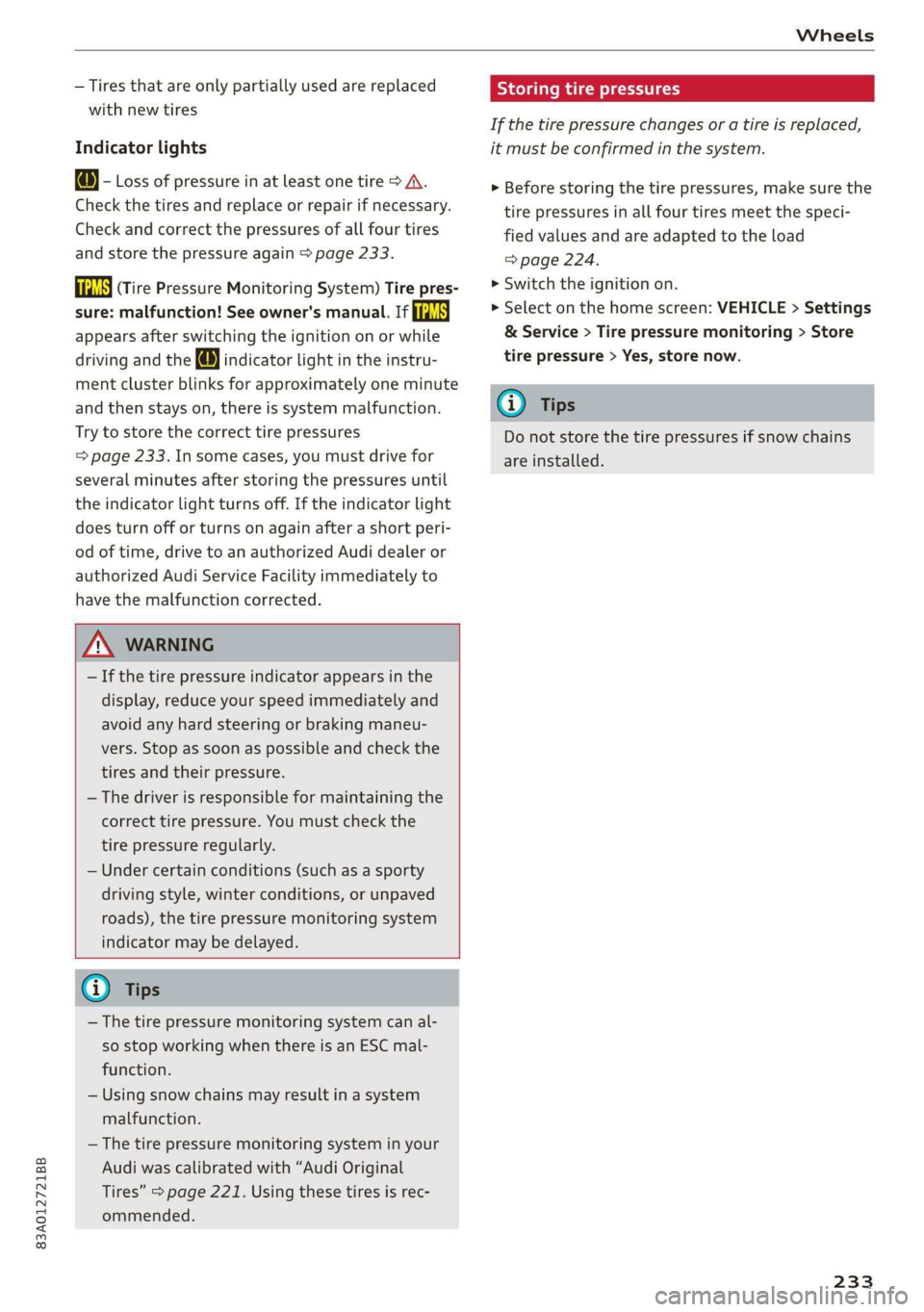
— Tires that are only partially used are replaced
with new tires
Indicator lights
@ - Loss of pressure in at least one tire > A\.
Check the tires and replace or repair if necessary.
Check and correct the pressures of all four tires
and store the pressure again > page 233.
ia (Tire Pressure Monitoring System) Tire pres-
sure: malfunction! See owner's manual. if
appears after switching the ignition on or while
driving and the @ indicator light in the instru-
ment cluster blinks for approximately one minute
and then stays on, there is system malfunction.
Try to store the correct tire pressures
=> page 233. In some cases, you must drive for
several minutes after storing the pressures until
the indicator light turns off. If the indicator light
does turn off or turns on again after a short peri-
od of time, drive to an authorized Audi dealer or
authorized Audi Service Facility immediately to
have the malfunction corrected.
ZA WARNING
— If the tire pressure indicator appears in the
display, reduce your speed immediately and
avoid any hard steering or braking maneu-
vers. Stop as soon as possible and check the
tires and their pressure.
— The driver is responsible for maintaining the
correct tire pressure. You must check the
tire pressure regularly.
— Under certain conditions (such as a sporty
driving style, winter conditions, or unpaved
roads), the tire pressure monitoring system
indicator may be delayed.
(i) Tips
—The tire pressure monitoring system can al-
so stop working when there is an ESC mal-
function.
— Using snow chains may result in a system
malfunction.
—The tire pressure monitoring system in your
Audi was calibrated with “Audi Original
Tires” > page 221. Using these tires is rec-
ommended.
Storing tire pressures
If the tire pressure changes or a tire is replaced,
it must be confirmed in the system.
> Before storing the tire pressures, make sure the
tire pressures in all four tires meet the speci-
fied values and are adapted to the load
=> page 224.
> Switch the ignition on.
> Select on the home screen: VEHICLE > Settings
& Service > Tire pressure monitoring > Store
tire pressure > Yes, store now.
(i) Tips
Do not store the tire pressures if snow chains
are installed.
233
Page 249 of 278

83A012721BB
Emergency assistance
Read and follow the important information under
=> page 246.
Preparations
> Only secure the towing cable or tow bar at the
designated towing loops > page 247,
=> page 247.
> Make sure the towing cable is not twisted. Oth-
erwise it could disconnect from the towing loop
while towing.
> Switch the emergency flashers on in both
vehicles > page 46. However, do not do this if it
prohibited by law.
Towing vehicle (front)
> Only start to drive when the towing cable is
taut.
> Press the brake pedal very carefully.
> Avoid sudden braking or driving maneuvers.
Vehicle being towed (rear)
> Make sure the ignition is switched on so that
the steering wheel is not locked and so that you
can use the turn signals, the horn, and the
windshield wipers if needed > A\.
> Switching it off before the vehicle has stopped
may impair the function of the brake booster
and power steering. You would then need to
use more force to steer and brake the vehicle.
> Release the parking brake > page 93.
» Select the “N” selector lever position.
> Make sure the towing cable is always taut.
ZX WARNING
Never tow a vehicle using a tow bar or towing
cable if the vehicle does not have electrical
power.
Front towing loop
Fig. 163 Front bumper: installing the towing loop
The threaded opening for the towing loop is lo-
cated on the right side of the front bumper.
> Remove the towing loop from the vehicle tool
kit > page 240.
> Press the cap inward with brief, strong pressure
> fig. 163. The cap will loosen from the bump-
er.
> Tighten the towing loop in the threaded open-
ing until it stops and then tighten it with a
wheel wrench.
> After using, place the towing loop back in the
vehicle tool kit.
ZX WARNING
If the towing loop is not tightened until it
stops when installing, the threads may be
pulled out when towing the vehicle and result
in an accident.
@) Tips
Depending on the model, the shape of the
cover can vary.
Rear towing loop
Fig. 164 Rear bumper: installing the towing loop
247
Page 253 of 278
83A012721BB
Fuses and bulbs
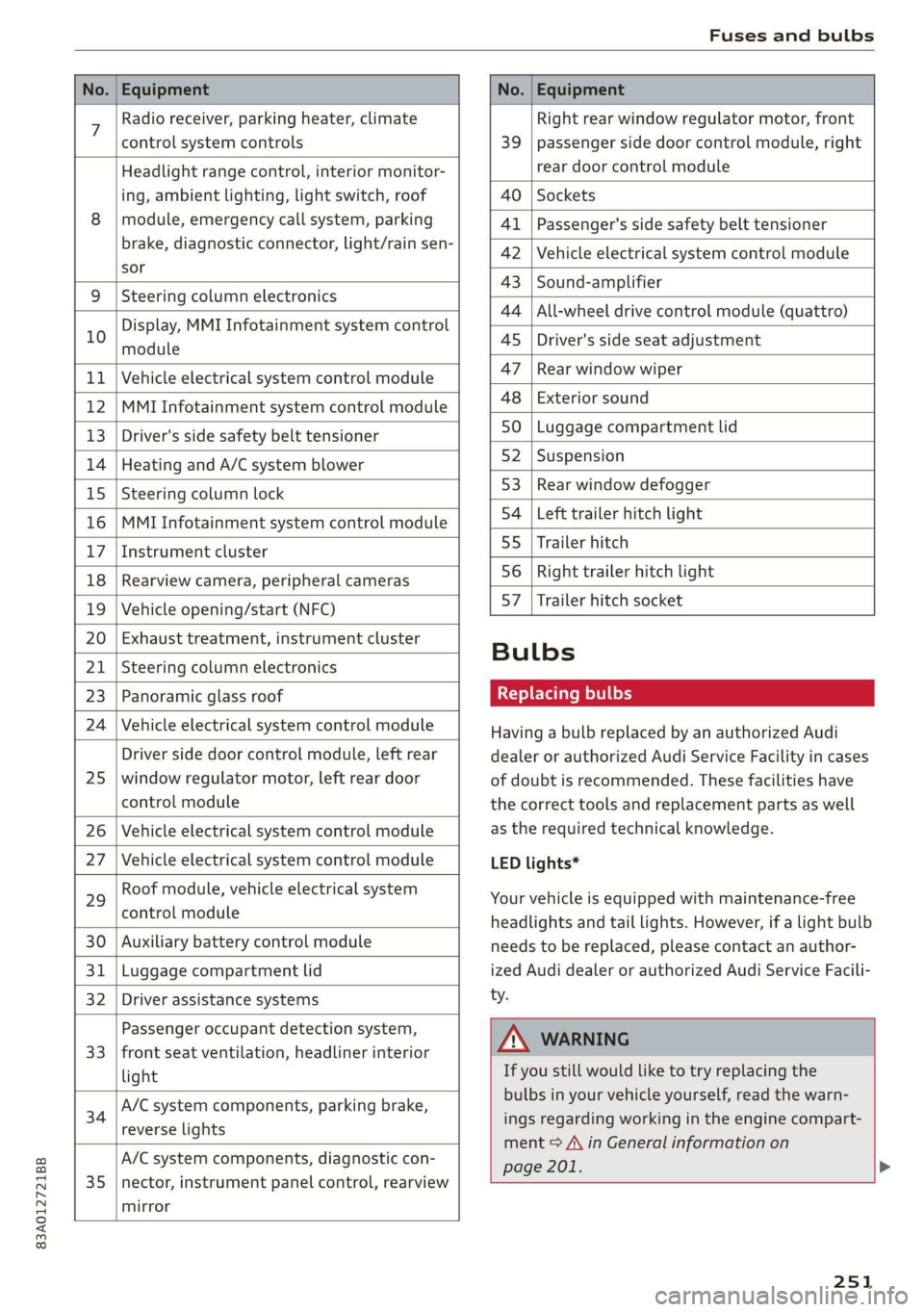
No. | Equipment No. | Equipment
7 Radio receiver, parking heater, climate Right rear window regulator motor, front
control system controls 39 | passenger side door control module, right
Headlight range control, interior monitor- rear door control module
ing, ambient lighting, light switch, roof 40 | Sockets
8 | module, emergency call system, parking 41 |Passenger's side safety belt tensioner
brake, diagnostic connector, light/raih'sen- 42 |Vehicle electrical system control module
sor
= - 43 |Sound-amplifier
9 |Steering column electronics
- - 44 | All-wheel drive control module (quattro)
Display, MMI Infotainment system control
10 anadtile 4S Driver's side seat adjustment
11 | Vehicle electrical system control module 47 | Rearwindow wiper
12 |MMI Infotainment system control module a6 || Exteriorsound
13 | Driver's side safety belt tensioner 50 | tuggage: compartment lid
14 | Heating and A/C system blower 52. || Suspension
15 | Steering column lock 53 | Rear;window defogger
16 |MMI Infotainment system control module 54 | Left trailer hitch light
17 |Instrument cluster 29 | Ualler hitch
18 | Rearview camera, peripheral cameras 56. | Right trailer hitch light
19 | Vehicle opening/start (NFC) 87 [Trailer'hitch'socket
20 | Exhaust treatment, instrument cluster
; Bulbs
21 | Steering column electronics
23 | Panoramic glass roof Replacing bulbs
24 | Vehicle electrical system control module
25
Driver side door control module, left rear
window regulator motor, left rear door
control module
26 Vehicle electrical system control module
27 Vehicle electrical system control module
29
Roof module, vehicle electrical system
control module
30 Auxiliary battery control module
31 Luggage compartment lid
32 Driver assistance systems
33
Passenger occupant detection system,
front seat ventilation, headliner interior
light
34
A/C system components, parking brake,
reverse lights
35
A/C system components, diagnostic con-
nector, instrument panel control, rearview
mirror
Having a bulb replaced by an authorized Audi
dealer or authorized Audi Service Facility in cases
of doubt is recommended. These facilities have
the correct tools and replacement parts as well
as the required technical knowledge.
LED lights*
Your vehicle is equipped with maintenance-free
headlights and tail lights. However, if a light bulb
needs to be replaced, please contact an author-
ized Audi dealer or authorized Audi Service Facili-
ty.
ZA\ WARNING
If you still would like to try replacing the
bulbs in your vehicle yourself, read the warn-
ings regarding working in the engine compart-
ment > A\ in General information on
page 201. >
251
Page 269 of 278
83A012721BB
Fuel tank capacity
Gasoline... 2... ee eee eee eee
Reducing fuel consumption............. 89
Fueling
Fuebtillerdoor's + = sce so sens o soamsne + aress 198
Fuel filler door emergency release....... 200
Fuel tank capacity.................00-. 262
Fuse assignment..............-.2-.0-- 250
G
Garage door opener... .. 6... ce eee eee eee 40
Garment hooks.......... 000.0000 eee eee 74
Gasoline... 2. eee eee 197
Additives ..... 0... ccc cece 198
GASOLINE MIXtURElea: « » coe ss yee 2 4 eee 197
GAWR
refer to Gross Axle Weight Rating (GAWR) . 262
GSlSiy « saves a neue 3 e Rew oe EER e eTEEY & BE 85
Glossary of tire and loading terminology... 217
Glove Compartment ocx « : cccu es yew 2 g can 74
Gross Axle Weight Rating (GAWR)........ 262
Gross Vehicle Weight Rating (GVWR)...... 262
GVWR
refer to Gross Vehicle Weight
Rating (GVWR) iiss «2 sssuos 6 2 wasn 2 w cose 262
H
Handstrees: esis « y ween ¢ pase 2 aaien gs ears 140
Hafids Free.Profile’. «sows + < sas sv emu ges 140
Headlight range control.................. 44
Headlights
Cleaning « « ssw ¢ owas x o owes x o sew so oe 235
Headlight range control................ 44
Washer system... 1... 0... cece eee ee eee 50
Head restraints
AGjUStING ss = = wows : 2 ewes to wees oo eee 2 2 58
Removing and installing................ 58
Heated rear window.............00000008 80
Heated steering wheel................--. 80
Heater
refer to Climate control system.......... 78
HFP
refer to Hands Free Profile............. 139
High beams
High beam assistant................... 45
Highway tights. © asi 2 oscar 2 waver vee 2 44
Hill descent assist ..... 0.0... ce eee eens 95
Hill descent control... 2.0... ..ce eee e eens 94
Hill Hold assist « vies se ees xe ews enews oe 84
Home
refer to Home address................ 166
Homeaddress:: « s sess saya nee ee pee 166
HomeLink
refer to Garage door opener............. 40
HOMEISCrERNs: 5. covi oo sosueee oH seston = 0 ane ov LZ
HIOKN « « sues 2 2 aus oo eee ee ey Fo eee s Bee 6
Hotspot
MO fEritONN eR be: 2 x seawes w = snecawe =o maesne ew anes 155
I
Idle
refer to Gears... . ee eee eee 85
Ignition
Switching on and off..............0000- 82
Imbalance (wheels) ............0 eee eee 223
Immobilizer
refer to Electronic immobilizer........... 32
Indicator lights... 2... 6. . eee eee eee eee 7
Inspection interval..............0000 00 213
Instrument cluster.............0 000 eee 11
Adjusting the layout................... 12
GlEANING’s « & seuss @ & wawe 2 = wow « y ROS ea 236
Engine code........... 2... eee ee eee 195
Failure... ee eee 11
On-board computer...............000-5 14
OPerabing’. « ssersc « vere eo evauens + + anova © & en 12
Service interval display................ 213
Software information................. 195
Switching tabs: « «wasn s & were w & areomwe 6 6 aoe 12
Switching the view.............2--0000- 12
Vehicle TUNCtIONS « isis x estas se ews oe eee 14
Version information.................- 195
Instrument illumination................. 48
Intelligent search
Navigationion + « scare ao casesene
Interior lighting © «ces << were ee ese ve 47,48
Interior MONItOriING’s « s scsi so csuew sees ws 31
Intermittent mode (windshield wipers) ..... 50
Internationaltravel..................0. 155
Internet
referto CONNeCts « 2 esws es eews ees wm 152
Page 271 of 278
83A012721BB
Index
MInrOr COMPASS « ses 2s asians 4 0 wsesens oe somes 52
Mirrors
Adjusting exterior mirrors.............-. 48
DINING » scam 9 < noms ss ROR FF Ree 4b aR 49
Nanity(Mit ror cco 2s omen 2s onemn 3 o wean © 6s 50
MMI Navigation plus
refer to Multi Media Interface........... 18
MMI Radio plus
refer to Multi Media Interface........... 18
Mobile device
refer to Telephone...........-..2.-00. 139
Mobile phone network
GONNECtION SELEINGSs 2 caw « & gewa s ¢ aaws 150
Mouihitain Passes « sees sz sews ss wea ke oes 94
Mountain roads......... eee eee eee eee 94
Multifunction steering wheel
Buttons « weer: « x eee 4 s Queen yo ew 2 a 12,26
Operating « « sew +o waues v a nese + eawem 3 + eos 12
Programming buttons...............00 26
Voice recognition system............... 24
Multi Media Interface................... 18
Menus and symbols.............00e-0 08 19
OPeKabiING 4 « cassac o « sesame w 6 peonein 6 ceartene a 16,19
Switching on or off.................... 18
Muting (mute) ............. 000s 26
myAudi...
2.2... eee eee eee 27,153
myAudi navigation................. 157,161
N
Natural leather care andcleaning......... 237
NaVIQation sescans c+ asin ov coieas « ¥ suena © ¥ un 157
Better route............. 00 ee eee eee 169
GAlinGixe: « 5 wom 5 x epee e MemE E YEE ES 161
Changing the scale................005 161
also referto Map..................00. 163
Navigation database
Version information...............565 195
Navigation (instrument cluster) .......... 164
NHTSA... 22.0... c eee eee eee 258
Notificationscemter rcs x svexue 2 0 cumneue © 0) exe 20
Oo
Octane rating (gasoline)................ 197
OdOMELER seems so seein 6H areowe 6% svat Fa ERO a 14
Resetting .......... 0.0 e eee eee eee eee 14
Office address
refer to Business address.............. 166
Offroad
refer to Offroad driving...............-- 95
Offroad driving. ......... 0. eee e eee 95
Oil
referto Engine oil................-.-- 203
On-board computer..............0.-000. 14
On Board Diagnostic System (OBD)... 200, 253
Online destination
refer to Online Points of Interest........ 160
Online map
refer to Satellite map................. 167
Online Media xcs « s sees = v gems ep ewe se 181
Online Points of Interest................ 160
Online radio...................0.00005 176
also refer to Online radio.............. 176
Online services
WEFErTOXCONNEEE:: © = scevcix « 5 wees ¥ reevenere © HH 152
Online system update.................. 194
OPGNING a5 & eemes x were « + oem 6 x ReeR 9 tre 28
Automatic luggage compartment lid...... 36
Convenience opening............eee eee 39
Engine compartment lid............... 202
Fuel filler door. ... 0.0.0... cece e eee ee 198
Luggage compartment lid............... 35
Luggage compartment lid with foot motion . 37
Panoramic glass roof.............000005 40
Sunshade (roof) ................00000 ee 40
WiNdOWS!: 2 acum: « ¢ waey 3 o cee § 5 ARO gb ae 38
Opening and closing
refer to Unlocking and locking........ 28, 33
Operating
Tastrumenticluster sisson «0 evans + ¥ cvenee © a oe 12
Multifunction steering wheel............ 12
Multi Media Interface............... 16,19
TOEXTIMPUEEs 3 cunsens so coven as: scams a @ seawo @ it 21.
Touch display............-..0 eee eee ee 16
Optional equipment number............. 261
Options
Media... .... cece eee ee eee eee 187
NavigatiOties « « saws + s ween 5 s meek s Rees 170
Radio... cece 178
Overview! (Cockpit): ox ici a a cosmo a aos vw ae 6
269
Page 274 of 278

Index
Sideiassistesc «x cues 2 v awsome ao omnes oo ance 125
Cleaning the sensors..........--.00005 235
SIM card ..... 2.2.22. cece eee 153
SiriusXM alert notifications.............. 177
Sliding/tilting sunroof
refer to Panoramic glass roof............ 40
Smart favorites ..... 0.0... eee eee eee 176
Smartphone
Wireless charging................+00 141
also refer to Telephone...............- 139
SHOW ChalniSs = = semn +» mse se ee c eR Es 230
Socket... 0.2.20... cece eee eee 73
Software
UBOStG: xen: 2 nese ss que & x Hee eB 194
Software information
Legal information....... 00.0... ce sees 195
Software version (MMI)
Version information.................. 195
Sound
refer to Adjusting the sound............ 193
Space-saving spare tire (compact spare tire) . 243
SParestines. x « waves 2 0 were © wiaeens ew een « Have 243
Speedometer’. csi. xx cvsees vo eeu oo emate v ve 11,
Speed warning system..............000. 109
Start/Stop'system'.« ¢ cces a e neeu ae ree a ve 90
Switching Off ANGION . « scr s+ memes ao omen « 91
Starting toidrives. « . ssa es aware ex onene ao eace 84
Starting (GNGine)is «2 soos « v cence wo amneie @ 2 oe 90
Ste@erinGies » s cwwe sy ewe £ o Rew so HGS F RRS 98
Audi drive:select. ccs so sansnis + # aceon « 5: ese 97
also refer to Steering............000005 98
Steering lock..............000005 82, 83,98
Steering wheel
Adjusting. ......... 0... cee ee eee ee eee 57
Adjusting manually.................00- 57
Shift paddles............. 0.000200 ee 86
Steering wheel heating................. 80
also refer to Multifunction steering wheel. . 12
Steps for determining correct load limit... 228
Stopover (navigation) ................-. 162
Stopping (engine).......... cece eee eee ee 90
Storage... 6.66... cece eee eee eee 74,75
Storage bag... 1... eee eee eee eee 74
Storage: compartMente:. « ses. scene so onsen 74
Stored stations
refer to Favorites... .... cee eee eee 175
272
Streaming
refer to Online media...............4. 181
Subwoofer............. 0. cece eee ee eee 243
Sunshade
ROOF... eee eee ee eee eee 40
SUN VISOFS. 1... ee eee 49
Suspension ....... 0.00 e eee cece ee eee ee 97
Audi drive select............0. cece eee 97
Swap call... ... 2. cee eee eee eee 146
Symbols
NaViddttOfsss + waene + wou « ¥ seme ¢ 5 res 163
Waters: « 6 sewse + waves © veers © 2 oem ov 169
also refer to Indicator lights.............. 7
System SECLINGS « ceri «6 s. cceveie © create wn soecata 193
T
Tachometer...........0.0 cee een eae 11,13
Tail lights
Cleaning... ..... cece eee ee eee eee 235
Techinicalidattars, « . vscms ie « siasave ov cvatase ow ese 261
Technical modifications ..............005 256
Telephonetis: ¢ ssc s wasn 3 6 vscem « © arene so 8 139
Audi phone box..............--0000e 141
Connecting acellphone............... 139
Dialing amumber.................00-- 145
Options during aphonecall............ 146
PlayiMO MUSIC « ces 3 < ces se Ree eB eR 180
Temperature display (outside temperature) .. 14
Temperature gauge
GOOISNE » saves ¢ 2 omy s 2 ees s eee s HE ee 11
Text input...... 2.0... 0.000000 0 202 21
Text messages
SOtUINGS scan « = seme & 2 sere sy Mowe ores 147
Text messaging settings 0.0... cc eee 147
also refer to Text messages............ 147
Tie-downs .... 2.0... eee eee 76
Tightening specification
Wheel bolts.............0 0. s ee eee 243
Tightening specification (wheel bolts) ..... 243
Time 0 eee 14
tiptronic
refer to Manual shifting................ 86
Tir€S eee eee 214
Changing =x « = sass « x sees = ¢ come ee eee 240
Loose wheel warning...............005 229
Low-profile tires.............02. 000 230
Page 276 of 278
Index
Windows
Child safety lock... 0.0... eee eee eee eee 38
Cleaning and removing ice............. 236
Convenience opening and closing......... 39
Opening and closing................40. 38
POWEr WitidOWSisc: = x seme » 5 em 5 u en 4 38
Windshield
GIEANING’s 2 « mews 5 « maw ¢ yews ¢ eR oo Be 50
also refer to Windshield................ 50
Windshield washer system........... 50, 212
Reservoir capacity...........-...00-0- 262
Windshield wipers...............-00000- 50
Winter operation
Battery... 6.0... cece eee eee eee eee 210
Car washes « suas s 9 gems 2 » yeu zo game Ye 234
CoolingisysStem «sss « o sseuess vo races # ove 207
Defrosting the windows............. 79, 80
Rear window defogger..............0055 80
Removing ice from windows............ 236
Seat heating............ 0... e eee eee eee 80
SHOW ChainSiis 3 + wocee ao awe EE eRe 4 8 ee 230
Steering wheel heating................. 80
THOS Cee eee 230
Windshield washer system............. 212
Winter tires... 1.0.2... 0... ce eee ee ee eee 230
Wiper blades
GChangitiGie. « wep s + sume ex deme 2 2 eee 51, 52
Cleaning’: + « sweisns x « cava « o sevens a eveneoe a 51, 52
Wireless CarPlay
refer to Audi smartphone interface...... 191
Wireless charging
Audi phone box............5-.00 ee eee 141
274