cruise control AUDI Q5 2013 Owners Manual
[x] Cancel search | Manufacturer: AUDI, Model Year: 2013, Model line: Q5, Model: AUDI Q5 2013Pages: 316, PDF Size: 78.89 MB
Page 4 of 316
2 Table of contents Vehicle literature .. .. .. .. .. ... .
About this Owner's Manual ...
Controls and equipment .. ... .
Ins truments and controls .. . .
General illus tration .... ... .. .. ... .
Instruments and warning /
indicator lights ........ .. .. .. . .
Ins truments . .. .. ..... ... .. .. ... .
War ning/ indi cator lights ... .. ... .. .
Driver information d isplay .. . .
Introduct ion . .. .. ..... ... .. .. ... .
Trip computer .. .. ..... ... .. .. ... .
Efficiency program ........ .. .. ... .
On-Board Diagnostic system (OBD) .. .
Elect ronic speed limiter ........ .. . .
Auto Check Control ........ .... .. .
Opening and closing .... .. .. . .
Keys .. .. .. ... .... ...... .. .. .. . .
P owe r locking system ............ .
Opening an d clos ing rear lid .. .. .. . .
Automatic rear lid/t runk lid ope rat io n
E mergency unloc king of the lug gage
compartment lid . ..... ... .. .. ... .
C hil d safety locks . ..... ... .. .. ... .
Power win dows .. ..... ... .. .. ... .
Panoramic slid ing sun roof .. .. .. ... .
Clear vision .. .. ..... ... .. .. ... .
Lights ... .. .. . .......... .. .. ... .
Inter ior lights ................ ... .
V 1s 1on . ...... ........... .... ... .
W iper and washer system . ... .. .. . .
Mi rrors .. .. ................ ... . .
D ig ita l compass ................. .
5
6
8
8
8
10
10
14
20
20
23
25
26
27
27
36
36
38
4 3
44
45
46
46
47
49
49
53
54
54
57
59
Seats and storage . . . . . . . . . . . . . 61
Ge ne ral recomme ndat ions ... .. .. . .
Fr ont sea ts . ... .......... .. .. .. . .
Se at memo ry ............ .... ... .
Rear seats .. .. . .. ..... ... .. .. ... .
Head res traints .. ..... ... .. .. ... .
Ce nte r arm rest ... ..... ... .. .. ... .
Luggage compartment ........... . 61
6 2
63
6 4
65
66
67
R oo f rack ..... .. ... .. ..... .... . .
Beverage holders ... ... ..... ... .. .
Climatized cupholders .. ..... ... .. .
( upholders in the door pockets ... .. .
Ashtray ... .... .. ............. .. .
Cigarette lighter/Socket .......... .
Storage ..... .. .. .. ... ....... ... .
Warm and cold .......... ..... .
Climate co ntrol
On the road ................ .. .
Steering ......... .... .......... .
Ig nitio n loc k .. ... ............... .
Co nvenience key .. ... ... .... ... .. .
Dr ive r messages ................. .
El ectromec hani cal p arking br ake . .. .
S tar t-Sto p-System . .... ..... ... .. .
S peed warning system ... .... ... .. .
Cruise cont ro l .. .. ... .. ..... .... . .
Hybrid ... .... .. .. ... ..... ... .. .
Hyb rid drive ..... .. ... ..... ... .. .
Audi adaptive cruise control
and braking guard ...... ... .. .
Introduction ..... .. .... .... ... .. .
Genera l information ........... .. .
Audi adaptive cruise control ..... .. .
Audi braking guard .............. .
Messages ........ .... .......... .
Audi side assist ... ...... ..... .
Lane change ass ista nt
Audi dr ive select ........... .. .
Driving settings .. ... .. ....... ... .
Automatic transmission ..... .
tipt ron ic ..... .... .... .......... .
70
73
74
74
75
75
76
79
79
83
83
83
86
88
88
91
93
95
97
97
107
107
107
109
113
114
116
116
120
120
123
123
Parking system . . . . . . . . . . . . . . . . 129
Audi park ing system plus with
r earv1ew camera . . . . . . . . . . . . . . . . . .
129
Adjust ing the d isplay a nd warn ing
tones. . . . . . . . . . . . . . . . . . . . . . . . . . .
133
Page 11 of 316
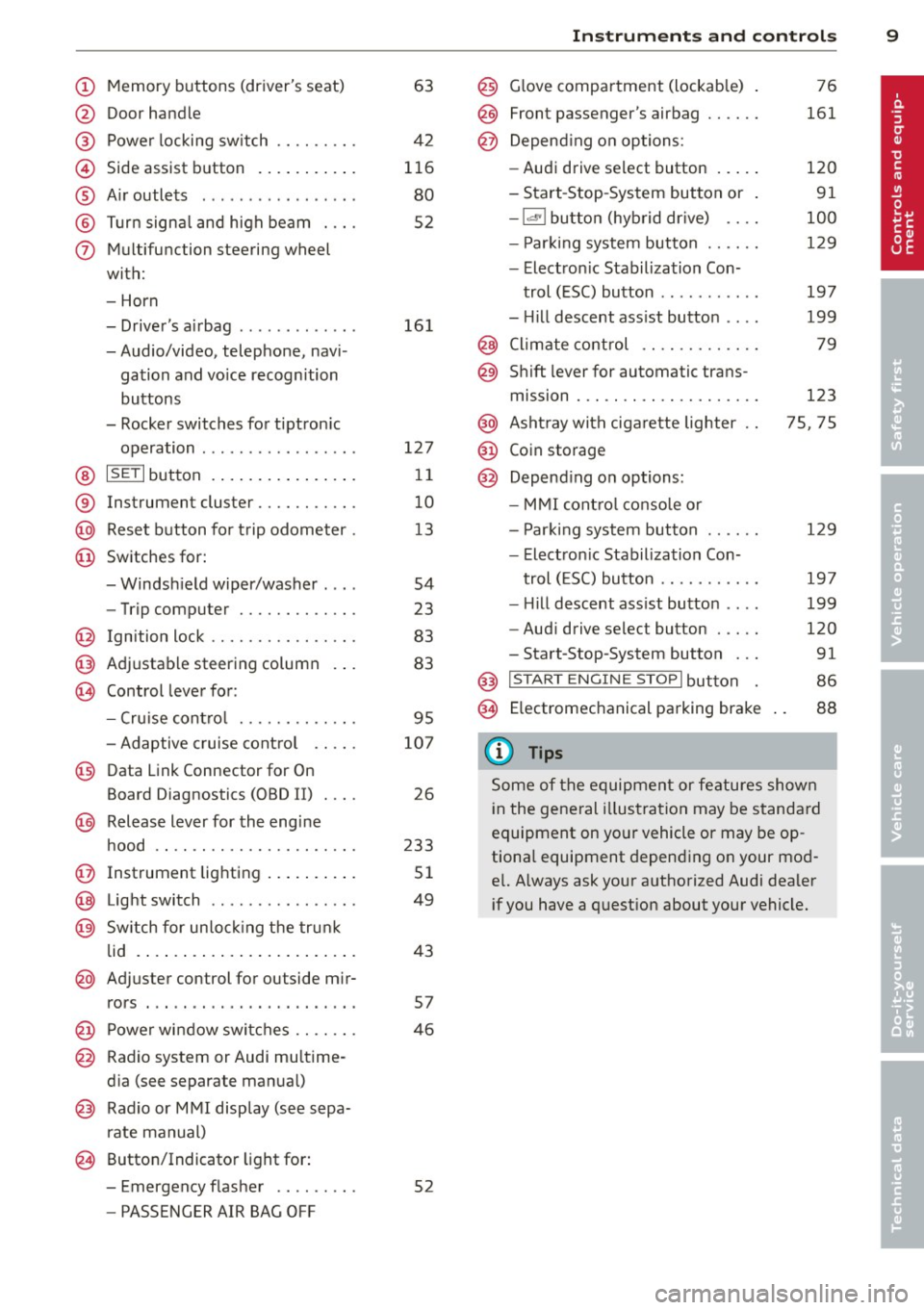
(!) Memory buttons (driver's seat)
@ Door handle
@ Power locking switch ........ .
© Side assist button ....... ... .
® A ir outlets .... .. ... ... .. .. .
@ Tu rn signa l and high beam . .. .
(j) Multifunction steering wheel
with:
- Horn
- Driver's airbag ............ .
- Audio/video, telephone, navi-
gation and vo ice recognition
buttons
- Rocker switches for tiptron ic
operation ................ .
@ ISETI button ... ..... ... ... . .
® Instrument cluster .......... .
@ Reset button for trip odometer .
@ Switches for:
- Windsh ield wiper/washer . .. .
- Trip computer ............ .
@ Ign ition lock ............... .
@ Adjustable steering column
€3J Control lever for:
- Cru ise contro l ........ .. .. .
- Adaptive cruise contro l .. .. .
@ Data Link Connector for On
Board Diagnostics (OBD II) . .. .
@ Release lever for the engine
hood .. .. .... ............. .
@ Instrument lighting .. ... .. .. .
@ Light switch ... .. ... ... .. .. .
@ Sw itch for un loc king the trunk
lid .... .. .. .... .. .... ... .. .
@ Adjuster control for outside mir-
63
42
116
80
52
16 1
127 11
10
1 3
54
23
83
83
95
107
26
233
51
49
43
rors . . . . . . . . . . . . . . . . . . . . . . . 57
@ Power wi ndow switches . . . . . . . 46
@ Radio system or Audi mu ltime-
d ia (see separate manual)
@ Radio or M MI display (see sepa
rate manual)
@ Button/Indicator light for:
- Emergency flasher . . . . . . . . . 52
- PASSENGER AIR BAG OFF
Instrument s and control s 9
@) Glove compartment (lockab le)
@
@
Front passenger's airbag ..... .
Depend ing o n options:
- Audi drive select button
- Start -Stop-System button or
- 1.cl •I butto n (hybrid drive) ... .
- Par king system button ..... .
- Electron ic Stabilization Con-
trol (ESC) button .......... .
- Hill descent ass ist button ... .
@ Climate control .... ........ .
@ Shift lever for automatic trans-
mission . .. .. .. .... ........ .
@ Asht ray with ciga rette lighter
@ Coin storage
@ Depend ing on options:
- MMI cont ro l conso le or
- Park ing system button ..... .
- Electron ic Stabilization Con-
trol ( ESC) button .......... .
- Hill descent ass ist button ... .
- Aud i drive select button .... .
-Start-Stop-System button .. .
@) I S T ART ENGI NE STOPI button
§) Electromechanical parking brake
{!) Tips
76
161
120
91
100
129
197
199
79
123
75, 75
129
19 7
199
120
91
86
88
Some of the equipment or features shown
in the general illustration may be standa rd
equipment on yo ur vehicle or may be op
tiona l equipment depending o n your mod
e l. Always ask your authorized Audi dealer
i f you have a quest ion about your vehicle.
Page 16 of 316
14 Instruments and warning/indicator lights
Warning/indicator lights
Overview
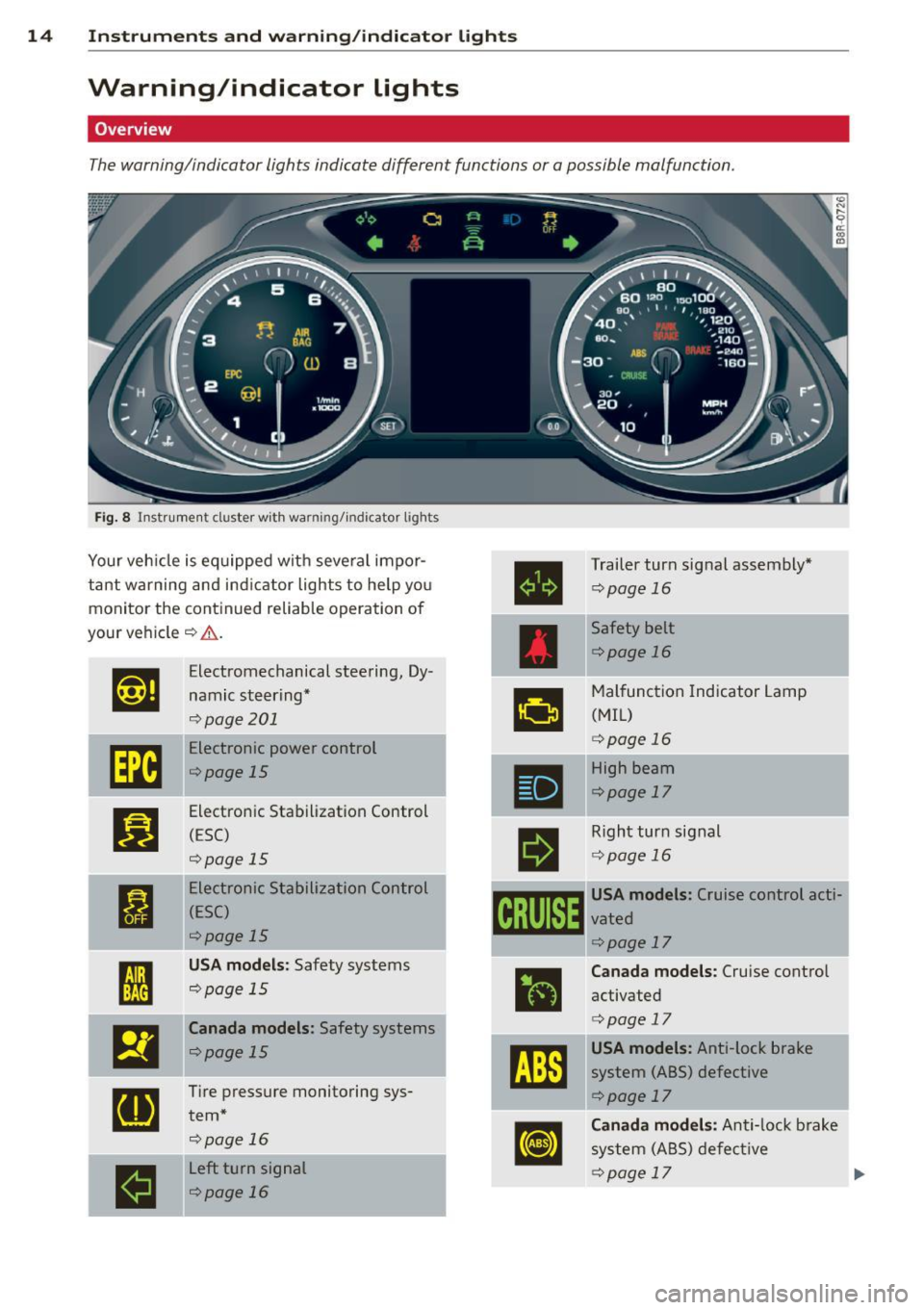
The warning/indicator lights indicate differen t func tions or a pos sible malfunction .
Fig. 8 In st rume nt cl us ter with wa rning /in dicato r ligh ts
Your veh icle is equipped with seve ral impor
tant warning and indicator lights to help you monito r the continued reliable operat ion of
your veh icle
¢ .&. .
Et·ff
Electromechanical steering, Dy -
namic steering*
¢ page 201
[m
Electronic power control
¢page 15
Bl
Electronic Stabilization Control
( E SC)
qpage 15
•
Electronic Stabilization Control
(ESC)
¢page 15
fl
USA models: Safety systems
qpage 15 •
El
Canada models: Safety systems
qpage 15
[I]
Tire pressure monitoring sys-
tern*
qpage 16
...
----
II
Left turn signal
r:!) page 16
•
•
11
I
'
I
I I ~ I
•
Trailer turn signal assembly*
~page 16
Safety belt
¢page 16
Malfunction Indicator Lamp
(MIL)
¢ page 16
High beam
¢page 17
Right turn signal
¢page 16
USA models: Cruise control acti-
vated
¢ page 17
Canada models: Cruise control
activated
¢ page 17
USA models: Anti-lock brake
system (ABS) defective
¢ page 17
Canada models: Anti-lock brake
system (ABS) defective
¢page 17
j
Page 17 of 316
Instrument s and warnin g/indic ator ligh ts 15
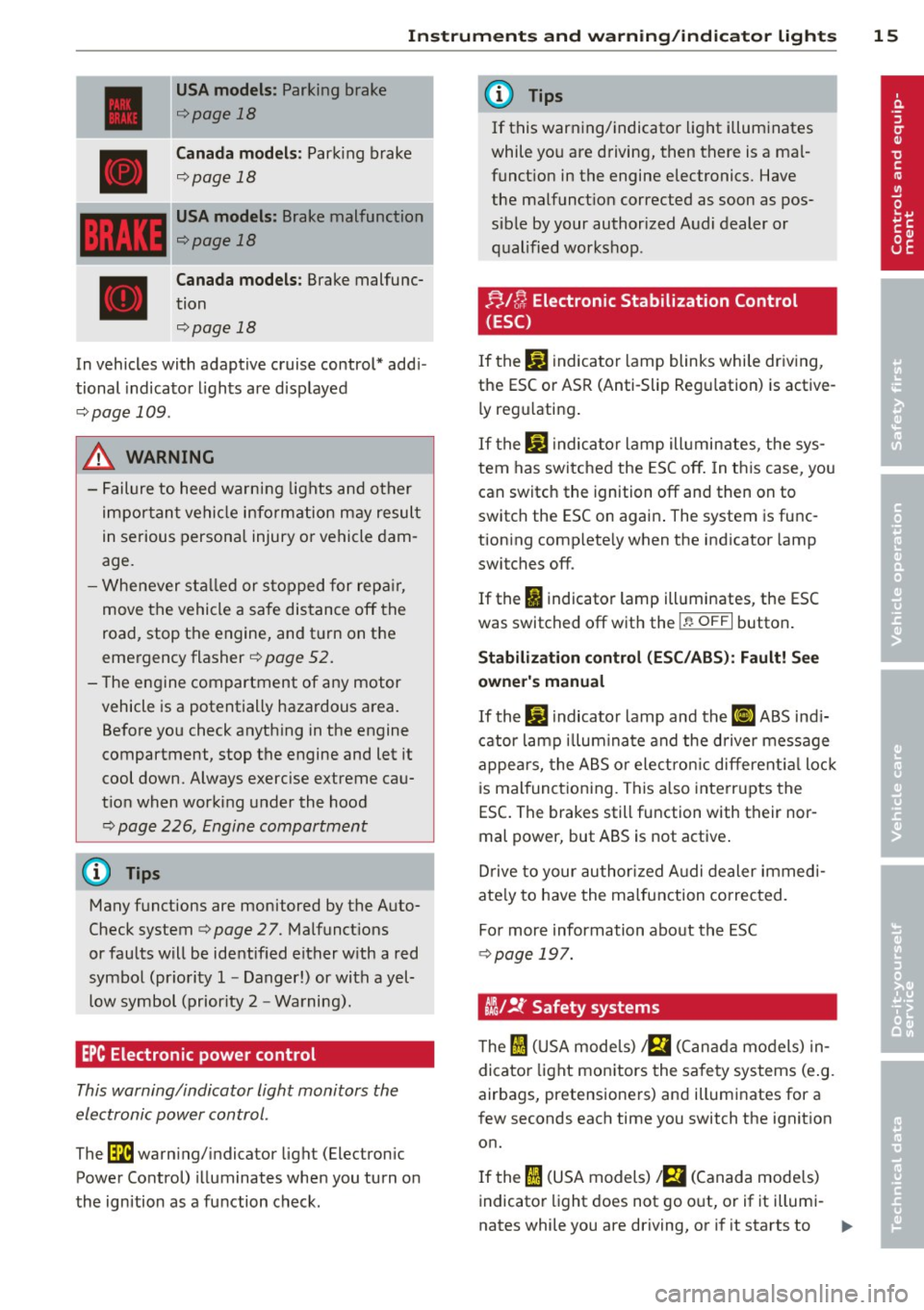
USA model s: Parking brake
¢page 18
Canada m odel s: Park ing brake
¢page 18
USA model s: Brake malfunction
¢page 18
Canada mod els : Brake malfunc
tion
¢page 18
In vehicles with adaptive cruise control* addi
tional indicator lights are displayed
¢ page 109.
.8, WARNING
-Failure to heed warning lights and other
important vehi cle information may result
in serious personal injury or vehicle dam
age.
- Whenever sta lled or s topped for rep air,
move the vehicle a safe distance off the
road, stop the engine, and turn on the
emergency flasher
¢ page 52.
- The engine compartment of any motor vehicle is a potentially hazardous area.
Before you check anything in the engine
compartment, stop the engine and let it
cool down. Always exercise extreme cau
t ion when working under the hood
¢ page 226, Engine compartment
(D Tips
Many functions are monitored by the Auto
Check system ¢
page 2 7. Malfunctions
or faults will be identified either w ith a red
symbol (pr iority 1 -Danger!) or with a yel
low symbol (prior ity
2 -Warning).
EPC Electronic power control
This warning/indicator light monitors the
electronic power control .
The~ warn ing/ indicator light (Electron ic
Power Control) illuminates when you turn on
the ignition as a function check.
(D Tips
If this warning/indicator light illuminates
while yo u are driving, then there is a mal
funct ion in the engine electronics. Have
the malfunct ion corrected as soon as pos
sible by your authorized Audi dealer or
qualified workshop .
;;,/C; Electronic Stabilization Control
(ESC)
If the JiJ indicator lamp blinks whi le driving,
the ESC or ASR (Anti-Slip Reg ulation) is active
ly regu lating.
If the
DJ i ndicator lamp illuminates , the sys
tem has switched the ESC off . In th is case, you
can switch the ignition off and then on to
switch the ESC on again . The system is func
tion ing complete ly when the indicator lamp
switches off.
If the
II indicator lamp illuminates , the ESC
was switched off with the
I ~ O FF I button .
Stabiliza tion contr ol (ESC /ABS ): Fa ult! See
o wne r's manual
If the DJ indicator lamp and the ti] ABS ind i
cator lamp illum ina te and the driver message
appears, the ABS or electron ic different ia l loc k
is malfunctioning . This a lso interrupts the
ESC. The brakes still function with their nor
mal power, but ABS is not active .
Drive to your author ized A udi dealer immedi
ate ly to have the ma lfunction corrected.
For more information about the ESC
¢ page 197.
flit !t Safety systems
The fl (U SA models) ;fll (C anada models) in
dicator light monitors the sa fety systems (e .g.
airbags, pretensioners) and illuminates for a
few seconds each time you switch the ignition on.
If the
fl (USA models) ! El (Canada mode ls)
indicato r light does not go o ut, or if it illumi-
nates while you are driving, or if it starts to ..,.
Page 19 of 316
Instruments and warning/indicator lights 17
An improperly closed fuel filler cap may also
cause the MIL light to illuminate
c::> page231.
F or mo re in forma tion
c::> page 26.
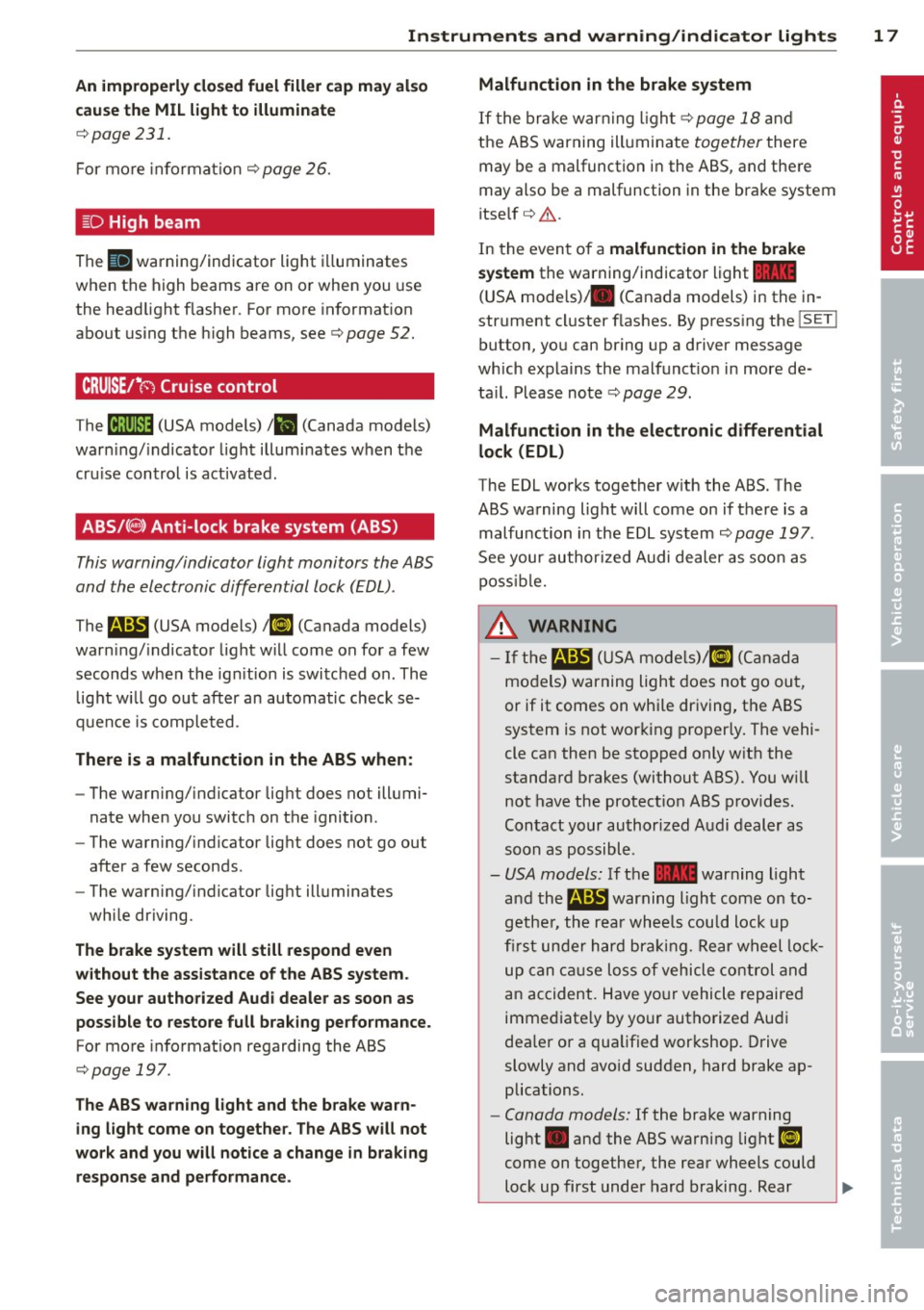
!§:D High beam
The II warning/indicator light illuminates
when the high beams are on o r whe n you use
the head light flasher. For mo re in format ion
about us ing the high beams, see
c:> page 52 .
CRUISE/"(-) Cruise control
The M;\1)~14 (USA models) Iii (Canada models)
war ning/ indica to r li ght illum inates when the
cru ise contro l is act ivated.
ABS/( @) Anti-lock brake system (ABS)
This warning/indicator light monitors the ABS
and th e electronic differ ential lock (EDL).
The
E (USA models) I ii] (Canada models)
warn ing/ indicato r light w ill come on for a few
seconds when the ig nition is swi tc h ed o n. The
light w ill go ou t aft er an au tomatic check se
qu enc e is co mple ted .
There is a malfunction in the ABS when :
-The warni ng/ indicator lig ht d oes not ill umi
nate whe n you switc h on the ignition .
- The warning/ indicator lig ht d oes not go out
after a few seconds .
- The warning/ ind icator lig ht ill uminates
wh ile driving.
The brake system will still respond even
without the assistance of the ABS system.
See your authorized Audi dealer as soon as
possible to restore full braking performance.
For more informat io n regarding the ABS
c:> page 19 7.
The ABS warn ing light and the brake warn
ing light come on together. The ABS will not
work and you will notice a change in braking
re sponse and performance . Malfunction in the brake system
If t
he bra ke w arn in g ligh t c::> page 18 and
t he A BS warning ill uminate together there
may be a malfunction in the ABS, and the re
may also be a malfunction in the brake system
i tse lf
c:> A .
In the even t of a malfunction in the brake
system
the warning/ind icator light 1111
( U SA mode ls)/ . (Canada models) in the in
strument cl uster flashes. By press ing the
jsET I
button , yo u can br ing up a d river message
which expla ins the malfunct io n in more de
t a il. Please no te
c:> pag e 29.
Malfunction in the electronic differential
lock (EDL)
The EDL works together w ith the ABS . The
ABS wa rning lig ht w ill come on if there is a
malfu nction in the EDL sys tem
c:> page 197 .
See your author ized Audi dealer as soo n as
p oss ibl e.
_&. WARNING
- If the li!I (USA m ode ls)/ [I] (Canada
mo dels) warning light does not go ou t,
or if it comes on whi le dr iving , th e ABS
system is not wor king pro per ly . The vehi
cle can then be sto pped on ly w it h the
standa rd b rakes (with out ABS). You w ill
not have the protect io n ABS p rov ides .
C ontact your au thorized A udi dealer as
s oon as p ossibl e.
- USA models: If the
1111 warning light
an d th e
m:SJ war ning light come on to
g eth er, the rear wheel s co u ld loc k up
first under h ard br akin g. Rear w heel lock
u p ca n caus e loss of vehicle control and
a n accident . H ave yo ur vehicle re pa ire d
imme diate ly by yo ur authorize d Au di
dea le r o r a qua lified wor kshop . Drive
slowly and avo id sudden, hard brake ap
plications .
- Canada models: If the brake warning
light . and the ABS warning li ght
ii]
come on togethe r, the rear wheels could
l o ck up first und er hard braking. R ear
-
Page 22 of 316
20 Driver information display
Driver information
display
Introduction
General notes
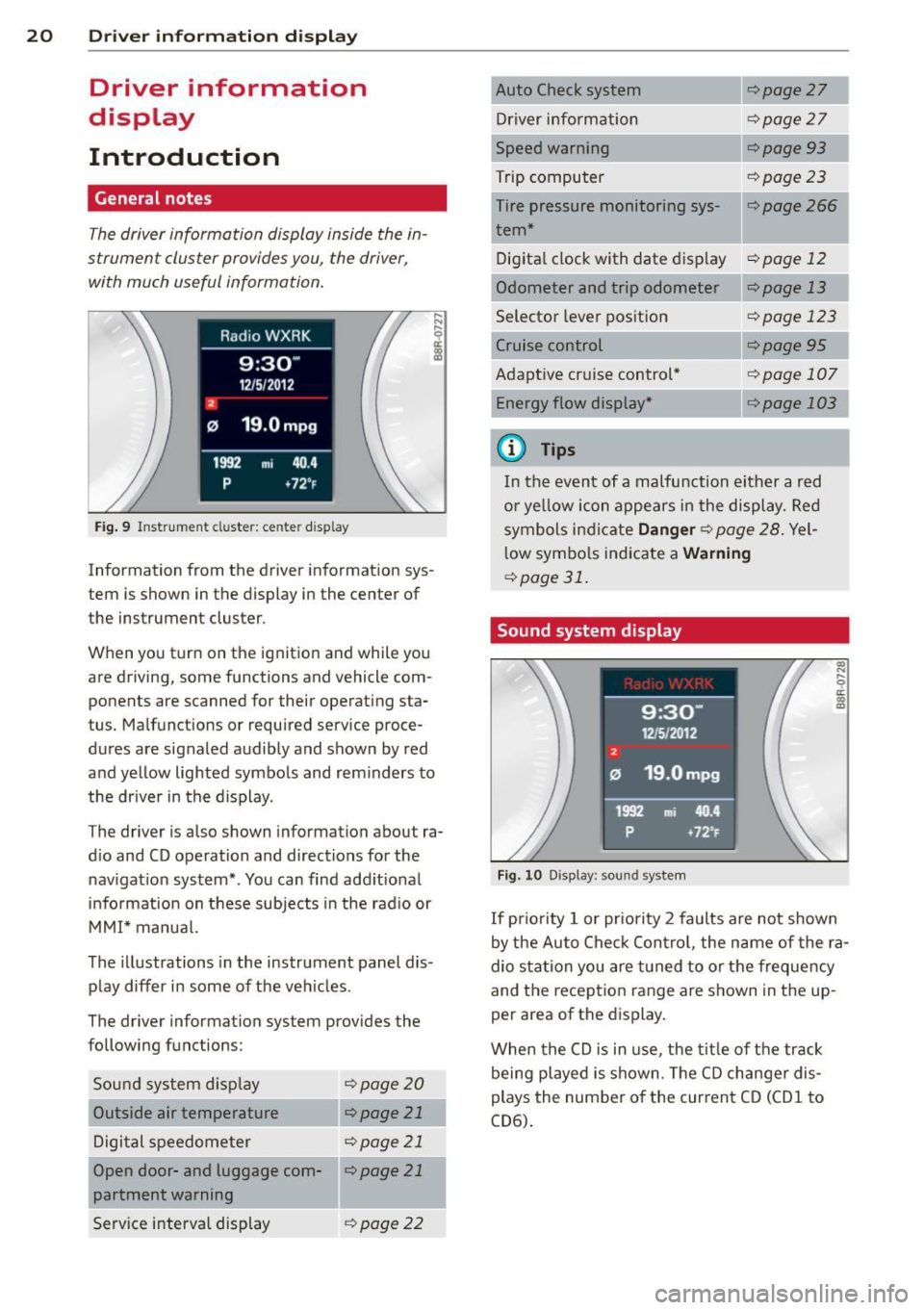
The driver information display inside the in
strument cluster provides you, the driver,
with much useful information.
Fig. 9 Instrument cluster: center display
Information from the driver information sys
tem is shown in the display in the center of
the instrument cluster.
When you turn on the ignition and while you
are driving, some functions and vehicle com
ponents are scanned for their operat ing sta
tus. Malfunctions or required service proce
dures are signaled audibly and shown by red
and yellow lighted symbols and reminders to
the driver in the display.
The driver is also shown information about ra
dio and CD operation and directions for the
navigation system*. You can find additional
information on these subjects in the radio or
MMI* manual.
The illustr ations in the instrument panel dis
play differ in some of the vehicles .
The driver information system provides the
following functions:
Sound system display
¢page20
Outside air temperature r:::;, page 21
Digital speedometer r:::;, page 21
Open door- and luggage com-llr:::;, page 21
partment warning
Service interval display
¢page 22 r:::;,page
27
Driver information r:::;,page 27
Speed warning r:::;,page93
Trip computer r:::;, page 23
Tire pressure monitoring sys-r:::;, page 266 1
tern*
Digital clock with date dis play
r:::;, page 12
Odometer and trip odometer ¢page 13
Selector lever position r:::;, page 123
¢page95
Adaptive cruise control* Energy flow display* ¢page 107
---,.--
r:=;,page 103
¢j) Tips
In the event of a malfunction either a red
or yellow icon appears in the display. Red
symbols indicate
Danger r:::;, page 28. Yel
low symbols indicate a
Warning
¢page 31.
Sound system display
Fig. 10 Display: sound system
(0
"' .... 9 a:
~
If priority 1 or priority 2 faults are not shown
by the Auto Check Control, the name of the ra
dio station you are tuned to or the frequency
and the reception range are shown in the up
per area of the displ ay.
When the CD is in use , the title of the track
being played is shown. The CD changer dis
plays the number of the current CD (CD
1 to
CD6).
Page 38 of 316
36 Opening and closing
Opening and closing
Keys
Key set
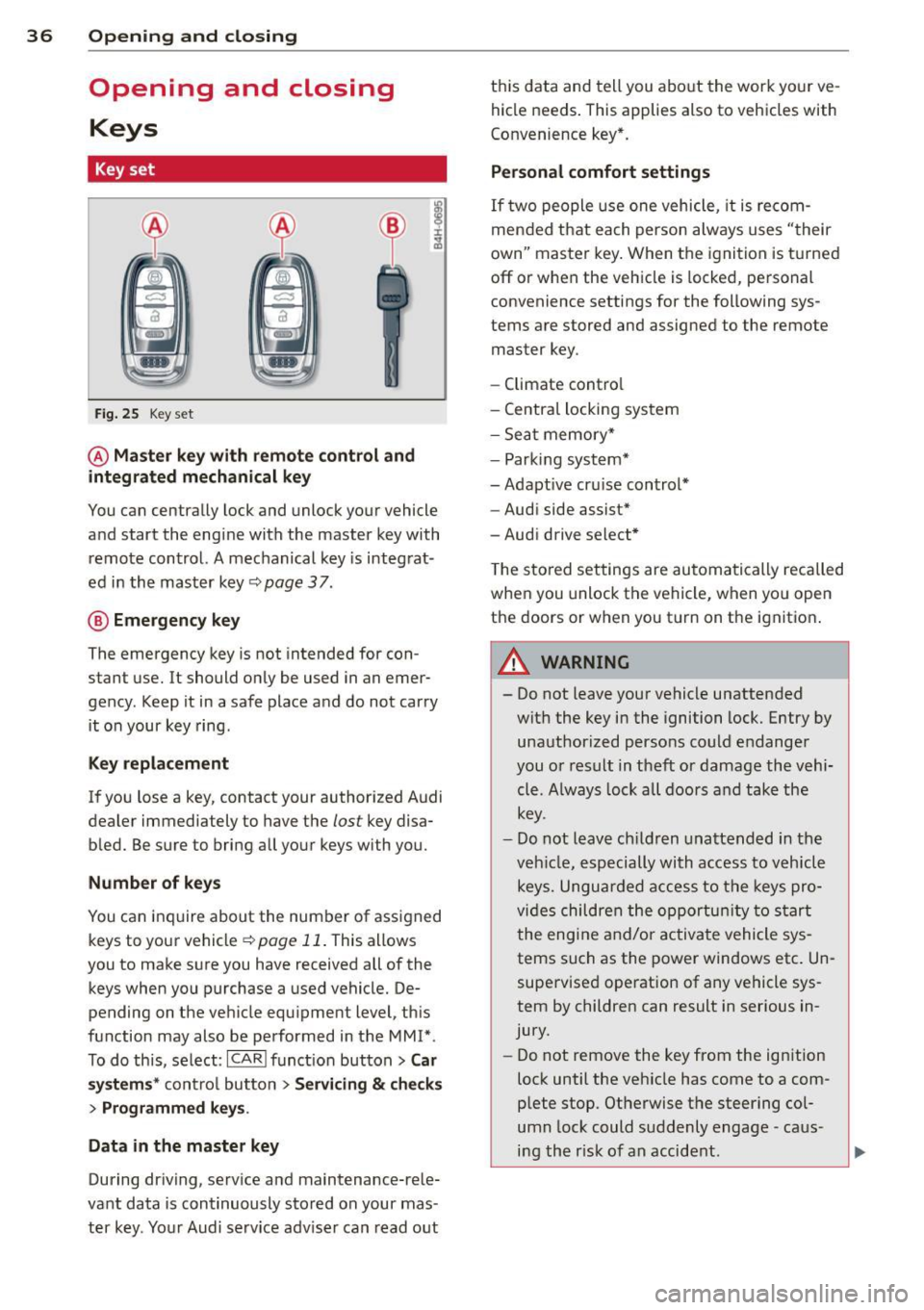
Fig. 25 Key set
@ Master key with remote control and
integrated mechanical key
You can centrally lock and unlock your vehicle
and start the engine with the master key with remote control. A mechanical key is integrat
ed in the master key
c::;, page 3 7.
@ Emergency key
The emergency key is not intended for con
stant use.
It should only be used in an emer
gency. Keep it in a safe place and do not carry
it on your key ring.
Key replacement
If you lose a key, contact your authorized Audi
dealer immediately to have the
lost key disa
bled. Be sure to bring all your keys with you.
Number of keys
You can inquire about the number of assigned
keys to your vehicle
c::;, page 11. This allows
you to make sure you have received all of the
keys when you purchase a used vehicle. De
pending on the vehicle equ ipment level, this
function may also be performed in the MM!* .
To do this, select:
ICARI funct ion button> Car
systems * control button > Servicing & checks
> Programmed keys .
Data in the master key
During driving, serv ice and maintenance-rele
vant data is continuously stored on your mas
ter key. Your Audi serv ice adv iser can read out this data and
tell you about the work your ve
hicle needs . This applies also to vehicles with
Convenience key *.
Personal comfort settings
If two people use one vehicle, it is recom
mended that each person always uses "their
own" master key. When the ignition is turned
off or when the vehicle is locked, personal
convenience settings for the following sys
tems are stored and assigned to the remote
master key.
- Climate control
- Central locking system
- Sea t memory*
- Parking system*
- Adaptive cruise control*
- Audi side assist*
-Audi drive select*
T he stored settings are automatically recalled
when you unlock the vehicle, when yo u open
the doors or when you turn on the ignit ion .
A WARNING ......... -
- Do not leave your vehicle unattended
wit h the key in the ignition lock. Entry by
unauthorized persons could endanger
you or result in theft or damage the vehi
cle. A lways lock all doors and take the
key.
- Do not leave children unattended in the
veh icle, especially with access to vehicle
keys. Unguarded access to the keys pro
vides children the opportunity to start
the engine and/or activate vehicle sys
tems such as the power windows etc. Un
supervised operation of any vehicle sys
tem by children can result in serious in
jury.
- Do not remove the key from the ignition
lock until the veh icle has come to a com
plete stop. Otherwise the steering col
umn lock could suddenly engage -caus
ing the r isk of an accident.
Page 97 of 316
(30 km/h to 240 km/h). Settings can each be
adjusted in intervals of
5 mph (10 km/h).
Cruise control
Switching on
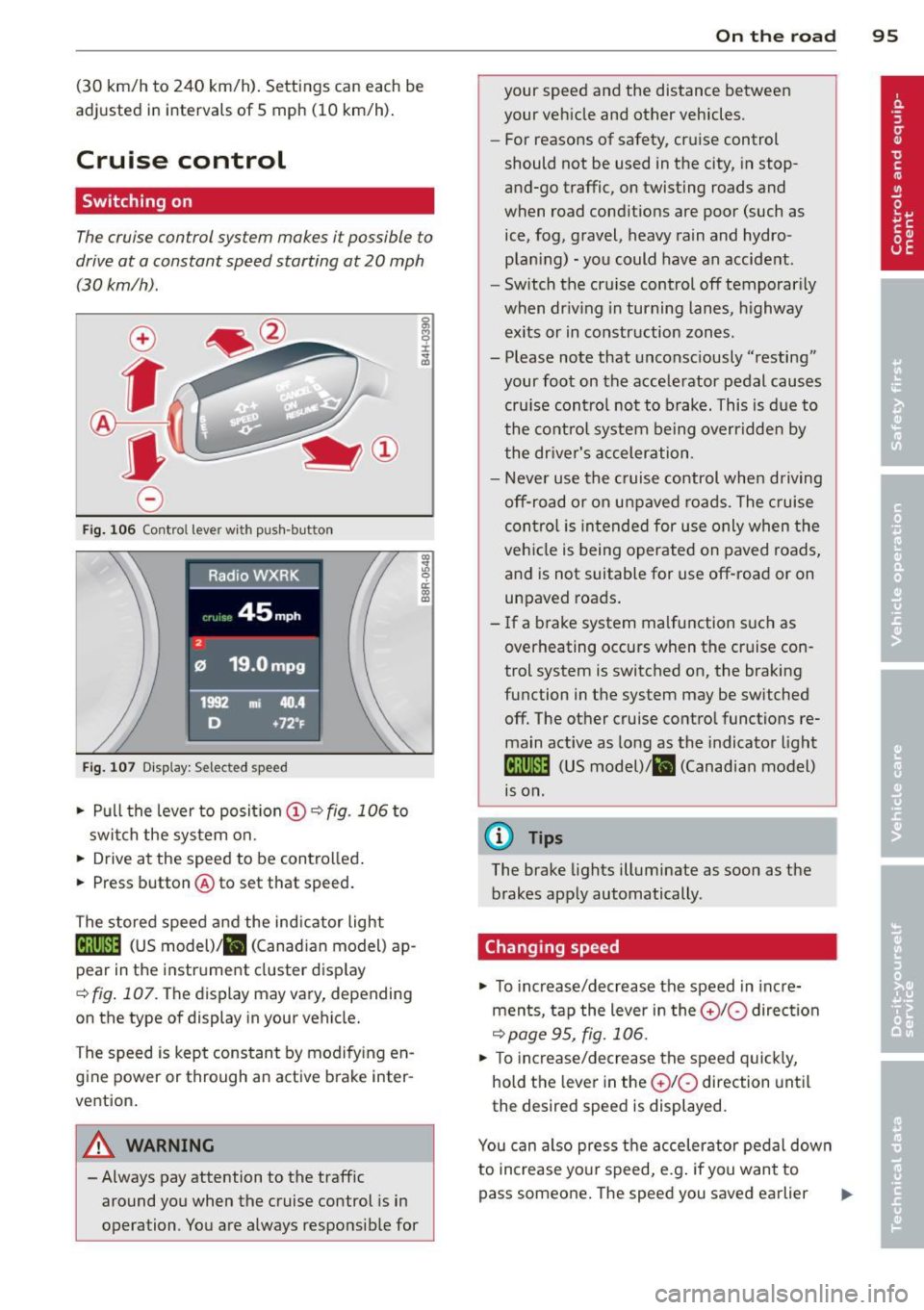
The cruise control system makes it possible to
drive at a constant speed starting at 20 mph
(30 km/h) .
0
f
®t
0
Fig. 106 Contro l lever with push -button
Fig. 107 Di sp lay: Selected speed
.. Pull the lever to posit ion (!) ~ fig. 106 to
switch the system on .
.. Drive at the speed to be controlled .
.. Press button @to set that speed.
The stored speed and the ind icator light
Bll!lm (US model)/ il (Canad ian model) ap
pear in the instrument cluster display
<=>fig. 107. The display may vary, depending
on the type of display in your vehicle.
The speed is kept constant by modifying en
gine power or through an active brake inter
vention.
A WARNING
- Always pay attention to the traffic around you when the cruise control is in
operation . You are always responsible for
c:o ;:g 0 ci: c:o al
On th e road 95
your speed and the distance between
your vehicle and other vehicles.
- For reasons of safety, cruise control
should not be used in the city, in stop
and-go traffic, on twisting roads and
when road conditions are poor (such as
ice, fog, gravel, heavy rain and hydro
plan ing) -you could have an accident.
- Switch the cruise control off temporarily
when dr iv ing in turning lanes, highway
exits or in construction zones.
- Please note that unconsciously "resting"
your foot on the accelerator pedal causes
cru ise contro l not to brake. This is due to
the control system being overridden by
the driver's acceleration.
- Never use the cruise control when driving
off-road or on unpaved roads. The cruise
con tro l is intended for use only when the
vehicle is being operated on paved roads,
and is not suitable for use off-road or on
unpaved roads.
- If a brake system malfunction such as
overheating occurs when the cruise con
trol system is switched on, the braking
function in the system may be switched off. The other cruise control functions re
main active as long as the indicator light
IR;\1)~14 (US model)/ fil (Canadian model)
1s on .
(D Tips
The brake lights illuminate as soon as the
brakes apply automatically .
Changing speed
.. To increase/decrease the speed in incre
ments, tap the lever in the
010 direction
~pa ge 95, fig. 106.
.. To increase/decrease the speed quickly,
hold the lever in the
010 direction until
the desired speed is displayed.
You can also press the accelerator pedal down
to increase your speed, e.g . if you want to
pass someone. The speed you saved earlier
Page 98 of 316
96 On the road
will resume as soon as you let off o f the
accelerator peda l.
I f , however, yo u exceed you r saved speed by
5 mph (10 km/h) for longer than 5 min utes,
the cruise cont ro l will be turned off tempo ra
rily. The green symbol in the display turns
white, the saved speed is retained.
Pre-selecting speed
You con pre-select your desired speed while
the vehicle is not moving .
.,. Turn on the ignition .
... Pull lever into position
(D c> page 95,
fig . 106 .
... Press the lever in the 0 or 0 direction to
increase or decrease your speed .
... Let go of the lever to save that speed.
This function makes it possible, for example, to save the speed yo u want before driving on
the hig hway . Once on the highway, activate
the cruise contro l by pulling the lever towa rd
(D .
Switching off
Temporary deactivation
... Step on the brake pedal, or
... Press the lever into pos ition @ (not clicked
i nto place)
r:::;, page 95, fig. 106, or
... Drive for longer tha n 5 minutes at more
t h an 5 mph (10 km/h) above the s to red
speed.
Switching off completely
... Press leve r into position @(clicked into
pla ce), o r
... Swi tch the ignition off.
The speed yo u saved w ill be re tained if the
cru ise control has bee n sw itched off tempora
r ily. To resume t he saved speed, le t up on the
b rake an d pull the lever to pos ition
(D .
The saved speed will be e rased after turn ing
the ign ition off.
A WARNING
You shou ld only resume the saved speed if
i t is not too high for ex isting traffic cond i
tions. Othe rwise you r isk an acc ident .
Page 109 of 316
Audi adaptive cruise control and braking guard 107
Audi adaptive cruise
control and braking
guard
Introduction
App lies to vehicles: with Audi adaptive cruise control
The adaptive cruise control system assists the
driver by regu lating vehicle speed and helping
to maintain a set distance to the vehicle
ahead, within the limits of the system . If the
system detects a moving vehicle up ahead,
adaptive cruise control can brake and then ac
celerate your vehicle . Th is he lps to make driv
ing more comfortable on long highway
stretches.
The braking guard system can warn you about
an impending collision and initiate braking
maneuvers
c::;, page 113.
Adaptive cruise control and braking guard
have technical limitations that you must
know, so please read this section carefully, un
derstand how the system works and use them properly at all times.
General information
General information
Applies to vehicles: with Audi adaptive cruise control
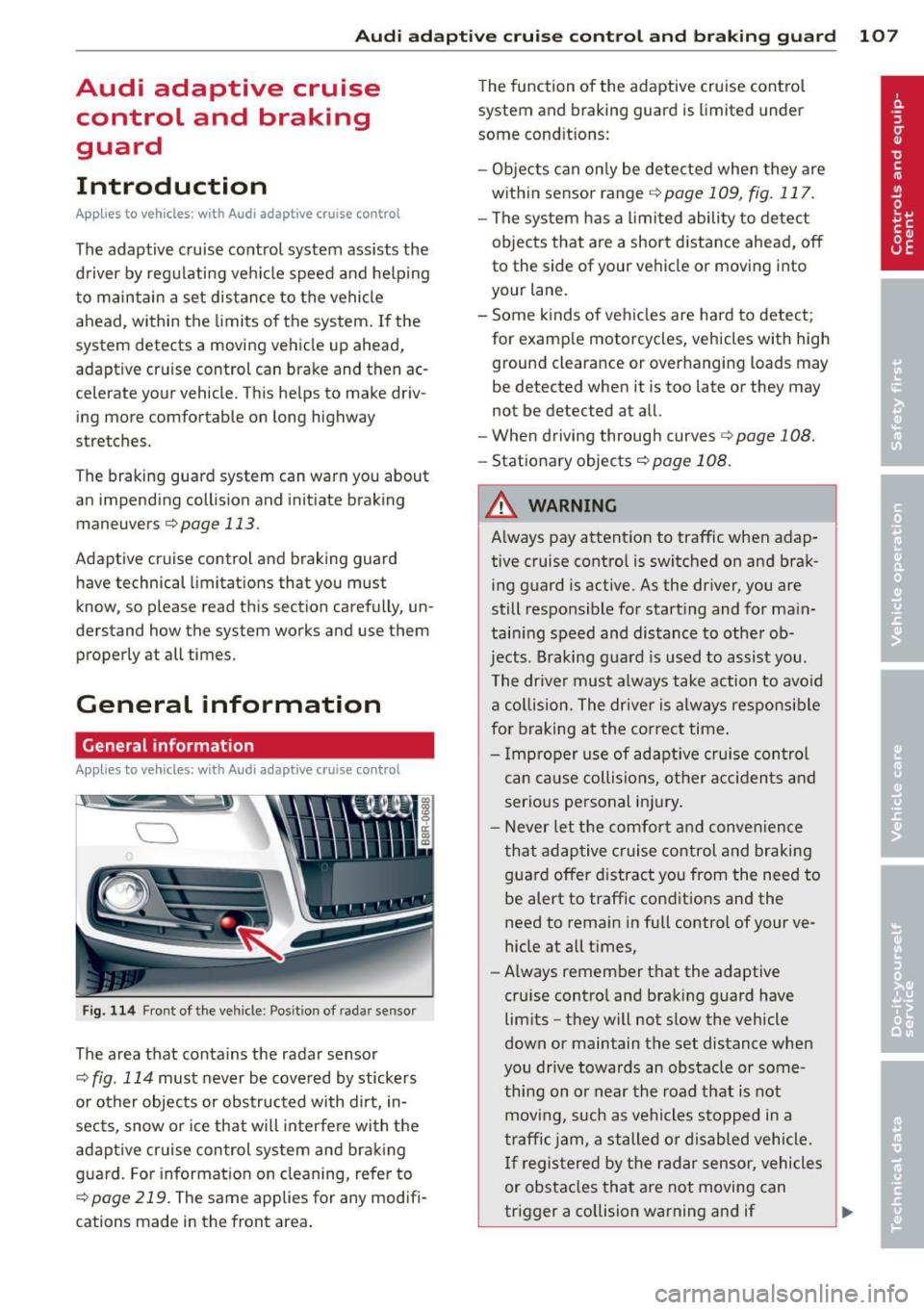
Fig. 114 Front of the vehicle: Position of radar sensor
The area that contains the radar sensor
c::;, fig. 114 must never be covered by stickers
or other objects or obstructed with dirt, in
sects, snow or ice that will interfere with the
adaptive cruise control system and braking
guard. For information on cleaning, refer to
c::;, page 219. The same applies for any modifi
cations made in the front area . The
function of the adaptive cruise control
system and braking guard is limited under
some cond itions:
- Objects can only be detected when they are
within sensor range
.:!>page 109 , fig. 117.
-The system has a limited ability to detect
objects that are a short distance ahead, off
to the side of your vehicle or moving into
your lane.
- Some kinds of vehicles are hard to detect;
for examp le motorcycles, vehicles with high
ground clearance or overhanging loads may
be detected when it is too late or they may
not be detected at all.
- When driving through curves
c::;, page 108.
-Stationary objects c::;, page 108.
A WARNING
-Always pay attention to traffic when adap-
tive cruise control is switched on and brak ing guard is active. As the dr iver, you are
still respons ible for start ing and for main
tain ing speed and distance to other ob
jects. Braking guard is used to assist you .
The driver must always take action to avoid
a collision. The driver is always responsible
for braking at the correct time.
- Improper use of adaptive cruise con trol
can cause collisions, other accidents and
serious personal injury .
- Never let the comfort and convenience
that adaptive cruise control and braking
guard offer d istract you from the need to
be alert to traffic conditions and the
need to remain in fullcontrolofyourve
hicle at all times,
- Always remember that the adaptive
cru ise contro l and braking guard have
limits -they will not slow the vehicle
down or maintain the set distance when
you drive towards an obstacle or some
thing on or near the road that is not
moving, such as vehicles stopped in a
traffic jam, a stalled or disabled vehicle.
If registered by the radar sensor, vehicles
or obstacles that are not moving can
trigger a collision warning and if .,.