mirror AUDI Q5 2014 User Guide
[x] Cancel search | Manufacturer: AUDI, Model Year: 2014, Model line: Q5, Model: AUDI Q5 2014Pages: 316, PDF Size: 78.41 MB
Page 120 of 316
118 Audi sid e as sist
- Improper reliance on the side ass ist sys
tem can cause co llisions and serious
persona l injury:
- Never rely only o n side assist when
ch anging lanes.
- Always check rear view m irrors to make
sure that it is safe to change lanes.
- Side ass ist cannot detect a ll vehicles un
der all cond it ions -danger of ac cident!
- Please note that side assist indicates
there are approachi ng veh icles, o r
vehicles in your blind spot, on ly afte r
yo ur vehicle has rea ched a driving speed
of at least 19 mph (30 km/h).
- In certain s ituations, the system may not
f unc tion o r its fun ct io n may be lim ite d.
For example:
- if veh icles are approaching or being left
behind very quick ly . The display may
not turn on in time.
- in poor weather co ndit ions such as
heavy ra in, snow or heavy m ist .
- on very wide lanes, in tight curves or if
there is a rise in the road surface.
Vehicles in the adjacent lane may not be detected because they are outside
of the sensor range.
(D Note
The sensors ca n be displaced by impacts or
damage to the bumpe r, wheel housing and
unde rbody . This can affect the system.
Have your author ized Audi dealer or au
thori zed A udi Se rvice Facility check the ir
function.
@ Tips
- If the window g lass in the driver 's door
o r fro nt passenger's door has been tin t
ed, the disp lay in the exterior mirror may
be misinterp reted.
- Fo r De clarat ion of Compliance to Uni ted
Sta tes FCC and Industry Canada regu la
tions¢
page 296.
Activating and deactivating
Applies to vehicles: with A udi side assist
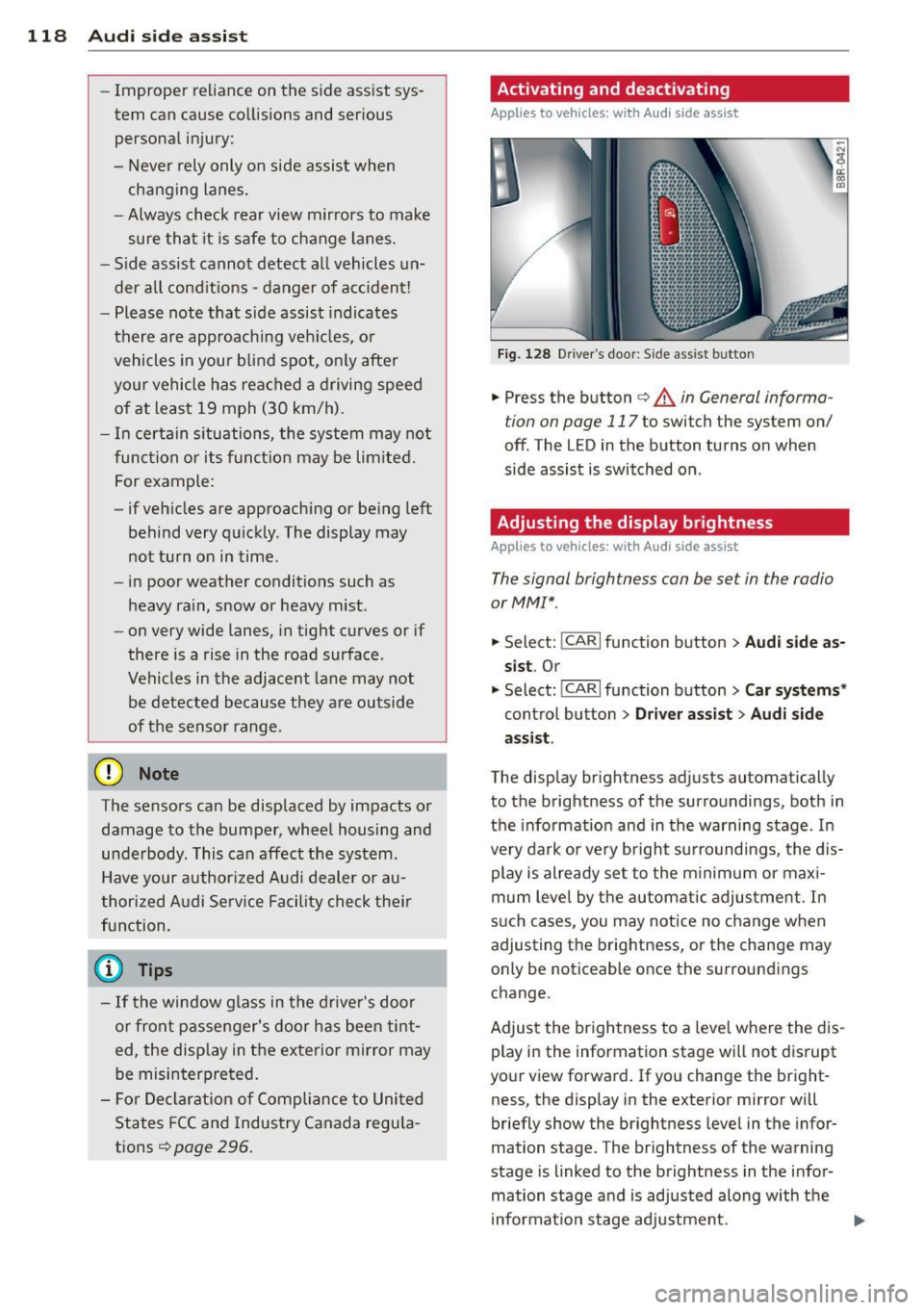
F ig. 128 D river 's doo r: Side ass ist butto n
.. Press the button c> A in General informa
tion on page 117
to switch the system on/
off. The LED in the button turns on when
side assist is switched on .
Adjusting the display brightness
Applies to vehicles: with Audi side assist
The signal brightness con be set in the radio
or MM!* .
-"' ~ a: co a,
.. Select: I CAR I function button > Audi side a s
s ist .
Or
.. Select: l~c -A ~R~ I function button > C ar systems *
control button > Driver a ss ist > Audi sid e
a ss ist .
The display br ightness adjusts automatical ly
to the brightness of the surroundings, both in
the info rmation and in the warning stage . In
very dark or very bright su rroundi ngs, the dis
play is already se t to the m inimum or maxi
mum leve l by the automatic adjus tme nt. In
s u ch cases, you may notice no change when
adjusting the brightness, or the change may only be noticeable once the surroundings
change.
Adjust the br ightness to a leve l whe re the dis
play in the information stage wi ll not d isrupt
your view forward. If you change the bright
ness, the display in the exterior mirror will
briefly show the br ightness level in the infor
mation stage. The brightness of the warning
stage is linked to the brightness in the infor
mation stage and is adjusted along with the
i nformation stage adjustment.
Page 134 of 316
132 Parking system
Reverse Park ing
App lies to vehicles: with Audi parking system p lus w ith
rea rview camera
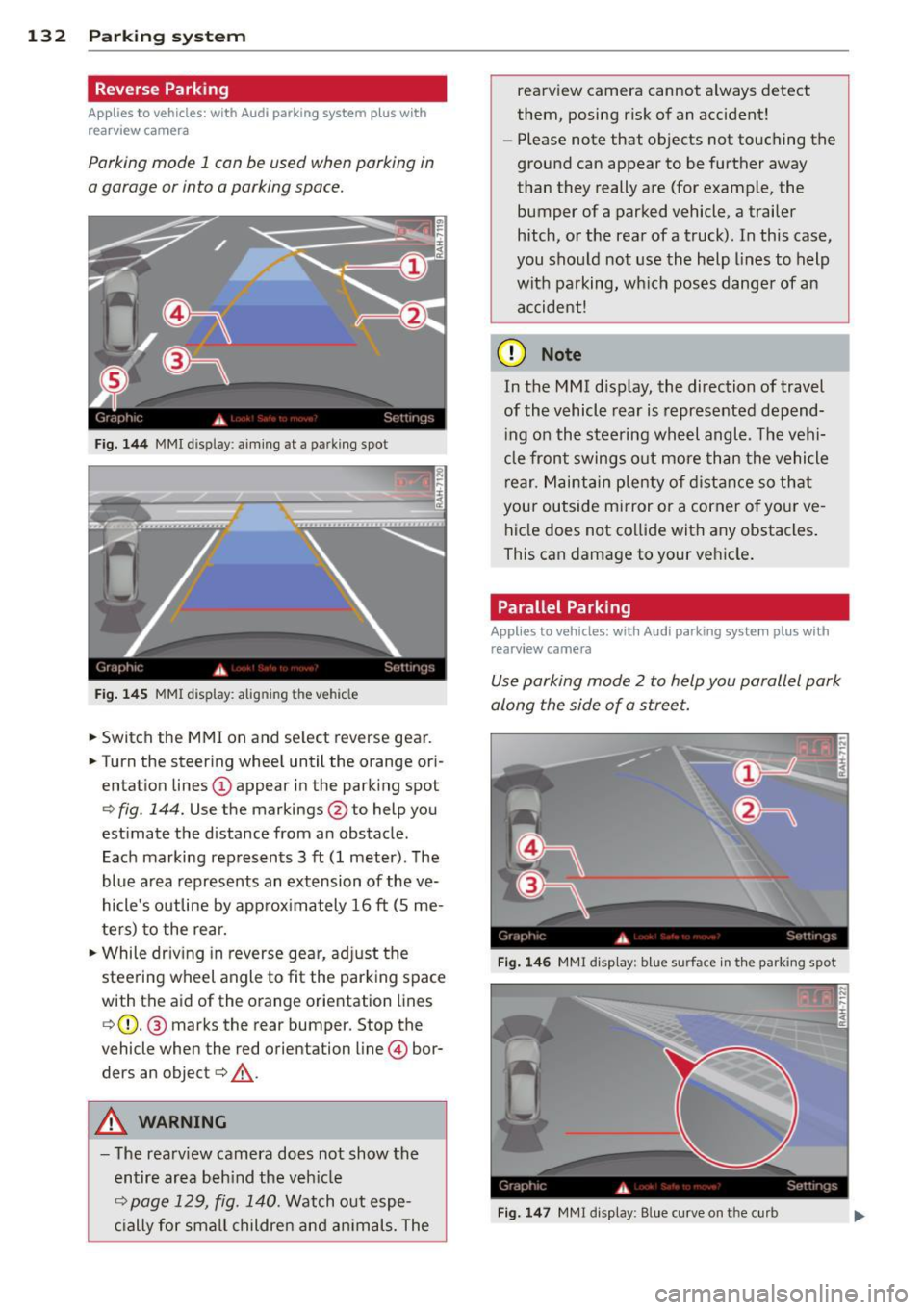
Parking mode 1 con be used when parking in
a garage or into a parking space.
Fig. 1 44 MMI display: aiming at a parking spot
Fig. 14 5 MMI display: aligning the vehicle
... Switch the MMI on and se lect reverse gear .
... Turn the steer ing whee l until the orange ori
entation lines @appear in the park ing spot
¢ fig . 144. Use the markings @to help you
estimate the d istance from an obstacle.
Each marking represents 3
ft (1 meter). The
blue area represents an extension of the ve
hicle's outline by approx imately 16
ft (S me
ters) to the rear.
"' While driv ing in reverse gear, ad just the
steering wheel angle to fit the parking space
with the aid of the orange orientation lines
¢ (D. @ marks the rear bumper. Stop the
vehicle when the red orientation line © bor
ders an object¢ _&..
A WARNING
-The rearv iew camera does not show the
entire area beh ind the veh icle
¢ page 129, fig. 140. Watch out espe
c ially for small childre n an d an imals. The rearview camera cannot always detect
them, posing risk of an accident!
- Please note that objects not touching the
ground can appear to be further away
than they really are (for example, the
bumper of a parked vehicle, a trailer
hitch, or the rea r of a truck). In this case,
you shou ld not use the help lines to help
with pa rking, wh ich pos es dange r of an
accident!
(D Note
In the M MI d is play , the direction of travel
of the vehicle rear is represented depend
i ng on the stee ring wh eel angle . T he vehi
cle front swings o ut more than the vehicle
rear. M aint ain ple nty of dista nce so th at
your outside mirror or a corner o f you r ve
hicle does not co llide with any obstacles .
This can damage to your ve hicle .
Parallel Parking
Applies to vehicles: wit h Aud i parking syste m plus with
rearv i ew camera
Use parking mode 2 to help you parallel park
along the side of a stree t .
F ig . 14 6 MMI disp lay : b lue surface in th e parking spot
Fig . 14 7 MM! display: Blue curve on the curb
Page 135 of 316
The following steps apply only when there is
no obstacle such as a wall near the parking
spot. Otherwise, please read the information
prov ided in the "Parking Next to Obstacles"
section.
~ Activate the turn signal.
~ Position yo ur vehicle parallel to the edge of
the street, approxim ately 3 ft (1 meter)
from a parked vehicle .
~ Switch the MMI on and se lect reverse gear .
The parking aid tu rns o n and parking mode
1 appears on the display .
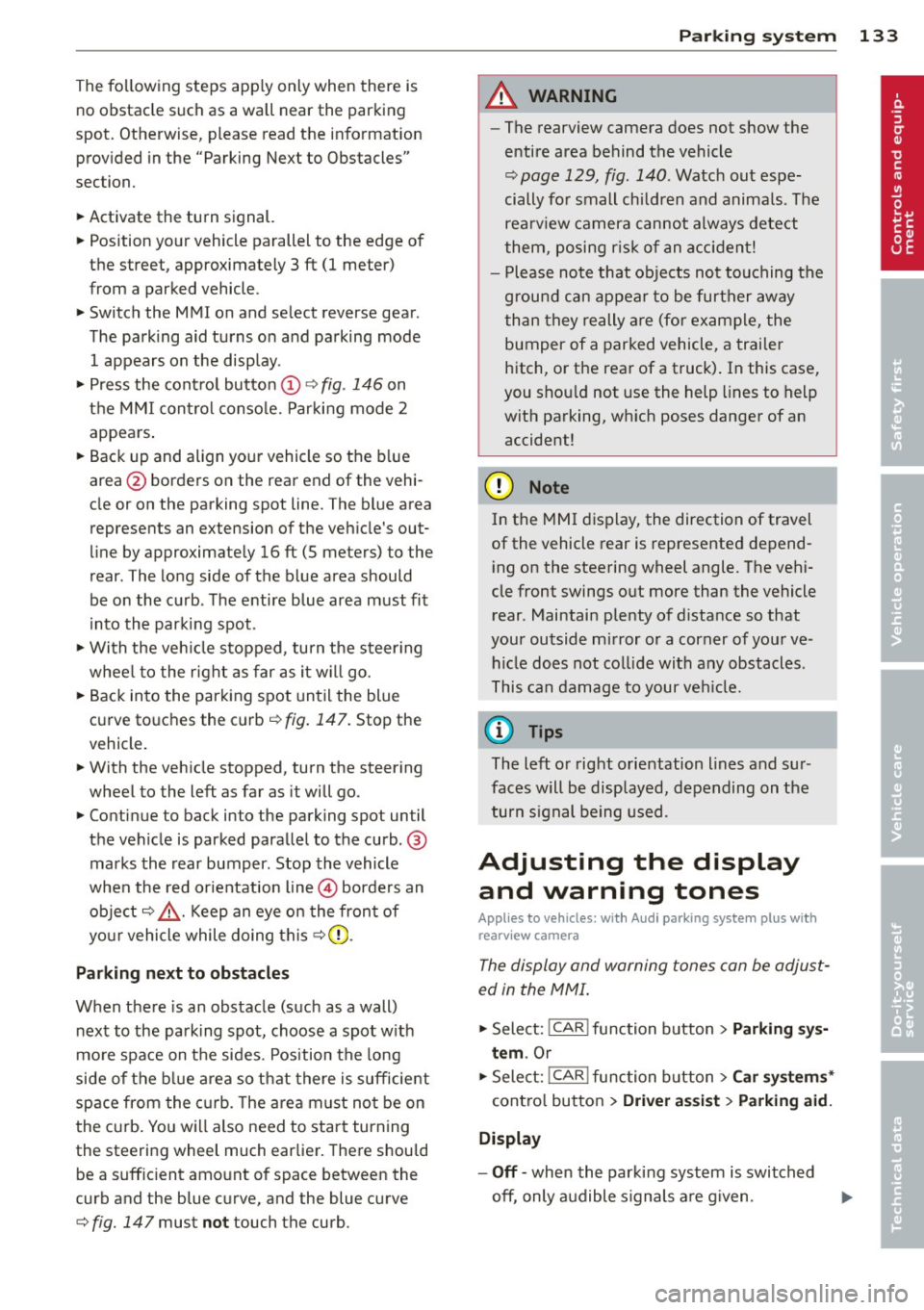
~ Press the control button @¢ fig. 146 on
the MMI contro l conso le. Parking mode
2
appea rs .
~ Backup and align yo ur vehicle so the b lue
area @ borders on the rear end of the vehi
cle or on the parking spot line. The bl ue area
represents an extension of the veh icle's out
line by approximate ly
16 ft (5 meters) to the
rear . The long side of the blue area should
be o n the curb . The entire blue area must fit
i nto the parking spot .
~ With the veh icle s topped, turn the s teer ing
whee l to the right as far as it w ill go.
~ Back into the parking spot until the blue
curve to uches the curb¢
fig. 147. Stop the
vehicle.
~ With the veh icle stopped, turn the steer ing
wheel to the left as far as it will go .
~ Continue to back into the parking spot un til
the vehicle is parked parallel to the curb .@
marks the rear bumper. Stop the vehicle
when the red orientation line@ borde rs an
object ¢.&, . Keep an eye on the fron t of
yo ur vehicle while do ing this
~ CD .
Pa rking n ext to obstacles
When there is an obstacle (such as a wall)
next to the pa rking spot, choose a spot w ith
mo re space on t he sides. Position the long
side of the b lue a rea so that there is sufficient
space from the curb. The a rea m ust no t be on
the c urb. You wi ll also need to start turn ing
the steering wheel much earlie r. T he re should
be a suffic ient amo unt of space between the
curb and the blue curve, and the blue c urve
¢
fig. 147 must not touch the curb.
Par king system 133
A WARNING
- The rearview camera does not show the
entire area behind the vehicle
~ page 129, fig. 140 . Watch out espe
cially fo r small children and anima ls . The
rea rv iew camera cannot always detect
them, posing r is k of an accident!
- P lease note that objects not touching the
g rou nd can appear to be further away
than they really a re (for example, the
bumper of a parked vehicle, a trai ler
hitch, or the rea r of a truck) . In this case,
you shou ld not use the help lines to help
with parking, wh ich poses danger of an
accident!
(D Note
In the MMI display, the direction of travel
of the vehicle rear is represented depend
i ng on the steering wheel angle . The vehi
cle front swings out more than the vehicle rear. Maintain ple nty of d istance so that
your outside mirror or a corner of your ve
hicle does not col lide with any obstacles.
T his can damage to your ve hicle.
(0 Tips
The left o r right orientation lines and su r
faces will be disp layed, depending on the
turn s ignal being used .
Adjusting the display
and warning tones
App lies to v ehicl es: wi th Audi parking sys te m plus wi th
rearv iew camera
The display and warning tones can be adjust
ed in the MMI .
~ Select: !CAR ! function button> Parking s ys
tem .
Or
~ Select: ~IC_ A_ R~I func tio n button> Car sy ste m s*
cont ro l button > Driver as sist > Parking aid.
Display
-Off -when the parki ng system is switched
off, only a udible s ignals a re g iven .
Page 141 of 316
Driving Safely
General notes
Safe driving habits
Please remember -safety first!
This chapter contains important information,
tips, instructions and warnings that you need
to read and observe for your own safety, the
safety of your passengers and others . We have
summarized here what you need to know
about safety belts, airbags, child restraints as
well as child safety. Your safety is for us
priori
ty number 1.
Always observe the information
and warnings in this section - for your own
safety as well as that of your passengers.
The information in this section applies to all
model versions of your vehicle . Some of the
features described in this sections may be
standard equipment on some models, or may
be optional equipment on others. If you are
not sure, ask your authorized Audi dealer.
A WARNING
- Always make sure that you follow the in
structions and heed the WARNINGS in
this Manual. It is in your interest and in
the interest of your passengers.
- Always keep the complete Owner's Liter
ature in your Audi when you lend or sell
your vehicle so that this important infor
mation will always be available to the
driver and passengers.
- Always keep the Owner's literature handy
so that you can find it easily if you have
questions.
Safety equipment
The safety features are part of the occupant
restraint system and work together to help
reduce the risk of injury in a wide variety of
accident situations .
Your safety and the safety of your passengers
should not be left to chance. Advances in
technology have made a variety of features
available to help reduce the risk of injury in an
Driving Safely 139
accident. The following is a list of just a few of
the safety features in your Audi :
- sophisticated safety belts for driver and all
passenger seating positions,
- belt force limiters for the front seats,
- belt pretensioners for the seats,
- belt height adjustment for the front seats,
- head restraints for each seating position,
- front airbags,
- side airbags in the front seats and outer rear
seats*,
- side curtain airbags,
- special LATCH anchorages for child re-
straints,
- adjustable steering column.
These individual safety features, can work to gether as a system to help protect you and
your passengers in a wide range of accidents.
These features cannot work as a system if
they are not always correctly adjusted and cor
rectly used.
Safety is everybody's responsibility!
Important things to do before driving
Safety is everybody 's job! Vehicle and occu
pant safety always depends on the informed
and careful driver.
For your safety and the safety of your passen
gers,
before driving always:
.,. Make sure that all lights and signals are op
erating correctly .
.,. Make sure that the tire pressure is correct .
.,. Make sure that all windows are clean and af
ford good visibility to the outside .
.,. Secure all luggage and other items carefully
qpage 76.
.,. Make sure that nothing can interfere with
the pedals.
.,. Adjust front seat, head restraint and mirrors
correctly for your height .
.,. Instruct passengers to adjust the head re
straints according to their height .
.,. Make sure to use the right child restraint
correctly to protect children ¢
page 178,
and~~~-~
•
•
Page 215 of 316
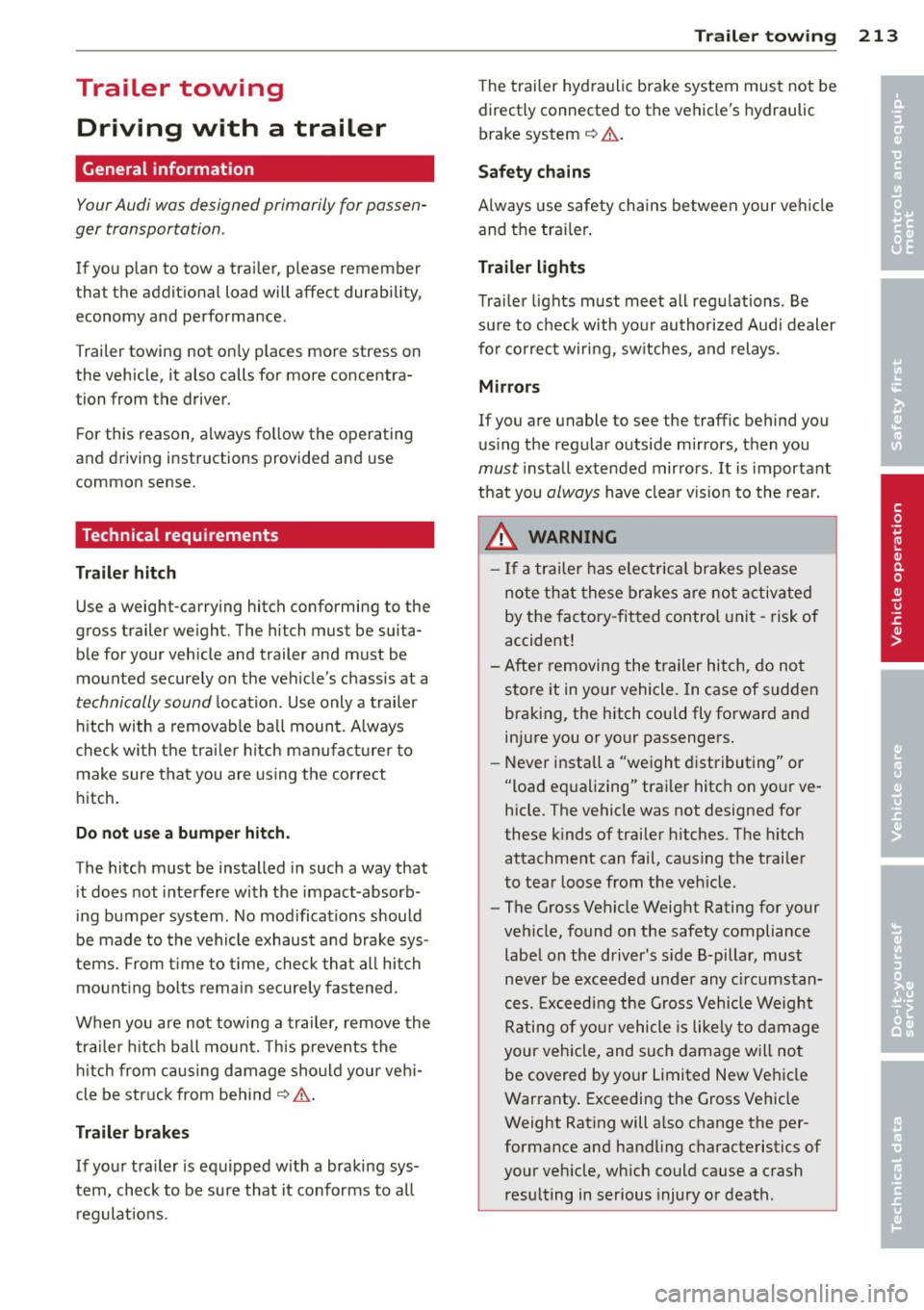
Trailer towing Driving with a trailer
General information
Your Audi was designed primarily for passen
ger transportation .
If you plan to tow a trailer, please remember
that the additional load will affect durability,
economy and performance .
T railer towing not only places more stress on
the vehicle, it also calls for more concentra
tion from the driver.
For this reason, always follow the operating
and driving instructions provided and use
common sense.
Technical requirements
Trailer hitch
Use a weight-carrying hitch conforming to the
gross trailer weight. The hitch must be suita
ble for your vehicle and trailer and must be
mounted securely on the vehicle's chassis at a
technically sound location. Use only a trailer
hitch with a removable ball mount. Always
check with the trailer hitch manufacturer to
make sure that you are using the correct
hitch.
Do not use a bumper hitch.
T he hitch must be installed in such a way that
it does not interfere with the impact-absorb
ing bumper system. No modifications should
be made to the vehicle exhaust and brake sys
tems . From time to time, check that all hitch
mounting bolts remain securely fastened.
When you are not towing a trailer, remove the
trailer hitch ball mount. This prevents the
hitch from causing damage should your vehi
cle be struck from behind
¢ &. .
Trailer brakes
If your trailer is equipped with a braking sys
tem, check to be sure that it conforms to all
regulations .
Trailer towing 213
The trailer hydraulic brake system must not be
directly connected to the vehicle's hydraulic
brake system
¢ &. .
Safety chains
Always use safety chains between your vehicle
and the trailer.
Trailer lights
Trailer lights must meet all regulations . Be
sure to check with your authorized Audi dealer
for correct wiring, switches, and relays.
Mirrors
If you are unable to see the traffic behind you
using the regular outside mirrors, then you
must install extended mirrors.
It is important
that you always have clear vision to the rear .
.8, WARNING
- If a trailer has electrical brakes please
note that these brakes are not activated
by the factory-fitted control unit -risk of
accident!
- After removing the trailer hitch, do not
store it in your vehicle. In case of sudden
braking, the hitch could fly forward and
injure you or your passengers.
- Never install a "weight distributing" or
"load equalizing" trailer hitch on your ve
hicle. The vehicle was not designed for
these kinds of trailer hitches . The hitch
attachment can fail, causing the trailer
to tear loose from the vehicle .
- The Gross Vehicle Weight Rating for your
vehicle, found on the safety compliance
label on the driver's side B-pillar, must
never be exceeded under any circumstan
ces. Exceeding the Gross Vehicle Weight
Rating of your vehicle is likely to damage
your vehicle, and such damage will not
be covered by your Limited New Vehicle
Warranty. Exceeding the Gross Vehicle
Weight Rating will also change the per
formance and handling characteristics of
your vehicle, which could cause a crash resulting in serious injury or death.
-
•
•
Page 220 of 316
218 Vehicle care and cleaning
A WARNING
- Only wash the vehicle when the ignition
is off and follow the instructions from
the car wash operator to reduce the risk
of accidents .
- To reduce the r isk of cuts, protect your
self from sharp meta l components w hen
wash ing the unde rbody or the inside of
the whee l housings.
- After washing the vehicle, the braking ef
fect may be de layed due to mo isture on
the b rake ro to rs or i ce in the winter. The
brakes must be dried first with a few
careful brake applications.
(!;) Note
- If you wash t he vehi cle in an automatic
ca r wash, yo u m ust fold the exterior m ir
ro rs in to reduce the r is k of damage to
the mirrors. Power folding exte rior m ir
ro rs * must only be folded in and out us
i ng the power folding function.
- Compare the track of your vehicle wit h
the distance between the gui de rails of
the facility - there is a risk of damage to
the wheels and t ires.
- Compare the height and width of your
vehicle with the he ight and width of the
tunnel at the fac ility. -
To p revent paint damage, do not wash
the vehicle in di rect sunlight.
- T o reduce the ris k of damage to the sur
face, do not use insect removing spong
es, kitchen sponges or similar items.
- M atte finish painted veh icle compo
nents:
- To reduce the risk of damage to the
surface, do not use polishi ng agents or
hard wax.
- Never use car wash cycles that apply protective wax.
It can destroy the
matte fi nish effect.
- Do not place any stickers o r magnet ic
signs on v ehicle parts painted w ith
ma tte fi nish paint. The paint cou ld be
damaged when the stickers o r mag nets
a re removed .
@ For the sake of the environment
O nly wash the ve hicl e in facili ties spe cially
d esi gned for that p urpose. This will red uce
the r is k of dirty wate r contam ina ted with
o il from entering the sewer system.
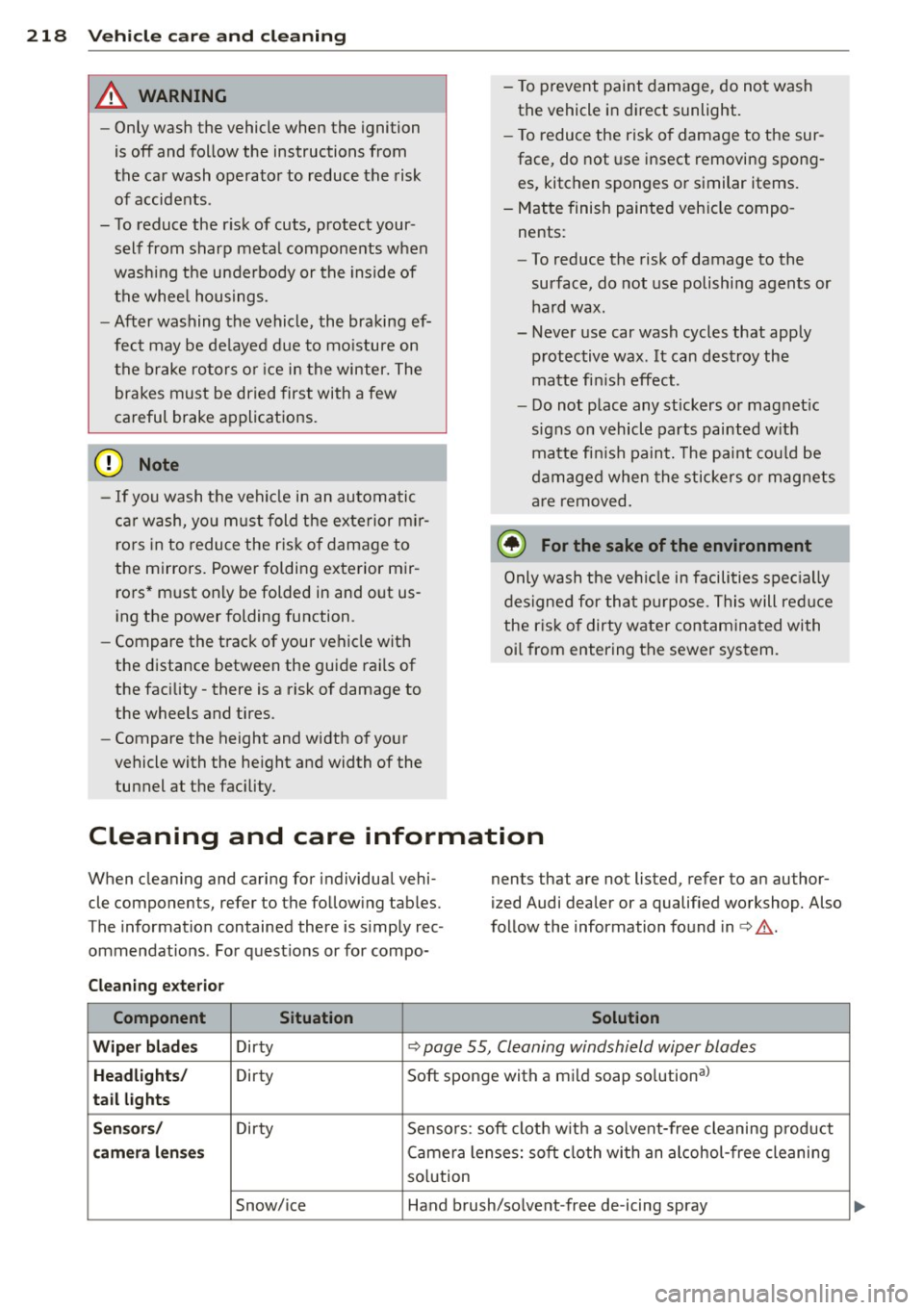
Cleaning and care information
When cleaning and caring for individua l vehi
cle components, refer to the fo llowing tab les .
The information contained there is simp ly rec
ommendat ions . For quest io ns or for compo- nents that are not listed, refer to an author
ized Audi dealer or a qualified workshop. Also
fo llow the information found in <=> & .
Cleaning exterior Component Situation Solution
Wiper blad es Dirty <=> page 55, Cleaning windshield wiper blades
Headlights/ Dirty Soft sponge with a mild soap so
lution al
tail lights
Sen sors / Dirty Sensors : soft clot h w it h a so lvent-free cleaning p roduct
camera l enses Camera lenses: soft cloth with an alcohol -free cleaning
so lution
Snow/ice Hand brush/so lvent -free de-icing spray
Page 223 of 316
-Never use abrasive cleaning materials
or alcohol to clean the camera lens.
Th is could cause scratches and cracks .
-Window s
-Remove snow and ice on w indows and
exterior mirrors with a plastic scraper.
To avoid scratches, move the scraper only in one direction and not back and
forth.
- Never remove snow or ice from w in
dows and m irrors using wa rm or hot
wate r because this cou ld cause crac ks
to form.
- To avoid damage to the rear window
defogger, do not apply any stickers on
the heating wires on the inside of the
w indow .
-Dec or ati ve p arts /trim
-Never use chrome care or cleaning
products.
-Paint
-To reduce the risk of scratches, the ve-
hicle must be free of dirt and dust be
fore polishing or waxing.
- To prevent paint damage, do not polish
or wax the veh icle in direct sunlight.
- To reduce the risk of paint damage, do
no t polish away rust film .
-Di splay s
-To avoid scratches, do not use dry
cleaning methods on displays .
-Controls
- Make sure that no flu ids enter the con-
trols, because this cou ld cause dam
age .
-Safet y belts
- Do not remove the safety belts to clean
t hem.
- Never clean safety belts or their com
ponents chemically or with cor ros ive
fluids or solvents and never a llow
sharp objects to come into contact
with the safety belts . This cou ld cause
damage to the belt webbing.
- If the re is damage to the webb ing, the
connections, the retractors or the buck
les, have them rep laced by an author-
V ehicl e ca re a nd cl eanin g 221
ized A udi dealer or a qualified work
shop.
- Te xtile s/Vin yl/ Alcant ara
- Never treat Vinyl/Alcantara w ith leath-
er care products, solvents, floor polish,
shoe polish, stain remover or s imilar
p rod ucts.
- To avoid damage, have stubborn stains
removed by an authorized Aud i deale r
or a qualif ied workshop.
- Never use steam cleaners, brushes,
hard sponges, etc. when cleaning.
- Objects w ith sharp edges such as zip
pers, rivets on clothing or be lts can
cause damage to the surface.
- Open hook and loop fastene rs, for ex
ample on cloth ing, can damage seat
covers. Make sure hook and loop fas
tene rs a re closed.
- Natural leather
- Neve r treat leather w ith solvents, floor
polish, shoe polish, stain remover or
similar products.
- Objects with sharp edges such as zip·
pers, rivets on clothing or be lts can
cause damage to the surface.
- Never use steam cleaners, brushes,
hard sponges, etc. when cleaning.
- To help prevent the leather from fad
ing, do not leave the vehicle in d irect
sunlight for long per iods of t ime. If
leaving the vehicle parked for long pe
riods of time, you should cover the
leather to protect it from d irect sun
light.
(D Tips
- Insects are easier to remove from paint
that has been freshly waxed.
- Regular waxing can prevent rust film
from forming.
•
•
Page 283 of 316
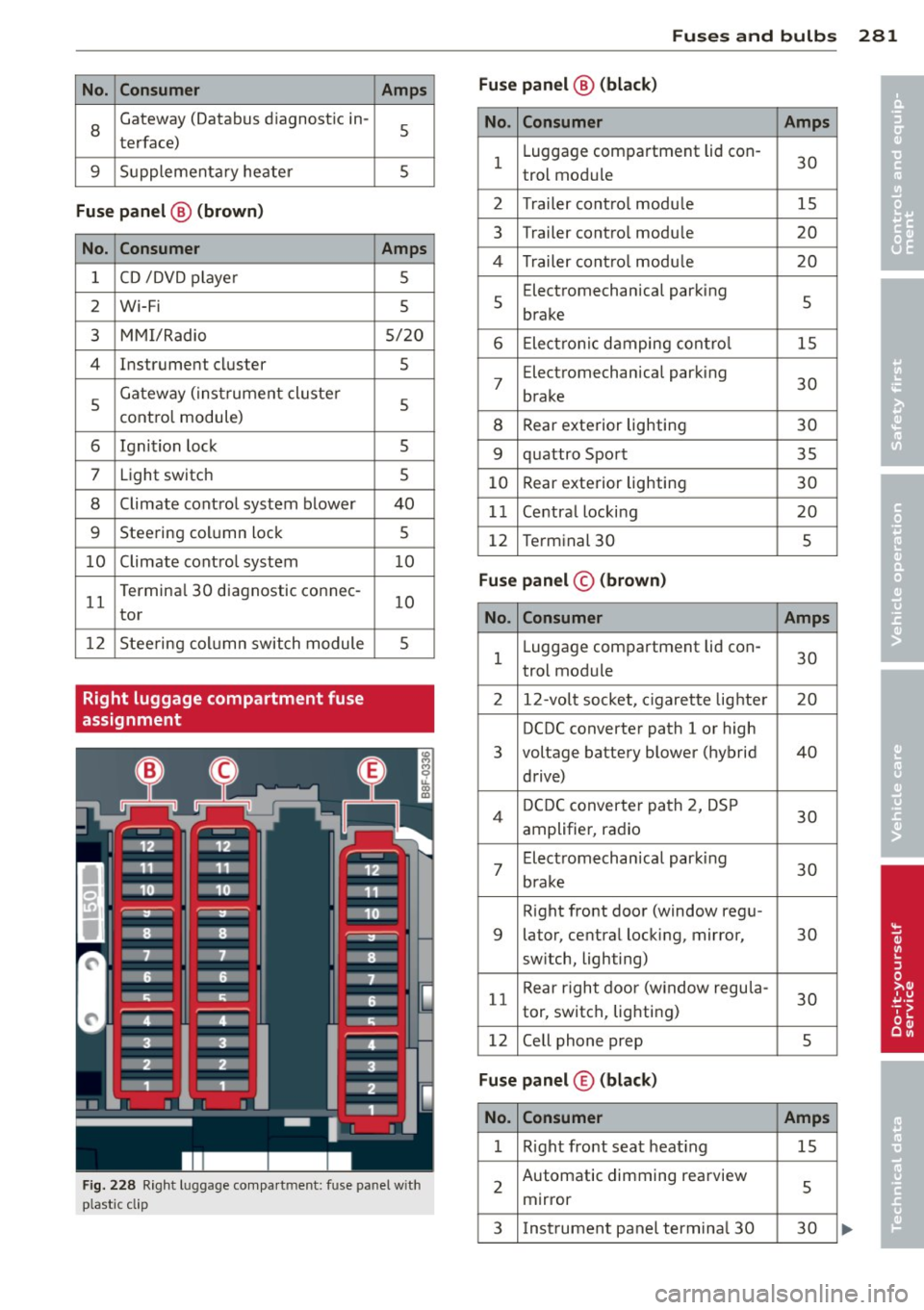
No. Consumer
8
Gateway (Databus d iagnostic in-
terface)
9 Supplementary heater
Fuse p anel @ (b rown )
N o. Con sumer
1 CD /DVD player
2 Wi-Fi
3 MMI/Radio
4 Instrument cluster
5 Gateway
(instrument cluster
cont rol module)
6 Ignition lock
7 Light switch
8 Climate control system blower
9 Steering column lock
10 Climate contro l system
11 T
erminal 30 diagnostic connec-
tor
12 Steering column switch module
Right luggage compartment fuse
assignment Amps
5
5
Amps
5
5
5/20
5
5
5 5
40
5
10
1 0
5
Fig. 228 Right luggage compa rtment: fuse panel w ith
ptastic cl ip
Fu ses and bulb s 281
Fus e panel@ (bla ck)
•
N o. Consumer Amps •
1 Luggage
compartment lid con-
30
trol module
2 Trailer contro l modu le 15
3 Trailer contro
l modu le
20
4 Trailer cont ro l modu le 20
5 Electromechanical
parking
5
brake
6 Electronic damping contro l 15
7
Electromechanical parking
30
brake
8 Rear exterior lighting
30
9 quattro Sport
35
10 Rear
exterior lighting
30
1 1 Centra l locking 20
12 Terminal 30 5
Fuse pan el© (brown )
No . Consumer Amps
1 Luggage compartment lid con-
30
trol module
2 12-vo lt socket, c igarette lighte r 20
DCDC converter path 1 or high
3 voltage
battery blower (hybrid 40
drive)
4 D
CDC converter path 2, DSP
30
amplifier, radio
7
Electromechan ical parking
30
brake
Right front door (window regu-
9 lator, central locking, mirror,
30
switch, lighting)
11 Rear
right door (window regu la-
30
tor, switch, lighting)
12 Cell phone prep
5
Fuse panel ® (bla ck )
No. Consumer Amps
1 Right front seat heat ing 15
2 Automatic dimming
rearview
5
mirror
3 Instrument panel termina l 30 30
Page 302 of 316
300 Index
Center armrest
Adjusting . ................. ..... .. 66
Storage compartment . . . . . . . . . . . . . . . 66
Certification . . . . . . . . . . . . . . . . . . . . . . . 296
Changing A flat tire .. .......... ...... ... .. . 273
A wheel .. .. ................ ... ... 273
E ng ine oil ... ............ .. .. .. .. . 237
Checking Engine coolant level ....... .. .. .... . 239
Tire pressure .............. ... .. .. . 253
Child restraints Danger of using child restraints in the
front seat .... ........... .. .. .... . 158
System anchors .......... .. .. .. .. . 191
Where can I get additional information
about child restraints and their use? . . 196
Chi ld safety ................. .. .... . 178
Convertible locking retractor .. .. ..... 188
Important safety instructions for using
child safety seats ............. .. ... 181
Important things to know when dr iving
with chi ldren . ... ..... ... .. .. .. .. . 178
I nstalling a child restraint using the
L A T CH system . ......... .. .. .. .. .. . 193
Mounting and releasing the anchorage
hook .... ................ ... .... . 193
Tether anchors ............ ... .... . 194
Tether straps .............. .. .... . 194
Ch ild safety locks
Rear doors ............... ... .... .. 46
Child safety seats . .......... ... .. .. . 184
Booster seats ............. ... .. ... 186
Conve rtible child seats .... .. .. .. .. . 185
Conve rtible locking retractor .. .. .. .. . 188
Danger of using child restraints in the
front seat .. ................ ..... . 158
How do I properly install a child safety
seat in my vehicle? ........ .. .. .... . 181
Infant seats ............. .. .. .. .. . 184
Installing ................. .. .... . 188
LA TCH system ......... .... ... .. .. . 193
Lower anchorages ......... ... .. .. . 192
Safety instructions ... ..... .. .. .... . 181
Unused safety belts on the rear seat .. 183
Cigarette lighter ........... .. .. .. .. .. 75
C leaning .................... ..... . 217 Climate control
.... ............. ..... 79
Air vents . ..... .. .. .............. .. 81
Automatic recircu lation .......... ... . 81
Operation . . . . . . . . . . . . . . . . . . . . . . . . . 80
Setup .... .... .. ............. .... . 81
Supplementary .. ................ .. 82
Synchronizing . ... ....... ...... .. .. . 81
Climatized cupholder ................. 74
Clock .. .. .. .... .. ............. ..... 12
Closing Panoramic sliding sunroof ........ ... . 47
Coat hooks ..... .. .. .............. .. 77
Cold tire inflation pressure .......... .. 251
Compass mirror . . . . . . . . . . . . . . . . . . . . . 59
Compliance ..... .. .. .............. . 296
Consumer Information . . . . . . . . . . 146, 293
Contacting NHTSA . ............... .. 146
Controls Cleaning .. .... .. .. .............. . 219
Convenience Closing ...... ... .. .............. .. 47
Open ing .. .... .. ............. .... . 47
Convenience key . .. ............. .... . 40
Indicator lights .. ..... ........... .. 87
Locking and unlocking vehicle ........ . 40
Start ing engine (START ENGINE STOP
button) ..... .. .. .. ........... .... . 86
Stopping the engine (START ENGINE
STOP button) .... ............... .. . 87
Switching on ignition ............ ... . 86
Convertible child safety seats . .. ... ... 185
Convertible locking retractor Activating . .... .. ............. .... 190
Deactivat ing . ... . ... ... .... ... .. .. 191
Using to secure a child safety seat 1.88, 190
Coolant system .... ................ . 238
Cooled cupholder ............... .... . 7 4
Cooling box in glove compartment . . . . . . 77
Cooling mode (climate control) ..... ... . 80
Cooling System Expansion tank ... ............. .... 239
Cornering light .. .. ............. .... . 51
Cruise control
Changing speed
Preselect speed .
. ................ .. 95
96
Switching off .. .. ............. .. .. . 96
Page 304 of 316
302 Index
Electronic differential lock (EDL) ...... . 19 7
Warning/indicator lights ... .. ... . 15, 17
E lect ronic immobilize r ...... .. .. .... .. 38
Electronic power control (EPC) warn ing/ indicator light . .. .. .. .. 15
Elect ronic Stabilization Control (ESC) . .. 197
Hill descent assist ..... ... .. .. .... . 199
Offroad mode . ........... .... .... . 198
Warn ing/ indicator lights ... .. .. .. .. . . 15
E mergency braking . . . . . . . . . . . . . . . . . . . 90
Emergency flasher . . . . . . . . . . . . . . . . . . . 52
Warn ing/ indicato r lights ....... .. .. .. 16
Emergency key . .... ....... .. .. .... .. 36
Starting engine ............ .. .... .. 85
Emergency locking of the doors ..... ... . 4 2
Eme rgency operation
L uggage compartment lid .. .. .. .. .. . . 45
Emergency release Selector lever ............ .. .. .. .. . 128
Emergency starting ..... ... .. .. .... . 283
Emergency towing ............. .. ... 285
Emergency unlocking Ignition key . . . . . . . . . . . . . . . . . . . . . . . 38
E nergy management .. ... .. .. ... ... . 203
Eng ine
Compartment . .. ...... ... .. .. .. .. . 233
Coolant .. .... ........... .. .. .. .. . 238
D ata .. .. ... ............ .. .. .. .. . 291
H ood . ...... .. .. ..... ... .. .. .... . 23 1
Jump starting .. .. ..... ... .. .. .... . 105
Start-Stop-System . . . . . . . . . . . . . . . . . . 91
Starting . . . . . . . . . . . . . . . . . . . 83, 86, 98
Starting with jumper cables .. .. .... . 283
Stopping . . . . . . . . . . . . . . . . . . . 85, 87, 98
Engine compartment Safety instructions . . . . . . . . . . . . . . . . . 23 1
Working the engine compartment .... 231
E ng ine coolan t sys tem ...... .. .. .... . 238
Adding coolant . .. ..... ... .. .. .... . 239
Checking coolant leve l ... .. .. ... ... . 239
Malfunction . . . . . . . . . . . . . . . . . . . . . . . 30
Radiator fan ............. .. .. .. .. . 240
E ng ine coolan t temperature
Tempe ratu re ga uge .. ... .. .. .... .. .. 1 0
E ng ine hood
C losing .. .. ................ ... .. . 23 1
H ow to release the hood . .. .. .. .. .. . 23 1 E
ngine oi l .. .... .. ... .. ..... .... . .. 233
Adding ... .... .. .. ... ..... ... .. .. 236
Additives . ... .. .. .. ... ..... ... .. .. 236
Changi ng ..... .. ............. .... 237
Check oil level . .. ............. .... 236
Consumption .. .. ................ . 236
Level .... ... .. .. .. ... .. ... ..... .. . 34
Oil consumpt io n .. .......... ...... . 235
Oil g rades . .. .. . .............. .. .. 233
Press ure ma lfu nction ........... .. .. . 30
Senso r defec tive . . . . . . . . . . . . . . . . . . . . 34
S peci fication and viscosit y ........ . .. 233
E ngine speed limitation . . . . . . . . . . . . . . . 34
Environment Break-in per iod . .. ............. .... 205
Catalytic co nverter ................ . 206
Diesel pa rticula te filter .......... ... 206
Dispos ing of your veh icle battery . . . . . 245
Driv ing at high speeds .......... .. .. 20 7
D riv ing to minimize po llution and noise 20 7
F uel .. .. .. .. .. . .............. .. .. 226
Fuel economy .... .. ... ..... ... .. .. 207
Leaks under you r vehicle ..... ... .. .. 231
Letting the vehicle stand and warm up. 208
Proper disposal of drained brake fluid . 241
Proper disposal of drained eng ine cool-
ant .. ..... ... .. .. ... ........... . 239
Proper d isposal of drained eng ine
o il . . . . . . . . . . . . . . . . . . . . . . . . . 236,237
Recycling used eng ine oil ........ .. .. 236
Roof rack . .. .. .. ............. .. .. . 72
U nleaded fuel .... .. .... .... ... .. .. 222
What s hou ld I do with an o ld battery? . 245
E P C
refer to Elect ro nic powe r contro l ... .. . 15
ESC
refer to Electronic Stabilization Control
(ESC) ........ ... .. .............. .. 15
Ethy l alcohol (Fuel) ... ... ..... ... .. .. 223
E vent Data Recorde r (EDR ) ........ .... 19 7
Exhaust tail pipes Cleaning ...... .. .. ... ........... . 219
Expansion tank .... ... .. ..... ... .. .. 239
E xplanation of some technical te rms 210
Exterior mirrors Adjusting ..... .. .. ... ........... .. 57
Dimm ing .. ... ... .. .............. .. 58
Heating ..... .. .. .. ... .. ... ..... .. . 57