warning light AUDI Q5 2014 Service Manual
[x] Cancel search | Manufacturer: AUDI, Model Year: 2014, Model line: Q5, Model: AUDI Q5 2014Pages: 316, PDF Size: 78.41 MB
Page 91 of 316
-When starting on inclines, the starting as
sist prevents the vehicle from unintentional
ly rolling back. The braking force of the
parking brake is not released until sufficient
driv ing force has been built up at the
wheels .
Emergency brake function
An emergency brake ensures that the vehicle
can be slowed down even if the
normal brakes
fa il
c::> page 90, Emergency braking.
Indicator light s
-If the parking brake is closed with the igni
tion
s witched on the indicator lights come
on . (USA mode ls)/ . (Canada mode ls) in
the instrument cluster and the switch.
- If the parking brake is closed with the igni
tion
s witched off the indicator lights come
on . (USA mode ls)/ . (Canada mode ls) in
the instrument cluster and the switch for
about 20 seconds.
A WARNING
If a drive range is engaged with the veh icle
stat iona ry and the engine running, you
must in no instance accele rate ca re lessly.
Otherw ise the vehicle will sta rt to move
immediately -risk of an accident .
(D Note
If the symbo l. in the display or the ind i
cato r light .. (USA models) . (Cana
da mode ls) in the instrument clus ter flash
es, the re is a malfunction in the brake sys
tem . By pressing the
ISETI button, you can
bring up a driver message which explains
the malfunction in more detail.
If the driv
er message
Parking brake system fault!
See owner's manua l
appears, there is an
operating malfunction in the park ing brake
which you should have repaired immedi ately by an author ized Audi dealer or other
qua lified workshop
c::> page 29.
@ Tips
- You can apply the pa rking brake at any
time -even w ith the ignition switched
'
On th e ro ad 89
off. The ignition must be turned on and
the brake pedal must be pressed in order
to release the parking b rake .
- Occasional noises w hen the parking
brake is app lied and released are normal
and are not a cause for concern.
- When the vehicle is pa rked, the parking
brake goes through a self -test cycle at
regu lar inte rva ls. Any associated noises
are normal.
Parking
"' Press the brake pedal to stop the veh icle.
"' Pull the sw itch
c::> page 88, fig. 100 to set
the parking b rake.
"' Move the selector lever to P.
"' Tu rn the engine off
c::> ,&. .
"'When on inclines or decl ines, turn the steer
ing wheel so that the vehicle will roll into
the cu rb if it begins to move.
A WARNING
-When you leave your vehicle -even if on
ly briefly- always remove the ignition
key. T his app lies particularly whe n chil
dren remain in the vehicle. Otherwise the
children could start the eng ine, release
the par king brake or operate elect rical
eq uipment (e.g. power w indows). The re
is the risk of an acc ident.
- When the veh icle is locked, no one -par
ticularly not children should rema in in
the vehicle. Locked doors make it more difficult for emergency workers to get in
to the vehicle -putting lives at risk.
Starting from rest
The starting assist function ensures that the
parking brake is released automatically upon
starting .
Stopping and applying parking brake
"' Pull the sw itch to app ly the parking b rake. .,.
Page 93 of 316
Press brake pedal to release parking brake
This driver message appears when the switch
to release the parking brake was pressed. The
parking brake can only be released if yo u step
on the brake pedal and at the same time press
the switch or you automatically re lease the
parking brake with the starting assist
<=>page 89.
fpii Parking brake malfunction!
This driver message appears together with
the yellow
rm symbol when there is a parking
brake malfunction.
Start-Stop-System
Descript ion
A ppl ies to vehicles: with Sta rt-Stop-System
The Start-Stop -System can help increase fuel
economy and reduce CO
2 emissions.
In the Start-Stop-mode, the eng ine shuts off
automatically when the vehicle is stopped,
such as at a traffic light. The ignition remains
sw itched on during this stop phase. The en
gine will be automatically restarted when
needed.
The last Start-Stop-System setting (o n/off us
ing the button
lr.;, .. I) will be restored when the
ignition is turned on. The LED in the
1r.;, .. 1 but
ton turns on when the Start-Stop-System is
switched off manually.
Basic requirements for the Start-Stop
mode
- The driver's door is closed .
- The driver's seat belt is latched.
- The hood is closed.
- The vehicle must have been driven faster
than 2.5 mph (4 km/h) since the last stop .
- A tra iler is not hitched to the veh icle .
A WARNING
- Never turn off the engine before the ve
hicle has come to a complete stop. The
full function of the brake booster and the
power steering is not guaranteed. You
On the road 91
must use more force to turn or brake if
necessary. Because you cannot steer and
brake as you usually would, this could
lead to crashes and ser ious injuries.
- To reduce the risk of injuries, make sure
that the Start-Stop-System is turned off
when working in the engine compart
ment
c:> page 93.
(D Note
Always switch off the Start-Stop-System
when driving through water
c:> page 93.
Starting /stopping the engine
App lies to vehicles: wit h Start -Stop -System
Fig. 101 Instrum ent cluster: Engine switched off (stop
phase)
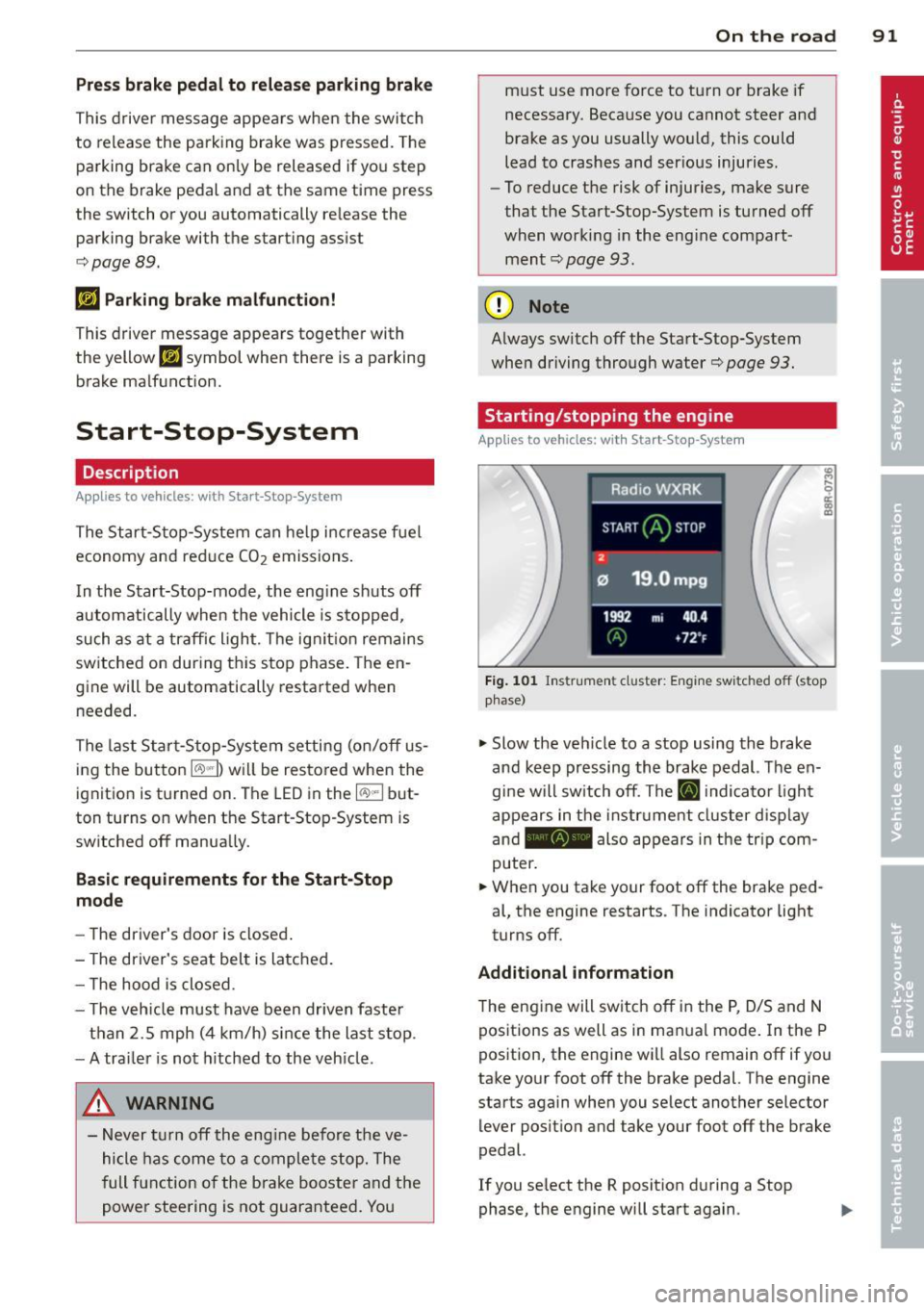
.,. Slow the veh icle to a stop using the brake
and keep pressing the brake pedal. The en
gine will switch off. The
ti] indicator light
appears in the instrument cluster disp lay
and - also appears in the trip com
puter .
.,. When you take your foot off the brake ped
al, the engine restarts . The indicator light
turns off.
Additional information
T he engine will switch off in the P, D/S and N
positions as well as in ma nual mode. In the P
position, the engine will also remain off if you
take your foot off the brake pedal. The engine
starts again when you select another selector lever position and take your foot off the brake
pedal.
If you se lect the R position during a Stop
phase, the engine will start again .
Page 95 of 316
marker lights will switch off after approxi
mately 30 minutes or when you lock the vehi
cle.
If the Start-Stop-System has not turned off
the engine or if you have switched the Start
Stop-System off manually, the ignition will
not be automatically switched off and the en
g ine will continue to run
i::> &. .
A WARNING
Never allow the engine to run in confined
spaces -danger of asphyxiation .
@ Tips
If you shift into the D/S or N positions af
ter shift ing into reverse, the vehicle must
be driven faster than 6 mph (10 km/h) in
order for the engine to switch off again .
Switching the Start-Stop-System on/off
manually
Applies to vehicles: with Start-Stop-System
If you do not wish to use the system, you can
switch it off manually.
Fig. 103 Ce nter con sole : Star t-Stop-Sy stem butto n
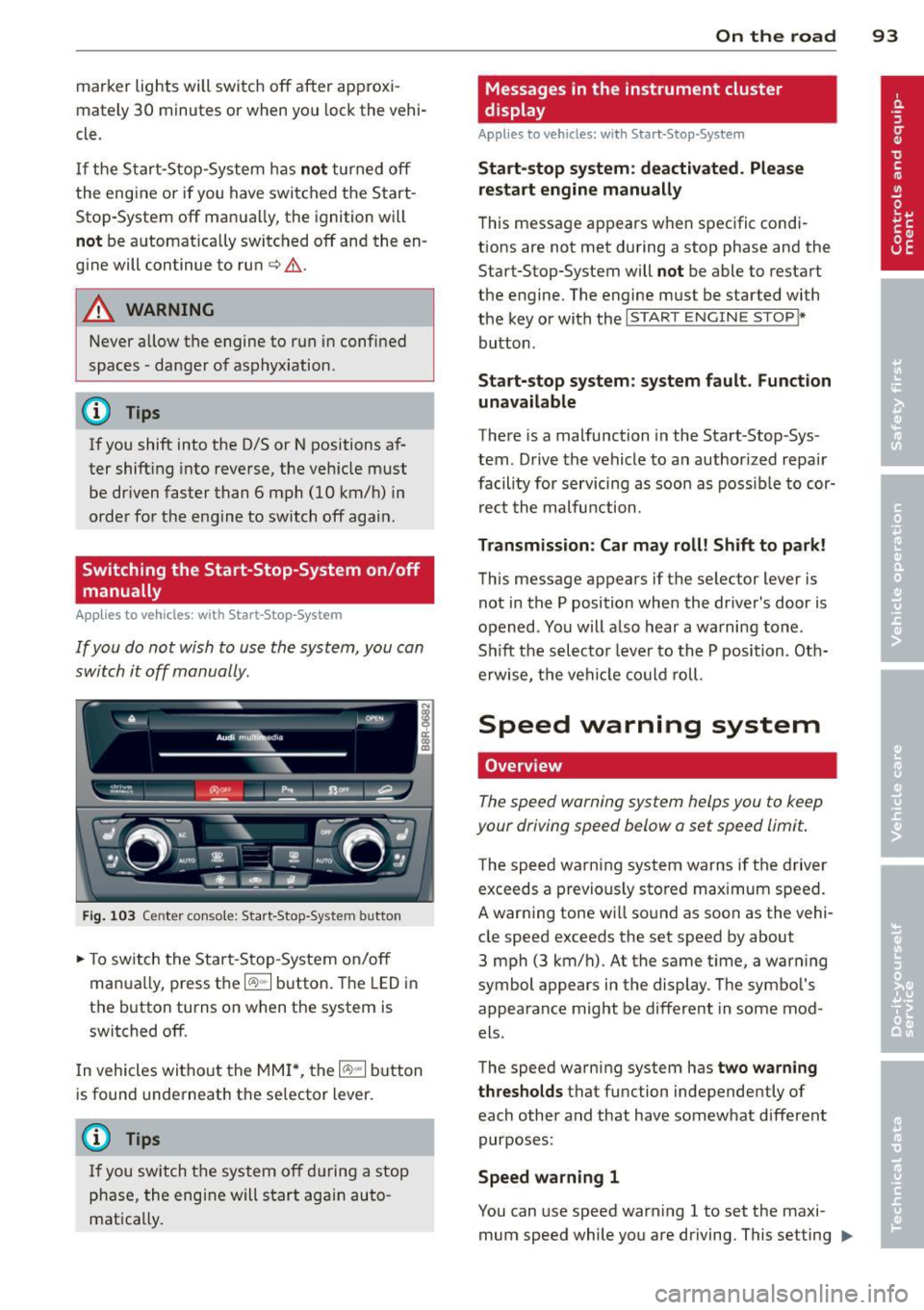
.. To switch the Start -Stop-System on/off
manua lly, press the
1/A) "'I button. The LED in
the button turns on when the system is
switched off.
In vehicles witho ut the MMI *, the
1/A) "'I b utton
is found underneath the se lector lever.
(D Tips
If you switch the system off during a stop
phase, the engine will start again auto
matically.
On the road 93
Messages in the instrument cluster
display
Appl ies to vehicles: with Start-Stop-System
Start-stop system: deactivated. Please
restart engine manually
This message appears when specific condi
tions are not met during a stop phase and the
Start-Stop-System will
not be able to restart
the engine. The engine mus t be started with
the key or with the
I START ENGIN E STOP !*
button .
Start-stop system: system fault. Function
unavailable
There is a malfunction in the Start -Stop -Sys
tem . Drive the vehicle to an author ized repair
facility for servicing as soon as possible to cor
rect the malfunction .
Transmission: Car may roll! Shift to park!
This message appears if the selector lever is
not in the P position when the driver 's door is
opened . You will also hear a warning tone.
Sh ift the selector lever to the P position. Oth
erwise, the vehicle could roll.
Speed warning system
Overview
The speed warning system helps you to keep
your driving speed below a set speed limit.
T he speed warning system warns if the driver
exceeds a previous ly stored maximum speed.
A warning tone will sound as soon as the vehi
cle speed exceeds the set speed by about
3 mph (3 km/h) . At the same time, a warning
symbol appears in the display . The symbol 's
appearance might be different in some mod
els .
The speed warning system has
two warning
thresholds
tha t function independen tly of
each other and that have somewhat different
purposes :
Speed warning 1
You can use speed warning 1 to set the m axi
mum speed while you are driving . This setting ..,.
Page 97 of 316
(30 km/h to 240 km/h). Settings can each be
adjusted in intervals of
5 mph (10 km/h) .
Cruise control
Switching on
The cruise control sys tem makes it possible to
drive at a constant speed starting at 20 mph
(30 km/h) .
0
f
®t
0
Fig. 10S Contro l lever wi th push -bu tton
Fig. 106 Di splay: Selec ted speed
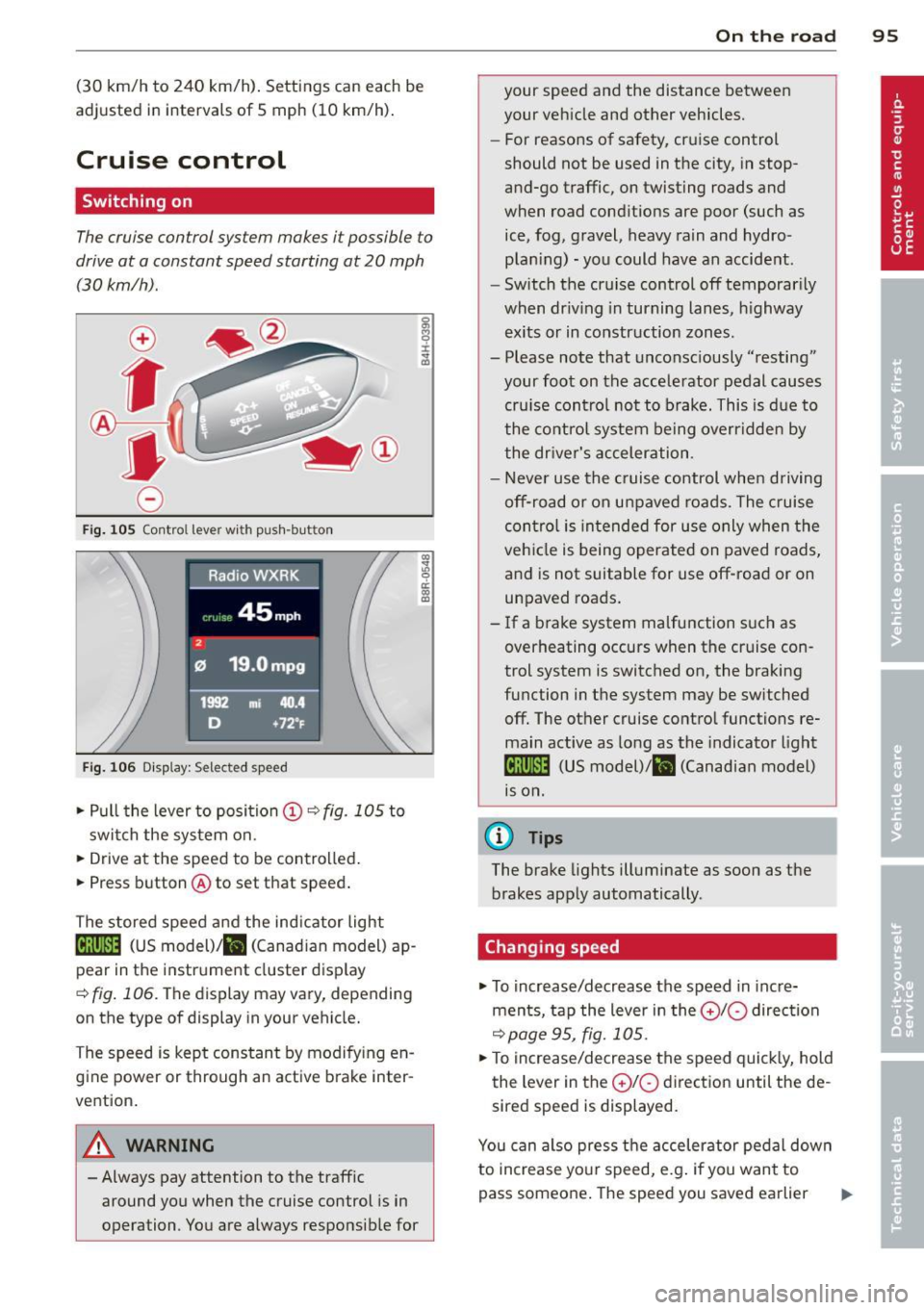
.. Pull the lever to position (D c:? fig . 105 to
switch the system on .
.. Drive at the speed to be contro lled.
.. Press button @to set that speed .
The stored speed and the ind icator light
Bll!lm (US model)/ il (Canad ian model) ap
pear in the instrument cluster disp lay
<=> fig . 106. The display may vary, depending
on the type of display in your vehicle.
The speed is kept constant by modify ing en
gine power or through an active brake inter
vention.
A WARNING
- Always pay attention to the traffic around you when the cruise control is in
operation . You are always responsible for
c:o ;:g 0 ci: c:o al
On th e road 95
your speed and the distance between
your vehicle and other vehicles.
- For reasons of safety, cruise control
should not be used in the city, in stop
and-go traffic, on twisting roads and
when road conditions are poor (such as
ice, fog, gravel, heavy rain and hydro
plan ing) - you could have an accident.
- Switch the cruise control off temporarily
when dr iv ing in turning lanes, h ighway
exits or in construction zones .
- Please note that unconsciously "resting" your foot on the accelerator pedal causes cru ise contro l not to brake. This is due to
the control system be ing overridden by
the driver's acceleration.
- Never use the cruise control when driving off-road or on unpaved roads. The c ruise
con tro l is intended for use only when the
vehicle is being operated on paved roads,
and is not suitable for use off-road or on
unpaved roads.
- If a brake system malfunction such as overheating occurs when the cruise con
trol system is switched on, the braking
function in the system may be switched off. The other cruise control functions remain active as long as the indicator light
IR;\1 )~14 (US model)/ fil (Canadian model)
1s on .
(D Tips
The brake lights illuminate as soon as the
brakes apply automatically .
Changing speed
.. To increase/decrease the speed in incre
ments, tap the lever in the
0 10 direction
<=> page 95, fig. 105 .
.. To increase/decrease the speed quickly, hold
the lever in the
0 10 direction until the de
sired speed is displayed.
You can also press the accelerator pedal down
to increase your speed, e.g . if you want to
pass someone. The speed you saved earlier
Page 101 of 316
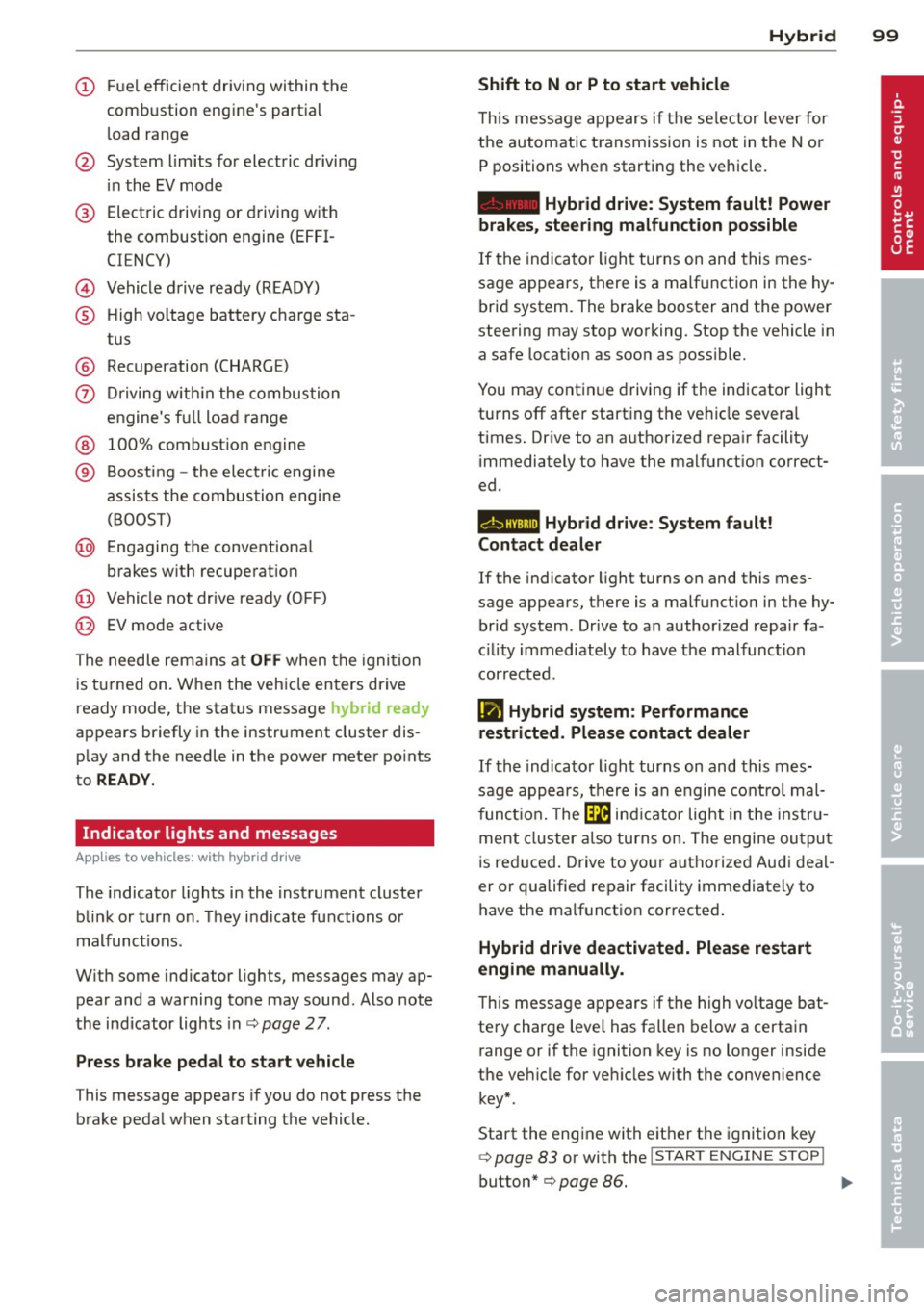
(!) Fuel efficient driv ing within the
comb ustion engine's partia l
l oad range
@ System limits fo r electric d riving
i n the EV mode
® Elect ric driving or d riving w it h
the combustion engine (EFFI -
CI ENCY)
© Vehicle d rive ready (READY)
® H igh vo ltage bat tery c ha rge sta -
tus
® Recuperation (CHARGE)
0 Dr iving w it hi n the combus tion
engine's fu ll loa d range
® 100% combust io n engine
® Boost ing -the elect ric e ngine
assists the combus tion engine
( B OOST)
@ Engaging the conventiona l
brakes w ith recuperat ion
@ Vehicle not drive ready ( OFF)
@ EV mode active
The needle rema ins at
OFF when the igni tion
is tur ned on. W hen the veh icle en ters drive
ready mode, t he stat us message
hybrid ready
ap pears briefly in the instrument cluster dis
p lay and the needle in the power meter po ints
to
READY .
Indicator lights and messages
Applies to vehicles: with hybrid drive
The indicator lights in the instrument cluste r
b link or t urn on . Th ey i ndicate fu nctions o r
malfunct ions .
W ith some ind icator lights, messages may ap
pear and a warning tone may sound. Also note
the indicator lights in c::,;,
pag e 27.
Press brake pedal to start vehicle
This message appea rs if you do not press the
brake peda l when starting the vehicle.
Hybrid 99
Shift to N or P to start vehicle
T his mess age appears if the se lector lever for
the automatic t ransmission is not in t he N or
P positions when starting the vehicle.
- Hybrid drive: System fault! Power
brakes, steering malfunction possible
I f the indica tor ligh t turns on and this mes
sage a ppears, t here is a ma lf u nction in the hy
bri d system. The brake booster and the power
steering may stop working. Stop the vehicle i n
a safe l ocat io n as soo n as poss ible.
You may cont in ue dr iving if the indicator light
turns
off afte r start ing the ve hicle severa l
times. Dr ive to an a uthorized repa ir facility
immediately to have the malfunct ion correct
ed .
EHithjj,j Hybrid drive : Sy stem fault!
Contact dealer
If the indicator light turns on and this mes
sage appears , there is a malfunct ion in the hy
br id system . Drive to a n author ized repair fa
c ili ty immediat ely to hav e th e m alfunc tion
corrected.
Ill Hybrid system: Performance
restricted. Please contact dealer
If th e i ndica to r light turns on and this mes
sag e appea rs, there is an engine contro l ma l
f unct io n .
The @B indi cator light in t he instr u
m ent cluster also tur ns on. The engine ou tput
i s re duced. Drive to yo ur autho rize d Au di dea l
er or qualifie d repair facility immediately to
have the malfunct io n corrected .
Hybrid drive deactivated. Please restart
engine manually.
Th is message ap pears if the high vo ltage bat
te ry charge leve l has fallen below a certa in
range or if the ignition key is no longer inside
the ve hicle for ve hicles with the convenience
key *.
Start the eng ine with e it h er the ignitio n key
¢page 83 or with the !STAR T EN GINE STOPI
button* c::> page 86.
Page 112 of 316

110 Audi adaptive cruise control and braking guard
@ Indicator lights
r• 1-Adaptive cruise control is switched on . No
vehicles are detected up ahead. The stored
speed is maintained.
I-A moving vehicle is detected up ahead.
The adaptive cruise control system regulates
the speed and distance to the moving vehicle
ahead and accelerates/brakes automatically.
I -When automatic braking is not able to
keep enough distance to a previously detected
moving vehicle up ahead, you must take con
trol and brake<=:>
page 112, Request for driver
intervention.
© Display
If adaptive cruise control is not shown in the
display, you can call it up with the
I RESET !
button ¢ page 20.
Based on the symbols in the display, you can
determine if the system is maintaining a dis
tance to the vehicle ahead and what that dis
tance is.
No vehicle -No vehicle ahead was detected.
White vehicle -A vehicle ahead was detected.
Red vehicle -Prompt for the driver to take ac
tion
<=:> page 112.
Both arrows on the scale © indicate the dis
tance to the vehicle ahead. No arrow appears
when the vehicle is on an open road and there
is no object ahead. If an object is detected
ahead, the arrow moves on the scale.
The green zone on the scale shows the stored
distance. For information on changing the
stored distance, refer to <=:>
page 111. If the
distance selected is too close or may soon be
come too close, the arrows move into the red
zone on the scale .
A WARNING
Improper use of the adaptive cruise con
trol can cause collisions, other accidents
and serious personal injuries.
- Pressing the
ISETI button when driving at
speeds below 20 mph (30 km/h), will au- tomatically accelerate the vehicle to
20 mph (30 km/h), which is the mini
mum speed that can be set.
(D Tips
- If you switch the ignition or the adaptive
cruise control off, the set speed is erased
from the system memory.
- The Electronic Stabilization Control (ESC)
is automatically turned on when the
adaptive cruise control is turned on. You
cannot switch the ESC into offroad mode
while the adaptive cruise control is
turned on
<=:> page 198 .
Changing the speed
Applies to veh icles: w ith Audi adaptive cruise co ntro l
0
f
• 0
Fig. 119 Selector lever: ch an gin g the speed
.,. To increase or reduce the speed in incre
ments,
tap the lever up or down .
.,. To increase or reduce the speed quickly,
hold
the lever up or down until the red LED@
reaches the desired speed <=:>
page 109,
fig . 118.
Following any changes, the new stored speed
will be displayed briefly in the display @
<=:>page 109, fig . 118.
Page 114 of 316

112 Audi adaptive cruise control and braking guard
<:::::> ___ <:::::>_ Distance 3: This setting cor re-
sponds to a distance of 164 feet/SO meters
when traveling at 62 mph (100 km/h), or a
time interval of 1.8 seconds.
<:::::> ____ <:::::> Distance 4: This setting cor re-
sponds to a distance of 210 feet/64 meters
when traveling at 62 mph (100 km/h), or a
time interva l of 2 .3 seconds.
A WARNING
Following other vehicles too closely in
creases the risk of collisions and serious
personal injury.
- Setting short distances to the traffic
ahead reduces the t ime and distance
available to br ing your vehicle to a safe
stop and makes it even more necessary
to pay close attention to traffic.
- Always obey applicable traffic laws, use
good judgment, and select a safe follow
ing distance for the traffic, road and
weather conditions.
(0 Tips
- Distance 3
is set automatically each time
you sw itch the ignition on.
- Your standa rd settings are automatically
stored and assigned to the remote con
trol key being used
c:::> page 36.
Setting the driving program
Ap plies to vehicles: with Audi adaptive cruise co ntrol
Depending on the selected dr iving program
and distance, driving behavior when accelerat
ing will vary from dynamic to comfortable.
Setting the driving program for vehicles
without Audi drive select*
• In the radio/MM I*, select: I CAR ! function
button >
adaptive cruise control > Driving
program
> Comfort, Standard or Dynamic .
Or
• Select :
I CAR I function button> Car systems *
control button > Driver assist > Adaptive
cruise control
> Driv ing program > Com
fort, Standard
or Dynamic . Setting the driving mode for vehicles with
Audi drive
select*
Refer to c:::> page 121.
(D Tips
Your settings are automatical ly stored and
assigned to the remote control key being
used
c:::> page 36 .
· Request for driver intervention
App lies to vehicles: wit h Audi adapt ive c ruise contro l
Fig. 122 Instr umen t cluster: request for dr iver inter
vent ion
In certain situations, the system will prompt
you to take action . This could happen, for ex
ample, if braking by the adaptive cruise con
trol system is not enough to mai ntai n enough
distance to the vehicle ahead.
The instrument cluster will warn you about
the danger
c:::> fig. 122:
- A red vehicle is p ictured in the display.
- The text
DISTANCE! appears in the stat us
bar .
- The red indicator light
I blinks.
- In addition, a warning tone sounds.
Page 115 of 316

Audi adaptive cruise control and braking guard 113
Audi braking guard
Description
Applies to vehicles: with Audi adaptive cruise control
Fig. 123 Instrument cluste r: approac h warn ing
Braking guard uses a radar sensor. It also
functions within the limits of the system
when adaptive cruise control is switched off.
What can braking guard do?
When detected in time, the system can assess
situations when a vehicle ahead brakes sud
denly or if your own vehicle is traveling at a
high speed and approaching a vehicle up
ahead that is moving more slowly . Braking
gua rd does not react if it cannot detect the
situation .
The system advises you of various situations:
- The
distance warning is given if you are too
close to the vehicle ahead for a long time. If
the vehicle ahead brakes sharply, you wi ll
not be able to avoid a collision. The indicator
light
I in the display comes on .
- The
approach warning is given when a de
tected vehicle up ahead in your lane is mov
ing much more slowly than you are or if it
brakes sharply . When this warning is given,
it may only be possible to avoid a collision
by swerving or braking sharply. The indicator
light
I and indicator in the display will warn
you about the danger
c:> fig. 123. You will al
so hear an acoustic signal.
If you do not react fast enough or do not react
at all to the situation, braking guard will inter-
ll Th is is not ava ilable in som e coun tri es.
vene by braking and the message Braking
guard: Activated
will appear.
- If a coll ision is imminent , the system will
first provide an
acute warning by briefly and
sharply applying the brakes.
- If you do not react to the acute warning,
braking guard can brake within the limits of
the system. This reduces the vehicle speed
in the event of a collision.
- At speeds under 20 mph (30 km/h), the sys
tem can initiate a complete deceleration shortly before a collision
ll.
- If the braking guard senses that you are not
braking hard enough when a collision is im
minent, it can increase the braking force .
Which functions can be controlled?
You can switch braking guard and the dis
tance/approach warning on or off in the radio/
MMI* i::!> page 114, Settings in the radio/
MMI *.
A WARNING
--==
Lack of attention can cause collisions, oth-
er accidents and serious personal injuries.
The braking guard is an assist system and
cannot prevent a collision by itself. The
driver must always intervene. The driver is
always respons ible for braking at the cor
r ect time .
- Always pay close attention to traffic,
even when the braking guard is switched
on . Be ready to intervene and be ready to
take comp lete control whenever necessa
ry. Always keep the safe and legal dis
tance between your vehicle and vehicles
up ahead.
- Braking guard works within limits and
will not respond outside the system lim
its, for examp le when approaching a
stopped vehicle or stationary obstacle (end of a traffic jam or vehicle that has
broken down in traff ic).
Page 132 of 316
130 Parking system
Rearv iew camer a coverage area
The MM I display shows the area cove red by
the rearview camera
r=> fig. 140 (J) . Objects
that are not in the a rea covered @are not
shown on the MMI display .
We recommend that you p ractice park ing wi th
the rearview camera in a traffic-free location
or parking lot to become familiar with the sys
tem, the orientation lines, and their f unction.
When doing th is, there sho uld be good light
and weather conditions.
I n the MMI disp lay, objects or vehicles appear
closer or further away if:
- yo u are d riving in reverse gear from a level
s u rface on to an incline, or a downward
s lope,
- you are d riving in reverse gear toward pro
truding objects,
- the vehicle is carrying too much load in the
rear .
The accu racy of the orientat ion lines and b lue
surfaces dim inishes if:
- the rearview camera does not prov ide a reli
able image, for example, in poor visibility
condit io ns or if the lens is dirty,
- the image on t he screen is not visible due to
s u n glare and reflect ion .
Caring for the rear view came ra len s
The rearview camera is located above the rear
license plate bracket . For the parking system
to operate, the lens
r=> fig. 141 must be kept
clean:
- Dampen the lens with a househo ld alcoho l
based glass cleaner, and then wipe the lens
clean with a dry cloth
r=> 0 .
- Remove snow with a hand brush and ice
prefe rably with a de-icing spray
r=> 0 .
A WARNING
-The parking system cannot rep lace the
dr iver's at tention. The d river alone is re
sponsible fo r par kin g and similar dr iving
ma ne uvers .
-
-Sensors have blind spots in wh ich objects
cannot be detected. Pay spec ia l attention
to small childre n and an imals because
the sensors cannot always detect them .
- Always keep your eyes on the vehicle 's
sur roundings, us ing the rearv iew mir ror
as we ll.
- Do not allow yourself to be distracted
from traffic by the rea rv iew camera pic
tures .
- If the position and the installation angle
of the camera has changed, for example,
after a rear end coll ision, do not conti nue
to use the system for safety reasons .
H ave it chec ked by a qualified dea le rship.
Q) Note
- Low obstacles a lready s ignaled by a
wa rning can disappear from the system's
detection rang e as they are app roached
and w ill no t cont inue to be signaled. Ob
jec ts such as ba rr ier chains, tra iler draw
bars, thin painted vert ica l poles or fen
ces may not be detecte d by the system,
posing ris k of damage .
- N ever use warm or hot water to remove
snow or ice from the rearv iew camera
lens -this could ca use the lens to crac k!
- W hen cleaning the lens, never use prod
ucts that a re a brasive.
Page 133 of 316
Switching on and off
Applies to vehicles: with Audi parking system p lus with
rea rview camera
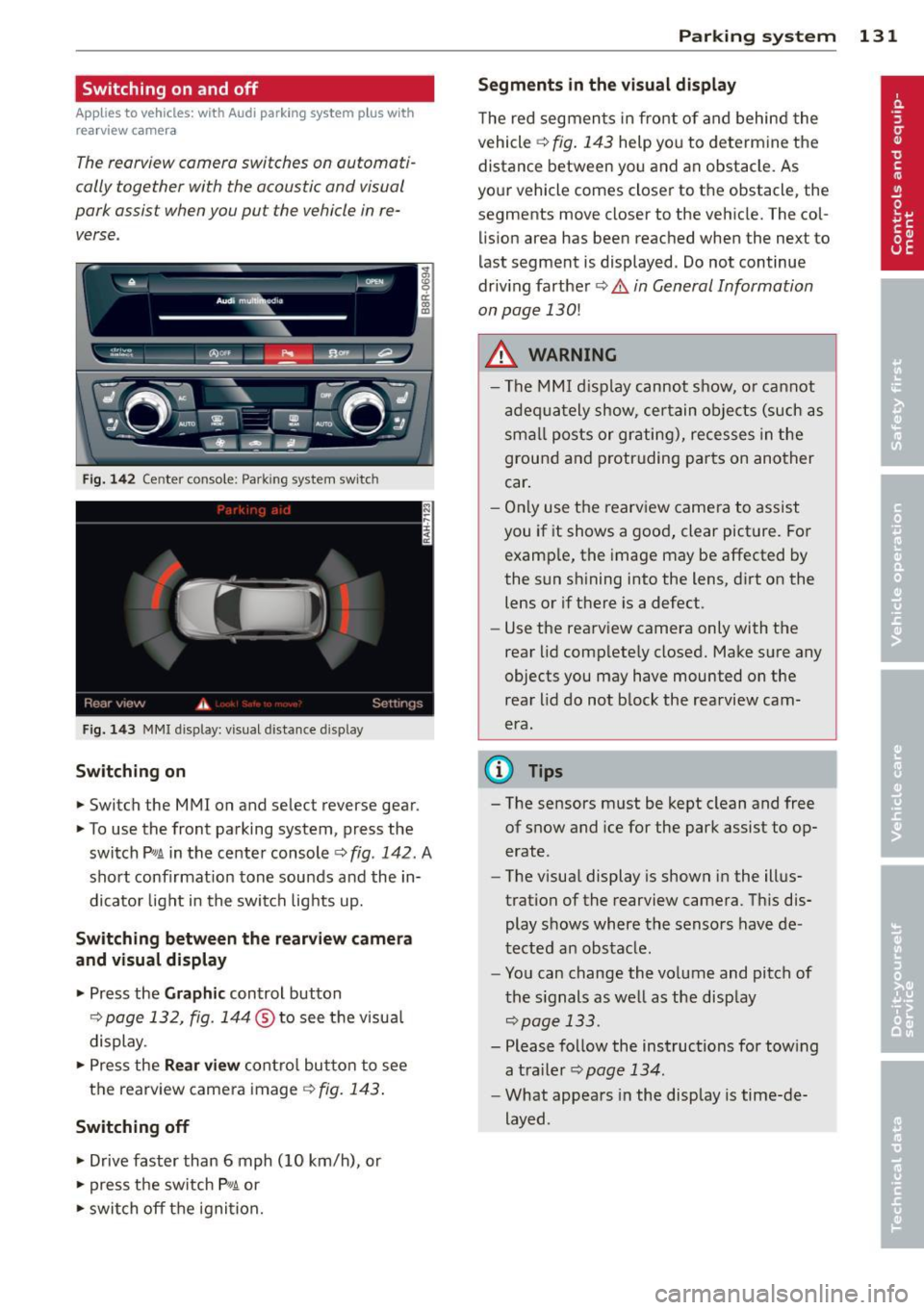
The reorview camer a switches on automati
cally together with the acoustic and visual
pork assist wh en you put the vehicl e in re
verse .
Fig. 14 2 Center co nsole ; Pa rk ing syste m switc h
Fig. 14 3 MMI disp lay: visu al dista nce display
Switching on
.,. Switch the MMI on and se lect reverse gear.
.,. To use the front parking system, press the
switch
Pw.A in the center console~ fig. 142. A
sho rt confirmat io n tone sou nds a nd the in
dicato r light in the switch lights up.
Switching between the rearview came ra
and visual display
.,. Pr ess the Graphic control button
¢ page 132, fig. 14 4 ® to see t he visua l
display.
.,. Press the
Rear view cont ro l but to n t o see
the rearview came ra image
¢ fig. 143 .
Switching off
.,. Drive faster than 6 mph (10 km/h), or
.,. press the sw itch
p ,,,A or
.,. switch off t he igni tion.
Par king system 131
Segments in the visual display
The re d segmen ts i n fro nt of and behind the
vehicle ~
fig. 143 help yo u to determ ine the
distance between yo u and an obstacle. As
you r vehicle comes close r to t he obstacle, the
segments move closer to the vehicle. The col lis ion area has bee n reached when the next to
l ast segment is displayed . Do not continue
dr iv ing farther ~.&.
in General Information
on page 130!
A WARNING
- Th e M MI di splay can not s how, o r ca nnot
ad equa tely show, cer tain o bje cts ( such as
smal l posts or gr ati ng), recesses in the
grou nd and protr uding par ts on ano ther
car .
- On ly use t he rearv iew came ra to assist
you if it shows a goo d, clear pict ure. Fo r
examp le, the image may be affected by
the sun s hining into the lens, d irt on the
lens or if there is a defect.
- Use the rearv iew camera only with the
rear lid c om plete ly closed. Make s ure any
o bjects you may have mounted on the
rea r lid do n ot b lock the rearview cam
era.
(D Tips
- T he sensors m ust be kept clean and free
of snow and ice for the park assist to op
erate .
- The visua l display is shown in the ill us
tration of the rearview came ra. Th is dis
play s hows where the senso rs have de
tected an obstacle .
- Yo u can change the vo lume and pitch of
t he s ignals as we ll as the disp lay
~page 133.
- Please fo llow the ins tructions for tow ing
a tra iler
¢ page 134.
-What appears in the display is time-de
layed .