brakes AUDI Q5 2015 User Guide
[x] Cancel search | Manufacturer: AUDI, Model Year: 2015, Model line: Q5, Model: AUDI Q5 2015Pages: 302, PDF Size: 75.01 MB
Page 112 of 302
Audi adapt ive cru ise control and brak ing gu ard
@ Indicator light s
Ill -Adaptive cruise contro l is switched on. No
vehicles are detected up ahead . The stored speed
is maintained .
• -A moving veh icle is detected up ahead. The
adaptive cruise control system regulates the
speed and distance to the moving vehicle ahead
and accelerates/brakes automatically.
• -When automat ic brak ing is not able to keep
enough d istance to a prev iously detected mov ing
ve hicle up ahead, you must take control and
brake
~ page 112, Request for driver interven
tion.
© Di splay
If adaptive c ruise cont rol is not shown in the dis
p lay, yo u can call it up with the
!RESET I button
r::!> page 20 .
Based on the symbo ls in the display, you can de
termine if the system is ma inta ining a distance to
the vehicle ahead and what that distance is .
N o ve hicle -No vehicle ahead was detected .
White vehicle -A vehicle ahead was detected.
Red vehicle -Prompt for the driver to take action
r::!> page 112.
Both arrows on the sca le © indi cate the dis tance
to the vehicle ahead . No arrow appears when the
ve hicle is on an open road and there is no object
ahead. If an object is detected ahead, the arrow
moves on the scale .
The green zone on the scale shows the stored dis
tance . For information on changing the stored
distance, refer to
~ page 111 . If the distance se
lected is too close or may soon become too close,
the arrows move into the red zone on the scale.
A WARNING
Improper use of the adaptive cruise control
can ca use coll is ions, other accidents and ser i
ous pe rsonal injuries.
- Pressing the
ISE TI button whe n driving at
speeds below 20 mph (30 km/h), will auto matically accelerate the vehicle to 20 mph
110
(30 km/h), which is the minimum speed
that can be set.
@ Tips
- If you switch the ign it ion or the adaptive
cruise contro l off, the set speed is erased
from the system memory.
- The Electronic Stabilization Control (ESC) is automatically turned on when the adapt ive
cruise control is turned on. You cannot
switch the ESC into offroad mode while the
adaptive cruise contro l is turned on
¢ page 192.
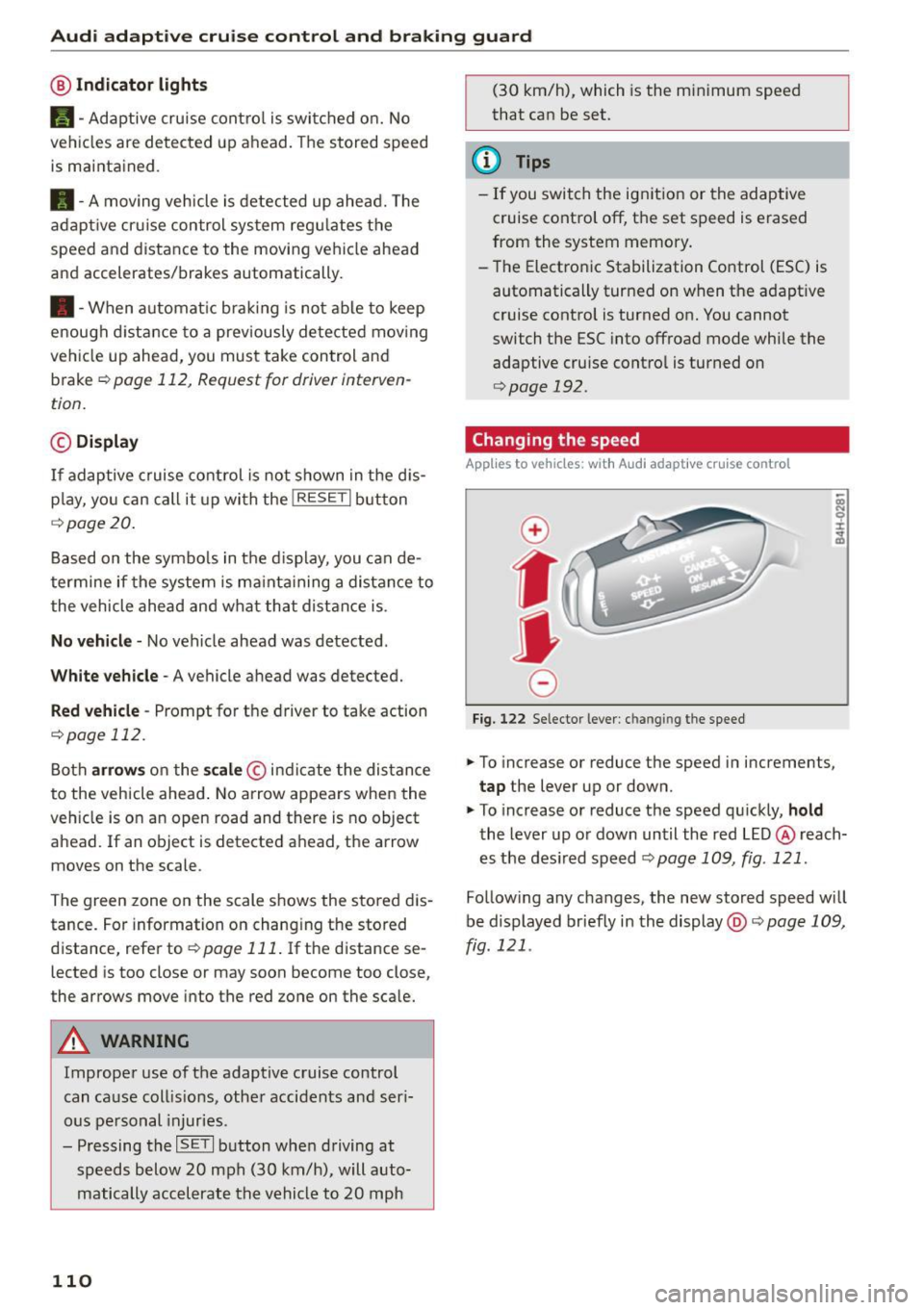
Changing the speed
App lies to vehicles: with A udi adapt ive cruise contro l
0
f
•
0
Fig. 122 Selector lever : ch an gin g the speed
.,. To increase or reduce the speed in increments,
tap the lever up or down.
.,. To increase or reduce the speed qu ickly,
hold
the lever up or down until the red LED@ reach
es the des ired speed
~ page 109, fig . 121 .
Follow ing any changes, the new stored speed will
be displayed briefly in the display@r::!>
page 109,
fig . 121 .
Page 115 of 302

Audi adapt ive crui se cont rol and bra king gu ard
Audi braking guard
Description
Applies to vehicles: with Audi adaptive cruise co ntrol
F ig. 126 Instrument cluste r: app roac h warn ing
Braking guard uses a radar sensor. It also func
tions within the limits of the system when adap tive cruise control is switched off .
What can bra king gu ard do ?
When detected in time, the system can assess
situations when a vehicle ahead brakes suddenly
or if your own veh icle is traveling at a high speed
and approaching a vehicle up ahead that is mov
ing more slowly . Braking guard does not react if it
cannot detect the s ituation.
The system advises you of various situations:
- The
di sta nce wa rning is given if you are too
close to the vehicle ahead for a long time.
If the
vehicle ahead brakes sharply, you will not be
able to avoid a collision. The indicator light .
in the d isplay comes o n.
- The
app roach warning is g iven when a detected
vehicle up ahead in your lane is moving much
more slowly than you are or if it brakes sharply .
When this warning is g iven, it may only be pos
s ible to avoid a co llision by swerving or braki ng
sharp ly. The indicator light . and indicator in
t h e d isplay w ill warn yo u about the danger
¢ fig. 126. You wi ll also hear an acoust ic signa l.
If you do not react fast enough or do not react at
all to the situation, braking guard will intervene by bra king and the message
Br aking guard : A cti-
~ vat ed will appear. co ~ co
rl I.O
"' N "' 11
This is not ava ilable in som e count ries. rl
- If a collision is imminent, the system wi ll first
provide an
a cute war ning by brief ly and sharply
app ly ing the brakes.
- If you do not react to the acute warning, brak
ing guard can brake within the limits of the sys
tem. This reduces the veh icle speed in the event
of a collision.
- At speeds under 20 mph (30 km/h), the system
can initiate a comp lete deceleration shortly be
fore a collisionl).
- If the braking guard senses that you are not
braking hard enough when a collision is immi
nent, it can increase the braking force.
Which function s can b e cont roll ed ?
You can switch braking guard and the distance/
approach warning on or off in the radio/MMI*
¢ page 114, Settings in the radio/MM!*.
A WARNING
-
Lack of attention can cause collisions, other
accidents and serious personal injuries. The b raking guard is an ass ist system and cannot
p revent a coll is ion by itself. The dr iver must
a lways intervene. The driver is always respon
s ib le for b ra ki ng at the corre ct time.
- Always pay close attent ion to traffic, even
when the b rak ing guard is switched on. Be
ready to intervene and be ready to take com
p lete control whenever necessary . Always
keep the safe a nd legal distance between
your vehicle and vehicles up ahead.
- Braking guard works within limits and will not respond outside the system limits, for
examp le when approaching a stopped vehi
cle or stationary obstacle (end of a traffic
jam or vehicle that has broken down in traf f ic).
- Always remember that the radar sensor for
the braking guard works on ly w ithin defined
detection and range limits that may prevent
the prope r detection of other vehicles.
- The radar sensor's funct ion and range can
be reduced by ra in, snow and heavy spray.
Moving vehicles up ahead may not be
,.
113
Page 128 of 302
Automatic transmission
-Never leave your vehicle with the engine
running while in gear. If you must leave your
vehicle when the engine is running, activate
the parking brake and move the selector lev er to P.
- Power is still transmitted to the wheels
when the engine is running at idle. To pre
vent the vehicle from "creeping", you must keep your foot on the brake when the engine
is running and the selector lever is in D/S or
R or "tiptronic" mode is selected.
- Do not press the accelerator pedal when
changing the selector lever position while
the vehicle is stationary and the engine is
running.
- Never shift into R or P while driving.
- Before driving down a steep slope, reduce
your speed and shift into a lower gear with
"tiptronic".
- Do not ride the brakes or press the brake
pedal too often or too long when driving
down a hill. Constant braking causes the
brakes to overheat and substantially re
duces braking performance, increases brak
ing distance or causes complete failure of
the brake system.
- To prevent the vehicle from rolling back
when stopping on inclines, always hold it in
place with the brake pedal or parking brake.
- Never hold the vehicle on an incline with a
slipping clutch. The clutch opens automati
cally when it becomes too hot from the
overload. An indicator lamp[!] illuminates
and a driver message appears
<=> page 127
when the clutch is overloaded .
-If the engine must remain running, never
have any driving position engaged when
checking under the hood. Make sure these
lector lever has securely engaged and is
locked in P with the parking brake set
<=>page 221. Otherwise, any increase in en
gine speed may set the vehicle in motion,
even with the parking brake applied.
0 Note
- When stopping on an incline, do not try to
hold the vehicle in place by pressing the ac
celerator pedal while a driving gear is se-
126
lected. This can cause the transmission to
overheat and can damage it. Activate the
parking brake or press the brake pedal to
prevent the vehicle from rolling.
- Allowing the vehicle to roll when the engine
is stopped and the selector lever is in N will
damage the transmission because it is not
lubricated under those circumstances.
{!) Tips
For safety reasons, the parking brake is re
leased automatically only when the driver's
safety belt is engaged in the buckle.
Hill descent control
The hill descent control system assists the driver
when driving down declines.
Hill descent control is activated when the selec
tor lever is in D/S and you press the brake pedal.
The transmission automatically selects a gear
that is suitable for the incline. Hill descent con
trol tries to maintain the speed achieved at the
time of braking, within physical and technical limitations.
It may still be necessary to adjust the
speed with the brakes.
Hill descent control switches off once the decline
levels out or you press the accelerator pedal.
When the speed is set in the cruise control sys
tem <=>
page 95, hill descent control is also acti
vated .
A WARNING
Hill descent control cannot overcome physical
limitations, so it may not be able to maintain
a constant speed under all conditions. Always
be ready to apply the brakes.
Page 193 of 302
M N
co
a:
co
,...., \!) 1.1"1
N 1.1"1 ,....,
shared, please see your contract with the
wireless telecommunications provider and the
"About Aud i connect" tab in your vehicle's
MMI*:
IMENU I button> Audi connect > About
Audi connect .
Electronic Stabilization
Control (ESC)
Description
The Electronic Stabilization Control (ESC) reinfor
ces driver safety. It reduces the risk of slipping
and improves driving stability. ESC detects criti
cal s ituations such as the vehicle oversteering
and understeering or the wheels sp inning. The
veh icle is stab ilized by applying the brakes or re
ducing engine torque. Once the ESC is act ive, the
indicator light
m blinks in the instrument clus
ter.
The fol low ing systems a re integrated in the ESC:
Anti-lock brake system (ABS)
ABS prevents the wheels from locking up when
brak ing . The vehicle can still be steered even dur
ing hard braking. Apply steady pressure to the
brake pedal. Do not pump the pedal. A pulsing in
the brake pedal indicates that the system is help
ing you to brake the vehicle.
Brake assist system
The brake assist system can decrease braking d is
tance . It increases braking power when the dr iver
presses the brake pedal quick ly in emergency s it
uations. You must press and hold the brake pedal
unti l the situation is over. In vehicles w ith adap
tive cruise control*, the brake assist system is
more sensitive if the distance detected to the ve
hicle ahead is too small.
Anti-slip regulation (ASR)
ASR reduces engine power when the drive whee ls
begin to spin and adapts the force to the road
conditions. This makes it easier to start, acceler
ate and drive up hills.
Smart Technology
Electronic differential lock (EDL)
The EDL brakes whee ls that are spinning and
trans fers the drive power to the other whee ls.
This function is not avai lable at higher speeds .
In extreme cases, EDL automatically sw itches off
to help keep the brake on the braked wheel from
overheating. EDL will switch on again automati
ca lly when conditions have returned to normal.
Steering recommendation
The ESC helps to stabilize the vehicle by changing
the steering torque.
On vehicles with dynam ic steering*, ESC helps
stab ilize the steer ing in crit ical situat ions .
Selective wheel torque control
Selective wheel torque control is used when driv
ing on curves. The front wheel on the inside of
the curve or both wheels on the inside of the
curve are braked select ively as needed. This al
lows more precise driving in curves. The applica
ble system may not activate when driving in wet
o r snowy conditions .
A WARNING
-
-The ESC and its integrated systems cannot
overcome the laws of physics. This is espe
cially important on slippery or wet roads. If
the systems begin acting to stabilize your
vehicle, you should immediately change
your speed to match the road and traffic conditions . Do not let the increased safety
provided by these systems tempt you to
take risks. Doing so will increase the risk of a
loss of vehicle control, collision and serious
personal injuries.
- Always adapt your speed to road, traffic and
weather conditions. The risk of los ing con
trol of the vehicle increases when driving
too fast, especially through curves and on
slippery or wet roads, and when driving too
close to vehicles up ahead . The ESC and its
integrated systems cannot a lways prevent
coll isions - there is st ill a risk of acc idents!
- Always accelerate with special care on even,
smooth surfaces such as those that are wet
or covered with ice and snow. The drive
191
Page 195 of 302
M N
co ~ co
Hill descent assist
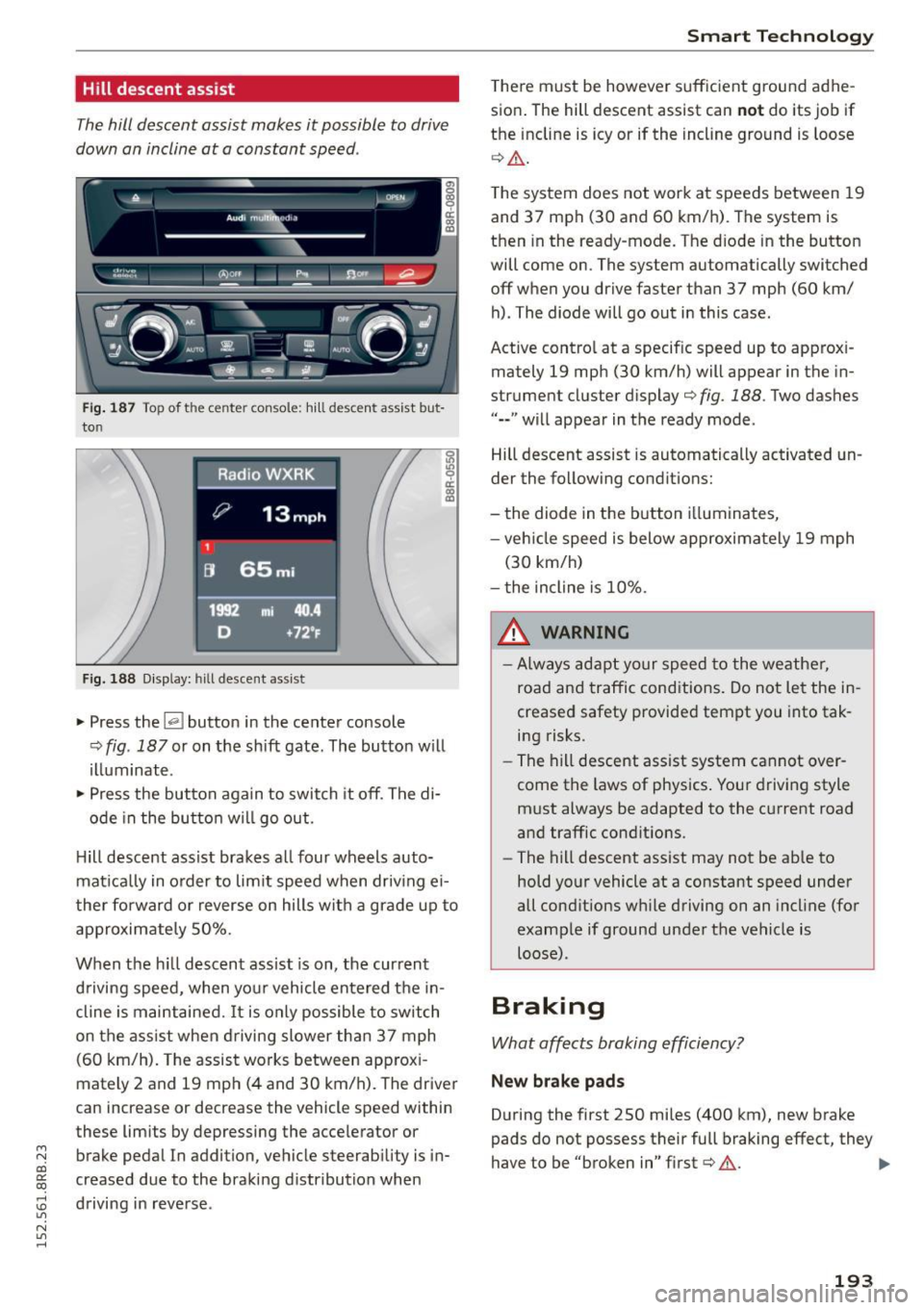
The hill descent assist makes it possible to drive
down on incline at a constant speed .
~!:t'::t Cl)Of~ ........ - -~ -fi31.. ..,_e..,,. --
I: ~_c)': ~ ~ ~ ~- .·· ~ n
l ... , .. --~ . ; - - -
Fig. 187 Top of t he ce nte r con so le: h ill descen t ass ist bu t
to n
Fig. 188 D isplay: hill descent assist
~ Press the~ button in the center console
~ 1/) 9 a:
~
¢ fig. 187 or on the shift gate. The button w ill
illuminate .
~ Press the button again to switch it off. The di-
ode in the butto n w ill go out.
H ill descent assist brakes all four wheels auto
mat ica lly in o rder to lim it speed when driv ing ei
ther fo rward or reverse on hills with a grade up to
approximately 50%.
When the h ill descent assist is on, the current
d riving speed, when your vehicle entered the in
cline is maintained.
It is only possible to switch
on the ass ist when d riving slower than 37 mph
(60 km/h). The assist works between app rox i
mately 2 and 19 mp h (4 and 30 km/h). The driver
can increase or decrease the vehicle speed within
these limits by depressing the acce lerator or
brake pedal In addition , vehicle steerability is in
creased due to the braking distribution when
:0 driving in reverse .
"' N
"' ......
Smart Technology
There must be however suffic ient ground adhe
sion . The hill descent assist can
n ot do its job if
the incline is icy or if the incline ground is loose
¢ Ll:). .
The system does not work at speeds between 19
and 37 mph (30 and 60 km/h) . The system is
then in the ready-mode. The d iode in the button
will come on . The system automatically switched
off when you drive faster than 37 mph (60 km/
h) . The diode will go out in this case .
Active control at a specif ic speed up to approx i
mately 19 mph (30 km/h) will appear in the in
strument cluster display¢
fig. 188. Two das hes
"--" will appear in the ready mode.
Hill descent assist is automatically activated un
der the fo llowing conditions:
- the diode in the button i lluminates,
- veh icle speed is below approximately 19 mph
(30 km/h)
- the incline is 10% .
A WARNING
-
-Always adapt your speed to the weather,
road and traffic conditions. Do not let the in
creased safety provided tempt you into tak ing risks.
- The hill descent assist system cannot over
come the laws of physics . Your driving style
must always be adapted to the current road
and traffic conditions.
- The hill descent assist may not be ab le to
hold your vehicle at a constant speed under
all conditions w hile driving on an incl ine (for
example if ground under the vehicle is loose) .
Braking
What affects broking efficiency?
New brake p ad s
During the first 250 miles (400 km), new brake
pads do not possess their full braking effect, they
have to be "broken in" first¢ &. .,,.
193
Page 196 of 302
Smart Technolog y
Operating c ondit ion s and drivin g hab it s
The brakes on today 's automobi les are st ill sub
ject to wear, depending largely on operating con ditions and driving habits¢.&. . On vehicles that
are either driven mostly in stop-and-go city traf
f ic or are driven hard, the brake pads should be
checked by your authori zed Audi dealer more of
ten than specified in the
Wa rra nty & Mainte
n an ce boo kle t .
Fa ilure to have your brake pads
inspected can result in reduced brake perform
ance.
On steep slopes, you should use the brak ing ef
fect of the eng ine . Th is way, you prevent unnec
essary wear on the brake system. If you must use
your brakes, do not ho ld the brakes down contin
uously. Pump the brakes at inte rva ls.
Operat ing no ise
Noises may occur when braking depending on the
speed, brak ing force and outside conditions such
as temperature and humid ity .
Effect of w ate r an d r oad sal t
In certain situations, for example after driving
through water, in heavy rain, after overn ight con
densat ion or after washing your car, the braking
effect can be reduced by mo isture or ice on the
brake rotors and brake pads . The brakes must be
d ried first with a few carefu l brake applications.
At h igher speeds and with the w indshield wipers
turned on, the brake pads press against the brake rotors for a short amount of t ime . This occurs at
regular intervals without the d river noticing and
p rov ides for better brake response t ime unde r
wet conditions .
The effectiveness of the brakes can be reduced
when the vehicle is dr iven on a salt-covered road
a nd the brakes are not used . L ikew ise, you clean
off accumulated sa lt coating from brake discs
and pads with a few cautious applications of the brake ¢.&. .
Corros ion
There may be a tendency for dirt to bui ld up on
the brake pads and corros ion to fo rm on the discs
if the car is not driven regularly or on ly for short
trips with litt le use of the brakes.
194
If the brakes are not used frequently, or if corro
sion has formed on the discs, it is advisable to clean off the pads and d iscs by braking firmly a
few times from a moderate ly high speed¢.&. .
Fault s in the brak e system
If you shou ld notice a sudden increase in bra ke
pedal travel, then one of the two brake circuits
may have failed
¢ .&. .
Lo w b rake fluid l evel
Malfunctions can occur in the brake system if the
brake flu id leve l is too low. The brake fl uid level is
monitored electronica lly.
Brake boos ter
The brake booster increases the pressure that you
generate w ith the brake pedal. It on ly operates
whi le the engine is runn ing o r with the ig nit ion
switched on (hybrid drive*)
¢ ,& .
Brake lining we ar status
Brake lining wear may be checked by visual in
spection of the condition of the brake pads
through the open ings in the wheel. If necessary ,
the wheel may be removed for this inspec tion
¢ page 260, Replacing wheels .
& WARNING -
- New brake pads don't have the best stop
ping power and m ust be "broken-in" during
the initial 250 miles (400 km) . You can com
pensate for this by pressing the brake pedal
more f irm ly. This also applies later when
new pads are installed.
- You should perform braking maneuvers for
the purpose of cleaning the brake system
only if road conditions permit. Other road
users must not be put at r isk -you may
cause an accident!
- Before descend ing a steep grade, reduce
speed and sh ift transmission into a lower
gea r or lower dr iving range. Do not ride the
bra kes or ho ld the peda l down too long or
too often . This could cause the bra kes to get
hot and diminish braking efficiency.
- Do not "ride the brakes" by rest ing your foot
on the pedal when you do not intend to
~
Page 197 of 302
M N
co
a:
co
,...., \!) 1.1'1
N 1.1'1 ,....,
brake. This may cause the brakes to over
heat, premature wear and increased stop
ping distance.
- Under certain climatic and operating condi
tions such as passing through wate r, driving
in heavy rain o r after washing the vehicle,
the effectiveness of the brakes can be re duced. In w inter, ice can accumulate on the
brake pads, linings, discs and drums . Care
fully apply b rakes for a test. B rakes wi ll dry
and ice coatings wi ll be cleaned off after a
f ew caref ul bra ke applications .
- Dr iv ing for an extended period of time on
salt-covered roads w ithout using you r
brakes can also affect braking efficiency .
Clean off accumulated salt coating from
brake discs and pads w ith a few caref ul
brake applicat ions.
- If you damage the front spoiler, or if you in
stall a different spoi ler, be sure the air flow
to the front brakes is not obstructed. Other
wise the brake system could overheat reduc ing the effectiveness of the ent ire brake sys
tem .
- Failure of one brake c ircuit will impair the
braking capab ility result ing in an increased
stopp ing distance. Avoid driv ing the veh icle
and have it towed to the nearest authori zed
Audi dealer or qu alified workshop.
- Never let the vehicle roll to a stop w ith the
eng ine shut off.
- If the brake booster is not work ing, the
brake pedal must be pressed conside rably
harder to make up fo r the lack of booste r as
sist ance.
Electromechanical power
assist, Dynamic steering
The electromechanical power assist helps the
driver when steering.
Power stee ring adapts electronically based on
the vehicle speed.
Indicator light s and mess age s
• Stee ring def ective! Do not drive vehicle!
Smart T echno log y
If this indicato r light turns on and stays on and
t h is message appears, the power steering may
have failed.
Stop the vehi cle in a sa fe location as soo n as pos
s ible . Do
not cont inue driving . See yo ur author
ized Audi dea ler or other qualified repair facility
for assistance .
'Iij Dynamic steering: Sy stem fault! You c an
continue dri ving
If the indicato r light turns on and the message
appea rs, the stee ring may be more d ifficult to
move o r more sensit ive th an usua l. The steering
may also be at an angle when driving straight .
Drive slowly to you r authorized Audi dea le r o r
qualified wo rkshop to have the ma lf u nct ion co r
re cted.
,~n D ynamic steering: Initializing
Audi drive select*: if the indicator light blinks and
the driver message appears, the dynamic steer
i ng* is reinitialized. After starting the engine, the
stee ring wheel will move slightly . Re-in itia liza
t ion m ight be necessa ry if the stee ring wheel was
moved h ard to the left and r ight while the veh icle
was not moving. The disp lay t urns off if the ini ti
alization was success ful.
(D Tips
- If the . or
(~fl indica tor light only stays on
for a sho rt time, you may cont inue driving.
- T he dynamic s teering* stab ility systems
<:!> page 191 are no t available in the event of
a system mal func tion .
- For add ition al information on dynamic
steer ing*
<:!> page 120.
Driving with your quattro
With all -wheel drive, all four wheels are driven.
General information
With a ll-wheel d rive, power is distr ibuted to a ll
fo ur wheels. This happens automati ca lly depend
i ng on your d riving s tyle and the road condi tions
a t t he t ime . See a lso <:!>
page 191. .,.
195
Page 201 of 302
M N
co
a:
co
,...., \!) 1.1'1
N 1.1'1 ,....,
-Do not apply additional undercoating or
rustproofing on or near the exhaust man i
fold, exhaust pipes, catalytic converter or heat shields. During driving, the substance
used for undercoating could overheat and
cause a fire.
Q) Note
- Be aware that just one tank filling with lead
ed
fuel will already seriously degrade the
performance of the catalytic converter .
- Do not exceed the correct engine oil level
¢page 225.
-Do not drive until the fuel tank becomes
completely empty . The engine could misfire.
Unburned fuel could also get into the ex
haust system and this could cause the cata
l ytic converter to overheat.
- Do not turn off the ignit ion while the veh icle
i s mov ing .
- Do not continue to operate your vehicle un
der these cond it ions, as otherwise fuel can
reach the catalyt ic converte r. This cou ld re
su lt in overheating of the converter, requir
i ng its replacement.
- To assure efficient operat ion of the Emission
Control System:
- Have your veh icle maintained properly and
in accordance with the service recommen
dations in your Warranty
& Maintenance
booklet.
- Lack of proper maintenance as well as im
proper use of the vehicle will impair the
function of the em ission control system
and could lead to damage.
@) For the sake of the environment
Even when the Em ission Control System is op
erating properly, the exhaust gas can have a
sulfur-like exhaust gas smell under some op
erating states. This depends on the sulfu r
content of the fuel being used. Using a differ
ent brand of fuel may help, or filling the tank
wit h lead-free super grade gasoline.
Dri ving and th e en vir onm ent
Diesel particulate filter
Applies to veh icles: w ith diesel en gine
The diese l particu late filter filters nearly all of
the soot particles out of the exhaust. The filter
cleans itself automatica lly under norma l driving
conditions. If the filter cannot clean itself (for ex
ample, because you are only driving short distan
ces), the filter becomes clogged with soot and
the
II symbol for the diese l particulate filter il
luminates
¢ page 34 .
_&. WARNING
-Do not park your veh icle over flammab le
materia ls such as grass or leaves because
the high temperature of the diesel particu
late filter could start a fire .
-
-Do not app ly an underbody protectant in the
exhaust system area or a fire cou ld start.
Avoid damaging the
vehicle
When you are driving on poor roads, or over
curbs, steep ramps, etc., make certain that low
lying parts such as spoilers and exhaust system
parts do not bottom out and get damaged.
This is especially true for vehicles with low-slung
chassis (sports chassis)* and fully loaded
vehicles.
Economical and environ
mentally-friendly driving
General
Your personal style of driving will determine the
economy of your vehicle, as well as exhaust and
noise levels.
Fuel economy, environmenta l impact, and wear
on your engine, brakes and tires largely depend
on three factors:
- your pe rsonal d riving style
- operating conditions
- technical limitat ions
If you ant icipate what you need to do next and
drive economically, you can easily cut your fuel
199
Page 205 of 302
M N
co
a:
co
,...., \!) ..,.,
N ..,., ,....,
-Ideal conditions do not prevail offroad . Nev
er utilize the maximum read ings to their
fullest, always leave a safety reserve.
Driving tips
On poor road and offroad, there is always only
one motto: Plan ahead and drive slowly!
P lease observe the followin g when driving away
from paved roads :
~ Drive only on roads and off road sections which
match the des ign of your veh icle and yo ur abili
t ies as a driver . Never take risks!
~ Drive slowly and plan ahead!
~ Take into consideration the gr ou nd cle aran ce of
your vehicle.
~ Activate the offroad mode c> page 191 as need
ed .
~ Use the hill des cent a ssi st <=:> page 193 when
dr iv ing down steep sections on hi lls.
Unp aved roads and offroad
Drive s low ly on unfami liar roads and unknown
offroad sections, and look out for unexpected ob
stacles (e.g . potho les, rocks, tree stumps, etc .) .
T o prevent the vehicle from bottoming and avoid
damage to the underbody, you should drive
straight across severe bumps in the ground with
only one side of the vehicle so that only two of
your wheels cross t he bumps.
Drive briskly through sandy or marshy offroad
sections and do not stop, if at all poss ible.
Driving through water
Note the following to avoid vehicle damage when
driving through water, for example on flooded roads:
- The water must not be any higher than the bot-
tom of the vehicle body .
- Do no t d rive fas ter than wa lking speed.
Driving on a slope
If you ever find yourself not ab le to climb a s lope,
do not try to turn around, drive back down in
re
ver se.
Othe rwise, you ru n the r isk of tipp ing ove r.
O ffro ad dri vin g
If the vehicle th reaten s to tip over when driving
acro ss a slope, you must immediately stee r
downhill in the direction of the slope.
Do not park you r vehi cle on steep s lopes or
grades.
T o reduce the risk of tipp ing ove r, d rive on s lopes
i n the d irection of t he downwa rd s lope (fall li ne) -
not cro sswi se .
& WARNING ~ -
After driving th rough water, mud, s lush, etc.,
the bra kes may be s low to take effect because
of wet bra ke rotors and pads. Dry the brakes
f irst by brak ing carefully to restore the full
braking effect.
(D Note
- Veh icle components s uch as the engine,
transm ission, suspension or electrical sys
tem can be severely damaged by driving
through water.
- Always switch off the Start-Stop-System *
when drivi ng throug h water
r=> page 94.
(D Tips
- Check t he depth of the water before driving
through it.
- Do not stop the vehicle, drive in reverse or
switch the engine off when driv ing through
water.
- Keep i n mind that oncoming veh icles may
create waves that raise the water level and
make it too deep for your vehicle to drive
through safely .
-Avo id driving through salt wate r because it
can cause corrosion .
203
Page 206 of 302
Trailer mode
Trailer mode
Driving with a trailer
General information
Your Audi was designed primarily for passenger
transportation.
If you plan to tow a trai ler, please remember that
the additional load will affect durability, econo my and performance.
Trailer towing not on ly places more stress on the
vehicle, it also calls for more concentration from the driver .
F or this reason, always follow the operating and
driving instructions provided and use common
sense.
Technical requirements
Tr aile r h itch
Use a weight-carrying hitch conforming to the
gross trailer weight. The hitch must be suitable
for your vehicle and trailer and must be mounted
securely on the veh icle's chassis at a technically
sound
location . Use only a trai ler hitch w ith a re
movable bal l mount . Always check with the tra il
er h itch man ufacturer to make sure that you are
using the co rrect hitch.
D o not u se a bump er hit ch.
The hitch must be installed in such a way that it
does not interfere with the impact -absorbing
bumper system. No mod ificat ions should be
made to the vehicle exhaust and brake systems .
From time to time, check that all hitch mounting
bolts remain securely fastened .
When you are not towing a trailer, remove the
trailer h itch ball mount. This prevents the hitch
from causing damage should your vehicle be struck from behind ¢ .&, .
Trailer bra kes
If your trailer is equipped with a braking system,
check to be sure that it conforms to all regula
tions.
204
The trailer hydraulic brake system must not be di
rect ly connected to the vehicle's hydraulic brake
system ¢.&, .
Safet y ch ain s
Always use safety chains betwee n your veh icle
and the trai ler .
Tr aile r lights
Trailer lights must meet all regulations. Be sure
to check w ith your author ized Audi dealer for cor
rect w iring, sw itches, and relays .
Mirro rs
If you are unable to see the traffic behind you us
ing the regular outside mirrors, then you
must in
stall extended mirrors .
It is important that you
always have clear vision to the rear.
&, WARNING
-If a trailer has electrical brakes p lease note
that these brakes are not activated by the
factory -fitted contro l unit -risk of accident!
- After removing the t railer hitch, do not store
it in your vehicle . In case of sudden braking,
the hitch could fly forward and injure you or
your passengers.
- Never install a "weight distributing" or "load equalizing" trailer hitch on your vehi
cle. The vehicle was not designed for these
kinds of tra iler hitches. The hitch attach
ment can fail, causing the tra iler to tear
loose from the veh icle.
- The Gross Vehicle Weight Rating for your ve
hicle, found on the safety compliance label
on the driver's side B-p illar, must never be
exceeded under any circumstances . Exceed
ing the Gross Vehicle We ight Rating of your
veh icle is likely to damage your vehicle, and
such damage will not be covered by your Limited New Vehicle Warranty. Exceeding
the Gross Vehicle Weight Rating will also
change the performance and handling char
acteristics of your vehicle, wh ich could cause
a crash resulting in serious injury or death .