warning AUDI Q5 2015 User Guide
[x] Cancel search | Manufacturer: AUDI, Model Year: 2015, Model line: Q5, Model: AUDI Q5 2015Pages: 302, PDF Size: 75.01 MB
Page 21 of 302
M N
co
a:
co
,...., \!) ..,.,
N ..,., ,....,
A WARNING ,~
- If the 1111 (USA models)/ . (Canada mod
els) brake system indicator light turns on to
gether with the ABS and ESC indicator
lights, the ABS/ESC regulating function may
have failed. Functions that stabilize the ve
hicle are no longer available. This could
cause the vehicle to swerve and increase the
risk of sliding. Drive carefully to the nearest
authorized Audi dealer or other qualified
workshop and have the malfunction correct
ed.
- If the brake warning/indicator light does
not go out after a few seconds and the park
ing brake is released, or lights up while you
are driving, the fluid level in the brake fluid reservoir is too low. If you believe that it is
safe to do so, proceed immediately at low
speed to the nearest authorized Audi dealer
or qualified repair facility and have the
brake system inspected.
- Always keep in mind that after several brake
applications, you will need greater pressure
on the brake pedal to stop your vehicle. Do
not rely on strained brakes to respond with
maximum stopping power in critical situa
tions. You must allow for increased braking
distances. The extra distance used up by
fading brakes could lead to an accident.
Instruments and indicator lights
19
Page 22 of 302
Driver information system
Driver information
system
Introduction
General notes
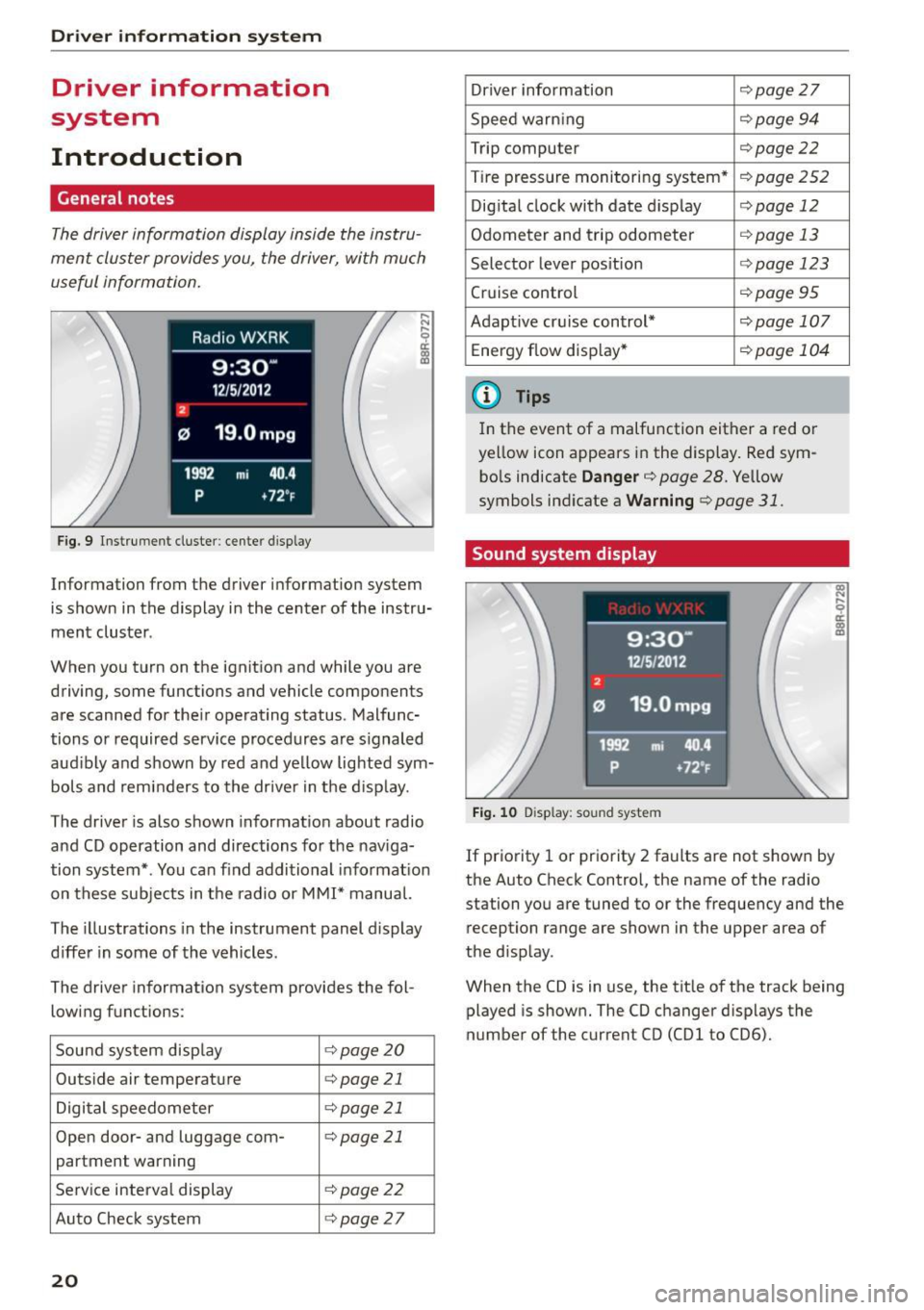
The driver information display inside the instru
ment cluster provides you, the driver, with much
useful information .
Fig. 9 Instrument cluster: center display
Information from the driver information system
is shown in the display in the center of the instru
ment cluster .
When you turn on the ignition and while you are driving, some functions and vehicle components
are scanned for their operating status. Malfunc
tions or required service procedures are s ignaled
aud ibly and shown by red and yellow lighted sym
bols and reminders to the driver in the display.
The driver is also shown information about radio
and CD operation and directions for the nav iga
tion system* . You can find additional informat ion
on these subjects in the radio or
MMI" manual.
The illustrations in the instrument panel display
differ in some of the vehicles.
The driver information system provides the fol
lowing functions :
Sound system disp lay ¢
page20
Outside air temperature ¢page 21
Digital speedometer ¢
page 21
Open door- and luggage com- ¢page 21
partment warning
Service interval display ¢page22
Auto Check system ¢page27
20
Driver information ¢
page 27
Speed warn ing ¢
page94
Trip computer ¢page22
Tire pressure monitoring system* ¢page
252
Digital clock with date display ¢page 12
Odometer and trip odometer ¢
page 13
Selector lever position r::>page 123
Cruise control ¢
page95
Adapt ive cruise control* ¢page 107
Energy flow disp lay* r::>
page 104
@ Tips
In the event of a malfunction either a red or
ye llow icon appears in the display. Red sym
bols indicate
Danger¢ page 28. Yellow
symbols ind icate a
Warning r::>page 31.
Sound system display
Fig. 10 D isplay: sou nd system
If priority 1 or priority 2 faults are not shown by
the Auto Check Contro l, the name of the radio
station you are tuned to or the frequency and the
reception range are shown in the upper area of
the d isplay .
When the CD is in use, the tit le of the track being
played is shown. The CO changer d isplays the
number of the current CO (CDl to CD6).
Page 23 of 302
M N
co ~ co
rl I.O
"' N
"' rl
Outside temperature display
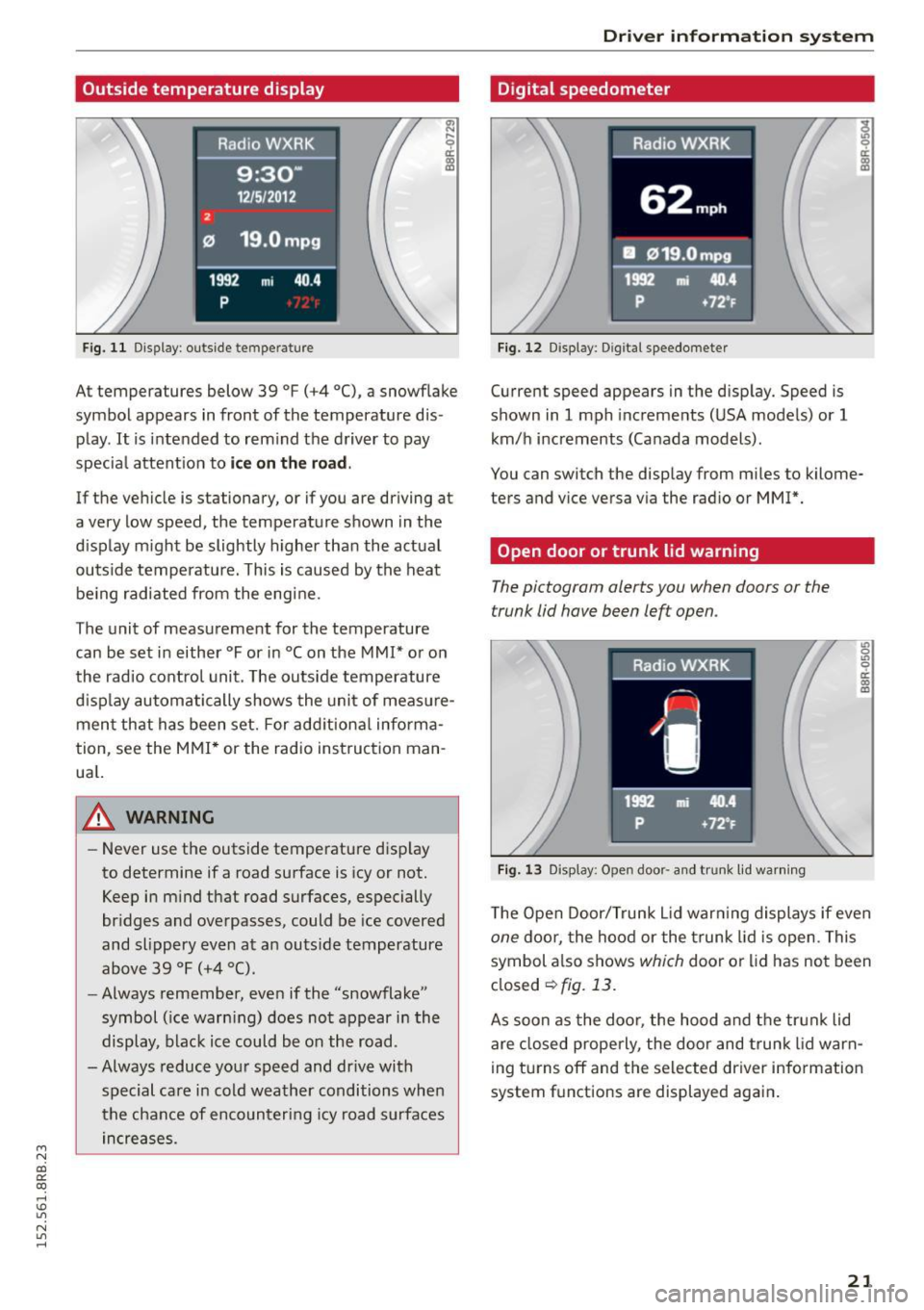
Fig. 11 Display: outside temperature
~ ,.._
9 a:
lll
At temperatures below 39 °F (+4 °C), a snowf lake
symbol appears in front of the temperature dis
play.
It is intended to rem ind the driver to pay
specia l attent ion to
ic e on the r oad .
If the vehicle is stationary, or if you are driving at
a very low speed, the temperature shown in the
d isplay m ight be slightly higher than the actual
outside temperature. This is caused by the heat be ing radiated from the eng ine.
The unit of measurement for the temperature
can be set in either °For in °Con the
MMI* or on
the radio control unit. The outs ide temperature
d isp lay automatically shows the unit of meas ure
ment that has been set. For add itional info rma
tion, see the
MMI * or the radio instruction man
ua l.
_& WARNING
-Never use the outside temperature d isp lay
to determine if a road surface is icy or not.
Keep in m ind that road surfaces, especially
br idges and overpasses, could be ice covered
and slippery even at an outs ide temperature
above 39 °F (+4 °C).
- Always remember, even if the "snowflake"
symbol ( ice warn ing) does not appear in the
display, black ice could be on the road.
-Always reduce your speed and dr ive with
special care in cold weather conditions when
the chance of encounteri ng icy road surfaces
in creases.
Dr iver inform atio n sy stem
Digital speedometer
Fig. 12 Display: Digital speedometer
Current speed appears in the display. Speed is
shown in
1 mph increme nts (USA models) or 1
km/h increments (Canada models).
You can switch the display from miles to kilome
ters and vice versa via the radio or
MMI*.
Open door or trunk lid warning
The pictogram alerts you when doors or the
trunk lid have been left open.
Fig. 13 Display: Open door· a nd trunk lid wa rning
~.., 0 .,, 0 er. 0) m
The Open Door/Trunk L id war ning displays if even
one doo r, the hood or the t runk lid is open. This
symbol a lso shows
which door or lid has no t been
closed
~fig. 13.
As soon as the doo r, the hood and the trun k lid
are closed properly, the door and trunk lid warn
ing turns off and the selected driver information
system f unctions are displayed aga in .
21
Page 24 of 302
Drive r in formation syste m
Service interval display
The service interval display reminds you when
your next service is due.
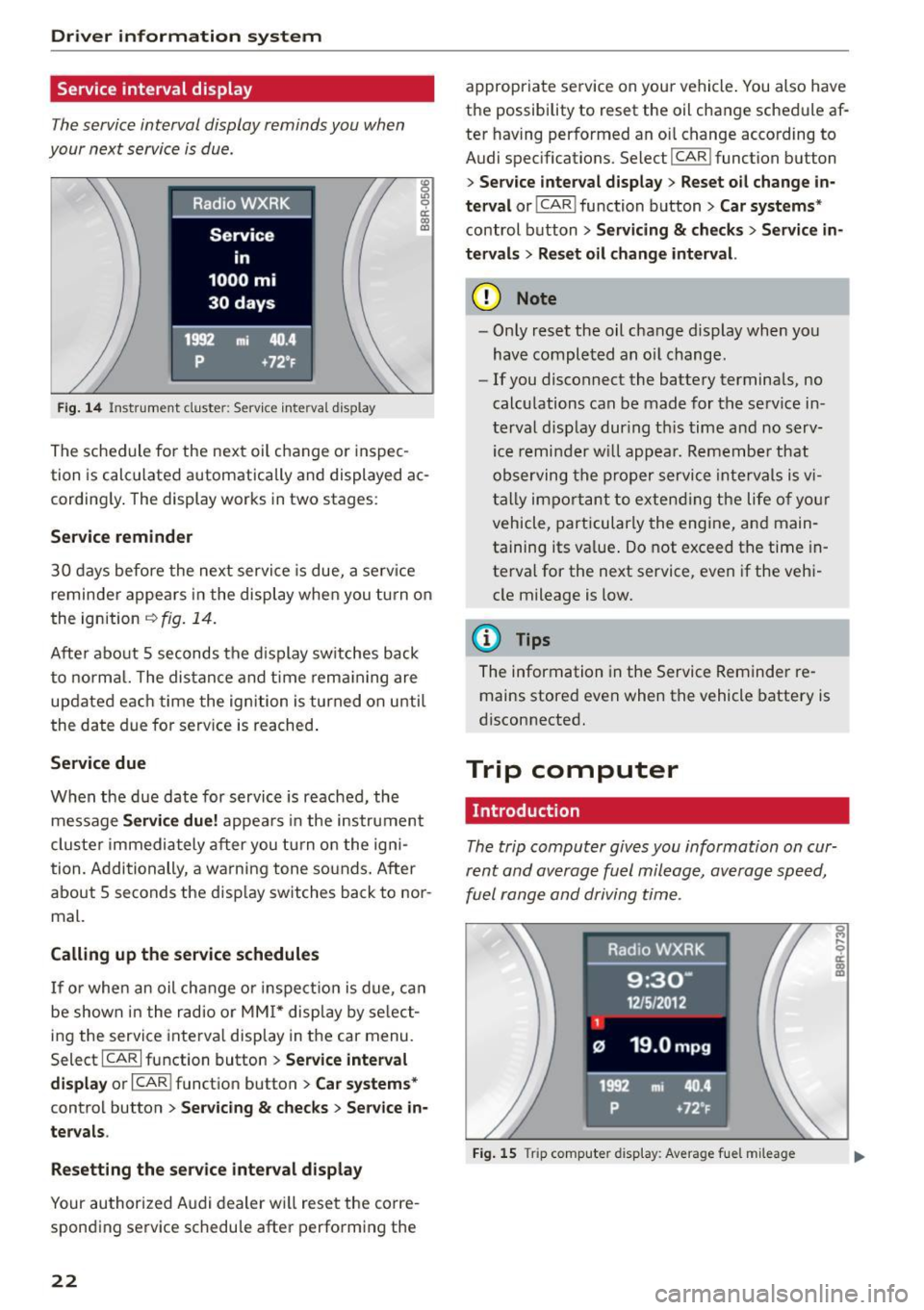
Fig . 14 Instrument cluste r: Serv ice inte rva l display
The sched ule for the next oil change or inspec
tion is calculated automatically and displayed ac cording ly . The display works in two stages :
Service remind er
30 days before the next service is due, a serv ice
reminder appea rs in the display when you tu rn on
the ignition
i=:> fig. 14.
Afte r about 5 seconds the d isplay switches back
to normal. The dis tance and time rema ining are
updated each time the ignition is turned on unti l
the date due for serv ice is reached .
Service due
When the due date for service is reached, the
message
Ser vice d ue! appears in the instrument
cluste r immediately after you tu rn on the igni
tion. Additionally, a warning tone so unds. After
about 5 seconds the disp lay switches back to nor
mal.
Calling up the service schedule s
If or when an oil change o r inspection is due, ca n
be shown in the radio or
MM I* display by se lect
ing the service interva l display in the car menu.
Select ICARI function button
> Se rvice inte rv a l
di spl ay
or I CAR I function button > C ar sys tems*
control button > Serv icin g & check s > Ser vic e in
ter val s.
Res etting the ser vice int erv al display
Your authorized Audi dealer wi ll reset the corre
sponding service schedu le after performing the
22
appropriate service on your vehicle . You also have
the possibility to reset the oil change schedule af
ter having performed an oi l change according to
Audi spec ifications. Select
I CAR I function button
> S er vice inter val di spla y> Reset o il change in
ter val
or! CAR I function button> Ca r sy ste ms *
control button > Ser vicing & check s > Service in
t e rv al s
> Reset oil change int erval.
(D Note
- Only reset the oil change display when you
have completed an oil change .
-If you disconnect the battery terminals, no
calculations can be made for the serv ice in
terval disp lay dur ing th is time and no serv
ice remi nder w ill appea r. Remember that
observing the proper service intervals is v i
tally important to extend ing the life of yo ur
vehicle, particularly the engine, and main
ta ining its value . Do not exceed the time in
terval for the next service, even if the veh i
cle mileage is low.
(D Tips
The information in the Service Reminder re mains stored even when the vehicle battery is
disconnected.
Trip computer
Introduction
The trip computer gives you information on cur
rent and average fuel mileage , average speed,
fuel range and driving time .
Fig. 15 Trip computer d isp lay: Average fue l m ileage
Page 28 of 302
Driver information system
On Board Diagnostic
System (OBD)
Malfunction Indicator Lamp (MIL)
The Malfunction Indicator Lamp (MIL) ¢• in the
instrument cluster
c:::> page 14, fig. 8 is part of the
On-Board Diagnostic (OBD II) system.
The warning/indicator light i lluminates when the
ignition is switched on and goes out after the en
gine starts and the idle has stabilized. This indi
cates that the MIL is working properly.
If the light does not go out after the engine is
started, or illuminates while you are driving, a
malfunction may exist in the engine system. If
the light illuminates, the catalytic converter
could be damaged.
Continue driving
with reduced power (avoiding
sustained high speeds and/or rapid acce lerations)
and have the condition corrected. Contact your
authorized Audi dealer.
I f the light illuminates, the electronic speed lim
iter may also be malfunctioning. For more infor
mation
c::> page 26, Electronic speed limiter.
An improperly closed fuel filler cap may also
cause the MIL light to illuminate (only vehicles
with gasoline engine)
c:::> page 216.
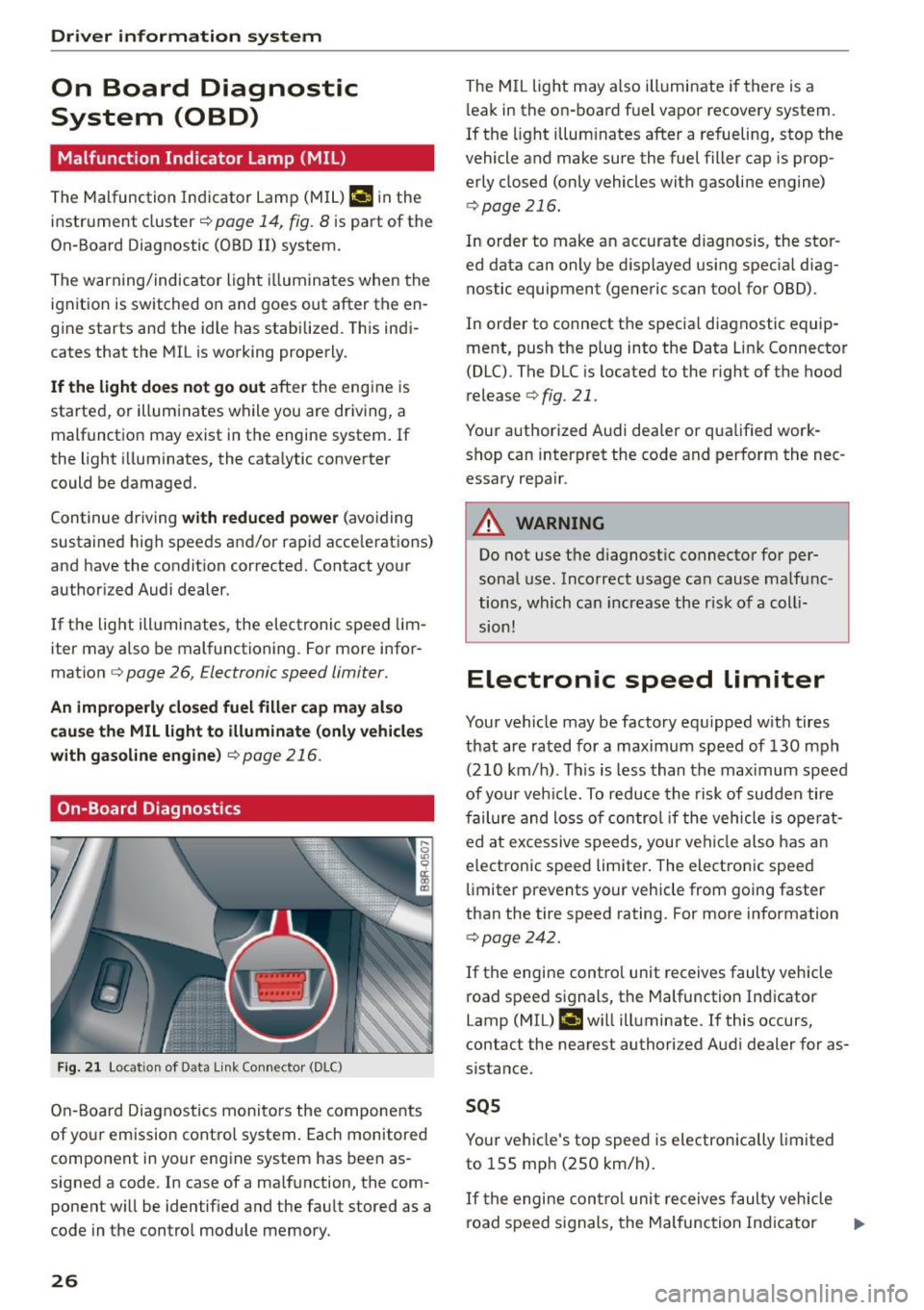
On-Board Diagnostics
F ig . 21 Locat ion of Data link Connector (DLC)
On-Board Diagnostics monitors the components
of yo ur emission control system. Each monitored
component in your engine system has been as
signed a code . In case of a malfunction, the com
ponent will be identified and the fault stored as a
code in the control module memory.
26
The MIL light may also illuminate if there is a
l eak in the on-board fuel vapor recovery system.
If the light illuminates after a refueling, stop the
vehicle and make sure the fuel filler cap is prop
erly closed (only vehicles with gasoline engine)
c::> page 216.
In order to make an accurate diagnosis, the stor
ed data can only be displayed using specia l diag
nostic equipment (generic scan tool for OBD).
In order to connect the specia l diagnostic equip
ment, push the plug into the Data Link Connector
(DLC) . The DLC is located to the right of the hood
release
c::> fig. 21.
Your authorized Audi dealer or qualified work shop can interpret the code and perform the nec
essary repair .
A WARNING
Do not use the diagnostic connector for per
sonal use. Incorrect usage can cause malfunc
tions, which can increase the r isk of a coll i
sion!
Electronic speed limiter
Your vehicle may be factory equ ipped with tires
that are rated for a maximum speed of 130 mph
(210 km/h) . Th is is less than the max imum speed
of your veh icle. To reduce the risk of sudden tire
failure and loss of control if the vehicle is ope rat
ed at excessive speeds, your vehicle also has an
electronic speed limiter . The electronic speed
limiter prevents your vehicle from going faster
than the tire speed rating. For more information
c::> page 242.
If the engine contro l unit receives faulty vehicle
road speed signals, the Malfunction Indicator
Lamp (MIL) ¢•will illuminate. If this occurs,
contact the nearest authorized Audi dealer for as
sistance.
SQS
Your vehicle's top speed is electronically limited
to 155 mph (250 km/h).
If the engine contro l unit receives faulty vehicle
road speed s ignals, the Malfunction Ind icator ..,_
Page 29 of 302
M N
co ~ co
rl I.O
"' N
"' rl
Lamp (MIL) ¢..ffi will il luminate. If this occurs,
contact the nea rest authorized Audi dea ler for as
sistance.
.&_ WARNING
Always observe the posted speed limits and adjust your speed to suit prevailing road, traf
fic and weather cond it ions . Never drive your
vehicle faster than the maximum speed rating
of the tires installed .
Auto Check Control
Introduction
The Auto-Check control monitors the function of
certain vehicle features and components .
It sim
ply makes sure these features and components
are working properly . The Auto-Check control
works as long as the ignition is on, as well as
whenever the veh icle is driven .
-
If a component is malfunctioning or if the need
for an urgent repair has been detected, this will appear in the instrument cluster display . You w ill
also hear an audible warning tone . The displays
are color coded in either red or ye llow depending
on their level of prior ity.
A red symbol means
Danger , a yellow symbol in
dicates
Warning . In certain situations, informa
tion message for the dr iver appear in addition to
the red and yellow symbols.
Note about automatic transmission
The Auto-Check Control will automat ically per
form a test each time you switch o n the ignition .
With the selector lever in P or N, the following
message appears in the display :
When stationary apply brake pedal while select
ing gear
When you select a different gear (for example: R,
D, etc.), the message will disappear and the Au
to -Check function is d isplayed.
If there is a malfunction, then the malfunction
message will appear about 15 seconds after you
start the vehicle. At the same time you will hear a
warning tone.
Dri ver information system
Dr iver information messages
Driver information messages are shown in the in
strument cluster display in addition to symbols .
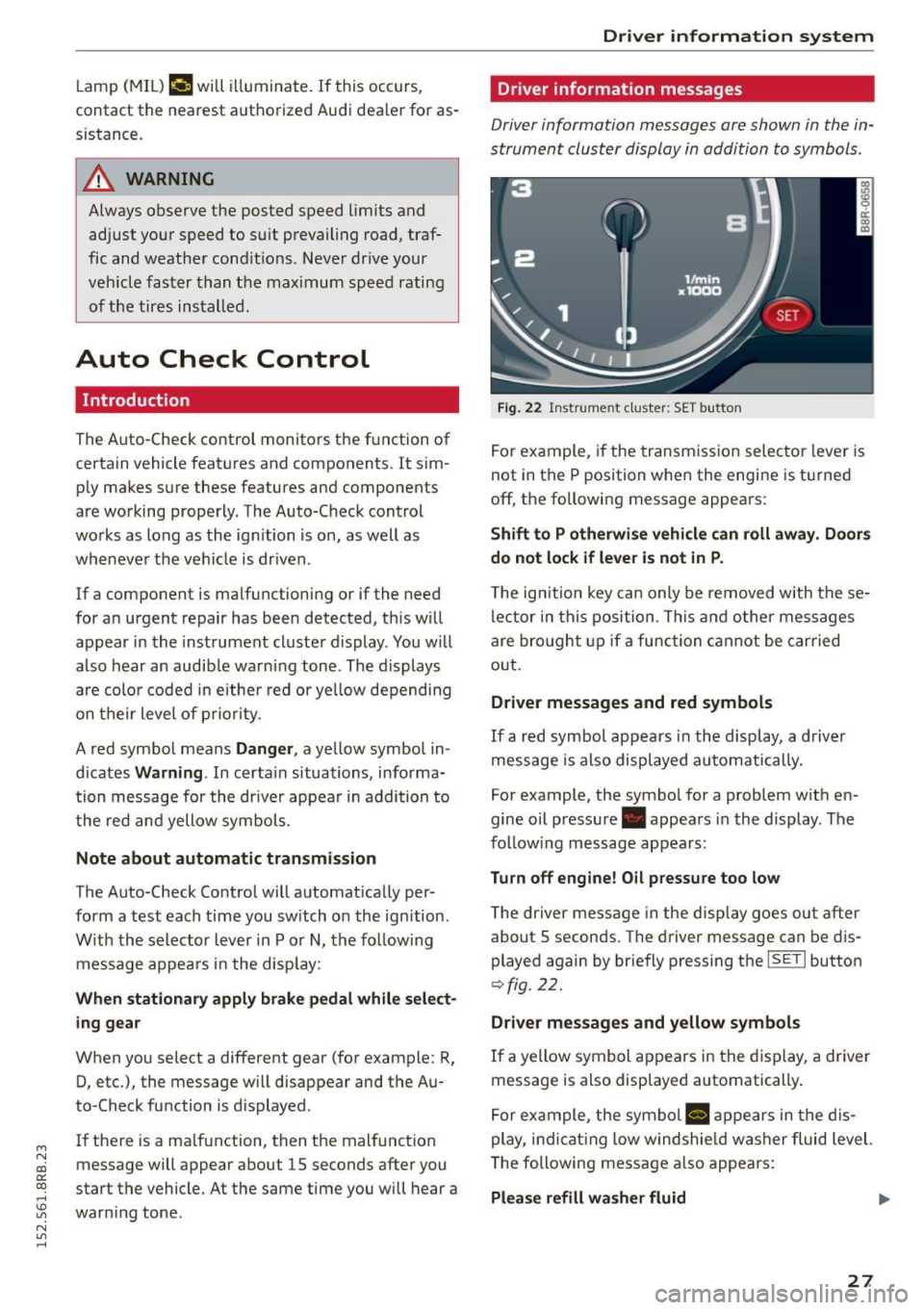
Fig. 22 Inst rume nt clust er: SET button
For example, if the transmission selector lever is
not in the P position when the engine is turned
off, the following message appears :
Shift to P otherwise vehicle can roll away. Doors
do not lock if lever is not in P .
The ign ition key can only be removed w ith these
lector in this position . This and other messages
are bro ught up if a function cannot be carried
out .
Driver messages and red symbols
If a red symbol appears in the display, a driver
message is also displayed automatically.
For example, the symbol for a problem w ith en
gine oil pressure . appears in the display . The
fo llow ing message appears:
Turn off engine! O il pressure too low
T he driver message in the display goes out after
about S seconds . The dr iver message can be dis
played again by briefly press ing the
ISETI button
9 fig . 22.
Driver messages and yellow symbols
If a yellow symbol appears in the display, a driver
message is also displayed automatically .
For example, the symbol
Ill appears in the dis
play, indicat ing low windshie ld washer fluid level.
The following message also appears :
Please refill washer fluid ..,_
27
Page 30 of 302

Driver inform ation system
The driver message disappears after a few sec
onds. The driver m essage can be displayed again
by briefly pressing the
I SETI button.
Red symbols
F ig. 23 Display: Dang er symbol
W ith a priority 1 malfunction, a red symbol ap
pears in the upper center area of the disp lay
0 ~
"' 0 ci: a, al
¢ fig . 23. A driver message appears as well to ex
p lain the ma lfunction in more detail. When this
symbo l appears,
three warning tones sound in
success ion . The symbol continues to flash until
the fault has been corrected .
If
several pr iority 1 malfunctions are present, the
symbo ls appear in succession and remain for
about 2 seconds.
The driver warning goes out after about 5 sec
onds, but it can be brought up again at any time by pressing the
! SET ! button ¢ page 2 7.
28
Alternator fa i Lu re
¢ page28
Electromechanica l steering
¢ page 195
USA m odels : Brake system
malfunct ion
¢ page28
Canada models: Brake system
malfunct ion
¢page28
E ng ine coolant leve l too low/
engine coolant temperature
too high
¢ page29
Eng ine oi l pressure too low
¢ page30
Refi ll eng ine oi l now
¢ page 30
Refill Ad Blue*
¢ page 218
AdBlue malfunction*
¢ page 218
Steering malfunction
¢page30
Ign it ion lock malfunction
¢ page 30
Hybrid dr ive*
¢ page 100, ¢ page 1 OS
0 Alternator malfunction
If the . symbo l in the instr ument pane l display
flashes, then there is a malf unction in the alter
nator or the vehicle electronics . A warning to t he
driver will appear, too . The driver warning goes
out after about 5 seconds, but it can be brought up at any t ime by pressing the
ISE TI button again.
Usually, yo u can sti ll drive to the next dealership.
Turn off a ll but the most necessary electrica l con
sumers, s ince these dra in the veh icle 's battery .
CJ) Note
If the . warning symbo l (coo lant system
malfunction) also lights up on the instrument
panel during the trip
¢ page 29, then you
have to stop immediately and turn off the en
gine . The coolant pump is not working a ny
more -da nger of damage to the eng ine !
BRAKE /C(D ) Brake system malfunction
A malfunction in the brake sy stem mus t be re
paired as soon as possible .
If the warning/indicator light 1111 (USA mod
els)/ . (Canada models) in the instrument clus
ter flashes, there is a brake system malfunction .
A d river message appea rs as well to expla in the
malfunction in more detail. The d river war ning
goes out after about S seconds, but it can be
brought up a t any time by pressing the
ISE TI but-
ton again. .,.
Page 31 of 302
M N
co
a:
co
,...., \!) ..,.,
N ..,., ,....,
Stop vehicle and check b rake fluid l evel
"' Stop the vehicle.
"' Check the brake fluid level
o page 229.
"'Seek professiona l assistance if necessary .
Warning! Fault in brake system. Contact
worksho p
"'Drive carefu lly to the nearest authorized Audi
dealer or other qualified workshop and have
the malfunction corrected
o A .
Pa rking brak e system fault! See owner 's
m anual
"' If this symbol appears when the vehicle is sta
tionary or after the ignitio n is turned on, check
to see if the parking brake can be re leased.
Drive to an authorized Audi dealer or other
qualified workshop as soon as possible and
have the malfunct ion corrected. If the park ing
brake cannot be opened, then take it to an ex
pert at an authorized Audi dea ler.
"' If the symbol appears while you are driving, it is
poss ible that the trac tion control or the eme r
gency brake has malfunctioned. It is possible
that the parking brake cannot be applied.
It is
also possible that the parking brake cannot be
released after it has been applied. Drive to an
authorized Aud i dealer or other qualified work
shop to have the malfunction corrected.
If the ABS system malfunctions, the ABS warn ing/indicator light illuminates together with the
brake system malfunction warning/ind icator
light
o _&. .
A WARNING
-Always observe the wa rnings in
o page 221, before opening the hood and
c heck ing the b rake fluid.
- Driv ing with low b rake fluid is a safety haz
ard. Stop the car and get p rofess ional assis
tance.
- If the
111111 (USA models)/ . (Canada mod
els) brake system indi cator lig ht t urns on to
ge ther with the ABS an d ESC i ndica to r
lights, the ABS/ ESC regu lating function may
have failed. Functions that stab ilize the ve
hicle a re no longer avai lab le . This could
Dri ver information s ystem
cause the vehicle to swerve and increase the
risk of s liding. Drive carefully to the nearest
authorized Audi dealer or other qualif ied
workshop and have the malfunct ion correct
ed.
- L Engine cooling system malfunction
A malfunction in the engine cooling system must
be repaired as soon as possible.
If the . symbo l flashes in the disp lay, either the
engine coo lant
temperature is too high or the en
gine coolant
level is too low . A driver message
appears as we ll to explain the malfunct ion in
more detail. The d river warn ing goes out after
about 5 seconds, but it can be brought up at any
t ime by press ing the
ISET I button again.
Turn off engin e an d check coolant leve l
"'Pull off the road .
"' Stop the vehicle .
"' Turn
off the engine.
"' Check coolant level
o page 22 7 .
"' Add coolant if necessary ~ page 228.
"'Continue driv ing on ly afte r the engine coo lant
warning/indi cato r light goes out.
"' Con ta ct yo ur au thorize d Aud i dealer for assis
tance if necessary .
If the engine coolant level is correct, then the ra
diato r fan may be the cause of the malfunct io n.
A WARNING
- If your vehicle should brea k down for me
chan ica l or other reasons, pa rk at a safe d is
tance from moving traffic, turn
off the en
gine and turn on the hazard warning lights
o page 54, Emergency flashers.
- Never open the hood if you see or hear
steam or coo lant escaping from the eng ine
compartment -you risk being scalded. Wait
until you can no longer see or hear steam or
coo lant escaping.
- The engine compartment of any vehicle is a
dangerous area. Before you perform any
work in the eng ine compartment, turn of
the engine and a llow it to cool. Fo llow the
~
warn ing stickers o page 221. ~
29
Page 32 of 302
Driver information system
CJ) Note
Do not continue driving if the. symbo l ill u
m inates. There is a malfunct ion in the engine
cooling system -you could damage your en
gine.
9=:;r: Engine oil pressure malfunction
The red engine oil pressure warning symbol re
quires immediate service or repair. Driving with a
low oil pressure indication is likely to cause se
vere engine damage .
If the . symbol on the display flashes, the en
g ine oil pressure is too low. A driver message ap
pears as well to explain the malfunction in more
deta il. The dr iver warning goes out after about 5
seconds, but it can be brought up at any time by
p ress ing the
ISETI but to n again.
Turn off engine! Oil pressure too low
• Stop the vehicle .
• Turn the eng ine off .
• Check the eng ine oil level
c::, page 225.
• Contact your authorized Audi dealer for ass is -
tance if necessary.
Engine oil level too low
If the engine o il level is too low, add engine oi l
c::, page 225.
Engine oil level correct
If the symbol . flashes even though the engine
oil level is correct, please contact your nearest
authorized Audi Dealer for assistance. Do not
continue driving . Do not leave the engine running
idle, either.
(D Tips
- The engine oil pressure symbol. is not
an indicator for a low engine oil level. Do
not rely on it. Instead, check the oil level in
your engine at regular intervals, preferably each time you refuel, and always before
going on a long trip.
- The yellow oil level warning indication
Ill
requires oil refill or workshop service with
out delay. Do not wait until the red oil
30
pressure warning • starts to flash before
you respond to the low oil level warning
II. By then, your engine may already have
suffered serious damage.
~ ... Fill engine oil now
WARNING: Please add oil immediately
If the . symbol lights up , then the oil has to be
replenished right now
c::, page 225.
@-Steering malfunction
If there is a malfunction in the electronic steer
ing column lock, the steering cannot be un
locked.
If the . symbol in th e disp lay blinks, there is a
malfunction in the electronic steering co lumn
l ock. A driver message appears as well to exp lain
the malfunct ion in more deta il. The dr iver warn
i ng goes out after about 5 seconds, but it can be
brought up at any time by pressing the
ISE TI but
ton again .
Steering defective! Do not drive vehicle!
• Contact your nearest authorized Audi dealer.
• Do
not tow your vehicle .
A WARNING
Your vehicle must not be towed in the event
of a malfunction in the electronic steering co l
umn lock because it cannot be steered due to
the locked steering. If it is towed with the
steering locked, there is the risk of an acci
dent.
© -Ignition lock malfunct ion
A malfunction in the ignition lock must be re
paired immediately.
If the . symbo l in the display blinks, there is a
malfunction in the electronic ignition lock. A driv
er message appears as well to explai n the mal
funct ion in more deta il. The driver warning goes
out after about 5 seconds, but it can be brought
up at any time by pressing the
ISETI button again.
Ignition lock defective. Contact dealer! ll-
Page 33 of 302
M N
co
a:
co
,...., \!) 1.1'1
N 1.1'1 ,....,
~ Do not turn the engine off.
~ Drive immediately to an authorized Audi dealer
to have the malfunction corrected .
If there is a malfunction in the e lectronic ignition
l ock, the ignition cannot be turned off . Drive im
mediately to an authorized service facility to have
the cause of the ma lfunction corrected.
On vehicles with Convenience key*, the engine
should not be switched off using the Start/Stop
button because the engine cannot be started
again after the ignition has been switched off.
Yellow symbols
Fig. 24 Display: Ye llow warn ing symbo l
N M
9 a: a, a,
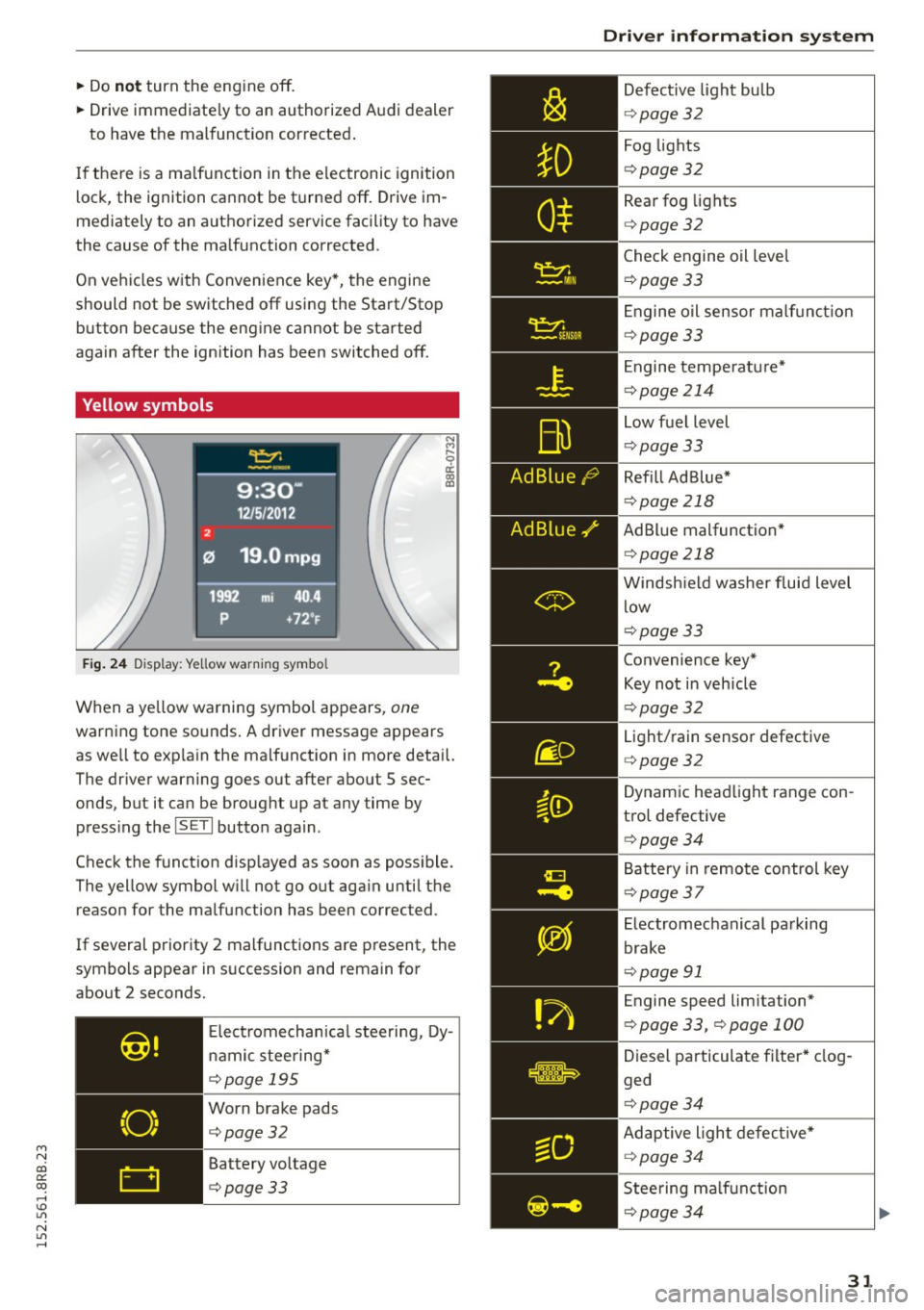
When a ye llow warning symbol appears, one
warning tone so unds . A driver message appears
as we ll to exp la in the malf unction in more detail.
The driver warning goes out after about S sec
onds, but it can be brought up at any time by press ing t he
ISETI button again.
Check the function d isp layed as soon as possible.
The yellow symbol w ill not go out aga in until the
reason for the malfunction has been corrected.
If several priority 2 malfunctions are present, the
symbols appear in succession and remain for
about 2 seconds.
Elect rom echan ica l steering, Dy
namic steering*
¢page 195
Worn brake pads
¢page32
Battery voltage
¢page33
Driver information system
Defective light bulb
¢ page 32
Fog lights
¢page 32
Rear fog lights
¢page 32
Check engine oil leve l
¢page 33
Engine oil sensor malf unc tion
¢page 33
Engine temperature*
¢page 214
Low fuel level
¢page 33
Refill Ad Blue*
¢page 218
AdBlue malfunction *
¢page 218
Windshield washer fluid level
low
¢page 33
Convenience key*
Key not in veh icle
¢ page 32
Light/rain sensor defective
¢page 32
Dynamic headlight range con
trol defective
¢ page 34
Battery in remote control key
¢page 37
Electromechanical parking
brake
¢page 91
Engine speed lim itation*
¢ page 33, ¢page 100
Diesel particulate filter* clog
ged
¢ page 34
Adaptive light defective*
¢page 34
Steering malfunction
¢page 34
31