brake light AUDI Q5 2015 Owner's Manual
[x] Cancel search | Manufacturer: AUDI, Model Year: 2015, Model line: Q5, Model: AUDI Q5 2015Pages: 302, PDF Size: 75.01 MB
Page 94 of 302
Driving
Ba sic requirements for the Start -Stop mod e
- The driver's door is closed.
-The driver's seat belt is latched.
- The hood is closed.
- The vehicle must have been driven faster than
2.5 mph (4 km/h) since the last stop .
- A trai ler is not h itched to the vehicle.
A WARNING
-Never turn off the engine before the veh icle
has come to a comp lete stop. The full func
t ion of the b rake booster and the power
stee ring is not guaranteed. Yo u mus t use
more force to t urn or brake if ne cessary. Be
ca use you cannot steer and brake as you
us ually would, this could lead to crashes
and serious injuries.
- To red uce the r isk o f injuries, make sure that
the Start-Stop-System is t urned off whe n
working in the engine compartment
c:>page 94.
(D Note
Always switch off the Start -Stop -System when
driving through water
c::> page 94 .
Starting/stopping the engine
App lies to veh icles: w ith S tart-Stop-System
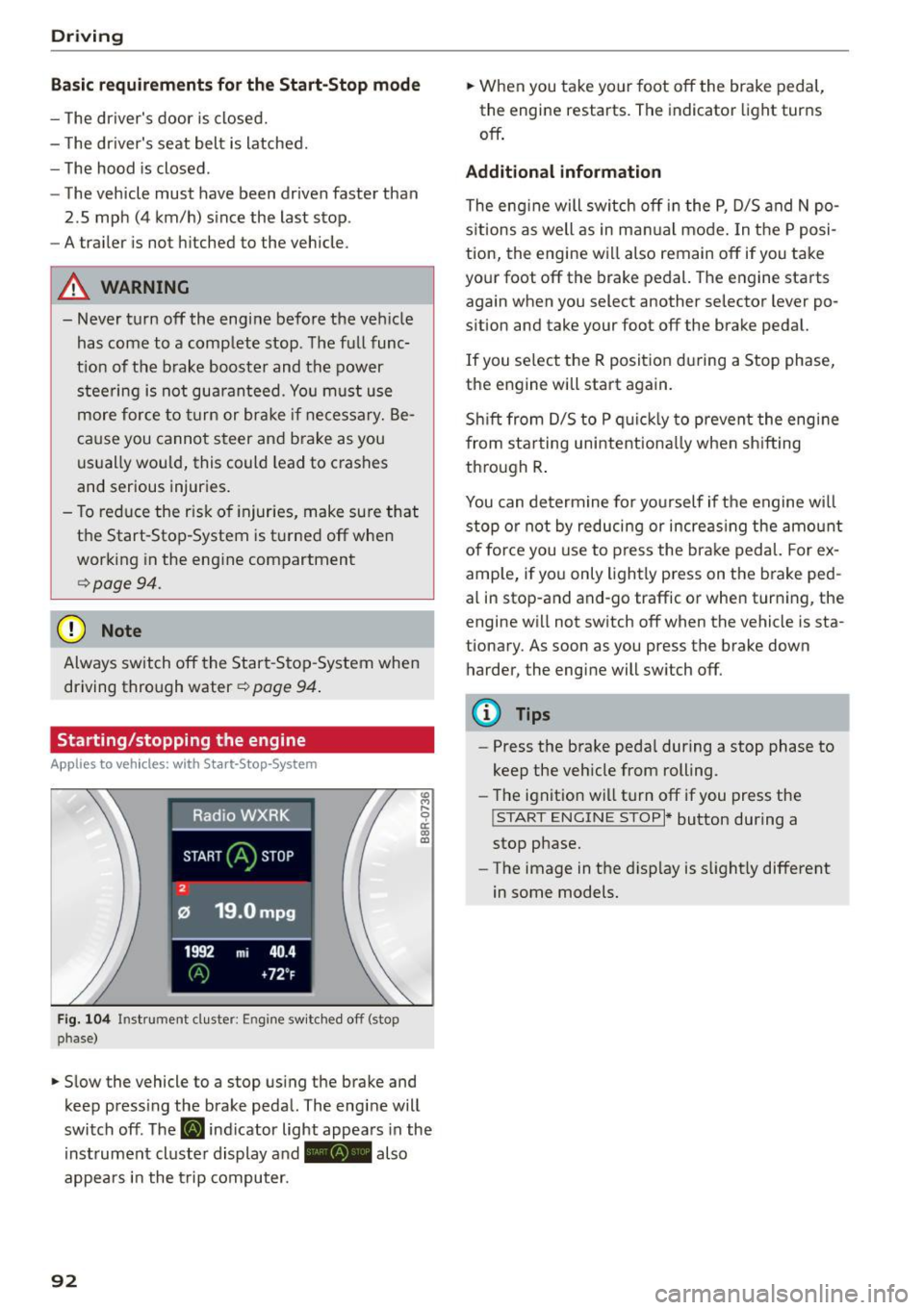
F ig. 104 Instrument duster: Engine sw itc hed off (stop
phase)
.,. Slow the vehicle to a stop using the brake and
keep press ing the brake peda l. The engine will
switch off. The
[i] indicator light appea rs in the
instrument cluster display a nd - also
appears in the t rip computer.
92
.,. When you take your foot off the brake pedal,
the engine restarts. The indicator light turns
off .
Additional information
The eng ine will switch off in the P, D/5 and N po
s it ions as well as in ma nual mode. In the P posi
tion, the engine will also remain off if you take
your foot off the brake pedal. The engine starts
again when you select another selector lever po
sition and take your foot off the brake pedal.
If you se lect the R positio n during a Stop phase,
the engine will start again.
Sh ift from D/S to P quic kly to prevent the eng ine
from sta rting unintent iona lly when sh ifting
th rough R .
You can determine for yo urself if the engine will
stop or not by reducing or increas ing the amo unt
of force you use to press the brake pedal. For ex
ample, if you only lightly press on the b rake ped
al in stop-and and-go traffic or when turn ing, the
engine w ill not switch off when the vehicle is sta
tionary. As soon as you press the brake down
harder, the engine will switch off.
{!) Tips
-Press the brake peda l during a stop phase to
keep the vehicle from rolling.
- The ignit ion wi ll turn off if you press the
!START ENGINE STOP I* button during a
stop phase.
- The image in the d isp lay is slight ly different
in some models.
Page 95 of 302
M N
co ~ co
rl I.O
"' N
"' rl
General information
Applies to vehicles: with Start-Stop-System
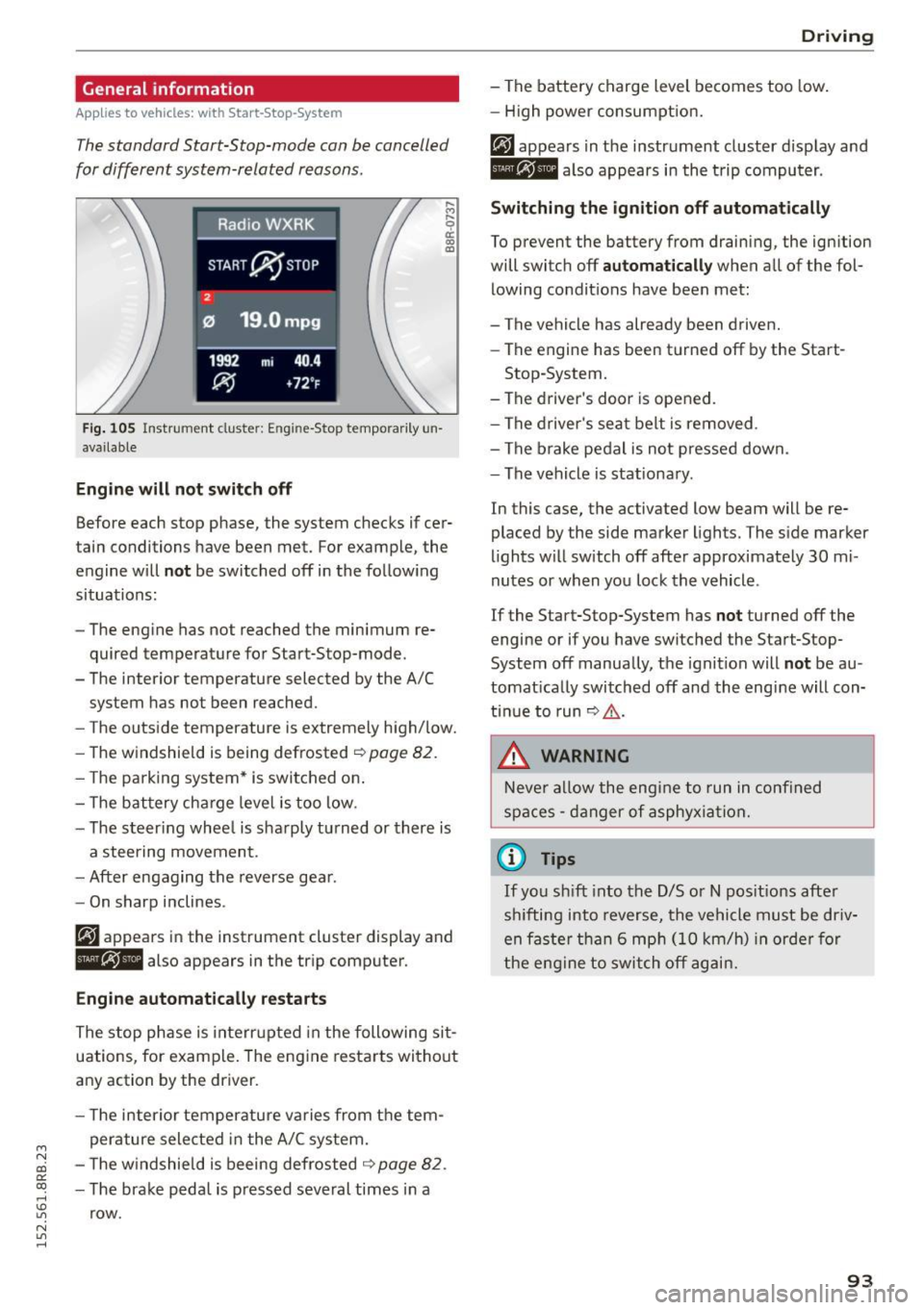
The standard Start-Stop-mode can be cancelled
for different system-related reasons.
Fig . 105 Instrument cluster: E ngin e-Stop tempo rarily un
available
Engine will not switch off
.... M
9 cc IX) ID
Before each stop phase, the system checks if cer
tain conditions have been met. For example, the
engine will
not be switched off in the following
situations:
- The engine has not reached the minimum re
quired temperature for Start-Stop-mode.
- The interior temperature selected by the A/C system has not been reached.
- The outside temperature is extremely high/low.
- The windshield is being defrosted ~
page 82.
-The park ing system* is switched on .
- The battery cha rge level is too low.
- The steer ing whee l is sharply turned or there is
a steering movement.
- After engaging the reverse gear.
Engine automatically restarts
The stop phase is interrupted in the following sit
uations, for example. The engine restarts without
any action by the driver.
- The interior temperature varies from the tem
perature selected in the A/C system.
- The windshield is beeing defrosted
~ page 82.
-The brake pedal is pressed several times in a
row.
Driving
- The battery charge level becomes too low.
Switching the ignition off automatically
To prevent the battery from draining, the ignition
will switch off
automatically when all of the fol
lowing condit ions have been met:
- The vehicle has already been driven.
- The engine has been turned off by the Start-
Stop-System.
- The driver's door is opened.
- The driver's seat belt is removed .
- The brake pedal is not pressed down.
- The vehicle is stationary .
In this case, the activated low beam will be re
placed by the side marker lights. The side marker
lights will switch off after approximately 30 mi
nutes or when you lock the vehicle .
If the Start-Stop-System has
not turned off the
engine or if you have switched the Start-Stop
System off manually, the ignition will
not be au
tomatically switched off and the engine will con
tinue to run~,&. .
A WARNING
Never allow the engine to run in confined
spaces - danger of asphyxiation.
(D Tips
-
If you shift into the D/S or N positions after
sh ifting into reverse, the vehicle must be driv
en faster than 6 mph (10 km/h) in orde r for
the engine to switch off again.
93
Page 98 of 302
Driving
"'Pull the lever to position @¢ fig. 108 to
switch the system on.
"'Drive at the speed to be controlled.
"' Press button @to set that speed.
The stored speed and the indicator light
[ij;jl)~i~ (US model)/BI (Canadian model) appear
in the instrument cluster display¢
fig. 109. The
display may va ry, depending on the type of dis
play in your vehicle .
The speed is kept constant by modifying engine
power or through an active brake intervention.
A WARNING
- Always pay attention to the traffic around
you when the cruise control is in operation .
You are always responsible for your speed
and the distance between your vehicle and
other vehicles.
- For reasons of safety, cruise control should
not be used in the city, in stop-and-go traf
fic, on twisting roads and when road condi
tions are poor (such as ice, fog, gravel,
heavy rain and hydroplaning) -you could
have an accident.
- Switch the cruise control off temporarily
when driving in turning lanes, highway exits
or in construction zones.
- Please note that unconsciously "resting"
your foot on the accelerator pedal causes
cruise control not to brake. This is due to the
control system being overridden by the driv
er's acceleration.
- Never use the cruise control when driving
off-road or on unpaved roads . The cruise
control is intended for use only when the ve
hicle is being operated on paved roads, and
is not suitable for use off-road or on un
paved roads.
- If a brake system malfunction such as over heating occurs when the cruise control sys
tem is switched on, the braking function in
the system may be switched off. The other
cruise control functions remain active as
long as the indicator
light[ij;11 )~1~ (US mod
el)/lil (Canadian model) is on.
96
(D Tips
The brake lights illuminate as soon as the
brakes apply automatically.
Changing speed
"'To increase/decrease the speed in increments,
tap the lever in the
010 direction ¢ page 95,
fig . 108.
"'To increase/decrease the speed quickly, hold
the lever in the
010 direction until the de
sired speed is displayed.
You can also press the accelerator pedal down to increase your speed, e .g . if you want to pass
someone . The speed you saved earlier will re
sume as soon as you let off of the accelerator
pedal.
If, however, you exceed your saved speed by
S mph (10 km/h) for longer than 5 minutes, the
cruise control will be turned off temporarily. The
green symbol in the display turns white, the
saved speed is retained.
Pre-selecting speed
You can pre-select your desired speed while the
vehicle is not moving.
"'Turn on the ignition.
"'Pull lever into position
(I) ¢page 95, fig. 108 .
"'Press the lever in the 0 or 0 direction to in-
crease or decrease your speed.
"' Let go of the lever to save that speed.
This function makes it possible, for example, to
save the speed you want before driving on the
highway. Once on the highway, activate the cruise
control by pulling the l ever toward @.
· Switching off
Temporary deactivation
"' Step on the brake pedal, or
"'Press the lever into position@(not clicked into
place) ¢
page 95, fig. 108, or
"'Drive for longer than S minutes at more than
S mph (10 km/h) above the stored speed.
Page 102 of 302
Hybrid
© Vehicle drive ready (READY)
® High voltage battery charge status
® Recuperation (CHARGE)
(f) Driving within the combustion en
gine's full load range
@ 100% combust ion engine
® Boosting -the electric engine as
sists the combustion engine (BOOST)
@ Engaging the convent ional brakes
with recuperation
@ Vehicle not drive ready (OFF)
@ EV mode active
The needle remains at
OFF when the ignition is
turned on. When the vehicle enters drive ready mode, the status message
hybrid ready appears
briefly in the instrument cluster d isplay and the
needle in the power meter points to
READY .
Indicator lights and messages
Applies to vehicles: with hybrid drive
The indicator lights in the instrument cluster
b lin k or tu rn on. They i ndicate functions o r mal
functions.
W ith some ind icator lights, messages may ap
pear and a warning tone may sound. Also note
the indicator l ights in ¢
page 2 7.
Press brake pedal to start vehicle
This message appears if you do not press the
brake pedal when starting the vehicle.
Shift to N or P to start vehicle
This message appears if the selector lever for the
automatic transmission is not in the Nor P posi
tions when starting the vehicle .
-Hybrid drive: System fault! Power
brakes, steering malfunction pos sible
lfthe indicator light turns on and this message
appears, there is a malfunction in the hybrid sys
tem. The brake booster and the power steering
may stop working. Stop the vehicle in a safe loca
tion as soon as possible.
100
You may continue driving if the indicator light
turns off after starting the vehicle severa l times.
Drive to an authorized repair facility immediately
to have the malfunct ion corrected.
Q/ij:@ ,j rlybrid drive: System fault! Contact
dealer
If the indicator light turns on and this message
appears, there is a malfunct ion in the hybr id sys
tem. Drive to an authorized repair facility imme
diately to have the ma lfunction corrected.
Ill Hybrid system : Performance restricted .
Please contact dealer
If the indicator light turns on and this message
appears, there is an engine control malfunction .
The
ffa i ndicator light in the instrument cluster
also t urns on. The eng ine output is red uced . Drive
to you r autho rized Aud i deale r o r qualified repair
facility immediate ly to have the malfunction cor
rected.
Hybrid drive deactivated. Please restart
engine manually.
This message appears if the high volta ge battery
charge level has fallen be low a certain range or if
the ignition key is no longer inside the vehicle fo r
vehicles with the convenience key*.
Start the engine with e ither the ignition key
¢
page 84 or with the !S TAR T EN GINE STOPI but
ton* ¢
page 87.
Hybrid battery: Low battery charge. Battery
will be charged while driving.
This message appears if the high volta ge battery
charge level has fa llen below a certain range. If
this message turns off after a litt le while, the
high voltage battery charged enough w hile driv
i ng .
If the message does not turn off, have an autho r
ized repair facility correct the malfunct ion as
soon as possible.
EV mode is currently unavailable.
This message appears if the cond itions
¢ page 101 for enhanced elect ric driving are not
met. Try again at a later time.
Page 112 of 302
Audi adapt ive cru ise control and brak ing gu ard
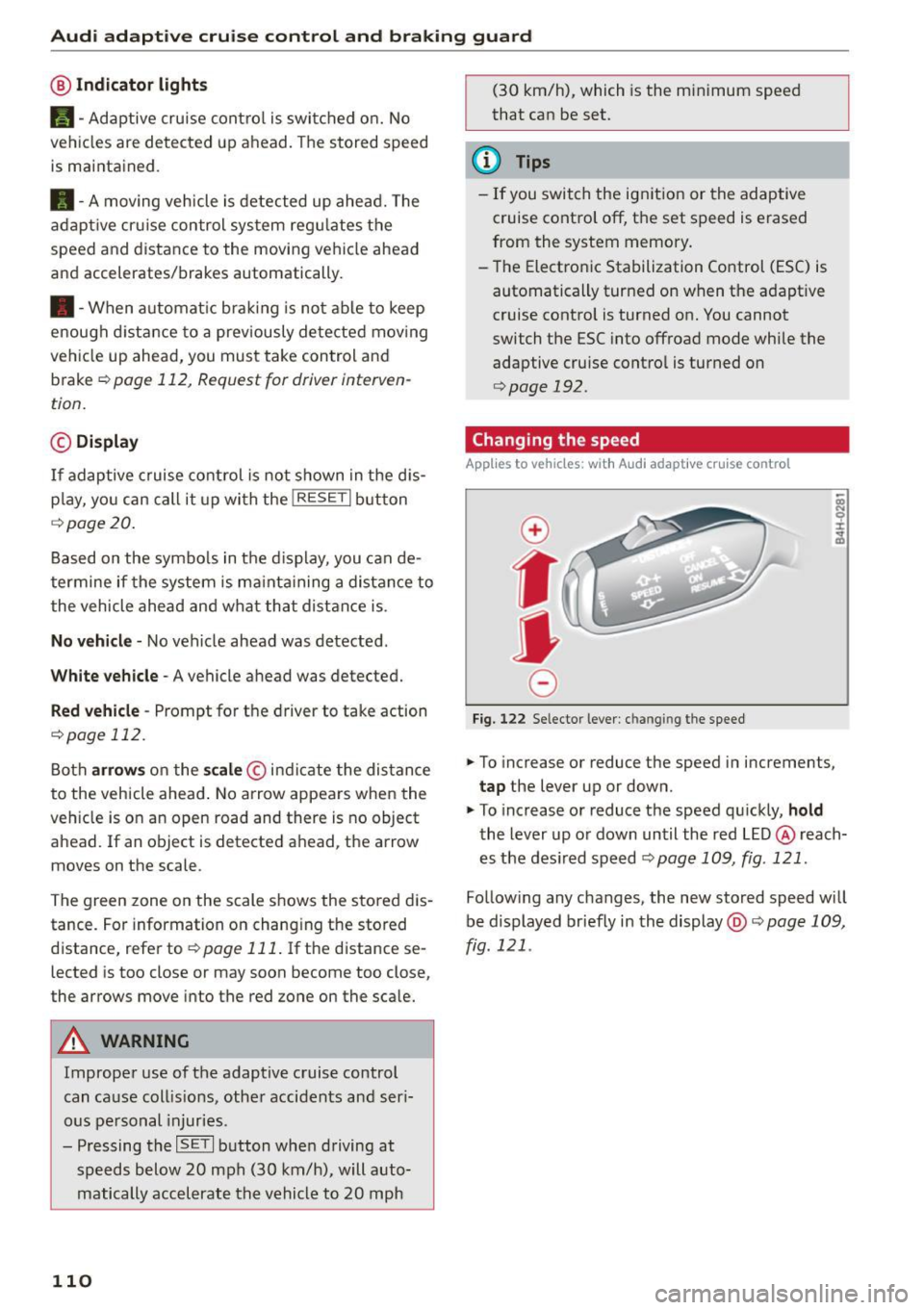
@ Indicator light s
Ill -Adaptive cruise contro l is switched on. No
vehicles are detected up ahead . The stored speed
is maintained .
• -A moving veh icle is detected up ahead. The
adaptive cruise control system regulates the
speed and distance to the moving vehicle ahead
and accelerates/brakes automatically.
• -When automat ic brak ing is not able to keep
enough d istance to a prev iously detected mov ing
ve hicle up ahead, you must take control and
brake
~ page 112, Request for driver interven
tion.
© Di splay
If adaptive c ruise cont rol is not shown in the dis
p lay, yo u can call it up with the
!RESET I button
r::!> page 20 .
Based on the symbo ls in the display, you can de
termine if the system is ma inta ining a distance to
the vehicle ahead and what that distance is .
N o ve hicle -No vehicle ahead was detected .
White vehicle -A vehicle ahead was detected.
Red vehicle -Prompt for the driver to take action
r::!> page 112.
Both arrows on the sca le © indi cate the dis tance
to the vehicle ahead . No arrow appears when the
ve hicle is on an open road and there is no object
ahead. If an object is detected ahead, the arrow
moves on the scale .
The green zone on the scale shows the stored dis
tance . For information on changing the stored
distance, refer to
~ page 111 . If the distance se
lected is too close or may soon become too close,
the arrows move into the red zone on the scale.
A WARNING
Improper use of the adaptive cruise control
can ca use coll is ions, other accidents and ser i
ous pe rsonal injuries.
- Pressing the
ISE TI button whe n driving at
speeds below 20 mph (30 km/h), will auto matically accelerate the vehicle to 20 mph
110
(30 km/h), which is the minimum speed
that can be set.
@ Tips
- If you switch the ign it ion or the adaptive
cruise contro l off, the set speed is erased
from the system memory.
- The Electronic Stabilization Control (ESC) is automatically turned on when the adapt ive
cruise control is turned on. You cannot
switch the ESC into offroad mode while the
adaptive cruise contro l is turned on
¢ page 192.
Changing the speed
App lies to vehicles: with A udi adapt ive cruise contro l
0
f
•
0
Fig. 122 Selector lever : ch an gin g the speed
.,. To increase or reduce the speed in increments,
tap the lever up or down.
.,. To increase or reduce the speed qu ickly,
hold
the lever up or down until the red LED@ reach
es the des ired speed
~ page 109, fig . 121 .
Follow ing any changes, the new stored speed will
be displayed briefly in the display@r::!>
page 109,
fig . 121 .
Page 115 of 302

Audi adapt ive crui se cont rol and bra king gu ard
Audi braking guard
Description
Applies to vehicles: with Audi adaptive cruise co ntrol
F ig. 126 Instrument cluste r: app roac h warn ing
Braking guard uses a radar sensor. It also func
tions within the limits of the system when adap tive cruise control is switched off .
What can bra king gu ard do ?
When detected in time, the system can assess
situations when a vehicle ahead brakes suddenly
or if your own veh icle is traveling at a high speed
and approaching a vehicle up ahead that is mov
ing more slowly . Braking guard does not react if it
cannot detect the s ituation.
The system advises you of various situations:
- The
di sta nce wa rning is given if you are too
close to the vehicle ahead for a long time.
If the
vehicle ahead brakes sharply, you will not be
able to avoid a collision. The indicator light .
in the d isplay comes o n.
- The
app roach warning is g iven when a detected
vehicle up ahead in your lane is moving much
more slowly than you are or if it brakes sharply .
When this warning is g iven, it may only be pos
s ible to avoid a co llision by swerving or braki ng
sharp ly. The indicator light . and indicator in
t h e d isplay w ill warn yo u about the danger
¢ fig. 126. You wi ll also hear an acoust ic signa l.
If you do not react fast enough or do not react at
all to the situation, braking guard will intervene by bra king and the message
Br aking guard : A cti-
~ vat ed will appear. co ~ co
rl I.O
"' N "' 11
This is not ava ilable in som e count ries. rl
- If a collision is imminent, the system wi ll first
provide an
a cute war ning by brief ly and sharply
app ly ing the brakes.
- If you do not react to the acute warning, brak
ing guard can brake within the limits of the sys
tem. This reduces the veh icle speed in the event
of a collision.
- At speeds under 20 mph (30 km/h), the system
can initiate a comp lete deceleration shortly be
fore a collisionl).
- If the braking guard senses that you are not
braking hard enough when a collision is immi
nent, it can increase the braking force.
Which function s can b e cont roll ed ?
You can switch braking guard and the distance/
approach warning on or off in the radio/MMI*
¢ page 114, Settings in the radio/MM!*.
A WARNING
-
Lack of attention can cause collisions, other
accidents and serious personal injuries. The b raking guard is an ass ist system and cannot
p revent a coll is ion by itself. The dr iver must
a lways intervene. The driver is always respon
s ib le for b ra ki ng at the corre ct time.
- Always pay close attent ion to traffic, even
when the b rak ing guard is switched on. Be
ready to intervene and be ready to take com
p lete control whenever necessary . Always
keep the safe a nd legal distance between
your vehicle and vehicles up ahead.
- Braking guard works within limits and will not respond outside the system limits, for
examp le when approaching a stopped vehi
cle or stationary obstacle (end of a traffic
jam or vehicle that has broken down in traf f ic).
- Always remember that the radar sensor for
the braking guard works on ly w ithin defined
detection and range limits that may prevent
the prope r detection of other vehicles.
- The radar sensor's funct ion and range can
be reduced by ra in, snow and heavy spray.
Moving vehicles up ahead may not be
,.
113
Page 125 of 302
M N
co
a:
co
,...., \!) ..,.,
N ..,., ,....,
Automatic transmission
tiptronic
Introduction
Th e automat ic transm iss ion is controlled elec
tronically. The transmiss ion ups hifts o r down
shifts aut om atic ally depe nding on which drive
p rogram is se lected. The power is t ransferred by
a to rque conve rter .
W hen a
moderate driving style is used, the
tr an smi ssion se lec ts the mos t econom ica l dr iving
mode.
It will then change up early an d de lay the
downshifts to give better fue l economy.
The t ran smis sion swi tches to a sporty mode a fter
a kick-down o r w he n the dr iver uses a
sporty driv
ing style
cha racte rized by quick acce lerator pedal
movements, heavy acceleration, frequent
changes in speed and traveling at the max imum
speed.
If desired, the drive r can a lso se lect t he gears
manually (tiptronic mode ) ¢page 127.
Selector lever positions
0
~ 9 a: CX) ID
Fig. 1 34 Disp lay in t he instru ment cluste r: selecto r leve r in
pos it io n P
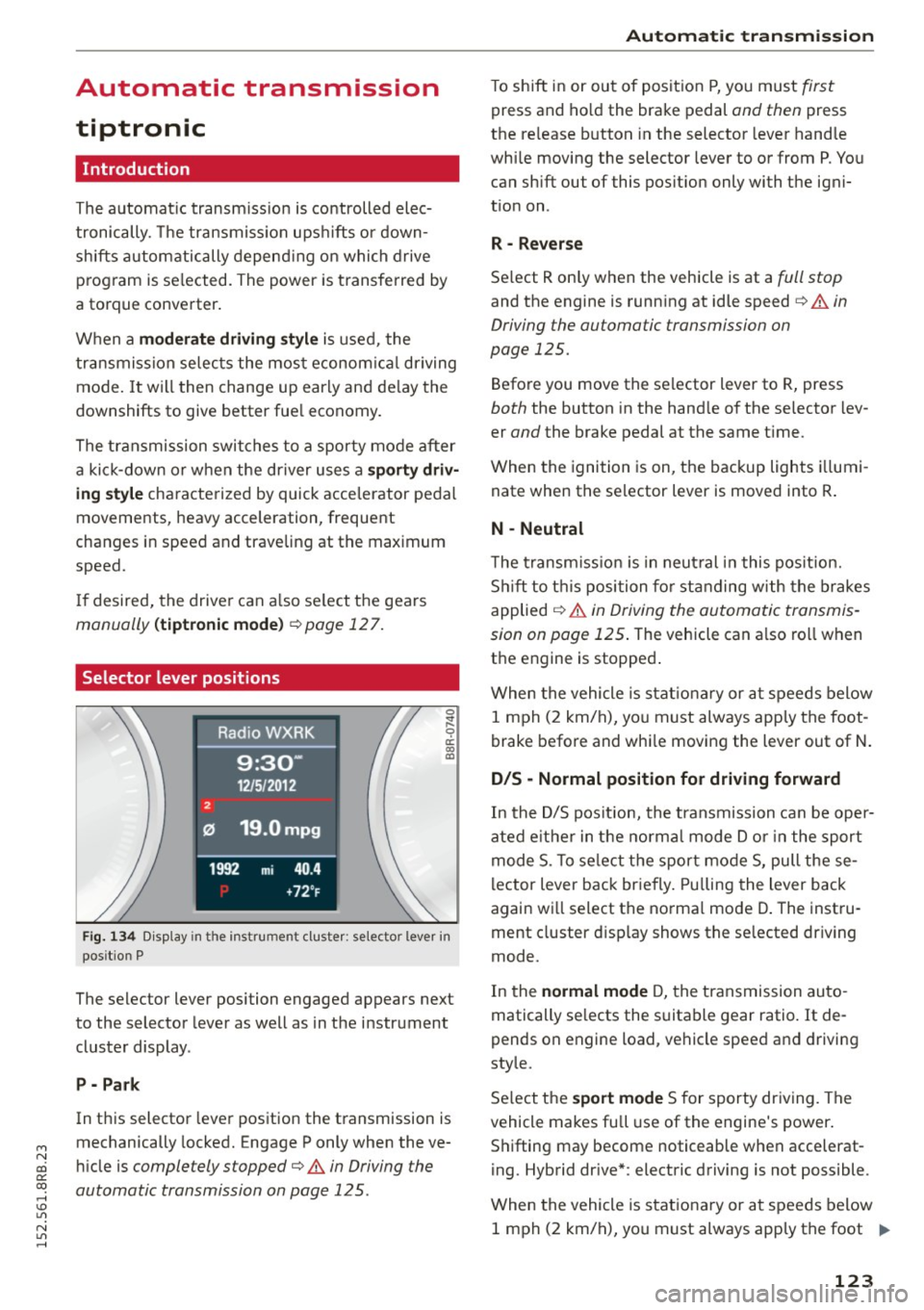
The selector lever position engaged appears next
to the selector leve r as well as in the instrument
cluste r display .
P - Park
In this selector leve r pos ition the t ransmission is
mechanically locked. Engage P only when the ve
hi cle is
completely stopped¢ A in Driving the
automatic transmission on page 125 .
Automatic transmission
T o shift in or ou t of pos it ion P, you must first
press and ho ld the brake pedal and then press
t h e re lease button in the selector leve r hand le
whi le mov ing the selector lever to or from P. Yo u
can sh ift out of this pos it io n only with t he igni
t io n on .
R - Rever se
Se lect R only when the vehicle is at a full stop
and the engine is runn ing at idle speed¢ A in
Driving the automatic transmission on
page 125.
Befo re you move the se lector lever to R, press
both the button in the hand le of the se lecto r lev
er
and the brake pedal at the same t ime.
When the igni tion is on, the backup lights illumi
nate when the se lector lever is moved into R .
N - Neutral
The trans mission is in neu tral in t his pos ition.
Shi ft to t his posi tion for stand ing w ith th e br akes
applied
¢ A in Driving the automa tic transmis
sion on page 125 .
The vehicle can a lso ro ll when
t h e engine is stopped .
W hen the vehicle is stat ionary or a t speeds below
1 m ph ( 2 km/h), yo u m ust always app ly t he foot
brake bef ore and whi le moving the lever out of N.
D/S - Normal position for driving forward
In the D/S pos it ion, the tra nsmission ca n be ope r
ated e it h e r in the normal m ode Dor i n the sport
m ode S . To selec t th e spor t mo de S, pull these
l ector lever bac k br ie fly. Pullin g t he lever back
again w ill select t he no rma l mode D. The inst ru
ment cluster d isp lay shows t he se lected dr iving
mode.
In the
normal mode D , the t ransmission au to
matically se lects the s uita ble gear ratio.
It de
pends on engine load, vehi cle spee d and drivi ng
style.
S e lect t he
sport mode S for sporty dr iv ing. The
vehicle makes full use of the engine's power .
S hi fting may become noticeable when accelerat
i ng. Hybrid dr ive *: electric d riving is not possible .
When the vehicle is s tat iona ry or a t speeds below
1 m ph ( 2 km/ h), yo u m ust always app ly t he foot
IJ>-
123
Page 126 of 302
Automatic transmission
brake before and while moving the lever to D/S
out of N.
A WARNING
Read and follow all WARNINGS c:> &_in Driv
ing the automatic transmission on
page 125.
(D Note
Coasting downhill with the transmission in N
and the engine not running will result in dam
age to the automatic transmission and possi
bly the catalytic converter .
{!) Tips
-On vehicles with Audi drive select*, you can
adjust the sporty shift characteristics in the
Dynamic driving mode.Swill appear in the
instrument cluster display instead of D .
- If you accidentally select N while driving,
take your foot off the accelerator pedal im·
mediately and wa it for the engine to slow
down to idle before select ing D/S .
- Hybrid drive* : if the
1~1 button c:> page 101
is pressed while in sport mode S, the trans
mission switches automatically to the nor·
mal mode D.
- If there is a power failure, the selector lever
will not
move out of the P pos ition. The
emergency release can be used if this hap
pens
c:> page 128.
124
.
Automatic Shift Lock (ASL)
T he Automatic Shift Lock safeguards you against
occidentally shifting into a forward or the re· verse gear and causing the vehicle to move unin
tentionally.
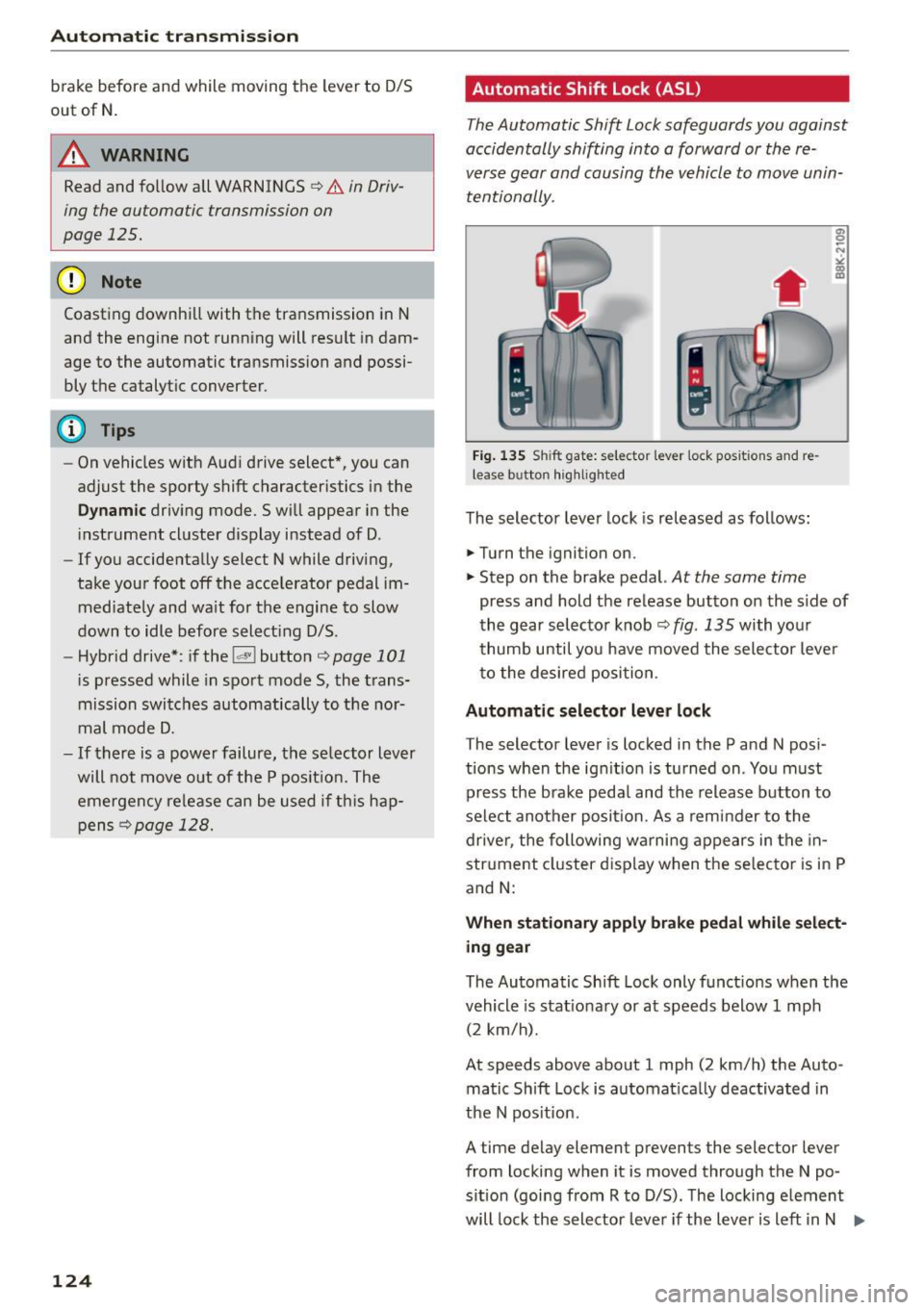
' Fig. 135 S hi ft gate: selector lever lock posit ions and re
lease b utton highlighted
The selector lever lock is released as fol lows:
.,. Turn the ignition on.
.,. Step on the brake pedal.
At the some time
press and hold the release button on the side of
the gear selector knob
c:> fig. 135 with your
thumb until you have moved the selector lever
to the desired position.
Automatic selector lever lock
The selector lever is locked in the P and N pos i
tions when the ignit ion is turned on. You must
press the brake peda l and the release button to
select another position. As a reminder to the
driver, the following warni ng appears in the in
str ument cluster display when the selector is in P
and
N:
When stationary apply brake pedal while select
ing gear
The Automatic Shift Lock only funct ions when the
vehicle is stat ionary or at speeds below 1 mph
(2 km/h).
At speeds
above about 1 mph (2 km/h) the Auto
matic Shift Lock is automat ica lly deactivated in
the N pos ition.
A time delay element prevents the selector lever
from locking when it is
moved through the N po
s ition (going from R to D/S) . The locking e lement
will lock the selector lever if the lever is left in N .,..
Page 127 of 302
M N
co
a:
co
,...., \!) 1.1"1
N 1.1"1 ,....,
(Neutral) for more than approximately 1 second,
without the brake pedal being pressed.
Release button
The release button on the selector lever prevents
the lever from be ing acc identally shifted into cer
tain positions. Pressing this button deactivates
the selector lever lock . Depending on the direc
tion of the shift, the se lector lever locks at differ
ent positions. The positions are highlighted in
the illustration¢
fig. 135.
Ignition key safety interlock
The key cannot be removed from the igni tion un
l ess the se lector lever is in the P park position .
When the ignition key is removed, the selector
l ever will be locked in the P position.
Driving the automatic transmission
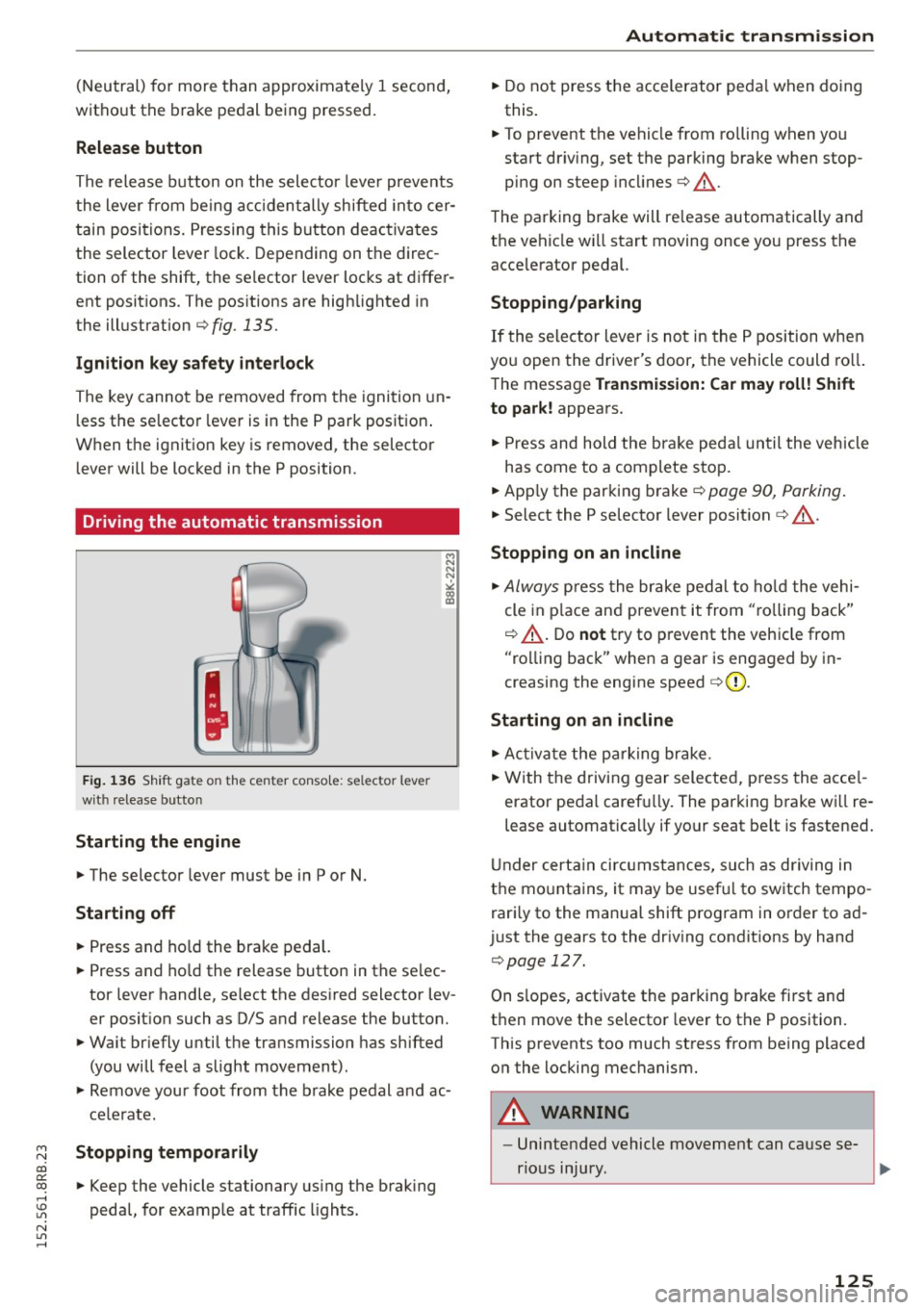
Fig. 136 Shift gate on the center conso le: selector lever
with release button
Starting the engine
.,. The selector lever must be in P or N.
Starting off
.,. Press and hold the brake pedal.
.,. Press and ho ld the release button in the se lec
tor lever handle, select the desired selector lev
er position such as D/S and release the button.
.,. Wait br iefly until the transmission has shifted
(you will feel a slight movement).
.,. Remove your foot from the brake pedal and ac
celerate.
Stopping temporarily
.,. Keep the vehicle stationary using the brak ing
pedal, for example at traffic lights.
Automatic transmission
.,. Do not press the accelerator peda l when doing
this.
.,. To prevent the vehicle from rolling when you
start dr iv ing, set the parking brake when stop
ping on steep incl ines¢ &_.
The parking brake will re lease automatically and
the vehicle wi ll start moving once you press the
acce lerator pedal.
Stopping/parking
If the selector lever is not in the P position when
you open the driver's door, the vehicle could roll.
The message
Transmission: Car may roll! Shift
to park!
appears.
.,. Press and hold the brake pedal until the vehicle
has come to a complete stop.
.,. App ly the parking brake¢
page 90, Parking .
.,. Select the P se lector lever position ¢ &_ .
Stopping on an incline
.,. Always press the brake pedal to hold the vehi
cle in place and prevent it from "ro lling back"
¢ &_ . Do
not try to prevent the vehicle from
"rolling back" when a gear is engaged by in
creasing the engine speed
c> (D .
Starting on an incline
.,. Activate the parking brake .
.,. With the driving gear selected, press the acce l
erator pedal carefu lly. The parking brake wi ll re
lease automatically if your seat belt is fastened.
Under certain circumstances, such as driving in
the mountains, it may be usefu l to switch tempo
rari ly to the manual shift program in order to ad
just the gears to the driving conditions by hand
¢page 127 .
On s lopes, activate the parking brake first and
then move the selector lever to the P position .
This prevents too much stress from being placed on the locking mechanism .
A WARNING ,_
-Unintended vehicle movement can cause se-
rious injury.
~
125
Page 193 of 302
M N
co
a:
co
,...., \!) 1.1"1
N 1.1"1 ,....,
shared, please see your contract with the
wireless telecommunications provider and the
"About Aud i connect" tab in your vehicle's
MMI*:
IMENU I button> Audi connect > About
Audi connect .
Electronic Stabilization
Control (ESC)
Description
The Electronic Stabilization Control (ESC) reinfor
ces driver safety. It reduces the risk of slipping
and improves driving stability. ESC detects criti
cal s ituations such as the vehicle oversteering
and understeering or the wheels sp inning. The
veh icle is stab ilized by applying the brakes or re
ducing engine torque. Once the ESC is act ive, the
indicator light
m blinks in the instrument clus
ter.
The fol low ing systems a re integrated in the ESC:
Anti-lock brake system (ABS)
ABS prevents the wheels from locking up when
brak ing . The vehicle can still be steered even dur
ing hard braking. Apply steady pressure to the
brake pedal. Do not pump the pedal. A pulsing in
the brake pedal indicates that the system is help
ing you to brake the vehicle.
Brake assist system
The brake assist system can decrease braking d is
tance . It increases braking power when the dr iver
presses the brake pedal quick ly in emergency s it
uations. You must press and hold the brake pedal
unti l the situation is over. In vehicles w ith adap
tive cruise control*, the brake assist system is
more sensitive if the distance detected to the ve
hicle ahead is too small.
Anti-slip regulation (ASR)
ASR reduces engine power when the drive whee ls
begin to spin and adapts the force to the road
conditions. This makes it easier to start, acceler
ate and drive up hills.
Smart Technology
Electronic differential lock (EDL)
The EDL brakes whee ls that are spinning and
trans fers the drive power to the other whee ls.
This function is not avai lable at higher speeds .
In extreme cases, EDL automatically sw itches off
to help keep the brake on the braked wheel from
overheating. EDL will switch on again automati
ca lly when conditions have returned to normal.
Steering recommendation
The ESC helps to stabilize the vehicle by changing
the steering torque.
On vehicles with dynam ic steering*, ESC helps
stab ilize the steer ing in crit ical situat ions .
Selective wheel torque control
Selective wheel torque control is used when driv
ing on curves. The front wheel on the inside of
the curve or both wheels on the inside of the
curve are braked select ively as needed. This al
lows more precise driving in curves. The applica
ble system may not activate when driving in wet
o r snowy conditions .
A WARNING
-
-The ESC and its integrated systems cannot
overcome the laws of physics. This is espe
cially important on slippery or wet roads. If
the systems begin acting to stabilize your
vehicle, you should immediately change
your speed to match the road and traffic conditions . Do not let the increased safety
provided by these systems tempt you to
take risks. Doing so will increase the risk of a
loss of vehicle control, collision and serious
personal injuries.
- Always adapt your speed to road, traffic and
weather conditions. The risk of los ing con
trol of the vehicle increases when driving
too fast, especially through curves and on
slippery or wet roads, and when driving too
close to vehicles up ahead . The ESC and its
integrated systems cannot a lways prevent
coll isions - there is st ill a risk of acc idents!
- Always accelerate with special care on even,
smooth surfaces such as those that are wet
or covered with ice and snow. The drive
191