lights AUDI Q5 2016 User Guide
[x] Cancel search | Manufacturer: AUDI, Model Year: 2016, Model line: Q5, Model: AUDI Q5 2016Pages: 300, PDF Size: 75.02 MB
Page 30 of 300
Driver information s ystem
The drive r message disappears after a few sec
onds. The driver message can be disp layed again
by briefly pressing the
! SE T! button.
Red symbols
Fig . 23 Display : Dang er symbol
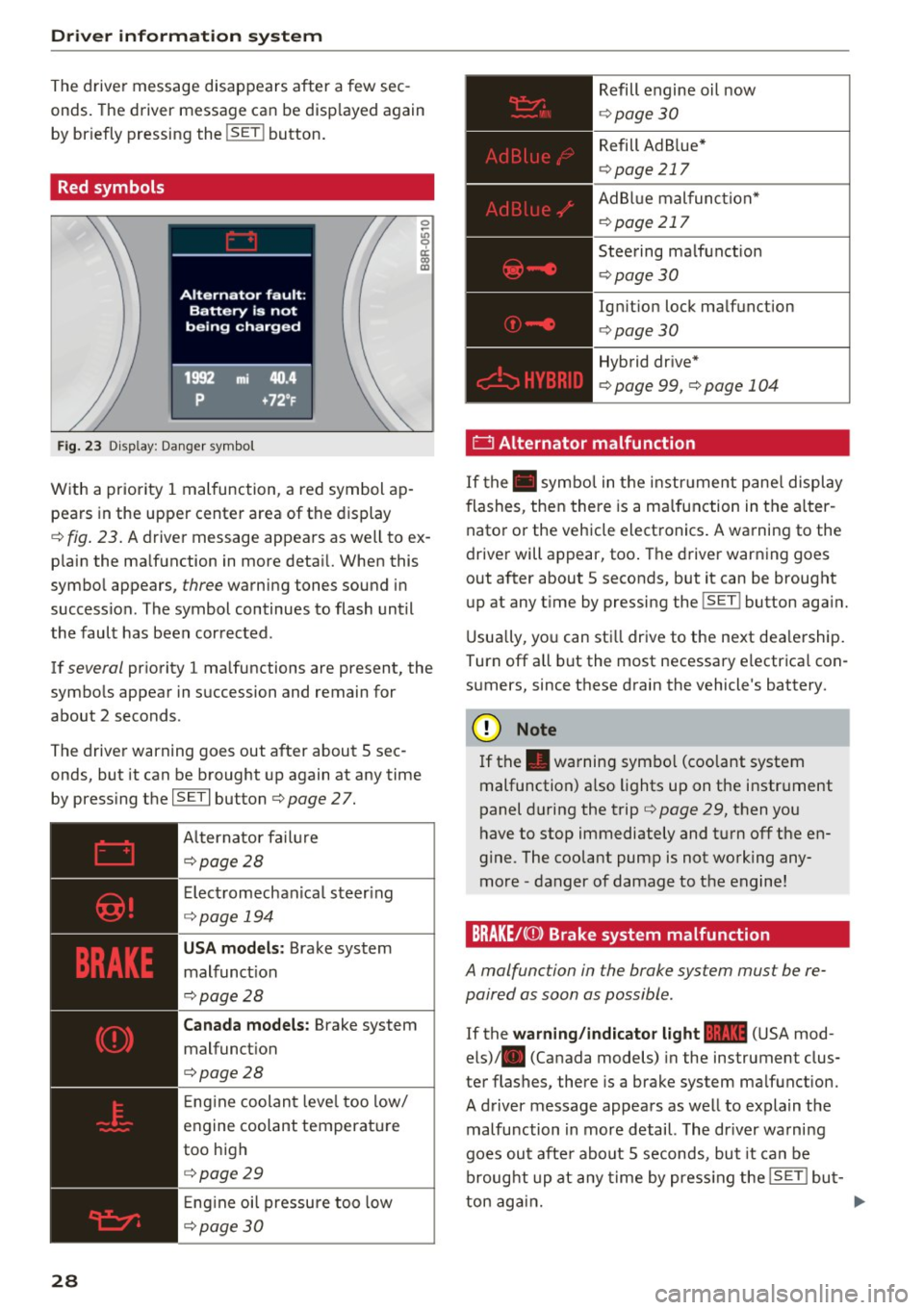
W ith a priority 1 malfunction, a red symbol ap
pears in the upper center area of the display
0 ~
"' 0 ci: a, al
c::> fig . 23. A driver message appears as w ell to ex
p lain the ma lfunction in more deta il. When this
symbo l appears,
three warning tones sound i n
succession . The symbol continues to flash until
the fault has been corrected .
If
several pr iority 1 malfunctions are present, the
symbo ls appear in succession and remain for
about 2 seconds .
The drive r warning goes out after about 5 sec
onds, but it can be b rought up again at any time
by press ing the
I SE T I button c> page 2 7.
28 Alternator fa
il ur e
c::> page 28
Elect romechanica l steer ing
c::> page 194
USA models : Brake system
malfunct ion
c::> page 28
Canada models: Brake system
malfunct ion
c>page28
E ng ine coolan t leve l too low/
engine coolant temperat ure
too high
c> page29
Eng ine oi l pressure too low
c::> page 3 0
Refill engine oil now
c::> page 30
Refill Ad B lue*
c> page 217
AdBlue malfunc tion*
c::> page 217
Steering ma lfunction
c> page30
Ign it ion lock ma lfunction
c> page 30
Hybrid dr ive*
c> page 99, c>page 104
0 Alternator malfunction
If the . symbo l in the instr ument pane l display
flashes, then there is a ma lfunction in the alter
nator or the vehicle elect ronics . A warning to the
driver will appear, too . The driver warn ing goes
out after about 5 seconds, but it can be brought up at any t ime by pressing the
!SET ! button aga in.
U sua lly, yo u can sti ll drive to the next dea lership.
Turn off all but the most necessary e lectr ica l con
s u mers, since these drain the vehicle's battery.
CJ) Note
If the . warning sym bol (coo lant system
malfunction) a lso lights up on the instr ument
panel during the trip
c> page 29, then you
h ave to stop immediately and turn off the en
gine . The coolant pump is not working any
more -danger of damage to the engine!
BRAKE/C(D) Brake system malfunction
A malfunction in the brake system must be re
paired as soon as possible.
If the warning /ind icator light 1111 (USA mod
els) . (Canada models) in the instrument clus
ter flashes, there is a brake system ma lfunction.
A driver message appea rs as well to expla in t he
malfunction in more detail. The dr iver wa rni ng
goes out afte r about 5 seconds, bu t it can be
broug ht up at any time by press ing the
ISE T! bu t-
ton aga in. ..,.
Page 31 of 300
,....,
N
co
er::
co
,....,
"' Stop the vehicle.
"' Check the brake fluid leve l
c::>page 228.
"'Seek professional assistance if necessary.
Warn ing! Fault in brake s ystem. Contact
worksho p
"' Drive carefully to the nearest authorized Audi
dealer or other qualified workshop and have
the malfunction corrected
c::> A_ .
Parking brake s ystem fault! See own er's
manual
"' If this symbol appears when the vehicle is sta
tionary or after the ignition is turned on, check
to see if the parking brake can be released.
Drive to an authorized Audi dealer or other
qualified workshop as soon as possible and
have the malfunction corrected . If the parking
brake cannot be opened, then take it to a n ex
pert at an authorized Audi dealer.
"' If the symbol appears while you are d riving, it is
poss ible that the traction contro l or the emer
gency brake has ma lfunctioned . It is possib le
that the parking brake cannot be app lied .
It is
also possible that the parking brake cannot be
released after it has been applied. Drive to an
authorized Aud i dealer or other qualified work
shop to have the malfunct ion corrected.
If the ABS system malfunctions, the ABS warn ing/indicator light illuminates together with the
brake system malfunction warn ing/ indicator
light
c::> _&. .
A WARNING
-Always observe the warnings in
c::> page 220, before opening the hood and
c heck ing the b rake fl uid.
- Driv ing with low brake fl uid is a safety haz
ard. Stop the car and get professiona l assis
tance.
- If the
111111 (USA models) . (Canada mod
els) b rake system indicator light turns on to
ge ther with the ABS and ES C i ndica to r
lights, the ABS/ESC regulating function may
have failed . Functions that stabilize the ve
hicle are no longer available. This could
Dri ver informa tion system
cause the vehicle to swerve and increase the
risk of s liding. Drive carefully to the nearest
authorized Audi dealer or other qualified
workshop and have the malfunction correct
ed.
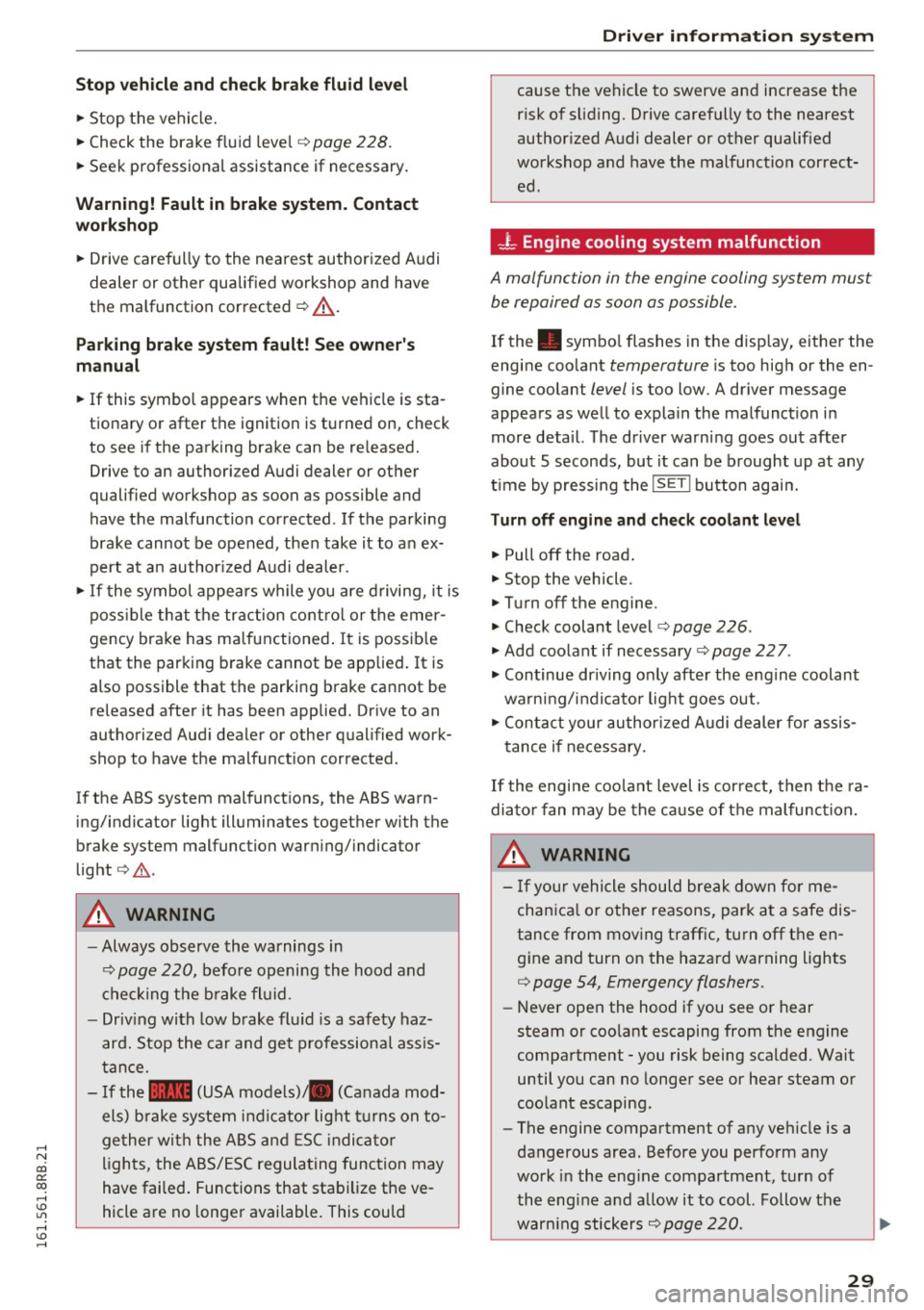
- L Engine cooling system malfunction
A malfunction in the engine cooling system must
be repaired as soon as possible.
If the . symbo l flashes in the disp lay, either the
engine coo lant
temperature is too high or the en
gine coolant
level is too low. A driver message
appears as well to explain the malfunct ion in
more deta il. The driver warn ing goes out after
about 5 seconds, but it can be brought up at any
t ime by pressing the
!SET ! button agai n.
Turn off engine and ch eck cool ant l evel
"'Pull off the road .
"' Stop the vehicle .
"' Turn off the engine.
"' Check coolant level
c::> page 226 .
"'Add coolant if necessary ~ page 227.
"'Continue driving only after the eng ine coolant
warning/indicator light goes out.
"' Contact your au thor ized Audi dealer for assis
tance if necessary.
If the engine coo lant level is correct, then the ra
diato r fan may be the ca use of the malfunct ion.
A WARNING
- I f you r vehicle should break down fo r me-
chan ica l or other reasons, par k at a safe dis
tance from moving traffic, tu rn off the en
g ine and turn on the hazard warning lights
c::> page 54, Emergency flashers.
- Never open the hood if you see or hear
steam or coo lant escaping from the engine
compartment -you risk being scalded. Wait
until you can no longer see or hea r steam or
coo lant escaping.
- The engine compartment of any vehicle is a
dangerous area. Before you perfo rm any
work in the eng ine compartment, turn of
the engine and a llow it to cool. Follow the
~
warn ing stickers c::>page 220. Ill-
29
Page 32 of 300
Driver information s ystem
CJ) Note
Do not contin ue driving if the. symbo l ill u
m inates . There is a malfunction in the eng ine
cooling system -you could damage your en
gine.
'l=:;r: Engin e oil pressure malfunction
The red engine oil pressure warning symbol re
quires immedia te service or repair. Driving wi th a
low oil pressure indi cation is likely to cause se
vere engine damage .
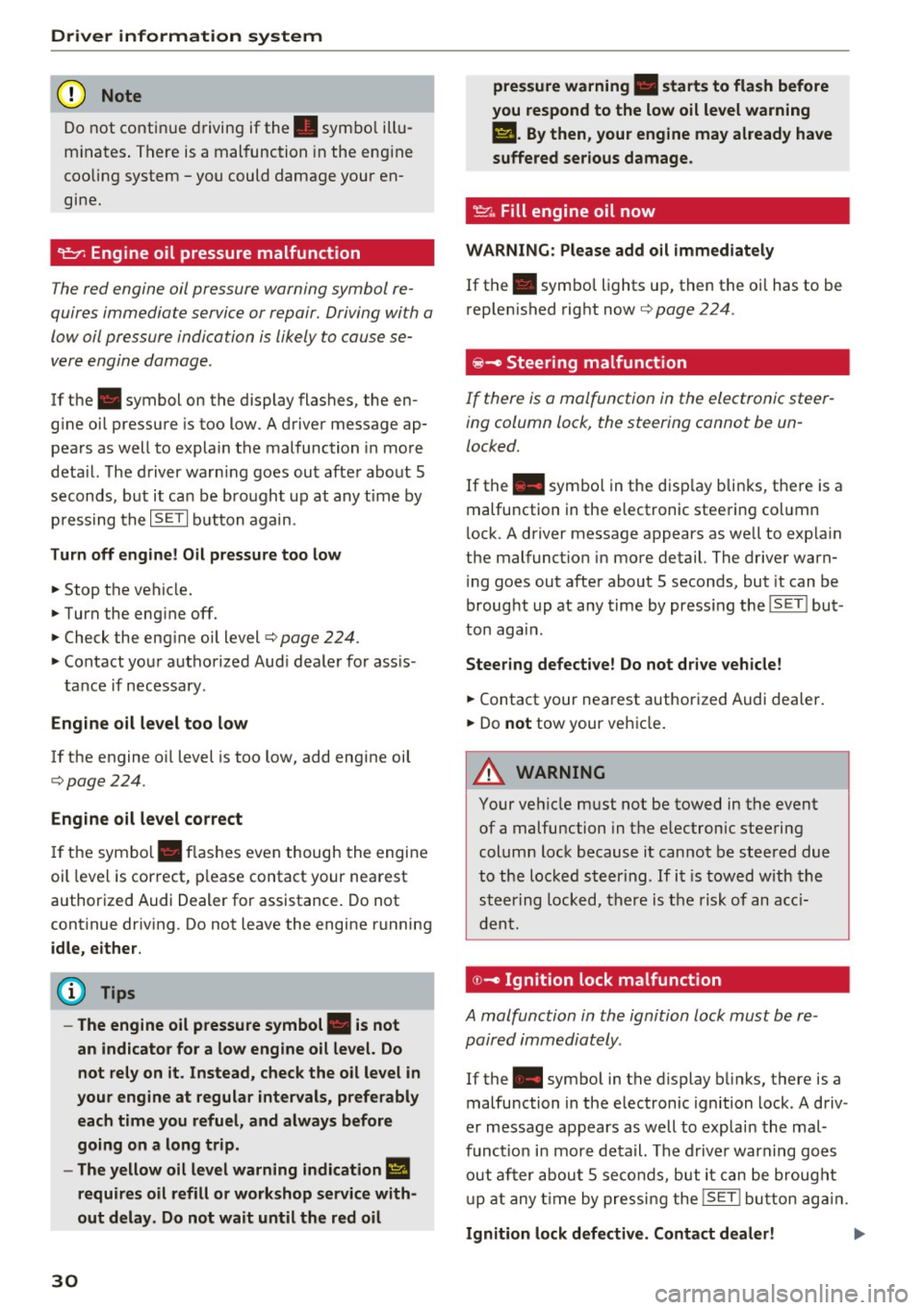
If the . symbol on the display flashes, the en
g ine oil pressure is too low . A driver message ap
pears as well to explain the malfunction in more
deta il. The driver warn ing goes ou t afte r about 5
seconds, but it ca n be bro ugh t up at any t ime by
p ressing the
IS ET I but ton again.
Turn off engine! Oil pressure too low
• Stop the veh icle .
• Turn the eng ine off.
• Check the eng ine oi l level
c> page 224.
• Contact your authorized Aud i dealer for ass is -
tance if necessary .
Engine oil level too low
If the engine oil level is too low, add eng ine oil
c>page224.
Engine oil level correct
If the symbo l. flashes even though the engine
oil leve l is correct, p lease contact your nearest
authorized Audi Dealer for assistance. Do not
continue dr iv ing . Do not leave the engine running
idle, either .
(D Tips
- The engine oil pressure symbol. is not
an indicato r for a low engine oil level. Do
not rely on it. Instead, check the oil level in
your engine at regular intervals, preferably each time you refuel, and always before
going on a long trip .
- The yellow oil level warning indication
Ill
requires oil refill or workshop service with
out delay. Do not wait until the red oil
30
pre ssure warning • starts to flash before
you respond to the low oil level warning
II. By then , your engine may already have
suffered serious damage.
~ ... Fill engine oil now
WARNING : Please add oil immediately
If the . symbol lights up, then the oil has to be
r ep lenished right now
c> page 224 .
@-Steer ing malfunction
If there is a malfunction in the electronic steer
ing column lock, the steering cannot be un
locked.
If the . symbo l in t he d isp lay bli nks, the re is a
malfunction in the e lectronic stee ring co lumn
l ock. A driver message appears as well to exp la in
the malfunct ion in more detail. The driver warn
i ng goes out afte r about 5 seconds, but it can be
broug ht up at any time by press ing the
ISET ! but
ton aga in.
Steering defective! Do not drive vehicle!
• Contact your nea rest authorized Audi dealer .
• Do
not tow your veh icle .
A WARNING
Your ve hicle must not be towed in the event
of a malfunction in the electronic steering
column lock because it cannot be steered due
to the loc ked st eering . If i t is towed with the
ste ering locked, t here is t he risk of an a cci
d ent.
© -Ignition lock malfunct ion
A malfunction in the ignition lock must be re
paired immediately.
If the . symbo l in the display b links , there is a
malfunction in the e lectronic ignition lock . A d riv
e r message appears as well to explai n the mal
funct ion in more de tail. The d rive r warning goes
out af ter abou t 5 se co nds, b ut it can be brought
u p at any t ime by pressi ng the
!SE T! b utton ag ain .
Ignition lock defective. Contact dealer! ..,..
Page 33 of 300
,....,
N
co
er::
co
,....,
~ Drive immediate ly to an authorized Audi dealer
to have the malfunction corrected .
If there is a malfunction in the electronic ignition
lock, the ignition cannot be turned off . Drive im
mediately to an authorized service facility to have
the cause of the malfunction corrected.
On vehicles with Convenience key*, the engine
should not be switched off using the Start/Stop button because the engine cannot be started
again after the ignition has been switched off.
Yellow symbols
Fig. 24 Display: Yellow warning symbo l
N M
9 a: a, a,
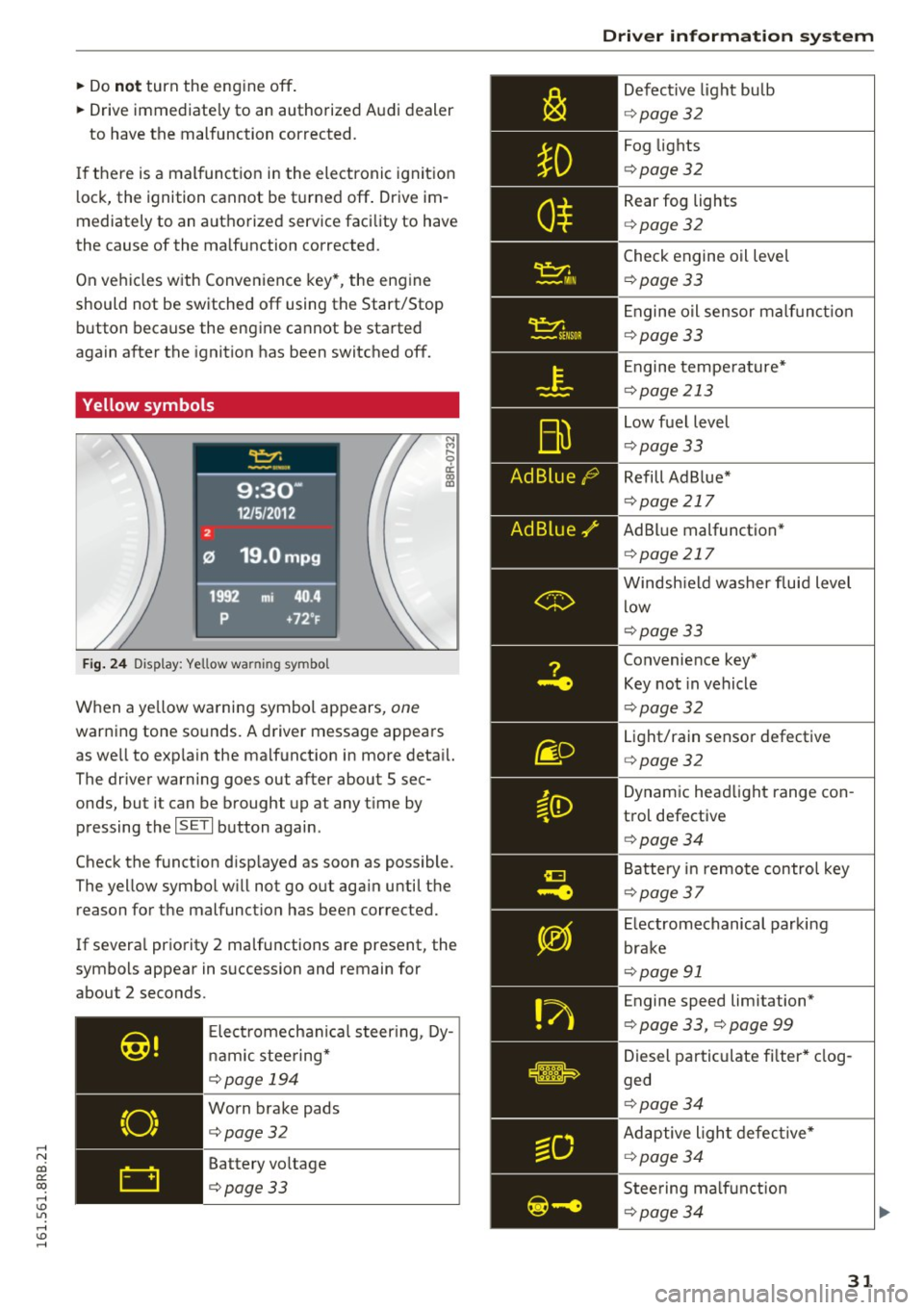
When a yellow warning symbol appears, one
warning tone sounds. A driver message appears
as well to exp la in the malfunction in more detail.
The driver warning goes out after about 5 sec
onds, but it can be brought up at any t ime by
pressing the
ISETI button again.
Check the function disp layed as soon as possible.
The yellow symbol w ill not go out aga in until the
reason for the malfunct ion has been corrected.
If severa l priority 2 ma lfunctions are present, the
symbols appear in succession and remain for
about 2 seconds.
Elect romechan ical steering, Dy
nam ic stee ring*
¢page 194
Worn brake pads
¢page32
Battery voltage
¢page33
Driver information system
Defective light bulb
¢page 32
Fog lights
¢pag e 32
Rear fog lights
¢page 32
Check engine oil leve l
¢page 33
Engine oil sensor malf unc tion
¢page 33
Engine temperature*
¢page 213
Low fuel level
¢pag e 33
Refill Ad Blue*
¢page 217
AdBlue malfunction *
¢page 217
Windshield washer fluid level
low
¢page 33
Convenience key*
Key not in vehicle
¢pag e 32
Light/rain sensor defective
¢page 32
Dynamic headlight range con
trol defective
¢ page 34
Battery in remote control key
¢page 37
Electromechanical parking
brake
¢page 91
Engine speed limitation*
¢ page 33, ¢ page 99
Diesel particulate fi lter * clog
ged
¢pag e 34
Adaptive light defective*
¢page 34
Steering malfunction
¢page 34
31
Page 34 of 300
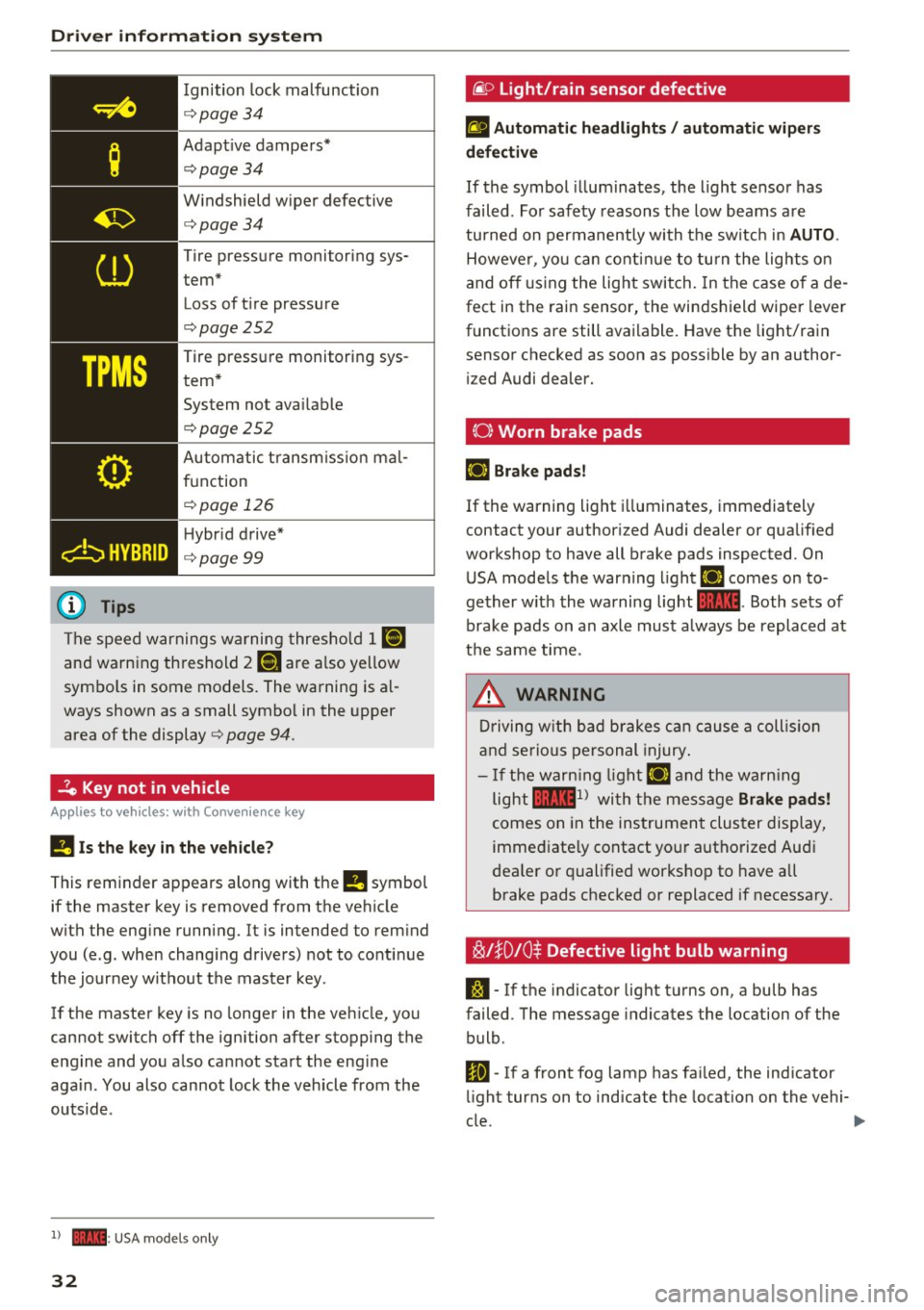
Driver information system
Ignition lock malfunction
<=>page 34
Adaptive dampers*
c:> page 34
Windshield wiper defective
c:>page34
Tire pressure monitoring sys
tem* Loss of tire pressure
c:>page252
Tire pressure monitoring sys
tem* System not available
c:>page252
Automatic transmission mal
function
<=> page 126
Hybrid drive*
c:> page99
The speed warnings warning threshold
J raj
and warning threshold 2 ISi are also yellow
symbols in some models. The warning is al
ways shown as a small symbol in the upper
area of the display
c:> page 94.
-?e Key not in vehicle
Applies to veh icles: w ith Conven ie nce key
II Is the key in the vehicle?
This reminder appears along with the
II symbol
if the master key is removed from the vehicle
with the engine running. It is intended to remind
you (e.g. when changing drivers) not to continue the journey without the master key .
If the master key is no longer in the vehicle, you
cannot switch off the ignition after stopping the
engine and you also cannot start the engine
again . You also cannot lock the vehicle from the
outside .
l) - : USA models only
32
·@ Light/rain sensor defective
fl Automatic headlights/ automatic wipers
defective
If the symbol illum inates, the light sensor has
failed. For safety reasons the low beams are
turned on permanently with the switch in
AUTO.
However, you can continue to turn the lights on
and off using the light switch. In the case of a de
fect in the rain sensor, the windshield wiper lever
functions are still available. Have the light/rain
sensor checked as soon as possible by an author ized Audi dealer.
(0) Worn brake pads
£i1 Brake pads!
If the warning light illuminates, immediately
contact your authorized Audi dealer or qualified
workshop to have all brake pads inspected. On USA models the warning light
£i1 comes on to
gether with the warning light
1111. Both sets of
brake pads on an axle must a lways be replaced at
the same time.
_8. WARNING
Driving with bad brakes can cause a collision
and serious personal injury.
-If the warning light £i1 and the warning
light
llll1 l with the message Brake pads!
comes on in the instrument cluster display,
immediately contact your authorized Audi
dealer or qualified workshop to have all
brake pads checked or replaced if necessary.
~l}D 10$ Defective light bulb warning
S:1 -If the indicator light turns on, a bulb has
failed. The message indicates the location of the
bulb .
Im-If a front fog lamp has failed, the indicator
light turns on to indicate the location on the vehi-
cle.
~
Page 35 of 300
,....,
N
co
er::
co
,....,
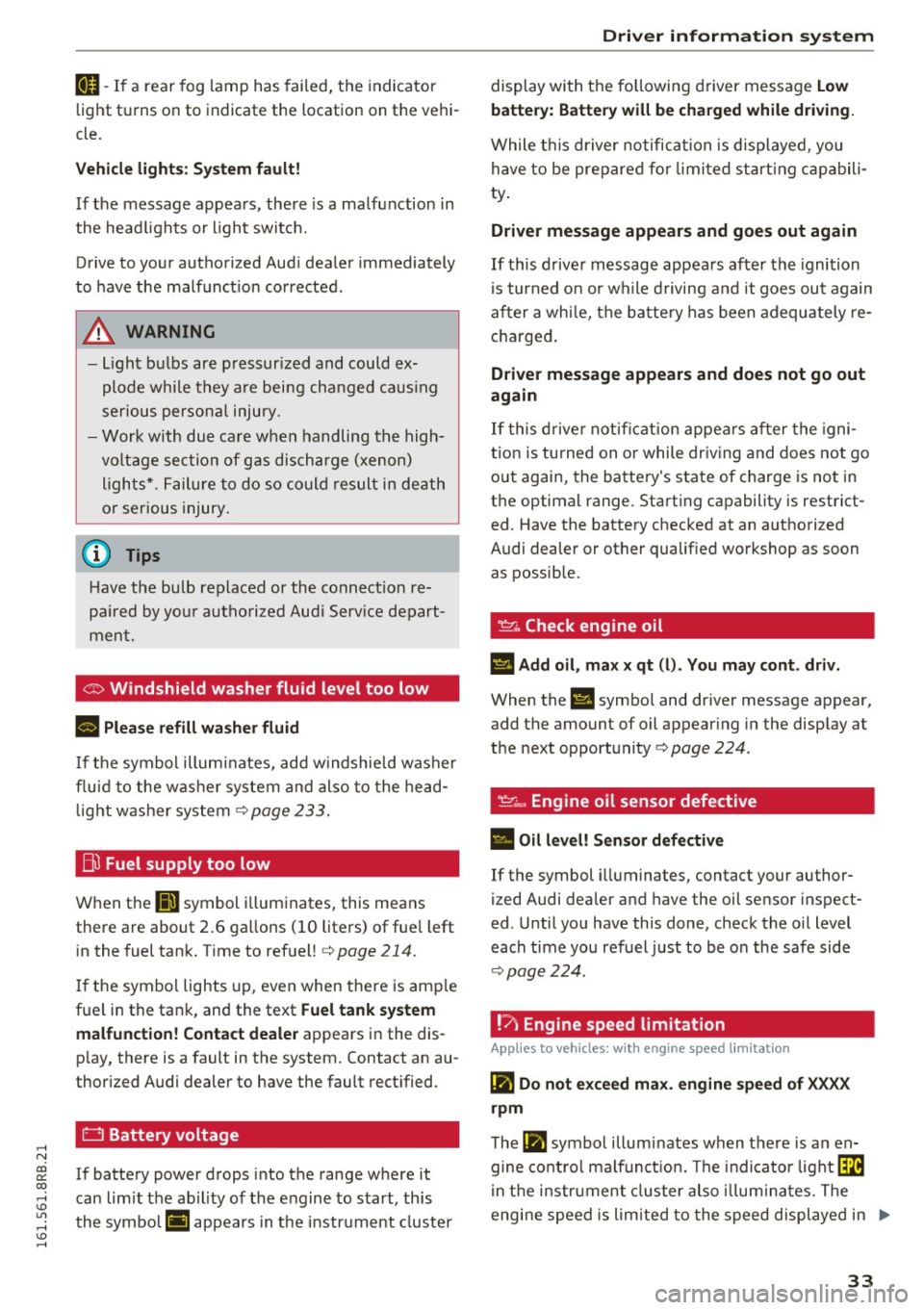
light tu rns on to indicate the location on the vehi
cle.
Vehicle light s: System fault!
If the message appears, there is a ma lfunction in
the head lights or light switch.
Drive to your authorized Aud i dealer immediately
to have the malfunct ion corrected .
A WARNING
-Light bu lbs are pressur ized and could ex
plode while they are being changed caus ing
ser ious persona l injury.
-
- Work with due care when handling the high
voltage section of gas dis charge (xenon)
ligh ts*. Failure to do so co uld result in death
or serious injury .
@ Tips
Have the bulb replaced or the connect ion re
pa ired by yo ur autho rized Aud i Serv ice depart
men t.
<:;::> Windshield washer flu id level too low
llt Plea se refill washer fluid
If the symbol illumi nates, add w indshield was her
fluid to the washer system and also to the head
light washer system
c::> page 233 .
Bil Fuel supply too low
When the liD symbol i llum inates, this means
there are about 2.6 ga llons ( 10 liters) of fue l left
in the fuel tank. Time to refuel!
c::> page 214.
If the symbol lights up, even when there is amp le
fuel in the tank, and the text
Fuel tank sy stem
malfun ction! Contact deale r
appears in the dis
p lay, there is a fault in the system. Contact an au
thor ized Audi dealer to have the fault rect ified.
D Battery voltage
If battery power drops into the range where it
can limit the ab il ity of the engine to start, th is
the symbol (•) ;ippears in the instrument cluster
Dri ver informa tion system
display with the following driver message Lo w
batter y: Batte ry will be char ged while dri ving.
While t his driver notification is disp layed , you
have to be prepared for limited start ing capabili
ty .
Driver message appears and goes out again
If this d rive r message appea rs after the ignition
is turned on or while d riving a nd it goes ou t again
after a whi le, the battery has been adequately re
charged .
Driver message appears and does not go out
again
If this drive r notificat ion appea rs after the igni
tion is tu rned on or while driv ing and does not go
out again, the battery's state of charge is not in
the optimal range. Start ing capability is restrict
ed . Have the battery checked at an authorized
Audi dealer or other qualified workshop as soon as possible.
~ Check engine oil
II Add oil, ma x x qt (l). You may cont. driv.
When the Ill symbol and dr iver message appear,
add the amount of oil appear ing in the disp lay at
the next opportunity
c::> page 224 .
'l:7;,.. Engine oil sensor defective
• Oil le vel! Sen sor defecti ve
If the symbol illuminates, contact your author
ized Audi dea ler and have the oil sensor inspect
ed . Until you have this done, check the oil level
each time you refuel just to be on the safe side
c::> page 224.
! ? Engine speed limitation
Applies to vehicles: with engine speed limitation
II! Do not exceed max. engine spe ed of XXXX
rpm
T he II! symbol illuminates when there is an en
gine co ntrol malf unct ion. The indi cator light ~
in t he i nstr ument cluster also illum ina tes. The
engine speed is limited to the speed displayed in ..,.
33
Page 36 of 300
Driver information s ystem
the dr iver information system . Keep in m ind that
the engine speed will not exceed the value dis
p layed in the dr iver information system, for ex
ample when downshifting.
Please go to an autho rized Aud i dea le r or other
qualified workshop to have the ma lfunction re
pa ired .
,m.. Diesel particulate filter clogged
Applies to veh icles: w ith diesel e ngi ne and d iesel pa rt icu late
f ilte r
II Particulate filter See owner's manual
When the II symbol illum inates, you can a lter
your driving sty le to assis t the fi lter self-cleaning
p rocess . Drive for approx ima tely 15 minutes with
the selector lever in the S position a t a min imum
speed of 37 mph (60 km/ h) a nd an engine speed
of approximate ly 2,000 RPM . The tempe rature
increase that w ill result from this can burn off
the soot in the fi lter. The symbol will sw itch off
when the clean ing is successful. After a success
fu l cleaning, there is no need to br ing the car to
an author ized deal er or qualified workshop b e
cause this is part of no rm al veh icle oper ation.
If t he symbo l
II does not switch off, see you r
author ized dealer or other qualif ied workshop to
have the prob lem cor rected.
For more information on the diesel particulate
fi lter, refer to
c> page 198.
A WARNING
Always ada pt your speed to the c urrent
w eather, road and traffic conditions . Y ou
should never dis obey traffi c la ws in orde r to
follow driving re co m mend ation s.
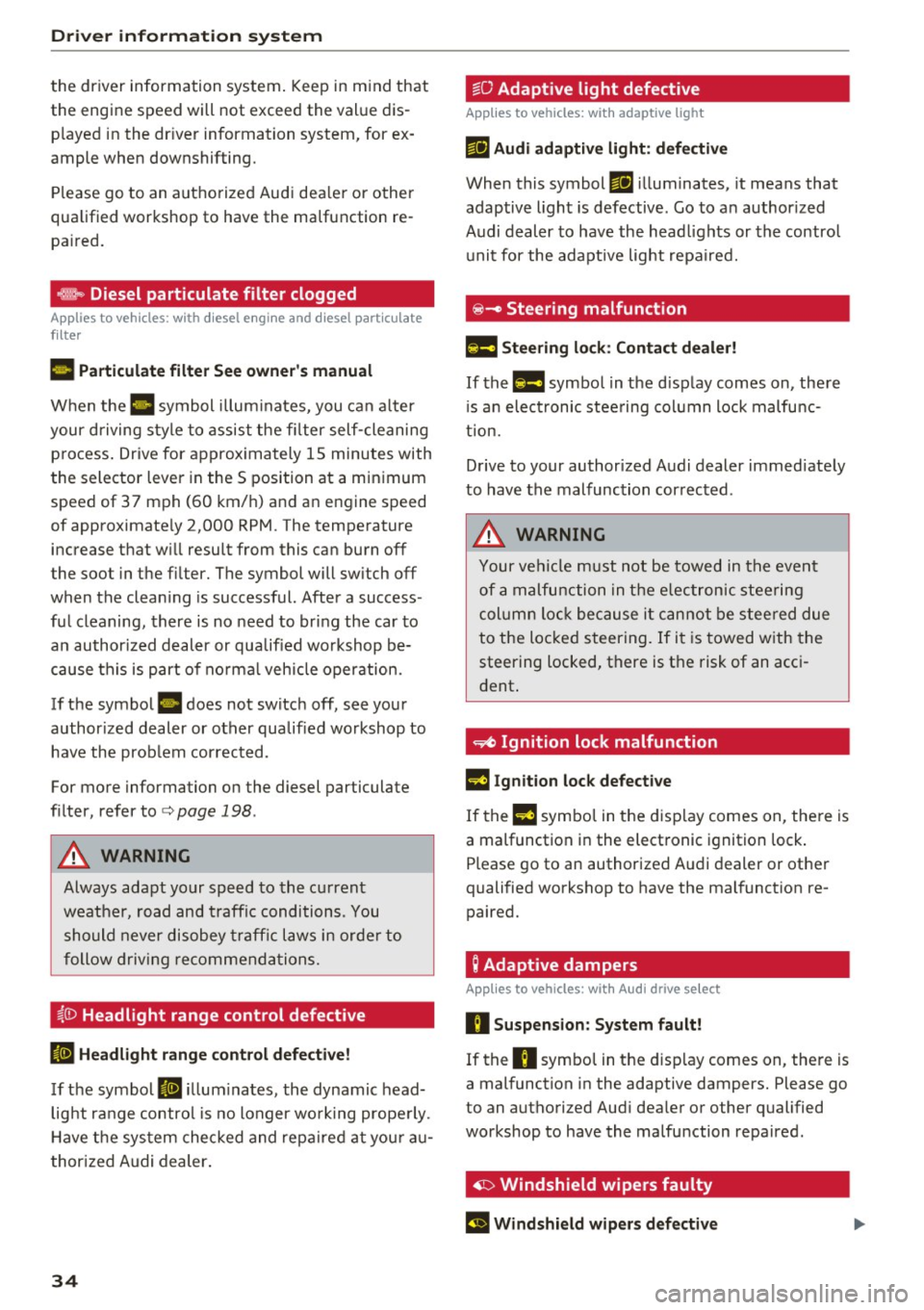
~()) Headlight range control defective
II Headlight range control defective!
If th e symbol II ill um ina tes, the dynamic head
lig ht ra nge co ntrol is no longer wo rking prope rly.
H ave t he sys tem checked and repa ired at you r au
t hor ized Audi dealer .
34
~O Adaptive light defective
Applies to vehicles: with adaptive light
mil Audi adaptive light : defe ctive
When this symbol mil ill uminates, it means that
adaptive ligh t is defective. Go to a n author ized
Audi dealer to have the head lights or the contro l
u nit for the adapt ive light repa ired.
@ -Steering malfunction
El! Steering lock: Contact dealer!
If the El! symbo l in t he d isp lay comes on, there
i s a n elect ronic stee ring column lock malfu nc
tion.
D rive to your author ized A udi dealer immed iate ly
to have the malfunc tion cor rected .
A WARNING
Your ve hicl e m ust not be towed in the event
of a m alfunction in the elec tronic s teering
column lo ck bec ause it c an no t b e stee red due
to the lo cked steering. If i t i s towed w ith the
steering locked, there is the risk of an acc i
dent .
~ Ignition lock malfunction
m Ignition lock defective
If the l3 symbo l in the d isplay comes on, the re is
a malfunction i n the elect ronic ignition lock .
Please go to an authorized A udi dealer or other
qualified workshop to have the malfunct ion re
paired.
; Adaptive dampers
App lies to vehicles: with Aud i drive se lect
R Suspension : System fault!
If the R symbol in the d isp lay comes on, the re is
a mal function in the adaptive dampers. Please go
to an authorized Aud i dea le r or other qualified
workshop to have the ma lfunction repaired.
· ~ Windshield wipers faulty
El Windshield wipers defective
Page 46 of 300
Opening and closing
Automatic rear lid/trunk lid operation
A pp lies to veh icles: w ith a uto mat ic rea r lid/tr unk lid opera ·
t io n
The trunk lid con be opened and closed outomot·
icolly.
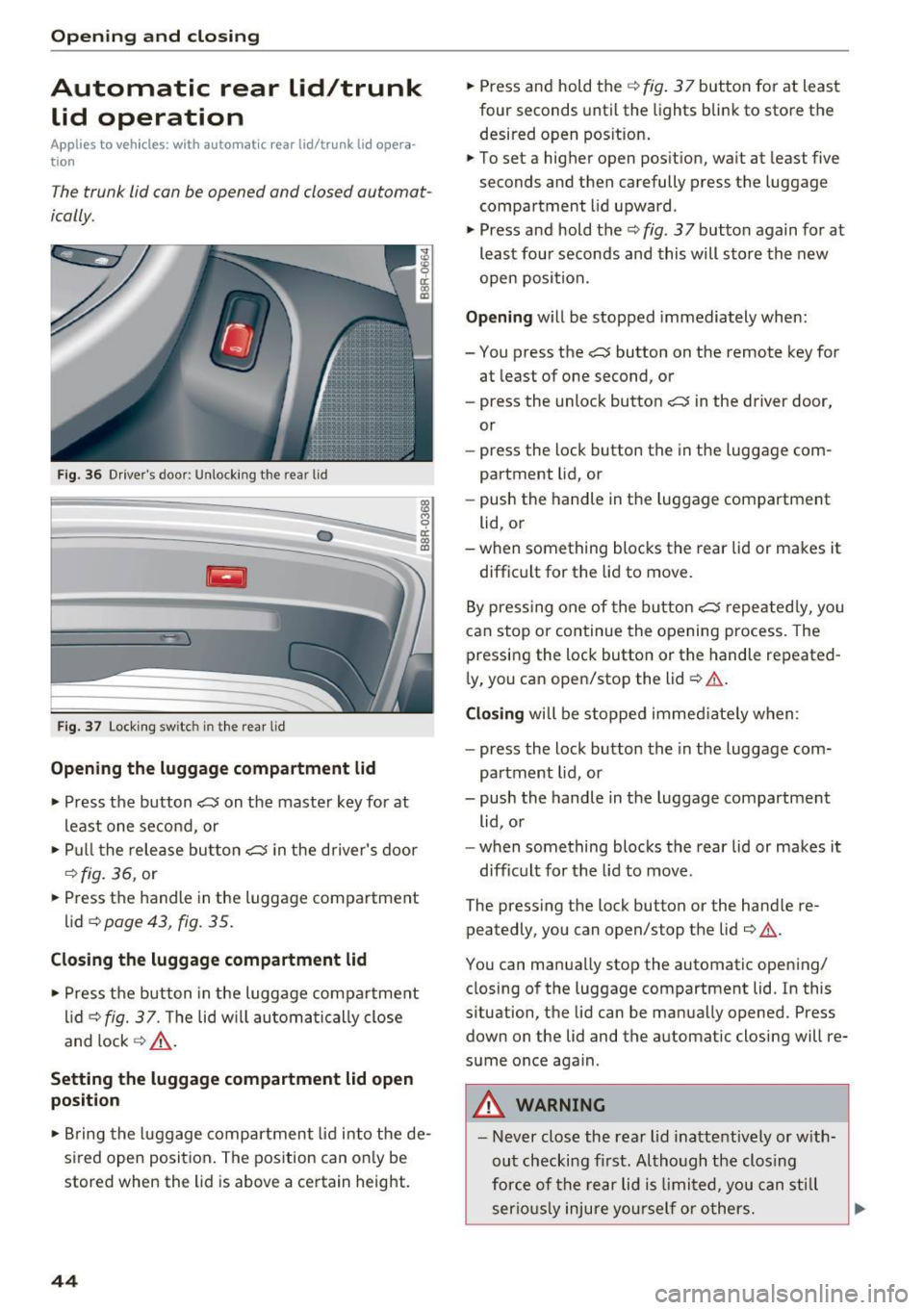
F ig . 36 D river's doo r: Unlock ing the rea r lid
Fig . 37 Loc king sw itc h in th e rea r lid
Opening the luggage compartment lid
., Press the b utton c::5 on the maste r key for at
least o ne se cond, or
., Pu ll t he rele ase bu tton
c::5 in the driver's door
c::> fig. 36, or
., Press the handle in the luggage compartment
lid
c:;, page 43, fig. 35.
Closing the luggage compartment lid
., Press t he b utton in the luggage compartment
li d
c::> fig. 37. Th e lid w ill automa tic ally close
and lock
c::> ,&. .
Setting the luggage compartment lid open
position
0 cl:
"' al
., Br ing the luggage comp artment lid i nto the de·
sired open position . The pos ition can on ly be
stored when the lid is above a ce rtain height .
44
., Press and hold the c::> fig . 3 7 but ton for at lea st
four seconds until the lights bli nk to store the
desired open pos ition .
.,. To set a higher open pos ition, wa it at least five
seconds and then carefully press t he luggage
compartment lid upward .
., Press and hold the
c::> fig . 37 button again for at
least four seconds and this will store the new
open posit ion.
Opening w ill be stopped immediately when:
- You press the
c::5 button on the remote key for
at least of one second, or
- press the unloc k button
c::5 in the driver door,
or
- press the lock button the in the luggage com·
partment lid, or
- push the handle in t he luggage compartment
lid, o r
-when something blocks the rear lid or makes it
diffic ult for the lid to move .
B y pre ssing one of the button
c::5 repe ated ly, yo u
can stop or continue the ope ning process. The
pressing the lock button or the handle repeated ·
l y, you can ope n/stop the lid
c::> & .
Closing wi ll be stoppe d im medi ate ly when :
- press the lock button the in the luggage com·
par tment lid, or
- push the handle in the luggage compartment
lid , o r
- when some thing blocks the rear lid or makes it
diff ic u lt for the lid to move .
The press ing the lock button or the hand le re·
peatedly, you can open/stop the lid
c:;, & .
You can manua lly stop the automatic opening/
closing of the luggage compartment lid. In this
s ituation, the lid can be manua lly opened. Press
down on the lid and the automat ic closing will re·
s u me once again .
_& WARNING
-Never close the rea r lid inattentively or w ith
ou t checking fi rst. Al tho ugh the clos ing
for ce of th e re a r lid i s limited, you can stil l
serio usly i njure you rself o r others .
Page 48 of 300
Opening and clo sin g
The rear doors are equipped wit h child safety
locks. The lock is only visib le when the door is
open . Take the mechanica l key out of the master
key
9 page 3 7 .
Swi tch ing th e child saf ety locks on
" Turn the key in the d irect ion of the arrow
~ fig. 39.
Switching the child safety locks off
"Turn the key in the opposite direction of the ar·
row .
When the child safety locks are activated, the in·
side door handles do not work and the doors can
only be opened from the outs ide.
Power windows
Controls
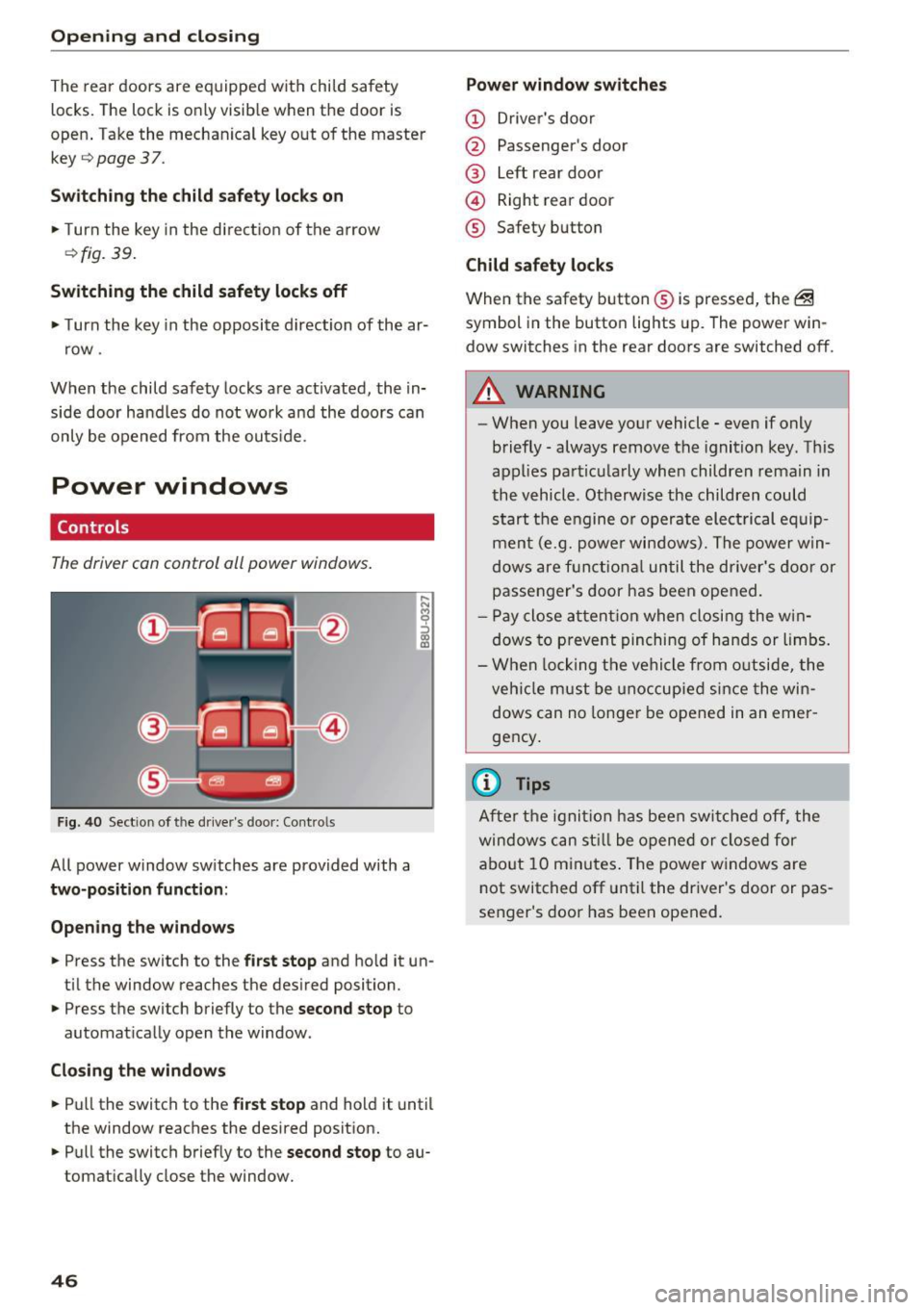
The driver can control all power windows .
Fig. 40 Sect ion of the driver 's doo r: Contro ls
All power window switches are provided with a
two-position funct ion :
Open ing the windo ws
... Press the switch to the first stop and ho ld it un·
ti l the window reaches the desired position .
... Press the switch briefly to the
second stop to
automat ically open the window .
Closing the window s
... Pull the switch to the first s top and hold it until
the window reaches the desired posit ion .
... Pull the switch briefly to the
sec ond stop to au·
tomatically close the window.
46
Power window swit ches
(D Driver 's doo r
@ Passenger's door
@ Left rear door
@ Right rear door
® Safety button
Child safety l ocks
When the safety button ® is pressed, the @
symbol in the butto n lights up. The power win·
dow switches in the rear doors are switched off.
A WARNING
-When you leave your vehicle· even if only
briefly· always remove the ignition key. This
appl ies particularly whe n children rema in in
the vehicle . Otherwise the children could
start the engine or operate electrical eq uip·
ment (e.g. powe r windows). The power win·
dows are f unctio nal until the driver's door or
passenger's door has been opened.
- P ay close a ttent ion when closing the w in·
dows to prevent pinching of hands or limbs.
- W hen locking the vehi cle from o utside, the
veh icle must be unoccupied si nce the win·
dows can no longer be opened in an emer ·
gency .
{i) Tips
After the ignit ion has been swi tched off, the
windows can st ill be opened or closed for
abo ut 10 minutes . The power w indows are
not switched off unt il the dr iver's door or pas·
senger's door has been opened.
-
Page 54 of 300
Lights and Vision
Lights and Vision
Exterior lighting
Switching the lights on and off
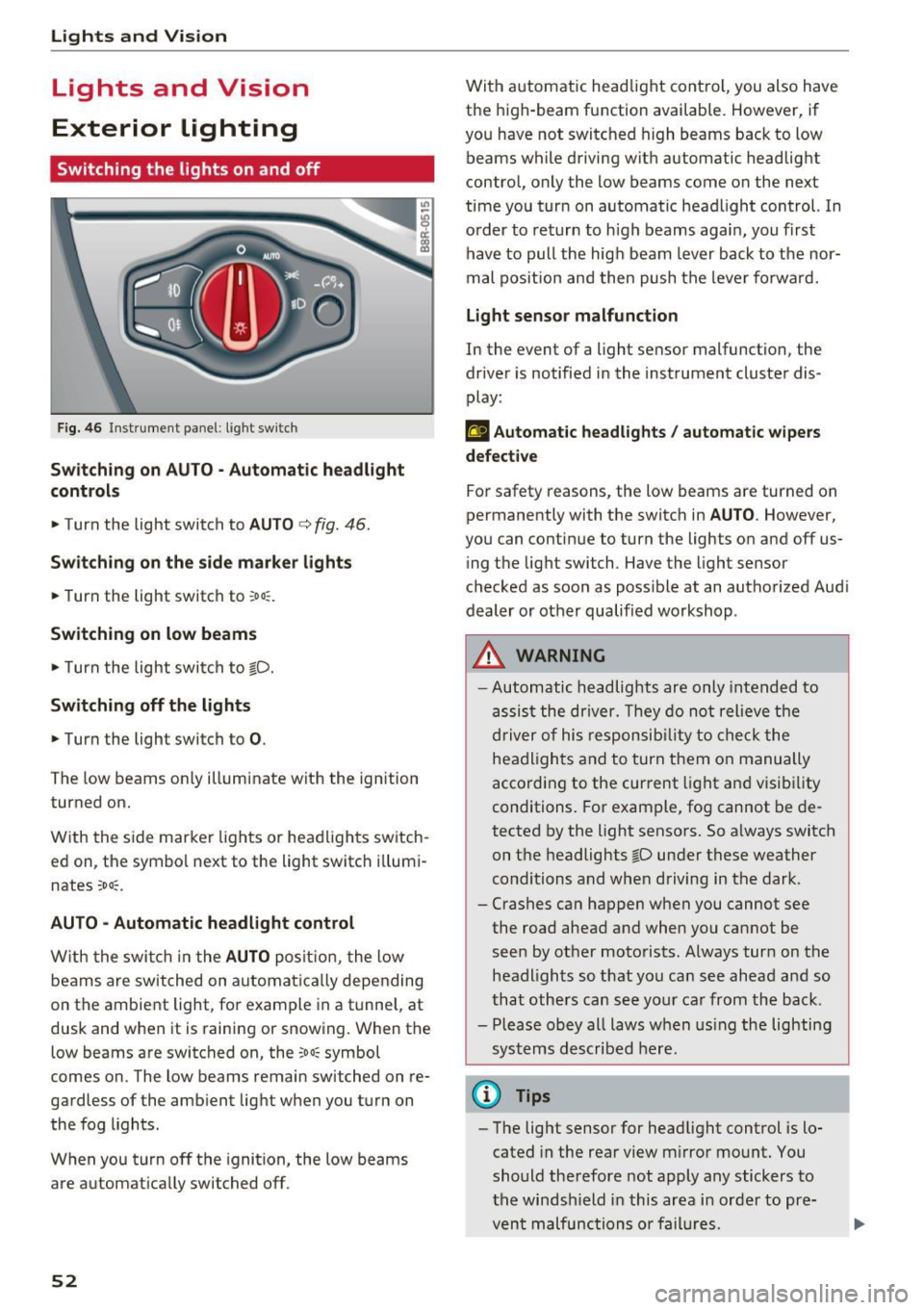
Fig. 46 Instrument panel: l ight sw itch
S wi tch in g on AUTO· Automatic headlight
controls
• Turn the light switch to AUTO c> fig. 46 .
Sw itch ing on the side marke r lights
• Turn the light switch to ~o o:.
Switching on low beams
• Turn the light swi tch to io.
Sw itch ing off the lights
• Turn the light switch to 0.
The low beams only illuminate with the ignition
turned on.
With the side marker lights or headlights switch
ed on, the symbol next to the light switch i llumi
nates
~oo~.
AU TO -Automatic headlight control
W ith the swi tch in the AUTO posit io n, the low
beams are switched on automat ic all y depending
on the ambient light, fo r example in a tunnel, at
dusk and when it is raining or snowing. When the
low beams are switched on, the
~oo~ symbol
comes on. The low beams remain switched on re
gardless of the amb ient light when you turn on
the fog lights .
When you turn off the ignition , the low beams
are automat ically switched off .
52
With automatic head light cont rol, you also have
the high-beam function available. However, if
you have not switched high beams back to low beams while driving with automatic headlight
contro l, only the low beams come on the next
time you turn on automatic headlight control. In
o rder to return to h igh beams agai n, you first
have to pull the hig h beam lever back to the nor
mal pos it ion and then push the leve r fo rwa rd.
Light sen sor malfunction
In the event of a light sensor malfunction, the
dr ive r is notified in the instrument cluster dis
play:
El Automat ic headlights / auto matic wipers
defective
For safety reasons, the low beams are turned on
permanently with the switch in
AU TO . However,
you can contin ue to turn the lights on and off us
i ng t he light switch. Have the light sensor
checked as soon as poss ible at an autho rized Aud i
dealer or other qualified workshop .
_&, WARNING
-Automatic headlights are only inte nded to
assis t the driver. They do not relieve the
driver of his respon sib ility to check the
headligh ts a nd to turn them o n manually
according to the cur rent light an d visibility
conditions. For example, fog cannot be de
tected by the light sensors. So a lways switch
on t he headlights
io under these weather
conditions and when driving in the dark .
- Crashes ca n happen when you cannot see
the road ahead and when you cannot be seen by other motorists. Always turn on the
headl igh ts so that you ca n see ahead a nd so
that others can see yo ur car from the back.
- Please obey all laws w hen us ing the lighting
sys tems described here.
@ Tips
- The light sensor for headlight control is lo
cated in the rear view m irror mount. You
should therefore not apply any stickers to
the windsh ield in this area i n order to pre
vent malfunctions or fail ures.