warning AUDI Q5 2018 User Guide
[x] Cancel search | Manufacturer: AUDI, Model Year: 2018, Model line: Q5, Model: AUDI Q5 2018Pages: 392, PDF Size: 60.56 MB
Page 30 of 392
Cockpit overv ie w
Drive to an authorized Audi dea le r or a uth orized
Audi Service Facility immediately to have the
malfunct ion corrected .
·:q'): · Bulb failure indicator
If the II indicator light turns on, a bu lb has
fa iled. The message ind icates the location of the
bulb. Replace the bulb immediately .
Vehicle lights: malfunction! Plea se cont act
Service
There is a malfunction in the head lights or the
lig ht switch. Drive to an autho rized A udi dealer or
author ized Audi Service Facility immed iate ly to
have the ma lfunction corrected.
A WARNING
- light bu lbs are under pressure and can ex
plode when bulbs are replaced, which in
c reases the risk of injury.
- With HID headlights (xenon headlights), the high-voltage componen t must be handled
correctly. Othe rw ise, there is a risk of fata l
lnJUry.
i,(D Dynamic headlight range control
II Headlight rang e control : malfun ction! See
owner 's manual
There is a malfunc tion in the headl ight range
cont rol system, wh ich may ca use g la re fo r othe r
d rivers.
Drive to an authorized Aud i dea ler or aut horized
Aud i Serv ice Facility immediately to have t he
malfunct io n corrected.
~O Audi adaptive light
App lies to: ve hicles w ith Audi adaptive light
Ill Audi adaptive light : malfunction! See own
er' s manual
-
Adapt ive light is not work ing . The headlights st ill
f un ction.
Drive to an authorized Aud i dea ler or a uthorized
Aud i Serv ice Facility immediately to have the
malfunct io n corrected.
28
@. D Light/rain sensor
II Automa tic h eadlight s: malfun ction! See
owner' s manual
l;I Automat ic wipers: malfunction ! See owner's
manual
The light/rain sensor is malfunctioning.
The low beams remain switched on at all times
for safety reasons when the light switch is in the
AUTO position. However, yo u can cont inue to
turn the lig hts on and
off using the light switch.
You can sti ll contro l all functions that are inde
pendent of t he rain senso r thr ough the wind
shield wipe r leve r.
D rive to an authorized Audi dealer or authorized
Audi Service Fac ility immed iate ly to have the
malfunction corrected .
g Suspension control
Applies to : vehicles wit h suspension control
R Suspension : malfunction! You may continue
driving
There is a suspension control malfunction.
Drive to an authorized A udi dealer or authorized
Audi Service Facility immed iate ly to have the
malfunction corrected .
~: All wheel drive/sport differential
App lies to: vehicles wit h all w hee l drive/s port diffe re n tial
Ill All-wheel drive : malfunction! You may con
tinue driv ing. Please contact Service
Ill Sport d ifferential: malfunct ion! Please con
tact Service
There is a ma lf u nction.
D rive to an au thor ized A udi d ealer or au thori ze d
Audi Se rvice Facility immediate ly to have the
malfunction corrected.
Ill All -wheel driv e overheating . Please adapt
driving style . See owner's manual
Ill Sport differential: temperature too high .
Pl ease adapt driving style
Page 31 of 392
u co ..... N ,..._
N ..... 0 <( 0 00
The transmission temperature has increased s ig
nificant ly due to the sporty driving manner. Drive
in a less sporty manner until the temperature re
turns to the normal range and the indicator light
switches of .
A WARNING
Contact an authorized Audi dealer or author
ized Aud i Serv ice Facility if the all whee l dr ive/
sport diffe rential is fa ulty o r malfunctioning .
The repair must be performed by trained per
sonnel using the correct oil in or der to ensure
safety .
¢¢Turn signals
If the B or II indicator light b links, a t urn sig
na l is turned on. If both indicator lig hts are blink
ing, the eme rgency flashe rs a re on .
I f an indica to r li ght bli nks twice as fast as usu al,
a tu rn signa l bulb has failed . Caref ully drive to an
authorized Audi dealer or authorized Audi Service Facility immediately to have t he mal function cor
rected.
¢19 Trailer turn signals
Appl ies to : ve hicl es w ith traile r hitch
The turn s ignals are activated in tra iler mode if
the . in d icator lig ht blinks .
I f a turn signal on the trailer or on the veh icle
fa ils w hile in tra ile r mode, the indicator light w ill
not blink twice as fast to indicate this .
Cockpit o ver view
29
Page 32 of 392
Opening and clo sing
Opening and closing
Central locking
Description
You can lock and un lock the veh icle centrally . You
have the following options:
-Remote control key <=> page 33
-Sensors in the door hand les" <=> page 33
-Lock cylinder on the dr iver 's door <=> page 35,
or
-Interior central locking switch <=> page 34
Turn signals
The turn s ignals flas h twice when you un loc k the
ve hicl e and flash on ce when you lock the veh icle.
If th ey do not flash, then one of the doo rs, the
luggage compartment lid or the hood is not
closed complete ly.
Automatic locking (Auto Lock )
The Auto Lock f unct io n loc ks all doors and the
luggage compartment lid on ce the speed has ex
ceeded approximately 9 mph (15 km/ h).
The vehicle ca n be unlo cked if the openi ng func
t ion in the centra l loc kin g sys tem sw itch is used
or one of the door handles is pulled.
I n t he event of a crash with a irbag deployment,
the doo rs will a lso au tomat ica lly unloc k to allow
access to t he ve hicle.
Selective door unlocking
The doors and luggage compartment lid w ill lock
when they close . You can set in the Infotainment
system whether
only the dr iver's door or the en
tire ve hicle should be unlocked w hen unlocking
<=> page 35.
Unintentionally locking yourself out
Only lock your vehicle when a ll of the doors and
the luggage compa rtme nt l id a re closed and the
remote control key is not i n the vehicle. This
he lps to p revent yo u from locking yourse lf out
accide nta lly .
The follow ing cond itions prevent you from lock
i n g your remote contro l key in the vehicle:
30
-If the driver's door is open, the vehi cle cannot
be loc ked by pressing the
!'.TI button on the re
mote contro l key or by touching the locking
sensor* on a doo r.
-If the most recently used convenience key* is
detected in the luggage compartment, the lug
gage compartment lid automat ica lly unlocks
aga in after closing it.
-If the convenience key* that was last used is de
tected ins ide the veh icle, then the vehicle can
not be locked from the outside .
A WARNING
-If you leave the vehicle, sw itch the ignition
off and take the veh icle key wi th you. Th is
appl ies pa rtic ular ly when children remain in
the vehicle. Otherwise, chi ld ren cou ld start
the engine or operate e lectr ica l equipment
(such as power windows), which increases
the risk of an accident.
-No one, especially ch ild ren, should stay in
the vehicle when it is locked from the out
side, because the windows can no longer be
opened from the inside <=>
page 36. Locked
doors make it more difficu lt for emergency
wo rkers to get into the vehicle, which puts
lives at ris k.
(0 Tips
-Do not leave va luables unattended in the ve
hicle. A locked vehicle is not a safe!
-The LED in the dr iver's door rail blin ks when
you lock the vehicle. If the LED lights up for approximate ly 30 seconds after locking,
there is a malfunction in the centra l locking
system . Have the problem corrected by an
authorized Audi dealer or aut ho rized Aud i
Service Facili ty.
Page 33 of 392
u co ..... N r-N .....
~ 0 co
Key set
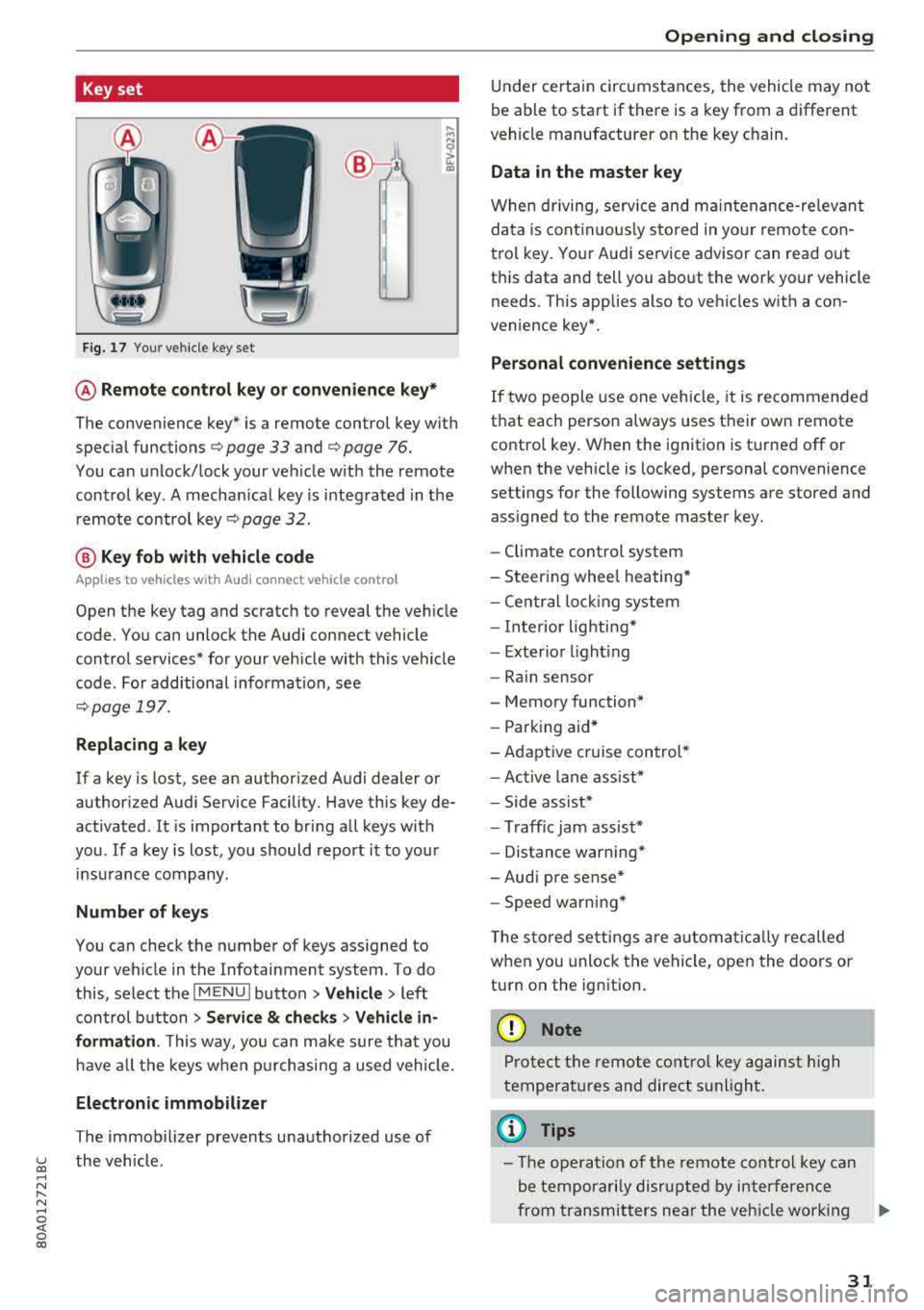
Fig. 17 Your vehicle key set
@ Remote control key or convenience key*
The convenience key* is a remote control key with
special
functions ¢ page 33 and¢ page 76.
You can unlock/lock your veh icle w ith the remote
control key. A mechan ical key is integrated in the
remote control
key¢ page 32.
@ Key fob with vehicle code
Applies to vehicles with Audi connect vehicle control
Open the key tag and scratch to reveal the vehicle
code. You can unlock the Audi connect vehicle
control services* for your vehicle with this vehicle
code . For additional informat ion, see
¢ page 197 .
Replacing a key
If a key is lost, see an authori zed Audi dealer or
authorized Audi Service Facility. Have this key de
activated . It is important to bring all keys with
you .
If a key is lost, you should report it to your
insurance company .
Number of keys
You can check the number of keys assigned to
your veh icle in the Infotainment system. To do
this, select the
I MENU I button >Ve hicle > left
control button
> Service & checks > Vehicle in
formation .
This way, you can make sure that you
ha ve all the keys when purchasing a used vehicle.
Electronic immobilizer
The immobilizer prevents unauthorized use of
the vehicle .
Opening and closing
Under certain circumstances, the vehicle may not
be able to start if there is a key from a different
vehicle manufacturer on the key c hain.
Data in the master key
When driving, service and maintenance-relevant
data is continuously stored in your remote con
trol key . Your Audi service advisor can read out
th is data and tell you about the work your vehicle
needs . This applies also to vehicles with a con
venience key*.
Personal convenience settings
If two people use one vehicle, it is recommended
that each person always uses their own remote
control key. When the ignition is turned off or
when the vehicle is locked, personal convenience
settings for the following systems are stored and assigned to the remote master key .
- Climate control system
- Steering wheel heating*
- Central locking system
- Interior lighting*
- Exterior lighting
- Rain sensor
- Memory function*
- Parking aid*
-Adaptive cruise control*
- Active lane assist*
- Side assist*
- Traff ic jam assist*
- Distance warning*
- Audi pre sense*
- Speed warning *
T he stored settings are automat ically recalled
when you unlock the vehicle, open the doors or
turn on the ignition.
(D Note
Protect the remote control key against high
temperat ures and direct sunlight.
(D Tips
- The operation of the remote control key can
be temporarily disrupted by interference
from transmitters near the veh icle work ing
..,_
31
Page 35 of 392
u co ..... N r-N .....
~ 0 co
(D Tips
The replacement battery must meet the same
specifications as the original battery in the re
mote control key .
Unlocking/locking by remote control
Ill
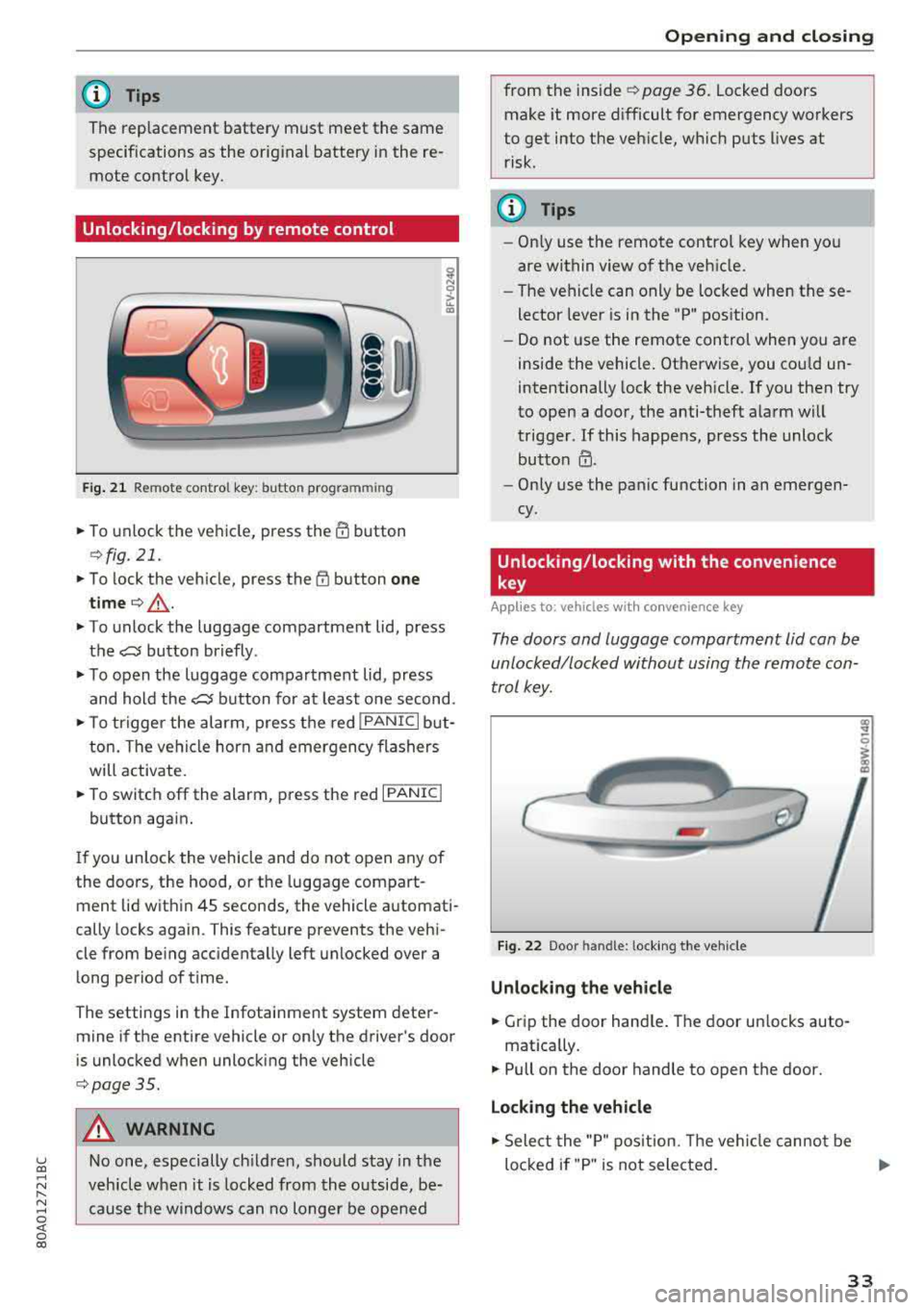
Fig. 21 Remote control key: button programming
.,. To unlock the vehicle, press the ffi button
¢fig. 21.
.,. To lock the vehicle, press the ('f) button one
time¢_& .
.,. To unlock the luggage compartment lid, press
the
e:5 button briefly .
.,. To open the luggage compa rtment lid, press
and hold the
e:5 button for at least one second .
.,. To trigger the alarm, press the red I PANIC I but
ton. The vehicle horn and emergency flashers
will activate .
.,. To switch off the alarm, press the red I PANIC I
button again.
If you unlock the vehicle and do not open any of
the doors, the hood, o r the luggage compart
ment lid within 45 seconds, the vehicle automati
cally locks again. This feature prevents the vehi
cle from being accidentally left unlocked over a
long period of time.
The settings in the Infotainment system deter
mine if the entire vehicle or only the driver's door
is unlocked when unlocking the vehicle
¢ page 35.
A WARNING
No one, especially ch ildren, should stay in the
vehicle when it is locked from the outside, be
cause the windows can no longer be opened
Opening and closing
from the inside ¢page 36. Locked doors
make it more difficult for emergency workers
to get into the vehicle, wh ich puts lives at
risk .
@ Tips
-Only use the remote control key when you
are within view of the vehicle.
- The vehicle can only be locked when these
lector lever is in the "P" position .
- Do not use the remote control when you are
inside the vehicle. Otherwise, you could un
intentionally lock the vehicle . If you then try
to open a door, the anti-theft alarm will
trigger . If this happens, press the unlock
button
@ .
- Only use the pan ic function in an emergen
cy .
Unlocking /locking with the convenience
key
App lies to: vehicles wi th convenience key
The doors and luggage compartment lid can be
unlocked/locked without using the remote con
trol key.
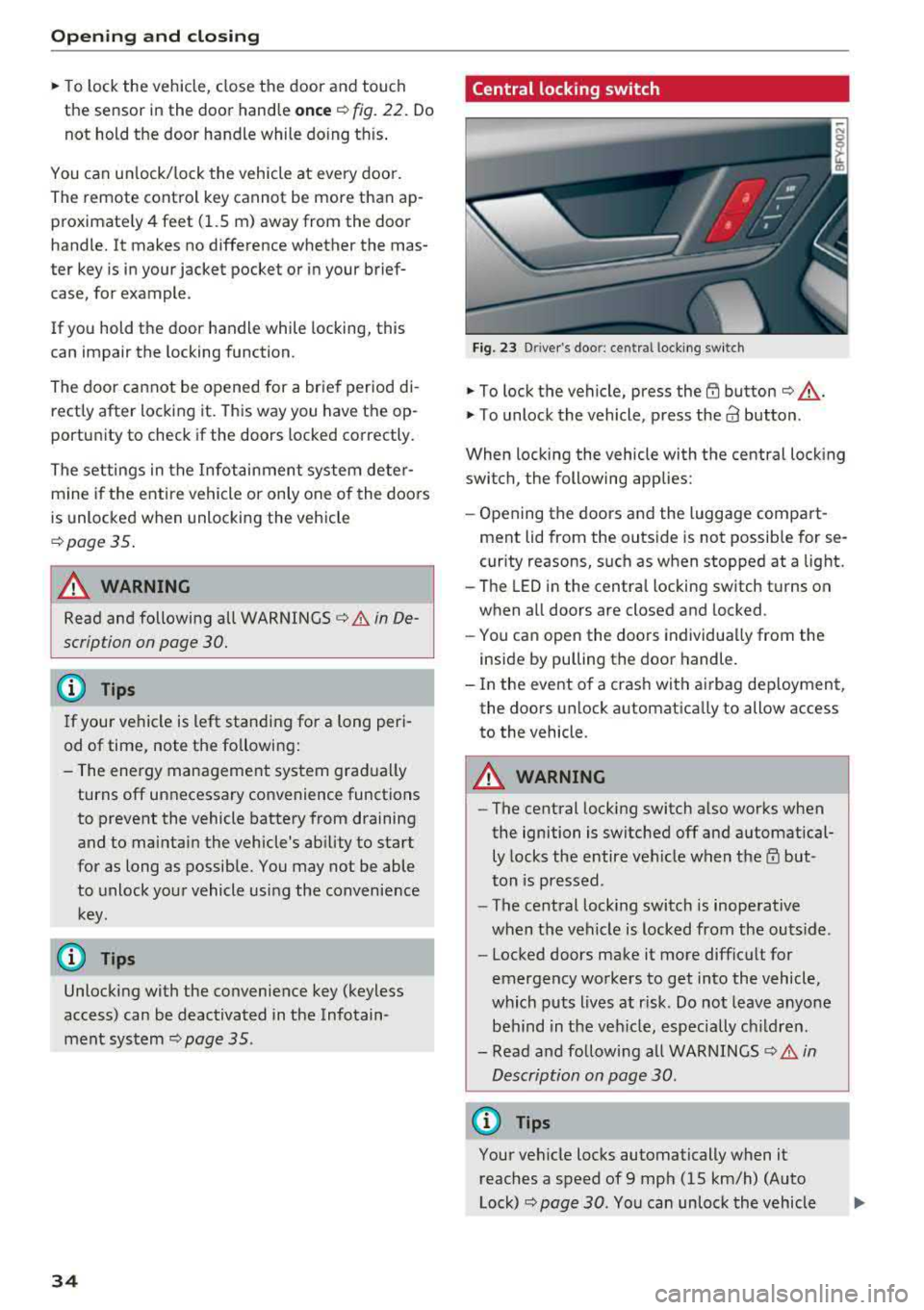
Fig. 22 Door handle: locking t he veh icle
Unlocking the vehicle
.,. Grip the door hand le. The door un locks auto-
matica lly.
.,. Pull on the door handle to open the door.
Locking the vehicle
.,. Select the "P" position. The veh icle cannot be
locked if "P" is not selected .
33
Page 36 of 392
Opening and clo sin g
,.. To lock the vehicle, close the door a nd touch
the se nsor in the doo r hand le
on ce r=> fig. 22. Do
not hold the door handle while do ing th is .
You ca n unl ock/ lock the vehicle at every door.
The remote control key cannot be more than ap
proximately 4 feet (1.5 m) away from the door
handle. It makes no difference whether the mas
ter key is in your jacket pocket or in your brief case, for example .
If you hold the door handle while locking, this
can impair the locking function.
T h e door cannot be opened for a brief period di
rectly after locking it. This way you have the op
portunity to check if the doors locked correctly .
The settings in the Infotainment system deter
mine if the entire vehicle or only one of the doors
is unlocked when unlocking the vehicle
r=> page 35 .
A WARNING
Read and following all WARNINGS r=> .&. in De
scription on page 30.
@ Tips
If your vehicle is left standing fo r a long peri
od of time, note the following:
- The energy management system grad ually
turns off unnecessary convenience functions
to prevent the vehicle battery from draining
and to mainta in the vehicle's ab ility to start
for as long as possib le. You may not be able
to unlock your vehicle usi ng the convenience
key.
(D Tips
Unlocking with the convenience key (keyless
access) can be deactivated in the Infotain-
ment sys tem
r=> page 35 .
34
Central locking switch
Fig. 23 D river's door: central lock ing switch
,.. To lock the vehicle, press the {TI button r=> ,&. .
,.. To unlock the vehicle, p ress the a3 button.
When locking the vehicle with the central locking
switch, the following applies:
- Opening the doors and the luggage compart
ment lid from the outs ide is not possib le for se
curity reasons, such as when stopped at a light.
- The LED in the centra l locking switch t urns on
when a ll doors are closed and locked .
- You ca n open the doors individua lly from the
inside by pulling the door handle.
- In the event o f a crash with a irbag dep loyment,
the doo rs un lock automatica lly to allow access
to the vehicle .
A WARNING
-The central lock ing switch a lso works when
the ignition is switched off and automatical ly locks the entire vehicle when
t h e m but
ton is pressed.
- The central lock ing switch is inoperative
when the vehicle is locked from the outs ide.
- Locked doors make it more difficu lt for
emergency wo rkers to get into the vehicle,
which p uts lives at r isk. Do not leave anyone
be hind in the veh icle, especially c hildren.
- Read and fo llow ing a ll WARNINGS
r=> .&. in
Description on page 30.
(D Tips
Your vehicle locks automatically when it reaches a speed of 9 mph (15 km/h) (Auto
Lock)
r=> page 30. You can unlock the vehicle
Page 38 of 392
Opening and clo sin g
~ WARNING
Read and following all WARNINGS c:> .&. in De
scription on page 30.
Anti-theft alarm system
Applies to: vehicles w ith anti-t heft alarm system
If the anti -theft alarm system detects a vehicle
break-in, audio and v isual warning signals are
triggered. The anti-theft alarm system is switch
ed on or off when locking/unlocking your vehicle.
If the alarm is tr iggered, it w ill shut off automat
ically after a ce rta in amount of time .
Sw itching the alarm off manually
• To switch the alarm off, press the rrl button on
the remote control key or switch the ignition
on.
Depending on the vehicle equipment, the anti
theft alarm system may have the following fea
tures:
Break -in security feature
The alarm w ill sound if the re is a break- in at the
doors, hood, and/or luggage compartment lid.
Interior /towing protection monitoring
button*
The alarm wi ll be triggered if there are move
ments detected in the vehicle interior or if there
is a change in the veh icle ang le .
If you leave persons/an imals in the vehicle o r
have the vehicle t ransported, sw itch off the inte
rior/towing protection monitoring alarm to pre
vent the alarm from being triggered:
• Press the ffi button on the remote cont ro l key a
seco nd time
within 2 seconds. Or
• Applies to vehicles with convenience key: touch
the sensor on the door handle a second t ime
with in 2 se conds . Or
• Turn the mechanical key in the door lock to the
close pos it ion a second time
w ithin 2 second s.
• If you lock the veh icle now, then the interior/
towing protect ion monitor will stay off until
the next time the vehicle is u nlocked.
36
@ Tips
The interior/towing protection monitoring *
on ly functions correctly when the windows
and the roof* are closed.
Luggage compartment
lid
Opening/closing the luggage compartment
lid
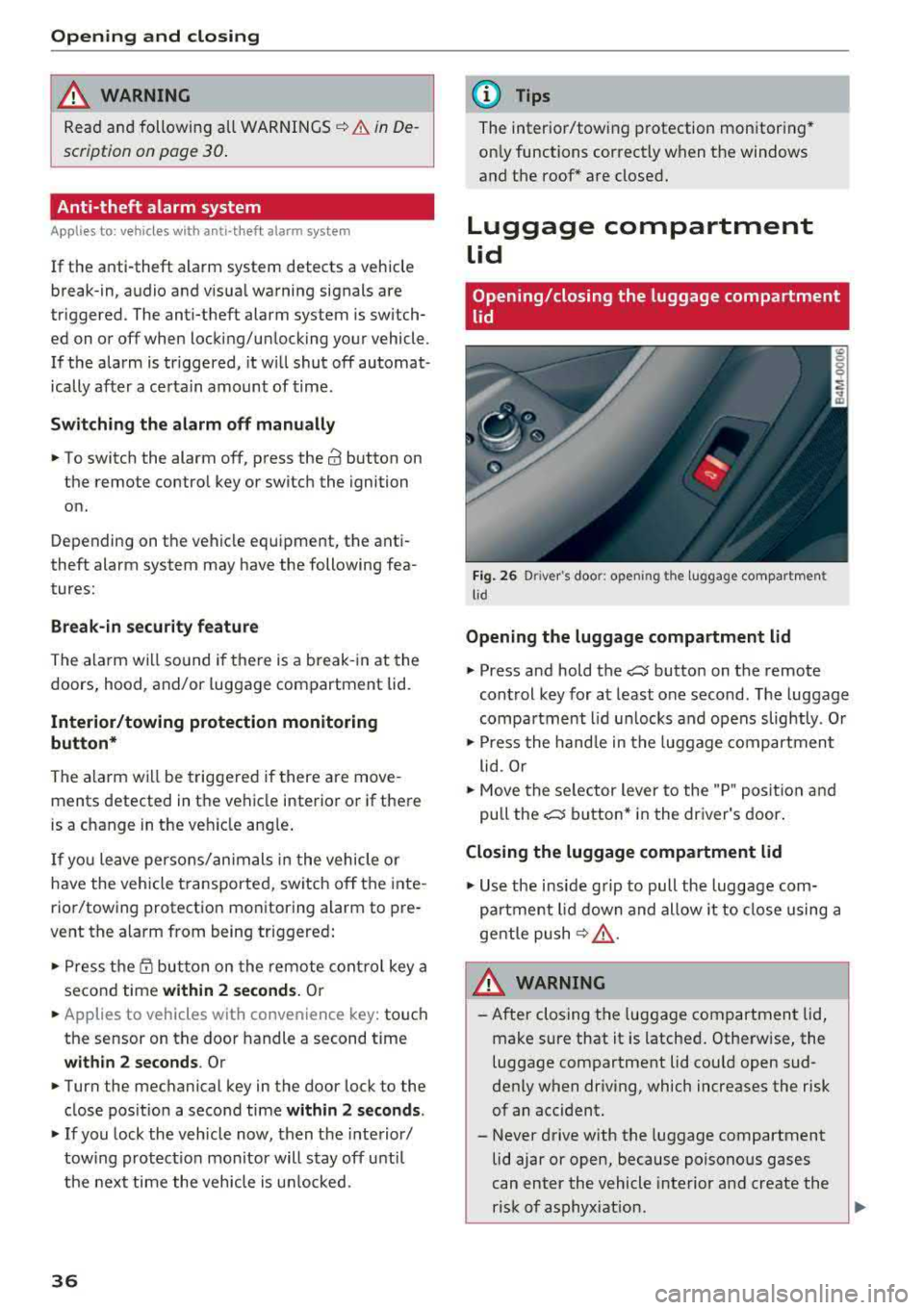
F ig . 26 D river 's doo r: ope ning th e luggage compartmen t
l id
Opening the luggage compartment lid
• Press and hold the c::J button on the remote
control key for at least one second . The luggage
compa rtment l id u nlocks and opens slightly . Or
• Press the hand le in the luggage compartment
lid . Or
• Move the se lector lever to the "P" posit io n and
pull the
c::J button* in the dr iver's door .
Closing the luggage compartment lid
• Use the inside grip to pull the luggage com
pa rtment lid down and allow it to close using a
gentle push
¢ .&, .
&_ WARNING
-After closing the luggage compartment lid,
make sure that it is latched . Otherw ise, the
luggage compartment lid cou ld open sud
denly when driv ing, which increases the risk
of an accident.
- Never drive with the luggage compartment
lid ajar or open, because poisono us gases
can enter the vehicle interior and create the
risk of asphyx iat ion.
..,_
Page 40 of 392
Opening and clo sing
Storin g th e luggag e comp artm ent lid
o pening posit ion
~ Bring the luggage compartment lid into the de
sired open position. The position must be at a
certain height or higher to store.
~ Press and hold the C> button in the luggage
compartment lid for at least four seconds to
store the new open position . A visual and audio
s ignal will follow .
~ To set a h igher open position, wait at least five
seconds and then caref ully press the luggage
compartment lid upward .
~ Press and hold the C> button again for at least
four seconds to store the desired opening posi
tion.
The opening/closing process wi ll stop immedi
ately if :
- Yo u pull/release the
C> switch in the driver's
door, or
- Applies to: vehicles with convenience key:
press/release the
C> button on the remote
contro l key, or
- Applies to:
vehicles with conveniern;e key: press
the C> button or the {n but ton in the luggage
compartment lid, or
- Yo u push the hand le in the luggage compart
ment lid, or
- When something b locks the luggage compa rt
ment lid or makes it difficu lt fo r the lid to
move .
I f you press the hand le or one of the
C> or {n but
tons (veh icles w it h conven ience key*) now, the
luggage compartment lid w ill either open or
close, depending on its angle .
A WARNING
-After closing the luggage compartment lid,
make s ure that it is latched. Otherwise, the
l uggage compartment lid could open sud
denly when driving, which increases the risk
of an accident .
- Pay careful attention when closing the lug
gage compartment lid. Otherw ise, you could
cause serious injury to yourself or others de
spite the pinch protection .
38
-To reduce the risk of pinching injuries, a l
ways make sure that no one is in the operat ing area of the luggage compartment lid, in
cluding the hinge areas and the upper and
lower edge of the luggage compartment lid .
- Never drive with the luggage compartment
lid ajar or open, because poisonous gases
can enter the vehicle inte rior and create the
risk of asphyx iat ion.
- If there is a luggage rack (such as a bicycle rack) on the luggage compartment lid, the
luggage compartment lid may not ope n
comp letely under cert ain ci rcumstan ces or it
co uld close by itself if open due to t he extra
weight. There fore, the open luggage com
partment lid must be given additional sup
port or the cargo must fi rst be removed
from the luggage rack.
@ Note
The l uggage compa rtment lid can bump into
objects s uch as the garage ceiling when open
i ng and become damaged .
(D Tips
- The settings in the Infotainment system de
termine if t he luggage compartment lid can
be opened using the
hand le ~ page 35.
- Th ere are audible signals when closing the
luggage compartment lid with the remote
contro l key (vehicles with conven ience key*)
or with the
C> button in the driver's door.
- When the vehicle is locked, the luggage
compartment lid can be unlocked sepa rately
by pressing the
C> button on the remote
control key . The luggage compartme nt lid
locks automat ically when it is closed again.
- Applies to: vehicles with convenience key:
The luggage compartment lid can be closed
w ith the conven ience from a distance up to
approximate ly 9 ft (3 m).
- T he luggage compartment lid can be oper
ated manua lly if the veh icle battery is low .
It is necessa ry to use mo re force when do ing
this. Move the lid s low ly to redu ce the
amou nt o f fo rce needed.
..,.
Page 41 of 392
u co ..... N r-N .....
~ 0 co
-When the trailer socket is being used (for
example, for a bicycle rack), the luggage
compartment lid can be opened and closed using the handle or the foot motion activa
tion (vehicles with convenience key*).
Opening/closing the luggage compartment
lid with foot motion activation (kicking
movement)
Applies to: veh icles with conven ience key and sensor-control
led luggage compartment lid
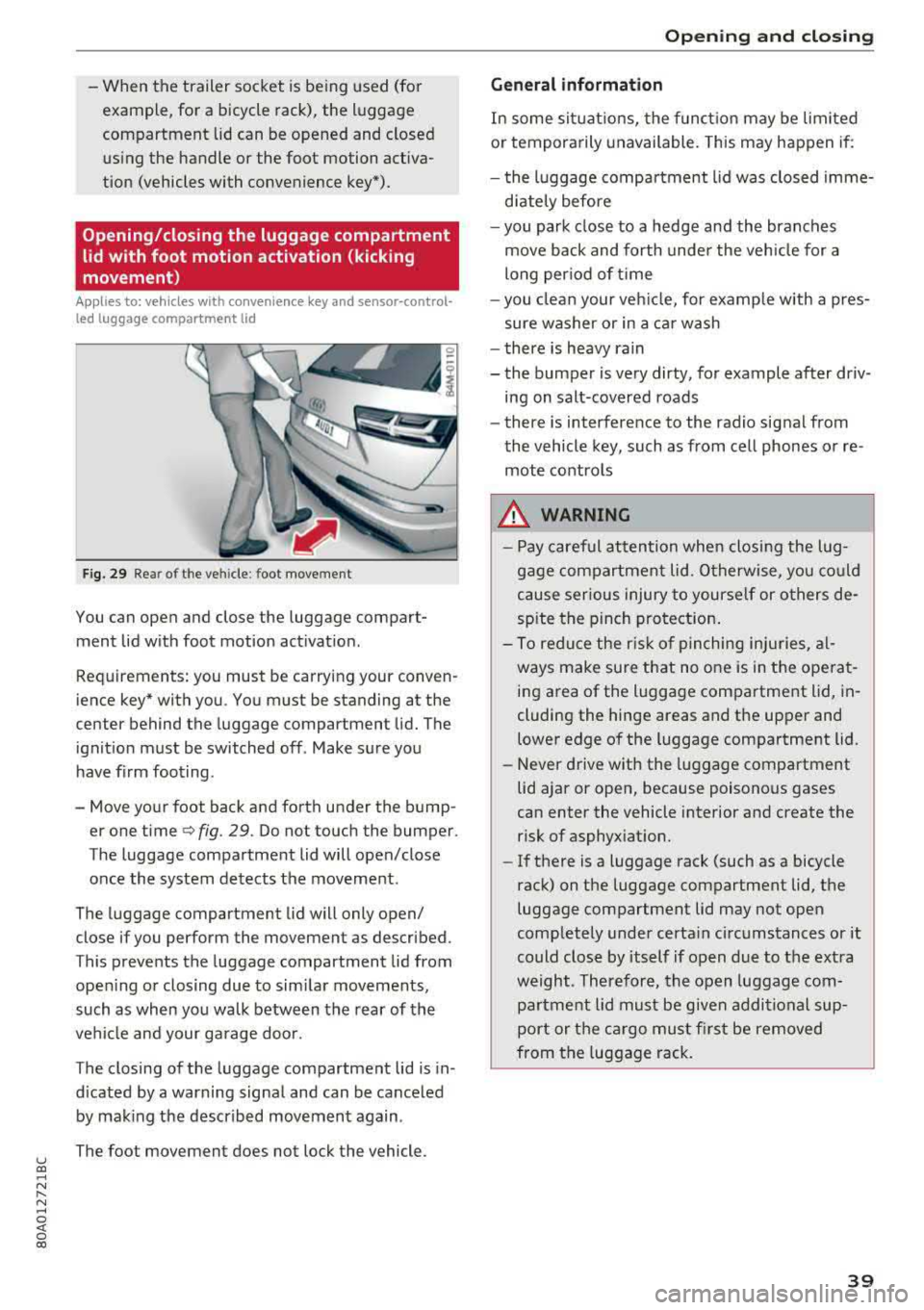
Fig. 29 Rea r of t he ve hicle : foot movement
You can open and close the luggage compart
ment lid w ith foot motion activat ion .
Requirements: you must be carrying your conven
ience key* with you . You must be standing at the
center behind the luggage compartment lid. The
ignition must be switched off . Make sure you
have f irm foot ing.
- Move your foot back and forth under the bump er one time
q fig. 29. Do not touch the bumper.
The luggage compartment lid will open/close
once the system detects the movement.
The luggage compartment lid will only open/
close if you perform the movement as described.
This prevents the luggage compartment lid from open ing or closing due to sim ilar movements,
such as when you walk between the rear of the
vehicle and your garage door.
The closing of the luggage compartment lid is in
d icated by a warning signa l and can be cance led
by making the described movement again .
The foot movement does not lock the vehicle.
Op eni ng and clos ing
General informat ion
In some sit uations, the funct ion may be limited
or temporarily unavailable. This may happen if:
- the l uggage compartment lid was closed imme
d iately before
- you park close to a hedge and the branches
move back and forth under the veh icle for a
long per iod of t i me
- you clean your veh icle, for example w ith a pres
sure washer or in a car wash
- there is heavy rain
- the bumper is very dirty, for example after driv- ing on salt-covered roads
- there is interference to the radio signal from
the vehicle key, such as from cell phones or re
mote controls
8,. WARNING
-Pay careful attention when closing the lug
gage compartment lid . O therwise, you co uld
cause serious injury to yourself or others de
spite the pinch protection .
-To reduce the risk of pinching inju ries, al
ways make sure that no o ne is in the ope rat
ing area of the luggage compartment lid, in
cluding the hinge areas and the upper and
lower edge of the luggage compartment lid.
-Never drive with the luggage compartment
lid ajar or open, because poisonous gases
can enter the vehicle interior and create the risk of asphyxiat ion.
-If there is a luggage rack (such as a bicycle
rack) on the luggage compartment lid, the
luggage compartment lid may not open
comp letely under certa in circumstances or it
could close by itself if open due to the ext ra
weight. Therefore, the open luggage com
partment lid must be given additional sup
port or the ca rgo must fi rst be removed
from the luggage rack.
3 9
Page 42 of 392
Opening and closing
Luggage compartment lid emergency
release
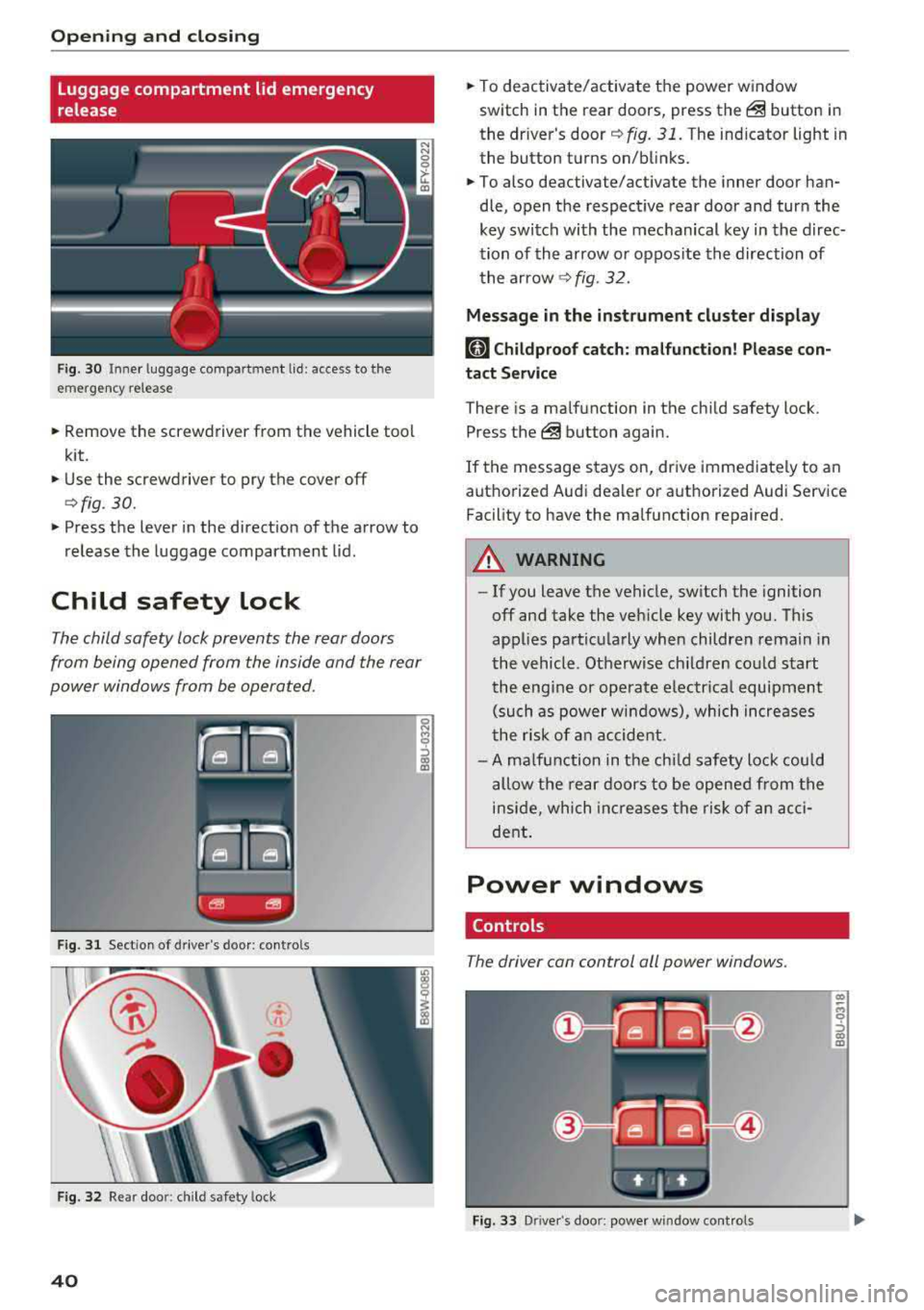
Fig. 30 Inne r luggage compartment lid : access to the
emergency release
.. Remove the screwdriver from the vehicle tool
kit.
.. Use the screwdriver to pry the cover off
<=>fig. 30.
.. Press the lever in the direct ion of the arrow to
release the luggage compartment lid .
Child safety lock
The child safety lock prevents the rear doors
from being opened from the inside and the rear
power windows from be operated.
F ig. 31 Sect ion of drive r's door: contro ls
Fig . 32 Re ar doo r: child safety lock
40
.. To deactivate/activate the power window
switch in the rear doors, press
the@ button in
the driver's
door ¢ fig. 31. The indicator light in
the button turns on/blinks .
.. To also deactivate/activate the inner door han
dle, open the respect ive rear door and turn the
key switch with the mechanical key in the direc
tion of the arrow or oppos ite the direction of
the arrow
¢fig. 32.
Message in the instrument cluster display
(81 Childproof catch: malfunction! Please con
tact Service
There is a ma lfunction in the chi ld safety lock .
Press
the @ button again .
If the message stays on, drive immediate ly to an
authorized Audi dealer or authorized Audi Service
Facility to have the malfunction repaired .
A WARNING
-- If you leave the vehicle, sw itch the ignition
off and take the veh icle key with you. This
applies particularly when children remain in
the vehicle. Otherwise ch ildren could start
the engine or operate electrical equipment
(such as power windows), which increases
the ris k of an accident.
- A malfunction in the child safety lock could
allow the rear doors to be opened from the
inside, which increases the risk of an acci
dent.
Power windows
Controls
The driver can control all power windows .
Fig. 33 Driver's doo r: power window cont rols
Cl) ~
"" 0
='> Cl) m