gas AUDI Q5 2018 Owner's Manual
[x] Cancel search | Manufacturer: AUDI, Model Year: 2018, Model line: Q5, Model: AUDI Q5 2018Pages: 392, PDF Size: 60.56 MB
Page 364 of 392
Fuses and bulb s
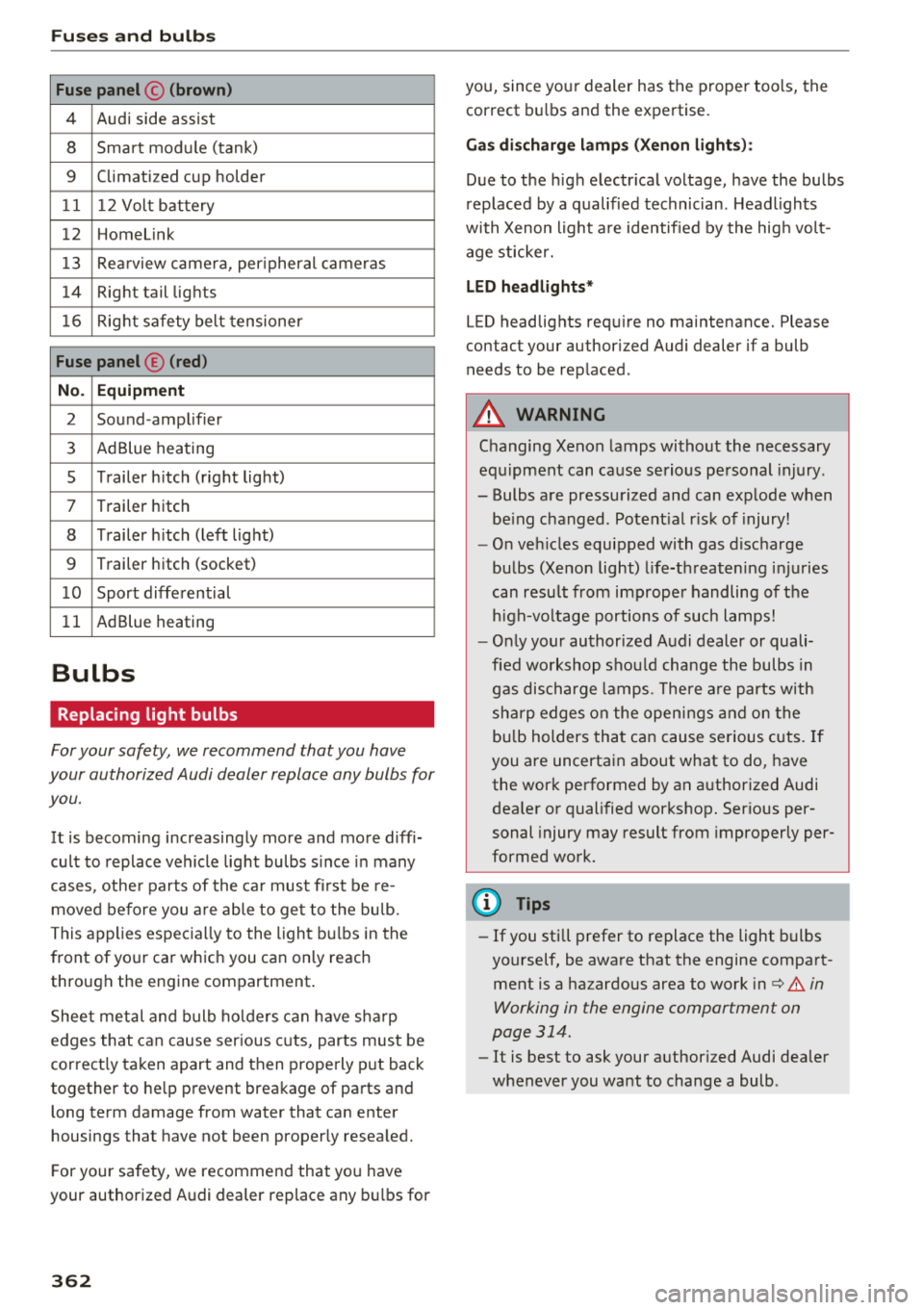
Fuse panel © (brown )
4 Audi side assist
8 Smart module (tank)
9 Climatized cup holder
11 12 Volt battery
12 Homelink
13 Rea rview camera, per ipheral cameras
14 Right tail lights
16 Right safety belt tensioner
Fu se panel ® (red )
No . Equipm ent
2 Sound-amplifier
3 AdBlue heating
s Trailer h itch (right light)
7 Trailer hitch
8 Trailer h itch (left lig ht)
9 Trailer hitch (socket)
1 0 Sport differential
11 AdBlue heating
Bulbs
Replacing light bulbs
For your safety, we recommend that you have
your authorized Audi dealer replace any bulbs for
you.
It is becoming increasingly more and more diff i
cult to replace vehicle light bulbs s ince in many
cases, other parts of the ca r must fi rst be re
moved before you a re able to get to the bu lb.
This applies espec ially to the light bu lbs in the
front of your car which you can only reach
through the engine compartment .
Sheet metal and bulb ho lde rs can have sha rp
edges that can cause ser ious cuts, parts must be
correct ly taken apart and then properly put back
together to he lp prevent breakage of parts and
long term damage from water that can enter
housings that have not been properly resea led.
F or your safety, we recommend that you have
your authorized Audi dealer replace any bu lbs for
3 6 2
you, since your dealer has the proper tools, the
correct bu lbs and the expertise.
Ga s di sc harg e lamp s (Xeno n ligh ts):
Due to the high electr ical voltage, have the bulbs
rep laced by a qualified technician . Headlights
with Xenon light a re identified by the hig h volt
age sticker.
L ED he adligh ts*
LED headlights requ ire no maintenance. Please
contact your author ized Audi dealer if a bulb
needs to be replaced .
A WARNING
Changing Xenon lamps without the necessary
equ ipment can cause serious personal injury.
-Bulbs are pressurized and can explode when
be ing changed. Potent ial r isk of injury!
-O n veh icles equipped with gas discharge
bulbs (Xenon light) l ife-threaten ing injuries
can resu lt from improper handling of the
h igh-vo ltage portions of such lamps!
-O nly your author ized Audi dealer or quali
fied wo rkshop shou ld change the bulbs in
gas discharge lamps. The re a re parts w ith
sha rp edges on the open ings and on the
bu lb holders that can cause serious cuts. If
you are uncertain about what to do, have the work performed by an authorized Audi
dea ler or qualified workshop. Serious per
sonal injury may result from improperly per
formed work.
(D Tips
-If you still prefer to replace the light bulbs
yourself, be aware that the engine compart ment is a hazardous area to work
i n c:> .&. in
Working in the engine compartment on
page 314.
-It is best to ask your authorized Audi dealer
whenever you want to change a bulb .
Page 365 of 392
u co .... N r--N .... 0 <( 0 00
Emergency situations
General
This chapter is intended for trained emergency
crews and working personnel who have the nec
essary tools and equipment to perform these
operations.
Starting by pushing or
towing
~ Note
Vehicles with an automatic transmission
cannot be started by pushing or towing.
Starting with jumper
cables
If necessary, the engine can be started by con
necting it to the battery of another vehicle.
If the engine should fail to start because of a dis
charged or weak battery, the battery can be con
nected to the battery of
another vehicle, using a
pair of jumper cables to start the engine.
Jumper cables
Use only jumper cables of sufficiently large cross
section
to carry the starter current safely. Refer
to the manufacturer's specifications.
Use only jumper cables with
insulated terminal
clamps which are distinctly marked:
plus(+) cable in most cases colored red
minus(-) cable
in most cases colored black.
A WARNING -
Batteries contain electricity, acid, and gas.
Any of these can cause very serious or fatal in
jury. Follow the instructions below for safe
handling of your vehicle's battery.
-Always shield your eyes and avoid leaning
over the battery whenever possible.
- A dead battery can freeze at temperatures
around 32 °F (0 °C). If the vehicle battery is
frozen, you must thaw it before connecting
the jump start cables. If you do not, this in-
Emergency situations
creases the risk of an explosion and chemi
cal burns. After jump starting the vehicle,
drive to an authorized Audi dealer or author
ized Audi Service Facility immediately to
have the vehicle battery checked.
- Do not allow battery acid to contact eyes or
skin. Flush any contacted area with water
immediately.
- Improper use of a booster battery to start a
vehicle may cause an explosion .
- Vehicle batteries generate explosive gases.
Keep sparks, flame and lighted cigarettes
away from batteries.
- Do not try to jump start any vehicle with a
low acid level in the battery .
- The voltage of the booster battery must also
have a 12-Volt rating. The capacity (Ah) of
the booster battery should not be lower
than that of the discharged battery. Use of
batteries of different voltage or substantial
ly different "Ah" rating may cause an explo
sion and personal injury.
- Never charge a frozen battery. Gas trapped
in the ice may cause an explosion.
- Never charge or use a battery that has been
frozen. The battery case may have be weak
ened.
- Use of batteries of different voltage or sub
stantially different capacity (Ah) rating may
cause an explosion and injury. The capacity
(Ah) of the booster battery should not be
lower than that of the discharged battery.
- Before you check anything in the engine
compartment, always read and heed all
WARNINGS
c>page 314.
@ Note
-Applying a higher voltage booster battery
will cause expensive damage to sensitive
electronic components, such as control
units, relays, radio, etc.
- There must be no electrical contact between
the vehicles as otherwise current could al
ready start to flow as soon as the positive
(+) terminals are connected.
363
Page 366 of 392

Emergency situations
@ Tips
The discharged battery must be properly con
nected to the vehicle's electrical system .
When jump starting or charging the battery,
never connect the negative ground cable to
the battery negative post because the battery
manager system must be able to detect the
battery's state of charge. Always connect the
negat ive g round cable to the negative ground
post of the battery manager control unit.
Using the jump start
cable
Both jump start cables must be connected in the
correct order!
Fig. 286 E ngin e compartme nt: co nn ectors for jump start
cables and a charger
Fig. 287 Jump starting with a battery in another vehicle:
@-pro vidi ng current, @-dra ined
The procedure described below for connecting
jumper cables is intended to provide a jump start
for your vehicle.
Vehicle with discharged battery
... Turn off lights and accessories, move automatic
transm ission lever to "N" (Neutral) or "P" (Pa rk)
and set parking bra ke.
364
Connecting the positive cable (red) to the
positive terminal
... Open the red cover on the positive terminal
c:::>fig. 286.
1. Secure one end of the pos itive cable (red) to
the jump start pin
c:::> fig. 287 (J) (pin under
the red cover = "pos itive") on the veh icle that
needs to be started @.
2. Secure the other end of the positive cable
(red) to the posit ive terminal @on the bat
tery provid ing the cur rent @.
Connecting the negative cable (black) to the
negative terminal
3. Secure one end of the negative cable (black)
to the negative terminal @ on the battery
that is providing the current @.
4. Secure the other end of the negative cable
(black) to the jump start
pin @ (hex head pin
= "negative") on the vehicle that needs to be
started @.
Starting the engine
... Sta rt the eng ine on the vehicle providing the
jump start @and let it run at idle .
... Now start the engine on the vehicle with the
drained battery @.
... If the engine does not start, stop the starting
procedure after 10 seconds and then repeat it
after approx imately 30 seconds.
"' Once the engine w it h the drained vehicle bat
tery has been started, remove the cables in the
reverse order from the way they were install ed.
"' Close the red cover on the positive terminal.
The battery is vented to the outside to prevent
gases from enter ing the vehicle inter ior. Make
sure th at the j umper clamps are well connected
with their
metal ports in full contact with the
battery terminals .
A WARNING
-To avoid serious personal injury and damage
to the vehicle, heed all warnings and instruc
tions of the jumper cable manufacturer. If in
doubt, call for road service .
-Jumper cables must be long enough so that
the vehicles do not touch.
..,.
Page 367 of 392
-When connecting jumper cables, make sure
that they cannot get ca ught in any mov ing
parts in the engine compartment.
- Do not bend over the batteries - danger of
chem ica l burns!
- The battery cell lock ing screws must be
t ightened sec ure ly.
- Be fore you check anything in the e ngine
compartment, a lways read and hee d all
WAR NINGS
q page 314 .
(D Note
Impro per hook -up of jum pe r cables can r uin
the gene rato r.
- Always connect POSITI VE (+ ) to POS ITIV E
( + ), and NEGATIVE( -) to NEGAT IVE( -)
g roun d post of t he battery mana ger contro l
u nit.
- Check that a ll sc rew p lugs on t he battery
cells are screwed in firmly. I f not, t ighten
plugs prior to connecting clamp on negative
batte ry terminal.
- P lease note that the procedure fo r con nect
i ng a jumper cab le as desc ribed above ap
p lies specifica lly to the case of yo ur vehicle
being jump starte d. When you are giv ing a
ju mp s ta rt to anothe r vehicle , d o
not con
n ect the neg ative (-) cab le to the neg ative
(-) t ermin al on the di sch arged b attery @
q fig. 287 . In ste ad , securely connec t the
nega tive ( -) cab le to either a solid me tal
com ponent that is f irm ly bolted to the e n
gine block o r to the engine bloc k itself. If
the battery that is be ing cha rge d does not
vent to the outs ide, escap ing battery gas
could ignite and exp lode!
Towing with a tow truck
General hints
Your Audi requires special handling for towi ng .
The fo llow ing information is to be used by com
mercia l tow tr uck operators who know how to op-
u e rate the ir equip ment safe ly. co .....
~ - Never tow your Audi, towing will cause dam-N
~ age to the engine and transmission .
0 co
Emergency situations
-Never wrap the safety chains or winch cables
around the brake lines .
- To prevent unnecessa ry damage , your Audi
must be transported with a flatbed truck.
- To load the vehicle on to the flatbed, use the
towing loop found in the vehicle tools and at
tach to the front or rear anchorage
¢ page 365 and ¢ page 366 .
A WARNING
-A veh icle being towed is not safe for passen-
ge rs . Neve r allow anyone to ride in a vehicle
b eing towed, fo r any r eason.
Front towing loop
Only install the front towing loop when it is
needed.
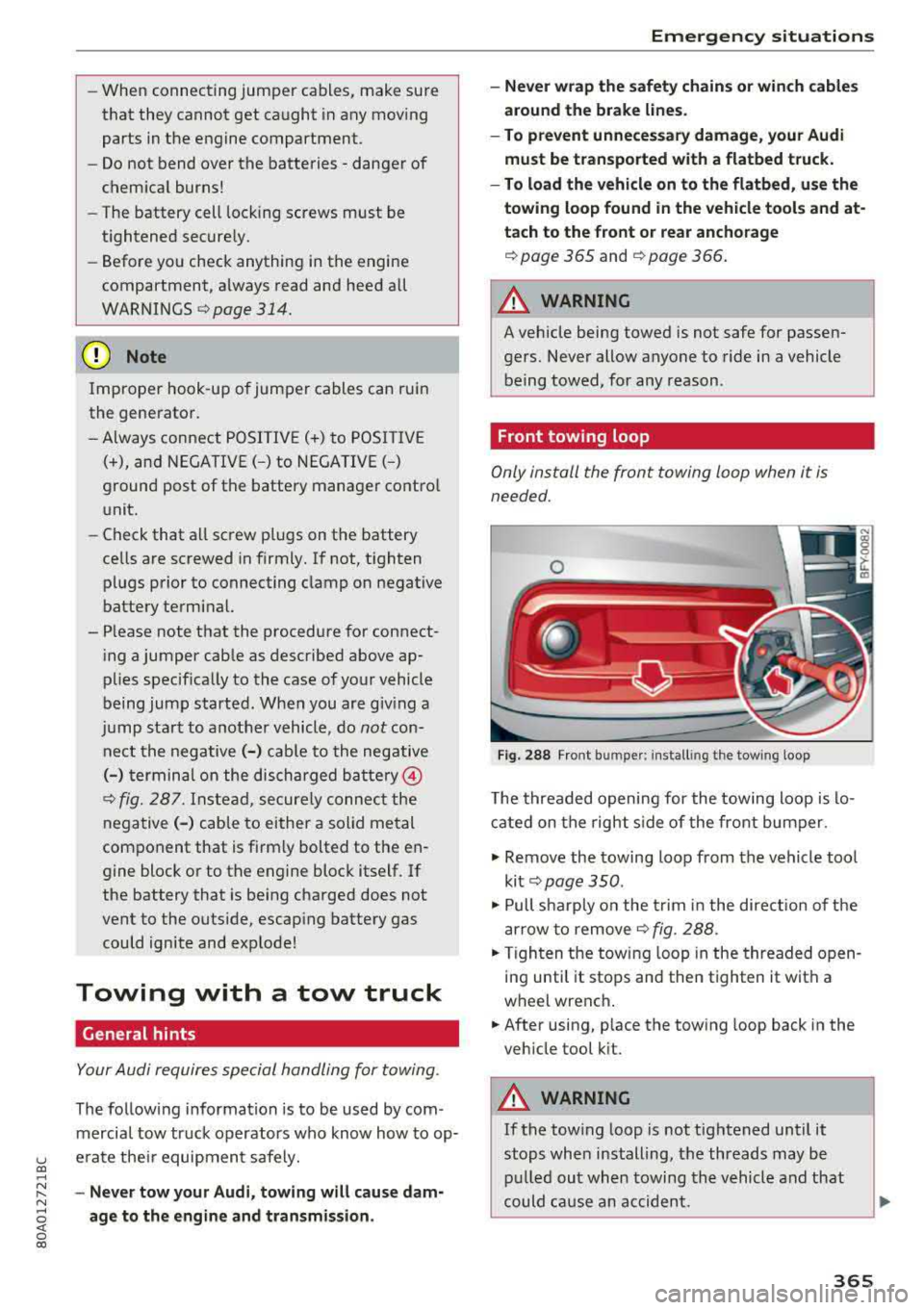
Fig . 288 Front bu mpe r: in sta lling the tow ing loop
T he threaded opening for the towing loo p is lo
cate d on t he righ t side of the front bum per.
.. Remove the towing loop from the vehicle too l
ki t
¢ pag e 350 .
.. Pull s harp ly o n the trim in the dire ct ion o f the
a rrow to remove
¢ fig . 288.
.,. T ig hten t he towi ng loop in the threade d open
in g until it stops and then tighten it with a
wheel wrenc h .
.,. After using, p lace the tow ing loop back in the
veh icle tool k it.
A WARNING
-If the tow ing loop is not tightened until it
stops whe n installing, t he threads may be
pull ed ou t wh en towing the vehicle and th at
could ca use a n accident.
365
Page 378 of 392
Index
Audio player Bluetooth audio player . . . . . . . . . . . . . . . 228
Wi-Fi audio player . . . . . . . . . . . . . . . . . . . 229
Aud io track . . . . . . . . . . . . . . . . . . . . . . . . . . 237
Aud i pre sense . . . . . . . . . . . . . . . . . . . . . . . 112
Messages . . . . . . . . . . . . . . . . . . . . . . . . . . 116
Sett ings . . . . . . . . . . . . . . . . . . . . . . . . . . . 116
Audi Service Repair Manuals and Literature 371
Aud i side assist . . . . . . . . . . . . . . . . . . . . . . . 120
Rear cross-traffic assist . . . . . . . . . . . . . . . 124
Audi smartphone interface . . . . . . . . . 243, 247
Audi virtua l cockpit
refer to Instrument cluster . . . . . . . . . . . . . 10
AUTO Automatic headlights . . . . . . . . . . . . . . . . . 45
Auto Lock (central locking system) . . . . . . . . 30
Automatic belt retractor . . . . . . . . . . . . . . . 264
Automatic climate control . . . . . . . . . . . . . . . 69
Operation . . . . . . . . . . . . . . . . . . . . . . . . . . . 70
Automatic climate control system Audi drive select . . . . . . . . . . . . . . . . . . . . . 125
Setup . . . . . . . . . . . . . . . . . . . . . . . . . . . . . . 72
Automatic transmission . . . . . . . . . . . . . . . . . 84
Emergency program . . . . . . . . . . . . . . . . . . 89
Hill descent control . . . . . . . . . . . . . . . . . . . 87
Kick-down . . . . . . . . . . . . . . . . . . . . . . . . . . . 88
La unch control program . . . . . . . . . . . . . . . 89
Manual shiftin g . . . . . . . . . . . . . . . . . . . . . . 88
Parking lock emergency re lease . . . . . . . . . 90
Selector lever positions . . . . . . . . . . . . . . . . 85
Automatic wipe/wash system . . . . . . . . . . . . 51
Auto Safety Hotline . . . . . . . . . . . . . . . . . . . 259
AUTO (button) Automatic climate control system . . . . . . . 71
Auxiliary heater (automatic climate control) 72
AUX input . . . . . . . . . . . . . . . . . . . . . . . . . . . 232
Average consumption . . . . . . . . . . . . . . . . . . . 16
Average speed . . . . . . . . . . . . . . . . . . . . . . . . 16
B
BACK button 147
Balance (sound) . . . . . . . . . . . . . . . . . . . . . . 249
Bass (sound) . . . . . . . . . . . . . . . . . . . . . . . . . 249
Battery Jump starting . . . . . . . . . . . . . . . . . . . . . . . 363
also refer to Vehicle battery . . . . . . . . . . . 321
376 Before
driving . . . . . . . . . . . . . . . . . . . . . . . . 252
Belt tensioners . . . . . . . . . . . . . . . . . . . . . . . 267
Blended gasoline . . . . . . . . . . . . . . . . . . . . . 310
Blower (automat ic climate control system) . 71
Bluetooth Audio player . . . . . . . . . . . . . . . . . . . . . . . . 228
Connecting a cell phone . . . . . . . . . . . . . . 17 4
Settings . . . . . . . . . . . . . . . . . . . . . . . . . . . 248
Boost...... .. .. .. .. .. ............. ... 17
Booster seats . . . . . . . . . . . . . . . . . . . . . . . . 301
Boost pressure indicator . . . . . . . . . . . . . . . . 17
Brake fluid Checking the brake fluid level . . . . . . . . . . 321
Brakes . . . . . . . . . . . . . . . . . . . . . . . . . . . . . . 142
Brake assist . . . . . . . . . . . . . . . . . . . . . . . . 140
Brake fluid . . . . . . . . . . . . . . . . . . . . . . . . . 321
E lectromechanical parking brake . . . . . . . . 80
Emergency braking function . . . . . . . . . . . . 81
New brake pads . . . . . . . . . . . . . . . . . . . . . 142
Worn brake pads . . . . . . . . . . . . . . . . . . . . . 26
Break-in security feature . . . . . . . . . . . . . . . . 36
Breaking in
New brake pads . . . . . . . . . . . . . . . . . . . . . 142
New engine . . . . . . . . . . . . . . . . . . . . . . . . . 73
New tires . . . . . . . . . . . . . . . . . . . . . . . . . . 332
Browser
refer to Media center . . . . . . . . . . . . . . . . . 235
Bulbs . . . . . . . . . . . . . . . . . . . . . . . . . . . . . . . 362
Buttons Control panel (MMI) . . . . . . . . . . . . . . . . . 148
Multifunction steering wheel . . . . . . . . 12, 15
Switching the Infotainment system display
on/off . . . . . . . . . . . . . . . . . . . . . . . . . . . . . 148
C
Cable (USB adapter/ AUX connector cable) 231
California Proposition 65 Warning . . . . . . . 315
Battery specific . . . . . . . . . . . . . . . . . . . . . 322
Call list . . . . . . . . . . . . . . . . . . . . . . . . . . . . . 177
Call options . . . . . . . . . . . . . . . . . . . . . . . . . . 185
Capacities Fuel tank. . . . . . . . . . . . . . . . . . . . . . . . . . . 369
Washer fluid reservoir . . . . . . . . . . . . . . . . 369
Cargo area
refer to Loading the luggage compart-
ment..... .... .. .. .. ............. .. 257
Page 381 of 392
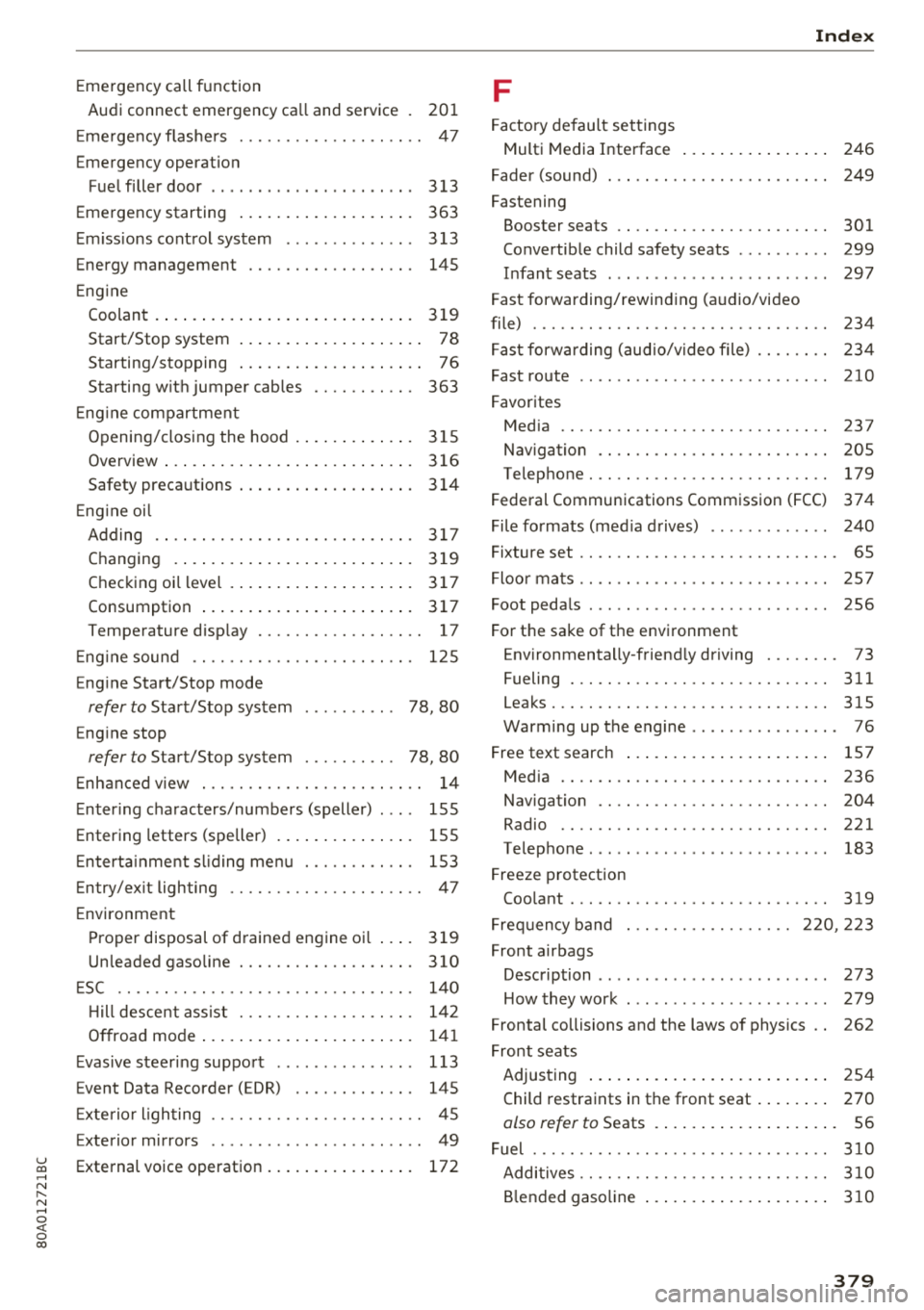
u co ..... N r--N ..... 0 <( 0 00
Emergency call function
Audi connect emergency ca ll and service .
201
Emergency flashe rs . . . . . . . . . . . . . . . . . . . . 47
Emergency operat ion
Fuel filler door . . . . . . . . . . . . . . . . . . . . . .
313
Emergency starting
E m issions control system ........... .. .
Energy management ........... .. .. .. .
Engine Coolant
.... .. ... .......... .. .. .... .
Start/Stop system ............ .. .... . .
Starting/stopping ............ .. .... . .
Starting w ith jumper cables .... .. .. .. .
En gin e compartment
Opening/closing the hood ............ .
Overview
... .. ... .......... .. .. .... .
Safety preca utions .......... .. .. .... .
En gin e oil
Adding .. .. .. ............... .. .. .. .
Changing .... ... .......... .. .. .... .
Checking oil level . .......... .. .. .... .
Consumption .... .......... .. .. .... .
363
3 13
145
3 19
78
76
363
3 15
3 16
3 14
317 3 19
3 17
3 17
Temperature disp lay .......... .. .. .. . . 17
Engin e sound . . . . . . . . . . . . . . . . . . . . . . . . 125
Eng ine Start/Stop mode
refer to Start/Stop system . . . . . . . . . . 78, 80
Eng ine stop
refer to Start/Stop system . . . . . . . . . . 78, 80
En hanced v iew . . . . . . . . . . . . . . . . . . . . . . . . 14
Enter ing characters/numbers (speller) . . . . 155
Entering letters (speller) . . . . . . . . . . . . . . . 155
Enterta inment sl iding menu . . . . . . . . . . . . 153
En try/ex it lighting . . . . . . . . . . . . . . . . . . . . . 47
Environment
Proper disposal of drained engine oi l ... .
Unleaded gasoline ............ .. .. .. .
ESC
.. .. .. .. .. ............... .. .. .. .
H ill descent assist .......... .. .. .. .. .
Offroad mode .... .......... .. .. .... .
Evasive steering support ......... ... .. .
E vent Dat a Recorder (EDR) ...... .. .. .. .
3 19
310
140
142 141
1 13
145
Ext erio r ligh ting . . . . . . . . . . . . . . . . . . . . . . . 45
Exterior mirrors . . . . . . . . . . . . . . . . . . . . . . . 49
External voice operation . . . . . . . . . . . . . . . . 172
Index
F
Factory default settings
Multi Media Interface . . . . . . . . . . . . . . . .
246
Fader (sound) . . . . . . . . . . . . . . . . . . . . . . . . 249
Fastening
Booster seats
.. .. ................. .. 301
Convertib le child safety seats ......... . 299
Infant seats ... .. .. ................ . 297
Fast forwarding/rewind ing (a udio/video
file) ....... .. .. .. ................. .
. 234
Fast forwarding (audio/v ideo file) . . . . . . . . 234
Fast route . . . . . . . . . . . . . . . . . . . . . . . . . . . 210
Favorites
Media
Navigation .. .. .. ................. . .
Telephone . .. .. .. ................. . .
237
205 179
Federal Communications Commission (FCC) 374
File formats (media drives) . . . . . . . . . . . . . 240
Fixture set . . . . . . . . . . . . . . . . . . . . . . . . . . . . 65
Floor mats . . . . . . . . . . . . . . . . . . . . . . . . . . . 257
Foot peda ls . . . . . . . . . . . . . . . . . . . . . . . . . . 256
For th e sake of t he envi ronment
Environmentally-friend ly driving . . . . . . . . 73
Fueling . . . . . . . . . . . . . . . . . . . . . . . . . . . .
311
Leaks..... .. .. .. ................. .. 315
Warming up the engine . . . . . . . . . . . . . . . . 76
Free text search ..... ... .......... .. ..
Media .... .. .. .. ................. ..
Navigation .. .. .. ................. . .
Radio
.... .. .. .. ................. ..
Telephone ..... .. .. ................ .
Freeze protection Coo lant ... .. .. .. ................. . .
157
236
204
221 183
319
Frequency band . . . . . . . . . . . . . . . . . . 220, 223
Front a irbags
Description . . . . . . . . . . . . . . . . . . . . . . . . .
273
How they work . . . . . . . . . . . . . . . . . . . . . . 279
Frontal collisions and the laws of physics . . 262
Front seats
Adjus ting . . . . . . . . . . . . . . . . . . . . . . . . . .
254
Child restraints in the front seat . . . . . . . . 270
also refer to Seats . . . . . . . . . . . . . . . . . . . . 56
Fuel 310
Additives.. .. .. .. ................. .. 3 10
Blended gasoline . . . . . . . . . . . . . . . . . . . . 3 10
379
Page 382 of 392
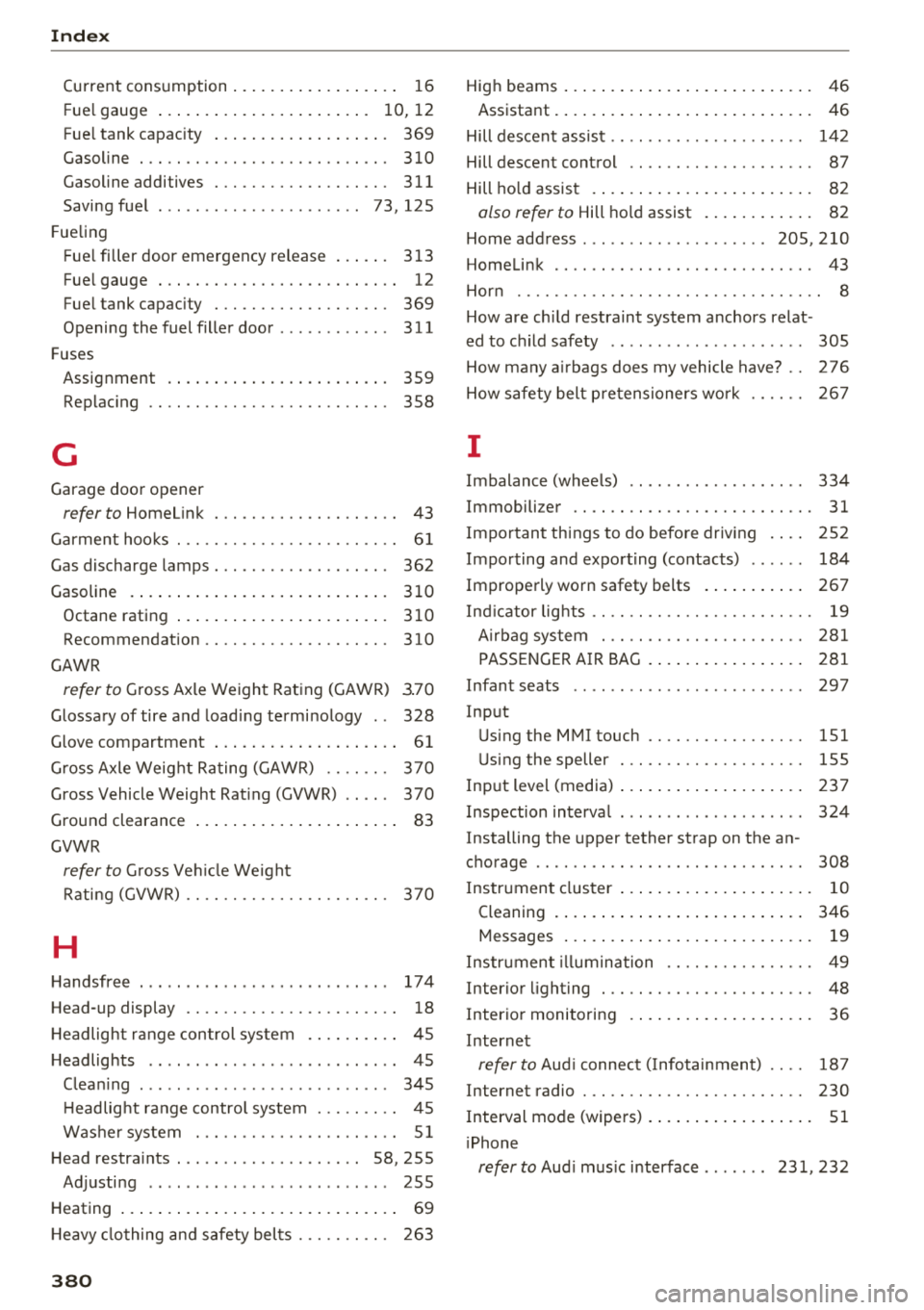
Index
Current consumption . . . . . . . . . . . . . . . . . . 16
F ue l gauge . . . . . . . . . . . . . . . . . . . . . . . 10 12
,
Fuel tank capacity . . . . . . . . . . . . . . . . . . . 369
Gasoline . . . . . . . . . . . . . . . . . . . . . . . . . . . 310
Gasoline additives . . . . . . . . . . . . . . . . . . . 311
Saving fuel . . . . . . . . . . . . . . . . . . . . . . 73 , 125
F ueling
Fuel filler door emergency rel eas e . . . . . . 313
Fuel gauge . . . . . . . . . . . . . . . . . . . . . . . . . . 12
Fuel tank capacity . . . . . . . . . . . . . . . . . . . 369
Opening the fuel filler door . . . . . . . . . . . . 311
F uses
Assignment . . . . . . . . . . . . . . . . . . . . . . . . 359
Replacing . . . . . . . . . . . . . . . . . . . . . . . . . . 358
G
Garage door opener
refer to Homelink . . . . . . . . . . . . . . . . . . . . 43
Garment hooks ... ............. .. .. .. . .
Gas discharge lamps .. .. ..... ... .. .. .. .
Gasoline Octane rating ................... ... .
Recommendation ............. .... .. .
GAWR 61
362
310
310
310
refer to Gross Axle Weight Rating (GAWR) 3.70
Glossary of tire and loading terminology . . 328
Glov e compartment . . . . . . . . . . . . . . . . . . . . 61
Gross Axle Weight Rating (GAWR) . . . . . . . 370
Gross Vehicle Weight Rating (GVWR) . . . . . 370
Ground clearance . . . . . . . . . . . . . . . . . . . . . . 83
GVWR
refer to Gross Vehicle Weight
Rating (GVWR) . . . . . . . . . . . . . . . . . . . . . . 370
H
Handsfree .......... .... ...... ....... 174
Head-up display . . . . . . . . . . . . . . . . . . . . . . . 18
H eadlight range control system . . . . . . . . . . 45
Headlights . . . . . . . . . . . . . . . . . . . . . . . . . . . 45
Cleaning . . . . . . . . . . . . . . . . . . . . . . . . . . . 345
H eadlight range control system . . . . . . . . . 45
Washer system . . . . . . . . . . . . . . . . . . . . . . 51
Head restraints . . . . . . . . . . . . . . . . . . . . 58, 255
Adjusting . . . . . . . . . . . . . . . . . . . . . . . . . . 255
Heating . . . . . . . . . . . . . . . . . . . . . . . . . . . . . . 69
H eavy clothing and safety belts . . . . . . . . . . 263
380
High beams . . . . . . . . . . . . . . . . . . . . . . . . . . . 46
Assistant . . . . . . . . . . . . . . . . . . . . . . . . . . . . 46
Hill descent assist . . . . . . . . . . . . . . . . . . . . . 142
Hill descent control . . . . . . . . . . . . . . . . . . . . 87
Hill hold assist . . . . . . . . . . . . . . . . . . . . . . . . 82
also refer to Hill hold assist . . . . . . . . . . . . 82
Home address ..... .. .. ........... 205,210
Homelink . . . . . . . . . . . . . . . . . . . . . . . . . . . . 43
Horn . . . . . . . . . . . . . . . . . . . . . . . . . . . . . . . . .
8
How are child restraint system anchors relat -
ed to child safety . . . . . . . . . . . . . . . . . . . . . 305
How many airbags does my vehicle have? . . 276
How safety belt pretensioners work 267
I
Imbalance (wheels) . . . . . . . . . . . . . . . . . . . 334
Immobili zer . . . . . . . . . . . . . . . . . . . . . . . . . . 31
Important things to do before driving . . . . 252
Importing and exporting (contacts) . . . . . . 184
Improperly worn safety belts . . . . . . . . . . . 267
Indicator lights . . . . . . . . . . . . . . . . . . . . . . . . 19
Airbag system . . . . . . . . . . . . . . . . . . . . . . 281
PASSENGER AIR BAG . . . . . . . . . . . . . . . . . 281
Infant seats
Input 297
Using the MMI touch . . . . . . . . . . . . . . . . . 151
Using the speller . . . . . . . . . . . . . . . . . . . . 155
Input level (media) . . . . . . . . . . . . . . . . . . . . 23 7
Inspection interval . . . . . . . . . . . . . . . . . . . . 324
Installing the upper tether strap on the an
chorage . . . . . . . . . . . . . . . . . . . . . . . . . . . . . 308
Instrument cluster . . . . . . . . . . . . . . . . . . . . . 10
Cleaning . . . . . . . . . . . . . . . . . . . . . . . . . . . 346
Messages . . . . . . . . . . . . . . . . . . . . . . . . . . . 19
Instrument illumination . . . . . . . . . . . . . . . . 49
Interior lighting . . . . . . . . . . . . . . . . . . . . . . . 48
Interior monitoring . . . . . . . . . . . . . . . . . . . . 36
Internet
refer to Aud i connect ( Infotainment) . . . . 187
Internet radio . . . . . . . . . . . . . . . . . . . . . . . . 230
Interval mode (wipers) . . . . . . . . . . . . . . . . . . 51
iPhone
refer to Audi music interface ....... 231, 232
Page 384 of 392
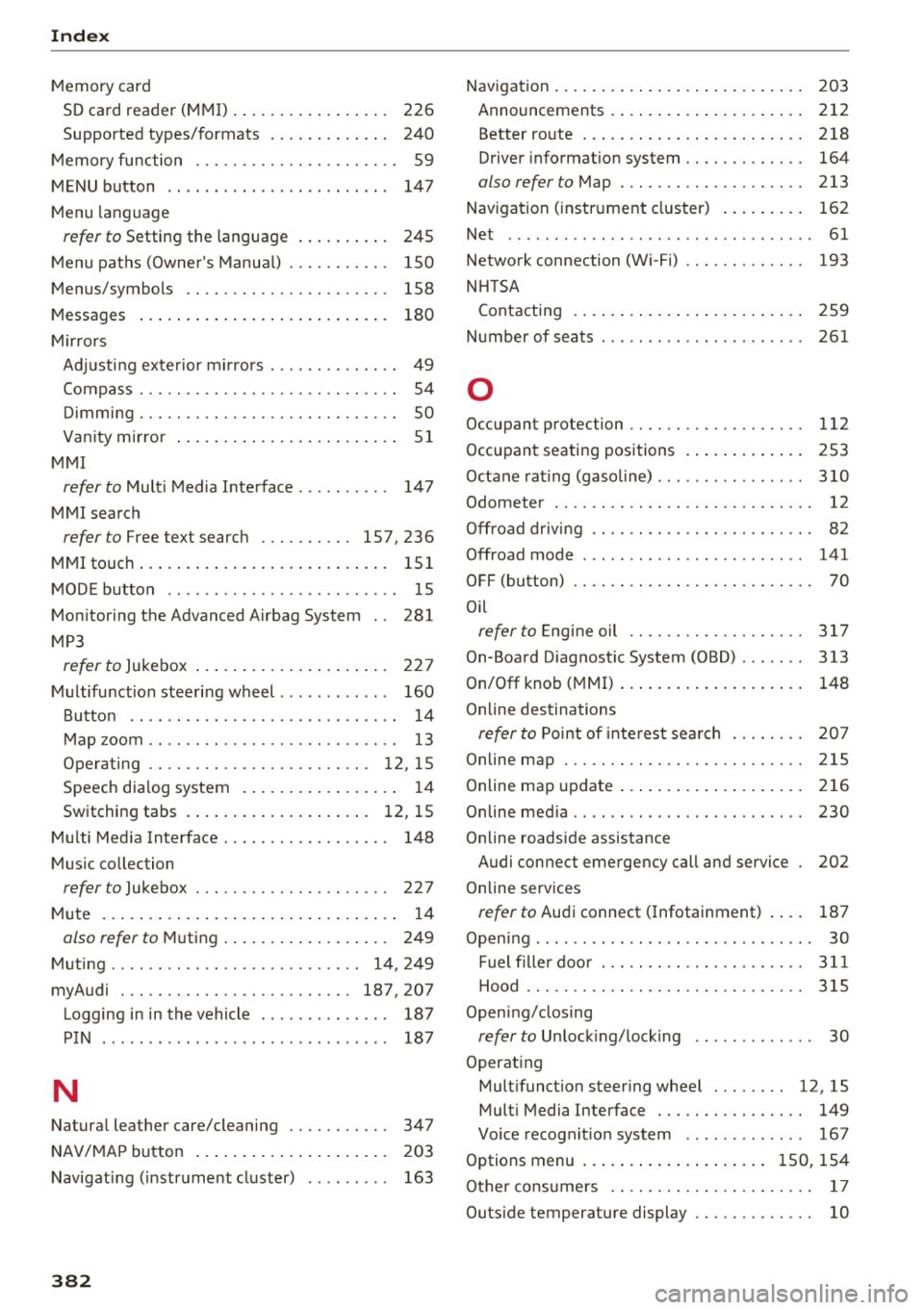
Index
Memory card
SD card reader (MMI) . . . . . . . . . . . . . . . . . 226
Supported types/formats . . . . . . . . . . . . . 240
Memory function . . . . . . . . . . . . . . . . . . . . . . S9
MENU button . . . . . . . . . . . . . . . . . . . . . . . . 147
Menu language
refer to Setting the language . . . . . . . . . . 24S
M enu paths (Owner 's Manual) . . . . . . . . . . . 150
Menus/symbols . . . . . . . . . . . . . . . . . . . . . . 158
Messages . . . . . . . . . . . . . . . . . . . . . . . . . . . 180
Mirrors Adjusting exterior mirrors . . . . . . . . . . . . . . 49
Compass . . . . . . . . . . . . . . . . . . . . . . . . . . . . 54
D immi ng ... .. .. ................. .. .. 50
Van ity m irror . . . . . . . . . . . . . . . . . . . . . . . . 51
MMI
refer to Multi Media Interface . . . . . . . . . . 147
MMI search
refer to Free text search ....... ... 157, 236
MMI touch....... ... .......... .. .. ... 151
MODE button . . . . . . . . . . . . . . . . . . . . . . . . . 1 5
Monitoring the Advanced Airbag System 281
MP3
refer to Jukebox . . . . . . . . . . . . . . . . . . . . . 227
Multifunction steering wheel . . . . . . . . . . . . 160
B utton . . . . . . . . . . . . . . . . . . . . . . . . . . . . . 14
M ap zoom .. .. .. ............. .. .. .. .. 13
Operating . . . . . . . . . . . . . . . . . . . . . . . . 12 , 15
Speech dialog system . . . . . . . . . . . . . . . . . 14
Switching tabs . . . . . . . . . . . . . . . . . . . . 12, 15
Multi Media Interface . . . . . . . . . . . . . . . . . . 148
Music collection
refer to Jukebox . . . . . . . . . . . . . . . . . . . . . 227
Mu te . . . . . . . . . . . . . . . . . . . . . . . . . . . . . . . . 14
olso refer to Mu ting . . . . . . . . . . . . . . . . . . 249
Muting . . . . . . . . . . . . . . . . . . . . . . . . . . . 14, 249
myAudi ... .. .. ............... ... 187,207
Logging in in the vehicle . . . . . . . . . . . . . . 187
PIN . . . . . . . . . . . . . . . . . . . . . . . . . . . . . . . 187
N
Natural leather care/cleaning . . . . . . . . . . . 347
NAV/MAP button . . . . . . . . . . . . . . . . . . . . . 203
Navigating (in str ume nt cluster) . . . . . . . . . 163
382
Navigation . . . . . . . . . . . . . . . . . . . . . . . . . . . 203
Announcements . . . . . . . . . . . . . . . . . . . . . 212
Better ro ute . . . . . . . . . . . . . . . . . . . . . . . . 218
Driver informat ion system . . . . . . . . . . . . . 164
also refer to Map . . . . . . . . . . . . . . . . . . . . 213
Navigation (instrument cluster) . . . . . . . . . 162
Net . . . . . . . . . . . . . . . . . . . . . . . . . . . . . . . . . 61
Network connection (Wi-Fi) . . . . . . . . . . . . . 193
NHTSA Contacting . . . . . . . . . . . . . . . . . . . . . . . . . 259
Number of seats . . . . . . . . . . . . . . . . . . . . . . 261
0
Occupant protection . . . . . . . . . . . . . . . . . . . 112
Occupant seating positions . . . . . . . . . . . . . 253
Octane rating (gasoline) ................ 310
Odometer . . . . . . . . . . . . . . . . . . . . . . . . . . . . 12
Offroad driving . . . . . . . . . . . . . . . . . . . . . . . . 82
Offroad mode . . . . . . . . . . . . . . . . . . . . . . . . 141
OFF (button) . . . . . . . . . . . . . . . . . . . . . . . . . . 70
Oil
refer to Engin e oil .. .. ............. .. 317
On-Board Diagnostic System (OBD) . . . . . . . 313
On/Off knob ( MMI) . . . . . . . . . . . . . . . . . . . . 148
Online des tinations
refer to Point of interest search . . . . . . . . 207
Online map . . . . . . . . . . . . . . . . . . . . . . . . . . 215
Online map update..... ... .......... .. 216
Online media . . . . . . . . . . . . . . . . . . . . . . . . . 230
Online roadside assistance Audi connect emergency call and service 202
Online services
refer to Audi connect ( Infotainment) . . . . 187
Opening .. .. .. .. .. .. .. ... .. ..... ... .. . 30
Fuel filler door . . . . . . . . . . . . . . . . . . . . . . 311
Hood ....... .. .. .. .. ............. .. 315
Opening/closing
refer to Unlocking/locking . . . . . . . . . . . . . 30
Operat ing
Multifunction steering whee l . . . . . . . . 12, 15
Multi Media Interface . . . . . . . . . . . . . . . . 149
Vo ice recog nition system . . . . . . . . . . . . . 167
Options menu . . . . . . . . . . . . . . . . . . . . 150, 154
Other consumers . . . . . . . . . . . . . . . . . . . . . . 17
Outs ide temperature display . . . . . . . . . . . . . 10