service AUDI Q5 2018 Owner's Guide
[x] Cancel search | Manufacturer: AUDI, Model Year: 2018, Model line: Q5, Model: AUDI Q5 2018Pages: 392, PDF Size: 60.56 MB
Page 117 of 392
u co .... N ,..._
N .... 0 <( 0 00
this. H ave an authorized A udi deale r or a u
thorized A udi Service Faci lity check their func
tion.
(D Tips
-The pre sense rear functions switc h off
when towing a trai ler .
-The pre sense rear functions may also
switch off if there is a malfunction in the
side assist* system.
Audi pre sense city
A ppl ies to: ve hicles w ith Audi p re se nse c ity
D esc ription
Wit hin the limits of the system, pre sense city
can warn you of impending coll is ions w ith
ve hicles and pedestrians and initiate the applica
b le brak ing maneuver if needed. Pre sense city is
active at speeds of approximate ly 6 mph (10 km/
h) and h igher .
A pedestrian warning can occu r at speeds up to
SO mph (85 km/h), and vehicle warn ings ca n oc
cur at speeds up to 155 mph (250 km/h) . A pre
sense city braking maneuver is poss ible at speeds
up to SO mph (85 km/h).
Warnings
The system recogni zes var ious dangerous situa
tions . The
early warning occurs if:
-a vehicle driving ahead brakes s uddenly
-yo ur own vehicle approaches a significantly
s lower vehicle or stationary vehicle in the direc
t ion of travel
-a pedestrian is standing in the lane or is moving
into the lane
When t his wa rn in g oc curs, it may on ly be poss i
b le to avoid a co llision by swerv ing or braking
strong ly . T he message
Audi pre sense.
~ page 113, fig . 113 and a warning tone will
warn you about the danger .
Addit iona lly, a jerk on the brakes may occur as an
acute warning when there is an impending colli
sion. If you do not react to the acut e warning, pre
sense city can brake to the point of comp lete de
celerat ion w it hi n the lim its of the system. This
A ss istance systems
red uces the vehicle speed in the event o f a co lli
sio n. The message
Audi pre sense. also ap
pears .
T he following fu nctions a re trigge red in con junc
t ion w it h pre sense bas ic/rear :
-Reversible tens ion ing of the front safety belts
-Clos ing the windows and sunroof*
Audi drive select*: the function is not act ive de
pending on the mode selected.
A WARNING
-
-Pre sense city ca nnot overcome the laws of
p hys ics .
It is a sys tem designed to ass ist and
it cannot preven t a coll is io n in every circ um
s tance . The dr iver m ust a lw ays in terve ne.
T he d rive r is always responsible fo r brakin g
a t t he co rre ct time . Do not let the in cr eased
safety prov ided tempt you into taking r isks.
This could inc rease your r is k of a col lision .
-The system can dep loy incorrectly due to
system -specific limits.
-T o redu ce the r is k of an accident, please
note that the camera does not a lways detect
eve ry o bject.
-Pre sense city does not reac t to an ima ls,
crossing or oncoming ve hicles, objects such
as bars, ra ilings or railcars, and ob jects that
are difficult to detect
c> A in General infor
mation on page 103.
-In trailer mode, the bra king behavior o f the
tra ile r can be d ifferent than usual du ring au
tomatic braking.
A WARNING
--
Pre sense city may be restr icted or not ava ila
b le in the fo llow ing example s ituations:
-in heavy fog, ra in, spray, or snow
- when there are v isua l obst ruct ions, such as
g lare, reflections or variations in light
-when it is dar k
-if the camera window or the windshield is
d irty, iced over, damaged or cove red
-when dr iv ing o n snow, ice o r loose groun d
-in c urve s
-if the ESC was rest ricted or sw itched off
-when towing a trailer
115
Page 118 of 392
Assistance systems
-when the driver's seat belt is unfastene d
- u p to ten seconds after sw itchin g on t he ig-
n itio n
(Ud) Note
Impa cts or damag e to the ca m era m ou nt on
t he wi ndshi eld can di splac e the se nsor. Pr e
sense city can be im pa ir ed by t his . H ave an a u
thorized A udi dealer o r aut ho rize d A udi Serv
ice Facility check the ir funct ion.
(D Tips
- You can ca ncel the system brakin g inte rven
tion if yo u accelerate co nsidera bly or swerve
away.
- Kee p in m ind t hat pre sense city ca n brake
un expecte dly. Always sec ure a ny ca rgo o r
ob jects t hat you a re t ransport ing t o reduce
the r isk of damage or injury.
- Specific pre sense city funct io n s sw itch o ff
whe n the ESC is limited o r switc hed off
c:> page 141 or the hill d esce nt ass ist is
swi tch ed o n
c:> page 142 .
-Wh en t here is a mal function in the came ra,
the p re se nse city func tions also sw itch o ff.
Settings in the Infotainment system
Applies to: ve hicles w ith Audi p re se nse
.,. Se lect in the Info ta in m en t sys tem: IME NUI but
t on
> Vehicle > left contro l bu tton > Driver as
sistance
> Audi pre sense .
Switch on /off Audi pre sense -
the pre sense
fu nctions can be turned o n and off .
If the system is switched off, it switches o n aga in
automatically once the ignition is sw itched on
again .
Prewarning -the early warning can be switched
off or the p re sense city/front warning point ca n
be set
( Early /Medium /Late ).
Set the wa rnin g time fo r the ea rly warn ing to
Early at f irst. I f th is causes undesired ea rly warn
i n gs to appear, then set the wa rning time to
Me
dium .
The Late warning t ime sho uld on ly be set
i n sp ecia l cir cumstances .
116
(D Tips
Your settings are automatically store d and as
s ign ed to t he remote co ntro l key bein g used .
Messages
Applies to : vehicles wit h Audi pre sense
II] Audi pre sense: malfunction! Please contact
Service
This message ap pears w hen the pre sense f unc
tion is a ffected . Fo r example, th is co uld be
ca used by a faulty sensor. Drive to an autho rized
Audi dealer or author ized A udi Service Fac ility im
med iate ly to have the ma lfu nction corrected .
II] Audi pre sense: currently limited . Sensor
view limited due to surroundings. See owner's manual
This message a ppears if t he radar se nsor and
camera view is obstructed, fo r example by leaves,
snow, heavy sp ray o r dirt. If necessary, clean the
senso rs and the area around the camera
c:> page 103 , fig. 100 or c:>page 121, fig. 121 .
II] Audi pre sense: currently limited . Trailer
towing mode
Fo r vehicles wit h a tra ile r h itch installed at the
factory, the pre sense rear functions switc h off
whe n the elect rical connector at the soc ket is
pl ugged in. The re is no guarantee the functions
will switc h off w hen usin g a ret rofitted trailer
hitc h.
II] Audi pre sense: currently restricted
This mess age app ears if the ESC is res tricted or
switc hed off, fo r exam ple .
II] Audi pre sense: currently limited. See own
er's manual
This message a ppears w hen the re is a tem porary
failu re in a sub syst em, such as the ESC. If t his
m ess age app ears re pea te d ly, drive to an au thor
iz ed Audi de aler or auth oriz ed A udi Se rvice Facili
ty to h ave the m alfun ction co rrected .
II] Audi pre sense: emergency braking system
off
~
Page 121 of 392
u co ..... N ,..._
N ..... 0 <( 0 00
You can open up the Driver assistance disp lay for
the active lane assist using the m ultifunction
steer ing whee l buttons
¢ page 12 .
An addit ional ind ic a tor appears in the head- up
d isp lay* .
Multi-Color Display
See ¢fig . 116.
Driver assistance Meaning on the corre-
display in the in- sponding side
strument cluster
G ree n line(s)
Active lane assist is acti-
(left or r ight)
vated and ready to pro -
v ide warnings.
Red line Active lane assist warns
(left or r ight) you before leav ing a la ne .
In add ition, the steer ing
whee l vibrates lightly.
Gray line(s) Active lane assist is acti-
(left or right) vated, but is not ready to give warning
Monochrome display
See c>fig. 117.
Driver assistance Meaning on the corre-
display in the in- sponding side
strument cluster
Light gray line(s) Active lane assist is acti-
(left or r ight) vated and ready to pro-
vide warnings .
B linking Li ne(s)
Active lane assist warns
(left or right) you before leaving a lane .
In addition, the steering
whee l vibrates lightly.
Dar k gray line(s)
Active lane assist is acti -
(le ft or righ t)
vated, but is not ready to
give warning
Messages in the instrument cluster display
I f t he active lane ass ist swit ches off automat ic al
l y, t he indicator lig ht in the display turns off and
one of the following messages appea rs :
rl! Audi a ctiv e lan e assi st : malfunction! See
owner 's manu al
A ss istance systems
Drive to an authori zed A udi dealer or authori zed
Audi Service Facility immediate ly to have the
malfunction corrected.
rl! Audi active lane as sist: currently unavaila
ble . Camera view rest ricted due to surround
ings . See owne r's manual
T his message appears if the c amera is unab le to
de te ct the lines. This could happen if:
- The camera fie ld of view
c> page 118, fig . 115 is
d irty or covered i n ice . Clean t his area on the
w indshie ld
c> page 344.
- The camera fie ld of view is fogged over. Wait
until the fog has clea red befo re switching the
a cti ve lane ass ist o n again.
- The system has bee n unab le to detect the la nes
for an extended per io d of time due to roa d con
ditions . Switc h ac tive lane ass ist back on w hen
the lines are more visib le .
rl! Audi active lane assist: currently unavaila
bl e. See owner's manual
T here is a temporary malfunct ion that may pre
vent the act ive lane assis t from sw itchi ng on . Try
switching t he active lane assist on again late r.
rl! Audi active lane a ssist : Pl ease take over
steering!
This message appears if you are not steering by
yourself . Active lane assist is activated, but is not
ready to g ive war ning
A WARNING
-
No te that messages may be de layed or not
d isp layed o n ve hicl es w ith accesso ries moun t
ed on the stee ring w heel, such as a steer ing
whee l spinne r knob. Alw ays keep yo ur han ds
on the s tee ring wheel.
Adjusting the steering time and vibration
warning
Applies to: veh icles w it h Aud i act ive lane ass ist
You can adjus t individual active lane assist set
tings in the Infotainment system.
.,. Select in the Infotai nment system: I MENU ! but
t on >
Vehicle > le ft con trol b utton > Driver as-
sistance
> Audi active lane a ssis t. ..,.
119
Page 127 of 392
u co ..... N r--N ..... 0 <( 0 00
(D Tips
-You can cancel the automatic brake activa
tion w ith increasing braking fo rce if you ap
ply the brakes yourse lf or accelerate cons id
erab ly.
- In some situations, rea r cross-traffic assist
may warn you even if there is no cross traffic
i n a cr itical area , for examp le when back ing
i nto a parking space or maneuver ing .
- The rea r cross-traffic ass ist also switches off
when you switch off the ESC.
- The system is not available when towing a
trailer.
Messages
Applies to: vehicles with Audi side assist
A message appears in the inst rumen t cluste r dis
p lay if the s ide ass ist swi tches off automatically .
@t Audi side assist: malfunction! Please contact
Service
@j Audi side assist and exit warning: malfunc
tion! Please contact Service
The system cannot guarantee that it w ill detec t
ve hicles co rrectly a nd it has sw itched off. The
sensors have been mov ed o r are faulty. Have t he
system checked by an a uthori zed Audi dea ler or
author ized Audi Se rvice Facility soon.
@j Audi side assi st: cur rently unavailable. Sen
sor vision restricted due to surroundings . See
owner 's manual
e, Audi side as sis t and e xit warning: currently
unavailable. Sensor vision restricted due to sur
roundings
The rad ar senso r vis io n i s impa ire d. The area in
fron t of the senso rs must no t be covered by b ike
rac ks, st ic kers, leaves, snow or any othe r ob jects.
C lea n the area i n front of th e sensors, if necessa
ry¢ page 121, fig. 121.
e, Audi side as sis t: currentl y unavailable. See
owner 's manual
et Audi side a ssist and exit warning : currently
unavailable. See owner 's manual
A ss istance systems
S id e ass ist cannot be switched on at this time be
ca use there is a ma lfunction (for example, the
batte ry c harge leve l may be too low).
et Audi side assist : unavailable in towing mode
e, Audi side assist and exit warning: currently
unavailable . Towing mode
S ide ass ist switches off automatically when the
electrica l connec to r i n t he factory-installed t rail
er hitch is connec ted . There is no guarantee the
syste m will sw itch o ff when us ing a ret rofitted
t railer h itch . Do no t use side a ssist an d the ex it
war nin g when tow ing a tra ile r.
Ill Rear parking aid: obstacle detect ion restrict
ed
The rear cross-traffic ass ist is not available . E i
ther the ESC is sw itched off, or the rada r senso rs
may be cove red by a b ike rac k, st ic ke rs , leaves,
snow o r othe r objects . Swit ch the ESC on, o r
cl ea n the area in fron t of the senso rs if necess ary
¢page 12 1, fig . 12 1. If thi s message con tinues
to be displayed, dr ive imme dia tely to an author
ized Audi dea ler or author ized Audi Service Facili
ty to have the ma lf u nction repaired.
Audi drive select
Introduction
Applies to: vehicles with Audi drive select
Dr ive sele ct m akes i t possible to exper ien ce d if
f erent types of vehi cle se ttings in one veh icle.
Yo u can select the driv in g modes
Offroad* or
Lift / Offroad *, Allroad* , Comfort , Auto and Dy
namic
i n the Infota inme nt system, fo r example
to switch from a spo rty to a comfo rtable d riving
mode. In the
Individual mode, the settings can
be adjusted to you r persona l preferences. This
makes it possible to combine sett ings such as a
spo rty engine setting wi th light steer ing .
Description
Applies to: vehicles with Audi drive select
The following systems, among ot her th ings, a re
in fluenced by dr ive se lect:
.,.
125
Page 132 of 392
Parking aid
Parking aid
General information
A pplies to: ve hicles w ith a rea r parking sys te m /parking sys
tem p lus/rearv iew camera/peripheral cameras
Depending on your vehicle's equipment , various
parking aids will help you when parking and ma
neuvering.
The
rear parking system is an audible parking aid
that warns you of obstacles
behind the vehicle
¢ page 131.
The parking system plus assists you when park
ing by audibly and visually indicating objects de
tected
in front of and behind the vehicle
¢ page 131.
The rearview camera shows the area behind the
vehicle in the Infotainment system display. The lines in the rearview camera image help you to
park or maneuver
¢ page 133.
The peripheral cameras give various views to
help you when parking or maneuvering
¢ page 135 . The parking system plus functions
are also available ¢
page 131.
_& WARNING
-Always look for traffic and check the area
around your vehicle by looking at it directly
as well. The parking system cannot replace
the driver's attention. The driver is always
responsible when entering or leaving a park
ing space and during similar maneuvers.
- Please note that some surfaces, such as
clothing, are not detected by the system.
-
- Sensors and cameras have blind spots in
which people and objects cannot be detect
ed . Be especially cautious of small children
and animals.
- Always keep your eyes on the vehicle's sur roundings, using the rearview mirror as
well.
- The sensors can be displaced by impacts or
damage to the radiator grille, bumper,
wheel housing and the underbody . The park
ing system may be impaired as a result.
Have an authorized Audi dealer or author-
130
ized Audi Service Facility check their func
tion .
@ Note
-Some objects are not detected or displayed
by the system under certain circumstances:
- objects such as barrier chains, trailer draw
bars, vertical poles or fences
- objects above the sensors such as wall ex
tensions
- objects with certain surfaces or structures
such as chain link fences or powder snow
- If you continue driving closer to a low ob
ject, it may disappear from the sensor range . Note that you will no longer be
warned about this obstacle.
- Keep enough distance from the curb to re
duce the risk of damage to the rims .
(D Tips
-The system may provide a warning even
though there are no obstacles in the cover
age area in some situations, such as:
- certain road surfaces or when there is tall
grass
- external ultrasonic sources such as from
cleaning vehicles
- in heavy rain, snow, or thick vehicle ex
haust
- We recommend that you practice parking in
a traffic-free location or parking lot to be
come familiar with the system. When doing
this, there should be good light and weath
er conditions.
- You can change the volume of the signals
and the display ¢
page 138.
-Please refer to the instructions for towing a
trailer located in
¢page 139.
-What appears in the infotainment display is
somewhat time-delayed.
- The sensors must be kept clean and free of
snow and ice for the parking aid to operate.
- The rearview camera is cleaned when clean
ing the rear window
¢page 51.
Page 141 of 392
u co ..... N ,..._
N ..... 0 <( 0 00
Drive to an authorized Audi dealer or authorized
Audi Service Facility immediately to have the
malfunct ion corrected.
Trailer hitch
Applies to: vehicles with a rear parking system/parking sys
tem plus/ rearv iew camera/peripheral cameras and trailer
hitc h
When the tra iler socket is in use, the parking sys
tem rear sensors are not activated when you shift into reverse gear or when you press the
Pw~ but
ton. This results i n the following restrictions.
Rear parking system*
There is no distance warning.
Parking system plus*
There is no distance warning for the rear. The
front sensors remain activated . The visual display
switches to trai ler mode.
Rearview camera* /peripheral cameras*
There is no distance warning for the rear. The
front sensors remain activated. The visual display
switches to trai ler mode. The rearview camera
image will not show the orientation lines and the
b lue surfaces.
@ Tips
Trailer hitches that are not installed at the
factory may cause the parking system to ma l
function or they may restrict its function.
Parking aid
139
Page 145 of 392
u co ..... N r--N ..... 0 <( 0 00
Wear
Brake pad wear depends largely on the way the
vehicle is driven and on operating conditions.
This is especially true if you are driving frequently in the city and on curves or with a sporty driving
style.
Operating noise
Noises may occur when braking depending on the
speed, braking force and outside conditions such
as temperature and humidity.
Wet conditions or road salt
In certain situations, for example after driving
through water, in heavy rain or after washing
your car, the braking effect may be reduced due
to moisture or ice on the brake rotors and brake
pads. The brakes must be "dried" first with a few
careful brake applications.
At higher speeds and with the windshield wipers
turned on, the brake pads press against the brake
rotors for a short amount of time. This action,
which is not felt by the driver, happens at regular
intervals and ensures a better reaction time for
the brakes in wet weather.
The braking effect can also be reduced if you are
driving on salted roads and you do not apply the brakes for long periods of time. The layer of salt
on the brake rotors and pads must be worn off
first when the brakes are applied.
Corrosion
Leaving the vehicle parked for long periods of
time, low mileage and avoiding heavy braking
can contribute to corrosion on the brake rotors
and to dirty brake pads.
If you usually avoid heavy braking or if there is
corrosion present, occasional heavy braking at high speeds is recommended to clean the brake
rotors and
pads¢ ,&..
Brake system malfunction
If you notice that the brake pedal travel has sud
denly increased, then a brake circuit in the dual
circuit brake system may have malfunctioned. Drive to an authorized Audi dealer or authorized
Audi Service Facility immediately to have the
Intelligent Technology
problem corrected. On the way there, drive with
reduced speed and keep in mind that you will
need a longer distance to stop and you will need
to press the brake pedal harder.
Low brake fluid level
When the brake fluid level is low, malfunctions in
the brake system may occur. The brake fluid level
is electronically monitored.
Brake booster
The brake booster amplifies the pressure you ap
ply to the brake pedal.
& WARNING
= -
- Only apply the brakes for the purpose of
cleaning the brake system when road and
traffic conditions permit. You must not en
danger other road users. This increases the
risk of an accident.
- Never let the vehicle roll while the engine is
stopped because this increases the risk of an
accident.
- Never place objects in the driver's footwell.
An object could end up in the area around
the pedals and prevent you from using
them. You would not be able to use the ped
als if sudden driving or braking maneuvers
were needed, which increases the risk of an
accident.
- Only use floor mats that do not obstruct the
area around the pedals and that can be se
curely fastened in the footwells.
- To reduce the risk of injury, do not place
your foot under the brake pedal.
@ Note
- Never let the brakes "rub" by pressing the
pedal lightly when braking is not actually
necessary. This causes the brakes to over
heat and increases braking distance and
causes wear.
- Before driving downhill a long distance on a
steep hill, decrease your speed and select a
lower gear. This makes use of the engine
braking effect and relieves the brakes. If
you need to brake additionally, brake in in- tervals and not continuously.
.,,.
143
Page 146 of 392
Intelligent Technology
(D Tips
-If the brake booster is not working, you
must press the brake pedal with much more
force than normal.
- If you retrofit your vehicle with a front spoil
er, whee l covers or similar items, make sure
that the a ir flow to the front wheels is not
in terrupted. Otherw ise the brake system
can become too hot .
Electromechanical
steering, Dynamic
steering
The electromechanical steering supports the
driver's steering movements.
Power steering adapts electronically based on
the vehicle speed.
Indicator lights and messages
• Steering: malfunction! Please stop vehicle
If th is ind icator light turns on and stays on and
this message appears, the power steering may
have fa iled.
Stop the vehicle in a safe location as soon as pos
sible . Do
not continue driving . See an author ized
Aud i deale r or authorized Aud i Serv ice Facility fo r
assistance .
,~n Steering: malfunction! You can continue
driving
If the indicator light turns on and the message
appears, the steering wheel may be more diffi
cult to move or more sensit ive than usual. The
steer ing wheel may also be at an angle when
driving st raight.
Drive slowly to an au thorized Audi dealer or au
thor ized Audi Service Fac il ity to have the mal
function corrected .
I@ Dynamic steering: correcting steering wheel
position
If the indicator light turns on and this message
appears, the dynamic steering* is reinitializing.
The steering wheel will be easy to move after
starting the engine. Re initialization might be
144
necessary if the steering wheel was moved while
the engine was switched
off. T he disp lay turns
off if the initialization was successfu l.
(D Tips
-If the . or Erfl indicator light only stays on
for a short time, you may continue driving.
- T he dynamic steering stability systems
¢page 140 are not avai lab le in the event of
a system malfunction .
- For additional information on dynamic
steering, see
¢ page 125.
All-wheel drive (quattro)
General information
In all wheel drive, the driv in g power is distribut
ed between all four whee ls when needed. This
happens automatically depending on your driving
behavior as well as the current road conditions.
Also see
c> page 140 , Electronic Stabilization
Con trol (ESC).
The all-whee l drive system distributes the driving
power variably to the front and rear axle. It works
together with selective wheel torque control,
which activates when driving through curves
c> page 140. With the sport differential*, power
distribution to the rear wheels is variable and can
be adjusted using the drive select
c>poge 125 .
The all wheel drive concept is designed for high
engine power . Your vehicle is excep tionally pow
erful and has excellent driving characteristics
both under normal driving conditions and on
snow and ice. Always read and follow safety pre
cautions ¢.&. .
Winter tires
By using all wheel dr ive, your veh icle has good
forward motion w ith standard tires in winter con
ditions. However, using winter or all season t ires
o n oil four wheels in the winter is recommended,
because this w ill imp rove the braking effect.
Snow chains
If there are snow chain laws, snow chains must
also be used on veh icles with all wheel drive
c> page 340, Snow chains . .,.
Page 148 of 392
Intelligent Technology
Audi will not access the EDR and/or similar data
or give it to others -
- unless the vehicle owner (or lessee if the vehi
cle has been leased) agrees; or
- upon the official request by the police; or
- upon the order of a court of law or a govern-
ment agency; o r
- for the defense of a lawsu it through the judicial
discovery process .
- Audi may also use the data for research about
vehicle operation and safety performance or provide the data to a third party for resea rch
purposes without identifying the specific vehi
cle or information about the identity of its own
er or lessee and on ly after the recorded vehicle
data has been accessed.
Vehicle control modules
Your veh icle is also equipped with a num ber of
e lectronic control modules for various veh icle
systems, s uch as engine management, emission
control, airbags, and safety belts.
These electro nic cont rol modules record data
du ring normal vehicle operation that may be
needed by trained technicians for diagnostic and
repair purposes. The recording capability of these
modules is limited to data (no sound is record
ed). Only a small amount of data is actually re
corded over a very limited period of time, or stor
ed when a system fault is detected by a control module . Some of the data stored may relate to
veh icle speed, direct ion, or brak ing, as well as re
stra int system use and performance in the event
of a crash . Stored data can also only be read and
downloaded with special equipment that is di
rectly connected to the vehicle.
(D Tips
Your vehicle may be equipped with Audi con
nect. Your use of certain Audi connect fea
tures requires wireless services that are pro
vided by a third party wire less te lecommuni
cations provider . For detai ls regarding how in
formation obtained through Audi connect is collected, processed, transmitted, used, and
shared, please see your contract with the
w ireless telecommunications provider.
146
Page 171 of 392
u co ..... N r--N ..... 0 <( 0 00
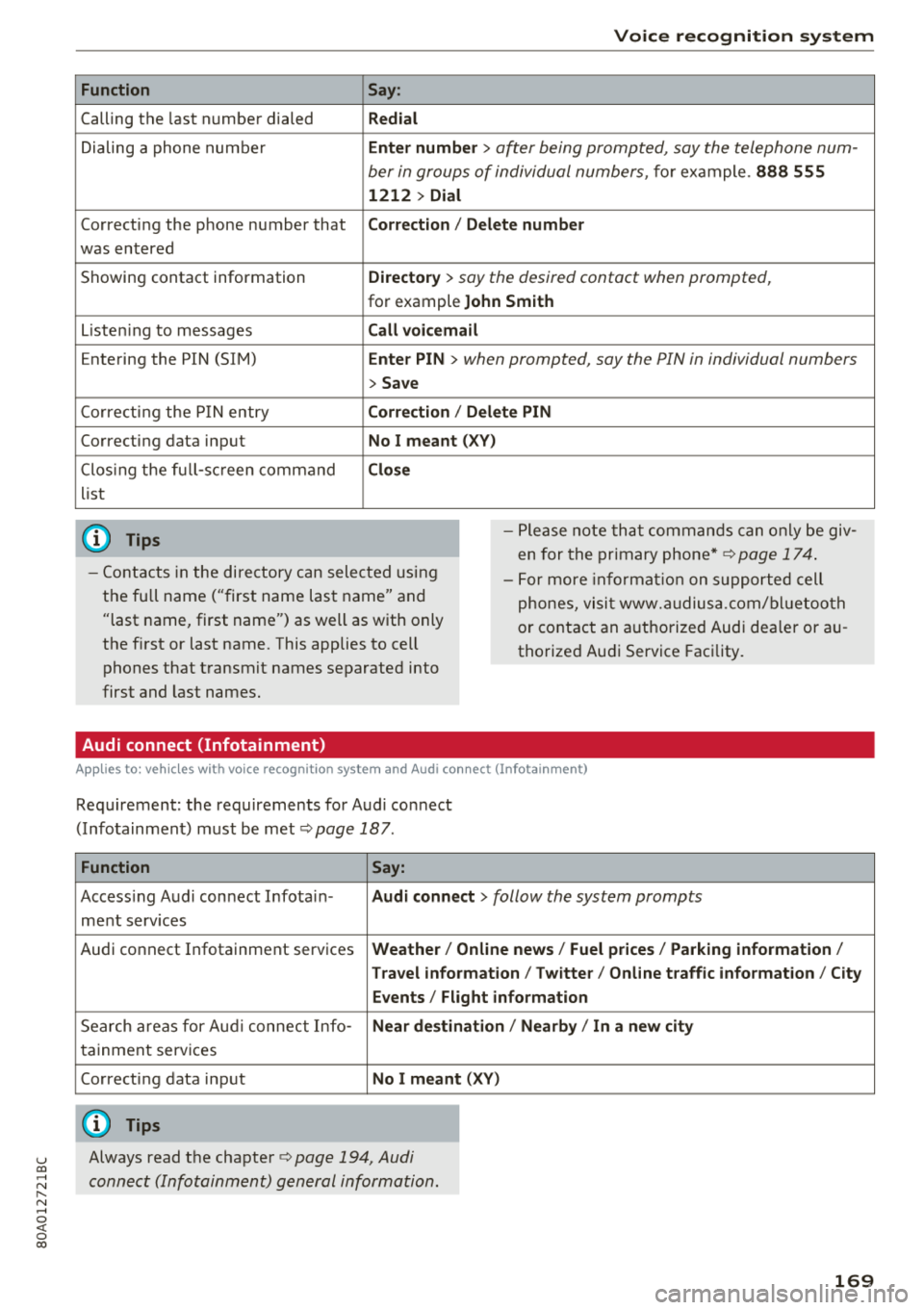
Function
Calling the last number dialed
Dialing a phone num ber
Correcti ng the p hone number that
was entered
Showing contact information
L isten ing to messages
Entering the PIN (SIM)
C orre ct in g the P IN entry
Correcting data input
C los ing the f ull -s cr een command
list
(D Tips
Voice recognition system
Say :
Redial
Enter number
> after being prompted, say the telephone num-
ber in group s of individual numbers,
fo r example. 888 555
1212 > Dial
Correction / Delete number
Directory
> say the desired contact when prompted,
for example John Smith
Call voicemail
Enter PIN
> when prompted, say the PIN in individual numbers
> Save
Correction / Delete PIN
No I meant ( XV)
Close
- P lease note th at comm an d s can o nly be giv
en for the primary
phone *¢ page 1 74.
- Cont acts in the dire ctory can sele cted using
the fu ll name ("first name las t name" and
"last name, first name") as well as with only
the f irst or last nam e. This applies to cell
phones that t ransmit names separate d into
first and last names . -
For more informat io n on s uppo rted cell
phone s, vi sit www.audius a.c om/ blu etoo th
or cont act an a uthorized Audi dea ler or au
thorized Audi Service Fac ility.
Audi connect (Infotainment)
A pp lies to: ve hicles with vo ice recognition syste m and Audi co nnect (Infotainment)
Req uirement: the requirements fo r A udi co nnect
(Info tainmen t) must be met
¢ page 187.
Function Say:
Accessing A udi con nect I nfota in-Audi connect > follow the system prompts
me nt serv ices
Audi co nnect Infotainment services
Weather / Online news / Fuel prices / Parking information /
T ravel infor mation / Twitter / Online traffic information / City
Events / Flight information
Search areas for Au di connec t Info -Near destination / Nearby / In a new city
ta inment serv ices
Correcting data inp ut
No I meant (XV)
(D Tips
Always read t he cha pte r¢ page 194, Audi
connect (Infotainm ent) g en eral information .
169