warning AUDI Q5 2019 Owners Manual
[x] Cancel search | Manufacturer: AUDI, Model Year: 2019, Model line: Q5, Model: AUDI Q5 2019Pages: 392, PDF Size: 99.86 MB
Page 133 of 392
80A012721BG
Parkingaid
Audiosignals
Thecloseryourvehiclegetstoadetectedobsta-
cle,theshorterthetimebetweentheaudiblesig-
nals.Acontinuoustonesoundswhenanobstacle
islessthanapproximately1foot(0.30m) away
fromthefrontorrearofthevehicle.Acontinu-
oustonesoundswhenanobstacleislessthan
approximately0.7feet(0.20m)awayfromthe
sides*ofthevehicle.Donotcontinuedrivingfor-
wardorinreverse>A\inGeneralinformationon
page129,>@inGeneralinformationon
page129.
Visualwarnings
ThevisualwarningsintheInfotainmentsystem
displayhelpyoutodetectthecriticalvehiclearea
andtoestimatethedistancetoanobstacle
>fig.129.
Redsegmentsshowidentifiedobstaclesthatare
inyourvehicle'spath.Theredlinesmarktheex-
pecteddirectionoftravelaccordingtothesteer-
ing
angle.Awhitesegmentindicatesanidenti-
fiedobstaclethatisoutsideofthevehicle'spath.
Asyourvehiclecomesclosertotheobstacle,the
segmentsmoveclosertothevehicle.Thecolli-
sionareahasbeenreachedwhenthenexttolast
segmentisdisplayed.Obstaclesinthecollision
area,includingthoseoutsideofthevehicle's
path,areshowninred.Donotcontinuedriving
forwardorinreverse>A\inGeneralinformation
onpage129,>@inGeneralinformationon
page129!
@Tips
— Thesegmentsinthesidearea*aredetected
andanalyzedwhenpassing.Ifyouswitch
theignitionoffandonagainoropenthe
door,orifthevehicleisstationaryforaperi-
odoftime,thesurroundingareamayhave
changedinthemeantime.In thisscenario,
thesidearea*willappearblackuntilthe
areahasbeendetectedandevaluated.
—Ifthedistancetoanobstacleremainscon-
stant,thevolumeofthedistancewarning
graduallylowersafterafewsecondsuntilit
ismuted(thisdoesnotapplytothecontinu-
oustone).Iftheobstaclecomescloserthan
itwasbeforethesoundwasmuted,the
tonewillsoundagain.Iftheobstaclebe-
comesfartherawaythanitwasbeforethe
soundwasmuted,notonewillsound. Pay
attentiontothevehicle'ssurroundings
whenyoustarttodrive.
—Thereisnodistancewarningfortherear
andthesides*whentrailertowingmodeis
detected.Thefrontsensorsremainactivat-
ed.Thevisualdisplayswitchestotrailer
mode.Thereisnoguaranteethefunctions
willswitchoffwhenusingaretrofittedtrail-
erhitch.
SYieaiaremilieKeli
Appliesto:vehicleswithparkingsystemplus/parkassist
2)3 35
x a a
Fig.130Centerconsole:parkingaidbutton
Switchingonandoff
Requirement:thevehiclespeedmustbeunder
approximately6mph(10km/h).
>PressthePtbuttoninthecenterconsole.A
shortconfirmationtonesoundsandtheLEDin
thebuttonturnson.
Switchingonautomatically
The
systemswitchesonautomaticallywhenre-
versegearisengagedwhiletheengineisrun-
ning.Abrieftonewillsound.
IfActivateautomaticallyisswitchedoninthe
Infotainmentsystemandifthevehicleap-
proachesanobstacleatspeedsunderapproxi-
mately6mph(10km/h),theparkingaidwill
switchonautomatically.Audiblesignalswill
soundoncetheobstacleiswithinthesensorde-
tectionarea.
131
>
Page 134 of 392
Parkingaid
Switchingoffautomatically
Thedistanceindicatorfortheparkingsystem
plusswitchesoffautomaticallywhendrivingfor-
wardfasterthan6mph(10km/h).
G)Tips
IfyoupresstheP“buttontoswitchthepark-
ingaidoff,itcanonlybereactivatedautomat-
icallywhenoneofthefollowingconditionsis
met:
— Thevehiclespeedexceeds6mph(10km/h)
—Theignitionisswitchedoffandbackon
again
— Theparkingbrakeissetandthenreleased
—The"P"selectorleverpositionisengaged
andreleasedagain
Rearviewcamera
Introduction
Appliesto:vehicleswith rearviewcamera
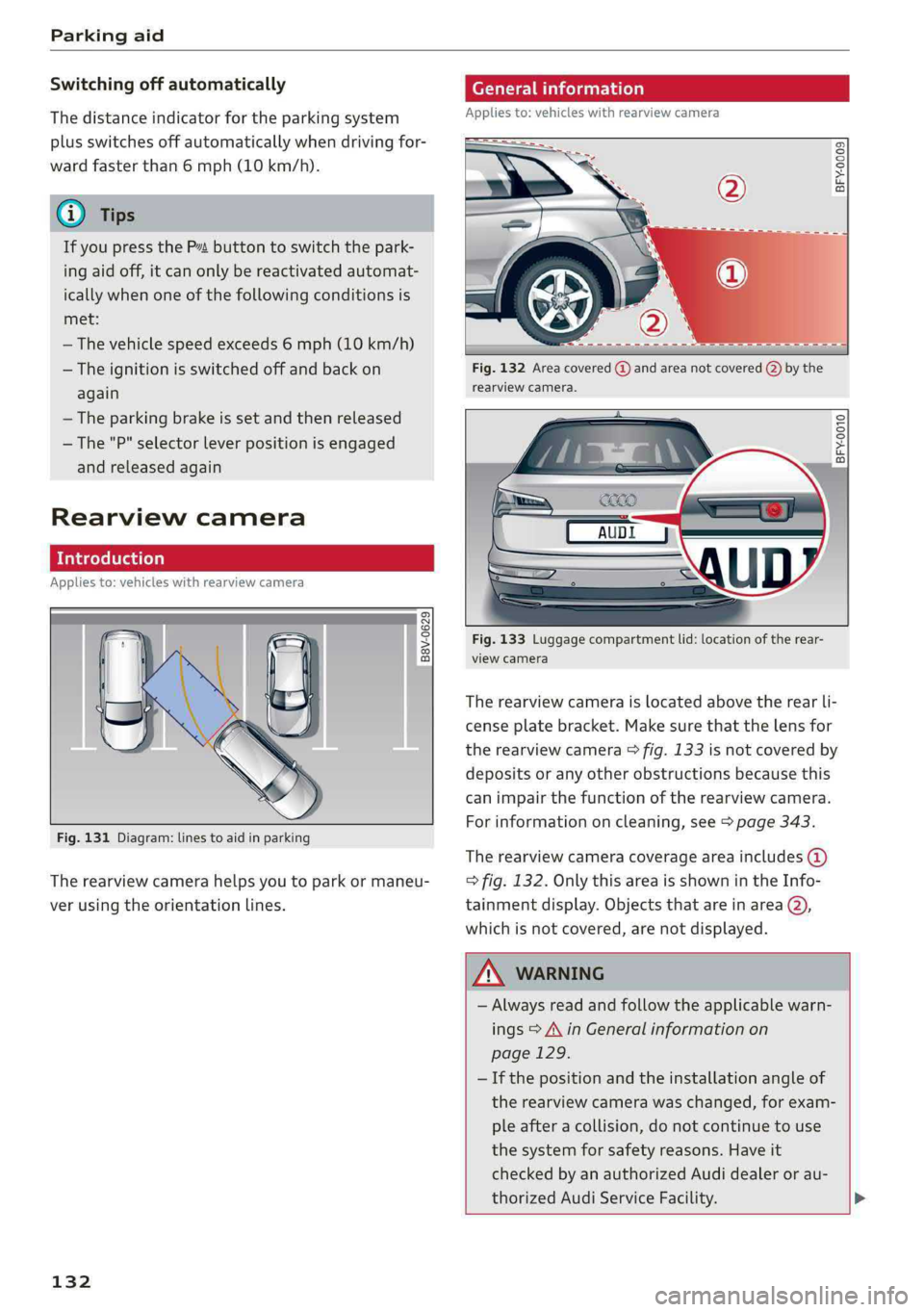
B8V-0629
Fig.131Diagram:linestoaidinparking
Therearviewcamerahelpsyoutoparkormaneu-
verusingtheorientationlines.
132
Generalinformation
Appliesto:vehicleswithrearviewcamera
ByS S 2
aoa
Fig.132Areacovered@)andareanotcovered()bythe
rearviewcamera.
Ghorcc.
Fig.133Luggagecompartmentlid:locationoftherear-
viewcamera
Therearviewcameraislocatedabovetherearli-
censeplatebracket.Makesurethatthelensfor
therearviewcamera>fig.133isnotcoveredby
depositsoranyotherobstructionsbecausethis
can impairthefunctionoftherearviewcamera.
Forinformationoncleaning,see>page343.
Therearviewcameracoverageareaincludes()
=>fig.132. OnlythisareaisshownintheInfo-
tainmentdisplay.Objectsthatareinarea@),
whichisnotcovered,arenotdisplayed.
ZAWARNING
—Alwaysreadandfollow theapplicablewarn-
ings>A\inGeneralinformationon
page129.
—Ifthepositionandtheinstallation angleof
therearviewcamerawaschanged,forexam-
pleafteracollision,donotcontinuetouse
the
systemforsafetyreasons.Haveit
checkedby anauthorizedAudidealeror au-
thorizedAudiServiceFacility.>
Page 135 of 392
80A012721BG
Parkingaid
—Onlyuse therearviewcameratoassistyouif
itshowsagood,clearpicture.Forexample,
theimagemaybeaffectedbythesunshin-
ingintothelens,dirtonthelens,orifthere
isamalfunction.
—Usetherearviewcameraonlyiftheluggage
compartmentlidiscompletelyclosed.Make
sureanyobjectsyoumayhavemountedon
theluggagecompartmentliddonotblock
therearviewcamera.
— Thecameralensenlargesanddistortsthe
fieldofvision.Theobjectappearsbothal-
teredandinaccurateonthescreen.
—Incertainsituations,peopleorobjectsin
thedisplayappearcloserorfartheraway:
—Forobjectsthatdonottouchtheground,
suchasthebumperofaparkedvehicle,a
trailerhitchortherearofatruck.Donot
use the
orientationlinesinthiscase.
—Ifdrivenfromalevelsurfaceontoanin-
cline,oradownwardslope.
—Ifdriventowardprotrudingobjects.
—Ifthevehicleiscarryingtoomuchloadin
therear.
—Appliesto:vehicleswithairsuspension:the
accuracyoftheorientationlinesandblue
surfacesdecreaseswhenthevehicleis
raised/lowered>page125.
@)Note
—Alwaysreadandfollowtheapplicablewarn-
ings>@inGeneralinformationon
page129.
— Theorange-coloredorientationlinesinthe
Infotainmentdisplayshowthevehiclepath
basedonthesteeringwheelangle.The
front ofthevehicleswingsoutmorethan
therearofthevehicle.Maintainplentyof
distanceso thatanexteriormirrororacor-
nerofthevehicledoesnotcollidewithany
obstacles.
@)Tips
Thereisnodistancewarningfortherearand
thesides*whentrailertowingmodeisdetect-
ed.Thefrontsensorsremainactivated.The
visualdisplayswitchestotrailermode.The
rearviewcameraimagewillnotshowtheori-
entationlinesandthebluesurfaces.Thereis
noguaranteethefunctionswillswitchoff
whenusingaretrofittedtrailerhitch.
SicaReRol
Appliesto:vehicleswithrearviewcamera
Switchingonandoff
Requirement:thevehiclespeedmustbeunder
approximately6mph(10km/h).
>PressthePvbuttoninthecenterconsole
=>page131,fig.130.Ashortconfirmation
tonesoundsandtheLEDinthebuttonturns
on.
Switchingonautomatically
Thesystemswitchesonautomaticallywhenre-
versegearisengagedwhiletheengineisrun-
ning.Abrieftonewillsound.
Switchingoffautomatically
Thesystemswitchesoffautomaticallywhendriv-
ingforwardfasterthan6mph(10km/h).
Perpendicularparking
Applies
to:vehicleswithrearviewcamera
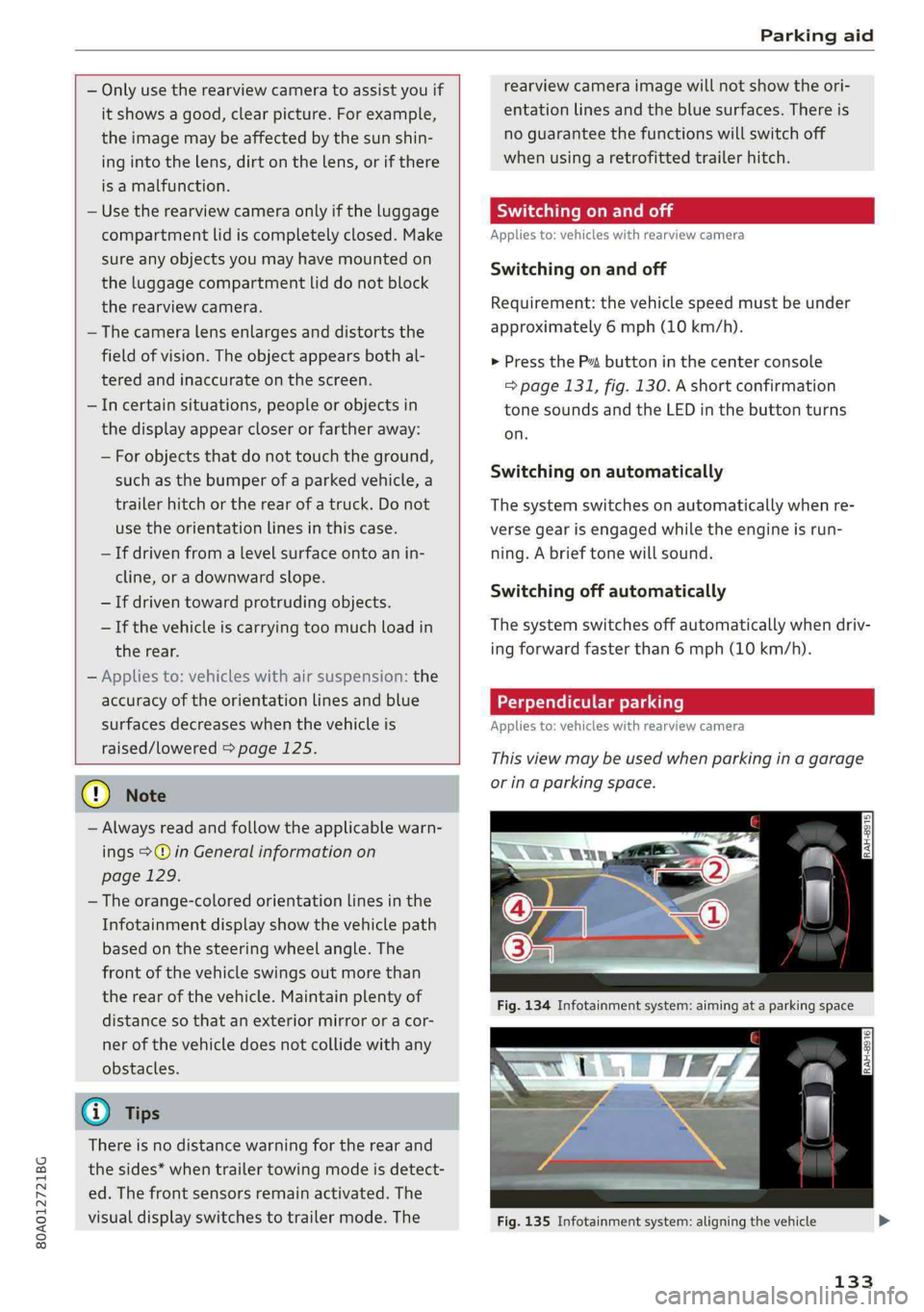
Thisviewmaybeusedwhenparkinginagarage
orinaparkingspace.
Fig.135Infotainmentsystem:aligningthevehicle
133
Page 136 of 392
Parkingaid
>Turn theInfotainmentsystemonandshiftinto
reversegear.
>Theorangeorientationlines@showthevehi-
cle'sdirectionoftravel.Turn thesteeringwheel
untiltheorangeorientationlinesalignwiththe
parkingspace>fig.134.Usethemarkings@)
tohelpyouestimatethedistancetoanobsta-
cle.Eachmarkingrepresentsapproximately3
feet(1m).Thebluearearepresentsanexten-
sionofthevehicle'soutlinebyapproximately
16feet(5meters)totherear.
>Whiledrivinginreversegear,adjustthesteer-
ingwheelangletofittheparkingspaceusing
theorangeorientationlinesforassistance>A\
inGeneralinformationonpage132,>@)in
Generalinformationonpage133.Area@)rep-
resentstherearbumper.Attheverylatest,
stopthevehiclewhentheredorientationline
@bordersanobject.
NirliCimUCW
Appliesto:vehicleswith rearviewcamera/peripheralcameras
andtrailerhitch
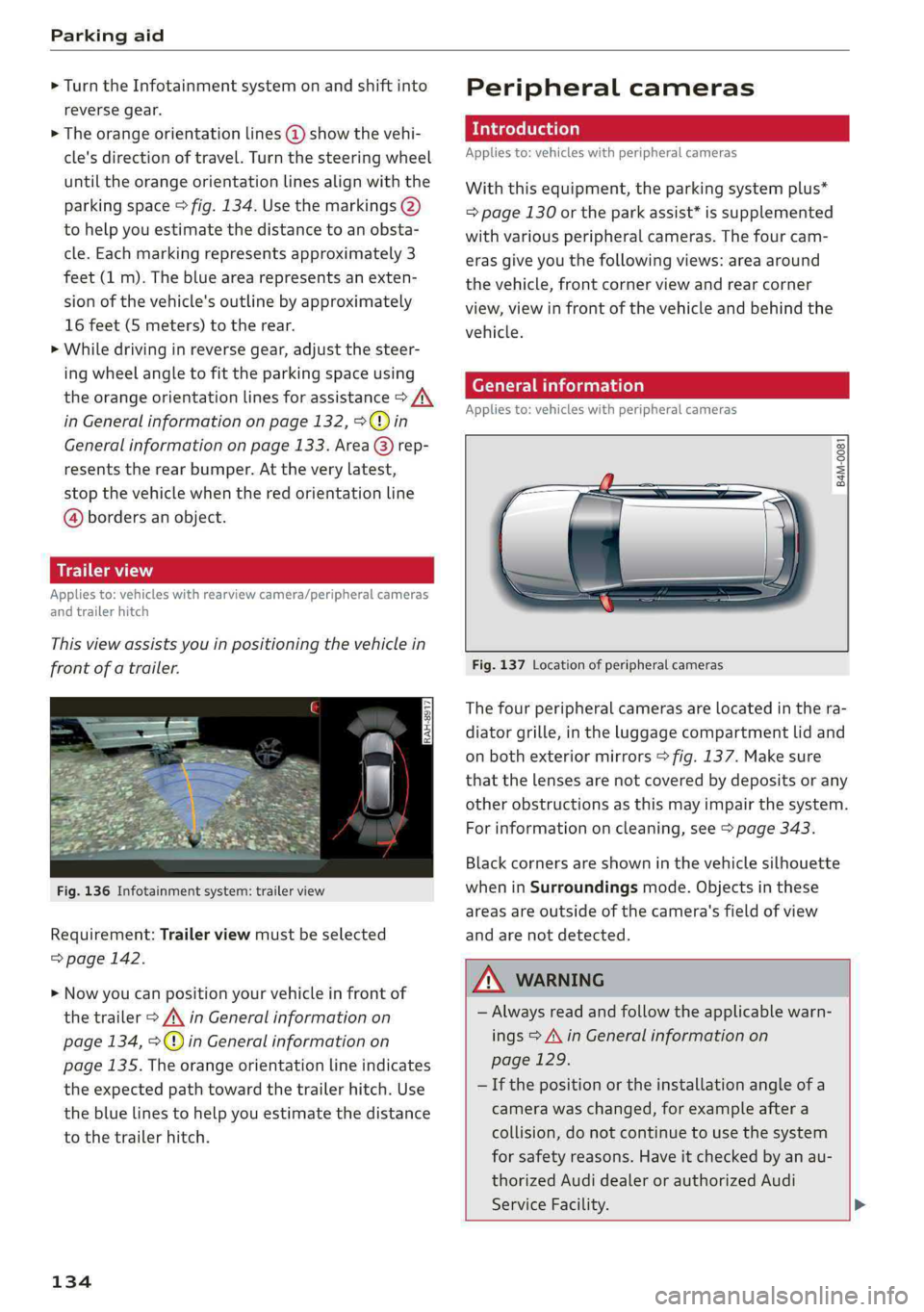
Thisviewassistsyouinpositioningthevehiclein
frontofatrailer.
Fig.136Infotainmentsystem:trailerview
Requirement:Trailerviewmustbeselected
=>page142.
>Nowyoucanpositionyourvehicleinfrontof
thetrailer>/\inGeneralinformationon
page134,>@)inGeneralinformationon
page135.Theorangeorientationlineindicates
theexpectedpathtowardthetrailerhitch.Use
thebluelinestohelpyouestimatethedistance
tothetrailerhitch.
134
Peripheralcameras
Introduction
Appliesto:vehicleswithperipheralcameras
Withthisequipment,theparkingsystemplus*
=page130ortheparkassist*issupplemented
withvariousperipheralcameras.Thefourcam-
erasgiveyouthefollowingviews:areaaround
thevehicle,frontcornerviewandrearcorner
view,viewinfrontofthevehicleandbehindthe
vehicle.
Generalinformation
Appliesto:vehicleswithperipheralcameras
B4M-0081
Fig.137Locationofperipheralcameras
Thefourperipheralcamerasarelocatedinthera-
diatorgrille,intheluggagecompartmentlidand
onbothexteriormirrors>fig.137.Makesure
thatthelensesarenotcoveredbydepositsorany
otherobstructionsasthismayimpairthesystem.
Forinformationoncleaning,see>page343.
Blackcornersareshowninthevehiclesilhouette
wheninSurroundingsmode.Objectsinthese
areasareoutsideofthecamera'sfieldofview
andarenotdetected.
Z\WARNING
—Alwaysreadandfollowtheapplicablewarn-
ings>A\inGeneralinformationon
page129.
—Ifthepositionortheinstallationangleofa
camerawaschanged,forexampleaftera
collision,donotcontinuetouse thesystem
forsafety reasons.Haveitcheckedby anau-
thorizedAudidealerorauthorizedAudi
ServiceFacility.>
Page 137 of 392
80A012721BG
Parkingaid
—Keepinmindthattheimageinthedisplayis
incorrectiftheexteriormirrorhousinghas
beenmovedoutofplace.
—Onlyuse theimagesprovidedby thecamera
ontherearofthevehiclewhentheluggage
compartmentlidiscompletelyclosed.Make
sureanyobjectsyoumayhavemountedon
theluggagecompartmentliddonotblock
therearviewcamera.
— Theareaaroundthevehicleisshownusing
thecameraimages.Thevehicleimageis
shownbythesystem.Objectsandobstacles
abovethecameraarenotdisplayed.
—Cameralensesenlargeanddistortthefield
ofvision.Theobjectsappearbothaltered
andinaccurateonthescreen.
—Appliesto:vehicleswithairsuspension:the
accuracyoftheorientationlinesandblue
surfacesdecreaseswhenthevehicleis
raised/lowered>page125.
@)Note
—Alwaysreadandfollowtheapplicablewarn-
ings>@inGeneralinformationon
page129.
— TheInfotainmentdisplayshowsthedirec-
tioninwhichtherearofthevehicleistravel-
ingbasedonthesteeringwheelangle.The
frontofthevehicleswings outmorethan
therearofthevehicle.Maintainplentyof
distanceso thatanexteriormirrororacor-
nerofthevehicledoesnotcollidewithany
obstacles.
G)Tips
—Ifthe2/&8/
grayedout,thenthepowerexteriormirrors
werefoldedinorthedriver'sdoor/front
passenger'sdoor/luggagecompartmentlid
wasopened.
—Thereisnodistancewarningfortherear
andthesides*whentrailertowingmodeis
detected.Thefrontsensorsremainactivat-
ed.Thevisualdisplayswitchestotrailer
mode.Therearviewcameraimagewillnot
showtheorientationlinesandthebluesur-
faces.Thereisnoguaranteethefunctions
willswitchoffwhenusingaretrofittedtrail-
erhitch.
ice
Appliesto:vehicleswithperipheralcameras
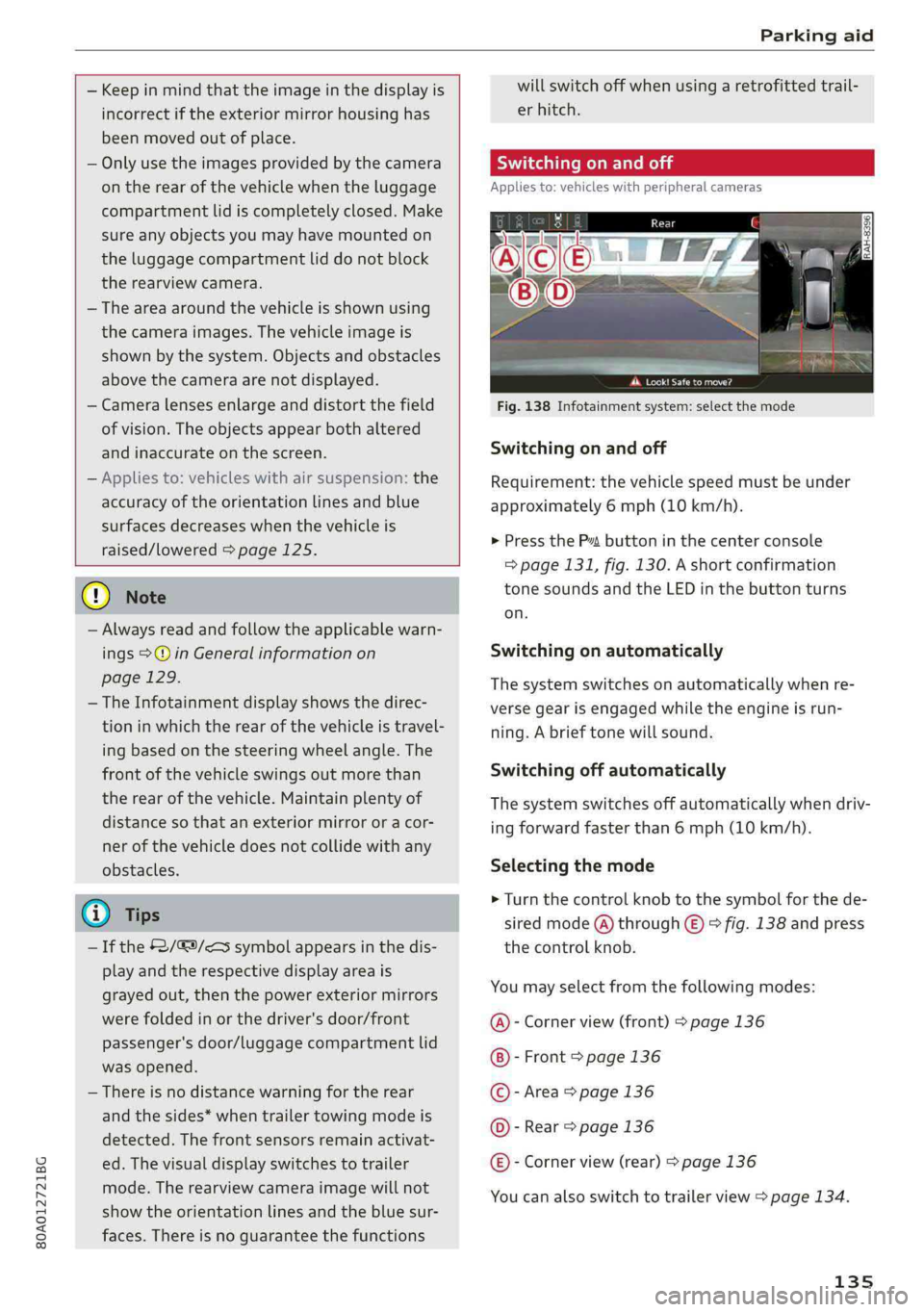
Fig.138Infotainmentsystem:selectthemode
Switchingonandoff
Requirement:thevehiclespeedmustbeunder
approximately6mph(10km/h).
>PressthePsbuttoninthecenterconsole
=>page131,fig.130.Ashortconfirmation
tonesoundsandtheLEDinthebuttonturns
on.
Switchingonautomatically
Thesystemswitchesonautomaticallywhenre-
versegearisengagedwhiletheengineisrun-
ning.Abrieftonewillsound.
Switchingoffautomatically
Thesystemswitchesoffautomaticallywhendriv-
ingforwardfasterthan6mph(10km/h).
Selectingthemode
>Turn thecontrolknobtothesymbolforthede-
siredmode(A)through©)>fig.138andpress
thecontrolknob.
Youmayselectfromthefollowingmodes:
@-Cornerview(front)>page136
-Front>page136
©-Area>page136
©-Rear>page136
@®-Cornerview(rear)>page136
Youcanalsoswitchtotrailerview>page134.
135
Page 140 of 392
Parkingaid
system.Forinformationoncleaning,see
=>page343.
Whenparkingspacesaresmall,theparkingsys-
temsignalsacontinuoustonewhenanobstacle
islessthanapproximately0.7feet(0.20m)
away.Donotcontinuedrivingfarther.
ZAWARNING
—Alwaysreadandfollowtheapplicablewarn-
ings>AinGeneralinformationon
page129.
—Pleasenotethat parkassistonlycontrols
thesteering.Thedriverisalwaysresponsi-
bleforbrakingandaccelerating.
— Thedrivermustdecideiftheparkingspace
displayedissuitableforthevehicle.
—Thevehiclewillchangepositionwhenpark-
ing.Makesureyoudonotendangeranyoth-
erdrivers.
—Whenusingparkassisttodriveintoorout
ofaparkingspace,thesteeringwheelturns
quicklyonitsown.Reachingintothesteer-
ing
wheelspokeswhilethisishappeningcan
resultininjury.
@)Note
—Alwaysreadandfollowtheapplicablewarn-
ings>@inGeneralinformationon
page129.
—Parkassistguidesthevehicleeitheraway
fromcurbsorontothemifothervehicles
areparkedonthecurb.Makesurethatyour
vehicle'stiresandrimsarenotdamaged.
Takeoversteeringattherighttime.
—Certainconditionsaroundtheparkingspace
mayresultinthevehiclenotbeingparked
asexpected.
—Objectssuchaspillarsorposts.
—Groundcoveringsuchasgravel,snowor
ice
G)Tips
— TheElectronicStabilizationControl(ESC)
mustnotbe switchedoffduringtheparking
process>page145.
—Parkingintightcurveswith parkassistis
notpossible.
138
—Youcannotparkwith parkassistwhenyou
aretowingatrailerorhavetheconnectorin-
sertedinthetrailersocket.
Sleemela
Appliesto:vehicleswithparkassist
3S
2 x a
oO
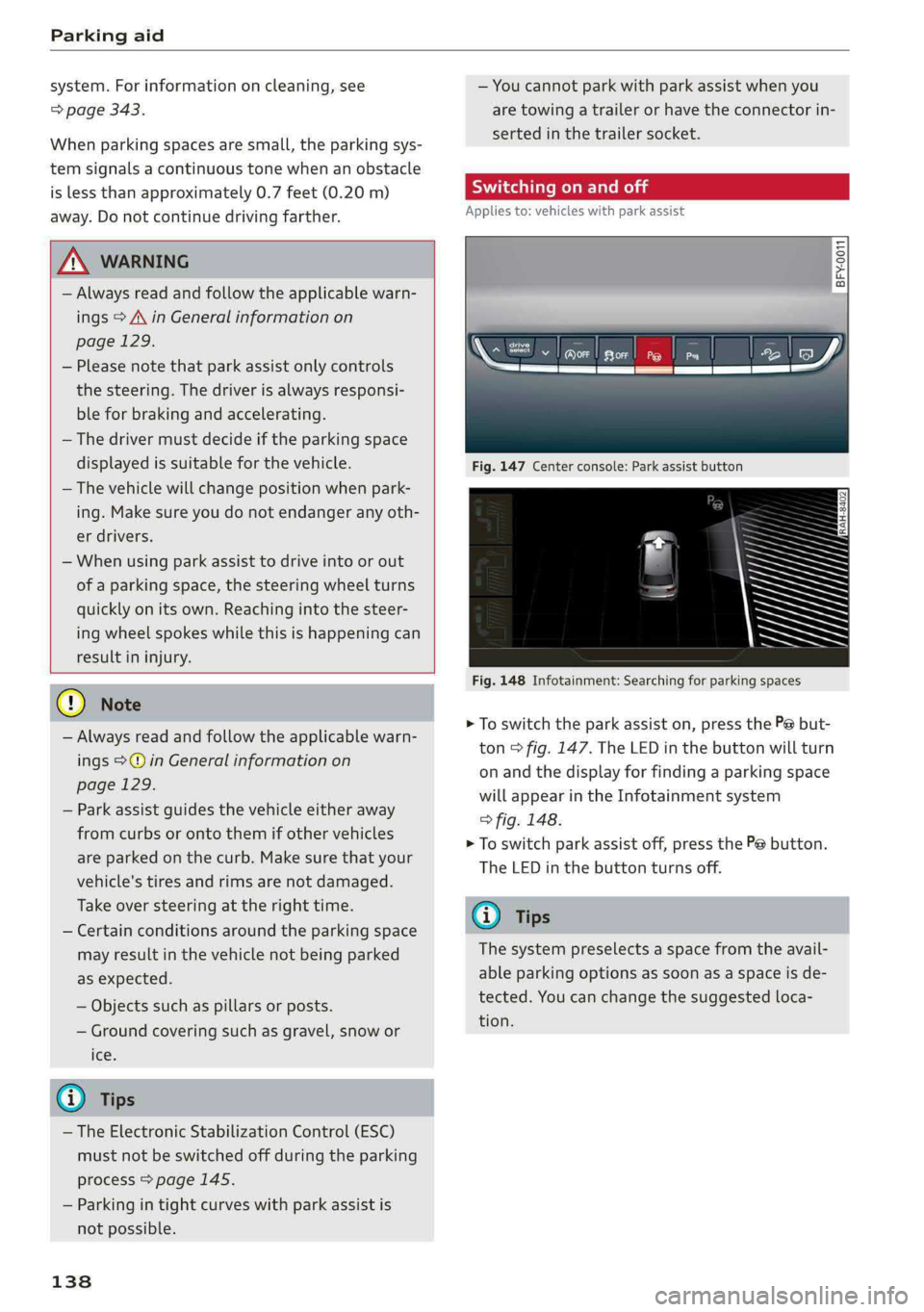
Fig.147Centerconsole:Parkassistbutton
Fig.148Infotainment:Searchingforparkingspaces
>Toswitchtheparkassiston,pressthePebut-
ton>fig.147.The LEDinthebuttonwillturn
onandthedisplayforfindingaparkingspace
willappearintheInfotainmentsystem
>fig.148.
>Toswitchparkassistoff,pressthePebutton.
TheLEDinthebuttonturnsoff.
G)Tips
Thesystempreselectsaspacefromtheavail-
ableparkingoptionsassoonasaspaceisde-
tected.Youcanchangethesuggestedloca-
tion.
Page 142 of 392
Parkingaid
Startingthe parkingprocess
Appliesto:vehicleswithparkassist
Theresponsibilityiswiththedriverwhenpark-
ing.
Requirement:asuitableparkingspacemustbe
foundandselected>page139.Thevehiclemust
initiallybestationary.
> Selectthereversegearafterstoppingbriefly.
>Removeyourhandsfromthesteeringwheel.
>Payattentiontothepathofthevehicle.When
thetrafficsituationallows,presstheaccelera-
torpedalaccordingly>A\inDescriptionon
page138,>@inDescriptiononpage138.
>FollowthevisualinstructionsintheInfotain-
mentsystemdisplayandinstrumentcluster
alongwiththewarningtonesuntiltheparking
processhasended.Thearrowsonthevehicle
indicatethenecessarydirectionoftravel.
Parkassistautomaticallysteersthevehicleinto
theparkingspacewhilethedriverpressesthe
pedals.Themaximumparkingspeedis4mph
(7km/h).
Interruptingtheparkassist
Ifthespeedistoohighand youtakeoversteer-
ing,parkassistswitchesoff.Tocontinueparking,
[email protected]
playswillappearagainintheInfotainmentsys-
temdisplayandtheinstrumentcluster.
G)Tips
Youcanalsocancelthedirectionoftravel
specifiedbythesystembyswitchingbetween
forwardandreversegears.Basedontheposi-
tionofthevehicle,thesystemthencalculates
theadditionalsteeringanddrivingdirections
formaneuvering.
Leavingaparallelparkingspace
Appliesto:vehicleswith parkassist
Theresponsibilityiswiththedriverwhenleaving
aparkingspace.
Ifyouparkedthevehicleinaparallelparking
space,parkassistcanhelpyoudriveoutofit.
140
>Starttheengine.
>PressthePebutton>page138,fig. 147.
>Waituntilamessageappearsthatrequeststhe
directiontotravelinforexitingtheparking
space.
>Activatetheappropriateturnsignal.Themes-
sageStartautomaticunparkingprocedureap-
pears.
>Removeyourhandsfromthesteeringwheel.
>Pressthecontrolknobtostarttheprocedure
forexitingtheparkingspace.
>Payattentiontothepathofthevehicle.When
thetrafficsituationallows,presstheaccelera-
torpedalaccordingly> A\inDescriptionon
page138,>@)inDescriptiononpage138.
>Followthevisualinstructions>page140and
thewarningtoneuntilthevehiclehasfinished
exitingtheparkingspace.
>Driveinthedirectionindicatedbythearrowson
thevehicle.
>Theprocedurehasendedwhenadditionalcor-
rectivemovementsarenolongernecessary.
Takeoversteering.
Parkassistautomaticallysteersthevehicleoutof
theparkingspacewhilethedriverpressesthe
pedals.Themaximumspeedforexitingaparking
spaceis3mph(5km/h).
Interruptingthe parkassist
Ifthespeedistoohighand youtakeoversteer-
ing,parkassistswitchesoff.Tocontinueexiting
theparkingspace,switchtheengineoffandon.
ThenpressthePebuttonagain.Otherwise,leave
theparkingspacewithoutusingparkassist.
Appliesto:vehicleswithparkassist
roo"Parkassist:canceled.Steeringinputbydriv-
er.Pleasetakeoversteering!
Parkassistwascanceledbecausethedrivertook
oversteering.Tocontinueparking, pressthePe
buttonagain.
Parkassist:timelimitexceeded
aor]Parkassist:canceled.Timelimitexceeded.
Pleasetakeoversteering!
Page 146 of 392
IntelligentTechnology
IntelligentTechnology
ElectronicStabilization
Control(ESC)
ElectronicStabilizationControl(ESC)supports
driversafety.Itreducestheriskofslippingand
improvesdrivingstability.ESCdetectscriticalsit-
uations,suchasifthevehicleisoversteeringor
understeering,orifthewheelsare spinning.The
brakesareappliedortheenginetorqueisre-
ducedinordertostabilizethevehicle.Whenthe
ESCengages,theBindicatorlightblinksinthe
instrumentcluster.
ThefollowingsystemsareintegratedintheESC:
Anti-lockbrakingsystem(ABS)
ABSpreventsthewheelsfromlockingwhenbrak-
ing.Thevehiclecanstillbesteeredevenduring
hardbraking.Applysteadypressuretothebrake
pedal.Donotpumpthepedal.Apulsinginthe
brakepedalindicatesthatthesystemisacting to
stabilizethevehicle.
Brakeassistsystem
Thebrakeassistsystemcandecreasebrakingdis-
tance.Itincreasesbrakingpowerwhenthe driver
pressesthebrakepedalquicklyinemergencysit-
uations.Youmustpressandholdthebrakepedal
untilthedangeroussituationisover.Invehicles
withadaptivecruisecontrol*,thebrakeassist
systemismoresensitiveifthedistancedetected
tothevehicledrivingaheadistoosmall.
Anti-SlipRegulation(ASR)
ASRreducesdrivepowerwhenthedrivewheels
beginspinningandadaptsthepowertotheroad
conditions.Thismakesiteasiertostart,acceler-
ateanddriveuphills.
ElectronicDifferentialLock(EDL)
TheEDLappliesthe brakestowheelsthatare
slippingandtransfersthedrivepowertotheoth-
erwheels.Thisfunctionisnotavailableathigher
speeds.
144
Inextremecases,EDLautomaticallyswitchesoff
tokeepthebrakeonthebrakedwheelfromover-
heating.Thevehicleisstillfunctioningcorrectly.
EDLwillswitchonagainautomaticallywhencon-
ditionshavereturnedtonormal.
Powersteering
The ESCcanalsosupportvehiclestability
throughsteering.
Selectivewheeltorquecontrol
Selectivewheeltorquecontrolisusedwhendriv-
ingoncurves.Brakingistargetedtowardthe
wheelsontheinsideofthecurveasneeded.This
allowsmoreprecisedrivingincurves.
Automaticpost-collisionbrakingsystem
Theautomaticpost-collisionbrakingsystemcan
helptoreducetheriskofslidingandofaddition-
alcollisionsafteranaccident.Iftheairbagcon-
trolmoduledetectsacollision,thevehicleis
braked bytheESC.
Thevehicledoesnotbrakeautomaticallyifoneof
thefollowingoccurs:
—Thedriverpressestheacceleratorpedal
—TheESC,thebrakesystem,orthevehicleelec-
tricalsystemisnotfunctioning
ZAWARNING
— The ESCanditsintegratedsystemscannot
overcomethelimitsimposedbynatural
physicallaws.Thisisespeciallyimportanton
slipperyorwetroads.Ifthesystemsbegin
actingtostabilizeyourvehicle,youshould
immediatelyalteryourspeedtomatchthe
roadandtrafficconditions.Donotletthein-
creasedsafetyprovidedtemptyouintotak-
ingrisks.Thiscouldincreaseyourriskofa
collision.
—Pleasenotetheriskofacollisionincreases
whendrivingfast,especiallythroughcurves
andonslipperyorwetroads,andwhendriv-
ingtooclosetoobjectsahead.The ESC and
itsintegratedsystemscannotalwayspre-
ventcollisions-thereisstillariskofacci-
dents!
Page 147 of 392
80A012721BG
IntelligentTechnology
—Acceleratecarefullywhendrivingon
smooth,slipperysurfacessuchasiceand
snow.Thedrivewheelscanspinevenwhen
thesecontrolsystemsareinstalledandthis
canaffectdrivingstabilityandincreasethe
riskofacollision.
—Appliesto:Vehicleswithroofrackssupplied
by
thefactoryWheninstallingafactory-
suppliedroofracksystemontheroofrail,
theESCwillusesensorstoadaptitselfto
thedifferentcenterofgravityif itchanges
becauseofcarryingaload.Thisdoesnotoc-
cur whenusingotherroofracksystems,so
theriskofanaccidentwillincrease.
iG)Tips
—TheABSandASRonlyfunctioncorrectly
whenallfourwheelshaveasimilarwear
condition.Differenttiresizescanleadtoa
reductioninenginepower.
—Youmayhearnoiseswhenthesystemsde-
scribedareworking.
ScareRiemola
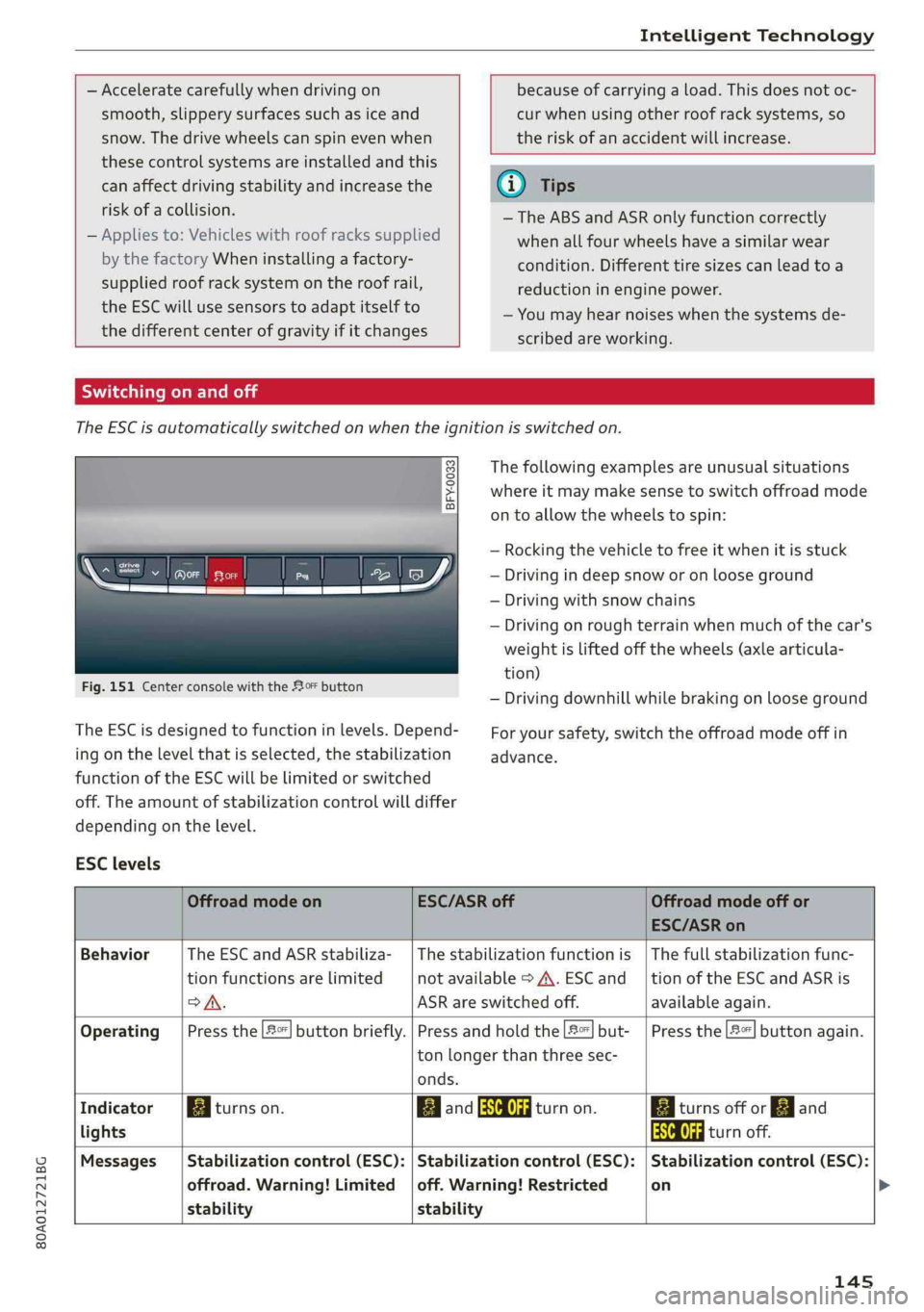
TheESCisautomaticallyswitchedonwhentheignitionisswitchedon.
2i) 3S
gpaaoo
Fig.151CenterconsolewiththeoFbutton
The ESCisdesignedtofunctioninlevels.Depend-
ingonthelevelthatisselected,thestabilization
functionoftheESCwillbelimitedorswitched
off.Theamountofstabilizationcontrolwilldiffer
dependingonthelevel.
Thefollowingexamplesareunusualsituations
whereitmaymakesensetoswitchoffroadmode
ontoallowthewheelstospin:
—Rocking thevehicletofreeitwhenitisstuck
—Drivingindeepsnoworonlooseground
—Drivingwithsnowchains
—Drivingonroughterrainwhenmuchofthecar's
weightisliftedoffthewheels(axle articula-
tion)
—Drivingdownhillwhilebrakingonlooseground
Foryoursafety,switchtheoffroadmodeoffin
advance.
ESClevels
OffroadmodeonESC/ASRoffOffroadmodeoffor
ESC/ASRon
BehaviorThe ESC andASRstabiliza-|Thestabilizationfunctionis|Thefullstabilizationfunc-
tionfunctionsarelimitednotavailable>A\.ESCand__|tionoftheESCandASRis
SA.ASRareswitchedoff.available again.
Operating|Pressthe|#°*|buttonbriefly.|Pressandholdthe|#|but-|Pressthe|#"|buttonagain.
ton longerthanthreesec-
onds.
IndicatorBiturnson.EganFRAturnon.BaiturnsofforEgand
lightsEaturnoff.
Messages__|Stabilizationcontrol(ESC):|Stabilizationcontrol(ESC):|Stabilizationcontrol(ESC):
offroad.Warning!Limited|off.Warning!Restrictedon
stabilitystability
145
Page 148 of 392
IntelligentTechnology
ZXWARNING
Youshouldonlyswitchoffroadmodeonor
switchESC/ASRoffifyourdrivingabilitiesand
thetrafficconditionspermit.Thereisariskof
sliding.
—Thestabilizationfunctionislimitedwhen
offroadmodeisswitchedon.Thedriving
wheelscouldspinandthevehiclecould
swerve,especiallyonslickorslipperyroad
surfaces.
—Thereisnovehiclestabilizationwhen
ESC/ASRareswitchedoff.
Hilldescentassist
Hilldescentassistmakesitpossibletodrive
downahillataconstantspeed.
a
2
g
= ©a
N
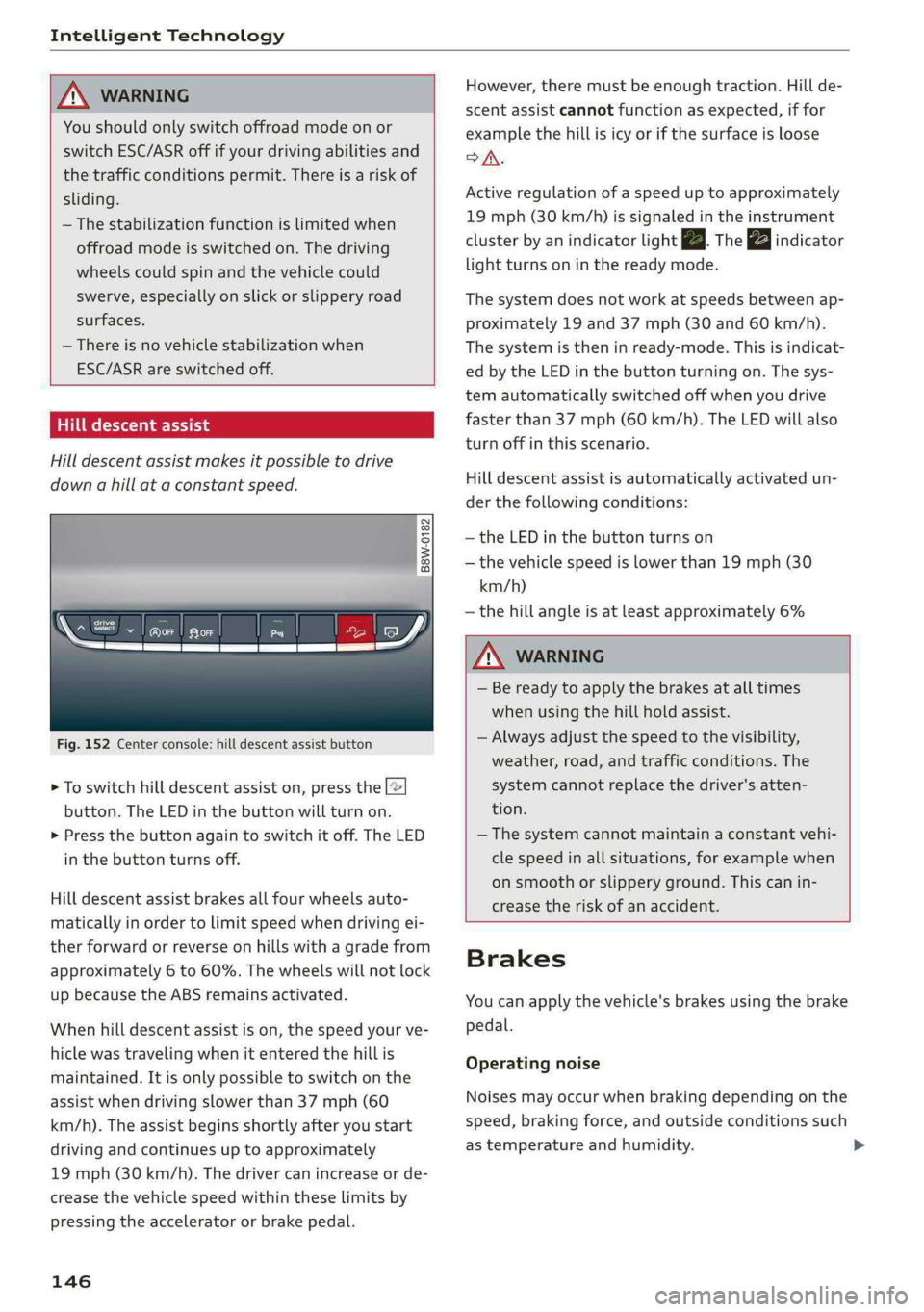
Fig.152Centerconsole:hilldescentassistbutton
>Toswitchhilldescentassiston,pressthe|@
button.TheLEDinthebuttonwillturnon.
>»Pressthebuttonagaintoswitchitoff.The LED
inthe buttonturnsoff.
Hilldescentassistbrakesallfourwheelsauto-
maticallyinordertolimitspeedwhendrivingei-
therforwardorreverseonhillswithagradefrom
approximately6to60%.Thewheelswillnotlock
upbecausetheABSremainsactivated.
Whenhilldescentassistison,thespeedyourve-
hiclewastravelingwhenitenteredthehillis
maintained.Itisonlypossibletoswitchonthe
assistwhendrivingslowerthan37mph(60
km/h).
Theassistbeginsshortlyafteryoustart
drivingandcontinuesuptoapproximately
19mph(30km/h).Thedrivercanincrease or de-
creasethevehiclespeedwithintheselimitsby
pressingtheacceleratororbrakepedal.
146
However,theremustbeenoughtraction.Hillde-
scentassistcannotfunctionasexpected,iffor
examplethehillisicyorifthesurfaceisloose
SA.
Activeregulationofaspeeduptoapproximately
19mph(30km/h)issignaledintheinstrument
clusterby anindicatorlightZB.Thegaindicator
lightturnsoninthereadymode.
Thesystemdoesnotworkatspeedsbetweenap-
proximately19 and 37mph(30and60km/h).
Thesystemistheninready-mode.Thisisindicat-
edbytheLEDinthebuttonturningon.Thesys-
temautomaticallyswitchedoffwhenyoudrive
fasterthan37mph(60 km/h).TheLEDwillalso
turnoffinthisscenario.
Hilldescentassistisautomaticallyactivatedun-
der thefollowingconditions:
—theLEDinthebuttonturnson
—thevehiclespeedislowerthan19mph(30
km/h)
—thehillangleisatleastapproximately6%
ZXWARNING
—Bereadytoapplythebrakesatalltimes
whenusingthehillholdassist.
—Alwaysadjustthespeedtothevisibility,
weather,road,andtrafficconditions.The
systemcannotreplacethedriver'satten-
tion.
—The systemcannotmaintainaconstantvehi-
clespeedinallsituations,forexamplewhen
onsmoothorslipperyground.Thiscanin-
creasetheriskofanaccident.
Brakes
Youcanapplythevehicle'sbrakesusingthebrake
pedal.
Operatingnoise
Noisesmayoccurwhenbrakingdependingonthe
speed,brakingforce,andoutsideconditionssuch
astemperatureandhumidity.