warning AUDI Q5 2019 Repair Manual
[x] Cancel search | Manufacturer: AUDI, Model Year: 2019, Model line: Q5, Model: AUDI Q5 2019Pages: 392, PDF Size: 99.86 MB
Page 98 of 392
Assistsystems
theinstrumentclustercanmeaneithermph
orkm/h,dependingonthecountry.
Operating
Appliesto:vehicleswithcamera-basedtrafficsignrecognition
©.aaq
|
==a
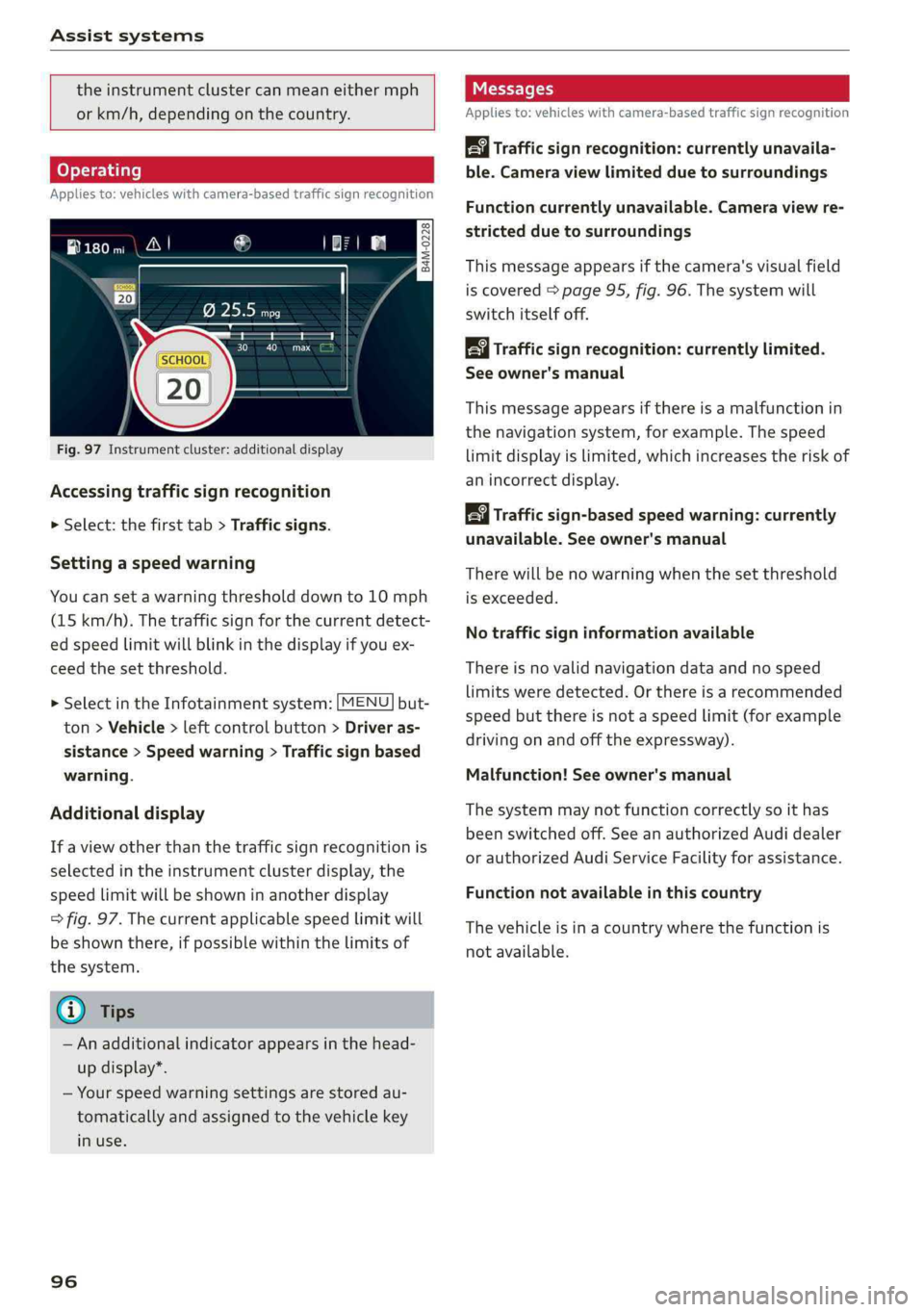
Fig.97Instrumentcluster:additionaldisplay
Accessingtrafficsignrecognition
>Select:thefirsttab>Trafficsigns.
Settingaspeedwarning
Youcansetawarningthresholddownto10mph
(15km/h).Thetrafficsignforthecurrentdetect-
edspeedlimitwillblinkinthedisplayifyouex-
ceed thesetthreshold.
> SelectintheInfotainmentsystem:[MENU]but-
ton>Vehicle>leftcontrolbutton>Driveras-
sistance>Speedwarning>Trafficsignbased
warning.
Additionaldisplay
If aviewotherthanthetrafficsignrecognitionis
selectedintheinstrumentclusterdisplay,the
speedlimitwillbeshowninanotherdisplay
=>fig.97.Thecurrentapplicablespeedlimitwill
beshownthere,ifpossiblewithinthelimitsof
thesystem.
G)Tips
—Anadditionalindicatorappearsinthehead-
updisplay*.
—Yourspeedwarningsettingsarestoredau-
tomaticallyandassignedtothevehiclekey
inuse.
96
Messages
Appliesto:vehicleswithcamera-basedtrafficsignrecognition
Trafficsign recognition:currently unavaila-
ble.Cameraviewlimitedduetosurroundings
Functioncurrentlyunavailable.Cameraviewre-
strictedduetosurroundings
Thismessageappearsifthecamera'svisualfield
iscovered>page95,fig.96.Thesystemwill
switchitselfoff.
Trafficsign recognition:currentlylimited.
Seeowner'smanual
Thismessageappearsifthereisamalfunctionin
thenavigationsystem,forexample.Thespeed
limitdisplayislimited,whichincreasestheriskof
anincorrectdisplay.
Trafficsign-basedspeedwarning:currently
unavailable.Seeowner'smanual
Therewillbenowarningwhenthesetthreshold
isexceeded.
Notrafficsigninformationavailable
Thereisnovalidnavigationdataandnospeed
limitsweredetected.Orthereisarecommended
speedbutthereisnotaspeedlimit(forexample
drivingonandoffthe expressway).
Malfunction!Seeowner'smanual
Thesystemmaynotfunctioncorrectlysoithas
beenswitchedoff.SeeanauthorizedAudidealer
orauthorizedAudiServiceFacilityforassistance.
Functionnotavailableinthiscountry
Thevehicleisinacountrywherethefunctionis
notavailable.
Page 99 of 392
80A012721BG
Assistsystems
Trafficlightinformation
Appliesto:vehicleswithtrafficlightinformation
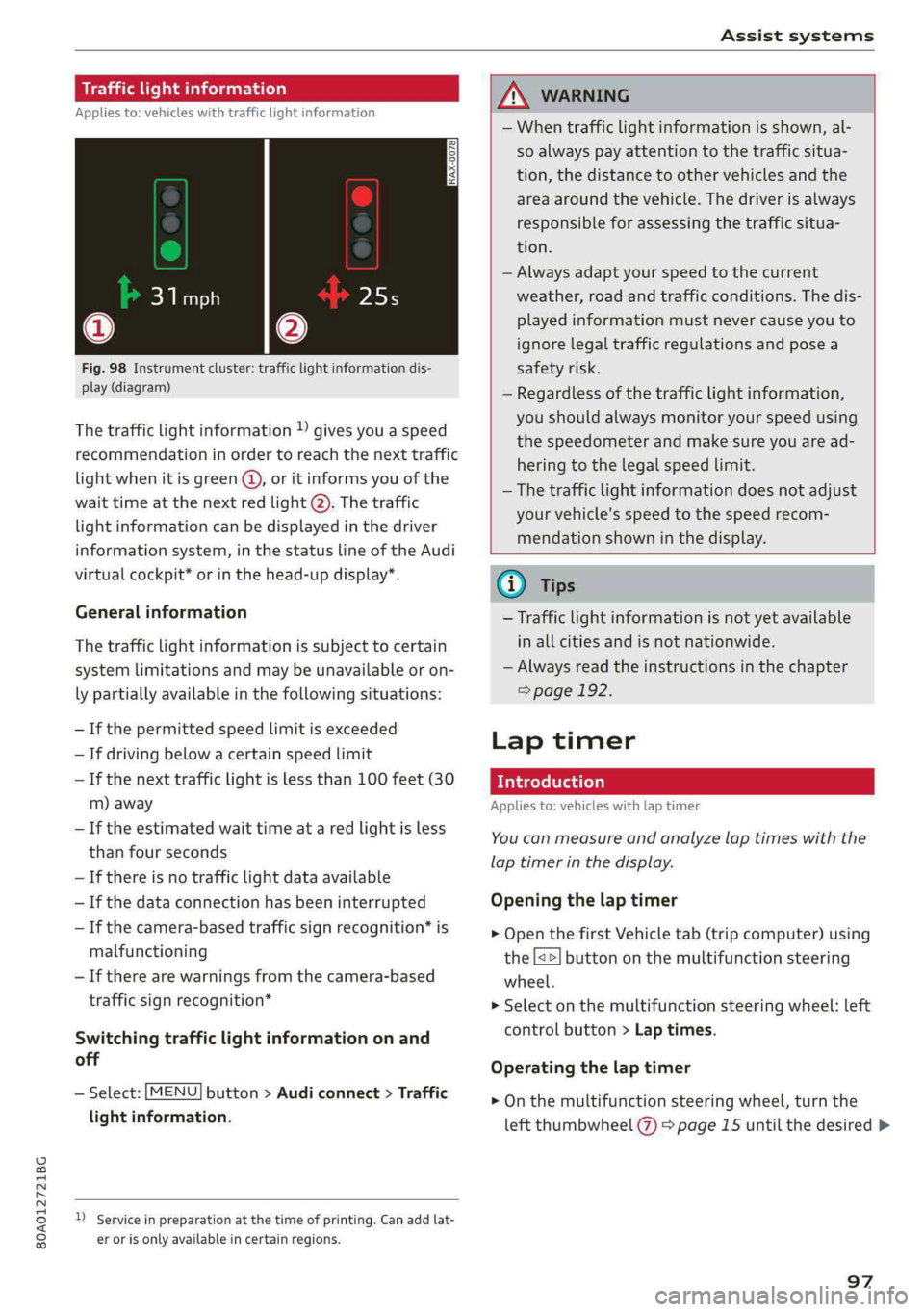
Fig.98Instrumentcluster:trafficlightinformationdis-
play(diagram)
Thetrafficlightinformation)givesyouaspeed
recommendationinordertoreachthenexttraffic
lightwhenitisgreen@,oritinformsyouofthe
waittimeatthenextredlight@).Thetraffic
lightinformationcanbedisplayedinthedriver
informationsystem,inthestatuslineoftheAudi
virtualcockpit*orinthehead-updisplay*.
Generalinformation
Thetrafficlightinformationissubjecttocertain
systemlimitationsandmaybeunavailableoron-
lypartiallyavailableinthefollowingsituations:
—Ifthepermittedspeedlimitisexceeded
—Ifdrivingbelowacertainspeedlimit
—Ifthenexttrafficlightislessthan100feet(30
m)away
—Iftheestimatedwaittimeataredlightisless
thanfourseconds
—Ifthereisnotrafficlightdataavailable
—Ifthedataconnectionhasbeeninterrupted
—Ifthecamera-basedtrafficsignrecognition*is
malfunctioning
—Iftherearewarningsfromthecamera-based
trafficsignrecognition*
Switchingtrafficlightinformationonand
off
—Select:[MENU]button>Audiconnect>Traffic
lightinformation.
)Serviceinpreparationatthetimeofprinting.Can addlat-
erorisonlyavailableincertainregions.
ZAWARNING
—Whentrafficlightinformationisshown,al-
soalways payattentiontothetrafficsitua-
tion,thedistancetoothervehiclesandthe
areaaroundthevehicle.Thedriverisalways
responsibleforassessingthetrafficsitua-
tion.
—Alwaysadaptyourspeedtothecurrent
weather,roadandtrafficconditions.Thedis-
playedinformationmustnevercauseyouto
ignorelegaltrafficregulationsandposea
safetyrisk.
—Regardlessofthetrafficlightinformation,
youshould alwaysmonitoryourspeedusing
thespeedometerandmakesureyouaread-
hering
tothelegalspeedlimit.
—Thetrafficlightinformationdoesnotadjust
yourvehicle'sspeedtothespeedrecom-
mendationshowninthedisplay.
@)Tips
—Trafficlightinformationisnotyetavailable
inallcitiesandisnotnationwide.
—Alwaysreadtheinstructionsinthe chapter
=>page192.
Laptimer
Introduction
Appliesto:vehicleswithlaptimer
Youcanmeasureandanalyzelaptimeswiththe
laptimerinthedisplay.
Openingthelaptimer
>OpenthefirstVehicletab(tripcomputer)using
the[<>]buttononthemultifunctionsteering
wheel.
>Selectonthemultifunctionsteeringwheel:left
controlbutton>Laptimes.
Operatingthelaptimer
>Onthemultifunctionsteeringwheel,turnthe
leftthumbwheel()>page15untilthedesired>
97
Page 100 of 392
Assistsystems
menuitemisdisplayedintheinstrumentclus-
ter.
>Presstheleftthumbwheeltoconfirmtheselec-
tion.
Z\WARNING
Yourfocusshouldalways beondrivingyour
vehiclesafely.Asthedriver,youhavecom-
pleteresponsibilityforsafetyintraffic.Only
use thefunctionssuchasthelaptimerinsuch
awaythatyoualwaysmaintaincompletecon-
troloveryourvehicleinalltrafficsituations.
@Tips
Youcanretrieveinformationfromthetrip
computerwhilethelaptimerstopwatchis
running.
eyoReamial)
Appliesto:vehicleswithlaptimer
Requirement:thelaptimermustbeopen
=>page97.
Timinglaps
>Tostarttimingmanually,selectStartlap 1in
themenu.
>Tostarttimingautomaticallyassoonasyoube-
gintodrive,selectDriveofftostartlap1or
Startbydrivingoffinthemenu.
>Tomeasurethelaptime,selectNewlapinthe
menu.Thisstartstimingthenextlapatthe
sametime.
Aftercompletinga lap,thedifferencebetween
thelastlapandthepreviousbestlaptimewillbe
indicatedwitha“—”or“+”.
Pausingtiminganddisplayingasplittime
>ToinsertapauseflselectPauseinthemenu.
>Toresumetiming,selectResumeinthemenu.
>Todisplayasplittime,selectSplittimeinthe
menu.Thesplittimeappearsforapproxi-
mately10secondsintheinstrumentcluster.
Thetimingofthecurrentlapcontinues.
Resettingtiming
>Usingthemultifunctionsteeringwheel,select
Resettimesinthemenu.
98
G)Tips
—Amaximumof99laptimescanbemeas-
ured.
—Iftimingispaused,youcancontinueitlater
evenifyouswitchtheignitionoff.
—Savedlaptimescannotbeindividuallyde-
letedfromthetotalresults.
— Thesavedlaptimervalueswillremainafter
switchingtheignitionoff.
Lapstatistics
Appliesto:vehicleswithlaptimer
Displayinglapstatistics
Youcandisplaythenumberoflapsdriven,the
fastestlap“+”,theslowestlap“—”,andtheaver-
agetime“Q”intheinstrumentcluster.
>Onthemultifunctionsteeringwheel,selectthe
leftcontrolbutton>LapstatisticsorStatis-
tics.
>Turn thethumbwheeldownoruptodisplaythe
individuallaptimes.
>Toreturn tothelaptimingthatwasbegun,
presstheleftthumbwheel.
Resettinglapstatistics
>Onthemultifunctionsteeringwheel,select:
therightcontrolbutton>Resetstatistics.
(i)Tips
Thelapstatisticslistthelaptimesforthelast
30laps.Thefastestandslowestlaptimeout
ofupto99measuredlapsarealsodisplayed.
Predictiveefficiency
assist
Introduction
Thepredictiveefficiencyassisthelpsthedriverto
drivewithanticipationandthereforehelpsto
savefuel.Thesystemaccessespredictivetripda-
ta(includingspeedlimits,hills,andtheangleof
curves)fromthenavigationsystem*.Informa-
tionfromthe camera-basedtrafficsignrecogni-
tion*isalsoappliedtorecognizetrafficsigns
=>page95.
Page 101 of 392
80A012721BG
Assistsystems
Themessagesdisplayeddependonthenaviga-
tiondata* beingup-to-dateandthecorrectiden-
tificationbythetrafficsignrecognition”.
Whenadaptivecruisecontrol*isswitchedoff,the
predictiveefficiencyassistonlyprovidesnotifica-
tionswithoutcontrolledinterventions.See
=>page99,Predictivemessages(efficiencyas-
sist).
Whenadaptivecruisecontrol”isswitchedon,the
systemrespondstoupcomingsituationsauto-
matically.See>page99,Predictivecontrol(ef-
ficiencyassist).
Predictivemessages(efficiencyassist)
Appliesto:vehicleswithpredictiveefficiencyassist
Indicatorintheinstrumentclusterdisplay
Predictivemessagesappearintheinstrument
clusterdisplay toshowthedrivertheappropriate
timetocoastwhenasituationaheadrequiresyou
todriveatalowerspeed.
Themessagesareonlyshownifthecruisecontrol
system*oradaptivecruisecontrol*isswitched
off.
Anadditionalindicatorappearsinthehead-up
display”.
SymbolMeaning
Removeyourfootfromtheacceler-
atorpedaltoslowdown,because
thereisasituationaheadthatre-
quiresalowerspeed.
~
IfyouseeDriverassistanceintheinstrument
clusterdisplay,thefollowingsymbolswillindi-
catewhichsituationthesystemiscurrentlyreact-
ingto.
SymbolMeaning
MPHSpeedlimit
km/hSpeedlimit
SymbolMeaning
JitIntersection
TE
=O)Trafficcircle
ai
Iftherearemultiplesituations,thenasequence
ofthesesituationswillappearinthedisplay.
Z\WARNING
Payattentiontotrafficandtheareaaround
yourvehiclewhentheefficiencyassistis
switchedon.Thedriverisalwaysresponsible
forassessingthetrafficsituation.
@Tips
—Thewordingofthemessagemayvaryde-
pendingontheselectedAudidriveselect*
mode=page125andtheselectedgear.No
messagesaredisplayedwheninthe"S"se-
lectorleverpositionorinDynamicmode.
—Whenarouteisplannedusingthenaviga-
tionsystem*,thensystemdisplaysmessag-
esbasedonanassumedroute.Without
routeguidance, thesystemdisplaysmes-
sagesbasedonanassumedroute.
—Therewillnot beamessageforeverysitua-
tionahead,forexampleifthereisnot
enoughdistanceremainingtoreacttothe
situation.
— Nomessagesaredisplayedwhenatspeeds
under20mph(30km/h).
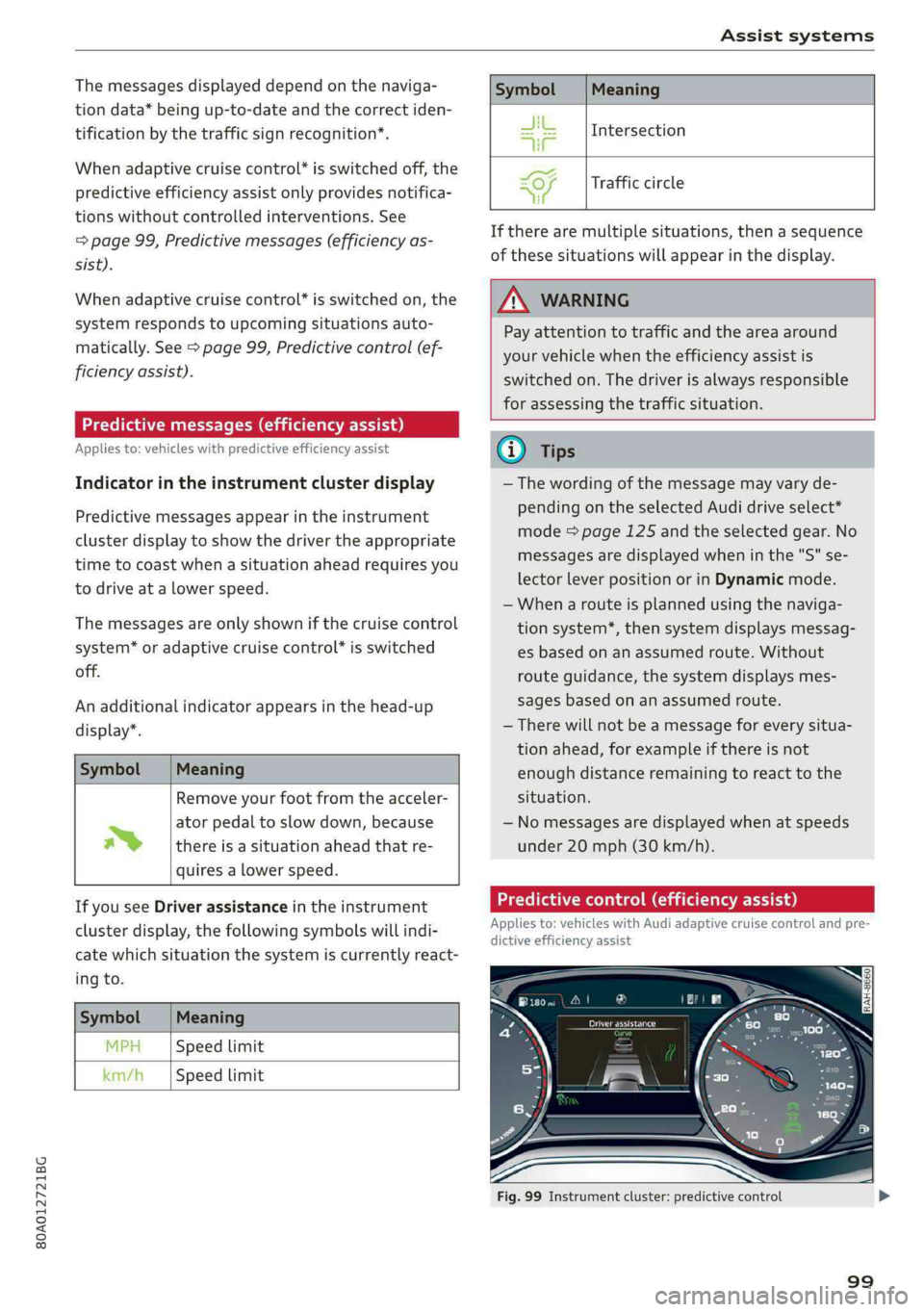
Predictivecontrol(efficiencyassist)
Appliesto:vehicleswithAudi adaptivecruisecontrolandpre-
dictiveefficiencyassist
Fig.99Instrumentcluster:predictivecontrol
99
Page 102 of 392
Assistsystems
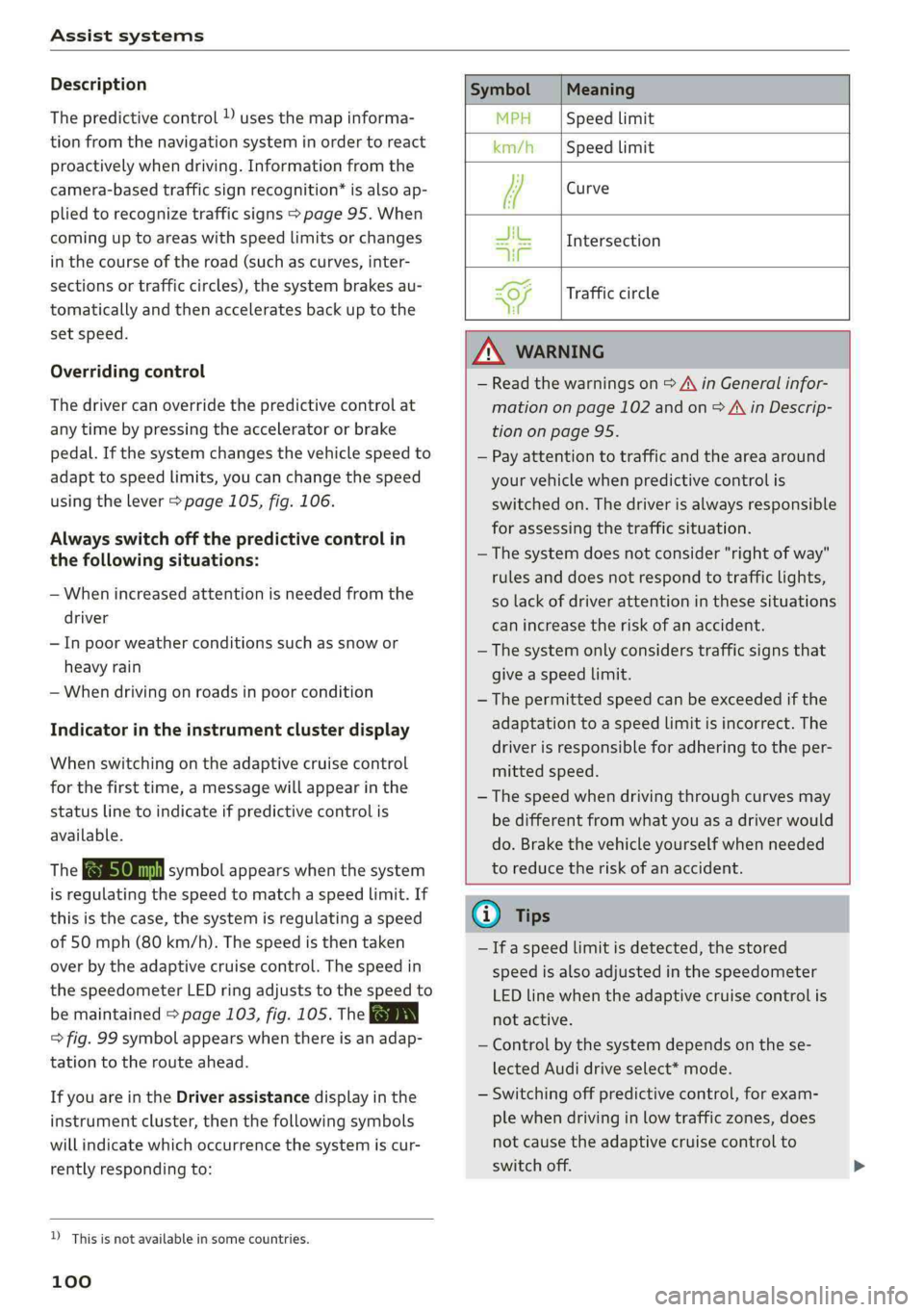
Description
Thepredictivecontrolusesthemapinforma-
tionfromthenavigationsysteminordertoreact
proactivelywhendriving.Informationfromthe
camera-basedtrafficsignrecognition*isalsoap-
pliedtorecognizetrafficsigns>page95.When
cominguptoareaswithspeedlimitsorchanges
inthe courseoftheroad(suchascurves,inter-
sectionsortrafficcircles),thesystembrakesau-
tomaticallyandthenacceleratesbackuptothe
setspeed.
Overridingcontrol
Thedrivercanoverridethepredictivecontrolat
anytimebypressingtheacceleratororbrake
pedal.Ifthesystemchangesthevehiclespeedto
adapttospeedlimits,youcanchangethespeed
usingthelever>page105,fig.106.
Alwaysswitchoffthepredictivecontrolin
thefollowingsituations:
—Whenincreasedattentionisneededfromthe
driver
—Inpoorweatherconditionssuchassnowor
heavyrain
—Whendrivingonroadsinpoorcondition
Indicatorintheinstrumentclusterdisplay
Whenswitchingontheadaptivecruisecontrol
forthefirsttime,amessagewillappearinthe
statuslinetoindicateifpredictivecontrolis
available.
TheBensymbolappearswhenthesystem
isregulatingthespeedtomatchaspeedlimit.If
thisisthecase,thesystemisregulatingaspeed
of50mph(80 km/h).Thespeedisthentaken
over bytheadaptivecruisecontrol.Thespeedin
thespeedometerLEDringadjuststothespeedto
bemaintained>page103,fig.105.TheauEN
=>fig.99symbolappearswhenthereisanadap-
tationtotherouteahead.
IfyouareintheDriverassistancedisplayinthe
instrumentcluster,thenthefollowingsymbols
willindicatewhichoccurrencethesystemiscur-
rentlyrespondingto:
SymbolMeaning
MPHSpeedlimit
km/hSpeedlimit
[lew
JikIntersection
TUT
SiTrafficcircle
te
ZAWARNING
—Readthewarningson>AinGeneralinfor-
mationonpage 102andon>A\inDescrip-
tiononpage95.
—Payattentiontotrafficandtheareaaround
yourvehiclewhenpredictivecontrolis
switchedon.Thedriverisalwaysresponsible
forassessingthetrafficsituation.
—Thesystemdoesnotconsider"rightofway"
rulesanddoesnotrespondtotrafficlights,
solackofdriverattentioninthesesituations
canincreasetheriskofanaccident.
— The systemonlyconsiderstrafficsignsthat
giveaspeedlimit.
— Thepermittedspeedcanbeexceededifthe
adaptationtoaspeedlimitisincorrect.The
driverisresponsibleforadheringtotheper-
mittedspeed.
— Thespeedwhendrivingthroughcurvesmay
bedifferentfromwhatyouasadriverwould
do.Brakethevehicleyourselfwhenneeded
toreducetheriskofanaccident.
D_Thisisnotavailableinsomecountries.
100
G)Tips
—Ifaspeedlimitisdetected,thestored
speedisalsoadjustedinthespeedometer
LEDlinewhentheadaptivecruisecontrolis
notactive.
—Controlbythesystemdependsonthese-
lectedAudidriveselect*mode.
—Switchingoffpredictive control,forexam-
plewhendrivinginlowtrafficzones,does
notcause theadaptivecruisecontrolto
switchoff.
Page 104 of 392
Assistsystems
Onopenroadswithnotraffic,itfunctionslikea
cruisecontrolsystem.Thestoredspeedismain-
tained.Whenapproachingavehicledriving
ahead,theadaptivecruisecontrolsystemauto-
maticallybrakestomatchthatvehicle'sspeed
andthenmaintainsthesetdistance.Assoonas
thesystemdoesnotdetectavehicledriving
ahead,adaptivecruisecontrolacceleratesupto
thestoredspeed.
Instop-and-gotraffic,adaptivecruisecontrolcan
brakeuntilthevehicleisstationaryandthencan
alsostartdrivingagainautomaticallyundercer-
tainconditions>page106.
Appliesto:vehicleswithtrafficjamassist
Intrafficjamsorstop-and-gotraffic,trafficjam
assistcanassistthedriver>page108.
Whichfunctionscanbecontrolled?
Whenyouswitchadaptivecruisecontrolon,you
cansetthecurrentspeedasthe“controlspeed”
=>page103,Switchingonandoff.
Whendriving,youcanstopcruisecontrol
=page106orchangethespeed>page105at
anytime.
Youcanalsosetthedistancetothevehicledriv-
ingaheadandsetthedrivingmodeoftheadap-
tivecruisecontrol>page105.
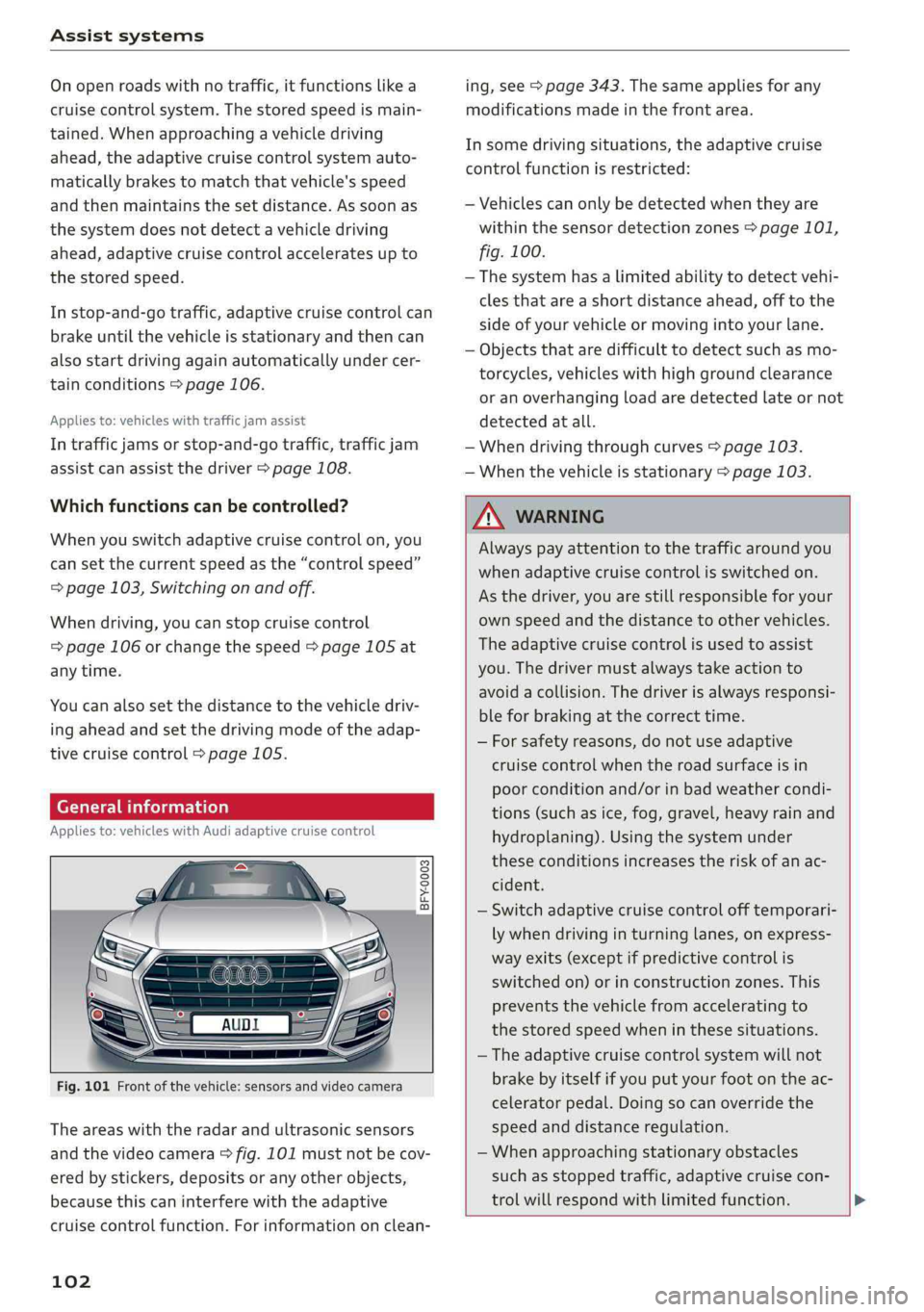
Generalinformation
Appliesto:vehicleswithAudiadaptivecruisecontrol
BFY-0003
Fig.101Frontofthevehicle:sensorsandvideocamera
Theareaswiththeradarandultrasonicsensors
andthevideocamera>fig.101mustnotbecov-
ered bystickers,depositsoranyotherobjects,
becausethiscaninterferewiththeadaptive
cruisecontrolfunction.Forinformationonclean-
102
ing,see>page343.Thesameappliesforany
modificationsmadeinthefrontarea.
Insomedrivingsituations,theadaptivecruise
controlfunctionisrestricted:
—Vehiclescanonlybedetectedwhentheyare
withinthesensordetectionzones>page101,
fig.100.
—Thesystemhasalimitedabilitytodetectvehi-
clesthatareashortdistanceahead,offtothe
sideofyourvehicleormovingintoyourlane.
—Objectsthataredifficulttodetectsuchasmo-
torcycles,vehicleswithhighgroundclearance
oranoverhangingloadaredetectedlateornot
detectedatall.
—Whendrivingthroughcurves>page103.
—Whenthevehicleisstationary>page103.
Z\WARNING
Alwayspayattentiontothetrafficaround you
whenadaptivecruisecontrolisswitchedon.
Asthedriver,youarestillresponsibleforyour
ownspeedandthedistancetoothervehicles.
Theadaptivecruisecontrolisusedtoassist
you.Thedrivermustalwaystakeactionto
avoidacollision.Thedriverisalwaysresponsi-
bleforbrakingatthecorrecttime.
—Forsafetyreasons,donotuseadaptive
cruisecontrolwhentheroadsurfaceisin
poorconditionand/orinbadweathercondi-
tions(such asice,fog,gravel,heavyrainand
hydroplaning).Usingthesystemunder
theseconditionsincreasestheriskofanac-
cident.
—Switchadaptivecruisecontrolofftemporari-
lywhendrivinginturninglanes,onexpress-
wayexits(exceptifpredictivecontrolis
switchedon)orinconstructionzones.This
preventsthevehiclefromaccelerating to
thestoredspeedwheninthesesituations.
— Theadaptivecruisecontrolsystemwillnot
brakebyitselfifyouputyourfootontheac-
celeratorpedal.Doingsocanoverridethe
speedanddistanceregulation.
—Whenapproachingstationaryobstacles
suchasstoppedtraffic,adaptivecruisecon-
trol willrespondwithlimitedfunction.
Page 106 of 392
Assistsystems
Youcansetanyspeedbetween20mphand95
mph(30km/hand150km/h).
Indicatorlightsandmessagesintheinstrument
clusterdisplayinformyouaboutthecurrentsit-
uationandsetting.
Anadditionalindicatorappearsinthehead-up
display”.
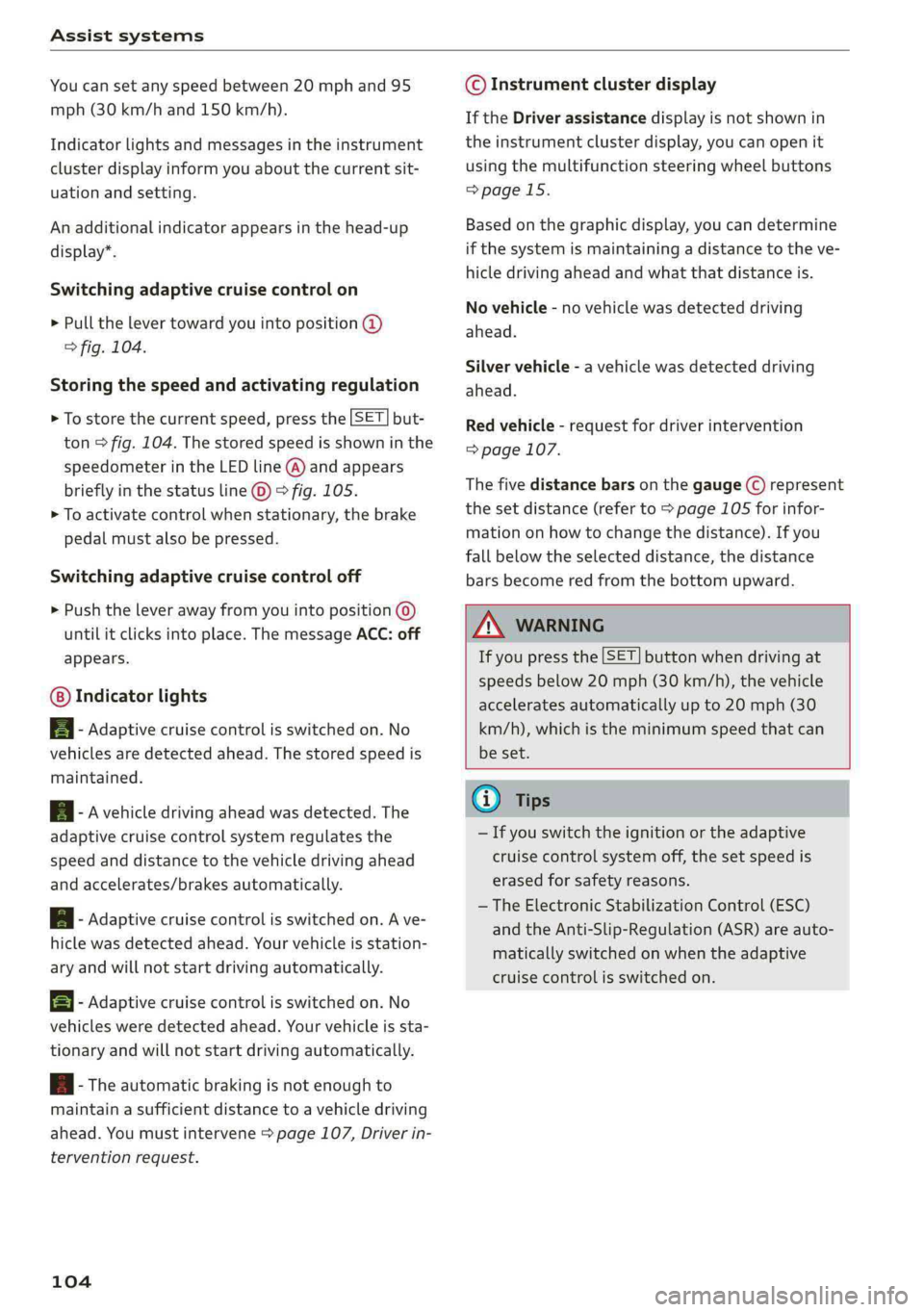
Switchingadaptivecruisecontrolon
>Pullthelevertowardyouintoposition@
>fig.104.
Storingthespeedandactivatingregulation
>Tostorethecurrentspeed,pressthe[SET]but-
ton>fig.104.Thestoredspeedisshowninthe
speedometerintheLEDline(@)andappears
brieflyinthestatusline©)>fig.105.
>Toactivatecontrolwhenstationary,thebrake
pedalmustalsobepressed.
Switchingadaptivecruisecontroloff
>Pushtheleverawayfromyouintoposition©)
untilitclicksintoplace.ThemessageACC:off
appears.
Indicatorlights
B-Adaptivecruisecontrolisswitchedon.No
vehiclesaredetectedahead.Thestoredspeedis
maintained.
B-Avehicledrivingaheadwasdetected.The
adaptivecruisecontrolsystemregulatesthe
speedanddistancetothevehicledrivingahead
andaccelerates/brakesautomatically.
A-Adaptivecruisecontrolisswitchedon.Ave-
hiclewasdetectedahead.Yourvehicleisstation-
aryandwillnotstartdrivingautomatically.
EB-Adaptivecruisecontrolisswitchedon.No
vehiclesweredetectedahead.Yourvehicleissta-
tionaryandwillnotstartdrivingautomatically.
B-Theautomaticbrakingisnotenoughto
maintainasufficientdistancetoavehicledriving
ahead.Youmustintervene>page107,Driverin-
terventionrequest.
104
©Instrumentclusterdisplay
IftheDriverassistancedisplayisnotshownin
theinstrumentclusterdisplay,youcanopenit
usingthemultifunctionsteeringwheelbuttons
>page15.
Basedonthegraphicdisplay,youcandetermine
ifthesystemismaintainingadistancetotheve-
hicledrivingaheadandwhatthatdistanceis.
Novehicle-novehiclewasdetecteddriving
ahead.
Silvervehicle-avehiclewasdetecteddriving
ahead.
Redvehicle-requestfordriverintervention
=>page107.
Thefivedistance barsonthegauge(©represent
the
setdistance(referto>page105forinfor-
mationonhowtochangethedistance).Ifyou
fallbelowtheselecteddistance,thedistance
barsbecomeredfromthebottomupward.
ZXWARNING
Ifyoupressthe[SET]buttonwhendrivingat
speedsbelow20mph(30km/h),thevehicle
acceleratesautomaticallyupto20mph(30
km/h),whichistheminimumspeedthatcan
beset.
(i)Tips
—Ifyouswitchtheignitionortheadaptive
cruisecontrolsystemoff,thesetspeedis
erasedforsafetyreasons.
— TheElectronicStabilizationControl(ESC)
andtheAnti-Slip-Regulation(ASR)areauto-
maticallyswitchedonwhentheadaptive
cruisecontrolisswitchedon.
Page 107 of 392
80A012721BG
Assistsystems
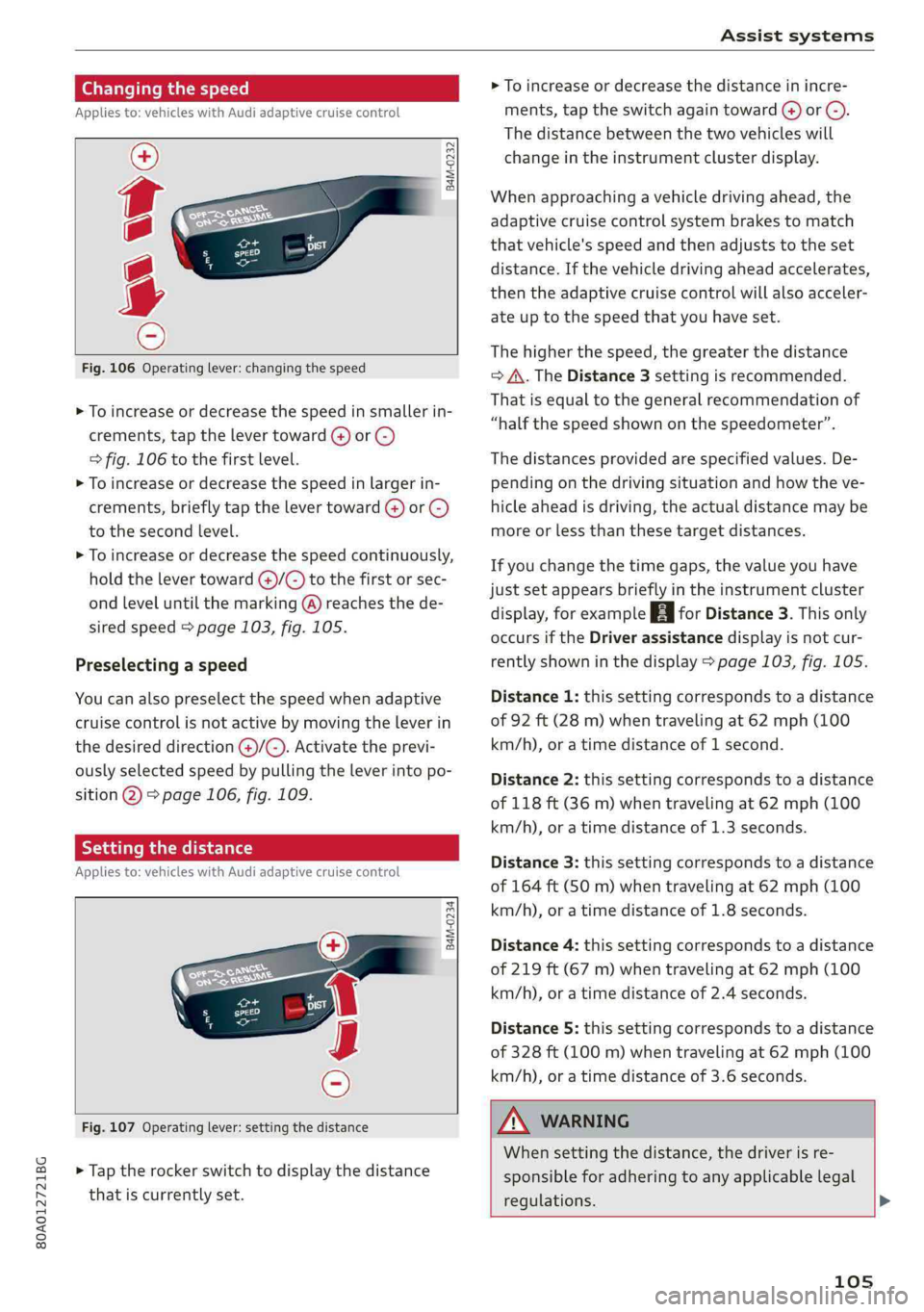
Changingthespeed
Appliesto:vehicleswithAudiadaptivecruisecontrol
B4M-0232
Fig.106Operatinglever:changingthespeed
>Toincrease ordecrease thespeedinsmallerin-
crements,tap thelevertoward(4)or©)
=>fig.106tothefirst level.
>Toincrease ordecrease thespeedinlargerin-
crements,briefly tapthelevertoward@)or©)
tothesecondlevel.
>Toincrease ordecrease thespeedcontinuously,
holdthelevertoward@)/G)tothefirstorsec-
ondleveluntilthemarking(@)reachesthede-
siredspeed>page103,fig.105.
Preselectingaspeed
Youcanalsopreselectthespeedwhenadaptive
cruisecontrolisnotactivebymovingtheleverin
thedesireddirection@)/©).Activatetheprevi-
ouslyselectedspeedbypullingtheleverintopo-
sition@)>page106,fig.109.
Settingthedistance
Appliesto:vehicleswithAudiadaptivecruisecontrol
B4M-0234
Fig.107Operatinglever:settingthedistance
>Taptherockerswitchtodisplaythedistance
thatiscurrentlyset.
>Toincrease ordecreasethedistanceinincre-
ments,tap theswitchagaintoward@)or ©).
Thedistancebetweenthetwovehicleswill
changeintheinstrumentclusterdisplay.
Whenapproachingavehicledrivingahead,the
adaptivecruisecontrolsystembrakestomatch
thatvehicle'sspeedandthenadjuststotheset
distance.Ifthevehicledrivingaheadaccelerates,
thentheadaptivecruisecontrolwillalsoacceler-
ateuptothespeedthatyouhaveset.
Thehigherthespeed, thegreaterthedistance
=>A\.TheDistance3settingisrecommended.
Thatisequaltothegeneralrecommendationof
“halfthespeedshownonthespeedometer”.
Thedistancesprovidedare specifiedvalues.De-
pendingonthedrivingsituationandhowtheve-
hicleaheadisdriving,theactualdistancemaybe
moreorlessthanthesetargetdistances.
Ifyouchangethetimegaps,thevalueyouhave
justsetappearsbrieflyintheinstrumentcluster
display,forexample[egforDistance3.Thisonly
occursiftheDriverassistancedisplayisnotcur-
rentlyshowninthedisplay>page103,fig.105.
Distance1:thissettingcorrespondstoadistance
of92ft(28m)whentravelingat62mph(100
km/h),oratimedistanceof1second.
Distance2:thissettingcorrespondstoadistance
of118ft(36m)whentravelingat62mph(100
km/h),oratimedistanceof1.3seconds.
Distance3: thissettingcorrespondstoadistance
of164ft(SOm)whentravelingat62mph(100
km/h),oratimedistanceof1.8seconds.
Distance4:thissettingcorrespondstoadistance
of219ft(67m)whentravelingat62mph(100
km/h),oratimedistanceof2.4seconds.
Distance5: thissettingcorrespondstoadistance
of328ft(100m)whentravelingat62mph(100
km/h),oratimedistanceof3.6seconds.
Z\WARNING
Whensettingthedistance,thedriverisre-
sponsibleforadheringtoanyapplicablelegal
regulations.>
105
Page 108 of 392
Assistsystems
@Tips
Dependingontheselecteddrivingprogram
anddistance,drivingbehaviorwhenacceler-
atingwillvaryfromdynamictocomfortable
=page107.
Drivinginstop-and-gotraffic
Appliesto:vehicleswithAudiadaptivecruisecontrol
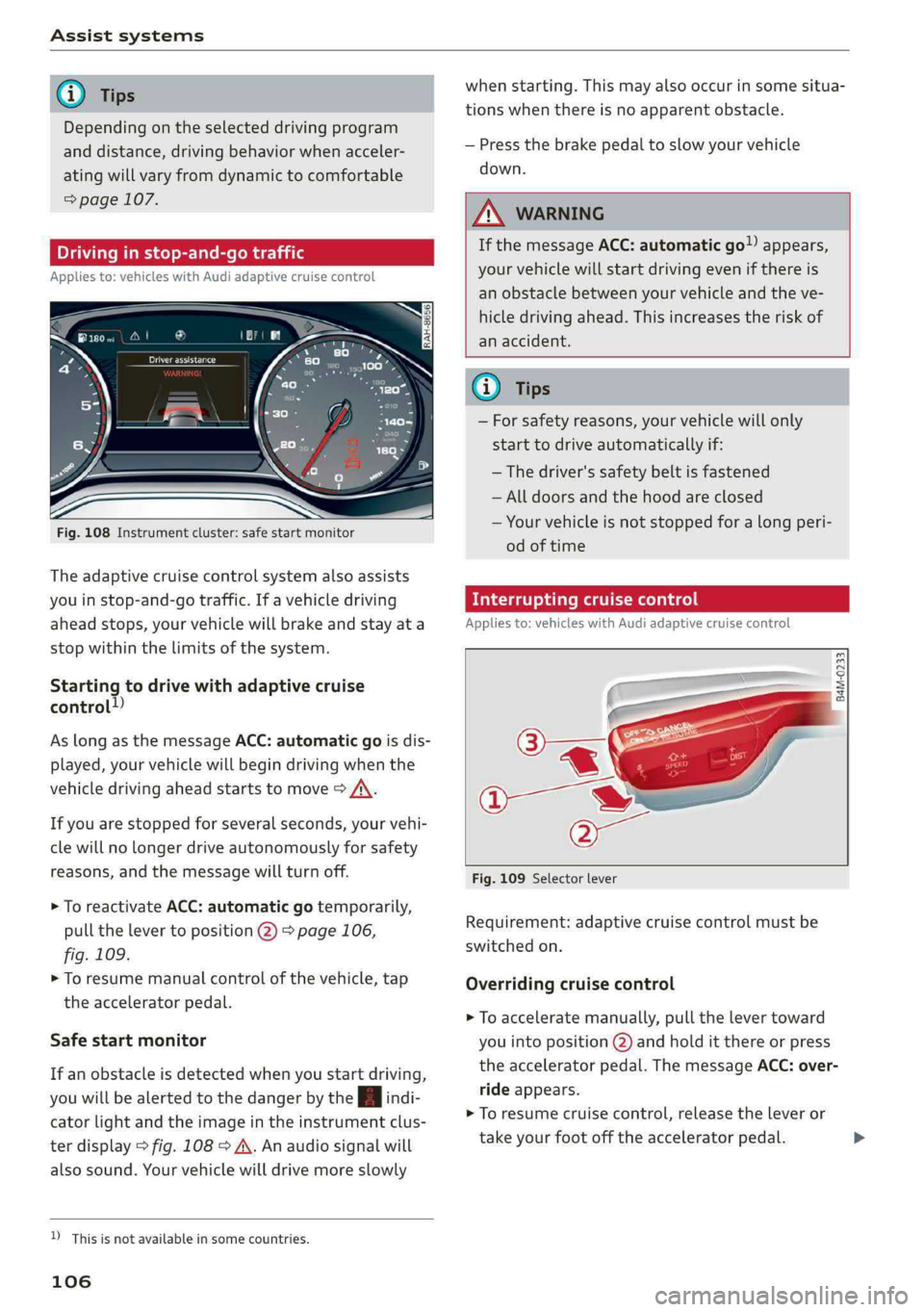
Fig.108Instrumentcluster:safestartmonitor
Theadaptivecruisecontrolsystemalsoassists
youinstop-and-gotraffic.If avehicledriving
aheadstops,yourvehiclewillbrakeandstayata
stopwithinthelimitsofthesystem.
Startingtodrivewithadaptivecruise
control!)
AslongasthemessageACC:automaticgoisdis-
played,yourvehiclewillbegindrivingwhenthe
vehicledrivingaheadstartstomove>A\.
Ifyouarestoppedforseveralseconds,yourvehi-
clewillnolongerdriveautonomouslyforsafety
reasons,andthemessagewillturnoff.
>ToreactivateACC: automaticgotemporarily,
pullthelevertoposition(2)>page106,
fig.109.
>Toresumemanualcontrolofthevehicle,tap
theacceleratorpedal.
Safestartmonitor
Ifanobstacleisdetectedwhenyoustartdriving,
youwillbealerted tothedangerbytheAindi-
catorlightandtheimageintheinstrumentclus-
terdisplay>fig.108>A\.Anaudiosignalwill
alsosound.Yourvehiclewilldrivemoreslowly
D_Thisisnotavailableinsomecountries.
106
whenstarting.Thismayalsooccurinsomesitua-
tionswhenthereisnoapparentobstacle.
—Pressthebrakepedaltoslowyourvehicle
down.
AWARNING
IfthemessageACC: automaticgoappears,
yourvehiclewillstartdrivingevenifthereis
anobstaclebetweenyourvehicleandtheve-
hicledrivingahead.Thisincreasestheriskof
anaccident.
@)Tips
—Forsafetyreasons,yourvehiclewillonly
starttodriveautomaticallyif:
—Thedriver'ssafetybeltisfastened
—Alldoorsandthehoodareclosed
—Yourvehicleisnotstoppedforalongperi-
odoftime
Interruptingcruisecontrol
Appliesto:vehicleswithAudi adaptivecruisecontrol
B4M-0233
Fig.109Selectorlever
Requirement:adaptivecruisecontrolmustbe
switched
on.
Overridingcruisecontrol
>Toacceleratemanually,pullthelevertoward
youintoposition@)andholditthereorpress
theacceleratorpedal.ThemessageACC:over-
rideappears.
>Toresumecruisecontrol,releasetheleveror
takeyourfootofftheacceleratorpedal.>
Page 109 of 392
80A012721BG
Assistsystems
Cancelingcruisecontrolwhiledriving
>Movetheleverintoposition@).Themessage
ACC:standbyappears.Or
>Pressthebrakepedal.
>Toresumethestoredspeed,movetheleverto-
wardyouintoposition(2).
Cancelingcruisecontrolwhenstopped
>Pushtheleverawayfromyouintoposition@).
ThemessageACC:standbyappears.
>Toresumecruisecontrol,pressthebrakepedal
andpulltheLevertowardyouintoposition(2).
Z\WARNING
—Itisdangeroustoactivatecruisecontroland
resumethestoredspeedwhenthecurrent
road,trafficorweatherconditionsdonot
permitthis.Thisincreasestheriskofanac-
cident.
—Restingyourfootontheacceleratorpedal
couldoverridethecruisecontrol.Brakingin-
terventionsandcorrectiveactionsbythe
systemmaynotoccur.
SettingAudiadaptivecruisecontrol
Appliesto:vehicleswithAudiadaptivecruisecontrol
>SelectintheInfotainmentsystem:[MENU]but-
ton>Vehicle> leftcontrolbutton>Driveras-
sistance>Audiadaptivecruisecontrol.
Storingthelastdistance!)
Thelastdistancethatwassetwillbestoredafter
theignitionisswitchedoff.Ifthedistanceisnot
stored,Distance3isautomaticallyseteverytime
theignitionisswitchedon.
Drivingprogram
Appliesto:vehicleswithoutAudidriveselect
Dependingontheselecteddrivingprogramand
distance,drivingbehaviorwhenacceleratingwill
varyfromdynamictocomfortable.
D_Thisisnotavailableinsomecountriesand onsomeequip-
mentversions.
Selectingthedrivingmode
Appliesto:vehicleswith Audidriveselect
Depending ontheselectedAudidriveselect
modeandthedistancethatisset,thedrivingbe-
haviorwillvaryfromdynamictocomfortable
whenaccelerating>page127.
(i)Tips
Yoursettings areautomaticallystoredandas-
signedtothevehiclekeybeingused.
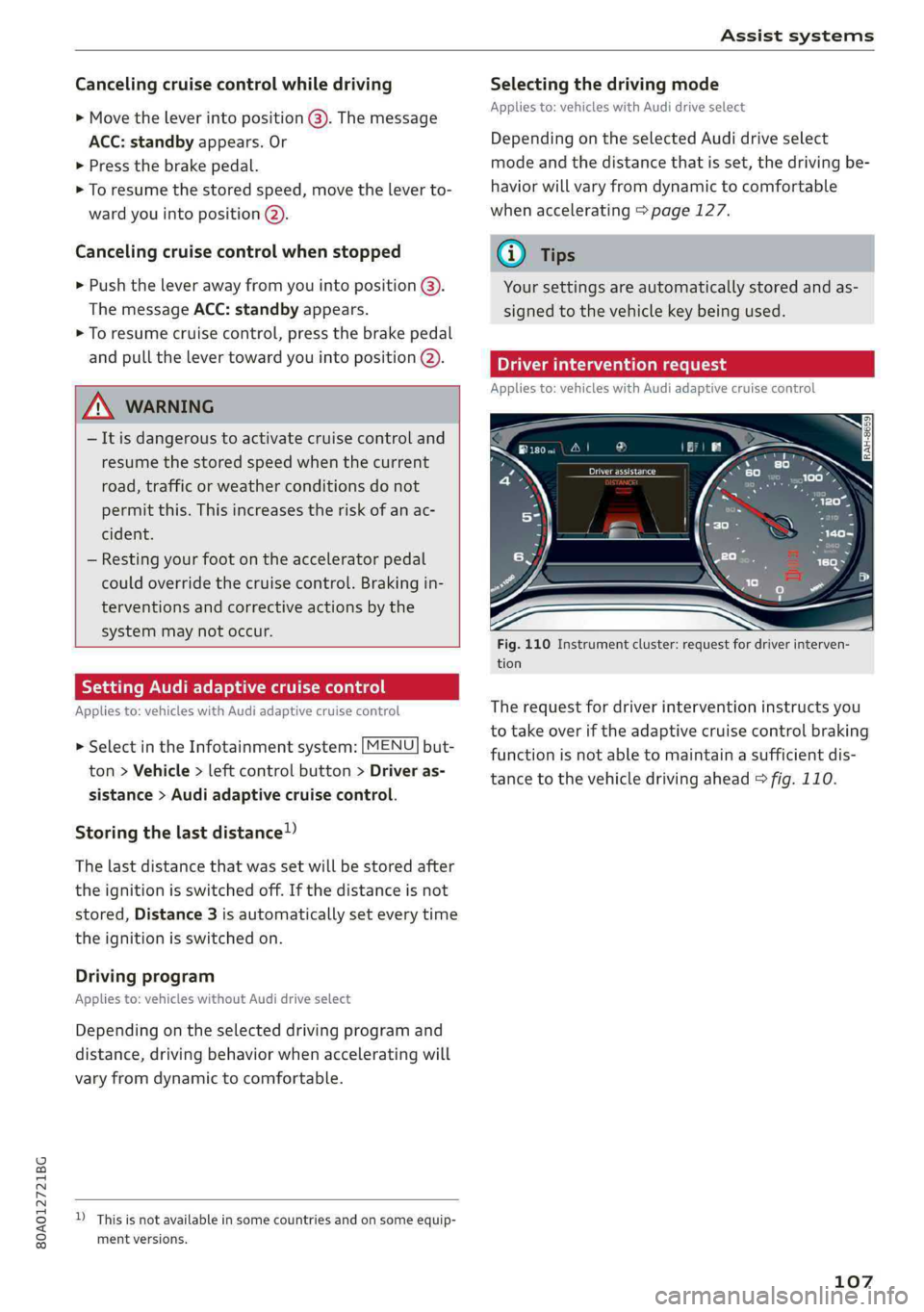
Driverinterventionrequest
Appliesto:vehicleswithAudi adaptivecruisecontrol
Fig.110Instrumentcluster:requestfordriverinterven-
tion
Therequestfordriverinterventioninstructsyou
totakeoveriftheadaptivecruisecontrolbraking
functionisnotabletomaintainasufficientdis-
tancetothevehicledrivingahead>fig.110.
107