ECO mode AUDI Q7 2009 Owner´s Manual
[x] Cancel search | Manufacturer: AUDI, Model Year: 2009, Model line: Q7, Model: AUDI Q7 2009Pages: 426, PDF Size: 97.13 MB
Page 37 of 426

If there is a malfunction in the electronic ignition lock, the ignition
cannot be turned off. Drive immediately to an authorized Audi
dea ler to have the cause of the malfunction corrected .
On vehicles with Convenience key*, the engine should not be
switched off using the
I S T OP! button because the engine cannot be
started again after the ignition is switched off. •
Yellow symbols
A yellow symbol means WARNING.
Fig. 19 Display: low
fu el leve l wa rnin g
(pr io rity 2)
Yellow symbols indicate a priority 2 malfunction -Warning!
When a yel low warning symbol appears,
one warning tone sounds .
A driver message appears as well to explain the malfunction in more
detail. The driver warning goes out after about 5 seconds, but it can
be brought up again at any time by pressing the
I CH ECK! button.
Check the displayed function as soon as possible . If
more than one
priority 2 malfunction is detected, all symbols will appear one after
the other for about 2 seconds.
Yellow symbols mean:
Con tro ls and eq uip
ment
Dri ver inf orm atio n di spl ay
Convenience key* ~ page 146
Key not in vehicle
IIUSA model s: ~ page27
Defective brake light
Canad a mod els: ~ page27
Defective brake light
Defective light bulb
~ page27
Light/rain sensor defective* ~ page36
Windshield washer fluid ~ page36
level low
L ow fue l leve l
~ page36
Battery voltag e ~ page36
Worn brake pads ~ page37
Dynamic headlight range => page 37
control defective
Check engine oil level
~ page 37
~ page335
IIEngine oil sensor malfunction ~ page 37
-
Engine speed limitation* ~ page37
-
Adaptive Light d efective* ~ page37
Ignition lock malfunction => page 38
]iwindshield wiper defect ive ~ page38
Vehicle care I I irechnical data
Page 40 of 426

Driver information display
When this symbol illuminates, it means that Adaptive Light is
defective . Go to an authorized Audi dealer to have the headlights or
the control unit for the Adaptive Light repaired.•
Ignition lock malfunction ~
If the symbol in the display comes on, there is a malfunc-
tion in the e lectronic ignition lock. An additional driver
message can be displayed by pressing the [ CHECK) button:
Ignition lock defective
-Drive to an authorized Audi dealer or qualified workshop
at your earliest convenience to have the malfunction
corrected. •
Windshield wipers faulty --->
....... Windscreen wiper defective !
When this symbol ' illuminates, it means that the electronics for
the windshield wipers are defective. P lease go to an authorized Audi
dea ler or qua lified workshop to have the windshield wiper system
repaired .•
Speed warning system
Overview
The speed warning system helps you to keep your driving
speed below a set speed limit.
The speed warning system warns the driver if he exceeds a previ
ously stored maximum speed. A warning tone wi ll sound as soon as the vehicle speed exceeds the set speed by about 3 mph (3 km/h). At
th
e same time, a warning symbol appears in the display.
The speed warning system has
two warning thresholds that func
tion independently of each other and that have somewhat different
purposes:
Speed warning 1
You can use speed warning 1 to set the maximum speed while you
are driving. This setting will remain in effect until you turn off the
ignition, assuming that you have not changed or reset the setting.
Th e speed warning symbol
9 (USA models)/ 8 (Canada models) in
the warning 1 display appears when you exceed the maximum
speed . It goes out when the speed falls below the stored maximum
speed.
The speed warning symbol will also go out if the speed
exceeds the
stored maximum speed by more than about 25 mph ( 40 km/h) for at
least 10 seconds. The stored maximum speed is deleted.
Setting speed warning 1
~ page 39 .
Speed warning 2
Storing warning 2 is recommended if you always want to be
reminded of a certain speed, for example when you are traveling in
a country that has a general maximum speed limit, or if you do not
want to exceed a specified speed for winter tires.
The speed warning 2 symbol,
8, (USA modelsl/ 8, (Canada models)
appears in the display when you exceed the stored speed limit.
Un like warning 1, it wil l not go out unti l the vehicle speed drops
below the stored speed limit.
Setting speed warning 2
~ page 39.
[ i ] Tips
Even though your vehicle is equipped with a speed warning system,
you should still watch the speedometer to make sure you are not
driving faster than the speed limit. •
Page 41 of 426

Speed warning 1: setting a speed limit
Warning threshold 1 is set by the ( CHECK) button.
Storing the maximum speed
- Drive at the desired maximum speed .
Fig. 20 CHECK button
in the instrument
cluster
- Briefly press the (CHECK ] button => fig. 20.
Resetting the maximum speed
- Drive the vehicle at a speed of at least 3 mph
(5 km/h)
- Press the
I CHECK] button for more than 2 seconds.
The speed warning symbol 8 (USA modelsl/ 0 (Canada models) will
appear briefly in the display when you release the [ CHECK] button
to indicate that the maximum speed has been stored successfully .
The maximum speed remains stored until it is changed by pressing
the [ CHECK] button again briefly or until it is deleted by a lengthy
push on the button . •
Con tro ls and eq uip
ment
Driver information display
Speed warning 2 : setting a speed limit
Warning threshold 2 is set, changed and deleted in the
MM/.
Fig. 21 MMI display :
Set warning threshold
2
Switching speed warning on and off
- Press the (CAR] function button.
- Select
Instrument cluster. The Instrument cluster menu
appears => fig. 21.
- Select Speed warning
On to switch on the warning
threshold or
Off to turn off the warning threshold.
Setting and adjusting the warning threshold
- Press the
I CAR I function button.
- Select
Instrument cluster. The Instrument cluster menu
appears.
- Select the second item in the
Speed warning menu . The
submenu
Speed threshold appears=> fig. 21.
- Set the warning threshold you want.
Vehicle care I I Technical data
Page 42 of 426
Driver inf ormati on displ ay
Warning threshold 2 can be adjusted within a speed range of 18 to
125 mph (30 to 200 km/h) . Settings can be adjusted in intervals of 6
mph (10 km/h) each. •
Trip computer
Introduction
The trip computer gives you information on current and
average fuel mileage, average speed, fuel range and
driving time.
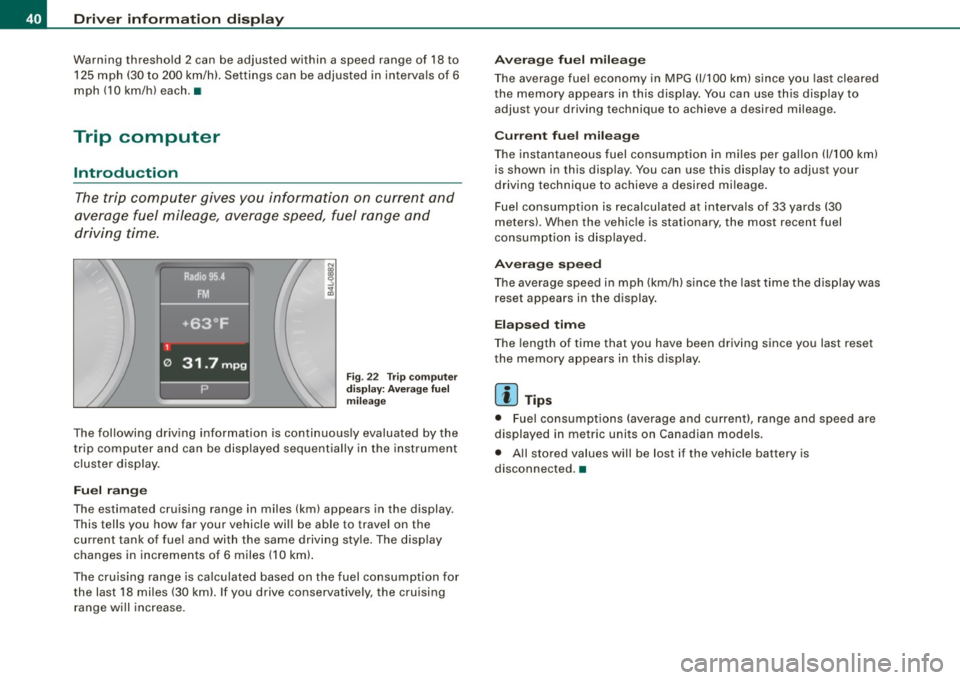
Fig . 22 T rip computer
d isp lay: Aver age f uel
m ileage
The following driving information is continuously evaluated by the
trip computer and can be disp layed sequential ly in the instrument
cluster display .
Fuel ran ge
The estimated cruising range in miles (km) appears in the display.
This tells you how far your vehicle will be able to trave l on the
current tank of fuel and with the same driving sty le. The display
changes in increments of 6 miles (10 km).
The cru ising range is ca lculated based on the fuel consumption for
the last 18 miles (30 kml. If you drive conservatively, the cruising range will increase.
A ve ra g e fu el m ilea ge
The average fuel economy in MPG (1/100 km) since you las t cleared
the memory appears in this display. You can use this disp lay to
adjust your driving technique to achieve a desired mileage.
C urr ent fu el mi leage
The instantaneous fuel consumption in m iles per gallon {1/100 km)
is shown in this display. You can use this disp lay to adjust your
driving technique to achieve a desired mileage .
Fuel consumption is recalculated at intervals of 33 yards (30
meters). When the vehicle is stationary, the most recent fuel
consumption is displayed.
A ver age s peed
The average speed in mph (km/h) s ince the last time the display was
reset appears in the display .
Elapse d tim e
The length of time that you have been driving since you last reset
the memory appears in this display.
[ i ] T ip s
• Fuel consumptions (average and current), range and speed are
displayed in metric units on Canadian models.
• All stored values will be lost if the vehicle battery is
disconnected. •
Page 77 of 426
Le avi ng hom e*
The Leaving home function ensures that when unlocking the vehicle
periphery is illuminated in the dark. In addit ion, the front fog lights,
t he tail lights and the licen se plate light are tu rned on . This func tion
can be turned on and off.
Daytime running light s
USA models :
On vehicles with xenon lights the daytime running
lights can be turned on or off using this function . On vehicles with
halogen lights , daytime running lights can be activated by your
authorized Audi dea ler .
Canada model s: The function cannot be turned off. It is activate d
automatically each time the ignition is turned on. This menu item is
shown "greyed out". •
Front fog lights }0
Fig. 6 2 Instru ment
pane l: light switch
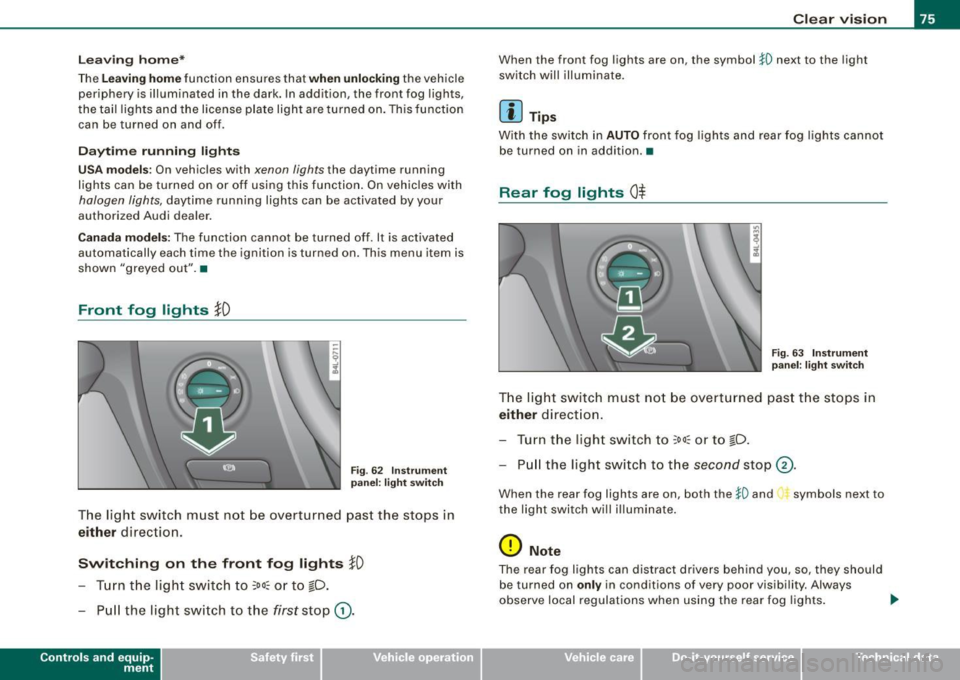
The light switch must not be overturned past the stops in
either direction.
Switching on the front fog lights tD
- Tur n t he light switch to ;oo~ o r to io .
- P ull the light switch to t he first sto p G).
Con tro ls and eq uip
ment
Clear vision
When the front fog lights are on, the symbo l }0 next to the light
switch will illuminate .
[ i ] Tips
Wi th the switch i n AUTO front fog lights and rear fog lights cannot
be turned on in addition .•
Rear fog lights 0$
Fig . 6 3 Instrument
p anel : light switch
The ligh t switch must no t be overt urned pas t th e stops in
either direct ion.
- Tu rn t he ligh t sw itch to
;oo~ or to io .
- Pull the ligh t switch to t he second sto p (v.
When the rear fog lights are on, both the }O and symbols next to
the light switch wi ll i lluminate .
0 Note
The rear fog lights can distract dr ive rs beh ind you, so, they should
be turned on
only in cond itions of very poor visibility. Always
obse rve local regulations when u sing the rea r fog lights . ...
Vehicle care I I irechnical data
Page 92 of 426

Clear vision
- To activate or deactivate, hold the@ button down until
the red display appears or disappears.
The digital compass only works with the ignition turned on. The
directions are displayed as initials:
N (North), NE (Northeast), E
(East), SE (Southeast), S (South), SW (Southwest), W (West), NW
(Northwest).
[ i ] Tips
To avoid inaccurate directions, do not allow any remote controls,
e lectrical systems, or metal parts close to the mirror. •
Applies to vehicle s: wi th digi ta l compass
Setting the magnetic deflection zone
The correct magnetic deflection zone must be set in order
to display the directions correctly.
®
Fig. 84 North America: magnetic deflection zone boundaries
Hold the@=> page 89, fig. 83 button down until the
number of the set magnetic deflection zone appears on
the interior rear view mirror.
Adjust the magnetic deflection zone by repeatedly
pressing on the@ button. The set mode automatically
deactivates after a few seconds. •
Page 114 of 426
_L-_S::..:: e..:a :..:t:.:s :....:: a:.:.n .:.. d::....: s:.. t.:.. o::..:.. ra= g:..:e :...._ _____________________________________________ _
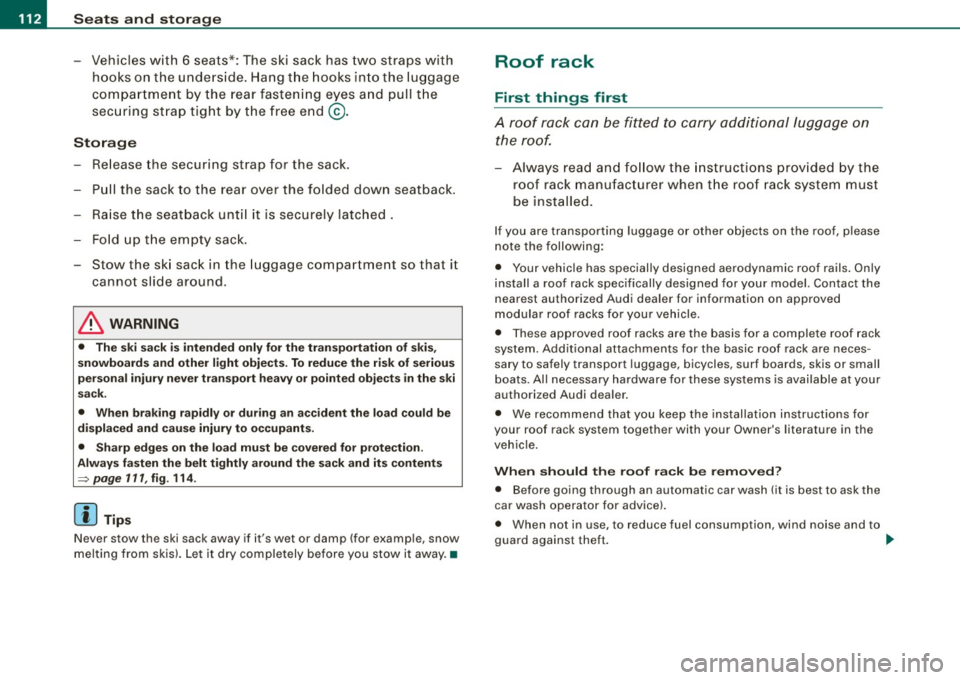
- Vehicles with 6 seats*: The ski sack has two straps with
hooks on the underside. Hang the hooks into the luggage
compartment by the rear fastening eyes and pull the
securing strap tight by the free end@.
Storage
- Release the securing strap for the sack.
- Pull the sack to the rear over the folded down seatback .
- Raise the seatback until it is securely latched.
- Fold up the empty sack.
- Stow the ski sack in the luggage compartment so that it
cannot slide around .
& WARNING
• The ski sack is intended only for the transportation of skis,
snowboards and other light objects. To reduce the risk of serious
personal injury never transport heavy or pointed objects in the ski
sack.
• When braking rapidly or during an accident the load could be
displaced and cause injury to occupants.
• Sharp edges on the load must be covered for protection.
Always fasten the belt tightly around the sack and its contents
=> page 111, fig . 114.
[ i] Tips
Never stow the ski sack away if it 's wet or damp (for example, snow
melting from skis). Let it dry completely before you stow it away. •
Roof rack
First things first
A roof rack can be fitted to carry additional luggage on
the roof.
Always read and follow the instructions provided by the
roof rack manufacturer when the roof rack system must
be installed.
If you are transporting luggage or other objects on the roof, please
note the following :
• Your vehicle has specially designed aerodynamic roof rails. Only
install a roof rack specifically designed for your model. Contact the
nearest authorized Audi dealer for information on approved
modular roof racks for your vehicle.
• These approved roof racks are the basis for a complete roof rack
system. Additional attachments for the basic roof rack are neces
sary to safely transport luggage, bicycles, surf boards, skis or small
boats . All necessary hardware for these systems is available at your
authori zed Audi dealer .
• We recommend that you keep the installation instructions for
your roof rack system together with your Owner's literature in the
vehicle.
When should the roof rack be removed?
• Before going through an automatic car wash (it is best to ask the
car wash operator for advice).
• When not in use , to reduce fuel consump tion, wind noise and to
guard against theft. _.,,
Page 122 of 426
• ..__S_ e_a _ t_ s_ a_ n_ d_ s_t _o _r_ a-' g==- e ________________________________________________ _
Cooling box in glove compartment
The cooling box works only when the air-conditioning is
in cooling mode.
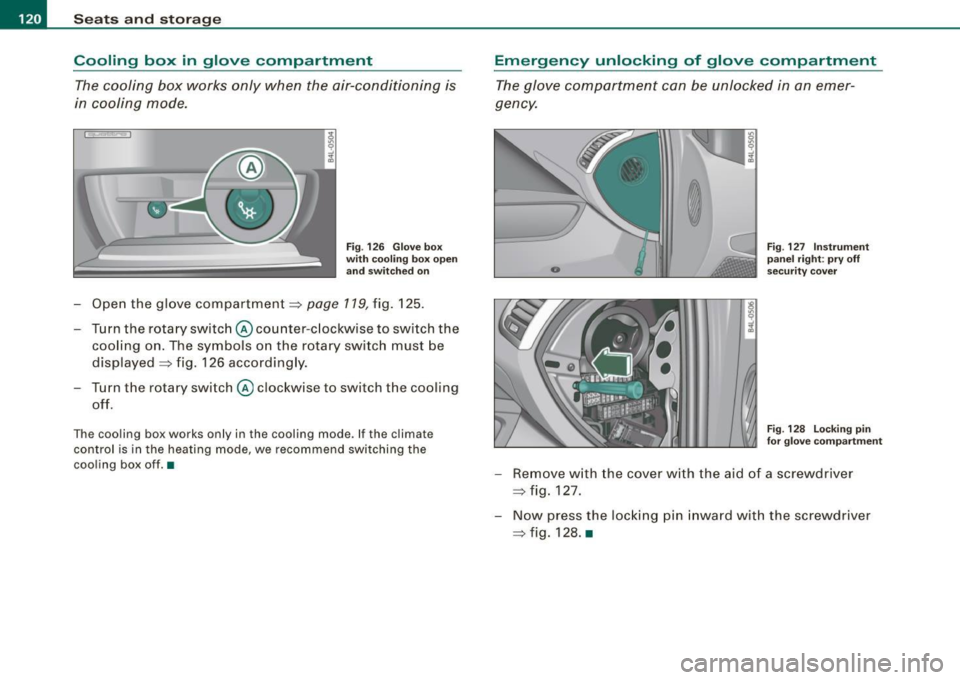
Fig . 126 Glove box
with cooling box open and switched on
-Open the glove compartment=> page 119, fig. 125.
Turn the rotary switch @ counter-clockwise to switch the
cooling on. The symbols on the rotary switch must be
displayed => fig. 126 accordingly.
Turn the rotary switch@ clockwise to switch the cooling
off.
The cooling box works only in the cooling mode. If the climate
control is in the heating mode, we recommend switching the
cooling box off.•
Emergency unlocking of glove compartment
The glove compartment can be unlocked in an emer
gency.
Fig . 127 Instrument
panel right: pry off
security cover
F ig . 128 Locking pin
for glove compartment
- Remove with the cover with the aid of a screwdriver
=> fig. 127.
- Now press the locking pin inward with the screwdriver
=> fig. 128. •
Page 125 of 426
Warm and cold -______________ ....:...:...:..:..;______
Warm and cold
Climate control
Description
The air conditioner is fully automatic and is designed to
maintain a comfortable and uniform climate inside the
vehicle.
We recommend the following settings:
- Set the temperature to 72 °F (+22 °C).
- Press the [AUTO
I button.
With this setting, you attain maximum comfort in the least amount
of time. Change this setting, as desired, to meet your personal
needs .
The climate controls are a combination of heating, ventilation and cooling systems, which automatically reduce humidity and cool the
air inside your vehicle.
The air temperature, air flow and air distribution are automatically
regulated to achieve and maintain the desired passenger compart
ment temperature as quickly as possible.
The system automatically compensates for changes in outside
temperature and for the intensity of the sunlight entering the
vehicle. We recommend you use the
Automatic mode:::::, page 126
for year -round comfort.
Please note the following:
Turn on the air conditioner to reduce humidity in the vehicle. This
also prevents the windows from fogging up.
When the outside temperature is high and the air is very humid,
condensation from the evaporator may drip under the vehicle . Th is
is normal and does not indicate a leak.
Controls and equip
ment
If the outside temperature is low, the fan normally only switches to
a higher speed once the engine coolant has warmed up sufficiently.
The air conditioner temporarily switches off when you drive off from
a standstill using full throttle to save engine power.
The compressor also switches off if the coolant temperature is too
high, so that the engine can be adequately cooled under extreme
loads.
Air pollutants filter
The air pollutants filter (a combined particle filter and activated
charcoal filter) reduces or prevents outside air pollution (dust, or
pollen) from entering the vehicle. The air is also filtered in air recir
culation mode.
The air pollutants filter must be changed at the intervals specified in your Warranty
& Maintenance booklet, so that the air conditioner
can properly work.
If you drive your vehicle in an area with high air pollution, the filter
may need to be changed more frequently than specified in your
Audi Warranty
& Maintenance booklet . If in doubt, ask your autho
rized Audi Service Advisor for advice.
Key coded settings
The air conditioner settings selected are automatically stored and assigned to the key being used. When the vehicle is started, the air
conditioner automatically selects the settings assigned to that key.
This way every driver will maintain his/her own personal settings
and does not have to reset them manually.
If a different driver uses your key and changes the air conditioner
settings, the latest adjustments will erase and replace the settings
you have stored. _.,
I • •
Page 127 of 426

Warm and cold -___________________ __:_:__: ___ _____,J
Controls
This overview will help you to familiarize yourself with the
air conditioning controls.
-
~ udi _cd _c !! anger
.. ECON 01'4/0FF
Fig. 135 Air conditioning control elements
-
The left display indicates the temperature selected for the driver's
side, the right display indicates the temperature selected for the
passenger's side .
If the settings for seat heating*, air distribution , or the air condi
tioning fan ar e changed, the relevant indicator w ill appear br iefly on
the MMI Display.
Each function is turned on or off by briefly pressing the corre
sponding button. The indicator light in the button illuminates when
the function is active .
Controls and equip
ment Button(s)
!
ECON ON /OFF]
!AUTO] Control knob
G)
[SETUP]
Residual heat Function
Page
Switch climate control on => page 726
and off,
switch cooling system on
and off
Automatic mode
Temperature selection
Seat heating*
Air distribution
Blower
Defrost
Manual recirculation
Heated rear window
Basic settings
=> page 126
=> page 127
=> page 136
=> page 127
=> page 128
=> page 727
=> page 128
=> page 129
=> page 134
With the ignition turned off, you can activate the residual heat func
tion by pressing the !E CON ON /OFF] but ton . The residual heat from
the coolant can be used to heat the vehicle interior. The residual
hea t function is turned off au tomatically after 30 minutes.
Synchronizing climate control
By pressing and holding th e control knob on the driver's side, the
temperature setting on the driver's side can be switched to the
passenger's side , and vice versa. The new temperature is shown in
the display.
Synchronizing four-zone automatic comfort air
conditioning*
By pressing and holding the control knob on the driver's side, the
temperature setting on the driver's side can be switched to the
~
Vehicle care I I Technical data