weight AUDI Q7 2009 Owner´s Manual
[x] Cancel search | Manufacturer: AUDI, Model Year: 2009, Model line: Q7, Model: AUDI Q7 2009Pages: 426, PDF Size: 97.13 MB
Page 116 of 426
• ..__S_ e_a _ t_ s_ a_ n_ d_ s_t _o _r_ a-' g==- e ________________________________________________ _
rack syst em only to the maximum capaci ty spec ified by the manu
f actu rer of the roo f ra ck sy stem.
& WARNING
Weak , damaged or improper straps used to secure items to the
roof rack can fail during hard brak ing or in a collision and cause
serious personal injury.
• Make sure the roof rack is installed exactly as spe cified above
~ page 113 .
• Always use suitable mounting straps for securing items to the
roof rack to help prevent items from shifting or flying forward .
• Items on the roof rack must always be securely mounted .
• The use of a roof rack can negatively affect the way a vehicle
handles. Cargo that is large, heavy , bulky, long or flat will have a
greater negative influence on the vehicle's aerodynamics , center
of gravity and overall handling . Always drive slowly, avoid sudden
braking and maneuvers when t ransporting cargo on the roof of
your vehicle.
• Never exceed the maximum permissible load carrying capacity
of the roof of your vehicle , the permissible axle weights and the
perm issible total weight of your vehicle~
page 397, "Weights ".
• Always drive slowly , avoid sudden braking and maneuvers
when transporting cargo on the roof of your vehicle.
0 Note
M ake sure that the opened rear lid does not come in contact with
the ca rgo on the roof.
~ For the sake of the environment
Sometimes it may be easier to leave a roof rack installed eve n
th ough you a re not usi ng it. Due to th e increased a ir resis tanc e your
veh ic le wi ll unnecessarily u se more fue l. Remove the roof rack if you
are no t go in g to us e it.•
Cupholder
Front cupholders
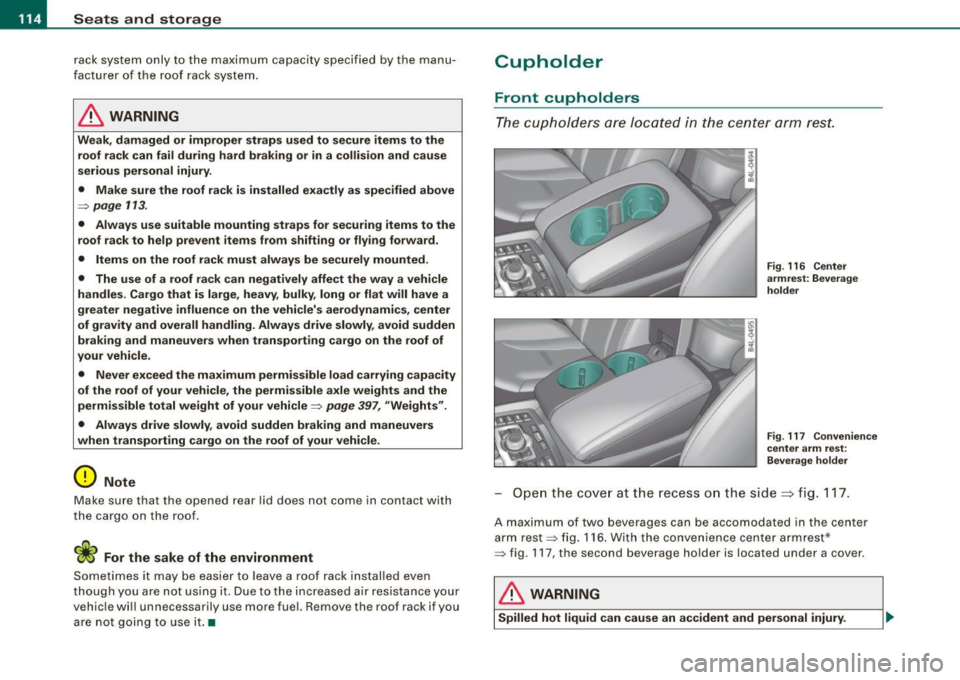
The cupho/d ers ar e l oca ted in the c en te r a rm res t.
Fig . 116 Center
armrest : Beverage
holde r
F ig . 117 Convenience
center arm rest:
Bever age h older
O pen th e cove r at t he recess o n the side ~ fig . 11 7.
A maximum of two beverages can be accomodated in the center
ar m re st ~ fig. 116 . W ith t he c on ve nie nce cent er a rm res t*
~ fig. 117 , the second beverage ho lder is located under a cover.
& WARNING
Spilled hot liquid can cause an accident and personal injury .
Page 121 of 426
________________________________________________ S_ e_ a _ t_ s _a_ n_d _ s_t _o _ r_ a...: g==-- e __ llll
Storage
General overview
There are numerous places to store items in your vehicle.
Glove compartment
Cooling box in glove compartment
Storage compartment in roof
Storage in the door panels
Storage net in footwell
Storage net in the front seat backs
Storage net in luggage compartment
Storage compartment beneath cargo
floor
& WARNING
=> page 119
=> page 120
=> page 121
=> page 121
=> page 122
=> page 122
=> page 109
• Always remove objects from the instrument panel. Any items
not stored could slide around inside the vehicle while driving or
when accelerating or when applying the brakes or when driving
around a corner.
• When you are driving make sure that anything you may have
placed in the center console or other storage locations cannot fall
out into the footwells. In case of sudden braking you would not be
able to brake or accelerate.
• Any articles of clothing that you have hung up must not inter
fere with the driver's view. The coat hooks are designed only for
lightweight clothing. Never hang any clothing with hard, pointed
or heavy objects in the pockets on the coat hooks. During sudden
braking or in an accident -especially if the airbag is deployed -
these objects could injure any passengers inside the vehicle. •
Controls and equip
ment
Glove compartment
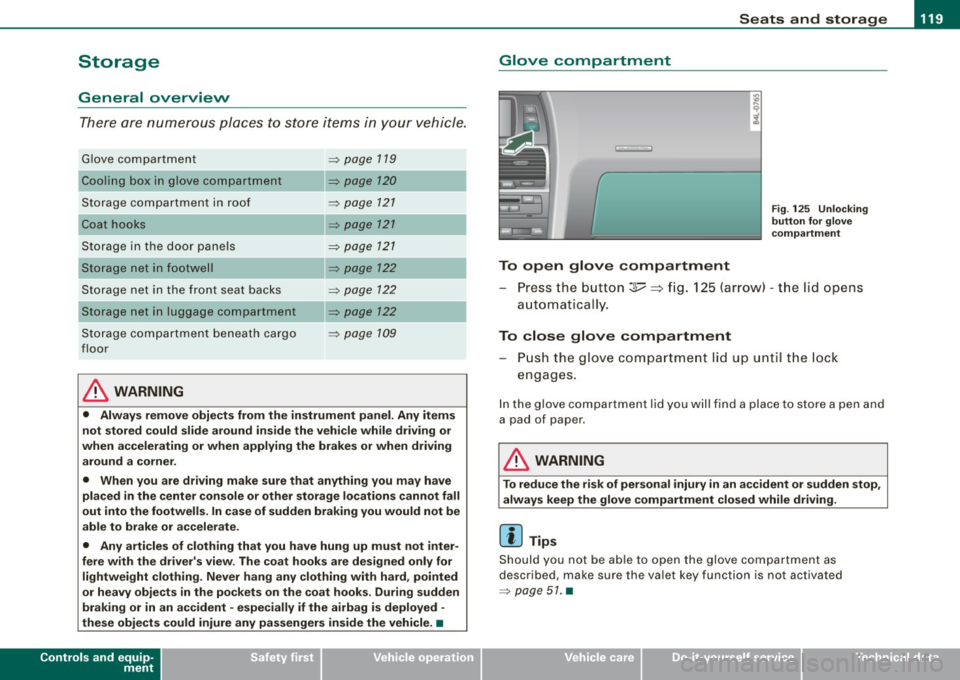
To open glove compartment
Fig . 125 Unlocking
button for glove
compartment
Press the button :];,, ~ fig. 125 (arrow) -the lid opens
automatica I ly.
To close glove compartment
- Push the glove compartment lid up until the lock
engages.
In the glove compartment lid you will find a place to store a pen and
a pad of paper .
& WARNING
To reduce the risk of personal injury in an accident or sudden stop,
always keep the glove compartment closed while driving.
[ i] Tips
Should you not be able to open the glove compartment as
described, make sure the valet key function is not activated
=> page 51. •
I • •
Page 123 of 426
Seats and storage -
-----------------=-----'
Storage compartment in roof
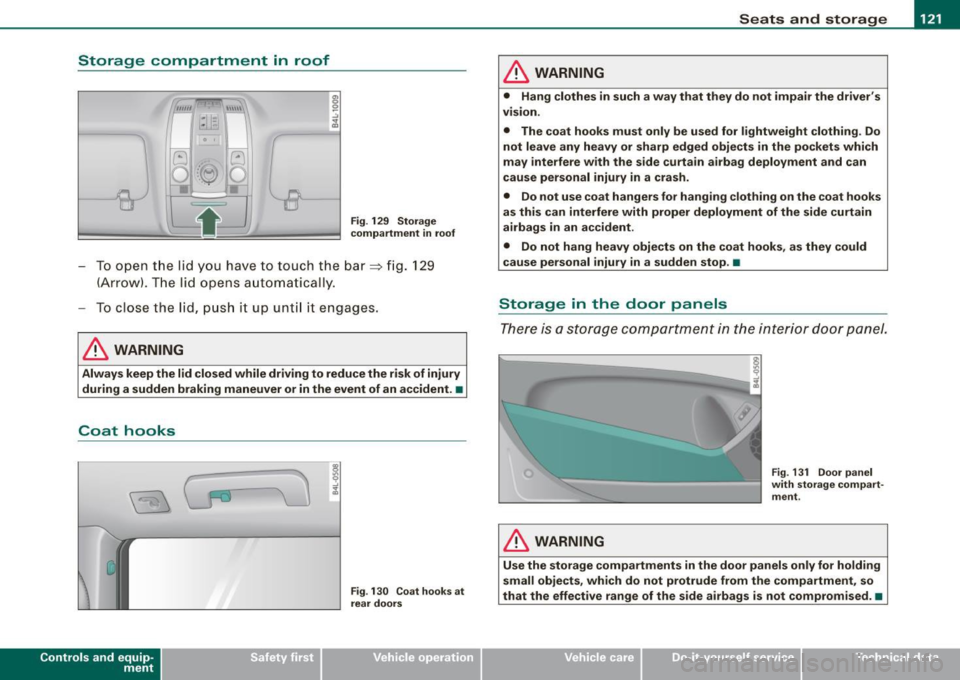
Fig. 129 Storage
compartment in roof
To open the lid yo u have to touch the bar~ fig. 129
(Arrow) . The lid opens automat ically.
To close the lid, push it up until it engages.
& WARNING
Always keep the lid closed while driving to reduce the risk of injury
during a sudden braking maneuver or in the event of an accident. •
Coat hooks
Contro ls and eq uip
ment
Fig . 130 Coat hooks at
rear doors
& WARNING
• Hang clothes in such a way that they do not impair the driver's
VISIOn .
• The coat hooks must only be used for lightweight clothing . Do
not leave any heavy or sharp edged objects in the pockets which
may interfere with the side curtain airbag deployment and can
cause personal injury in a crash.
• Do not use coat hangers for hanging clothing on the coat hooks
as this can interfere with proper deployment of the side curtain
airbags in an accident.
• Do not hang heavy objects on the coat hooks, as they could
cause personal injury in a sudden stop. •
Storage in the door panels
There is a storage compartment in the interior door panel.
& WARNING
Fig. 131 Door panel
with storage compart
ment .
Use the storage compartments in the door panels only for holding
small objects , which do not protrude from the compartment, so
that the effective range of the side airbags is not compromised. •
Vehicle care
I I irechnical data
Page 138 of 426
• .___w_ a_ rm __ a_ n_ d_ c_o _l_d ________________________________________________ _
-Selec t the R ear opera tion => page 135, fig. 143 fu nction
us ing the (driver or front passenger) cont ro l knob on the
air conditioning contro l eleme nt in the ce nter console
=> page 125 , fig. 135 to adjust the rear a ir condit ion ing .
Set ting the temperature
If you turn the contro l knob on the middle console driver side
control element ~
page 125, fig. 135 to the left, the temperature in
t he rear on the left side is decreased . If you turn the control knob to
the right, the temperature in the rear on the left side is increased
~ page 135, fig . 144.
If you turn the control knob on the midd le console front passenger
side control e lement to the left, the temperature in the rear on the
right side is decreased. If you turn the control knob to the right, the
temperature in the rear on the right s ide is inc reased.
Air di str ibu tion (!)
If you press the Dis tribution (fl control button and then turn the
control knob on the driver or front passenger side, you can set the
desired air distribution for the rear left or right side .
Blowe r [8e ]
If you press the Bl ow er [8e ] control button and then turn the control
knob on the driver or front passenger side, you can set the desired
fan speed for the rear left or right side .
Seat heating Q)
If you press the Seat heat. (i) control button and then turn the
control knob on the driver or front passenger side, you can set the
des ired temperature for the rear left or righ t side ~
page 137. •
Heated Seats
A pplies to veh icles : with e lect ric a lly heate d s eats
Heated front seats Q)
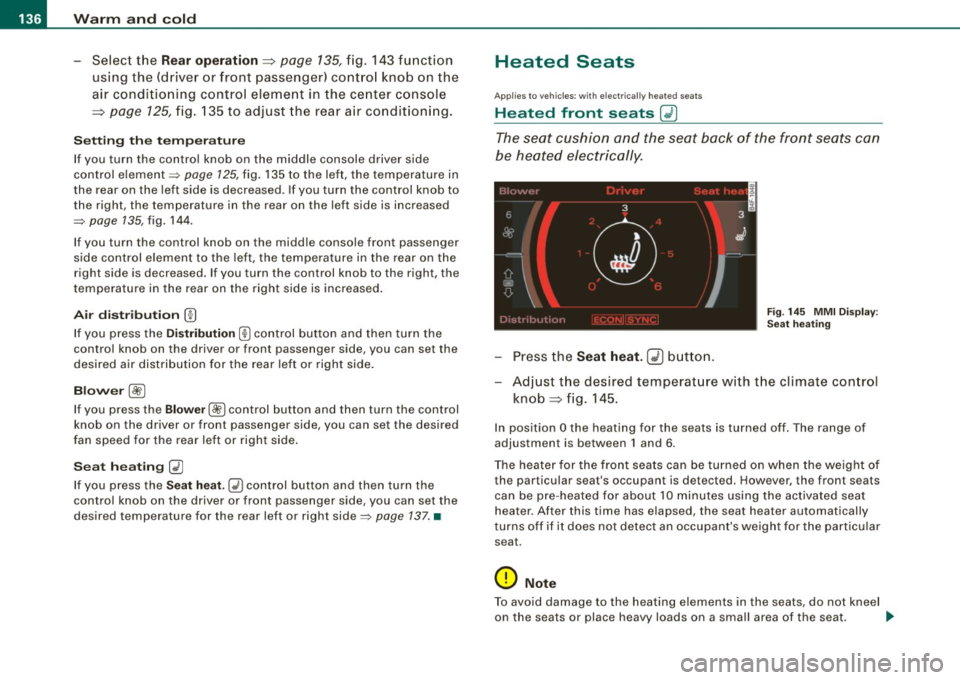
The seat cushion and the seat back of the front seats can
be heated electrically.
Fi g. 14 5 MMI Di spl ay:
Se at h eatin g
Press the Seat h eat . GD butto n.
Adjust t he desired temperature with the climate con trol
knob => fig . 145.
In pos ition O the heating for the seats is turned off . The range of
adjustment is between 1 and 6 .
The heater for the front seats can be turned on when the weight of the par ticular seat's occupant is detec ted. How eve r, the front s eats
can be pre -heated for about 10 minutes using the activated seat
hea ter . After this time has elapsed , the seat hea ter automatically
t urns off if i t does not detec t an occupant's weight for the particular
sea t.
0 Note
To avoid damage to the heating elements in the seats, do not kneel
on the seats or place heavy loads on a small area of the seat . _..
Page 139 of 426
_________________________________________________ W_ a_ r_ m __ a_n_ d_ c_ o_ld _ __._
[ i J Tip s
Please note that the weight of objects placed on the seat will a lso
be detected . This weight may be enough to cause the seat heater to
turn on. •
App lies to vehicles: with heate d rea r seats
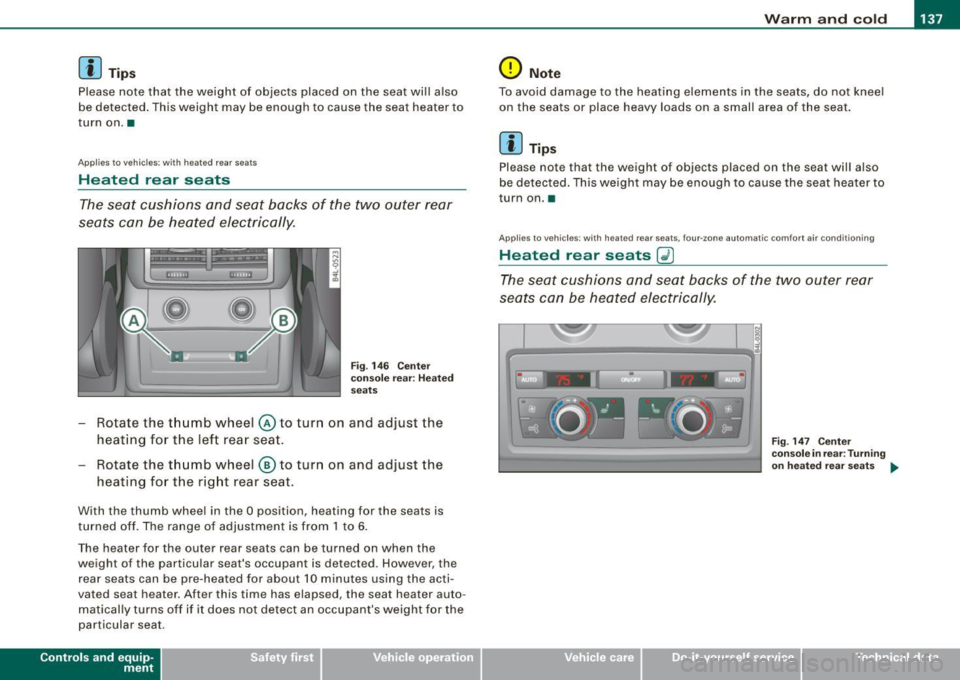
Heated rear seats
The seat cushions and seat backs of the two outer rear
seats can be heated electrically.
Fig . 146 Ce nter
co nso le rear : H eated
seats
Rotate the thumb wheel © to turn on and adjust the
heating for the left rea r seat .
- Rotate the t humb wheel ® to turn on and adjust the
heating for the right rear seat .
With the thumb wheel in the O position , heating for the seats is
turned off . The range of adjustmen t is from 1 to 6.
The heater for the outer rear seats can be turned on when the
weight of the particu lar seat's occupant is detected. However, the
rear seats can be pre-hea ted for about 10 minutes using the acti
vated seat heater. After this time has elapsed, the seat heater auto
matical ly turns off if it does not detect an occupant's weight for the
particular seat .
Contro ls and eq uip
ment
0 Not e
To avoid damage to the heating elements in the seats, do not kneel
on the seats or place heavy loads on a small area of the seat .
[ i J Tip s
Please note that the weight of objects placed on the seat will a lso
be detected. This weight may be enough to cause the seat heater to
turn on. •
App lies to vehic les: with heated rear seats, four-.one automatic c omfo rt a ir co ndit ioning
Heated rear seats Gl)
The seat cushions and seat backs of the two outer rear
seats can be heated elec trically.
Vehicle care I I
F ig. 147 Ce nter
co nso le in rear : T urni ng
o n h eate d r ear seats
~
irechnical data
Page 140 of 426
• ..__w_ a_ r_m _ a_ n_d_ c_ o_ ld __________________________________________________ _
Fig. 14 8 Center
conso le in fron t:
T urni ng on hea te d rea r
sea ts
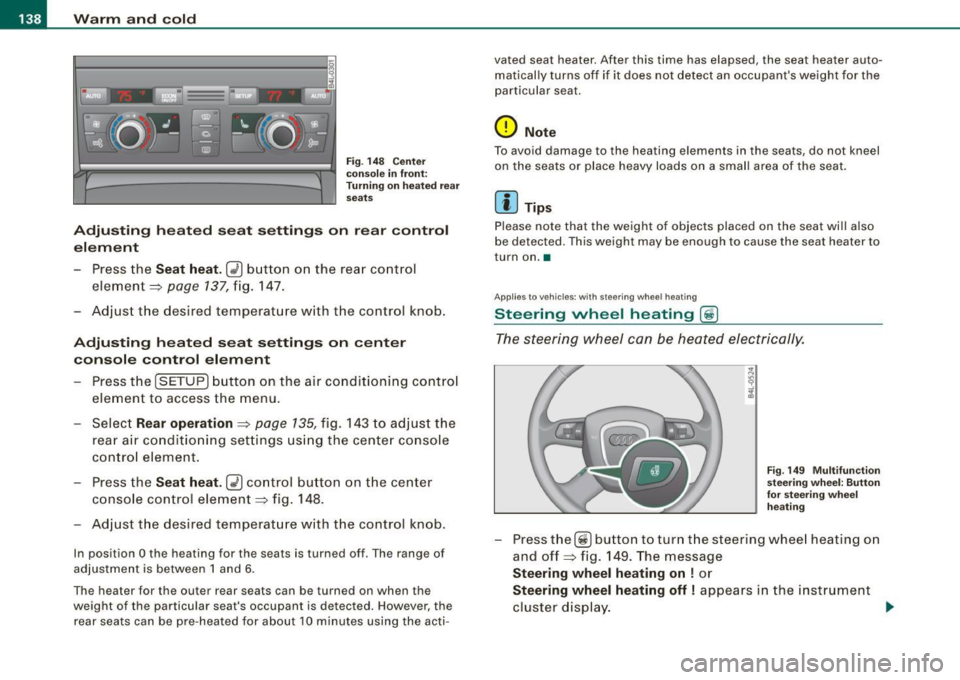
Adju sting h eat ed sea t settin gs on rear control
e le m ent
- Press the
Seat heat . Ii_] button on the rear control
element ~
page 137, fig. 147.
Adjust the desired temperature with the control knob .
Adjustin g he ated seat settings on center
console control element
Press the
I SETUP] button on the air conditioning control
element to access the menu.
- Select
Rear operation ~ page 135, fig. 143 to adjus t the
rear a ir condit io ning settings usi ng the center console
control element.
- Press the
Sea t he at. [i_] co ntrol button on the center
console control element~ fig.
148.
Adjust t he desired temperature with the control knob.
In position O the heating for the seats is turned off . The range of
adjustment is between 1 and 6 .
The heater for the outer rear seats can be turned on when the
weight of the particu lar seat's occupant is detected. However, the
rear seats can be pre-heated for about 10 minutes using the acti- vated seat heater. After this time has elapsed, the seat heater auto
matically turns off if it does not detect an occupant's weight for the
particular seat.
0 Note
T o avoid damage to the heating elements in the seats, do not kneel
on the seats or place heavy loads on a small area of the seat.
[ i ] Tips
Please note that the weight of objects placed on the seat will also
be detected. This weight may be enough to cause the seat heater to
turn on. •
Applies t o vehicles: with steering whee l heating
Steering wheel heating (j)
The s teering wheel can be heated electrically.
F ig . 149 Mult ifun ction
ste ering wheel : Bu tto n
for stee ring w hee l
h ea ting
- Press the[~] button to turn t he steering whee l heating on
and off~ fig .
149. The message
Steering wh eel h eating on ! or
Ste ering wheel hea ting off I appears in the instrument
cluster display.
~
Page 152 of 426
• .___O_ n_ t_ h_ e_ r_ o_ a_d ____________________________________________________ _
& WARNING (continued)
• Never use the cruise control when driving off-road or on
unpaved roads. The Cruise control is intended for use only when
the vehicle is being operated on paved roads , and is not suitable
for use off -road or on unpaved roads .
[ i J Tips
The cruise control cannot maintain a constant speed when driving
downhill. The vehicle will accelerate under its own weight. Down
shift to a lower gear or use the brakes to slow down. •
Changing speed
-Press lever in the 0 or O direction ~ page 149, fig. 157
to increase or decrease your speed.
- Release the lever to save that speed.
Change speed in increments of 1 mph (1 km/h) by lightly pressing
the lever . If you keep the lever pressed down, you will alter your
speed in 5 mph (10 km/h) increments.
You can also press the accelerator pedal down to increase your
speed, e.g. if you want to pass someone. The speed you saved
earlier will resume as soon as you release the accelerator pedal.
If, however, you exceed your saved speed by 5 mph (10 km/h) for
longer than 5 minutes, the cruise control will turn off temporarily.
The symbol will go out but the saved speed will be retained. •
Presetting your speed
You can preset your desired speed while the vehicle is not
moving.
- Turn on the ignition.
- Pull lever into position
G) ~ page 149, fig. 157.
- Press the lever in the
0 or O direction to increase or
decrease your speed.
- Release the lever to save that speed.
This function makes it possible, for example, to save the speed you
want before driving on the highway. Once on the highway, activate
the cruise control by pulling the lever toward
G). •
Swit ching th e syst em off
Temporary deactivation
- Press the brake pedal, or
- Press the lever into posit ion
0 (not clicked into place)
~ page 149, fig. 157, or
- Drive for longer than 5 minutes at more than 5 mph
(10 km/h) above the stored speed .
Switching off completely
- Press lever into position
0 (clicked into place), or
- Switch the ignition off.
The system retains the saved speed if you deactivate the cruise
control temporarily . To resume the saved speed, release the brake
pedal and pull the lever to position
G).
Switching the ignition off erases the saved speed.
Page 213 of 426
___________________________________________ ___:A~d~ a~p~t~iv~ e=-.:A~ir~ S~u~ s ~p~ e~n~ s~io~n ~_ffllll
Applies to vehicles : w it h towi ng h itch and Adapt ive Air Su spens io n
Towing a trailer
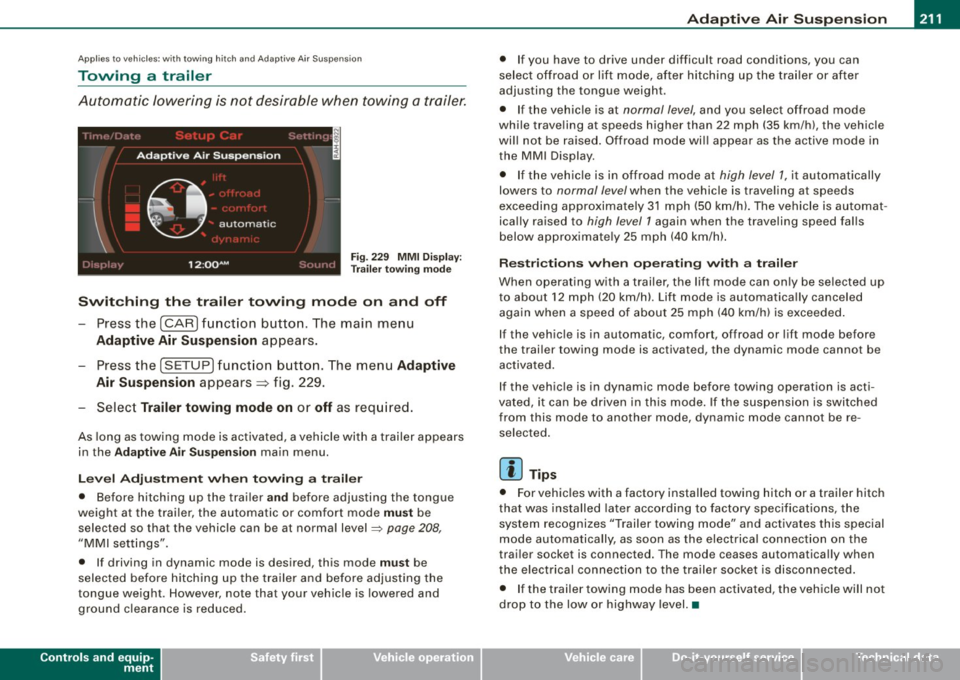
Automatic lowering is not desirable when towing a trailer.
Fig . 22 9 MMI D isplay:
T rai le r t ow ing mode
Swi tching th e trail er towing mode on and off
Press the (CARI function button. The main menu
Adaptive Air Su spension appears .
-Press the (SETUP I funct ion button. The menu Adaptiv e
Air Susp ension
appears~ fig. 229.
- Select
Trailer towing mod e on or off as req uired .
As long as towing mode is activated, a vehicle with a trailer appears
in the
Ad apti ve Air Sus pension main menu.
Le ve l Ad jus tm ent w hen t owing a tra ile r
• Before hitching up the trai ler a nd before adjusting the tongue
weight at the trai ler, the automatic or comfort mode
mu st be
selected so that the vehicle can be at normal level
=> page 208 ,
"MMI settings".
• If driving in dynamic mode is desired, this mode
mus t be
selected before hitching up the trailer and before adjusting the
tongue weight . However , note that your vehicle is lowered and
ground clearance is reduced.
Controls and equip
ment
• If you have to drive under difficult road conditions, you can
se lect offroad or lift mode, af ter hitching up the trai ler or after
adjusting the tongue weigh t.
• If the vehic le is at
normal level, and you select offroad mode
while trave ling a t speeds higher than 22 mph (35 km /h) , t he vehicle
wi ll not be raised . Offroad mode wi ll appear as the active mode in
the MMI Display .
• If the vehic le is in offroad mode at
high level 1 , it automatically
lowers to
normal level when the vehicle is trave ling a t speeds
exceeding approxima tely 31 mph (50 km/h). The vehicle is automat
ica lly raised to
high level 1 again when the t raveling speed falls
below approximate ly 25 mph (40 km/h).
R es tric tions when ope ra ti ng w ith a tra iler
When opera ting with a trailer, the lift mode can on ly be se lected up
to about 12 mph (20 km/h). Lift mode is au tomatica lly canceled
again when a speed of about 25 mph (40 km/h) is exceeded .
If the vehicle is in automatic, comfort, offroad or lift mode before
the trai ler towing mode is act iv a te d , the dynamic mod e cannot b e
activated.
If the vehicle is in dynamic mode before tow ing operation is acti
vated, it can be driven in this mode. If the suspension is switched
from this mode to another mode , dynamic mode canno t be re
selected .
[ i ] Tips
• For vehicles with a factory installed towing hitch or a trailer hitch
that was installed later acco rding to factory specificat ions , the
system recognizes "Trailer towing mode" and activates this special
mode automatically, as soon as the electrica l connection on the
trai le r sock et is connected. The mode c eases au tomat ica lly wh en
the electrical connection to the trailer socket is disconnected.
• I f the trailer tow ing mode has been activated, the vehicle w ill not
drop to the low or highway level. •
I • •
Page 230 of 426
lllffl..,___D_ r_iv _i_ n""' g::;._ S_ a_f _e _ly =---------------------------------------------------
& WARNING
Improperly stored luggage or other items can fly through the
vehicle causing serious personal injury in the event of hard braking or an accident. To help reduce the risk of serious personal injury:
• Always put objects, for example, luggage or other heavy items
in the luggage compartment.
• Always secure objects in the luggage compartment using the
tie-down eyelets and suitable straps.
& WARNING
Heavy loads will influence the way your vehicle handles. To help
reduce the risk of a loss of control leading to serious personal
injury :
• Always keep in mind when transporting heavy objects, that a
change in the center of gravity can also cause changes in vehicle
handling:
-Always distribute the load as evenly as possible.
- Place heavy objects as far forward in the luggage compart-
ment as possible.
• Never exceed the Gross Axle Weight Rating or the Gross
Vehicle Weight Rating specified on the safety compliance sticker on the left door jamb. Exceeding permissible weight standards
can cause the vehicle to slide and handle differently.
• Please observe information on safe driving
~ page 220.
& WARNING
To help prevent poisonous exhaust gas from being drawn into the
vehicle, always keep the rear lid closed while driving.
• Never transport objects larger than those fitting completely
into the luggage area because the rear lid cannot be fully closed.
& WARNING (continued)
• If you absolutely must drive with the rear lid open, observe the
following notes to reduce the risk of poisoning :
- Close all windows,
- Close the Panoramic sliding sunroof*,
- Open all air outlets in the instrument panel,
- Switch off the air recirculation,
- Set the fresh air fan to the highest speed.
& WARNING
Always make sure that the doors, all windows, the Panoramic
sliding sunroof* and the rear lid are securely closed and locked to
reduce the risk of injury when the vehicle is not being used.
• After closing the rear lid, always make sure that it is properly
closed and locked .
• Never leave your vehicle unattended especially with the rear lid
left open. A child could crawl into the vehicle through the luggage
compartment and close the rear lid becoming trapped and unable
to get out . Being trapped in a vehicle can lead to serious personal
injury.
• Never let children play in or around the vehicle.
• Never let passengers ride in the luggage compartment . Vehicle
occupants must always be properly restrained in one of the
vehicle's seating positions.
[ i] Tips
• Air circulation helps to reduce window fogging. Stale air escapes
to the outside through vents in the trim panel. Be sure to keep these
slots free and open.
• The tire pressure must correspond to the load. The tire pressure
is shown on the tire pressure label. On USA vehicles, the tire pres- .,_
Page 231 of 426

__________________________________________________ D _r_iv _ in_ g=- S_ a_f _e _l~ y __ fllll
sur e lab el is located on the driv er's side 8-pillar. On Canada vehicles,
t he tire press ure l abel is loc ated e ither on the driver 's side 8 -pill ar
or ins ide the fu el filler flap. The tire p ressu re labe l lists the recom
mended c old tire infla tion pr ess ur es for the vehicle a t it s m aximu m
capacity weight and the tires that were on your vehicle at t he time
it was manufactured. For recommended ti re p re ssu res fo r no rmal
l oad cond itions, p lease see ch apter=>
page 351 . •
Tie -downs
Th e luggag e comp artme nt is equipped with fo ur tie
downs to se cure luggag e and other it ems.
Use the tie -downs to secure your car go prop erly=> page 227,
"Lo adi ng the luggage compartme nt".
I n a col lision , the laws o f phys ics mea n tha t eve n small er items tha t
are loose in the vehic le will become heavy missiles that can cause
se rious injury . Ite ms in th e veh icl e possess energy w hich vary w it h
veh ic le speed and the weight of the item. Veh ic le speed is the most
s ign ific ant factor .
F or example, in a frontal co llision at a sp eed of 30 mph (48 km/ h),
th e fo rc e s acti ng on a 10 -lb (4. 5 kg) objec t are about 20 times the
n orma l we igh t of th e ite m. Thi s m eans that the we ig ht o f th e it em
would su dde nly be a bout 2 00 lb s. (90 kg). Yo u can imagine the in ju
r ies t hat a 20 0 lb s. (90 kg) item fly in g fre ely thr ou gh th e passe nge r
com partment could cause in a co llision li ke this .
& WARNING
Weak, damaged or improper straps used to secure items to tie
downs can fail during hard braking or in a collision and cause
serious personal injury .
• Always use suitable mounting straps and properly se cure
items to the tie-downs in the luggage compartment to help
prevent items from shifting or flying forward as dangerous
missiles .
Controls and equip ment Safety first Vehicle operation
& WARNING (continued
)
• When the rear seat backrest is folded down, always use suit
able mounting straps and properly secure items to the tie -downs
in the luggage compartment to help prevent items from flying
forward as dangerou s missiles into the passenger compartment.
• Never attach a child safety seat tether strap to a tie-down. •
Reporting Safety Defects
Applicable to U.S.A. If you believe that your vehicle has a defect
which could cause a crash or could cause injury or death, you should immediately inform
the National Highway Traffic Safety Adminis
tration (NHTSA) in addition to notifying Audi of
America, Inc.
If NHTSA receives similar complaints, it may
open an investigation , and if it finds that a
safety defect s exists in a group of vehicles , it
may order a recall and remedy campaign.
However, NHTSA cannot become involved in
individual problems between you, your dealer,
or Audi of America , Inc.
To contact NHTSA , you may call the Vehicle
Safety Hotline toll-free at:
Tel.: 1 -888 -327 -4236 (TTY: 1 -800-424 -9153) _,.
Vehicle care Do-it-yourself service Technical data