steering AUDI Q7 2009 Owner´s Manual
[x] Cancel search | Manufacturer: AUDI, Model Year: 2009, Model line: Q7, Model: AUDI Q7 2009Pages: 426, PDF Size: 97.13 MB
Page 290 of 426
llffl __ ln_ t _e_ ll-'"ig ...,_ e_ n_t _t_ e_ c_ h _ n_o _ l_o _,.g= y,_ __________________________________________ _
Intelligent technology
Notice about data recorded by
vehicle control modu les
Your vehicle is not equipped with an Event Data Recorder (EDR),
installed by some manufacturers for the express purpose of
capturing data for retrieval after an accident or crash event . EDR's
are sometimes called "crash recorders" .
Some state laws restrict the retrieva l or downloading of data stored
by EDR's that were insta lled in a vehicle for the express purpose of
retrieving data after an accident or crash event without the owner's
consent.
Although your vehicle is not equipped with an EDR, it is equipped
with a number of electronic control modules for various vehicle systems such as, for example, engine function, emission control, as
well as for the airbags and safety belts.
These electronic control modules also record vehicle-related data during norma l vehicle operation for diagnost ic and repair purposes .
The recording capacity of the electronic control modules is limited
to data (no sound is recorded) and only a small amount of data is
actually recorded over a very limited period of time and stored when
a system fault or other condition is sensed by a control unit. Some
of the data then stored may relate to vehicle speed, direction, braking as well as restraint system use and performance in the
event of a crash or other condition . Stored data can only be read and
down loaded with special equipment .•
Electron ic Stabilizat ion Program (ESP)
General =nformation
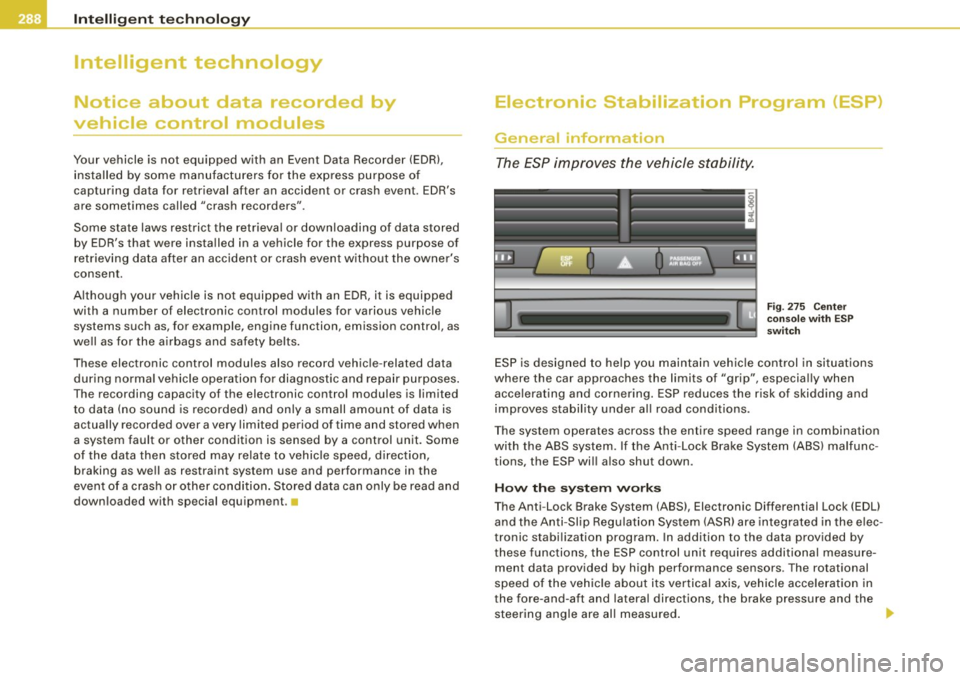
The ESP improves the vehicle stability.
Fi g. 2 75 C ente r
co nso le w it h ES P
swi tch
ESP is designed to he lp you maintain vehic le control in situations
where the car approaches the limits of "grip", especia lly when
accelerating and cornering. ESP reduces the risk of skidding and
improves stabil ity under all road conditions .
T he system operates across the entire speed range in combination
with the ABS system. If the Anti-Lock Brake System (ABS) malfunc
tions, the ESP wil l also shut down .
How th e sys te m w ork s
The Anti -Lock Brake System (ABS) , Electronic Differential Lock (EDU
and the Anti-Slip Regulation System (ASR) are integrated in the e lec
tronic stabi lization program . In addition to the data provided by
these functions, the ESP control unit requires additional measure ment data provided by high performance sensors . The rotational
speed of the vehic le about its vertical axis, vehicle acce leration in
the fore-and-aft and lateral directions, the brake pressure and the steering angle are al l measured .
Page 291 of 426
•
The direction in which the driver wishes to travel is determined with
t he aid of the steering angle and vehicle speed and is continua lly
compared with the actual behavior of the vehicle. If the two do not
match, for example, when the vehic le starts hydrop laning on a wet
road, ESP will automatically brake the appropriate whee l to correct
the prob lem.
The vehicle is then stab ilized by the forces acting on the whee l
during braking. If the vehicle is
oversteering (rear tends to skid out
of the turn), the brakes are mainly app lied on the wheel that is on
the outside of the curve. In the case of a vehicle that is
understeering
(tendency to sl ide out of the curve), the brakes are applied as
needed on the wheel that is on the inside of the curve or additionally
on the other wheels . An acoustic signal indicates when ESP brake
application cuts in
~ & .
The system operates across the entire speed range in combination
with the ABS system
~ page 292 . If the Anti-Lock Brake System
(ABS) malfunctions, the ESP will b e out of action as well.
Ac tiva tin g
When you turn on the engine, ESP will automatically be activated
and wil l perform a se lf-tes t. As soon as the test is comp leted, the
system is in norma l operating mode.
Offro ad m ode
ESP should normally be operated in normal mode because this
ensures maximum vehicle stabil ity . If necessary, you can activate
the ESP offroad mode by pressing the button
~ page 288, fig. 275
to obtain maxi mum traction and braking abil ity when dr iving off
paved roads at low speeds . In ESP offroad mode , the ESP indicator
l ight ~
page 19 illuminates and the message E S P Offroad appears
briefly in the display.
The ESP offroad mode can be usefu l in the fo llowing exceptional
s ituat ions when slip or a high ly effective differential locking func
tion is desirable. Examples:
• when driv ing with t ire chains,
• when driving in deep snow or on loose ground,
Inte llig ent tec hn olo gy
• when driving on uneven surfaces with the wheels severely
unloaded (articulation), and
• when rocking the vehicle loose after it has become stuck .
When the unusual situation is pas t, you should shift back to the
normal ESP operating mode by pushing the button again. The
message
ESP /A SR on then appears briefly in the display.
Hill d escent contr ol
The hil l descent control is swi tched on in ESP offroad mode . When
s lowly descending steep gradients on loose ground or when the
ax les are a rticulated, h ill descent control provides assistance by
automatically applying the brakes to keep vehicle speed constant.
The vehicle is also rendered easier to steer by se lective distribution
of braking force . Hi ll descent control intervenes when:
• the accelerator pedal is not pressed,
• the veh ic le is trave lling less than 12 mph (20 km/hl,
• a steep gradient is detected,
• whee l behavior indicates loose ground or conditions with poor
adhesion (e .g . also axle articulation).
Hi ll descent control operates both driving forward and in reverse.
Active hill descent contro l is deactivated by pressing the accelerator
pedal until the conditions for activat ion a lready listed are met again .
& WARNING
• The Elect roni c Sta bil izati on Progr am is ne ve rt hele ss subject to
th e law s of phy sics. It is particul arly important to pay attention to
t hi s fa ct on we t and slippery ro ads . It i s therefore i mpo rtant th at
yo u a lw ays adapt your dri vin g to the condition of the ro ad and
traffi c conditions . Do n ot allo w the in cre ased sa fety provided by
the Elect roni c Stabili zation Progr am system to lull you into
ac cepting additional safety r isks.
• Please be aw are th at in ESP offroad mo de, parti cularl y on a
s m ooth and slippery road , the wheel s m ay have an incr eased •
I t •
Page 295 of 426

If an individual wheel begins to rotate too slowly in relation to
vehicle speed and tends to lock, the ABS automatically reduces
brake pressure to prevent that wheel from locking.
This automatic adjustment process will cause a
slight vibration of
the brake pedal and some noises to alert you that vehicle speed
must be adapted to existing road and traffic conditions .
_& WARNING
Although the ABS is very effective, always remember that braking
capability is limited by tire traction. Always adjust your driving
speed according to the road and traffic conditions. Do not let the
extra safety afforded by the ABS tempt you into taking extra risks.
The ABS cannot overcome the laws of physics.
[ i] Tips
• If ABS is not functioning properly , a warning light will come on .
See
=> page 22.
• If a fault occurs in the ABS, the EDL is also not functioning. This
is indicated by the ABS warning light.•
Brake assistant
The brake assistant is designed to achieve the optimum
braking effect.
The brake assistant helps to increase the effective braking power
and thus to achieve
a shorter stopping distance . If the driver
presses the brake pedal very quickly , the brake assistant automati
cally boosts the braking force to the maximum level, up to the point
where the anti-lock brake function (ABS) intervenes to stop the
wheels from locking. You should then keep th e brake pedal pressed
until the vehicle has braked to the required speed. The brake assis
tant swi tches its elf off as soon as you release the brake pedal.
Controls and equip
ment Safety first Vehicle operation
Intelligent technology
Automatic full braking assist
This function allows full braking
in spite of high brake pedal forces
(e.g . when the brakes are severely stressed because the vehicle is
fully loaded) . The driver notices this function through a reduction of
pedal force and increased pedal travel. When the brake pedal is
released, full braking assist switches off again automatically.
If there is an ABS failure, the brake assistant and automatic full
braking assist ar e not available .
The brake assistant will not be operative if there is a malfunction in
the ABS.
_& WARNING
Please remember that the accident risk always increases if you
drive too fast, especially in corners or on a slippery road, or if you
follow the vehicle ahead of you too closely . Increased risk of an
accident cannot be compensated for even by the brake assistant,
so always maintain a safe speed. iJ
Servotronic® -advanced power
steering system
The power steering systems uses the power of the
running engine to allow precise steering with little effort.
The advanced Servotronic ® power steering system senses the road
speed and electronically adjusts power assistance to provide
comfortable and safe steering response exactly matched to the
vehicle speed.
Power steering will not work if the engine is off. As a result, the
s teering whe el will be hard to turn.
The power steering fluid level is checked during the scheduled
maintenance services .
•
Vehicle care Do-it-yourself service Technical data
Page 296 of 426

lffll __ ln_ t _e_ ll-'"ig ...,_ e_ n_t _t_ e_ c_ h _ n_o _ l_o _,.g= y,_ __________________________________________ _
0 Note
If there is an electronic malfunction, servotronic will still function
like a conventional power steering system, providing a constant
steering support force that is no longer proportionate to the vehicle
speed. This is most noticeable when turning the steering wheel at
low speeds ( for example when parking), - more effort will be
required than usual.
• Be aware of the different than usual steering response and
adjust your steering force accordingly.
• Have the problem checked and set right by an Audi dealer as
soon as possible.
[ i] Tips
• When the engine is running, never hold the steering wheel
turned all the way to the right or to the left for longer than 15
seconds . Th e power steering pump will overheat the hydraulic fluid
if you keep holding the steering wheel turned all the way. This is
likely to damage the power steering system .
• If the power steering system should fail entirely, or if the engine
is not running (for example, while being towed), you will still be able
to steer the vehicle. However,
considerably more effort will be
required to do so.
• If the power steering system should have a leak, or is not func
tioning properly, contact your authorized Audi dealer immediately.
• The power steering system requires a specially formulated
hydraulic fluid. The power steering reservoir is the one located
farthest to the rear on the left side of the engine compartment
=>
page 332. The correct fluid level in the reservoir is important for
proper functioning of the power steering. •
Driving with your quattro®
---------
With All Wheel Drive, all four wheels are driven.
General information
With All Wheel Drive, power is distributed to all four wheels. This
happens automatically depending on your driving style and the
road conditions at the time. See also=>
page 290, "Electronic differ
ential lock (EDU" .
Winter tires
When driving in the winter, your vehicle with All Wheel Drive has an
advantage, even with regular tires. In winter road conditions it may
be advisable to mount winter tires (or all-season tires) for improved
driveability and braking: these tires must be mounted on
all four
wheels .
See also=> page 363, "Win ter tires".
Tire chains
Where tire chains are mandatory on certain roads, this normally
also applies to vehicles with All Wheel Drive=>
page 364, "Snow
chains".
Replacing wheels/tires
Vehicles with All Wheel Drive must always have tires of the same size. Also avoid tires with different tread depths. For details see
page=:>
page 359, "New tires and replacing tires and wheels".
& WARNING
Always adjust your driving to road and traffic conditions. Do not let the extra safety afforded by All Wheel Drive tempt you into
taking extra risks .
• Although the All Wheel Drive is very effective, always
remember that braking capacity is limited by tire traction. You
should therefore not drive at excessive speeds on icy or slippery
road surfaces .
~
Page 309 of 426
pillar. On Canada vehicles, the tire pressure label is located either on
t he driver's side 8 -pillar or inside the fuel fil ler flap. Inflate trailer
tires to trailer and tire manufacturers' specifications.
L ight s
The head light settings should be checked with the trailer attached
before driving off . Check to make sure both vehicle and trai ler lights
are working properly.
Sa fety c hain s
Be sure trailer safety chains are properly connected from the trailer
to the hitch on the vehicle . Leave enough slack in the chains to
permit turning corners. When you insta ll safety chains, make sure
they will not drag on the road when you are driving .
The chains should cross under the tra iler tongue to prevent it from
dropping in case of separation from the hitch.
0 Note
If you are going to tow a traile r, you must activate the trailer opera
tion mode =>
page 211, "Towing a trailer" .
Driving instructions
Driving with a trailer always requires extra care and
consideration.
To obtain the best possible handling of vehicle and trailer,
please note the fo llow ing:
- Do not tow a loaded trailer when your car i tse lf is not
loaded .
- Be especia lly careful when passing other vehicles .
- Observe speed l imits.
- Do not drive at the maximum permiss ible speed .
Controls and equip
ment Safety first Vehicle operation
Tr
aile r t owing
Always apply brakes early .
- Monitor the temperature gauge .
Weigh t dis tr ibution
Towing a loaded trailer wi th an empty car results in a highly
unstable dis tribution of weight . If this cannot be avoided , drive at
very low speeds only to avoid the risk of losing steering control.
A "balanced" rig is easier to operate and control. This means that
the tow vehicle should be loaded to the extent possible and permis
sib le, while keeping the trailer as light as possib le under the circum
stances . Whenever possible, transfer some cargo to the luggage
compartment of the tow vehicle whi le observing tongue load
requirements and vehicle loading considerations .
Speed
The higher th e speed, the more difficu lt it becomes for the driver to
control the rig . Do not drive at t he maximum pe rmissible speed.
Reduce your speed even more
if load, weather or wind conditions
a re unfavorable -particularly when going downhil l.
Reduce vehicle speed
i mmedi ate ly if the trailer shows the slightest
sign of swaying.
Do not tr y to s top the swaying by accelerating .
Observe speed limits . In some areas, speeds for vehicles towing
trailers are lower than for regular vehicles .
Always apply brakes early. When driving downhill, shift into a lower gear to use the engine braking effect to slow the vehicle. Use of the
brakes alone can cause them to overheat and fa il.
Coo lant t emperatu re
The coolant temperature gauge=> page 13 must be obse rved care
ful ly. If the need le moves close to the upper end of the sca le , reduce
speed immediately and/or turn off the air conditioner .
If the coolant temperature warning light in the instrument cluster
starts f lashing
- f- , pul l off the road, stop and let the engine idle for
about two minutes t o prevent heat build -up.
Vehicle care Do-it-yourself service Technical data
Page 310 of 426
ll'I __ T_ r _a_ il_e _r_ t_ o_ vv_ in__... g,_ __________________________________________________ _
& WARNING
Anyone not properly restrained in a moving vehicle is at a much
greater risk
in an accident. Never let anyone ride in your car who
is not properly wearing the restraints provided by Audi .
c:
Trailer towing tips
Important to know
Your vehicle handles differently when towing a trailer because of
the additional weight and different weight distribution. Safety,
performance and economy will greatly depend on how carefully you
load your trailer and operate your rig.
Before you actually tow your trailer, practice turning, stopping and
backing up in an area away from traffic. Keep practicing until you
have become completely familiar with the way your vehicle -trailer
combination behaves and responds.
Backing up is difficult and requires practice. Backing up with a
trailer generally requires steering action opposite to that when
backing up your vehicle without a trailer.
Maintain a greater distance between your vehicle and the one in
front of you. You will need more room to stop. To compensate for
the trailer, you will need a larger than normal turning radius.
When passing, remember that you cannot accelerate as fast as you normally would because of the added load. Make sure you have
enough room to pass. After passing, allow plenty of room for your
trailer before changing lanes again.
Avoid jerky starts, sharp turns or rapid lane changes.
[ i] Tips
• Do not tow a trailer during the break-in period of your vehicle. • If you tow
a trailer, your Audi may require more frequent mainte
nance due to the extra load~
page 401. •
Parking on a s1ope
Do not park on a slope with a trailer. If it cannot be
avoided , do so only after doing the following:
When parking:
-Apply the foot brake.
- Have someone place chocks under both the vehicle and
the trailer wheels.
- With chocks in place, slowly release the brakes until the
wheel chocks absorb the load.
- Turn the wheels towards the curb.
- Apply the parking brake.
- Move the selector lever to
P.
When restarting after parking:
- Apply the foot brake.
- Start the engine.
- Move the selector lever to
D.
-Release the parking brake and slowly pull out and away
from the wheel chocks.
- Stop and have someone retrieve the wheel chocks.
[ i] Tips
I f you move the selector lever of the automatic transmission to P
before applying the parking brake and before blocking the wheels, II-
Page 350 of 426
-~_T_ ir_e_ s_ a_ n_d _ w_ h_ e_e _l_s _________________________________________________ _
& WARNING (continued)
crashes and serious personal injuries . Have worn or damaged tires
replaced immediately.
• Tires age even if they are not being used and can fail suddenly,
especially at high speeds. Tires that are more than 6 years old can
only be used in an emergency and then with special care and at
low speed.
Glossary of tire and loading terminology
Accessory weight
means the combined weight (in excess of those standard items
which may be replaced) of automatic transmission, power steering,
power brakes, power windows, power seats, radio, and heater, to
the extent that these items are available as factory-installed equip
ment (whether installed or not).
Aspect ratio means the ratio of the height to the width of the tire in percent.
Numb ers of 55 or lower indicate a low sidewall for improved
steering response and better overall handling on dry pavement.
Bead
means the part of the tire that is made of steel wires, wrapped or reinforced by ply cords and that is shaped to fit the rim.
Bead separation means a breakdown of the bond between components in the bead.
Cord
means the strands forming the plies in the tire.
& WARNING (continued)
• Never mount used tires on your vehicle if you are not sure of
their "previous history." Old used tires may have been damaged
even though the damage cannot be seen that can lead to sudden
tire failure and loss of vehicle control.
• If you notice unusual vibration or if the vehicle pulls to one side
when driving, always stop as soon as it is safe to do so and check
the wheels and tires for damage . •
Cold tire inflation pressure
means the tire pressure recommended by the vehicle manufacturer
for a tire of a designated size that has not been driven for more than
a couple of miles (kilometers) at low speeds in the three hour period
before the tire pressure is measured or adjusted.
Curb weight means the weight of a motor vehicle with standard equipment
including the maximum capacity of fuel, oil, and coolant, air condi
tioning and additional weight of optional equipment.
Extra load tire
means a tire design to operate at higher loads and at higher infla
tion pressures than the corresponding standard tire. Extra load tires
may be identified as "XL",
"xi", "EXTRA LOAD", or "RF" on the side
wall.
Gross Axle Weight Rating ("GAWR")
means the load-carrying capacity of a single axle system, measured
at the tire -ground interfaces.
Gross Vehicle Weight Rating ("GVWR"l
means the maximum total loaded weight of the vehicle.
Page 360 of 426
-~_T_ ir_e_ s_ a_ n_d _ w_ h_ e_e _l_s _________________________________________________ _
make, there will be six to eight of them evenly placed around the
tire. Marks on the tire sidewall (for example "TWI" or other symbols)
indicate the positions of the tread wear indicators. Worn tires must
be replaced. Different figures may apply in other countries=>& .
Tire pressure
Incorrect tire pressure causes premature wear and can cause
sudden tire blow-out. For this reason, tire pressure must be checked
at least once a month =>
page 353.
Driving style
Driving fast around curves, heavy acceleration and hard braking
increase tire wear.
Rotating tires for more even wear
For all four tires on your vehicle to have the same service life, we
recommend that the front and rear tires are rotated according to the
tire manufacturer's suggested tire rotation intervals. Please
remember the following:
• Tire rotation intervals may differ from the vehicle service inter
vals outlined in your Warranty
& Maintenance booklet.
• The longer one tire is used in one location on the vehicle , the
more it wears at certain points; therefore, we recommend that you
follow the tire manufacturer's suggested tire rotation intervals .
• Vehicles with front-wheel drive experience more tread wear on
the front wheels compared to all-wheel drive (quattro ®l.
• Please rotate tires as shown =>
page 357, fig. 294.
• Extra care must be taken when rotating direction-specific tires
=>
page 379.
Wheel balancing
The wheels on new vehicles are balanced. However, various situa
tions during everyday driving can cause them to become unbal
anced, resulting in vibrations you can usually feel through the
steering wheel. Unbalanced
wheels must be rebalanced to avoid excessive wear on
steering, suspension and tires. A wheel must also be rebalanced
when a new tire is installed.
Incorrect wheel alignment
Incorrect wheel alignment can cause excessive tire wear , impairing
the safety of the vehicle. If tires show excessive wear, have the
wheel alignment checked by an authorized Audi dealer or qualified
workshop.
All Wheel Drive
Vehicles with quattro® must always have tires of the same size,
construction and tread type. For details see=>
page 294.
& WARNING
Sudden tire failure can lead to loss of control, a crash and serious
personal injury!
• Never drive a vehicle when the tread on any tire is worn down
to the wear indicators.
• Worn tires are a safety hazard, they do not grip well on wet
roads and increase your risk of "hydroplaning" and loss of control.
• Always keep chemicals that can cause tire damage, such as
grease, oil, gasoline and brake fluid away from tires .
• Tires age even if they are not being used and can fail suddenly,
especially at high speeds. Tires that are more than 6 years old can
only be used in an emergency and then with special care and at
lower speeds .
• Never mount used tires on your vehicle if you are not sure of
their "previous history." Old used tires may have been damaged
even though the damage cannot be seen that can lead to sudden
tire failure and loss of vehicle control. •
Page 384 of 426
lllftl.,___F_ u_ s_ e_s _ a_n _ d_ b_ u_lb _ s _______________________________________________ _
[ i J Tips
You are well advised to keep a supply of spare fuses in your vehicle .
Fuses with the proper ampere ratings are available at your autho
rized Audi dealer. •
Fuse Location, Instrument Panel left
Fig . 309 Fuse panel
layout
Some of the equipment items listed are optional or only available on
certain model configurations .
Note that the following table is accurate at the time of going to
press and is subject to change. In the event of discrepancies, the
label on the inside of the cover always takes precedence.
The power seats are protected by circuit breakers, which automati
cally reset after a few seconds after the overload has been reme
died.
No.
Equipment
Fuse holder (red)
1
2
3
Not used
Not used
Not used
Amps
No. Equipment
4 Tire pressure monitoring system
5 Not used
6 Lumbar support driver's seat
7 Window regulators (left side of vehicle)
8 Door control module (left side of vehicle)
9 Battery energy management
10 Electronic ignition lock,
power steering column adjustment
11 Switch module steering column
12 Intelligent
power module convenience
Fuse holder (brown)
1
2
Not used
Not used
3 Not used
4 Wiper system
5 Rain sensor
6 Horn
7
8
9
Intelligent power module driver
Intelligent power module driver
(lights left side of vehicle)
Intelligent power module driver
(lights right side of vehicle)
10 Instrument cluster
11 Headlight washer system
12 Diagnostic connector
Fuse holder (black) Amps
5
10
35 15
5
30
10 5
30
5
25
30
25 25
10
30
10
-
Page 410 of 426
lffll __ A_ l..:,. p _ h_ a_ b_e _t_ic_ a_l _in_ d_e_ x ____________________________________________ _
A
Accessories . . . . . . . . . . . . . . . . . . . . . . . . 403
Adaptive Air Suspension .... ... .. .... 206
Cargo mode in the MMI ....... .... 212
Controls . . . . . . . . . . . . . . . . . . . . . . . . 207
Description ... ...... ............ 206
High level . . . . . . . . . . . . . . . . . . . . . . . 207
Highway level . . . . . . . . . . . . . . . . . . . 207
Instrument cluster display .. .... ... 209
Jacking mode when changing a flat tire . 210
Low level ... ... ... .... ..... .. ... 207
Normal level . . . . . . . . . . . . . . . . . . . . 207
Segment display . . . . . . . . . . . . . . . . . 208
Setting the driving modes ......... 208
Trailer towing mode ... .... .... ... 211
Using sw itch for cargo mode .. .... 212
Warning/indicator lights . .......... 21
Adaptive Cruise Control .. .... ..... ... 152
Changing speed ................. 156
Driver information ............... 160
Driver intervention prompt ........ 164
Driving in traffic 154
Driving program .. .... .... .... ... 165
Error messages . . . . . . . . . . . . . . . . . . 163
Open road . . . . . . . . . . . . . . . . . . . . . . 154
Override . . . . . . . . . . . . . . . . . . . . . . . . 154
Request for driver to assume control 154
Save speed . . . . . . . . . . . . . . . . . . . . . . 156
Setting distance . . . . . . . . . . . . . . . . . 158
Setting time interval .............. 158
Settings ........................ 165
Specia l driving situations ......... 165 Status
messages . ....... ... .. ... . 163
Switching on and off .. ........... 155
System limits .. .................. 165
Temporarily turning off ......... .. 157
warn ing/indicator lights ........... 161
Adaptive Light .... ...... ...... ... ... . 76
defective ......................... 37
Adding Engine coolant ... ....... .... .... . 339
Engine oil ... .. .. . ... ....... .... . 336
Windshield washer fluid ...... .... . 346
Additiona l accessories .......... .... . 403
Additives Engine oil ....................... 336
Adjusting Instrument cluster i llumination . .... . 17
Steering column electrically ....... 141
Steering column manually ......... 140
Adjusting front seats .... .... .... . ... . 92
Advanced Parking System with rear view
camera
Adjusting the chimes -option 1 . ... 201
Adjusting the chimes -option 2 .... 202
front and back with visual display and
rear -view camera . . . . . . . . . . . . . . . 191
General information ......... ..... 191
Notes on distance information ... .. 200
Parking next to obstac les . . . . . . . . . . 199
Rear-view camera -parking mode 1 196
Rear -view camera -parking mode 2 . 198
Rear -view camera (Rear View) ... ... 194
Rear -view camera coverage area . . . . 195
Rear -view camera tips ............ 204 Special parking
situations ... .. .. .. 199
Switching the rear-view camera on and
off .... . ... .... .... ... .. .... ... 203
switching the visua l display on and off ..
203
System error message ............ 204
Towing hitch ...... .... ...... .... 201
Air conditioning
See Climate controls 123
Air distribution Climate controls ... ....... .... ... 127
Four -zone automatic comfort air
conditioning ................... 133
Air pol lutants fi lter
Climate controls ................. 123
Airbag Warning/indicator lights . ...... .... . 19
Airbag system .... .... .... ... ... 241, 258
Advanced Airbag System ...... .... 245
Advanced Airbag System components . ..
248
Care ........................ .... 255
Child restraints .................. 265
Children ... .... .... ... ...... ... . 264
Components (front airbags) . ....... 248
Danger of fitting a chi ld safety seat on the
front passenger seat . . . . . . . . . . . . 243
Disposal ............. ....... .... 255
Front airbags .. ........ ...... 245, 246
How do the front airbags work? . ... 250
How many airbags does my vehicle have? 248
How the Advanced Airbag System compo -
nents work together . ........ .... 249