change time AUDI Q7 2009 Owner´s Manual
[x] Cancel search | Manufacturer: AUDI, Model Year: 2009, Model line: Q7, Model: AUDI Q7 2009Pages: 426, PDF Size: 97.13 MB
Page 40 of 426

Driver information display
When this symbol illuminates, it means that Adaptive Light is
defective . Go to an authorized Audi dealer to have the headlights or
the control unit for the Adaptive Light repaired.•
Ignition lock malfunction ~
If the symbol in the display comes on, there is a malfunc-
tion in the e lectronic ignition lock. An additional driver
message can be displayed by pressing the [ CHECK) button:
Ignition lock defective
-Drive to an authorized Audi dealer or qualified workshop
at your earliest convenience to have the malfunction
corrected. •
Windshield wipers faulty --->
....... Windscreen wiper defective !
When this symbol ' illuminates, it means that the electronics for
the windshield wipers are defective. P lease go to an authorized Audi
dea ler or qua lified workshop to have the windshield wiper system
repaired .•
Speed warning system
Overview
The speed warning system helps you to keep your driving
speed below a set speed limit.
The speed warning system warns the driver if he exceeds a previ
ously stored maximum speed. A warning tone wi ll sound as soon as the vehicle speed exceeds the set speed by about 3 mph (3 km/h). At
th
e same time, a warning symbol appears in the display.
The speed warning system has
two warning thresholds that func
tion independently of each other and that have somewhat different
purposes:
Speed warning 1
You can use speed warning 1 to set the maximum speed while you
are driving. This setting will remain in effect until you turn off the
ignition, assuming that you have not changed or reset the setting.
Th e speed warning symbol
9 (USA models)/ 8 (Canada models) in
the warning 1 display appears when you exceed the maximum
speed . It goes out when the speed falls below the stored maximum
speed.
The speed warning symbol will also go out if the speed
exceeds the
stored maximum speed by more than about 25 mph ( 40 km/h) for at
least 10 seconds. The stored maximum speed is deleted.
Setting speed warning 1
~ page 39 .
Speed warning 2
Storing warning 2 is recommended if you always want to be
reminded of a certain speed, for example when you are traveling in
a country that has a general maximum speed limit, or if you do not
want to exceed a specified speed for winter tires.
The speed warning 2 symbol,
8, (USA modelsl/ 8, (Canada models)
appears in the display when you exceed the stored speed limit.
Un like warning 1, it wil l not go out unti l the vehicle speed drops
below the stored speed limit.
Setting speed warning 2
~ page 39.
[ i ] Tips
Even though your vehicle is equipped with a speed warning system,
you should still watch the speedometer to make sure you are not
driving faster than the speed limit. •
Page 42 of 426
Driver inf ormati on displ ay
Warning threshold 2 can be adjusted within a speed range of 18 to
125 mph (30 to 200 km/h) . Settings can be adjusted in intervals of 6
mph (10 km/h) each. •
Trip computer
Introduction
The trip computer gives you information on current and
average fuel mileage, average speed, fuel range and
driving time.
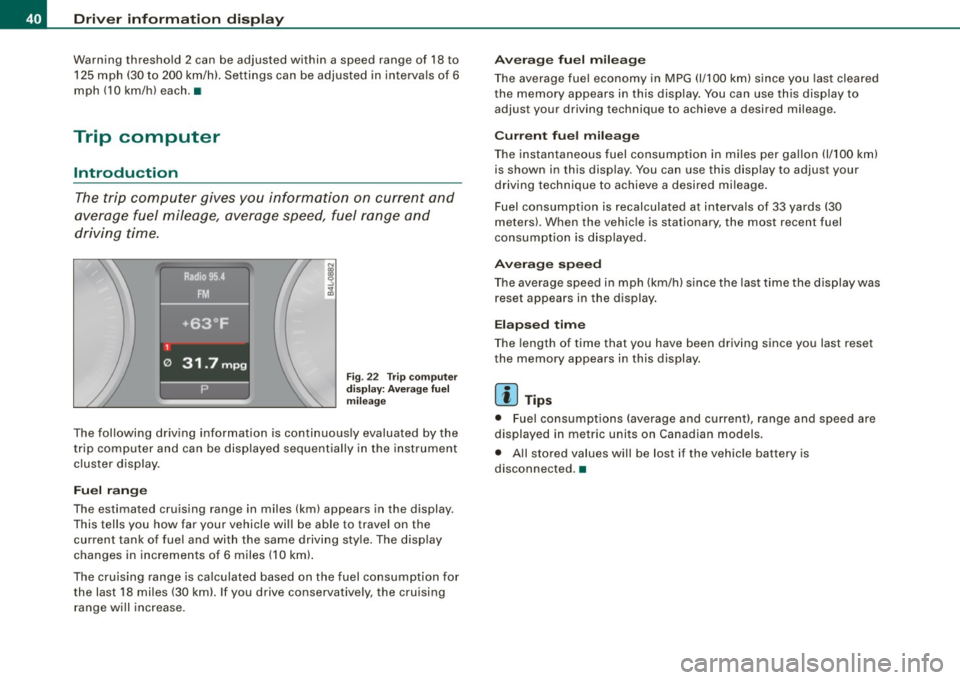
Fig . 22 T rip computer
d isp lay: Aver age f uel
m ileage
The following driving information is continuously evaluated by the
trip computer and can be disp layed sequential ly in the instrument
cluster display .
Fuel ran ge
The estimated cruising range in miles (km) appears in the display.
This tells you how far your vehicle will be able to trave l on the
current tank of fuel and with the same driving sty le. The display
changes in increments of 6 miles (10 km).
The cru ising range is ca lculated based on the fuel consumption for
the last 18 miles (30 kml. If you drive conservatively, the cruising range will increase.
A ve ra g e fu el m ilea ge
The average fuel economy in MPG (1/100 km) since you las t cleared
the memory appears in this display. You can use this disp lay to
adjust your driving technique to achieve a desired mileage.
C urr ent fu el mi leage
The instantaneous fuel consumption in m iles per gallon {1/100 km)
is shown in this display. You can use this disp lay to adjust your
driving technique to achieve a desired mileage .
Fuel consumption is recalculated at intervals of 33 yards (30
meters). When the vehicle is stationary, the most recent fuel
consumption is displayed.
A ver age s peed
The average speed in mph (km/h) s ince the last time the display was
reset appears in the display .
Elapse d tim e
The length of time that you have been driving since you last reset
the memory appears in this display.
[ i ] T ip s
• Fuel consumptions (average and current), range and speed are
displayed in metric units on Canadian models.
• All stored values will be lost if the vehicle battery is
disconnected. •
Page 47 of 426
![AUDI Q7 2009 Owner´s Manual [ i ] Tip s
• In the case of an intentional loss of air pressure, for example,
when re -adjusting tire pressure, this has to be stored again after
wards:::::,
page 45 .
•](/img/6/40274/w960_40274-46.png "AUDI Q7 2009 Owner´s Manual [ i ] Tip s
• In the case of an intentional loss of air pressure, for example,
when re -adjusting tire pressure, this has to be stored again after
wards:::::,
page 45 .
•")
[ i ] Tip s
• In the case of an intentional loss of air pressure, for example,
when re -adjusting tire pressure, this has to be stored again after
wards:::::,
page 45 .
• Tire pressure must only be adjusted when the temperature of the
tires is about the same as ambient air temperature.
• The ye llow symbol disappears, when the tire pressure is
corrected and the new pressure is stored in the system=:>
page 45.
• After changing a wheel you have to adjust the tire pressures on
all whee ls . In addition, you must then initialize the new tire pres
sures in the tire pressure monitoring system=:>
page 46. •
Storing tire pressures
Correct storage of specified pressure is the basic require
ment for reliable tire pressure monitoring.
Fig. 27 Car: Tire pres
s u re moni to rin g
sys tem
In o rder for the tire pressure mo nitoring system to operate
appropriately, you have to re -save the specified pressures in
the MMI wheneve r you adjust tire press ures, for example
when the load condition o f your vehic le changes. Proceed
as follows:
Controls and equip
ment
Dr ive r informat ion di spl ay
C orr ec ting tir e pr essur e
Check the pressure in the tires.
- Adjust air pressure according to the tire pressure label or the pressures listed in this manual~
page 351 .
Saving tir e pr essures
Turn o n the ignition .
Press the
I CAR] function button.
- Select
Systems in the CAR menu.
- Select
Tire pre ssure monitoring .
-Select Store curr . tir e press ures~ fig . 27.
All pressure warning indicators in the display wi ll be canceled.
Following each intentional change in specified pressures, tire pres
sures must be resaved.
After the pressures are saved, the tire pressure monitoring system measures the current tire pressures and saves them as the new
specified pressures.
[ i ] Tip s
• The tire pressure is shown on the tire pressure label. On USA
vehicles, the tire pressure label is located on the driver 's side B
pillar. On Canada vehicles, the tire pressure label is located either on
the driver's side B -pillar or inside the fuel filler f lap . T he tire pressure
label l ists the recommended cold tire inflation pressures for the
vehic le at its maximum capacity weight and the tires that were on
your vehicle at the time it was manufactured. For recommended tire pressures for normal load conditions, please see chapter
=:>
page 351. ._
I • •
Page 48 of 426

Driver inf ormati on displ ay
• The tire pressure monitoring system helps the driver to keep an
eye on tire pressures. But the driver stil l has the responsibility for
maintaining the correct tire pressure .•
Wheel change
If a wheel is changed, the wheels that were exchanged
have to be re-programmed.
Turn on the ignit ion.
- Pressthe!CARlfunction button.
- Select
Systems in the CAR menu.
- Selec t
Tire pre ssure monitoring .
Select Initialize wheel s.
Programming is necessary:
• after the tires have been rotated on the vehicle,
• if tires with new wheel sensors are used .
A ll pressure warning and system malfunction indicators in the
display will be canceled .
If a wheel change has been made, it is necessary to complete the
I niti alize w hee ls function. Afte r you have selected the function, the
new wheels are programmed and the actual pressures are stored .
This learning phase can take up to 20 minutes driving time.
During the learning process the tire pressure monitoring system is
not avai lable. •
Malfunctions =-r,,11~
A malfunction can have various causes.
Fig. 28 Displ ay :
Syste m malfu nc tion
If the warning light in the instrument cluster flashes for approxi
mately one minute and then remains continuously illuminated and
additionally the
JIS => fig . 28 symbol appears in the display , the
tire pressure monitoring system is not available. This can have
various causes.
• If the message appears at the end of the learning process, the
system cannot recognize the wheels installed on the vehicle. This
can be because one or more wheels without a whee l sensor were
insta lled .
• A wheel sensor or other component may have failed .
• During initialization the system has detected more than 4 whee ls
on the vehicle, for examp le while driving next to another car with a
tire pressure monitoring system .
• A wheel change was made but the
Initi alize wheel s function
=> page 46was not activated.
• Audi replacement parts were not used .
• If snow chains are being used , system function can be compro
m ised due to the shielding properties of the cha ins .
• T he tire pressure monitoring system may not be available
because of a radio ma lfunction. _,.,
Page 90 of 426

Clear vision
Outside mirrors
The ou tside mirrors are electrically adjusted.
Adjusting the outside mirrors
Fi g. 82 Fo rw ard
s e ction o f dr iver's
armr est: powe r mirror
c ontr ols
- Tur n the adjusti ng knob to pos ition (0 ~ fi g. 82 to adjust
t h e outs ide mirror on t he d river 's sid e.
T u rn the adjust ing k nob to p ositi on @ to adjust the
o ut side m irro r on t he p assenger side .
Press the kno b in the appropriate direction to move t he
mir ror surface so t hat you have a good vie w to the rear .
Heated mirrors
-Tur n t he knob to positio n @.
Folding both outside mirrors flat *
- Turn t he knob to @ .
Depending on the outside temperature, the mirror surfaces are
heated until the ignition is switched off -even if the knob is no
longer in position
@ .
We recommend folding * the outside mirrors flat to help when
parking your vehicle o r when maneuvering in very tight spaces.
Memo ry sett ing for th e out side mirrors *
When the seat position is saved in the memory, the posi tion of the
outside mirrors is saved at the same time
=> page 97 .
If the position of the passenger mirror is changed when the vehicle
is in reverse gear and the switch is in the @ pos ition, this new tilted
position wil l be automatically saved to the remote key when the
veh ic le is taken out of reverse gear. To save, the rotary kn ob for
mirror adjustment must be in the @ position, the se lector lever
must be in the P p osition and the ignition must be off . T his will now
become the stored setting when the vehicle is put in reverse gear
again .
Tilting th e passenger' s side out side mirror {only with
seat memory )
When you move the selec tor lever into R (Reverse), the mirror on the
front passenger's door (kn ob turned to @ => fig . 82) will tilt slightly
downward. This make is easier for you to see the curb when you are
backing into a parking space.
The mirror returns to its initial pos ition as soon as reverse gear is
disengaged and vehicle speed is above about 9 mph (15 km/h). The
mirror also returns to its ini tial pos ition if the swi tch is moved to the
driver's outside mirror
(0 or the ignition is switched off.
Automati c anti -glar e for th e outside mirror s*
The outside mirrors dim at the same time as the inside mirror . When
the ignition is switched on, the mirrors automatical ly dim
depending on the amount of light striking the mirrors {such as head
l ights shini ng into the vehicle from the rear).
When you turn on the interior l ight, or when you move the se lector
l ever into R (Reve rse), the anti -g lare function stop s and the mirrors
return to their original condition {not darkened).
(D Note
• Curved {i.e. convex) mirror surfaces increase your fie ld of view .
Remember that vehic les or other objects w ill appear smaller and ...
Page 125 of 426
Warm and cold -______________ ....:...:...:..:..;______
Warm and cold
Climate control
Description
The air conditioner is fully automatic and is designed to
maintain a comfortable and uniform climate inside the
vehicle.
We recommend the following settings:
- Set the temperature to 72 °F (+22 °C).
- Press the [AUTO
I button.
With this setting, you attain maximum comfort in the least amount
of time. Change this setting, as desired, to meet your personal
needs .
The climate controls are a combination of heating, ventilation and cooling systems, which automatically reduce humidity and cool the
air inside your vehicle.
The air temperature, air flow and air distribution are automatically
regulated to achieve and maintain the desired passenger compart
ment temperature as quickly as possible.
The system automatically compensates for changes in outside
temperature and for the intensity of the sunlight entering the
vehicle. We recommend you use the
Automatic mode:::::, page 126
for year -round comfort.
Please note the following:
Turn on the air conditioner to reduce humidity in the vehicle. This
also prevents the windows from fogging up.
When the outside temperature is high and the air is very humid,
condensation from the evaporator may drip under the vehicle . Th is
is normal and does not indicate a leak.
Controls and equip
ment
If the outside temperature is low, the fan normally only switches to
a higher speed once the engine coolant has warmed up sufficiently.
The air conditioner temporarily switches off when you drive off from
a standstill using full throttle to save engine power.
The compressor also switches off if the coolant temperature is too
high, so that the engine can be adequately cooled under extreme
loads.
Air pollutants filter
The air pollutants filter (a combined particle filter and activated
charcoal filter) reduces or prevents outside air pollution (dust, or
pollen) from entering the vehicle. The air is also filtered in air recir
culation mode.
The air pollutants filter must be changed at the intervals specified in your Warranty
& Maintenance booklet, so that the air conditioner
can properly work.
If you drive your vehicle in an area with high air pollution, the filter
may need to be changed more frequently than specified in your
Audi Warranty
& Maintenance booklet . If in doubt, ask your autho
rized Audi Service Advisor for advice.
Key coded settings
The air conditioner settings selected are automatically stored and assigned to the key being used. When the vehicle is started, the air
conditioner automatically selects the settings assigned to that key.
This way every driver will maintain his/her own personal settings
and does not have to reset them manually.
If a different driver uses your key and changes the air conditioner
settings, the latest adjustments will erase and replace the settings
you have stored. _.,
I • •
Page 129 of 426

_________________________________________________ W_ a_ r_ m __ a_n_ d_ c_ o_ld _ __._
Setting the temperature
Separate temperatures can be selected for the driver's and front passenger's side.
- Rotate the control knob=> page 125, fig. 135 to the left to
reduce the temperature, or to the right to increase the
tern pera tu re .
[ i ] Tips
When you briefly press the con tro l knob on the driver or front
passenger air conditioning control element, the temperature
appears for a short time on the MM I Disp lay. •
Air distribution 00
The automatically controlled air distribution can be
changed manually.
Fi g. 136 M MI Displ ay :
Air distributi on
-Press the Distribution (!) button .
- Rotate the climate control knob to the desired sett ing
=>
fig. 1 36.
Con tro ls and eq uip
ment
You can adjust the air circulation so that air flows from specific
vents
~ page 130, fig. 139 .
• In position
-0, air flows on ly to the windows; the vents G) are
open.
• In position
(z], air flows only to the driver/passenger; the vents
0 and @are open.
• In position
-0-, air flows only to the footwe ll; the vents © are
open.
• In position ~,airflows only to the windows and footwell; the
vents
G) and © are open.
There are additiona l combinations avai lable to adjust air distribu
tion as needed.
To regulate air distribution automatically, swi tch to !AUTO]. •
Defrosting (@]
The windshield and side windows are rapidly defrosted or
defogged.
To t urn on the defogger/defroster, press the[@] button
=>
page 125, fi g. 135.
Press [@]again or press
[AUTO] to turn off the
defogge r/defr oster.
The temperature is automatically contro lled . Maximum airflow is
primarily blown in through outlets
G) ~ page 125, fig. 135. To
defrost the driver and front passenger side windows most effec
tively, the vents
0 should be directed toward the side windows.
To de fog the rear side windows, the air vents in the door pi llars
should be open and directed at the w indows. The vents in the rear
center console should be c losed.
By pressing!@ ], both air recirculation an d ECON a re switched off. •
Vehicle care I I Technical data
Page 130 of 426
![AUDI Q7 2009 Owner´s Manual • ..__w_ a_ r_m _ a_ n_d_ c_ o_ ld __________________________________________________ _
Blower[&&]
The automatically preset fan speed can be reduced or
increased.
Fi g. 137 MM I D is p](/img/6/40274/w960_40274-129.png "AUDI Q7 2009 Owner´s Manual • ..__w_ a_ r_m _ a_ n_d_ c_ o_ ld __________________________________________________ _
Blower[&&]
The automatically preset fan speed can be reduced or
increased.
Fi g. 137 MM I D is p")
• ..__w_ a_ r_m _ a_ n_d_ c_ o_ ld __________________________________________________ _
Blower[&&]
The automatically preset fan speed can be reduced or
increased.
Fi g. 137 MM I D is pl ay :
Blower
- Press the Blower [<%'] button.
- Rotate t he climat e co ntro l knob to the desired fa n speed
=:> fig . 137.
The climate control system automatical ly regulates fan speed
d e pending on interior tempera ture. You can adjus t the volume of air
produced by the fan to your own requirements.
[ i ] Tips
If the difference between the desired temperature set by you and
the vehicle's interior tempera ture is too great , the fan speed wi ll
change automatically . This occurs so that the desired temperature
setting is reached as quickly as possible .•
Manual air circulation I~]
Air recirculation prevents exhaust fumes or other pollu
tion from entering the vehicle.
Turning on air recirculation
- Press[~] =:>page 725,fi g. 135 =:>&
Turning off air recir culation
Press~ again, or
- Press [AUTO], or
Press [®].
I n the air rec irculation mode, the air in the passenger compartment
is recirculated and filtered to prevent exhaust fumes and other
pollution from entering the vehic le. We recommend that you use the
manual air recirculation under the follow ing condit ions :
• when driving through tunnels
• in a traffic jam.
& WARNING
Do not u se thi s setting f or exte nded pe riod s of time . Th e w in dows
c ould fog up sin ce no fre sh air can enter the veh icle . If th e
window s fog up , p res s the air recirculation butt on ag ain imm edi
a tely to switch off the air re circ ula tion function or sele ct defr ost. •
Page 158 of 426
-L.....:.A:::::: d:.::a:1 Pt:.::. ti:...:v :...: e::::....: C:::..:,_ ru::.:.: is::,: e::::....: C::..:: o::n..:. t:.: r..: o :..: I:__ __________________________________________ _
Applies to ve hicles : w it h Ad aptive Crui se Co nt rol
How is the speed stored?
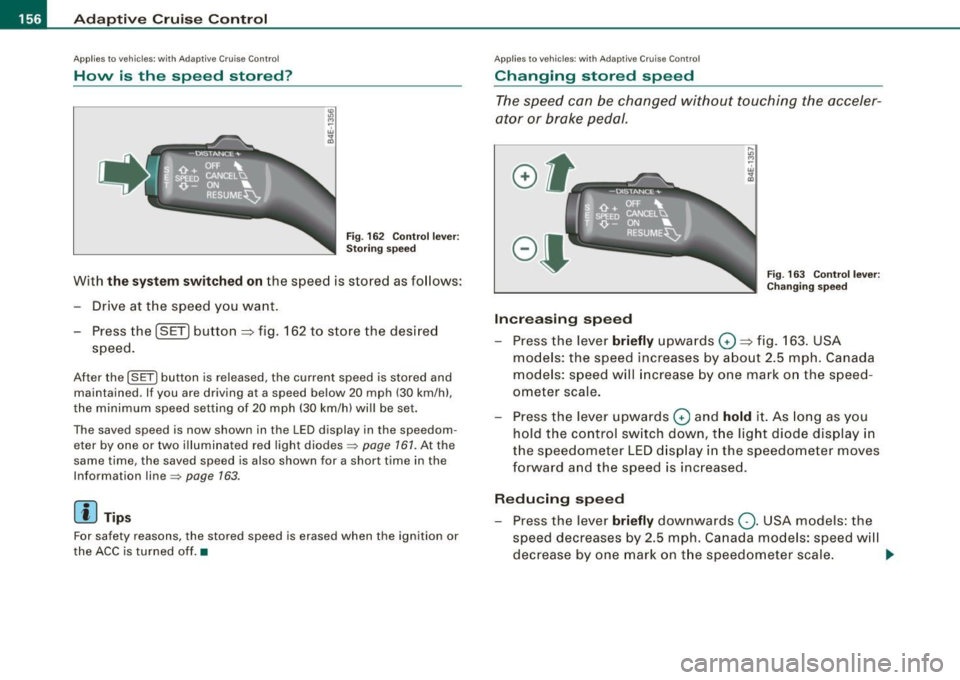
Fig. 162 Control lever:
Storing speed
With the system switched on the speed is stored as follows :
- Drive at the speed you want.
Press the ( SET] button
::::> fig. 162 to store the desired
speed.
After the I SET I button is released, the current speed is stored and
maintained . If you are driving at a speed below 20 mph (30 km/h) ,
the minimum speed setting of 20 mph (30 km/h) will be set.
The saved speed is now shown in the LED display in the speedom eter by one or two illuminated red light diodes~
page 161. At the
same time , the saved speed is also shown for a short time in the
Information line~
page 163.
[ i J Tips
For safety reasons, the stored speed is erased when the ignition or
the ACC is turned off. •
Applies to vehi cles: with Ad aptive Crui se Contro l
Changing stored speed
The speed can be changed without touching the acceler
ator or brake pedal.
Increasing speed
....
"' M ~ w .,
"'
Fig . 163 Control lever:
Changing speed
Press the lever briefly upwards Q ::::> fig. 163. USA
models: the speed increases by about 2.5 mph. Canada
models: speed will increase by one mark on the speed
ometer scale.
- Press the lever upwards
Q and hold it. As long as you
hold the control switch down, the light diode display in
the speedometer LED display in the speedometer moves
forward and the speed is increased.
Reducing speed
- Press the lever briefly downwards Q. USA models: the
speed decreases by 2.5 mph. Canada models: speed will
decrease by one mark on the speedometer scale. _,,.
Page 163 of 426

_____________________________________________ A_ d_a ...: p_ t_ i_ v _e_ C_ ru_ is_ e_ C_ o_n _ t_ r_o _ l _ __._
Certain pieces of information in the bottom part of the display are
not shown permanent ly . Informa tion is displayed on ly if you set or
change the speed set ting, change the time interval , when messages
are displayed or if the Adaptive C ruise Co ntrol is turned off for safety
reasons. •
Applies to vehicles: with Ada ptive C rui se Cont rol
Display in the speedometer
Desired speed
Fig. 16 8 Displa y in th e
s p ee do mete r
The desired speed set by the driver is displayed by a red LED .
If the desired speed was set between two lines on the speedomete r
using the
[SET I button, the two closest light emitting diodes will
come on
=> fig . 168.
T he system allows on ly speeds to be set between 20 to 95 mph (30
to 150 km/h) to be set . This speed range is faintly illuminated in the
speedometer (LED l ights).
Indi cator light s (sy mbols )
• ""c:::::> Open road : The indicator light ""c:::::> shows that ACC is active
and that no moving vehic le has been detected with in range of the
radar sensor up ahead in your lane of trave l. The set speed is main
tained.
Con tro ls and eq uip
ment
• c:::::>1n ,c:::::> Dri ving in traffi c: The indicator light c:::::>11, ,c::::, shows that a
ve hicle moving in your lane of travel has been detec ted up front in
your lane of travel. Your speed is adjusted according to the speed of
t he vehicle up front . ACC accelerates and brakes automa tically
within the system's capabilities.
• c:::::>11 "c:::::> Driver intervention prompt : The red flash ing warning
light
~11 .. .::::::, means Reque st for driver to a ssume control . You as the
driver mus t slow the vehic le with the foot b rake . The symbol
.::::::,11 .. c:::::>
tells you that the Adaptive Cruise Con trol is not able to s low the
vehic le down enough to keep a enough distance to the vehic le in
front of you. A warn ing tone wi ll also sound when the symbo l
appears . For more information about the driver intervention prompt
=> page 764.
& WARNING
Improper u se of the Adap tive Cr uise Contr ol features and inat ten
tion can lead to a crash and serious person al injury .
• Never allow t he clo sing speed between you and other vehi cle s
to be so high that the Adapt ive Cruise Control may not be able to
s lo w your vehi cle safely .
If clos ing speed is too h igh , you must
apply the brakes your self to reduce the risk of a rear-end crash .
• Alway s s ele ct a greater follo wing di stance to the veh icle up
ahead on wet ro ads than on dry road s.
• Always re ad and heed the information and WARNINGS=>
& in
" Description " on
pag e 152.
[ i ] Tips
• I f you use the accelerator to go faster than the speed of the
vehicle ahead of you, the driver intervention p rompt wil l not be
accompanied by a wa rning tone .
• I f the speed you previously set is exceeded, the indicator light in
the speedometer wi ll swi tch off .•
Vehicle care I I Technical data