warning AUDI Q7 2011 Owner´s Manual
[x] Cancel search | Manufacturer: AUDI, Model Year: 2011, Model line: Q7, Model: AUDI Q7 2011Pages: 392, PDF Size: 93.29 MB
Page 20 of 392
Instruments and warning /indicator lights
Applies to veh icles : with Adapt ive Air Suspens ion
Adaptive Air Suspension ~
T his warning/indicator light has the following functions:
• It illuminates for a few seconds after the ignition is turned on as
function check and then goes out.
• If the warning/indicator light illuminates or blinks continuously,
there is a system fau lt in the Adaptive Air Suspens ion. A system fault
can result in limited ride comfort and
low gro und clea ra nce . Drive
safe ly to the nearest authorized Audi dealer or qualified workshop,
and have the fault corrected.
• If the warning/ ind icator light flashes, you should not dr ive the
vehicle. The flashing warning/indicator light po ints to an extreme
High level. A very
pronounced lifting of the vehicle (extreme High
level) can result, for example, when a heavy load is removed from the
vehicle . As soon as the level has returned to norma l, the
warning/ind icator light stops flashing, and you can dr ive away.
• If the warning/indicator light flashes in conjunction with the
c.:,
warning/ind icator l ight, you should not drive off immediately in order
to prevent damage to the underbody. The two warning/indicator
lights flas hing together points to an extreme Low level. A very
pronounced lowering of the vehicle (extreme Low leve l) can result,
for examp le, from a heavy load . As soon as the leve l has returned to
normal, the warning/indicator lights stop flashing, and you can drive
away.
0 Note
If the warning/indicator light flashes in conjunction with the c.:,
warning/indicator light, you should not drive the vehicle because low
lying vehicle parts can bottom out as you drive over uneven ground
and be damaged as a result. •
Applies to vehic les: wi th Adapt ive A ir Suspension
Adaptive Air Suspension ci:)
T his warning/ind icator light has the following functions:
• It illuminates for a few seconds after the ignition is turned on as
function check and then goes out.
• It comes on for approximately 15 seconds as a warning of
re du ced
gr oun d clea ranc e,
if the dynamic mode is activated and if the ignition
is switched on=>
page 179, "Chassis controls" .
• If the warning/ind icator light flashes in conjunction with the
warning/ind icator light, you should not drive the vehicle immed iately
in orde r to prevent damage to the underbody. The two wa rning/ind i
cator lights flash ing together po ints to an extreme Low level. A very
pronounced lowering of the vehicle (extreme Low leve l) can result,
for example, from a heavy load . As soon as the leve l has returned to
normal, the warning/indicator lights stop flashing, and you can drive
away.
0 Note
If the wa rning/ind icator light flashes in conjunction with the 'I,_
warning/ind icator light, you should not drive the vehicle because low
lying vehicle parts ca n bottom out as you drive over uneven gro und
and be damaged as a result. •
Safety belts ~
This warning/indicator light reminds you to put on your
safety belt.
T he ~ warning/indicator light i lluminates when the ignition is
switched on to remind the dr ive r and (on USA mode ls on ly) any front
passenger to put on the safety belt. Additionally, an acoustic warning
(gong) will a lso sound.
For more Information=>
page 201, "Safety belt warn ing light~" .•
Page 21 of 392
High beam ~D
The ~D warning/indicator light illuminates when the high beams are
on or when you use the headlight flasher. For more information about
using the high beams, see~
page 71. •
Tire pressure monitoring system - telltale
indicator lamp(.,
The warning/indicator light appears in the event of a
significant loss of tire pressure or if there is a malfunc
tion.
The indicator light 1.., illuminates to check the function when you
switch on the ignition.
If the
'll symbol remains on or blinks after you switch on the ignition,
there is a loss of tire pressure or a system malfunction. If there is a
system malfunction, see your authorized Audi dealer as soon as
possible.
Detailed information on the tire pressure monitoring system can be
found in~
page 337. •
Cruise control
CRUISE (USA models) /r,J' (Canada models)
The warning/indicator light illuminates when the cruise control is
activated. •
Controls and equip
ment Safety first
Instruments and warning/indicator lights
Anti-lock brake system (ABS)
A
.:> (USA models) / .... (Canada models)
This warning/indicator light monitors the ABS and the
electronic differential lock
(EDL).
The warning/indicator light will come on for a few seconds when the
ignition is switched on. The light will go out after an automatic check
sequence is completed.
There is a malfunction in the ABS when: • The warning/indicator light does not illuminate when you switch
on the ignition.
• The warning/indicator light does not go out after a few seconds .
• The warning/indicator light illuminates while driving.
The brake system will still respond even without the assistance of
the ABS system. See your authorized Audi dealer as soon as
possible to restore full braking performance.
For more information
regarding the ABS~
page 260.
The ABS warning light and the brake warning light come on
together. The ABS will not work and you will notice a change in
braking response and performance.
Malfunction in the brake system
If the brake warning light~ page 20 and the ABS warning illuminate
together there may be a malfunction in the ABS, and there may also
be a malfunction in the brake system itself~& .
In the event of a
malfunction in the brake system the warning/indi
cator light
BRAKE (USA models)/ ((D) (Canada models) in the instrument
cluster flashes. By pressing the [
CHECK! button, you can bring up a
driver message which explains the malfunction in more detail. Please
note
~ page 34. .,,_
Vehicle care Technical data
Page 22 of 392
Instruments and warning/indicator lights
Malfunction in the electronic differential lock (EDL)
The ED L works toge ther w ith the ABS. The ABS warn ing lig ht w ill
come on if there is a mal func tion in the EDL system=>
page 258 . See
your authorized A udi dea le r as soon as poss ible .
& WARNING
• If the .. (USA models )/ ...,. (Canada models ) wa rning light
does not go out , or if it comes on while driving, the ABS system is
not working properly. The vehicle can then be stopped only with
the standard brakes (without ABS ). You will not have the p rotec
tion ABS provides. Contact your authorized Audi dealer a s soon as
pos sible.
• USA models : If the BRAKE warning light and the M, warning
light come on together, the rear wheels could lock up fir st under
hard braking. Rea r wheel lock-up can cause loss of vehicle cont rol
and an accident . Have your vehicle repaired immediately by your
autho rized Audi dealer or a qualified work shop. Dri ve slowly and
avoid sudden, hard brake applications.
• Canada models: If the brake warning light 0 and the ABS
warning light come on together, the rear wheels could lock up
first under hard braking. Rear wheel lock -up can cause loss of
vehicle control and an accident . Have your vehicle repaired imme
diately by you r authorized Audi dealer or a qualified wo rkshop.
Drive slowly and avoid sudden , hard brake applications .•
Parking brake
~[ (USA models)/ (®) (Canada models)
The indicator light monitors the p arking br ake.
W hen the parking br ake is app lied a nd the ignition is switched on, the
indicator light comes on©. The ind icator light must go out when the
par king b rake is released. •
Brake system BRAKE (USA
models)
/ ((D) (Canada models)
The warning/i ndica tor light flashes if b ra ke fluid le vel is
low, if there is an ABS system malfunction or a parking
brake malfunction.
Th e ligh t ill umin ates whe n the igni tio n is tur ned on. It goes out afte r
the engine has been started . This indicates that t he brake war ning
ligh t is functioni ng p roper ly .
If the brake warning light does not light up when the engine is
cranking , there may be a malfun ct ion in the electrical system. In
thi s ca se, contact your Audi dealer.
If the brake system warning/indicator light flashes , there is a brake
system mal function. By press ing the
I C H ECK ] b utton, yo u can bring
up a driver message which exp lains the malfunction in more detail
:::> page 34.
If th e ABS fa ils, t he ABS war ning/ indi cato r light O (USA
mode ls)/ (Canada mode ls) flashes together with t he b rake system
wa rni ng/ind icator light=> & .
(USA models): If the warning light
BRA KE and the warning light illu
minate together, immedia tely contac t your author ized Audi dealer or
qualified workshop to have all brake pads inspected=>
page 39.
When the light comes on, an a udible warn ing signal is also given.
& WARNING
• USA models : If the BRAKE warning light and the I .. S warning
light come on together, the rear wheels could lock up first under
hard braking . Rear wheel lock-up can cause lo ss of vehicle control
and an accident . Have your vehicle repa ired immediately by your
authorized Audi dealer or a qualified workshop. Drive slowly and
avoid sudd en, hard brake application s.
• Canada model s: If the b rake warning light CCI» and the ABS
warning light come on together, the rear wheels could lock up
~
Page 23 of 392
& WARNING (continued)
first under hard braking. Rear wheel lock-up can cause loss of
vehicle control and an accident. Have your vehicle repaired imme diately by your authorized Audi dealer or a qualified workshop.
Drive slowly and avoid sudden, hard brake applications.
• If the brake warning/indicator light does not go out after a few
seconds and the parking brake released, or lights up while you are
driving, the fluid level in the brake fluid reservoir is too low. If you
believe that it is safe to do so, proceed immediately at low speed
to the nearest authorized Audi dealer or qualified repair facility
and have the brake system inspected .
• Always keep in mind that after several brake applications, you
will need greater pressure on the brake pedal to stop your vehicle .
Do not rely on strained brakes to respond with maximum stopping
power in critical situations. You must allow for increased braking
distances. The extra distance used up by fading brakes could lead
to an accident. •
Controls and equip ·
ment Safety first
Instruments and warning/indicator lights
Vehicle care
Technical data
Page 24 of 392
Driver information display
Driver information display
Introduction
General notes
The driver information display inside the instrument
cluster provides you, the driver, with much useful infor
mation .
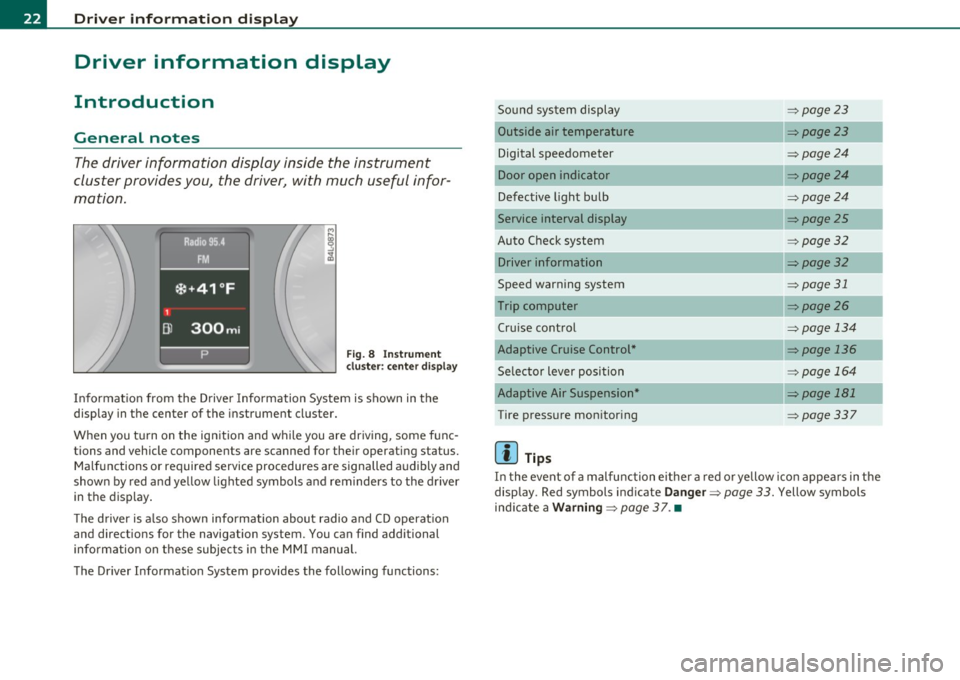
Fig. 8 Instrument
cl uste r: center display
Informat ion from the Driver Information System is shown in the
display in the center of the instrument cluster.
When you tu rn on the ig nition and while you are driving, some func
tions and vehicle components are scanned for their operating status. Malfunctions or required service procedures are signalled audibly and
shown by red and yellow lighted symbols and reminders to the driver
in the display.
Th e d river is also shown information about radio and CD operat ion
and directions for the navigation system. You can find additional
information on these subjects in the MMI manual.
The Driver Informat ion System provides the following functions: Sound system display
=>
page23
Outside air temperature =>page23
Digital speedometer =>page24
Door open indicator =>page24
Defective light bulb =>page24
Service interval display =>page25
Auto Check system => page 32
Driver information =>page32
Speed warning system => page 31
Trip computer => page26
Cru ise control => page 134
Adaptive Cruise Control* => page 136
Selector lever position => page 164
Adaptive Air Suspension* => page 181
Tire pressure monitoring =>page337
[ i ] Tips
In the event of a malfunction either a red or yellow icon appea rs in the
display. Red symbols indicate
Danger => page 33. Yellow symbols
ind icate a
Warning => page 37. •
Page 25 of 392
Sound system display
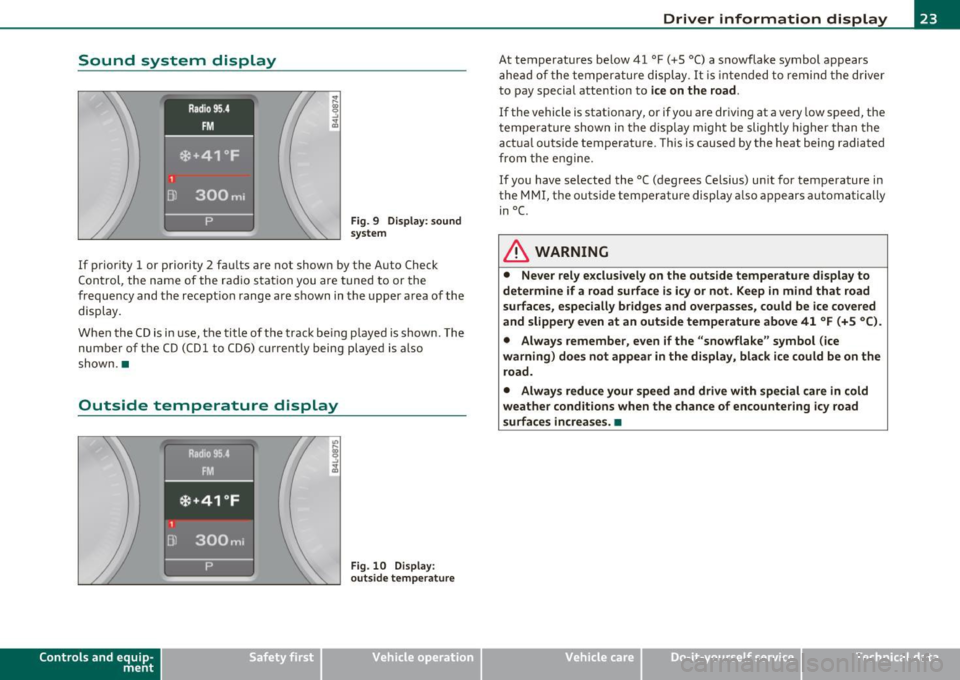
Fig. 9 Di sp lay : sound
s ystem
If prior ity 1 or priority 2 fau lts a re not show n by the A uto Ch eck
Con trol, the name of the ra dio s tat ion you are tuned to or the
frequency and the recept io n range are s hown in the upper area of the
display.
When the C D is in use, the title of t he track be ing p layed is shown. The
number of the CD (CDl to CD6) cu rrent ly being played is also
shown. •
Outside temperature display
Contro ls a nd e quip
m en t
Fig . 10 D ispl ay :
o uts id e tempera ture
Vehicle OP-eration
Driver information display
At temperatures be low 41 °F ( +S °C) a s nowflake symbol appears
a he ad of t he temperature displ ay . It is in tended to remi nd t he driver
to pay special attention to
ice on the road .
If the vehicle is stationary, or if yo u are driving at a very low speed, the
tempe ra ture shown in the d isp lay m igh t be sligh tly higher than the
actua l outside temperat ure. This is cause d by the heat being radiated
fr om the e ng ine.
If you have selected the °C (degrees Ce lsius) un it for temperature in
the MMI, the outs ide tempe rature display a lso appears automatically
in°(.
& WARNING
• Never rely exclusi vely on the outs ide temperature display to
determine if a road surface is icy or not . Keep in mind that road
surfaces, especially br idges and overpasses , could be ice covered
and slippery even at an outside temperature above 41 °F (+S °C ).
• Always remember , even if the "snowflake " symbol (ice
warning ) does not appear in the di splay, black ice could be on the
road .
• Alway s reduce your speed and drive with special care in cold
weather cond itions when the chance of encountering icy road
surfaces increa se s.•
Vehicle care Do-it-yourselt service iTechnical data
Page 26 of 392
Driver information display
Digital speedometer
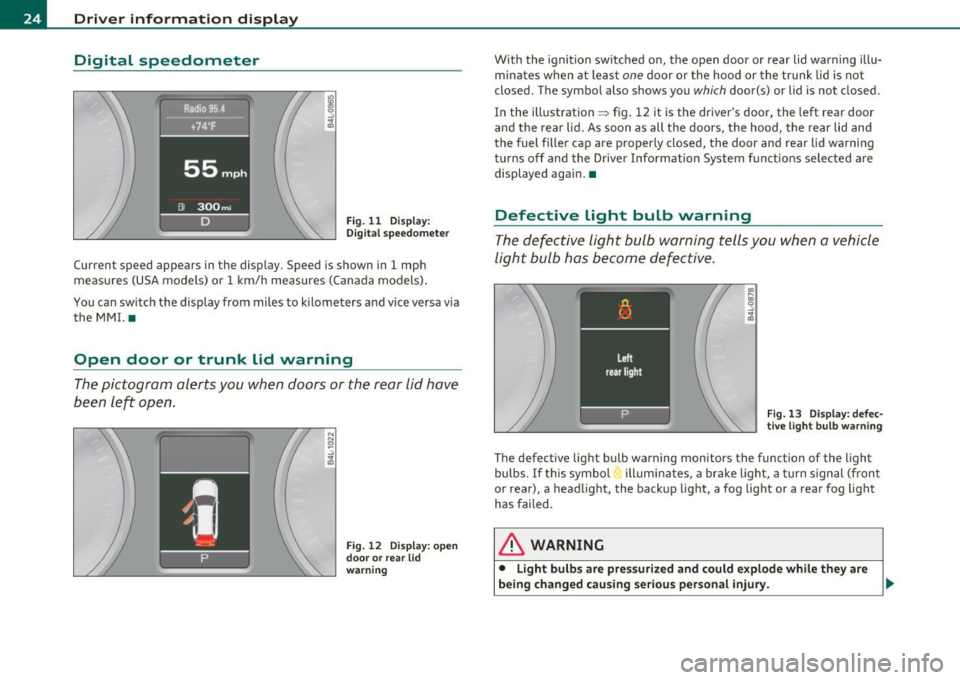
Fig. 11 Display:
Digita l speedomet er
Current speed appears in the display. Speed is shown in 1 mph
measures (USA models) or 1 km/h measures (Canada models) .
You ca n sw itch the display from miles to kilometers and vice versa via
the MMI. •
Open door or trunk lid warning
The pictogram alerts you when doors or the rear lid have
been left open.
Fig. 12 Display: open
d oo r or rear lid
warning
With the ignition switched on, the open door or rear lid warning illu
minates when at least one door or the hood or the trunk lid is not
closed. The symbol also shows you
which door(s) or lid is not closed.
In the illustration ~ fig. 12 it is the driver's door, the left rear door
and the rear lid. As soon as all the doors, the hood, the rear lid and
the fuel filler cap are properly closed, the door and rear lid warning
turns off and the Driver Information System functions selected are
displayed again. •
Defective light bulb warning
The defective light bulb warning tells you when a vehicle
light bulb has become defective .
Fig. 13 Display : defec
tive light bulb warning
The defective light bulb warning monitors the function of the light
bulbs. If this symbol illuminates, a brake light, a turn signal (front
or rear), a headlight, the backup light, a fog light or a rear fog light
has failed .
& WARNING
• Light bulb s are pressurized and could explode while they are
being changed causing serious personal injury. .,._
Page 27 of 392
& WARNING (co ntinued )
• Wo rk with due care when handling the high-volt age section of
gas di scharge (xenon) lights. Failure to do so could result in death
or ser ious injury.
[ i ] Tips
Have the bulb replaced or the connection repaired by your autho rized
Audi Se rvice departmen t.•
Service interval display
The service interval display reminds you when your next
service is due.
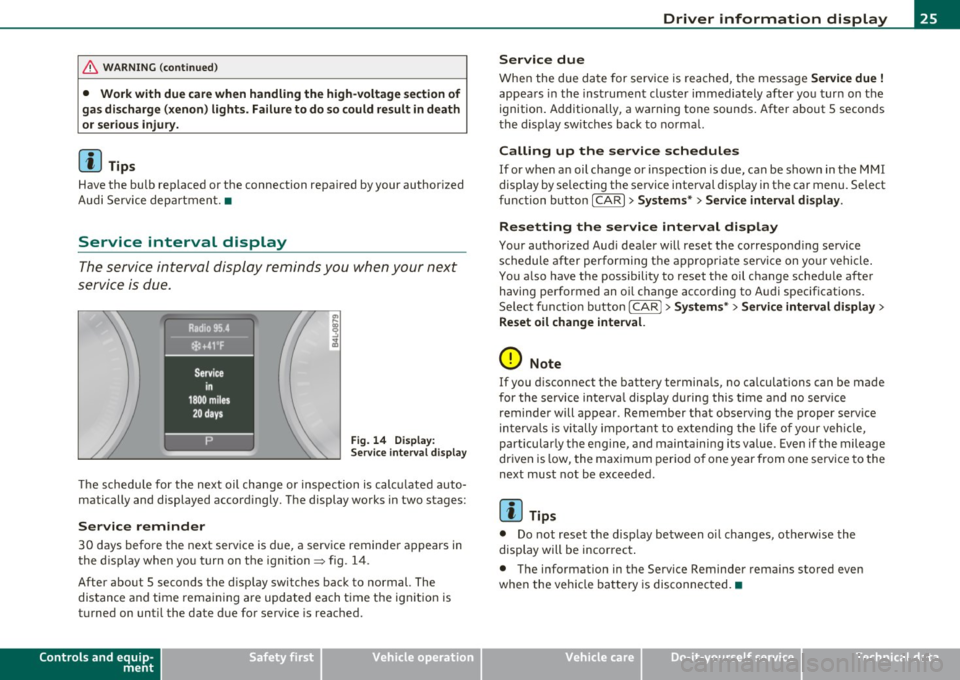
Fig . 14 D ispl ay :
Service inte rval disp la y
Th e schedu le for the next oil change or inspection is c alc ul ated auto
matically and displayed accord ingly. The display works in two stages:
Service reminder
30 days before the next serv ice is due, a serv ice reminder a ppears in
the display when yo u turn on t he ign it ion=> fig. 14 .
After about 5 seconds the d isp lay switches back to normal. The
dis tan ce and time rema ining are updated each t ime t he ig nition is
turned on unti l the date due for service is reac hed .
Controls and equip
ment Safety first
Driver information display
Service due
W
hen the due da te for service is rea ched, t he message Service due !
appea rs in the inst rument cluste r immediately afte r yo u tur n on the
ignition. Additiona lly, a wa rning tone sounds. After about 5 secon ds
the d isp lay sw itches back to no rma l.
Calling up the service schedules
If or when an oil change or inspection is due, can be shown in the MMI
display by se lecting the se rvice interval display in the car menu. Se lect
fu nction button
I CAR ]> Systems *> Service interval display.
Resetting the service interval display
Your authorized Aud i dea ler will reset the correspond ing se rvice
schedule after performing the a ppropriate service on yo ur vehicle .
You a lso have the possibility to reset t he oil c hange sched ule afte r
having performed an o il change acco rding to A udi specifications.
Se lect f unct io n butto n
I CAR j >Systems *> Service interval display >
Reset oil change interval.
0 Note
If you d isconnect the batte ry termina ls, no ca lculations can be made
for the se rvice in terva l display d uring this time and no serv ice
reminder will appear . Remember that observing the proper service
in terv als is vi tally import ant to ex te ndi ng the life of your vehi cle,
particularly the engine, and maintaining its value . Even if the mileage
dr iven is low, the max imum per io d of one year from one serv ice to the
next must not be exceeded.
[I] Tips
• Do not reset the display between oi l changes, otherw ise the
display will be incor rec t.
• The info rmation in the Service Reminder rema ins stored even
when the vehicle ba tte ry is disconnec ted. •
Vehicle care Technical data
Page 33 of 392

& WARNING
Always observe the post ed speed limits and adjust your speed to
s uit prevailing road , traffic and weather condition s. Never drive
your vehi cle faster than the m aximum sp eed rating of the tires
installed .•
Speed warning system
Overview
The speed warning system helps you t o keep your driving
speed bel ow a set speed limit.
Th e speed wa rning system warns the d river if he exceeds a p reviously
sto red maximum sp eed. A wa rning tone will sound as soon as the
vehicle speed exceeds the set speed by about 3 mph (3 km/h). At the
sa me time, a warning symbol appears in t he d isp lay.
T he speed warning system has
two warning thresholds that function
independen tly of each o ther and tha t have somewha t di ffe rent
purposes:
Speed warning 1
You can use speed war ning 1 to set the max imum speed w hile you are
driving. This setting w ill remain in effect unt il you turn off the igni
tion, assum ing that you have not changed or reset the setting .
Th e spee d warning symbo l
e (USA models)/ 8 (Canada mode ls) in
the warning 1 display appears when you exceed the maxim um speed.
It goes out when the speed falls be low the stored maximum speed.
T he spee d warning symbo l w ill also go out i f the spee d
exceeds the
stored maximum speed by more than about 25 mph (40 km/h) for at
least 10 seconds. The stored maximum s peed is de leted .
Setting speed wa rning 1
=> page 31.
Controls and equip
ment Safety first
Driver information display
Speed warning 2
Storing warn
ing 2 is recommended i f you always want to be reminded
of a certa in speed, fo r example when yo u are traveling in a country
that has a general maximum speed limit, or if you do not want to
exceed a specified speed for winter tires.
The speed warning 2 symbol,
8 , (U SA models)/ 8, (Canada models)
appe ars in t he display whe n you exceed the sto red speed limi t. Unl ike
warning 1, it will not go out until the vehicle speed drops below the
sto red speed limit.
Setti ng speed wa rn in g 2
=> page 32 .
(I] Tips
Even though your veh icle is eq uipped with a speed war ning system,
you shou ld st ill watch the speedometer to make sure you are not
dr iv ing fas te r than t he spee d lim it. •
Speed warning 1: setting a speed Limit
Warning threshold 1 is se t by the [ CHECK] button .
Storing the maximum speed
-Drive at the desired maxi mum speed .
Fig. 22 CHECK button
in the in strument
clu st e r
- Briefl y press the [ CHECK] button => fig. 2 2.
Vehicle care Technical data
Page 34 of 392
![AUDI Q7 2011 Owner´s Manual Driver info rmation d isplay
Res etting the ma ximum speed
- Drive the vehicle at a speed of at least 3 mph (5 km/h)
- Press the
[CHECK] button for more than 2 seconds .
The](/img/6/40276/w960_40276-33.png "AUDI Q7 2011 Owner´s Manual Driver info rmation d isplay
Res etting the ma ximum speed
- Drive the vehicle at a speed of at least 3 mph (5 km/h)
- Press the
[CHECK] button for more than 2 seconds .
The")
Driver info rmation d isplay
Res etting the ma ximum speed
- Drive the vehicle at a speed of at least 3 mph (5 km/h)
- Press the
[CHECK] button for more than 2 seconds .
The speed warning symbol 8 (USA mode ls)/ 8 (Canada models) will
appear br iefly in the display when you release the
I CHECK] button to
indicate that the maximum speed has been stored successfully.
T he maxim um speed rema ins stored until it is cha nged by pressing
the
I CHECK ] bu tton again briefly or un til it is deleted by a lengthy
push on the button. •
Speed warning 2: setting a speed limit
Warning threshold 2 is set, changed and deleted in the
fv1fv1I.
-Select: Function button (CAR ) > System s* > Instrument
clu st e r > Sp eed warning .
Warning thresho ld 2 can be set in the speed range starting from
20 mph to 150 mph (30 km/h to 240 km/h). Settings can each be
adjusted in intervals of 5 mph (10 km/h). •
Auto Check Control
Introduction
The Auto-Check control monitors the function of certain vehicle
features and components. It simply makes sure these features and
components are work ing properly . The Auto -Check control works as
long as the ignition is on, as well as whenever the vehicle is driven.
If a component is malfu nctioning or if the need for an urgent repair
has been detected, this will appear in the instrument cluster d isplay. You will also hear an audible warning tone. The d
isplays are color
coded in e ither red or yellow depend ing on their leve l of prior ity.
A red symbol means
Danger , a yellow symbol indicates Warning . In
certain situations, information message for the driver appear in addi
tion to the red and yellow symbols.
Fun ction test : au tom atic tran smi ssio n
The Auto-Check Control will automat ically perform a test each time
you switch on the ignition . With the se lector lever in
P or N , the
following message appears in the d isplay:
Wh en st ationa ry appl y foot br ake w hile select ing g ear.
When you a se lect a different gea r (f or examp le: R , D , etc.), the
message w ill disappear and the Auto -Check function is displayed.
If there is a malfunction, then the ma lfunction message will appear
about 15 seconds after the yo u start the vehicle. At the same time
you will hear a warning tone. •
Driver information messages
Driver information messages are shown in the instru
ment cluster display in addition to the red and yellow
symbols .
Fig. 23 Instrument
cl uster : C HE CK but ton ...