light AUDI Q7 2015 Owner´s Manual
[x] Cancel search | Manufacturer: AUDI, Model Year: 2015, Model line: Q7, Model: AUDI Q7 2015Pages: 350, PDF Size: 86 MB
Page 65 of 350
M
"' 0 ..J
"". rl I.O
"' rl
"' rl
Emergency flasher
The emergency flasher makes other motorists
aware that you or your vehicle are in an emer
gency situation.
,r--,a.
-------------------
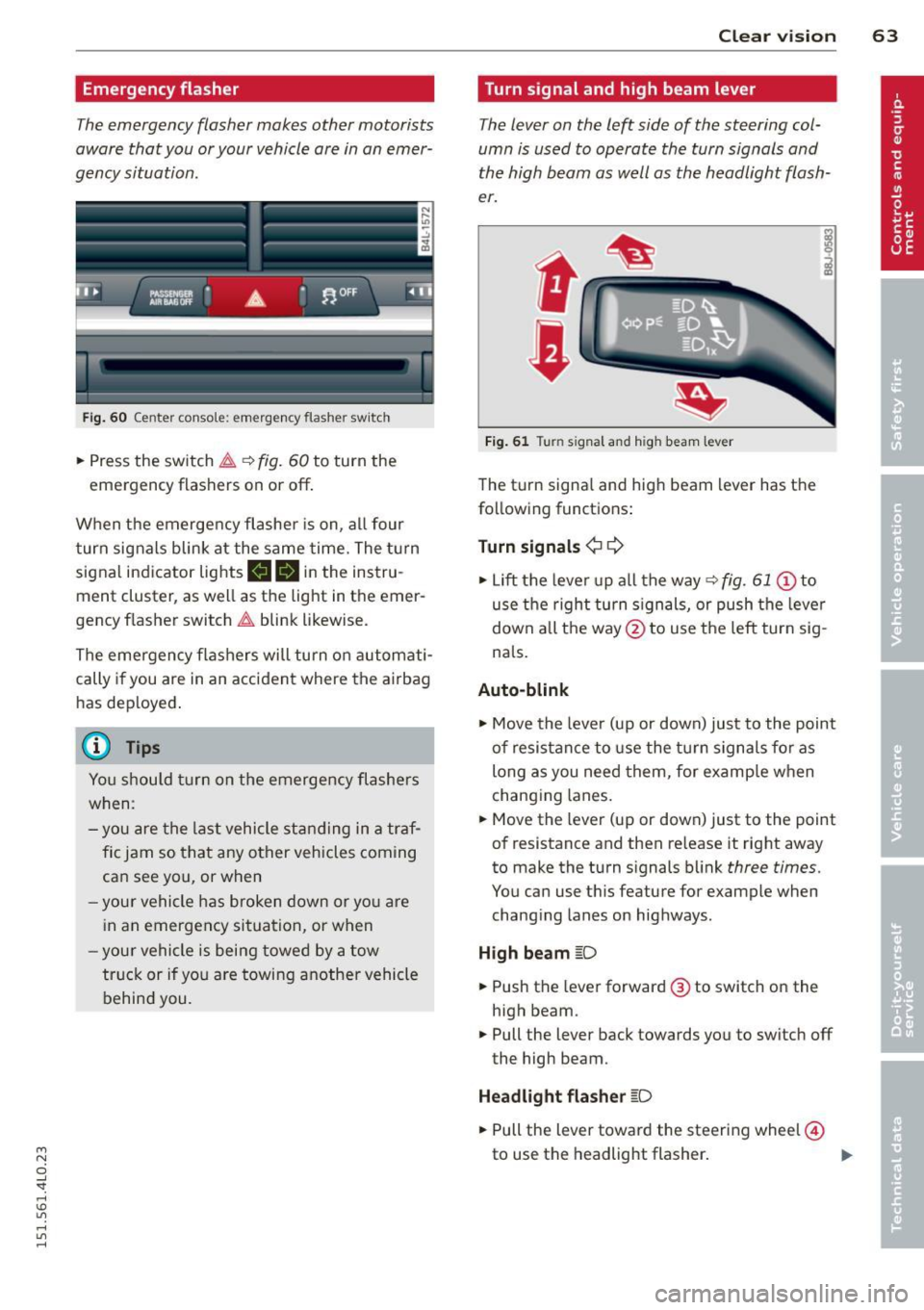
Fi g. 6 0 Center console: em ergency flasher sw itch
.. Press the sw itch ~ ~ fig. 60 to turn the
emergency flashers on or off .
When the emerge ncy flashe r is on, al l four
turn signals blink at the same time. The t urn
signal indicator lights
11111 in the instru
ment cluster, as well as the light in the emer
gency f lasher switch ~ blink likewise.
The emergency flashers will turn on automati cally if you are in an accident where the airbag
has dep loyed .
@ Tips
You shou ld tu rn on the emergency flashers
when:
- you are the l ast vehicle st anding in a tr af
fi c jam so that any other vehicles coming
can see you, or when
- your vehicle h as broken down or yo u are
i n an emergency si tuation, or when
- your vehicle is being towed by a tow
tru ck or if you are towing another vehicle
behind you.
Clear vi sion 63
Turn signal and high beam lever
The lever on the left side of the steering col
umn is used to operate the turn signals and
the high beam as well as the headlight flash
er.
t
'
Fi g. 61 Turn signal and high beam lever
The turn signa l and high beam lever has t he
following functions :
Turn signals ¢¢
.. Lift the leve r up a ll the way ~ fig. 61 @to
use t he right turn s ignals, or push the leve r
down all the way@to use t he left tur n sig
na ls .
Auto -blink
.. Move the leve r (up or down) just to the point
of resistan ce to use the turn signa ls fo r as
long as you need them, for example w hen
chang ing lanes.
.. Move the lever (up or down) just to the point
of resistance and then release it right away
to make the turn signals blink
three times.
You can use t his feature for example when
chang ing lanes on highways.
H igh beam [D
.. Push the lever forward @ to sw itch on the
high beam .
.. Pull the lever back towards you to switch off
the high beam.
Headlight flasher [D
.. Pull the lever toward the steering wheel@
to use the headlight flasher .
~
Page 66 of 350
64 Clear vision
Notes on the se feature s
- The turn signals only work with the ignition
tu rned on. The indicator lights
II or ii in
the instr ument cluster ¢
page 14 also b link .
- After you have turned a corner, the turn sig -
nal switches off a utomat ically.
- T he
high beam works only when the head
lights are on. The indicator light
SI in the
instrument cluste r illuminates when the
high beams a re on.
- The
headlight flasher works on ly as long as
yo u hold the leve r - even if there are no
lights turned on . The ind icator light
SI in
the instrument cl uster illum inates when you
use the head light flasher.
A WARNING
Do not use the hig h beam o r headlight
flasher if you know that th ese cou ld blind
oncoming traffic.
Interior lights
Front interior lights
-
The interior ligh ts include reading lights for
bo th the driver and the front passenger .
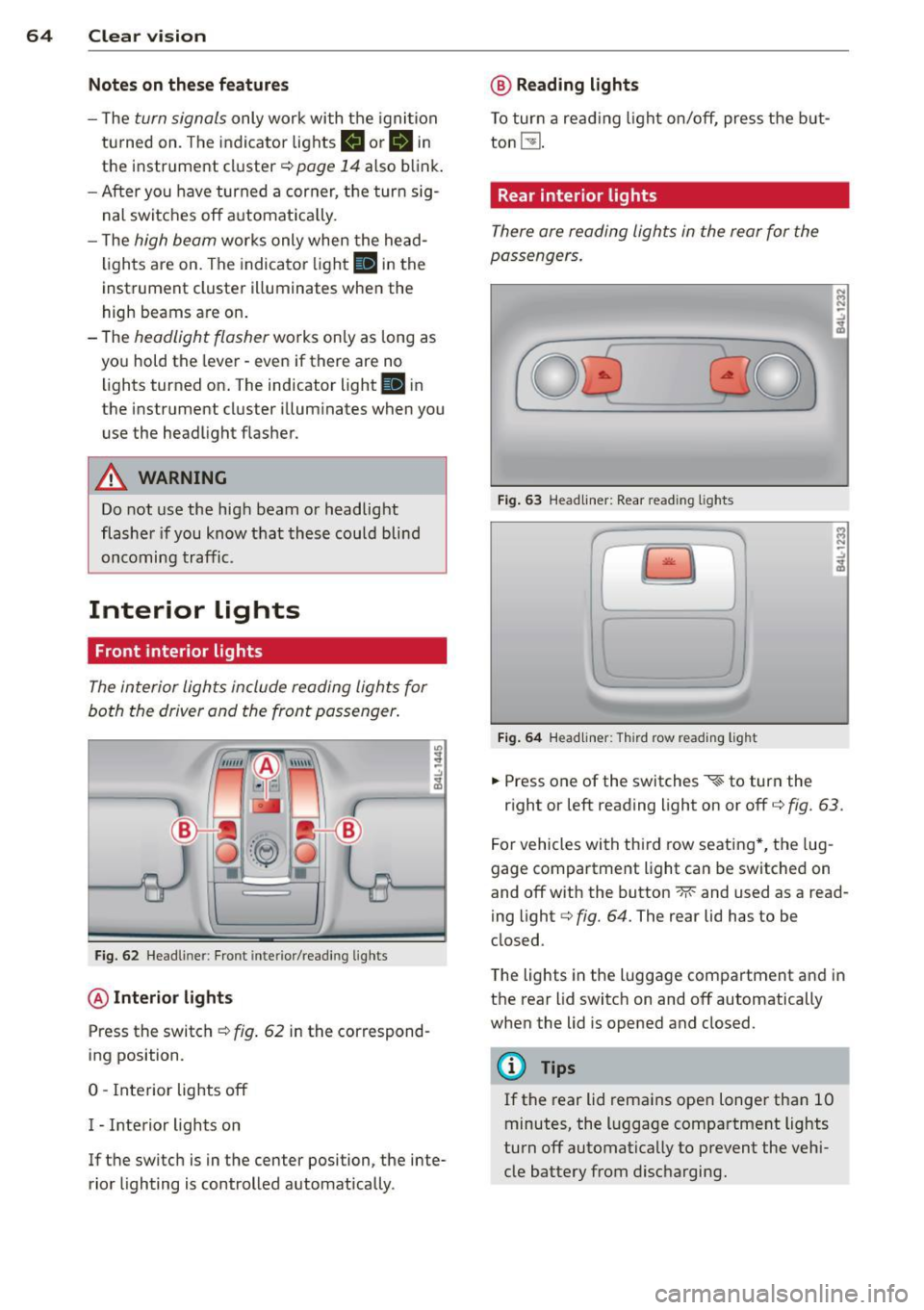
Fig. 6 2 Headli ner: Fro nt inte rior/read ing lights
@ Interior lights
Press the switch ¢ fig. 62 in the correspond
ing position.
0 -Interior lights off
I - Inte rior lights on
If the switch is in the center position, the inte
rior lighting is controlled automatica lly.
@ Reading lights
T o tur n a read ing light on/off, press the b ut
ton
t!J .
Rear interior lights
There are reading lights in the rear for the
passengers .
Fig. 63 Head liner: Rear read ing lights
~
--
' ~ '-
Fig . 64 Head liner: Third row read ing light
.. Press one of the switches ~ to turn the
N .., N
.:,
~
::i N -.:,
~
right or left reading light on or off c::;, fig. 63.
For vehicles with thi rd row seating *, the lug
gage compartment light can be switched on
and off with the button -M-and used as a read
ing light
c::;, fig. 64. The rear lid has to be
closed.
The lights in the luggage compartment and in
t h e rear lid switch on and off automatically
when the lid is opened and closed.
@ Tips
If the rear lid remains ope n longer than 10
minutes, the l uggage compartment lights
turn off automatically to prevent the vehi
cle battery from disc harging .
Page 67 of 350
M
"' 0 ..J
"". rl I.O
"' rl
"' rl
Ambience lighting
App lies to v ehicles: with a mbience ligh tin g
The ambience lighting can be adjusted in the
MMI.
... Select: I CARI funct ion button > Sy stems *
control button > Ambience l igh ting . Or
.,. Select:
ICARI funct ion button> C ar sys te m s*
control button > Vehicl e settings > In teri or
lighting .
When the ve hicle is unlocked, the standard
lighting turns on automatically and dims after
approx . 2 minutes, and when the ignition is
turned o n it switches off immediately.
The following interio r lighting is
controlled:
- Front footwe ll
- Rear footwell
- Front door panel
- Rear door panel
Vision
Sun visors
Using the sun visors makes driving safer.
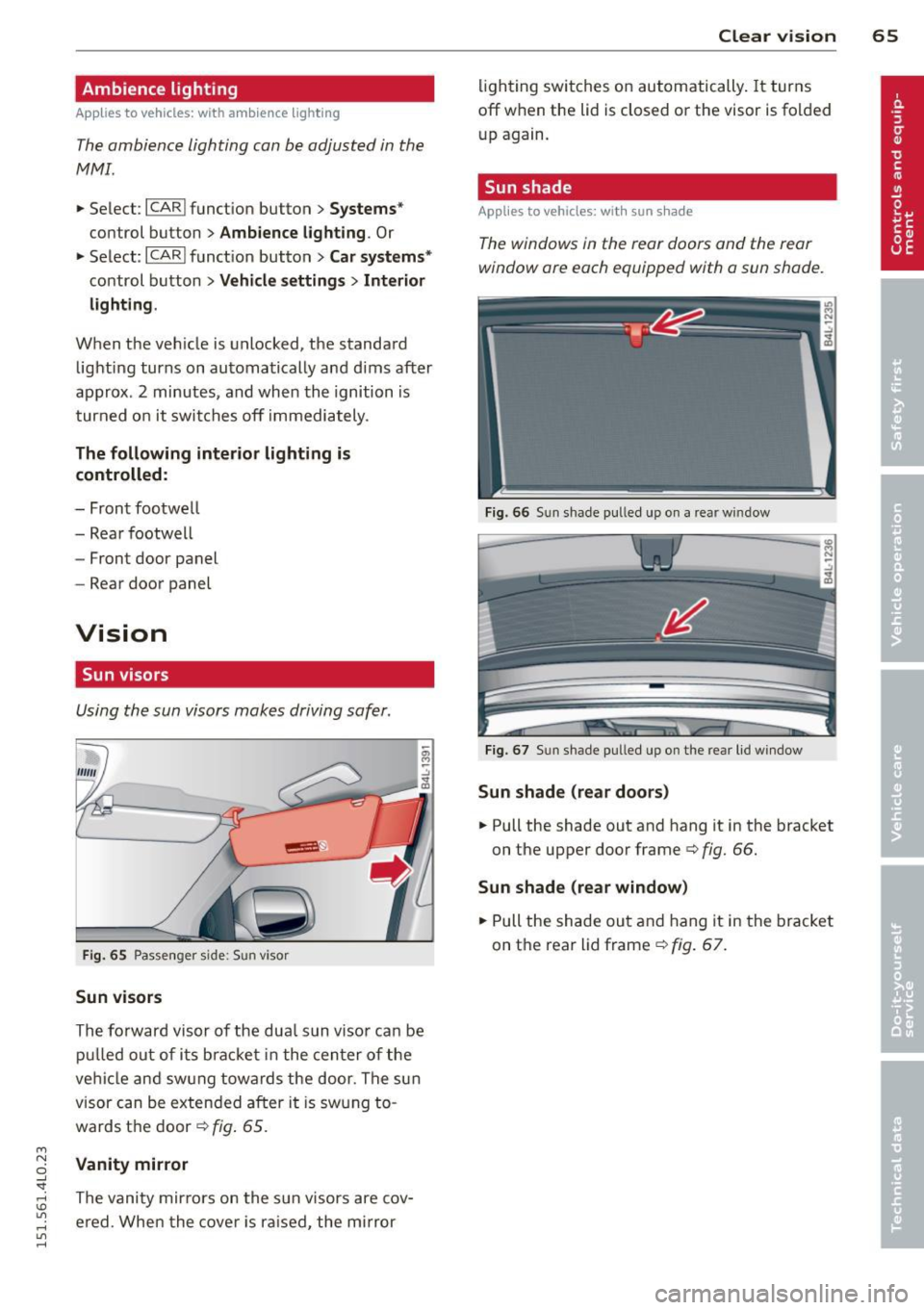
Fig. 65 Passenger side: Sun visor
Sun vis ors
The forward visor of the dua l sun visor can be
pu lled out of i ts bracket in the cen ter of the
veh icle and swung towards the door. The sun
visor can be extended after it is swung to
wards t he door ¢
fig. 65.
Vanit y mirror
The vanity mir rors on the sun visors are cov
ered. When the cove r is ra ised, the mi rror
Clear vi sion 65
lighting switches on automatically. It turns
off when the lid is closed or the visor is folded
up again.
Sun shade
App lies to vehicles : wit h sun s hade
The windows in the rear doors and the rear
window are each equipped with a sun shade.
Fig. 66 Sun shade p ull ed up on a rear window
Fig. 67 Sun shade pulled up on the rear lid window
Sun shade (rear door s)
... Pull the shade out and hang it in the bracket
on the upper door frame¢
fig. 66.
Sun shad e (rear window )
... Pull the shade out and hang it in the bracket
on the rear l id frame¢
fig. 67.
Page 70 of 350
68 Clear vis ion
Int ermittent w iping
.. Push the w iper lever forward to the first po
sition @~
fig. 69. The rear window wiper
will wipe the window approx. every four sec onds .
Automatic wiper /washer function
.. Push the w iper lever fo rward to the second
stop,
posi tion (!), and hold it there for as
l ong as you want the rear wiper/washer to
operate.
.. Re lease the lever aga in . the wiper wi ll keep
runn ing for approx. four seconds.
Switching interm ittent wip er action off
.. Pull the lever all the way back to the or iginal
position .
As soon as the reverse gea r is engaged and
the front wipe rs are turned on and operat ing
at the same time, the rear wipe r also turns on
automatically.
A WARNING
Wipe r blades are crucial for safe d riving!
On ly in good condition are they able to
clear the windows properly to provide un
restricted visibility. Worn or frayed wipe r
blades are a safety hazard! ¢
page 69,
Replacing windshield wiper blades
CD Note
In freezing or near freezing condit ions:
- Always check that the wiper blades are
not frozen to the glass before you turn
the wiper on. Loosen a wiper blade which i s frozen in p lace before operating the
wipe r to prevent damage to the wiper
blade o r the wiper motor .
- Do not use the wiper to clear a frosted
window . U si ng the w ipers as a conven
i ent ice sc raper will destroy the wiper
blades.
-
Headlight washer system
App lies to vehicles : wi th headlight washe r system
The headlight washer system cleans the
headlights.
.. Operate the w indshield wiper/washer sys
tem ¢
page 66, fig. 68 ® with the head
lights turned on by ho lding the lever for lon
ger than one second .
The washer jets extend forward out of the
front bumper driven by water pressu re to
spray the fro nt headlights w ith water .
You should inspect the headlights regu larly
(for example whe n refueling) and clean off
any solid di rt or i nsects from the le nses .
To ensure the system wor ks proper ly in w inter,
keep the washer jets free of snow and remove
any ice using a de-icing spray.
Service position
The wiper blades can only be changed in the
service position .
.. If the wiper blades are not frozen to the
windshie ld, bring the windshie ld wiper lever
to the basic pos ition @¢
page 66, fig. 68.
.. Select: !CAR I function button> Systems *
control button> Windshield wipers > Serv
ic e po sition .
Or
.. Select:
!CARI function button> Car sy stems*
cont ro l butto n > Servicing & checks > Wip er
s ervi ce po sition .
-On -changing the windshield wipe r blades
can o nly be done if you b ring the wiper arms
t o the servi ce position. Yo u will a lso avoid
pa int damage to the hood when wor king on
t he wipe rs in this position .
-Off -the w indshie ld w ipers are moved to
t heir initia l posi tion again .
CD Note
Never ma ne uver you r vehicle with the
front windshie ld w iper arms raised s ince
t hey will automatically be moved bac k t o
Page 73 of 350
M
"' 0 ..J
"". rl I.O
"' rl
"' rl
when leaving the car parked close to other
vehicles.
Memory setting for the exterior mirro rs *
When the seat pos ition is saved in the memo
r y, the position of the exte rior mirrors is saved
at t he same time~
page 76.
If the position of the passenger mirror is
changed whe n the vehicle is in reve rse gear
and the switch is i n the ® position, th is new
tilte d position will be a utomat ica lly saved to
the remote key when the vehicle is taken out
of reverse gear. To save, the rotary knob for
mirror ad justment must be in the ® position,
the selector lever must be in the P position
and the ign ition must be off . Th is will now be
come the stored setting when the vehicle is
put in reverse gear again .
Tilting the passenger' s side e xterior
mirror (only with seat memory )
When you move the selector lever into R (Re
ve rse), the mir ror on the front passenger's
door (knob tu rned to @
Q fig. 73) will tilt
slig htly downward. This make is easier for you
to see the curb w hen you are backing in to a
parking space.
The mirro r returns to its in itia l position as
soon as reve rse gear is disengaged and vehicle
speed is above abou t 9 mp h (1 5 km/h). The
mirror a lso retu rns to its initia l position if the
switch is moved to the driver's exterior mirror
© o r the ignit io n is switched off.
(D Note
-Cur ved (i.e. convex) mirr or surfaces in
crease your field of view. Remembe r th at
vehicles or other objects w ill appear
smaller and farther away than when
seen in a flat mirror. If yo u use this mir
ror to est imate distances of following
vehicles when c hanging lanes, you could
estimate incorrectly and cause an acci
dent.
- If the mir ro r hous ing is moved un inten
tiona lly (for exampl e, while park ing your
vehicle), t hen you must first fo ld the mi r- Clear vi
sion 71
ror elect rically . Do not read just the mir
ror housing ma nually . You cou ld damage
the motor which controls the m irror .
-If you wash the vehicle in a n automatic
car wash, you must fold the exter ior mir
rors in to reduce the risk of damage to
the mirrors . Never fold power fo ld ing ex
terior mirrors* by hand. Only fo ld them
in and o ut using the power controls.
(D Tips
If t here sho uld be a ma lf u nction in the
e lectrica l system, you can st ill adjust the
ex ter ior mirrors by press ing the edge of
the m irror.
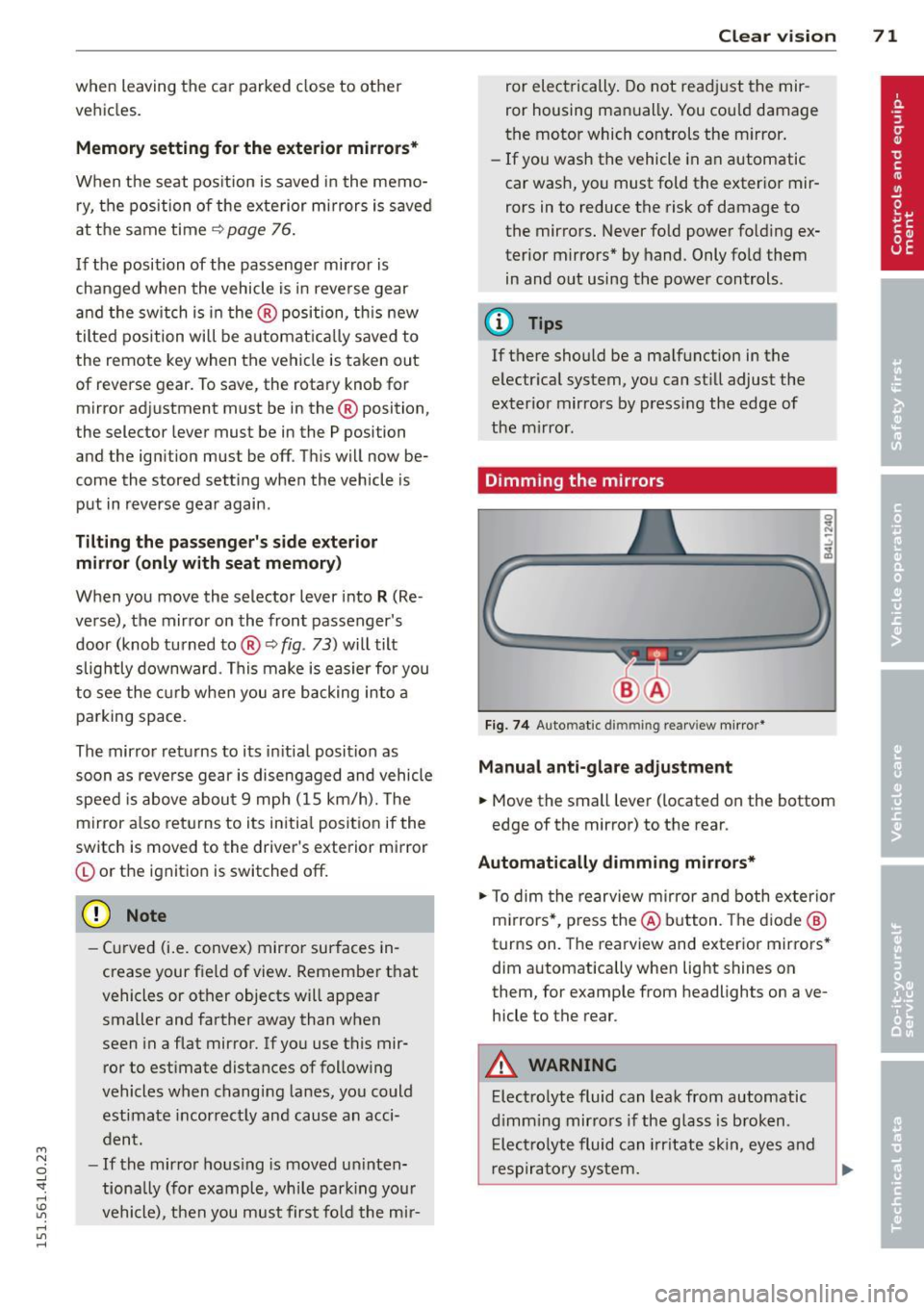
Dimming the mirrors
Fig . 74 Auto matic dimming rearview mirror*
Manual anti-glare adjustment
.,. Move the small lever ( located on the bottom
edge of the mirror) to the rear .
Automatically dimming mirrors*
.,. To dim the rearview mi rror and both exterio r
m irrors* , pr ess the @ button . Th e d io d e @
turns on. The rearview and exterior mirrors *
dim a utomatically when light shines on
them, for examp le from headlights on ave
hicle to the rear.
A WARNING ...
Elect ro lyte fluid can lea k from aut omatic
d imm ing mirro rs if the glass is b roken .
E lec trolyte fluid can irrit ate sk in, eyes and
res pirato ry sys tem.
Page 74 of 350
7 2 Clear vision
-Repeated or prolonged exposure to elec
trolyte can cause irritation to the respira tory system, especially among people
with asthma or other respiratory condi
tions . Get fresh air immediately by leav
ing the vehicle or, if that is not possible,
open windows and doors all the way.
- If electrolyte gets into the eyes, flush
them thoroughly with large amounts of
clean water for at least 15 minutes;
medical attention is recommended.
- If electrolyte contacts skin, flush affect
ed area with clean water for at least 15
minutes and then wash affected area
with soap and water; medical attention
is recommended . Thoroughly wash af
fected clothing and shoes before reuse.
- If swallowed and person is conscious,
rinse mouth with water for at least 15
minutes. Do not induce vomiting unless
instructed to do so by medical professio
nal. Get medical attention immediately.
(D Note
Liquid electrolyte leaking from broken mir
ror glass will damage any plastic surfaces
it comes in contact with. Clean up spilled
electrolyte immediately with clean water
and a sponge.
@ Tips
- Switching off the dimming function of
the inside rear view mirror also deacti
vates the automatic dimming function of
the exterior mirrors*.
- The automatic dimming mirrors do not
dim when the interior lighting is turned
on or the reverse gear is selected.
-Automatic dimming for the mirror only operates properly if the sun shade* for
the rear window is not in use or the light
striking the inside mirror is not hindered
by other objects.
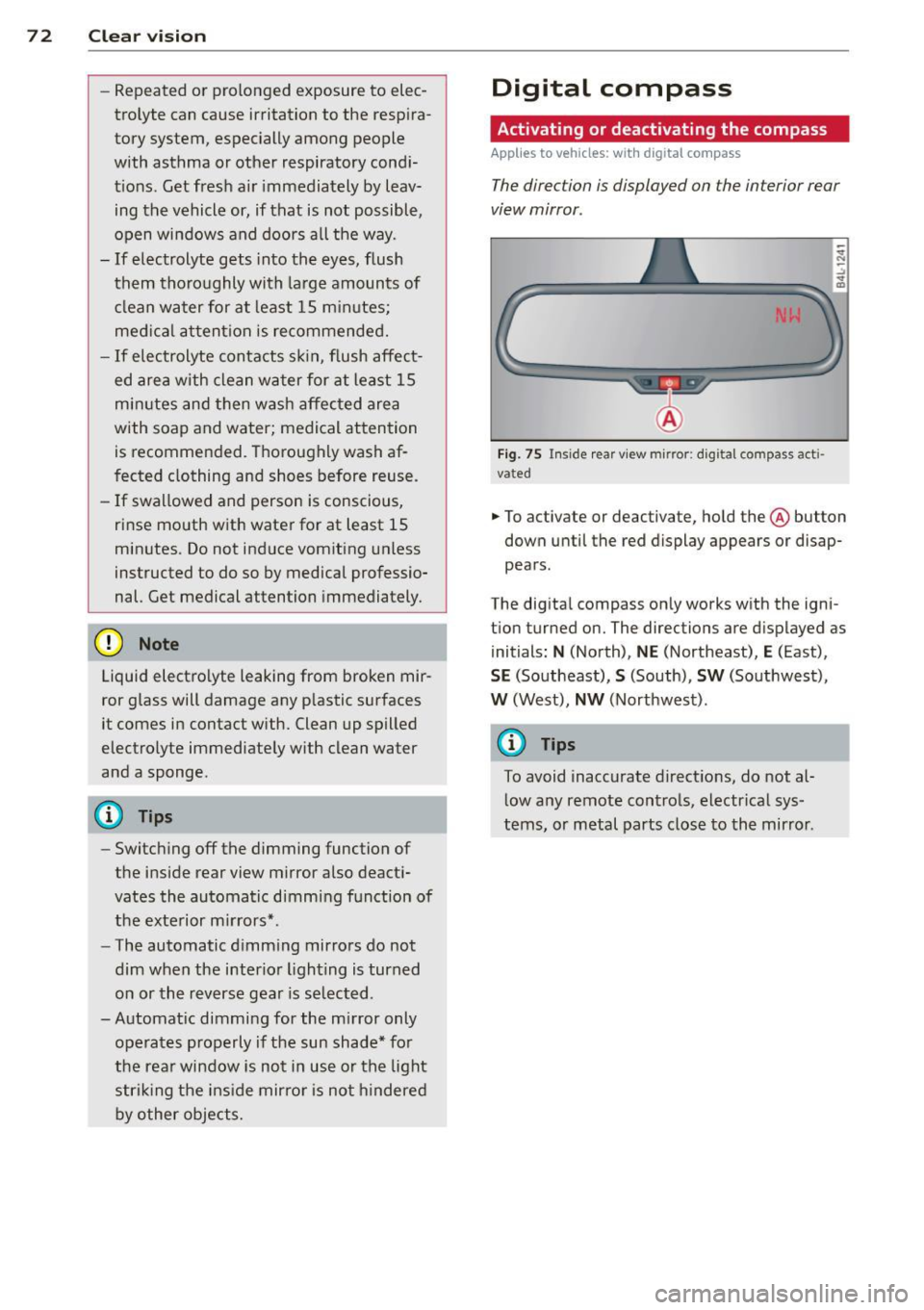
Digital compass
Activating or deactivating the compass
Applies to veh icles: w ith dig ital compass
The direction is displayed on the interior rear
view mirror .
Fig. 75 Inside rear view mirror: digital compass acti
vated
.. To activate or deactivate, hold the @ button
down until the red display appears or disap
pears.
The digital compass only works with the igni
t ion turned on. The directions are displayed as
initials:
N (North), NE (Northeast), E (East),
SE (Southeast), S (South), SW (Southwest),
W (West), NW (Northwest).
@ Tips
To avoid inaccurate directions, do not al
low any remote controls, electrical sys
tems, or metal parts close to the mirror .
Page 79 of 350
M N
0 ...J
'SI: ,...., \!) ..,.,
,...., ..,., ,....,
~ If the driver's door is closed or the ignition is
switched on, press the corresponding mem
ory button until the stored posit ion is
reached.
Successful storage is confirmed audibly and by the light in the
I SE TI button illuminating.
When the veh icle is
lo cke d, the current se t
tings are stored and assigned to the remote
contro l key. But the settings stored on memo
ry buttons 1 and 2 are not deleted. They can
be recalled at any time. When the vehicle is
unl ocked , the settings assigned to the remote
control key are restored.
If your vehicle is driven by other persons using
your remote control key, you shou ld save your
individual seat position on one of the memory
buttons. You can recall your settings again
simply and conven iently by pressing the corre
spond ing memory button . When the vehicle is
l ocked, these settings are automatically re-as
signed to the remote control key and stored.
_& WARNING
- For safety reasons, the seat se tting c an
only be recalled when the vehicle is sta
tionary -otherwise you risk having an ac
cident.
- In an emergency, the recall operation can be stopped by pressing the
ION/OFF I
button or by briefly pressing any given
memory button.
Activating remote control key memory
App lies to vehicles: with seat memo ry
To assign the driver's seat settings to the re
mote control key when locking the vehicle, the
function must be activated in the MMI.
~ Se lect : ICARI funct ion button > Sy stems *
control button > Seat adju stm ent > Dr iver 's
se at > Key mem. profi le> On.
Or
~ Select: I CARI funct ion button > Car syste m s*
control button > Vehicle setting s > Seats >
Driv er' s se at> Rem ote c ontrol k ey > On .
Seat s an d sto rage 77
(D Tips
If you do not want anothe r driver's set
tings to be assigned to the remote control key, switch off the memory function using
the MMI or the
I ON/OF F I button
-=> page 76.
Rear seats
General information
Safe transportation of passengers on the rear
seats requires proper safety pre cautions .
All passengers on the rear seats must be seat
ed in compliance with the safety guide lines
exp la ined in
-=> page 173 and -=>page 182 .
The correc t seat ing position is cr it ica l for the
sa fety of front
and rear seat passenge rs alike
-=> page 166 .
A WARNING
-Occupants in the front and rear seats
must always be properly restrained.
- Do not let anyone ride in the vehicle
without the head restraints prov ided.
Head restraints help to reduce injuries.
- Loose items inside the passenger com
partment, can fly forward in a crash or
sudden maneuver and injure occupants.
Always store articles in the luggage com
partment and use the fastening eyes, es
pecially when the rear seatbac ks have
been fo lded down .
- Read and heed all WARNINGS
-=> page 166, Proper seating positions
for passengers in rear seats .
Page 85 of 350
M
"' 0 ..J
"". rl I.O
"' rl
"' rl
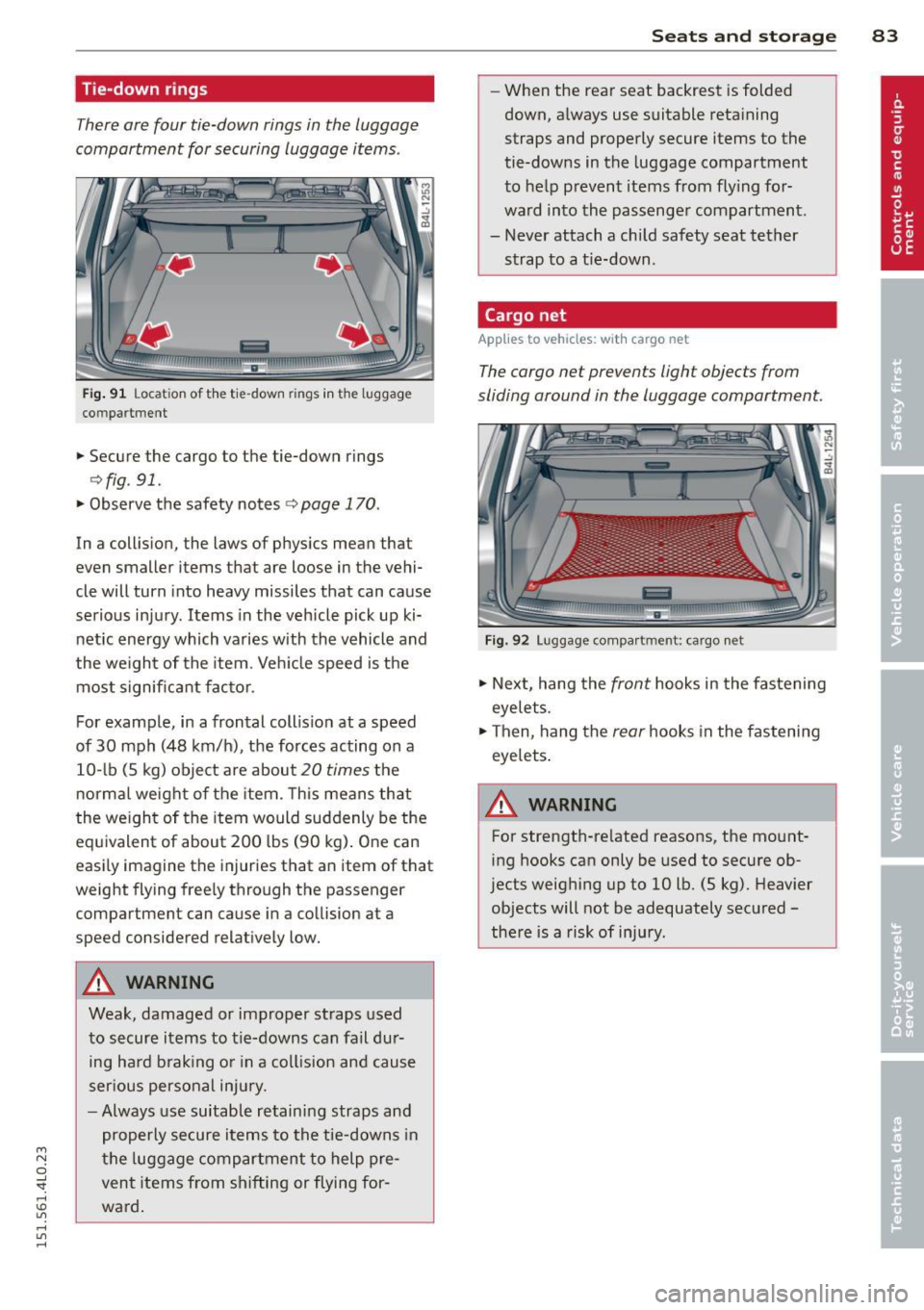
Tie-down rings
There are four tie-down rings in the luggage
compartment for securing luggage items .
liiiil
Fig. 91 Locat ion of t he tie -down rings in the luggage
co mpar tment
.,. Secure the cargo to the tie-down rings
¢ fig . 91 .
.,. Observe the safety notes ¢ page 170.
In a collision, the laws of physics mean that
even smaller items that are loose in the vehi
cle will turn into heavy missiles that can cause
serious injury . Items in the vehicle pick up ki
netic energy which varies with the vehicle and
the weight of the item . Veh icle speed is the
most significant factor.
For example, in a frontal coll ision at a speed
of 30 mph (48 km/h), the forces acting on a 10- lb (5 kg) object are about
20 times the
normal weight of the item. This means that
the we ight of the item would suddenly be the
equivalent of about 200 lbs (90 kg). One can
easi ly imagine the injuries that an item of that
weight flying freely through the passenger
compartment can cause in a collision at a
speed considered relatively low.
A WARNING
Weak, damaged or improper straps used
to secure items to t ie-downs can fail dur
ing hard brak ing or in a col lision and cause
ser ious personal injury.
- Always use suitable retaining straps and
properly secure items to the tie-downs in
the luggage compartment to help pre
vent items from shifting or flying for
ward.
.
S ea ts a nd s to rage 83
- When the rear seat backrest is folded
down, always use suitable reta ining
straps and properly secure items to the
tie-downs in the luggage compartment
to help prevent items from fly ing for
ward into the passenger compartment.
- Never attach a child safety seat tether
strap to a t ie-down .
Cargo net
Applies to vehicles: wit h cargo net
The cargo net prevents light objects from
sliding around in the luggage compartment.
Fig. 92 Luggage compar tment : cargo ne t
.,. Next, hang the front hooks in the fastening
eyelets.
.,. Then , hang the
rear hooks in the fastening
eyelets .
A WARNING
--
For strength-related reasons, the mount
ing hooks can only be used to secure ob·
jects weighing up to 10 lb. (5 kg). Heavier
objects will not be adequately secured -
there is a risk of injury.
Page 86 of 350
84 Seats and storage
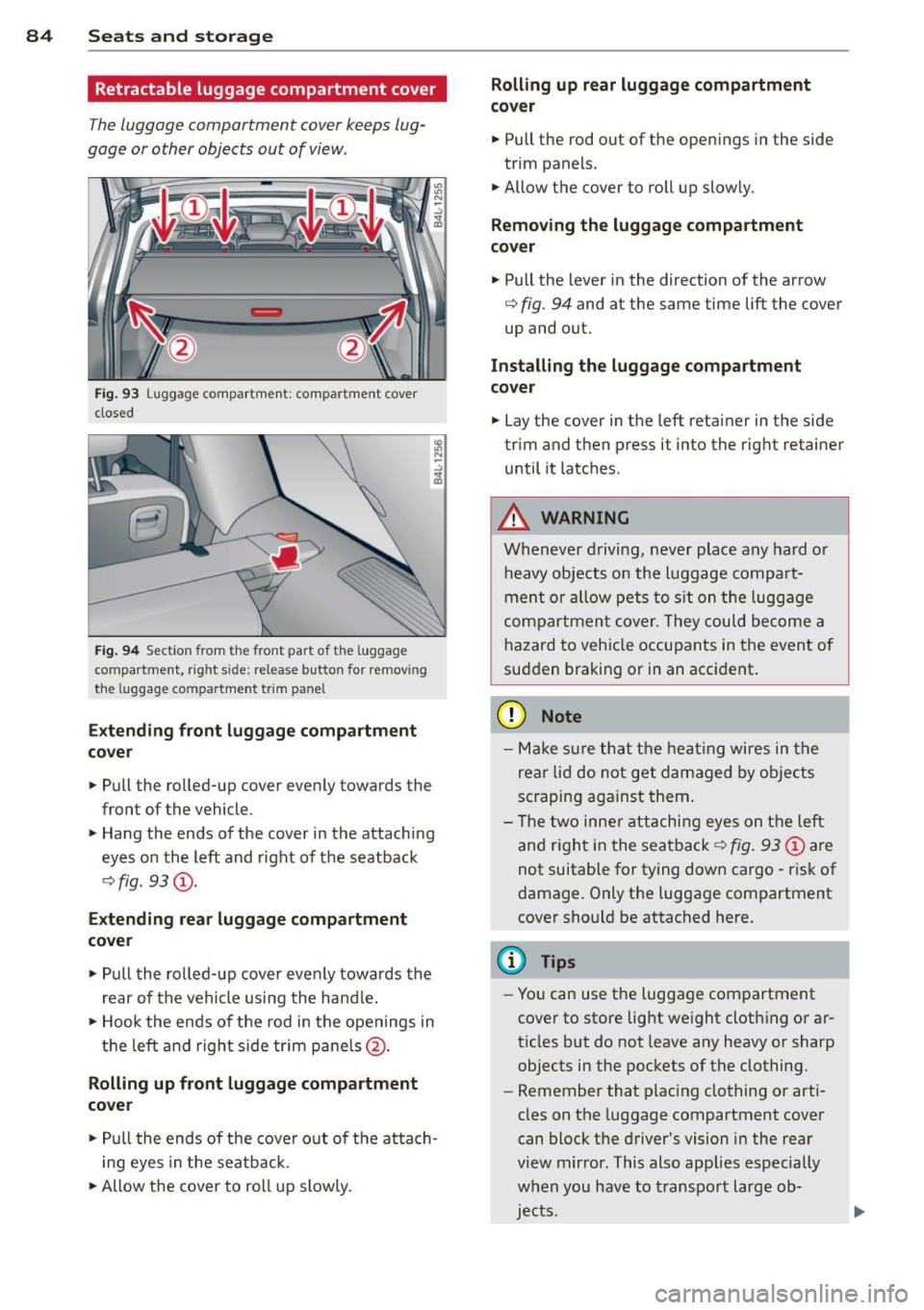
Retractable luggage compartment cover
The luggage compartment cover keeps lug
gage o r other objects out of vi ew .
Fig. 93 Luggage compartment: compartment cover
closed
Fig . 9 4 Section from the front part of t he luggage
compartment, right side: release button for removing
the lu ggage compartme nt trim panel
Exte nding front luggag e co mpa rtment
c o v er
.. Pull the rolled-up cover evenly towards the
front of the vehicle.
.. Hang the ends of the cover in the attaching
eyes on the left and right of the seatback
q fig. 93@.
Extendi ng re ar luggage compartment
cove r
.. Pull the rolled-up cover evenly towards the
rear of the vehicle using the hand le.
.. Hook the ends of the rod in the openings in
t h e left and right s ide tr im pane ls @ .
Rolling up front luggage compa rtment
cover
.. Pull the ends of the cover o ut of the atta ch
i ng eyes in the seatback.
.. Allow the cover to roll up slowly.
Rolling up rear luggage compartment
co ve r
.. Pull the rod o ut of the open ings in the side
trim panels .
.. Allow the cover to roll up slowly.
Removing the luggage compartment
co ver
.. Pull the lever in the direction of the arrow
q fig. 94 and at the same time lift the cover
up and out.
Installing the luggage compa rtm ent
cover
.. Lay the cover in the left retainer in the side
trim and then press it into the right retainer
until it latches .
A WARNING
Whenever driving, never place any hard or
heavy objects on the luggage compa rt
ment or allow pets to s it on the luggage
compartmen t cover. They could become a
hazard to vehicle occupants in the event of
sudden braking or in an accident .
(D Note
-Make s ure that t he heat ing wires in the
rea r lid do not get damaged by objects
sc raping aga inst them .
- T he two inne r attachi ng eyes on the left
and r igh t in the sea tback
q fig . 93 @ are
not suitable for tying down cargo -risk of
damage. Only the luggage compartment
cover shou ld be attached here.
(D Tips
- You can use the luggage compartment
cover to store light we ight clothing or ar
ticles but do not leave any heavy or sharp
objects in the pockets of the clothing.
- Remember that plac ing clothing or arti
cles on the luggage compartment cover
can block t he driver 's vision in the rear
view m irror . This also applies especially
when you have to transport large ob
jec ts.
Page 88 of 350
86 Seats and stor age
Loading
.. Fold the center seatback fo rward r::!> page 82 .
.. Remove the sack from the luggage compart-
ment and unfold it .
.. Place the empty sack over the lowered seat
back so that the end with the zip fastener is
in the luggage compartment.
.. Load objects from the luggage compart
ment into the sk i sack
r::!> & -
Securing
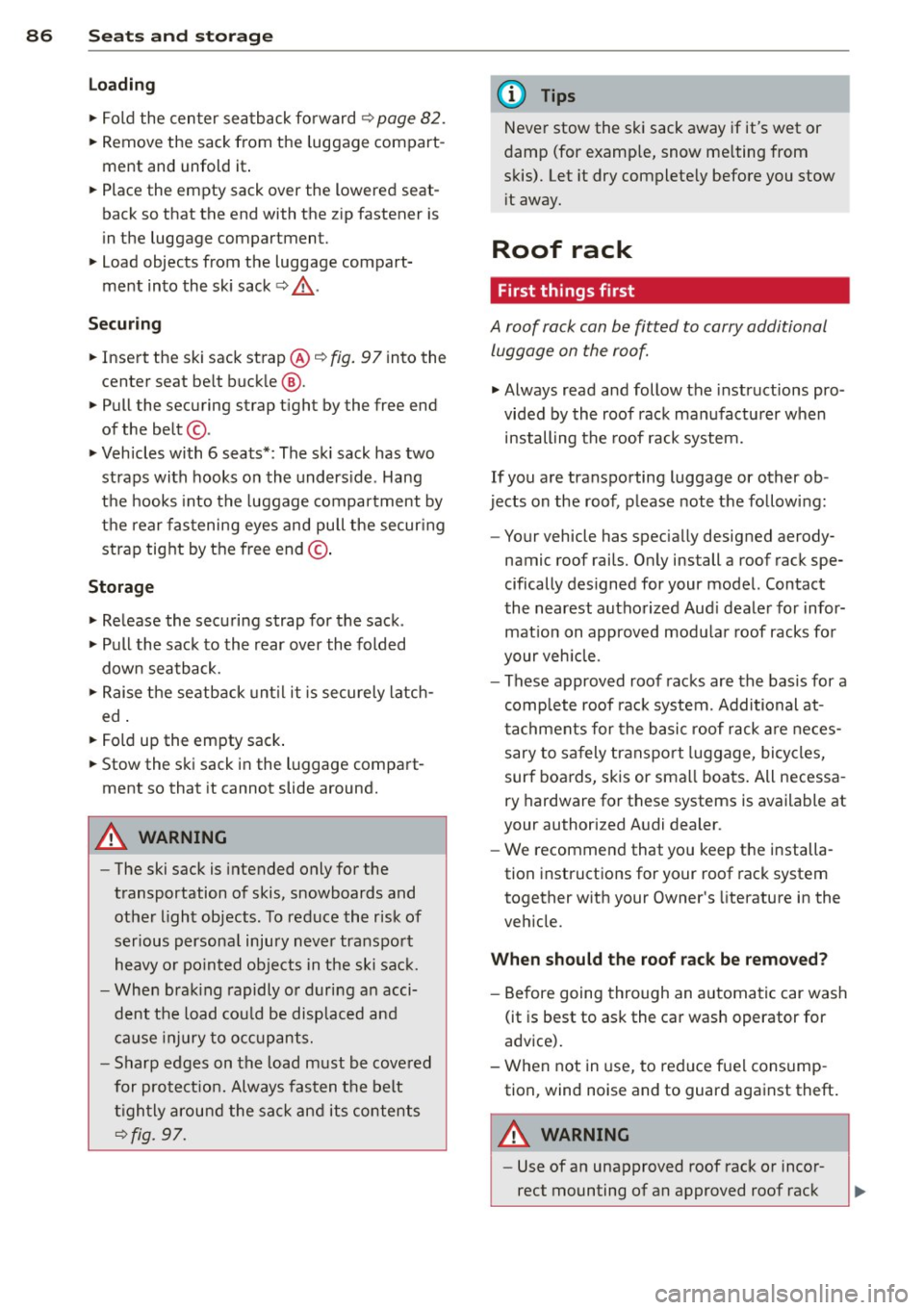
.. Insert the ski sack strap @.!> fig. 97 into the
center seat be lt buck le
@ .
.. Pull the securing strap t ight by the free end
of the belt ©-
.. Veh icles with 6 seats*: The ski sack has two
straps with hooks on the unders ide . Hang
the hooks into the luggage compar tment by
the rear fas tening eyes and pull the secur ing
strap tig ht by the free end ©-
Storage
.. Re lease the securing strap for the sack .
.. Pull the sack to the rear over the fold ed
down sea tback.
.. Raise the se atb ack unt il it is securely latch
ed .
.. Fold up the empty sac k.
.. Stow the ski sack in the l uggage compart
ment so that it cannot slide around.
A WARNING
-
- The ski sack is intended only for the
transportation of skis, snowboards and
other light objects. To red uce the risk of
serious persona l injury never transpo rt
heavy o r po inted object s in the ski sa ck.
- When brak ing rapidly o r duri ng a n acci
dent the load cou ld be displaced and
c a us e inj ury to occ upants.
- Sharp edges on the load must b e cove red
for pro te ct ion. Always fas ten the belt
ti gh tly ar ou nd the sa ck and its content s
.!>fig. 97.
(D Tips
Never stow the ski sack away if it's wet or
damp (for examp le, snow me lting from
skis). Let it dry complete ly before you stow
i t away.
Roof rack
First things first
A roof rack can be fitted to carry additional
luggage on the roof.
.. Always read and follow the instructions pro
vided by the roof rack man ufactu rer when
installing the roof rack system .
If you are transporting luggage or other ob
jects on the roof, p lease note the follow ing :
- Your vehicle has spec ially designed aerody-
namic roof rails. O nly install a roof rack spe
cifically designed for your model. Contact
the nearest autho rized Aud i deale r fo r infor
mat ion on approved modu la r r oof racks fo r
your veh icle.
- These approved roof racks are the basis for a
complete roof rac k system. Addi tional at
t achments for the b asi c r oof r ack are neces
sary to sa fely transport luggage, bi cy cl es,
surf boa rds, skis or sma ll boats. All necessa
ry hardware for these systems is available at
your author ized A udi dealer.
- We recommend that you keep t he i nstalla
tion instructions for your roof rack system
together w ith your Owner's literature in the
veh icle.
When should the roof rack be removed?
- Before going through an automa tic car wash
(it is best to ask the car wash operator for
adv ice) .
- When not in use, to reduce fue l consump
tion, wind noise and to guar d against theft .
A WARNING
-
-Use of an unapproved roof rack o r inco r-
rect mounting of an approved roof rac k