service indicator AUDI Q7 2017 Owner´s Manual
[x] Cancel search | Manufacturer: AUDI, Model Year: 2017, Model line: Q7, Model: AUDI Q7 2017Pages: 402, PDF Size: 100.39 MB
Page 107 of 402
u (0 ...... N r--. N ...... 0
0
:E
country.
Operation
App lies to: ve hicles with camera -based t raff ic s ign recogni
tio n
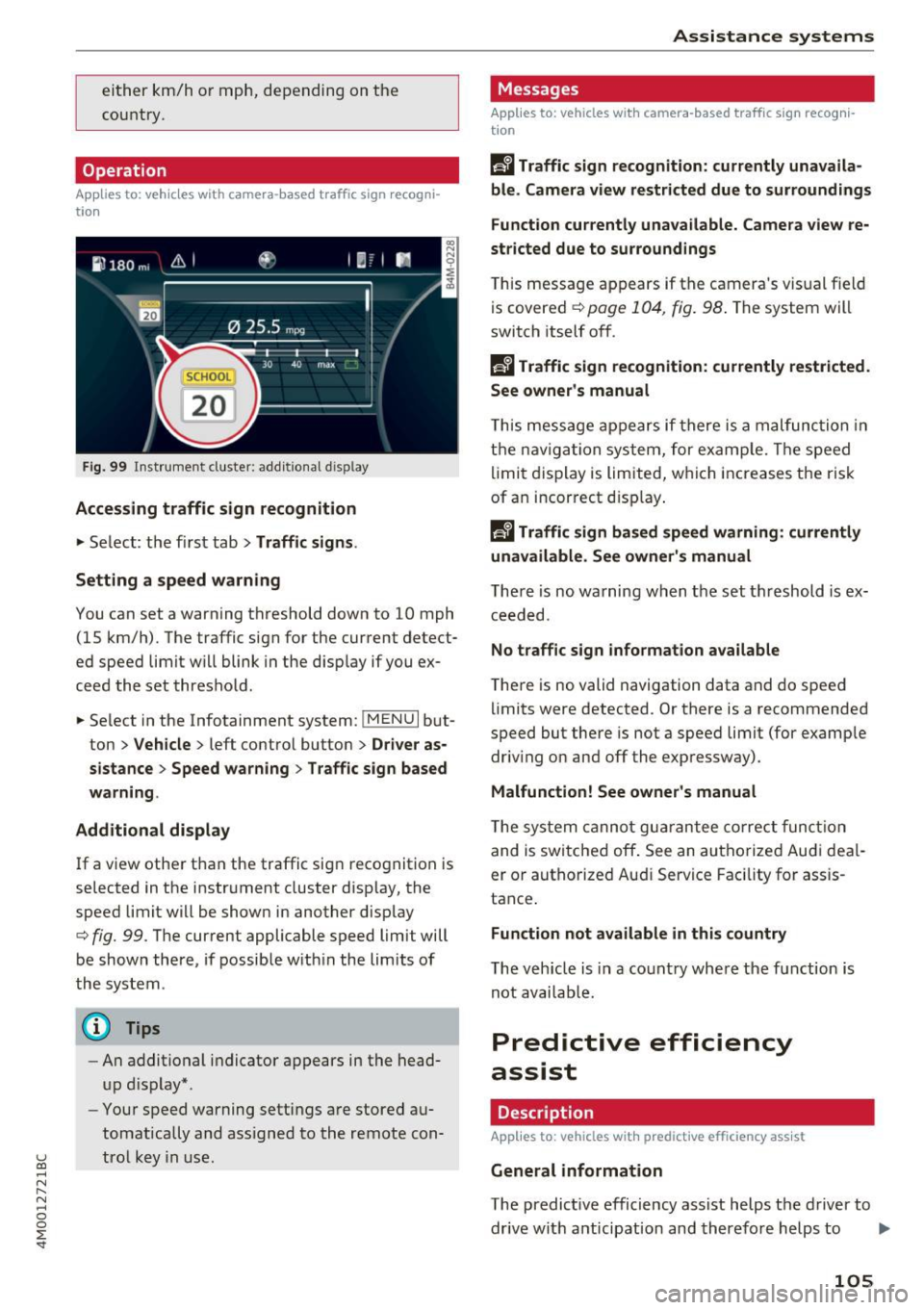
Fig. 99 Instrument cluste r: addi tio nal d isp lay
Accessing traffic sign recognition
.. Select: the first tab> Traffic signs.
Setting a speed warning
You can set a warning threshold down to 10 mph (15 km/h) . The traffic sign for the current detect
ed speed limit w ill blink in the disp lay if you ex
ceed the set threshold .
.. Select in the Infotainment system:
!MENUI but
ton >
Vehicle > left control button > Driver as
sistance> Speed warning > Traffic sign based
warning.
Additional display
If a view other than the traffic sign recognition is
selected in the instrument cluster display, the
speed limi t will be shown in another display
c::> fig. 99. The current applicable speed limit will
be shown there, if possible within the limits of
the system .
(D Tips
-An additional indicator appears in the head
up display* .
- Your speed warning settings are stored au
tomatically and assigned to the remote con
trol key in use.
Assistance systems
Messages
Applies to: veh icles w ith camera -based traff ic sign recog ni
tion
f!'A Traffic sign recognition: currently unavaila
ble. Camera view restricted due to surroundings
Function currently unavailable . Camera view re
stricted due to surroundings
This message appears if the camera's visual field
is covered
c::> page 104, fig. 98 . The system will
switch itself off.
R Traffic sign recognition: currently restricted .
See owner's manual
T his message appears if there is a malfunction in
the navigation system, for example. Th e speed
limit display is limited, which increases the risk
of an incorrect display.
f!'A Traffic sign based speed warning: currently
unavailable. See owner's manual
There is no warning when the set threshold is ex
ceeded.
No traffic sign information available
There is no valid navigation data and do speed
lim its were detected . Or there is a recommended
speed but there is not a speed limit (for example
driv ing on and off the expressway) .
Malfunction! See owner 's manual
The system cannot guarantee correct function
and is switched off . See an autho rized Audi deal
er or authorized Aud i Service Facility for assis
tance .
Function not available in this country
The vehicle is in a country where the function is
not availab le.
Predictive efficiency
assist
Description
App lies to : veh icles w it h predictive effic iency ass ist
General information
The predict ive efficiency assist helps the driver to
drive with anticipat ion and therefore helps to ..,_
105
Page 118 of 402

Assistance systems
Distance indicator and
distance warning
Description
Applies to: vehicles with Aud i adapt ive cruise control
F ig. 114 In stru ment cl uste r: dis tance indica tor/wa rning
At speeds above 40 mph (65 km/h), this funct ion
measures the time betwee n the vehicle driv ing
ahead and s hows th is in the instrument cl uster
d isp lay¢
fig. 114 .
You can set a warning t hreshold between 0 .6 and
3.0 seconds . The . indicator light t urns on if
you fall be low the set d istance.
Switching the distance indicator/warning on
and off
.. In the Infotainment system, selec t: I MENU !
button > Vehicle > left contro l button > Driver
assistance > Distance warning.
A WARNING
- Read an d follow th e war nings on ¢.&. in
Gen eral in for ma tion on page 1 08.
-The driv er is always r espons ib le for a dhering
to the regulations applicable in th at co un
t ry .
{!) Tips
You may fall b elow he warn ing t hreshold
briefly whe n pass ing or when quickly ap
proac hing a s low veh icle . T h er e is no wa rni ng
in this scen ario . A warn ing is gi ven only if you
f al l b elow the war ning thr eshold f or an ex
t en ded pe rio d o f tim e.
116
Messages
Appl ies to: vehicles with Audi adaptive cruise control
ii ACC with traffic jam assist: unavailable . See
owner's manual
The sy stem cannot gu aran tee t hat i t will dete ct
vehicle s cor re ctl y an d it h as sw itched
off . The ra
dar sensors have shifted or are fau lty . D rive to an
aut ho rize d Audi dea le r o r a uth orized Audi Service
Facility immed iate ly to have the malfunct ion cor
r ected .
ii ACC with traffic jam assist: currently un
available. See owner's manual
This mes sage ap pears if the ada ptive cruise con
t ro l canno t be activ ated, for example i f th e hood
is ope n.
fl ACC with traffic jam assist : currently un
available. Sensor vision restricted due to sur roundings. See owner 's manual
This message ap pears if the radar se nsor v iew is
obstr ucted, for e xamp le by leaves, snow, heavy
s p ra y or dir t. Cle an the senso rs ¢
pa ge 107 ,
fi g. 101.
ill ACC with traffic jam assist: currently un
available. Grade too steep
T he road exceeds the maxim um poss ible g rade
for saf e operation . The systems cannot be sw itch
ed o n.
ill ACC with traffic jam assist: only available in
D, Sor M
Se lect t he D/S or M se lector lever position.
flJ ACC with traffic jam assist: currently un·
available. Parking brake applied
The sys tems swi tch off i f you set the parking
bra ke. Th e sys tems are av ailab le ag ai n afte r yo u
rele ase the parkin g bra ke .
ill ACC with traffic jam assist: currently un
available. Stabilization control (ESC ) input
This message appears if the e lectron ic stabiliza
t ion cont rol ( ESC) is tak ing act ion to stabiliz e the
vehicle . The systems switch
off in this scena rio .
ill ACC with traffic jam ass ist: manual control! .,.
Page 154 of 402
Intelligent Technology
Electromechanical
steering, all-wheel
steering
The electromechanical steering supports the
driver's steering movements .
Power steering adapts electronically based on
the vehicle speed.
Indicator lights and messages
• Stee ring: malfunction! Please stop vehi cle
If th is ind icator light turns on and stays on and
this message appears, the power steer ing may
have fa iled.
Stop the vehicle in a safe location as soon as pos
sib le. Do
not continue driving. See an author iz ed
Aud i dealer or authori zed Aud i Serv ice Facility for
assistance.
• Steering: malfunction! Please stop vehicle.
Pay attention to distan ce at side
If th is ind icator light turns o n and stays o n and
this message appears, the a ll-wheel steering*
may have failed . The side of the vehicle may need
more space on the road.
Red uce your speed and stop the veh icle in a safe
locat ion wit h enough space on the sides as soon
as possible. Do
not continue d riving . See an au
thor ized Audi dealer or authorized Audi Service
Facility for assistance.
'T@ Steering : malfunction! You may continue
dri ving
If t he indicator lig ht t urns on and the message
appears, the steering wheel may be more diff i
cult to move or mo re sensitive tha n usua l. The
steering whee l may a lso be at an angle when
driving straight.
D rive s low ly to an authorized A udi dealer or au
thor ized Audi Se rvice Facility to have the ma l
function corrected.
'T@ Ste ering : ma lfunction! Adapt driving style .
Larger turning radius
I f the indicator lig ht tu rns on and th is message
appears, the a ll-wheel steering* may have failed .
152
Please note that the vehicle has a larger t urning
radi us and the stabi lity w hen turning a corner is
lik e that of a vehicle without all-whee l steer ing.
The steering wheel may also be at an angle when driv ing straight.
Drive slowly to an a uthorized Audi dea ler or au
thorized Audi Serv ice Facility to have t he mal
funct ion corrected.
(D Tips
- If the . or 'T-ij indicato r light only stays on
for a sho rt time, you may cont inue driving .
- For add itiona l information on all-wheel
steering *, see ¢
page 134 .
All-wheel drive (quattro)
General informat ion
I n all whee l drive, the dr iv ing power is dis trib ut
ed between all four whee ls when needed . This
happens automatically depending on your driving
behavior as we ll as the c urrent road cond it ions.
Also see ¢
page 148, Electronic stabili zation
control (ESC).
The all-whee l drive system distributes the driving
power va riably to the front and rear axle. It works
together with selective wheel torq ue control,
which act ivates when dr iv ing through curves
¢ page 148. With the sport d ifferent ial*, power
dist ribution to the rear wheels is variable and can
be adjusted using the drive se lect
¢ page 134.
The all wheel drive concept is designed for high
engine power . Your vehicle is except iona lly pow
erfu l and has excellent driving charac teristics
bot h unde r normal d riving conditions and o n
snow and i ce. Always read and follow safety pre
c au tions
c:::> .&, .
Winter tires
By using all wheel dr ive, your ve hicle has good
forward motion w ith standard tires in win ter con
dit ions. However, using w in ter or all season t ires
o n
all four wheels in the w inte r is re comme nded,
be cau se th is w ill imp rove t he
braking effe ct. IJII>-
Page 206 of 402
Emergency call
Messages
Applies to: vehicles with emergency call function
1!/1 Emergency call function: malfunction! Re
stricted functionality . Please conta ct Service
If the indicator lig ht t urns on and the message
appears, yo u can only make an emergency ca ll
wit h rest ric ted f un ct io n. For e xamp le, you ca nnot
call the emergen cy c all ce nte r, bu t da ta m ay st ill
be tra nsmi tted under certa in circ umst ances/
D rive to an a uthorized Audi dea le r or a uth orized
Aud i Service Facility immediately to have the
malfunct ion corrected.
II Emergency call function : malfunction! Fun c
tion unavailable. Please contact Service
I f t he indi cator lig ht tur ns on and the message
ap pears, yo u can not m ake an eme rge ncy call.
D rive to an a uth o rize d Aud i de aler or auth orized
Aud i Serv ice Facility immedia tely to have t he
malfunct io n corrected .
Online roadside
assistance
Description
Applies to: veh icles with online roadside ass istance
You can request help if you are in an accident or
b reakdow n situation using on line roadside ass is
tance
1> . A roads ide assistance call is a comb ina
tion of data transmission and a phone call. The
data transmission from your vehicle forwards im portant information to the A udi service cente r,
such as the veh icle and pos it io n data.
l ) Th e availab ili ty of th e services offered depe nds o n th e
country and may ch an ge over time.
204
· Calling online roadside ass istance
Applies to: vehicles with on line roadside assistance
The roadside assistance call can be made two
differ ent ways.
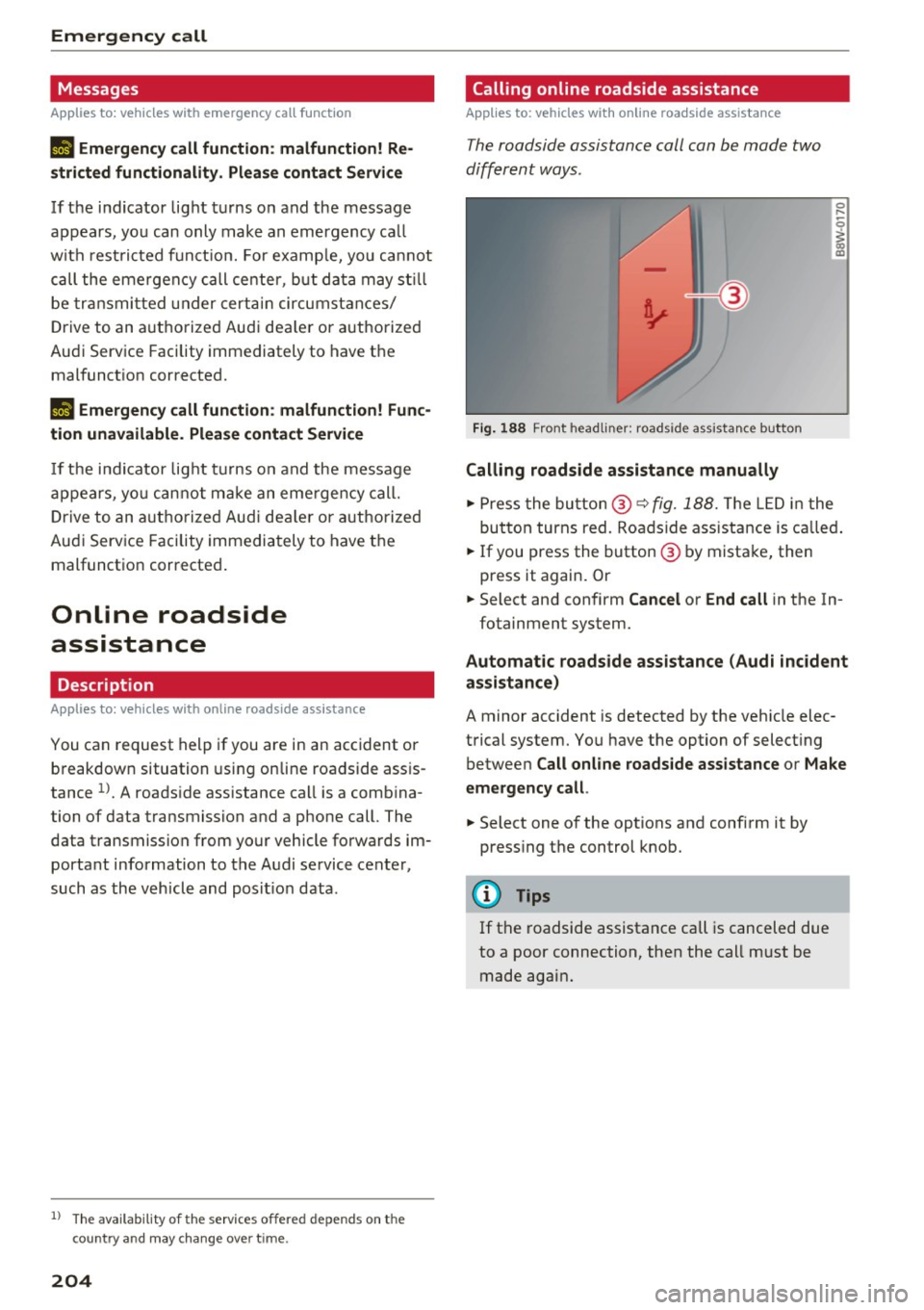
Fig. 188 Front headliner: roadside assista nce button
Calling roadside assistance manually
0 ....
-0
I
.,. Press the bu tton @~ fig. 188. The LED in t he
but ton turns red. Ro adside ass istance is c alled.
.,. If you press the button @ by mista ke, then
press it again. Or
.,. Select and confirm
Cancel or End call in the In-
fotainment system.
Automat ic roadside assistance (Audi incident
assistance)
A minor accident is detected by the veh icle elec
trical system. You have the option of select ing
betwee n
Call online roadside assistance or Make
emergency call .
.,. Select one of the options and confi rm it by
press ing the control knob.
@ Tips
If t he roadside assistance call is canceled due
to a poor connection, then the call m ust be
made again .
Page 328 of 402
Check ing and F illing
CJ) Note
Driving with an insufficient oil level is likely to
cause severe damage to the engine .
@ Tips
-The oil pre ssure warn ing display. i s not
an ind icato r of the oil l evel. Do not rel y on
it. In stead , che ck th e oil le vel in your e n
gi ne a t regul ar int ervals, prefe rably e ach
t ime you re fuel , and al ways befo re go ing
on a long trip .
-If you have the impression your engine con
sumes excessive amounts of oil, we recom
mend that you consult an authorized Aud i
dealer to have the cause of your concern properly d iagnosed . Keep in mind that the
accurate measurement of oil consumpt ion
r equi res great ca re and may take some
time. An authorized Audi dealer has instruc
tions about how to measure oil consump
tion accurately.
Checking the engine oil level and adding
engine oil
The engine oil level can be checked in the Info
t ainmen t sys tem
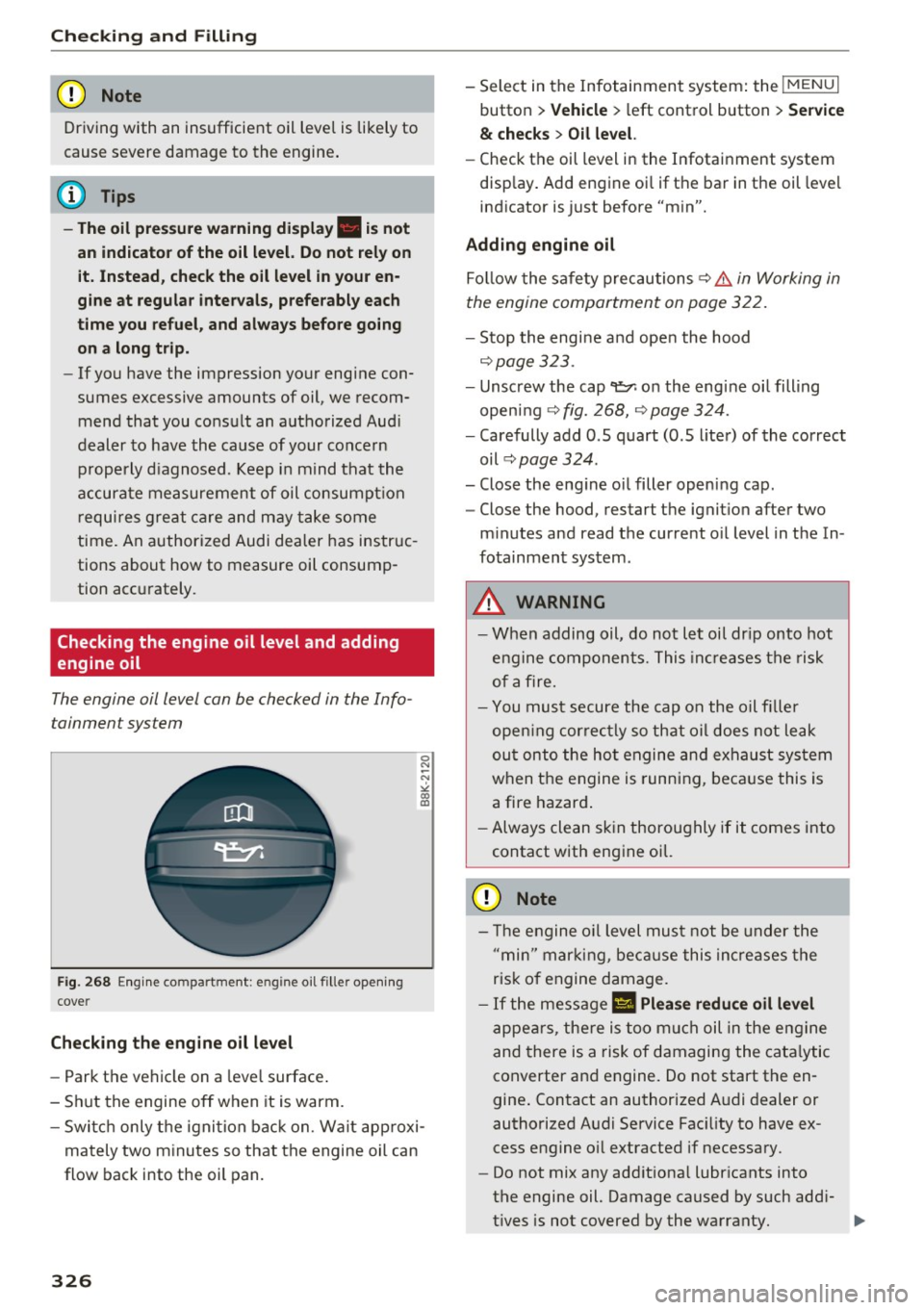
F ig . 268 Engin e co mpartme nt: e ngine o il fille r ope ning
c ove r
Checking th e engine oil l evel
-Park t he vehicle on a leve l surface .
- Sh ut the engine off when it is warm.
0 N
-N
>< (X) IX)
- Switc h only the ignition back on. Wa it approxi-
mately two minutes so that the engine oil can
flow back into the oil pan.
326
- Select in the Infotainment system: the !MENUI
button > V ehicle > l eft control button > Se rvice
& ch ec ks > Oil level.
- Check the oil level in the Infotainment system
disp lay . Add engine oi l if the bar in the oil level
indicator is just before "min".
Adding engine oil
Fo llow the safety precautions ~ .&. in Working in
the engine compartment on page 322.
- Stop the engine and open the hood
~ page 323.
-Unscrew the cap 9=;,1 on the engine oi l filling
open ing ~
fig. 268, ~ page 324.
-Carefully add 0.5 quart (0.5 liter) of the correct
oil ~
page 324 .
-Close the eng ine oil filler opening cap.
- Close the hood, restart the ignit ion after two
m inutes and read the current o il level in the In
fotainment system.
&_ WARNING
- When adding oil, do not let oil dr ip onto hot
engine components. This inc reases the risk
of afire.
- You must secure the cap on the oil fi ller
open ing correctly so that oil does not leak
ou t onto the ho t engine and exhaust system
when the engine is running, beca use this is
a fire hazard .
- Always clean skin thoroughly if it comes into
contact with engine oil.
(D Note
-The engine o il level must not be under the
" min" marking, because this incre ases the
risk of engine damage.
- If the message
II Plea se redu ce oil lev el
appears, there is too much oil in the eng ine
and there is a risk of damaging the cata lytic
converter and engine. Do not start the en
gine . Contact an authorized A udi dealer or
authorized Audi Service Fac ility to have ex
cess engine o il extracted if necessary .
- Do not mix any addit iona l lubricants into
the engine oil. Damage caused by such add i
t ives is not covered by the warranty.
...
Page 329 of 402
u co ...... N r-... N ...... 0
0
:E: '
- Oil should never enter the sewer system or
come into contact with the ground.
- Pay attention to legal requirements when
disposing of empty oil containers.
(D Tips
- The oil level indicator in the display is only
an informational disp lay. If the oil leve l is
too low, a minimum oil warning appears in
the instrument cluster. Add oil and close
the hood. The current oil level is displayed
in the instrument cluster the next time the
ignition is switched on .
- The engine oil consumption may be up to
0.5 quart/600 miles (0.5 liter/1,000 km),
depend ing o n driving style and operating
cond itions. Consumption may be higher
during the first 3,000 miles (5,000 km). Be
ca use of th is, the engine oil level m ust be
checked regularly.
It would be best to check
each time you ref uel your vehicle and before
l ong drives.
Changing the engine oil
We recommend that hove your oil changed by an
authorized Audi dealer or a qualified service sta tion .
Before you check anyth ing in the engine compart
ment,
al ways r ead and h eed all WARNIN GS~ &
in Working in the engine compartment on
page 322.
The engine oil must be changed according to the
intervals specified in your Warranty
& Mainte
nance booklet . This is very important because the
lubricating properties of oil diminish gradually
during normal vehicle use.
Under some circumstances the engine oi l should
be changed more frequently. Change oil more of
ten if yo u drive mostly short distances, operate
the vehicle in dusty areas or under predominant ly
stop-and-go traffic condit ions, or have your vehi
cle where temperatures remain below freezing
for extended periods .
Check ing and Filling
Detergent additives in the oi l will make fresh oil
look dark after the engine has been running for a
short time . This is normal and is not a reason to
change the oi l more often than recommended.
Because of the problem of proper disposal, along
with the specia l tools and necessary expertise re
quired, we strongly recommend that you have
your o il changed by an authorized
Audi de aler or
a qual ified service stat ion.
If yo u choo se to ch ange your oil yo urself , please
note the following important information:
A WARNING "--
To reduce the risk of persona l injury if you
must change the eng ine oil in your vehicle
yourself:
- Wear eye protection.
-
-To reduce the r isk of burns from hot engine
oil, let the engine cool down to the touch.
- When removing the oil drain plug w ith your
f ingers, stay as far away as possible. Always
keep your forearm parallel to the ground to
help prevent hot oil from running down your
arm.
- Drain the oil into a container designed for
this purpose, one large enough to hold at least the tota l amount of oil in your engine.
- Engine oil is poisonous. Keep it well out of
the reach of children.
- Continuous contact with used engine o il is
harmful to your skin. Always protect your
skin by washing oil off thoroughly with soap
and water .
«I) Note
Never mix oil additives with your engine oil.
These additives can damage your engine and
adversely affect yo ur Audi limited New Vehi
cle Warranty .
@ For the sake of the environment
-Before chang ing your oil, first make sure
you know where you can properly d ispose of
the used oil.
- Always dispose of used engine o il properly .
Do not dump it on garden soil, wooded
327
Page 334 of 402
Check ing and F illing
- Do not use a glass cleaner that contains
paint solvents, because this could damage
the pa int .
Service interval display
The service interval display detects when your ve
hicle is due for service.
Checking service int ervals
You can check the remaining distance or time un
til the next oil change or next inspection in the
Infotainment system .
.. Se lect in the Infotainment system: the
I MENU I
button
> Vehicle > left contro l button > Ser vice
& check s > Ser vice inte rval s.
Resetting the indicator
An author ized Audi dealer or author ized A udi
Serv ice Facility will rese t the serv ice interval d is
p lay after performing serv ice .
I f you have changed the oil yourself, you must re
set the oil change interva l.
.. Select in the Infotainment system: the!MENUI
button
> Vehicle > left contro l button > Service
& chec ks > Service interval s > Reset oil change
interval.
If an oil change or inspection is due, you can ac
cess it in the Infotainment system. The display
wo rks in two stages:
- Servic e reminde r: after a certain distance is
driven, a message appears in the inst rument
cluster d isp lay every time the ign ition is switch
ed on. The rema ining distance and t ime is d is
played br iefly.
- Service due : if your vehicle has reached a serv
ice i nterval, a message appears briefly after
swi tching the igni tion on.
(D Note
- Only reset the oil change indicato r if the oil
was changed.
- Fo llow ing the service i ntervals is c ritical to
maintain ing the service life a nd va lue of
you r vehicle, especia lly the engine. Even if
332
the mileage on the vehicle is low, do not ex
ceed the time for the next service .
Page 344 of 402
Wheels
-Have an authorized Audi dealer or authorized Audi Service Facili
ty check the wheel alignment if
there is unusual wear .
-Have the wheels rebalanced if an
imbalance is causing noticeable
vibration in the steering wheel. If you do not, the tires and other
vehicle components could wear more quickly.
Treadwear indicator
Original equipment tires contain
treadwear indicators in the tread
pattern, which are bars that are 1/16 in (1.6 mm) high and are
spaced evenly around the tire per pendicular to the running direc
tion¢
fig . 2 74 . The letters "TWI"
or triangles on the tire sidewall indicate the location of the tread
wear indicators .
The tires have reached the mini mum tread depth
l) when they
have worn down to the treadwear
indicators. Replace the tires with
new ones ¢
..&..
Tire rotation
Rotating the tires regularly is rec
ommended to ensure the tires
1> Obey any applicable regulations in your
country.
342
wear evenly. To rotate the tires,
install the tires from the rear axle
on the front axle and vice versa .
This will allow the tires to have
approximately the same length of
service life.
For unidirectional tires, make
sure the tires are installed accord
ing to the running direction indi
cated on the tire sidewall
¢page 365.
Hidden damage
Damage to tires and rims can of
ten occur in locations that are hidden . Unusual vibrations in the
vehicle or pulling to one side may indicate that there is tire damage.
Reduce your speed immediately.
Check the tires for damage. If no
damage is visible from the out
side, drive slowly and carefully to
the nearest authorized Audi deal
er or authorized Audi Service Fa
cility to have the vehicle inspect
ed .
.&_ WARNING
Tread that has worn too low or
different tread depths on the
tires can reduce driving safety. ,..
Page 354 of 402
Wheels
store the pressure again in the Infotainment
system
¢ page 352.
mm (T ir e Pr essure Monito ring System) Tire
pressure : malfunction ! See owner' s manual.
If
mm appears after switch ing the ignit ion on o r
while driving and the
[I] indicator light in the in
strument cluster blinks fo r approximately one
minute and then stays on, there is system mal
function. Try to store the correct tire pressures
¢ page 352 . In some cases, you must drive for
several minutes after storing the pressures until
the ind icator light turns off . If the i ndicator light
does t urn off o r tu rns on aga in afte r a short peri
od of time , d rive to an au tho riz ed A ud i dealer o r
author ized Audi Service Facility immed iate ly to
have the ma lfunction co rrected .
A WARNING
-If the t ire pressu re indicator appears in the
display, reduce your speed immediate ly and
avoid any hard steer ing or braking maneu
vers. Stop as soon as possib le and check the
t ires and their pressu re.
- The driver is responsib le for maintaining the
correct tire pressure. You must check the
t ire pressure regu larly.
- Under certain conditions (such as a sporty
dr iv ing style, winter cond itions o r unpaved
roads), the tire p ressure mon itoring system
indicator may be delayed.
@ Tips
- The t ire pressure monitoring system can al
so stop work ing when there is an ESC mal
funct ion.
- Using snow chains may result in a system
malfunction.
- The t ire pressure monitoring system in your
Audi was calibrated with "A udi Orig inal
Tires"
¢ page 340. Using these ti res is rec
ommended .
352
' Storing tire pressures
If the tire pressure changes or a tire is replaced,
it must be confirmed in the Infotainment sys
tem .
"Make sure before stor ing that the t ire pressures
of all four tires meet the specified values and
are adapted to the load
¢ page 343 .
"Switch the ignit io n on.
" Sele ct in the Infotainment system:
IMENU J but
ton
> V ehicle > Servi ce & checks > Tire pres
s u re monitor
> Store tire pre ssure > Ye s, store
now .
'
(D Tips
Do not store the tire pressures if snow chains
are installed .
Run-flat tires
Introduction
Applies to: vehicles with run-flat tires
A run-flat tire helps to maintain vehicle mobility
when there is a loss of pressure.
Run-flat tires have reinforced sidewalls that pro
tect the tire if there is a loss of pressure.
If the ti re pressure monitoring system indicates a
l oss of pressure in one or severa l ti res, you can
continue driving on run-flat tires fo r at least 20
miles (30 km). Drive to an authorized A udi dealer
or authorized Audi Serv ice Facility immediately to
have the problem corrected.
Continuing to d rive on run-flat tire s is no
longe r po ssible if
- there is visible damage to the tires, such as
cracks in the sidewalls .
- strong vibrat ions are felt wh ile driving, or the
tire beg ins to smoke due to a strong build-up of
heat .
- the t ire was heavily damaged, for example in an
accident There is a r isk that parts of the tire
tread will detach and damage important veh i
cle components .
- the Electron ic Stabilization Contro l (ESC) is not
working or is cont inuously running .
Page 387 of 402

u co ...... N r-... N ...... 0
0
:E: '
A/C MAX (button)
A/C (button) ... ........ ..... ... ... . 72, 76
72, 75
ABS .. .. ... . .. .. ............. .. .. .. . 14 8
Accesso ries 66 ,383
Active lane ass ist
C leaning the camera area ......... ... .
also refer to Aud i active lane ass ist .. .. .
Adapt ive a ir suspension
refer to Air suspension ...... .. .. .... .
Adapt ive cr uise control ..... ... .. .. .... .
C leaning the sensor . ..... ... .. .. .... .
Distance indicator and distance warning .
Messages .. .. ............. .. .. .... .
Predictive contro l
............... .....
Traff ic jam ass ist ............. .. .... .
Ad B lue
. . .. .. .. .. .. .. .... ... .. .. .... .
355
123
134
10 7
355 1 16
116 113
114
3 18
Messages . ... .... .. .... ... .. .. .... . 318
Add it io nal accesso ries . . . . . . . . . . . . . . . . . 383
Ad justing a ir distribution (automat ic climate
control) . . . . . . . . . . . . . . . . . . . . . . . . . . .
73, 76
Ad justing the rear seats . . . . . . . . . . . . . . . . . 60
Ad justing the so und . . . . . . . . . . . . . . . . . . . 253
Ad justing the tempe rature (automatic climate
control) . . . . . . . . . . . . . . . . . . . . . . . . . . .
73, 76
Ad justing the vol ume . . . . . . . . . . . . . . . . . . . 14
Advanced key
refer to Conven ience key . . . . . . . . . . . . . . . 8 2
Airbag . . . . . . . . . . . . . . . . . . . . . . . . . . . . . . 273
Ai rbag system . .. .. .. ..... ... .. .. . 2 73,29 1
Advanced Airbag System components . . . 280
Care . . . . . . . . . . . . . . . . . . . . . . . . . . . . . . 288
Chi ldren . . . . . . . . . . . . . . . . . . . . . . . . . . . 297
Chi ld restraints 297
Components (front a irbags) . . . . . . . . . . . 280
Da nger of fitt ing a child safety seat on t he
front passenger seat . . . . . . . . . . . . . . . . . 2 7 4
D . l 1sposa . . . . . . . . . . . . . . . . . . . . . . . . . . . 288
Fron t air bags . . . . . . . . . . . . . . . . . . . . . . . 278
H ow do the fro nt airbags work? . . . . . . . . 283
How many airbags does my vehi cle have? 280
How the Advanced Airbag System compo-
nents work together . . . . . . . . . . . . . . . . .
282
Indicator light . . . . . . . . . . . . . . . . . . . . . . 285
Mon itoring . . . . . . . . . . . . . . . . . . . . . . . . . 285
PASSENGER AIR BAG light . . . . . . . . . . . . 285
Index
Repairs
Safety instr uctions . ..... . ..... ... .. . .
When m ust t he system be inspected? .. . 288
287
285
Air pressu re
T ires
..... .... .. .. ............... .. 343
Air suspension . . . . . . . . . . . . . . . . . . . . . . . 134
T ra iler mode . . . . . . . . . . . . . . . . . . . . . . . . 100
Alignment pin (changing the wheel) . . . . . . 360
All -wheel stee ring . . . . . . . . . . . . . . . . 134, 152
All season tires . . . . . . . . . . . . . . . . . . . . . . . 348
All weat her lights . . . . . . . . . . . . . . . . . . . . . . 48
All wheel d rive
refer to q uattro
AMI 152
refer to Aud i music interface . . . . . . . 234, 235
Android Auto
refer to Audi smartphone interface 247
An ti-free ze
Windsh ield washer sys tem . . . . . . . . . . . .
331
An ti-lock b raking system
refer to A BS . . . . . . . . . . . . . . . . . . . . . . . . 148
Anti-Slip Regu lation
refer to ASR . . . . . . . . . . . . . . . . . . . . . . . . 148
Apple Car Play
refer to Audi smartphone interface . . . . . 247
Asht ray . . . . . . . . . . . . . . . . . . . . . . . . . . . . . . 65
ASR · · · · · · · .... .. .. ............... .. 148
Audi active lane assist . . . . . . . . . . . . . . . . . 1 23
Messages . . . . . . . . . . . . . . . . . . . . . . . . . . 124
Audi con nect eme rgency call a nd service . . 203
Online roads ide ass istance . . . . . . . . . . . . 2 04
Audi connect vehicle contro l . . . . . . . . . . . . 199
Parki ng locat ion . . . . . . . . . . . . . . . . . . . . . 200
Remote locking and unlock ing . . . . . . . . . 200
Vehicle status report . . . . . . . . . . . . . . . . . 200
Audi connect (Infotainment) . . . . . . . . 189, 196
Data protection . . . . . . . . . . . . . . . . . . . . . 197
Se rvices ove rview . .. .... ...... ... .. ..
Start ing ..... ... .. ................ .
Audi drive select
. .. .. .... . ..... ... .. ..
Audi Ente rtainment mob ile ........... ..
Audi music interface . . ............... ..
Audi music stream
refer to W i-F i . ... .. ... .. ..... ... .. . .
190
190
134
2 36
234
232
Audio files . . . . . . . . . . . . . . . . . . . . . . . . . . . 23 7
385