start stop button AUDI Q7 2017 Owner´s Manual
[x] Cancel search | Manufacturer: AUDI, Model Year: 2017, Model line: Q7, Model: AUDI Q7 2017Pages: 402, PDF Size: 100.39 MB
Page 233 of 402
u co ...... N r--... N ...... 0
0
:E: '
ly sorted into the media center categories based
on the stored additional information
c:>
page 238. The copied video files are stored in
the media center under the
Videos category.
Playing the Jukebox
Requirement: the Jukebox must contain audio/
video files c:>
page 230, Adding files to the Juke
box.
The Jukebox is accessed and operated through
the MMI (Dc:>page237,
fig. 215.
Displaying Jukebox memory capacity
Select: right control button > Jukebox memory
capacity.
Information about the Jukebox memory
capacity and the number of stored tracks is dis
played.
Deleting tracks from the Jukebox1 )
Requirement: the Jukebox must contain audio/
video files.
- Deleting an entry : select an entry from the
Jukebox media center. Select: right control but
ton
> Delete from jukebox> This entry or En
tire list .
- The status of the deleting process is shown in
the MMI. Jukebox playback stops during the de
leting process and starts again automatically
once the deletion is complete.
(D Note
Do not import audio/video files when the en
gine is turned off because this will drain the
vehicle battery.
(D Tips
- Tracks from audio CDs cannot be imported
to the Jukebox for legal reasons .
- Files that have already been imported are
automatically recognized and cannot be
copied to the Jukebox again.
-It is not possible to play audio/video* files
in the CD/DVD* drive while importing them.
l) Not in the Playback view.
Media
- The Jukebox does not provide an export
function due to legal reasons.
- Files or tracks without additional stored in
formation are listed as
Unknown. Audi rec
ommends adding additional information
(such as ID3 tags) to audio files.
- Reset the
Jukebox to the factory default
settings when selling your vehicle
<=:>page 250.
Bluetooth audio player
Applies to: vehicles with Bluetooth audio player
With the Bluetooth audio player, you con ploy
music wirelessly from your Bluetooth-capoble
device (such as a cell phone) through the MMI.
Requirement: the vehicle must be stationary and
the Bluetooth function on your Bluetooth device
and the
Bluetooth audio player c:> page 251 in
the MMI must both be switched on.
-Connecting a Bluetooth device: press the
!MEDIAi button. Press the left control button
until the sources overview is displayed. Select
and confirm Bluetooth audio player ®
<=:>page 237, fig. 216 .
-If necessary, select and confirm, Not connected
> Connect Bluetooth audio player . The Blue
tooth device search starts. Follow the instruc
tions in the MMI.
- Select and confirm the desired Bluetooth de
vice from the list. The MMI generates a PIN for
the connection.
- Select and confirm
Yes.
- Enter the PIN for connecting on your Bluetooth
device.
Or: if the PIN is already displayed on
your Bluetooth device, confirm it in the Blue
tooth device and in the MMI. The time allowed
for entering the PIN is limited to approximately
30 seconds.
The media is started and operated through the
mobile device or the MMI, depending on the de-
vice being used. ..,.
231
Page 328 of 402
Check ing and F illing
CJ) Note
Driving with an insufficient oil level is likely to
cause severe damage to the engine .
@ Tips
-The oil pre ssure warn ing display. i s not
an ind icato r of the oil l evel. Do not rel y on
it. In stead , che ck th e oil le vel in your e n
gi ne a t regul ar int ervals, prefe rably e ach
t ime you re fuel , and al ways befo re go ing
on a long trip .
-If you have the impression your engine con
sumes excessive amounts of oil, we recom
mend that you consult an authorized Aud i
dealer to have the cause of your concern properly d iagnosed . Keep in mind that the
accurate measurement of oil consumpt ion
r equi res great ca re and may take some
time. An authorized Audi dealer has instruc
tions about how to measure oil consump
tion accurately.
Checking the engine oil level and adding
engine oil
The engine oil level can be checked in the Info
t ainmen t sys tem
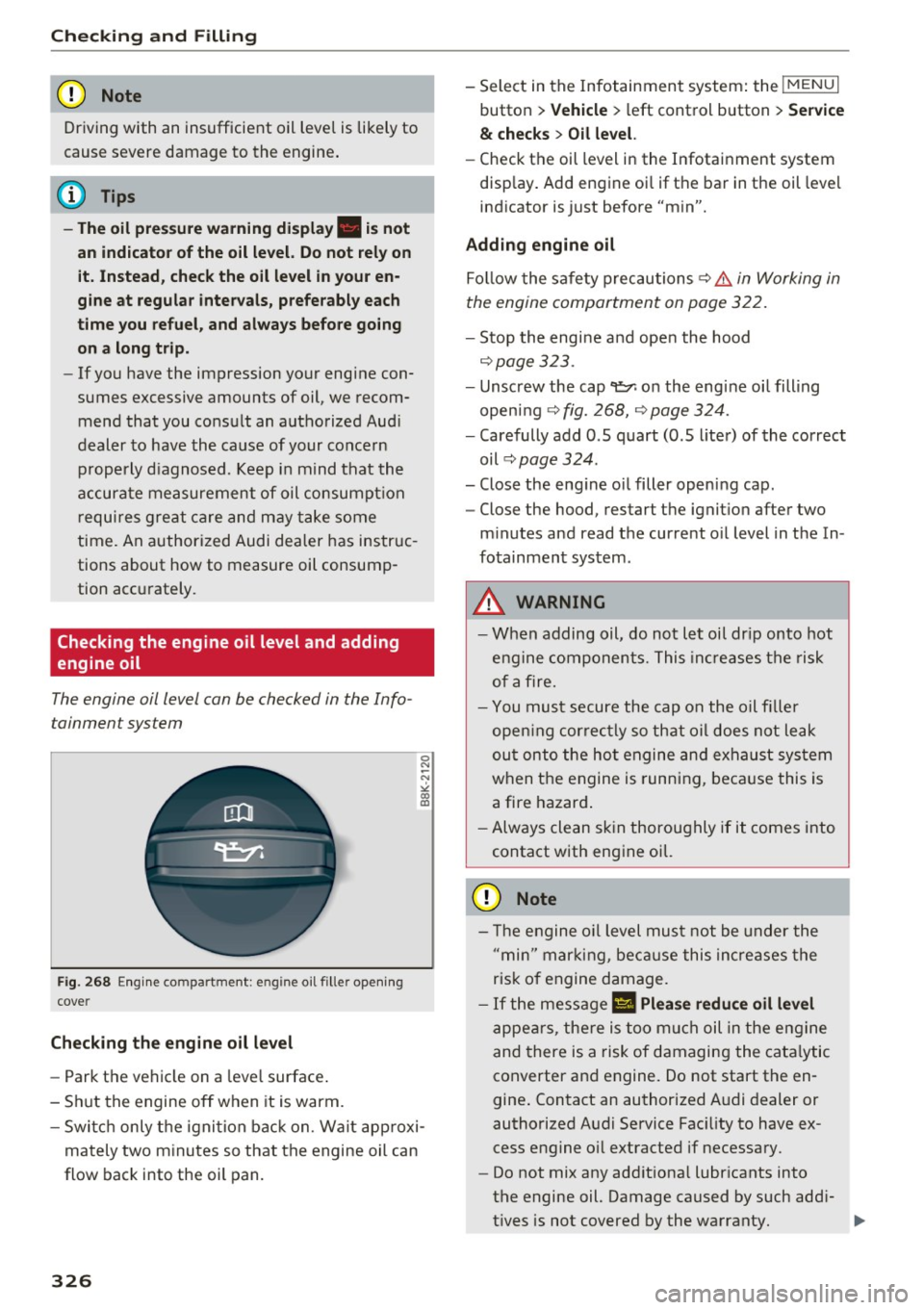
F ig . 268 Engin e co mpartme nt: e ngine o il fille r ope ning
c ove r
Checking th e engine oil l evel
-Park t he vehicle on a leve l surface .
- Sh ut the engine off when it is warm.
0 N
-N
>< (X) IX)
- Switc h only the ignition back on. Wa it approxi-
mately two minutes so that the engine oil can
flow back into the oil pan.
326
- Select in the Infotainment system: the !MENUI
button > V ehicle > l eft control button > Se rvice
& ch ec ks > Oil level.
- Check the oil level in the Infotainment system
disp lay . Add engine oi l if the bar in the oil level
indicator is just before "min".
Adding engine oil
Fo llow the safety precautions ~ .&. in Working in
the engine compartment on page 322.
- Stop the engine and open the hood
~ page 323.
-Unscrew the cap 9=;,1 on the engine oi l filling
open ing ~
fig. 268, ~ page 324.
-Carefully add 0.5 quart (0.5 liter) of the correct
oil ~
page 324 .
-Close the eng ine oil filler opening cap.
- Close the hood, restart the ignit ion after two
m inutes and read the current o il level in the In
fotainment system.
&_ WARNING
- When adding oil, do not let oil dr ip onto hot
engine components. This inc reases the risk
of afire.
- You must secure the cap on the oil fi ller
open ing correctly so that oil does not leak
ou t onto the ho t engine and exhaust system
when the engine is running, beca use this is
a fire hazard .
- Always clean skin thoroughly if it comes into
contact with engine oil.
(D Note
-The engine o il level must not be under the
" min" marking, because this incre ases the
risk of engine damage.
- If the message
II Plea se redu ce oil lev el
appears, there is too much oil in the eng ine
and there is a risk of damaging the cata lytic
converter and engine. Do not start the en
gine . Contact an authorized A udi dealer or
authorized Audi Service Fac ility to have ex
cess engine o il extracted if necessary .
- Do not mix any addit iona l lubricants into
the engine oil. Damage caused by such add i
t ives is not covered by the warranty.
...