cruise control AUDI Q7 2017 Owner´s Manual
[x] Cancel search | Manufacturer: AUDI, Model Year: 2017, Model line: Q7, Model: AUDI Q7 2017Pages: 402, PDF Size: 100.39 MB
Page 4 of 402
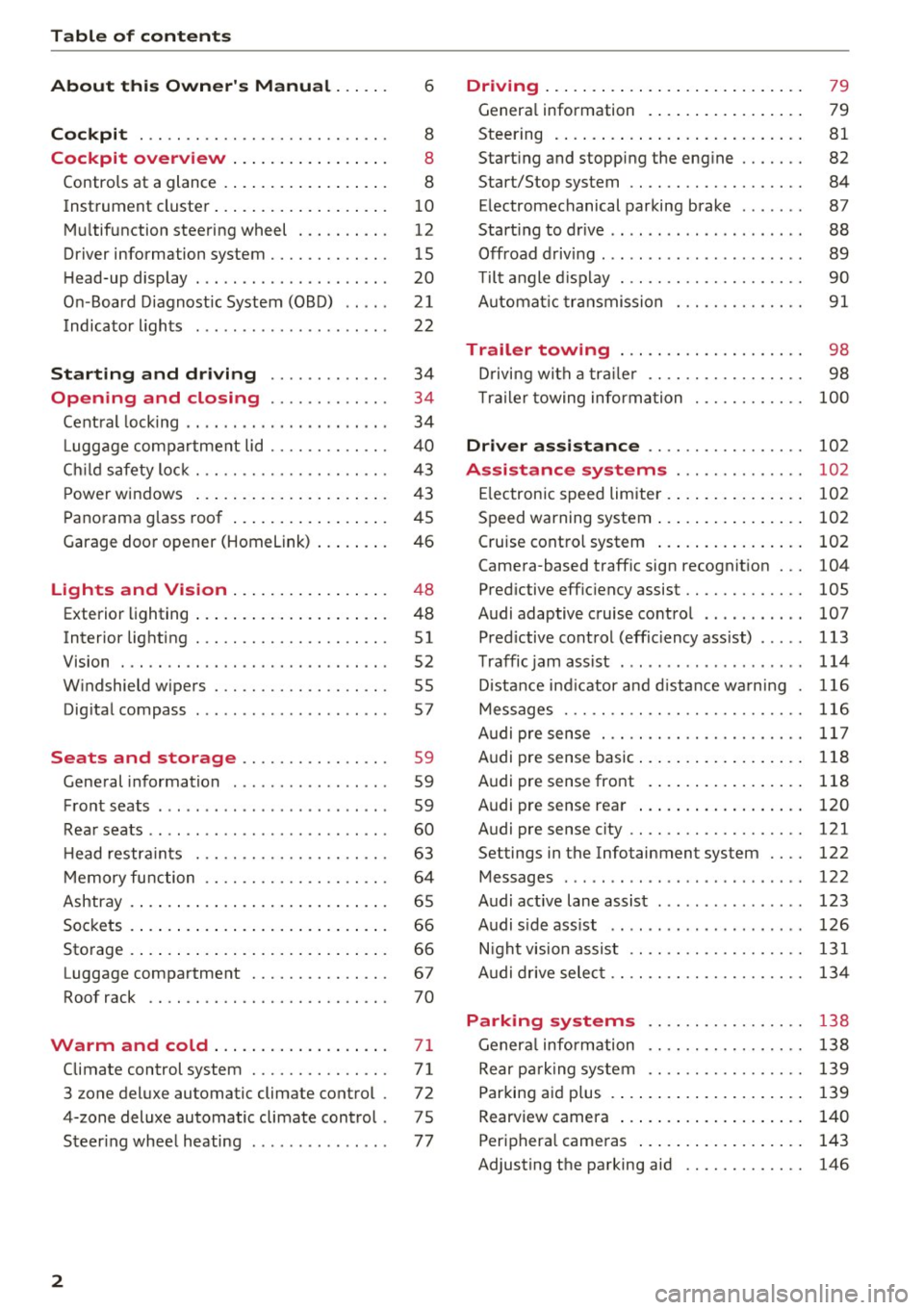
Table of contents
About this Owner's Manual ... .. .
Cockpit ... .. ............... .... .. .
Cockpit overview ................ .
Controls at a glance ... .......... .. .. .
Instrument cluster .. .......... .. .. .. .
Multifunction steering wheel ... .. .. .. .
Driver information system ............ .
H ead-up display .... .. ..... ... .. .... .
On -Board Diagnostic System (OBD) .. .. .
Indicato r lights . ................ ... .
Starting and driving ......... ... .
6
8
8
8
10
12
15
20
21
22
34
Opening and closing . . . . . . . . . . . . . 34
Central lock ing . . . . . . . . . . . . . . . . . . . . . . 34
L uggage compartment lid . . . . . . . . . . . . . 40
Ch ild safety lock . . . . . . . . . . . . . . . . . . . . . 43
Power windows . . . . . . . . . . . . . . . . . . . . . 43
Panorama glass roof . . . . . . . . . . . . . . . . . 45
Garage door opener (Homelink) . . . . . . . . 46
Lights and Vision . . . . . . . . . . . . . . . . . 48
Exterior lighting . . . . . . . . . . . . . . . . . . . . . 48
Interior lighting . . . . . . . . . . . . . . . . . . . . . 51
V1s1on . . . . . . . . . . . . . . . . . . . . . . . . . . . . . 52
Windshield wipers . . . . . . . . . . . . . . . . . . . 55
Dig ital compass . . . . . . . . . . . . . . . . . . . . . 57
Seats and storage . . . . . . . . . . . . . . . . 59
General information . . . . . . . . . . . . . . . . . 59
Front seats . . . . . . . . . . . . . . . . . . . . . . . . . 59
Rear seats . . . . . . . . . . . . . . . . . . . . . . . . . . 60
H ead restraints . . . . . . . . . . . . . . . . . . . . . 63
M emory function . . . . . . . . . . . . . . . . . . . . 64
Ashtray . . . . . . . . . . . . . . . . . . . . . . . . . . . . 65
Sockets . . . . . . . . . . . . . . . . . . . . . . . . . . . . 66
Sto rage . . . . . . . . . . . . . . . . . . . . . . . . . . . . 66
Luggage compartment . . . . . . . . . . . . . . . 67
Roof rack . . . . . . . . . . . . . . . . . . . . . . . . . . 70
Warm and cold .. .......... .. .. .. . 71
Climate control system . . . . . . . . . . . . . . . 71
3 zone deluxe automatic climate control . 72
4-zone deluxe automatic climate control . 7 5
Steer ing wheel heating . . . . . . . . . . . . . . . 77
2
Driving ..... .. .. .. .. ... .......... . .
General information . ... ........... . .
Steering .......... .. .. . .......... . .
Start ing and stopping the eng ine ..... . .
Start/Stop system .. .. ............. . .
E le ctromechanical parking brake ...... .
Start ing to drive .. .. .. ........ ..... . .
Offroad driving ... ... ...... ....... .. .
T ilt angle display . .. .. ... .......... . .
Automat ic transmission
Trailer towing ... .. ............. . .
Driving with a trail er .. .. ........... . .
T railer towing information
79
79
81
82
84
87
88
89
90
91
98
98
100
Driver assistance . . . . . . . . . . . . . . . . . 102
Assistance systems . . . . . . . . . . . . . . 102
Electronic speed limiter . . . . . . . . . . . . . . . 102
Speed warning system . . . . . . . . . . . . . . . . 102
Cruise control system . . . . . . . . . . . . . . . . 102
Camera-based traffic sign recognit ion . . . 104
Pred ictive efficiency assist. . . . . . . . . . . . . 105
Audi adaptive cruise contro l . . . . . . . . . . . 107
Pred ictive control (eff ic ie ncy assist) . . . . . 113
Traffic jam assist . . . . . . . . . . . . . . . . . . . . 114
Distance indicat or and distance warnin g 116
Messages . . . . . . . . . . . . . . . . . . . . . . . . . . 116
Audi pre sense . . . . . . . . . . . . . . . . . . . . . . 117
Audi pre sense basic . . . . . . . . . . . . . . . . . . 118
Audi pre sense front . . . . . . . . . . . . . . . . . 118
Audi pre sense rea r . . . . . . . . . . . . . . . . . . 120
Audi pre sense city . . . . . . . . . . . . . . . . . . . 121
Settings in the Infotainment system . . . . 122
Messages . . . . . . . . . . . . . . . . . . . . . . . . . . 122
Audi active lane assist . . . . . . . . . . . . . . . . 123
Audi s ide assist . . . . . . . . . . . . . . . . . . . . . 126
Night vision assist . . . . . . . . . . . . . . . . . . . 131
Audi drive select . . . . . . . . . . . . . . . . . . . . . 134
Parking systems 138
General information . . . . . . . . . . . . . . . . . 138
Rear parking system . . . . . . . . . . . . . . . . . 139
Parking aid plus . . . . . . . . . . . . . . . . . . . . . 139
Rearview camera . . . . . . . . . . . . . . . . . . . . 140
Periphera l cameras . . . . . . . . . . . . . . . . . . 143
Adjusting the parking aid . . . . . . . . . . . . . 146
Page 11 of 402
u co ...... N r-... N ...... 0
0
:E: '
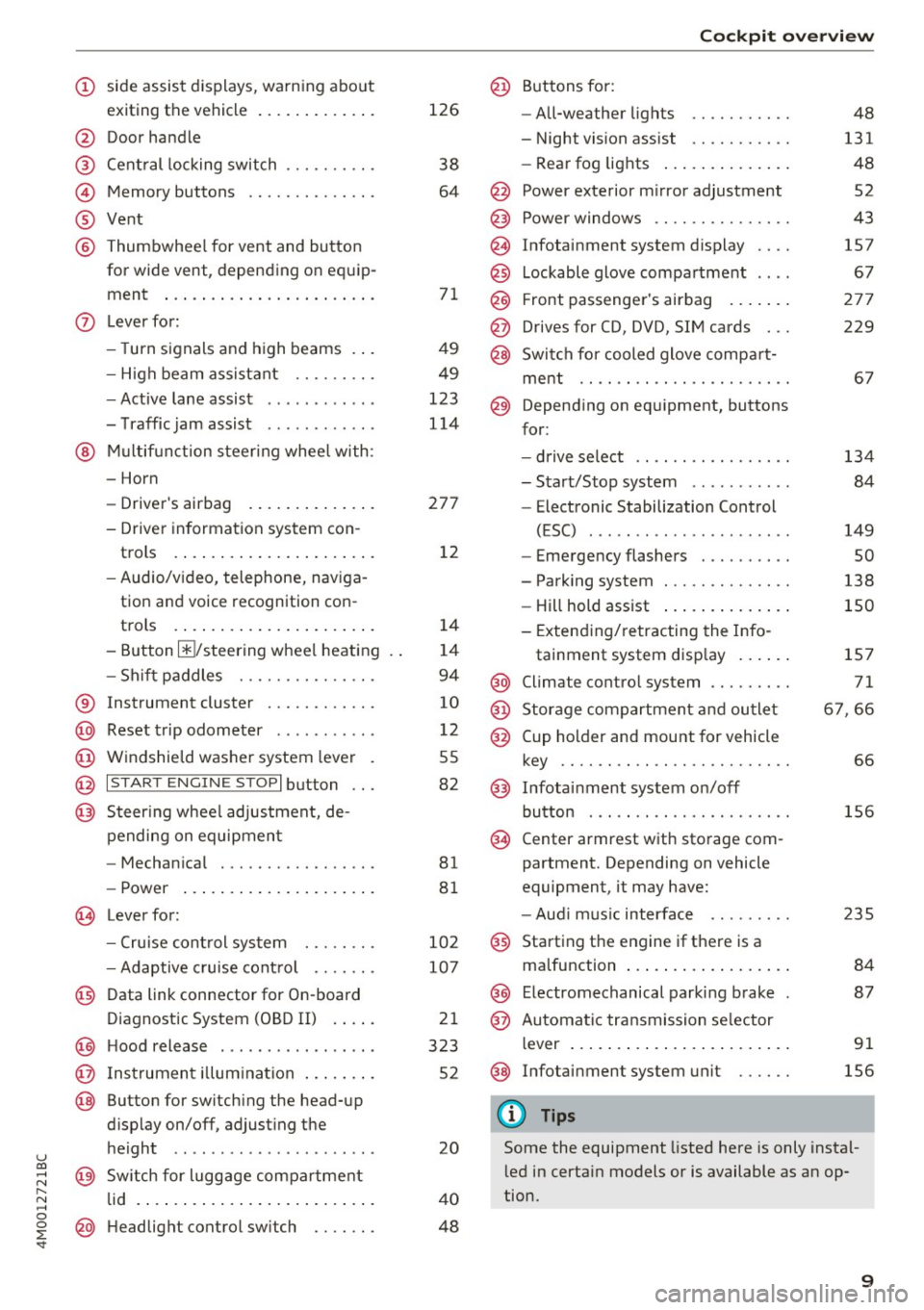
exiting the vehicle ..... ... .. .. .
@ Door handle
@ Cent ral locking switch ....... .. .
@ Memory buttons ........... .. .
® Vent
® Thumbwhee l for vent and button
for wide vent, depending on equip-
ment ... .. .... .. .... ... ... . .
0 Lever for:
- T urn s ignals and high beams . . .
- High beam assistant .... .. .. .
- Active lane assist ........... .
- T raffic jam assist ........... .
@ Mu lt if unction steer ing whee l with:
- Horn
- Drive r's airbag . ..... ... .. .. .
- Drive r informat ion system con -
trols . ... .... .. .... ... .. .. .
- Audio/v ideo, telephone, nav iga
tion and voice recognition con -
t rols .. .. ... .. ..... ... .. .. .
- Button @/steering wheel heating
- Sh if t paddles .......... .. .. .
® Instrument cluster ........... .
@ Reset t rip odometer ...... .. .. .
@ W indshield washe r system lever
@ I STAR T ENGINE ST OPI button .. .
@ Steer ing whee l adjustment, de -
pending on equipmen t
- Mechan ica l .............. .. .
- Power .... .. .. ..... ... .. .. .
@ Leverfo r:
- C ruise cont rol sys tem
- Adaptive cruise cont rol ...... .
@ Data link connector for On-board
Diagnostic System (OBD II) . ... .
@ H ood release .... . .... .... ... .
@ Ins trumen t illum ination ... .. .. .
@ Button for switch ing the head-up
d isplay on/off, adjust ing the
height .. .. ........ ..... .. .. .
@ Sw itch for lugg age compa rtment
lid . ... .. .. .. .. .. .... ... .. .. .
@ H eadlight control sw itch .... .. .
126
38
64
7 1
49
49
123
114
27 7
1 2
14
1 4
94
10
12
55
82
81
8 1
10 2
107
2 1
323
52
20
4 0
48
Coc kpit o ve rv iew
@ Buttons fo r:
- All-weather lights
- Night vision assist .......... .
- Rea r fog lights ..... . ..... .. .
@ Power exte rior m irror adjustment
@ Power windows .............. .
@ Infotainment system display
@ Lockable glove compa rtme nt
@) Front passenger 's airbag .... .. .
@ Drives for CD, DVD, SI M cards .. .
@ Swi tch for cooled glove compa rt-
me nt ...... ................ .
@ Depend ing on equ ipment, buttons
for :
- drive select ................ .
- Sta rt/Stop system ... ..... .. .
- Electronic Stabilization Control
(ESC) . .. .. .. .. ... ....... .. -
- Emergency flashers ......... .
- Parking system ............. .
- Hill hold ass ist .. .. .. ..... .. .
- Extend ing/retracting the Info-
tainment system disp lay ... .. .
@ Climate contro l system .... ... . .
@) Storage compartment and outlet
@ Cup holder and mount for vehicle
key .... .... .. .. ............ .
@ Infotai nment system on/off
button . .. .. . ............... .
@ Center armrest w ith sto rage com
partment. Depending on vehicle
equipment, it may have:
- Aud i m usic interface ........ .
@ Starting the engine if the re is a
malfunction ... .. ... .. ..... .. .
@ E lectromechanical parking brake
@ Automa tic tr ansmission se lector
lever ... .. .. .. ... .. .. ..... .. .
@ Infotainment system unit
(D Tips
48
131
48
52
43
157
67
27 7
229
6 7
134 84
149
so
138
150
1S7
71
6 7,66
66
156
2 35
84
87
91
156
Some the equipment listed here is only instal
l ed in certa in models or is available as an op
tion.
9
Page 22 of 402
Cockpit overv iew
® Distance to the next m aneuver
@ Display of the expressway, highway or main
road onto whic h you will be turn ing
(z) Dire ct ion arrow for the upcoming maneuver
® A bar graph appears when a direction arrow
is displayed. The fewer bars are shown, the
shorter the d istance is unt il the turn .
® Current veh icle positio n
@ Additional information (on-board computer)
The fo llow ing funct ions are a lso available when
route guidance is active:
- Changing the voi ce guidan ce v olum e: turn the
right thumbwhee l up o r down dur ing vo ice
guidance.
& WARNING
T he ro ute calc ulated by the navigation system
is a recommendation for reachi ng your desti
nation. Obey traffic lights, stopping restric
tions, one-way streets, lane change restr ic
tions, etc.
@ Tips
- Also see the chapter c::> page 8, Controls at a
glance.
- An exclamation point" !" in front of the
street name indicates that the informat ion
about this street or this section of the route
is not comp lete in the navigation data con
tained in the MMI. Obey traffic laws in one
way streets a nd pedestria n zones.
Head-up display
Appl ies to: ve hicles w ith head -up displ ay
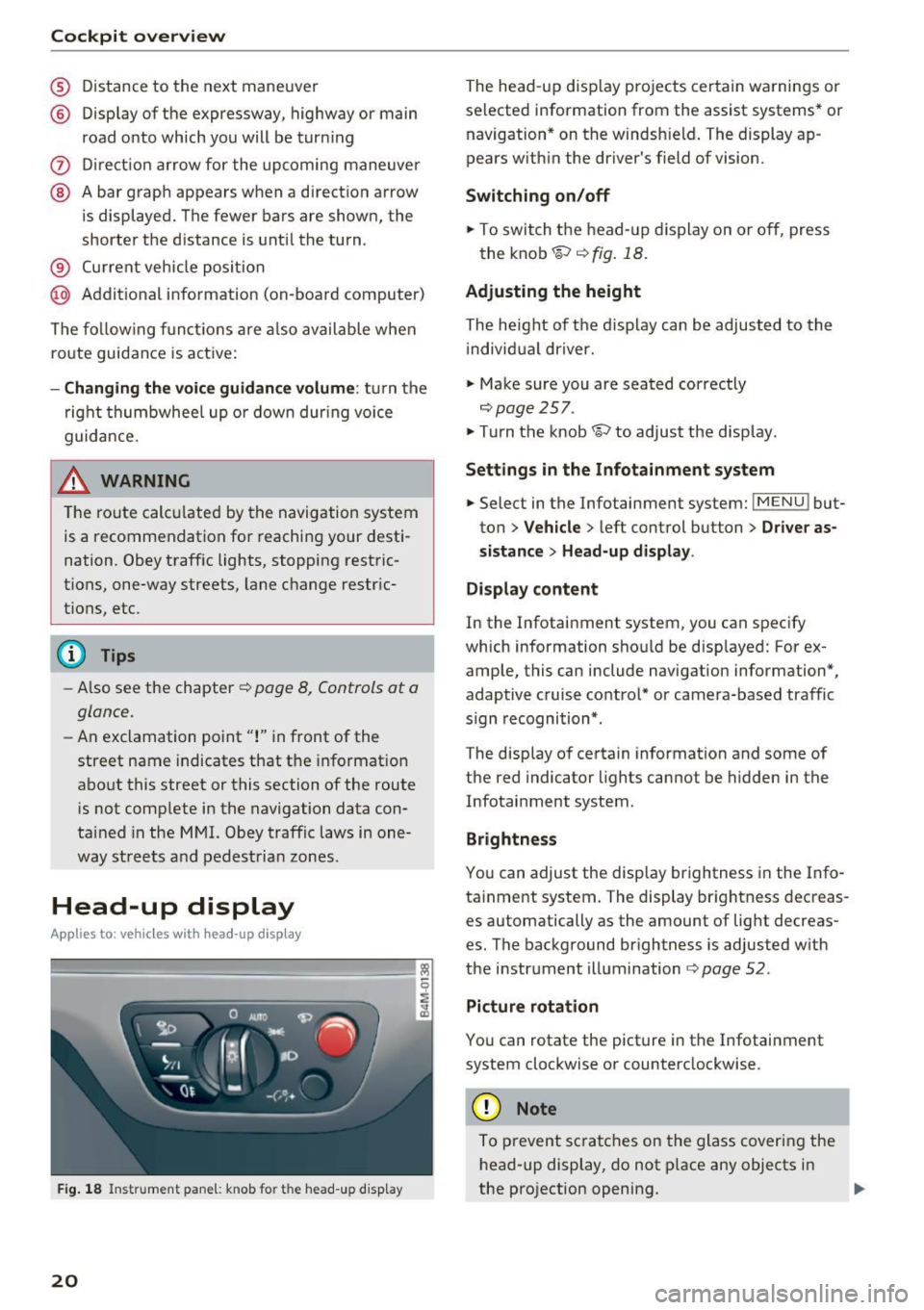
Fig. 1 8 Instrument pane l: knob fo r the head -up d isp lay
20
The head -up disp lay pro jects certain wa rnings or
selected information from the assist systems* or navigation * on the windsh ield . The display ap
pears w ith in the driver's field of vision.
Switching on /off
.. To switch t he head- up d is play on or o ff, press
the knob~ ¢
fig. 18.
Adjusting the height
The he ight of the d isplay can be adjusted to the
i ndivid ua l driver.
.. Make sure you are seated correctly
c::> page 257 .
.. Tu rn the knob~ to adjust the disp lay.
Settings in the Infotainment system
.. Select in the Infotainment system: IMENU ! but
ton
> V eh icle > left control button > Driver as
s istance
> Head-up di splay .
Di splay content
In the Infotainment system, you can specify
which information should be disp layed: For ex
ample, this can include navigation information*,
adaptive cruise control* or camera-based traffic
s ign recognition*.
The display of certain information and some of
the red indicator lights cannot be hidden in the
Infotainment system.
Brightness
You can adjust the display brightness in the Info
ta inment system. The display br ightness decreas
es automatically as the amount of light decreas
es. The background brightness is adjusted w ith
the i nstr ument illumination
c::> page 52.
Picture rotation
You can rotate the picture in the Infotainment
system clockwise or counterclockwise .
(D Note
To prevent scra tches on the glass coveri ng the
h ead-up display, do not p lace any objects in
the projection opening. ..,_
Page 26 of 402
Cockpit over view
Electromechan ica l power stee ring,
all-wheel steer ing*
<=:> page 152
Air suspension*
c::>page28
Air suspension*
c::>page28
Sport differentia l*
c::> page32
Backrest*
c::> page 61
Eme rgency call function*
c::> page204
Ad B lue*
c::> page 318
Ad Blue *
c::> page 318
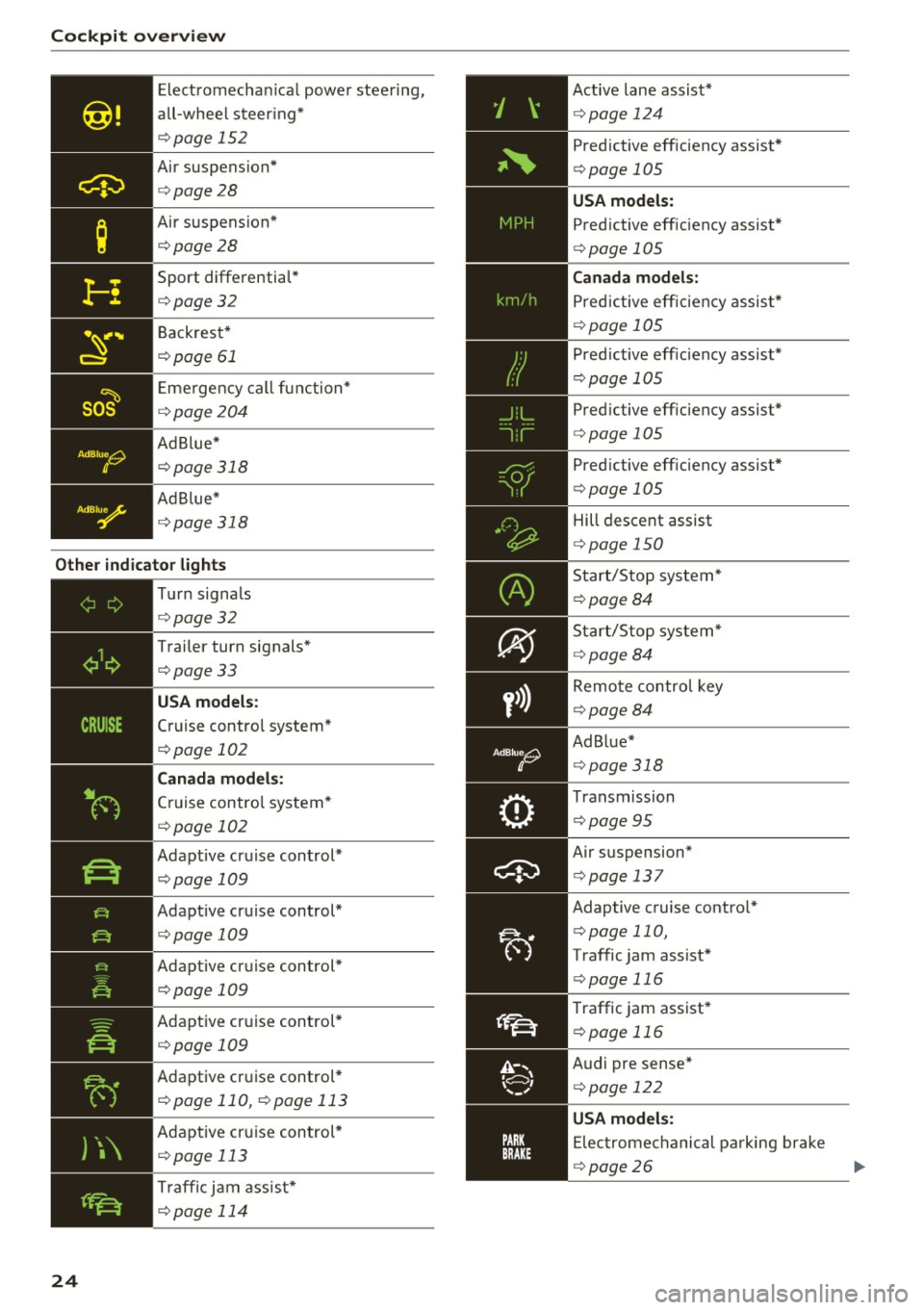
Other indicator lights
)\
24
- -------------Tu rn signa ls
<=:> page 32
Trailer turn signals*
c::>page33
USA models :
Cruise control system*
<=:>page 102
Canada mod els:
Cruise control system*
<=:> page 102
Adapt ive cruise control*
<=:> page 109
Adapt ive cruise control*
<=:> page 109
Adapt ive cruise control*
<=:>page 109
Adaptive cruise control*
<=:>page 109
Adaptive cr uise control *
c::> page 110, c::> page 113
Adaptive cruise control *
c::> page 113
Traffi c jam assist*
c::> page 114
Active lane assist*
c::> page 124
Predictive eff iciency assist*
<=:> page 105
USA models:
Predictive efficiency assist *
<=:>page 105
Canad a model s:
Predictive eff ic iency assis t*
<=:> page 105
Predictive eff iciency assist*
¢ page 105
Pred ictive eff iciency assist*
c::> page 105
Predictive eff iciency assist*
<=:> page 105
Hill descent assist
c::>page 150
Start/Stop system*
c::>page 84
Start/Stop system*
~page 84
Remote control key
c::> page 84
Ad Blue*
c::> page 318
Transmission
c::> page 95
Air suspension*
c::> page 13 7
Adaptive cruise contro l*
c::> page 110,
Traffic jam assist*
¢ page 116
Traffic jam assist*
c::> page 116
Audi pre sense*
<=:> page 122
USA mode ls:
Elec tromechanical parking brake
c::> page 26
Page 104 of 402
Ass is tance sy stems
Assistance systems
Electronic speed Limiter
Your v ehicle may be factory equipped with tires
that are rated for a maximum speed of 130 mph (210 km/h). This is less than the maximum sp eed
of your vehicle . To reduce the risk of sudden tire
failure and loss of control if the vehicle is operat ed at excessive speeds, your vehicle also has an
electronic speed limiter . The electronic speed
lim iter prevents your vehicle from going faster
than the t ire speed rating. For mo re information
<=> page 333.
If the engine control unit receives faulty vehicle
road speed s ignals , the Malfunction Indicator
L amp (MIL)
¢..ffi will illumina te . If this occurs,
con tact the nearest au thorized A ud i dealer for
assistance.
_& WARNING
Always observe the posted speed limits and
adjust you r speed to suit prevailing road, traf
fic and weather conditions. Never drive your
vehicle faster than the maximum speed rating
of the tires installed .
Speed warning system
Introduction
Applies to: vehicles with speed warning system
The speed warning system helps you to stay be
low a specified maximum speed that can be set,
changed or deleted in the Infotainment system.
-
The speed warning system warns you if you are
exceeding the maximum speed that you have set .
A wa rning tone will sound as soon as you r speed
ex ceeds the s tored v alue s light ly. Th e indicato r
light also turns on in the instrument cluster dis
p lay
ct] (USA models)/ [SJ (Canada models) and
a message . The indicator light
(CJ / [SJ and the
message turn off if the speed falls back be low
the stored maximum speed.
Se tting a threshold is recommended if you would
like to be reminded when yo u reach a certain
maximum speed. Situations where you may want
to do so include driving in a country with a gene r-
102
al speed limit or if there is a spec ified maximum
speed for winter tires.
Setting the warning threshold
Se lect in the Infotainment system: I M EN U I but
ton
> Vehicle > left co ntro l bu tton > Driver as sis
tance
> Speed warning > Manu al.
(D Tips
Regardless of the speed warning sys tem, you
shou ld alw ays mo nitor your speed using the
speedometer and make sure yo u are fo llow ing
the lega l speed limit.
Cruise control system
Switching on
Applies to: vehicles with cruise control system
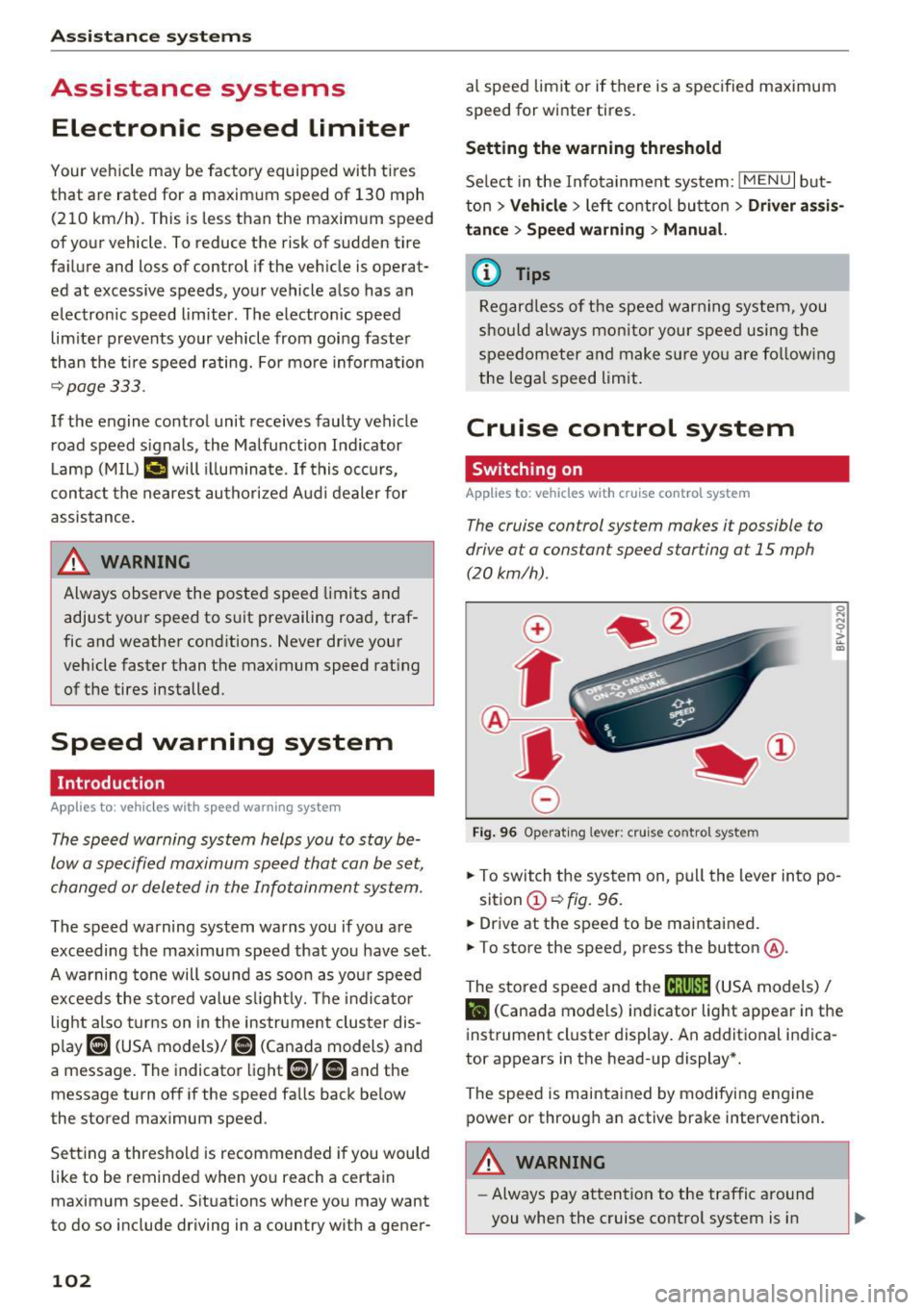
The cruise control sys tem makes it possible to
drive at a constant speed starting at
15 mph
(20kmlh) .
0
f
~
0
Fig. 9 6 Operat ing lever : cru ise co ntro l sys te m
.,. To switch the system on , pu ll the lever into po -
sition
(D <=> fig. 96 .
.. Drive at the speed to be mai ntained.
.. To store the speed, press the button @.
The stored speed and the
ftji(l)~14 (USA models) I
l'I (Cana da models) indicator light appear in the
instrument cluster display. An additional indica
tor appears in the head-up display *.
The speed is maintained by modifying engine power or through an active brake intervention.
A WARNING
- Always pay attention to the traffic around
you when the cruise control system is in
-
Page 105 of 402

u co ...... N r-... N ...... 0
0
:E: '
your speed and the distance between your
vehicle and other vehicles.
- For safety reasons, cruise control should not
be used in the city, in stop-and-go traffic, on
winding roads and when road conditions are poor (such as ice, fog, gravel, heavy rain and
hydroplaning), because th is increases the
risk of an accident.
- Switch the cruise control off temporar ily
when driving in turn ing lanes, h ighway exits
o r in construction zones.
- Please note that unconsciously "resting"
your foot on the accelerator pedal prevents the cruise control from b raking. This is be
ca use p ressing the acce le ra to r peda l ove r
rides the cruise contro l system.
- If a brake system ma lf u nction such as over
heating occurs when the c ruise contro l sys
tem is switched on, the braking function in
the system may be switched off . The rest of
the cruise control system functions remain act ive as long as the
@;\l)Mj (USA models) /
Bl (Canada models) indicator light is on.
Before driving downhill a long distance on a
steep hill, decrease your speed and select a
lower gear. Th is makes use of the eng ine
braking effect and relieves the brakes.
(D} Tips
The brake lights turn on when the brakes are app lied a utomat ically.
Changing the speed
Applies to: vehicles with cruise control system
.,. To increase/decrease the speed in 1 mph (1
km/h) increments, br iefly
tap the lever toward
0 10 ¢ page 102, fig. 96 to the first level.
.,. To inc rease/decrease the speed in 5 mph (10
km/h) i ncrements, br iefly
tap the lever toward
0 10 to t he second level.
.,. To increase or decrease the speed quickly,
hold
the lever toward 0 10 to the first or second
level until the desired speed is reached .
Ass ista nce sys te m s
Overriding the speed
Applies to: vehicles with cruise control system
You can press the acce le rato r pedal to increase
you r speed, for ex ample if you want to pass
someone . The speed you set ear lier will resume
as soon as you release the acce lerator pedal.
However, if you are exceeding the stored speed
by a considerable amount fo r a long time, the
c ruise contro l system will tempora rily switch off.
The
1Q;jl )~ij (USA mode ls) 1111 (Canada mode ls) in
dicator light in the instrument cluster turns
off
and the stored speed is maintained.
Preselecting a speed
Applies to: vehicles with cruise control system
You can pre-select your desired speed when the
vehicle is stationary.
.,. Switch the ignit ion on.
.,. Pull the lever into position
(D ¢ page 102,
fig.
96.
.,. To increase or decrease the speed, tap the lever
toward
0 10 .
This function makes it possible, fo r example, to
save the speed you want before driving on the
highway. Once you are on the expressway, acti
vate the cruise control system by pulling the lev er into position
(D .
Switching off
Applies to: vehicles with cruise control system
Deact ivating temporarily
.,. Press the brake pedal, or
.,. Press the lever toward @(not locked into
p lace)
¢ page 102, fig . 96.
Switching off completely
.,. Press the lever into position @(clicked into
place), or
.,. Switch the ignit ion off .
The speed you stored will be maintained if the cruise contro l has been switched off temporarily .
To resume the stored speed, release the brake pedal and pull the lever to position
(D . .,.
103
Page 108 of 402
Assistance systems
save fuel. The system accesses predictive trip da
ta (including speed limits, inclines and the radius
of c urves) from the navigat ion system* . Informa
tion from the camera-based traff ic sign recogn i
tion* is also applied to recognize traffic signs
,:::;,page 104 .
The messages displayed depend on the naviga
tion data* being up-to-date and the correct iden
tification by the traffic sign recognition*.
When adaptive cruise contro l* is switched off,
the predictive efficiency ass ist only provides noti
f ications without controlled interventions. When
adapt ive cruise control* is switched on, the sys
tem responds to upcoming situations automati
cally .
Vehicles with adaptive cruise control*
Refer to predictive control c::;, page 113.
Indicator in the instrument cluster display
Predictive messages appear in the instrument
cluster display to show the driver the appropriate
time to coast when a situation ahead requires
you to drive at a lower speed.
The messages are only shown if the cr uise control
system* or adaptive cruise contro l* is switched
off.
An additional indicat or appears in the head-up
display* .
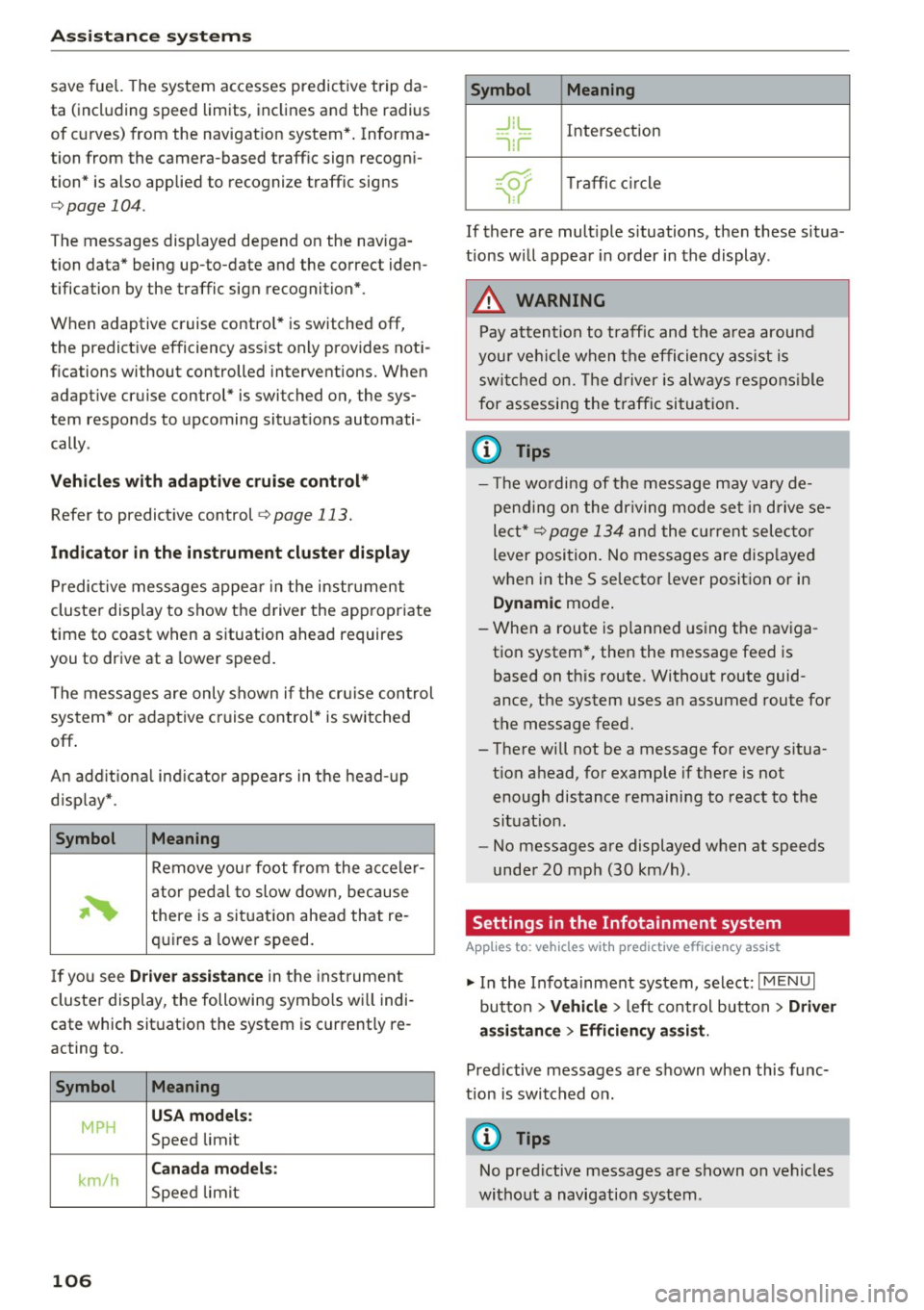
Symbol Meaning
Remove your foot from the acceler-
~
ator pedal to slow down, because
there is a situat ion ahead that re-
quires a lower speed.
If you see
Driver assistance in the inst rument
cluster display, the following symbo ls wi ll indi
cate which situation the system is currently re
acting to.
Symbol Meaning
USA models:
MPH Speed limit
km/h
Canada models :
Speed limit
106
Symbol Meaning
_J!L Intersection
,ir
~ T raffic circle .. Of );
If there are multiple situations, then these situa
tions will appear in order in the display .
.8, WARNING
Pay attention to traffic and the area around
your vehicle when the efficiency ass ist is
switched on. The driver is always respons ible
for assessing the traffic situation .
© Tips
- The wo rding of the message may vary de
pending on the driving mode set in drive se
lect*
¢page 134 and the current selector
lever position. No messages are disp layed
when in the S selector lever position or in
Dynamic mode .
- When a route is p lanned using the nav iga
tion system*, then the message feed is
based on th is route. Without route guid
ance, the system uses an assumed route for
the message feed.
- There will not be a message for every s itua
t ion ahead, for example if there is not
enough distance remaining to react to the
situat ion .
- No messages are displayed when at speeds
under 20 mph (30 km/h) .
Settings in the Infotainment system
Applies to: vehicles with predictive efficiency ass ist
.. In the Infotainment system, select: I MENU I
button > Vehicle > left control button > Driver
assistance
> Efficiency assist.
Pred ictive messages are shown when this func
tion is switched o n.
(D Tips
No predictive messages are shown on vehicles
without a navigation system .
-
Page 109 of 402
u (0 ...... N r--. N ...... 0
0
:E
Description
Applies to: vehicles with Audi adaptive cruise control
Fig. 100 Detect ion range
The adaptive cruise control system is a combina
tion of speed and distance regulation.
It assists
the dr iver by both regulat ing the speed and
maintaining a distance to the vehicle driving
ahead, within the limits of the system .
If the sys
tem detects a vehicle driving ahead, the adaptive
cruise control can brake and accelerate your vehi
cle. This makes dr iving more comfortable both
on long stretches of highway and in stop-and-go
traffic.
What can adaptive cruise control do?
The adaptive cruise control system uses video, ra
dar, ultrasound and navigation data. Vehicles
driving ahead can be recognized up to
650 feet
(200 m) away.
Predictive funct ions offer the driver additional
comfort and contribute to the reduction in fuel
consumption and CO2 emissions
¢page 113.
On open roads with no traffic, it functions like a
cruise control system. The stored speed is main
tained. When approaching a vehicle driving
ahead, the adaptive cruise control system auto
matically brakes to match that vehicle's speed
and the n maintains the set distance. As soon as
the system does not detect a vehicle driving
ahead, adaptive cruise control accelerates up to
the stored speed.
In stop-and-go traffic, adaptive cru ise control ca n
brake until the vehicle is stationary and then can
Assistance systems
also start driving again automatically under cer
tain conditions
¢page 110.
In traffic jams or stop-and-go traffic, traffic jam
ass ist can assist the driver¢
page 114.
Which functions can be controlled?
When you switch adapt ive cruise control on, you
can set the current speed as the "control speed"
¢page 109, Switching on/off.
When driving, you can stop cruise control
¢page 111 or change the speed <::;>page 110 at
any time.
You can also set the distance to the vehicle driv ing ahead and set the driving mode of the adap
tive cruise control¢
page 111.
General information
Applies to: vehicles with Audi adaptive cruise control
Fig. 101 F ront of the vehicle : sensors and video camera
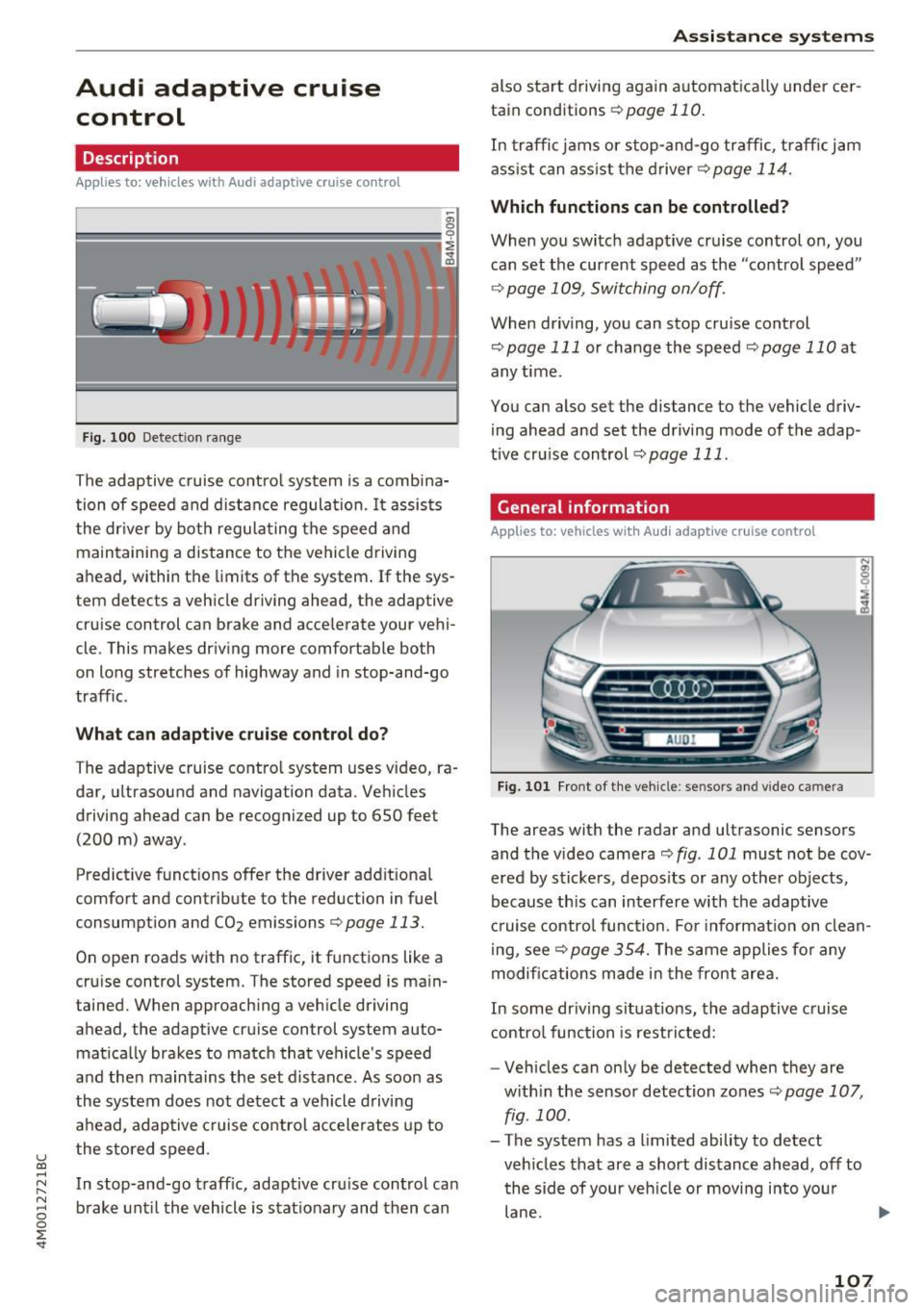
The areas with the radar and ultrasonic sensors
and the video camera
i::> fig . 101 must not be cov
ered by stickers, depos its or any other objects,
because this can interfere with the adaptive
cruise control function. For informat io n on clean
ing, see<::;>
page 354. The same applies for any
modifications made in the front area.
In some driving situations, the adaptive cruise
control function is restricted:
- Vehicles can only be detected when they are
with in the sensor detection zones<::;>
page 107,
fig . 100.
- The system has a limited ability to detect
vehicles that are a short distance ahead, off to
the side of your veh icle or moving into your
lane .
107
Page 110 of 402

Assistance systems
-Objects that are difficult to detect such as mo
torcycles, vehicles with high ground clearance
or an overhang ing load are detected late or not
detected at all.
- When driving through curves
c:;, poge 108.
-When the vehicle is stationary r::;, page 108.
_& WARNING
Always pay attention to the traffic around you
when adaptive cruise control is switched on.
As the driver, you are still responsible for your
own speed and the distance to other vehicles.
The adaptive cruise control is used to assist
you . The driver must always take action to
avoid a collision. The driver is always responsi
ble for braking at the correct time.
- For safety reasons, do not use adaptive
cruise control when the road surface is in
poor condition and/or in bad weather condi
tions (such as ice, fog, gravel, heavy rain and
hydroplaning). Using the system under
these conditions increases the risk of an ac
cident.
- Switch adaptive cruise control off tempora
rily when driving in turning lanes, on ex
pressway exits (except if predictive control
is switched on) or in construction zones.
This prevents the vehicle from accelerating
to the stored speed when in these situa
tions.
- The adaptive cruise control system will not
brake by itself if you put your foot on the ac
celerator pedal. Doing so can override the
speed and distance regulation.
- When approaching stationary obstacles
such as stopped traffic, adaptive cruise con
trol will respond with limited function.
- Adaptive cruise control does not respond to
people, animals, or crossing or oncoming
objects .
- The function of the radar sensors can be af
fected by reflective objects such as guard
rails, the entrance to a tunnel, heavy rain or
ice.
(D Note
The sensors can be displaced by impacts or
damage to the bumper, wheel housing and
108
underbody. This can impair the adaptive
cruise control. Have an authorized Audi dealer
or authorized Audi Service Facility check their
function.
(D Tips
For an explanation on conformity with the
FCC regulations in the United States and the
Industry Canada regulations, see
c:;, page 384.
In curves
App lies to: vehicles with Audi adapt ive cruise control
Fig. 102 Examp le: driv ing into a cu rve
When driving into a curve r:;, fig. 102 and out of a
curve, the adaptive cruise control may react to a
vehicle in the neighboring lane and apply the
brakes . You can prevent that by pressing the ac
celerator pedal briefly.
Stationary vehicles
Applies to: vehicles with Audi adapt ive cru ise control
)))
Fig. 103 Example : vehicle changing lan es and stationa ry
vehicle
Within the limits of the system, adaptive cruise
control can react to stationary vehicles
r::;, fig. 103, as long as you are driving slower than ..,
Page 111 of 402
u (0 ...... N r--. N ...... 0
0
:E
possibl e pass ing maneuver as low. For example,
if a vehicle that was already detected @turns or
changes lanes, the adaptive cruise control reac ts
to the stationary vehicle ahead of it@ .
Switching on /off
App lies to: vehicles with Audi adaptive cruise contro l
Fig. 104 Operat in g lever: switc hing on and off
Fig. 105 Instr ument clus te r: adap tive cru ise cont ro l
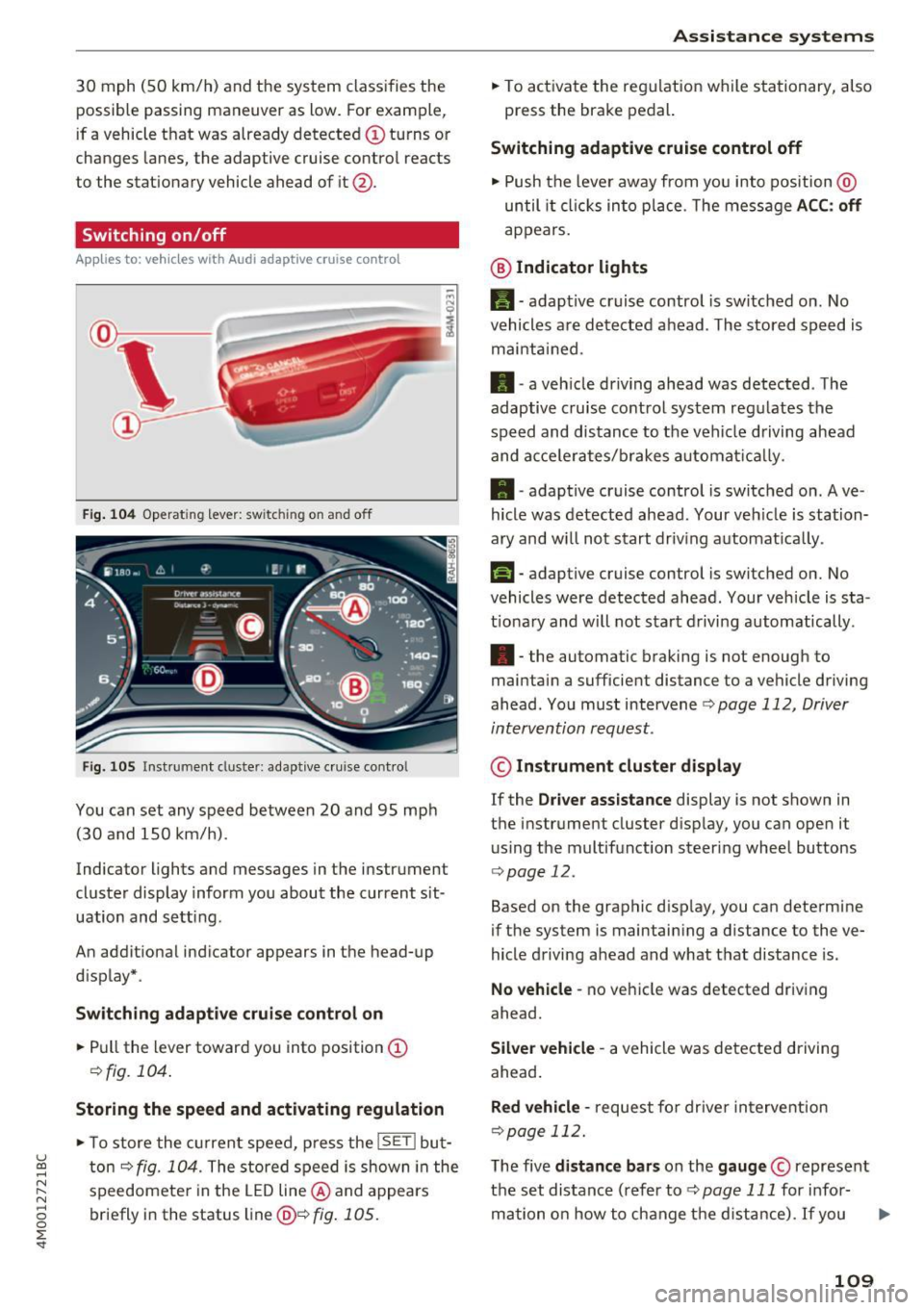
You can set any speed between 20 and 95 mph
(30 and 150 km/h).
Indicator lights and messages in the instrument
cluster display inform you about the current sit
uation and setting .
An additional indicato r appears in the head-up
d isplay* .
Switching adaptive cruise control on
.. Pull the lever toward you into position@
¢fig. 104 .
Storing the speed and activating regulation
• To store the current speed, press the lSE Tl but
ton ¢
fig. 104. The stored speed is shown in the
speedomete r in the LED line @ and appears
briefly in the status line@¢
fig. 105.
Assistance systems
• To activate the regulation while stationary, also
press the brake pedal.
Switching adaptive cruise control off
• Push the lever away from you into position @
until it clicks into place. T he message ACC: off
appears.
@ Indicator lights
II-adaptive cruise control is switched on . No
vehicles are detected ahead. The stored speed is
maintained.
• -a veh icle dr iving ahead was detected . The
adaptive cruise control system regu lates the
speed and distance to the vehi cle driving ahead
and acce le rat es/b rakes automat ically.
• -adaptive cruise control is switched on . Ave
hicle was detected ahead. Your ve hicle is station
ary and w ill not start driving automat ica lly .
fai-adaptive cruise control is switched on. No
vehicles were detected ahead . Your vehicle is sta
t iona ry and will not start driving automatically.
•- the automatic braking is not enough to
maintain a sufficient distance to a vehicle driving
ahead . You must intervene
¢ page 112, Driver
intervention request.
© Instrument cluster display
If the Driver assistance display is not shown in
the instrument cluster d isp lay, you can open it
using the multifunction steering wheel buttons
¢page 12.
Based on the graphic disp lay, you can determine
if the system is maintain ing a d istance to the ve
hicle driving ahead and what that distance is.
No vehicle -no vehicle was detected driving
ahead .
Silver vehicle -a vehicle was detected driving
ahead .
Red vehicle -request for driver intervention
¢page 112.
The five distance bars on the gauge © represent
the set distance (refer to¢
page 111 for info r-
mation on how to change the d istance). If you .,.
109