tow AUDI Q7 2017 Owner´s Manual
[x] Cancel search | Manufacturer: AUDI, Model Year: 2017, Model line: Q7, Model: AUDI Q7 2017Pages: 402, PDF Size: 100.39 MB
Page 4 of 402
Table of contents
About this Owner's Manual ... .. .
Cockpit ... .. ............... .... .. .
Cockpit overview ................ .
Controls at a glance ... .......... .. .. .
Instrument cluster .. .......... .. .. .. .
Multifunction steering wheel ... .. .. .. .
Driver information system ............ .
H ead-up display .... .. ..... ... .. .... .
On -Board Diagnostic System (OBD) .. .. .
Indicato r lights . ................ ... .
Starting and driving ......... ... .
6
8
8
8
10
12
15
20
21
22
34
Opening and closing . . . . . . . . . . . . . 34
Central lock ing . . . . . . . . . . . . . . . . . . . . . . 34
L uggage compartment lid . . . . . . . . . . . . . 40
Ch ild safety lock . . . . . . . . . . . . . . . . . . . . . 43
Power windows . . . . . . . . . . . . . . . . . . . . . 43
Panorama glass roof . . . . . . . . . . . . . . . . . 45
Garage door opener (Homelink) . . . . . . . . 46
Lights and Vision . . . . . . . . . . . . . . . . . 48
Exterior lighting . . . . . . . . . . . . . . . . . . . . . 48
Interior lighting . . . . . . . . . . . . . . . . . . . . . 51
V1s1on . . . . . . . . . . . . . . . . . . . . . . . . . . . . . 52
Windshield wipers . . . . . . . . . . . . . . . . . . . 55
Dig ital compass . . . . . . . . . . . . . . . . . . . . . 57
Seats and storage . . . . . . . . . . . . . . . . 59
General information . . . . . . . . . . . . . . . . . 59
Front seats . . . . . . . . . . . . . . . . . . . . . . . . . 59
Rear seats . . . . . . . . . . . . . . . . . . . . . . . . . . 60
H ead restraints . . . . . . . . . . . . . . . . . . . . . 63
M emory function . . . . . . . . . . . . . . . . . . . . 64
Ashtray . . . . . . . . . . . . . . . . . . . . . . . . . . . . 65
Sockets . . . . . . . . . . . . . . . . . . . . . . . . . . . . 66
Sto rage . . . . . . . . . . . . . . . . . . . . . . . . . . . . 66
Luggage compartment . . . . . . . . . . . . . . . 67
Roof rack . . . . . . . . . . . . . . . . . . . . . . . . . . 70
Warm and cold .. .......... .. .. .. . 71
Climate control system . . . . . . . . . . . . . . . 71
3 zone deluxe automatic climate control . 72
4-zone deluxe automatic climate control . 7 5
Steer ing wheel heating . . . . . . . . . . . . . . . 77
2
Driving ..... .. .. .. .. ... .......... . .
General information . ... ........... . .
Steering .......... .. .. . .......... . .
Start ing and stopping the eng ine ..... . .
Start/Stop system .. .. ............. . .
E le ctromechanical parking brake ...... .
Start ing to drive .. .. .. ........ ..... . .
Offroad driving ... ... ...... ....... .. .
T ilt angle display . .. .. ... .......... . .
Automat ic transmission
Trailer towing ... .. ............. . .
Driving with a trail er .. .. ........... . .
T railer towing information
79
79
81
82
84
87
88
89
90
91
98
98
100
Driver assistance . . . . . . . . . . . . . . . . . 102
Assistance systems . . . . . . . . . . . . . . 102
Electronic speed limiter . . . . . . . . . . . . . . . 102
Speed warning system . . . . . . . . . . . . . . . . 102
Cruise control system . . . . . . . . . . . . . . . . 102
Camera-based traffic sign recognit ion . . . 104
Pred ictive efficiency assist. . . . . . . . . . . . . 105
Audi adaptive cruise contro l . . . . . . . . . . . 107
Pred ictive control (eff ic ie ncy assist) . . . . . 113
Traffic jam assist . . . . . . . . . . . . . . . . . . . . 114
Distance indicat or and distance warnin g 116
Messages . . . . . . . . . . . . . . . . . . . . . . . . . . 116
Audi pre sense . . . . . . . . . . . . . . . . . . . . . . 117
Audi pre sense basic . . . . . . . . . . . . . . . . . . 118
Audi pre sense front . . . . . . . . . . . . . . . . . 118
Audi pre sense rea r . . . . . . . . . . . . . . . . . . 120
Audi pre sense city . . . . . . . . . . . . . . . . . . . 121
Settings in the Infotainment system . . . . 122
Messages . . . . . . . . . . . . . . . . . . . . . . . . . . 122
Audi active lane assist . . . . . . . . . . . . . . . . 123
Audi s ide assist . . . . . . . . . . . . . . . . . . . . . 126
Night vision assist . . . . . . . . . . . . . . . . . . . 131
Audi drive select . . . . . . . . . . . . . . . . . . . . . 134
Parking systems 138
General information . . . . . . . . . . . . . . . . . 138
Rear parking system . . . . . . . . . . . . . . . . . 139
Parking aid plus . . . . . . . . . . . . . . . . . . . . . 139
Rearview camera . . . . . . . . . . . . . . . . . . . . 140
Periphera l cameras . . . . . . . . . . . . . . . . . . 143
Adjusting the parking aid . . . . . . . . . . . . . 146
Page 7 of 402
u co ...... N r-... N ...... 0
0
:E: '
F uses .. .. .. .. .. .. .. .... ... .. .. .... . 367
Bulbs .. .. .. .. .. ... . .... ... .. .. .. .. . 37 1
Emergency situations... .. .. .... . 372
G ene ral . . . . . . . . . . . . . . . . . . . . . . . . . . . . 372
St art ing by pu shing o r tow ing . . . . . . . . . . 372
S tar ting w it h jumpe r cables . . . . . . . . . . . 372
Using the jump st art cable . . . . . . . . . . . . 373
Towingw ithatowtr uck ..... ... ... .. . 374
Ra is ing the veh icle . . . . . . . . . . . . . . . . . . . 376
Accessories and Technical Data . 37 8
Technical data . . . . . . . . . . . . . . . . . . . . 378
Ve hicl e specifications . . . . . . . . . . . . . . . . 378
N otes about tec hnica l data . . . . . . . . . . . . 378
We igh ts . . . . . . . . . . . . . . . . . . . . . . . . . . . 379
Di mensions ... .. ... . .... ... .. .. .... . 379
Capac it ies . . . . . . . . . . . . . . . . . . . . . . . . . . 379
Gasoline engin es . . . . . . . . . . . . . . . . . . . . 380
Diese l eng ines . . . . . . . . . . . . . . . . . . . . . . 380
Consumer Information . . . . . . . . . . 381
War ranty cove rages . . . . . . . . . . . . . . . . . . 381
Oper ating your veh icle outs ide the U .S.A.
o r Can ada . . . . . . . . . . . . . . . . . . . . . . . . . . 381
Aud i Service Repair Ma nuals and
Lit erature . . . . . . . . . . . . . . . . . . . . . . . . . . 381
M ain tenance . . . . . . . . . . . . . . . . . . . . . . . . 38 1
Accesso ries and te chnical changes . . . . . . 383
D eclarat ion of Compli ance,
T elecommun ications and Electronic
Syst ems . . . . . . . . . . . . . . . . . . . . . . . . . . . 384
Index ..... .. .. ... ..... ... .. .. .... . 385
Table of contents
5
Page 18 of 402
Cockpit over view
Fuel consumption
The current fue l cons umption can be shown us
ing a bar graph¢
fig. 12. The ave rage cons ump
tion stored in the short-term memory is also dis
p layed . If the ba r is green, your vehicle is saving
fue l through the following function:
- Recuperati on: electrica l energy can be stored in
the ve hicle battery when t he vehicle is coasting
or driving downhi ll. The bar will move toward
0 .
@ Tips
The date, time of day and t ime and date for
mat can be set in the Infotainment system
¢page 249 .
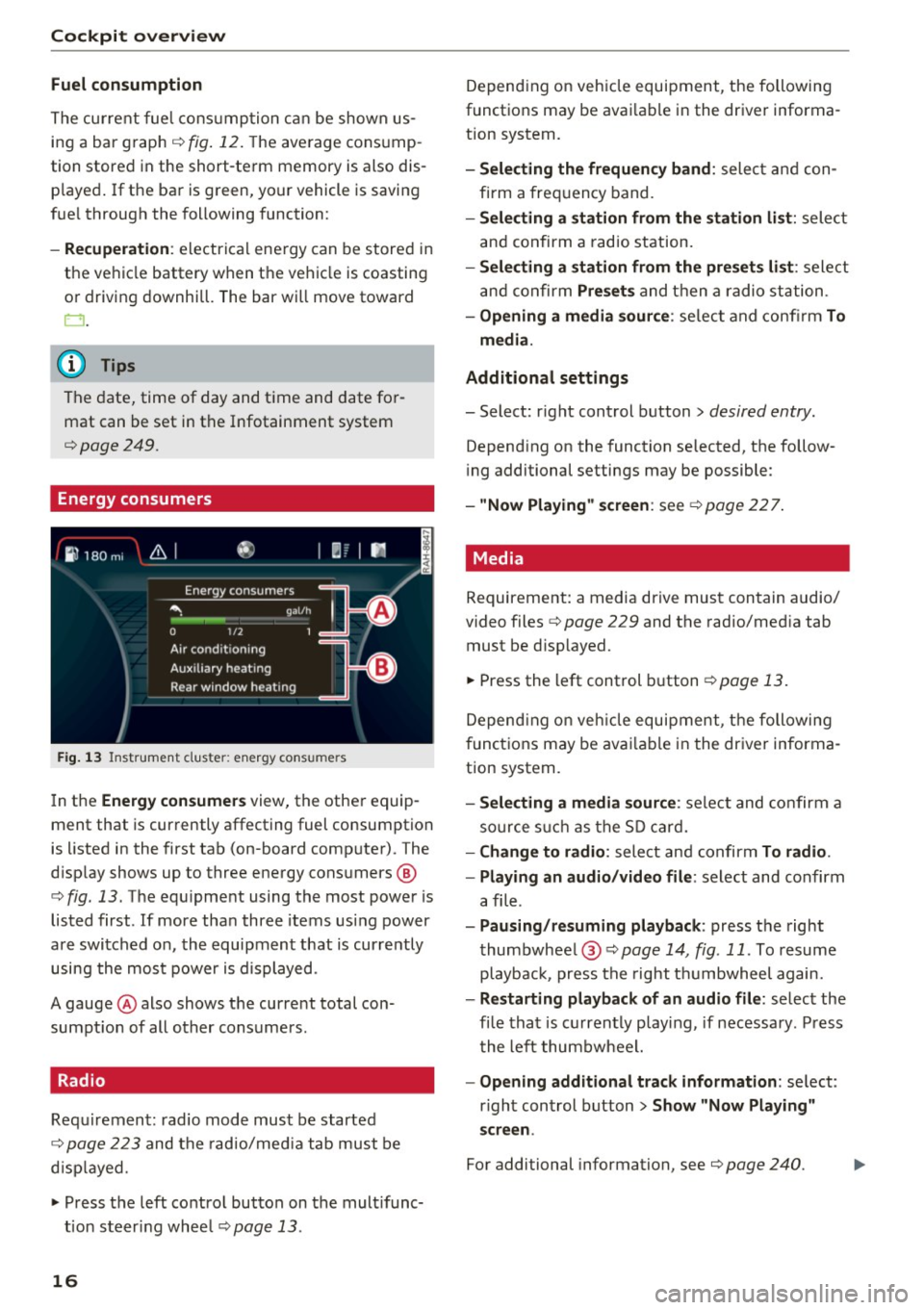
Energy consumers
Fig . 1 3 Instrument cluste r: energy cons umers
I n the Energ y consume rs view, the othe r equip
ment that is currently affecting fuel consumption
is listed in the first tab (on-board computer) . The
d isplay shows up to three energy consumers @
¢
fig. 13 . The equ ipment using the most power is
listed first . If more tha n three items us ing power
are switched on, the equipment that is currently
using the most power is d isplayed.
A gauge @also shows the current total con
sumpt io n of all other consumers.
Radio
Requ irement: radio mode must be started
¢
page 223 and the radio/med ia tab must be
d isp layed .
.. Press the left control button on the mult ifunc
tion steer ing whee l
¢page 13.
16
Depend ing on veh icle equipment, the following
functions may be avai lable in the driver informa
t ion system.
- Selecting the frequen cy band : select and con
firm a freq uency band .
-Selecting a station fr om the station li st: select
and confirm a rad io station.
- Selecting a station from the pre set s list: select
and confirm
Pre set s and then a radio station .
-Opening a media sour ce : se lect and confi rm To
media .
Addition al sett ings
- Select: r ight control button> desired entry.
Depend ing on the function selected, the follow
i ng additional settings may be possible :
-"Now Pla ying" screen : see ¢page 227.
' Media
Requirement: a media drive must contain audio/
video files¢
page 229 and the radio/med ia tab
must be d isp layed .
.. Press the left control button
r=;, page 13.
Depend ing on veh icle equipment, t he following
f unct ions may be ava ilable in the dr iver informa
tion system.
- Selecting a media sour ce : select and confirm a
so urce s uch a s the S D card.
- Change to radio : select and confirm To radio.
- Playing an audio /video file :
select and confirm
a file .
-Paus ing /resuming playback : press the right
thumbwhee l@ ¢page
14 , fig .11. To resume
playback, press the right t humbwheel again.
-Restarting p la y back of an audio fi le: select the
fi le that is currently playing , if necessary . Pr ess
t he left thumbwheel.
- Opening additional tra ck information : select:
r ight control button >
Show "Now Pl aying"
s creen .
For additional information , see ¢ page 240.
Page 30 of 402
Cockpit over view
Add the maximum amount of oil indicated in the
disp lay as soon as possible¢
page 326.
~- Steering lock
• Steerin g: malfunction ! Plea se stop vehicle
There is a malfunction in the electronic stee ring
lock . You cannot t urn the ignition on .
Do
not tow your vehicle because i t cannot be
s teered. See an au thori zed A udi dealer o r au tho r
ized Aud i Service Faci lity for assistance .
Ell Steering lock : malfunc tion! Plea se contact
Service
There is a malfunction in the electronic steering
lock .
Drive to an authori zed Aud i dea ler or authori zed
Aud i Serv ice Facility immediately to have the
malfunct ion corrected.
A WARNING
-
Do not tow your veh icle when the re is a mal
function in the electronic stee ring loc k - this
increases the risk of an accident.
~ Engine start system
• Engin e s tart system : malfunction ! Plea se
c on tact Service
Do not switch the ignit ion off because you may
not be able to switc h it o n aga in.
Drive to an authorized Aud i dealer or authorized
Aud i Serv ice Fac ility immediately to have the
malfunct ion corrected .
= Engine start system : malfunction ! Plea se
c ontact Service
There is a malfunction in the engine start ing sys
tem.
D rive to an a uthorized Audi dea ler or authorized
Aud i Service Facility imm ediately to have t he
malfunct ion corrected.
28
· c:::::::, Hood
• Warning! Hood i s not lo cked. Stop vehicl e
and ch eck the lo ck
If the indicator light turns on and the message
appears , the hood lock ing mechanism is not en
gaged co rrectly .
Stop immediately and close the hood
¢ page 323 .
0/Q Air suspension
Applies to: vehicles with air suspension
• Air suspension : malfunction . Saf ely stop ve
hi cle. St ee ring and ground clearan ce limited
Due to a system malfunction, you r vehicle's
ground clearance is very low at the front or rea r
axle* (in veh icles with all-wheel stee ring). Be
ca use of this, the wheels no longer have enoug h
clea rance to steer co rrectly.
See an author ized Audi dealer or authorized Audi
Se rvice Facility for assis tance .
• Air s uspens ion: mal func tion! You can con
t inu e driv ing slowl y. Speed limited to max .
35 mph
(60 k m /h)
There is a ma lfunction that can resu lt in restrict
ed driving s tabili ty . T he speed is limited to a
max imum of 35 mph (60 km/h) .
Drive to an authorized Audi dealer or authorized
Audi Service Facility immediate ly to have the
malfunc tion corrected .
• Air suspens ion: malfunction! You m ay con
tinue dri ving slowl y at m ax. 3 5 mph
(60 km /h )
There is a ma lfunction that can res ult in restric t
ed driving stability .
D rive to an authori zed A udi dealer or authori zed
Audi Se rvice Fac il ity immediate ly a t a maxim um
speed of 35 mph (60 km/h) to have the mal func
tion corrected .
• Air su spen sion: service mode. Vehicle can b e
m oved but han dling may be impaired
Carefully drive to an a uthorized Aud i dealer or
autho rized Aud i Serv ice Facility immediately to
have the service mode deactivated.
jll,,
Page 53 of 402
u (0 ...... N r--. N ...... 0
0
:E
tion is turned off.
@ Tips
You should switch the emergency flashers on
if:
- you are the last car in a traffic jam so that
all other vehicles approaching from behind
can see you, or if
-your vehicle has broken down or you are
having an emergency, or if
-your vehicle is being towed or if you are tow
ing another vehicle
Interior Lighting
Front interior lighting
~ 0 9
!
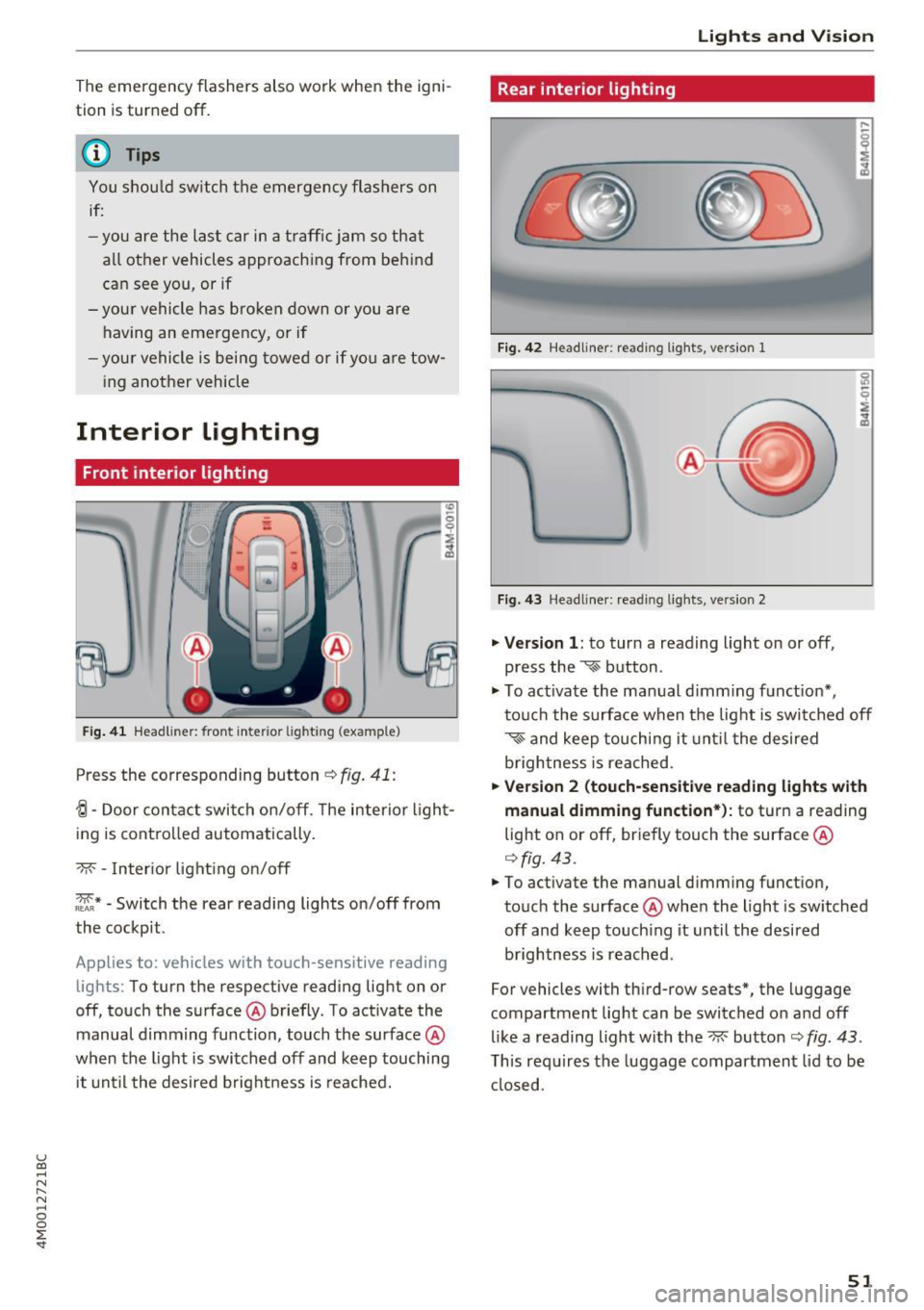
Fig. 41 Headl iner: front interior lighting (example)
Press the corresponding button c:-:> fig. 41:
-!;I -Door contact switch on/off. The interior light
ing is controlled automatically.
-M- -Interior lighting on/off
~* -Switch the rear reading lights on/off from
the cockpit.
Applies to: vehicles with touch-sensitive reading lights : To turn the respective reading light on or
off, touch the surface @briefly. To activate the
manual dimming function, touch the surface @
when the light is switched off and keep touching
it until the desired brightness is reached.
Lights and Vision
Rear interior lighting
Fig. 42 Headliner: reading lights, version 1
Fig. 43 Headliner: reading lights, version 2
.,. Version 1: to turn a reading light on or off,
press the
~ button .
.,. To activate the manual dimming function*,
touch the surface when the light is switched off
~~ and keep touching it until the desired
brightness is reached.
.,. Version 2 (touch-sensitive reading lights with
manual dimming function*):
to turn a reading
light on or off, briefly touch the surface @
¢fig. 43.
.,. To activate the manual dimming function,
touch the surface @when the light is switched
off and keep touching it until the desired
brightness is reached.
For vehicles with third-row seats*, the luggage
compartment light can be switched on and off
like a reading light with the~ button
c:-:> fig. 43.
This requires the luggage compartment lid to be
closed .
51
Page 54 of 402
Lights and Vision
Interior lighting
Applies to : ve hicles w it h inte rior lig htin g
~ Select in the Infotainment system: IMENU I but
ton
> Vehi cle> left contro l bu tton > Vehicle
settings > Interior lighting.
The interior lighting turns on when you switch
the head ligh ts on while the igni tion is on .
The storage compartment in the door is illumi
nated when yo u reach your hand into the storage
compartment.
Ver sion 1
To adjust the brightness of individua l zones, se
lect
Front brightness *, Door b rightne ss or Foot
well brightnes s.
Turn the control knob to the left
or to the right. Press the control knob to co nfirm
the br ightness .
Version 2
Select and confirm one of the displayed profiles
by press ing the control knob.
Individual: you can customize the brightness and
color of individual zones. Press the r ight control
button. Press the control knob again to confirm
the settings.
Audi drive select: the interior and conto ur light
ing color changes depending on the driving mode
selected in drive select*
<=> page 134.
(D Tips
The setting is a utomat ica lly stored and as
signed to the remote control key that is be ing
used.
52
Instrument illumination
The brightness of the illumination for the instru
ments, display and head-up display* can be ad
justed .
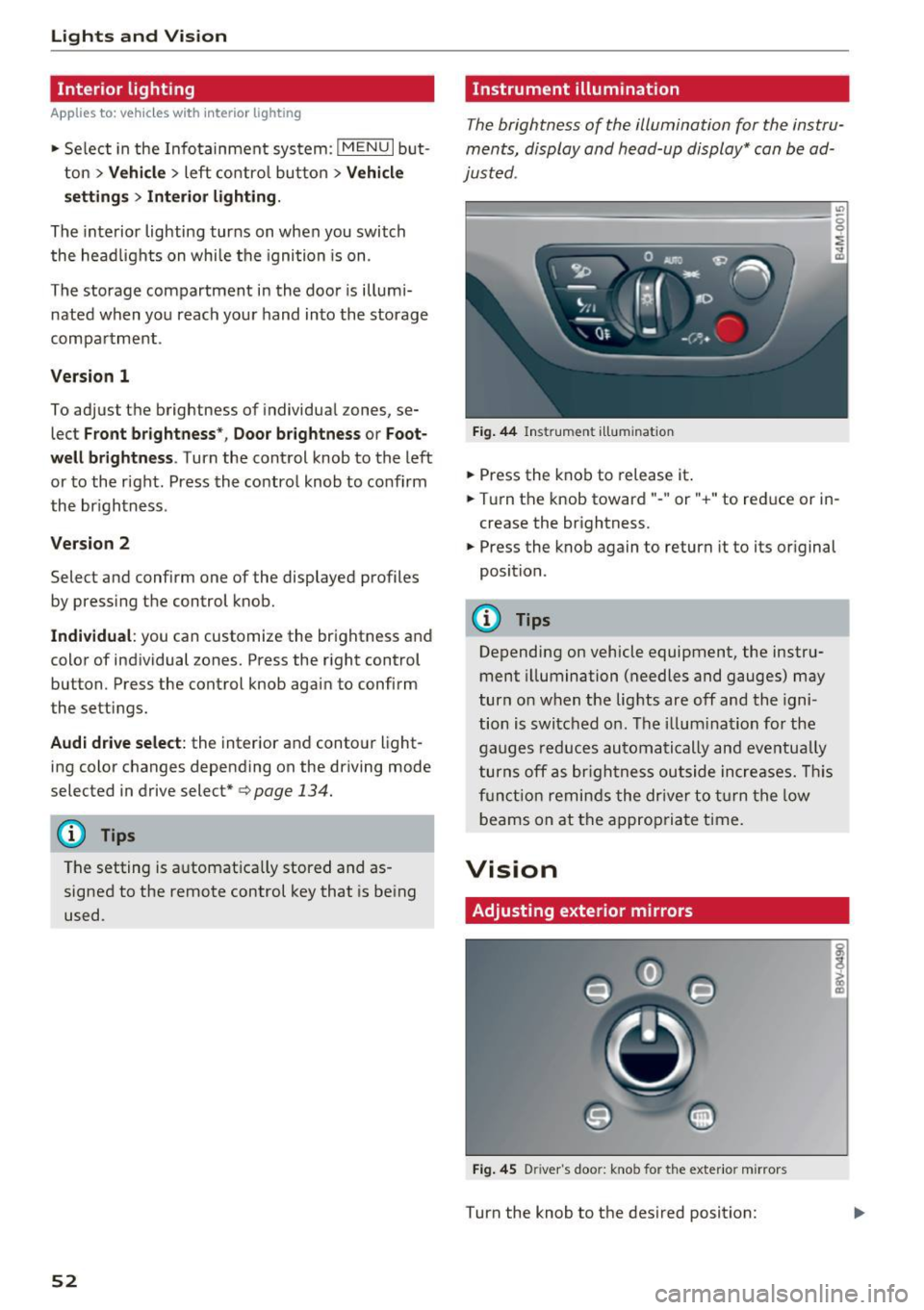
"' t==~====== =-===~=:::::::=====~ ~~
~
Fig. 44 Ins trumen t ill uminat ion
~ Press the knob to release it .
~ Turn the knob toward" -" or" +" to reduce or in
crease the br ightness.
~ Press the knob again to return it to its original
position.
(!) Tips
Depending on vehicle equipment, the instru
ment illumination (needles and gauges) may
turn on when t he lig hts are off and the igni
tion is switched o n. The i llum ination for the
gaug es reduces automatically and eve ntua lly
turn s off a s br igh tne ss ou tside incre ases. This
f u nct io n remin ds the dr ive r to tur n the low
b eams on at the a ppropriate t ime.
Vision
Adjusting exterior mirrors
Fi g. 4 5 D river 's doo r: knob for the exter io r mirrors
Turn the knob to the des ired position:
Page 56 of 402
Lights and Vision
-If electrolyte fluid enters the eyes, flush
them thoroughly with a large amount of
clean water for at least 15 minutes and then
seek medical attention .
- If electrolyte fluid comes into contact with
the skin, flush the affected area with clean
water for at least 15 minutes and then clean
with soap and water and seek medical at
tention. Clean affected clothing and shoes
thoroughly before wearing again .
- If the fluid was swallowed and the person is
conscious, flush the mouth with water for at
least 15 minutes. Do not induce vomiting
unless this is recommended by medical pro
fessionals. Seek medical attenti .on immedi
ately.
(D Note
If the glass on an automatic dimming mirror
breaks, electrolyte can leak out . This liquid
damages plastic surfaces and paint. Clean
this liquid as quickly as possible, for example
with a wet sponge .
@ Tips
-If the light reaching the rearview mirror is
obstructed, the automatic dimming mirror
will not function correctly,
- The automatic dimming mirrors do not dim
when the interior lighting is turned on or
the reverse gear is selected .
Sun visors
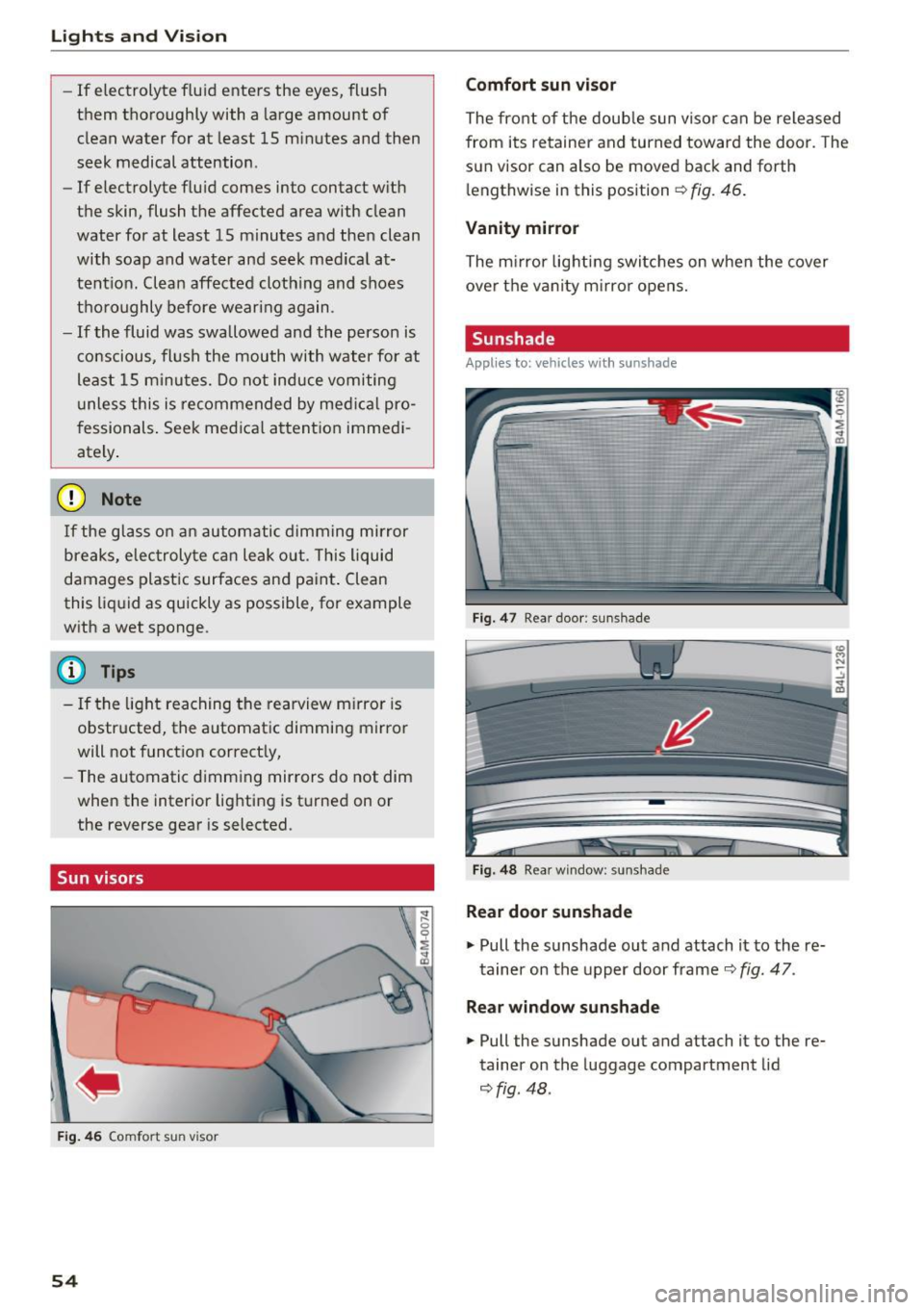
Fig. 46 Comfort sun visor
54
Comfort sun visor
The front of the double sun visor can be released
from its retainer and turned toward the door . The
sun visor can also be moved back and forth l e ngthwise in this position
Q fig . 46.
Vanity mirror
The mirror lighting switches on when the cover
over the vanity mirror opens.
Sunshade
Appl ies to: vehicles with sunshade
Fig. 47 Rear door : sun shade
Fig. 48 Rear window : sunshade
Rear door sunshade
"'Pull the sunshade out and attach it to the re
tainer on the upper door frame
Q fig. 47.
Rear window sunshade
"' Pull the sunshade out and attach it to the re
tainer on the luggage compartment lid
~fig. 48 .
Page 71 of 402
u (0 ...... N r--. N ...... 0
0
:E
• To rele ase the back rest, pull the release strap
at the front or rear side of the seat ¢
fig. 75 or
r::!>fig. 76.
• Fold the backrest forward .
Folding the center backrest upright *
• Fold the backrest upwa rd un til it locks i nto
pla ce ¢
A .
The center backrest may be folded down sepa
r ately* . This allows you to transport long obje cts
(such as skis) inside the vehicle.
_& WARNING
- T he backrest must be latched secure ly to
ensure that the safety belt is protecting the
center seating posit ion .
-
-The backrest must be securely latched so
objects cannot slide forward out of the lug
gage compartment dur ing sudden braking .
- To red uce the risk of injury in vehicles with
third row seats*, the center backrest must
be in the upright pos ition and locked into
place if there are passengers rid ing in the
third row*.
(D Note
Make sure the oute r safety belts are not
pinched or damaged when folding the seat
up.
- Read and follow the warnings¢.&.
in Entry/
exit assistance (second row seats) on
page 61
and ¢(Din Folding the backrest
down/up (third row seats) on page
62 .
-Move the rear head restraints down before
fo ld ing the rear backrests forward
¢ page 63. This is especia lly true if the Rear
Seat Entertainment (RSE)* is insta lled, be
cause it could be damaged .
Seats and storage
Luggage compartment net
Applies to: vehicles with luggage compartment net
The cargo net prevents small objects from slid
ing .
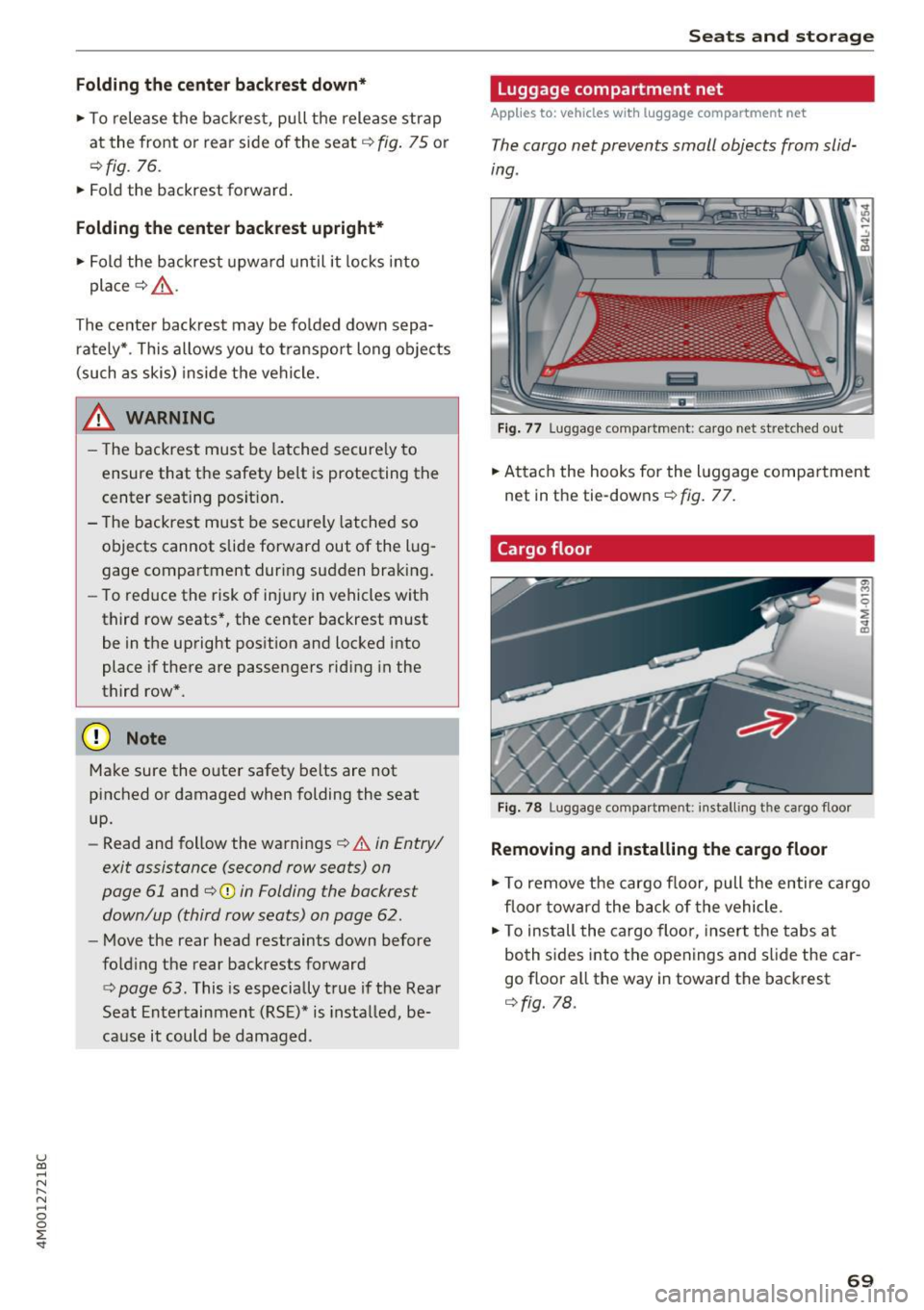
Fig. 77 Lu ggag e compar tment: ca rgo net stretched o ut
"" Attach the hooks for the l uggage comp artment
net in the tie-downs ¢
fig. 77.
Cargo floor
Fig. 7 8 Luggage co mpartme nt: inst all ing the ca rgo floor
Removing and installing the cargo floor
a, M
0
~ .. ID
"" To remove the cargo floor, pull the entire cargo
floor toward the back of the vehicle .
• To ins tall the cargo floor, insert the tabs at
both s ides into the openings and s lide the car
go floor a ll the way in toward the backrest
¢ fig. 78.
69
Page 89 of 402
u co .... N r-... N .... 0
0
:E: '
Applies to: vehicles wit h Start/Stop system
Automatic start /stop deacti vated: Please
restart engine manually
This message appears whe n specific condi tions
are not met dur ing a stop phase. The Star t/Stop
system wi ll not be ab le to restart the engine . The
engine must be started with the
I STAR T ENGINE STOPI button.
Automatic st art /stop system: malfunct ion!
Function unavailable. Pl ease contact Service
There is a malfunction in the Start/Stop system .
Drive the ve hicle to an author ized A udi dealer or
author iz ed Service Facility as soon as poss ible to
have the ma lfunction corrected.
Electromechanical
parking brake
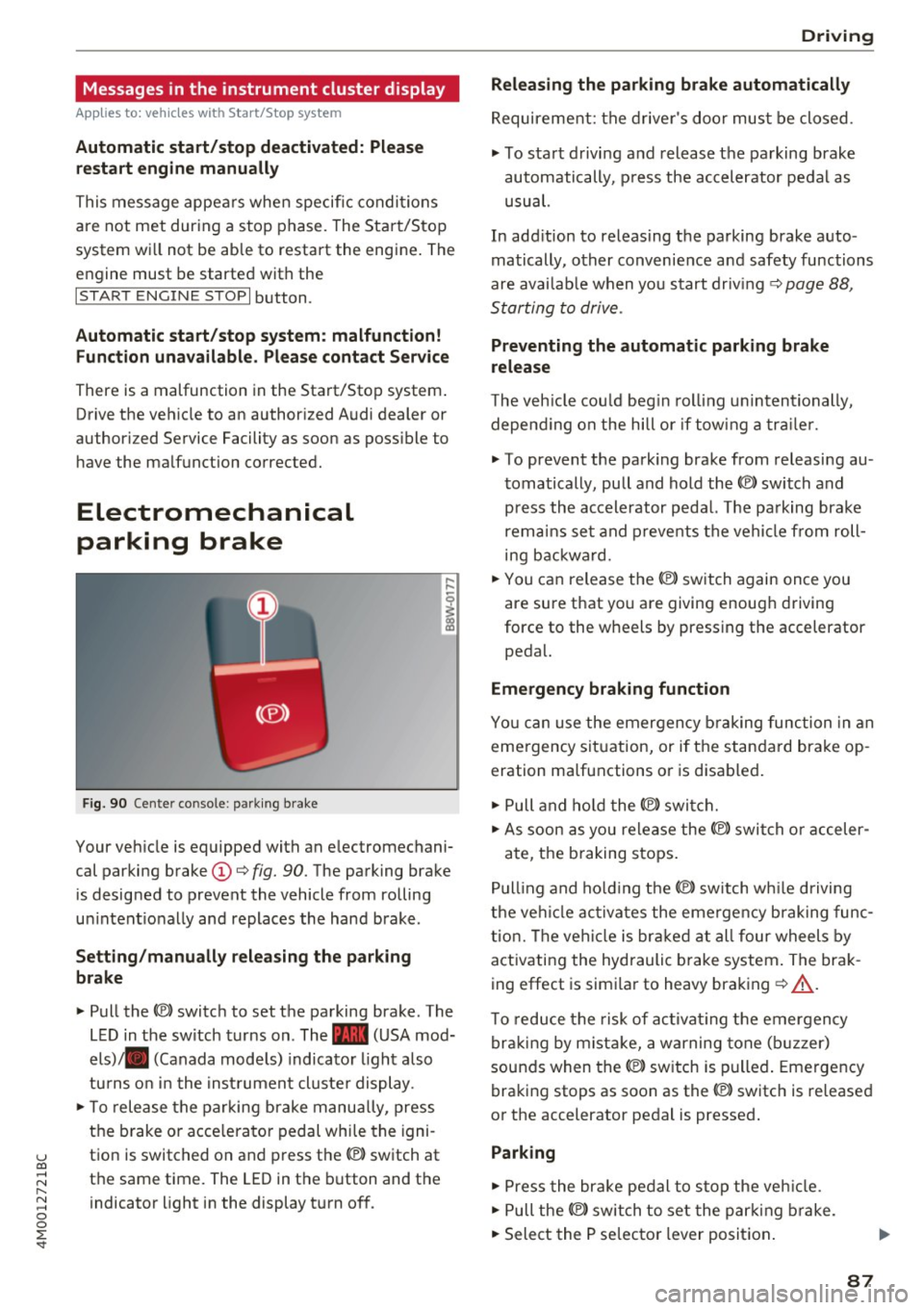
F ig . 90 Cen ter co nso le: park ing brake
Your veh icle is equipped with an electromechani
cal parki ng brake
(D ¢ fig. 90. The parking brake
is designed to prevent the vehicle from rolling
u ni ntent io nally and replaces the hand brake.
Setting /manually releasing the parking
brake
"' Pull the(®) switch to set the pa rking brake . The
L ED in t he switch turns on. The -(USA mod
els) . (Canada mode ls) indicato r light a lso
tu rns o n in the inst rument cl uste r display .
"'T o release the parking b rake manu ally, press
the b rake o r acce lera to r pedal whi le the igni
t ion is switched on and press th e® ) switch at
the same time. The LED in the b utton and the
indicator light in the display t urn of f.
D riving
Releasing the parking brake automatically
Requirement: the d rive r's doo r mus t be closed.
"' To start d rivi ng and release the parking brake
automatically, p ress the accelerator pedal as
usual.
In add it ion to releas ing the parking brake auto
matically, other convenie nce a nd safety functions
are avai lab le when you start driving ¢
page 88,
S tarting to drive .
Preventing the automatic parking brake
release
The veh icle cou ld beg in rol ling u nintentionally,
depe nding on the hill or if tow ing a traile r.
"' To prevent the park ing brake from releasi ng au
t omatically, pu ll and hold the®) switch and
p ress the accele rator peda l. The parking brake
remain s se t a nd p revents the vehi cle from roll
ing b ackwa rd.
"' You can release the®) switch again once you
are sure that yo u are giving enoug h driving
force to the wheels by pressing the accelerator
peda l.
Emergency braking function
You ca n use the emergency b raking function in an
eme rgency sit uation, or if the standard brake op
eration ma lfunctions o r is disab led .
"' Pull and ho ld the(®) switch .
"' As soon as you release the ®> switch or acceler -
ate, t he b raking stops .
Pu lling and ho ld ing the®) switch w hile driving
t h e ve hicl e ac tiva tes the eme rge ncy brak ing func
tion. The ve hicl e is brak ed a t all four wheels by
activating the hydraulic b rake system . The brak
ing effect is simi lar to heavy braking ¢
A_.
To reduce the risk of ac tivat ing the emergency
b raki ng by mist ake, a war ning tone (b uzzer)
sounds when the®) switch is p ulled . Emergency
braking stops as soon as the(®) switch is released
o r the accelerator pedal is pressed .
Parking
"'Press the bra ke pedal to stop the veh icle .
"' Pull the®) switch to set the par king brake.
"' Select the P se lec tor lever position .
87
Page 94 of 402
Driving
Sel ector l ev e r lo ck
The se lector lever lock prevents you from se lect
ing a position unintentionally, causing the vehicle
to ro ll. When engaging some selector lever posi
tions, you must press th e locking button
CD on
the selecto r lever and/or press the brake pedal
¢fig. 92.
You must press the brake pedal to engage a se
lector lever position when the engine is running
and the vehicle is stationary.
You do not have to press the brake peda l if you
shift from a drive gear (D/S) to reverse gear
(R)
w ithin one second. This allows you to "rock" the
veh icle to free it when it is stuck .
P - Park
This se lector lever posi tion p revents the vehi cle
from rolling . Only shift into park when the vehi
cle is stationary ¢.&. . To select the P se lector lev
er position, press th e P button @on the selector
lever ¢
fig. 92. P appears next to the selector lev
er.
You can on ly shift out of park when the engine is
r u nning and you are pr ess ing the brake p edal. To
release the parking lock, press the brake peda l,
press the locking button
CD on the selector lever
and select the desired pos it ion ¢
fig. 92 .
P engag es automatically if you switch the engine
off while the selector lever is in D, E, S, R or man
ual mode.
If you switch the engine off when the N se lector
lever position is select ed, the transmission re
mains in N for approximately
30 minutes and
then Pis engaged. The vehicle is not secured
from rolling in the N selector lever position, so
you need to set the parking brake<®>¢
page 87.
You must use the parking lock emergency release
before towing the vehicle¢
page 96.
R- Reve rse
The reverse gear is engaged in this pos ition . On ly
select reverse gear when the vehicle is stationary
and the engine is running at idle speed¢.&. . To
engage the R selector lever pos ition, press the
92
brake peda l, press the locking button CD on the
se lector lever and select the R position ¢
fig. 92.
A confirm ation tone will sound when the reverse
gear is engaged.
N -Neutral (idle )
The transmission is in idle in th is position. To en
gage the
N selector lever position, press the lock
i ng button
CD on the selector lever and sh ift into
the
N pos ition ¢ fig. 92 .
If you switch the eng ine off when the N selector
l ever posit io n is selected, the transm iss ion re
mai ns in
N for approx imately 30 minutes and
then Pis engaged.
You cannot se lect the
N pos ition when the igni
tion is switched off . When dr iv ing through an au
tomat ic car wash, fi rst select the
N position and
then turn the eng ine off.
For safety reasons , the veh icle cannot be locked
when the t ransmiss ion is in the
N pos it ion .
D/S - Driving forward
When the transm ission is in the D/S posit ion, it
can be operated either in the normal D mode or
i n the S sport mode . Move the selector lever back
to engage the S sport mode. You ca n only select
the S selector lever position when the Dor E pos i
tion is se lected. To select the Dor E position
again w hen S is engaged, move the selector lever
ba ck ¢ .&. . To sh ift from N to D when traveling at
speeds below 1 mph (2 km/h), press the brake pedal and shift into the D position¢.&. .
In the
n o rmal mode D, the transmission auto
matically selects the suitable gear ratio. It de
pends on engine load, vehicle speed and driving
style.
Se lec t the
sport mode S for spo rty d riving. The
vehicle makes f ull use of the engine 's power.
Shifting may become noticeable when accelerat
ing .
The S se lec to r lever posit io n engages automat i
ca lly when you select
Dynamic mode in d rive se -
l ect* . .,.