air condition AUDI Q7 2018 Owner´s Manual
[x] Cancel search | Manufacturer: AUDI, Model Year: 2018, Model line: Q7, Model: AUDI Q7 2018Pages: 398, PDF Size: 185.58 MB
Page 27 of 398

• Air suspension: malfunction! You can con
tinue driving slowly. Speed limited to max.
35 mph (60 km/h )
There is a malfunc tion that can result in restrict
ed driving stability . The speed is limited to a
maximum of 35 mph (60 km/h).
Dri ve to an autho rized Aud i dea le r or authorized
Aud i Service Facility immedia tely to have the
mal funct ion corrected.
• Air suspension: malfunction! You may con
tinue driving slowly at max. 35 mph (60 km/h)
There is a malfunction that can result in restrict
ed driving stability.
Drive to an authorized Aud i dea ler or aut horized
Aud i Service Facility immediately at a maximum
speed of 35 mph (60 km/h) to have the malfunc
tion cor rected.
• Air suspension: service mode. Vehicle can be
moved but handling may be impaired
Carefu lly drive to an authorized Audi dealer or
author ized Audi Service Facility immed iate ly to
have the serv ice mode deactivated.
II Air suspension: malfunction! Please contact
Service
There is a system malfunct ion that can result in
restricted driving stability or reduced ground
clearance.
Dri ve to an autho rized Aud i dea le r or authorized
Aud i Service Facility im media tely to have the
mal funct ion corrected.
II Air suspension: vehicle too low. Limited
ground clearance
The ground clearance is very low due to a system
malfunction . Wait until the air suspens ion sys
tem has restored normal ground clearance. Oth
e rw ise, conditions such as an uneven road sur face
can lead to veh icle damage.
B Suspension: malfunction! You may continue
driving
Cl a:, ;::j There is a suspension control malfunction.
" N ,-1 0
0
::r '
Drive to an authorized Audi dealer or authorized
Audi Service Facility immediate ly to have the
malfunction corrected.
nl & Electronic Stabilization Control (ESC)
If the bl ind icator light blinks while driv ing, the
ESC or ASR (Anti-Slip Regulation) is act ively regu
lating .
If the DJ indicator light turns on, the system has
switched the ESC off. In t his case, you can switch
the ignit io n off and then on to switch the ESC on
again. The ind icator light turns off when the sys
tem is functioning fully.
If the II ind icator light turns on, ESC was
switched off using the
l~Offl button c> page 142.
Stabilization control (ESC/ ABS): malfunction!
See owner's manual
If the bl indicator light and the~ (USA mod
els);tiJ (Canada mode ls) ABS indicator light turn
on and the message appears, there is a malfunc
t ion in the ABS or the e lectron ic differentia l lock .
This also causes the ESC to malfunction. The
brakes still function with their normal power, but
ABS is not active .
Drive to an authorized Audi dealer or authorized
Audi Service Facility immed iate ly to have the
malfunction corrected.
(D Tips
For additional informat ion on ESC and ABS,
see
c> page 142.
!I..' Safety systems
The E,I indicator light mon itors the safety sys
tems .
If them indicator light turns on or blinks, there
is a ma lfunction in a safety system.
Drive to an authorized Audi dealer or authorized
Audi Service Facility immed iate ly to have the
malfunction corrected.
25
Page 68 of 398
Warm and cold
Warm and cold
Climate control system
Description
A pp lies to: ve hicles w ith 3 -zo ne del uxe automatic c limate
co ntrol or 4-zo ne de luxe au tomatic cl imate co ntrol
The climate control system warms, cools and re
moves humidity from the air in the vehicle interi
or.
It is the most effective when the windows and
sunroof* are closed . If there is a bu ild-up of heat
inside the vehicle, ventilat ion can he lp to speed
up the cooling process.
In all heating mode functions except for
defrost,
the blower on ly switches to a h igher speed once
the engine coolant has reached a suffic ient tem
perature.
Pollut ant filt er
The pollutant filter removes pollutants such as
dust and pollen from the a ir .
K ey recognit ion
The climate control settings are automatically
stored and assigned to the remote control key
that is in use .
66
@ For the sake of the environment
- If you would like to reduce fuel consump
t ion, sw itch the air conditioning off. This
will also reduce emissions.
- In vehicles with a diesel engine, you can
switch the auxiliary heater off in the Info
tainment system.
(D Tips
- To prevent interference with the heating
and cooling output and to prevent the win
dows from fogging over, the a ir intake in
front of the windshield must be free of ice,
snow or leaves.
- Condensation from the cooling system can
dr ip and form a puddle of water under the
vehicle . This is normal and does not mean
there is a leak.
- The energy management system may tem porarily switch off certain functions, such as
the seat heating* or rear window defogger.
T hese systems are ava ilable again as soon
as the ene rgy supply has been restored.
Page 77 of 398

Cl a:, ...... N
" N ...... 0
0
::r '
next traffic light is red . This produces an engine
b raking effect, wh ich he lps to protect the brakes
and tires and reduces the emissions and f uel con
sumpt ion to zero (fuel shut-off dur ing decelera
tion) .
Shift efficientl y
Upshifting earlier is an effective way to save fue l.
Staying in a gear too long uses fue l unnecessari
ly .
Press down on the acce lerator peda l slowly and
avoid "kick -down".
Avoid full acceleration
You sho uld rare ly t rave l at the maxim um vehicle
speed. High speeds cause a d isp roportiona tely
hi gh increase in fuel consump tion, emissions and
traffic noise . Driving more slowly saves f uel.
Reduce idling time
The Start/Stop system* he lps to reduce the id ling
time automatically. In vehicles wi thout the Sta rt/
Stop system*, it is efficient to switch the engine
off when stopped at ra ilroad crossings and long
red lights . Stopping the engine for
30 -40 sec
onds already saves more fuel than the amount of
extra fuel needed to restart the eng ine.
I t takes a very long time in idle to wa rm the en
gine up to operating temperature . Wear and
emissions are especially high in the warm -up
phase. Therefore, you should begin driving im
mediately after starting the engine. Avoid high
RPMs while do ing th is .
Have maintenance perf ormed regularly
By having maintenance performed regu larly on
your ve hicle, you can he lp to reduce fuel con
sumpt ion before you even start to drive. The
maintenance condition of your vehicle not only
affects traffic safety and long-term value but a l
so impacts fuel consumption . A poorly main
tained engine can lead to fuel consumpt ion that
i s
1 0% hi gher tha n normal.
Driving
Avoid short trips
T he eng ine and exh aust cleaning system mus t
r each their optima l operat ing temperatu re to ef
fectively reduce consumption and emissions.
A cold engine uses a d isp roportionately high
amoun t of fue l. The engine re ac h es operat ing
temperat ure and cons umption norma lizes on ly
after approximate ly 2.5 mi les (4 km) .
Check the tire pressure
To save fuel, ma ke sure the t ires are always i n
flated to t he correct pressure~
page 340. The
fuel consumpt io n can increase by
5% if the pres
s u re is on ly
0 .5 bar too low. Due to the increased
rolling resistance, low tire pressures wi ll also
l ead to greater tire wear and will affect driving
behavior.
Do not drive on winter tires year -round, as this
will consume up to
10% more fuel.
Eliminate unnecessary weight
S ince eve ry po und of ext ra weight increases f uel
co nsump tion , a quick inspect io n of the luggage
compartment may be worth it to avoid unneces
sary weight .
When not be ing used , a roof rac k sho uld be re
moved to decrease the w ind resis tance of the ve
hicle . This will save you approximately
12% fu el
at speeds from
62 -75 mph (100 -120 km/h) .
Save energy
The eng ine d rives the generator, which generates
electric ity; the fuel consumpt io n also increases
wi th the dema nd for e lec tric ity . T he refore, sw itch
electrical eq uipment off when you no longer
need it . Examples of eq uipment that uses a lot of
energy are air blowers at a high setting, the rear
window defogger and seat heating* .
@ Note
Do not leave engine idling unattended after
starting. If warning lights sho uld come on to
i ndicate improper operation, they would go
unheeded. Extended idling also produces
heat, which could resu lt in overheating or
other damage to the veh icle or other proper
ty .
75
Page 78 of 398
Driving
(D Note
-Have your vehicle maintained properly and
in accordance with the service recommenda ·
tions in your Warranty & Maintenance book
let . La.ck of proper maintenance as well as
improper use of the vehicle will impair the
function of the emission control system and
could lead to damage.
- Do not alter or remove any component of the Emission Control System unless ap·
proved by the manufacturer .
- Do not alter or remove any device, such as
heat shields, switches, ignition wires,
valves, which are designed to protect your
vehicle's Emission Control System and other
important vehicle components.
(0 Tips
The consumption estimates as published by
ENVIRONMENTAL PROTECTION AGENCY
(EPA) and Transport Canada may not corre
spond to your actual consumption on the
road, which will vary depending upon vehicle
load and speed, road and weather conditions,
trip length, etc.
Steering
Manual steering wheel position adjustment
Applies to: vehicles with manual steering wheel adjustment
The steering wheel position is adjustable up and
down and forward and back.
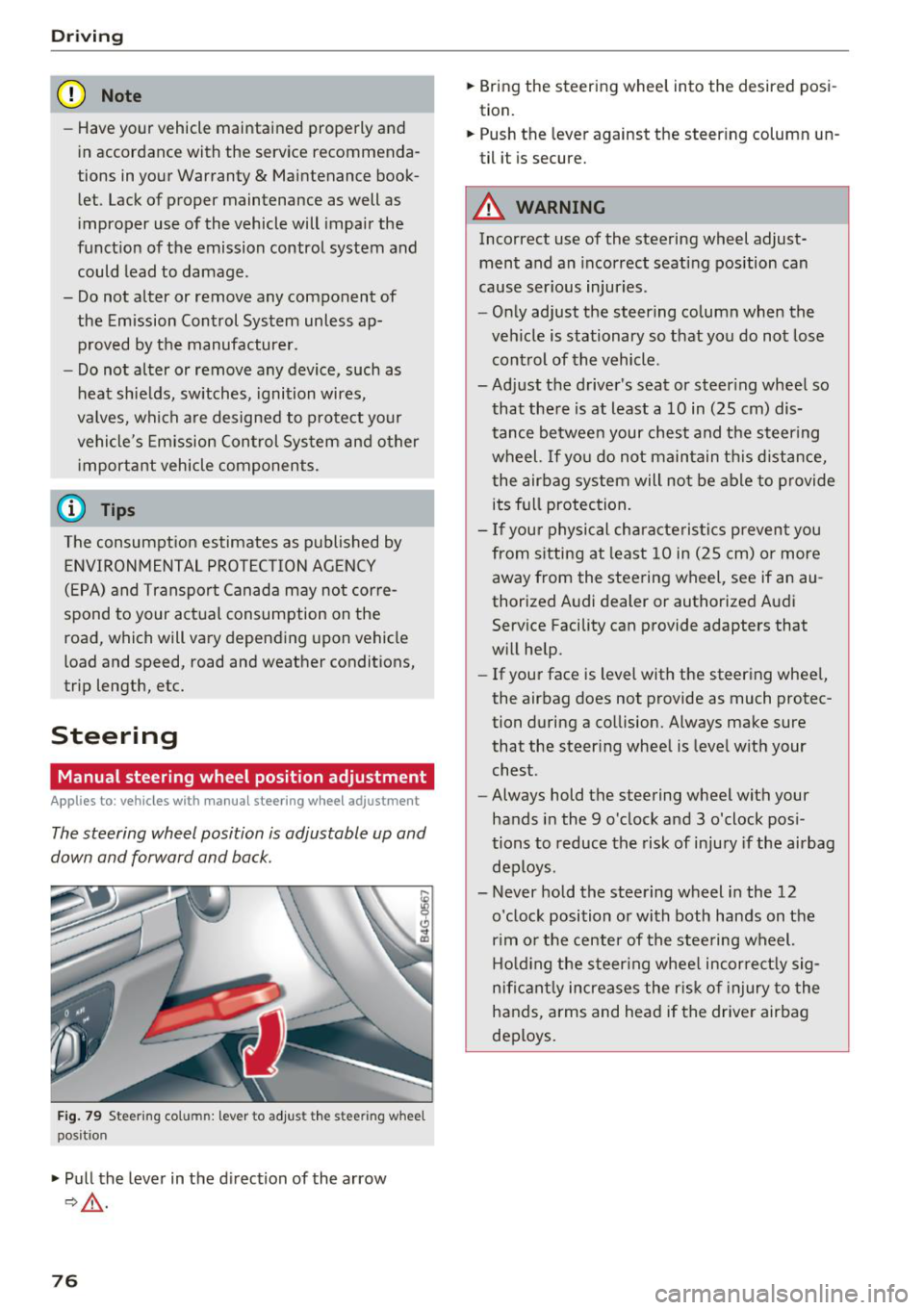
Fig. 79 Ste eri ng col umn : lev er to adjus t the stee rin g whe el
p os it ion
.,. Pull the lever in the direction of the arrow
9,&. .
76
.,. Bring the steering wheel into the desired posi
tion.
.,. Push the lever against the steering column un
til it is secure.
A WARNING
Incorrect use of the steering wheel adjust ment and an incorrect seating position can
cause serious injuries.
- Only adjust the steering column when the
vehicle is stationary so that you do not lose control of the vehicle .
-
-Adjust the driver's seat or steering wheel so
that there is at least a 10 in (25 cm) dis
tance between your chest and the steering wheel. If you do not maintain this distance
I
the airbag system will not be able to provide
its full protection.
- If your physical characteristics prevent you
from sitting at least 10 in (25 cm) or more
away from the steering wheel, see if an au
thorized Audi dealer or authorized Audi
Service Facility can provide adapters that
will help.
- If your face is level with the steering wheel,
the airbag does not provide as much protec
tion during a collision. Always make sure
that the steering wheel is level with your
chest .
- Always hold the steering wheel with your
hands in the 9 o'clock and 3 o'clock posi
tions to reduce the risk of injury if the airbag
deploys .
- Never hold the steering wheel in the 12 o'clock position or with both hands on the
rim or the center of the steering wheel.
Holding the steering wheel incorrectly sig
nificantly increases the risk of injury to the
hands, arms and head if the driver airbag
deploys.
Page 86 of 398
Drivin g
Aft er d riv ing offroad
- After dr iv ing offroad, remove branches and
other debris from the radiator gri lle, under
body, and whee ls. Look especia lly for foreign
obj ects (such as stones) that may be stuck in
the tire tread.
- Clean th e ve hicle body and underbody and in
spect the vehicle for possib le damage.
- Clean t he windows, headlights, tail lights and
the license plate if they are dirty.
- Perform a brake test (especia lly after driving
through water) .
A WARNING
-Be especia lly cautious and aware when driv
ing under d ifficult conditions and when off
road. Vehicle damage and injuries may occur
when driving at excessively high speeds or
with incorrect dr iv ing ma neuvers .
- Always adjust your speed and driving style
to the roads, terra in, traffic and weather
cond it ions. Dr ive espec ially slowly if there is
low v is ib ility when offroad.
- Please note that the wheels can spin more
and the vehicle can swerve when in off road
mode, especially whe n the road is s lippery
o r has loose su rface material.
- Driv ing stab ility is reduced w hen in off road
mode.
@ For the sake of the environment
Avoid harming the environment and show
cons iderat io n for nature .
(D Tips
Only dr ive where it is permitted and always
stay on the provided roads and paths .
Explanation of technical terms
The follow ing data is based on ideal cond itions .
The va lues may va ry depe nd ing on the load ,
g ro und compos it io n and the environment. The
d river is therefore responsib le for decid ing
whether a vehicle can handle a specific situation
¢ .&_ .
84
Incline angle
A rising diffe re nce in al titude (i ncline) on a 109
yard ( 100 m) stretch is given in pe rcentage or de
grees . Data indicating whet her the vehicle can
drive up an incline by itse lf (dependent on the
road surface and the engine power among other
factors). Maximum permitted incline angle: 31
°
Gr ound cl ea rance
The distance between the road surface and the
l owest point on the vehicle underbody.
- Vehicles with steel su spen sion : ground clear
ance: 8.3 in (210 mm)
- Vehicl es with air su spen sion* : maximum
gro und clea rance : 9. 7 in (245 mm)
A WARNING
E xceeding the spec ified maximum va lues can
l ead to severe persona l injuries or vehicle
damage .
- All data was collected on flat, firm, non slippery road s urfaces and under dry weath
er conditions .
- Ideal conditions do not app ly to offroad
driving . Never go all the way up to the maxi
m um val ues, b ut rather a lways leave a safe
ty margin.
Messages
There is only one motto when driving in difficult
conditions and off road: drive slowly and with
caution !
Observe the following when driving on unpaved
roads:
.,. Onl y dr ive in ter rai n t hat is suitable fo r the ve
hicle and yo ur driv ing ability . Never take any
unnecessa ry risks!
.,. Drive s low ly and carefu lly .
.,. Pay attent ion to the
g round clear ance of your
veh icle.
.,. Activate the
offroad mode as needed
¢ page 143.
.,. Use the hill de scent as sist when d riving down
steep hills ¢
page 144. .,..
Page 96 of 398
Trail er to wing
If you have to drive th rough diffic ult road condi
tions, you can raise the vehicle again after hitch
ing the trai ler or after adjust ing the tongue
weight .
{QJ Note
Applies to: vehicles with air suspension
-Changes in temperature or load can affect
the he ight of the vehicle.
- Set the a ir suspension to the standard vehi
cle heig ht, otherwise the applicab le tongue
weig ht no longer applies to your vehicle .
(D Tips
-Use chocks when parking on incl ines if the
trailer is loaded.
- We recommend also having the vehicle in spected between the inspection intervals if
you are towing a trai ler frequently.
- Avo id driving wit h a trailer du ring the vehi
cle break-i n period .
Driving with a trailer
Driving with a trailer requires extra caution.
Speed
Adhere to the legal speed l imi ts. Follow t he lega l
regulations specif ic to the country.
As the speed inc reases, the d riving stability of
the t railer dec reases . The refore you sho uld not
exceed t he max imum legal speed limit when
there are unfavorable road, weather and/or wind
conditions. This especially applies when driving
downhill.
You must a lways reduce yo ur speed as soon as
you not ice even the s lightest swinging motion of
the trailer . Never try to "straighten out" the trail
er by accelerating.
The weig ht dis trib ution is very poo r if t he ve hicle
is empty and the trailer is loaded. However if you
must drive under these circumstances, t hen drive
especia lly slowly.
94
Brak es
Brake in a time ly manner. Downs hift be fo re dr iv
i ng down hill so that the engine can assist with
braking ~&, .
When using a t railer w it h over run bra kes, fi rst
brake ge ntly t hen q uickl y. This red uces the r isk o f
jerking while braking if the trailer wheels lock up .
Engine coolant temperatur e
Pay attention specifically to the coolant tempera
ture display when there a re high outs ide temper
at ures , and whe n driving on long i nclines
~ page 11. Shift to a highe r gear in a t imely man
ner .
A WARNING
Constant braking causes the b rakes to over
h eat and substantially reduces bra king per
formance, increases b raking distance o r caus
es complete failure of the brake system.
-
Page 123 of 398

a co ...... N r--. N ...... 0
0
:E '
Applies to: ve hicles with Audi side assist
@
®
©
Fig . 11 4 Driving situatio ns
Fi g. 11 5 Rear of the vehicle: position of the sensors
Side assis t fun ctions at speeds above app roxi
mate ly 9 mph ( 15 km/h) .
® Vehicles that are approaching
N
0
0
:i; ..
"'
In certain cases, a vehicle will be classified as
cr itica l for a lane change even if it is still some
what far away. The faste r a ve hicle app roaches,
the soo ner the display in the exterio r mirror w ill
turn on.
@ Vehicles traveling with you
Ve hicles traveli ng w ith you are ind icated i n the
exte rior m irro r if they are classified as critical for
a lane change. All vehi cles detec ted by side assist
A ssi st a nce systems
are indicated by the time they enter your "blind
spot", at the latest.
© Vehicles you are passing
If you s low ly pass a vehi cle that s ide assist has
de tected (the difference in speed between t he
vehicle and you r vehicle is less than app roximate
ly 9 mph ( 15 km/h)), the disp lay in the exterior
mirror turns on as soon as the vehicle enters you r
blind spot.
T he disp lay w ill not turn on if you quickly pass a
vehicle that side assist has detected (the differ ence in speed is greater than approximate ly 9
mph (15 km/h)) .
Functional limitat ions
T he radar sensors are des igned to de tec t t he lef t
and right adjacent lanes when the road lanes are
the normal width . In some situations, the display
in the exte rior mirror may turn on even though
there is no veh icle located in the area that is criti
ca l for a lane change. For example :
- If the lanes are narrow or if you are dr iving on
the edge of your lane. If t his is the case, the
system may have detected a vehicle in another
lane that is
not adjacent to your current lane .
- If you are d riving through a curve . Side assist
may react to a vehicle that is in the same lane
or one lane over from the adjacent lane .
- If side assist reacts to other objects (such as
roads ide str uctures like guard rails).
- In poor weather conditions. The side assist
functions are limited.
Do not cover the radar sensors
c;, fig. 115 wit h
stickers, deposits, bicycle wheels or other ob
jects, because t his w ill impair the funct io n. Do
not use s ide ass ist when towing a trai ler. For in
format ion on cleaning, see
c;, page 351 .
A WARNING
--Always pay attention to traffic and to the
area around your vehicle. S ide assist cannot
replace a driver's atte ntion. The driver alone
i s always re spon sible for lane changes and
-
sim ila r dr iv ing mane uve rs. ~
121
Page 124 of 398

Ass is tanc e system s
-In some situations, the system may not
function or its funct ion may be limited. For
example:
- I f vehicles a re approac hing o r be ing left
beh ind very quickly. The display may not
turn on in time .
- I n poor weather conditions s uch as heavy
rain, s now o r heavy mis t.
- On very wide lanes, in tight curves, o r if
there is a rise in the road s urface. Vehicles
in the adjacent lane may not be detec ted
because they are outside of the sensor
range.
(Ud) Note
The se nso rs can be displaced by impacts o r
damage to the bumper, whee l housing and
underbody. This can impair the system . Have
an authorized A udi dealer or authorized A udi
Serv ice Facility check their function.
(D Tips
- If the window g lass in the driver's door or
front passenger's door has been tinted, the
display in the exterior mirror may be incor
rect.
- For an explanation on conformity with t he
FCC regulations in the United States and the
Industry Canada regu lations, see
c:> page380.
Switching on/off
Applies to: ve hicles w ith Audi side assist
The system can be switched on/off in the Info
tainment system.
.. Se lect in the Infotainment system: IMENU I but
ton
> V ehicle > left contro l button > Driver a s·
sistance
> Audi side ass ist . O ff switches the
system off.
If the system is activated, the displays in the ex
ter ior mirrors will turn on briefly when the ign i
tion is sw itched on.
122
(D Tips
When yo u switch side assist on or off, the exit
warn ing system activates o r deact ivates
c:> page 123.
Setting the display brightness
App lies to : vehicles wit h Audi side ass ist
The display brightness can be adjusted in the In
fotainment system.
.. Select in the Infotainment system : IMENU! but
ton
> Vehicle > l eft control button > Dri ver as
sistance
> Audi side a ssist.
The disp lay br igh tness adjusts automatically to
the brightness of the surroundings, both in the
information and in the warning stage. I n very
dark or very bright surround ings, the automatic
adjustment will set the display to the minimum or max imum level. In such cases, you may notice
no change when ad justing the br ightness, or the
change may only be noticeable once the sur
r ound ings change.
Adjust the br ightness to a leve l where the display
i n the information stage will not disrupt your
v iew ahead. If you change the br ightness, the dis
play in the exterio r mirror w ill br iefly show the
br ightness leve l in t he i nfo rmat ion stage . The
br ightness of the warn ing st age is linked to the
brightness in the information stage and is adjust
ed a long with the information stage .
(D Tips
- The side assis t fu nct ions are no t active dur
ing the adjus tment process.
- Th e exit war ning indica to rs turn o n du ring
the adjustment process.
- Yo ur sett ings a re a utomat ic all y stored and
assigned to the remo te con trol key be ing
used .
Page 131 of 398
a co ...... N r--. N ...... 0
0
:E '
The air suspension* is an electronically-control
l ed air suspension and damping sys tem . The ad
justment depends on the driving mode selected, steering movements, the driver's braking and ac
celerat ion, and as the road surface, vehicle speed
and load. The veh icle ground clearance depends
on the mode selected and the speed.
The ground clearance increases s ignificantly
when the vehicle is in the
All road mode . At
speeds from approximate ly 50 mph (80 km/h) to
75 mph (120 km/h), the ground clearance re
duces in stages . When the speed decreases, the
g round clea rance increases again a utomat ically.
The ground clearance is the lowest in
Dynamic
mode.
Steering
The power steering adapts. Ind irect steer ing that
moves easily as in
Comfort mode is especia lly
suited to long drives on highways. The
Dynam ic
mode provides sporty, direct steering.
All-wheel steer ing*
All-wheel steer ing increases dr iving comfort by
providing add it ional steering ability at the rear
axle. Steer ing in the opposite d irection at low
speeds dec reases the turning rad ius. Steering in
the same d irect io n a t high speeds imp roves the
r e sponse t ime whi le increas ing dr iv ing stab ility at
the same time .
Sport differential*
As a componen t of the all wheel d rive system
(quattro)
~ page 146, the sport diffe rential dis
tr ib utes the dr iv ing power to the rear ax le de
pending on the situa tion. The dis tribution of
power var ies dependi ng on the selected mode
from moderate
(Comfort ) to sporty (Dynamic ).
The goa l is a high level of agility and ability to ac
celerate on curves . The veh icle is very responsive
to steer ing.
Adaptive cruise control (ACC)*
The behavior when accelerating can be adjusted
from comfortab le to sporty, depending on the
drive select mode . Adaptive cru ise control a lso
A ssi st a nce systems
responds to the driv ing behavior of the vehicle
ahead in a more conservative or sporty manner.
Engine sound*
T he eng ine sound adap ts to the c urren t mode
and can be subtle to sporty .
(D Note
Applies to: vehicles with air suspensio n
-Make sure there is enough clearance above
and below the vehicle when pa rk ing. The
height of the ve hicle (gro und clea rance) can
change once it is par ked due to temperature
fluctuations, changes to the load conditions
and changes to the dr iving modes.
- When transporting the vehicle on a car car
r ier, train, ship or by other means, o nly tie
the vehicle down at the runn ing s urface of
the ti res, which is the outer c ircumference.
Sec uring the vehicle at the axle compo
ne nts , sus pension str uts o r towing eyes is
no t pe rm itted because the pres sure in the
air suspens ion s truts ca n change d uring
tr anspo rt . The ve hicle may not be secu red
sufficiently if this ha ppens.
(D Tips
The "S" se lector lever posi tion automatic ally
engages w hen the
Dynamic mode is selected.
Selecting the driving mode
Applies to: vehicles wi th Aud i drive select
~- ------ -
~
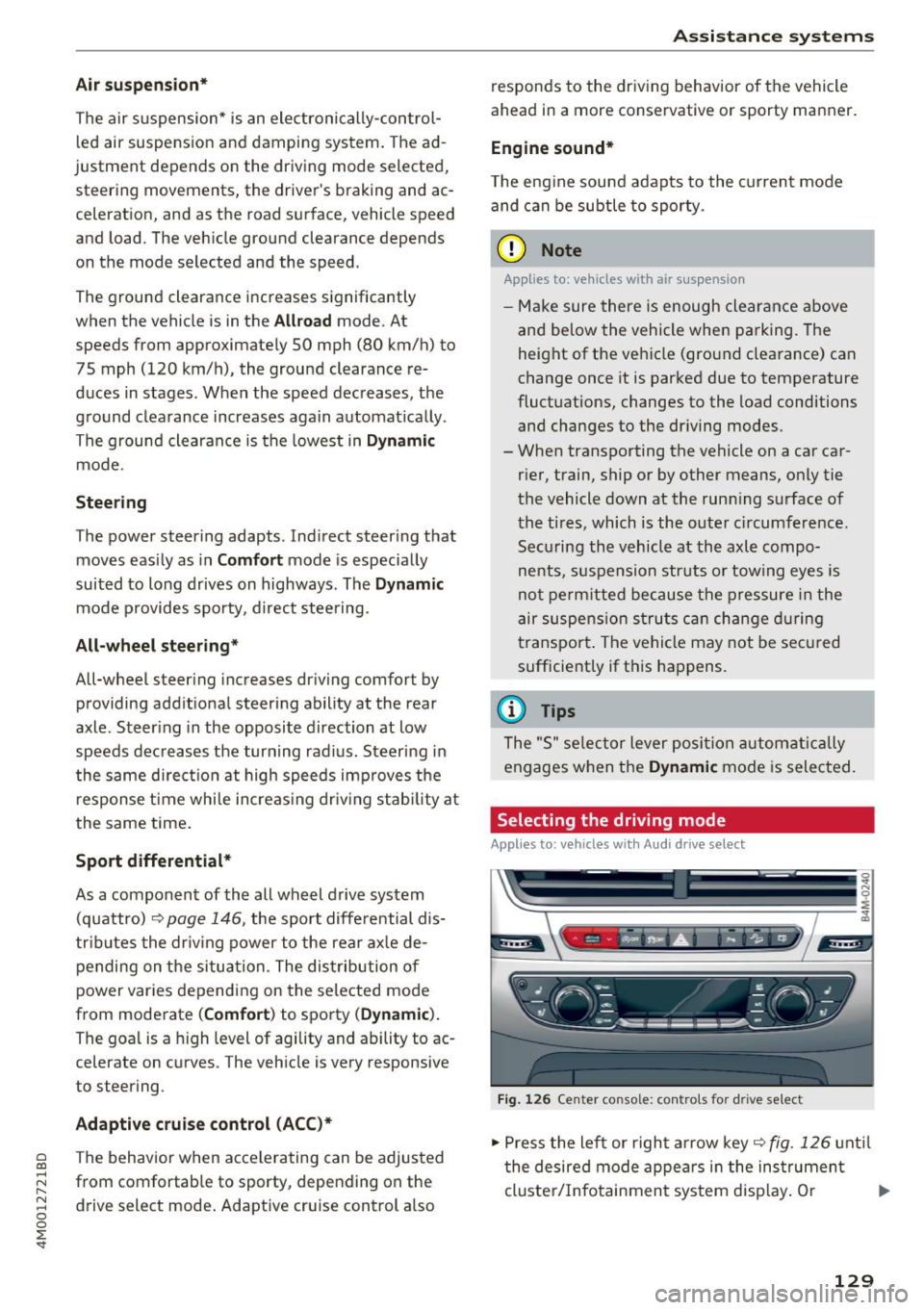
Fig. 1 26 Ce nter console: co ntro ls for d rive select
.,,. Press the le ft or righ t arrow key~ fig. 126 unt il
t he desired mode appe ars in the ins trumen t
cluste r/ Infotainmen t system disp lay. O r ..,,.
129
Page 149 of 398
Cl a:, ...... N
" N ,-1 0
0
::r '
power variably to the front and rear ax le . It works
together with se lective whee l torque contro l,
which activates when driving through curves
c:::;, page 142. With the sport differentia l", power
distribution to the rear wheels is variable and can be adjusted using the drive select
¢ page 128.
The all wheel drive concept is designed for high
engine power. Your vehicle is exceptionally pow
erful and has excellent driving characteristics
both under normal driving condit ions and on
snow and ice . Always read and fo llow safety pre
cautions
c:::;, /1),.. .
Winter tires
By us ing all wheel drive, your vehicle has good
forward motion with standard tires in w inter con
ditions . However, using winter or all season tires
on
all four wheels in the winter is recommended,
because this will improve the
braking effect.
Snow chains
If there are snow chain laws, snow chains must
also be used on vehicles with all wheel drive
c:::;, page 346, Snow chains .
Replacing tires
For vehicles with all wheel dr ive, only wheels w ith
the same rolling circumference should be used .
Avoid using tires w ith different tread depths
c:::;, page 33 7, New tires or wheels.
A WARNING
- Also, in vehicles with al l wheel drive, adapt
yo ur driv in g style to the current road and
traffic conditions. Do not let the increased
safety provided tempt you into taking risks,
because this increases the risk of an acci
dent.
- T he braking ability of your vehicle is limited
to the traction of the wheels. In this way, it
is not different from a two whee l drive vehi
cle. Do not be tempted to accelerate to a
high speed when the road is slippery, be
cause this increases the risk of a n accident.
- Note that on wet streets, the front wheels
can "hydroplane" if driving at speeds that
are too high. Unlike front wheel drive
Intelligent Technology
vehicles, the engine does not rev higher sud
denly when the vehicle begins hydroplaning.
For this reason, adapt your speed to the
road conditions to reduce the risk of an acci
dent.
Energy management
Your vehicle is equipped with an intelligent ener
gy management system for distributing electrici
ty. This significantly improves the start ing ability
and increases the vehicle battery life.
(D Tips
-If you dr ive short distances frequently, the
vehicle battery may not charge enough
w hile driving . As a result, convenience func
tions for e lectr ical equipment may be tem
porarily unavailable.
- The vehicle battery w ill gradually drain if
the vehicle is not driven for long periods of
time, or if electr ical eq uipm ent is used
when the engine is not running. To ensure
that the vehicle can still be started, the
electrical equipment wi ll be reduced or
switched off.
Notice about data
recorded by the Event
Data Recorder and
vehicle control modules
Event Data Recorder
This vehicle is equipped with an Event Data Re
corder (EDR). The main purpose of an EDR is to
record, in certain crash or near crash-like situa
t ions, such as an airbag deployment or hitt ing a
road obstacle, data that w ill ass ist in understand
ing how a vehicle's systems performed. The EDR
is des igned to record data related to vehicle dy
nam ics and safety systems for a short per iod of
time, typicall y 30 seconds or less. The EDR in this
vehicle is designed to record such data as:
- How various systems in your veh icle were oper
ating;
- Whether or not the driver and passenger safety
be lts were buckled/fastened; .,.
147