suspension AUDI Q7 2021 Owner´s Manual
[x] Cancel search | Manufacturer: AUDI, Model Year: 2021, Model line: Q7, Model: AUDI Q7 2021Pages: 332, PDF Size: 117.99 MB
Page 168 of 332
Parking and maneuvering
Objects, animals, and people may only be
detected with limitations may not be detect-
ed at all. Always monitor the traffic and the
vehicle's surroundings directly and do not
become distracted.
@) Note
— The orange orientation lines @) show the di-
rection the rear of the vehicle will be travel-
ing, based on the steering wheel angle. The
front of the vehicle swings out more than
the rear of the vehicle. Maintain plenty of
distance so that an exterior mirror or a cor-
ner of the vehicle does not collide with any
obstacles.
— Keep enough distance from the curb to
avoid damage to the rims.
— Only use the images provided by the camera
on the rear of the vehicle when the luggage
compartment lid is completely closed. Make
sure any objects you may have mounted on
the luggage compartment lid do not block
the rearview camera.
G) Tips
— Applies to vehicles with air suspension: The
accuracy of the orientation lines and blue
surfaces on the camera display decreases
when the vehicle is raised or lowered with
the air suspension.
— There is no distance warning for the rear
and the sides* when trailer towing mode is
detected. The front sensors remain activat-
ed. The visual display switches to trailer
mode. There is no guarantee the functions
will be deactivated when using a retrofitted
trailer hitch.
Operating the peripheral cameras
Applies to: vehicles with peripheral cameras
E
3
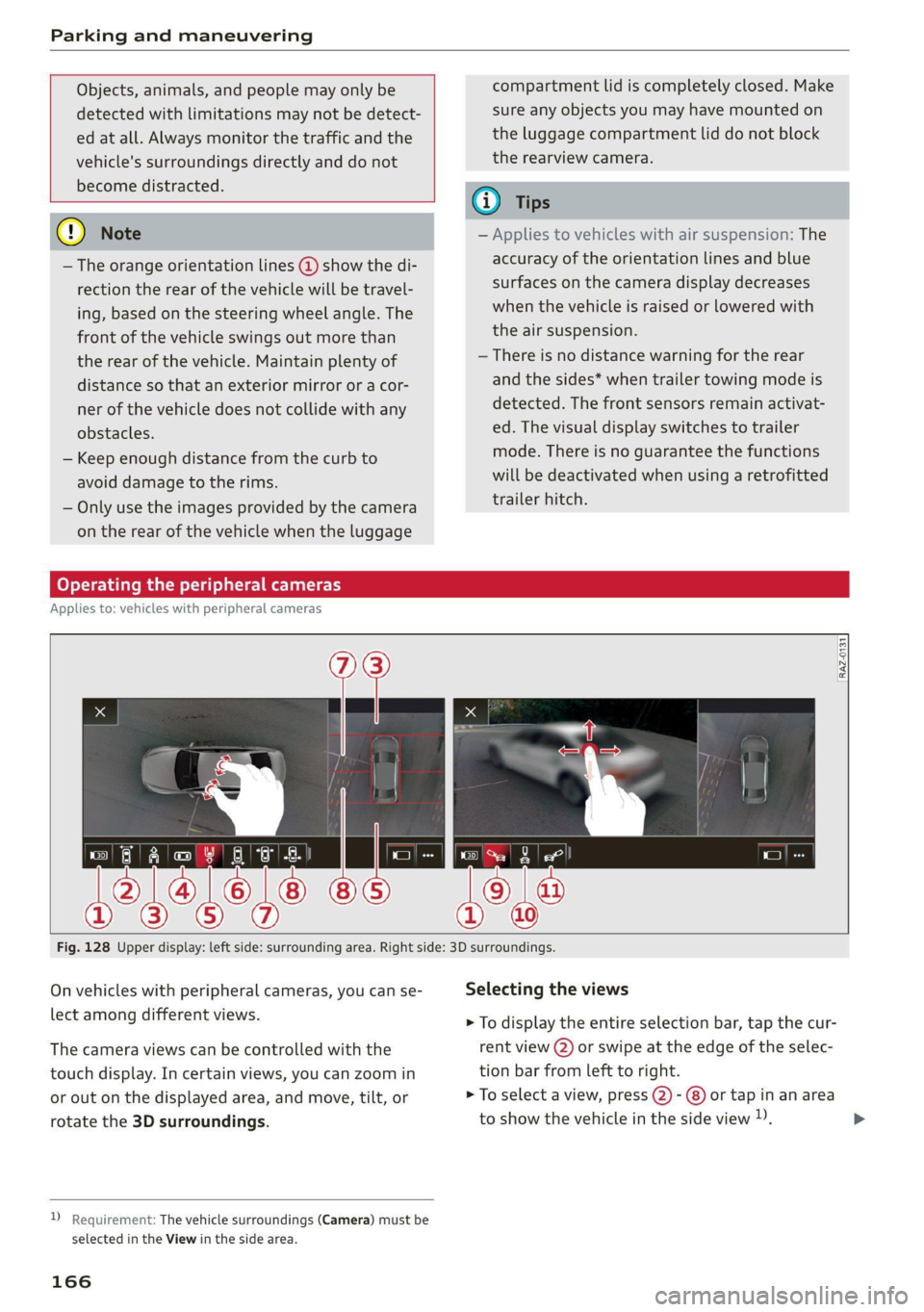
Fig. 128 Upper display: left side: surrounding area. Right side: 3D surroundings.
On vehicles with peripheral cameras, you can se- Selecting the views
lect among different views. > To display the entire selection bar, tap the cur-
The camera views can be controlled with the rent view (2) or swipe at the edge of the selec-
touch display. In certain views, you can zoom in tion bar from left to right.
or out on the displayed area, and move, tilt, or > To select a view, press (2)- @) or tap in an area
rotate the 3D surroundings. to show the vehicle in the side view )). >
2 Requirement: The vehicle surroundings (Camera) must be
selected in the View in the side area.
166
Page 176 of 332
Parking and maneuvering
— Park assist plus is an assist system. The driv-
er is still responsible for monitoring the ve-
hicle's surroundings and preventing colli-
sions when using the system.
— When using park assist plus to drive into or
out of a parking space, the steering wheel
turns quickly on its own. Reaching into the
steering wheel spokes while this is happen-
ing can result in injury.
— Sensors and cameras have spots in which
the surrounding area cannot be detected.
Objects, animals, and people may only be
detected with limitations may not be detect-
ed at all. Always monitor the traffic and the
vehicle's surroundings directly and do not
become distracted.
@) Tips
— You can reduce the speed specified by the
system at any time by pressing the brake
pedal.
— The system can incorrectly interpret parking
space barriers (such as parking curbs). Take
over the parking process = page 175 if the
vehicle is not completely inside the parking
space or if the vehicle tries to drive over the
parking space barrier.
— The image in the display is an enlarged and
distorted image. Under certain circumstan-
ces, objects may appear different and un-
clear on the display. This is especially true if
there are objects that do not touch the
ground, such as the bumper of a parked ve-
hicle or the rear of a truck. Drive with spe-
cial care and do not use the image if neces-
sary.
— Applies to vehicles with air suspension: The
accuracy of the orientation lines and green
surfaces in the display decreases when the
vehicle is raised or lowered with the air sus-
pension.
)_ system availability may be limited depending on the mar-
ket.
2) In preparation at the time of printing.
174
Exiting a parking space with park assist
Pye oa)
Applies to: vehicles with park assist plus
If you parked the vehicle in a parallel parking
space, park assist plus can help you drive out of
it.
> Start the engine.
> Press P@ in the lower display.
> Wait until a message appears on the upper dis-
play that requests you to select the direction to
travel in when exiting the parking space.
> Activate the turn signal on the desired side or
press that side next to the vehicle in the upper
display.
> Remove your hands from the steering wheel.
> Pay attention to the path of the vehicle. If the
traffic situation permits it, press and hold the
>>P] button @ > page 173, fig. 135 and re-
lease the brakes > A\.
> Pay attention to the path of the vehicle. If an
obstacle appears, interrupt the parking process
by releasing the [>>P] button. The vehicle re-
mains stopped.
> To resume the parking process, press and hold
the [>>P| button again.
> The process of exiting the parking space has
ended if additional corrective movements are
no longer necessary and the specified steering
wheel angle is sufficient to drive out of the
parking space. Resume control of the steering
wheel >@).
Pause park assist plus > page 175.
Z\ WARNING
— Observe the safety precautions and note the
limits of the assist systems, sensors, and
cameras > page 123.
— Press and hold the [>>P] button only if you
are sure that there are no obstacles in the
vehicle's path or under the vehicle, and that
no obstacles will move into the vehicle's
path. >
Page 277 of 332
4M1012721BC
Wheels
immediately by an authorized Audi dealer or
authorized Audi Service Facility.
— Under certain conditions (such as a sporty
driving style, winter conditions, or unpaved
roads), the message may be delayed.
— The driver is responsible for ensuring that
the wheels are attached correctly.
@) Tips
— The loose wheel warning system can also
stop working when there is an ESC malfunc-
tion.
— Using snow chains may result in a system
malfunction.
Winter tires significantly improve the vehicle's
handling when driving in winter conditions. Be-
cause of their construction (width, compound,
tread pattern), summer tires provide less traction
on ice and snow.
>» Use winter tires on all four wheels.
> Only use winter tires that are approved for your
vehicle.
> Please note that the maximum permitted
speed may be lower with winter tires > A\ in
General information on page 259. An author-
ized Audi dealer or authorized Audi Service Fa-
cility can inform you about the maximum per-
mitted speed for your tires.
> Check the tire pressure after installing wheels
=> page 269.
The effectiveness of winter tires is reduced great-
ly when the tread is worn down to a depth of
0.16 in (4 mm). The characteristics of winter tires
also decrease greatly as the tire ages, regardless
of the remaining tread.
(4) For the sake of the environment
Reinstall summer tires at the appropriate
time, because they provide better handling
when roads are free of snow and ice. Summer
tires cause less road noise, tire wear, and fuel
consumption.
@) Tips
You can also use all season tires instead of
winter tires. Please note that in some coun-
tries where winter tires are required, only win-
ter tires with the 4 symbol may be permit-
ted.
Snow chains improve both driving and braking in
winter road conditions.
> Only install snow chains on the front wheels.
> Check and correct the seating of the snow
chains after driving a few feet, if necessary. Fol-
low the instructions from the manufacturer.
> Note the maximum speed of 30 mph
(50 km/h). Observe the local regulations.
Use of snow chains is only permitted with certain
rim/tire combinations due to technical reasons.
Check with an authorized Audi dealer or author-
ized Audi Service Facility to see if you may use
snow chains.
Use fine-mesh snow chains. They must not add
more than 0.53 in (13.5 mm) in height, including
the chain lock.
You must remove the snow chains on roads with-
out snow. Otherwise, you could impair driving
ability and damage the tires.
ZX WARNING
Using incorrect snow chains or installing snow
chains incorrectly can result in loss of vehicle
control, which increases the risk of an acci-
dent.
C@) Note
— Snow chains can damage the rims and
wheel covers* if the chains come into direct
contact with them. Remove the wheel cov-
ers* first. Use coated snow chains.
— Do not install and use snow chains if there is
a malfunction in the air suspension*, be-
cause the vehicle height will be very low. If
you drive with snow chains anyway, the
275
Page 281 of 332

4M1012721BC
Wheels
Continuing to drive on run-flat tires is no
longer possible if:
— There is visible damage to the tires, such as
cracks in the sidewalls
— Strong vibrations are felt while driving, or the
tire begins to smoke due to a strong build-up of
heat
— The tire has been heavily damaged, for example
in an accident. There is a risk that parts of the
tire tread will detach and damage important
vehicle components.
—The Electronic Stabilization Control (ESC) is not
working or is continuously running
— The tire pressure monitoring system is not
working
If it is no longer possible to continue driving de-
spite having run-flat tires, see an authorized Audi
dealer or authorized Audi Service Facility for as-
sistance.
— See an authorized Audi dealer or author-
ized Audi Service Facility for assistance if
the tire is too heavily damaged.
— Have the faulty tires replaced and the rims
checked for damage by an authorized Audi
dealer or authorized Audi Service Facility.
— The driver is responsible for the vehicle, for
correcting the tire pressure, and for replac-
ing faulty parts. Therefore, always adjust
your driving to the current situation.
ZA WARNING
Run-flat tires may only be used on vehicles
that were equipped with them at the factory.
— The vehicle must have suspension designed
for run-flat tires and a factory-installed tire
pressure monitoring system.
— Incorrect use of run-flat tires can lead to ve-
hicle damage or accidents. Contact an au-
thorized Audi dealer or authorized Audi
Service Facility to learn if run-flat tires may
be used on your vehicle and if so, which
ones.
—If run-flat tires are used, they must be in-
stalled on all four wheels. Mixing tire types
is not permitted.
— If you have to drive when the tire pressure is
too low or there is no tire pressure, note the
following:
— Do not drive faster than 50 mph (80 km/h)
because this increases the risk of an acci-
dent. Observe any laws specific to the
country where you are driving.
— Avoid full-throttle acceleration, heavy
braking, and fast cornering, because this
increases the risk of an accident.
—The vehicle may become more difficult to
control.
@) Tips
— Audi Original run-flat tires can be identified
by the “AOE” labeling on the tire sidewall.
— You can use the tire mobility kit* on run-flat
tires > page 286.
279
Page 290 of 332
Emergency assistance
ZA\ WARNING
— Read and follow the manufacturer's safety
precautions on the compressor and in the in-
structions on the bottle of sealant.
— Ifa tire pressure of 29 psi (200 kPA) cannot
reached after inflating for 6 minutes, then
the tire is too severely damaged. Do not con-
tinue driving.
— If the tire cannot be repaired with the tire
sealant, see an authorized Audi dealer or au-
thorized Audi Service Facility for assistance.
@ Tips
Do not operate the compressor for more than
six minutes continuously, or it can overheat.
Once the compressor has cooled, you can con-
tinue to use it.
(eeyn aye) (-ialare)
Applies to: vehicles with tire mobility kit
> Affix the sticker that says "max. 50 mph (max.
80 km/h)" that is provided with the tire mobili-
ty kit within the driver's field of vision.
> Stop the vehicle after driving for about 10 mi-
nutes and check the tire pressure.
> If the tire pressure is lower than 19 psi (130
kPA), then the tire is too severely damaged. Do
not continue driving.
ZA WARNING
Pay attention to the following after repairing
the tire:
— Do not drive faster than 50 mph (80 km/h).
— Avoid hard acceleration or braking and driv-
ing fast around curves.
— The vehicle may become more difficult to
control.
— If the tire is too severely damaged, see an
authorized Audi dealer or authorized Audi
Service Facility for assistance.
@ For the sake of the environment
You can give the used tire sealant bottle to an
authorized Audi dealer or authorized Audi
Service Facility for disposal.
288
G) Tips
Remember to obtain a new bottle of sealant
from an authorized Audi dealer or authorized
Audi Service Facility after repairing a tire.
Replacing wheels
You must complete the preparation before
changing a tire.
> Read and follow the important safety precau-
tions > page 286.
> Set the parking brake.
> Select the “P” position.
» When towing a trailer: disconnect the trailer
from your vehicle.
> Lay out the vehicle tool kit > page 286 and the
spare tire.
> Applies to: vehicles with air suspension: Select
on the home screen: VEHICLE > Settings &
Service > Air suspension: wheel change.
> Switch the ignition off.
ZA WARNING
— The vehicle must also be secured to prevent
it from rolling when using the vehicle jack*.
Use suitable objects to block the front and
back of the wheel that is diagonal from the
wheel with the flat tire.
— Applies to: vehicles with active roll stabiliza-
tion: Switch the ignition off because the sus-
pension regulation could change the vehicle
height,
which increases the risk of an acci-
dent.
Page 292 of 332

Emergency assistance
Raising the vehicle
Applies to: vehicles with vehicle jack
B4M-0178
Fig. 185 Sill panels: markings
ft. +.
ig
B
a ES
Fig. 186 Sill: positioning the vehicle jack
> Place the vehicle jack from the vehicle tool kit
ona firm surface. Use a flat, stable support if
necessary. On a slippery surface such as tile,
you should use a non-slip pad such as a rubber
mat > /\.
> Find the marking on the sill that is closest to
the tire that will be changed > fig. 185. Behind
the marking, there is a lifting point on the side
sill for the vehicle jack.
> Using the hex socket wrench (3) from the vehi-
cle tool kit, turn the vehicle jack under the lift-
ing point on the side sill until it is high enough
that the arm @ 9 fig. 186 is under the desig-
nated plastic mount.
> Align the vehicle jack so the arm @ engages in
the designated Lifting point in the door sill and
the base (2) lies flat on the ground. The base 2)
must be directly under the mounting point (@).
> To lift the vehicle, position the ratchet @) from
the vehicle tool kit with the correct side on the
hex socket wrench @).
> Move the ratchet (@) clockwise back and forth
until the wheel lifts up slightly from the
ground.
290
AN WARNING
—To reduce the risk of injury, make sure no
one is in the vehicle before raising it.
— Make sure the vehicle jack is stable. The risk
of injury is increased when the ground is
slippery or soft, because the vehicle jack
could slide or sink.
— Only raise your vehicle with the vehicle jack
provided by the factory. If you use a vehicle
jack designed for another vehicle, your vehi-
cle could slip and cause injury.
— Position the vehicle jack only at the desig-
nated mounting points on the side sill and
align the jack. Otherwise, the vehicle jack
could slip and cause an injury if it does not
have sufficient hold on the vehicle.
—To reduce the risk of injury, do not raise any
other vehicles or other loads using the vehi-
cle jack provided by the factory.
— Applies to: vehicles with air suspension:
Changes in temperature or load can affect
the height of the stopped vehicle.
—To reduce the risk of an accident, never start
the engine when the vehicle is raised.
—To reduce the risk of injury, no work should
be performed under the vehicle while it is
raised.
@) Note
Do not lift the vehicle by the sill. Position the
vehicle jack only at the designated mounting
points on the side sill. Otherwise, your vehicle
could be damaged.
Page 302 of 332

Fuses and bulbs
Fuse panel (d) (black)
No. | Equipment
Audi phone box
Climate control system, fragrance system
Head-up display
Audi music interface, USB input
Steering column lock
Upper/Lower display
W}OlN|/
Mm)
BR]
WIN
Instrument cluster
10 | DVD drive
11 | Light switch, switch panels
12 | Steering column electronics
13 | Volume control
14 | MMI Infotainment system control module
15 | Steering column adjustment
16 | Steering wheel heating
with plastic clip
Fig. 200 Left side of the luggage compartment: fuse panel
with plastic clip (plug-in hybrid drive*)
y 1 High-voltage heating, thermomanage-
ment
Air suspension/suspension control
6 |Automatic transmission control module
7 Rear seat heating, rear climate control sys-
tem controls
Third row seat adjustment
9 | Left tail light
10 | Front belt tensioner on driver's side
Luggage compartment lid central locking,
11 | fuel filler door, luggage compartment cov-
er
12 |Luggage compartment lid control module
Fuse panel @)
No. | Equipment
Fig. 199 Left side of the luggage compartment: fuse panel 1 | Rear climate control system blower
2 |Sound-amplifier
3 | Exhaust treatment, sound actuator
4 |Rear climate control system control panel
5 |Right trailer hitch light
300
Page 317 of 332
4M1012721BC
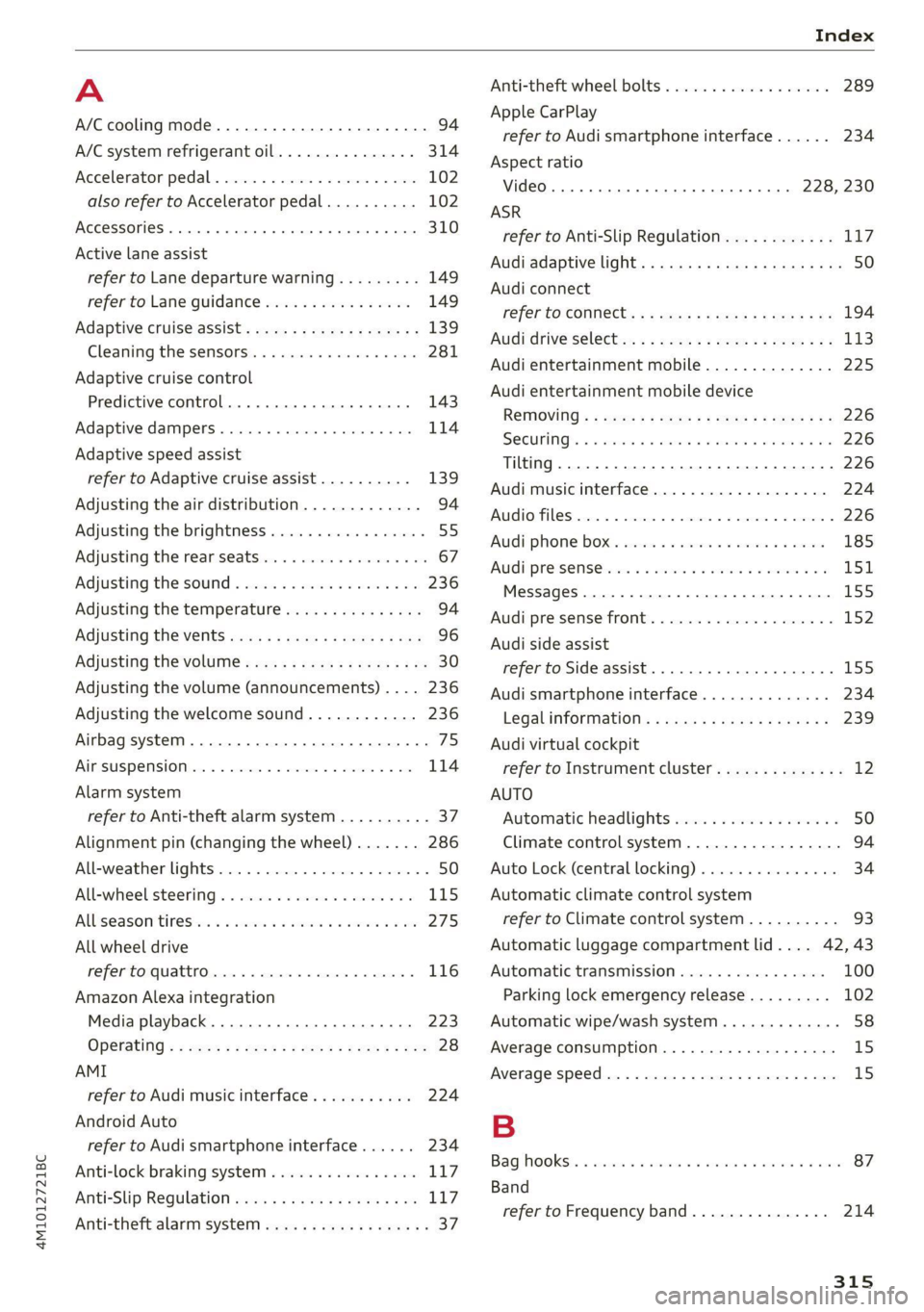
A
A/C cooling mode..........-. eee eee eee ee 94
A/C system refrigerant oil............... 314
Accelerator pedal.............2--00000- 102
also refer to Accelerator pedal.......... 102
ACCESSOFICS 2. eee 310
Active lane assist
refer to Lane departure warning......... 149
refer to Lane guidance................ 149
Adaptive cruise assist................04. 139
Cleaning the sensors..............0055 281
Adaptive cruise control
Predictive control................0005 143
Adaptive dampers ........... 000000 eee 114
Adaptive speed assist
refer to Adaptive cruise assist.......... 139
Adjusting the air distribution............. 94
Adjusting the brightness................. 55
Adjusting the rear seats.................. 67
Adjusting the sound................0005 236
Adjusting the temperature............... 94
Adjusting the vents ccs <= csws + © sews +o oer 96
Adjusting the volume.............e eee eee 30
Adjusting the volume (announcements) .... 236
Adjusting the welcome sound............ 236
Airbag system... 2.2... eee eee 75
AIPSUSPENSION ix. o © aoewes « 2 menses + meme» 5, v0 114
Alarm system
refer to Anti-theft alarm system.......... 37
Alignment pin (changing the wheel)....... 286
All-weather lights...............-..00005 50
All-wheel steering.............---00005 115
ALUS@aSOntineSies. « 3 ssasess «x aimee a & iwesane sw a8 275
All wheel drive
refer to quattro.............0 0. eee 116
Amazon Alexa integration
Media playback................00000. 223
Operating « « seen s » ewes se eee G s FeeE Ys BOS 28
AMI
refer to Audi music interface........... 224
Android Auto
refer to Audi smartphone interface...... 234
Anti-lock braking system................ 117
AnitisSlip REQUlation ws a & sos se weae 9 oe 117
Anti-theft alarm system...............05. 37
Anti-theft wheel bolts...............0... 289
Apple CarPlay
refer to Audi smartphone interface...... 234
Aspect ratio
VIdCO eee eee eee eee eee 228, 230
ASR
refer to Anti-Slip Regulation............ 117
Audi adaptive light...............-.0000- 50
Audi connect
refer to CONnNect ; «= = sass ss sees ss eee ee ae 194
Audidrive'selecticy, « + scum oz scum « x pewe yoo 113
Audi entertainment mobile.............. 225
Audi entertainment mobile device
Removing « « sees « sews gs sees xe ees cee 226
SOGUMING's « « ssessie © ccerave 2 6 sesnew « araneos w @ are 226
Tilting... 2... eee eee eee 226
Audi music interface................00- 224
AUGIOFLES xo: 5, coc: i « commons ow cme = at sammie = 226
Audi phone Bx: « sccvise so eaves so emane oe meses 185
Audi pre sense .........0 seve cece ee eee 151
Messages ........... 0.00.0 eee eee 155
Audi pre sense front.............-...0-- 152
Audi side assist
refer to Side assist............-0000005 155
Audi smartphone interface.............. 234
Legalinformation..................0. 239
Audi virtual cockpit
refer to Instrument cluster.............. 12
AUTO
Automatic headlights .................. 50
Climate control system..............0-- 94
Auto Lock (central locking) ............... 34
Automatic climate control system
refer to Climate control system.......... 93
Automatic luggage compartment lid.... 42, 43
Automatic transmission................ 100
Parking lock emergency release......... 102
Automatic wipe/wash system............. 58
Average consumption................... 15
Average speed... 2.2... cee eee eee eee 15
B
Bagshooks3. « swiss o anewivs © ¥ arene 6 6 oman © oes 87
Band
refer to Frequency band............... 214
315
Page 327 of 332

4M1012721BC
Shortcut
refer to Shortcuts........... cece eee 23
Shortcuts ............. 000002 e eee 23
Shuffle....... 0.0.0... 228
Side assists: © a aciwess w siemens w vucue wo eweneMe a 155
Cleaning the sensors.............00055 281
SIM card... . eee eee eee ee 195
Sliding/tilting sunroof
refer to Panoramic glass roof............ 46
Smart Favorites
refer to PresetS............ 0s eee eee 217
Smartphone
refer to Telephone...........-.00e000 183
SNOW CHAINS’: + seas « = sees ye ews +e we ee 275
Socket
refer to Power sources...........--0e 00s 86
Software information
Legalinformation..................0. 239
Software version (MMI)
Version information............+-.00- 239
Sound
refer to Adjusting the sound............ 236
Speed limit information
refer to Traffic sign recognition......... 128
Speed limits
refer to Traffic sign recognition......... 128
SPECCOMETER s sci 2 usan a 2 sen wo one so ae 12
Speed warning system.............-.4.- 128
Sport differential...................0.. U7:
Start/Stop system............0--0000- 105
MEOSSaQEStass « ¢ neeay 5 5 seeves « 2 nerR xe Mew 106
Switching offandon.............00 eee 105
Starting to drives. « «ccc ¢ sansue o wrasene @ 6 ssesoun 99
Starting (Engine) « macs sc wave sa eoewiwe 2 ¥ ae 106
SESHING's « 5 xaesu & & weuns 4 » emer x = HaWE 2 © oe 115
AUdidrive SCL@GE csarice «= sswene 2 + soomane ie « suse 113
also refer to Steering............-+055 115
Steering lock. ......... cee e eee eee 98,116
Steering wheel
AGJUStING as ¢ = esas + = oem x Hees te Rees z= 69
Shift:paddles wares: 2 v wes a somes oe cere os 102
Steering wheel heating.............0005 96
also refer to Multifunction steering wheel. . 13
Steps for determining correct load limit... 273
Stopover (navigation) ................6. 206
Stopping...... 0... cece eects 99
Stopping the vehicle..............--.005 99
SCOPPINGAENGINE) wei. ss sow 6 a eve 6 6 some 106
StOrag@ ies « x swe +o eae yo ewe ye tes 2 ves 87
Storage compartment............eeee eee 87
Stored stations
refer'to PreSetsias. ss seon oe ewe ew ews ve 217
Subtitles
MD crace 2 = eacmime = cinerens 6 2 seeing wo sens ot 230
Sunshade
Rear doors ..... 6. eee cece eee eee eee 58
Rear WitdOWise 2 » ec ss ween 2 » eee sv ee 58
[lol0) Se ee 46
also refer to Panoramic glass roof........ 46
SUP:VISONS « sscco 6 6 ccewnn a sete a mene 8 ese 57
SUSPENSION « cers « 6 sesuaw « wanes 4 & sretene a ¥ anaes 114
Audi drive select..................00. 113
Swapping calls.............-.0002- 00 ee 189
SWEPVEFASSISE « caseese os wesrers ow waeen ow eaten 6s 154
Symbols
Navigation ........ 0... cece eee eee eee 206
TrattiGewe sy some a gown as BeeE gE aE ae Be 211
also refer to Indicator lights.............. 7
SYNC (climate control system)............ 94
Syst@m Settings « cess ss weg s coves « pews s 236
T
Tachometer sy s x wawe 2 y ween 2 wow x Yom 12,14
Tail lights
Cleanings « = snes 2s wien 2s mewn a ewe Fo 281
Technical data): : s scee : x wigs : seme a 2 cee 313
Technical modifications................. 308
Telephone: « « cas zs sea ¢ s eees ta eRe eG 183
Accepting/ending acall................ 189
Audi phone box........ 0... cee eee eee 185
Charging the battery (USB)............. 186
Charging the battery (wireless) ......... 186
Connecting a mobile phone............ 183
Dialing anumber.................2005 189
Exterior antenna.......... 0. eee eee 186
Mobile device reminder signal.......... 187
Options during aphonecall............ 189
Playing mUSi¢ ssc. se segs x ¥ eee se eee ee 223
Temperature display (outside temperature) .. 15
Temperature gauge
Page 328 of 332
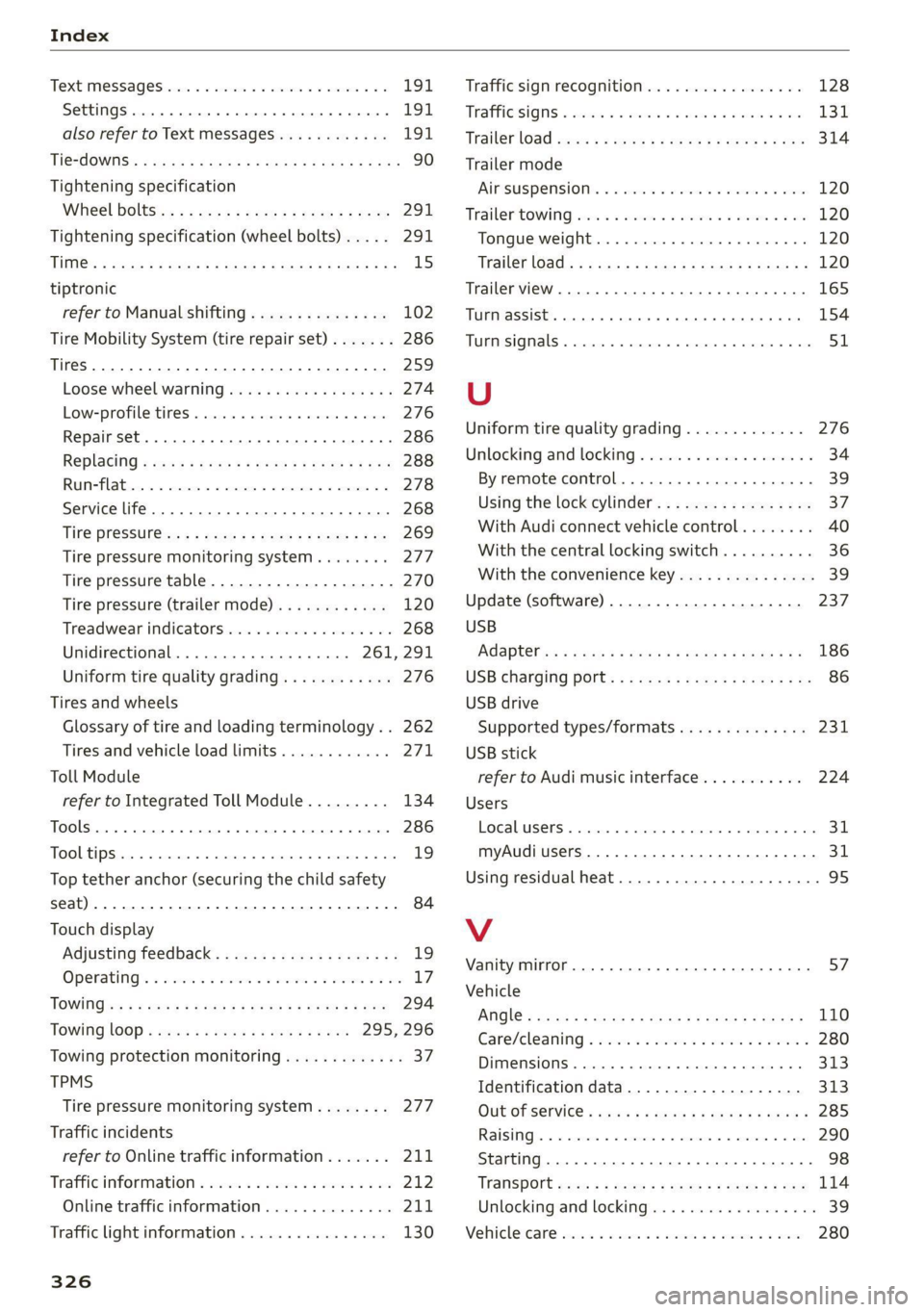
Index
Text MeSSAGES iis se vessim 2 x esmans vo este wo 191
SettingS 0... . 0. eee cece eee ee eee 191
also refer to Text messages............ 191
Tie-dOWiiSe < xcay s ¢ news 2 2 eeeS aS 3s oR 90
Tightening specification
Wheel boltSice = sways + sance o 2 see © ¢ vena 291
Tightening specification (wheel bolts)... . . 291
Titti@: ¢ saci ¢ o seme 7 f eHSS ta IGSS Eee cas 15
tiptronic
refer to Manual shifting............... 102
Tire Mobility System (tire repair set)....... 286
TIES oct 259
Loose’ wheel Warning isi se cewe & ween a s x 274
Low-profile tires. ........ 0.0.0... a ee 276
Repair set... 0.2.0... eee cee eee eee 286
Replacing «¢ ses < ese « < ween 6 x come 8 x eee 288
RUM abie w= esi o 6 rater ace oo ame ww 278
Service life. ................ 0c eee eee 268
Tit@ PreSSur@isc = s sxccx: « s geme = = meme = a ee 269
Tire pressure monitoring system........ 277
Tire pressure table.................04. 270
Tire pressure (trailer mode)............ 120
Treadwear indicators...............00. 268
Unidirectional.................0- 261, 291
Uniform tire quality grading............ 276
Tires and wheels
Glossary of tire and loading terminology .. 262
Tires and vehicle load limits............ 271,
Toll Module
refer to Integrated Toll Module......... 134
TOOlS 0. cece eee 286
Tooltips... 2... ee eee ee ee eee ee 19
Top tether anchor (securing the child safety
S@at) 0. eee eee 84
Touch display
Adjusting feedback................00.. 19
Operating’. « sicwie w x acwave wv eaves 6 o ere So Hes 17
TOWING su 5 » ese 3 ony « + eee & 3 Ree & x RO 294
TOWING LOOP « seay ¢ seems oe eee 2 oe 295, 296
Towing protection monitoring............. 37
TPMS
Tire pressure monitoring system........ 277
Traffic incidents
refer to Online traffic information....... 211
Trafficinformation » wise 2s see so won o © avs 212
Online traffic information.............. 211
Traffic light information................ 130
326
Traffic sign recognition................. 128
Tratfi@sign « sven 2s nese «3 ews & remem w = ine 131
Trailer load sss x 2 ogee a 2 wows 9 2 games & 2 gore 314
Trailer mode
AIPSUSPENSION Gs « seas « sesees ww eases we ere 120
Trailer tOWing) aii 2s css « 2 ees oo acim 6 2 we 120
Tongue weight..............0.0e eens 120
Trailer LGad)s « 5 was.e & ain & 3 mane G @ mae 2 120
Trailer view. ....... 2.2.2... eee eee eee 165
TUPN ASSISC. 6. eee eee eee 154
TUGTESIQMALS « vecesen ux vansnns 9 « anenows ou anette # ¥ ote 51
U
Uniform tire quality grading............. 276
Unlocking and locking.................-- 34
By remote control................00005 39
Using the lock cylinder................. 37
With Audi connect vehicle control........ 40
With the central locking switch.......... 36
With the convenience key............... 39
Update (software) ..............0000005 237
USB
Adapters s = x ass ¢ = news < © vous < ¢ sews eee 186
USB charging port: « s ss.cs esese sc eeee eee 86
USB drive
Supported types/formats.............. 231
USB
stick
refer to Audi music interface........... 224
Users
Localusers. 2... 0... cece eee eee eee eee 31
myAudi users... 2.22... cee eee eee 31
Using residual heat.................0000- 95
V
Vanity mirror... 2.2... cece ee eee eee 57
Vehicle
AMOlé = xcs ¢ © saeny ¢ 5 Serae 7S SRR Te eS 110
Care/cleaning « wer 2 2 ween ov eee se wee 2 280
DIMeMSIONS .: esas « o vasnons « oxanannie « ssation a 8 0 313
Identification data...............00.. 313
Out OT SEIVICR « awa a & news & e paws se ewan 285
Raising’. « + seme © a cance « omnes o 0 wanes o 0 Hee 290
Starting... ...... 6.6 cece ee eee eee eee 98
TaniSpOrt wen ¢ s ween » woes so eee ge eee 114
Unlocking and locking..............0005 3S
WeHiGlexGane: sxsness 2 cucacss 1 x srennee ov oneveme wx ase 280