navigation AUDI Q7 2021 Owner´s Manual
[x] Cancel search | Manufacturer: AUDI, Model Year: 2021, Model line: Q7, Model: AUDI Q7 2021Pages: 332, PDF Size: 117.99 MB
Page 214 of 332
Navigation
Online traffic information
Applies to: vehicles with navigation system and online traffic
information
The MMI can receive real-time online traffic infor-
mation about congestion, accidents, road
construction, and other incidents.
Requirement: the MMI must be connected to the
Internet > page 194, Audi connect. Traffic infor-
mation must be switched on in the MMI
=>page 212.
Traffic information will be displayed on the
standard map > page 206, fig. 147.
Online traffic information is also displayed on the
standard map > page 209.
G) Tips
— Having the online traffic information func-
tion switched on provides the most accurate
reports of traffic situations and traffic fore-
casting. Your vehicle transmits and process-
es its anonymous, encrypted position infor-
mation at regular intervals to the traffic da-
ta provider. You can switch off data transfer
at any time > page 305.
— The online traffic information network is
not available in all countries, and the cover-
age is not nationwide.
Settings
Applies to: vehicles with navigation system
You can adjust the navigation system settings in
the instrument cluster and in the MMI display
separately. The settings depend on the country
and vehicle equipment.
Accessing settings
» Applies to: MMI: Select on the home screen:
NAVIGATION > ©}.
Accessing settings using the multifunction
steering wheel
> Applies to: multifunction steering wheel: Select
in the instrument cluster: Navigation tab >
button.
212
Please note that a setting applied to the multi-
function steering wheel is only valid for the in-
strument cluster map.
Map settings
Satellite map: see > page 209.
Traffic: you can display current traffic informa-
tion on the map.
— Free flowing traffic
— Traffic obstructions
— Traffic incidents
Map colors
— Automatic: the map display adapts to the light-
ing conditions (for example, by changing from
day to night when driving through a tunnel).
— Day or Night
Map orientation
— 2D heading-up map/2D north-up map: the
current vehicle position is displayed. The map is
oriented in the direction of travel or to the
north.
— 3D heading-up map: the current vehicle posi-
tion is shown on a three-dimensional map and
is aligned to the direction of travel.
— Overview: the entire route from the vehicle po-
sition to the destination or the next stopover is
displayed on the map. The map is oriented to
the north.
Automatic zoom
— On: the map scale is adapted automatically de-
pending on the type of road being traveled (ex-
pressway, highway, other roads) so that you al-
ways have an optimal overview of the road
ahead. When route guidance is active, the scale
is adjusted automatically for a better detailed
view when there are upcoming maneuvers.
— Intersection: when route guidance is active, the
scale is adjusted automatically for a better de-
tailed view when there are upcoming maneu-
vers.
— Off
MMI map contents/Map content: you can switch
the display of additional information (such as
POIs) on the map in the upper display on or off. >
Page 215 of 332
4M1012721BC
Navigation
Voice guidance
Voice guidance: you can adjust the navigation
prompts. With the Traffic setting, the MMI will
only give prompts if there are traffic incidents on
your route.
Voice guidance during phone call
Entertainment fader during navigation: the au-
dio playback volume is temporarily lowered when
navigation prompts are active.
Route criteria
You can adjust which route criteria should be al-
lowed or avoided for the route calculation.
HOV/carpool lanes
Highways
Toll roads
Ferries
Route information
When this function is switched on and route
guidance is active, route information
=> page 206, fig. 147 is displayed. The next ma-
neuver will be displayed at the bottom. POIs and
traffic information will also be displayed. Press
route
information to display a preview of the next
maneuver on the map. You can switch the follow-
ing information on or off in route information.
— Points of interest along the route
— Traffic incidents
Presentation mode
In presentation mode, the system simulates driv-
ing on the display along the planned route with-
out the vehicle actually moving. You can use
Specify starting point when you would like to
calculate a route starting from a location other
than the current vehicle position, for example.
Simulating route guidance: start route guidance
and press presentation mode.
@) Tips
You can change the volume of navigation an-
nouncements while one is playing > page 30.
213
Page 220 of 332

Radio
Opening radio text
> Applies to: MMI: Select on the home screen:
RADIO > select a frequency band (such as FM)
> select a station > More > Radio text.
Depending on vehicle equipment, the following
functions
may be available:
Displaying previous radio text entries
> Swipe downward with one finger. The last radio
text entries are displayed if they are available.
Scrolling through radio text entries
> Swipe upward or downward with one finger.
Showing Radio Text Plus information
If a radio text entry is displayed with a color, a
phone number or a navigation destination for the
station is available as radio text plus information.
You have the following options:
Selecting the destination
> Select: a navigation destination marked in col-
or > Set as destination.
Call
> Select: a phone number marked in color > Call.
G) Tips
A call to a phone number stored in the radio
text will start immediately.
Online radio
General information
Applies to: vehicles with Audi connect Infotainment and on-
line radio
You can listen to various radio stations or pod-
casts on the Internet using online radio.
Requirement: the MMI must be connected to the
Internet. A data plan must be available
=> page 198.
Accessing online radio through the MMI
» Applies to: MMI: Select on the home screen:
RADIO > Source > Online.
The following functions are available:
218
Previous selection
The station/podcast list for the last station or
podcast that was playing will be displayed.
Top stations
The favorite online radio stations are displayed.
Filter list
> Select: 2 > (a category) > a station/podcast.
The following categories are available:
— Countries
— Genres
— Languages
— Editor's picks
— Themes
— Nearby
@) Note
Read the information about Audi connect, and
be sure to note the connectivity costs section
=@ in General information on page 194.
G) Tips
— Depending on the Internet connection and
network traffic, the connection may be lost
when online radio is playing.
— Online radio reception may not be possible
if Internet service is throttled.
— Online media usage depends on the service
availability of the third party provider.
—The range and screen display of online me-
dia services from third party providers in the
vehicle can vary.
— Please note that it may not be possible to
play some online radio stations in certain
countries.
— Audi only provides access to online radio
and does not assume any responsibility for
the content of these services.
Page 236 of 332

Audi smartphone interface
Audi smartphone
interface
Setup
Applies to: vehicles with Audi smartphone interface
You can connect your smartphone to the MMI
with a cable or wirelessly* using the Audi smart-
phone interface. Certain content on your smart-
phone is adapted in the MMI while driving and
can be operated through the MMI.
Requirement: the vehicle must be stationary and
the ignition must be switched on. iPhone genera-
tion 5 or higher with Lightning connector and iOS
7.1.2 operating system or higher, or smartphone
with Android Auto app and Android 5.0 Lollipop
operating system or higher.
> Applies to: MMI: Select on the home screen:
SETTINGS > Connected devices > Audi smart-
phone interface > New connection.
> Connect your smartphone to the Audi music in-
terface > page 224 using a USB adapter
=> page 224, fig. 156, or
> To connect your iPhone wireless*, switch on the
Bluetooth function and Wi-Fi on your iPhone.
Open the Apple CarPlay settings in your iPhone.
In the MMI, press on your iPhone in the list of
displayed devices.
> To update the list, press O.
> Follow the system instructions.
> Pay attention to any additional system prompts
on your smartphone, if applicable.
> Applies to: MMI: If you declined use of Apple
CarPlay or Android Auto the first time you con-
nected your smartphone, then select on the
home screen: SETTINGS > Connected devices >
Audi smartphone interface > a smartphone.
> Follow the system instructions.
Z\ WARNING
Driving requires your complete and undivided
attention. As the driver, you have complete re-
sponsibility for safety in traffic. Never operate
mobile devices while driving, because this in-
creases the risk of an accident.
234
@) Note
Read the information about Audi connect, and
be sure to note the connectivity costs section
=> page 194.
@) Tips
— The functions that can be used depend on
the following factors, among others:
— The brand of your smartphone
— The version of the operating system in
your smartphone
— The software version of the app used
— The USB adapter cable and correct connec-
tion
— Your cell phone service provider
— The customized settings on your smart-
phone
— One of the factors above or a combination
of any of them could cause your smart-
phone to be incompatible with the Audi
smartphone interface. Compatibility cannot
be guaranteed for all types of smartphones.
For more information and assistance, refer
to the user guide and the manufacturer of
your smartphone.
— Please note that you can only connect your
smartphone via the front Audi music inter-
face in order to use the Audi smartphone in-
terface.
— Wireless Apple CarPlay* is not available in
all countries.
— Wireless Apple CarPlay* was a planned func-
tion at the time this manual was printed.
Wireless Apple CarPlay* is not available in
your vehicle.
— Wireless Apple CarPlay* is only possible in
vehicles without a navigation system or
without a detected vehicle position (GPS da-
ta) if the following requirement is met: the
embedded SIM card for the vehicle must be
logged into the mobile phone network
=> page 194.
— If the connected smartphone has voice con-
trol, you can operate your smartphone using
the external voice recognition system
=> page 28.
Page 238 of 332

Additional settings
Additional settings
System settings
Introduction
General settings are described in this chapter.
You can find specific settings in the chapters
about those settings. The available settings de-
pend on the vehicle equipment.
Date and time
» Applies to: MMI: Select on the home screen:
SETTINGS > General > Date & time.
Possible settings:
— Automatically set date and time
— Date format
— Time format
— Automatic time zone
— Time zone
Cental ah ey
» Applies to: MMI: Select on the home screen:
SETTINGS > General > Measurement units.
Possible settings:
— Speed
— Distance
— Temperature
— Volume
— Pressure
— Consumption (engine)
Language and keyboard
» Applies to MMI: Select on the home screen:
SETTINGS > Language & keyboard.
Language
You can change the languages for the display,
navigation announcements, and the voice recog-
nition system.
236
Keyboard
See > page 24.
Requirement: an audio source must be active.
» Applies to MMI: Select on the home screen:
SETTINGS > Sound.
Possible settings:
— Treble
— Bass
— Balance/fader
— Speed dependent volume control
— Subwoofer
— Surround Level
Focus
You can optimize the sound distribution for vari-
ous locations in the vehicle.
3D effect
You can adjust the intensity of the 3D effect.
With the Medium setting, you will hear an opti-
mal 3D effect for all sources.
Plea ee ely
> Applies to: MMI: Select on the home screen:
SETTINGS > Announcements & tones.
Possible settings:
— Announcement volume
— Welcome sound
ZA WARNING
Adjust the volume of the audio system so that
signals from outside the vehicle, such as po-
lice and fire sirens, can be heard easily at all
times.
Gi) Tips
The volume is automatically adjusted to a pre-
set level when the MMI is switched on.
Page 239 of 332

4M1012721BC
Additional settings
Bluetooth
> Applies to MMI: Select on the home screen:
SETTINGS > Connection settings > Bluetooth
Bluetooth
You can select a setting for visibility of the MMI
to other Bluetooth devices. To connect a new
Bluetooth device, the Visible setting must be se-
lected. If Invisible is selected, a Bluetooth con-
nection will only be possible with paired devices.
If Off is selected, no Bluetooth device can be con-
nected.
Bluetooth audio player
When this function is switched on, the profile
will load automatically when your Bluetooth au-
dio player is within range.
Bluetooth name
The MMI’s Bluetooth name is displayed and can
be changed.
Factory default settings
Requirement: the ignition must be switched on.
> Applies to MMI: Select on the home screen:
SETTINGS > System maintenance > Restore
factory settings.
> Follow the system instructions.
The settings will be reset. The system will re-
start. This may take some time.
@ Tips
Make sure that not only the settings were de-
leted but also the stored data, if necessary.
Software update
Introduction
Applies to: vehicles with software update
You can update your vehicle’s software.
The functions depend on the country and vehicle
equipment:
— Update through the online system update
=> page 237.
— Map material update for the navigation system
=> page 210.
— Have the software update performed by an au-
thorized Audi dealer or authorized Audi Service
Facility. This can result in additional costs.
ZA\ WARNING
— Perform the installation only when the vehi-
cle is stationary. Otherwise, this increases
the risk of an accident
— If the installation fails, contact an author-
ized Audi dealer or authorized Audi Service
Facility immediately to have the malfunction
corrected.
Online system update
Applies to: vehicles with online system update
With the online system update, you can update
the software directly in the vehicle.
Requirement: the MMI must be connected to the
Internet > page 194, Audi connect.
Downloading updates
Requirement: notification for an online system
update will appear in the upper display.
> Press on the notification, or
> Open the notification in the notification center
on page 22 and press on the notification.
> Follow the system instructions.
You can also check manually if an update is avail-
able.
> Applies to: MMI: Select on the home screen:
SETTINGS > System maintenance > Software
update > Search for updates > desired update
> Continue.
> Follow the system instructions.
The
MMI will start the download. You can check
the status of the download process in the notifi-
cation center > page 22.
Installing updates
Requirement: an online system update must be
downloaded and a notification must be shown in
the upper display.
> Stop the vehicle safely.
237
Page 310 of 332
Accessories and technical changes
Accessories and
technical changes
Warranty
Your vehicle is covered by various warranties:
— New Vehicle Limited Warranty
— Limited Warranty Against Corrosion Perforation
— Emissions Control System Warranties: Federal
Emissions Control System Defect Warranty,
Federal Emissions Performance Warranty
— Applies to: USA models: Kansas Safety Belt
Limited Warranty
— Applies to: USA models: California Emissions
Control Warranties: Short-term Emissions De-
fects Warranty, Long-term Emissions Defects
Warranty, TZEV models Emissions Defects
Warranty, California Emissions Performance
Warranty
You can find detailed information in your Warran-
ty & Maintenance Booklet and in the California
Emissions Booklet*.
Audi Literature Shop
Service information is made available as soon as
possible after a model is introduced and can be
ordered in the Audi Literature Shop: http://
literature.audiusa.com
Driving in other
countries
Government regulations in the United States and
Canada require motor vehicles to comply with
emissions regulations and safety standards.
Therefore, vehicles that were produced for the
U.S. and Canadian markets are different from
vehicles produced for other countries.
If you plan to use your vehicle outside of the
United States or Canada, it is possible that:
— Fuel may have a significantly lower octane rat-
ing. Unsuitable fuels can cause engine damage.
— Proper maintenance and repair work may not
be possible because special service equipment,
tools, or measuring devices needed for your ve-
hicle may not be available.
308
— Replacement parts may not always be availa-
ble.
— Navigation systems for vehicles built for the
U.S.A. and Canada will not necessarily work in
Europe, and may not work in other countries.
(1) Note
Audi is not liable for damage to the vehicle re-
sulting from these country-specific differen-
ces.
Maintenance, repairs,
and technical modifi-
cations
Observe the safety precautions > page 245, Gen-
eral information and > page 290, Raising the ve-
hicle.
General information
Due to the increasing complexity of technology in
these vehicles, as well as the safety and environ-
mental standards that apply, you can only per-
form a very limited amount of repairs and modifi-
cations to the vehicle yourself.
Proof of maintenance work may be required to
submit a claim within the warranty period.
We recommend that you have your vehicle serv-
iced by an authorized Audi dealer or authorized
Audi Service Facility and that Audi Genuine Parts
and Audi Genuine Accessories are used. This
helps to ensure that your vehicle's functionality,
performance, and safety are not impaired.
Maintenance and repairs
Your vehicle was designed to help keep mainte-
nance requirements to a minimum. Some regular
maintenance is required to help ensure that your
vehicle runs in a safe, economical, and reliable
manner. Please refer to your Warranty & Mainte-
nance Booklet for more detailed information
about vehicle maintenance.
When operating the vehicle under more extreme
operating conditions, for example when outside
temperatures are very low or in very dusty envi-
ronments, certain maintenance should be per-
formed between the specified intervals.
Page 321 of 332
4M1012721BC
Index
F
Factory default settings
Multi Media Interface................. 237
Fast mOUté sacs = & wanes = & Sees = 4 ew Fa 203
Favorites... 0... eee eee eee ee 21
Bluetooth = « sec : s gows es ees e Sewn ee we 239
Navigation. . « ccmes s + sximene «0 onmem = 6 meen « 204
Telephone .......... 0... e eee eee eee 188
Federal Communications Commission (FCC) . 311
File formats (media drives)...........005 231
FIXGURE'SC bisa 5 + sso a o cence 3 x canaems ov aunewas oo 91
Fog QWINKOWS) ace ee wesw wo armans a ¥ semen 6 ¥ coe 95
Folding the backrest down/up............. 68
Folding the rearseats.............-.000. 90
Footwell temperature................-4. 96
For the sake of the environment
Disposing of engine oil................ 250
Fueling... 02... cee cece eee eee 242
Leaks... 2... eee eee eee eee 246
Fragrance.......... 0.0... eee eee 95,96
Free text search
M@dia:: : seme ¢ 3 azn x 5 eG £ Eee TE 230
RadiOtes. x = meses oe acses vo nome ooo eH 216
also refer to Intelligent search.......... 203
Freeze protection
Coolant...... 2... eee eee eee eee 251
Windshield washer system............. 257
Fréqueticy batids « s sccs = s sees ss wees se ea 214
also refer to Frequency band........... 214
Front center arinrest « score « & mea 4s news a vo 66
Front collision warning
refer to Audi pre sense front............ 151
Front passenger’s seat adjustment
Front... 0.2.0... eee eee eee 66
ROaf seas ¢ s seas ¢ o ees Fe ees Ys ees 66
Front wiper blades
Changing s = = eees = 2 mews = stews e Sees coe 59
ClEATIIAG » x. seasios + swiesss ae a sumaes wo omoaas i 6 eens 59
ee ee 241
Additives ...... 0.00... cee cece eee 242
CUMFENt CONSUMPTION = csux « = wows «2 ems se 15
Fuel:display esses. + sue so enue ov eee ¥ os 12
Fuel tank capacity.................00-. 314
Gasoline : acs + ¢ ees +o aaa + 2 sates Fe ees 241
Reducing fuel consumption............ 104
Fueling
Fuel filler door..... 0... . cece eee eee ee 242
Fuel filler door emergency release....... 244
Fueltankcapacity'. « 5 soca es cence ao cman « 314
Functions on demand.................. 196
Functions that require a license.......... 196
also refer to Functions on demand....... 196
G
Garage door opener............--0e ee eee 47
GarMenthOOks eves sv severe oo snes o a wes oo 2 87
GaSOlIMG coy « x were g 2 emp = 2 eee 5 ¢ see & 241
Additives ...... 0... cece eee eee eee 242
Gasoline mixture.................0005 241
GAWR
refer to Gross Axle Weight Rating (GAWR) . 314
Gears... eee 100
Glossary of tire and loading terminology... 262
Glove compartment..............000 eee 87
Gross Axle Weight Rating (GAWR)........ 314
Gross Vehicle Weight Rating (GVWR)...... 314
GVWR
refer to Gross Vehicle Weight
Rating (GVWR) « sce se mee = 4 metas & 2 ee 314
H
Handsfree................-..0.0 00s ee 184
Hands Free Profile..................... 184
Head-up display
ACiUStiNGizes: 5 = :zexes 5 « eee ss ween § v eee 26
Adjusting the brightness................ 55
Operating...................0.00.0000. 26
Headlight range control................0. 50
Headlights
Cleaning ....... 6.06 281
Headlight range control................ 50
Washer'systems « ¢ wesa es mera. oemre + eas 58
Washer system (filling washer fluid) .... . 257
Head restraints
Adjusting... 2.0.02... . 0. c eee eee eee 70
Removing and installing............0065 70
Heated rear window............-. 000s eee 95
Heated steering wheel................0.. 96
Heating....... 0.0.0... eee eee eee eee 93
319
Page 322 of 332
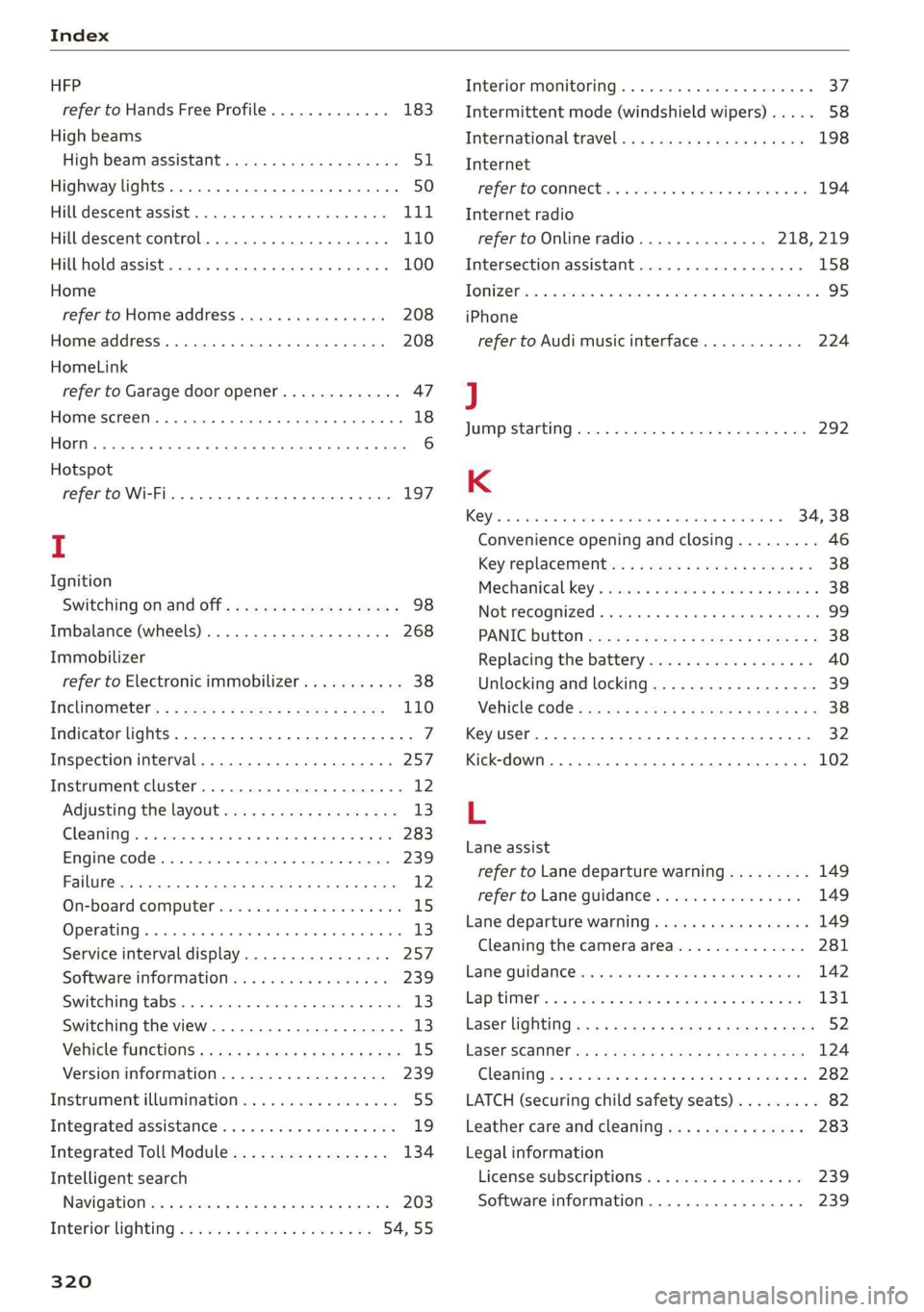
Index
HFP
refer to Hands Free Profile............. 183
High beams
High beam assistant................... 51
Highway lights ..... 0.0... sce e eee eee 50
Hill descent assist..............02-000. 111
Hill descent control.............0 0000 ee 110
Hill hold assist... 0.2.0.0... 00.0022 eae 100
Home
refer to Home address............0008 208
Home address.............00 2.00 ee eee 208
HomeLink
refer to Garage door opener............. 47
Home screen... .... cece eee eee ee eee 18
HOM... eee eee 6
Hotspot
refer to Wi-Fi...........0. 00sec eee eee 197
I
Ignition
Switching on and off...............0-.- 98
Imbalance (wheels) ...............--05. 268
Immobilizer
refer to Electronic immobilizer........... 38
Inclinometérs < = sees =» wees sg wees sy eee 110
Indicator lights....... 0.0... eee eee eee 7
Inspection interval...............20-00. 257
Instrument cluster..............--000005 12
Adjusting the layout................00. 13
Cleaning ’s 2 a sina 5 6 wens oo were 2 6 wonem @ ere 283
Engine code.............-. eee eee eee 239
Pailit@s < anaes = eae & 3 Baws § & Rae 2 FS 12
On-board computer..............2-.00. 15
Operating ........ cece eee eee ee eee 13
Service interval display................ 257
Software information..............004 239
Switching
tabs.................000000. 13
Switching the view.................0005 13
Vehicle functions « cs. se cere sc cee ee cae 15
Version information.................. 239
Instrument illumination................. 55
Integrated assistance................0-. 19
Integrated Toll Module................. 134
Intelligent search
Navigationicn « = ses 2 x mews = wanes a 2 cae a 203
Interior lighting « « ses 2s cess ewes eee 54,55
320
Interior MONItOriING’s « s ccs so wou 2 ¥ vesvee o 37:
Intermittent mode (windshield wipers) ..... 58
International travel...............20005 198
Internet
PEPE TOXCONNCCE is. = veseer ee seem ev ateeee eos 194
Internet radio
refer to Online radio.............. 218, 219
Intersection:assistant ccc. 26 case so mse © 158
TOMZOP oe. oa cxanwes < w omawees vv ema a x ee wo coe 95
iPhone
refer to Audi music interface........... 224
J
JUMAPESEAMERNG) revise © sreeees wo © euersay wo © vette «8 Boe 292
K
Rey's « cwensne oo ccenaua a 0 sean @ arene we sro a 4 34, 38
Convenience opening and closing......... 46
Key'replacemenit:.: ss sees se eean ee eee es 38
Mechanical-key’s wssenc a « case ao saw ve ee ¥ 38
Not recognized ........ cece cee eee 99
PANIG Button » ses < = sacs ¢ = seen ¢ = sees ye 38
Replacing the battery.................. 40
Unlocking and locking................-- 39
VEHICLE COdG « secs s ¢ seme = 2 ee yo ee Fe 38
Key User... eee eee 32
Kick-down .... 2... eee eee eee 102
L
Lane assist
refer to Lane departure warning......... 149
refer to Lane guidance..............0. 149
Lane departure warning..............05- 149
Cleaning the camera area.............. 281
Lame Quidaneeiens 5 « cscsce oo ae vw accuse ¥ oem 142
LapitlIMe rs. « & soesons « awesese + sameness cream 2 Oo 131
Laser lightingiss + + sss 6s eeu sy pew ae ees 52
FaSer Scanners « « aay a eegu 4 x ees x ROE 124
Gleaming wor = 2 ween o anne 2 peewee oe ween oo x 282
LATCH (securing child safety seats)......... 82
Leather care and cleaning............... 283
Legal information
License subscriptions................. 239
Software information................. 239
Page 324 of 332

Index
Multi Media Interface...............0005 19,
Menus and symbols.............000-008 20
OPGrAtiNG's + ease x x eee ee Kae s 2 BemE o 17;,20
Switching the displays on or off.......... 19
MUEING ies: 2 secon © a women & eee ooo oN Foo eae 30
MYAUGI 5 = ees ss pews so pews s eames ee 31,195
myAudi navigation................. 202, 205
MYAUGI USERS ¢ sicts ss caus a x ens ds Bema sa: 31
N
Narrow areaS.... 22... cece eee eee 148
Natural leather care and cleaning......... 283
Navigation. ..............0..0..0.000. 202
BetteRhOUt@aas 2 x wean s a sana s age & s a 211
CallinGiesnis ¢ = scene v awe ov ween ee wm 8 oe 205
Changing the scale.............00000e 205
also refertoMap...........--.0e ee eee 206
Navigation database
Version information.............00005 239
Navigation (instrument cluster) .......... 208
Ns 87
SY, 310
Night vision assist...............-..0004 132
Cleaning the camera...............4.- 281
Notification center. ....... 0... cee eee eee 22
Oo
Octane rating (gasoline)................ 241
Odometer... .... cece eee eee eee 14
ReS@ttinGssssx « = sees ¢ ¢ ees 3 ieee ss res 14
Office address
refer to Business address.............. 208
Offroad
refer to Offroad driving................ 110
Offroad
driving ees = ¢ swwn 2 2 wen 2 2 were so wee 110
OFF (climate control system) ............-. 94
Oil
refer to Engine Oils: «sw s vases owen 2 248
On-board computer. .......5-.0. 00 eee ee 15
On Board Diagnostic System (OBD)... 244, 303
Online map
refer to Satellite map...............05 209
ONLINE RADIO « swcomss «2 sooness 6 w sevens wo ERE oo 218
also refer to Online radio.......... 218, 219
Online roadside assistance.............. 200
322
Online services
refer toconnect.........e eee eee eee 194
Online system update.................. 237
Online traffic information............... 201,
OPEN Geers so ceseons 3 v cevvans ov sumsees & 2 sume Woe ORE 34
Automatic luggage compartment lid...... 42
Convenience opening...............0085 46
Fuel filler:dOOP ss: ics cane so eae oe eas ooo 242
HOOd .... cece eee eee 246
Luggage compartment lid............... 42
Luggage compartment lid with foot motion . 43
Panoramic glass roof.............2-200. 46
Slitishiade (GOT) os i s cows 4 c teen se heen ei 46
WINKOWSE. » 2 cmcnci 2 ov soaiae © a sesame ow atm os 45
Opening and closing
refer to Unlocking and locking........ 34, 39
Operating
Head-up display...............000e eee 26
IAStFUMENt CLUSTER » ssex s see s meme es x 13,
Multifunction steering wheel............ 13
Multi Media Interface............... 17, 20
TEXCINPUt.s so eas s Haws a x Howe so Kea sue 24
Touch displayiss. « & ssi so sine 6 2 mec se exer 17
Voice recognition system............... 27
Optional equipment number............. 313
Options
Media... ... 6c eee eee eee eee eee 230
RaGiG see: « 2 zeus s x meee 2s meee 2 2 sees 219
Overview (cockpit) ..............0 00000 ee 6
P
Paint code... 61... eee eee eee eee ee 313
Paint damage... ..... cece cece 282
PANIC button. ..............000 0c eee 38
PANIC function. ...... 0.0... c eee eee eee 38
Panoramiciglassroof . ss sess ss wan io x sxarane 46
Convenience opening and closing......... 46
Emergency closing............-.eeeeeee 47
Quick OPENING sve » «esse se wm se Ome ¥ vs 46
Parental control
DVD... 2 eee eee eee 231
Park:assist plUS.« « swiss + a ccoen ¥ caver wv ei 172
Parking’: « vive « o esanwee o x manne © v eater & ¥ oe 9 99
Parking aids = « saws + v geen ov cass eos & 161
Adjusting the volume...............-. 163
Automatic activation ..............0008 162