USB port AUDI Q8 2021 Owner´s Manual
[x] Cancel search | Manufacturer: AUDI, Model Year: 2021, Model line: Q8, Model: AUDI Q8 2021Pages: 332, PDF Size: 118.76 MB
Page 232 of 332
Media
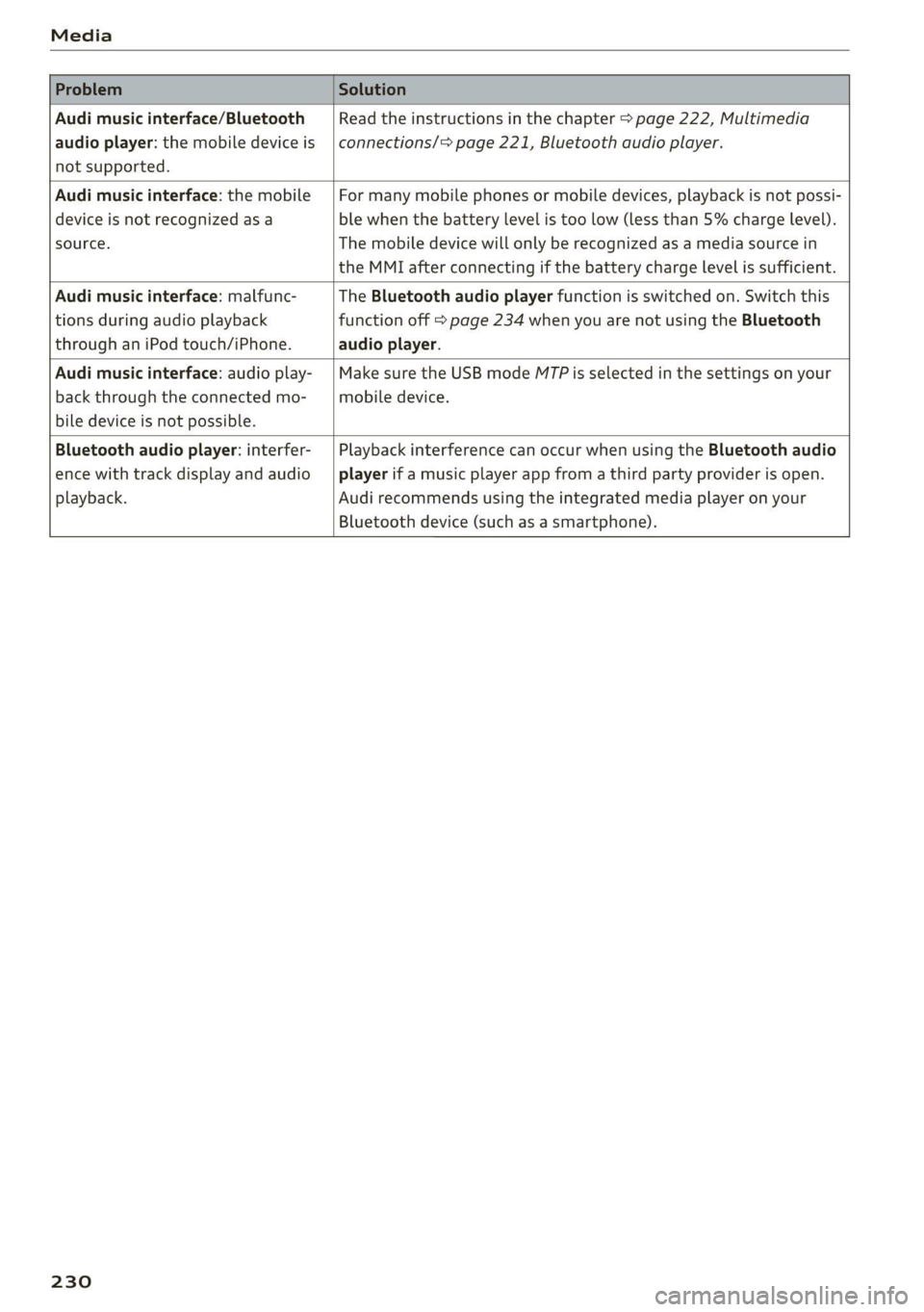
Problem Solution
Audi music interface/Bluetooth
audio player: the mobile device is
not supported.
Read the instructions in the chapter > page 222, Multimedia
connections/> page 221, Bluetooth audio player.
Audi music interface: the mobile
device is not recognized as a
source.
For many mobile phones or mobile devices, playback is not possi-
ble when the battery level is too low (less than 5% charge level).
The mobile device will only be recognized as a media source in
the MMI after connecting if the battery charge level is sufficient.
Audi music interface: malfunc-
tions during audio playback
through an iPod touch/iPhone.
The Bluetooth audio player function is switched on. Switch this
function off > page 234 when you are not using the Bluetooth
audio player.
Audi music interface: audio play-
back through the connected mo-
bile device is not possible.
Make sure the USB mode MTP is selected in the settings on your
mobile device.
Bluetooth audio player: interfer-
ence with track display and audio
playback.
Playback interference can occur when using the Bluetooth audio
player if a music player app from a third party provider is open.
Audi recommends using the integrated media player on your
Bluetooth device (such as a smartphone).
230
Page 302 of 332
Fuses and bulbs
Compressor | 13 | Left headlight
Audi music interface, USB input
4
5 |Engine mount 15 | USB input
6 |Windshield washer system control module
7 LisioTnieNe panel Nas | Equipinent
8 | Climate control system blower T | Ant-theté dlaunsystem
9 |Driver assistance systems control module :
2 | Engine control module
E UL
10. | Emergency 'callsystem 3 | Front seat electronics, lumbar support
11 | Engi
ngine start 4 |Automatic transmission selector lever
Di 5 |Horn
No. | Equipment 6 | Parking brake
1 |Front seat heating 7 |Diagnostic interface
2 |Windshield wipers 8 | Roof electronics control module
3 | Left headlight electronics 9 |48 V drivetrain generator
4 |Panoramic glass roof 10 | Airbag control module
5 |Left front door control module Electronic Stabilization Control (ESC), An-
Il | ‘
6 |Sockets ti-Lock Braking System (ABS)
7 | Right rear door control module 12 | Diagnostic connection, light/rain sensor
9 | Right headlight electronics 13 | Climate control system
10 Windshield washer system/headlight 14 | Right front door control module
washer system control module 15 | Climate control system compressor
11 | Left rear door control module
12 | Parking heater Fuse assignment - left side of cockpit
No. | Equipment
Seat ventilation, seat electronics, rearview
1 mirror, rear climate control system control
panel, diagnostic connection, traffic infor-
mation antenna (TMC)
2 Vehicle electrical system control module,
diagnostic interface
3 |Sound generator Fig. 190 Left side of the cockpit: fuse panel with plastic
4 | Transmission fluid cooling valve ete
5 |Engine start
8 | Night vision assist, active roll stabilization 5
No. | Equipment
9 |Adaptive cruise assist, front wheel sensors - -
2. |Audi phone box, exterior antenna
10 | Exterior sound generator 5
3 | Climate control system, fragrance system
Intersection assistant, driver assist sys- .
11 4 |Head-up display
tems
5
7d
Steering column lock
300
Page 307 of 332
4M8012721BF
Data privacy
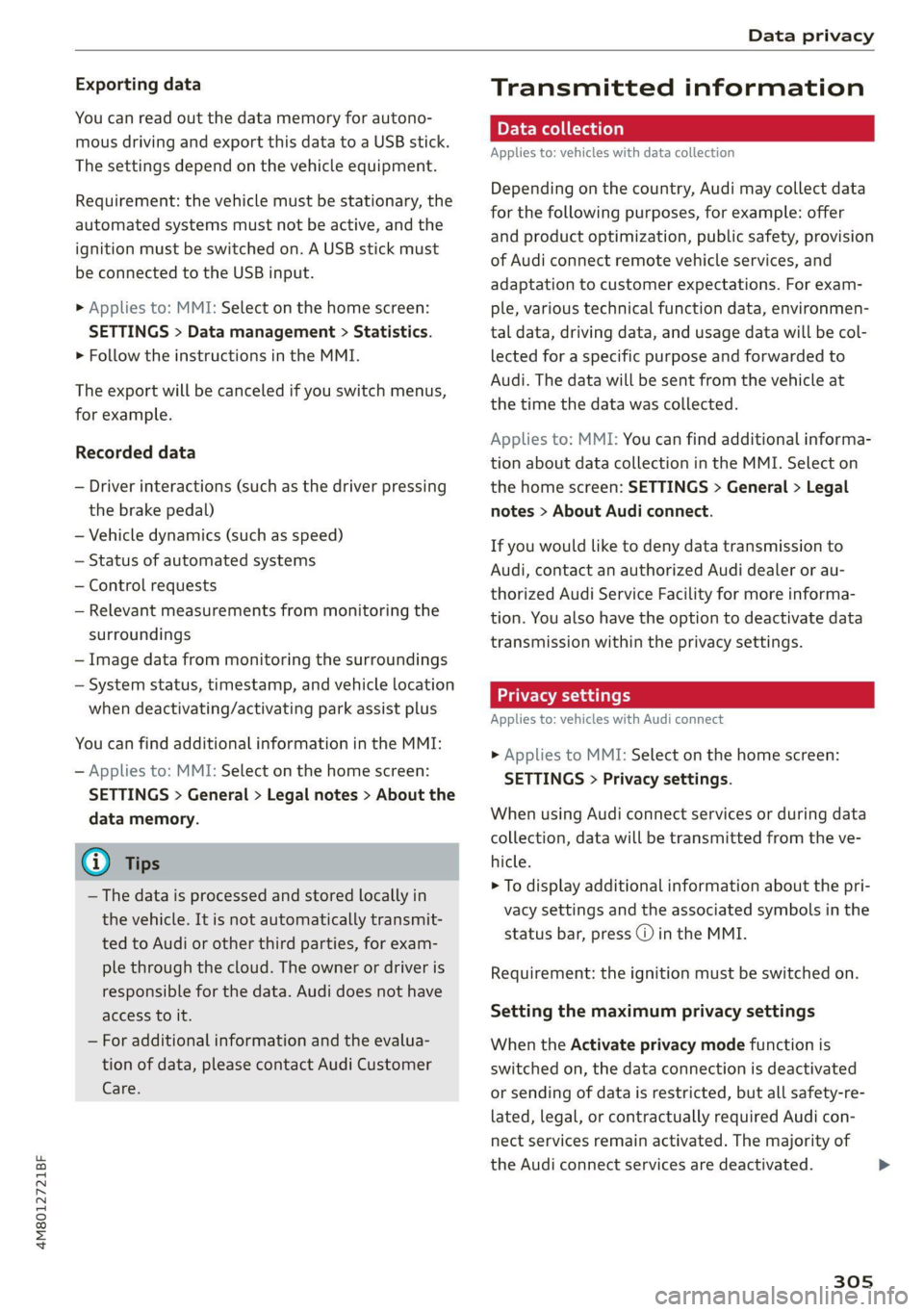
Exporting data
You can read out the data memory for autono-
mous driving and export this data to a USB stick.
The settings depend on the vehicle equipment.
Requirement: the vehicle must be stationary, the
automated systems must not be active, and the
ignition must be switched on. A USB stick must
be connected to the USB input.
» Applies to: MMI: Select on the home screen:
SETTINGS > Data management > Statistics.
> Follow the instructions in the MMI.
The export will be canceled if you switch menus,
for example.
Recorded data
— Driver interactions (such as the driver pressing
the brake pedal)
— Vehicle dynamics (such as speed)
— Status of automated systems
— Control requests
— Relevant measurements from monitoring the
surroundings
— Image data from monitoring the surroundings
— System status, timestamp, and vehicle location
when deactivating/activating park assist plus
You can find additional information in the MMI:
— Applies to: MMI: Select on the home screen:
SETTINGS > General > Legal notes > About the
data memory.
@) Tips
— The data is processed and stored locally in
the vehicle. It is not automatically transmit-
ted to Audi or other third parties, for exam-
ple through the cloud. The owner or driver is
responsible for the data. Audi does not have
access to it.
— For additional information and the evalua-
tion of data, please contact Audi Customer
Care.
Transmitted information
Data collection
Applies to: vehicles with data collection
Depending on the country, Audi may collect data
for the following purposes, for example: offer
and product optimization, public safety, provision
of Audi connect remote vehicle services, and
adaptation to customer expectations. For exam-
ple, various technical function data, environmen-
tal data, driving data, and usage data will be col-
lected for a specific purpose and forwarded to
Audi. The data will be sent from the vehicle at
the time the data was collected.
Applies to: MMI: You can find additional informa-
tion about data collection in the MMI. Select on
the home screen: SETTINGS > General > Legal
notes > About Audi connect.
If you would like to deny data transmission to
Audi, contact an authorized Audi dealer or au-
thorized Audi Service Facility for more informa-
tion. You also have the option to deactivate data
transmission within the privacy settings.
Privacy settings
Applies to: vehicles with Audi connect
> Applies to MMI: Select on the home screen:
SETTINGS > Privacy settings.
When using Audi connect services or during data
collection, data will be transmitted from the ve-
hicle.
> To display additional information about the pri-
vacy settings and the associated symbols in the
status bar, press @ in the MMI.
Requirement: the ignition must be switched on.
Setting the maximum privacy settings
When the Activate privacy mode function is
switched on, the data connection is deactivated
or sending of data is restricted, but all safety-re-
lated, legal, or contractually required Audi con-
nect
services remain activated. The majority of
the Audi connect services are deactivated.
305
Page 323 of 332
4M8012721BF
Index
Software:licensesi. « seins ss asros v0 ania © a 236
Version information.............-.00- 236
License plate bracket................0.. 310
Lifting points (vehicle jack).............. 290
Light/rain sensor
Headlights ............. 0.0 e eee eee ee 51
Intermittent mode (windshield wipers).... 57
Lighting
EXteriO?'s sees oo neem oo een 2 2 eon 2 ee 51
TAGE HOR so scans o 6 siaenve © wn sunctne ew axenene 6 0 « 54
LIQWES sscssia es seem ao waver 2 2 aeesiue @ ¥ arenie © ore 51
Listening to music
referto Media..................- 220, 223
LOAM) scssaree 1 « senor sc « saute st m seviwen mo stenoses 314
Localiusensss + + sean 2 0 ncawaws a o sesvew s avanawe ov ite 32
Locking and unlocking
By remote control..............-.00005 40
Using the lock cylinder; sass s saan a 2 nea 38
With the convenience key............... 40
Low beam headlights.................... 51
Lowering the rear of the vehicle........... 85
LTE
refer to Exterior antenna.............. 184
Luggage compartment.................. 83
Came Flea ensians x « escacn a «cnc we remo 6 ro 87
Cover (manual) ............-----.-5005 84
GOVEr (POWER) « sews « x meus x ¢ eae 5 eS Fe 85
Increasing the size.......... eee eee eee 86
Power SOUrCES ... 1. ee eee eee eee 82
also refer to Luggage compartment...... 83
Luggage compartment lid
Closing buttom:s « «csc eo secwsns = aeauans vo see 43
General information................00. 42
Mechanically unlocking...............-. 45
Openingiand Closings ss mais a & wea s & oe 43
Opening and closing with foot motion..... 44
Power opening and closing.............. 43
Lumbar support.............-.0002-000 63
M
Maintenance ........ 6c eee eee 308
Maintenance intervals.................5 254
Malfunction Indicator Lamp (MIL)........ 241
Maneuverassist sissies <3 cuces 2 3 somes 2 3 savers a 178
Manual shitting: «wees 2s ceos a ¢ eww so een 99
Map
Changing the scale.............0-0005 203
Display’: wasn x 2 warn s ¢ mews se BewE s 2 OS 205
Operating’. « & ssw ¥ sncasan ¥ wawens av memes a x 2 204
Setting the destination................ 203
MAP
refer to Message Access Profile......... 189
Map preview............0..0..0 eee eee 203
Map update............ cece ee eee eee 208
MYAUGLAPD = newer = : saws s 2 eam 2g gee x = 208
ONLINE & arises 2s sewre8e swans ao eRe ow imaUNm 208
USB connection............-..000005- 208
Massage function...............-000000) 63
Front... 2... ec ee 64
Mechanical key..... 0.00.00. 0c eee eee ee 39
Media... .... 0... cece eee eee ee eee 220, 223
DrivVGSiss ¢ = ness ¢ # Beas ¢ 8 HHS + AER at Bee 220
Supported formats.................-- 228
Media-center’. « = sew » ¢ swas x seme 2 x sete 224
Memory functiones: « s sees = ees ve een ce 71
Menu language
refer to Setting the language........... 233
Menu Pathisies « » sows x 2 wees © y eae 2 e emi es 19
Message Access Profile...........-..... 189
MessageS....... 22.00. ce eee eee eee eee 189
Mild hybrid drive system..........-...0- 102
Mirror compass... ... 02.0... e eee eee eee 60
Mirrors
Adjusting exterior mirrors............... 55
DIMMING « = ews & 2 cows xo cen + ees + Bere 56
NAINTEYEIMITNOR®. uss 2 < csename on asete # 9 anes © 57
MMI
refer to Multi Media Interface........... 20
Mobile device
referto Telephone ...........--eeeeee: 181
Mobile device reminder signal............ 185
Mountain passes......... 0. c ee eee aes 108
Mountain roads..............0 0000000 108
Multifunction steering wheel
Buttons ....... 2... eee eee 13,31
Operating’: = « sees = ssw so pee ae deem oe we 13
Programming buttons.................. 31
Voice recognition system............... 28
321
Page 328 of 332
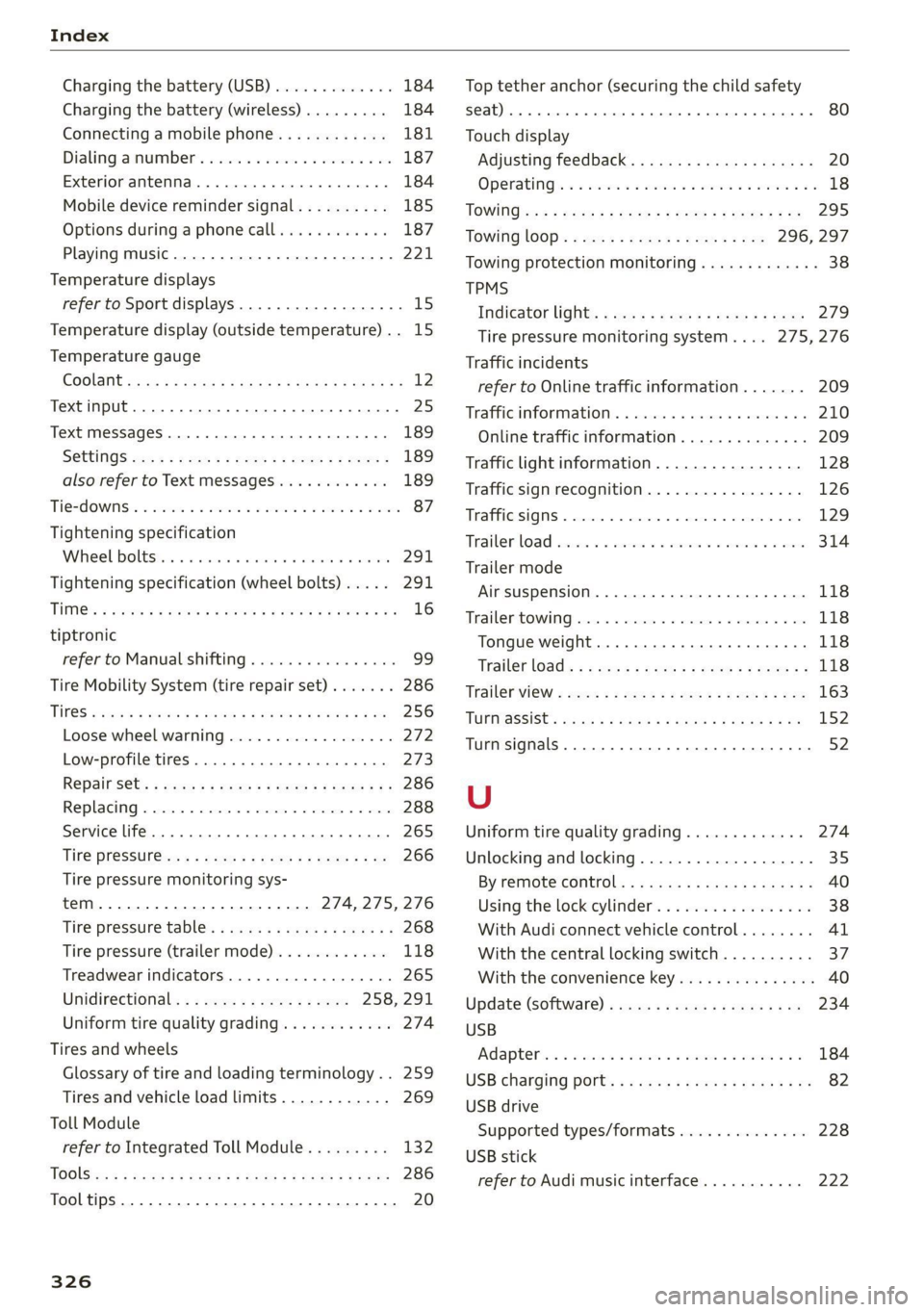
Index
Charging the battery (USB)............. 184
Charging the battery (wireless) ......... 184
Connecting a mobile phone............ 181
Dialing asnumbe t's e:csce e cco ee waneve ¥ 0 ene 187
Exterior antenna...............200005 184
Mobile device reminder signal.......... 185
Options during aphonecall............ 187
Playing music........ 0.0... eee ee eee 221
Temperature displays
refer to Sport displays...............00. 15
Temperature display (outside temperature).. 15
Temperature gauge
COOlANt sssan 2 » cqum 3 x aR ot Raw SB Meee Fe 12
Text input... 2... ee eee eee 25
Text MesSageS .....--. cee eee eee eee 189
SGttingS coms + waeu & x seeR ee NORE Ey NESE 189
also refer to Text messages............ 189
Tie2d OWNS: & soso oo sents 2 3 oes oo meme o Bem 87
Tightening specification
Wheel bolttstic si scsues emsie 6 « intaive a 6 amivine 291
Tightening specification (wheel bolts).... . 291
THM: » saees go sae ¢ © Rees oe eH ge eo eB 16
tiptronic
refer to Manual shifting................ 99
Tire Mobility System (tire repair set)....... 286
Tit@S e2cses s meses ¢ = waren 2 & weseS 3 & TE sg Re 256
Loose wheel warning.................. 272
Low-profile tires..............000 000. 273
RepainSets « awa « « worms s mem 9 be a Be 286
Replacing « srr « susnene x osercm wo sseeone o 5 wees 288
Service life... .......... 0... c eee eee 265
Tine PresSut@wes « news: = s gems & x Home EP ae 266
Tire pressure monitoring sys-
TEM eee 274, 275, 276
Tire pressure table: « sews = ¢ ses + ¢ seeps ¢ 268
Tire pressure (trailer mode)............ 118
Treadwear indicators............-..00- 265
Unidirectional; << ae. « s wees ce ewes 258, 291
Uniform tire quality grading............ 274
Tires and wheels
Glossary of tire and loading terminology.. 259
Tires and vehicle load limits............ 269
Toll Module
refer to Integrated Toll Module......... 132
TOGlSis:s s nace 2 & wea = & Seem FE Hee E x De 286
Tooltips......... 0... cee eee 20
326
Top tether anchor (securing the child safety
SQat) occ ce cee cece teen eee eee 80
Touch display
Adjusting feedback. ..............-.05. 20
OPeratinG)s « 2 vices «2 oem = 2 arene © woo vo 18
TOWI0Gise5 : wee 2 wees & x Here 5 epee 5 2 Bs 295
Towing lOOp< « ss<2 = seen < sae8 ¢ s oes 296, 297
Towing protection monitoring............. 38
TPMS
Indicator light:: « sss ¢ + sees se zeae ss ews 279
Tire pressure monitoring system.... 275,276
Traffic incidents
refer to Online traffic information....... 209
Trafficsin formations. « svesese » s sexe 1 amuse 0 0s 210
Online traffic information.............. 209
Traffic light information................ 128
Traffic sign recognition................. 126
Traffic SignS.. 0.0... eee eee eee eee 129
Trailerload cscs vs asccame vo avcnaiis ww ames ww anes 314
Trailer mode
Airsuspension..................0.005 118
Trailer towing.............. cee eee eee ee 118
Tongue weight .......... eee eee eae 118
‘Trailer load): + s see s nome & s were o x som ge 118
Trailerwiew « swan « » mess = uses x eee cs see 163
TUPMSSSISC:s sacs = 3 secne 3 8 Bane 3 2 aaceR 4 5 152
Turn signals. .... 0.0... sce eee eee eee 52
U
Uniform tire quality grading............. 274
Unlocking and locking.............-..0-- 35
BY remote control: «= scus
Using the lock cylinder................. 38
With Audi connect vehicle control........ 41
With the central locking switch.......... 37
With the convenience key............... 40
Update (software) .......... 0... e eee eee 234
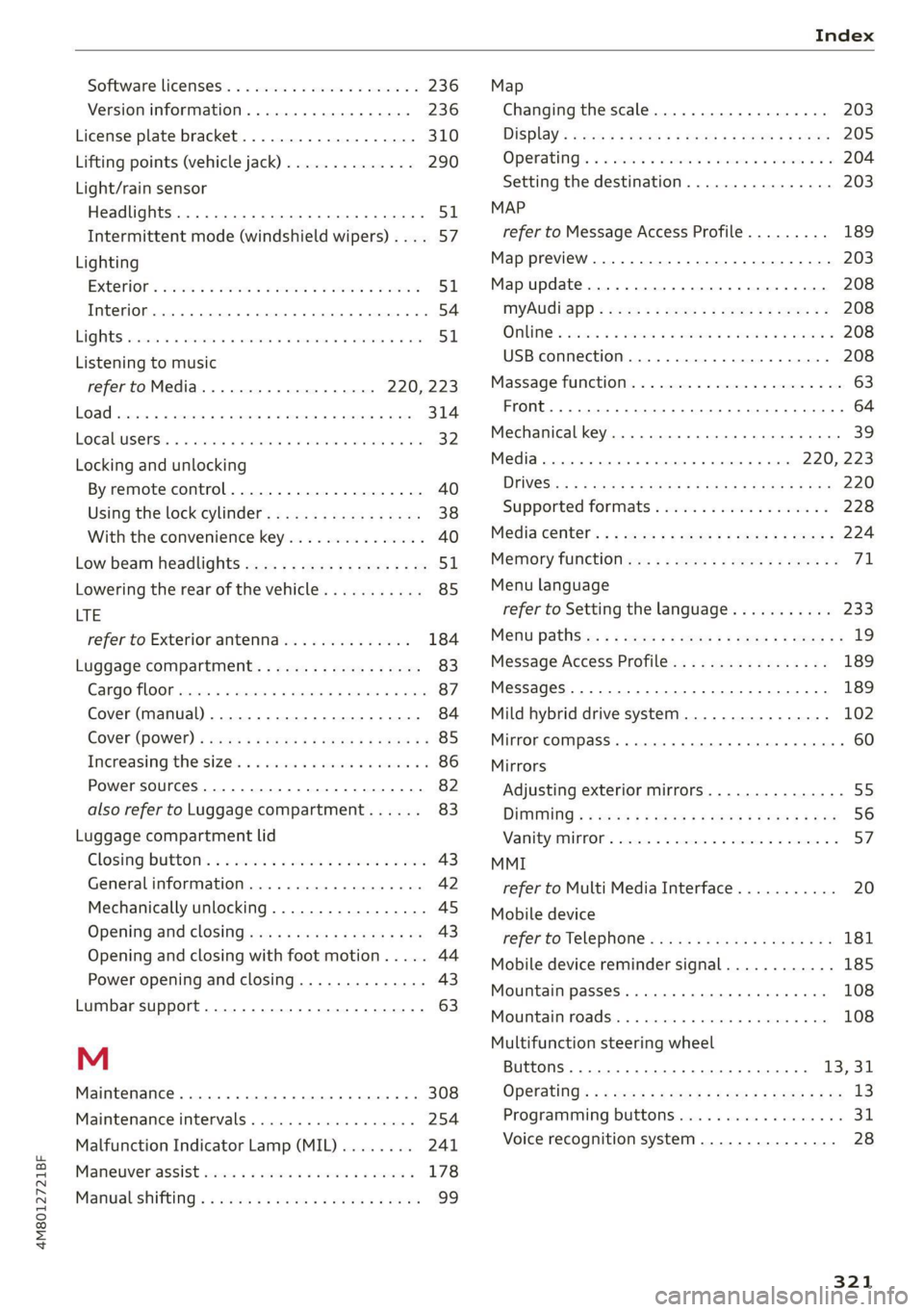
USB
Ad aptel inc s wana cs won a 9 eseowa «9 wwe a oe 184
USB
charging ports « « even se cwen x nen ec ee 82
USB drive
Supported types/formats.............. 228
USB stick
refer to Audi music interface........... 222