lights AUDI R8 2007 Owner's Manual
[x] Cancel search | Manufacturer: AUDI, Model Year: 2007, Model line: R8, Model: AUDI R8 2007Pages: 210, PDF Size: 8.1 MB
Page 49 of 210
Doors and windows47
Controls
Safety
Driving tips
General maintenance
Self-help
Technical data
Luggage lidOpening and closing the luggage lidThe windscreen wipers must be switched off and the wiper
arms must be in contact with the windscreen when the
luggage lid is opened. Otherwise the paint may get
damaged.
Opening luggage lid
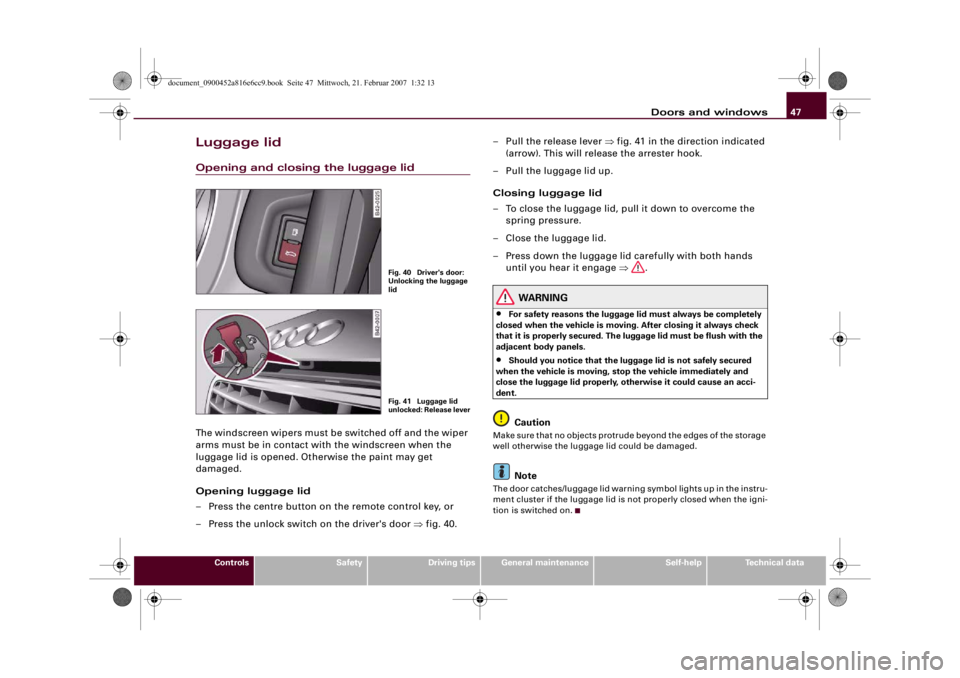
– Press the centre button on the remote control key, or
– Press the unlock switch on the driver's door ⇒fig. 40.– Pull the release lever ⇒fig. 41 in the direction indicated
(arrow). This will release the arrester hook.
– Pull the luggage lid up.
Closing luggage lid
– To close the luggage lid, pull it down to overcome the
spring pressure.
– Close the luggage lid.
– Press down the luggage lid carefully with both hands
until you hear it engage ⇒.
WARNING
•
For safety reasons the luggage lid must always be completely
closed when the vehicle is moving. After closing it always check
that it is properly secured. The luggage lid must be flush with the
adjacent body panels.
•
Should you notice that the luggage lid is not safely secured
when the vehicle is moving, stop the vehicle immediately and
close the luggage lid properly, otherwise it could cause an acci-
dent.Caution
Make sure that no objects protrude beyond the edges of the storage
well otherwise the luggage lid could be damaged.
Note
The door catches/luggage lid warning symbol lights up in the instru-
ment cluster if the luggage lid is not properly closed when the igni-
tion is switched on.
Fig. 40 Driver's door:
Unlocking the luggage
lidFig. 41 Luggage lid
unlocked: Release lever
document_0900452a816e6cc9.book Seite 47 Mittwoch, 21. Februar 2007 1:32 13
Page 54 of 210
Lights and vision 52Lights and visionLightsSwitching lights on and off
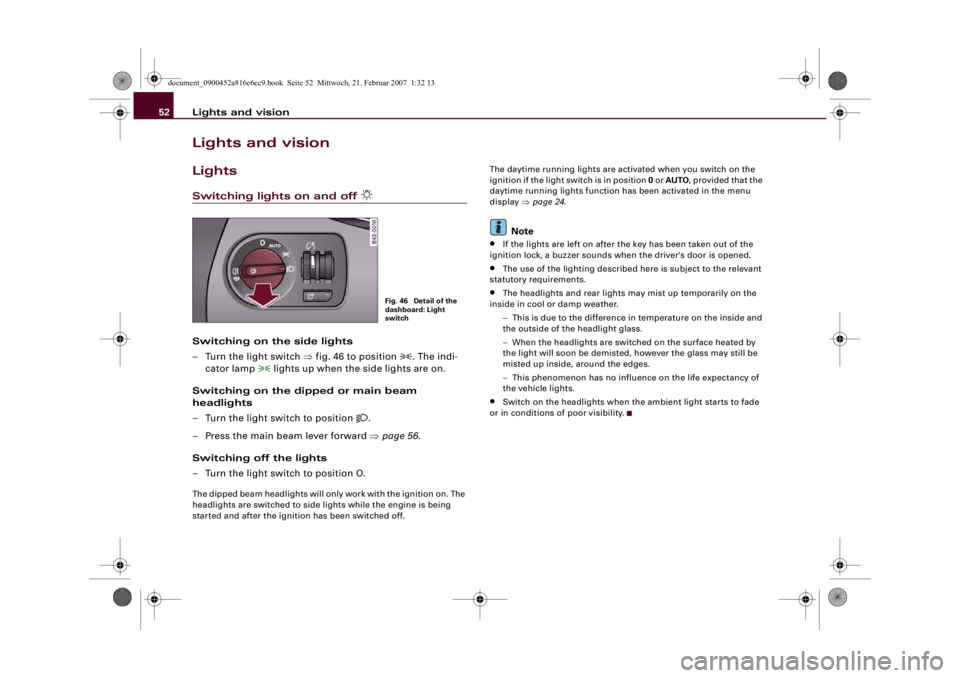
Switching on the side lights
– Turn the light switch ⇒fig. 46 to position
. The indi-
cator lamp
lights up when the side lights are on.
Switching on the dipped or main beam
headlights
– Turn the light switch to position
.
– Press the main beam lever forward ⇒page 56.
Switching off the lights
– Turn the light switch to position O.
The dipped beam headlights will only work with the ignition on. The
headlights are switched to side lights while the engine is being
started and after the ignition has been switched off.The daytime running lights are activated when you switch on the
ignition if the light switch is in position 0 or AUTO, provided that the
daytime running lights function has been activated in the menu
display ⇒page 24.
Note
•
If the lights are left on after the key has been taken out of the
ignition lock, a buzzer sounds when the driver's door is opened.
•
The use of the lighting described here is subject to the relevant
statutory requirements.
•
The headlights and rear lights may mist up temporarily on the
inside in cool or damp weather.
−This is due to the difference in temperature on the inside and
the outside of the headlight glass.
−When the headlights are switched on the surface heated by
the light will soon be demisted, however the glass may still be
misted up inside, around the edges.
−This phenomenon has no influence on the life expectancy of
the vehicle lights.
•
Switch on the headlights when the ambient light starts to fade
or in conditions of poor visibility.
Fig. 46 Detail of the
dashboard: Light
switch
document_0900452a816e6cc9.book Seite 52 Mittwoch, 21. Februar 2007 1:32 13
Page 55 of 210
Lights and vision53
Controls
Safety
Driving tips
General maintenance
Self-help
Technical data
Applies to vehicles: with automatic headlightsAutomatic (sensor-controlled) headlights
If you set the switch to “AUTO”, the headlights will come
on and switch off automatically according to the ambient
light level.The automatic headlight setting only activates the dipped
beam headlights (not the main beam headlights)
⇒page 52.
Activating automatic headlights
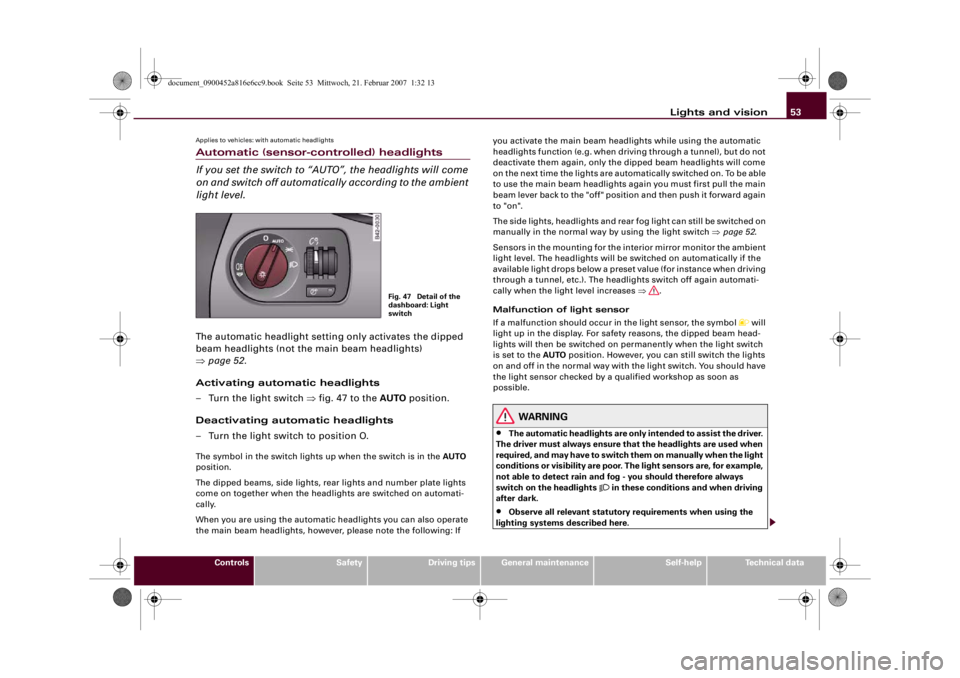
– Turn the light switch ⇒fig. 47 to the AUTO position.
Deactivating automatic headlights
– Turn the light switch to position O.The symbol in the switch lights up when the switch is in the AUTO
position.
The dipped beams, side lights, rear lights and number plate lights
come on together when the headlights are switched on automati-
cally.
When you are using the automatic headlights you can also operate
the main beam headlights, however, please note the following: If you activate the main beam headlights while using the automatic
headlights function (e.g. when driving through a tunnel), but do not
deactivate them again, only the dipped beam headlights will come
on the next time the lights are automatically switched on. To be able
to use the main beam headlights again you must first pull the main
beam lever back to the "off" position and then push it forward again
to "on".
The side lights, headlights and rear fog light can still be switched on
manually in the normal way by using the light switch ⇒page 52.
Sensors in the mounting for the interior mirror monitor the ambient
light level. The headlights will be switched on automatically if the
available light drops below a preset value (for instance when driving
through a tunnel, etc.). The headlights switch off again automati-
cally when the light level increases ⇒.
Malfunction of light sensor
If a malfunction should occur in the light sensor, the symbol
will
light up in the display. For safety reasons, the dipped beam head-
lights will then be switched on permanently when the light switch
is set to the AUTO position. However, you can still switch the lights
on and off in the normal way with the light switch. You should have
the light sensor checked by a qualified workshop as soon as
possible.
WARNING
•
The automatic headlights are only intended to assist the driver.
The driver must always ensure that the headlights are used when
required, and may have to switch them on manually when the light
conditions or visibility are poor. The light sensors are, for example,
not able to detect rain and fog - you should therefore always
switch on the headlights
in these conditions and when driving
after dark.
•
Observe all relevant statutory requirements when using the
lighting systems described here.
Fig. 47 Detail of the
dashboard: Light
switch
document_0900452a816e6cc9.book Seite 53 Mittwoch, 21. Februar 2007 1:32 13
Page 56 of 210
Lights and vision 54
Note•
When the automatic headlights have been activated, the dipped-
beam headlights will go out when the ignition is switched off, and
the side lights will go out when the key is taken out.
•
Do not attach any stickers to the windscreen in front of the
sensor, as this would interfere with the operation of the automatic
headlights and the automatic anti-dazzle function for the mirrors.
Rear fog light
The light switch can also be used to turn on the rear fog
light.–Do not turn the light switch
⇒page 52, fig. 46 to the
symbol
.
– First turn the light switch
⇒page 52, fig. 46 to posi-
tion
.
– Then pull out the light switch to switch on the rear fog
light.
The symbol
next to the switch will light up when the rear fog light
is on.
Caution
To avoid dazzling the traffic behind you, the rear fog light should
only be used in accordance with statutory regulations.
Applies to vehicles: with coming home/leaving home functionComing home/leaving home function
After dark the area around the car is lit up with the aid of
the coming home / leaving home function.Activating the functions
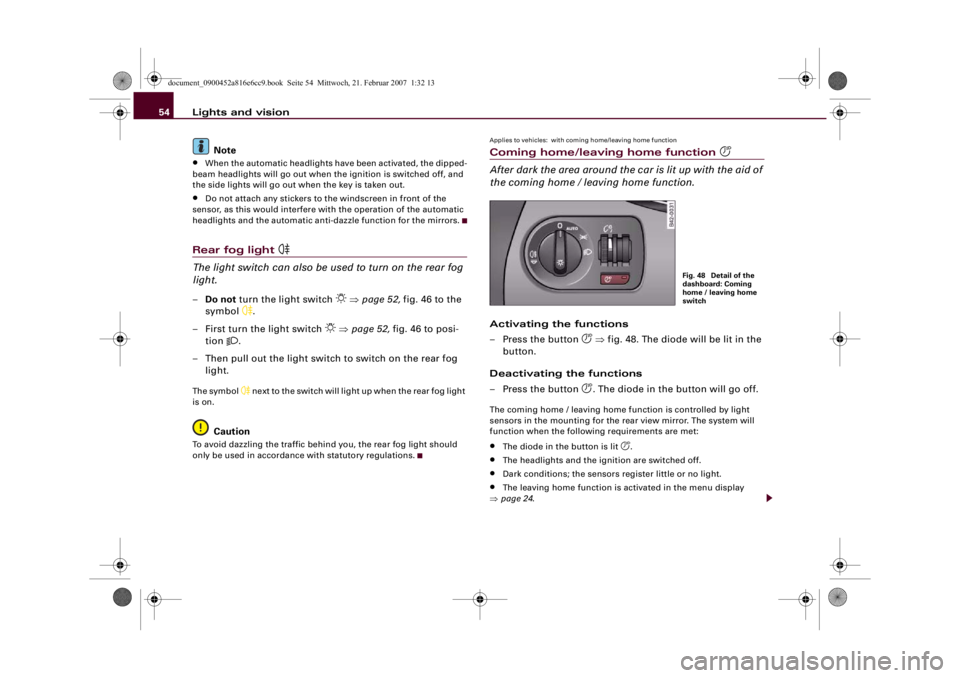
– Press the button
⇒fig. 48. The diode will be lit in the
button.
Deactivating the functions
– Press the button . The diode in the button will go off.
The coming home / leaving home function is controlled by light
sensors in the mounting for the rear view mirror. The system will
function when the following requirements are met:•
The diode in the button is lit
.
•
The headlights and the ignition are switched off.
•
Dark conditions; the sensors register little or no light.
•
The leaving home function is activated in the menu display
⇒page 24.
Fig. 48 Detail of the
dashboard: Coming
home / leaving home
switch
document_0900452a816e6cc9.book Seite 54 Mittwoch, 21. Februar 2007 1:32 13
Page 57 of 210
Lights and vision55
Controls
Safety
Driving tips
General maintenance
Self-help
Technical data Coming home function
When the system is activated and it is dark, the coming home func-
tion will illuminate the vehicle and its surroundings by switching on
the dipped headlights, rear lights, engine compartment lighting*
and number plate lights when the driver's door is opened.
The dipped headlights will stay on for about four minutes as long as
one of the doors or the luggage lid is open.
The dipped headlights stay on for about 30 seconds to light up the
area in front of the car after all the doors and the luggage lid have
been closed.
If required, you can set the time interval to between 0 and 60
seconds in the driver information system (Lights menu) ⇒page 24.
Leaving home function
The dipped headlights and the engine compartment lighting* are
switched on when the vehicle is unlocked with the
button on the
remote control key if the leaving home function is activated in the
menu display ⇒page 24.
The dipped headlights and the engine compartment lighting*
switch off when the driver's door is opened. If the driver's door is not
opened, the dipped headlights and the engine compartment
lighting* will be switched off when the car automatically locks again
⇒page 41.
Note
•
If you always wish to use the coming home / leaving home func-
tion, you can leave it switched on permanently. As the system is
controlled via a light sensor, it will only work in dark conditions.
•
Permanent use of the coming home / leaving home function, in
particular on short journeys, will increase the load on the battery. To
make sure the battery is always sufficiently charged, occasionally
drive longer distances.
•
Observe all relevant statutory requirements when using the
lighting systems described here.
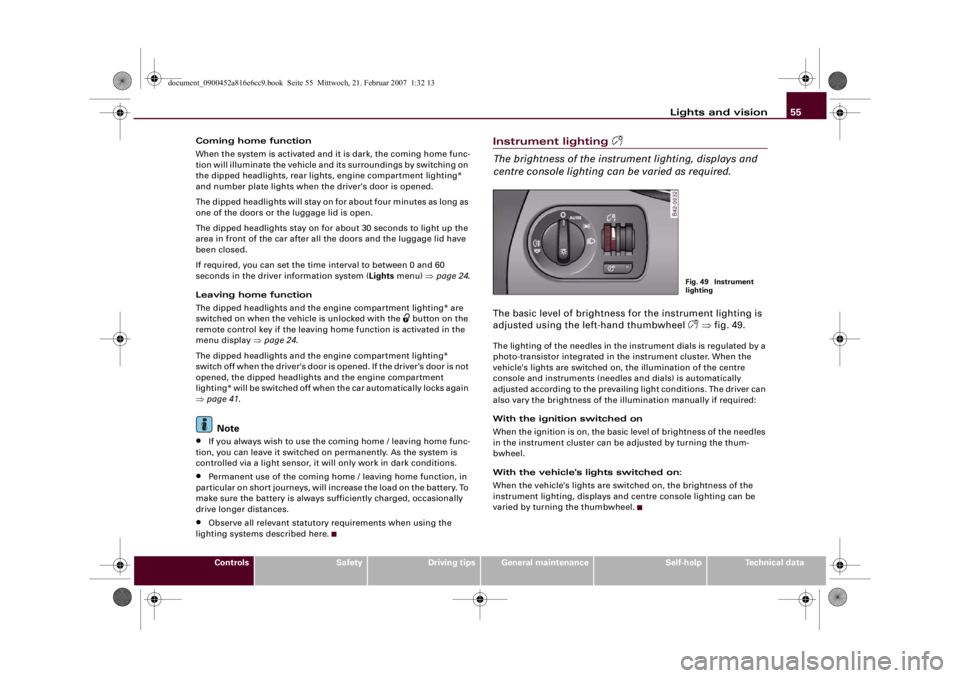
Instrument lighting
The brightness of the instrument lighting, displays and
centre console lighting can be varied as required.The basic level of brightness for the instrument lighting is
adjusted using the left-hand thumbwheel
⇒fig. 49.
The lighting of the needles in the instrument dials is regulated by a
photo-transistor integrated in the instrument cluster. When the
vehicle's lights are switched on, the illumination of the centre
console and instruments (needles and dials) is automatically
adjusted according to the prevailing light conditions. The driver can
also vary the brightness of the illumination manually if required:
With the ignition switched on
When the ignition is on, the basic level of brightness of the needles
in the instrument cluster can be adjusted by turning the thum-
bwheel.
With the vehicle's lights switched on:
When the vehicle's lights are switched on, the brightness of the
instrument lighting, displays and centre console lighting can be
varied by turning the thumbwheel.
Fig. 49 Instrument
lighting
document_0900452a816e6cc9.book Seite 55 Mittwoch, 21. Februar 2007 1:32 13
Page 58 of 210
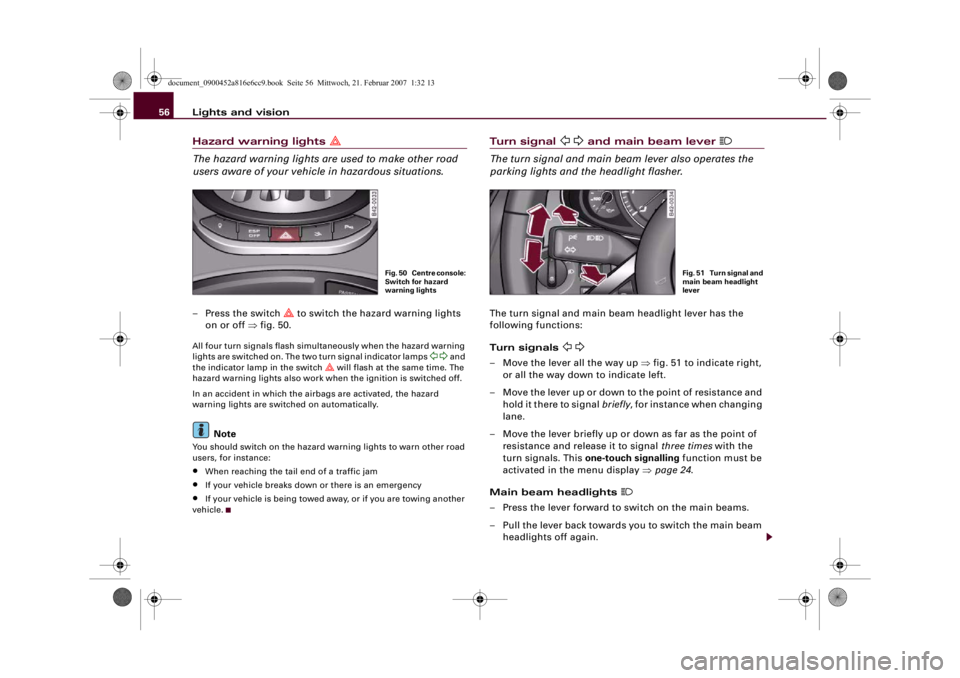
Lights and vision 56Hazard warning lights
The hazard warning lights are used to make other road
users aware of your vehicle in hazardous situations.– Press the switch
to switch the hazard warning lights
on or off ⇒fig. 50.
All four turn signals flash simultaneously when the hazard warning
lights are switched on. The two turn signal indicator lamps
and
the indicator lamp in the switch
will flash at the same time. The
hazard warning lights also work when the ignition is switched off.
In an accident in which the airbags are activated, the hazard
warning lights are switched on automatically.
Note
You should switch on the hazard warning lights to warn other road
users, for instance:•
When reaching the tail end of a traffic jam
•
If your vehicle breaks down or there is an emergency
•
If your vehicle is being towed away, or if you are towing another
vehicle.
Tu r n s i g n a l
and main beam lever
The turn signal and main beam lever also operates the
parking lights and the headlight flasher.The turn signal and main beam headlight lever has the
following functions:
Turn signals
– Move the lever all the way up ⇒fig. 51 to indicate right,
or all the way down to indicate left.
– Move the lever up or down to the point of resistance and
hold it there to signal briefly, for instance when changing
lane.
– Move the lever briefly up or down as far as the point of
resistance and release it to signal three times with the
turn signals. This one-touch signalling function must be
activated in the menu display ⇒page 24.
Main beam headlights
– Press the lever forward to switch on the main beams.
– Pull the lever back towards you to switch the main beam
headlights off again.
Fig. 50 Centre console:
Switch for hazard
warning lights
Fig. 51 Turn signal and
main beam headlight
lever
document_0900452a816e6cc9.book Seite 56 Mittwoch, 21. Februar 2007 1:32 13
Page 59 of 210
Lights and vision57
Controls
Safety
Driving tips
General maintenance
Self-help
Technical data
Headlight flasher
– Pull the lever towards the steering wheel to operate the
flasher.
Parking lights
– Switch off the ignition.
– Move the lever up or down to turn on the right or left-
hand parking lights respectively.Notes on these functions•
The turn signals only work when the ignition is switched on. The
corresponding indicator lamp
or
flashes in the instrument
cluster ⇒page 15.
•
The turn signals are cancelled automatically when the steering
wheel is returned to the straight-ahead position.
•
The main beam headlights can only be switched on if the dipped
beam headlights are already on. The main beam headlight indicator
lamp then comes on in the instrument cluster.
•
The headlight flasher comes on for as long as you pull the lever –
even if no other lights are switched on. The main beam headlight
indicator lamp
then comes on in the instrument cluster.
•
When the parking lights are switched on, the headlight and the
rear light on one side of the car light up with reduced intensity. The
parking lights will only work with the ignition off. A warning buzzer
will sound for as long as the driver's door is open.Caution
Do not use the main beam headlights or the headlight flasher if this
would dazzle oncoming traffic.
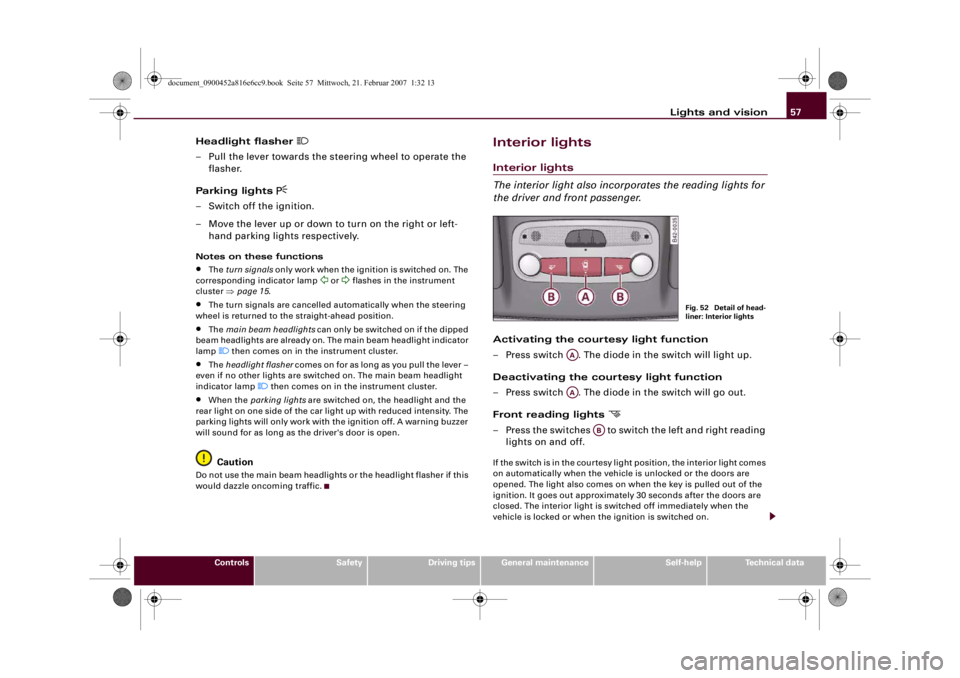
Interior lightsInterior lights
The interior light also incorporates the reading lights for
the driver and front passenger.Activating the courtesy light function
– Press switch . The diode in the switch will light up.
Deactivating the courtesy light function
– Press switch . The diode in the switch will go out.
Front reading lights
– Press the switches to switch the left and right reading
lights on and off.If the switch is in the courtesy light position, the interior light comes
on automatically when the vehicle is unlocked or the doors are
opened. The light also comes on when the key is pulled out of the
ignition. It goes out approximately 30 seconds after the doors are
closed. The interior light is switched off immediately when the
vehicle is locked or when the ignition is switched on.
Fig. 52 Detail of head-
liner: Interior lights
AAAA
AB
document_0900452a816e6cc9.book Seite 57 Mittwoch, 21. Februar 2007 1:32 13
Page 60 of 210
Lights and vision 58If a door is left open, the light is switched off after about 10 minutes
to prevent the battery from running flat.
The brightness of the light is automatically adjusted by a dimmer
when it is switched on.Luggage compartment lightThe light is on the right of the luggage compartment.
The light switches on automatically when the luggage lid is opened.
The luggage compartment light is switched off automatically if the
luggage lid is left open for more than about 10 minutes.Applies to vehicles: with engine compartment lightingEngine compartment lightingThe lighting is on both sides of the engine compartment interior.
The lighting is automatically switched on when the coming
home/leaving home function* is activated ⇒page 54.
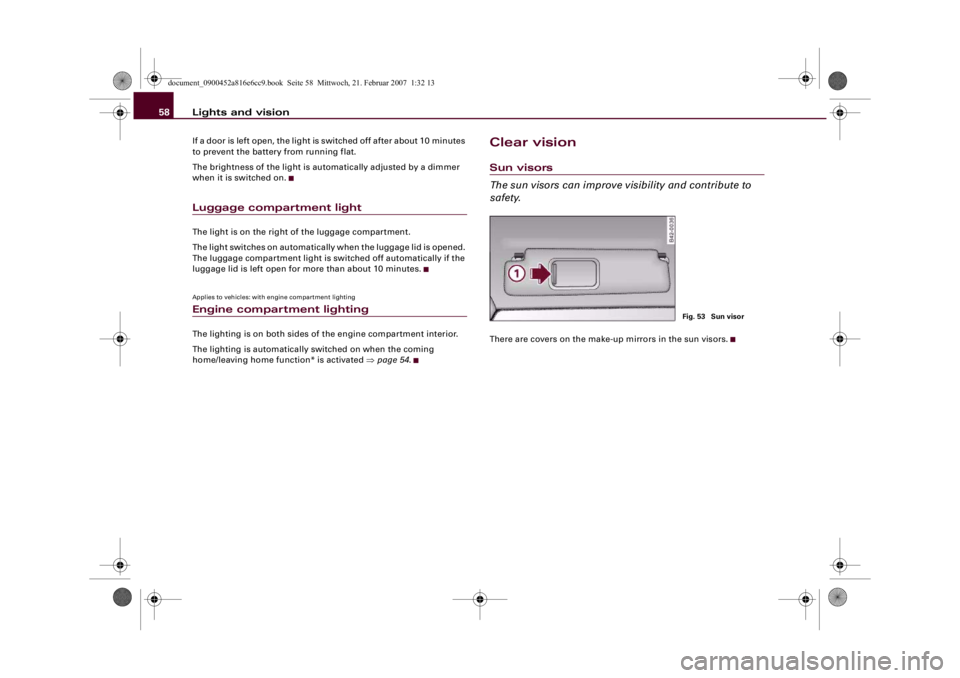
Clear visionSun visors
The sun visors can improve visibility and contribute to
safety.There are covers on the make-up mirrors in the sun visors.
Fig. 53 Sun visor
document_0900452a816e6cc9.book Seite 58 Mittwoch, 21. Februar 2007 1:32 13
Page 61 of 210
Lights and vision59
Controls
Safety
Driving tips
General maintenance
Self-help
Technical data
Windscreen wipersWindscreen wipers
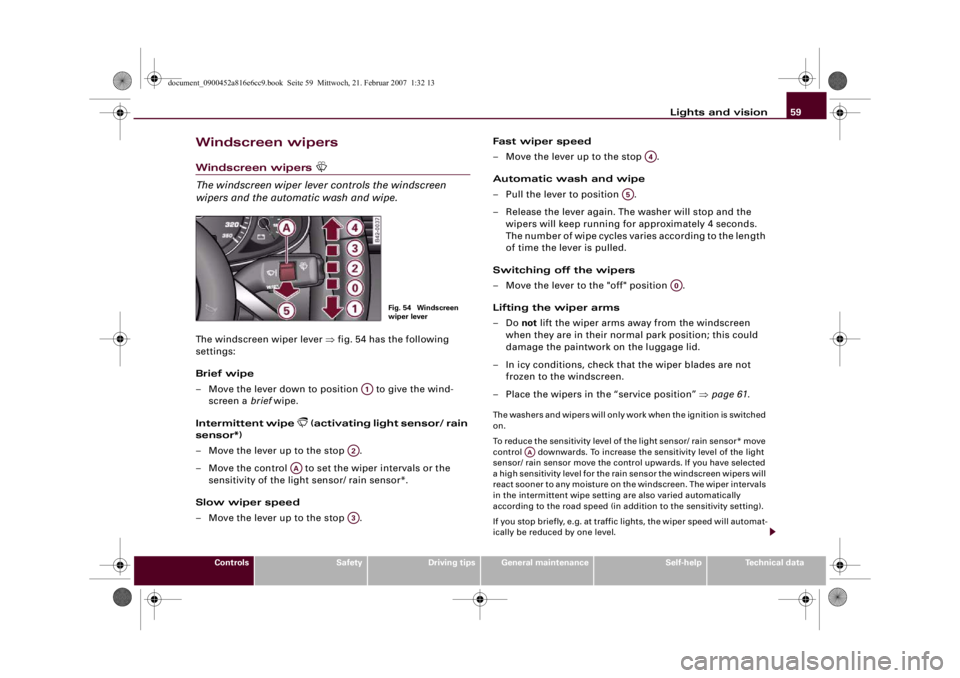
The windscreen wiper lever controls the windscreen
wipers and the automatic wash and wipe.The windscreen wiper lever ⇒fig. 54 has the following
settings:
Brief wipe
– Move the lever down to position to give the wind-
screen a brief wipe.
Intermittent wipe
(activating light sensor/ rain
sensor*)
– Move the lever up to the stop .
– Move the control to set the wiper intervals or the
sensitivity of the light sensor/ rain sensor*.
Slow wiper speed
– Move the lever up to the stop .Fast wiper speed
– Move the lever up to the stop .
Automatic wash and wipe
– Pull the lever to position .
– Release the lever again. The washer will stop and the
wipers will keep running for approximately 4 seconds.
The number of wipe cycles varies according to the length
of time the lever is pulled.
Switching off the wipers
– Move the lever to the "off" position .
Lifting the wiper arms
–Do not lift the wiper arms away from the windscreen
when they are in their normal park position; this could
damage the paintwork on the luggage lid.
– In icy conditions, check that the wiper blades are not
frozen to the windscreen.
–Place the wipers in the “service position” ⇒page 61.
The washers and wipers will only work when the ignition is switched
on.
To reduce the sensitivity level of the light sensor/ rain sensor* move
control downwards. To increase the sensitivity level of the light
sensor/ rain sensor move the control upwards. If you have selected
a high sensitivity level for the rain sensor the windscreen wipers will
react sooner to any moisture on the windscreen. The wiper intervals
in the intermittent wipe setting are also varied automatically
according to the road speed (in addition to the sensitivity setting).
If you stop briefly, e.g. at traffic lights, the wiper speed will automat-
ically be reduced by one level.
Fig. 54 Windscreen
wiper lever
A1
A2
AA
A3
A4
A5
A0
AA
document_0900452a816e6cc9.book Seite 59 Mittwoch, 21. Februar 2007 1:32 13
Page 62 of 210
Lights and vision 60The windscreen washer jets are heated when the ignition is
switched on.
When the lights are switched on you should only pull the lever
briefly to wash the windscreen, otherwise the headlight washers
will also be activated. This will use an unnecessary amount of fluid
from the reservoir.
WARNING
•
Poor visibility can cause accidents. Always ensure that the
wiper blades are in good condition ⇒page 62, “Changing wiper
blades”.
•
The light sensor/ rain sensor* is only intended to assist the
driver. The driver is still obliged to manually operate the wind-
screen wipers and the lights as required depending on visibility.
•
Do not use water-repellent coatings on the windscreen. In bad
visibility conditions such as light rain, low sun or when driving at
night these coatings can cause increased dazzle, which is a
serious safety hazard. Such coatings can also cause the wiper
blades to judder.Caution
•
In icy conditions, always check that the wiper blades are not
frozen to the glass before using the wiper for the first time. If you
switch on the wipers when the wiper blades are frozen to the glass,
this could damage both the wiper blades and the wiper motor.
•
Make sure you switch off the windscreen wiper system (lever in
position "0") before you use an automatic car wash. This will avoid
inadvertent triggering of the wipers and possible damage to the
wiper system.Note
•
Check that the washer fluid reservoir is full before starting a long
journey. Filling the reservoir ⇒page 164.
•
Worn or dirty wiper blades can cause smearing on the glass
which can also impair the effectiveness of the light sensor/ rain
sensor*. Please check the wiper blades regularly.
•
If you leave the windscreen wiper lever set to the intermittent
wipe function when the ignition is switched off, the light sensor/
rain sensor* will not be activated until you reach a road speed of at
least 6 km/h.
•
Applies to vehicles with light sensor/ rain sensor: If the wind-
screen wipers have been activated manually and it is raining, the
automatic headlights* will come on ⇒page 53, “Automatic (sensor-
controlled) headlights”. In the daytime the headlights will automat-
ically go off again once the wipers are switched off. The automatic
headlights* function is only available if the light switch is in the
“AUTO” position ⇒page 53, fig. 47.
Headlight washer systemWith the lights switched on, operate the automatic wind-
screen wash and wipe ⇒page 59, fig. 54 , and keep the
lever pulled towards you for at least 1 second.The headlight washer jets come out of the bumper automatically
(under water pressure).
Clean off stubborn dirt (insects, etc.) from the lenses at regular
intervals, for instance when stopping for fuel.
To ensure that the system works properly in winter, keep the nozzle
holders free of snow and remove any ice with a de-icer spray.
A5
document_0900452a816e6cc9.book Seite 60 Mittwoch, 21. Februar 2007 1:32 13