light AUDI R8 COUPE 2020 User Guide
[x] Cancel search | Manufacturer: AUDI, Model Year: 2020, Model line: R8 COUPE, Model: AUDI R8 COUPE 2020Pages: 308, PDF Size: 82.41 MB
Page 20 of 308

Instrument cluster
ZA WARNING
Have the safety systems inspected immedi-
ately. Otherwise, there is a risk that the sys-
tems may not activate during a collision,
which increases the risk of serious injury or
death.
PRT ava fle
The A indicator light stays on until the driver's
and front passenger's* safety belts are fastened.
Above a certain speed, there will also be a warn-
ing tone.
G) Tips
For additional information on safety belts,
see > page 180.
@- Steering lock
|e—<| Steering: malfunction! Please stop vehicle
There is a malfunction in the electronic steering
lock. You cannot turn the ignition on.
Do not tow your vehicle because it cannot be
steered. See an authorized Audi dealer or author-
ized Audi Service Facility for assistance.
@—<| Steering lock: malfunction! Please contact
Service
There is a malfunction in the electronic steering
lock.
Drive immediately to an authorized Audi dealer
or authorized Audi Service Facility to have the
malfunction repaired.
ZA\ WARNING
To reduce the risk of an accident, do not tow
your vehicle when there is a malfunction in
the electronic steering lock.
oem eee
BS Engine start system: malfunction! Please
contact Service
Do not switch the ignition off because you may
not be able to switch it on again.
18
Drive to an authorized Audi dealer or authorized
Audi Service Facility immediately to have the
malfunction corrected.
S&S Engine start system: malfunction! Please
contact Service
There is a malfunction in the engine start system.
Drive immediately to an authorized Audi dealer
or authorized Audi Service Facility to have the
malfunction repaired.
*\ Engine stop while driving
If the S indicator light turns on, there may bea
malfunction in the engine or fuel supply.
More force is needed to steer and brake the mov-
ing vehicle when the engine is stopped. If the ve-
hicle is rolling, try to bring it to a stop off to the
side from moving traffic. See an authorized Audi
dealer or authorized Audi Service Facility for as-
sistance.
ZA\ WARNING
If the engine stops while driving, you will
need to use more force to brake the vehicle.
This increases the risk of an accident. There
will still be power steering if the ignition is
switched on while the vehicle is rolling and
there is sufficient battery charge. Otherwise,
you must use greater force when steering.
33/2 Electronic Stabilization Control (ESC)
If the B&B indicator light blinks while driving, the
ESC or ASR (Anti-Slip Regulation) is actively regu-
lating.
If the BB indicator light turns on, the system has
switched the ESC off. In this case, you can switch
the ignition off and then on to switch the ESC on
again. The indicator light turns off when the sys-
tem is fully functional.
If the B indicator light turns on, ESC was
switched off using the 2%] button > page 87.
Stabilization control (ESC/ABS): malfunction!
See owner's manual
Page 21 of 308
4S1012721BA
Instrument cluster
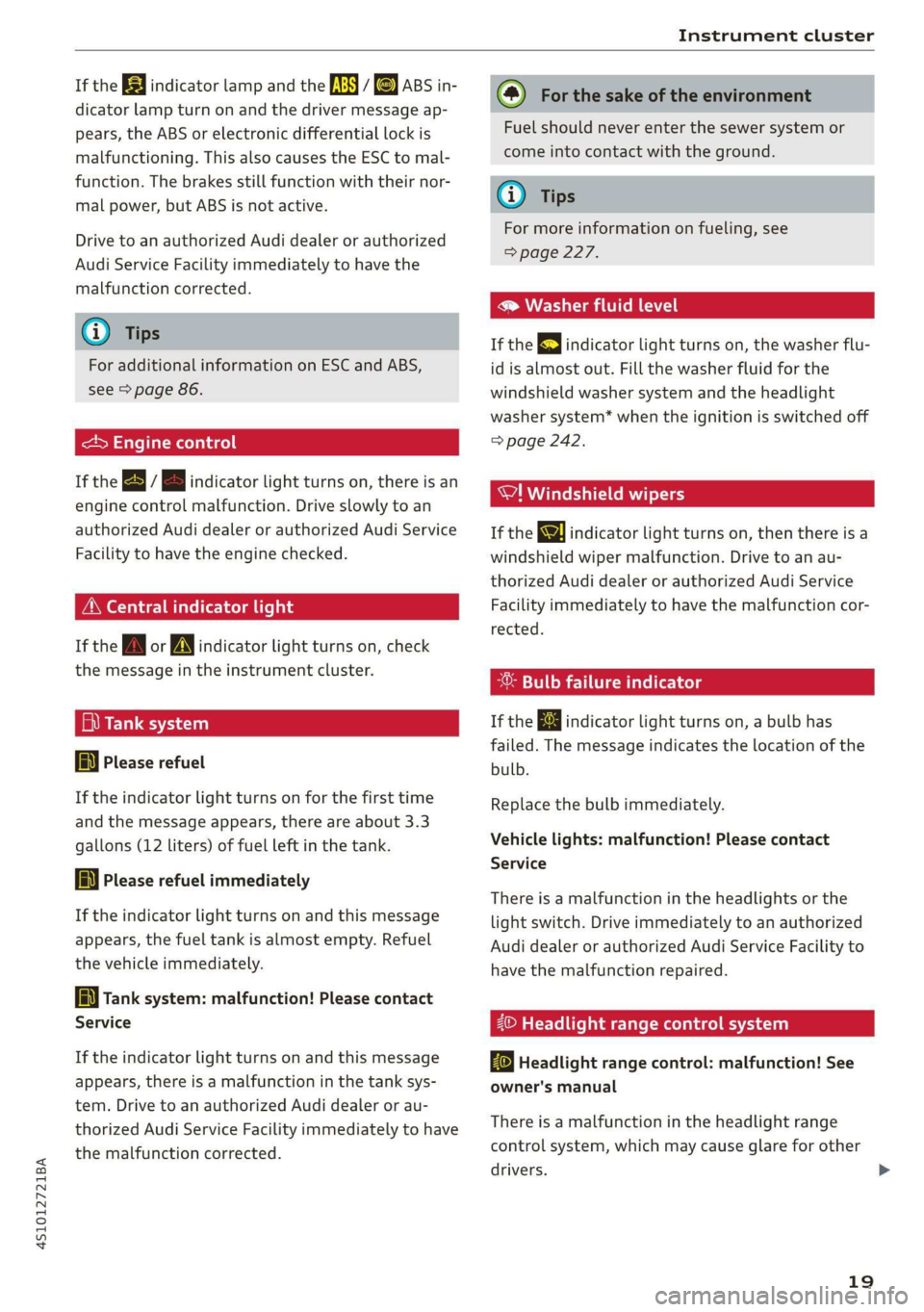
If the BB indicator lamp and the fs i &) ABS in-
dicator lamp turn on and the driver message ap-
pears, the ABS or electronic differential lock is
malfunctioning. This also causes the ESC to mal-
function. The brakes still function with their nor-
mal power, but ABS is not active.
Drive to an authorized Audi dealer or authorized
Audi Service Facility immediately to have the
malfunction corrected.
@) Tips
For additional information on ESC and ABS,
see > page 86.
<5 Engine control
If the B / B indicator light turns on, there is an
engine control malfunction. Drive slowly to an
authorized Audi dealer or authorized Audi Service
Facility to have the engine checked.
ON eae
If the A or N indicator light turns on, check
the message in the instrument cluster.
fi) Tank system
a Please refuel
If the indicator light turns on for the first time
and the message appears, there are about 3.3
gallons (12 liters) of fuel left in the tank.
AN} Please refuel immediately
If the indicator light turns on and this message
appears, the fuel tank is almost empty. Refuel
the vehicle immediately.
[i Tank system: malfunction! Please contact
Service
If the indicator light turns on and this message
appears, there is a malfunction in the tank sys-
tem. Drive to an authorized Audi dealer or au-
thorized Audi Service Facility immediately to have
the malfunction corrected.
(@) For the sake of the environment
Fuel should never enter the sewer system or
come into contact with the ground.
@) Tips
For more information on fueling, see
=> page 227.
® Washer fluid level
If the gE indicator light turns on, the washer flu-
id is almost out. Fill the washer fluid for the
windshield washer system and the headlight
washer system* when the ignition is switched off
=> page 242.
WI! Windshield wipers
If the ke indicator light turns on, then there is a
windshield wiper malfunction. Drive to an au-
thorized Audi dealer or authorized Audi Service
Facility immediately to have the malfunction cor-
rected.
-®: Bulb failure indicator
If the ka indicator light turns on, a bulb has
failed. The message indicates the location of the
bulb.
Replace the bulb immediately.
Vehicle lights: malfunction! Please contact
Service
There is a malfunction in the headlights or the
light switch. Drive immediately to an authorized
Audi dealer or authorized Audi Service Facility to
have the malfunction repaired.
2© Headlight range control system
By Headlight range control: malfunction! See
owner's manual
There is a malfunction in the headlight range
control system, which may cause glare for other
drivers. >
19
Page 22 of 308
Instrument cluster
Drive to an authorized Audi dealer or authorized
Audi Service Facility immediately to have the
malfunction corrected.
ZO Audi adaptive light
Applies to: vehicles with Audi adaptive light
By Audi adaptive light: malfunction! See own-
er's manual
There is a malfunction in the adaptive lights. The
headlights still function.
Drive immediately to an authorized Audi dealer
or authorized Audi Service Facility to have the
malfunction repaired.
maT Are els
Applies to: vehicles with light/rain sensor
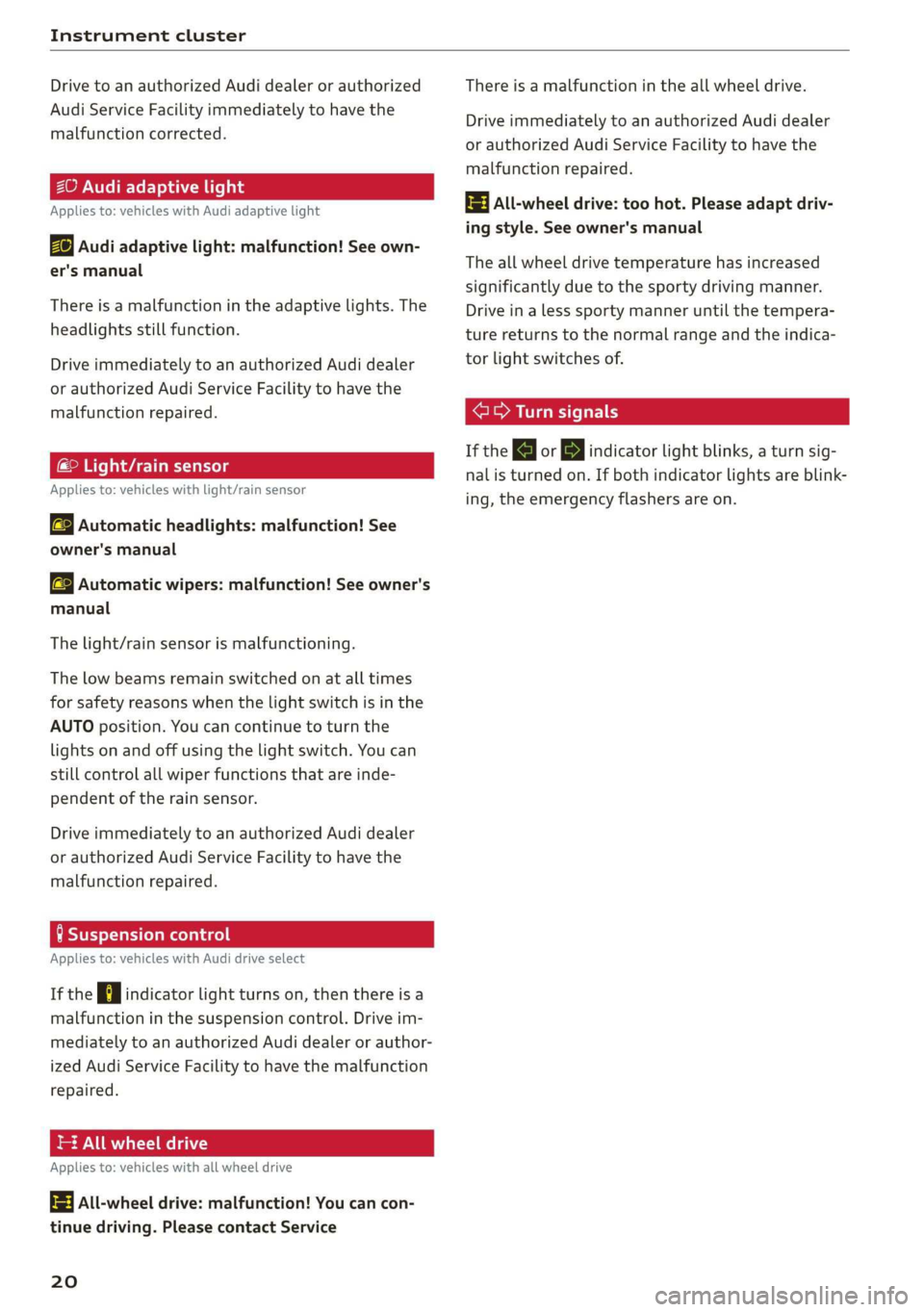
SB Automatic headlights: malfunction! See
owner's manual
a Automatic wipers: malfunction! See owner's
manual
The light/rain sensor is malfunctioning.
The low beams remain switched on at all times
for safety reasons when the light switch is in the
AUTO position. You can continue to turn the
lights on and off using the light switch. You can
still control all wiper functions that are inde-
pendent of the rain sensor.
Drive immediately to an authorized Audi dealer
or authorized Audi Service Facility to have the
malfunction repaired.
tea melted
Applies to: vehicles with Audi drive select
If the Hi indicator light turns on, then there is a
malfunction in the suspension control. Drive im-
mediately to an authorized Audi dealer or author-
ized Audi Service Facility to have the malfunction
repaired.
= All wheel drive
Applies to: vehicles with all wheel drive
3] All-wheel drive: malfunction! You can con-
tinue driving. Please contact Service
20
There is a malfunction in the all wheel drive.
Drive immediately to an authorized Audi dealer
or authorized Audi Service Facility to have the
malfunction repaired.
t3} All-wheel drive: too hot. Please adapt driv-
ing style. See owner's manual
The all wheel drive temperature has increased
significantly due to the sporty driving manner.
Drive in a less sporty manner until the tempera-
ture returns to the normal range and the indica-
tor light switches of.
ere a eer c
If the |<] or B indicator light blinks, a turn sig-
nal is turned on. If both indicator lights are blink-
ing, the emergency flashers are on.
Page 23 of 308
4S1012721BA
Opening and closing
Opening and closing
Central locking
You can lock and unlock the vehicle centrally. You
have the following options:
— Remote control key > page 23
— Sensors in the door handles* > page 24
— Lock cylinder on the driver's door > page 26,
or
— Interior central locking switch > page 25
Automatic locking function (Auto Lock)
The Auto Lock function locks all doors and the
luggage compartment lid once the speed has ex-
ceeded approximately 9 mph (15 km/h).
The vehicle can be unlocked if the opening func-
tion in the central locking system switch is used
or one of the door handles is pulled.
In the event of a crash with airbag deployment,
the doors will also automatically unlock to allow
access to the vehicle.
Selective door unlocking
The doors and luggage compartment lid will lock
when they close. You can set in the Infotainment
system whether only the driver's door or the en-
tire vehicle should be unlocked when unlocking
=>page 25.
Turn signals
The turn signals flash twice when you unlock the
vehicle and flash once when you lock the vehicle.
If the blinking continues, one of the doors or the
luggage compartment lid is not closed or the ig-
nition is still switched on.
Unintentionally locking yourself out
Only lock your vehicle when all of the doors and
the luggage compartment lid are closed and the
remote control key is not in the vehicle. This re-
duces the risk of locking yourself out accidental-
ly.
The following conditions prevent you from lock-
ing your remote control key in the vehicle:
— If the driver's door is open, the vehicle cannot
be locked by pressing the & button on the re-
mote control key or by touching the locking
sensor* on a door.
—If the most recently used convenience key* is
inside the luggage compartment, the luggage
compartment lid will automatically open again
after closing it.
— If the last convenience key* that was used is de-
tected inside the vehicle, the vehicle cannot be
locked from the outside for a brief time > ©.
® Note
Applies to: vehicles with convenience key
— If the convenience key* that was last used is
detected inside the passenger compart-
ment, then the vehicle cannot be locked
from the outside. The turn signals will flash
several times to indicate this. If you do not
open the vehicle within a short time to re-
move the vehicle key, then the vehicle will
lock automatically. This prevents the vehicle
from being left unlocked for long periods of
time. The key will then be locked inside the
vehicle.
— If the convenience key* that was used last is
detected inside the luggage compartment,
it will not be possible to lock the luggage
compartment and the luggage compart-
ment lid will open. The turn signals will
flash several times to indicate this. The
doors will lock. Always take the convenience
key with you, or unauthorized people may
be able to enter the vehicle.
@) Tips
— Do not leave valuables unattended in the ve-
hicle. A locked vehicle is not a safe!
—The LED in the driver's door rail blinks when
you lock the vehicle. If the LED lights up for
approximately 30 seconds after locking,
there is a malfunction in the central locking
system. Have the problem corrected by an
authorized Audi dealer or authorized Audi
Service Facility.
21
Page 24 of 308
Opening and closing
B45-0101
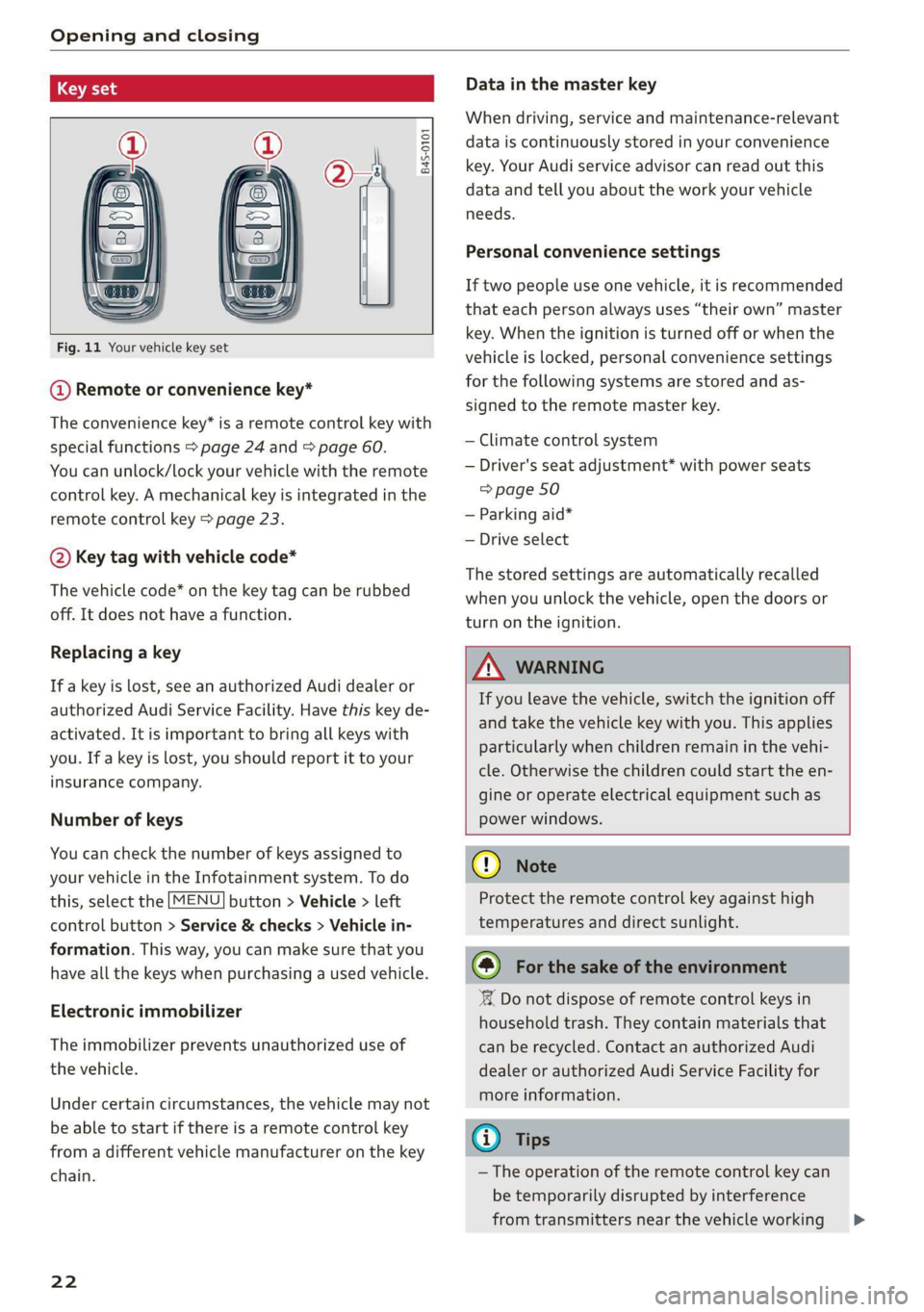
Fig. 11 Your vehicle key set
@ Remote or convenience key*
The convenience key* is a remote control key with
special functions > page 24 and > page 60.
You can unlock/lock your vehicle with the remote
control key. A mechanical key is integrated in the
remote control key > page 23.
@ Key tag with vehicle code*
The vehicle code* on the key tag can be rubbed
off. It does not have a function.
Replacing a key
If a key is lost, see an authorized Audi dealer or
authorized Audi Service Facility. Have this key de-
activated. It is important to bring all keys with
you. If a key is lost, you should report it to your
insurance company.
Number of keys
You can check the number of keys assigned to
your vehicle in the Infotainment system. To do
this, select the [MENU] button > Vehicle > left
control button > Service & checks > Vehicle in-
formation. This way, you can make sure that you
have all the keys when purchasing a used vehicle.
Electronic immobilizer
The immobilizer prevents unauthorized use of
the vehicle.
Under certain circumstances, the vehicle may not
be able to start if there is a remote control key
from a different vehicle manufacturer on the key
chain.
22
Data in the master key
When driving, service and maintenance-relevant
data is continuously stored in your convenience
key. Your Audi service advisor can read out this
data and tell you about the work your vehicle
needs.
Personal convenience settings
If two people use one vehicle, it is recommended
that each person always uses “their own” master
key. When the ignition is turned off or when the
vehicle is locked, personal convenience settings
for the following systems are stored and as-
signed to the remote master key.
— Climate control system
— Driver's seat adjustment* with power seats
=> page 50
— Parking aid*
— Drive select
The stored settings are automatically recalled
when you unlock the vehicle, open the doors or
turn on the ignition.
ZA WARNING
If you leave the vehicle, switch the ignition off
and take the vehicle key with you. This applies
particularly when children remain in the vehi-
cle. Otherwise the children could start the en-
gine or operate electrical equipment such as
power windows.
() Note
Protect the remote control key against high
temperatures and direct sunlight.
(@) For the sake of the environment
XX Do not dispose of remote control keys in
household trash. They contain materials that
can be recycled. Contact an authorized Audi
dealer or authorized Audi Service Facility for
more information.
(i) Tips
— The operation of the remote control key can
be temporarily disrupted by interference
from transmitters near the vehicle working >
Page 25 of 308
4S1012721BA
Opening and closing
in the same frequency range (such as a cell
phone or radio equipment). Always check if
your vehicle is locked!
— For an explanation on conformity with the
FCC regulations in the United States and the
Industry Canada regulations, see
=> page 287.
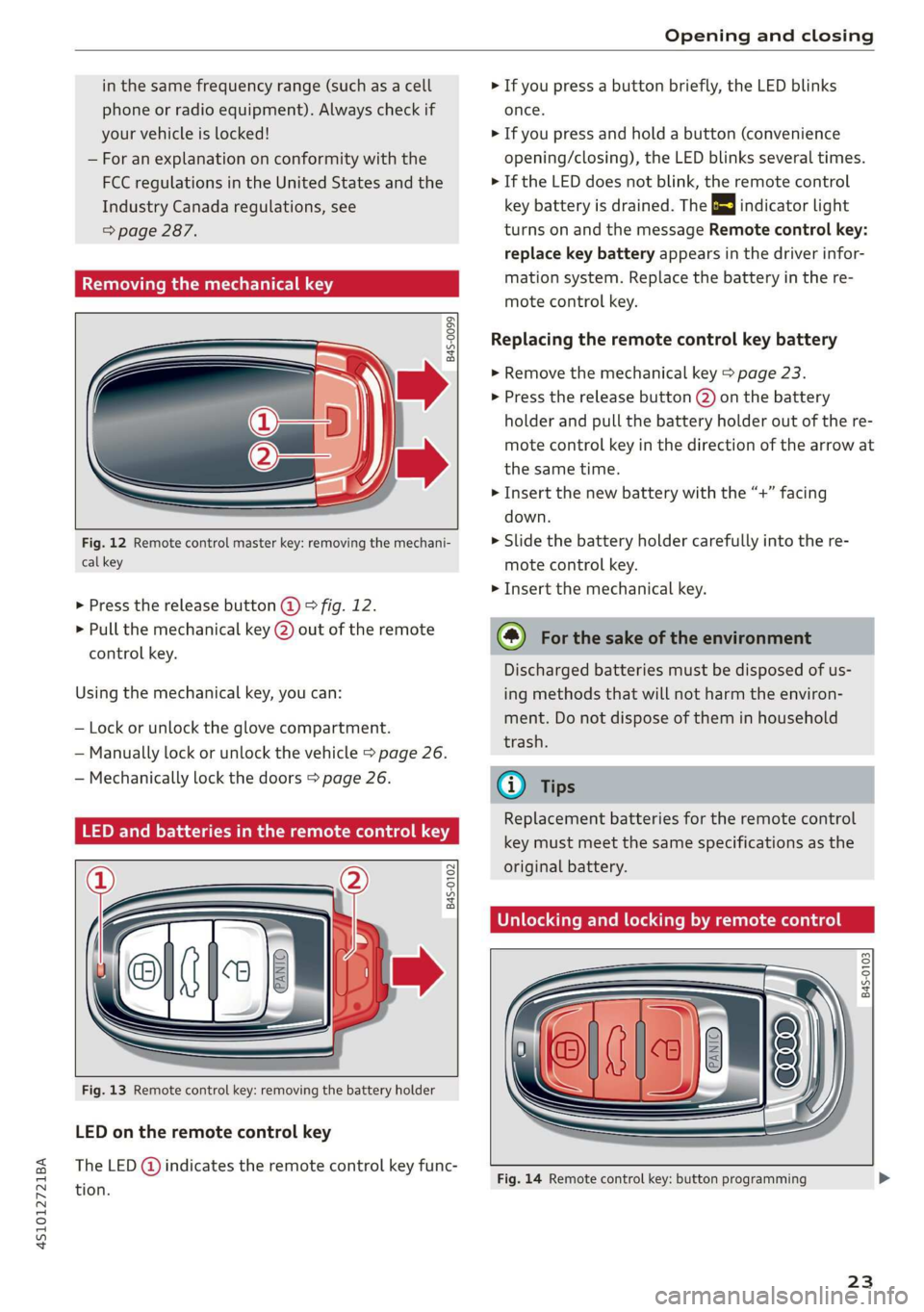
Removing the mechanical key
B4S-0099
Fig. 12 Remote control master key: removing the mechani-
cal key
» Press the release button @ 9 fig. 12.
> Pull the mechanical key (2) out of the remote
control key.
Using the mechanical key, you can:
— Lock or unlock the glove compartment.
— Manually lock or unlock the vehicle > page 26.
— Mechanically lock the doors > page 26.
LED and batteries in the remote control key
B4S-0102
Fig. 13 Remote control key: removing the battery holder
LED on the remote control key
The LED @ indicates the remote control key func-
tion.
> If you press a button briefly, the LED blinks
once.
> If you press and hold a button (convenience
opening/closing), the LED blinks several times.
» If the LED does not blink, the remote control
key battery is drained. The BS indicator light
turns on and the message Remote control key:
replace key battery appears in the driver infor-
mation system. Replace the battery in the re-
mote control key.
Replacing the remote control key battery
> Remove the mechanical key > page 23.
> Press the release button (2) on the battery
holder and pull the battery holder out of the re-
mote control key in the direction of the arrow at
the same time.
> Insert the new battery with the “+” facing
down.
> Slide the battery holder carefully into the re-
mote control key.
> Insert the mechanical key.
(@) For the sake of the environment
Discharged batteries must be disposed of us-
ing
methods that will not harm the environ-
ment. Do not dispose of them in household
trash.
@ Tips
Replacement batteries for the remote control
key must meet the same specifications as the
original battery.
Unlocking and locking by remote control
B4S-0103
Fig. 14 Remote control key: button programming
23
Page 27 of 308
4S1012721BA
Opening and closing
AN WARNING
No one, especially children, should stay in the
vehicle when it is locked from the outside, be-
cause the windows can no longer be opened
from the inside > page 26. Locked doors
make it more difficult for emergency workers
to get into the vehicle, which puts lives at risk.
ZA\ WARNING
Read and following all WARNINGS. > A\ in
Key set on page 22
G) Tips
If your vehicle is left standing for a long peri-
od of time, note the following:
—To prevent the vehicle battery from dis-
charging, the energy management gradual-
ly switches off convenience functions that
are not needed. You then may no longer be
able to unlock your vehicle with the sensors.
— For an explanation on conformity with the
FCC regulations in the United States and the
Industry Canada regulations, see
=> page 287.
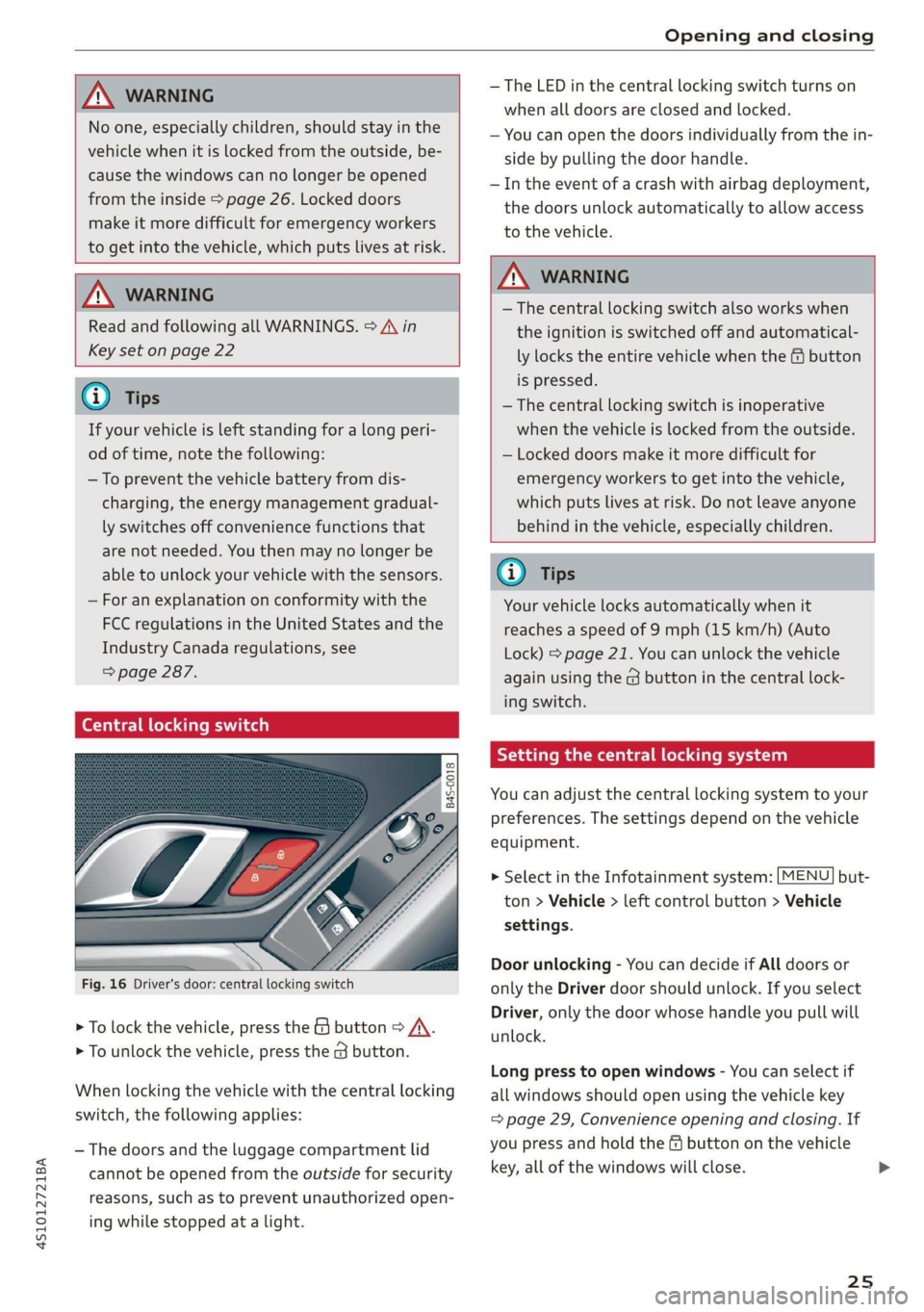
Central locking switch
Fig. 16 Driver's door: central locking switch
> To lock the vehicle, press the & button > A\.
> To unlock the vehicle, press the @ button.
When locking the vehicle with the central locking
switch, the following applies:
— The doors and the luggage compartment lid
cannot be opened from the outside for security
reasons, such as to prevent unauthorized open-
ing while stopped at a light.
— The LED in the central locking switch turns on
when all doors are closed and locked.
— You can open the doors individually from the in-
side by pulling the door handle.
— In the event of a crash with airbag deployment,
the doors unlock automatically to allow access
to the vehicle.
ZA\ WARNING
— The central locking switch also works when
the ignition is switched off and automatical-
ly locks the entire vehicle when the & button
is pressed.
— The central locking switch is inoperative
when the vehicle is locked from the outside.
— Locked doors make it more difficult for
emergency workers to get into the vehicle,
which puts lives at risk. Do not leave anyone
behind in the vehicle, especially children.
Gi) Tips
Your vehicle locks automatically when it
reaches a speed of 9 mph (15 km/h) (Auto
Lock) = page 21. You can unlock the vehicle
again using the @ button in the central lock-
ing switch.
Setting the central locking system
You can adjust the central locking system to your
preferences. The settings depend on the vehicle
equipment.
> Select in the Infotainment system: [MENU] but-
ton > Vehicle > left control button > Vehicle
settings.
Door unlocking - You can decide if All doors or
only the Driver door should unlock. If you select
Driver, only the door whose handle you pull will
unlock.
Long press to open windows - You can select if
all windows should open using the vehicle key
= page 29, Convenience opening and closing. If
you press and hold the ff button on the vehicle
key, all of the windows will close.
25
Page 31 of 308
4S1012721BA
Opening and closing
@) Tips
You can still open and close the windows for
approximately 10 minutes after turning the
ignition off. The power windows do not switch
off until the driver's door or front passenger's
door has been opened.
Convenience opening and closing
All windows can be opened and closed at the
same time.
For power top* convenience opening/closing, re-
fer to the information in > page 33.
Convenience opening feature
> Press and hold the @ button on the remote con-
trol key until all windows reach the desired po-
sition.
Convenience closing feature
> Hold the key in the driver's door lock in the lock
position until all windows are closed > /\.
Setting convenience opening in the
Infotainment system
The function can be switched on/off in the Info-
tainment system > page 25.
Z\ WARNING
— Never close the windows carelessly or in an
uncontrolled manner, because this increases
the risk of injury.
— For security reasons, the windows can only
be opened and closed with the remote con-
trol key at a maximum distance of approxi-
mately 6 ft (2 m) away from the vehicle.
When pressing the f button, always watch
the windows while they are closing so that
no one is pinched in the window. The closing
process will stop immediately when the fa
button is released.
Correcting power window malfunctions
You can reactivate the one-touch up/down func-
tion if it malfunctions.
> Pull the power window switch up until the win-
dow is completely raised.
>» Release the switch and pull it up again for at
least one second.
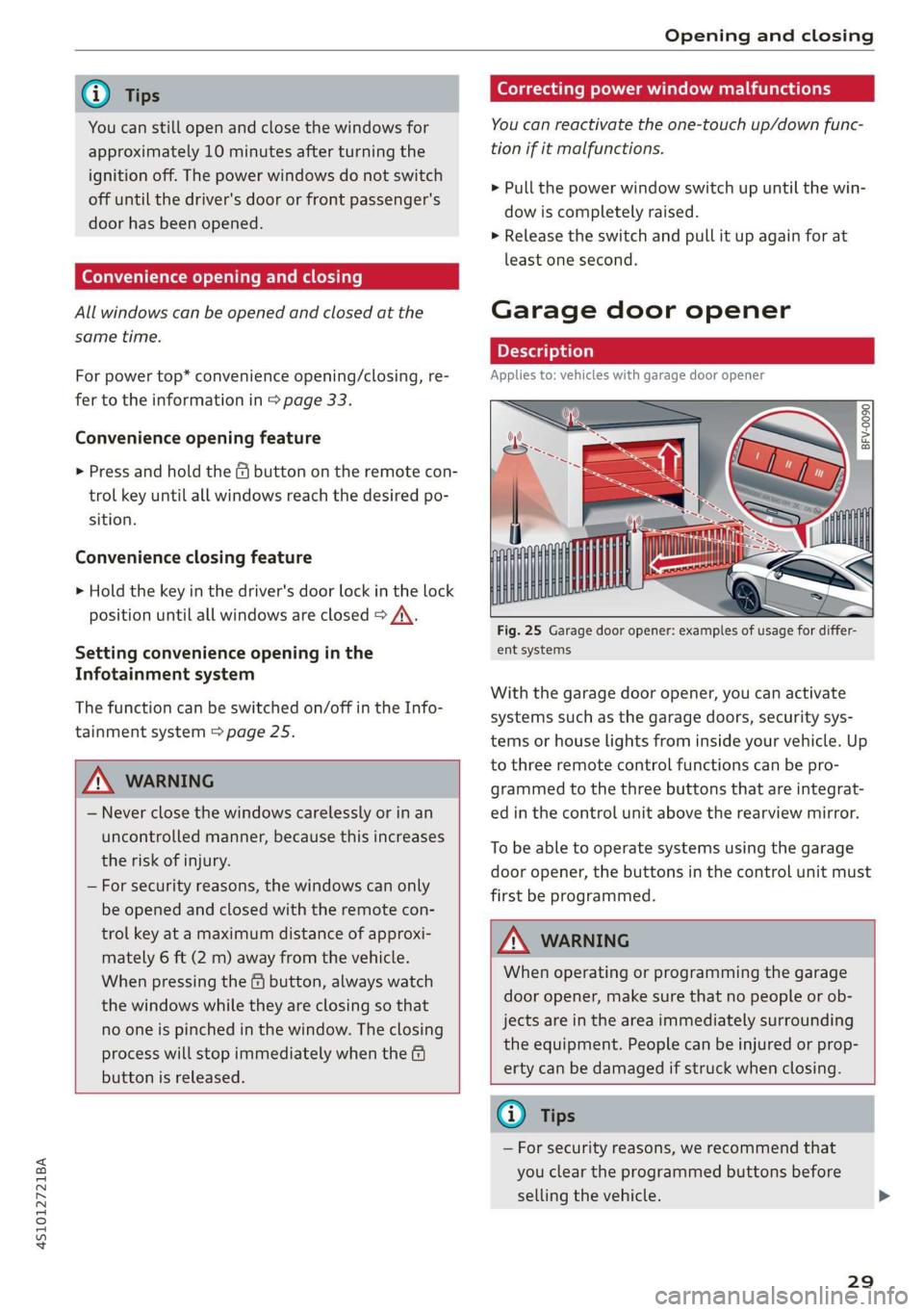
Garage door opener
Applies to: vehicles with garage door opener
2 a 3 2
> z
oO
Fig. 25 Garage door opener: examples of usage for differ-
ent systems
With the garage door opener, you can activate
systems such as the garage doors, security sys-
tems or house lights from inside your vehicle. Up
to three remote control functions can be pro-
grammed to the three buttons that are integrat-
ed in the control unit above the rearview mirror.
To be able to operate systems using the garage
door opener, the buttons in the control unit must
first be programmed.
Z\ WARNING
When operating or programming the garage
door opener, make sure that no people or ob-
jects are in the area immediately surrounding
the equipment. People can be injured or prop-
erty can be damaged if struck when closing.
@® Tips
— For security reasons, we recommend that
you clear the programmed buttons before
selling the vehicle.
29
Page 33 of 308
4S1012721BA
Opening and closing
9. Ifthe garage door or other systems do not
open with the HomeLink buttons even if the
programming was successful, the system
may use a rolling code instead of a fixed
code. You must also then perform rolling
code programming > page 31.
The other two buttons in the control panel can be
programmed using the instructions given above.
Start with step 3.
Deleting button programming
The programmed buttons cannot be deleted indi-
vidually. They must be deleted all at once. Repro-
gram the buttons if necessary.
> Switch the ignition on.
> Press both of the outside buttons on the con-
trol unit until the yellow LED @ turns off and
the green LED (@) turns on.
Reprogramming buttons
> Switch the ignition on.
> To reprogram an individual button, press the
desired button until the green LED @ turns off
and the yellow LED (2) starts to turn on (after
approximately 10 seconds). Release the button
immediately. The programming mode is active
for 5 minutes and is indicated by a blinking yel-
low light.
> Continue with step 5.
G) Tips
— The distance needed between the remote
control transmitter and the garage door
opener module in the radiator grille
=> fig. 27 depends on the system you are
programming.
— Depending on the system model, you may
need to release the button on the remote
control transmitter while it is programming
and press it again. Hold every position you
try when programming for at least 15 sec-
onds before trying a new position. Keep an
eye on the vehicle turn signals while doing
this.
Rolling code programming
Applies to: vehicles with garage door opener
On some systems, programming a rolling code is
also necessary.
Identifying a rolling code
After programming a rolling code successfully (in
front of the vehicle), the yellow LED stays on
when returning to the vehicle. It turns off the
next time the button is pressed. It will then blink
green and the garage door opener will send the
required signal. The garage door opener will also
send the signal and the LED will blink green
whenever the button is pressed after that.
> Program the rolling code as follows:
Activating the system motor unit
> Locate the programming button on the system
motor unit. The exact location and color of the
button may vary depending on the brand.
> Press the programming button on the system
motor unit (usually this will activate a “display”
on the motor unit). You now have approximate-
ly 30 seconds to program the button in the
control panel.
Programming the button in the control
panel
> Press and hold the previously programmed but-
ton in the control panel for two seconds.
> To complete rolling code programming, press
and hold the button again for two seconds.
> On some systems, the button might need to be
pressed a third time to end the programming
procedure.
After programming, the system should recognize
the signal and operate when the button in the
control panel is pressed. Now you may program
the other buttons as needed.
@) Tips
— The rolling code can be programmed more
quickly and more easily with the help of a
second person.
— If any difficulties occur when programming
the rolling code, it may be helpful to read
the system operating manual.
31
Page 35 of 308
4S1012721BA
Power top
— Make sure no one will be injured by the pow-
er top supports and other moving compo-
nents when opening and closing the top.
— Visibility to the rear is limited when operat-
ing the power top. Avoid operating the top
while driving in reverse.
e Note
— To prevent damage to the power top:
— do not store any objects in the power top
storage compartment.
— make sure there is enough space above
the vehicle when opening or closing the
power top.
@ Tips
—To prevent the vehicle battery from draining
unnecessarily, do not open or close the pow-
er top repeatedly when the engine is switch-
ed off.
—A message will appear in the instrument
cluster if there is a malfunction in the power
top > page 34.
—If there is a malfunction, the power top can
also be operated manually as a temporary
solution > page 35, Power top emergency
operation. An authorized Audi dealer or au-
thorized Audi Service Facility should diag-
nose and correct the cause of the malfunc-
tion immediately.
— If the vehicle is parked with the power top
open, the vehicle interior is not protected
from
damaging weather or unauthorized ac-
cess. Lock any items you leave behind in the
luggage compartment. Close the power top
before leaving the vehicle.
— The side windows automatically lower
slightly when opening or closing the power
top.
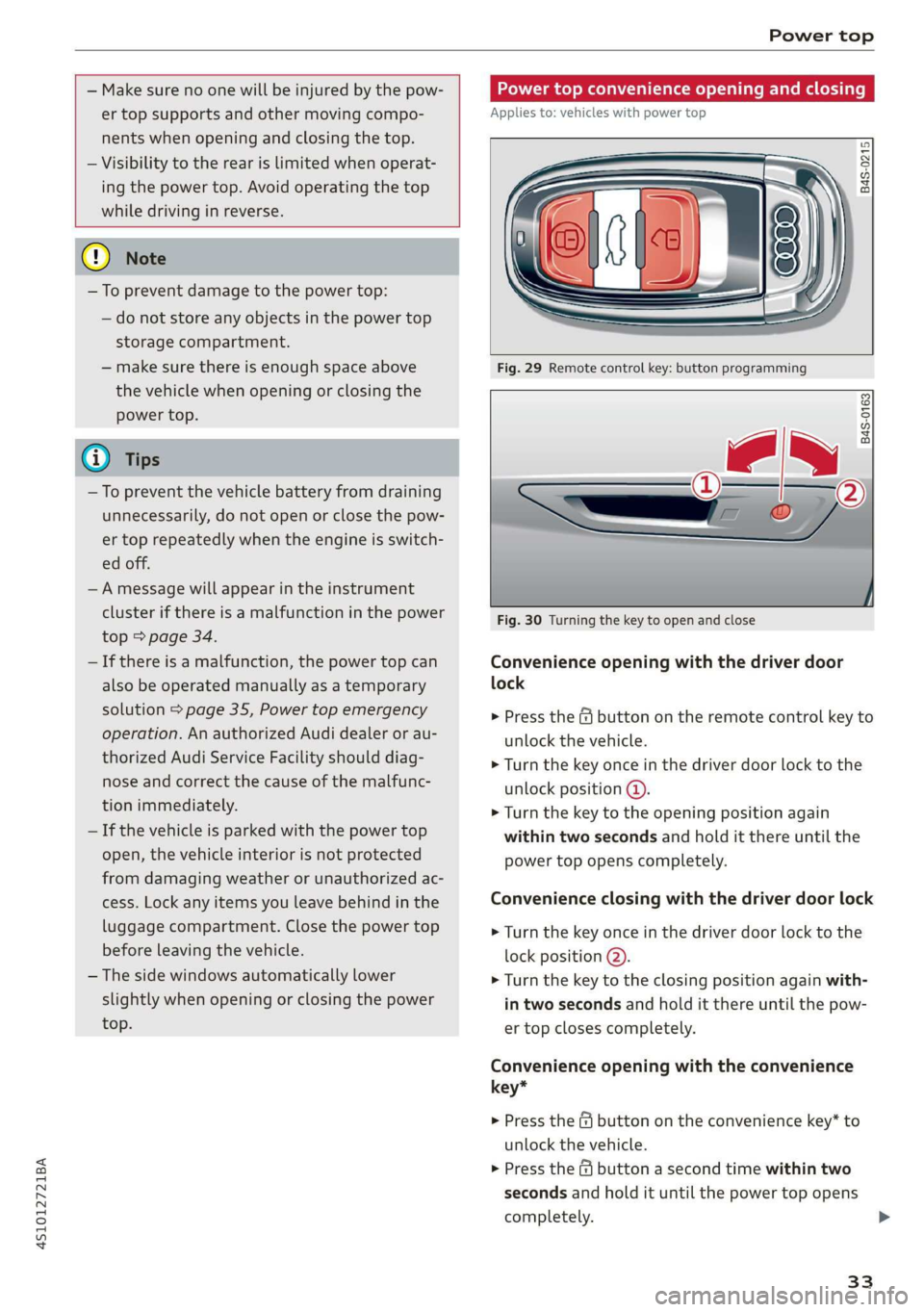
Power top convenience opening and closing
Applies to: vehicles with power top
B4S-0215
Fig. 29 Remote control key: button programming
B4S-0163
Fig. 30 Turning the key to open and close
Convenience opening with the driver door
lock
> Press the G@ button on the remote control key to
unlock the vehicle.
> Turn the key once in the driver door lock to the
unlock position @).
> Turn the key to the opening position again
within two seconds and hold it there until the
power top opens completely.
Convenience closing with the driver door lock
> Turn the key once in the driver door lock to the
lock position @).
> Turn the key to the closing position again with-
in two seconds and hold it there until the pow-
er top closes completely.
Convenience opening with the convenience
key*
> Press the &@ button on the convenience key” to
unlock the vehicle.
> Press the @ button a second time within two
seconds and hold it until the power top opens
completely. >
33