brake light AUDI R8 SPYDER 2011 User Guide
[x] Cancel search | Manufacturer: AUDI, Model Year: 2011, Model line: R8 SPYDER, Model: AUDI R8 SPYDER 2011Pages: 244, PDF Size: 59.74 MB
Page 36 of 244
34 Driver in formation system
display, immediately contact your au
thorized Aud i dealer or qualified work
shop to have a ll brake pads checked or
replaced if necessary .
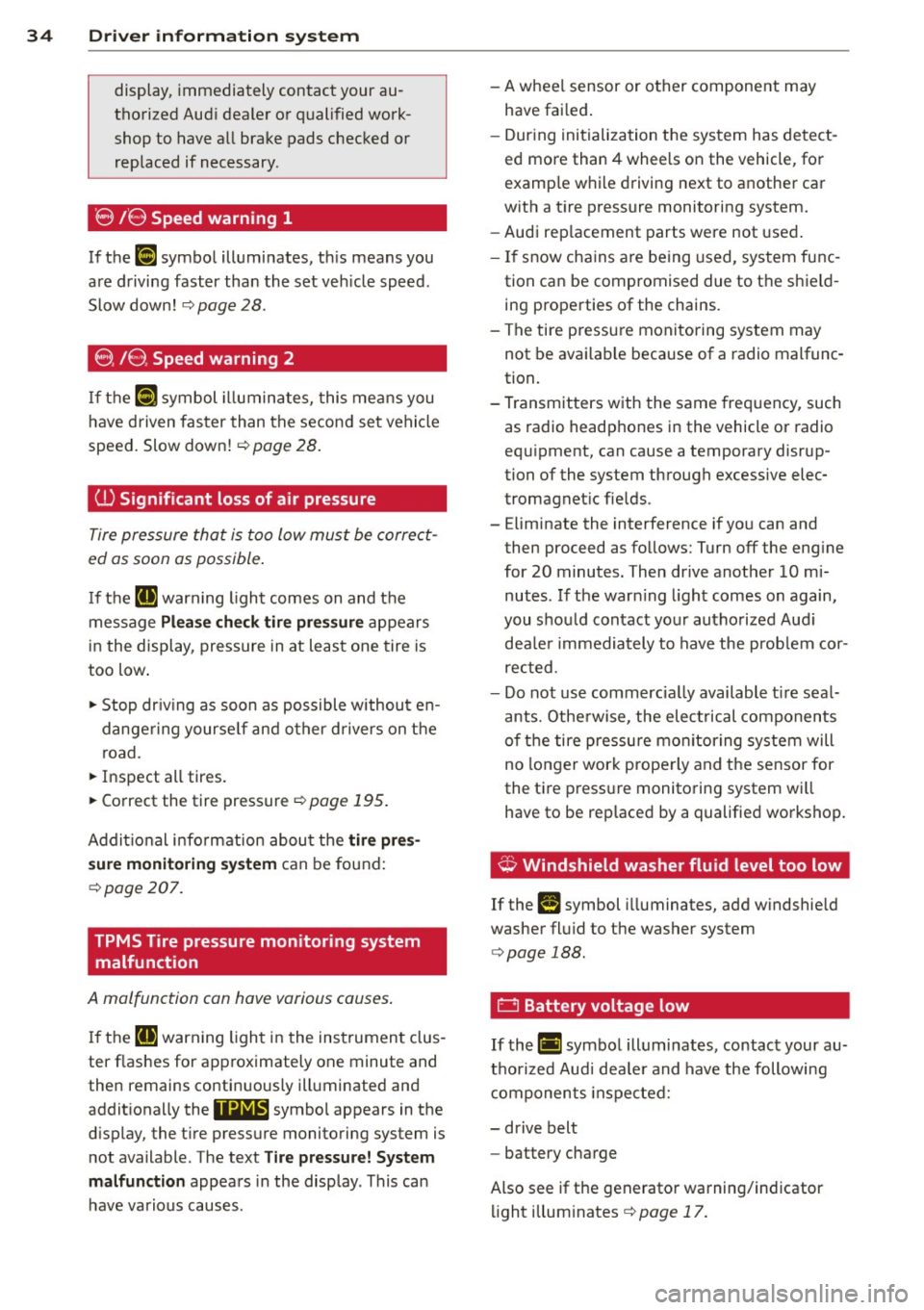
8 /8 Speed warning 1
If the (a) symbol illuminates, th is means you
are driving faster than the set veh icle speed .
Slow down!
r=;, page 28.
8 , /8 , Speed warning 2
If the jaj c;ymbol illuminates, this mea ns you
have driven faster than the second set vehicle
speed. Slow down!<=:>
page 28 .
(l) Significant loss of air pre ssure
Tire pressure that is too low must be correct
ed as soon as possible .
If the [I) warning ligh t comes on and the
message
Pl ea se che ck tir e pr ess ure appears
in the display, pressure in at least one tire is
too low .
• Stop dr iv ing as soon as possible withou t en
dange ring yourse lf and other drivers on the
road.
• Inspect all tires.
• Correct the tire pressure
r=;, page 195 .
Additional info rmat ion abou t the tire pre s
s ure monitoring sy stem
can be found:
<=:> page 207.
TPMS Tire pressure monitoring system
malfunction
A malfunction can have various causes .
If the II] warn ing light in the instrumen t clus
ter flashes for approximately one minute and
then remains continuously illuminated and
addit ionally the
11@18' symbo l appears in the
d isplay, the t ire pressure monitoring system is
not available . The text
Tire pre ssure! System
ma lfun ction
appears in the disp lay . This can
have va rious causes . -
A whee l sensor or other component may
have fai led .
- Dur ing initialization the sys tem has detect
ed more than 4 wheels on the vehicle , for
examp le w hile d riving next to another car
w ith a t ire pressure monitoring system.
- Audi rep lacement parts were not used .
- If snow cha ins a re being used, system func-
tion can be compromised due to the shie ld
ing properties of the chains.
- The tire pressu re monitoring system may
not be avai lab le because of a radio malfunc
tion.
- T ransmitters with the same freq uency, such
as radio headphones in the vehicle or radio
equ ipment, can cause a temporary disrup
tion of the system through excessive elec
tromagnet ic fie lds .
- Eliminate the interference if yo u can and
then proceed as follows: Turn off the eng ine
for 20 minutes. Then drive another 10 mi
nutes. If the war ning light comes on again,
you shou ld contact yo ur autho rized Aud i
dea le r i mmediately to have the prob lem cor
rected .
- Do not use commerc ia lly available t ire sea l
ants. Othe rwise, the elec trical components
of the tire pressure mo nitor ing system will
no longer work properly and the sensor for
the t ire press ure monito ring system wi ll
have to be rep laced by a qualified wo rkshop.
¢, Windshield washer flu id level too low
If the (-) symbol illuminates, add windshie ld
washer fl uid to t he washer system
<=:> page 188.
0 Battery voltage low
If th e (•i symbol illuminates, contact your au
t h orized Audi dea le r and have the following
components inspected:
- drive belt
- battery charge
Also see if the generato r warning/ind icator
li ght illum inates
<=:> page 17 .
Page 37 of 244
~ Defective light bulb warning
The defective light bulb warning tells you
when a vehicle light bulb has become defec· tive .
If a defective bulb has been detected by the
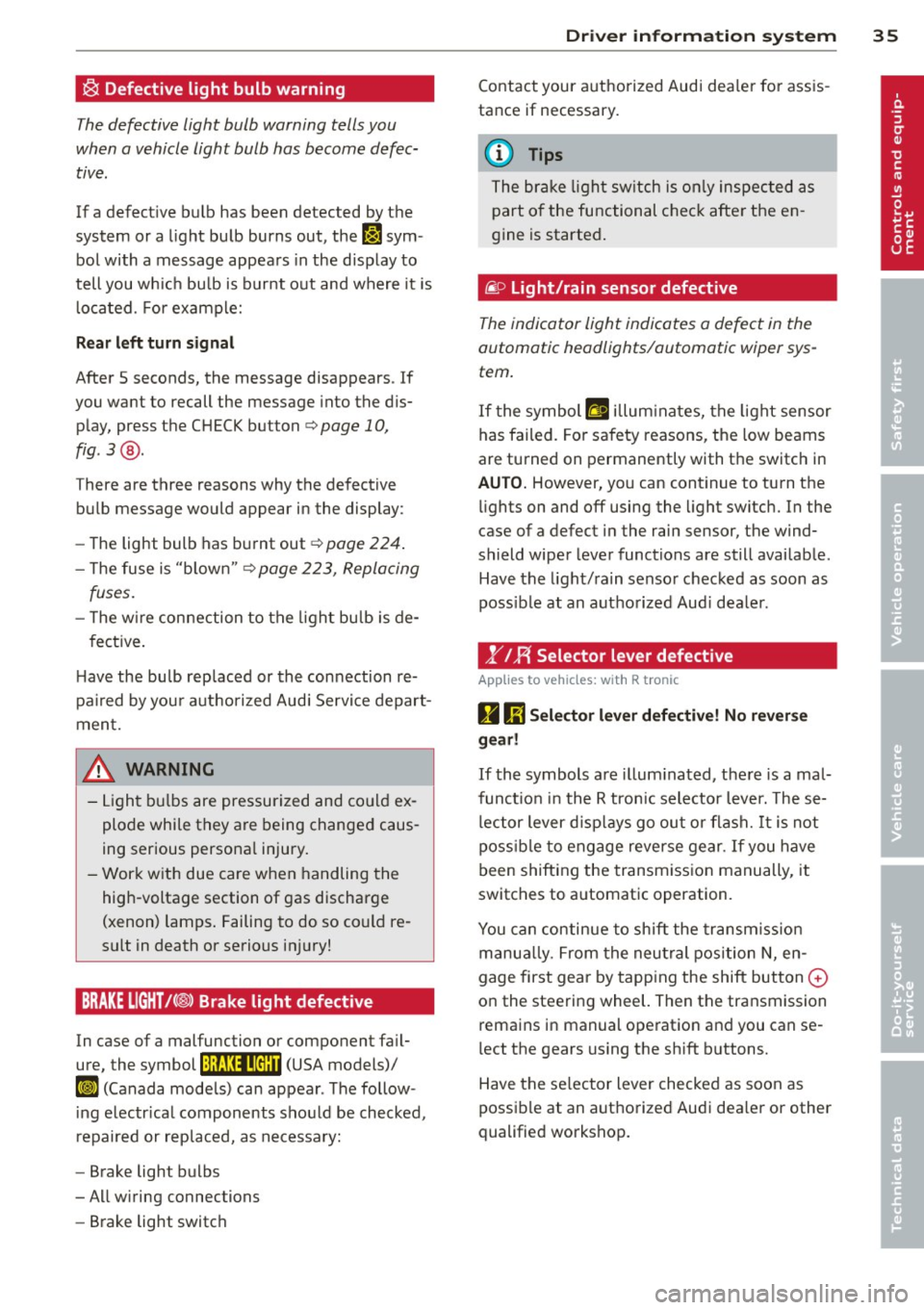
system or a light bulb burns out, the
II sym
bol with a message appears in the display to
tell you wh ich bu lb is bur nt out and where it is
located. For example:
R ea r left turn signal
After 5 seconds, the message disappears . If
you want to recall the message into the dis play, press the CHECK button
c::> page 10,
fig . 3 @ .
There are three reasons why the defective
bulb message would appea r in the display:
- The light bulb has burnt out
c=> poge 224 .
- The fuse is "blown"¢ page 223, Replacing
fuses.
- T he w ire connection to the light bulb is de-
fective .
H ave the bulb rep laced or the connection re·
pa ired by you r authorized Aud i Servi ce depart
ment.
A WARNING
- Light bu lbs are pressurized and co uld ex
plode while they are being changed caus
ing serious persona l injury.
- Work with due care when handling the
high-voltage section of gas discharge
(xenon) lamps . Failing to do so co uld re
sult in death or serious injury!
BRAKE LIGHT t<®> Brake light defective
In case of a malfunction or component fa il·
ure, the symbol (USA models)/
K@ )] (Canada models) can appear . The follow
i ng e lectr ica l components should be checked,
repaired or replaced, as necessary:
- Brake light bulbs
- All w iring connections
- Brake light switch
Dr iver in formati on sys tem 35
Contact your a uthorized Audi dea ler for assis
tance if necessary.
(0 Tips
The brake light sw itch is on ly inspected as
part of the functional chec k afte r the en
gine is started .
fi.D Light/rain sensor defective
The indicator light indicates a defect in the
automatic headlights/automatic wiper sys
tem.
If the symbol ftl illum inates, the light sensor
has failed. Fo r safety reasons, the low beams
are turned on permanently with the switch in
AUTO. However, yo u can cont inue to turn the
li ghts on and off using the light switch. In the
case of a defect in the rain sensor, the wind
shield wiper lever functions are still availab le .
Have the light/ rain senso r checked as soon as
poss ib le at an autho rized Aud i dea ler.
1" IF{ Selector lever defective
Applies to vehic les : wi th R tronic
D 1;j Sele ctor l ever defectiv e! No rev ers e
ge ar!
If the symbols are il lum ina ted, the re is a mal·
funct io n in the R tronic selector lever. These·
l ector lever d isp lays go out o r flash.
It is not
poss ible to engage reverse gear . If you have
been shifting the transm iss ion manually, it
switches to a utomatic operation .
You can continue to shift the transm iss ion
manua lly. From the neu tral pos ition N, en
gage first gea r by tapping the shift button
0
on the steering wheel. Then the transmission
rema ins in manual ope ration and you can se
lect the gears using the sh ift b uttons.
Have the se lector lever checked as soon as
possible at an authorized Audi dea ler or other
qualified workshop.
Page 68 of 244
66 Seat s a nd s tor ag e
Seats and storage
General recommen
dations
Why is your seat adjustment so
important?
The safety belts and the airbag system can
only provide maximum protection if the front
seats are correctly adjusted.
There are various ways of adjust ing the front
seats to provide safe and comfortable support
for the driver and the front passenger . Adjust
your seat properly so that :
- you can easily and quick ly reach all the
switches and controls in the instrument
panel
-your body is prope rly supported thus reduc
ing physical stress and fatigue
- the safety be lts and airbag system can offe r
maximum protection ¢
page 117.
In the following sec tions, you will see exactly
how you can best adjust you r seats .
There are special regulations and instructions
for insta lling a child safety seat on the front
passenger's seat. Always heed the informa
tion rega rd ing child safety provided in
¢ page 138, Child Safety .
A WARNING
Incorrect seating position of the driver and
all other passengers can result in serious
personal injury.
- Always keep your feet on the floor when
the vehicle is in motion -never p ut your
feet on top of the instrument panel, out
of the w indow or on top of the seat cush
ion! This applies espec ially to the passen
gers .
If your seating position is incorrect
you increase the r isk of injury in the case
of sudden braking or an acc ident.
If the
airbag infla tes and the seating position
is incorrect this could result in personal
injury or even death.
- It is important for bo th the driver and
front passenger to keep a distance of at least 10 inches (25 cm) between them
selves and the steering wheel and/or in
strument panel. If you're s itting any
closer than th is, the a irbag system can
not protect you properly . In addition to
this, the front seats and head restra ints
must be adjusted to your body height so
that they can give you max imum protec
tion.
- Always try to keep as much distance as
possible between yourself and the s teer
ing wheel or instrument pane l.
- Do not adjust the driver's o r fron t pa s
senger's seat whi le the vehicle is moving.
Your seat may move unexpected ly, caus
ing sudden loss of vehicle contro l and
personal inj ury . If you ad just yo ur seat
while the veh icle is moving, you are out
of posit io n.
Driver's seat
The correct seat position is important for safe
and relaxed driving.
We recommend that you adjust the driver's
seat in the fo llowing manner:
.,. Adjust the seat in fo re and aft direction so
t ha t you can easily p ush the peda ls to the
floor wh ile keeping your knee slightly bent
i::> A in Why is your seat adjustment so im
portant? on page 66 .
.,. Adjust the seatback so that when you sit
w ith your back against the seatback, you can
still grasp the top of the steering wheel.
.,. Posit io n the head restraint according to the
occupant 's height
<=:>page 68 . For maxi
mum protection, t he top of the head re
s t raint shou ld be a t least at eye level, pref
erab ly higher and idea lly level with the top
of the head
¢ page 102, fig. 107 .
A WARNING "--
Never place any objects in the dr iver's foot-
well. An object could get into the pedal
area and interfere with pedal function. In
case of sudden braking or an acc ident, you
wo uld not be able to brake or accelerate!
Page 72 of 244
70 Seats and st o ra ge
Storage
"
General
A WARNING
- Always remove objects from the instru-
ment pane l. Any items not put away
cou ld slide around inside the vehicle
whi le driving or when accelerating or
when applying the brakes or when driv
ing around a corner.
- When you are drivi ng make sure that
anything you may have placed in the cen
ter console or othe r storage locations
cannot fa ll out into the footwells. In case
of sudden braking you would not be able
to brake, depress the clutch or acceler ate.
Glove compartment
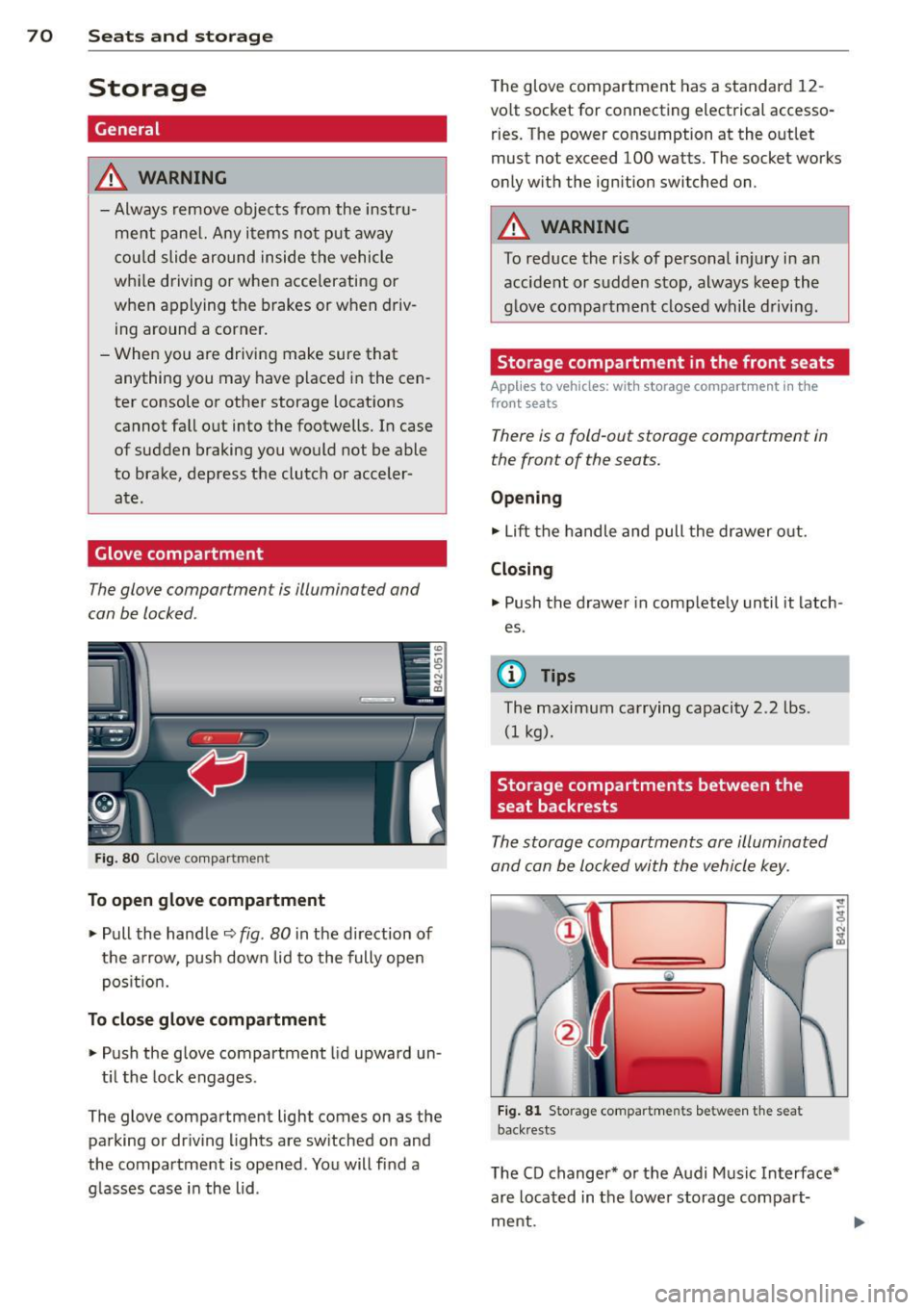
The glove compartment is illuminated and
can be locked .
Fig. 8 0 G love co mpa rtm ent
To open glove compartment
.,. Pull the handle ¢ fig . 80 in the direction of
the arrow, push down lid to the fully open
pos it ion.
To close glove compartment
.,. Push the glove compartment lid upward un -
t il t he lock engages .
The glove compartment light comes on as the
parking or driving l ights are sw itched on and
the compartment is opened . You will fi nd a
g lasses case in the lid . The glove compartment has a standard
12
-
volt socket for connecting electrical accesso
ries. The power cons umption at the o utlet
must not exceed 100 watts. The socket works
only w ith the ignition switched on.
A WARNING
--
To reduce the risk of pe rsonal inju ry i n an
accident or sudde n stop, always keep the
g love compartme nt closed while driving .
Storage compartment in the front seats
Applies to veh icles: w ith storage compartment in the
front seats
There is a fold-out storage compartment in
the front of the seats.
Opening
.,. Lift the handle and pull the drawer o ut.
Closing
.,. Push the drawer in complete ly until it latch
es .
© Tips
The maximum carrying capacity 2.2 lbs .
(I kg).
Storage compartments between the
seat backrests
The storage compartments are illuminated
and can be locked with the vehicle key.
Fi g. 81 Storage compartments between t he seat
back rests
The CD changer* or the Audi Music In terface*
are located in the lowe r storage compart
ment.
Page 80 of 244
78 On the road
Ignition on @
Afte r switching the ignition on, the needles
move a ll the way up and then down .
I f it is difficult to tu rn the key afte r you have
i nserted it into the ignition lock, turn the
steering wheel back and forth. This will take
the load off the steering lock mechan ism and
you will be able to turn the key freely and start the engine .
Starting the engine @
In th is position the engine sta rts. While the
engine is start ing, the power s upply to the
headlights and other e lectr ica l cons umers is
tempo rari ly interrupted to conserve battery
power. After the engine has started, release
the key and it will return to posit ion @.
Before the starter can be operated again the
key must be turned back to position@. The
non-repeat lock prevents you from damaging
the starter when the engine is runn ing .
A WARNING
-Never remove the key from the ign ition
lock whi le the vehicle is moving. The
steeri ng wheel will lock causing loss of
contro l.
- If you have to leave your vehicle - even
for just a m inute - always remove t he ig
nition key and ta ke it with you. This is es
pecially important if you a re going to
leave ch ildren behind in the vehicle. The
children co uld star t t he engine or use
other vehicle controls . Unsupervised use
of vehicle controls (for examp le, power
windows) can cause serious personal in
jur ies.
(D Tips
If the veh icle battery has been discon nect
ed and then reconnected, then you must leave the key in pos ition @for abo ut 5
seconds before you can start t he engine.
-
Starting the engine
The engine can only be started with your orig
inal Audi key.
On vehicles with R tronic *, the engine can be
started in the ne utra l position N and in each
gear (1 - 6 and R).
.. Se t the park ing brake ¢,&. .
.. On ve hicles with ma nual transmission *, fully
depress the cl utch peda l.
.. Press and hold the brake peda l.
.. Turn the ignition key to posit ion @
¢ page 77, fig . 85 - do not depress the gas
pedal when starting the engine .
.. Let go of the key as soo n as the engine
starts - the sta rter must not cont inue to
r u n. On veh icles w it h R t ro nic , sele ct ge ar
posi tion N.
A cold engine may at first be loud afte r it has
been started. This is due to the hydrau lic
valves b uilding up the oil p ress ure. This is no r
mal and no need fo r conce rn .
If th e engine does not start imm ediately, stop
t ry ing after 10 seconds and t hen t ry to res tart
t h e engine abou t 30 seconds later.
A WARNING
-
- Never star t or le t the eng ine run in a con
f ined o r enclosed area . Exha ust fumes
from the en gine contain carbon monox
ide, a co lorless and odorless gas. Carbon
monox ide ca n be fatal if inhaled.
- Never leave the engine id ling unattend
ed. An unattended veh icle w ith a run ning
e ngine poses a danger of personal injury
or theft.
- With the engine r unning and a gear en
gaged, you have to hold the ve hicle w it h
the foot brak e.
(D Note
-Avo id h igh engine speeds, fast accelera
tion or heavy engine loads while the en
gine is still cold. This could damage the
eng ine.
Page 81 of 244
-The engine c annot be started by pushing
or towing the vehicle.
@) For the sake of the environment
To avo id u nnecessary engine wea r and to
reduce exhaust emissions, do not let your
vehicle stand and warm up . Be ready to
drive off immediately after start ing your
veh icle.
Stopping the engine
On vehicles with R tronic*, the engine can be
turned off in the neutral position N and in
each gear (1 -6 and R).
.. Turn the ignition key to position@
¢page 77, fig. 85.
A WARNING
- Never turn off the eng ine unt il the vehi
cle has come to a complete stop.
- The brake booster and servotronic on ly
work when the engine is running. With
the ignition turned off, you have to apply
more force when steering or braking.
S ince you cannot steer and stop norma l
ly, this can lead to accidents and ser ious
injuries.
(D Note
- If the engine has been under heavy load
for an extended period of time, heat
builds up in the engine compartment af
ter the eng ine is sw itched off -there is a
risk of damaging the engine . Allow the
engine to continue to run at idle for a
short time or drive until it has cooled
down before you turn it off¢
page 159 .
-If the engine has been under heavy load
for an extended period of time, it can be
come extreme ly hot. You should not park
your vehicle over eas ily combustible ob
jects or areas (e .g. grass or leaves). There
i s a risk of start ing a fire.
On th e road 7 9
@ Tips
After the engine has been switched off, the
radiator fan can continue to run for up to
10 minutes -even wit h the ignition switch
ed off. It can also sw itch on again after
some time if the coolant temperatu re rises
as the result of heat bu ildup or if the en
gine compartment is heated by the s un's
r ays and the engine is hot.
Parking brake
Parking brake
When the parking brake is set, it prevents the
vehicle from rolling away unintentionally .
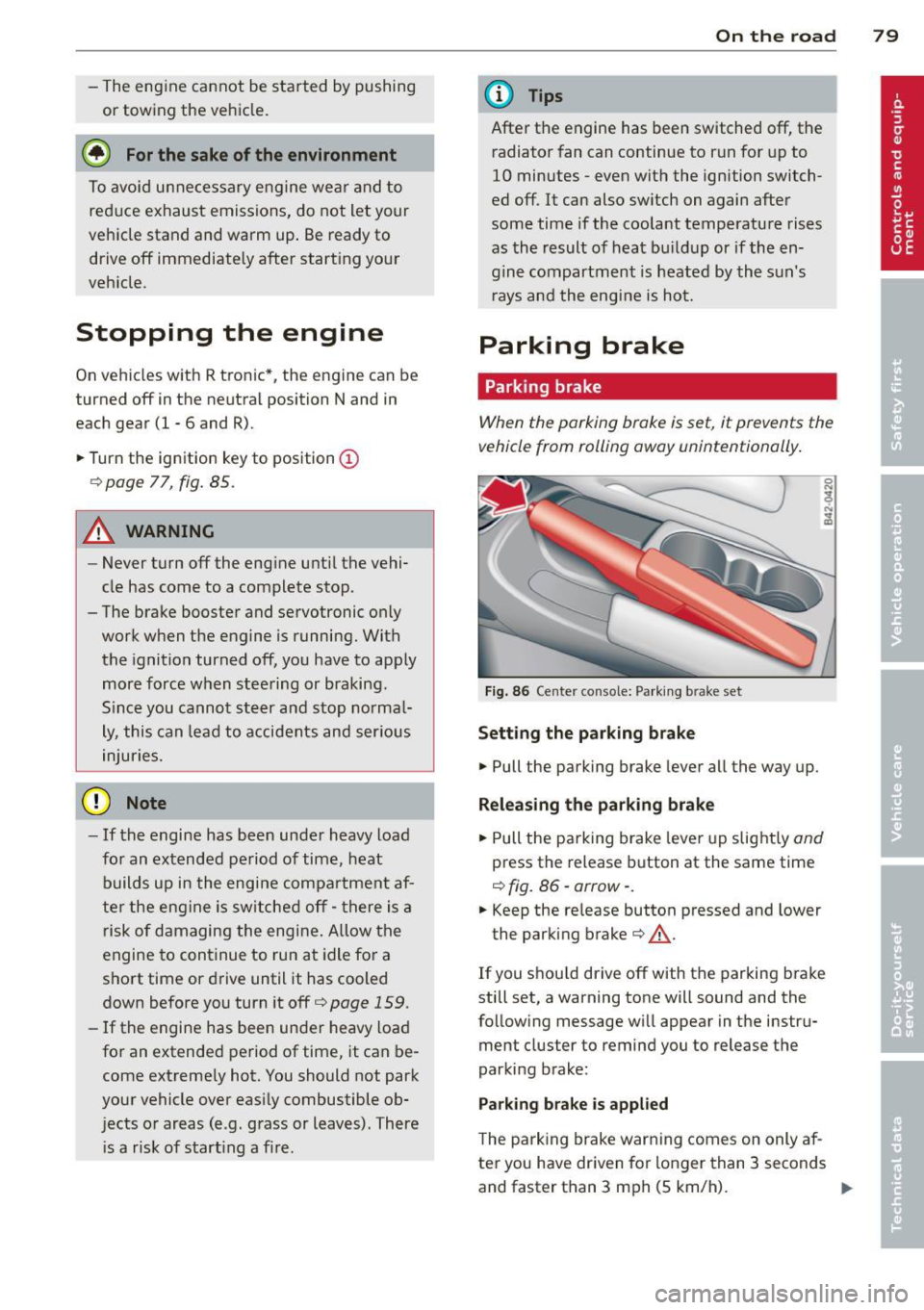
Fig. 86 Ce nter console: Pa rk ing b rake set
Set ting the parking brake
.. Pull the parking brake lever all the way up.
Releasing th e park ing bra ke
.. Pull the parking brake lever up slight ly and
press the release button at the same time
¢ fig. 86 ·arrow· .
.. Keep the re lease button pressed and lower
the parking brake¢,&..
If you shou ld drive off with the parking brake
still set, a warning tone will sound and the
follow ing message wi ll appear in the instru
ment cluster to remind you to release the
parking brake:
Parking bra ke is appl ied
T he parking brake warning comes on only af
ter you have driven for longer than 3 seconds
and faster than 3 mph (5 km/h). ..,.
Page 82 of 244
80 On the road
The parking brake warning light_
(USA)/ . (CON) illuminates when the parking
brake is set and you switch on the ignition.
A WARNING
-
Always release the parking brake com
pletely. A partially engaged brake will
overheat the rear brakes, reduce their ef
fectiveness and cause excessive wear. This could lead to brake failure and an accident .
(D Note
Only after the vehicle has come to com
plete stop, should you firmly set the park
ing brake and
move the gearshift lever into
a gear.
Parking
To prevent a parked vehicle from rolling
away, there are a few things you should do .
.. Stop the vehicle using the brake pedal.
.. Set the parking brake firmly .
.. Switch off the engine.
.. Engage a gear
q ,&. .
What else you should do when parking
your vehicle on an incline or decline
Turn the steering wheel so that if the vehicle
should start to roll, it will roll into the curb.
A WARNING
This is how you can reduce the risk of in
jury when leaving your vehicle.
- Never park the vehicle where it can come
in contact with dry grass, spilled fuel or
any other flammable materials.
- Never allow anyone - especially small
children - to remain in the vehicle when
it is locked. Locked doors make it more
difficult for rescuers to access the pas
senger compartment in the event of an
emergency. Danger to life!
- Never leave children unsupervised in the
vehicle. Children could release the park
ing brake or
move the gearshift lever out
-
of gear. The vehicle could start to roll
away and cause an accident.
- No matter what the season is, the tem
perature in a parked vehicle can reach
dangerous levels.
Starting on hills
Applies to vehicles: with hill hold assist
Hill hold assist makes it easier to start on
hills .
The system is activated when the brake pedal
is depressed
for a few seconds.
After releasing the brake pedal, the brake
power is held for a
brief moment to prevent
the vehicle from rolling back when starting.
During this time, you can easily begin to
move
your vehicle.
A WARNING
-- If you did not begin moving immediately
after releasing the brake pedal, the vehi
cle could begin to roll backward under
certain circumstances. Depress the brake
pedal immediately or engage the parking
brake.
- If the engine stalls, depress the brake
pedal immediately or engage the parking
brake.
- To prevent the vehicle from rolling back
unintentionally when starting in stop
and-go traffic, keep the brake pedal de
pressed for a few seconds before driving
off.
(D Tips
You can find out if your vehicle is equipped
with "hill hold assist" at an authorized Au
di dealer.
Page 83 of 244
Cruise control
Introduction
The cruise control system keeps the speed
constant .
The cruise control system makes it possible to
drive at a constant speed over 20 mph (US
model) or 30 km/h (Canadian model). This is
true only to the extent that engine power or
engine braking effect allow . Using the system
takes the strain off the "gas peda l foot" -es
pec ial ly on long tr ips.
In the control mode, the indicator light in the
instrument cluster is lit
(Dj;(i )~i~ (US model) ,111
(Canadian model).
The cruise control system automatically
switches itself off imm ed iately under the fol
lowing cond itions:
- Pressing the brake pedal.
- Pressing the clutch pedal.
A WARNING
-Always pay attention to traffic even when
the cruise control system is switched on.
You are always responsible for your
speed and the distance between your ve hicle and other vehicles.
- For safety reasons, the cruise control sys tem shou ld not be used in the city, in
stop-and-go traffic, on twisting roads
and when road conditions are poo r (such
as ice, fog, gravel, heavy rain and hydro
planing) -risk of accident.
- Turn off the cr uise control system tem
porarily when entering turn lanes, high
way exit lanes or in construction zones.
- Please note that inadvertently "rest ing"
your foot on the accelerator peda l causes
the cruise control system not to brake .
This is because the cruise contro l system
is overridden by the driver's acceleration.
(D Note
On manual transmission vehicles: If you
shift into neutral with the cruise contro l
On th e road 81
system switched on, always depress the
clutch pedal! Otherwise the engine will
race and could be damaged as a result .
(D Tips
When driving on steep downward grades,
the cruise control system cannot keep the
speed constant. The vehicle's own weight
increases the speed. Shift into a lower gear
i n plenty of t ime or brake the vehicle with
the foot brake .
Saving the speed
The desired speed must be saved.
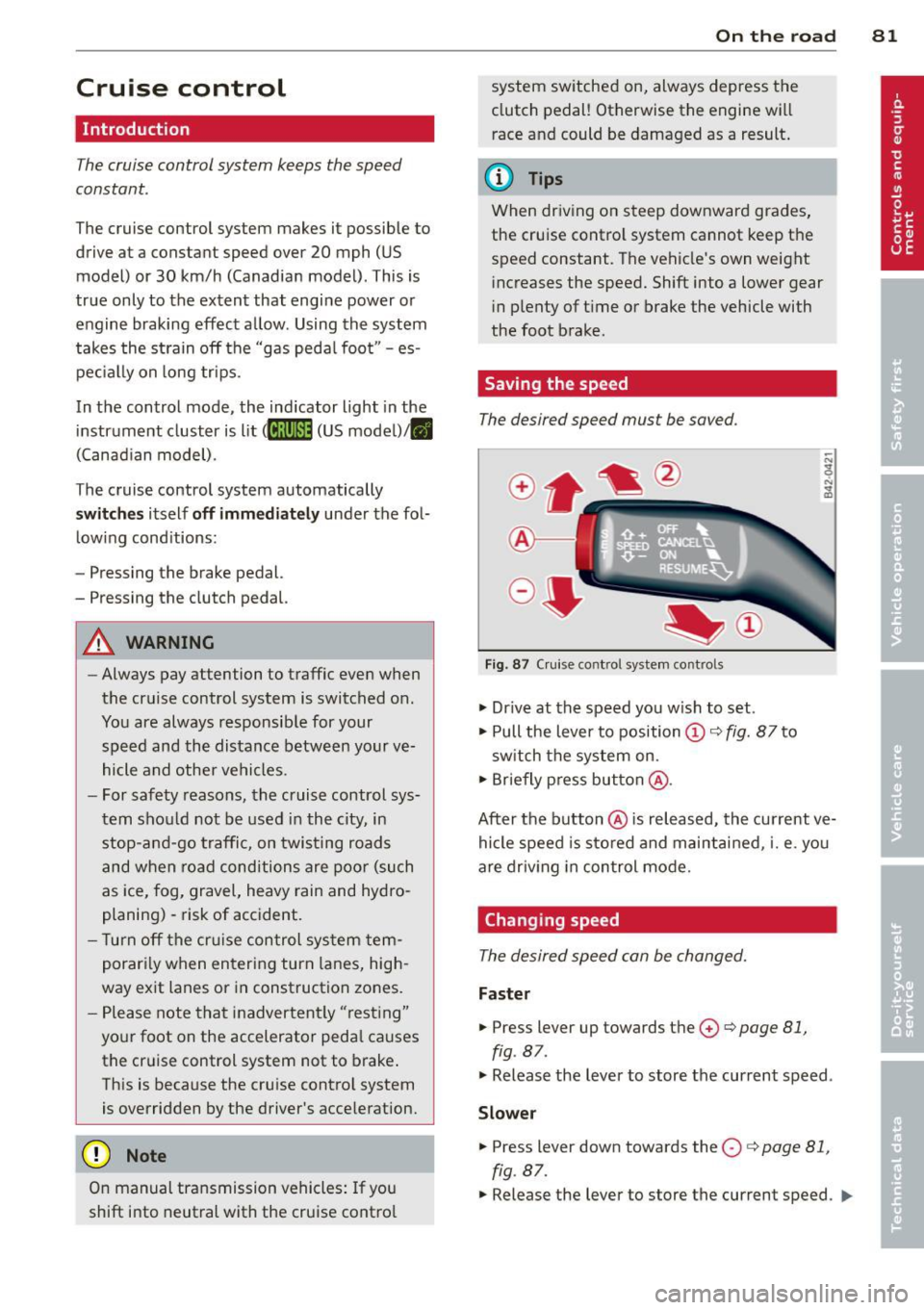
Fig. 87 C ruise control system controls
.,. Dr ive at the speed you w ish to set.
.,. Pull the lever to position
(D c:> fig. 87 to
sw itch the system on.
.,. Briefly press button @.
After the button @is released, the current ve
hicle speed is sto red and maintai ned, i.e. you
are driv ing in control mode.
Changing speed
The desired speed can be changed.
Fas ter
.,. Press lever up towards the 0 c:> page 81,
fig. 87.
.,. Release the lever to store the current speed .
Slower
.. Press lever down towards the O c:> page 81,
fig. 87.
.,. Release the lever to store the current speed. IJJl-
Page 86 of 244
84 Manual transmission
Manual transmission
Launch Control
Program
Applies to vehicles: with VlO engi ne and manua l trans
mission
The Launch Control Program enables maxi
mum acceleration.
Requirement : The engine must be at operat
ing temperature and the steering wheel must
not be turned.
• With the engine runn ing, press the
[!I but
ton one time. The ESP indicator light
fi in
the Driver Information System display illu
minates and the message
ESP sport· Warn
ing! Restricted stability
appears.
• Press the clutch and hold it down.
• Engage the first gear.
• Press the accelerator peda l all the way down
until the engine speed remains steady at
6500 RPM.
• Release the clutch carefully~.&_ .
.&_ WARNING
-Always adapt your driving to the traffic
flow.
- Only use Launch Control when road and
traffic conditions a llow it and other driv
ers wi ll not be endangered or annoyed by
your driv ing and the vehicle's accelera
tion.
- Please note that the driving wheels can
spin and the vehicle can break away
when ESP is sw itched off, especially
when the road is slippery.
- Once you have accelerated, you should
switch the ESP back on by pressing the
l:m
button.
(D Tips
- When accelerating using the Launch
Control program, all vehicle parts are
subject to heavy loads. This can result in
i ncreased wear.
- The Launch Control Program only func
tions when the parking brake is released and
the vehicle speed is less than 3 mph
(5 km/h).
Page 87 of 244
Automated manual transmission
Description
App lies to vehicles: with R tro nic
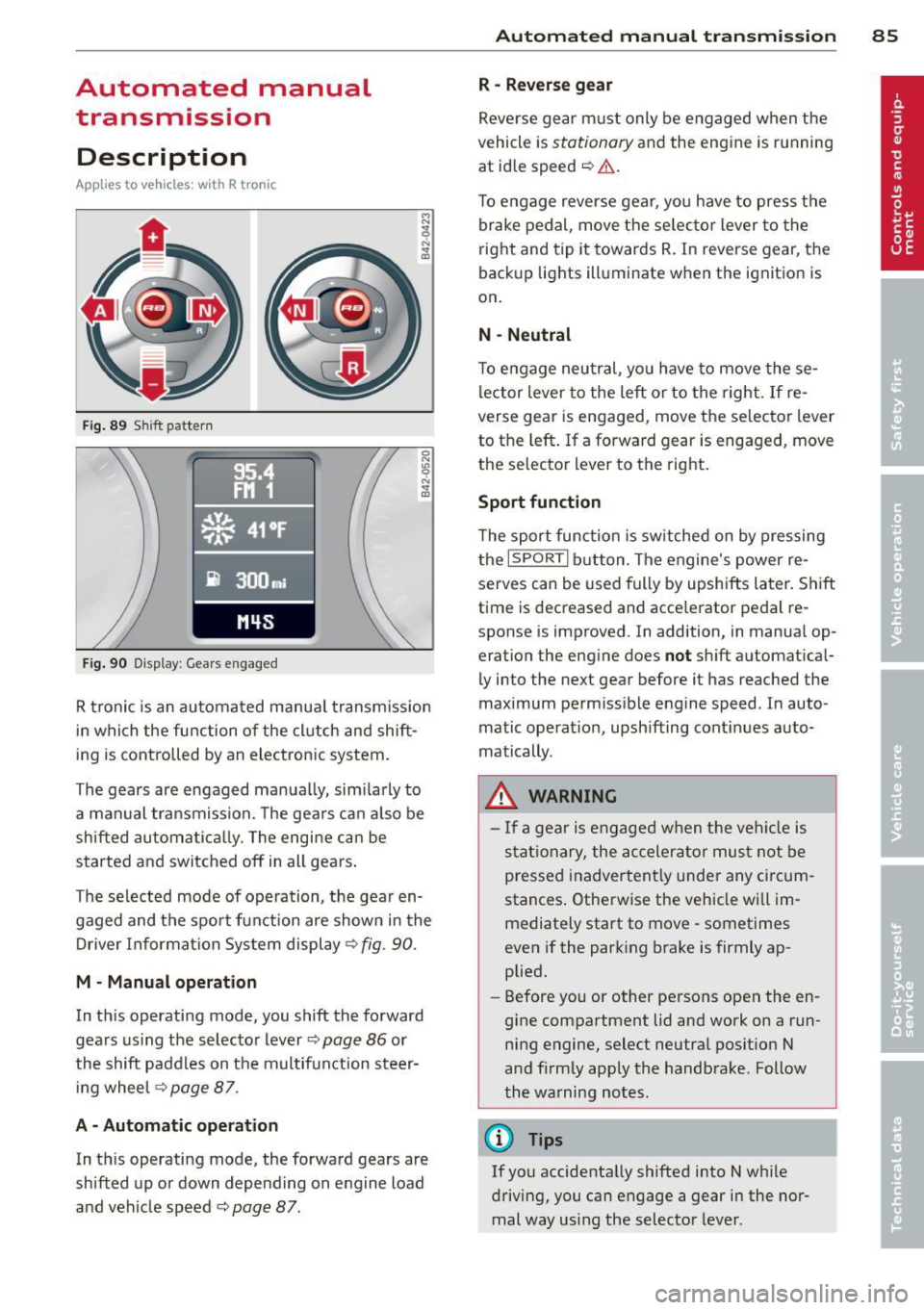
Fig . 89 S hift pattern
F ig. 90 Display : Gear s engaged
R tronic is an au tomated manua l transm iss ion
in which the function of the cl utch and shift
ing is controlled by an electronic system.
The gears are engaged manua lly, sim ilarly to
a manual transmission. The gears ca n also be
shifted automatica lly. The engine can be
started and switched off in all gears .
The selected mode of operation, the gear en gaged and the spor t funct ion are shown in the
Driver Information Sys tem display ¢
fig. 90.
M · Manual operation
In th is operating mode, you shift the forward
gears us ing the selecto r lever
¢ page 86 or
the shift paddles on the multifunction steer i ng whee l
¢page 87.
A - Automati c operation
In th is operating mode, the forward gears are
shifted up or down depending on engine load
and vehicle speed ¢
page 87.
Autom ated manual tr an sm iss ion 85
R -Rever se g ear
Reve rse gear m ust only be engaged when the
vehicle is
stationary and the engine is running
at id le speed
~ ,1. .
To engage reverse gear, you have to press the
brake pedal, move the selec to r lever to the
right and tip it towards R. In reverse gear, the
back up lights ill uminate when the ignition is
on .
N -Neutral
To engage neu tral, yo u have to move these
lector lever to the left or to the right .
If re
verse gear is engaged, move the selector lever
to the left . If a forward gear is engaged , move
the selector lever to the right.
Sport function
T he sport function is sw itched on by pressing
the
I SPORT I b utton. The engine's power re
serves can be used fully by upshifts later. Shift
t ime is decreased and acce lerator pedal re
sponse is improved . In addition, in manua l op
eration the eng ine does
not sh ift a utomat ical
ly into the next gear before it has reached the
maximum perm iss ible engine speed . In auto
matic operat io n, upsh ifting cont inues auto
matically .
_&. WARNING
- If a gear is engaged when the veh icle is
stat ionary, the accelera to r must not be
pressed inadvertent ly under any circum
stances . Otherwise the vehicle wi ll im
mediately start to move· sometimes
even if the park ing brake is firmly ap
plied.
- Before you or other persons open the en
gine compartment lid and work on a run ning engine, select neutral pos ition N
a nd firmly app ly the handbrake . Follow
the warning notes.
(!} Tips
If you accidenta lly shifted into N w hile
driving, you can engage a gear in the nor mal way us ing the selecto r lever.