warning AUDI R8 SPYDER 2012 User Guide
[x] Cancel search | Manufacturer: AUDI, Model Year: 2012, Model line: R8 SPYDER, Model: AUDI R8 SPYDER 2012Pages: 236, PDF Size: 59.24 MB
Page 17 of 236

Instruments and warning/indicator lights 15
~ Cont act your a uth orized Audi dea ler fo r as -
s istance if necessary.
Engine oil level too low
If th e e ngine o il level is too low, to p off o il to
the prope r leve l
¢page 174 .
Engine oil level OK
If th e . symbol sta rts flas hing again even
though the engine oil leve l checks O K on the
d ipst ick ,
do not start driving again and do
not let the engine run at idle .
In stea d, con
t a ct your author ized A udi de aler for assis
tance.
@ Tips
- The engine oil pressure symbol. is
not an indicator for a low engine oil lev
el. Do not rely on it. Instead, check the
oil level in your engine at regular inter
vals , preferably each time you refuel,
and always before going on a long trip.
- The yellow oil level warning indication
1/1 requires oil refill or workshop serv
ice without delay. Do not wait until the
red oil pressure warning symbol.
starts to flash before you respond to
the low oil level warning
Ill. By then,
your engine may already have suffered
serious damage.
-L Engine cooling system
A malfunction in th e engine cooling system
must b e re paired as so on as possibl e.
W hen th e . symbol in t he d isp lay flashes,
the n either the eng in e coolan t
temperature is
too h igh, or the coo lant
le vel is too low . In ad
d ition to the symbol, the fo llowing message
al so a ppe ars i n the dis pla y:
Switch off engin e and check coolant level
~ Pull off the road and stop the vehicle.
~ Turn off t he e ngine.
~ Check coo lant level c> page 176.
~ Add coolant if necessa ry¢ page 177 .
~ Contin ue dr iving only after the eng ine cool
an t war ning/ indica to r li ght goes o ut.
~ Contact yo ur autho rized A udi d eale r for as -
sistance if necessa ry .
If the engi ne coo lant level is correct, then t he
r adi ator fan may be the ca use of the mal func
tion .
If the ge nera tor war ning/ indica to r li ght
sho uld al so illum ina te
¢ page 14 , then the
f an bel t may be d amaged .
A WARNING
-If you r vehicle should brea k dow n for
mec hanical or other reaso ns, par k at a
safe distance fr om moving traffic, tu rn
off the eng ine and tu rn on the haza rd
warn ing lig hts ¢
page SO , Emergency
flash er.
-
- Never ope n the eng ine co mpartment lid
if y ou see or hea r steam o r co olant es
cap ing from t he eng in e compar tment -
you ris k being sca lded . Wait until you can
no lon ger see o r hear steam o r coolant
esc ap ing .
- Th e engi ne co mpartm ent of a ny vehicle
i s a dange rous are a. B efo re you perf orm
an y w ork in t he engi ne c om par tm ent,
t ur n off the eng ine an d allow it to coo l.
F ollow t he war ning stickers
c> page 169,
W orking in the engine compartment .
(D Note
Do not con tinue dr iv in g if the . symbol
ill umina tes . The re is a mal func tion in the
engine c oo ling system -you could dama ge
your engine .
~ Convertible top operation
The indicator light tu rns or, f!4
-When the converti ble to p opens or closes or
- If t he conver tible to p d id no t open o r close
comp letely.
T he in dica tor light blinks if the co nvertib le top
can not open or close ¢
page 41.
Page 18 of 236
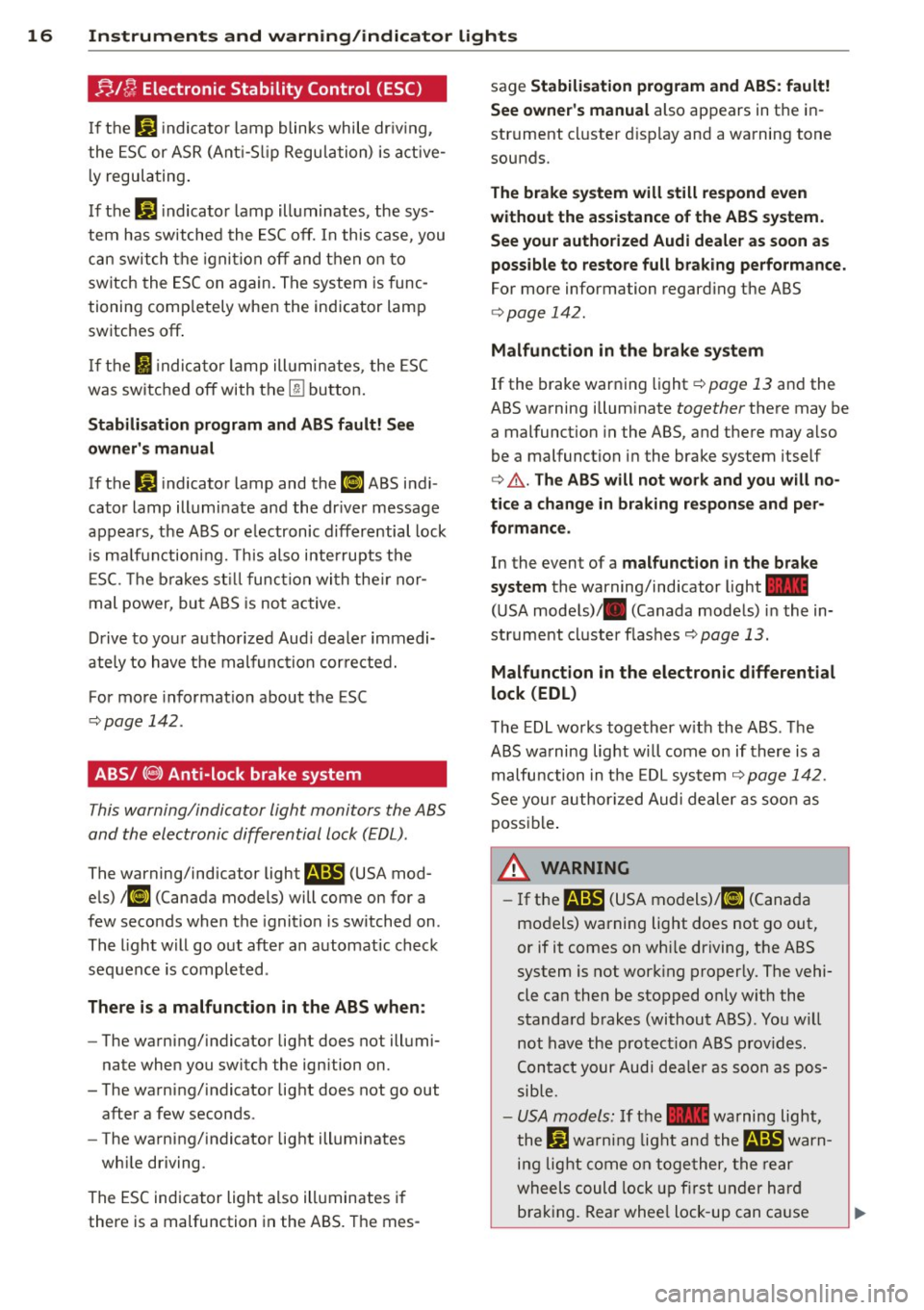
16 Instruments and warning/indicator lights ;;./~ Electronic Stability Control (ESC )
If the J;.j indicator lamp blinks while dr iv ing,
the ESC or ASR (Ant i-S lip Regulation) is active
ly regulating .
If the
J;.j indicator lamp illuminates, the sys
tem has switched the ESC off. In this case, you
can switch the ignition off and then on to
switch the ESC on again. The system is func
tioning comp letely when the indicator lamp
switches off .
If the
I) indicator lamp illum inates, the ESC
was switched off with the
[fil button.
Stabilisation program and ABS fault! See
owner 's manual
If the D.] indicator lamp and thP ¢4:)'A ABS indi
cator lamp illumi nate and the dr iver message
appears, the ABS or electronic differential lock
is malfunctioning. This also interrupts the
E SC. The brakes still function with their nor
mal power, but ABS is not active.
Drive to your authorized Aud i dealer immedi
ate ly to have the malfunction corrected.
For more informat ion about the ESC
r:::;, page 142.
ABS/(@) Anti-lock brake system
This warning/indicator light monitors the ABS
and the electronic differential lock (EDL) .
The warning/indicator light m (USA mod
els)
;fl] (Canada models) will come on for a
few seconds when the ignition is switched on.
The light will go out after an automatic check
sequence is completed .
There is a malfunction in the ABS when:
-The warning/indicator light does not illumi
nate when you switch the ign ition on.
- The warning/indicator light does not go out after a few seconds .
- The warning/indicator light illuminates
wh ile driving.
The ESC indicator light also illuminates if
there is a malfunction in the ABS . The mes- sage
Stabilisation program and ABS
: fault!
See owner's manual
also appears in the in
strument cluster display and a warning tone
sounds.
The brake system will still respond even
without the assistance of the ABS system.
See your authorized Audi dealer as soon as
possible to restore full braking performance.
For more information regarding the ABS
c:>page 142.
Malfunction in the brake system
If the brake warning light c:>page 13 and the
ABS warning illuminate
together there may be
a malfunction in the ABS, and there may also
be a malfunction in the brake system itself
c> ,&.. The ABS will not work and you will no
tice a change in braking response and per
formance.
In the event of a malfunction in the brake
system
the warning/ind icator light _
( U SA mode ls)/ . (Canada models) in the in
strument cluster flashes
r:::;, page 13.
Malfunction in the electronic differential
lock (EDL)
The EDL works together w ith the ABS . The
ABS warning light wi ll come on if there is a
malfunction in the EDL sys tem
r:::;, page 142.
See your authorized Audi dealer as soon as
possible .
8_ WARNING
-If the m (USA models)@ (Canada
models) warning light does not go out,
or if it comes on whi le driving, the ABS
system is not work ing properly. The vehi
cle can then be stopped only wit h the
standard brakes (without ABS). You w ill
not have the protection ABS provides.
Contact your Audi deale r as soon as pos
sible.
- USA models: If the - warning light,
the
Jj) warning light and them warn
ing light come on together, the rear
wheels could lock up fir st under hard
braking. Rear whee l lock-up can cause
~
Page 19 of 236
Instrument s and warnin g/indic ator ligh ts 17
loss of vehicle control and an accident.
Have your vehicle repaired immediately
by your authorized Aud i dealer or a quali
fied workshop . Drive slowly and avoid
sudden, hard brake applications.
- Canada models: If the brake warn ing
light ., the
DJ warning light and the
ABS wa rning light
rii] come on together,
the rear wheels could lock up first unde r
hard bra king. Rear wheel lock-up can
cause loss of vehicle control and an acci
dent. Have yo ur vehicle repaired immed i
ately by your authorized A udi dealer or a
qualified workshop . Drive slowly and
avoid sudden, hard brake applicat ions.
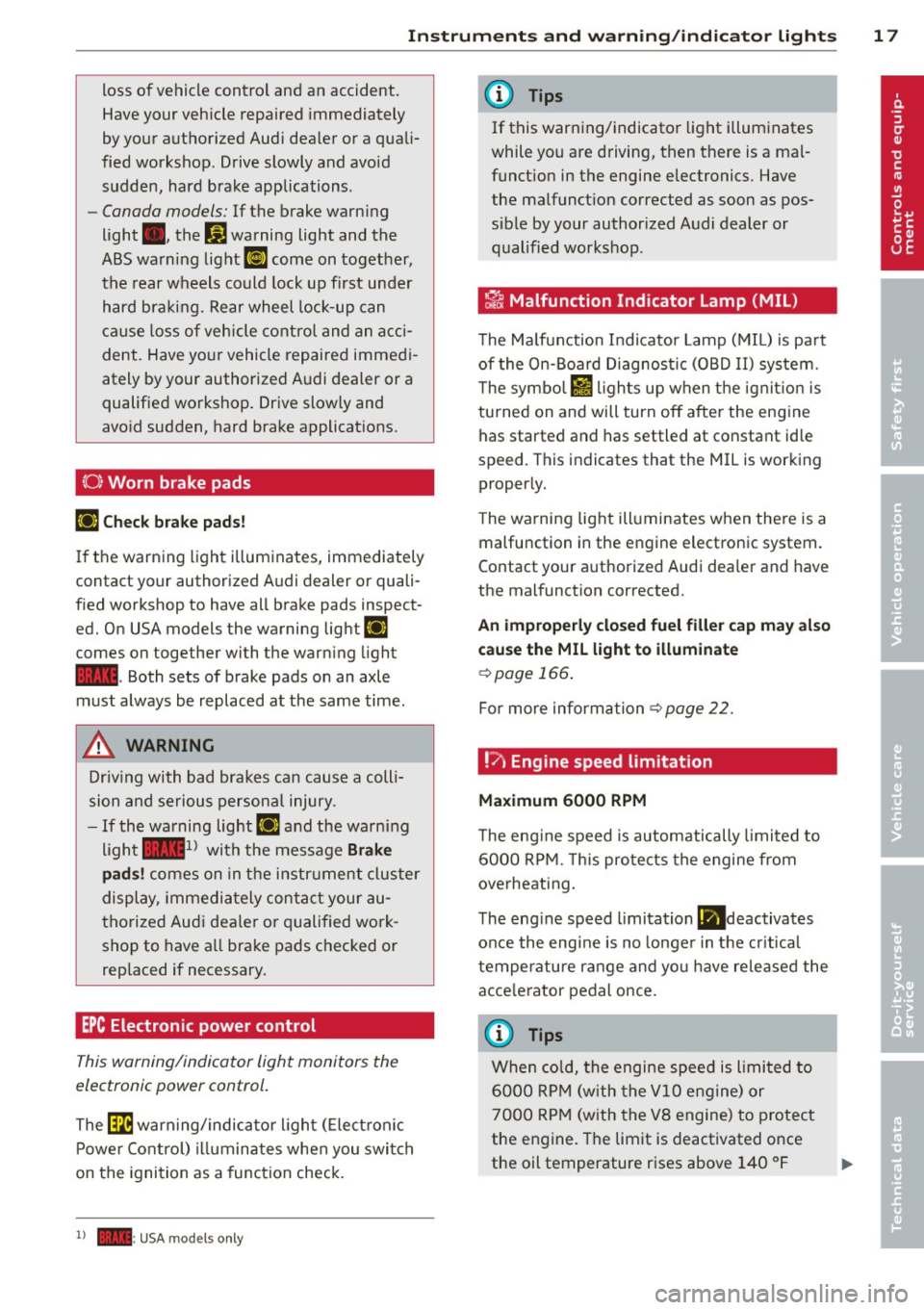
(0 ) Worn brake pads
r;J Check b rak e pads!
If the warning light illum inates, immediately
contact your authorized A udi dealer or quali
fied workshop to have all brake pads inspect
ed. On USA models the warning light
r;J
comes on together with the war ning light
- · Both sets of brake pads on an axle
must always be replaced at the same time .
A WARNING
Driv ing with bad brakes can cause a coll i
sion and serious personal injury .
- If the warning light
r;J and the warning
light -
1l with the message Brake
p ad s!
comes on in the i nstr ument cluster
display, immedia tely contact your au
tho rized Audi dea le r or qualified work
shop to have a ll brake pads checked or
replaced if necessary.
EPC Electronic power control
This warning/indicator light monitors the
electronic power control.
The ~ warn ing/ indica to r light ( Elect ronic
P ower Control) illumina tes when you swi tch
on the ignition as a function check.
1) - : USA mod els only
-
(D Tips
If this warn ing/indicator light illuminates
while yo u are driving, then there is a mal
funct ion in the engine electronics. Have
the malfunct ion corrected as soon as pos
s ible by your authorized Audi dealer or
qualified workshop .
~ Malfunction Indicator Lamp (MIL)
The Ma lfunction Indicator Lamp (MIL) is pa rt
of the On-Board Diagnostic (OBD II) system.
T he symbo l
lffl ligh ts up when the ignit ion is
turned on and will turn off after the eng ine
has started and has settled at constant id le
speed. This indicates that the MIL is working
proper ly.
T he warning light ill uminates when there is a
malfunction in the engine electronic system .
Contact your authorized Audi dea ler and have
the malfunct ion corrected.
An improperl y clo sed fu el filler cap ma y als o
c a use the MIL light to illuminate
¢ page 166 .
For more information ¢page 22.
!?') Engine speed limitation
Ma ximum 6000 RPM
The eng ine speed is automatically limited to
6000 RPM. This protects the engine from
overheating .
The eng ine speed limitation
(ll deactivates
once the eng ine is no longe r in the cr itica l
temperature range and yo u have re leased the
acce le rator pedal once.
(D Tips
When co ld, the engine speed is limited to
6000 RPM (w ith the
VlO engine) or
7000 R PM (with the VB engine) to protect
the engine. The limit is deactivated once
the oil temperature rises above 140 °F
Page 20 of 236
18 Instruments and warning/indicator lights
(60 °C) and the engine is at operating tem
perature .
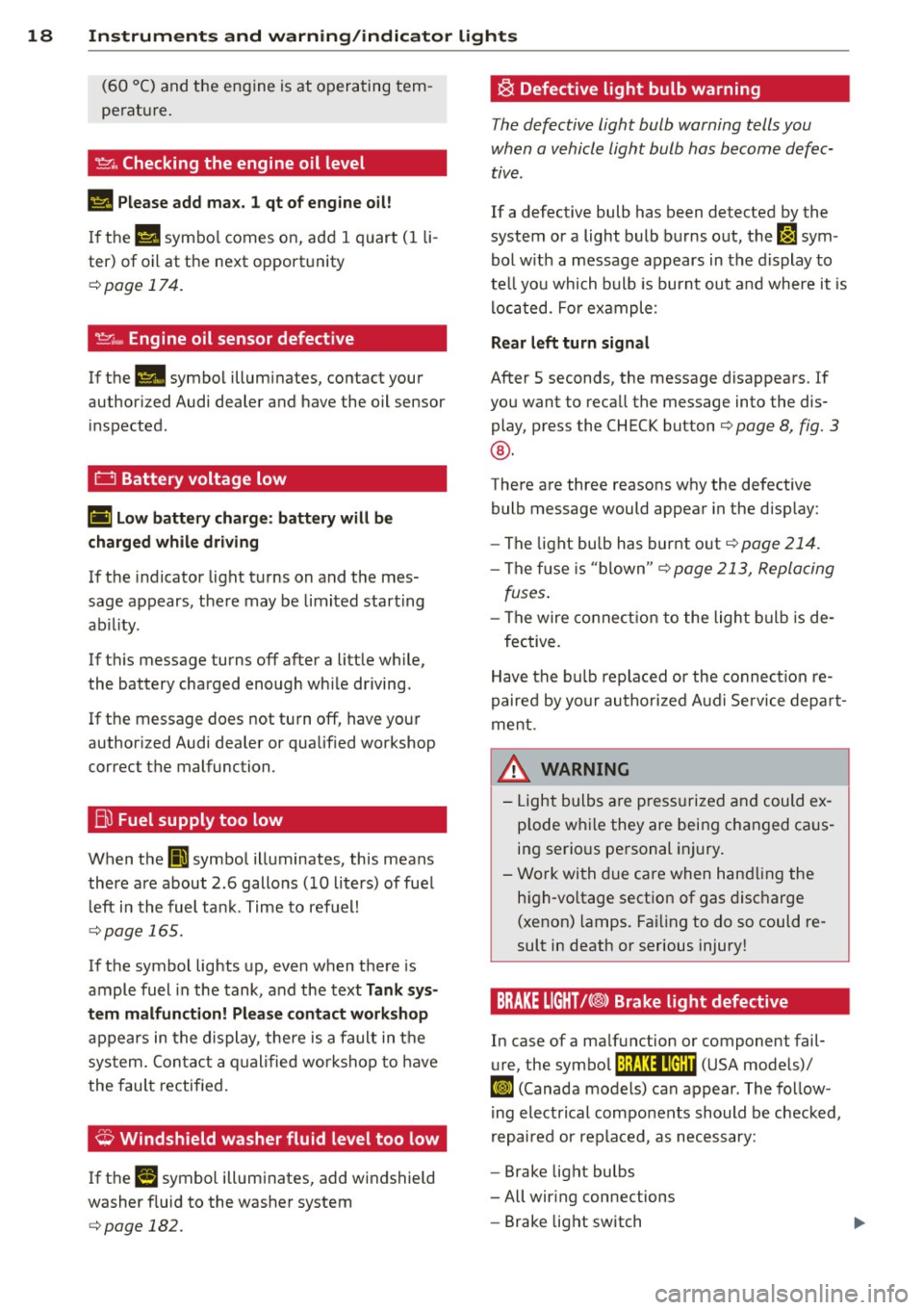
~. Checking the engine oil level
II! Please add max. 1 qt of engine oil!
If the 1\1 symbo l comes on, add 1 quart (1 li
ter) of oil at the next opportunity
¢page 174.
'.!:'.::: ... Engine oil sensor defective
If the II symbol illuminates, contact your
author ized Audi dealer and have the oil sensor
inspected.
t:::J Battery voltage low
(•i Low battery charge: battery will be
charged while driving
If the indicator light turns on and the mes
sage appears, there may be limited starting
ab ility.
If th is message turns off after a little while,
the battery charged enough wh ile driving.
If the message does not turn off, have your
author ized Audi dealer or qualif ied workshop
correct the malfunction.
Bu Fuel supply too low
When the II] symbol illuminates, this means
there are about 2.6 gallons (10 liters) of fuel l eft in the fuel tank. Time to refuel!
¢page 165.
If the symbol lights up, even when there is
ample fuel in the tank, and the text
Tank sys
tem malfunction! Please contact workshop
appears in the display, the re is a fault in the
system. Contact a qualified workshop to have
the fau lt rectified .
,;;, Windshield washer fluid level too low
If the I! symbol illuminates, add windshield
washer f luid to the washer system
¢ page 182.
~ Defective light bulb warning
The defective light bulb warning tells you
when a vehicle light bulb has become defec
tive.
If a defective bulb has been detected by the
system or a light bulb burns out, the~ sym
bol w ith a message appears in the display to
te ll you which bulb is burnt out and where it is
lo cated. For example :
Rear left turn signal
After 5 seconds, the message disappears. If
you want to recall the message into the dis play, press the CHECK button¢
page 8, fig. 3
®·
There are three reasons why the defective
bulb message would appear in the display:
- The light bu lb has burnt out
¢page 214.
-The fuse is "blown"¢ page 213, Replacing
fuses .
-The wire connection to the light bulb is de-
fective.
Have the bulb replaced or the connection re
paired by your authorized Aud i Service depart
ment .
A WARNING
-
-Light bulbs are pressurized and could ex
p lod e while they are being changed ca us
ing serious personal injury.
- Work with due care when handling the
high-vo ltage section of gas discharge
(xenon) lamps. Failing to do so could re
sult in death or serious injury!
BRAKE LIGHT!<®> Brake light defective
In case of a malfunction or component fail-
ure, the symbol (USA models)/
$fl (Canada models) can appear. The follow
ing electrical components should be checked,
repaired or replaced, as necessary:
- Brake light bulbs
- All wir ing connections
- Brake light switch
Page 21 of 236
Instruments and warning/indicator lights 19
Contact your authorized Audi dealer for assis
tance if necessary.
@ Tips
The brake light switch is only inspected as
pa rt of the functional check after the en
gine is started.
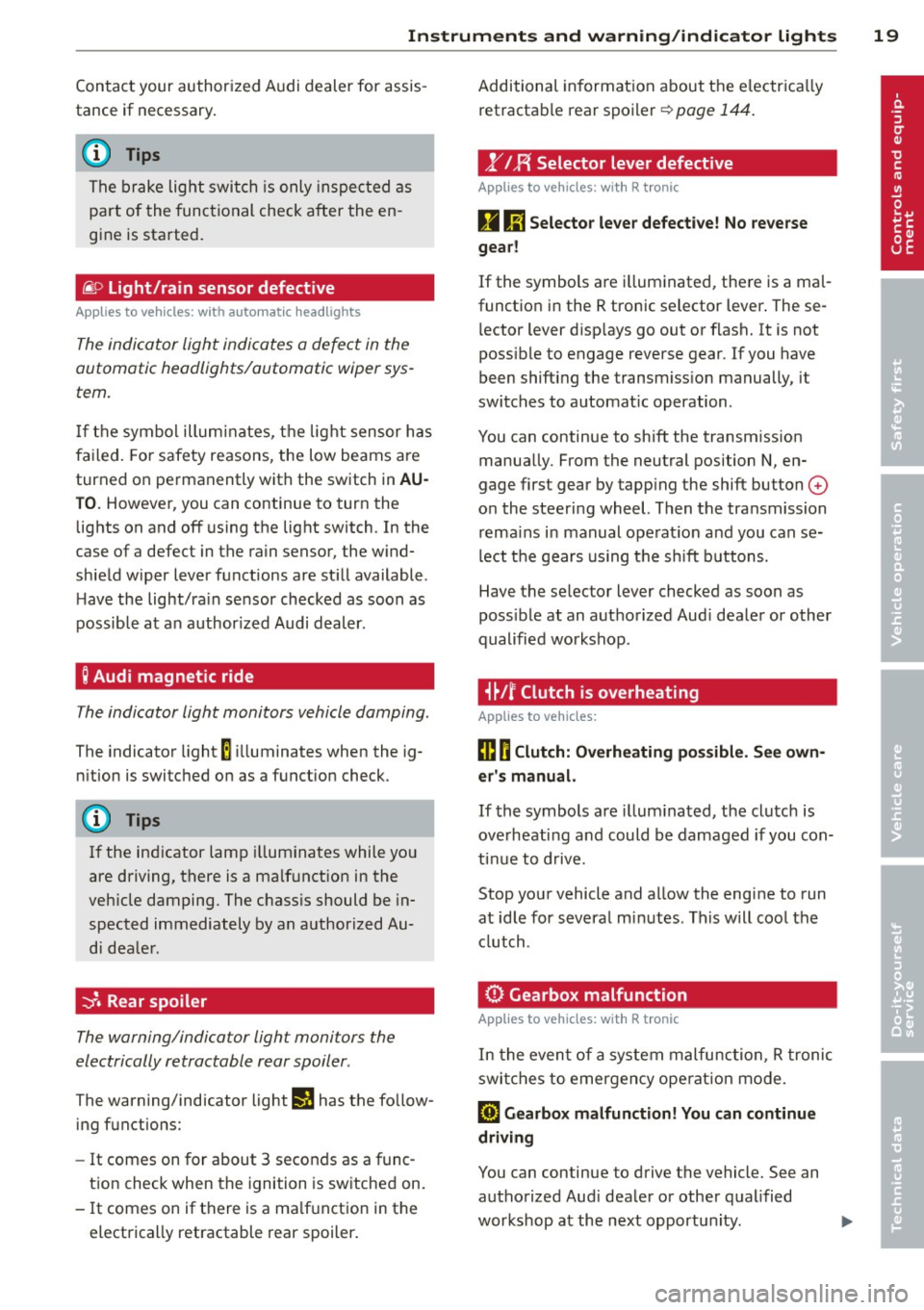
@ Light/rain sensor defective
Applies to vehicles: with automatic headlights
The indicator light indicates a defect in the
automatic headlights/automatic wiper sys
tem.
If the symbol illum inates, the light sensor has
failed. For safety reasons, the low beams are
turned on permanently with the switch in
AU
TO. However, you can continue to turn the
lights on and off using the light switch. In the
case of a defect in the rain sensor, the wind
shield wiper lever functions are still available .
H ave the light/ra in sensor checked as soon as
possible at an author ized Audi dealer.
; Audi magnetic ride
The indicator light monitors vehicle damping.
The indicator light E ill uminates when the ig
nition is switched on as
a function check.
(D Tips
If the ind icator lamp illuminates while you
are driving, there is a malfunct ion in the
veh icle damping. The chass is should be in
spected immediately by an authorized Au
di dealer.
-:;J. Rear spoiler
The warning/indicator light monitors the
electrically retractable rear spoiler .
The warning/indicator light Ii! has the follow
ing functions:
-It comes on for about 3 seconds as a func
t ion check when the ignition is switched on.
- It comes on if there is a ma lfunction in the
electrically retractable rear spoiler . Additional
information about the electr ica lly
retractable rear spoiler
r:;, page 144.
,.YI F{ Selector lever defective
Applies to vehicles : with R tronic
g Ii] Selector lever defective! No reverse
gear!
If the symbols are i lluminated, there is a mal
function in the R tronic selector lever . These
l ector lever d isp lays go out or flash. It is not
poss ible to engage reverse gear. If you have
been shifting the transm iss ion manually, it
switches to automat ic operation.
You can continue to shift the transmission manually. From the neutral position N, en
gage first gear by tapp ing the shift button
0
o n the steering wheel. Then the transmission
remains in manual operat ion and you can se
lect the gears using the s hift buttons.
Have the selector lever checked as soon as
poss ible at an authorized Aud i dealer or other
qualified workshop .
i~Jf Clutch is overheating
Applies to vehicles:
ffl O Clutch: Overheating possible. See own
er's manual.
If the symbols are i llum inated, the clutch is
ove rheating and could be damaged if you con
tinue to drive.
Stop your vehicle and allow the engine to run
at idle for several m inutes . This w ill cool the
clutch.
0 Gearbox malfunction
App lies to vehicles: wit h R tro nic
In the event of a system malfunction, R tronic
switches to emergency ope rat ion mode.
[O) Gearbox malfunction! You can continue
driving
You can continue to drive the vehicle. See an authorized Aud i dealer or other qualified
workshop at the next opportun ity . ..,.
Page 22 of 236
![AUDI R8 SPYDER 2012 User Guide 20 Instruments and warning/indicator lights
[O] Gearbo x malfunct ion! You can continue
dri ving but functions are rest ricted
There is a serio us sys tem ma lf u nction:
- The prog ram s](/img/6/57642/w960_57642-21.png "AUDI R8 SPYDER 2012 User Guide 20 Instruments and warning/indicator lights
[O] Gearbo x malfunct ion! You can continue
dri ving but functions are rest ricted
There is a serio us sys tem ma lf u nction:
- The prog ram s")
20 Instruments and warning/indicator lights
[O] Gearbo x malfunct ion! You can continue
dri ving but functions are rest ricted
There is a serio us sys tem ma lf u nction:
- The prog ram shifts only i nto ce rtain gears.
- The eng ine may sta ll.
- It is not possib le to restart the eng ine if it
has been switched off.
- Contin uing to dr ive could result in s ubse
quent damage.
0 Note
If R tronic has switc hed to emergency op
erat ion mode, you s hou ld have the mal
function corrected as soon as possible .
(J.) Tire pressure monitoring system
Applies to vehicles: with tire pressure monitoring system
Tire pressure that is too low must be correct
ed as soon as possible .
The warning/ind icator light
[I] i ll uminates fo r
a few seconds afte r the ignit ion is t urned on
as a funct io n check. If t he (I] warning light
co mes on, pressu re in at least one tire is too
low .
.,. Stop driv ing as soon as possible without e n
dange ring yourse lf and other drivers on the
r oad.
• Inspect all tires.
• Correc t the t ire pressur e¢ page 189 .
Addit ional information about the
t ire pres
sure monitoring system
can be found
¢ page 201.
¢¢ Turn signals
The indicator light blinks when you use either
turn signal .
Whenever you use the left
R or the r ight II
turn signal , the ind icator light blinks. When
you use the emergency flasher, both indicator
lig hts flash .
If one of the tu rn s ignal light bu lbs burn out,
the t urn signa l wi ll blink tw ice as fast as n or
mal. Additional
in formation on the turn s ignals
¢ page 51.
CRUISE/ (,)" Cruise control
The (lj;(i)~i~ (USA mode ls)/ . (Canada models)
warning/indicator light illuminates whe n the
cruise control is activated .
Page 23 of 236
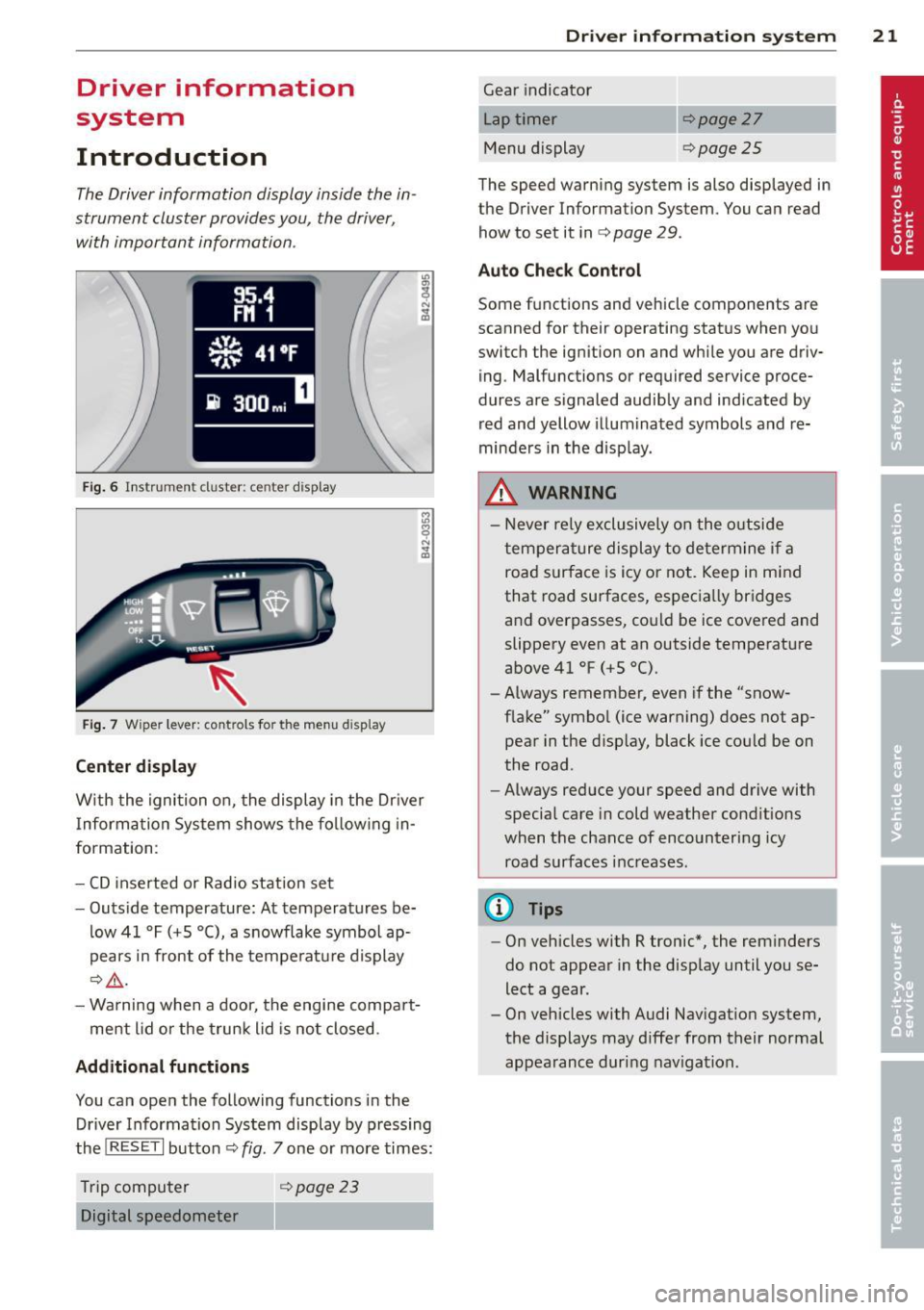
Driver information
system
Introduction
The Driver information display inside the in
strument cluster provides you, the driver,
with important information .
Fig. 6 Instrument cl uster: ce nte r display
Fig. 7 Wiper lever: controls fo r the menu d isplay
Center display
W ith the ignition on, the display in the Dr iver
I nforma tion System shows the fo llow ing in
formation :
- CD inserted or Radio station set
- Outs ide temperature: At temperatures be-
low 41
°F (+S 0 (), a snowflake symbol ap
pears in front of the temperatu re display
c:> &_ .
-Wa rning when a door, the engine compa rt-
me nt lid or the trun k lid is not closed.
Additional functions
You can ope n the following functions i n the
Driver Information System display by p ressing
the
! RESET I button ¢ fig. 7 one or more times:
T rip computer
¢ page 23
Digital speedometer
Dr iver in formation system 21
Gear indicato r
Lap timer
Menu display
c:>page27
<=>page25
The speed warning system is also displayed in
the Driver Information System. You can read how to set it in ¢
page 29 .
Auto Check Control
Some f unctions and vehicle components are
scanned for their operating stat us when yo u
switc h the ign ition on and whi le you are driv
ing. Malfunctions or required service proce
dures are s ignaled audib ly and ind icated by
red and yellow il luminated symbols and re
minde rs in the disp lay.
_&. WARNING
-
- N ever re ly exclusively on the o utside
temperat ure display to determ ine i f a
road surfa ce is icy or not. Keep in mind
that road surfaces, espec ia lly bridges
and overpasses, co uld be ice covered and
slippery even at an outside temperature
above 41
°F (+5 °().
- Always remember, even if the "snow
f lake" symbo l (ice warning) does not ap
pea r in the d isp lay, black ice cou ld be on
the road.
- Always reduce your speed and drive with
special care in cold weathe r cond itions
when the chance of encountering icy
road surfaces inc reases.
@ Tips
- On vehicles with R tronic*, the rem inders
do not appea r in the disp lay until you se
lect a gear.
- On vehicles with Audi Nav igat io n system,
the displays may d iffe r from their normal
appearance duri ng nav iga tion .
Page 25 of 236

-There is a leak in the fuel vapo r recovery sys
tem .
- The eng ine control receives faulty vehicle
roadspeed signa ls.
Contact your nea rest au thori zed A udi dealer
for assis tance .
If the light illuminates , the catalyt ic converte r
could be damaged . Continue driving
with re·
du ced power
(avo id ing susta ined high speeds
a nd/or rap id acce lerations) and have the con
d ition correc ted .
An improp erly closed fuel fi ller cap may also
cause the MIL li ght to i llum ina te
q page 166.
On-Board Diagnostics
Fig. 9 Loc atio n of Data Link Co nnec to r (DLC )
On-Board Diagnostics monitors the compo
nents of your emission co ntrol system . Each
monitored component in your eng in e system
has been assigned a code. I n case of a mal
fun ction, the component will be ide ntified
and the fau lt stored as a code in t he con tro l
mod ule memory .
I n o rder to make an a ccurate d iagnos is, the
stored d ata ca n only be di splayed using spe
cial diagnos tic eq uipment (gener ic s can tool
for OBD).
I n o rder to connect the special diagnosti c
eq uip ment, push the p lug into t he Data Link
Connector (D LC). The DLC is lo cated to the
righ t of the engine compartment lid release
q fig . 9 .
Your auth ori zed A udi dealer or a q ualified
service st ation can in terp ret the code and per
form the necessa ry repair.
Dr iver in formation system 23
A WARNING
Do not use t he d iagnost ic connector for
pe rsonal use. Inco rrect usage can cause
malfunctions, wh ich can increase th e risk
of a co llision!
Trip computer
Introduction
The trip computer gives you information on
current and average fuel mileage , average
spe ed, fuel range and driving time.
Fi g. 10 Tri p co mpute r 1
You can switch between the trip computer 1
and 2 by pressing the
! R ES ET I button @
qpage 24, fig . 11 .
You can te ll wh ich memory leve l is currently
active by the number in t he disp lay ¢
fig. 10 .
The data from the s ingle-trip memory (memo
ry level 1) is being disp layed if a
1 appears in
the d isplay . If a
2 is shown, then the data
from the to tal -tr ip memo ry is being displayed
(memory level 2).
Single-trip memory (Trip computer 1)
The single-trip memory stores the tr ip infor
mation from the time the ig nitio n is turned on
u nt il it is turned off .
If the trip is cont inued
within 2 hours fr om the time the ignition was
turned off, the new data will be in cl ud ed in
the calculat io n of the current tr ip in forma
tion . If the trip is interr upted fo r
more than 2
hours
the memory is reset automatically. .,..
Page 27 of 236

Menu display
Introduction
-----®
Fig . 12 W iper lever: Controls for the men u display
Display Ty e
~Set
• 1r
che c1<:----
Menu off
Fig. 13 D isplay: Start me nu
Some functions in your veh icle can be set, ac
tivated, and controlled by
Menus (e.g. Acous
tic park ass ist*). With these menus you can al
so se lect the info rmation show n in the Driver
Information System, which ope rates only with
the ignition switched on . Operation is cont rol
l ed by the
I RESET ! button and the rocker
sw itch on the w iper lever ¢ fig. 12.
The
Start menu shows you the different dis
play types:
Set
Che ck
Menu off
Each display type in the Start menu contains a
submenu with add itional opt io ns.
Set
Dr iver in formation system 25
C lock
¢ page
26
Tire pressure
¢page200
Computer
¢page 26
Speed warning
¢page30 L ang uage
q page26
Units (distance, fuel consump
tion, temperature) ¢page26
Disp lays (lap timer)
Lights
¢page49
W ipers (se rv ice position)
¢ page55
Doors (unlocking and locking
mode)
¢page34
Check Service
Chassis number
¢page 215
Keys
Menu off The menu display is hidden and
the lap timer appears.
Page 29 of 236

.. If necessary, scroll by se lecting and activat
ing the symbol for "Next page" or "Previous
page".
When you have selected the Computer menu
and activated it by pressing the
I RESET I but
ton, two computer leve ls appear (computer 1
and computer 2). Now you have to select the
level you want using the rocker switch and ac
tivate it w ith the
I RESET I button.
Lap timer
Introduction
The lap timer allows you to record and evalu
ate lap times .
The instrumen t cluster display shows the t ime
in m inutes, seconds and tenths o f a second.
For lap times longer than one hour, the hour
is also shown automatically. The maximum re
cordab le time for a single measurement is 99
h ours , 59 m inutes and 59 and 9/10 seconds.
If t he lap timer reaches th is value, the tim ing
stops on its own or it switches to pause mode
via
c::;, page 28.
A WARNING
Pl ease d evote your fu ll attent ion to driv
ing. As the d river, yo u have comp lete re
sponsibility fo r sa fe ty i n traffic. Only use
t he functions in such a way that you always
ma inta in complete control over your veh i-
de in all traff ic sit uat ions.
(D Tips
All of the trip compu ter functions are
availab le as usua l w hen the lap timer stop
watch is runn ing.
-
Dr iver in formation system 2 7
Selecting the lap timer
---®
Fig. 17 Contro ls
Fi g. 18 D isplay: Lap timer
.. With the ignition on, press the I RESET I b ut
ton @
r=;,fig . 17 unt il the lap timer r=;,fig. 18
appears.
Starting the timer
Fig. 19 D isplay: Lap 1
F ig . 20 D isplay: Lap 1 is saved, lap 2 is started