warning AUDI R8 SPYDER 2012 Owner's Manual
[x] Cancel search | Manufacturer: AUDI, Model Year: 2012, Model line: R8 SPYDER, Model: AUDI R8 SPYDER 2012Pages: 236, PDF Size: 59.24 MB
Page 31 of 236
Evaluating times, ending or resetting
timing
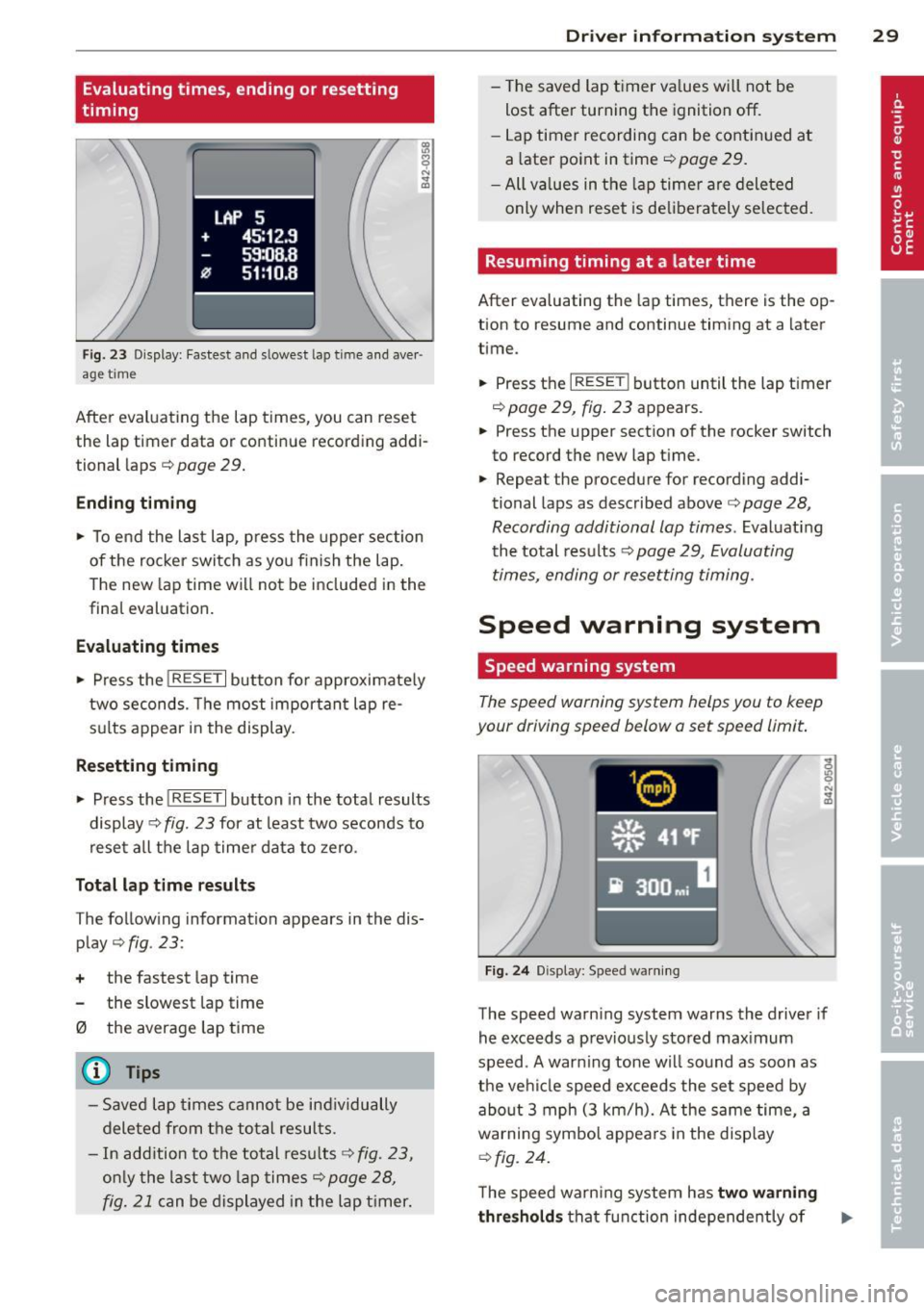
LAP 5
+ 45:12.9
59:08.B
0 51 :10.B
F ig. 23 D isplay: Fastest and slowest lap time a nd aver ·
age t ime
After evaluating the lap times, you can reset
the lap timer data or contin ue recording addi
tional laps
c:::> page 29.
Endin g timing
~ To end the last lap, p ress the upper sec tion
of the rocker switch as you f inish the lap .
The new lap time wi ll not be included in the
final evaluation.
E valuating times
~ Press the !RESET I button for approximately
two seconds. The most important lap re
su lts appear in the display .
Resetting timing
~ Press the ! RESE T I button in the tota l results
display
c:::> fig. 23 for at least two seconds to
rese t all the lap time r data to ze ro.
Tot al lap time re sults
The following information appears in the dis
play
c:::> fig . 23:
+ the fastest lap time
the slowest lap time
0 the average lap time
(D Tips
- Saved lap times cannot be ind ividually
deleted from t he total resu lts.
- In add ition to the total resu lts
c:::> fig. 23,
on ly the last two lap times c:::> page 28,
fig. 21
can be displayed in the lap t imer.
Dr iver in formation system 29
- T he saved lap ti mer va lues will not be
Lost after turning the ignition off.
- Lap timer recording can be continued at
a later point in time
c:::> page 29.
- All va lues in the lap timer are deleted
only when reset is deliberately se lected.
Resuming timing at a later time
After evaluating the lap times, there is the op·
tion to resume and continue timing at a later
time .
~ Press the I RESET ! button until the lap t imer
~ page 29, fig . 23 appears.
~ Press the upper section of the rocker switch
to record the new Lap time.
~ Repeat the procedure for recording addi
tional laps as described above
c:::> page 28,
Recording additional lap times .
Evaluating
th e total res ults ~
page 29, Evaluating
times, ending or resetting timing.
Speed warning system
Speed warning system
The speed warning system helps you to keep
your driving speed below a set speed limit.
Fi g. 24 Display: Speed wa rning
The speed warn ing system warns the driver if
he exceeds a p reviously stored max imum
speed . A warning tone wi ll sound as soon as
the vehi cle speed exceeds the set speed by
about 3 mph (3 km/h). A t the same time, a
warning symbol appea rs in the disp lay
~ fig. 24.
The speed warn ing system has two w arn ing
thr eshol ds that f unction independe ntly of ..,.
Page 32 of 236
30 Driver in formation sy ste m
each other and that have somewhat different
purposes:
Spee d warn ing 1 lDl/lOl ( Canada models )
You can use speed warning 1 to set the maxi
m um speed w hile you are driv ing. This sett ing
will remain in effe ct until you turn off the igni
tion, assuming that you have not changed or reset the setting .
The speed warning symbo l
(alllDl (Canada
models) in the warning 1 display appea rs
when you exceed the maxim um speed. It goes
out when the speed falls be low the stored
maximum speed.
The speed wa rning symbo l w ill also go out if
the speed
exceeds the stored maximum speed
by more than about 25 mph (40 km/h) for at
least 10 seconds. The stored maximum speed
is deleted.
Setting speed warning 1
c:>page 30.
Speed warning 2 lCl/EOl (Canada m odels )
Storing warning 2 is recommended if you al
ways
want to be remi nded of a certa in speed,
for example when you a re traveling i n a cou n
try that has a general maximum speed limit,
or if you do not want to exceed a specified
speed for winter tires.
The speed wa rning 2 symbol,
1a1;[i] (Canada
models) appears in the disp lay when you ex
ceed the stored speed limit . Unlike warn ing 1,
it will not go out unti l the vehicle speed drops
be low the stored speed limit.
Sett ing speed warning 2
c:> page 30 .
({) Tips
Even tho ugh you r vehicle is equipped with
a speed w arning sys tem, you should s till
watch the speedomete r to make sure you
are not driving faster tha n the speed limit.
Speed warning 1: setting a speed limit
Warning threshold 1 is set by the button .
Fig. 25 Sect ion of instrument cluster: Set/Check but
ton
Storing the ma ximum speed
.,. Drive at the desired maximum speed.
.,. Press the knob button
c:> fig. 25 until the
symbo l
c:> page 29, fig. 24 appears.
Resett ing the maximum spe ed
.,. Drive the vehicle at a speed of at leas t
3 mph (5 km/h)
.,._ Press the knob for more than 2 seconds.
T he speed wa rn ing symbol
ID] (USA models)/
f•j (Canada models) wi ll appear briefly in the
display when you release the button to indi
cate that the maxim um speed has been stored
s uccessfully . The max imum speed remains
stored until it is changed by pressing the but
ton aga in briefly or unt il it is de leted by a
leng thy push on the button .
Speed warning 2: setting a speed limit
Switches in the wiper arm are used to operate
warning threshold 2.
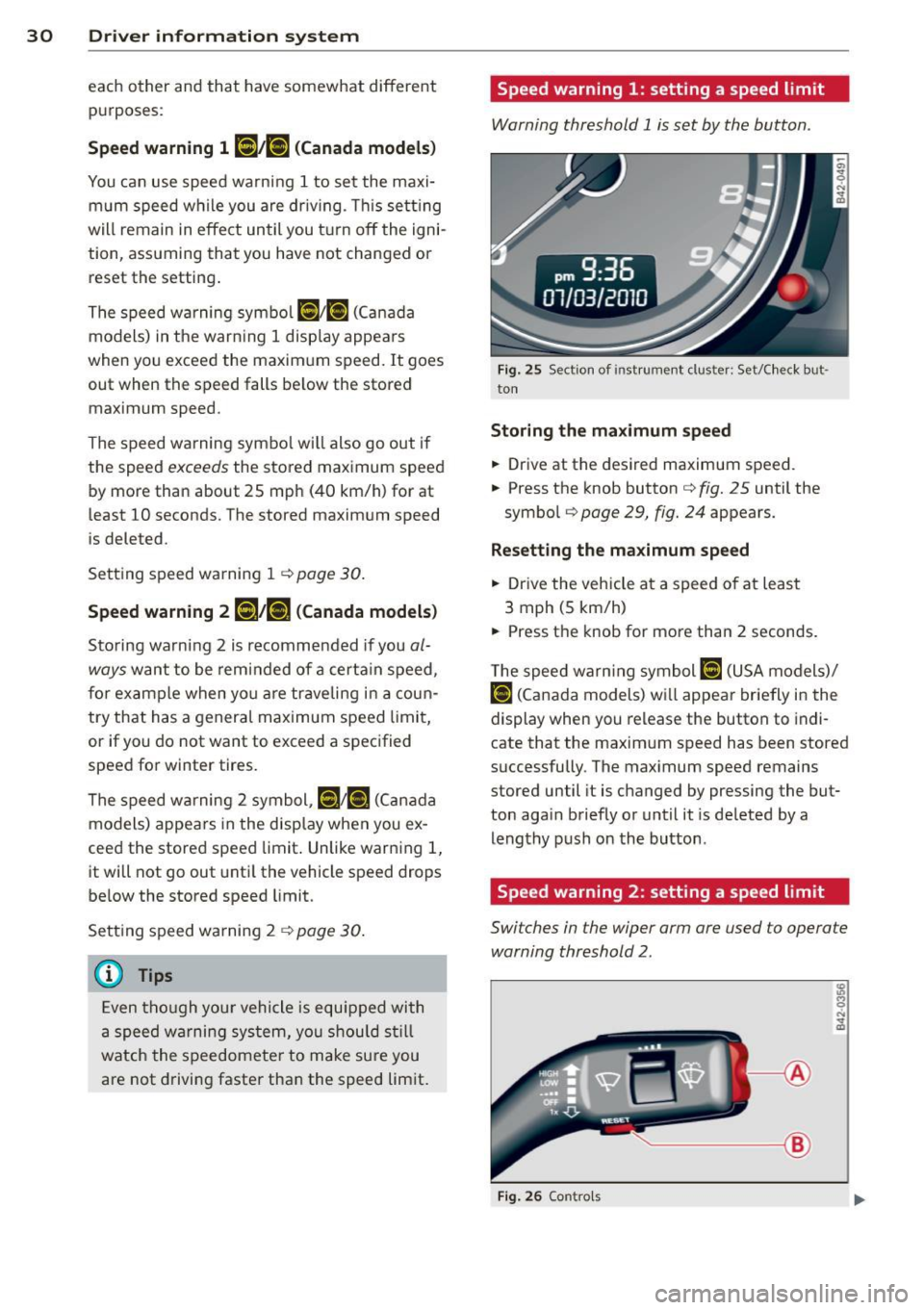
----- @
Fig. 26 Contro ls
Page 33 of 236
To store maximum speed
"' Turn off the ignition.
"' Briefly press the button in the instrument
cluster ¢
page 30, fig. 25 . The odometer
and the digital clock are now illuminated .
"' Press the button for at least 2 seconds. The
currently stored maximum speed appears in
the d isplay
or the crossed out symbol for
warning threshold 2, if no max imum speed
was set prev iously.
"' Press the function selector sw itch in the
wipe r lever @¢
fig. 26 up or down to
change the set value. Values run up or down
in steps o f 6 mph (10 km/h).
To delete maximum speed
"' Turn off the ignit ion.
"' Briefly press the button in the instrument
cluster ¢
page 30, fig. 25. The odometer
and the digital clock are now illuminated .
"' Press the button for at least 2 seconds. The
currently stored maximum speed appears in
the display.
"' Press the~,
R-E-5-E T~I button in the w iper lever
@ ¢fig. 26 until the crossed out speed
warning symbol for warning threshold 2 ap
pears in the display.
A few seconds after the adjustment is com
p leted, the illumination for the odometer and
the digital clock will go out.
(Di Tips
This warn ing threshold can also be con
trolled through the trip computer
¢ page 26, Navigating the menu.
Driver information system 31
Page 34 of 236
32 Opening and clo sing
Opening and closing
Keys
Key set
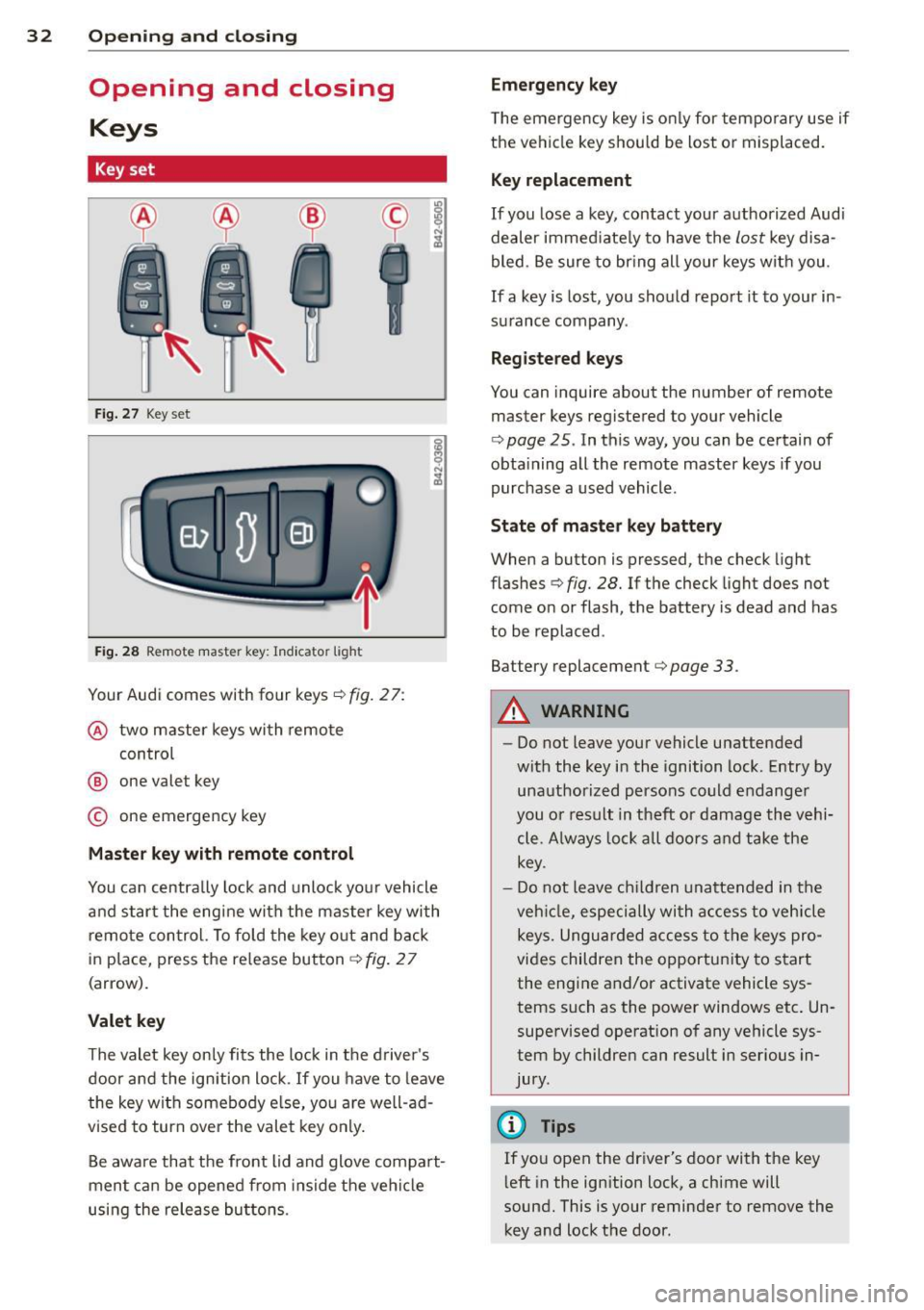
Fig . 27 Key set
Fig. 28 Remote master key : Indicator light
Your Audi comes with four keys c::> fig. 27:
@ two master keys with remote
control
@ one valet key
© one emergency key
M aster key with remot e co ntrol
You can centrally lock and unlock yo ur vehicle
and start the eng ine with the master key with
remote control. To fold the key o ut and back
in place, press the re lease button
c::> fig. 2 7
(arrow).
Valet key
The valet key only fits the lock in the d river's
door and the ignition lock .
If you have to leave
the key with somebody e lse, yo u are well-ad
vised to turn
over the valet key only.
Be aware that the front lid and glove compa rt
ment can be opened from ins ide the ve hicl e
using the release buttons . Emergency key
T he emergency key is only for tempo rary use if
the ve hicle key s hou ld be lost o r misplaced.
Key replacement
If you lose a key, contact your authorized Audi
dealer immed iate ly to have the
lost key disa
bled . Be sure to br ing all your keys with you .
If a key is lost, you should repo rt it to your in
surance company .
Reg istered keys
You can inquire about the number of remote master keys registered to your vehicle
r=> page 25 . In this way, you can be certain of
obta ining all the remote master keys if you
purchase a used vehicle .
St ate of maste r key b attery
When a button is pressed, the check light
flashes
c::> fig. 28. If the check light does not
come on or flash, the battery is dead and has
to be replaced .
Battery replacement
r=> page 33.
A WARNING
--
- Do not leave your vehicle unattended
with the key in the ignition lock. Entry by unauthorized persons co uld endanger
you or result in theft or damage the vehi
cle. A lways lock all doors and take the
key .
- D o not leave ch ildren unattended in the
veh icle, especially with a ccess to ve hicle
keys. Unguarded access to the keys pro
vides children the opportu nity to start
the engine and/or activate vehicle sys
tems such as the power windows etc . Un
supervised operation of any vehicle sys
tem by children can result in serious in
jury .
(D Tips
If you open the driver's door with the key
l eft in the ign ition lock, a ch ime will
sound. This is your reminder to remove the key and lock the door .
Page 36 of 236
34 Openin g and clo sing
electronic immobilizer is automatica lly acti
vated once again.
I f an unauthorized key was used , SA FE is d is
p layed con tinuously in the odometer disp lay
field.
A WARNING
-
Always take the key with you when you
leave the vehicle. The key can disarm the
electronic engine immobilizer and permit
an unauthor ized person to start the engine
and enable operation of the vehicle sys
tems such as power window leading to se r ious personal in jury .
(D Tips
-The vehicle cannot be started if an unau
thorized key is used . The vehicle may not
start if another radio device such as a key
for another vehicle or a transponder is l ocated on the key ring.
- For Declarat ion of Compliance to United
States FCC and Industry Canada regu la
tions
~page 222.
Power locking system
General description
The power locking system locks or unlocks all
doors simultaneously.
When opening and closing the doors, the power locking system locks or unlocks
both
doors together.
The remote mas ter key locks and un locks the
doors using a radio signal
~ page 35.
Locking and unl ocking w ith the key
You can also lock and unlock your vehicle us
ing the key in the lock o n the dr iver's door.
The unlocking and lock ing mode can be
changed in the Driver Informat ion System
~ page 25.
Both doors are locked automatically when the
vehi cle is locked and the ant i-theft alarm sys
tem is act ivated.
Auto Loc k
The Auto Lock function locks a ll doors once
speed has exceeded approximately 9 mph (15
km/h).
T he car is unlocked automat ica lly once the ig
nition key is removed . In add ition, the vehicle
can be un locked if the power locking system
opening function
(l;;i) is activated or one of the
door levers is used .
Turn signals
All the tu rn s ignals flash to indicate when the
vehicle is locked and unloc ked. The t urn sig
nals flash twice when the vehicle is unlocked.
T he turn signa ls flash once when all the doors
and the front lid are locked. The interior lights
are also switched on or off automatica lly ac
cord ing to the position of the door contact
switch .
A WARNING "---
-When you lock your vehicle from outside,
nobody -espec ially children -shou ld re
main inside the vehicle. Remember,
when yo u lock the vehicle from the out
side the windows cannot be opened from
the inside .
- When you leave the veh icle, always re
move the ignition key and take it with
you. This will prevent passengers (chil dren, for example) from accidentally being locked in the vehicle should they acci
dentally press the power locking switch
in one of the doors.
- Do not leave ch ildren inside the vehicle
unsuperv ised. In an emergency it would
be imposs ible to open the doors from
the outside without the key.
(D Tips
- The driver's door can be locked and un
locked with the key if the power locking
system fails . The passenger's door can
be locked manually~
page 36 .
Page 37 of 236
-In the event of a c rash with airbag de
ployment all locked doors will be auto
matically unlocked to g ive access to the
vehicle occupants from the outside .
- You are we ll advised not to keep valua
bles inside an unattended vehicle, visib le
or not . Even a properly locked vehicle
cannot p rovide the securi ty of a safe!
Unlocking/locking the vehicle with the
remote control
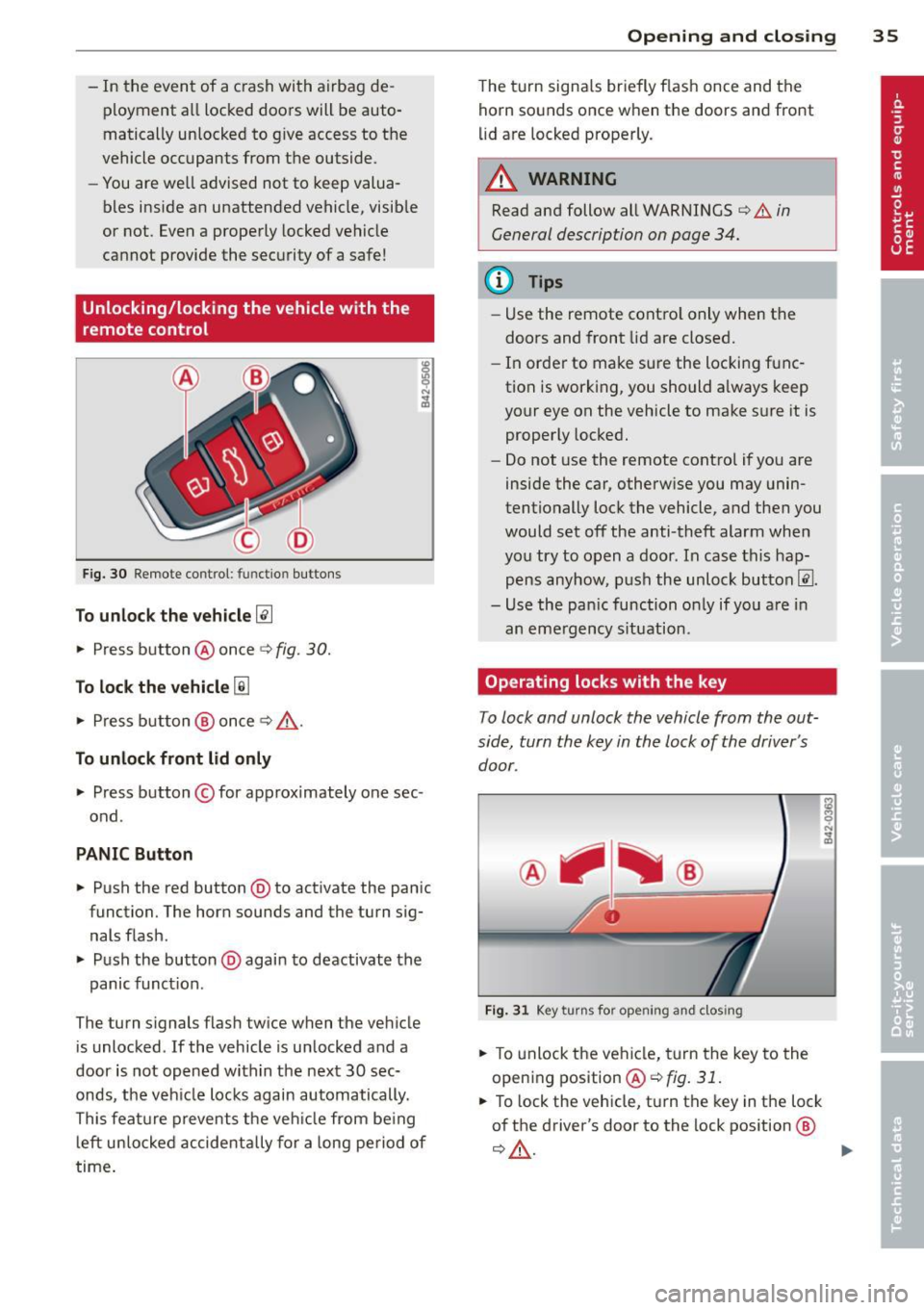
Fig. 30 Remote co n trol: functio n buttons
To unlock the vehicle~
.. Press button @ once ¢ fig. 30.
To lock the vehicle [ru
.. Press button @ once ¢ /A.
To unlock front lid only
.. Press button © for approximately one sec
ond .
PANIC Button
.,. Pu sh the red button @to activate the pan ic
function. The horn sounds and the turn sig
nal s flash .
.. Push the button @again to deactivate the
panic funct ion .
The turn s ignals flash twice when the vehicle
is unlocked . If the vehicle is un locked and a
door is not opened within the next 30 sec
onds, the veh icle locks again automatically.
This feat ure prevents the vehicle from be ing
left unlocked accidentally for a long period of
time .
Opening and closing 35
The turn signals briefly flash once and the
horn sounds once wh en the doo rs and front
li d are locked properly.
_& WARNING
Read and follow all WARNINGS ¢.&. in
General description on page 34.
(D Tips
- Use the remote contro l only when the
doors and front lid are closed.
- In order to make sure the locking func
tion is working, you should a lways keep
your eye on the vehicle to make sure it is
properly locked.
-
- Do not use the remote control if you are
inside the car, otherwise you may unin
tentionally lock the vehicle, and then you
would set off the anti-theft alarm when
you try to open a door . In case this hap
pens anyhow, push the unlock button@ .
- Use the pan ic function on ly if you are in
an eme rgency s ituation .
Operating locks with the key
To lock and unlock the vehicle from the out
side, turn the key in the lock of the driver 's
door .
Fig. 31 Key turn s fo r op eni ng an d clos ing
.. To unlock the vehicle, turn the key to the
opening position
@¢fig. 31.
.. To lock the vehicl e, turn the key in the lock
of the driver's door to the lo ck position @
¢&, . ....
Page 38 of 236
36 Opening and clo sing
The turn signals brief ly flash once and the
horn sounds once when the doors and the
front lid are locked proper ly.
.&_ WARNING
Always read and heed WARNING <=> .& in
General description on page 34.
@ Tips
- However, note that which door is un
locked
mechanically when the vehicle is
opened depends on the settings in the menu display
c>page 25.
-Both doors are locked automatically
when the vehicle is locked.
Locking/unlocking the vehicle from
inside
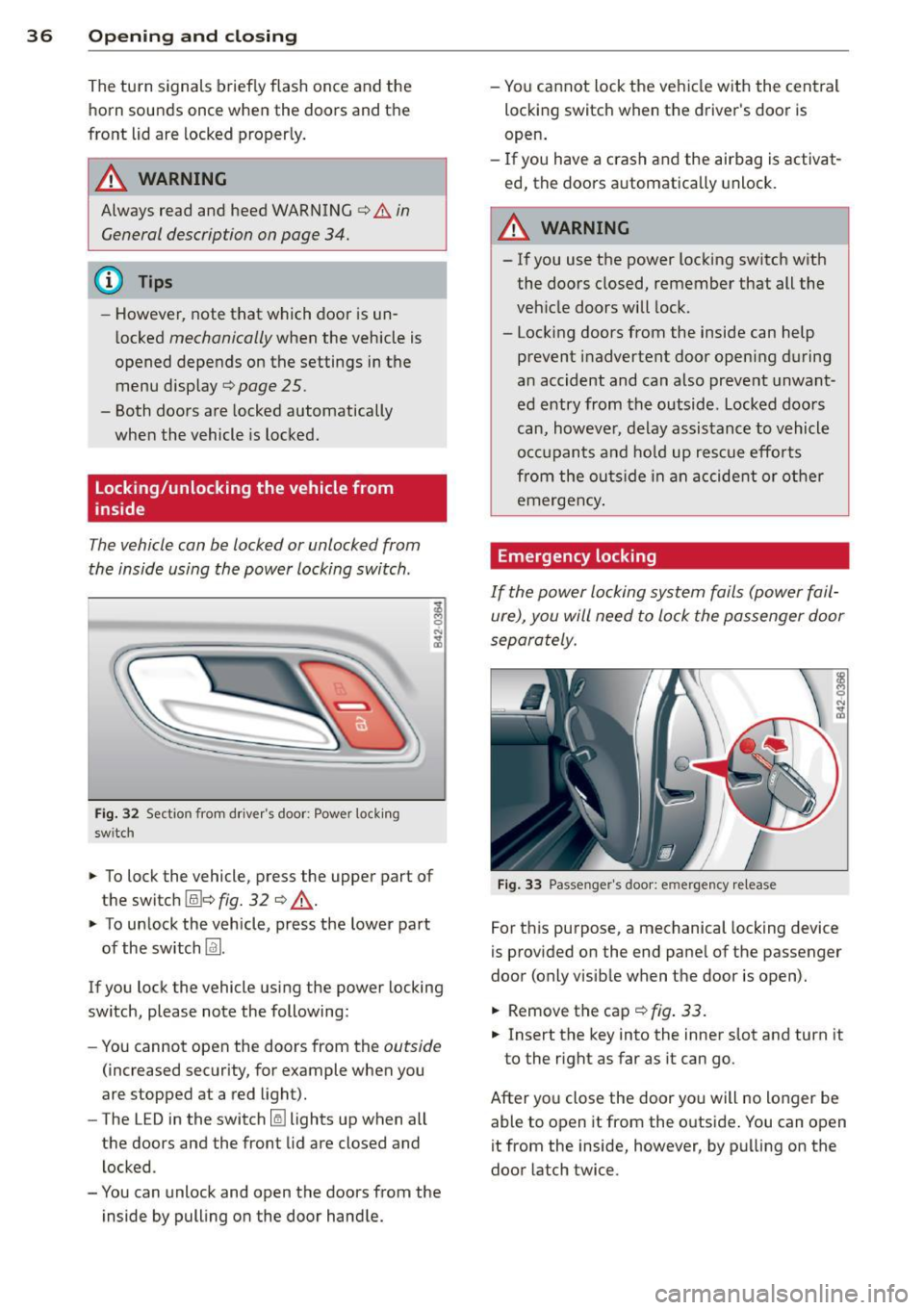
The vehicle can be locked or unlocked from
the inside using the power locking switch .
Fig. 32 Section from driver's door: Power locking
sw itch
-
;! M 0
"' .., m
~ To lock the vehicle, press the upper part of
the switch (illc>
fig. 32 c> ..&., .
~ To unlock the vehicle, press the lower part
of the switch
Im.
If you lock the vehicle using the power locking
switch, please note the following:
- You cannot open the doors from the
outside
(increased security, for example when you
are stopped at a red light).
- The LED in the switch
Iii lights up when all
the doors and the front lid are closed and
locked .
- You can unlock and open the doors from the inside by pulling on the door handle. -
You cannot lock the vehicle with the central
locking switch when the driver's door is
open.
- If you have a crash and the airbag is activat
ed, the doors automatically unlock.
A WARNING
-
-If you use the power locking switch with
the doors closed, remember that all the
vehicle doors will lock.
- Locking doors from the inside can help prevent inadvertent door opening during
an accident and can also prevent unwant
ed entry from the outside. Locked doors
can, however, delay assistance to vehicle
occupants and hold up rescue efforts
from the outside in an accident or other
emergency .
Emergency locking
If the power locking system fails (power fail
ure), you will need to lock the passenger door
separately .
Fig. 33 Passenger's door: emergency re lease
For this purpose, a mechanical locking device
is provided on the end panel of the passenger
door (only visib le when the door is open).
~ Removethecap c>fig.33.
~ Insert the key into the inner slot and turn it
to the right as far as it can go.
After you close the door you will no longer be able to open it from the outside . You can open
it from the inside, however, by pulling on the
door latch twice.
Page 39 of 236
Front lid
Opening/closing the front lid
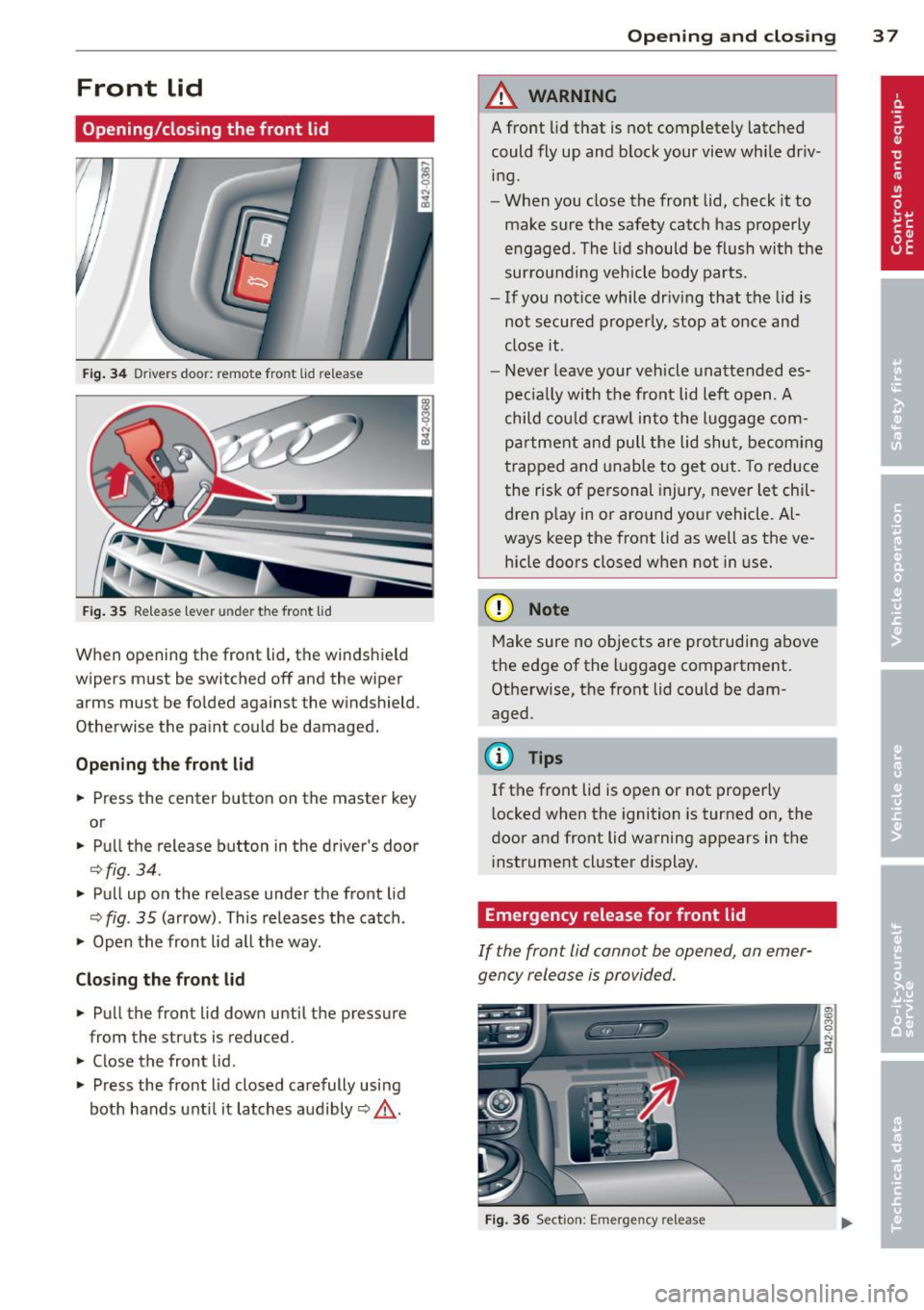
Fig. 34 Drive rs doo r: remote fro nt lid re le ase
Fig. 35 Releas e le ver under th e fron t lid
When opening the front lid, the windshield
wipers must be switched off and the wiper
arms must be folded against the windshield .
Otherwise the paint could be damaged.
Opening the front lid
.. Press the center button on the master key
or
.. Pull the release button in the driver 's door
Q fig . 34 .
.. Pull up on the release under the front lid
~ fig . 35 (arrow) . This releases the catch .
.. Open the front lid all the way .
Closing the front lid .. Pull the front lid down until the pressure
from the struts is reduced .
.. Close the front lid .
.. Press the front lid closed carefully using
both hands unti l it latches audibly
Q ,& .
Opening and closing 3 7
A WARNING
A front lid that is not completely latched
could fly up and block your view while driv
ing .
- When you close the front lid, check it to
make sure the safety catch has properly
engaged . The lid should be flush with the
sur rounding vehicle body parts.
- If you notice while driv ing that the lid is
not secured properly, stop at once and
close it.
- Never leave your vehicle unattended es
pecia lly with the front lid left open .
A
child could crawl into the luggage com
partment and pull the lid shut, becoming
trapped and unable to get out. To reduce
the risk of personal injury, never let chil
dren p lay in or around your vehicle. A l
ways keep the front lid as well as the ve hicle doors closed when not in use.
(D Note
Make sure no objects are protruding above
the edge of the luggage compartment.
Otherwise, the front lid could be dam
aged .
@ Tips
If the front lid is open or not properly
l ocked when the ignition is turned on, the
door and front lid warning appears in the
in strument cluster dis play.
Emergency release for front lid
If the fron t lid cannot be opened, an emer
gency release is provided .
Fig. 36 Section: Emerge ncy re lease
.
Page 41 of 236
Power windows
Controls
The driver can operate all windows.
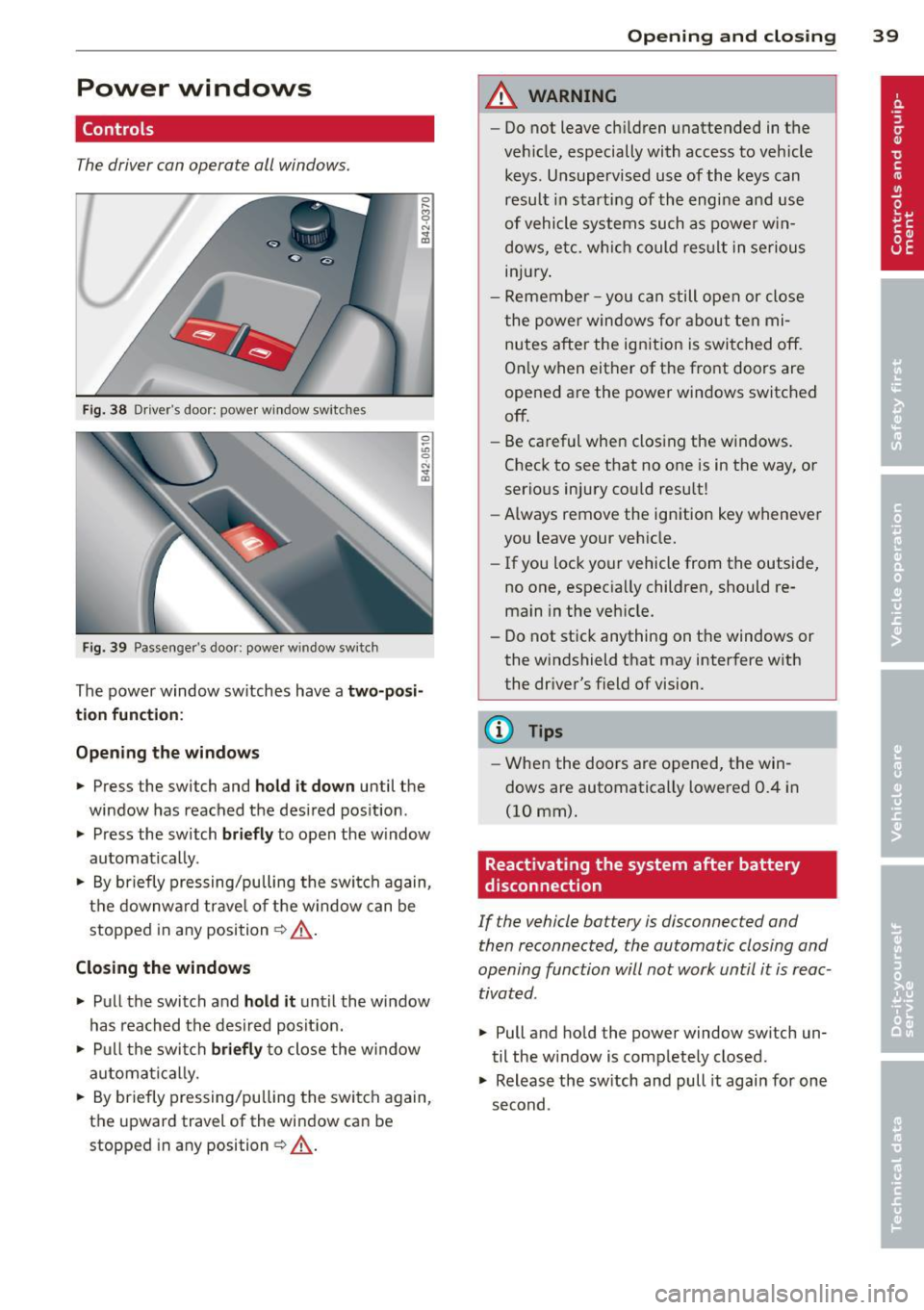
Fig . 38 Driver's doo r: powe r w in dow switc hes
Fi g. 3 9 Passenge r's door: powe r w in dow sw itc h
~
"' C) N ... a,
The power window sw itches have a two-posi
tion function :
Opening the windows
~ Press the switch and hold it down until the
window has reached the des ired pos ition .
~ Press the switch briefly to open the w indow
automat ica lly.
~ By briefly pressing/pu lling the swi tch again,
the downw ard trave l o f the w indow can be
stopped in any position¢.&_ .
Closing the windows
~ Pull the switch and hold it until the window
has reached the desired posit ion.
~ P ull t he swi tch briefly to close the w indow
a utomati cally.
~ By briefly pressing/pulling the swi tch again,
the upward travel of the wi ndow can be
stopped in any position ~.&_ .
Opening and clo sin g 39
A WARNING
-Do not leave c hildren unattended in the
veh icle, especially with access to vehicle
keys. Unsupervis ed use of the keys can
resu lt in s tarting of th e engine a nd use
of vehicle systems su ch as power w in
dow s, etc. w hich could res ult in se rio us
in ju ry.
- Remember -you can still ope n or close
t he powe r window s for about te n mi
nutes after the ign ition is swi tched off.
O nl y when eit her of the fro nt doors are
opened are the power windows switched
off.
- Be ca reful whe n clos ing the w indows.
Chec k to see that no one is in the way, or
serio us injury cou ld resu lt!
- Always remove the ign ition key wheneve r
you leave your veh icle.
- If you loc k your vehicle from t he outside,
no one, espec ia lly childre n, should re
main in the ve hicle.
- Do not st ick anything on t he windows or
the windshield that may inter fere w ith
the dr iver 's field of vision.
(D Tips
- W he n the doo rs a re o pened , th e win
dows are automatically lowere d 0.4 in
(10 mm).
Reactivating the system after battery
disconnection
If the vehicle battery is disconnected and
then reconnected, the automatic closing and
opening function will not work until it is reac
tivated .
~ Pull and hold the power window sw itch un
til the w indow is comp lete ly closed .
~ Release the sw itch and pull it again for one
second .
Page 42 of 236
40 Convertible top
Convertible top
Convertible top
General information
The fabric convertible top opens and closes
automatically. When it is open, it is stored in
the convertible top storage bay. The converti
b le top may be opened or closed at speeds up
to 31 mph (SO km/h) .
The convertible top is wind- and wate rproof
under normal conditions . Some moisture may
collect in the vehicle interio r, b ut only under
extreme ly adverse weather conditions such as
torrential rain . That is normal and no cause
for concern.
Follow the cleaning and maintenance instruc
tions ~
page 156 to ensure the convertible
top remains wind- and waterproof. Also note
the following points:
- Only stow the convertib le top when it is
clean and dry . Grains of sand or coarse dirt
particles can cause abrasions on the conver
tible top when stowed that can lead to dam
age to the fabric over time. Stowing the con
vertib le top when it is damp can cause
marks or permanent mildew spots to form .
- Do not leave the convertible top open for
several weeks or the creases in it may be
come discolored . This is especia lly true if the
top was stowed when damp .
- Remove ice and snow before opening the
convertible top . Do not use any sharp edged
objects to remove ice and snow or the con
vertib le top could be scratched or damaged.
T he rear window may be cleared with a
standard ice scraper.
- T he fabric in the convertible top loses elas
t icity in sub-zero temperatures. We recom
mend not opening or closing the convertib le
top when the temperature is below 32 °F (0 QC). The convertible top will not open
when the temperature is 5 °F (-15 QC) or be
low.
Opening/closing the convertible top
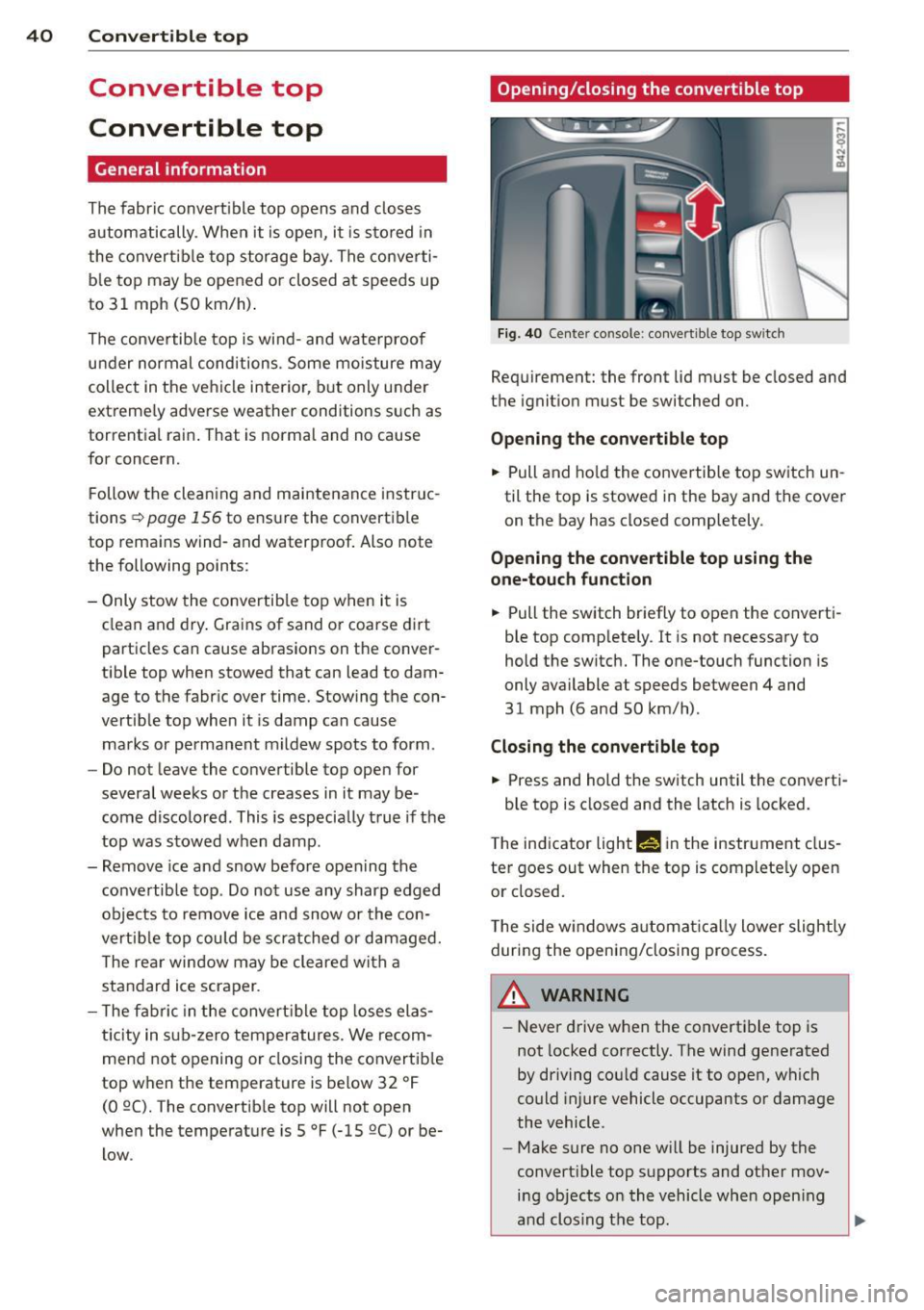
Fig. 40 Center co nsole : convertible top sw itc h
Requirement: the front lid must be closed and
the ignition must be switched on.
Opening the convertible top
.. Pull and hold the convertible top switch un
til the top is stowed in the bay and the cover
on the bay has closed completely.
Opening the convertible top using the
one-touch function
.. Pull the switch briefly to open the converti
ble top completely . It is not necessary to
hold the switch. The one-touch function is
only available at speeds between 4 and
31 mph (6 and 50 km/h) .
Closing the convertible top
.. Press and hold the switch until the converti-
ble top is closed and the latch is locked.
T he indicator light
M! in the instrument clus
ter goes out when the top is completely open
or closed.
The side w indows automa tica lly lower slightly
during the opening/closing process.
A WARNING ~
- Never drive when the convertible top is
not locked correctly . The wind generated
by driving cou ld cause it to open, which
could injure vehicle occupants or damage
the vehicle.
- Make sure no one will be injured by the
convertible top supports and other mov ing objects on the vehicle when open ing
and clos ing the top .