light AUDI R8 SPYDER 2012 Owner's Manual
[x] Cancel search | Manufacturer: AUDI, Model Year: 2012, Model line: R8 SPYDER, Model: AUDI R8 SPYDER 2012Pages: 236, PDF Size: 59.24 MB
Page 38 of 236
36 Opening and clo sing
The turn signals brief ly flash once and the
horn sounds once when the doors and the
front lid are locked proper ly.
.&_ WARNING
Always read and heed WARNING <=> .& in
General description on page 34.
@ Tips
- However, note that which door is un
locked
mechanically when the vehicle is
opened depends on the settings in the menu display
c>page 25.
-Both doors are locked automatically
when the vehicle is locked.
Locking/unlocking the vehicle from
inside
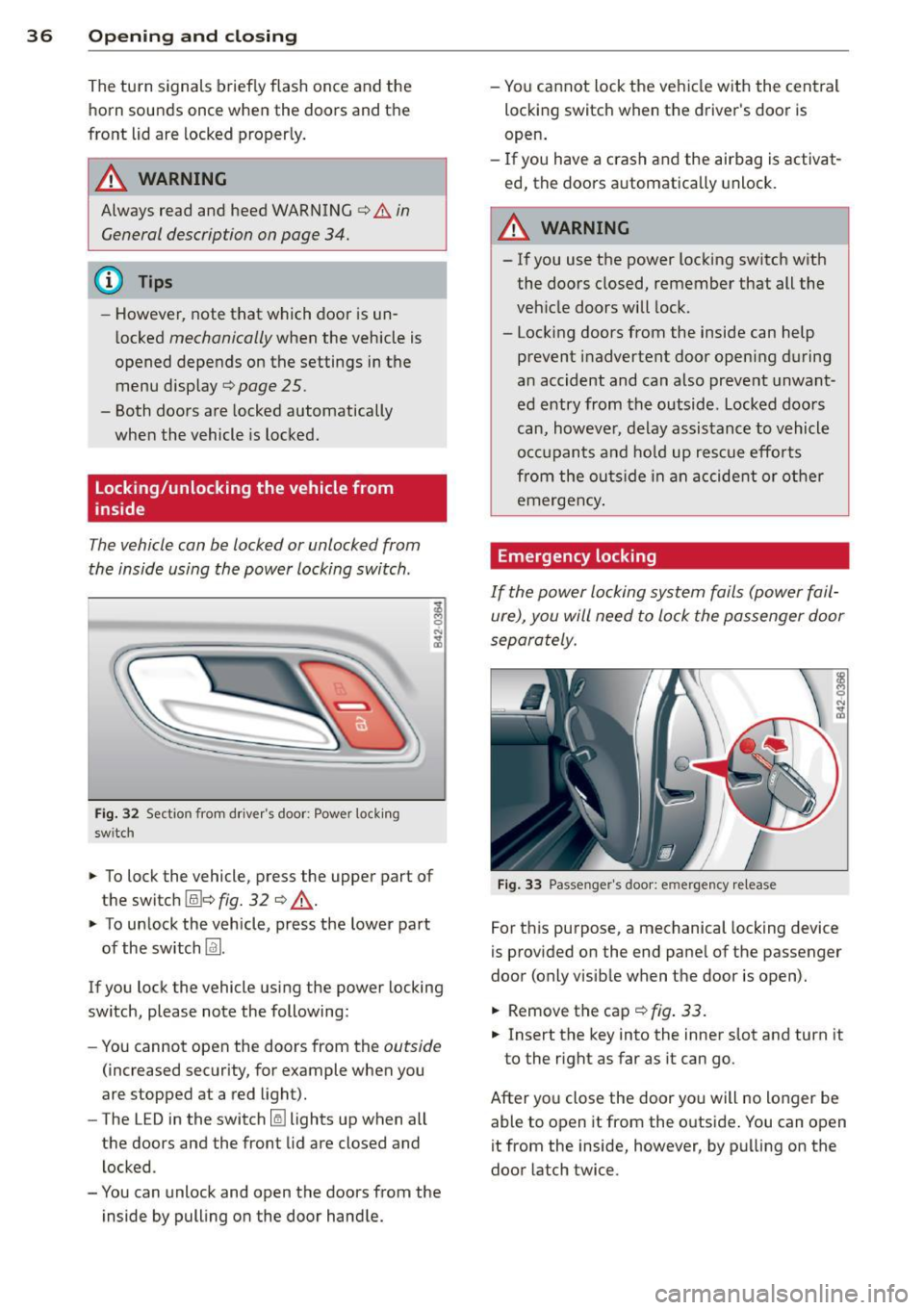
The vehicle can be locked or unlocked from
the inside using the power locking switch .
Fig. 32 Section from driver's door: Power locking
sw itch
-
;! M 0
"' .., m
~ To lock the vehicle, press the upper part of
the switch (illc>
fig. 32 c> ..&., .
~ To unlock the vehicle, press the lower part
of the switch
Im.
If you lock the vehicle using the power locking
switch, please note the following:
- You cannot open the doors from the
outside
(increased security, for example when you
are stopped at a red light).
- The LED in the switch
Iii lights up when all
the doors and the front lid are closed and
locked .
- You can unlock and open the doors from the inside by pulling on the door handle. -
You cannot lock the vehicle with the central
locking switch when the driver's door is
open.
- If you have a crash and the airbag is activat
ed, the doors automatically unlock.
A WARNING
-
-If you use the power locking switch with
the doors closed, remember that all the
vehicle doors will lock.
- Locking doors from the inside can help prevent inadvertent door opening during
an accident and can also prevent unwant
ed entry from the outside. Locked doors
can, however, delay assistance to vehicle
occupants and hold up rescue efforts
from the outside in an accident or other
emergency .
Emergency locking
If the power locking system fails (power fail
ure), you will need to lock the passenger door
separately .
Fig. 33 Passenger's door: emergency re lease
For this purpose, a mechanical locking device
is provided on the end panel of the passenger
door (only visib le when the door is open).
~ Removethecap c>fig.33.
~ Insert the key into the inner slot and turn it
to the right as far as it can go.
After you close the door you will no longer be able to open it from the outside . You can open
it from the inside, however, by pulling on the
door latch twice.
Page 40 of 236
38 Opening and closing
• Reach under the closed glove compartment .
There is a red plastic cord under the glove
compartment.
• Pull the red plastic cord towards you .
Anti-theft alarm
system
Description
The anti-theft alarm triggers on alarm if any
one attempts to break into the vehicle .
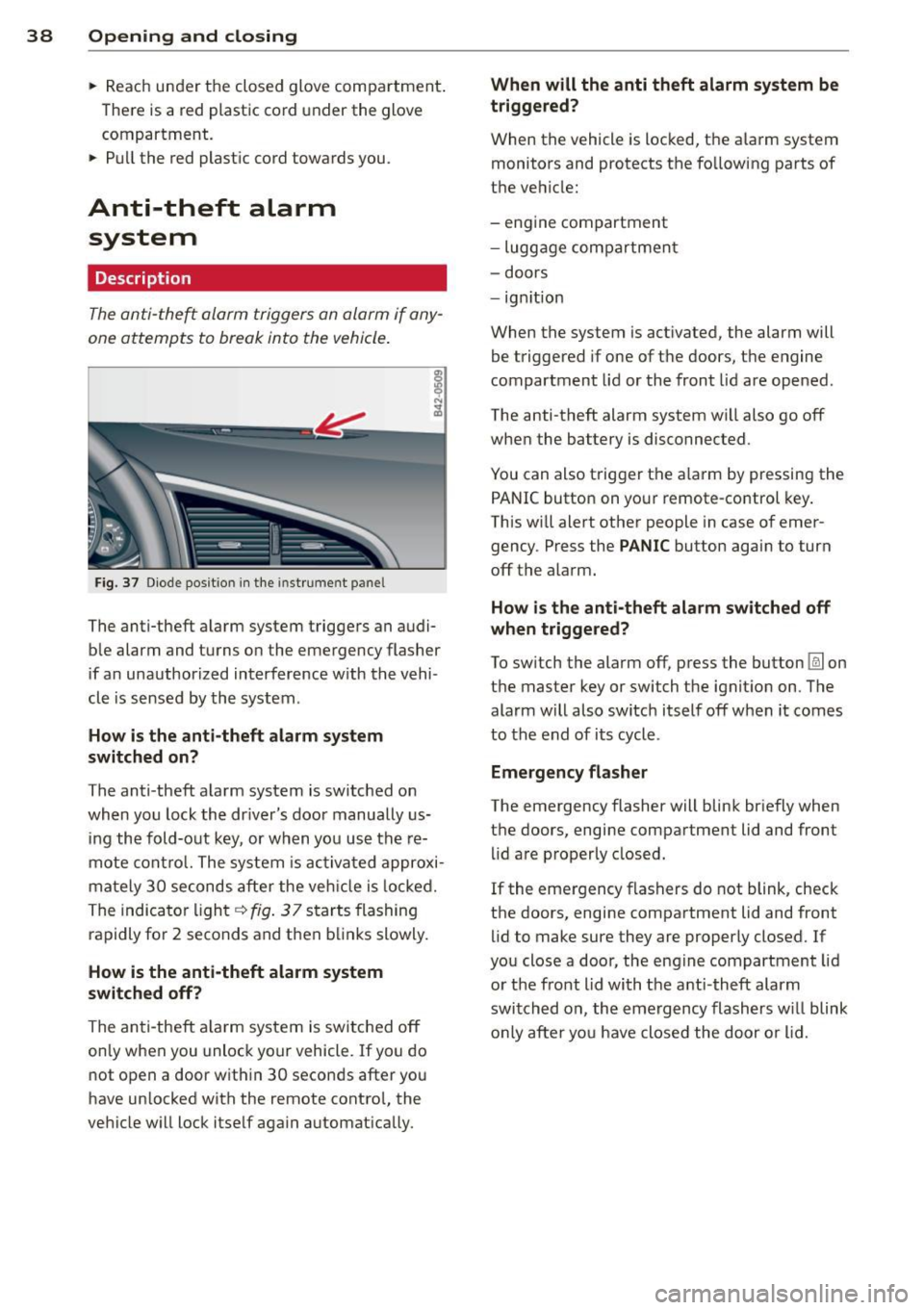
Fig. 37 Diode posit io n in the instr um ent p anel
The anti-theft alarm system triggers an audi
ble alarm and turns on the emergency flasher
if an unauthorized interference w ith the vehi
cle is sensed by the system .
How is the anti-theft alarm system
switched on?
The anti -theft alarm system is switched on
when you lock the driver's door manually us
ing the fold-out key, or when you use the re
mote control. The system is activated approxi
mately 30 seconds after the veh icle is locked.
The indicator light
q fig. 37 starts flashing
rapidly for 2 seconds and then blinks slowly.
How is the anti-theft alarm system
switched off?
The anti-theft a larm system is switched
off
only when you unlock your vehicle. If you do
not open a door within 30 seconds after you
have un locked with the remote contro l, the
vehicle will lock itself again automatically. When will the
anti theft alarm system be
triggered?
When the vehicle is locked, the alarm system
monitors and protects the following parts of
the vehicle:
- engine compartment
- luggage compartment
- doors
- ignition
When the system is ac tivated, the alarm will
be triggered if one of the doors, the engine
compartment lid or the front lid are opened.
The anti-theft alarm system wi ll also go
off
when the battery is disconnected .
You can also trigger the a larm by pressing the
PANIC button on your remote-control key.
This will alert other people in case of emer
gency . Press the
PANIC button again to turn
off the alarm.
How is the anti-theft alarm switched off
when trigge red?
To switch the alarm
off, press the button @Jon
the master key or switch the ignition on. The alarm will also switch itself off when it comes
to the end of its cycle .
Emergency flasher
The emergency flasher will blink briefly when
the doors, engine compartment lid and front lid are properly closed.
If the emergency flashers do not blink, check
the doors, engine compartment lid and front
lid to make sure they are properly closed. If
you close a door, the engine compartment lid
or the front lid with the anti -theft alarm
switched on , the emergency flashers will blink
only after yo u have closed the door or l id.
Page 42 of 236
40 Convertible top
Convertible top
Convertible top
General information
The fabric convertible top opens and closes
automatically. When it is open, it is stored in
the convertible top storage bay. The converti
b le top may be opened or closed at speeds up
to 31 mph (SO km/h) .
The convertible top is wind- and wate rproof
under normal conditions . Some moisture may
collect in the vehicle interio r, b ut only under
extreme ly adverse weather conditions such as
torrential rain . That is normal and no cause
for concern.
Follow the cleaning and maintenance instruc
tions ~
page 156 to ensure the convertible
top remains wind- and waterproof. Also note
the following points:
- Only stow the convertib le top when it is
clean and dry . Grains of sand or coarse dirt
particles can cause abrasions on the conver
tible top when stowed that can lead to dam
age to the fabric over time. Stowing the con
vertib le top when it is damp can cause
marks or permanent mildew spots to form .
- Do not leave the convertible top open for
several weeks or the creases in it may be
come discolored . This is especia lly true if the
top was stowed when damp .
- Remove ice and snow before opening the
convertible top . Do not use any sharp edged
objects to remove ice and snow or the con
vertib le top could be scratched or damaged.
T he rear window may be cleared with a
standard ice scraper.
- T he fabric in the convertible top loses elas
t icity in sub-zero temperatures. We recom
mend not opening or closing the convertib le
top when the temperature is below 32 °F (0 QC). The convertible top will not open
when the temperature is 5 °F (-15 QC) or be
low.
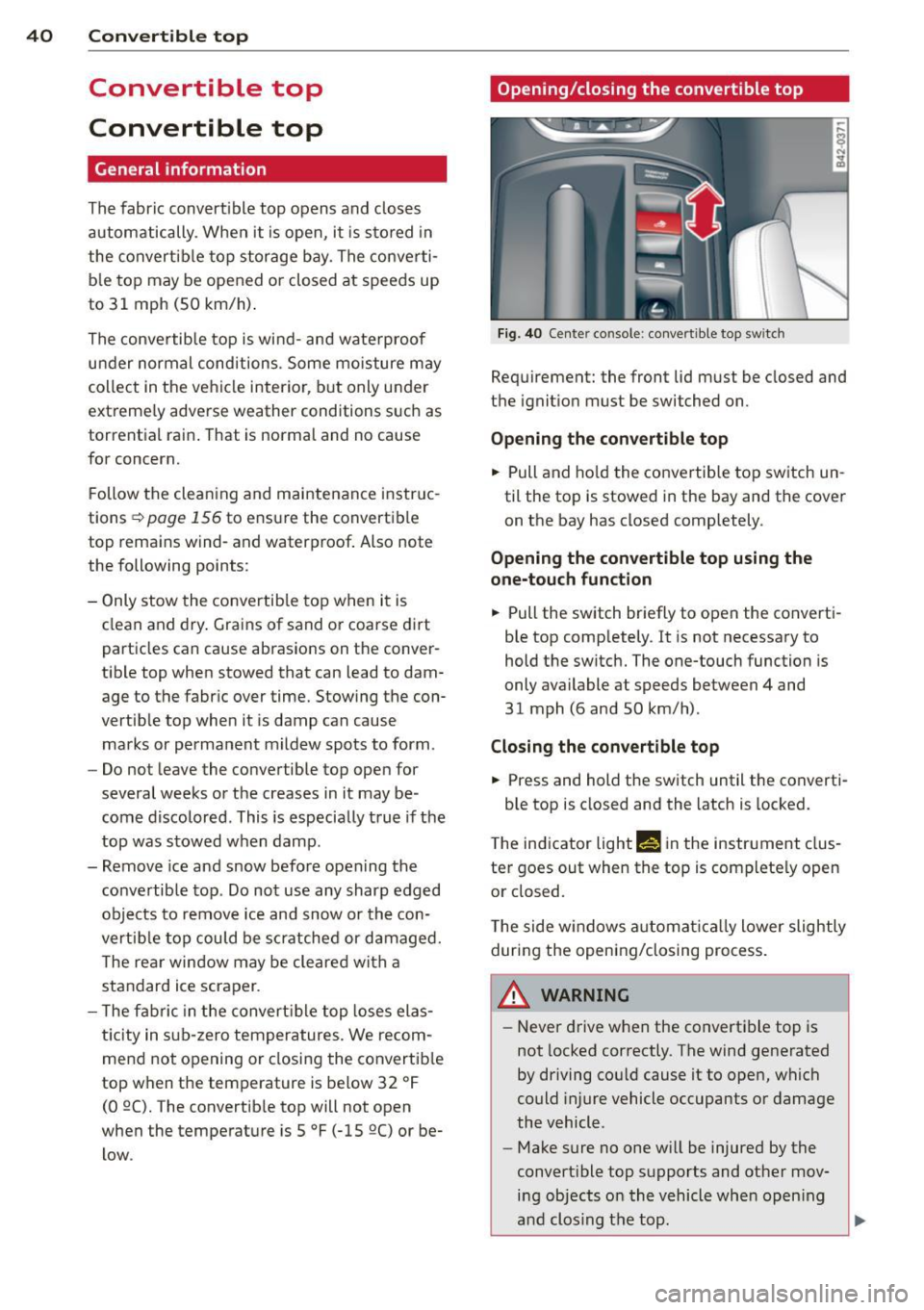
Opening/closing the convertible top
Fig. 40 Center co nsole : convertible top sw itc h
Requirement: the front lid must be closed and
the ignition must be switched on.
Opening the convertible top
.. Pull and hold the convertible top switch un
til the top is stowed in the bay and the cover
on the bay has closed completely.
Opening the convertible top using the
one-touch function
.. Pull the switch briefly to open the converti
ble top completely . It is not necessary to
hold the switch. The one-touch function is
only available at speeds between 4 and
31 mph (6 and 50 km/h) .
Closing the convertible top
.. Press and hold the switch until the converti-
ble top is closed and the latch is locked.
T he indicator light
M! in the instrument clus
ter goes out when the top is completely open
or closed.
The side w indows automa tica lly lower slightly
during the opening/closing process.
A WARNING ~
- Never drive when the convertible top is
not locked correctly . The wind generated
by driving cou ld cause it to open, which
could injure vehicle occupants or damage
the vehicle.
- Make sure no one will be injured by the
convertible top supports and other mov ing objects on the vehicle when open ing
and clos ing the top .
Page 44 of 236
42 Convertible top
Wind deflector
The wind deflector reduces turbulence in the
passenger compartment and makes driving
more comfortable.
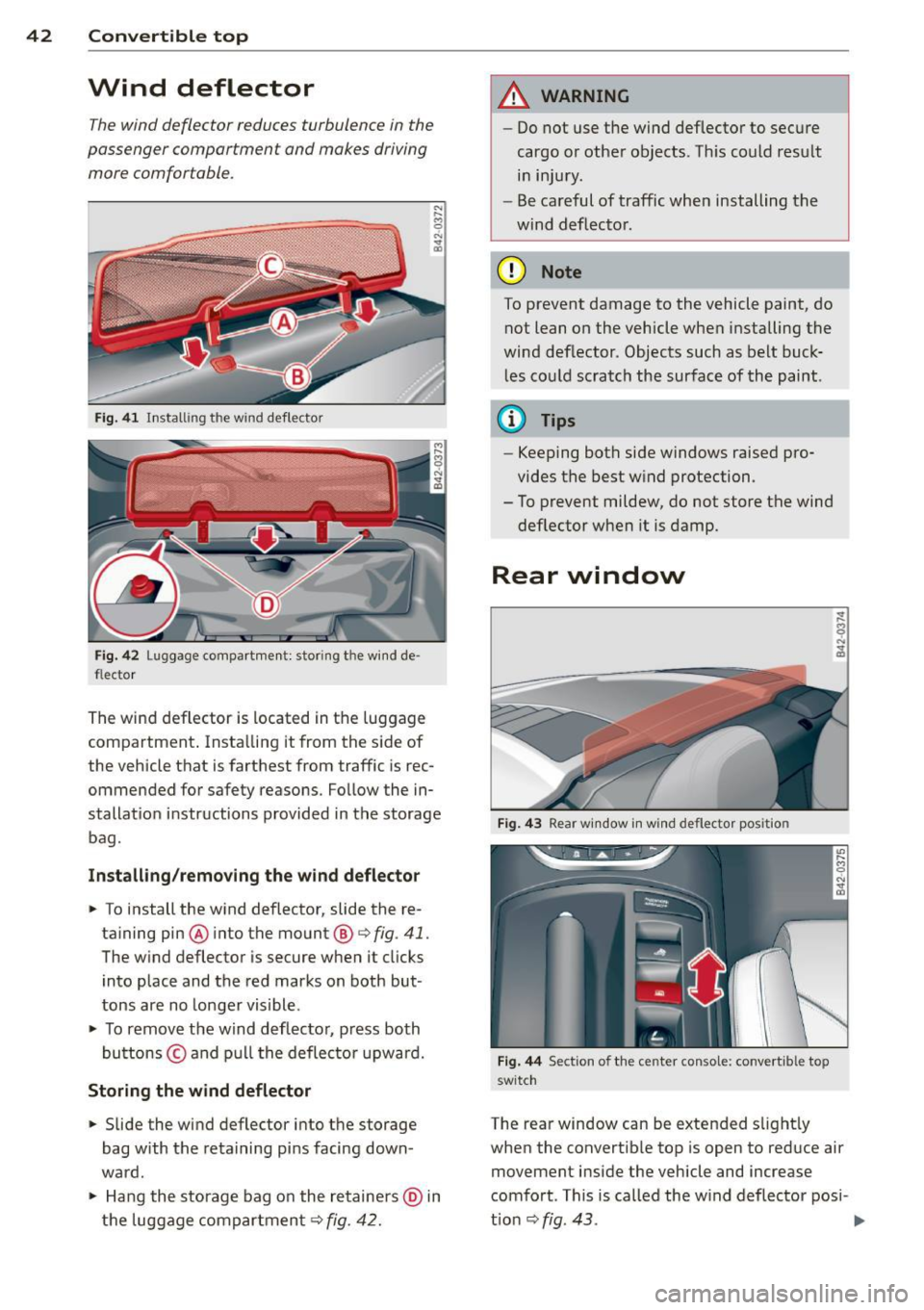
Fig. 41 Installing the wind deflector
Fig. 42 Luggage compartment: storing the wind de
flector
The wind deflector is located in the luggage
compartment . Insta lling it from the side of
the vehicle that is farthest from traffic is rec
ommended for safety reasons. Follow the in
stallat ion instructions provided in the storage
bag.
Inst alling /removing the wind deflector
... To install the wind deflector, slide the re-
ta ining pin@into the mount @
¢fig. 41.
The w ind deflector is secure when it clicks
into place and the red marks on both but
tons are no longer visible .
.,. To remove the wind deflector, press both
buttons © and pu ll the deflector upward.
Storing the wind deflector
.,. Slide the wind deflector into the storage
bag with the retaining pins facing down
ward .
.,. Hang the storage bag on the retainers @ in
the luggage compartment ¢
fig. 42.
A WARNING
-
-Do not use the wind deflector to secure
cargo or other objects. Th is could resu lt
in injury.
- Be careful of traffic when installing the
wind deflector.
@ Note
To prevent damage to the vehicle paint, do
not lean on the vehicle when installing the
wind deflector. Objects such as belt buck les could scratch the surface of the paint.
@ Tips
-Keeping both side windows raised pro
vides the best w ind protection.
- To prevent mildew, do not store the wind deflector when it is damp.
Rear window
Fig. 4 3 Rear w indow in win d deflecto r posit ion
Fig . 44 Sect io n of the cente r co nsole: conve rtible top
switch
The rear window can be extended slightly
when the convertible top is open to reduce air
movement inside the vehicle and increase
comfort. This is called the wind deflector posi-
t ion ¢
fig. 43. ..,_
Page 50 of 236
48 Convertible top
Step 9: Extend the rear window
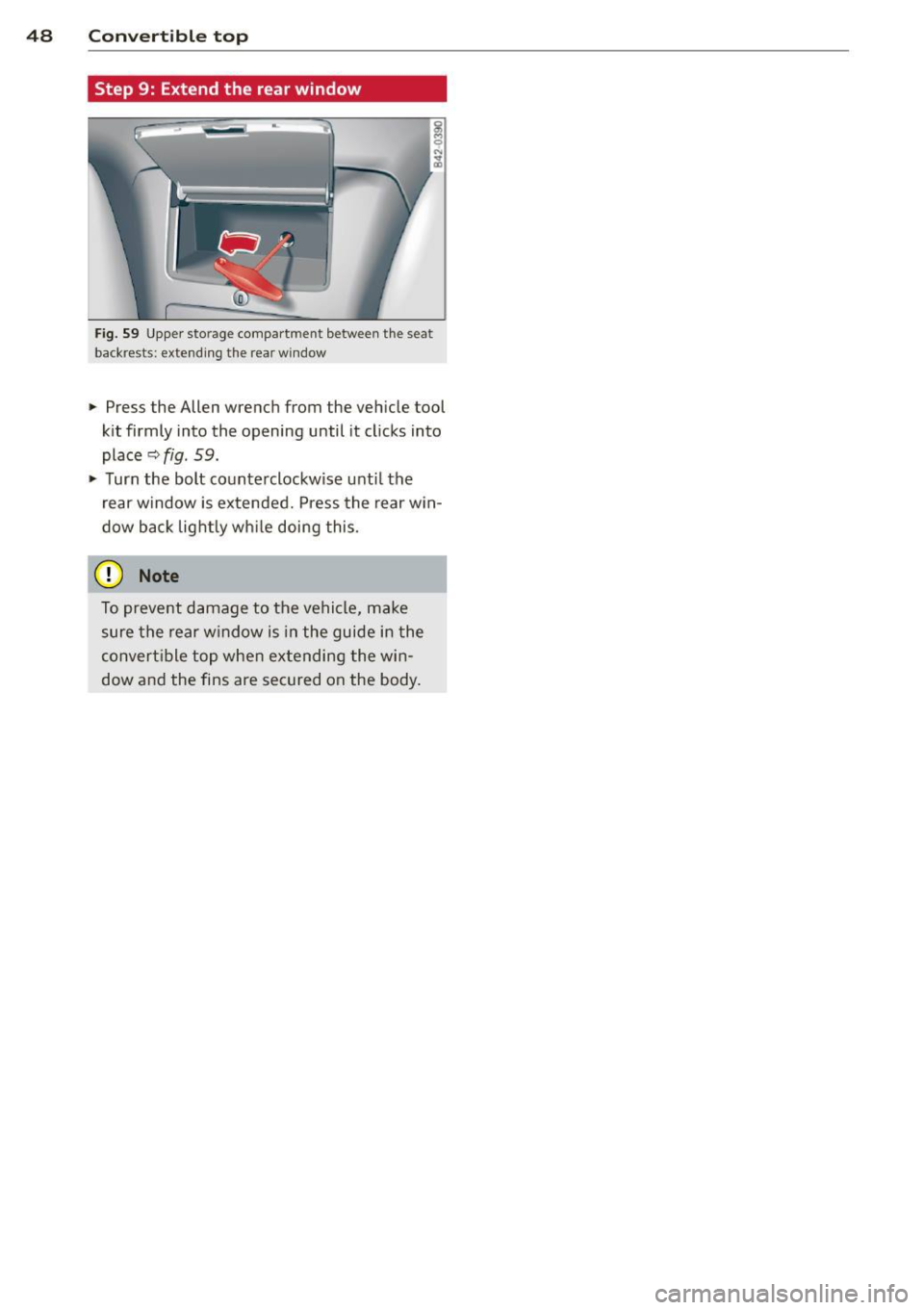
Fig. 59 Upper storage compartment between the seat
backrests: extend ing t he rear w indow
~ Press the Allen wrench from the vehicle tool
kit firmly into the opening until it clicks into
place
~fig. 59.
~ Turn the bolt counterclockwise until the
rea r window is extended. Press the rear win
dow back lightly while doing this.
0 Note
To prevent damage to the vehicle, make
sure the rear window is in the guide in the
convertible top when extending the win
dow and the fins are secured on the body.
Page 51 of 236
Clear vision Lights
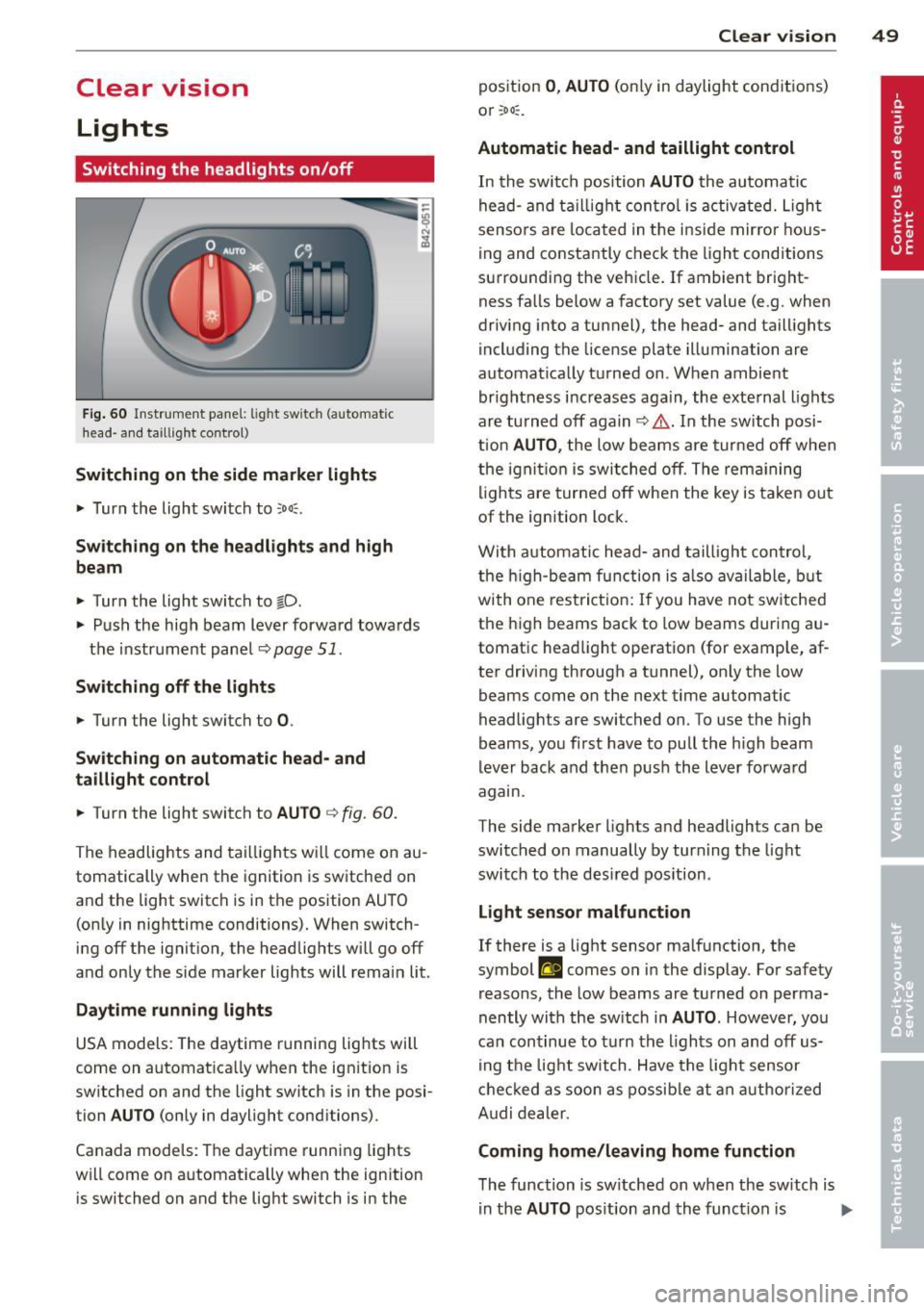
Switching the headlights on/off
Fig. 60 Instr ume nt pa nel: lig ht sw itc h (automat ic
head· a nd taill ig ht control)
Switching on the side marke r lights
"' Turn the light switch to ::oo:.
Switching on the headlights and high
beam
"' Turn the light switch to tD.
.,. Push the high beam lever forward towa rds
t h e instrument pane l
Q page 51.
Switching off the lights
.,. Turn the light switch to 0.
Switching on automatic head- and
taillight control
.,. Turn the light switch to AU TO Q fig . 60 .
The headlig hts and tai lligh ts w ill come on au
tomatically when the ignition is sw itche d on
and the light switch is in the position AU TO
(on ly in nig httime conditions). When switch·
ing off the ignit io n, the headlig hts wi ll go off
and only the side marker lights will remai n lit.
Daytime running lights
USA models: The daytime r unning lig hts will
come on a utomat ica lly when the ig nition is
sw itched on and the light switch is in the posi·
tion
AUTO (only in daylight conditions).
Canada models : Th e daytime runni ng lights
will come on a utomat ically when the ignition
is switched on and the light switch is in the
Clear vi sion 49
position 0 , AUTO (on ly in daylight cond itions)
o r ;oo :.
Automatic head- and taillight control
In the swi tc h p osition AUTO the au tomati c
he ad- and t aillight con tro l is activ ated. Ligh t
senso rs ar e lo cated in t he i nside mirro r hous
ing and co nstantly chec k the light cond itions
su rroundi ng the vehicle. If ambient bright
ness fa lls below a factory set value (e .g. when
dr iv ing into a tu nnel), the head- and taill ights
i ncl uding the license plate illuminati on are
automat ica lly t urned on . When ambient
brightness i ncreases aga in, the exte rnal ligh ts
ar e turned off aga in
q &. . In the switch posi
t ion
AUTO , the low beams are tur ned off when
t h e ign ition is swi tched o ff. Th e rem aining
li gh ts are turned off when the key is ta ke n out
of the ignition lock.
W it h a utomat ic head- and taill igh t con trol,
the h igh-be am fu nction is also ava ilable , bu t
with one rest ric t ion : If you have not sw itche d
the h igh beams back to low beams during a u
tomat ic head light operat ion (for examp le, af
ter driving through a tunnel), on ly the low
beams come on the next time automatic
headlig hts are switched on. To use the high
beams, yo u fi rst have to pull the h igh beam
lever back and then push the lever forwa rd
agam .
The side ma rke r lights a nd headlights ca n be
sw itc hed on manually by turn ing the light
swi tc h to the des ired pos ition .
Light sensor malfunction
If there is a light sensor ma lfunction, the
symbol
El comes on in the display . For safety
reasons, the low beams are tu rned on perma
nently with t he sw itch in
AUTO . However , you
can con tinue to tu rn the lights on and off us
in g t he light switch . Have t he ligh t sensor
c h eck ed as soon a s possib le a t an au thori zed
A udi dealer.
Coming home/leaving home function
The function is sw itched on w hen the sw itch is
i n the
AUTO pos ition and th e funct ion is liJJ,,
Page 52 of 236
50 Clear vision
shown as active in the driver information
system.
The
coming home function illuminates the
area around the vehicle when the ignition is
switched off and the driver 's door is opened.
The length of time the lights rema in on can be
set in the menu display
(Lights> Exterior
lights > coming home) .
The leaving home function illuminates the
area around the vehicle when unlocking it.
.&_ WARNING
-Never use daytime running lights to see
where you are going. They are not bright enough and will not let you see far
enough ahead for safety, especially at dusk or when it is dark . Be aware of
changes in outside light conditions when
you are driving and respond by switching on your low beams.
- Automatic head- and taillight control is
only intended to assist the driver. This
feature does not relieve the driver of his
responsibility to check the headlights
and to turn them on manually according
to the current light and visibility condi
tions. For example, fog and rain cannot
be detected by the light sensors. Conse
quently, always switch the headlights on
under these weather conditions and
when driving in the dark .
- Crashes can happen when you cannot see
the road ahead and when you cannot be
seen by other motorists .
-Always turn on the headlights so that you can see ahead and so that others can see your car from the back.
- Please observe legal regulations when
using the lighting systems described .
@ Tips
-Always observe the specific local regula
tions for your area when to use your lights .
- Turn on low beams as evening ap
proaches or in conditions of poor visibili
ty. -
Do not attach stickers to the windshield
in front of the sensors as this can disable
the automatic head- and taillight control
and the automatic glare-dimming of the
rearview mirror(s)*.
- If you remove the ignition from the igni
tion lock while the headlights are still
on, a buzzer will sound as long as the
driver's door is open to remind you to
turn off the lights .
- In the AUTO mode, the low beams are
turned off when the ignition is turned
off . The remaining lights are turned off
when the key is taken out of the ignition.
- In cool or damp weather conditions the
headlights may fog over temporarily on
the inside .
- The critical factor is the temperature
difference between the interior and the
exterior of the headlight lens.
- With the main beams switched on, the
light-emitting area will be free of con
densation after a short time , however
the edges of the glass may still be fog
ged .
- This physical phenomenon has no ef
fect on the life of your vehicle's l ight
ing system .
Emergency flasher
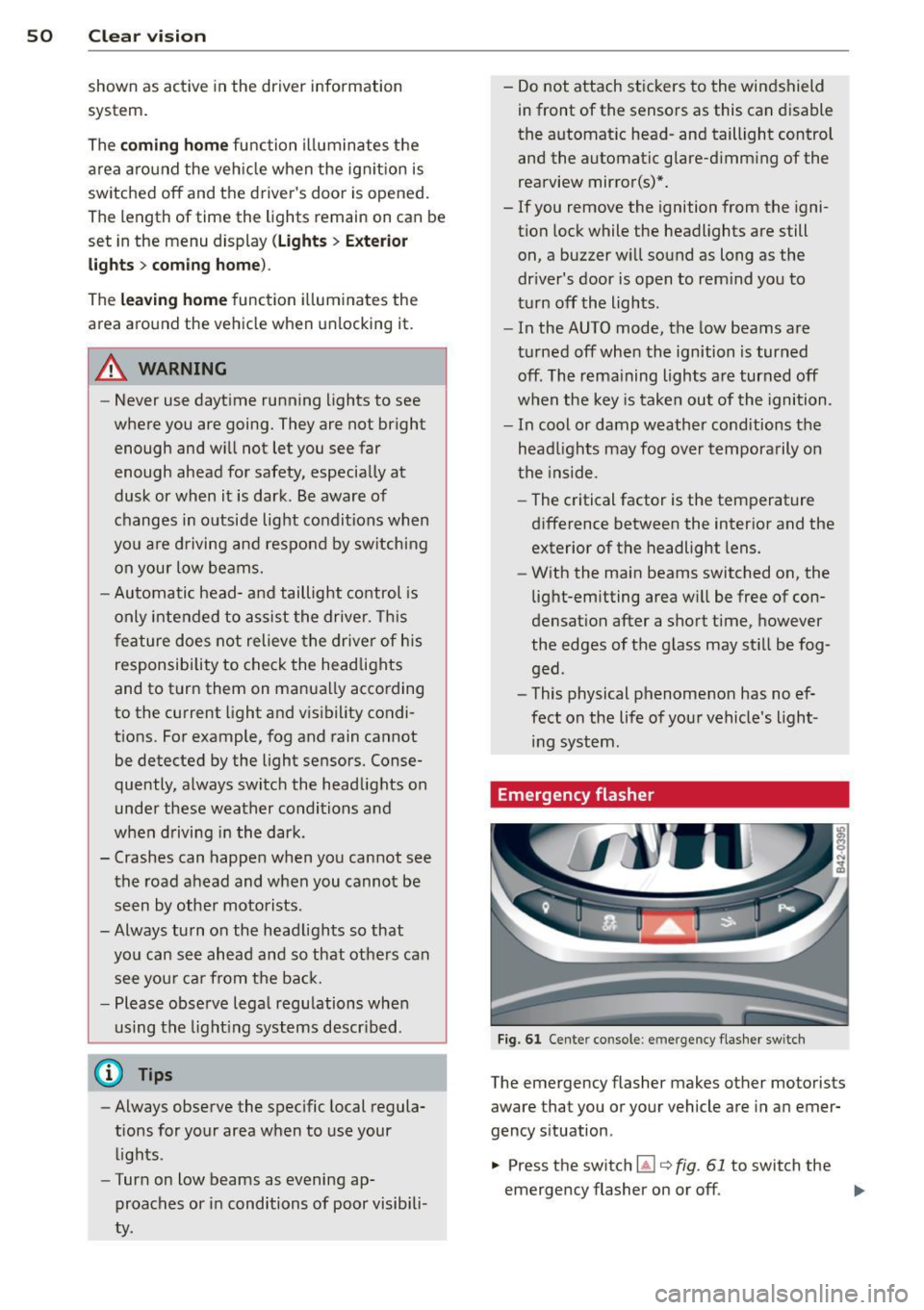
Fig. 61 Center console: em erge ncy flasher sw itc h
The emergency flasher makes other motorists
aware that you or your vehicle are in an emer
gency situa tion.
... Press the switch ~
Q fig. 61 to switch the
emergency flasher on or off .
ll>
Page 53 of 236
When the emergency flasher is on, all four
turn signal blink at the same time . The turn
signal ind icator lights
R II in the instrument
cluster, as well as the light in the emergency
flasher switch~ blink likewise . The emergen
cy flasher also works when the ignition is
switched off.
The emergency flasher wi ll automatically
sw itch on if you are in an acc ident where the
a irbag has deployed .
(D Tips
You should switch on the emergency flash
er when:
-you are the last vehicle standing in a traf
fic jam so that any other vehicles coming
can see you, or when
-your vehicle has broken down or yo u are
in an emergency situation , or when
- your vehicle is being towed by a tow
truck or if yo u are towing another vehicle
behind you.
Turn signals and high beam lever
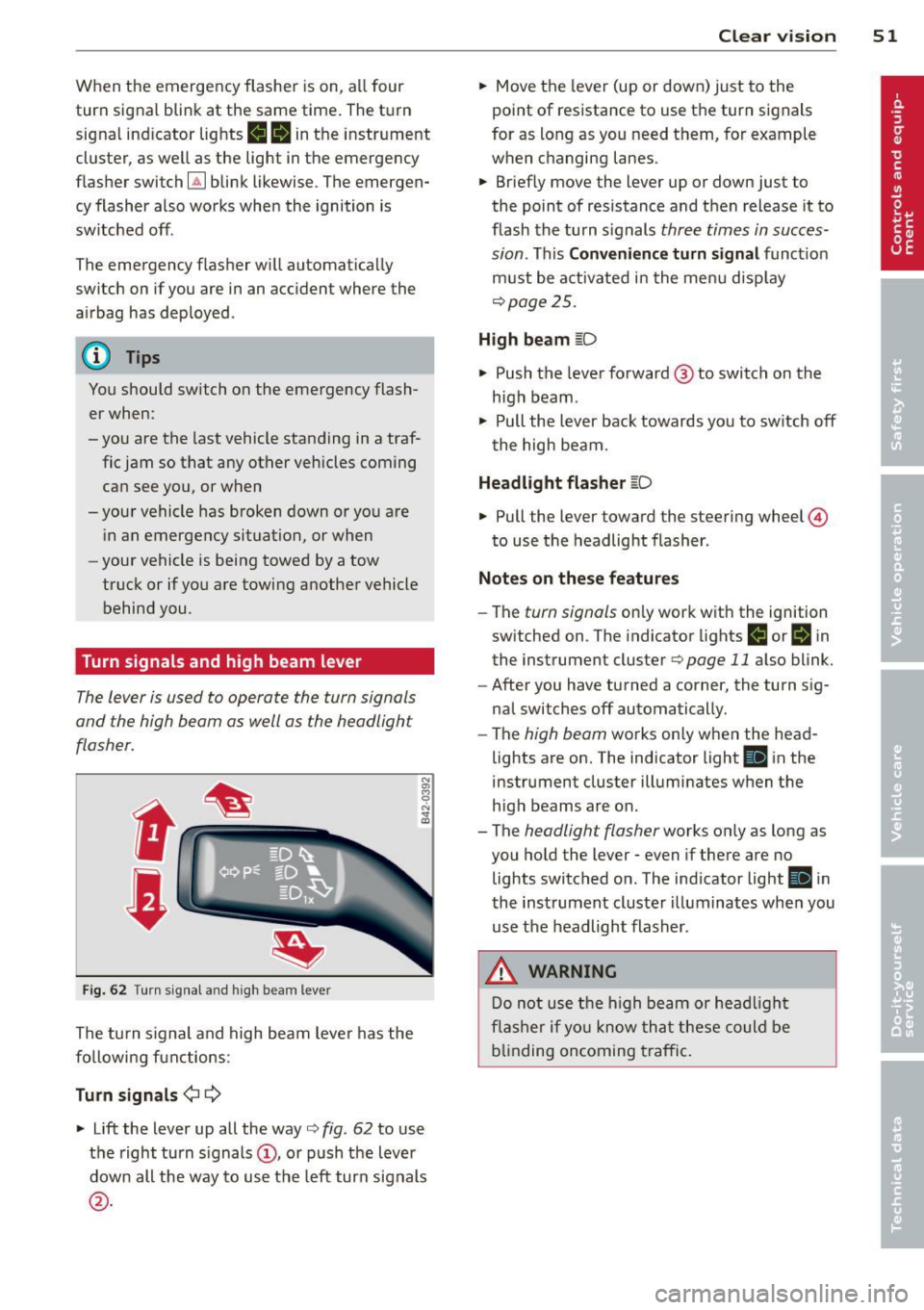
The lever is used to operate the turn signals
and the high beam as well as the headlight
flasher .
t
t
F ig . 6 2 Turn signa l an d h igh beam lever
The turn s ignal and high beam leve r has the
followi ng functions:
Turn sign als ¢ 9
N
"' 8
"' ... a,
~ Lift the lever up all the way c:> fig . 62 to use
the right turn s ignals
(D , or push the lever
down all the way to use the left turn signals
@ .
Clear vi sion 51
~ Move the lever (up or down) just to the
point of resistance to use the turn signals
for as long as you need them, for example
when changing lanes .
~ Briefly move the lever up or down just to
the point of resistance and t hen release it to
flash the turn s ignals three times in succes
sion . This
C o nveni ence turn signal funct ion
must be activated in the menu disp lay
c:> page25 .
High beam ~D
~ Push the lever forward @to switch on the
high beam .
~ Pull the lever back towards you to sw itch off
the high beam.
Headlight flasher ~D
~ Pull the lever toward the steering wheel ©
to use the headlight flasher .
Notes on the se feature s
-The turn signals only work with the ignition
switched on . T he indicator lights
IJ or Bi n
the instrument cluster c:> page 11 also blink.
- After you have turned a corner, the turn s ig-
nal switches off automatically.
- The high beam works only when the head
lights are on. The indicator light
II i n the
instrument cluster illuminates when the
high beams are on .
- The headlight flasher works only as long as
you ho ld the lever - even if there are no
lights switched o n. The ind icator light
II i n
the instrument cluste r illuminates whe n you
use the headlight flasher .
.&, WARNING
Do not use t he h igh beam or hea dligh t
fl ashe r if yo u know th at these could be
b lin ding oncoming t raffic .
Page 54 of 236
52 Clear vis ion
Interior lights
Interior lights
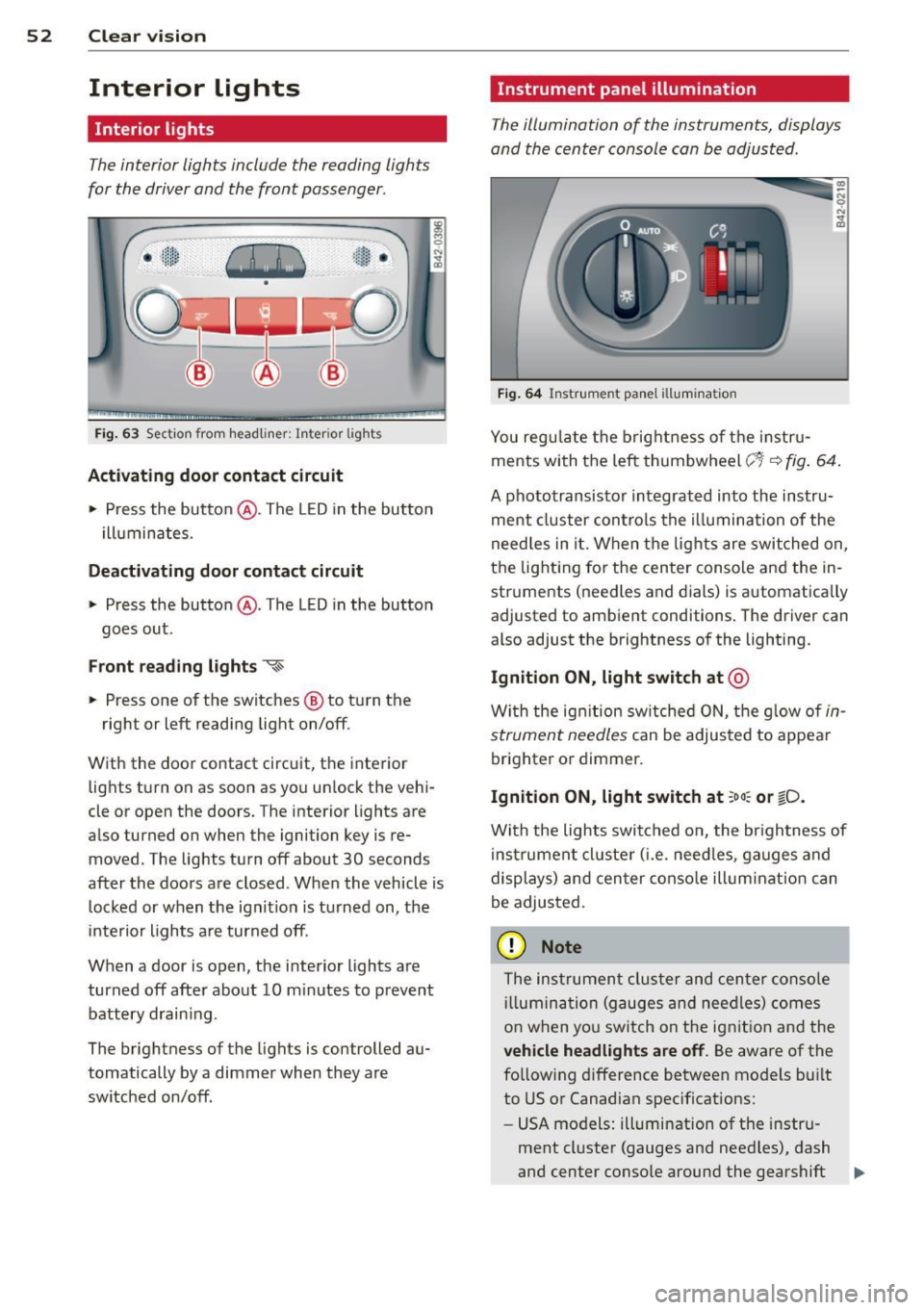
The interior lights include the reading lights
for the driver and the front passenger .
-
,-i.-,-,n--;)
"' "' "' 0
•
Fi g. 63 Section from headliner: I nterior l ights
Acti vating door contact circuit
• Press the button @. The LED in the button
i lluminates.
Deactivating door c ontact circu it
• Press the button @. The LED in the button
goes out .
Front re ad ing lights ~
• Press one of the switches @ to turn the
right or left reading light on/off.
With the door contact circuit, the interior lights turn on as soon as you unlock the vehi
cle or open the doors. The interior lights are
also turned on when the ignition key is re moved. The lights turn off about 30 seconds
after the doors are closed . When the vehicle is
locked or when the ignit io n is tu rned on, the
inte rior lights a re turned off.
When a door is open, the interior lights are
turned off after about 10 m inutes to prevent
battery drain ing.
The brightness of the lights is controlled au
tomatically by a dimmer when they are
switched on/off .
Instrument panel illumination
The illumination of the instruments, displays
and the center console can be adjusted .
Fig . 6 4 Instrument pa nel illuminat ion
You reg ulate the brightness of t he instr u
ments with the left thumbwheel
c;~-~ fig . 64 .
A phototransisto r integrated into the instru
ment cluster controls the illumina tion of the
need les in it. When the lights are switched on,
the lighting for the center conso le and the in
struments (needles and dials) is automatically
adjusted to ambient conditions . The driver can
also adjust the brightness of the lighting.
Ignition ON, light switch at @
With the ign ition sw itched O N, the g low of in
strument needles
can be adjusted to appear
brighter or dimmer.
Ignition ON, light switch at ;oo : or ~D.
With the lights switched o n, the br ightness of
instrumen t cluster ( i.e . need les, ga uges and
displays) and cen ter conso le illum inat ion can
be adjusted.
(D Note
The instrumen t cluster and cen ter conso le
ill umin ation (gauges and nee dles) comes
o n when yo u sw itch on the ignit io n and the
veh icle headlights are off . Be aware of the
fo llowing difference between models bui lt
to US or Canadian specifications:
- USA models: illumination of the instru
ment cl uster (gauges and need les), dash
and center conso le around the gearshift .,.
Page 55 of 236
lever is controlled by a light sensor locat
ed in the instrument panel. The instru
ment pane l illumination will a utomat i
cally become dimmer as the daylight
fades away and eventually will go o ut
completely when outside light is ve ry
low. T his is to rem ind you, the drive r, to
switch on the headlights before it gets
too dark.
- Canada models: instrument panel i llum i
nat io n w ill stay b right regard less of the
i n tens ity of amb ien t lig ht. Always be
aware o f ch anges in outside light con di
tions wh ile you are driving. Resp ond in
time to fading daylight by t urning the
l ight sw itch to position
io (or "A UTO" if
your car is equ ipped with this feature) to
turn on your headlights.
Luggage compartment light
The light is located on the right side of the
luggage compartment .
These lights come on automatica lly when the
front lid is opened. The lig hts turn off auto
mat ica lly if the lid is left open for more then
10 minutes.
Sun visors
CJ
C • -·-·--·,
~
-----____ ,,_
~ --·----"-------.. ----
~ ---- s;i~~~j
.---~~·-·oiiiiiii------------1
Fig. 6 5 Sun v isor
The vanity mir rors in the sun v isors are eq uip
ped with covers.
Clear vi sion 5 3
Wiper and washer
system
Windshield wiper
The windshield wiper lever controls both the
windshield wipers and the washer system.
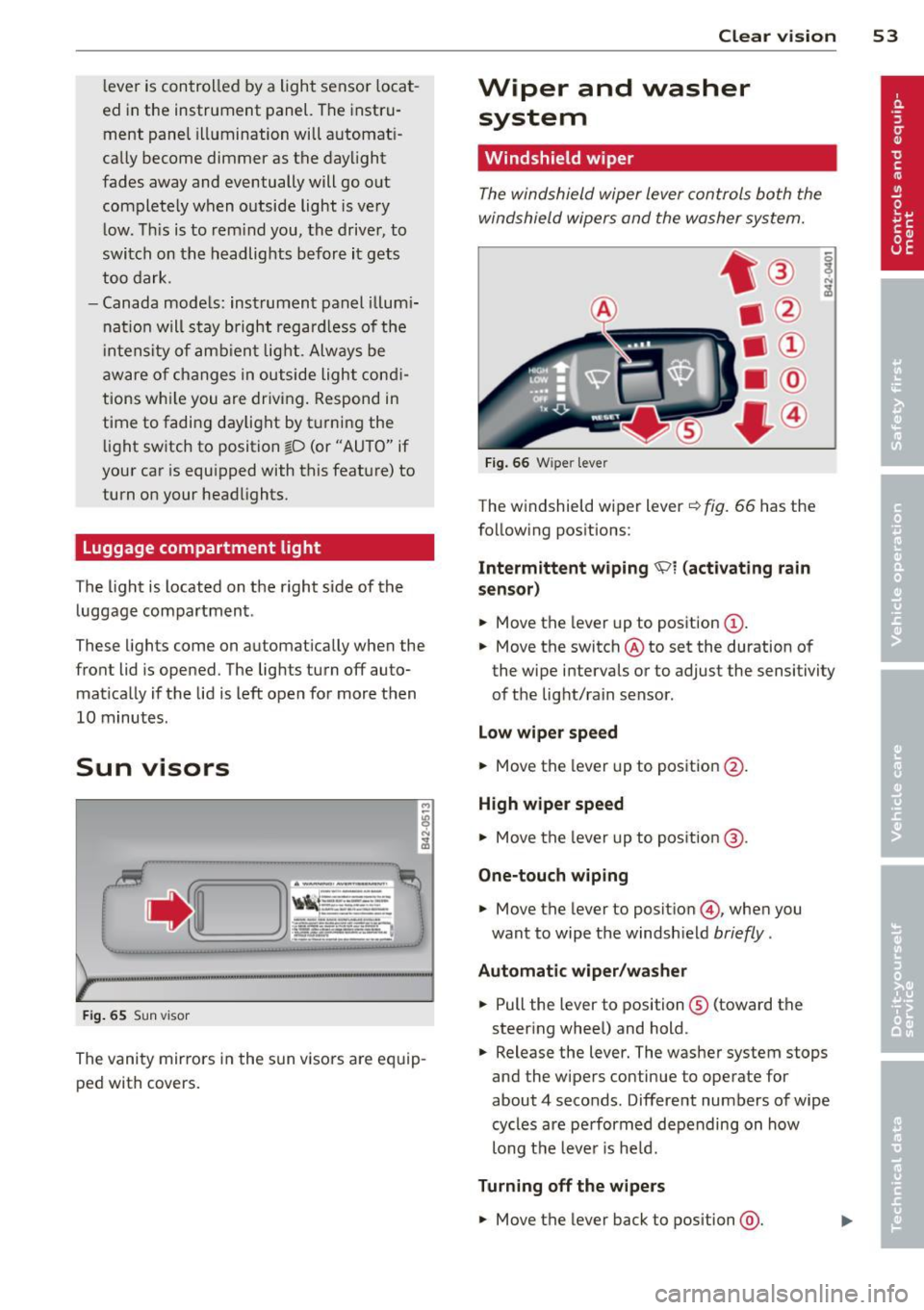
Fi g. 6 6 W iper leve r
The w indshield wiper lever¢ fig. 66 has the
follow ing pos itions:
Intermittent wiping 'Pl (activating rain
sen sor)
.,. Move the lever up to position (D .
.,. Move the switch @ to set the duration of
the wipe intervals or to adjust the sensitivity
of the light/rain sensor .
Low wiper speed
.,. Move the lever up to position @.
High wiper speed
.,. Move the lever up to pos ition @.
One-touch wiping
.,. Move the lever to positio n @, when you
want to wipe the windsh ield
briefly .
Automatic wip er/ washer
.,. Pull the lever to position ® (toward the
steering whee l) and hold .
.,. Release the lever. The washer system stops
and the wipers continue to operate for
about 4 seconds. Different numbers of wipe
cycles are pe rformed depending on how
long t he leve r is he ld.
Turning off the w ipe rs
.,. Move the lever back to position @.