ignition AUDI R8 SPYDER 2014 User Guide
[x] Cancel search | Manufacturer: AUDI, Model Year: 2014, Model line: R8 SPYDER, Model: AUDI R8 SPYDER 2014Pages: 244, PDF Size: 61.06 MB
Page 22 of 244
20 Driver information system
Driver information
system
Introduction
The Driver information display inside the in
strument cluster provides you, the driver ,
with important information.
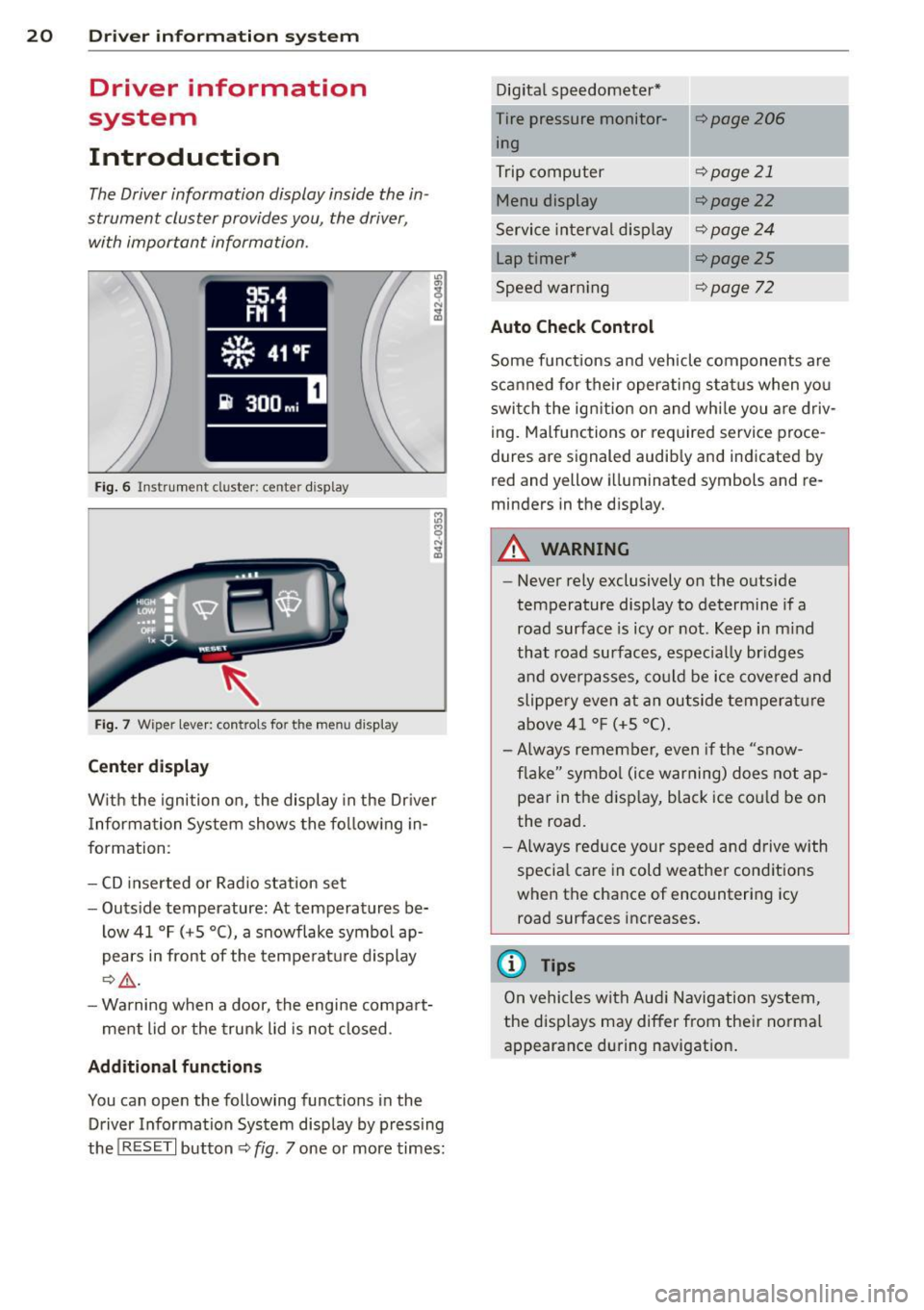
Fig. 6 In strum en t cl ust er: center display
Fig. 7 W iper le ver: c on trols fo r the menu disp lay
Center display
W ith the ignition on, the display in the Dr iver
I nformation System shows the following in
formation :
- CD inserted or Radio station set
- Outside temperature: At temperatures be-
low 41 °F ( +S °C), a snowflake symbol ap
pears in front of the temperature display
¢.&_ .
-Warning when a door, the engine compart-
ment lid or the trunk lid is not closed .
Additional functions
You can open the following function s in the
Driver Information System disp lay by pressing
the
! R ESE T I button ¢ fig. 7 one or more times: Digital
speedometer*
Tire pressure monitor ing
Trip computer
Menu display
Service interval display
Lap timer*
Speed warn ing
Auto Check Control
¢page206
¢page 21
¢ page22
¢page24
¢page25
¢page 72
Some functions and vehicle components are
scanned for their operating status when you
switch the ign ition on and whi le you are driv
ing. Malfunctions or required service proce
dures are signaled audib ly and indicated by
red and y ellow illuminated symbols and re
m inders in the display.
A WARNING
--
- Never rely exclusively on the outside
temperature display to determine if a
road surface is icy or not . Keep in mind
that road surfaces, espec ially br idges
and overpasses, could be ice covered and
slippery even at an outside temperature
above 41 °F (+S °C).
- Always remember, even if the "snow
flake" symbol (ice warning) does not ap
pear in the display, black ice cou ld be on
the road.
-Always reduce your speed and drive with
specia l care in cold weather conditions
when the chance of encountering icy road surfaces increases.
@ Tips
On vehicles with Aud i Navigation system,
the displays may differ from their normal
appearance during navigation.
Page 23 of 244
Trip computer
Introduction
The trip computer gives you information on
current and average fuel mileage, average
speed, fuel range and driving time .
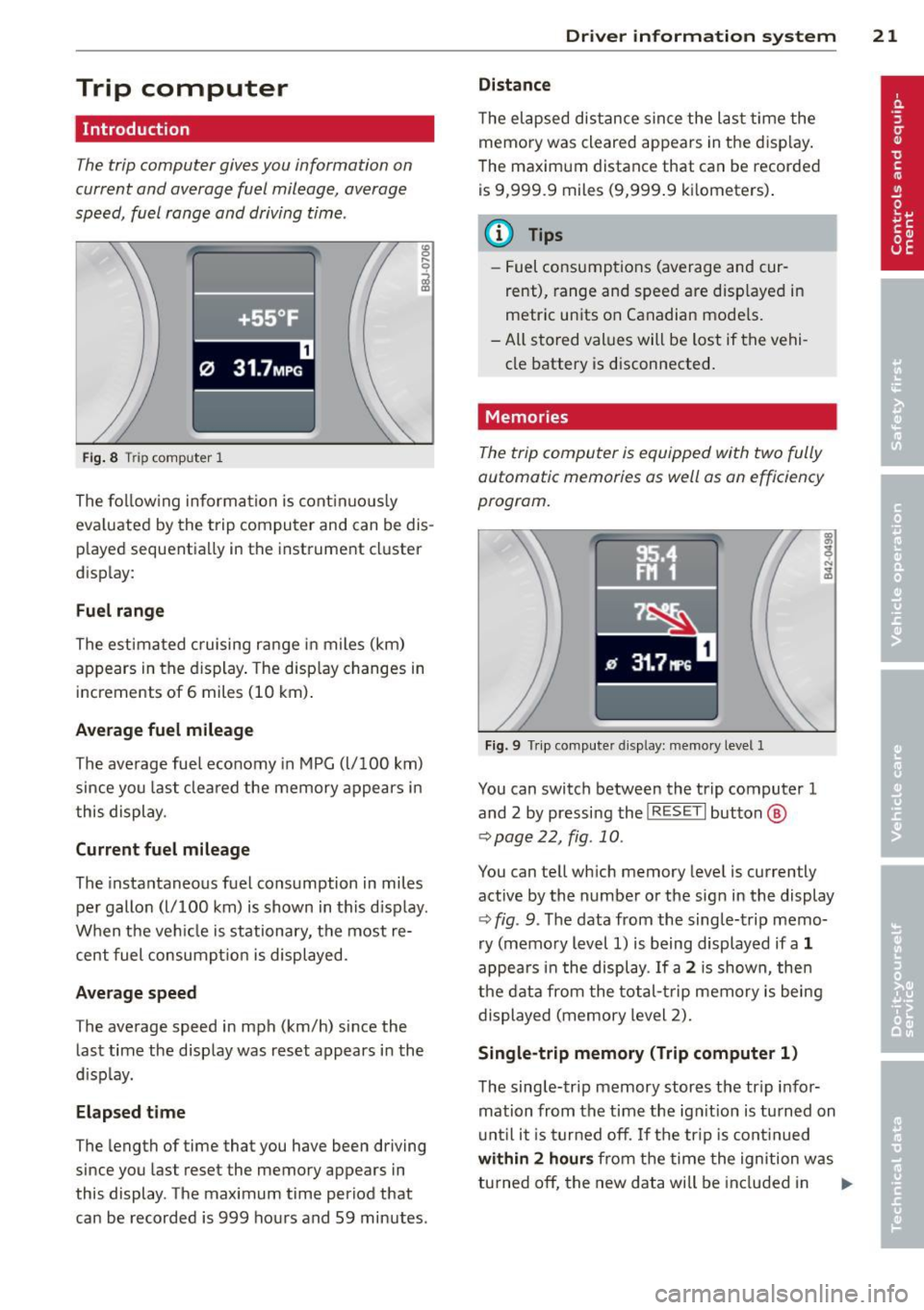
Fig. 8 T rip comp ute r 1
The fo llow ing informa tion is cont inuo usly
eva luated by the trip compu ter and can be dis
p layed sequentia lly in the instrument cl uster
d isplay:
Fuel range
The estimated c ruising ra nge in miles (km)
appears in the d isplay . The disp lay changes in
increments of 6 miles (10 km) .
Average fuel mileage
The average fue l economy in MPG (l/ 100 km)
since you last clea red the memory appears in
t his display .
Current fuel mileage
The instantaneous fuel consumption in miles
pe r gallon (l/ 100 km) is shown in this d isp lay .
When the ve hicle is stationary, the most re
cent fuel consumpt io n is displayed.
Average speed
The average speed in mph (km/h) since the
last time the display was reset appears i n the
d isp lay.
Elap sed t ime
The length of time that you have been driving
since you las t reset the memory appears in
this display . The maximum t ime period that
can be recorded is 999 ho urs and 59 minutes .
Driver in formation system 21
Distance
The elapsed dis tance sin ce the las t time the
memory was cleared appears in the d isp lay .
T he maxim um distance that can be recorded
is 9 ,999.9 miles (9,999 .9 k ilometers) .
(D Tips
- Fuel consump tions (average and cur
rent), range and speed are disp layed in
metric un its on Canadian mode ls.
- All sto red val ues wil l be lost if t he vehi
cle battery is d isconnected .
' . Memories
The trip computer is equipped with two fully
automatic memories as well as on efficiency
progrom.
Fi g. 9 Trip co mputer d isplay: memo ry level 1
You can switch between the trip computer 1
and 2 by pressing the
I R ESET I but ton ®
qpage 22, fig . 10 .
You can tell wh ich memory leve l is currently
active by the number or the sign in the display
Q fig . 9. The data from the single-trip memo
ry (memo ry level 1) is being displayed if a
1
appea rs i n t he display . If a 2 is shown, then
the data from the total- trip memory is being
displayed (memory level 2).
Single-trip memory (Trip computer 1)
T he sing le-trip memory stores the tr ip i nfo r
mation from the time the ign it ion is tu rned on
u nt il i t i s tu rn ed off .
If the trip is cont inued
with in 2 h ours from t he time the ignition w as
tu rned off, the new data will be in cl ud ed in .,..
Page 24 of 244
22 Driver information system
the calculation of the current trip informa
t ion. If the trip is interrupted for
more than 2
hours
the memory is reset automatica lly.
Total-trip memory (Trip computer 2)
Unlike the sing le-trip memory, the total-trip
memory is not reset automatically. This per
mits you to evaluate your driving data for the
entire period between manual resets.
Operation
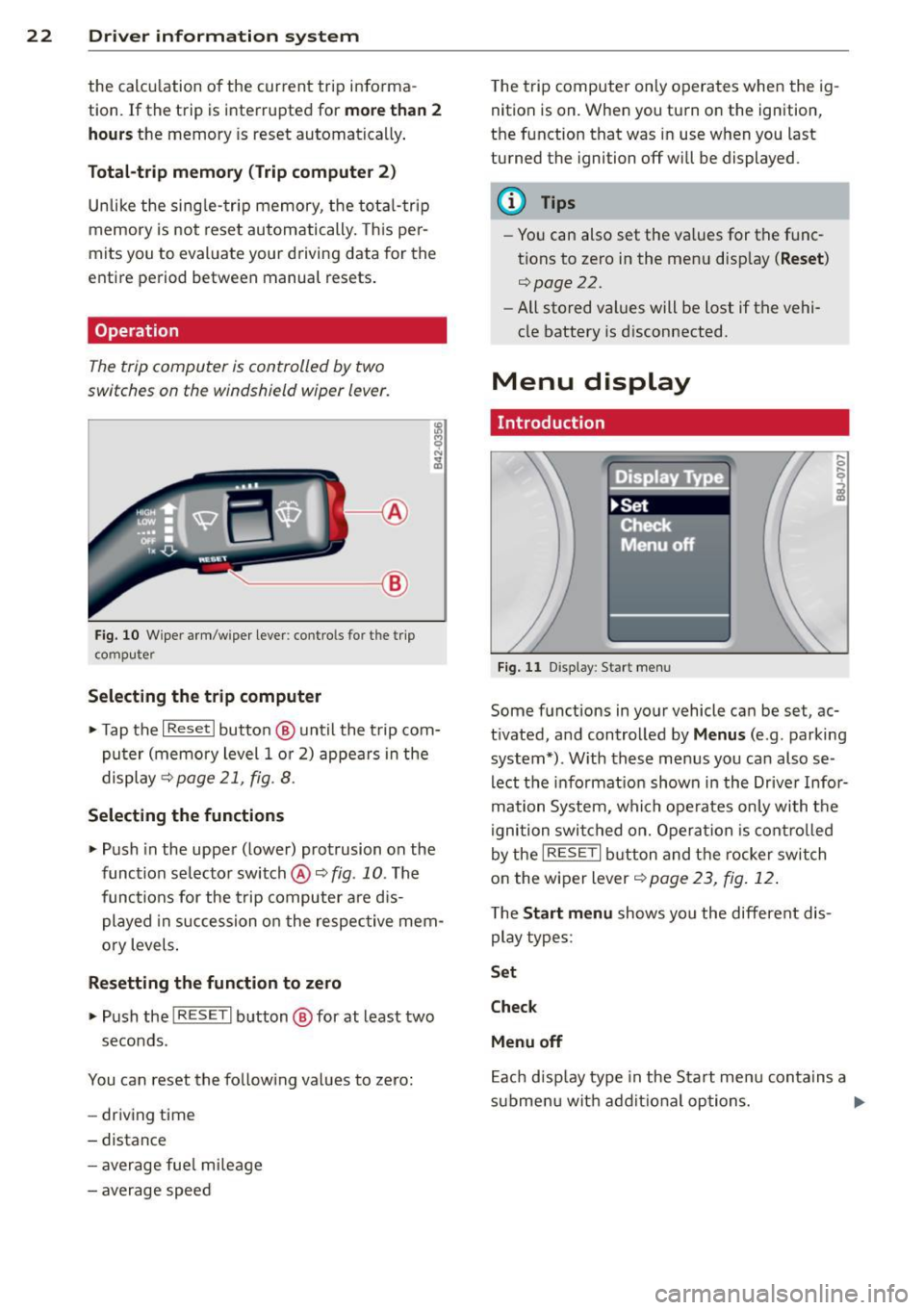
The trip computer is controlled by two
switches on the windshield wiper lever.
'----- ®
Fig. 10 W iper arm /wiper lever: contro ls fo r the trip
co mp ute r
Selecting the trip computer
.. Tap the I Reset I button @ until the trip com
puter (memory level 1 or 2) appears in the
display ~page21 ,
fig. 8.
Selecting the functions
.. Push in the uppe r (lower) protrusion on the
function se lector switch @¢
fig. 10 . The
functions for the trip computer are dis
played in succession on the respective mem
ory levels .
Resetting the function to zero
.. Push the I RESE T I button @ for at least two
seconds.
You can reset the follow ing values to zero:
- driving time
- distance
- average fue l m ileage
- average speed T
he trip computer only operates when the ig
nition is on. When you turn on the ignition,
the function that was in use when you last
turned the ignition off will be displayed .
@ Tips
-Yo u can also set the va lues for the func
tions to zero in the menu disp lay
( Reset )
r:::>page 22.
- All stored values will be lost if the vehi
cle battery is d isconnected.
Menu display
. Introduction
Fig . 11 D isp lay: Start menu
Some f unctions in yo ur vehicle can be se t, ac
tivated, and controlled by
Menus (e .g . parking
system*) . With these menus you ca n also se
lect the informat ion shown in the Driver Infor
mation System, which operates only with the
ignition switched on. Operation is controlled
by the
IRESE TI button and the rocker switch
on the wiper lever
r:::> page 23 , fig. 12 .
The Start menu shows you the different dis
play types :
Set
Check
Menu off
Each display type in the Start menu contains a
s ub menu wit h additional options. ..,_
Page 26 of 244
24 Driver information system
Selecting settings
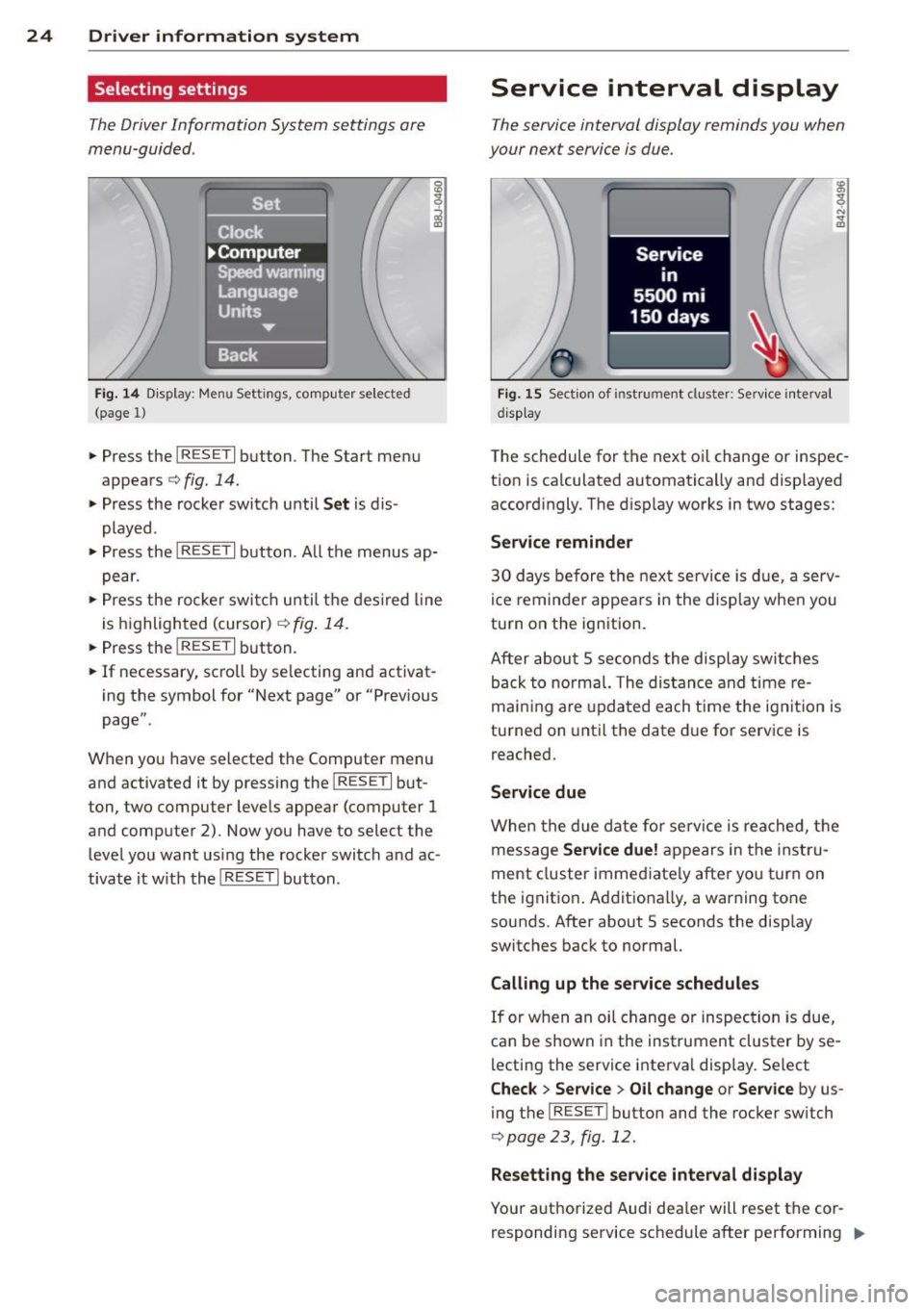
The Driver Information System settings are
menu-guided .
Fig. 14 Display: Menu Settings, comp uter selected
(page 1)
• Press the I RESET I button. The Start menu
appears
c:> fig. 14.
• Press the rocker switch until Set is dis
played .
• Press the
I RESE T I button . A ll the menus ap
pear.
• Press the rocke r swi tch until the desired line
is highlighted (cursor)
c:> fig. 14.
• Press the I RESET I button.
• If necessary, scroll by se lecting and activat
ing the symbol for "Next page" or "Previous
page".
When you have selected the Computer menu
and activated it by pressing the
I RESET I but
ton, two computer levels appear (computer
1
and computer 2). Now you have to select the
level you want using the rocker switch and ac
tivate it w ith the
I RESET I button.
Service interval display
The service interval display reminds you when
your next service is due.
Fig. 15 Section of ins tru ment cl uster: Service interval
d isplay
The schedule for the next oi l change or inspec
tion is ca lculated automatically and displayed
accordingly. The disp lay works in two stages:
Service reminder
30 days before the next service is due, a serv
ice reminder appears in the display when you
turn on the ignition.
After about
5 seconds the display switches
back to normal. The distance and time re
maining are updated each time the ignition is
turned on until the date due for service is
reached.
Service due
When the due date for service is reached, the
message
Service due! appears in the instru
ment cluster immed iate ly after you turn on
the ignit ion . Additionally, a warning tone
sounds. After about 5 seconds the display
switches back to normal.
Calling up the service schedules
If or when an oil change or inspection is due,
can be shown in the instrument cluster by se
lecting the service interva l display. Select
Check > Service > Oil change or Service by us
ing the
I RES ET I bu tton and the rocker switch
c:> page 23, fig. 12.
Resetting the service interval display
Your authorized Audi dea ler will reset the cor
responding service schedule after performing .,.
Page 28 of 244
26 Driver information system
Displaying intermediate time and pausing
timing
• To display an intermediate time, press the
l ower section of the w iper switch @. T he in
termediate time appears in line
CD and is
marked with*.
• To pause tim ing, press the lower section of
the wiper switch @again.
• To continue timing, press the upper section
of the w iper switch @.
If t iming is paused, you can conti nue it later
even if you switch the ign it ion off.
Evaluating times and continuing or
resetting timing
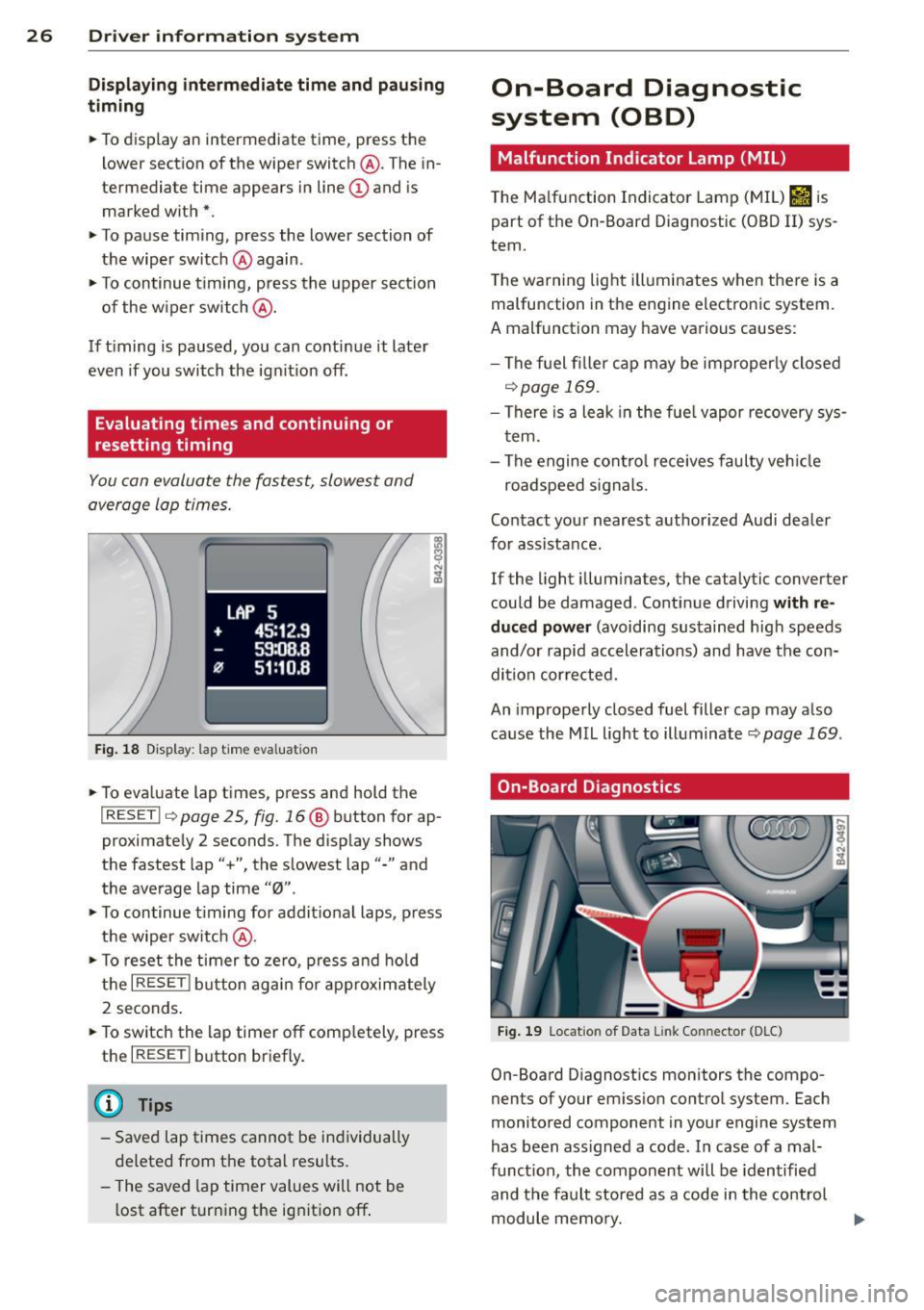
You can evaluate the fastest, slowest and
average lap times.
Fig. 18 Display : lap time eva luation
• To eva luate lap times, press and hold the
I RESET I 9 page 2 5, fig. 16 @ button for ap
proximate ly 2 seconds. The display shows
the fastest lap"+", the s lowest lap"-" and
the average lap time
"0" .
• To continue t iming for addit ional laps , press
the wiper switch @.
• To reset the timer to zero, press and hold
the
I RESE T! button again for approximately
2 seconds .
• To switch the lap timer off comp letely, press
the
I RESET ! button briefly.
(D Tips
-Saved lap times cannot be individually
deleted from the total results.
- The saved lap timer values will not be
l ost after turning the ignition off .
On-Board Diagnostic
system (OBD)
Malfunction Indicator Lamp (MIL)
The Ma lfunction Indicator Lamp (MIL) &iJ is
part of the On -Board Diagnostic (OBO II) sys
tem.
T he wa rning light ill uminates when the re is a
malfunction in the engine electronic system.
A malfunction may have various causes :
- The f uel filler cap may be improperly closed
,=;,page 169.
-There is a leak in the fuel vapor recovery sys
tem.
- The engine control receives faulty vehicle
roadspeed signals.
Contact your nearest authorized Audi dealer
for assistance.
If the light illuminates, the catalytic converter
could be damaged . Continue driving
with re
duced power
(avoiding sustained high speeds
and/or rapid accelerations) and have the con
di tion cor rected.
An improperly closed fuel filler cap may also
cause the MIL light to illuminate
r=;, page 169 .
On-Board Diagnostics
Fig. 19 Locat io n of Data Li nk Conn ecto r (D LC)
On-Board D iagnostics monitors the compo
nen ts of your emission control system . Each
monitored component in your engine system
has been ass igned a code . In case of a mal
funct ion, the component will be identified
and the fault stored as a code in the control
module memory.
Page 30 of 244
28 Opening and closing
Opening and closing
Keys
Key set
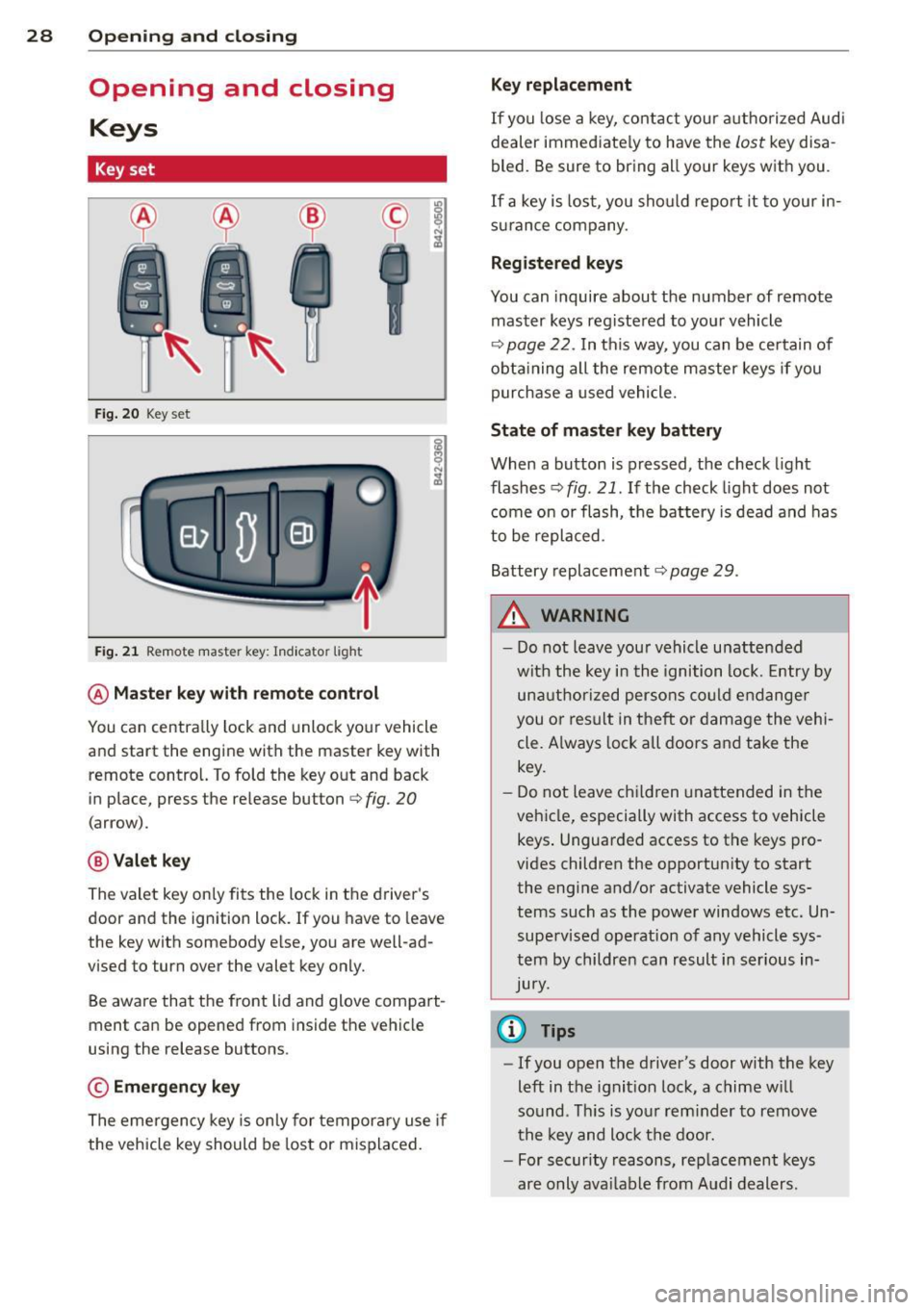
Fig. 20 Key set
Fig. 21 Remot e mas ter key : Indicator ligh t
@ Master key with remote control
You can centrally lock and unlock your vehicle
and start the engine with the master key with
remote control. To fold the key out and back
in place, press the re lease button
c:> fig. 20
( a rrow).
@ Valet key
The valet key on ly fits the lock in the driver's
door and the ignition lock . If you have to leave
the key with somebody e lse, you are well-ad
vi sed to tu rn over the valet key only.
Be aware that the front lid and glove compart
ment can be opened from inside the vehicle
using the release buttons .
© Emergency key
The emergency key is only for temporary use if
the vehicle key should be lost or misplaced.
Key replacement
If you lose a key, contact your authorized Audi
dealer immed iate ly to have the
Lost key disa
bled. Be sure to bring all your keys with you .
If a key is lost, you should report it to your in
surance company .
Registered keys
You can inquire about the number of remote
master keys registered to your vehicle
c:> page 22 . In this way , you can be certain of
obtaining all the remote master keys if you
purchase a used vehicle.
State of master key battery
When a button is pressed, the check light
flashes
c:> fig . 21 . If the check light does not
come on or flash, the battery is dead and has
to be replaced.
Battery replacement
c:::;, page 29 .
.&_ WARNING ~
- Do not leave your vehicle unattended
with the key in the ignition lock. Entry by
unauthorized persons could endanger
you or result in t heft or damage the vehi
cle. A lways lock all doors and take the
key.
- Do not leave children unattended in the
vehicle, especially with access to vehicle keys . Unguarded access to the keys pro
vides children the opportunity to start the engine and/or activate vehicle sys
tems such as the power windows etc. Un supervised operation of any vehicle sys
tem by children can result in serious in
Jury.
{l) Tips
- If you open the driver's door with the key
left in the ignit ion lock, a chime will
so und . This is your reminder to remove
the key and lock the door.
- For security reasons, replacement keys
are only available from Audi dealers.
Page 31 of 244
Master key with remote control
The remote control allows you to lock or un
lock the vehicle electronically .
The transmitter and battery are located in the
head of the remote control. The receiver is lo
cated inside the vehicle. The maximum effec
tive range depends on several things . Remem
ber, if the battery is wea k, the effective range
decreases.
If you need to replace the remote control, or if
you need to have it repaired, you must see
your author ized Audi dealer. Only then can
you use the key again.
(D Tips
- If the ignition is sw itched on, the remote
control system is deactivated .
- The remote control system can be affect ed by other systems operating in the
same frequency range close to the vehi
cle, such as mobi le telephones, televi
sion broadcasting stations, etc.
- Fo r De clarat ion of Compliance to United
Sta tes FCC and Indus try Canada regula
tions ¢
page 230.
Master key battery replacement
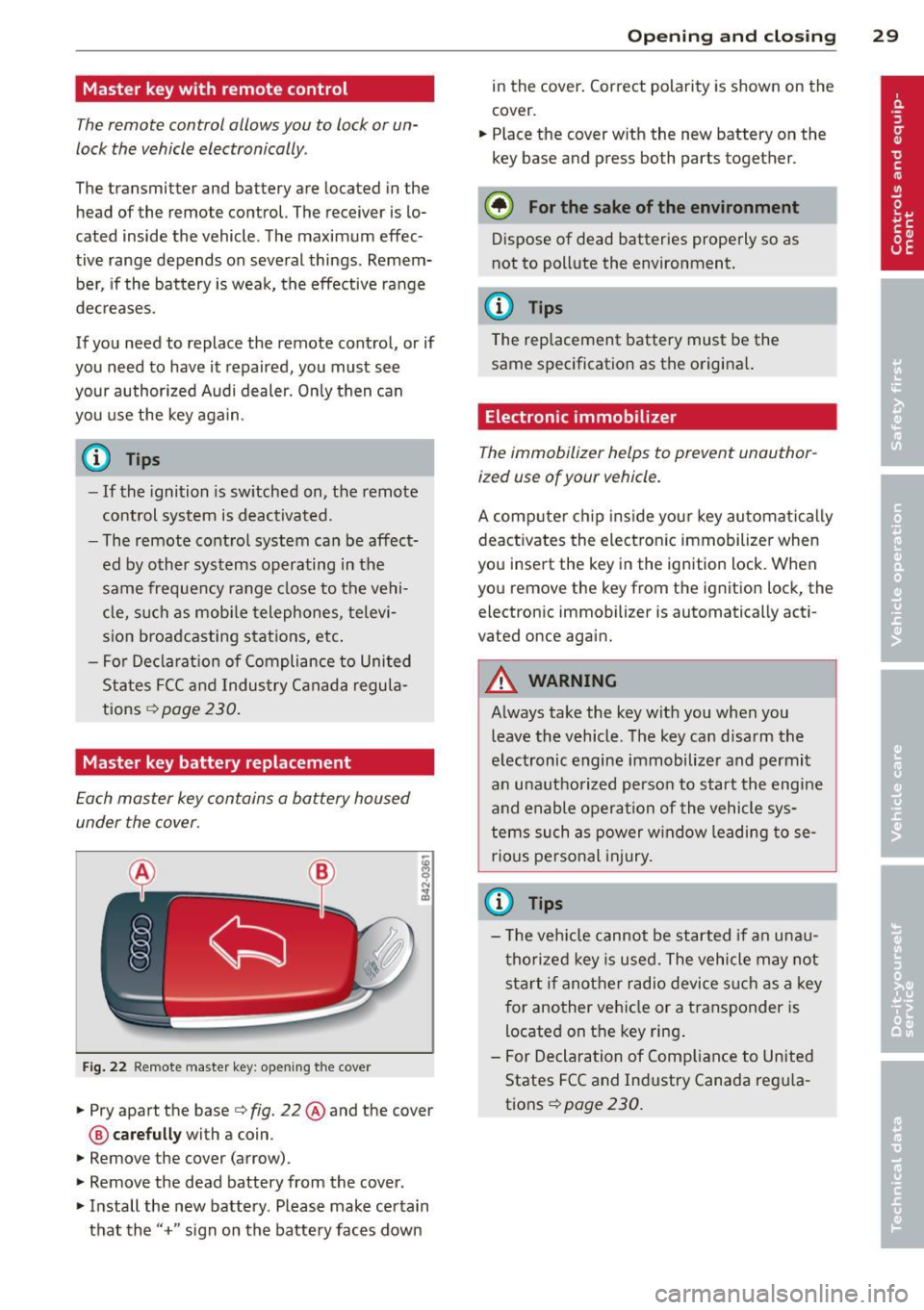
Each master key contains a battery housed
under the cover .
Fig . 22 Remote master key: opening the cover
.. Pry apart the base¢ fig. 22@and the cover
@ care full y with a coin .
.,. Remove the cover (arrow) .
.,. Remove the dead battery from the cover .
.. Install the new battery . Please make certain
that the" +" sign on the batte ry faces down
Op enin g an d clos ing 29
in the cover . Correct polarity is shown on the
cover .
.. Place the cover with the new battery on the
key base and press both parts together .
@ For the sake of the env ironment
Dispose of dead batteries properly so as
not to pollute the environment.
(D Tips
The replacement battery must be the
same specification as the origina l.
Electronic immobilizer
The immobilizer helps to prevent unauthor
ized use of your vehicle.
A computer chip ins ide your key automatica lly
deactivates the electron ic immobilizer when
you insert the key in the ign ition lock. When
you remove the key from the ignition lock, the
electronic immobilizer is automatically acti
vated once again.
A WARNING
---
Always take the key with you when you leave the vehicle. The key can disarm the
electronic engine immobilizer and permit
an unauthorized person to start the engine
and enable operation of the vehicle sys
tems such as power w indow leading to se
rious pe rsonal injury.
(D Tips
- T he ve hicle cannot be started if an unau
thorized key is used. The vehicle may not
start if another radio device s uch as a key
for another vehicle or a transponder is
located on the key ring .
- For Declaration of Compliance to United
States FCC and Industry Canada reg ula
tions¢
page 230 .
Page 34 of 244
32 Opening and clo sing
@ Tips
- The remote control key is automatica lly
deactivated when the ignition is sw itch
ed on.
- The operation of the remote contro l key
can be temporarily disrupted by interfer
ence from transmitters in the vicinity of
the vehicle work ing in the same frequen
cy range (e.g. a cell phone, radio equip
ment) .
- In order to make sure the locking func
tion is working, you shou ld always keep
you r eye on the vehicle to make sure it is
proper ly locked.
- Do not use the remote control if you are
i ns ide the car, otherwise you may unin
tentiona lly lock the vehi cle, and then you
would set off the anti-theft alarm when
you try to start the engine or open a
door . In case this happens anyhow, push
the un lock button @.
- Use the panic funct ion only if you are in
an emergency situation.
Resetting the remote control
The remote control must be reset if the vehi
cle does not unlock .
• Pres s the unlock button ffi on the remo te
control.
• Manua lly unlock the drive r's door lock with
the mechanical key within 30 seconds.
• Press e ither the lock-
ffi or the unlock @ but
ton to complete the reset sequence.
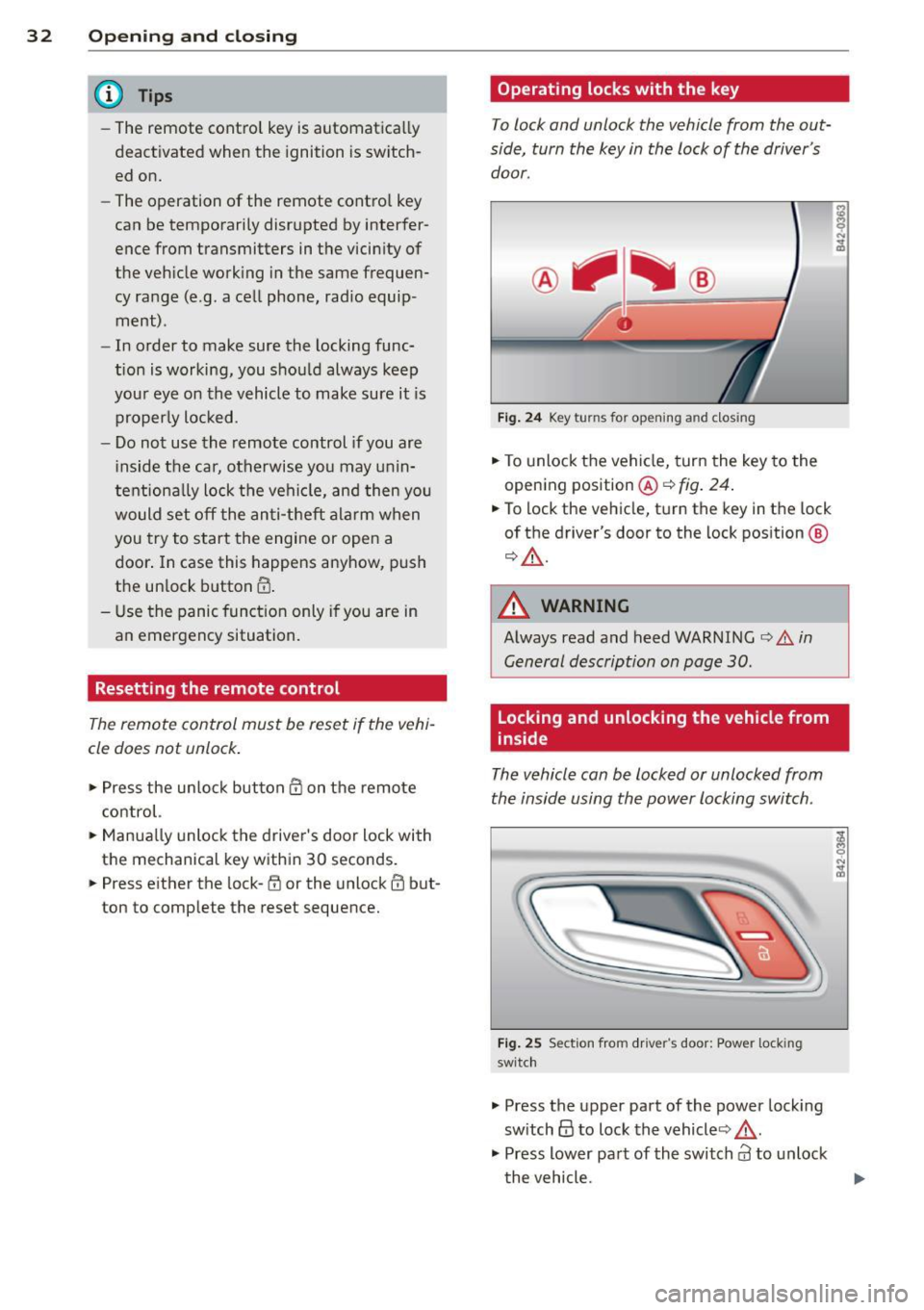
Operating locks with the key
To lock and unlock the vehicle from the out
side, turn the key in the lock of the driver's
door.
F ig . 24 Key turns for opening and dosing
• To unlock the vehicle, turn the key to the
opening position@¢
fig. 24 .
• To lock the vehicle, tu rn the key in the lock
of the driver's door to the lock pos ition @
¢ .&.-
A WARNING
=
Always read and heed WARNING¢.&. in
General description on page 30 .
Locking and unlocking the vehicle from
inside
The vehicle can be locked or unlocked from
the inside using the power locking switch .
Fig . 25 Sect ion fro m driver's door: Power locking
switc h
• Press the upper part of the power lock ing
sw itch@ to lock the vehicle ¢_&. .
• Press lower pa rt of the switch
al to unlock
t he vehicle.
-
Page 37 of 244
The indicator li ght q fig . 30 starts flashing
rapidly fo r 2 seconds and then blinks slowly.
How is the anti-theft alarm system
switched off?
The anti -the ft alarm system is switched off
on ly when you unlock your vehicle. If yo u do
not open a door with in 30 seconds after yo u
have unlocked with the remote control, the
ve hicle w ill lock itse lf again a utomat ically.
When will the anti theft alarm system be
triggered?
When the veh icle is locked, the alarm system
monitors and protects the following parts of
the vehicle:
- engine compartment
- luggage compartment
- doo rs
- ignition
When the system is activated , the alarm wi ll
be tr iggered if one of the doors, the eng ine
compa rtment lid or the front lid are opened .
The anti-theft a larm system will also go off
when the battery is disconnected .
You can a lso trigger the alarm by pressing t he
PANIC button on your remote-control key .
This will a lert other peop le in case of emer
gency . Press the
PANIC button again to tu rn
off the alarm .
How is the ant i-theft alarm switched off
when triggered?
The alarm system is switched off w hen you
u nl ock the vehicle us ing the remote-control
key or when the ignition is sw itche d on . T he
a larm w ill also switch itse lf off when it comes
t o the en d of its cycle.
Emergency flasher
The emergency f lasher w ill blink b riefly w hen
the doors, e ngine compartment l id and fron t
lid are properly clos ed .
If the emergency flashers do not blink, check
the doors, e ngine compartment l id and front
l id to make sure t hey a re p roperly closed . If
Opening and clo sin g 35
you close a doo r, the eng ine compartment lid
o r the fro nt lid with the anti -theft alarm
switched on, the eme rgency flashers w ill blink
o nl y after yo u have closed the door or lid.
@ Tips
For the a nti-theft alarm system to f unc
tion properly, make sure all ve hicle do ors
and windows are closed bef ore leaving t he
vehicle.
Power windows
Controls
Th e driver can opera te all windo ws.
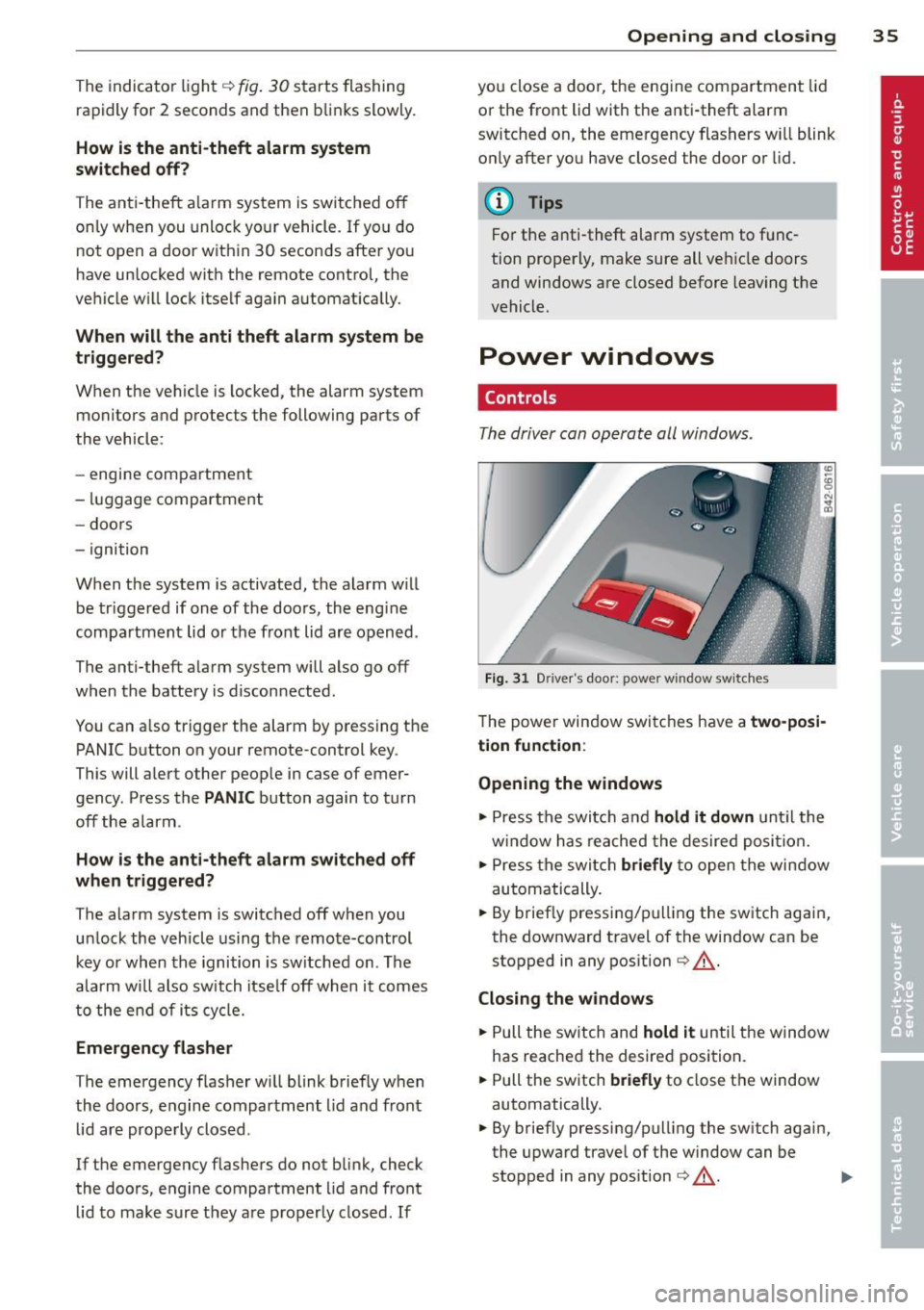
F ig. 31 Driver 's doo r: power w indow sw it ches
T he powe r window swi tc hes have a two-posi
tion function :
Opening the windows
.,. Press the swit ch and hold it down u nt il the
w indow h as reached the desired posi tio n.
.,. Press t he swi tch
briefly to open the win dow
automatically .
... By briefly press ing/p ulling the sw itch again,
the downward t ravel of the window can be
stopped in any pos ition
¢ ,& .
Closing the windows
.,. Pull the sw itch and hold it until the w indow
has reached the desire d posi tion .
... Pull the sw itch
briefly to close t he window
automatically.
... By briefly pressing/pull ing the sw itch again,
the upwa rd trave l of the w indow can be
stopped in any pos it ion
¢ ,& . .,.
Page 38 of 244
36 Openin g and clo sing
A WARNING
- Do not leave children unattended in the
vehicle, especially with access to vehicle
keys . Unsupervised use of the keys can
result in starting of the engine and use
of vehicle systems such as powe r win
dows , etc. which cou ld result in serio us
injury.
- Remember -you can still open or close
the power w indows for abou t ten m i
nutes after the ignition is sw itched off .
Only when either of the front doors are
opened are the power windows switched
off.
- Be careful when closing the windows .
Check to see that no one is in the way, or
serious injury could result!
- Always remove the ignition key whenever
you leave your vehicle.
- If you lock your vehicle from the outside,
no one, especia lly children, sho uld re
ma in in the vehicle .
- Do not stick anything on the windows or
the windsh ield that may interfere with
the driver's fie ld of vision.
@ Tips
- When the doors are opened, the w in
dows are a utomatica lly lowered 0.4 in
(10 mm) .
Reactivating the system after battery
disconnection
If the vehicle ba ttery i s disconnected and
then reconnected, the automatic closing and
opening function will not work until it is reac
tivated .
• Pull and hold the power w indow swi tch un til
the window is completely clo sed .
• Release the switch and pull it again for one
second.