display AUDI R8 SPYDER 2014 Owner's Manual
[x] Cancel search | Manufacturer: AUDI, Model Year: 2014, Model line: R8 SPYDER, Model: AUDI R8 SPYDER 2014Pages: 244, PDF Size: 61.06 MB
Page 40 of 244
38 Convertible top
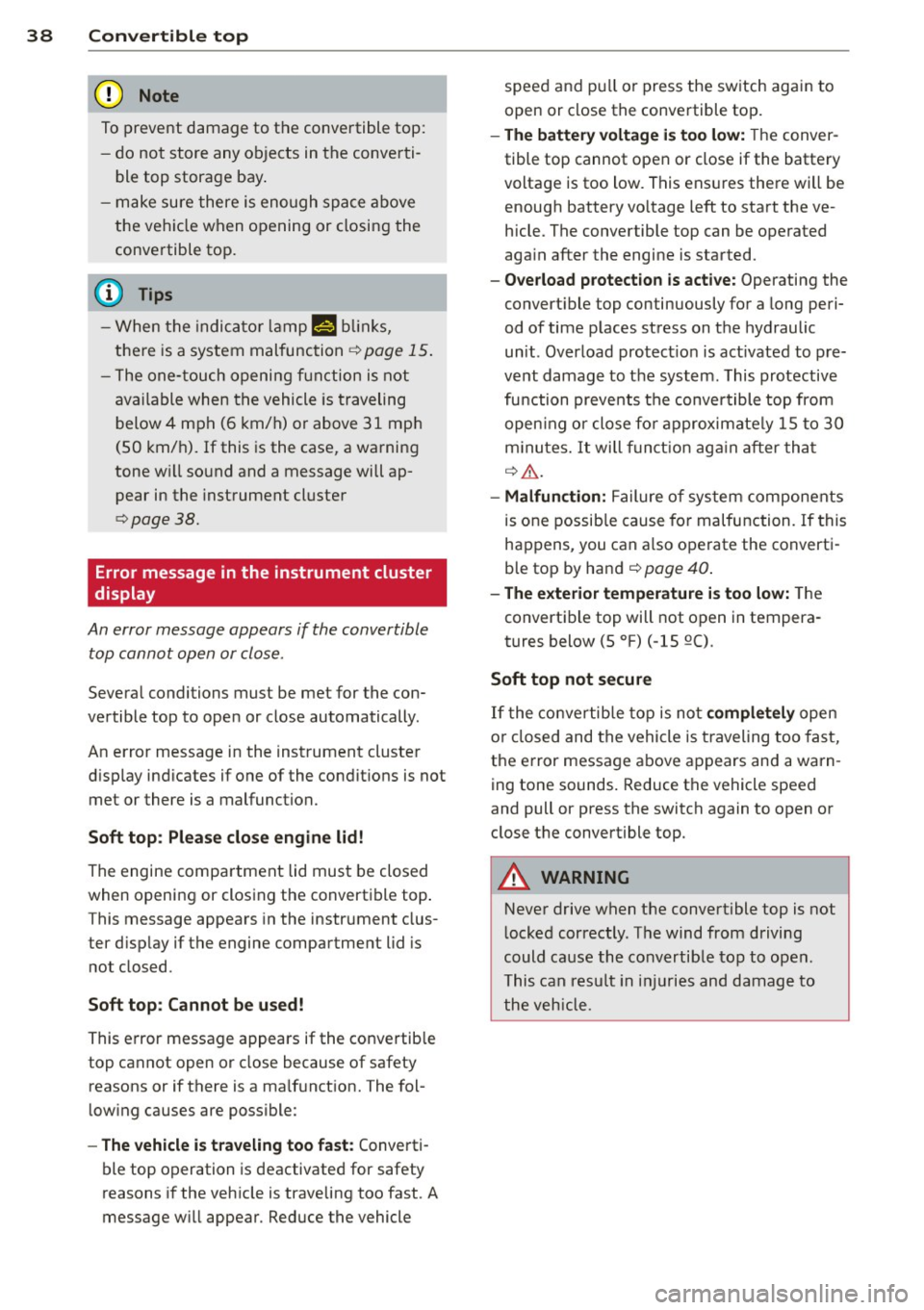
To p revent dama ge to the c onvertible top:
- do not store any objects in the converti
ble top storage bay .
- make sure there is enough spa ce above
the vehicle when opening or closing the
convertible top.
@ Tips
- When the indicato r lamp N blinks,
the re is a system malfunc tion ¢
page 15 .
-The one- touch openi ng f unction is not
available when the vehicle is traveling
below 4 mph (6 km/h) or above 31 mp h
(SO km/ h). If this is the case, a warning
tone w ill sound and a message will ap
pear in the instrument cluster
¢ page 38.
Error message in the instrument cluster
display
An error message appears
if the convertible
top cannot open or close .
Several conditions must be met for the con
vertible top to ope n or close automatically .
An error message in the inst rument cluster
d isp lay ind icates if one of the condit ions is not
met or there is a malfunction.
Soft top : Please clo se engine lid!
The engine compar tment lid mus t be closed
when opening or closing the convertible top .
T his message appears in the instrument clus
ter d isp lay if the engine compartment lid is
not closed .
Soft top: Cannot be u sed!
This error message appears if the convertib le
top cannot open or close because of safety
reasons or if there is a ma lfunct ion. The fol
low ing causes are possible:
- The veh icle i s tra veling too fast : Converti
ble top operation is deactivated for safety
reasons if the veh icle is t raveling too fast. A
message w ill appear . Reduce the vehicle speed and pu
ll or press the sw itch again to
open or close the convertible top.
- The battery voltage i s too low: The conver
tible top cannot open or close if the battery
voltage is too low. This ens ures the re will be
enough battery vo ltage left to start the ve
hicle . The convertible top can be operated
aga in after the engi ne is started.
- Overload protect ion i s active: Operating the
convert ible top continuously for a long peri
od of time p laces stress on the hydraulic
un it . Overload protect io n is act ivated to pre
vent damage to the syst em . This protective
fu nction preve nts the convertible top from
open ing or clo se fo r approximate ly 15 to 30
m inu tes.
It will funct ion aga in a fter tha t
q &. .
-Malfunction: Failure of sys tem components
is one possib le cause fo r malfunction . If this
happens, you can a lso operate the converti
b le top by hand
¢ page 40 .
- The exte rior temperature i s too low:
The
convertible top will not open in tempera
tures below (5 °F) (-15 QC) .
Soft top not secure
If the co nve rtib le top is not compl etel y open
o r closed and the vehicle is t raveling too fast,
the e rror message above appears and a warn
ing tone sounds. Reduce the vehicle speed
and pull or press the switch again to open or close the convert ible top.
A WARNING ..__
Neve r drive when the convertible top is not
l ocked correctly . The wind from driving
could cause the co nvertib le top to open.
This can resu lt in i njuries and damage to
the veh icle.
Page 48 of 244

46 Clear vision
Clear vision Lights
Switching the headlights on/off
F ig . 52 Instr ument pane l: light sw itch (automat ic
head· and ta illight control)
Switching on the side marker lights
• Turn the light switch to :oo:.
Switching on the headlights and high
beam
• Turn the light switch to ;D .
• Push the high beam lever forwa rd towards
the instrument panel~
page 47 .
Switching off the lights
• Turn the light switch to 0 .
Switching on automatic head -and
taillight control
• Turn the light switch to AUTO q fig. 52.
The headlights and taillights will come on au·
tomatically when the ignition is switched on
and the light switch is in the position AU TO
(on ly in nighttime conditions). When switch·
ing off the ignit ion, the headlights will go off
and only the side marker lights will remain lit.
Daytime running lights
USA models: The daytime running lights will
come on automatica lly when the ignition is
switched on and the light switch is in the posi·
tion
AUTO (only in daylight cond itions).
Canada models: The daytim e running lights
will come on automatically when the ignition
is switched on and the light switch is in the position
0
, AUTO (on ly in daylight condit ions)
or
:oo:.
Automatic head- and taillight control
In the switch position AUTO the automatic
head· and ta illight control is activated. Light
senso rs are located in the inside mirror hous
ing and constantly check the light conditions
surrounding the vehicle. If ambient bright·
ness falls below a factory set value (e.g. when
driv ing into a tunnel), the head- and taill ights
including the license plate illumination are
automat ically turned on. When amb ient
brightness increases aga in, the external lights
are turned off aga in
q ,&. . In the sw itch posi
t ion
AUTO , the low beams are turned off when
the ignition is switched off. The remaining
lights are turned off when the key is ta ken out
of the ignition lock.
With aut omat ic head- and taillight control,
the high-beam function is also available, but
with one restriction: If you have not switched
the high beams back to low beams during a u
tomat ic head light operation (for examp le, af
ter driving through a tunnel), on ly the low
beams come on the next time automatic
headlights are switched on. To use the high
beams, you first have to pull the h igh beam
lever back and then push the lever forward
again.
The side marker lights and headlights can be
switched on manually by turning the light
switch to the desired position .
Light sensor malfunction
If there is a light sensor ma lfunction, the
symbol
tal comes on in the display. For safety
reasons, the low beams are turned on perma
nently with the sw itch in
AUTO. However, you
can continue to turn the lights on and off us
ing the light switch. Have the light sensor
checked as soon as possible at an authorized
A udi dealer.
Coming home/leaving home function
The function is sw itched on when the sw itch is
i n the
AUTO position and the function is ...,
Page 49 of 244

shown as active in the driver information
system.
The
coming home function illuminates the
area around the vehicle when the ignition is
switched off and the driver 's door is opened.
The length of time the lights rema in on can be
set in the menu display
(Lights> Exterior
lights> coming home) .
The leaving home function illuminates the
area around the vehicle when unlock ing it.
A WARNING
- Never use daytime running lights to see
where you are going. They are not bright enough and will not let you see far
enough ahead for safety, especially at
dusk or when it is dark . Be aware of
changes in outside light conditions when
you are driving and respond by switching
on your low beams.
- Automatic head- and taillight control is
only intended to assist the driver. This
feature does not relieve the driver of his
responsibility to check the headlights
and to turn them on manually according
to the current light and visibility condi
tions. For example, fog and rain cannot
be detected by the light sensors. Conse
quently, always switch the headlights on
under these weather conditions and
when driving in the dark.
- Crashes can happen when you cannot see
the road ahead and when you cannot be
seen by other motorists .
-Always turn on the headlights so that you can see ahead and so that others can see your car from the back.
- Please observe legal regulations when
using the light ing systems descr ibed .
@ Tips
-Always observe the specific local regula
tions for your area when to use your
lights .
- Turn on low beams as evening ap
proaches or in conditions of poor visibili
ty. Clear vision 4
7
- Do not attach stickers to the windshield
in front of the sensors as this can disable
the automatic head- and taillight control
and the automatic glare-dimming of the
rearview mirror(s)*.
- If you remove the ignition from the igni
tion lock while the headlights are still
on, a buzzer will sound as long as the
driver's door is open to remind you to
turn off the lights .
- In the AUTO mode, the low beams are
turned off when the ignition is turned
off. The remaining lights are turned off
when the key is taken out of the ignition .
- In cool or damp weather conditions the
headlights may fog over temporarily on
the inside.
- The critical factor is the temperature
difference between the interior and the
exterior of the headlight Lens.
- With the main beams switched on, the
light-emitting area will be free of con
densation after a short time, however
the edges of the glass may still be fog
ged .
- This physical phenomenon has no ef
fect on the life of your vehicle's light
ing system .
Turn signals and high beam lever
The lever on the left side of the steering col
umn is used to operate the turn signals and the high beam as well as the headlight flash
er.
t
'
Fig. 53 Turn signal and high b eam lever
The turn signal and high beam lever has the
following functions: ..,.
Page 51 of 244

Interior lights
Interior lights
The interior lights include the reading lights
for the driver and the front passenger .
Fig. 55 Section from headliner : In terior lights
Activating door contact circu it
• Press the button @. The LED in the button
illuminates.
Deactivating do or contact circu it
• Press the button @. The LED in the button
goes out.
Fr ont re ad ing l ight s
~
• Press one of the switches ® to turn the
right or left reading light on/off .
"' l1l 0
With the door contact circuit, the interior
lights turn on as soon as you unlock the vehi
cle or open the doors. The interior lights are
also turned on when the ignition key is re
moved. The lights turn off about 30 seconds
after the doors are closed . When the vehicle is
locked or when the ignit ion is tu rned on, the
inte rior lights are turned off .
When a door is open, the interior lights are
turned off after about 10 m inutes to prevent
battery draining.
The brightness of the lights is controlled au
tomatically by a dimmer when they are
switched on/off.
Clear vi sion 49
Instrument panel illumination
The illumination of the instruments, displays
and the center console can be adjusted .
Fig . 56 Instrumen t pa nel illuminat ion
You regu late the brightness of the instr u
ments with the left thumbwheel
C1 ~ fig . 56 .
Ignition ON, light switch at @
With the ign ition switched ON, the glow of
in
strument needles
can be adjusted to appea r
brighter o r dimmer.
Ignition ON, light switch at
:oo~ or ~D.
With the lights switched on, the brightness of
instrument cluster (i.e. needles, gauges and
displays) and center conso le illuminat ion can
be adjusted .
(D Note
The instrument cluster and center conso le
ill umination (gauges and need les) comes
on when you sw itch on the ignition and the
v eh icle headlight s are off . Be awa re of the
fo llow ing difference be tween models bu ilt
to US or Canadian specifications:
- USA mo dels: illumination o f the i nstr u
ment cl uster (gauges and need les), dash
and center conso le around the gearshift
lever is controlled by a light sensor locat
ed in the instrument pane l. The instru
ment pa nel illuminat ion w ill automati
cally become dimmer as the daylight
fades away and eventually will go out completely when outs ide light is very
low. This is to remind you, the dr iver, to
switch o n the hea dlights before it ge ts
too d ark .
Page 55 of 244
is switched back on by moving the wind
shield wiper lever to any position.
- Worn or dirty windshield wiper blades
cause smearing, which can affect the op
eration of the light/rain sensor*. Check
the condition of your windshield wiper
blades regularly.
- The rain sensor is part of the interval
wiping system. Turning off the ignition
will also deactivate the rain sensor. To re
activate the sensor, switch off the inter
val wiping function, then switch it back
on again.
- Applies to vehicles with light/rain sen
sor: When the wipers are switched on
manually and in rain conditions, the au
tomatic headlights* turn on
c;> page 46,
Lights or off during the day when the
wipers are no longer operating. The au
tomatic headlights* function is available
in this case only when the light switch is
in the "AUTO" position
c;> page 46,
fig. 52.
-Make sure the washer fluid reservoir in
the engine compartment is topped off
before going on a long trip. Look up
c;> page 188 for checking and filling the
washer container.
- The wipers only operate with the hood
completely closed.
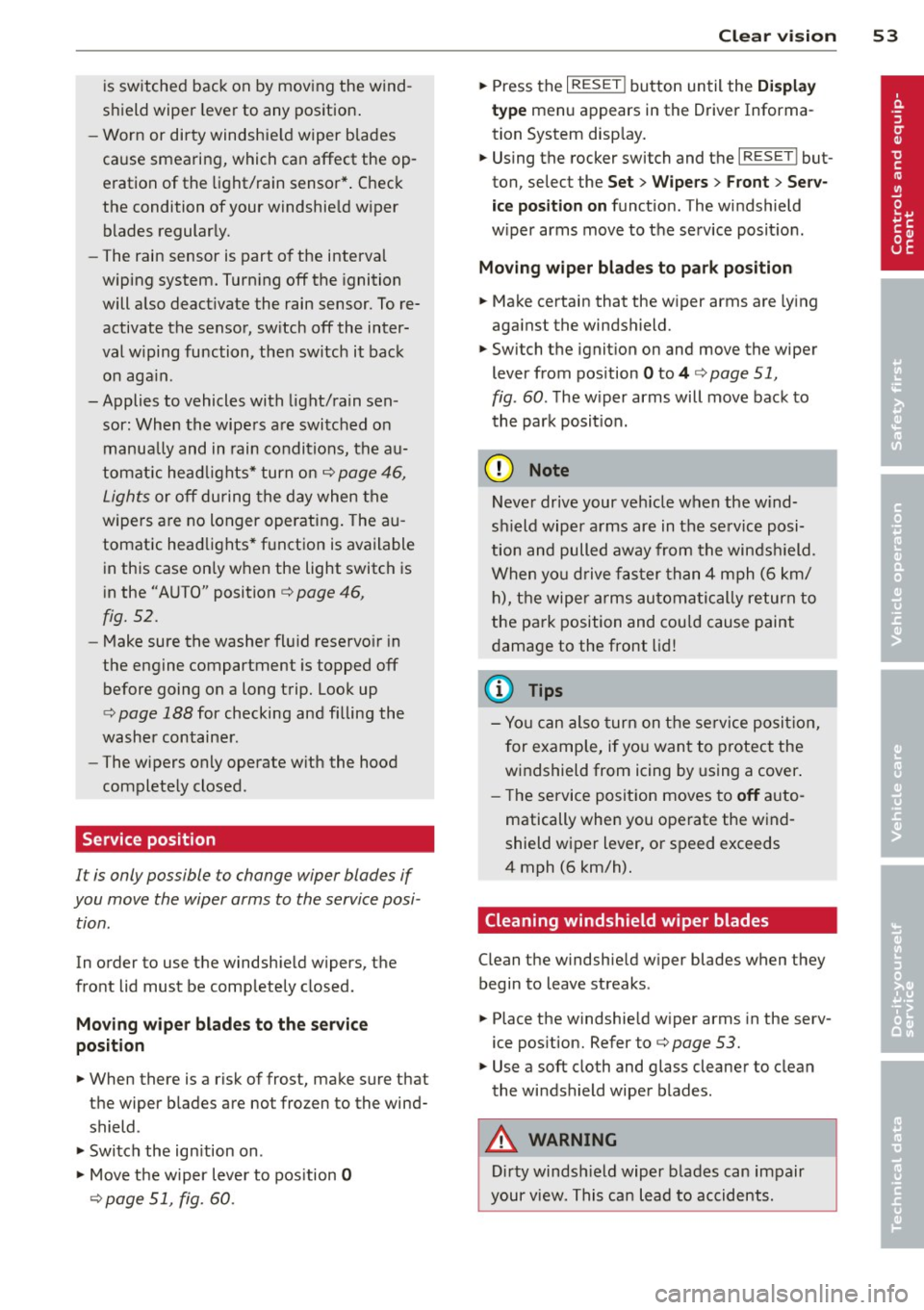
Service position
It is only possible to change wiper blades if
you move the wiper arms to the service posi
tion.
In order to use the windshield wipers, the
front lid must be completely closed.
Moving wiper blades to the service
position
.,. When there is a risk of frost, make sure that
the wiper blades are not frozen to the wind
shield .
.,. Switch the ignition on .
.,. Move the wiper lever to position
0
c;>page 51, fig. 60 .
Clear vision 53
.,. Press the I RESET ! button until the Display
type
menu appears in the Driver Informa
tion System display.
.,. Using the rocker switch and the
I RESET ! but
ton, select the
Set > Wipers > Front> Serv
ice position on
function. The windshield
wiper arms move to the service position.
Moving wiper blades to park position
.,. Make certain that the wiper arms are lying
against the windshield.
.,. Switch the ignition on and move the wiper
lever from position
O to 4 c;> page 51,
fig . 60. The wiper arms will move back to
the park position.
(D Note
Never drive your vehicle when the wind
shield wiper arms are in the service posi
tion and pulled away from the windshield.
When you drive faster than 4 mph (6 km/
h), the wiper arms automatically return to
the park position and could cause paint
damage to the front lid!
(D Tips
-You can also turn on the service position,
for example, if you want to protect the
windshield from icing by using a cover.
- The service position moves to
off auto
matically when you operate the wind
shield wiper lever, or speed exceeds
4 mph (6 km/h).
Cleaning windshield wiper blades
Clean the windshield wiper blades when they
begin to leave streaks .
.,. Place the windshield wiper arms in the serv
ice position. Refer to
c;> page 53.
.,. Use a soft cloth and glass cleaner to clean
the windshield wiper blades.
A WARNING
Dirty windshield wiper blades can impair
your view. This can lead to accidents.
Page 57 of 244
Digital compass
Activating or deactivating the compass
Applies to vehicles: with d ig ital compass
The direction is displayed on the interior rear
view mirror.
Fi g. 63 Ins ide rearv iew m irror: dig ita l c ompass act iva t
ed
.,.. To activate or deact ivate, hold the ® button
down until the red disp lay appears or disap
pears .
T he digital compass only works with the igni
tion turned on . The directions are displayed as
in itials:
N (North), NE (Northeast), E (East),
S E (Southeast), S (South), SW (Southwest),
W (West), NW (Northwest).
(D Tips
To avo id inaccurate directions, do not al
low any remote controls, electrical sys
tems, or metal parts close to the mirror.
Clear vi sion 55
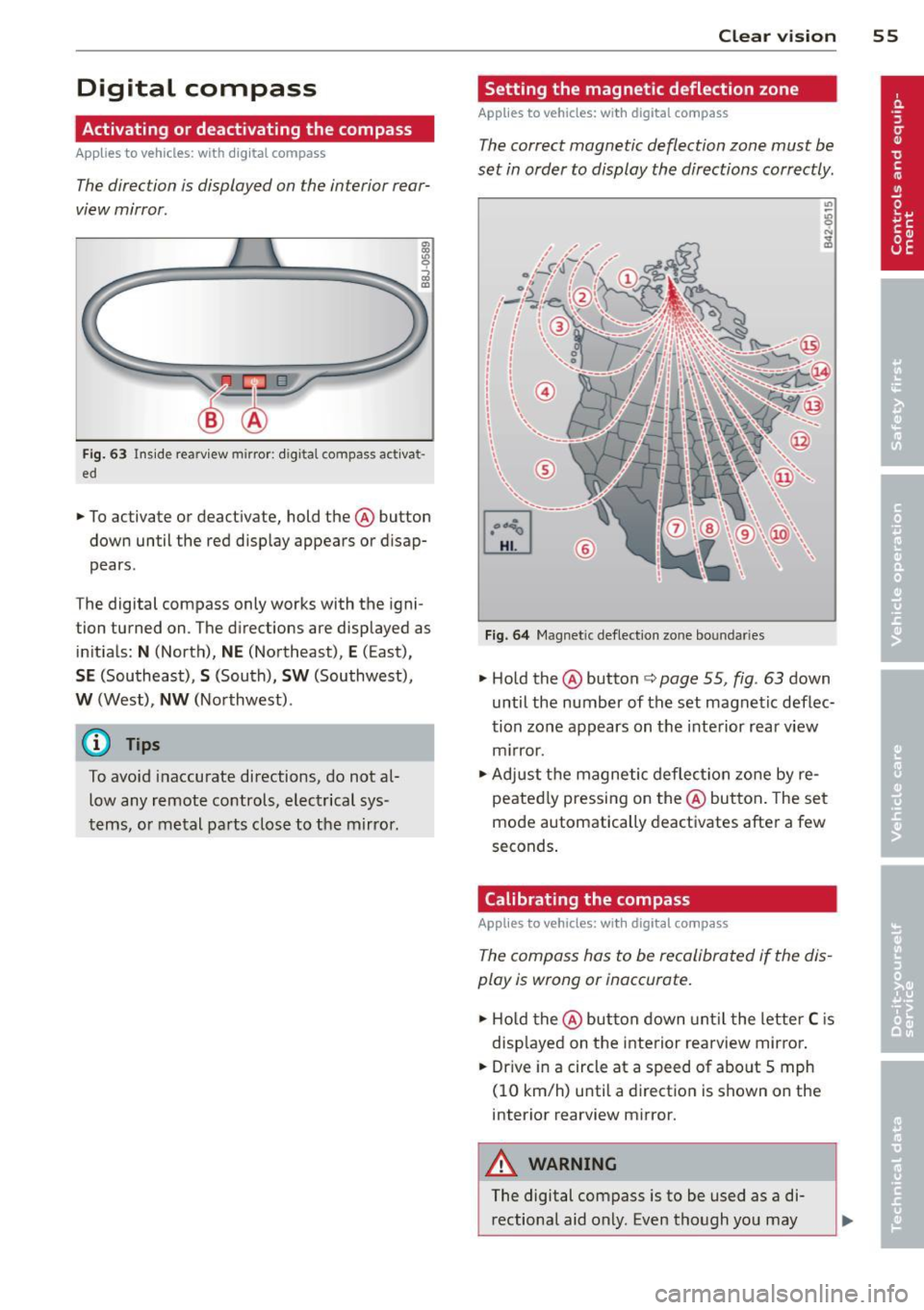
Setting the magnetic deflection zone
App lies to vehicles: wit h digital compass
The correct magnetic deflection zone must be
set in order to display the directions correctly.
F ig. 64 Magnet ic deflect ion zo ne bo un daries
.,.. Hold the ® button ¢ page 55, fig . 63 down
until the number of the set magnetic deflec
tion zone appears on the interior rear view
m irror .
.,.. Adjust the magnetic deflect ion zone by re
peated ly pressing on the@ button . The set
mode automatically deactivates after a few
seconds .
Calibrating the compass
Applies to vehicles: wit h digi tal co mpass
The compass has to be recalibrated if the dis
play is wrong or inaccurate .
.,.. Hold the@ but ton down unt il the letter C is
disp layed on the interior rearview mirro r .
.,.. Dr ive in a circle at a speed of about S mph
(10 km/h) u ntil a d irectio n is shown on the
interior rearview mirror.
A WARNING
The digital compass is to be used as a di rectional aid only. Even though you may
Page 74 of 244
7 2 On the road
Speed warning system
Speed warning system
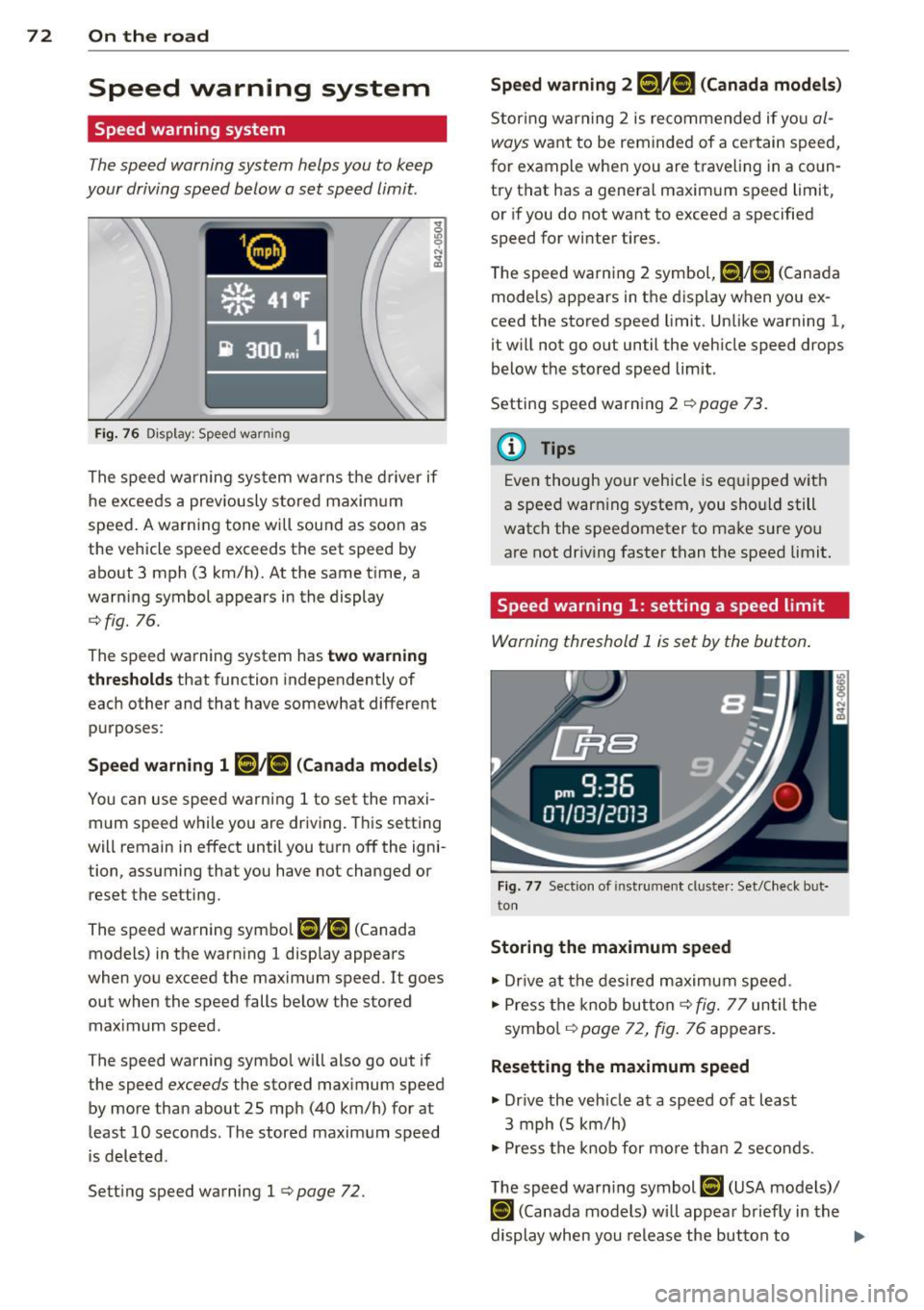
The speed warning system helps you to keep
your driving speed below a set speed limit.
Fi g. 7 6 D isplay: Speed warning
The speed warning sys tem warns the d river if
he exceeds a prev iously stored maxim um
speed. A warning tone will sou nd as soon as
the vehicle speed exceeds the set speed by
about 3 mph (3 km/h). At the same t ime, a
warn ing symbol appears in the display
¢fig. 76.
The speed warning system has
two warning
th reshold s that function independently of
each other and that have somewhat different
purposes:
Speed warn ing 1 HIil/iS) ( Canada model s)
You can use speed warning 1 to set the maxi
m um speed w hile you are driving. This setting
will remain in effect until you t urn off the igni
tion, assuming that you have not changed or
reset the setting.
The speed warning symbo l
[l;[i] (Canada
models) in the warn ing 1 display appears
when you exceed the maximum speed. It goes
out when the speed falls be low the stored
maximum speed .
The speed warning symbo l w ill also go out if
the speed
exceeds the stored max imum speed
by more than about 25 mph (40 km/h) for at
least 10 seconds. The stored maximum speed
i s deleted.
Sett ing speed warning 1
¢page 72.
Speed warning 2 [Cl!r.t] (Canada models)
Stor ing warning 2 is recommende d if you al
ways
want to be reminded of a ce rtain speed,
for example when you are t rave ling in a co un
try that has a general maxim um speed limit,
or if you do not want to exceed a specified
speed for winter tires.
The speed warn ing 2 symbol,
tt]/[f] (Canada
models) appears in t he display when yo u ex
ceed the stored speed limit. Unlike warning 1,
it will not go o ut until the vehicle speed drops
below the stored speed limit .
Setting speed warn ing 2
¢ page 73.
a) Tips
Even though your vehicle is eq uipped w ith
a speed war ning system, you sho uld still
watc h the speedometer to ma ke s ure yo u
are not driv ing faster than the speed limit.
Speed warning 1: setting a speed limit
Warning threshold 1 is set by the button .
Fig. 77 Section of ins trumen t cl uster: Set/C heck bu t
ton
Storing the maximum speed
" Dr ive at the des ired maximum speed.
" Press the knob but ton¢
fig. 77 until the
sym bo l
i=!:> page 72, fig . 76 appears .
Resetting the maximum speed
" Dr ive the veh icle at a speed of at least
3 mph (5 km/h)
" Press the knob for mo re tha n 2 seconds .
The speed warn ing symbol
[CJ (USA mode ls)/
i•j (Canada models) will appea r briefly in the
display when you release the but ton to
Ill>
Page 75 of 244

indicate that the maximum speed has been
stored successfully. The maximum speed re mains stored until it is changed by pressing
the button again briefly or until it is deleted
by a lengthy push on the button.
Speed warning 2: setting a speed limit
Switches in the wiper arm ore used to operate warning threshold 2.
--------, @
Fig. 78 Controls
To store maximum speed
"'Turn off the ignition.
"'Br iefly press the button in the instrument
cluster
c::> page 72, fig. 77. The odometer
and the digital clock are now illuminated.
"' Press the button for at least 2 seconds. The
currently stored maximum speed appears in
the display
or the crossed out symbol for
warning threshold 2, if no maximum speed
was set previous ly.
"' Press the function selector switch in the
wiper lever @
c::> fig. 78 up or down to
change the set value . Values run up or down
in steps of 6 mph (10 km/h).
To delete maximum speed
"'Turn off the ignition.
"' Briefly press the button in the instrument
cluster
c::> page 72, fig. 77 . The odometer
and the digital clock are now illuminated.
"' Press the button for at least 2 seconds . The
currently stored maximum speed appears in
the display.
"' Press the
l"'R-=E =s =ET =I button in the wiper lever
® c::> fig . 78 until the crossed out speed
warning symbo l for warning threshold 2 ap
pears in the display.
On the road 73
A few seconds after the adjustment is com
pleted, the illumination for the odometer and
the d igital clock will go out.
(D Tips
This warning threshold can also be con
trolled through the trip computer
c::> page 23, Navigating the menu.
Cruise control
Switching the system on
The cruise control system makes it possible to
drive at a constant speed starting at 20 mph (30 km/h).
®-
Fig. 79 Control lever with set button
Fig. 80 D isplay: Se lected speed
"' Pull the lever to position (D c::> fig. 79 to
switch the system on.
"' Drive at the speed you wish to set.
"' Press button @ to set that speed.
T he disp lay
c::> fig. 80 will show the set speed.
The display may vary depending on the type of
display in your vehicle. The indicator light
M;W~1~ (US model) I. (Canadian model) will
also light up in the instrument cluster . .,..
Page 79 of 244
Transmission Manual transmission
Gearshift lever
App lies to vehicles: with manual transmission
The clutch pedal must be depressed all the
way before you can start the engine.
The manual transmission in your Audi is
equipped with an
interlock-feature.
• Depress the clutch pedal all the way.
• Start the engine with the gearshift lever in
Neutral and the clutch pedal depressed.
(D Note
Always depress the clutch pedal fully when
changing gears . Do not hold the vehicle on
a hill with the clutch pedal partially de
pressed. This may cause premature clutch
wear or damage .
@ Tips
-Resting your hand on the gearshift lever
knob while driving will cause premature
wear in the transmission.
- The back-up lights go on when you shift
into Reverse w ith the ignition on.
Gearshift pattern (6-speed manual
transmission)
Applies to vehicles: with 6-speed manual transmission
Fig. 82 Gears hift patte rn: 6 -speed manual tran smis
sion
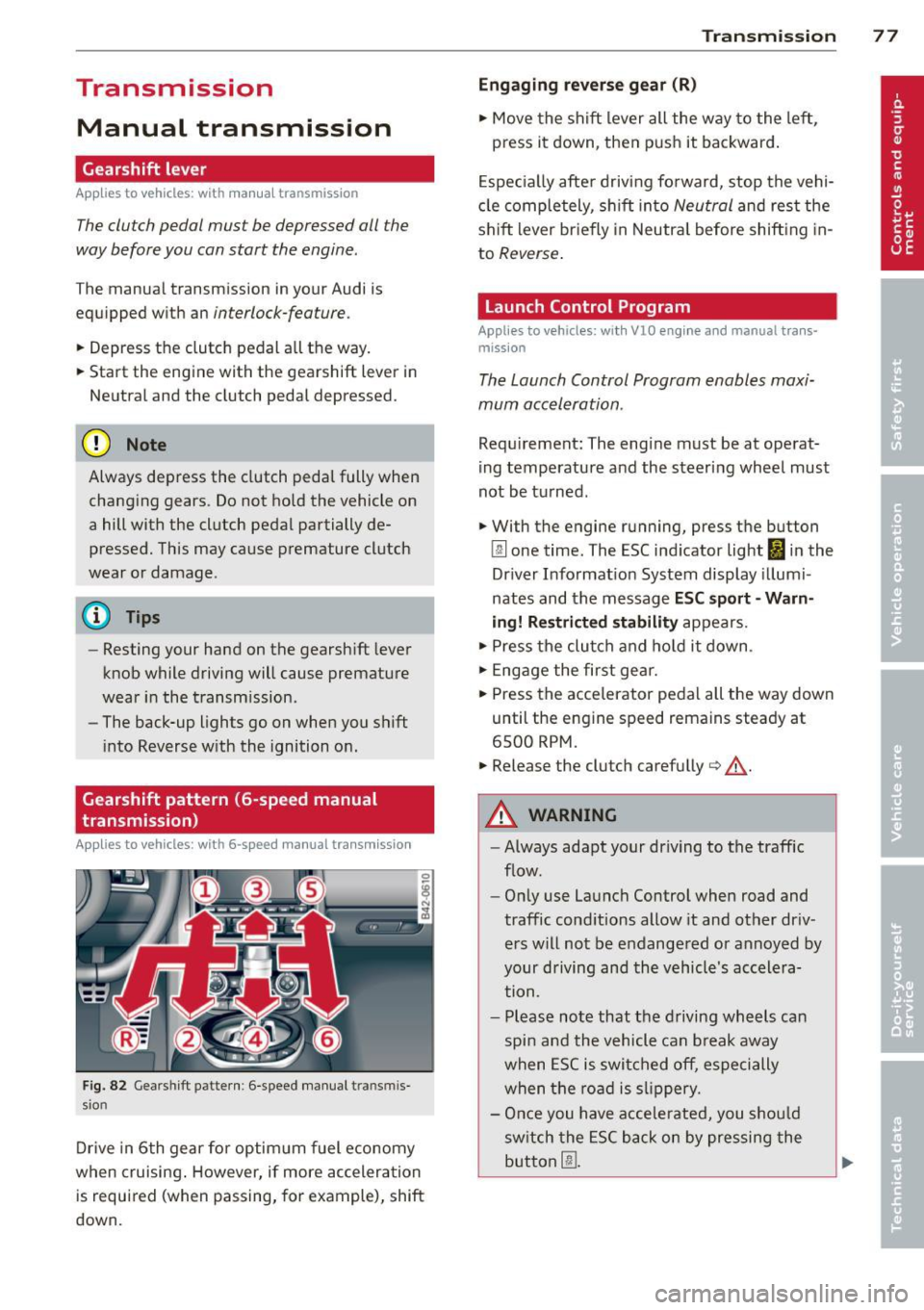
Drive in 6th gear for optim um fuel economy
when cruising . However, if more acceleration
is required (when passing, for example), shift
down.
Transmission 77
Engaging reverse gear (R)
• Move the shift lever all the way to the left,
press it down , then push it backward.
Especially after driving forward, stop the vehi
cle completely, sh ift into
Neutral and rest the
shift lever br iefly in Neutra l before shift ing in
to
Reverse .
Launch Control Program
Applies to vehicles: with VlO eng ine and manual t ra ns·
miss ion
The Launch Control Program enables maxi
mum acceleration .
Requirement: The engine must be at operat
ing temperature and the steering wheel must
not be turned .
• With the engine running, press the button
[g] one time. The ESC indicator light I in the
Driver Informat ion System display illumi
nates and the message
ESC sport - Warn
ing! Restricted stability
appears.
• Press the clutch and hold it down .
• Engage the first gear.
• Press the accelerator pedal all the way down
until the engine speed remains steady at
6500 RPM.
• Release the clutch carefully¢.&, .
A WARNING
-Always adapt your dr iving to the traffic
flow.
- Only use Launch Control when road and
traffic conditions allow it and other dr iv
ers will not be endangered or annoyed by
your driving and the vehicle's accelera
tion .
- Please note that the driving wheels can
spin and the vehicle can break away
when ESC is switched off, especially
when the road is slippery.
- Once you have accelerated, you sho uld
sw itch the ESC back on by pressing the
button @.
Page 80 of 244
78 Transmission
@ Tips
-When accelerating using the Launch
Control program, all vehicle parts are
subject to heavy loads. This can result in
increased wear.
- The Launch Control Program only func
tions when the parking brake is released
and the vehicle speed is less than
3 mph
(5 km/h).
S tronic®
Description
Applies to vehicles: with S tronic
Fig. 83 Shift pattern
Fig. 84 Display: selected gears
Your vehicle is equipped with an electronical
ly-controlled manual transmission called S
tronic ®. Two independent clutches transfer
the powe r between the engine and transmis
sion. They replace the torque converter used
in conventional automatic transmissions and
allow the vehicle to accelerate without a no
ticeable interruption in traction.
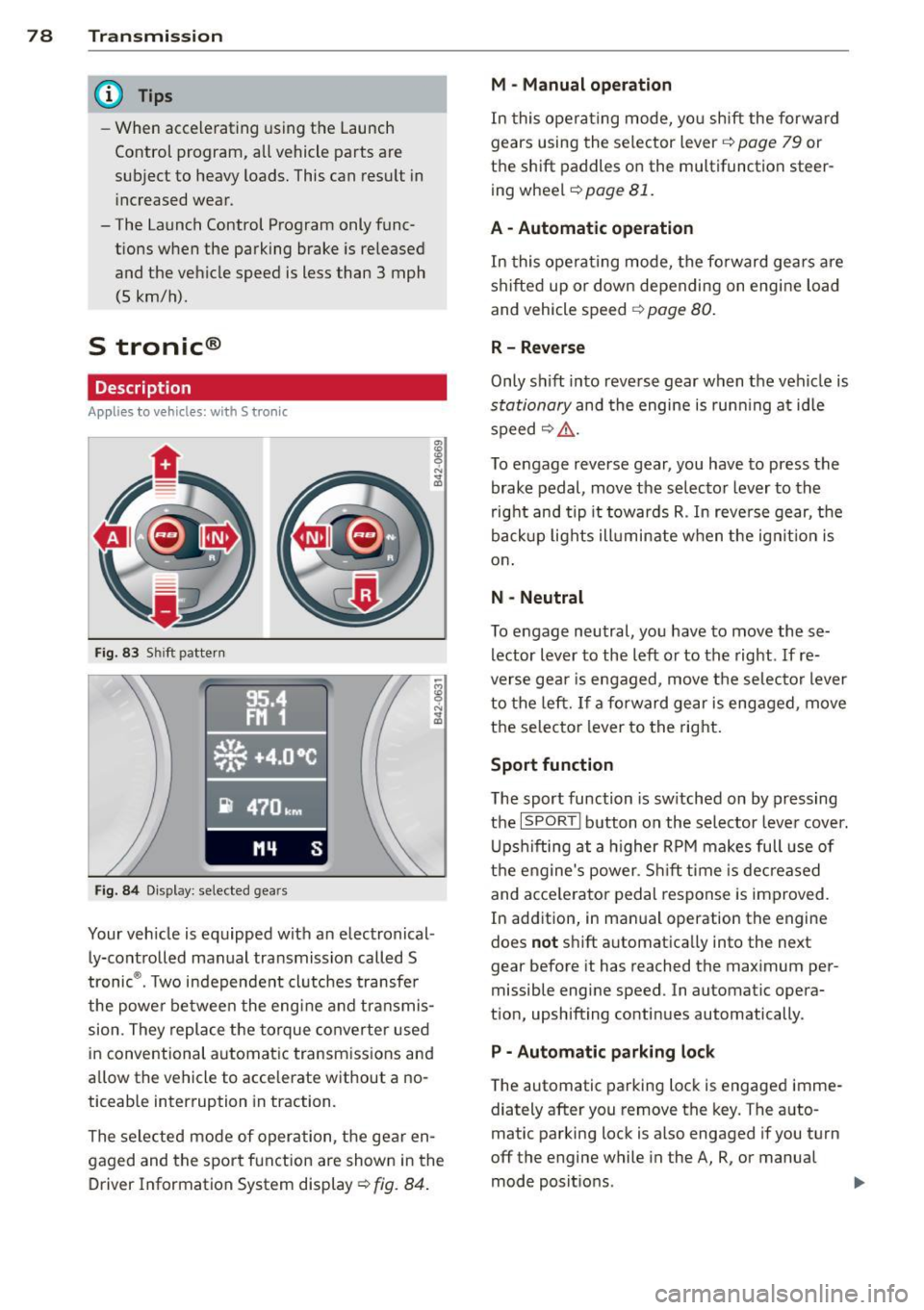
The selected mode of operation, the gear en
gaged and the sport function are shown in the
Driver Information System display ¢
fig. 84.
M -Manual operation
In this operating mode, you shift the forward
gears using the selector lever ¢
page 79 or
the shift paddles on the multifunction steer
ing wheel¢
page 81.
A - Automatic operation
In this opera ting mode, the forward gears are
shifted up or down depending on engine load
and vehicle speed ¢
page 80.
R- Reverse
Only shift into reverse gear when the vehicle is
stationary and the engine is running at idle
speed~ ,&..
To engage reverse gear, you have to press the
brake pedal, move the selector lever to the
right and tip it towards R . In reverse gear, the
backup lights illuminate when the ignit ion is
on .
N -Neutral
To engage neutral, you have to move these
lector lever to the left or to the right.
If re
verse gear is engaged, move the selector lever
to the left.
If a forward gear is engaged, move
the selector lever to the right.
Sport function
The sport function is sw itched on by pressing
the
I SPOR T I button on the selector lever cover.
Upshifting at a higher RPM makes full use of
the engine's power. Shift time is decreased
and acce le rator pedal response is improved.
In addition, in manual operation the engine
does
not shift automatically into the next
gear before it has reached the maximum per
missible engine speed. In automatic opera
tion, upshifting continues automatically.
P - Automatic parking lock
The automatic parking lock is engaged imme
diately after you remove the key. The auto
matic parking lock is also engaged if you turn
off the engine while in the A, R, or manual
mode positions. .,..