parking brake AUDI RS5 CABRIOLET 2013 Owners Manual
[x] Cancel search | Manufacturer: AUDI, Model Year: 2013, Model line: RS5 CABRIOLET, Model: AUDI RS5 CABRIOLET 2013Pages: 286, PDF Size: 71 MB
Page 4 of 286
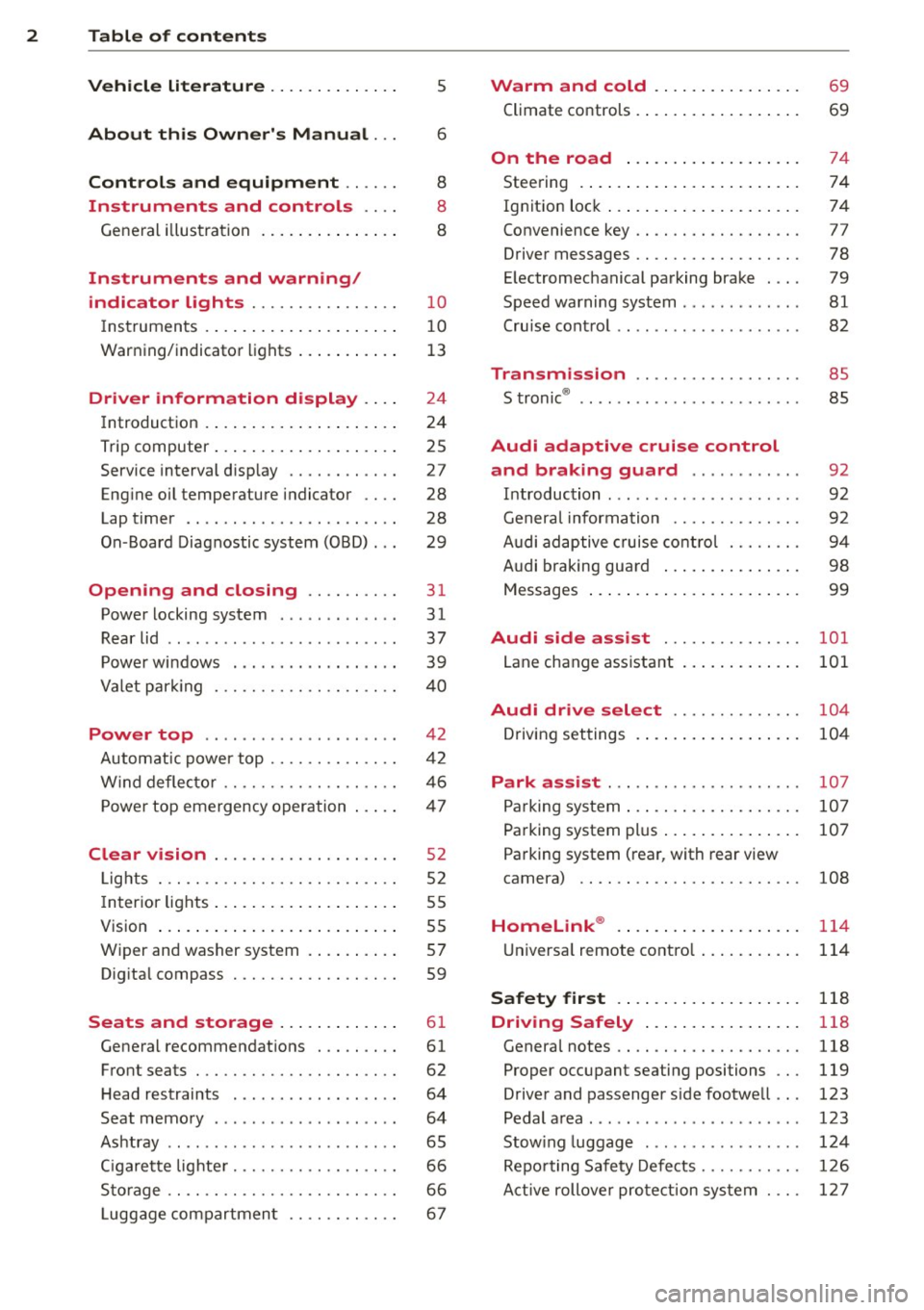
2 Table of contents Vehicle literature .. .. .. .. .. ... .
5
About this Owner's Manual . . . 6
Controls and equipment .. ... .
Ins truments and controls .. . .
General illus tration .... ... .. .. ... .
Instruments and warning /
indicator lights ........ .. .. .. . .
I ns truments . .. .. ..... ... .. .. ... .
War ning/ indi cator lights ... .. ... .. .
Driver information d isplay .. . .
I ntroduct ion . .. .. ..... ... .. .. ... .
Trip computer .. .. ..... ... .. .. ... .
Service interval d isp lay .... .. .. ... .
Eng ine oil temperature indicator ... .
Lap timer .. ........ ..... .. ... .. .
On -Board Diagnostic system (OBD) .. .
Opening and closing .... .. .. . .
Power locking system .. ... .. .. .. . .
R ear lid .. .. ................ ... . .
P owe r win dows . ...... ... .. .. ... .
Va let par king . ......... .. .. .. .. . .
Power top .. .. ...... .... ... .. . .
Autom atic power top ...... .. .. ... .
W ind defle cto r ......... .. .. .. .. . .
P owe r top emergency operation
Clear vision .............. .. ... .
L ights . .. .. .. . .......... .. .. .. . .
I n ter ior lights .. .. ..... ... .. .. ... .
V 1s1on ...... .. .. ..... ... .. .. ... .
W iper and washer system . ... ... .. .
Dig ita l compass ............ .. ... .
Seats and storage ... .. .. .. ... .
General recommendat ions . .. .. .. . .
Front seats ... ........... .. .. ... .
H ead restraints . ......... .... .. . .
Seat memo ry ............. ... .. . .
As htray .. .. ... .... .... .. .. .. .. . .
C igarette lig hte r .......... .. .. .. . .
St orage ...... ........... ....... . 8
8
8
10
1
0
13
24
2 4
25
27
28
28
29
31
31
37
39
4 0
42
42
46
47
52
52
55
5 5
57
59
61
61
62
64
64
65
66
66
Lugg age compartmen t . . . . . . . . . . . . 6 7 Warm and cold
... .. ..... .... . .
Climate co ntrols . ... ... ..... ... .. .
On the road ... .. ... ..... ... .. .
Stee ring . ..... .. ... .. ..... .... . .
Ign it io n lock ..... .. .... .... ... .. .
Convenience key .. ... .......... .. .
Driver messages ................. .
E lectromechanical parking brake . .. .
Speed warning sys tem .. .. ... ... .. .
Cru ise cont ro l .. .. ............... .
Transm ission .. ..... ......... . .
S · ® tronrc .. ... ... ............... .
Audi adaptive cruise control and braking guard .......... . .
I n troduc tion ... .. ... .. .. ... ..... .
Genera l informa tion ......... .. .. .
A udi adaptive cruise cont rol ..... .. .
A udi braking gua rd ..... .... ... .. .
Messages ..... .. .. ... ..... ... .. .
Audi side assist ............ .. .
L ane change ass istant
69
69
74
74
74
77
78
79
81
82
8 5
85
92
92
9 2
94
98
99
101
101
Audi drive select . . . . . . . . . . . . . . 104
D riving set tings . . . . . . . . . . . . . . . . . . 104
Park assist . . . . . . . . . . . . . . . . . . . . . 107
Parking sys tem . . . . . . . . . . . . . . . . . . . 10 7
Parking system plu s . . . . . . . . . . . . . . . 107
Pa rking system (rear, with rear view
camera) . . . . . . . . . . . . . . . . . . . . . . . .
108
Homelink ® . . . . . . . . . . . . . . . . . . . . 114
U niversa l remote contro l..... ... .. . 114
Safety fir st . . . . . . . . . . . . . . . . . . . . 118
Driving Safely . . . . . . . . . . . . . . . . . 118
Genera l notes . . . . . . . . . . . . . . . . . . . . 118
Proper occupant seating positions . . . 119
Driver and passenger s ide footwe ll . . . 123
Pedal a rea . . . . . . . . . . . . . . . . . . . . . . . 123
Stow ing luggage .... .. .. ... ..... . 124
Repo rting Safety Defe cts . . . . . . . . . . . 12 6
Active rollove r pro te ction sy st em . . . . 1 27
Page 11 of 286

CD
@
®
©
®
®
Door handle
Power locking sw it ch
Memory buttons (dr iver's seat)
Button for side ass ist
A ir outlets
Control leve r for :
- Turn signal and high beam
0 Multi-function steering wheel
with:
- Horn
- Driver's airbag ...... ... .. .
- Audio/video , telephone and
navigation buttons
- Rocker switches for tiptron ic
operation .... .... ... .... .
@ ISETI button .... ....... .... .
® Instrument cluster ......... .
@ Reset button for trip odometer
@ Switches for:
- Windsh ield wiper/washer .. .
- Trip computer ............ .
- Lap -Timer ............ ... .
@ Ignition lock ... .... ... .... .
@ Adju stable steer ing column
@ Control lever for:
- Cruise contro l ....... ... .. .
- adaptive cruise cont ro l ... .. .
@ Instrument lighting .... .. .. .
@ Release lever for the engine
hood .. .. .... .. .. .. ....... .
@ Data Link Connector for On
Board Diagnost ics (OBD II) . .. .
35
64
101
53
14 1
89
11
10
12
57
25
28
74
74
82
92
55
207
29
@ Lig ht switch . . . . . . . . . . . . . . . . 52
@ Adjuster control fo r outside mi r-
rors . . . . . . . . . . . . . . . . . . . . . . 55
@ Power window switches . . . . . . 39
@ Radio-Disp lay or MM I-Disp lay
@ Depending on options:
- Radio system
- CD changer
@ Emergency flasher . . . . . . . . . . 54
@ Glove compartment ( lockable) 6 7
@ Front passenger's a irbag . . . . . 141
Instrument s and control s 9
@ Depending on options, switches
for :
- drive select .. .. . .. ... ... . . 104
- Electron ic Stabili zation Con-
trol ...... .. .. . ... ...... .
- parking sy stem ....... .... . 176
107
@ Deluxe automat
ic cl imate con-
t ro l .... .. .. .. ........... . .
69
@ Se lector lever for automatic
transmission .. .... ........ .
85
@) Ashtray with cigarette lighter 65
@ Depending on options:
- MMI control console or
- drive select . . . . . . . . . . . . . . . 104
- Electronic Stabili zation Con-
trol button . . . . . . . . . . . . . . . 176
- parking system . . . . . . . . . . . . 107
@ Central power w indow swi tch
@ Power top switc h . . . . . . . . . . . . 44
@ I S T AR T ENGINE S TOPI button 77
§) Electromechanical parking
brake . . . . . . . . . . . . . . . . . . . . . 79
(D Tips
- Some of the equipment or features
show n in the general illustration may be
standard equ ipment on your vehicle or
may be opt ional equ ipment depending
on your model. Always as k yo ur au thor
ized Audi dea ler if you have a quest ion
about your ve hicle .
- Ope rat ion of the Multi Med ia In terface
(MMI) is described in a separa te manua l.
Page 15 of 286
Instrument s and warnin g/indic ator ligh ts 13
(D Note
Never run the tank completely dry! An ir
reg ular supply of fuel can cause eng ine
m isfiring and fuel could enter into the ex
haust system. The catalyt ic converter
could the n overheat and be damaged .
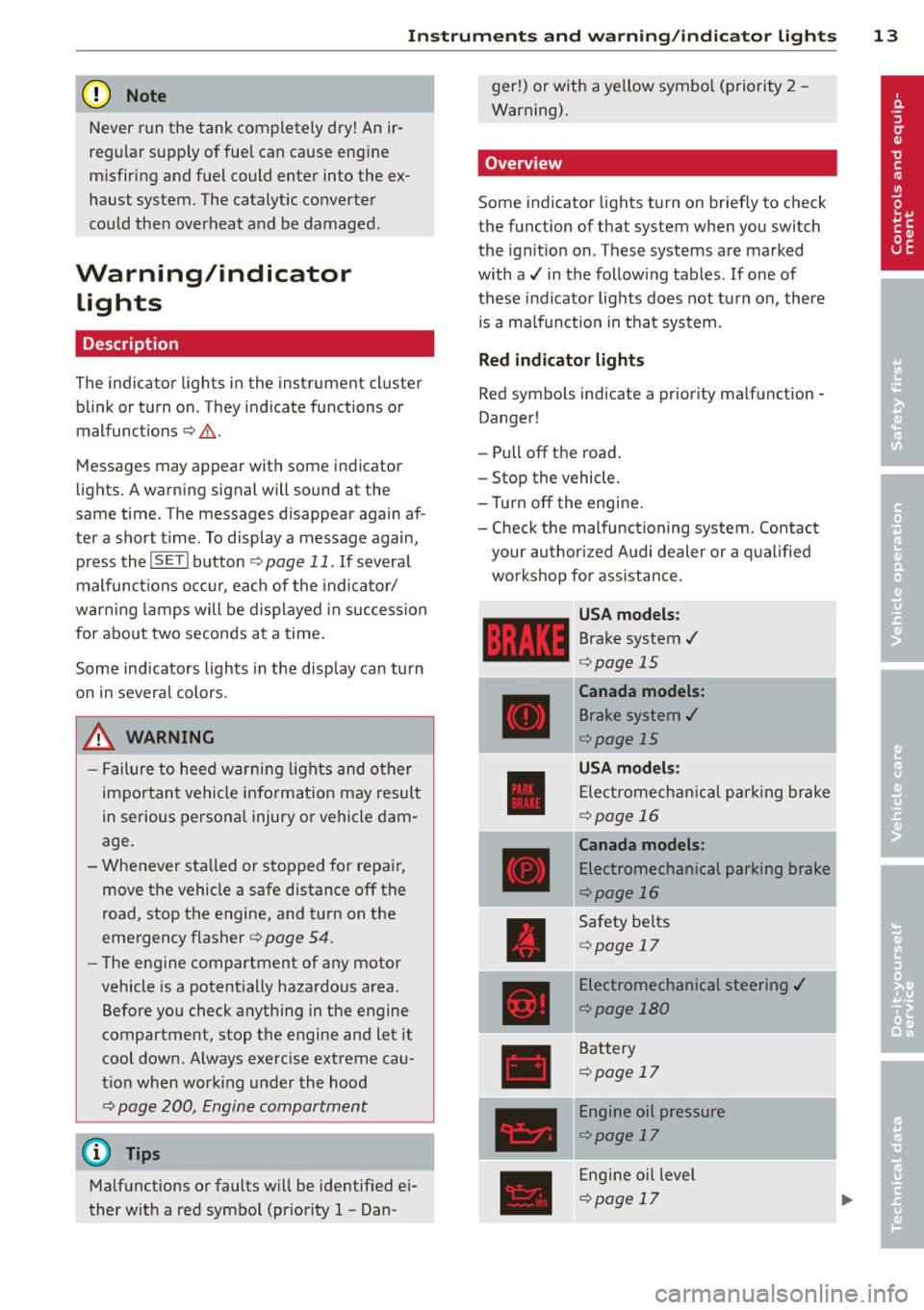
Warning/indicator
Lights
Description
The indicator lights in the instrument cluster
blink or turn on . They indicate functions or
malfunct ions ¢,&. .
Messages may appear with some indicator
lights. A warning signal will sound at the
same time . The messages disappear again af
ter a short t ime . To display a message again ,
pressthelSE T!button
¢ page 11. If severa l
malfunc tions occu r, each of the indica to r/
warn ing lamps will be d isplayed in succession
for abo ut two seconds at a time .
Some ind icators lights in the disp lay can turn
on in several colors.
_& WARNING
- F ailure to heed warning lights and o ther
impor tant vehicle info rmation may result
in serious persona l injury o r vehicle dam
age.
- Whenever sta lled or stopped for repair,
move the vehicle a safe distance off the
road, stop the engine, and turn on the
eme rgency flasher¢
page 54.
-The e ngine compartment of any motor
vehicle is a potentially hazardous area.
Before you check anything in the engine
compartment, stop the engine and let it
cool down. Always exercise extreme cau
t ion when wor king under the hood
¢ page 200, Engine compartment
(D Tips
Ma lfunctions or faults w ill be identified ei
ther with a red symbo l (pr io rity 1 -Dan- ger!) or with a yellow symbol (prio
rit y 2 -
Warning).
' Overview
Some indicator lights t urn on briefly to check
the function of that system when you switch
the ignit ion on . These systems are marked
with a../ in the fo llow ing tables . If one of
these indicator lights does not tu rn on, there
i s a ma lf u nct ion in that system.
Red indicator lights
Red symbo ls indicate a prior ity ma lfunction -
Danger!
- Pull off the road .
- Stop the vehicle.
- Tur n off the engi ne.
- Check t he malfunc tioning system. Contac t
your author ized A udi dealer or a q ualified
workshop for assistance.
USA models :
Brake system../
¢page 15
----~r~
Canada models:
Brake system ../
¢page 15
USA mod els :
Elec tromech anical parki ng br ake
¢ page 16
Canada models:
Electromechanical parking brake
¢page 16
Safety be lts
¢ page 17
Electromechanical steering ../
¢page 180
Battery
¢page 17
Engine oil pressure
¢page 17
Eng ine oil level
¢page 17
Page 16 of 286

14 Instrum ent s and w arn ing /indic ato r light s
Engine cooling system
r:::;,page 18
Steering column lock
r:::;, page 18
Ignition lock
r:::;,page 18
USA mod els:
Speed warning system
r:::;, page 81
Canada models :
Speed warning system
r:::;,page81
Adapt ive cru ise control./
r:::;, page 94
Yellow ind ic a tor lights
Ye llow symbols indicate a priority 2 ma lfunc
tion -Warning!
•
I
ESC OFF
m
ll!fJ
Power top operation
r:::;, page43
Electronic Stabilization Control
(ESC) ,/
r:::;, page 19
Electronic Stabilization Control ( E SC) ./
r:::;,page 19
Electronic Stabilization Control
(ESC)
r:::;,page 176
USA mod els :
Anti-lock braking system (ABS)
defective ,/
r:::;, page 19
Canada model s:
Anti-lock braking system (ABS)
defective ,/
r:::;,page 19
USA models :
Safety systems ./
r:::;,page20
Canada models :
Safety systems ,/
r:::;,page20
•
•
[I]
.,,,~,
~
•
Im
-
•
•
-
ml
II
•
m
!I
-
!!
l:J
E
II
Worn brake pads
r:::;, page20
Electromechanical parking brake
r:::;, page
79
I
Tire pressure monitoring
system./
r:::;, page 241
Tire pressure monitor ing system
r:::;, page2 41
Electronic power control./
r:::;, page 20
Malfunction indicator Lamp
(MI L),/
r:::;, page 2 0
Engine speed limitation
r:::;, page21
Engine oi l level
r:::;,page 17
Eng ine oi l sensor
r:::;, page 21
Battery
r:::;, page 17
Tank system
r:::;, page 21
Windshield washer fluid level
r:::;,page 21
Windshie ld w ipers
r:::;, page 21
Remote control key
r:::;, page
7 7
"
Battery in remote control key
r:::;, page33
Defective light bulb warning
r:::;, page 21
Rear fog light(s)*
r:::;, page 21
Headlight range control
r:::;, page 22
Page 17 of 286

Instrument s and warnin g/indic ator ligh ts 15
ml
adaptive light *
¢page22
m
Light-/rain sensor*
¢page22
-
Ill
Sport differential*
¢page 22
m
Ignition lock
¢page22
Ill
Steering column lock
¢page 18
Et·D
Electromechanical steering,
dynamic steering *./
¢page 180
•
Transmission ¢ page 90
m
Transmission ¢ page 90
Other indicator light s
1111
Turn signals
ii ¢page22
CRUISE
•
Pl
-
I
•
USA models: Cruise control
¢page82
Canada model s: Cruise control
¢page82
Adaptive cruise control*
¢page94
-Adaptive cruise control*
¢page94
High beam
¢page 53
BRAKE /((f) ) Brake system
The light illum inates when the ignition is
switched on. It goes out after the engine has
been started. Th is indicates that the brake
warn ing light is functioning properly.
If the brake warning light doe s not light up
when the engine i s cranking , the re m ay be a malfunction in the elect
rical system . In thi s
ca se, contact your Audi deale r.
If the brake system wa rn ing/ indicator light
tu rns o n, there is a b ra ke sys tem ma lfunction .
1111 (USA model s)/. (Canada model s)
Stop ve hicle and check brake fluid lev el
If the indicator light turns on and the mes
sage appears, proceed as follows:
.,. Pull off the road.
.,. Stop the vehicle.
.,. Turn off the engine .
.,. Check the b rake fluid level¢
page 216 .
.,. Contact your nearest authorized repair fa-
cility if necessa ry.
W arning! Fault in brake system . Contact
d ealer
If the ABS indicator light E (USA models)/
Ii] (Canada mode ls), the ESC ind icator light
J.i) and the brake system indicator light
1111 ( U SA mode ls)/ . (Canada mode ls) tur n
o n and the message appears, the ABS, ESC
and braking distr ibut ion are not working¢,&..
Carefully drive to your author ized Audi dealer
immediately to have the malfunct ion correct
ed ¢& .
1111 (USA models )/. (Canada models)
Parking brake system fault! See owner 's
manual
- If the ind icator light and the message ap
pear
when stationary or after switch ing the
ignition on ,
check if you can release the
parking brake . Afte r releasing the parking
brake, carefully d rive to your author ized
Audi dea le r i mmediately to have the ma l
function corrected. If yo u cannot release the
parking brake, see k professiona l assistance .
- If the ind icator light and the message ap
pea r
while driving , the emergency b ra ki ng
function may not be avail able.
It may not be
possible to set the par king brake or release
it once it has been set. Seek professiona l as-
sistance. ..,.
Page 18 of 286

16 Instrum ent s and w arn ing /indic ato r light s
(US A models): If t he warning light 1111 and
the warning light
E+J appear toget her, imme
di ate ly contact your authorize d Aud i dea ler or
qua lified workshop to have all brake pa ds in
spected
¢ page 20.
When the li ght comes on, an audib le warning
signal is also given .
.&_ WARNING
-Always observe the warni ngs in
¢ page 200, Engine compartment, be
fore opening the hood and checking the
brake flu id.
- Driv ing with low brake fluid is a safety
hazard. Stop the car and get professional
assista nee.
- USA models: If the 1111 warn ing light,
the
G1 warning light and the (i1!B warn
ing light come on together, the rea r
wheels co uld lock up first unde r hard
braking. Rear wheel lock-up can cause
loss of vehicle con trol and an accident.
Have your vehicle repaired immediately
by you r authorized Aud i dea ler or a quali
fied workshop. Drive slowly and avoid
sudden, hard brake applications.
- Canada models: If the brake warning
light •• the
DJ warn ing light and the
ABS warning light
ti] come on together,
the rear wheels could lock up first under
hard braking. Rear wheel lock-up can
cause loss of vehicle control and an acc i
dent. Have yo ur vehicle repaired immed i
a tely by your authori zed A udi dealer or a
qualifie d workshop. Dr ive slowly and
avo id sudden, hard brake applicat ions.
- If the brake warning/indicator light does
not go out afte r a few seconds and the
par king brake is released, or lights up
whi le you are driving, the fluid level in
the brake fluid reservoir is too low. If you believe that it is safe to do so, proceed
immediately at low speed to the nearest
authorized Audi dealer or qualified repair
facility and have the brake system in spected. -
Always keep in mind that after severa l
brake applications, you will need greater
pressure on the brake pedal to stop your
veh icle. Do not rely on strained brakes to
respond with max imum s topping powe r
in critical s ituations . You must allow for
increased braking dis tan ces. The extra
d istance u sed up by fading br akes could
lead to an acciden t.
:l~ /(® ) Electromechanical parking brake
The warning/indicator light monitors the
electromechanical parking brake.
If the indicato r light . (USA models)/ .
(Canada mode ls) turns on, the pa rking brake
was set. If the pa rking brake is set when the
ignition is off, the indicator light turns off a f
te r abo ut 20 seconds .
The wa rning/indicator lig ht wi ll go out when
the pa rking brake is re leased.
• (USA models ) /. (Can ada models) Cau
tion: Vehicle parked too steep
If the indicator light b links and the message
appears, there is not enough braking power to
keep the vehicle from rolling . The brakes have
overheated . The vehicle cou ld roll away eve n
o n a sma ll incline .
Press brake pedal to release parking brake
To release the parking b rake, press the brake
peda l and press the button(®) or start dr iving
with starting assist at the same time
¢ page 80.
Please relea se p arking brake
To re lease the par king brake manually , p ress
the b rake peda l and press the button<®> at
the same time. The pa rking brake on ly re leas
es automatically if the driver's safety be lt is
fastened.
Iii Parkin g brake!
If the Iii indicator light t urns on and th is
message appears, the re is a parking b rake
malfunction. D rive to your au thori zed A udi
Page 81 of 286

This message appears if the master key is re
moved from the vehicle with the engine run
n ing.
If the master key is no longer in the ve
hicle, you cannot switch on the ignition after
stopping the engine and you also cannot start
the engine again . Moreover, you cannot lock
the vehicle from the outside w ith the key.
Shift to P otherwise vehicle can roll away.
Doors do not lock if lever is not in P.
This message appears for safety reasons
along w ith a warning signa l. It appears if the
selector lever for the automat ic transm ission
is not in the P position when switch ing off the
ignition. Move the selector lever to the P posi
tion, otherw ise the veh icle is not secured
against rolling away . You also cannot lock the
veh icle using the locking button* on the door
handle or using the remote key.
Convenience key defective! Use ignition lock
This message appears if the engine must be
started or stopped using the ignition key and
not the
I STAR T ENGIN E STOP ! button .
Electromechanical
parking brake
Operation
The electromechanical parking brake replaces
the hand brake.
F ig. 92 Cen ter console: Pa rk ing brake
.. Pull on the switch @c> fig . 92 to apply the
parking brake. The indicator light in the
switch illum inates .
.. Step on the brake pedal or the acce le rator
pedal and press the switch at the same time
On the road 79
to release the parking brake. The indicator
light in the switch goes out .
Your vehicle is equipped wi th an electrome
chanical parking brake. The parking brake is
designed to prevent the vehicle from rolling
unintentionally and replaces the hand brake.
In addition to the normal functions of a tradi
tiona l hand brake, the electromec hanical
parking brake provides various convenience
and safety funct ions .
When starting from rest
-The integral start ing ass ist helps you when
driving by automatically releasi ng the park
ing brake
¢ page 80, Starting from rest.
-When starting on inclines, the starting as
sist prevents the vehicle from unintentiona l
ly rolling back. The braking force of the
parking brake is not re leased until sufficient
driving force has been bui lt up at the
wheels.
Emergency brake function
An emergency brake ensures that the veh icle
can be slowed down even if the
normal brakes
fail
c> page Bl, Emergency braking.
Indicator lights
- If the parking brake is closed with the ign i
t ion
switched on the . (USA models) /
• (Canada models) indicator lights come
on in the instrument cluster and the switch.
- If the parking brake is closed with the igni
tion
switched off the. (USA models) /
• (Canada models) indicator lights come
on in the instrument cluster and the switch
for about 20 seconds.
A WARNING
If a drive range is engaged with the vehicle
stationary and the engine runn ing, you
must in no instance accelerate carelessly .
Othe rwise the vehicle w ill start to move
imm ediately- risk of an accident.
Page 82 of 286
80 On the road
(0 Note
If the . symbol i n the display or the
1111 (USA models) ;II (Canada mo dels)
ind icator light in the instr ument cluster
flashes, there is a malfunction in the brake
system. By press ing the
ISETI button, you
can br ing up a driver message which ex
p lains the malfunction in more detail. If
the dr ive r message
Parking brake! ap
pears, there is an operating malfunction in
t he par king brake which you should have
repaired immediately by an a uthorized
Aud i dea le r or other q ualified workshop
¢page 15.
@ Tips
-You can apply the pa rking brake at any
time - even with the ignition switched
off. The ignit ion must be t urned on in or
der to release the parking brake.
- Occas iona l noises when the parking
brake is applied and re leased are norma l
and are not a cause for concern.
- When the vehicle is parked, the parking
brake goes through a se lf-test cycle at
regular intervals. Any assoc iated noises
are normal.
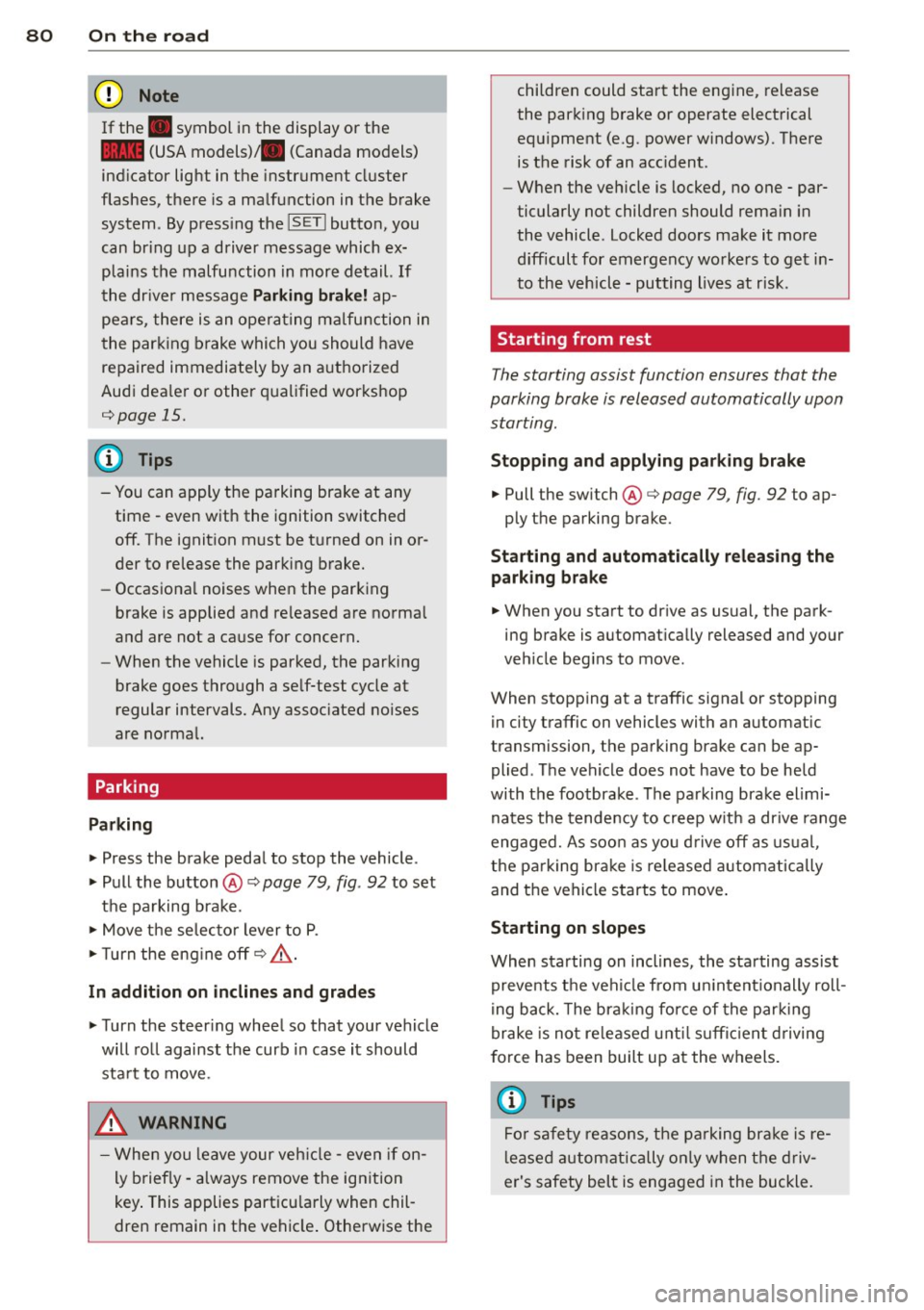
Parking
Parking
> Press the brake pedal to stop the vehicle .
> Pull the button @¢page 79, fig . 92 to set
t h e pa rking brake.
> Move t he selec to r lever to P.
> Turn the eng ine off¢ A.
In addition on inclines and grad es
> Turn the steer ing whee l so that your vehicle
will ro ll against the curb in case it should
sta rt to move .
.&_ WARNING
-Whe n you leave your veh icle -even if on
ly briefly - a lways remove the ign ition
key . This applies part icu larly when chil
dren remain in t he vehicle . Otherwise the children could start the eng
ine, release
the park ing brake or operate electrical
equ ipment (e.g. power windows). There
is the risk of an acc ident.
- When the veh icle is locked, no one - par
ticularly not children should rema in in
the vehicle . Locked doors make it more
difficul t for emergency wo rke rs to get in
to the vehicle - putting lives at r isk.
Starting from rest
The starting assist function ensures that the
parking brake is released automatically upon starting.
Stopping and applying par king brake
> Pull the switch @¢ page 79, fig. 92 to ap-
ply the parking brake.
Sta rting and automatically relea sing the
parking b rake
> When you sta rt to dr ive as usual, the park
ing brake is automat ically released and your
veh icle beg ins to move.
When stopping at a traffic signal or stopping in city traffic on vehicles with an a utomatic
transmission, the parking brake can be ap
plied . The vehicle does not have to be held
with the footbrake . T he parking brake elimi
nates the tende ncy to creep w ith a dr ive range
engaged. As soo n as yo u drive
off as usu a l,
the parking bra ke is re leased automatically
and the vehicle starts to move .
Starting on slopes
When starting on inclines, the sta rting assist
preve nts t he veh icle from u nintent ionally roll
i ng back. The br aking for ce of the park ing
brake is no t re leased unt il suff icien t driving
f orce has been built up at the w heels.
(D Tips
Fo r saf ety reaso ns, the pa rking br ake is re
l eased a utom atically on ly when t he d riv
er's safety belt is engaged in the buckle.
Page 83 of 286
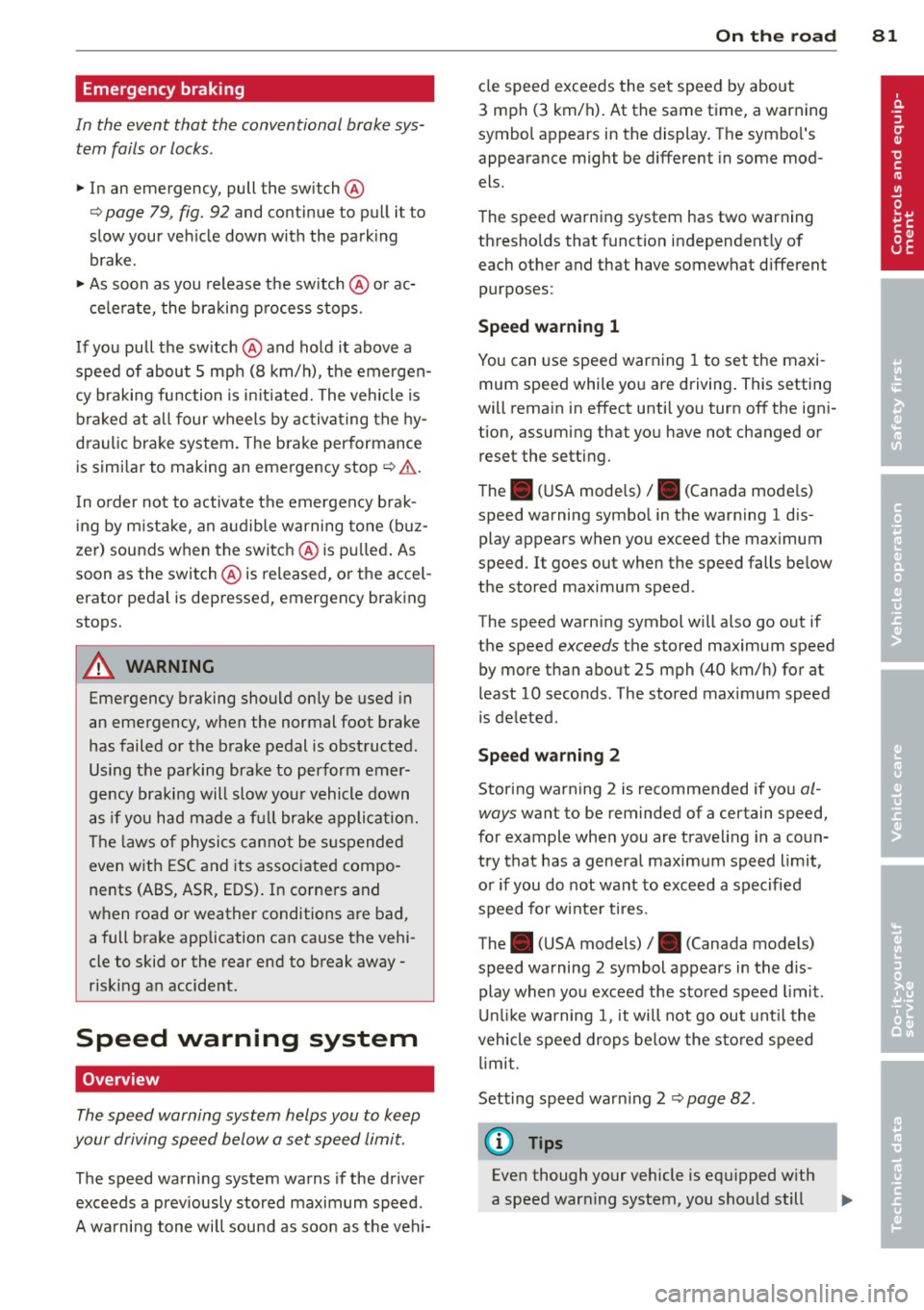
Emergency braking
In the event that the conventional brake system fails or locks .
11-In an emergency, pull the switch @
r:::;, page 79, fig. 92 and cont inue to p ull it to
slow your veh icle down with the park ing
brake.
11-As soon as you release the sw itch @ or ac-
c e le rate, the braking p rocess stops.
If you pull t he sw itch @and hold it above a
speed of about 5 mph (8 km/h), the emergen
cy braking fu nction is in itiated. The vehicle is
b raked at a ll four wheels by activating the hy
d ra ulic brake system. The b rake performance
is simi lar to making an emergency stop
r:::;, &. .
In o rder not to activate the emergency brak
i ng by m istake, an a udible warning tone (b uz
zer) sounds when the switc h @ is pu lled . As
soon as the switch @is released, or the accel
erator pedal is depressed, emergency brak ing
stops.
A WARNING
Emergency braking should only be used i n
an emergency, when the normal foot brake
has failed or the brake pedal is obstructed.
Using the parking bra ke to perform emer
gency braking will slow you r vehicle down
as if you had made a fu ll brake applicat ion.
The laws o f physics cannot be s uspended
even w ith ESC and its associated compo
nents (ABS, ASR, EDS). In corne rs and
when road or weather conditions a re bad,
a full brake application can cause the vehi
cle to skid or the rear end to break away -
r isking an accident.
Speed warning system
Overview
The speed warning system helps you to keep
your driving speed below a set speed limit.
The speed warning system warns if the driver
exceeds a prev iously stored maximum speed .
A wa rning tone wi ll sound as soon as the vehi-
On th e ro ad 81
cle speed exceeds the set speed by about
3 mph (3 km/h). At the same time, a warning
symbol appears in the display. The symbo l's
appearance might be different in some mod
els.
The speed warning system has two warning
th resholds that funct ion independent ly of
each other and that have somewhat different purposes:
Speed warning 1
You can use speed warning 1 to set the maxi
mum speed while you are driving. This setting
will remain in effect unti l yo u turn off the ign i
tion, assuming that you have not changed or reset the setting.
The . (USA mode ls)
I. (Canada mode ls)
speed warning symbo l in the warning 1 dis
play appears when you exceed the maximum
speed . It goes out when the speed falls be low
the sto red maximum speed .
The speed warn ing symbol will also go out if
the speed
exceeds the stored maximum speed
by more than about 25 mph (40 km/h) for at
least 10 seconds . The stored max imum speed
is deleted.
Speed w arning 2
Storing warning 2 is recommended if yo u al
ways
want to be reminded of a certain speed,
for example whe n you are trave ling in a coun
try that has a general maximum speed limit,
o r i f you do not want to exceed a specified
speed for w inte r tir es.
The . (USA models) /. (Canada models)
speed warning 2 symbol appears in the dis
play when yo u exceed the stored speed limit.
Unlik e warning 1, it will not go out unt il the
vehicle speed dro ps below the s to red speed
li mi t.
Setting speed warn ing 2
¢ page 82.
(!) Tips
Even though your vehicle is equ ipped w ith
a speed war ning system, you sho uld still
Page 89 of 286

lever is left in N (Neutral) for more than ap
prox imately 2 seconds, without the brake ped
a l being pressed .
Release button
The release button on the selector lever pre
ve nts the leve r from being accide ntally s hifted
into certain positions. Depending on the direc
tion of the shift, the se lector lever locks at d if
ferent positions. The positions are h ighlighted
in the ill ustration
c!> fig . 97.
Ignition key safety interlock
The key cannot be removed from the ignition
un less the se lector lever is in the P park posi
tion . When the ignition key is removed, the
se lector lever wi ll be locked in the P pos ition.
Driving the automatic transmission
Fi g. 98 Shift gate on t he cente r conso le: selector lever
wit h release butto n
Starting the engine
.. The selector lever must be in P or N.
Starting off
.. Press and ho ld the brake pedal.
.. Press and ho ld the release button in these
lector lever handle, se lect the desi red se lec
tor lever pos ition such as D/S and release
the b utton.
.. Wait br iefly until the transmission has shift
ed (you will feel a slight movement).
.. Remove your foot from the brake pedal and
acce le rate.
Stopping temporarily
.. Keep the vehicle stationary us ing the brak
ing pedal, for examp le at traffic lights.
Transm ission 87
.. Do not press the accelerator peda l when do
ing this .
.. To prevent the vehicle from ro lling when yo u
start driv ing, set the parking brake when
stopping on steep inclines
c!> _&. .
.. The parking brake will release automat ica lly
and the vehicle will start mov ing once you
p ress the acce lerator pedal.
Stopping /parking
If the selector lever is not in the P position
when you open the driver's door , the veh icle
could roll . The message
Transmis sion: Car
may roll! Shift to park! appears .
.. Press and hold the brake peda l until the ve-
hicle has come to a complete stop .
.. App ly the parking brake co
page 80 .
.. Select the P selector lever posit ion co_&. .
Stopping on an incline
.. Always press the brake pedal to ho ld the ve
hicle in place and prevent it from "rolling
back" co_&. . Do
not try to prevent the vehi
cle from "rolling back" when a gear is en
gaged by increas ing the engine speed co(!).
Starting on an incline
.. Activate the parking brake .
.. With the driving gear selected, press the ac
celerato r pedal carefully . The parking brake
w ill release automatically if your seat belt is
fastened .
U nder certa in circumstances, such as driving
in the mounta ins, it may be usefu l to sw itch
temporarily to the manual sh ift p rogram in or
d er to ad just the gears to the driv ing cond i
ti ons by hand co
page 89.
On slopes, activate the parking brake first and
then move the selector leve r to the P position .
T his prevents too much st ress from being
placed on the locking me chanism .
&_ WARNING
- T he vehicle can also roll when the engine
is s topped.
~