change time AUDI RS5 CABRIOLET 2015 Owners Manual
[x] Cancel search | Manufacturer: AUDI, Model Year: 2015, Model line: RS5 CABRIOLET, Model: AUDI RS5 CABRIOLET 2015Pages: 284, PDF Size: 69.56 MB
Page 4 of 284
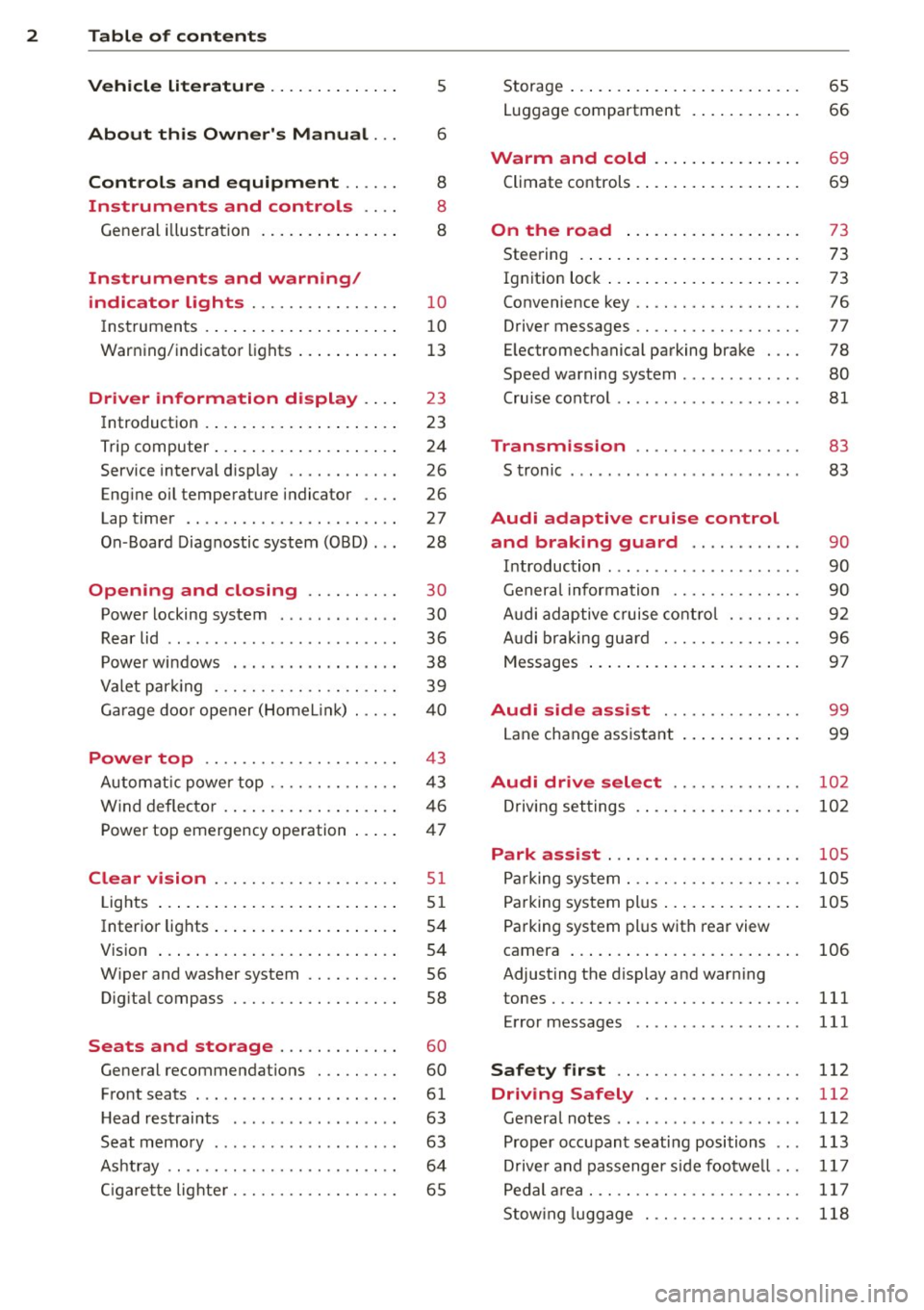
2 Table of contents Vehicle literature .. .. .. .. .. ... .
5
About this Owner's Manual . . . 6
Controls and equipment .. ... .
Ins truments and controls .. . .
General illus tration .... ... .. .. ... .
Instruments and warning /
indicator lights ........ .. .. .. . .
Ins truments . .. .. ..... ... .. .. ... .
War ning/ indi cator lights ... .. ... .. .
Driver information d isplay .. . .
Introduct ion . .. .. ..... ... .. .. ... .
Trip computer .. .. ..... ... .. .. ... .
Service interval d isp lay .... .. .. ... .
Eng ine oil temperature indicator ... .
Lap timer .. ........ ..... .. ... .. .
On -Board Diagnostic system (OBD) .. .
Opening and closing .... .. .. . .
Power locking system .. ... .. .. .. . .
R ear lid .. .. ................ ... . .
P owe r win dows . ...... ... .. .. ... .
Va let par king . ......... .. .. .. .. . .
G arage door opener (HomeL in k) . .. . . 8
8
8
10
1
0
1 3
23
23
24
26
26
27
28
30
30
36
38
39
40
Power top . . . . . . . . . . . . . . . . . . . . . 43
Autom atic power top .... .. .. .. ... .
W ind deflecto r .. ...... ... .. .. ... . 4 3
46
Power top emergency operation . . . . . 47
Clear vision .. ........ .. .. .. .. . .
Lig hts ... .. ... .. ..... ... .. .. ... .
Inter ior lights .. .. ..... ... .. .. ... .
V 1s 1on ..... ... . ...... ... .. .. ... .
W iper and washer system .. .. .. ... .
Dig ita l compass .......... .. .. ... .
51
51
54
54
56
58
Seats and storage . . . . . . . . . . . . . 60
General recommendat ions . .. .. .. . .
Front seats . ... ....... ... .... .. . .
H ead restraints . ............. .. . .
Seat memo ry .. .... .... .. .. .. .. . .
As htray .. .. ............. .. .. .. . .
C igare tte lig hte r .......... .... ... . 60
61
63
63
6 4
65
Storage ... .... .. ... .. ..... .... . .
Luggage compartment . ..... ... .. .
Warm and cold .. ... ..... ... .. .
Climate controls . .... .. ..... .... . .
On the road ... .. ... ..... ... .. .
Stee ring . ..... .. .. .... .... ... .. .
Ig nit ion lock ..... ... .. ..... .... . .
Convenience key .. ... .......... .. .
Driver messages .. ............... .
E lectromechanical parking brake . .. .
Speed warning system . .......... . .
Cru ise cont ro l .. .. ............... .
Transm ission .. .......... ..... .
S tronic ....... .. .. ........ ... .. .
Audi adaptive cruise control
and braking guard .......... . .
65
66
69
69
73
73
73
76
77
78
80
81
83
83
90
I n troduction . . . . . . . . . . . . . . . . . . . . . 90
Genera l information ............. .
Audi adaptive c ruise cont ro l ... .. .. .
A udi braking gu ard ............ .. .
Messages ..... .. .. .... .... ... .. .
Audi side assist .............. .
Lane change ass ista nt 9
0
92
96
97
99
99
Audi drive select . . . . . . . . . . . . . . 102
Dr iving set tings . . . . . . . . . . . . . . . . . . 102
Park assist . . . . . . . . . . . . . . . . . . . . . 105
Parking sys tem . . . . . . . . . . . . . . . . . . . 10 5
Parking system plus . . . . . . . . . . . . . . . 105
Pa rking system plus with rear view
camera . . . . . . . . . . . . . . . . . . . . . . . . .
106
Adjust ing the d isplay and warn ing
tones . .... .... .. ............. ...
111
Error messages 111
Safety first . . . . . . . . . . . . . . . . . . . . 112
Driving Safely . . . . . . . . . . . . . . . . . 112
General notes . . . . . . . . . . . . . . . . . . . . 112
Prop er occ upant seating positions . . . 113
Dr ive r and passenger s ide footwe ll . . . 11 7
Pedal a rea. .... .. ............. ... 11 7
Stow ing luggage . . . . . . . . . . . . . . . . . 118
Page 11 of 284
M N
er
u..
co ,...., \!) 1.1'1 ,...., 1.1'1 ,....,
CD
@
®
©
®
®
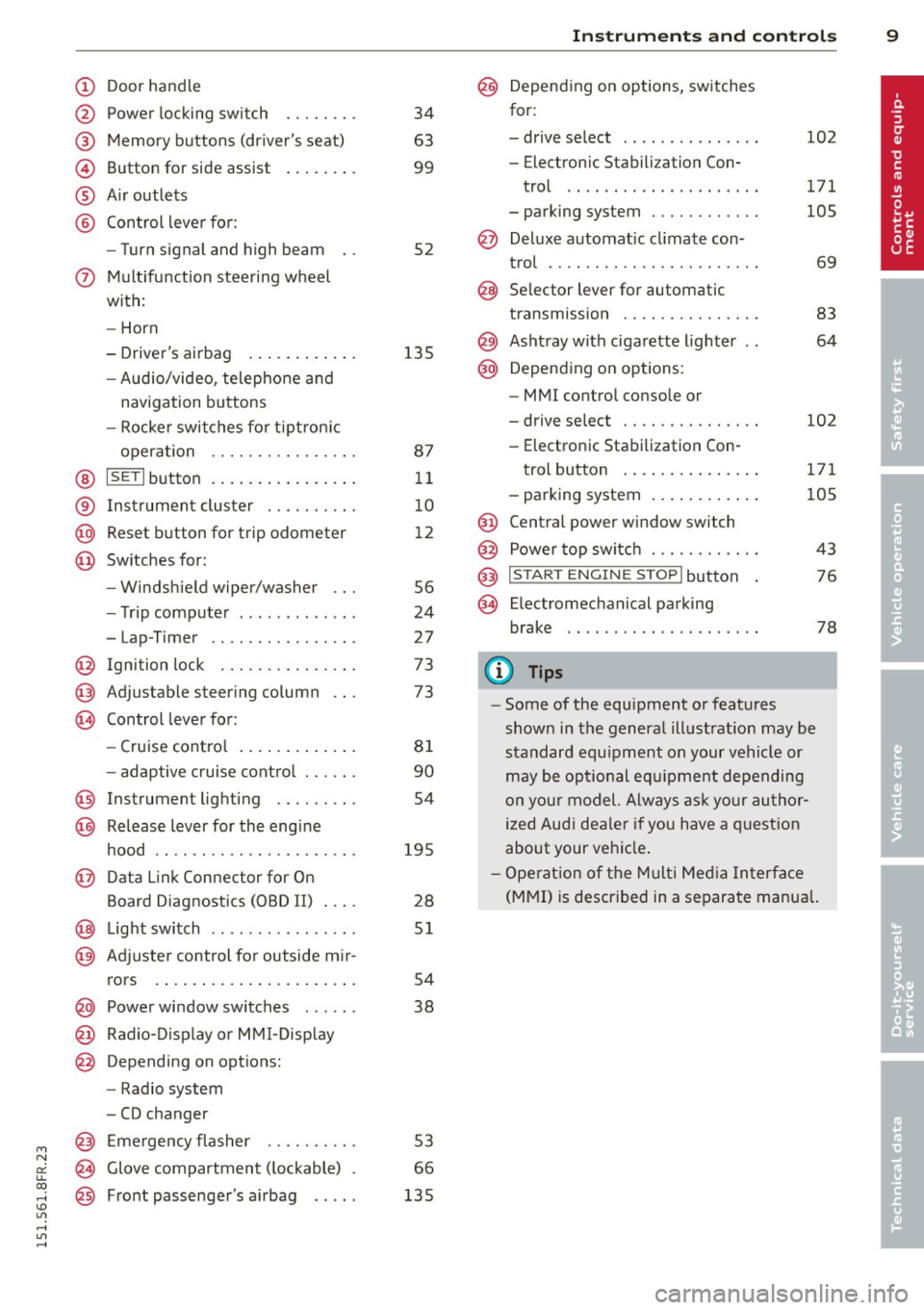
Door handle
Power locking switch
Memory buttons (driver's seat)
Button for side assist
A ir outlets
Control leve r for :
- Turn signal and high beam
0 Multifunction steering wheel
with:
- Horn
- Driver's airbag ...... ... .. .
- Audio/video, telephone and
navigation buttons
- Rocker switches for tiptron ic
operation ............... .
@ ISETI button ............... .
® Instrument cluster ..... .. .. .
@ Reset button for trip odometer
@ Switches for:
- Windsh ield wiper/washer .. .
- Trip computer ..... ... .. .. .
- Lap-Timer .... .... ... .. .. .
@ Ignition lock .............. .
@ Adjustable steering column
@ Control lever for:
- Cruise contro l ....... ... .. .
- adaptive cruise cont ro l ..... .
@ Instrument lighting ........ .
@ Release lever for the engine
hood .. .. ................. .
@ Data Link Connector for On
Board Diagnostics (OBD II) .... 34
63
99
52
135 87 11
1 0
1 2
56
24
27
73
73
81
90
54
195 28
@ Lig ht switch .. .. .. .. .. .. .. .. 51
@ Adjuster control fo r outside mi r-
rors . . . . . . . . . . . . . . . . . . . . . . 54
@ Power window switches . . . . . . 38
@ Radio-Disp lay o r MM I-Disp lay
@ Depending on options:
- Radio system
- CD changer
@ Emergency flasher ......... .
@ Glove compartment ( lockable)
@ Front passenger's a irbag .. .. . 53
66
135
In
strument s and control s 9
@ Depending on options, switches
for:
- drive select .. .. . .. .... ... . 102
- Electron ic Stabilization Con-
trol .... .. .. ............ .
- parking system ........... . 171
105
@ Deluxe automat
ic cl imate con-
t ro l .... .. .. .............. .
69
@ Se lector lever for automatic
transmission .............. .
83
@) Ashtray with cigarette lighter 64
@ Depending on options:
- MMI control console or
- drive select . . . . . . . . . . . . . . . 102
- Electronic Stabilization Con-
trol button . . . . . . . . . . . . . . . 171
- parking system . . . . . . . . . . . . 105
@ Central power w indow switch
@ Power top switc h . . . . . . . . . . . . 43
@ I START ENGINE STOPI button 76
§) Electromechanical parking
brake . . . . . . . . . . . . . . . . . . . . . 78
(D Tips
-Some of the equipment or features
show n in the general illustration may be
standard equ ipment on your vehicle or
may be opt ional equ ipment depending
on your model. Always as k yo ur au thor
ized Audi dea ler if you have a q uest ion
about your ve hicle .
- Ope rat ion of the Multi Med ia In terface
(MMI) is described in a separa te manua l.
Page 14 of 284
12 Instruments and warning/indicator lights
pressure on the ISETI button, you delete the
warning threshold.
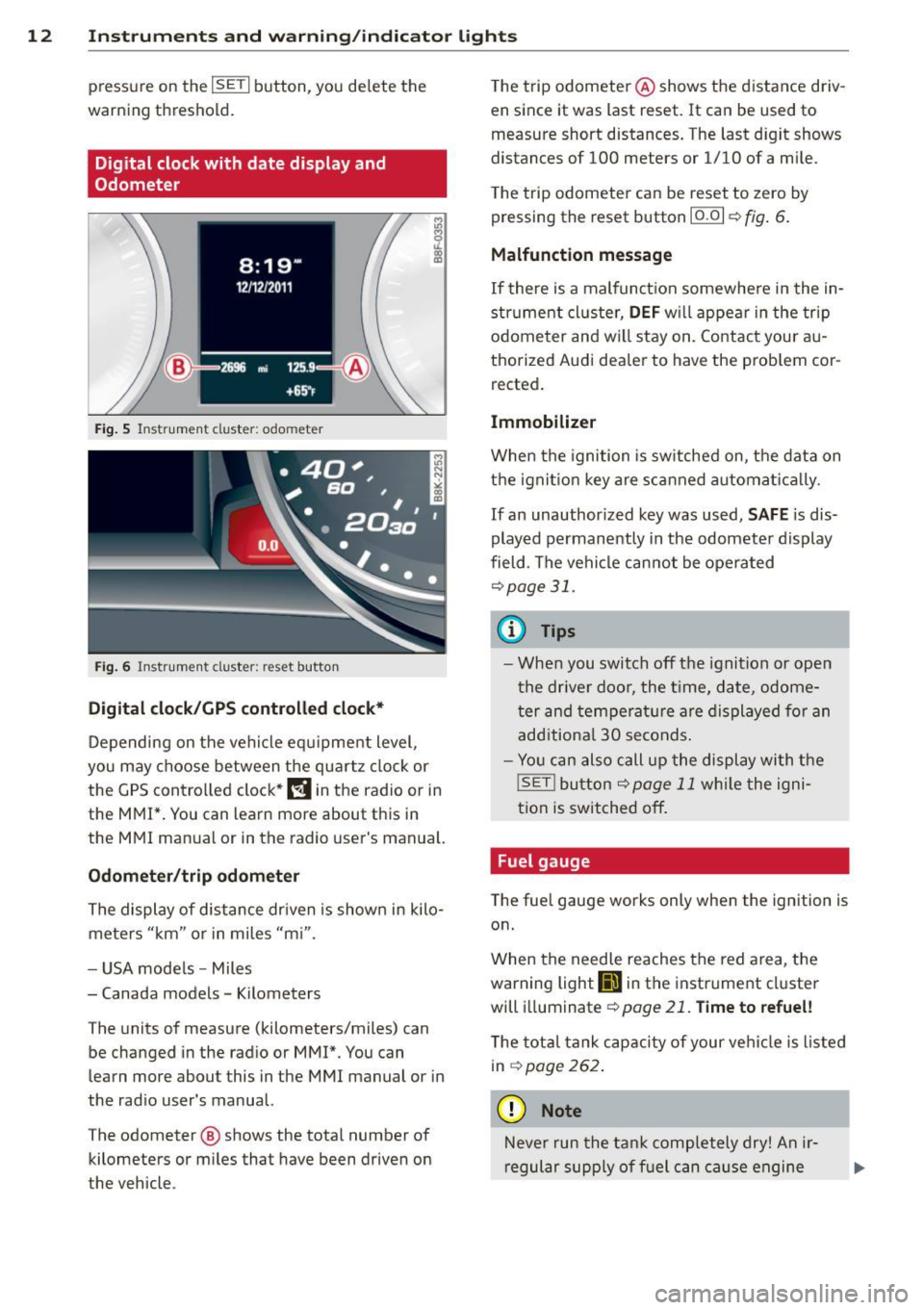
Digital clock with date display and
Odometer
Fig. 5 Instrument cluster: odo meter
Fig. 6 In strume nt cl us ter : reset button
Digital clock/GPS controlled clock*
Depending on the vehicle equ ipment level,
you may choose between the quartz clock or
the GPS controlled clock*
l!!j in the radio or in
the MMI*. You can learn more about this in
the MMI manual or in the radio user's manual.
Odometer/trip odometer
The display of distance driven is shown in kilo
meters "km" or in miles "mi".
- USA mode ls - Miles
- Canada models -Kilometers
The units of measure (kilometers/miles) can
be changed in the radio or MMI*. You can
learn more about this in the MMI manual or in
the radio user's manual.
The odometer @ shows the total number of
kilometers or miles that have been driven on
the vehicle . T
he trip odometer @shows the distance driv
en since it was last reset. It can be used to
measure short distances. The last d igit shows
distances of 100 meters or 1/10 of a mile.
T he trip odometer can be reset to zero by
pressing the reset button
10.01 r::!;> fig . 6.
Malfunction message
If there is a malfunct ion somewhere in the in
strument cluster,
DEF will appear in the trip
odometer and w ill stay on. Contact your au
thorized Audi dea ler to have the problem cor
rected.
Immobilizer
When the ignition is switched on, the data on
the ignition key are scanned automat ica lly.
If an unauthor ized key was used, SAFE is dis
played permanently in the odometer display
field . The vehicle cannot be opera ted
r::!;>p age 31.
(D Tips
- When you switch off the ignition or open
the driver door, the time, date, odome
ter and temperature are displayed for an
additional
30 seconds .
- Yo u can also call up the display with the
!SET ! button r::!;> page 11 while the igni
tion is switched off .
Fuel gauge
The fuel gauge works only when the ignition is
on.
When the needle reaches the red area, the
warning light
111 in the instrument cluster
will illuminat e
¢page 21. Time to refuel!
The total tank capacity of your vehicle is listed
in
r::!;> page262 .
(D Note
Never run the tank completely dry! An ir
regular supply of fuel can cause engine
Page 21 of 284
M N
er
u..
co ,...., \!) 1.1'1 ,...., 1.1'1 ,....,
Instrument s and warnin g/indic ator ligh ts 19
@ Tips
For additional information on ESC and
ABS, refer to
r=;, page 171.
ABS /( 8 ) Anti-lock braking system (ABS)
This warning/indicator light monitors the ABS
and the electronic differential lock (EDL).
The warning/indicator light[!]) (USA mod
els)/ ti] (Canada models) wi ll come on for a
few seconds when the ignition is switched on.
The light will go out after an automatic check
sequence is completed .
There is a malfunction in the ABS wh en :
- T he warning/ indicator light does not illumi
nate when you switch the ignition on.
- T he warn ing/indicator lig ht does not go out
after a few seconds.
- T he warning/indicator lig ht ill uminates
whi le dr iving.
The ESC ind icator light also illuminates if
there is a malfunction in the ABS. T he mes
sage
Sta bilizati on control (E SC) : Faul t! S ee
owner 's manu al
also appears in the inst ru
ment cluster display and a warning tone
sounds.
Th e br ake sy ste m will still re spond eve n
with out the a ssis tan ce of the ABS sy ste m .
See you r a uthorized Audi dealer a s soon a s
po ssible to re store full braking perform ance .
For more informat ion regarding the ABS
r=;,page 171.
Malfunction in the brake sy stem
If the brake warning light¢ page 15 and the
ABS warning ill uminate
together there may be
a ma lfunction in the ABS, and there may also
be a ma lfunction in the brake system itself
¢ ,1. . The ABS w ill not work a nd you will no
tice a change in braking response and per
forma nce.
In the event of a malfu nction in the b rake
s y stem
the warn ing/ indicator light 1111
(USA models) ;II (Canada models) in the in
strument cluster flashes
r=;, page 15 .
Malfunction in the electronic diff erential
l o ck (EDL)
The EDL works together with the ABS. The
ABS warning light will come on if there is a malfunction in the EDL system
¢page 171.
See your author ized Audi dealer as soon as
poss ible.
A WARNING
- If the [!]) (U SA mode ls)/ ti] (Canada
models) warning light does not go out,
-
or if i t comes on while dr iving, the ABS
sys tem is not wor king properly. The vehi
cle can then be stopped only w ith the
standard b rakes (without ABS) . You wi ll
not have the protect ion ABS provides .
Contact your authorized A udi dealer as
soon as possible.
- USA models: If the 1111 warning light
and the[!]) warning light come on to
gether, the rear whee ls could lock up
first under hard braking. Rear wheel lock
up can cause loss of vehicle control and
an accident. Hav e yo ur vehicl e repaired
immed iate ly by yo ur au tho riz ed Aud i
dea le r o r q ualified wor kshop. Drive slow
ly and avo id sud den, hard brake appli ca
tions .
-Canada models: If the brake warning
light . and the ABS warning light
£iJ
come on togethe r, the rear wheels could
lock up first under hard braking . Rear
wheel lock-up can cause loss of vehicle
contro l and an accident. Have yo ur vehi
cle repaired immed iately by your author
ized Audi dealer or qualified wo rkshop.
Drive slow ly and avoid sudden, hard
b ra ke applications.
tli I !f Safety systems
T he II (USA models) ;EI (Canada models) in
d icator light mon itors the safe ty systems (e.g.
airbags, pretensione rs) and illum inates for a
few seconds each time you switch the ignition
on .
If the II (USA models)/ E,I (Canada mode ls)
indica tor ligh t does not go o ut, or i f it
Page 23 of 284
M N
er
u..
co ,...., \!) er, ,...., er, ,....,
Instruments and warning/indicator lights 21
Drive to your authorized Aud i dealer immedi
ately to have the malfunction corrected .
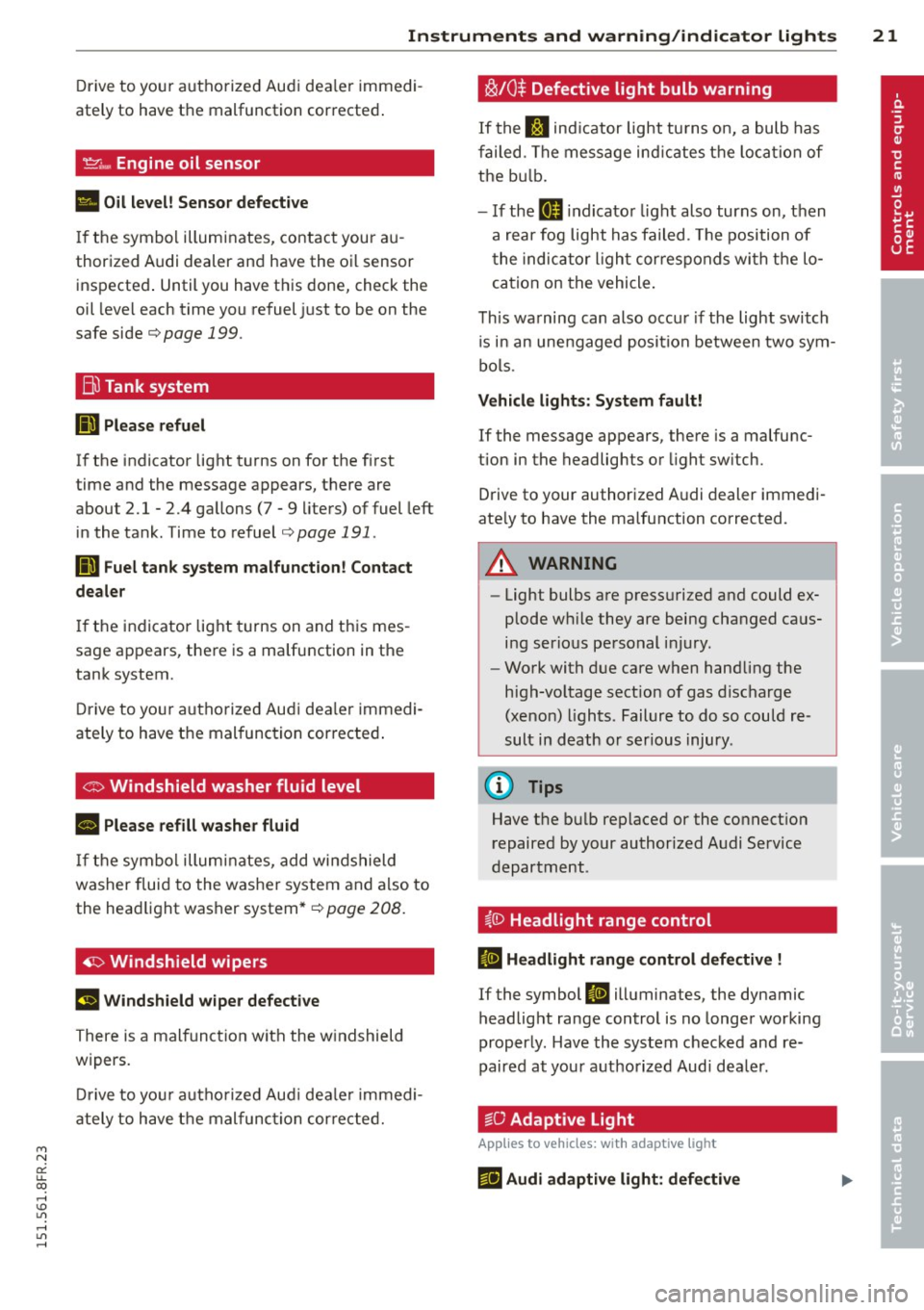
~ .... Engine oil sensor
• Oil level! Sensor defective
If the symbol illuminates, contact your au
thorized Audi dealer and have the oi l sensor
inspected . Until you have this done, check the
oil leve l each time you refuel just to be on the
safe side
,=;,page 199.
Bil Tank system
liD Please refuel
If the indicator light turns on for the first
time and the message appears, there are
about 2.1- 2.4 gallons (7 -9 liters) of fuel left
in the tank. Time to refuel
,=;,page 191.
Ii'] Fuel tank system malfunction! Contact
dealer
If the indicator light turns on and this mes
sage appears, there is a malfunction in the
tank system.
Drive to your au thorized Aud i dea ler immedi
ately to have the mal function corrected .
If the symbol illuminates, add windshield
washer fluid to the washer system and also to
the headlight washer system*¢
page 208.
~ Windshield wipers
E!I Windshield wiper defective
There is a malfunction with the windshield
wipers.
Drive to you r autho rized Aud i dealer immedi
ately to have the malfunction corrected.
~/0$ Defective light bulb warning
If the J:I ind icat or light turns on, a bulb has
failed . The message indicat es the location of
the bulb .
- If the
II indicator light also turns on, then
a rear fog light has failed . Th e position of
the indicator l ight cor responds with the lo
cation on the vehicle.
This warning can also occur if the light switch
is in an unengaged position between two sym
bols .
Vehicle lights : System fault!
If the message appears, there is a malfunc
tion in the headlights or light switch.
Drive to your authorized Audi dealer immedi
ate ly to have the malfunction corrected.
_& WARNING
- Light bulbs are pressurized and could ex
plode wh ile they are being changed caus
ing serious personal injury.
- Work with due care when handling the
high-voltage sect ion of gas discharge
(xenon) lights. Failure to do so could re
sult in death or serious injury.
@ Tips
Have the bulb replaced or the connect ion
repaired by your authorized Audi Service
department .
i,0 Headlight range control
ID Headlight range control defective !
If the symbol ID illuminates, the dynamic
headlight range control is no longer working
properly . Have the system checked and re
paired at your authorized Audi dea ler.
§0 Adaptive Light
App lies to vehicles: with adaptive ligh t
f!J Audi adaptive light: defective
Page 26 of 284

24 Driver information d isplay
Trip computer
Introduction
The trip computer gives you information on
current and average fuel mileage, average
speed, fuel range and driving time .
Fig. 9 Trip computer display: Average fuel mileage
The following information is continuously
eva luated by the trip computer and can be dis
played sequentially in the instrument cluster
display:
Fuel range
The estimated cruising range in miles (km)
appears in the display. This tells you how far
your ve hicle wi ll be able to travel on the cur
rent tank of fuel and with the same driving
style. The display changes in increments of
5 miles (10 km).
The cruising range is calcu lated based on the
fuel consumption for the last 18 miles
(30 km).
If you drive conservat ively, the cruis
ing range will increa se.
Average fuel mileage The average fuel economy in MPG (l/100 km)
since you last cleared the memory appears in
this display. You can use this display to adjust
your driving technique to achieve a desired mileage.
Current fuel mileage
The instantaneous fuel consumption in mi les
per gallon (l/100 km) is shown in this display .
You can use this display to adjust your driving
technique to achieve a desired mileage. Fuel
consumption is recalcu lated at intervals
of 33 yards (30 meters). This disp lay switches
to gallons/hour (liters/hour) when the vehicle is not moving.
Average speed
T he average speed in mph (km/h) s ince you
last reset the memory appears in the display.
Elapsed time
The length of time that you have been driving
s ince you last reset the memory appears in
th is disp lay.
Distance
The distance that has been covered since the
last t ime the memory was cleared appears in
the display.
(0 Tips
- Fuel consumptions (average and cur rent), range and speed are displayed in
metric units on Canadian models.
- All stored values will be lost if the vehi
cle battery is disconnected .
Memories
The trip computer is equipped with two fully
automatic memories.
Fig. 10 Tri p computer display: memory level 1
You can swi tch between the trip computer 1
and 2 by pressing the
I RESET I button @
r:!>poge 25, fig. 11.
You can te ll wh ich memory leve l is currently
active by the number or the sign in the display
¢fig. 10. The data from the single-trip mem
ory (memory level 1) is being displayed if a
O .,.
Page 28 of 284
26 Driver information d isplay
Service interval display
The service interval display reminds you when
your next service is due.
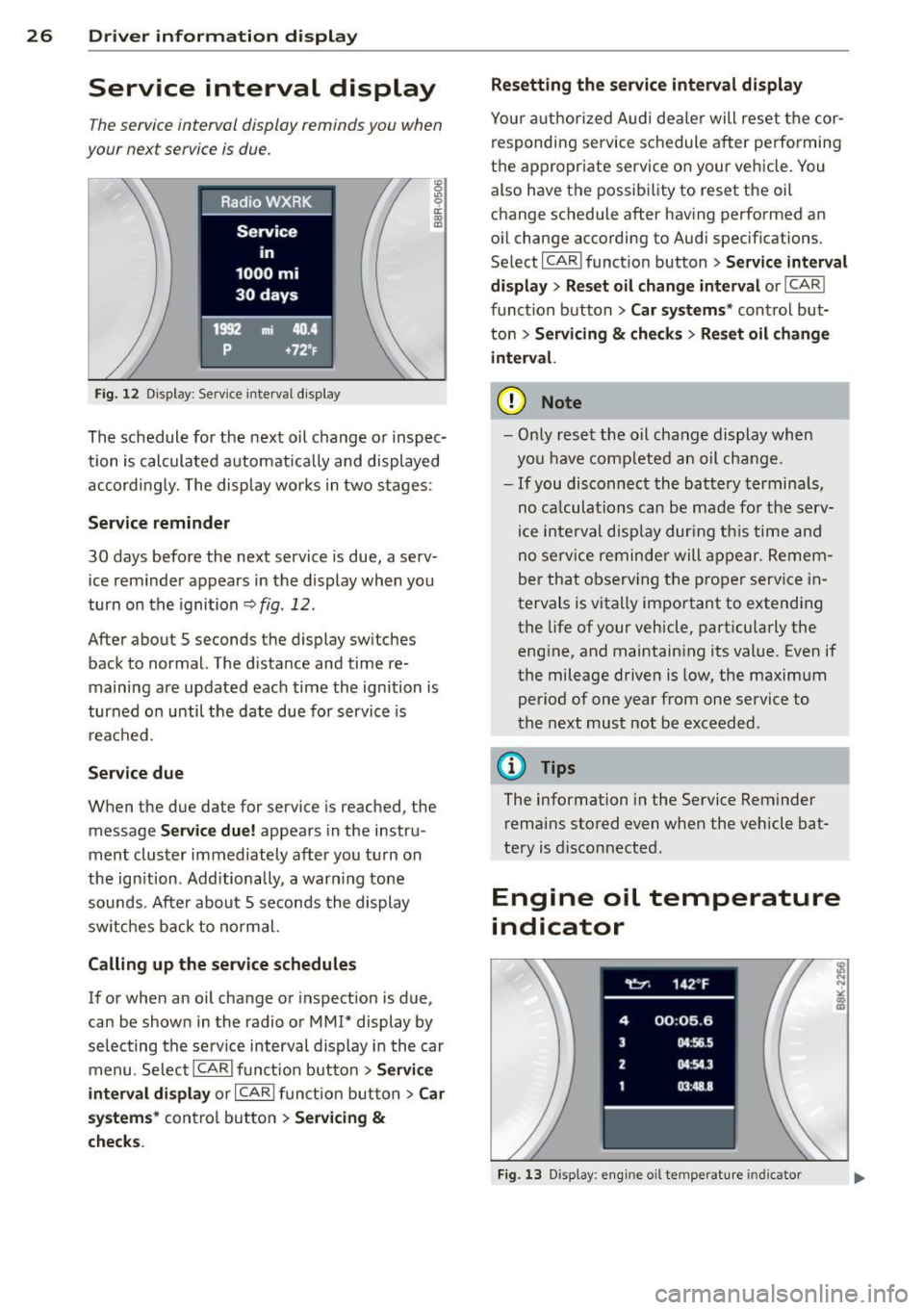
Fig. 12 Display : Service interva l display
The schedule for the next oil change or inspec
tion is calculated automatically and displayed
accordingly. The display works in two stages :
Service reminder
30 days before the next service is due, a serv
ice reminder appears in the display when you
turn on the ignition
r::;; fig. 12.
After about 5 seconds the display switches
back to normal. The d istance and time re
maining are updated each time the ignition is
turned on until the date due for service is
reached .
Service due
When the due date for service is reached, the
message
Service due! appears in the instru
ment cluster immediately after you turn on
the ignition. Additionally, a warn ing tone
sounds . After about 5 seconds the display
switches back to normal.
Calling up the service schedules
If or when an oil change or inspection is due,
can be shown in the radio or MMI* display by
selecting the serv ice interval display in the car
menu. SelectlCARlfunction button>
Service
interval display
or I CARI function button > Car
systems*
control button > Servicing &
checks. Resetting the
service interval display
Your authorized Audi dea ler will reset the cor
responding service schedule after performing
the appropriate service on your vehicle. You
also have the possibil ity to reset the oil
change schedule after having performed an
oil change according to Audi specifications.
Select I CAR ! function button >
Service interval
display
> Reset oil change interval or I CAR I
function button
> Car systems* control but
ton >
Servicing & checks > Reset oil change
interva l.
(D Note
-Only reset the oil change display when
you have comp leted an oil change.
- If you disconnect the battery terminals,
no ca lculations can be made for the serv
ice interval display dur ing this time and
no serv ice reminder will appear. Remem
ber that observing the proper service in
tervals is vita lly important to extending
the life of your vehicle, particularly the
engine, and maintaining its value. Even if
the mileage driven is low, the maximum
period of one year from one service to
the next must not be exceeded.
{D Tips
The information in the Service Reminder
remains stored even when the vehicle bat
tery is d isconnected .
Engine oil temperature
indicator
Fig. 13 Display : engine o il temperature indicato r
Page 34 of 284

32 Opening and clo sing
keys. Unguarded access to the keys pro
vides children the opportunity to start the engine and/or act ivate vehicle sys
tems such as the power w indows etc . Un
supervised operation of any veh icle sys
tem by ch ildren can res ult in serious in
Jury.
- Do not remove the key from the ignition
lock un til the vehicl e has come to a com
plete stop. Otherwise the steering col
um n lo ck could sud denly e ngage -caus
ing the risk of an accident.
@ Tips
- The operation of the remote cont ro l key
c a n be tempo rarily disru pted by in terfer
ence from tran smi tters in t he v ici nity of
t h e veh icle work ing in the same frequen
cy ra nge (e.g . a ce ll phone, radio equip
ment).
- Fo r security reasons, replacement keys
a re on ly availab le from author ized Audi
dealer.
- For Decla ration of Compliance to United
States FCC and Industry Canada regu la
tions
c:> page 267.
Removing the mechanical k ey
F ig . 19 Remote ma ster key : remov ing the mec hanic al
key
" Press the release button ® c=>fig . 19.
"Pull the mecha nica l key @out of the maste r
key .
Using the mechan ica l key , you can :
- lock and unlock* the glove compartment on
the passenger's sid e ¢
page 66 . -
lock and unlock the vehicle manua lly
¢ page 35 if this should not be possible
w ith the master key.
- use the ignition key emergency release
¢ page 33.
Check light and battery in the master
key
•
Fig. 20 Remote mas ter key: r em ovin g th e bat te ry h old
er
Check light in the master key
The check light@¢ fig. 20 in the mas ter key
provides information abo ut different condi
t ions .
" The check light turns on b riefly once when a
bu tton is pressed , and during an " inquiry "
by the convenience key system .
" If the check light does not come on, the bat
t ery is dead a nd has to be replaced. In addi
t ion, when the batte ry is dead the
!I indi
ca tor ligh t a ppears in the instr ume nt clu ster
disp lay as well as the message
Plea se
change key battery .
Master key battery replacement
" Remove th e mechan ica l key r=o page 32.
" Press the re lease b utton @ r=o fig. 20on the
bat tery ho lder and at the same time pu ll the
battery ho lder o ut of the maste r key in the
d irection of the ar row.
" Insta ll the new battery CR 2032 with the
"+ " sign facing down.
" Push the battery holder carefully into the
master key.
" Insta ll the mechanical key .
Page 55 of 284

"' N
a: LL co
rl I.O
"' rl
"' rl
The leavin g home function i lluminates the
area around the vehicle when unlock ing it.
T his function can be switched on and off.
The
c o ming h om e and lea ving home func
tions on ly operate when it is dark and the
light switch is in the AUTO posit ion
¢ page 51 , fig. 55.
Auto headlight s*
When the light switch is in the A UTO
¢ page 51 position, the switch-on po int of the
lights can be changed in the automatic driving
light function.
Daytime running lights
USA m odel s:
You can switch the dayt ime run
ni ng lights
on and o ff .
Canada mod els:
The function cannot be
turned off .
It is activated a utomat ica lly each
time the ignition is switched on.
Travel mode*
T he headlight beam is asymmetrical. This pro
v ides stronger illum ination on the s ide of the
road on wh ich you are driving .
If you are driv
i ng in a country that d rives on the opposite
side of the road from your own country, th is
will cause glare for on coming drivers. To pre
vent glare:
- Trave l mode must be selected in vehicles
with Xenon headlights*.
- In veh icles with halogen headlights, ce rtain
areas of the head light lenses must be cov
ered with wate rproof adhesive covers that
prevent light from passing thro ugh. For
more informat ion, please see your author
i z ed Audi dea ler or author ized repa ir faci lity .
(D Tips
When trave l mode is activated, a display in
the driver information system indicates
this each time you switch the ignit io n on.
Clear vi sion 5 3
Emergency flashers
Fig. 5 7 Center co n sole : em erge ncy flasher sw itc h
The emergency flashers makes other moto
rists aware that you or your vehicle are in an
emergency situation .
.. Press the switch
Gil ¢ fig. 57 to turn the
emergency flashers on or off .
When the emergency f las hers are on, all four
turn s ignals b link at the same time. The turn
s ignal indicator lights .
1B in the instru
ment cluster, as well as the light in the emer
gency flasher switch ~ blink likewise.
You can indicate a lane change or a tu rn w hen
the emergency flashers are switched on by us
ing the turn signal lever. The emergency flash
ers stop temporarily .
T he emergency flashers also work when the
ign it ion is turned off .
T he emergency flashers w ill turn on a utomat i
ca lly if yo u are in an accident where the airbag
has deployed.
(D Tips
You sho uld turn on the emergency f lashers
when:
- yo u are the last veh icle standing in a t raf
fic jam so that any other vehi cles coming
can see you, or whe n
- your vehicle has bro ken down or you are
in an eme rgency s ituation, or when
- yo ur vehicle is be ing towed by a tow
truck or if you are tow ing another vehicle
beh ind you.
Page 82 of 284
80 On the road
soon as the switch @is released, or the accel
erator pedal is depressed, emergency braking
stops .
.&_ WARNING
Emergency braking should only be used in
an emergency, when the normal foot brake
has failed or the brake pedal is obst ructed.
Using the parking brake to perform emer
gency braking will slow yo ur vehicle down
a s if you had made a full brake application.
The laws of physics cannot be s uspended
even w ith ESC and its associated compo
nents (ABS, ASR, EDS). In corners and
when road or weather conditions are bad,
a full brake application can cause the vehi
cle to skid or the rear end to break away -
r isking an accident.
Speed warning system
Overview
The speed warning system helps you to keep
your driving speed below a set speed limit.
The speed warning system warns if the driver
exceeds a prev iously stored maximum speed.
A warning ton e will sound as soon as the vehi
cle speed exceeds the set speed by about
3 mph (3 km/h). At the same time, a warning
symbol appears in the d isplay . The symbol's
appearance might be d ifferent in some mod
e ls.
The speed warning sys tem has two warn ing
thresholds that function independently of
each other and that have somewhat different
purposes:
Speed warning 1
You can use speed warning 1 to set the maxi
m um speed whil e you are dr iv ing . This setting
will remain in effect until you turn off the igni
tion, assuming that you have not changed or reset the setting .
The. (USA models)/ . (Canada models)
speed warning symbol in the warning 1 dis
play appears when you exceed the maximum speed
. It goes out when the speed falls be low
the stored maximum speed.
T he speed warning symbol will also go out if
the speed
exceeds the stored maximum speed
by more than about 25 mph (40 km/h) for at
least 10 seconds . The stored maximum speed
is de leted .
Speed warning 2
Storing warning 2 is recommended if you al
ways
want to be rem inded of a ce rtain speed,
f or example when you are traveling in a coun
try that has a general maximum speed limit,
or if you do not want to exceed a specified
speed for winter tires.
The. (USA models)/ . (Canada models)
speed warning 2 symbol appears in the dis
play when you exceed the stored speed Limit.
Unlike warning 1, it will not go out until the
vehicle speed drops below the stored speed
limit .
Setting speed warning 2
c> page 81 .
(D Tips
Even though your vehicle is eq uipped with
a speed warning system, you should still
watch the speedometer to make sure you
are not driv ing faster than the speed limit.
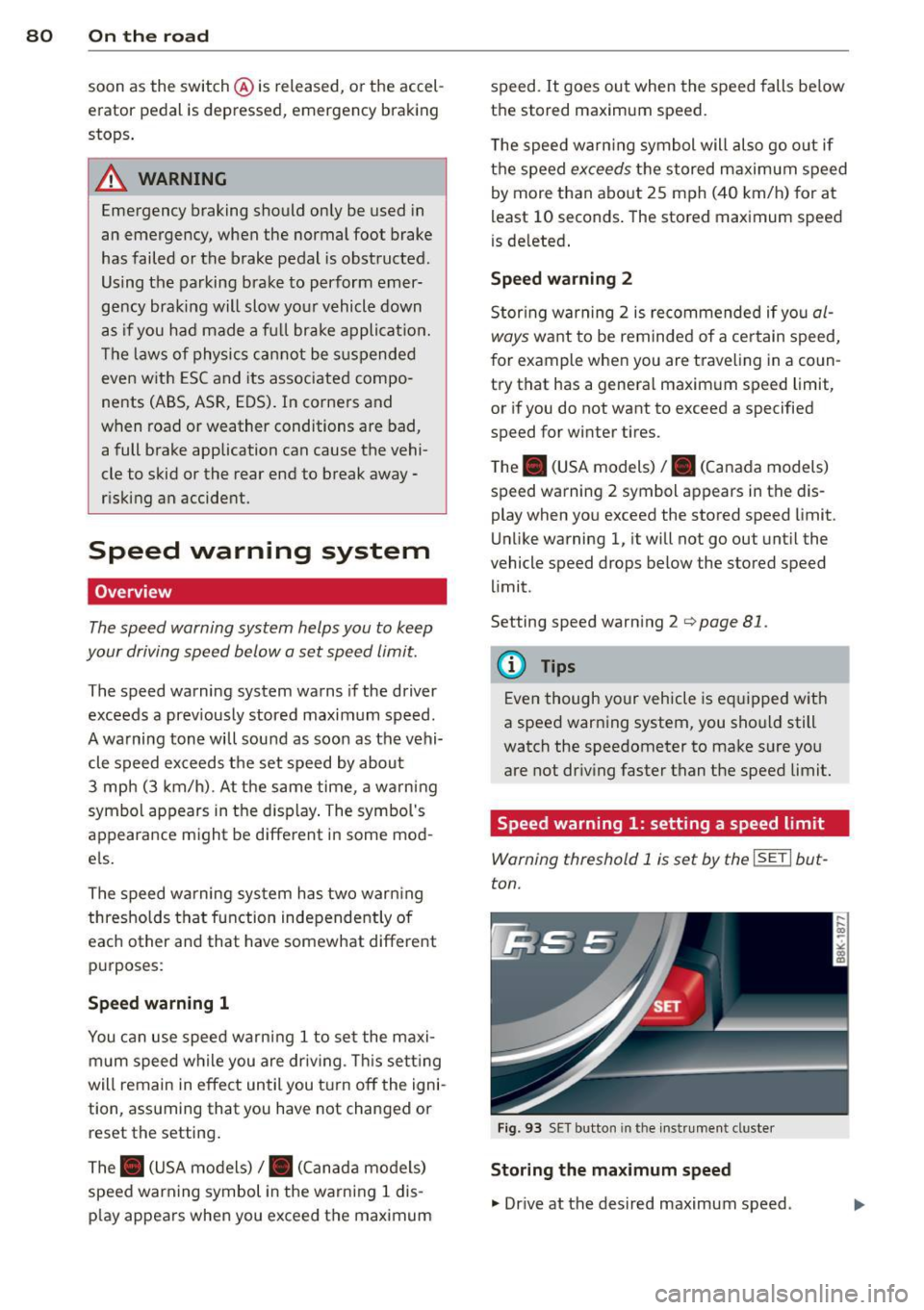
Speed warning 1: setting a speed limit
Warning threshold 1 is set by the ISETI but
ton.
Fig . 93 SET button in the instr umen t cluste r
Storing the maximum speed
., Dr ive at the desired maximum speed .