warning lights AUDI RS5 COUPE 2015 Owner's Manual
[x] Cancel search | Manufacturer: AUDI, Model Year: 2015, Model line: RS5 COUPE, Model: AUDI RS5 COUPE 2015Pages: 254, PDF Size: 64.12 MB
Page 74 of 254
Driving
Sw itching the ignition on /off
If you would like to switch the ignition o n wit h
out starting the engine, fo llow these steps:
• Inse rt the key into the ignition lock.
• Press the key brief ly
wi thout p ress ing the b rake
pedal.
• To sw itch the ignition off , press the key again.
When starting the engine, major e lectr ica l loads
are sw itched off temporar ily.
You ca n only remove the key with the ignition
sw itched off .
If the engine should not start immedia tely , the
starti ng process is automatically stopped after a
short time . Repeat sta rting procedure .
A WARNING
-Never allow the engine to run in confined
spaces - dange r of asp hyxiation.
- Never remove the ignition key from the ign i
t ion loo k while the vehicle is moving . Other
wise, the steering lock cou ld sudden ly en
gage and you would not be able to steer the
vehicle.
- Always ta ke the key with yo u wheneve r you
leave your vehi cle. Otherwise, the engine
could be started or electrical eq uipment
s uch as the power windows cou ld be operat
ed . T his can lead to ser ious injury.
- Never leave ch ildren or persons requiring as
sistance unattended in the vehicle. The
doors can be locked using the remote trans
mitter, preventing peop le from escap ing
from the vehicle on their own in the event of an emergency . Depending on the time of
year, people inside the vehicle can be ex posed to very high o r very low tempe ra
t ur es.
([) Note
Avoid high engine rpm, full throttle and heavy
eng ine loads until the eng ine has reached op
erati ng temperature - otherwise you risk en
gine dam age.
72
-
@) For the sake of the env ironment
Do not let the engine run while pa rked to
warm up. Begin dr iv ing immediately. Th is re
d uces unnecessary em iss ions .
@ Tips
-If the key cannot be removed from the igni
t ion lock, you have to pu ll the mechan ica l
key out of the master key in order to be able
to lock the vehicle
c::, page 33.
- After starting a co ld engine, there may be a
br ief per iod of increased noise because the
oil pressure must first build up in the hy
draulic valve adjusters. This is norma l and
not a cause fo r concern .
- If you leave the veh icle with the ignition
switched on, the ig nition w ill switch off af
ter a ce rtain period of t ime . Pleas e note tha t
ele ct rical eq uipme nt such as e xterior lights
w ill switch off a s well when that hap pens.
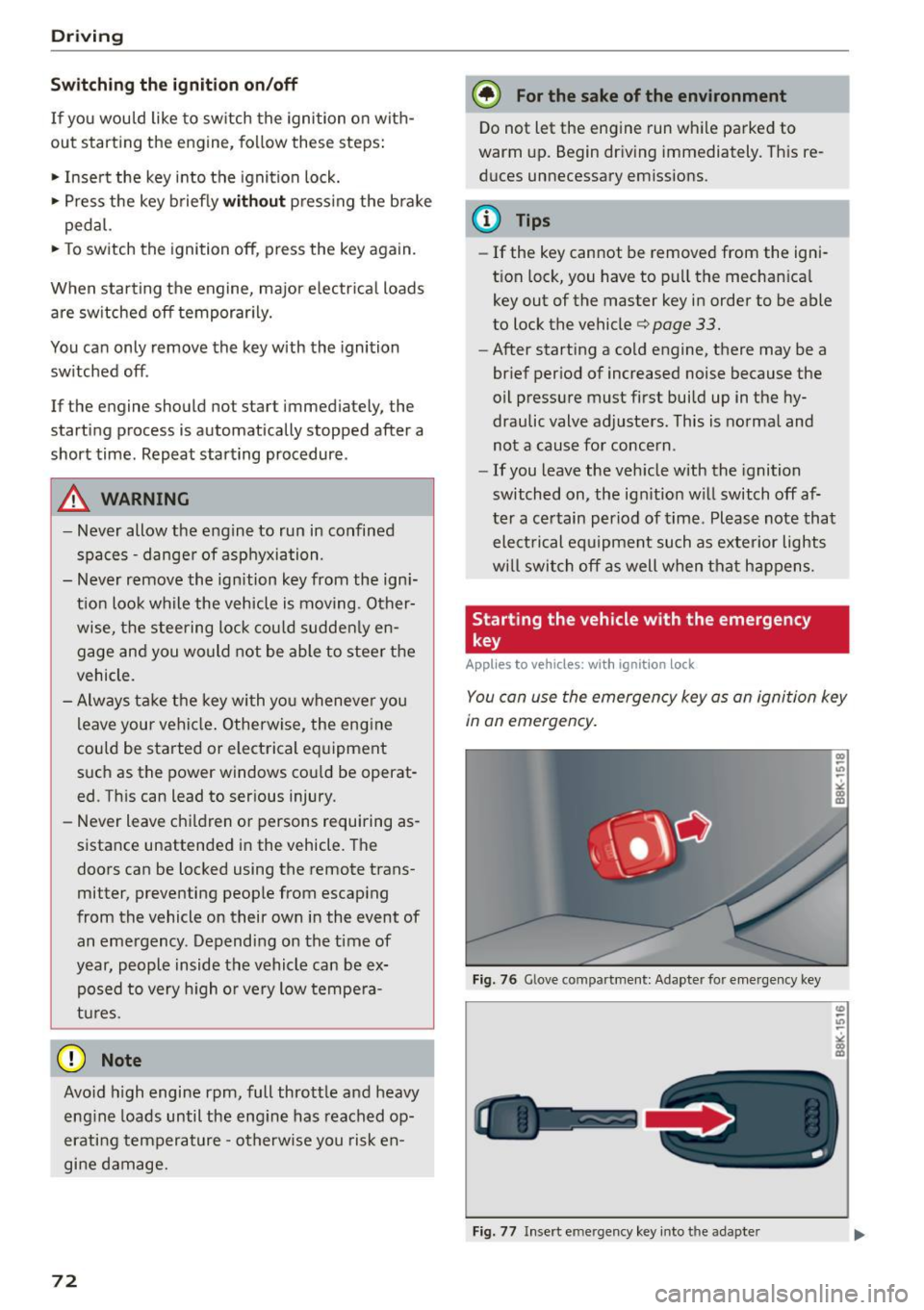
Starting the vehicle with the emergency
key
Applies to vehicles: with ignition lock
You can use the emergen cy key as an igni tion key
in an emergency.
F ig. 76 Glove co mp art men t: Adapte r fo r em erge ncy key
Fi g. 77 Insert e merg ency key into t he ad ap ter
Page 76 of 254

Driving
"'Press on the I START ENGINE STOPI button
¢ fig. 78 -the engine wi ll start.
Switching the ignition on /off
If you would like to sw itch the ignition on with
out start ing the e ng ine, fo llow these steps:
"' Press the
!START ENGINE STOPI button with -
out pressing the brake pedal.
"'T o sw itch the ignition off, press the but to n
again.
If the engine sho uld not start immed iately, the
starting p rocess is a utomat ically stopped after a
short time. Repeat sta rting procedure.
When starting the engine, major e lectr ica l loads
are sw itched off temporar ily .
After a cold engine is started, there may be a brief period of increased noise because oil pres
sure must first build up in the hydraulic valve ad
justers. This is normal and not a cause for con
cern.
_& WARNING
- Never allow t he engine to ru n in co nfine d
spaces -dange r of asp hyxiation.
- Never turn off the engine unti l the vehicle
h as come to a comp lete stop.
- Always ta ke t he key with yo u w heneve r you
leave your vehi cle. Otherw ise, the eng ine
c ou ld be started or ele ct rical eq uipment
s u ch as the power w indows co uld be operat
ed. This can lead to serious injury.
- Never leave ch ild ren o r persons requ iring as
sistance unattended in the vehicle. The doo rs can be locked using the remote trans
mitter, preventing peop le from escap ing
from the vehicle on their own in the event of
an emergency. Depending on the time of
year, people inside the vehicle can be ex
posed to very high o r ve ry low tempe ra-
tu res.
(D Note
- Avoid high eng ine rpm, fu ll throttle and
heavy engine loads until the engine has
r eached operating tempe rat ure - otherwise
you r isk eng ine damage.
74
-
@ For the sake of the environment
Do not let the engine run while pa rked to
warm up. Begin dr iv ing immediately. Th is re
d uces unnecessary em issions.
(!} Tips
- After starting a col d en gine, t here may be a
br ie f per iod of increased noise because the
oil pressure must first bui ld up in the hy
draulic valve adjusters. This is norma l and
not a cause for concern.
- If you leave the veh icle with the ignition
switched on, the ig nition w ill switch off af
ter a ce rtain period of time. Please note that
e lect rical equipment such as exte rior lights
wi ll switch off as well when that happens.
Switching engine off
App lies to vehicles: wi th convenience key
"' Br ing your vehi cle to a comple te stop.
"' Move the se lector lever to the P o r N pos ition.
"' Press the
I START ENGINE STOP ! button
c::> page 73, fig. 78 .
Steering lock
The steer ing lo cks w hen yo u tur n the eng ine off
u sing the
I START ENGINE STOP I button a nd open
the d river's doo r. The loc ked steering helps pre
vent ve hicle theft .
Emergency off
If necessary, the e ngine can be switched off with
the se lec to r lever in the R or D/S posi tions. The
engine s tops if you press a nd ho ld the
I START ENGI NE STOP I button at speeds below
6 mph (10 km/ h) and press the brake peda l.
_& WARNING
-Never turn off the engine before the vehicle
has come to a complete stop. The full func
tion of the brake booster and the power
steer ing is not guaranteed. You must use
more force to turn or b rake if necessary. Be
caus e you cannot stee r and brake as you
usually wo uld, this cou ld lead to crashes
a nd se rio us in juries.
~
Page 78 of 254
Driving
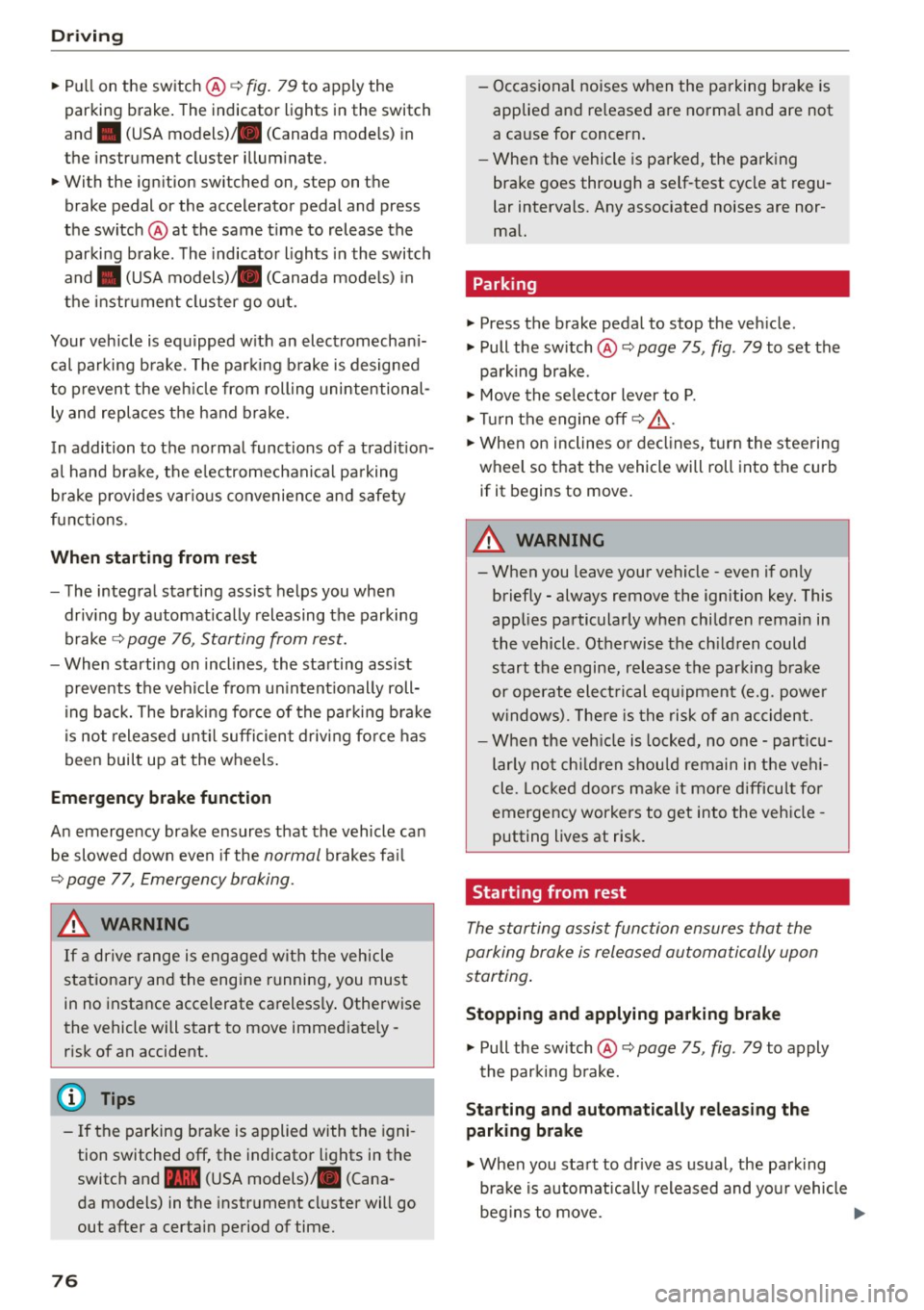
"'Pu ll on the switch @ ¢fig. 79 to apply the
parking brake . The indicator lights in the switch
and . (USA models)/ . (Canada mode ls) in
the inst ru ment cluste r il lum inate.
"' With the ign ition switched on, step on the
brake pedal or the accelerator pedal and press
the switch @ at the same t ime to release the
parking b rake . The indicator lights in the switch
and . (USA models)/ . (Canada mode ls) in
the instr ument cluster go o ut.
Your veh icle is equipped w ith an electromechan i
cal parking b rake. The par king b rake is designed
to p revent the veh icle from rolling unintentional
ly and replaces the hand brake.
In addition to the norma l funct ions of a tradit ion
a l hand bra ke, the e lectromechan ical pa rking
b rake provides var ious convenience and safety
f u nctions.
When start ing f rom rest
- The integral starting assist helps you when
driv ing by automat ically releasing the parking
brake ¢
page 76, Starting from rest.
-When sta rting on inclines , the starting assist
prevents the vehicle from un intent ionally roll
ing back. The bra kin g for ce of the par kin g b rake
is no t released until sufficien t driv ing fo rce has
been built up at the wheels .
Emergency brake function
An emergency brake ensures that the vehicle ca n
be slowed down even if the
normal brakes fa il
¢ page 77, Emergency braking.
A WARNING
If a drive range is eng age d with the vehicle
stationary and the engine running, you mus t
in no instance accelerate careless ly . Otherwise
the vehicle will start to move immed iate ly
r isk of an accident.
(D Tips
- If the parking brake is applied with the igni
tion switched off, the indicator lights in the
switch and -(USA models) . (Cana
da models) in t he instrument cl uster will go
out after a certa in period of time.
76
- Occasional noises when the pa rking brake is
applied an d released a re norma l and are not
a cause for concern .
- Whe n the vehicle is pa rked, the park ing
brake goes through a self-test cycle at regu
lar intervals. Any associated noises are nor
ma l.
Parking
"'Press the brake pedal to stop the veh icle .
"' Pull the sw itch @¢
page 75, fig. 79 to set the
parking brake .
"' Move the se lector lever to P.
"' Tur n the engine off ¢_& .
"' When on inclines or de clines, turn the steering
wheel so that the veh icle will roll into the curb
if it begins to move.
A WARNING
-
- When you leave your vehicle -even if only
briefly - always remove the ignition key. This
applies pa rticularly when children remain in
the vehicle . Otherwise the ch ild ren could
start t he engine, release the parking b rake
or operate elect rical equipment (e.g. power
w indows). There is the risk of an acc ident.
- When the veh icle is locked, no one -part icu
larly no t chi ld ren shou ld remain in the ve hi
cle. Lo cked doors m ake it more d ifficul t for
emergency workers to get into the veh icle -
putting lives at risk.
Starting from rest
The star ting assist function ensures that the
parking brake is released automatically upon
starting .
Stopping and applying parking brake
"' Pull the sw itch @¢ page 75, fig. 79 to apply
the par kin g b rake.
Starting and automatically releasing the
parking brake
"' When you sta rt to dr ive as usual, the park ing
bra ke is automatically released and yo ur vehicle
beg ins to move. .,_
Page 81 of 254

M N
0:: loo ,...., \!) ,.,.,
N ,.,., ,....,
• Pull the lever to position CD¢ fig. 81 to switch
the system on.
• Drive at the speed to be contro lled .
• Press button ® to set that speed.
The stored speed and the green symbol
[ij;(i )~i4 (US model)/ Bl (Canadian model) are
shown in the display r::>fig . 82. The disp lay may
vary, depending on the type of display in your ve
h icle .
The speed is kept constant by modify ing engine
power or thro ugh an active brake intervention.
A WARNING
- Always pay attention to the traffic around
yo u when the cruise control is in operation .
You are always responsib le for your speed
and the dista nce between yo ur vehicle and
other vehicles .
- For reasons of safety, cruise cont ro l should
not be us ed in the city, in stop-and-go t raf
fic, on twisting roads and w hen road condi
tio ns are poor (such as i ce, fog, gr avel,
heavy rain and hyd rop laning) - r is k of acci
dent.
- T urn off t he cr uise control temporari ly w hen
en ter ing turn lanes, highway exit lanes or in
constr uction zones .
- P lease note tha t inadvertent ly " rest ing"
yo ur foot on the accelerator peda l causes
the cruise control not to brake. This is be
cause the cruise contro l is overridden by the
dr iver's acceleration .
- If a brake system malfunction such as ove r
heating occurs when the cruise control sys
tem is switched on, the braking function in
the system may be sw itched off. The other
cruise control func tions remain act ive as
lo ng as the indicato r light
[ij;(l)~i4 (US mo d
els)/ . (Canadian mode ls) is on.
(D} Tips
The brake lights illuminate as soon as the
bra kes apply automat ica lly.
Dri ving
Changing speed
• To inc rease/decrease the speed in in cr ements,
t ap t he leve r in the
010 direction¢ page 78,
fig. 81.
• To increase/decrease the speed quic kly, hold
the lever in the
0 10 di rect ion until the de
sired speed is displayed.
You can also press the accelerator pedal down to increase yo ur speed, e.g . if yo u want to pass
someone . The speed you saved ear lie r will re
s u me as soon as you let off of the accelerator
pedal.
If, however , you exceed yo ur saved speed by
6 mph (10 km/h) for longer than 5 minutes, the
cruise control will be turned off temporarily . The
green symbo l in the d isplay turns white. The
saved speed rema ins the same .
Presetting your speed
You can preset your desired speed while the vehi
cle is not moving.
• Switch on the ignition.
• Pull lever into position CD r::> page 78, fig. 81.
• Press the lever in the
0 or O direction to in-
crease or decrease your speed.
• Release the lever to save that speed .
This function makes it possible, for examp le, to
save the speed you want before dr iv ing o n the
highway. Once on the highway, activate the cru ise
control by pu lli ng the lev er toward CD-
Switching off
Temporary deactivation
• Press the brake pedal, or
• Press the leve r into position @ (not clicked into
p lace) ¢page 78, fig. 81, or
• Dr ive fo r longe r th an
5 m inu tes a t mo re t han
6 mph ( 10 km/h) above the store d spee d.
Switching off completely
• Press lever into position @(clicked into place),
or
• Swi tch the ignit ion off.
79
Page 85 of 254
"' N
0:: loo
rl I.O
"'
(Neutral) for more than approximately 2 seconds,
without the brake pedal being pressed.
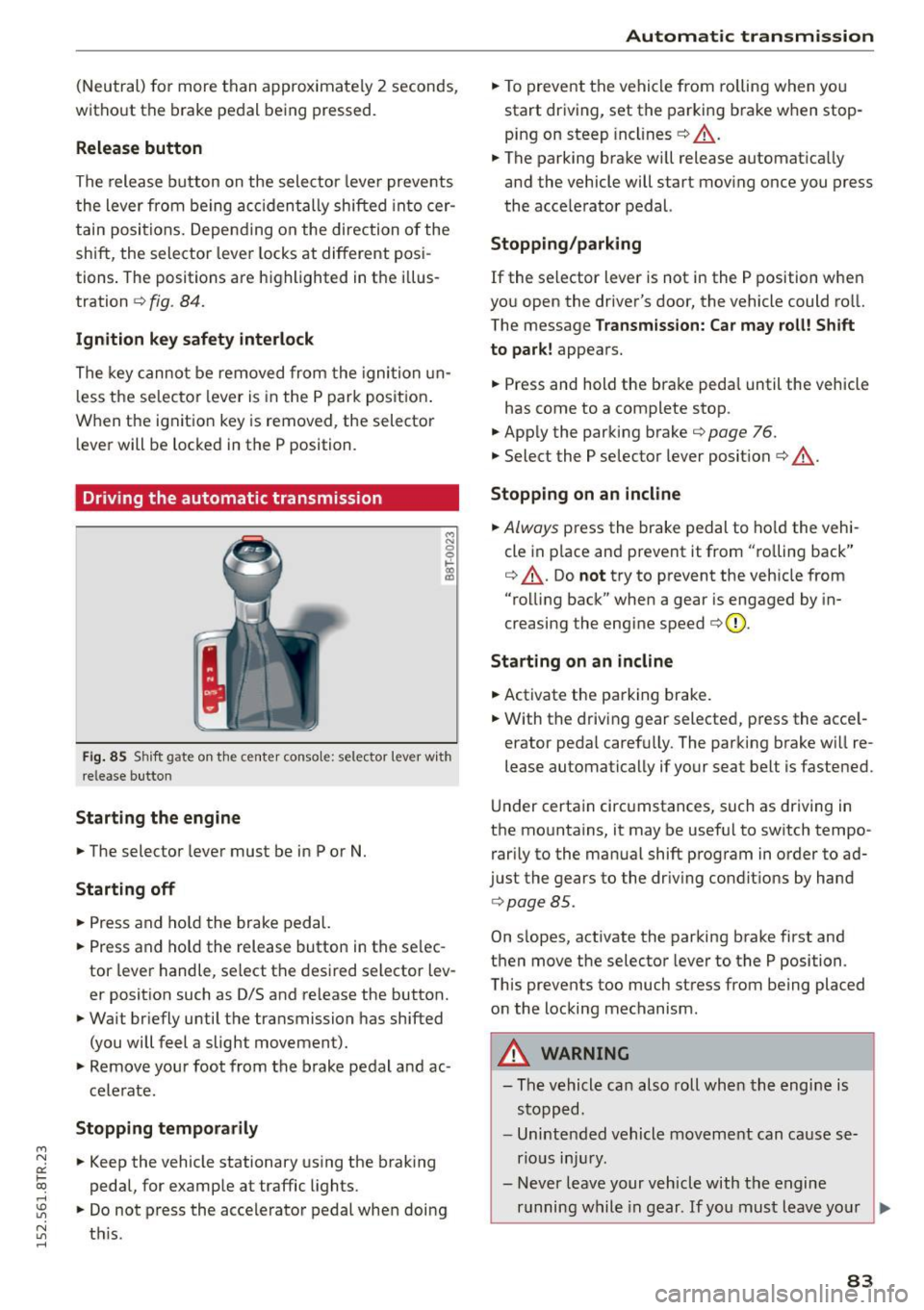
Release button
The release button on the selector lever prevents
the lever from being accidentally shifted into cer
tain positions. Depending on the direction of the
shift, the selector lever locks at different posi
tions . The positions are highlighted in the i llus
tration ¢
fig. 84.
Ignition key safety interlock
The key cannot be removed from the ignition un
l ess the selecto r lever is in the P park position .
When the ignition key is removed, the selector
lever will be locked in the P position.
Driving the automatic transmission
M N 0 0 .,:.
gi
Fig. 85 Shift gate on the center conso le: selector lever with
release butto n
Starting the engine
.,. The selector lever must be in P or N.
Starting off
.,. Press and hold the brake pedal.
.,. Press and ho ld the release button in the se lec
tor lever handle, select the desired selector lev
er position such as D/S and release the button.
.,. Wait briefly until the transmission has shifted
(you will feel a slight movement).
.,. Remove your foot from the brake pedal and ac
celerate.
Stopping temporarily
.,. Keep the vehicle stationary using the braking
pedal, for example at traffic lights.
.,. Do not press the accele rator pedal when doing
~ t hi s. rl
Automatic transmission
.,. To prevent the vehicle from rolling when you
start driving, set the parking brake when stop
ping on steep inclines¢ &_.
.,. The parking brake wi ll release automatica lly
and the vehicle will start moving once you press
the acce lerator pedal.
Stopping /parking
If the selector lever is not in the P position when
you open the driver's door, the vehicle could ro ll.
The message
Transmission: Car may roll! Shift
to park!
appears.
.,. Press and hold the brake peda l until the vehicle
has come to a complete stop.
.. App ly the parking brake¢
page 76.
.,. Select the P selector lever posit ion ¢ &_ .
Stopping on an incline
.,. Always press the brake pedal to hold the vehi
cle in p lace and prevent it from "ro lling back"
¢ &_ . Do
not try to prevent the veh icle from
"rolling back" when a gear is engaged by in
creasing the engine speed ¢(D .
Starting on an incline
.,. Activate the parking brake .
.,. With the driving gear selected, press the acce l
erator pedal carefu lly. The parking brake will re
lease automatically if your seat belt is fastened.
Und er certain circumstances, such as driving in
the mountains, it may be useful to switch tempo rarily to the manual shift program in order to ad
just the gears to the driving conditions by hand
¢page 85 .
On s lopes, activate the parking brake first and
then move the selector lever to the P position.
This prevents too much stress from being placed on the locking mechanism .
_& WARNING
-
-The vehicle can also roll when the engine is
stopped.
- Unintended vehicle movement can cause se
rious injury.
- Never leave your vehicle with the engine
running while in gear. If you must leave your
~
83
Page 93 of 254

"' N
0:: loo
rl I.O
"' N
"' rl
Audi adapt ive crui se cont rol and bra king gu ard
tachometer @and is also shown briefly in the
display @
i::> fig. 95.
Switching Audi adapti ve c ru ise contr ol off
~ Push the lever away from you into position @
unt il it clicks into place. The message
AC C off
appea rs .
@ Indicator lights
II -Adaptive cru ise control is switched on. No
vehicles are detected up ahead . The stored speed
i s ma inta ined.
• -A moving vehicle is detected up ahead . The
adapt ive cruise control system regulates the
speed and distance to the moving vehicle ahead
and accelerates/brakes automatically .
• -When automatic braking is not able to keep
enough d istance to a prev iously detected mov ing
vehicle up ahead, you must take control and
brake ¢
page 93, Request for driver interven
tion.
© Displa y
If adaptive cruise control is not shown in the d is
play, you can call it up with the !RESETI button
¢page 23.
Based on the symbo ls in the d isplay, you can de
termine if the system is ma inta ining a distance to
the vehicle ahead and what that distance is .
N o v ehicl e -No vehicle ahead was detected.
Wh it e v ehi cle -A vehicle ahead was detected .
Red v ehicl e -Prompt for the d river to take action
¢page 93.
Both arrows on the scale © indicate the distance
to the veh icle ahead. No arrow appears when the
vehi cle is on an open road and there is no object
ahead .
If an object is detected ahead, the arrow
moves on the scale.
The green zone on the scale shows the stored dis
tance . For informa tion on chang ing the stored
d ista nce, refe r to ¢
page 92 . If the distance se
l ected is too close or may soon become too close,
the arrows move into the red zone on the scale .
A WARNING
Improper use of the adaptive cruise control
can cause collisions, other accidents and se ri
ous personal injuries.
- Pressing the !SET ! button when driving at
speeds below 20 mph (30 km/h), w ill auto
matica lly accelerate the vehicle to 20 mph
(30 km/h), which is the mi nimum speed
that can be set.
a) Tips
- If you switch the ignit ion or the adaptive
cruise control off, the set speed is erased
from the system memo ry.
- The electronic stab ilizat ion cont rol (ESC)
and the anti-slip-reg ulat ion (ASR) are a uto
matically turned on when the adaptive
cruise contro l is turned on. Both systems
cannot be turned off if the adaptive c ruise
control is turned on .
Changing the speed
Applies to vehicles: wit h Aud i adapt ive cru ise control
0
f
•
0
Fig . 96 Se lecto r lever: chang ing the speed
~ To increase o r reduce the speed in increments,
tap the lever up or down.
~ To increase o r reduce the speed q uickly, hold
the lever up or down until the red LED @ reach
es the des ired speed ¢
page 90, fig . 95.
Following any changes, the new stored speed wi ll
be displayed briefly in the display @¢
page 90,
fig . 95.
91
Page 113 of 254
M N
0:: loo ,...., \!) ..,.,
N ..,., ,....,
Driving safety
Basics
Safe driving habits
Please remember -safety first!
This chapter contains important information,
tips, instructions and warnings that you need to
read and observe for your own safety, the safety
of your passengers and others . We have summar
ized here what you need to know about safety
belts, airbags , chi ld restraints as well as child
safety. Your safety is for us
priority number 1. Al
ways observe the informat ion and warn ings in
this section - for your own safety as well as that
of your passengers .
The information in this section app lies to all
model ve rsions of your vehicle . Some of the fea
tures described in this sections may be standard
equipment on some models, or may be optional
eq uipment on others .
If you are not sure, ask
your authorized Audi dealer.
A WARNING
- Always make sure that you follow the in
struct ions and heed the WARNINGS in this
Manual. It is in your interest and in the in
terest of your passengers.
- Always keep the complete Owne r's Litera
ture in your Aud i when you lend or sell your
vehicle so that this important info rmation
will always be ava ilable to the driver and
passenge rs.
-
- Always keep the Owner's literature handy so
that you can find it easily if you have ques
tions.
Safety equipment
The safety features are part of the occupant re
straint system and work together to help reduce
the risk of injury in a wide variety of accident sit
uations.
Your safety and the safety of your passenge rs
should not be left to chance. Advances in tec h
nology have made a var iety of fea tures available
to help reduce the r isk o f injury in an accident.
Dr ivin g sa fet y
The following is a list of just a few of the sa fety
features in your A udi:
- sophisticated s afety be lts fo r drive r and a ll pas-
senger seat ing pos itions,
- be lt fo rce limi ters for the front seats,
- belt pretensioners for the seats,
- head restra ints for each seating posit ion,
- front airbags,
- side airbags in the front seats,
- side curtain a irbags,
- specia l LATCH anchorages for child rest raints,
- adjustab le steering colum n.
These ind iv idual safety features, can work to
gether as a system to help protect you and your
passengers in a w ide range of accidents . T hese
features cannot wo rk as a system if they are not
always cor rect ly adjusted and co rrectly used.
Saf ety is ev erybody' s re sponsibility!
Important th ings to do before driving
Safety is everybody 's job! Vehicle and occupant
safety always depends on the informed and care
ful driver .
For your safety and the safety of your passen
gers,
befor e driv ing alway s:
.. Make sure that all lights and signals are operat
ing correctly.
.. Make sure that the tire pressure is correct.
.. Make sure that all w indows are clean and afford
good vis ibility to the outs ide .
.. Secure all luggage and other items carefully
Q page59.
.. Ma ke s ure that nothing can interfere with the
pedals .
.. Adjust front seat, head restraint and mirrors
correctly for your height.
.. Instruct rear seat passengers to adjust the
head restra ints according to their he ight.
.. Make sure to use the r ight child restraint cor
rectly to protect ch ildren
Q page 150, Child
safety .
.. Sit p rope rly in your seat and make su re that
your passengers do the same
Q page 53, Seats
and storage. .,.
111
Page 122 of 254
Safety belt s
Safety belts
General information
Always wear safety belts!
Wearing safety belts correctly saves lives!
This chapter explain s why safety be lts are neces
sary, how they work and how to adjust and wear
them correctly.
.. Read all the information that fo llows and heed
all of the instructions and WARNINGS.
&_ WARNING
Not wearing safety belts or wearing them im
properly increases the risk of serious personal
injury and death.
- Safety belts are the single most effective
means available to reduce the risk of serious
injury and death in automobile accidents.
For your protection and that of your passen
gers, always correct ly wear safety belts
when the vehicle is moving.
- Pregnant women, injured, or physically im
paired persons must also use safety belts.
L ik e all veh icle occupants, they are more
likely to be seriously injured if they do not
wear safety be lts . The best way to protect a
fetus is to protect the mother - throughout
the ent ire pregnancy.
Number of seats
Your Audi has a total of four seating positions:
two in the front and two in the rear. Each seating
position has a safety belt .
&_ WARNING
Not wearing safety belts or wearing them im
properly increases the risk of serious personal
injury and death.
- Never strap more than one person, includ
ing small ch ildren, into any belt. It is espe
cially dangerous to place a safety belt over a
child sitting on your lap.
- Never let more people ride in the vehicle
than there are safety belts available.
120
-Be sure everyone riding in the vehicle is
properly restrained with a separate safety
belt or child restraint.
Safety belt warning light
Your vehicle has a warning system for the driver
and (on USA models only) front seat passenger
to remind you about the importance of buckling
up .
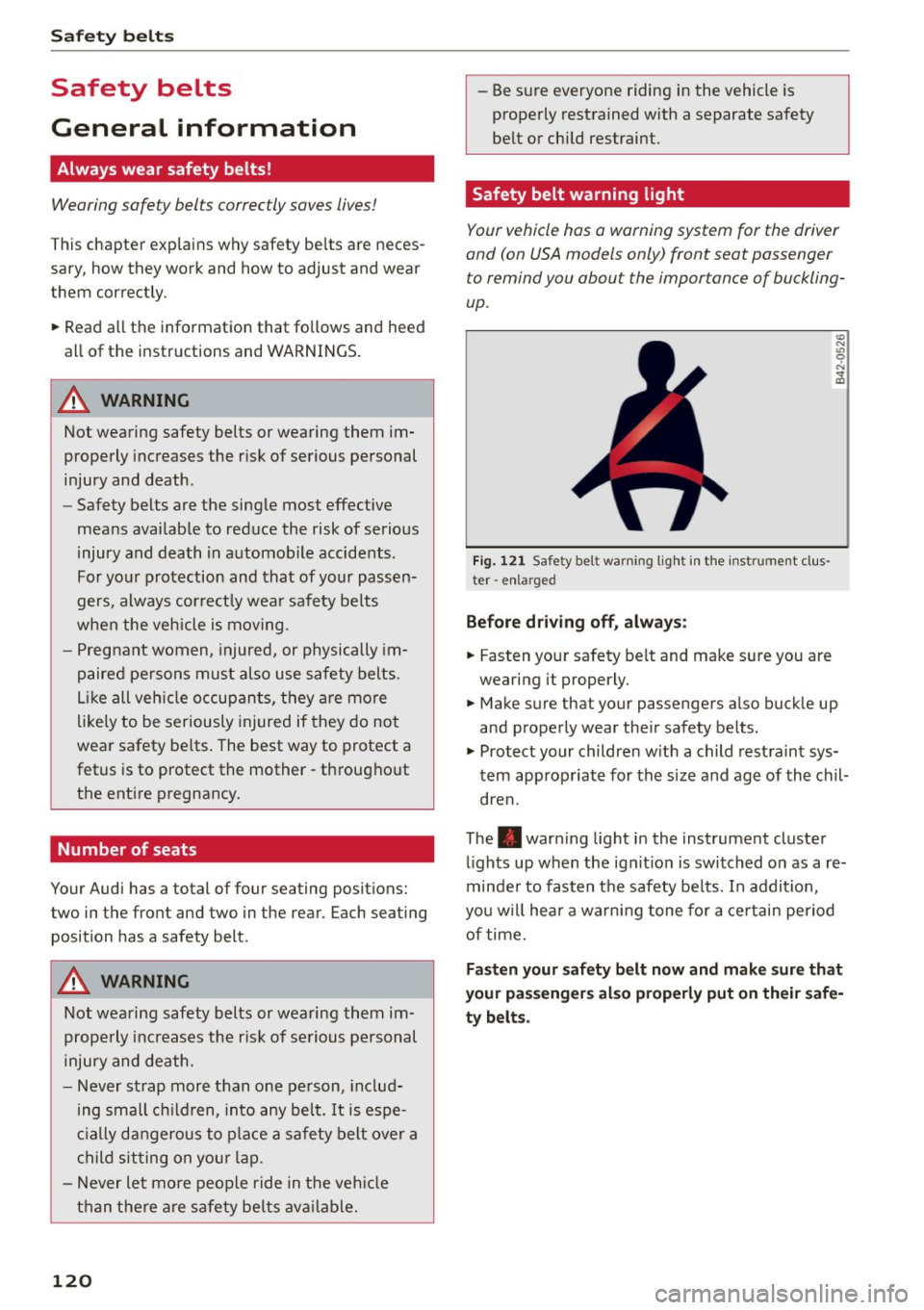
Fig. 121 Safety belt warning light in the instrument cl us
ter -enlarged
Before driving off, always:
.. Fas ten your safety belt and make sure you are
wearing it properly.
(0
"'
"' 0 N
and properly wear the ir safety belts .
.. Protect your children w ith a child restraint sys
tem appropriate for the siz e and age of the chil
dren.
The . warn ing light in the instrument cluster
lights up when the ign it ion is switched on as a re
minder to fasten the safety be lts. In addit io n,
you w ill hear a warning tone for a certain period
of time.
Fasten your safety belt now and make sure that
your passengers also properly put on their safe
ty belts.
Page 173 of 254

"' N
0:: loo
rl I.O
"' N
"' rl
The following situations are exceptions where it may be useful to switch on sport mode to allow
the wheels to spin:
Smart Technology
- Rocking the vehicle to free it when it is stuck
- Dr iving in deep snow or on loose ground
- Dr iving with snow chains
Sport mode on ESC/ASRoff Sport mode off or
ESC/ASR on
Behavior
The ESC and ASR stabiliza- The stabilization funct ion is The full stabilization func-
t ion funct ions are limited not available
¢ &.. ESC and tion of the ESC and ASR is
¢&_ . ASR are switched off. available again.
Operation Press the I!> OF FI button Press and hold the I.!> OFFI Press the I.$ OF F! button
briefly. button longer than
3 sec- again .
onds .
Indicator II turns on. • and lf'll•U~ turn on . II turns off or. and
lights lf'll•l~~ turn off .
Driver mes- Stabilization control (ESC ): Stabilization control (ESC): Stabilization control
sages Sport. Warning! Restricted off. Warning! Restricted (
ESC) : On
stability stability
A WARNING -
You should only switch sport mode on or
sw itch ESC/ASR off if your driving ab ilities and
road conditions permit.
- The stabilization function is limited when
sport mode is switched on. The dr iving
wheels could spin and the vehicle could
swerve, especially on slick or slippery road
surfaces.
- There is no vehicle stabilization when ESC/
ASR are sw itched off.
(D Tips
- ESC/ASR cannot be switched off or sport
mode cannot be sw itched on when cr uise
control or adaptive cruise control* is switch
ed on.
- Malfunctions in the rear spoiler may make it
i mpossible to switch the ESC/ASR off or to
switch sport mode on.
Rear spoiler
Applies to vehicles: with retractable rear spoiler
The rear spoiler improves vehicle handling and
enhances driver control.
Fig. 154 Center console: button fo r the rear spo ile r
The rear spo iler deploys and retracts. Spoiler op
eration can be set for automat ic or manual oper
ation.
Automatic mode (normal operation)
-Extends automatically: when the vehicle speed
exceeds approx imately 75 mph (120 km/h).
- Retracts automatically: when the vehicle speed
drops below approx imately 50 mph (80 km/h).
Manual mode
- Manual deployment: Tapping briefly on the
switch ~ fig. 154 deploys the rear spoiler.
171
Page 176 of 254
Smart Technolog y
-If y ou dama ge the front spo iler, or if you in
sta ll a di fferent spoile r, be sure the air flow
to the front brakes is not obstructed . Other
wise the brake system co uld overheat reduc
ing the effectiveness o f the enti re brake sys
tem .
- Failure of one brake c ircuit will impair the
braking capab ility r esult ing in a n increased
stopp ing distance. Avoid driving the veh icle
and have it towed to the nearest au thorized
Audi de aler or qualified workshop.
- Never let the vehicle ro ll to a stop with the
engine shut off .
-If the brake booster is not work ing, the
brake pedal must be pressed considerably
harder to make up for the lack of booste r as
sistance .
Electro-mechanical
power assist, dynamic
steering
The electro-mechanical power assist helps the
driver when steering .
Power steering adapts electronically based on
the vehicle speed .
Indicator lights and me ss a ges
• Steering defe cti ve! Do not dri ve vehicle!
If th is indicator light tu rns on and stays on and
this message appears, the power steering may
have fa iled .
D o
n ot co ntinue driving. See yo ur authorized
Audi dealer or a qua lified repair fac ility for assis
tance.
l;r-ij Dynamic steering : System fault! You can
c on tinu e drivin g
If the indicator light tu rns on and the message
appears, the steer ing may be more difficult to
move or mo re sensitive than usual. The steer ing
wheel may a lso be at an ang le when dr iv ing
straight.
Drive s low ly to your author ized Audi dealer or
qua lified wor kshop to have the malfunction cor
rected.
174
':r-ij Dynamic stee ring: initializing
If this drive r message appears and the indicator
li gh t is flashing on the instr ument pane l, dynam
i c s teer ing* is being rein itia lized. After sta rting
the engine, the steering wheel w ill move slightly.
Re-initialization might be necessary if the steer
i ng whee l was moved hard to the left and right
while the vehicle was not moving. The display goes out as soon as initialization is comp lete.
A WARNING
H ave the dynamic steering* system malfunc
tion repaired as soon as possible by an author ized A udi dealer or qualified wo rkshop -risk
of accident!
@ Tips
- If the . or ':rfl indicator light only stays on
for a sho rt time, you may cont inue driving.
- The dynamic steering* stab ility systems are
not availab le in the event of a system mal
function.
- For add itiona l information on dynamic
steering*, refer to~ page 101.
Driving with your quattro
With all-wheel drive, all four wheels are driven .
General information
With all-wheel drive, power is distributed to all
four wheels . This happens automatically depend
i ng on your driving style and the road conditions
at the t ime . See also ~ page 169.
A center d ifferential distributes the driving power
variably to the front and rear axle. It works to
gether w ith select ive whee l torque control, which
activates w hen d rivi ng throug h curves
~ page 170 . With the spo rt diffe rential*, power
dist ribution to the rear wheels is variab le and can
be adjusted with drive select~ page 101.
The all-whee l dr ive concept is des igned for hig h
engine power . Yo ur vehicle is exceptiona lly pow
e rfu l and has excellen t drivi ng cha racte rist ics
both unde r normal d riving condi tions and o n
snow and ice . Always read and follow sa fe ty pre-
ca utions ~& .
1111>