mirror AUDI RS5 COUPE 2015 Owners Manual
[x] Cancel search | Manufacturer: AUDI, Model Year: 2015, Model line: RS5 COUPE, Model: AUDI RS5 COUPE 2015Pages: 254, PDF Size: 64.12 MB
Page 11 of 254
M N
0:: loo ,...., \!) ..,.,
N ..,., ,....,
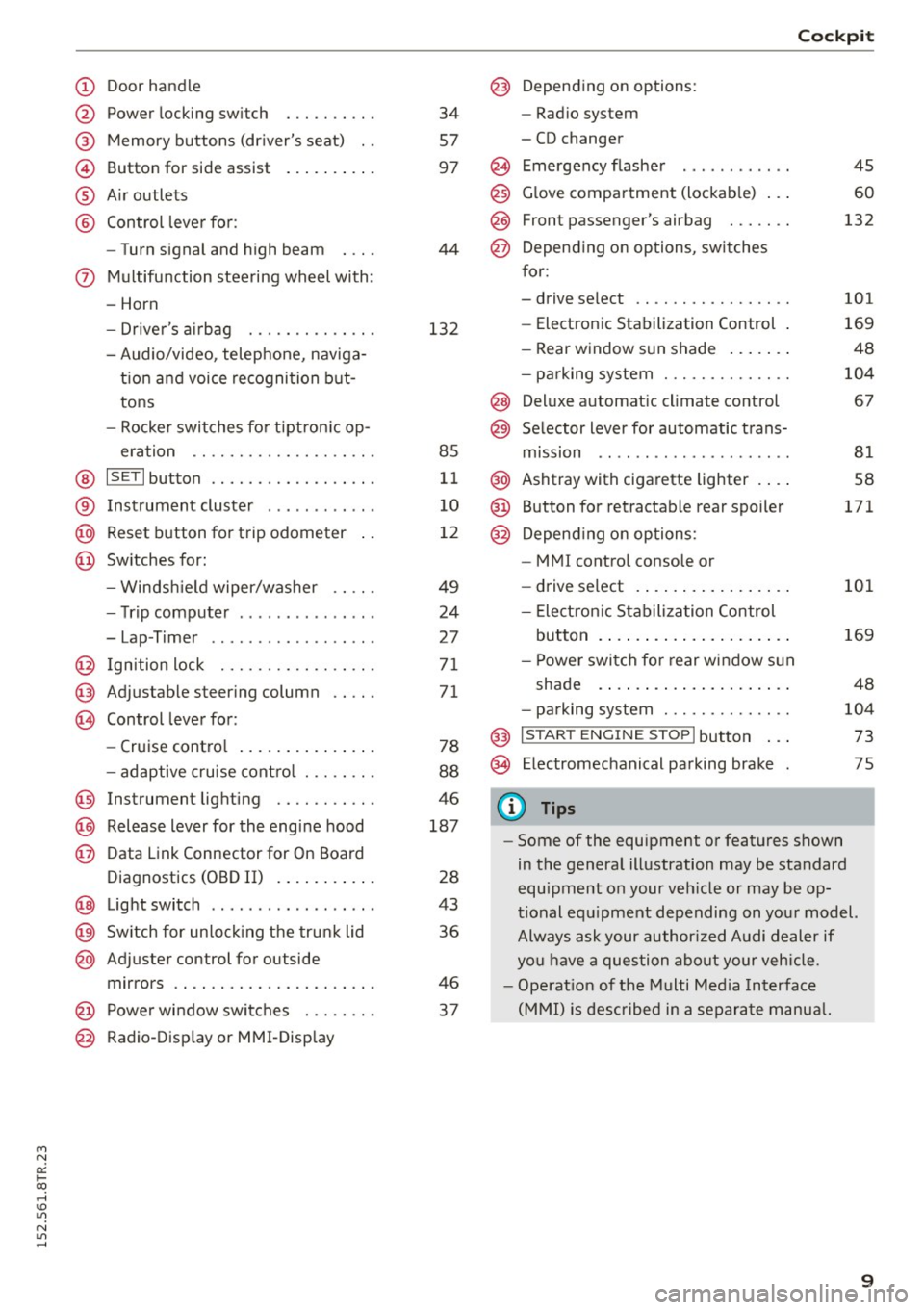
(!) Door handle
@
®
©
®
®
Power locking swi tch
Memory buttons (driver's seat) . .
Button for side assist
A ir outlets
Control lever for :
- Turn signal and high beam
0 Multifunction steering wheel with :
- Horn
- Driver 's airbag ....... .. .. .. .
- Audio/video , telephone, naviga -
t ion and voice recognition but
tons
- Rocker switches for tiptron ic op-
eration ...... .... ... .... .. .
@ ISETI button .... ..... .. .... .. .
® Instrument cluster ........... .
@ Reset button for trip odometer
@ Switches for:
- Windsh ield wiper/washer
- Trip computer .............. .
- Lap -Timer ............ ... .. .
@ Ignition lock ... .... ... .... .. .
@ Adju stable steering column
@ Control lever for:
- Cruise control .............. .
- adaptive cruise control ... .. .. .
@ Instrument lighting .... .. .. .. .
@ Release lever for the engine hood
@ Data Link Connector for On Board
Diagnostics (OBD II) ....... ... .
@ Light switch ................. .
@) Switch for unlock ing the trunk lid
@ Adjuster control for outside
mirrors .. .. .. ........... .. .. .
@ Power window switches . .. .. .. .
@ Radio-Display or MMI-Display 34
57
97
44
132
85
11
10
12
49
24
2 7
71
71
78
88
46
187
28
43
36
46
37
Cockpit
@) Depending on options:
- Radio system
- CD changer
@ Emergency flasher
@
@
@ Glove compartment (lockable) ...
F ront p assenger's airbag . .. .. . .
Depend ing on options, switches
for:
- drive select .. .... ... .... .. . .
- Electronic Stabilization Control .
- Rear window sun shade ...... .
- parking system ...... ..... .. .
@ Deluxe automat ic climate control
@ Selector lever for automatic trans-
mission .. .. .. ..... ......... .
@ Ashtray with cigarette lighter ... .
@ Button for retractable rear spoiler
@ Depend ing on options:
- MM I control console or
- drive select . ............... .
- Electron ic Stabilization Control
45
60
132
101
169
48
104
67
81
58
171
101
button . . . . . . . . . . . . . . . . . . . . . 169
- Power switch for rear window sun
shade . . . . . . . . . . . . . . . . . . . . . 48
- parking system . . . . . . . . . . . . . . 104
@ I S TAR T ENG INE ST OPI button . . . 73
@ Electromechanical parking brake 75
(D Tips
- Some of the equipment or features shown
in the general illustration may be standard
equipment on your vehicle or may be op
tional equipment depending on your model.
Always ask your author ized Audi dealer if
you have a question about your vehicle.
- Operat ion of the Multi Media Interface
(MMI) is described in a separate manual.
9
Page 45 of 254
Lights and Vision
Exterior Lighting
Switching the lights on and off
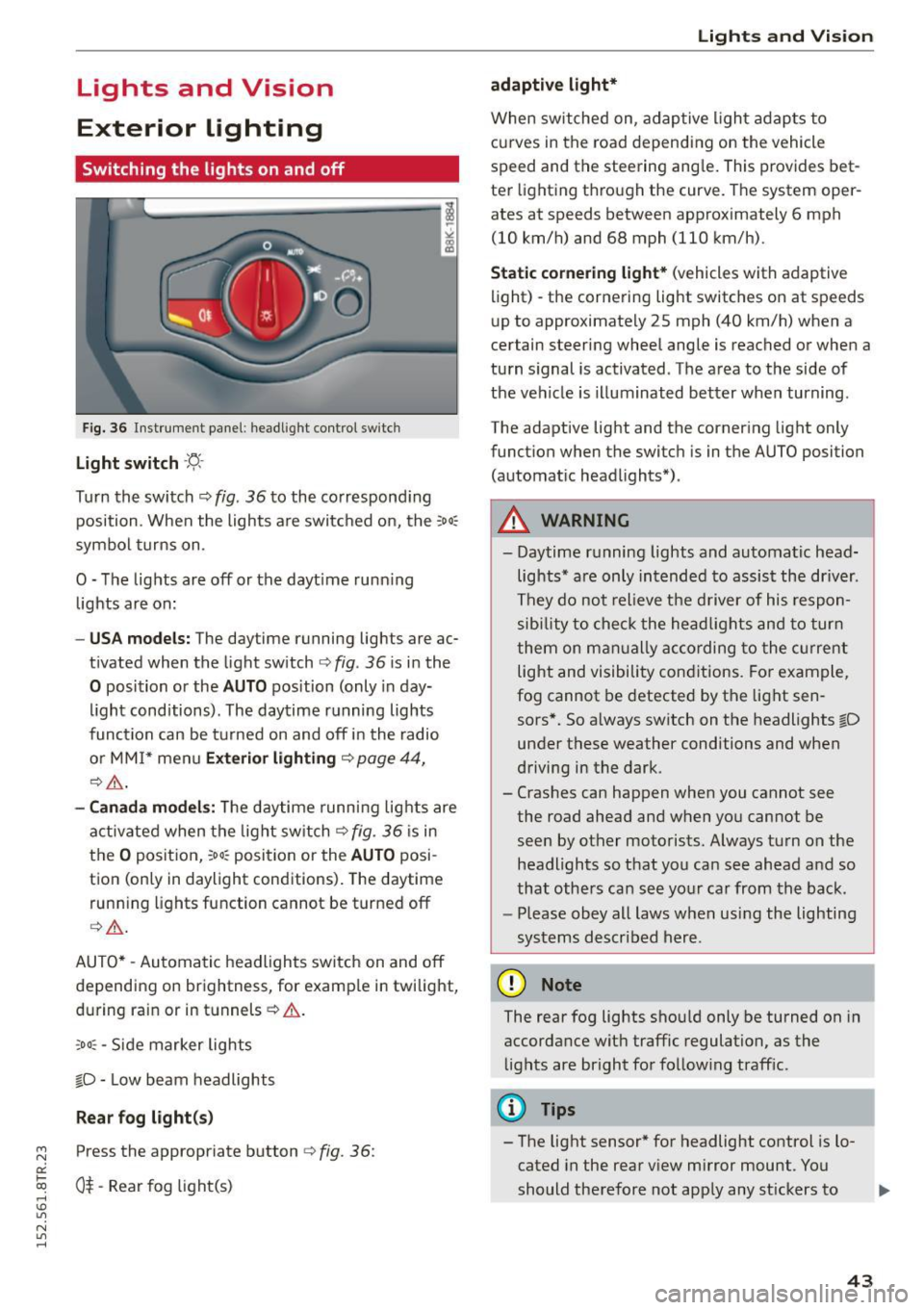
Fig. 36 In str ument pa ne l: h eadligh t contro l sw itc h
Light switch -'f!,-
Turn th e switch ¢ fig. 36 to the co rrespond ing
position . When the lights a re switc hed on, the :
00
:
symbo l turns on .
O -The lights are off or the dayt ime runn ing
lights are on:
- USA models: The day time running lights are ac
t ivated when the light sw itch ¢
fig. 36 is i n the
O position or the AUTO position (only in day
li ght conditions). The daytime r unning lights
func tion can be turned on and off i n the radio
o r MM I* men u
Exteri or lighting ¢ page 44,
¢ ,& .
-Canada model s: Th e daytime runn ing lig hts are
a ctiv ated when the light sw itch
Q fig . 36 is in
t h e
O position, :oo: position or the AUTO posi
tion (only in daylight conditions) . The daytime
run ning lights function cannot be turned off
Q _&. .
AUTO* -Aut omatic headlights switch on and off
de pending on brightness, for examp le in twilight,
during ra in or in tunnels ¢& .
,o o: -Side marker lights
fD -Low beam headlights
Rear fog light (s)
~ Press the appropriate button ¢ fig. 36:
0::
txi 0$-Rear fog light(s) rl I.O
"' N
"' rl
Lights and Vis ion
adaptive light*
When switched on, adap tive ligh t ad apts to
c u rves in the road depend ing on the vehicle
speed and the steering ang le . This provides bet
te r li ght ing t hrough the curve. The system oper
ates at speeds between approximately 6 mph
(10 km/h) and 68 mph (110 km/h).
Static cornering light* (vehicles with adaptive
light) -the corne ring light switches on at speeds
u p to approximate ly 25 mph (40 km/h) when a
certain steering wheel angle is reached or when a
tu rn s ignal is activated. The a rea to the side of
the ve hicle is illuminated bet ter when turning .
The adaptive light and the corner ing light only
funct ion when the switc h is in t he AUTO position
(automat ic head lights*) .
A WARNING
--Daytime r unning lights and automatic head·
lights * are only in tended to assis t the driver .
Th ey do not relieve the d river of his respon
s ibi lity t o check the he ad lig hts and to tur n
t hem on m anually according to the cur ren t
light and visibility con ditions . Fo r ex am ple,
fog cannot be detected by t he lig ht sen
sors*. So a lways switch on the headlights
fD
un der these weather conditions and when
d riving in the dark .
- Cras hes can happen when you cannot see
the road ahead an d when yo u cannot be
seen by other motorists. Always tu rn on the
headlights so that you can see ahead a nd so
that othe rs can see yo ur ca r from the ba ck.
- Please obey all laws when usi ng the lighting
sys tems described her e.
(D Note
The rear fog lights sho uld only be turned on in
accordance wit h traffic regulation, as the
li g hts are bright fo r fo llow ing traff ic.
(D Tips
- The light sensor * for headlight control is l o
cated in the rear v iew mirror mount . You
should therefore not app ly any st ickers to .,.
43
Page 48 of 254
Lights and Vi sion
Interior Lighting
Front/rear interior lights
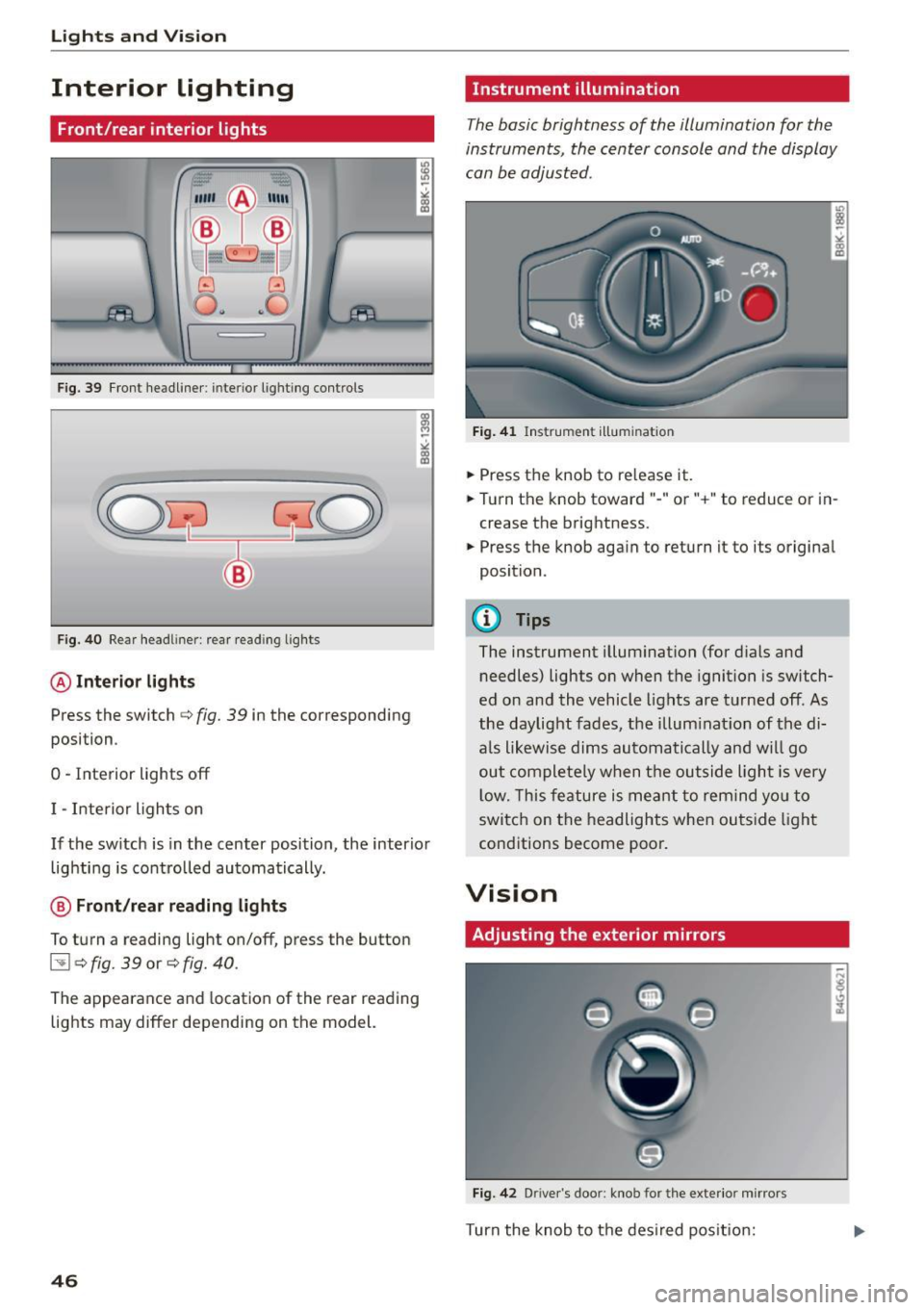
Fig. 39 Fr on t headliner : interior lig htin g contro ls
F ig. 40 Rear head liner: rear read ing lig hts
@ Interior lights
Press the switch c:> fig. 39 in the corresponding
posi tion .
0 -Inte rior lights off
I -Interior ligh ts on
If the sw itch is in the center position, the interio r
lig hti ng is controlled automatically.
@ Front/rear reading lights
To turn a reading light on/off, press the button
l:!l c:> fig. 39 or c:> fig. 40 .
The appearance and location of the rear reading
lights may differ depending on the model.
46
Instrument illumination
The basic brightness of the illumination for the
instruments, the center console and the display
can be adjusted .
Fig. 4 1 Ins trume nt illum in ati on
.,. Press t he knob to re lease it .
.,. Turn the knob toward" -" or"+" to reduce or i n
crease the brightness .
.,. Press the knob again to return i t to its origina l
position .
(!) Tips
The instrument illum inat ion (for dials and
needles) lights o n when the ignition is switch
ed on and the vehicle lights are turned off. As
the daylight fades , the illum inat ion of the di
a ls likewise dims automatically an d wi ll go
out comple tely w hen t he ou tside light is very
l ow. This fe ature is me ant to remind yo u to
switc h on the headlights when ou tside light
cond itions become poor.
Vision
Adjusting the exterior mirrors
Fig . 42 D rive r's doo r: knob fo r the exter io r mi rrors
Turn the knob to t he des ired pos it io n:
Page 49 of 254
"' N
0:: loo
rl I.O
"' N
"' rl
Q/P -Adjusting the left/right exterior mirror.
Move the knob in the desired direction.
®-Heat ing the mirror g lass depending on the
ou tside temperature* .
8 -Folding exterior mirrors*. In the Infotain
ment system, you can select if the mirrors fold in
automatically when you lock the veh icle
¢page 35.
F ront p assen ger's ext erior mirror tilt
fun ction *
To help you see the cu rb when backing into a
parking space, the surface of the mi rror tilts
slightly. For this to happen, the knob must be in
the position for the front passenger 's outside
mirror .
You can adj ust the ti lted mirror surface by turn
ing the knob in the desired direction . When you
move out of reverse and into another gear, the
new mirror position is stored and assigned to the
key you are using.
The mirror goes back into its origina l position
once you drive forward faster than 9 mph
(15 km/h) or turn the ignition
off.
A WARNING
Curved mirror surfaces (convex or spherical*)
increase your field of view. Remember that
vehicles or other objects will appear smaller
and farther away than when seen in a flat mir
ror .
If you use this mirro r to estimate distan
ces of following veh icles when changing
lanes, you cou ld es timate incorrectly and
cause an accident .
(D Note
-If the mirror hous ing was moved by force
(fo r example, by running into an object
when maneuvering the vehicle), the m irror
must be folded all the way in using the pow
er folding function. The mirror housing
must not be moved back into place by hand
because this would impair the function of
the mirror mechanism.
- If you wash the vehicle in an automatic car
wash, you must fold the exterior mirrors in
Li ghts a nd Visio n
to reduce the risk of damage to the mirrors.
Never fold power fo lding exterior mirrors*
by hand . On ly fold them in and out us ing
the power controls.
@ Tips
- If the power adjusting function malfunc
tions, the glass in both mirrors can be ad
justed by pressing on the edge of it by hand.
- The exterior mirror settings are stored with
the memory function*¢
page 57.
Dimming the mirrors
N
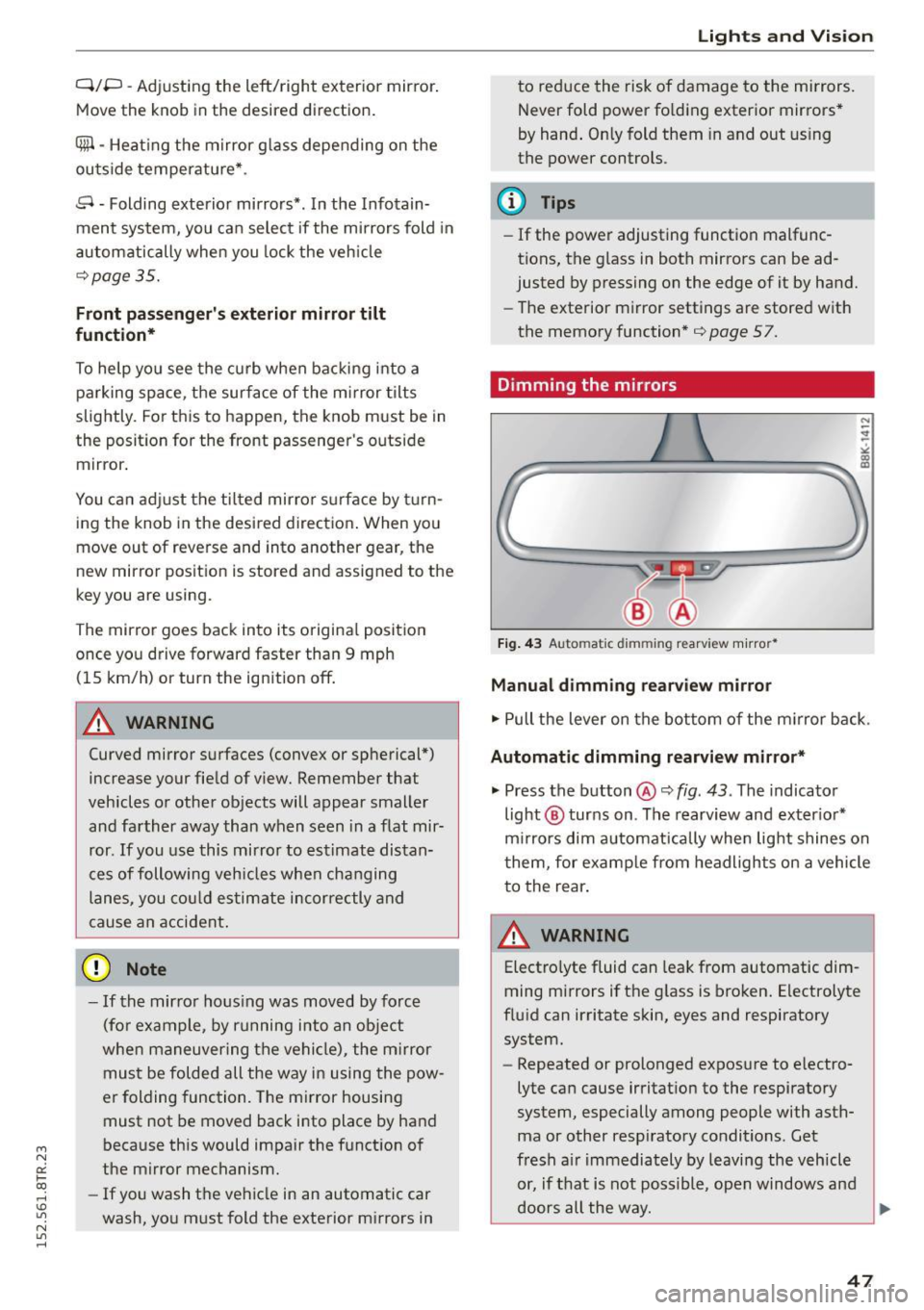
Fig. 43 Auto matic dimming rearview m irro r*
Manu al dim ming re arvi ew mirror
.. Pull the lever on the bot tom of the m irror back.
Automatic dimming r earvi ew mirror *
.. Press the button@¢ fig. 43 . The indicator
light @ turns on . The rearview and exter ior*
m irrors dim automatically when light shines on
them, for examp le from headlights on a vehicle
to the rear .
A WARNING
Electrolyte fluid can leak from automatic dim
ming mirrors if the g lass is broken. Electrolyte
flu id can irritate skin, eyes and respiratory
system.
- Repeated or prolonged exposure to e lectro
lyte can cause irritat ion to the respiratory
system, especially among people with asth
ma or other resp iratory conditions. Get
fresh a ir immediately by leaving the vehicle
or, if t hat is not possible, open windows and
doors all the way.
91>
47
Page 50 of 254
Lights and Vision
-If electrolyte gets into the eyes, flush them
thoroughly with large amounts of clean wa
ter for at least 15 minutes; medical atten
tion is recommended .
- If electrolyte contacts skin, flush affected
area with clean water for at least 15 mi
nutes and then wash affected area with
soap and water; medical attention is recom
mended . Thoroughly wash affected clothing
and shoes before reuse.
- If swallowed and person is conscious, rinse
mouth with water for at least 15 minutes .
Do not induce vomiting unless instructed to
do so by medical professional. Get medical
attention immediately.
(D Note
Liquid electrolyte leaking from broken mirror
glass will damage any plastic surfaces it
comes in contact with. Clean up spilled elec
trolyte immediately with clean water and a
sponge.
(D Tips
- Switching off the dimming function of the
inside rear view mirror also deactivates the
automatic dimming function of the exterior
mirrors.
- Automatic dimming for the mirror only op
erates properly if the sun shade* for the rear
window is not in use or the light striking the
inside mirror is not hindered by other ob
jects.
- The automatic dimming mirrors do not dim when the interior lighting is turned on or
the reverse gear is selected.
48
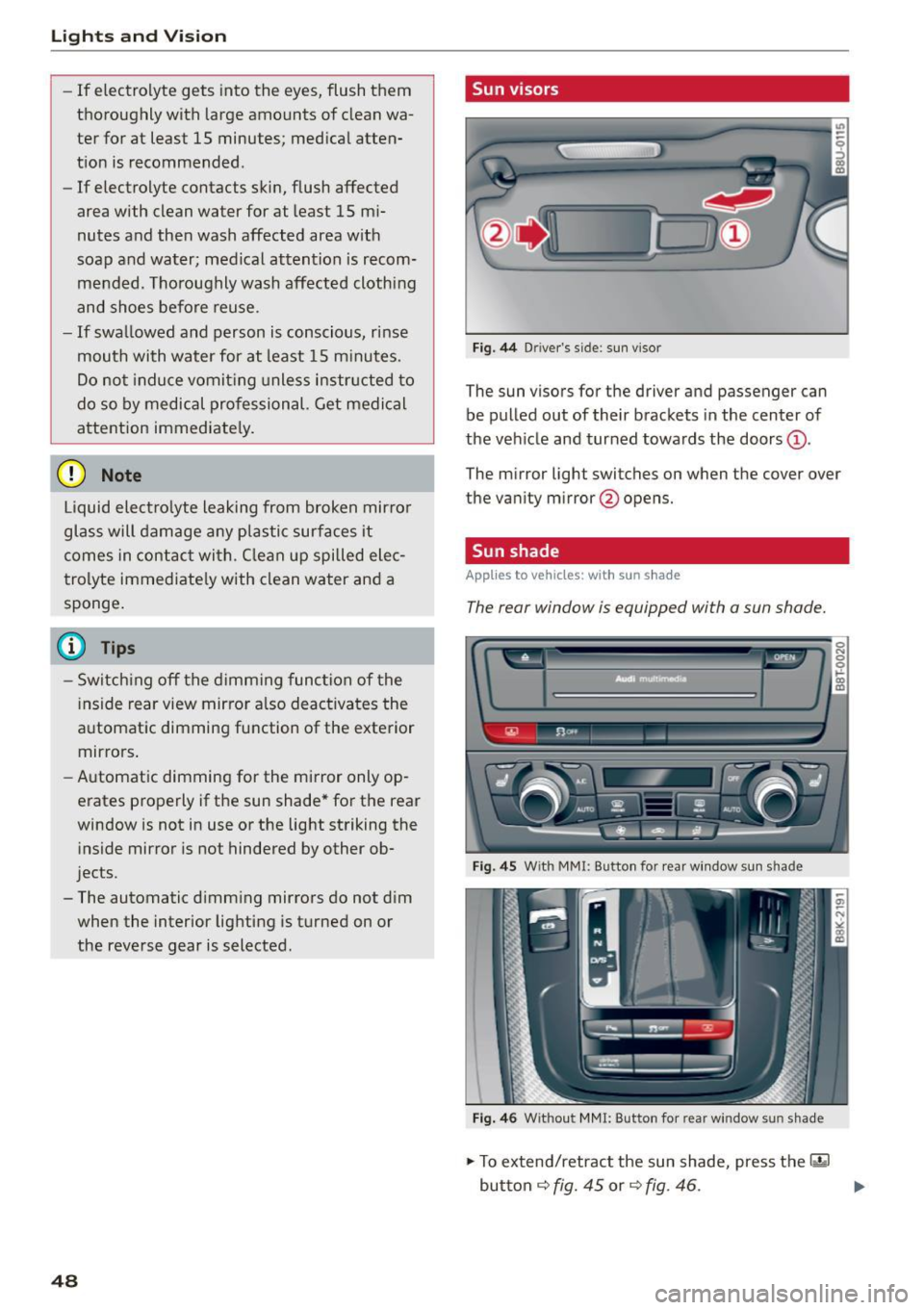
Sun visors
Fig. 44 Driver 's s ide: sun v iso r
The sun visors for the driver and passenger can
be pulled out of their brackets in the center of
the vehicle and turned towards the doors@.
The mirror light switches on when the cover over
the vanity mirror @opens.
Sun shade
App lies to vehicles: with sun shade
The rear window is equipped with a sun shade.
Fig. 45 With M MI: Button for rear window sun s had e
Fig. 46 Withou t MMI: Button for rear w in d ow s un sha.de
.,. To extend/retract the sun shade, press the 1·•~ 1
button ¢ fig. 45 or¢ fig . 46 . .,.
Page 53 of 254

"' N
0:: loo
rl I.O
"' N
"' rl
A WARNING
For your safety, you should replace the wiper
blades once or tw ice a year . See your author
ized Audi dealer for replacement blades .
(D Note
-The windshield wiper blades must only be
replaced when in the service position! Oth
erwise, you risk damaging the paint on the hood or the windshield wiper motor.
- You should not move your vehicle or press
the windshield wiper lever when the wiper
arms are folded away from the windshield .
The windshield wipers would move back in
to their orig inal position and could damage
the hood and windshield .
- To he lp prevent damage to the wiper sys
tem , always loosen blades which are frozen
to the windshie ld before operat ing wipers .
- To he lp prevent damage to w iper blades, do
not use gaso line , kerosene, paint th inner, or
other solvents on or near the wiper blades.
- To he lp prevent damage to the wiper arms
or other componen ts, do not attempt to
move the wipers by hand .
@ Tips
-Commerc ial hot waxes applied by au tomatic
car washes affe ct the how easily the glass
surface can be cleaned.
- You can also use the service pos it ion, for ex
amp le, if you want to protect the w indshield
from icing by using a cover.
Li ghts a nd Visio n
Digital compass
Switching the compass on and off
Applies to veh icles: w ith dig ital compass
The compass dire ction is shown in the rearview
mirror.
Fig . 49 Re arv ie w mirr or: Digi ta l compa ss ac tivated
.,. To swi tch the compass on or off , press and hold
the button @unti l the compass d isplay in the
mirror ¢
fig. 49 appears or d isappears .
T he dig ita l compass on ly wo rks when the ignit ion
is on. The directions are indicated with abbrev ia
t ions:
N (north), NE (northeast) , E (east), SE
(southeast) , S (south) , SW (so uthw est), W
(west), NW (northwest) .
(D Tips
To prevent inaccurate compass readings, do
not br ing any remote controls, electrical devi
ces or metallic objects near the mirror .
51
Page 54 of 254

Lights and Vi sion
Adjusting the magnetic zone
Applies to vehicles: with digital compass
The magnetic zone must be adjusted correctly
for the compass to read accurately .
~
LIU ®
Fig . SO No rth A meri ca: magne tic deflection zo ne bo unda
ri es
"' Press a nd ho ld the button @~ fig. 50 until the
number of the magne tic zone ap pears in the
rearview mirror .
"' Press the butto n @ repeated ly to select the
correct magnetic zone . The selection mode
turns off after a few seconds.
Calibrating the compass
Applies to vehicles: w ith d ig ital compass
You must recalibrate the compass if it does not
display the correct direction.
"'Press and ho ld the bu tton @unt il a C appea rs
in the rearview mirror.
"' Drive in a circle at about 6 mph (10 km/h) until
a direct ion is displayed in the rearv iew m irror .
A WARNING
-To avoid endanger ing yo urself and othe r
dr ivers, calibrate the compass i n an area
whe re the re is no traffic.
52
- The digital compass is to be used as a direc
tional a id on ly. Even though you may want
to look at it wh ile you are dr iv ing, you must
still pay attent io n to traffic, road a nd weath
er cond itions as well as other poss ible haz
ar ds.
Page 59 of 254
M N
0:: loo ,...., \!) 1.1'1
N 1.1'1 ,....,
Adjusting the head restr aint s
"'To move the head restraint up, hold it at the
sides with bot h hands and slide it upward until
yo u feel it click into place¢
A.
"'To move the head restraint down, press the
button ®¢
fig. 56 and slide the head restraint
downward.
R emoving th e head re straint s
"' Fold the backrest forward ¢ page 63.
"'Move the head restraint upward as far as it can
go.
"' Press the release @¢
fig. 57 with the mechan
ical key¢
page 32 and the button ® ¢ fig. 56.
Pull the head restraint out of the backrest at
the same time¢,& .
Install ing the head rest raint s
"'Slide the posts on the head restraint down into
the gu ides until you feel the posts click into
place.
"' Press the button®¢
fig. 56 and slide the head
restraint all the way down . You should not be
able to pull the head restraint out of the back
rest.
So that the driver can have a better v iew to the
rear, the head restra ints should be pushed down
completely when the rea r seats are not occupied .
_& WARNING
-Read and heed all WARNINGS¢ page 114,
Proper adjustment of head restraints.
- Only remove the rear seat head restraints
when necessa ry in order to install a chi ld
seat
¢ page 158. Install the head restra int
again immediate ly once the child seat is re
moved . Driving without head restraints or
with head restraints that are not properly adjusted increases the risk of serious or fa
tal neck injury dramatically.
- Vehicles with a pass through in the center console have seat ing for four. The long cen
ter console between the two rear seats is
not a seat ing pos ition. Therefo re, a safety
belt is not provided.
S eat s and stor age
{!) Tips
Correct ly adjusted head restraints and safety
belts are an extremely effective combination
of safety features.
Memory function
Description
Appl ies to vehicles: wi th memo ry fu nct io n
The memory f unct ion allows you to quickly and
easily store and recall personal seating profiles
for the driver . The memory function is operated
t h rough the master key and the memo ry buttons
in the driver 's door.
T he driver's seating p rofile is stored and assigned
to the master key each time the vehicle is locked.
When you open the door, the seat profile is auto matically reca lled. If two people use one vehicle,
it is recommended that each person always uses
"their own" ma ster key.
Up to 2 seat profi les can be stored in the memory
buttons in the driver's door. Once they are stored,
these seat profiles can be selected at any time.
In addition to the driver's seat settings, you can
also store and access the exterior mirror adjust
ment settings* using the remote contro l key or
memory bu tton.
Remote control key
App lies to vehicles: wit h seat memory
To assign the dr iver 's seat settings to the remote
control key when locking the veh icle, the function
must be activated in the radio or MMI*
"' Select:
!CAR I function button> Seat adjust-
ment > Driv er's seat > Remot e con trol k ey
>
on.Or
"' Select :
~ ,c~ A~R~I function button> Car sy stems *
contro l butto n > Vehicle s etting s> Seat s>
Driver 's seat > Remote control key > On .
(D Tips
If you do not want anothe r drive r's sett ings to
be assigned to the remote key, switch
off the
memory function usin g the rad io or MMI * or
the
ION/OF F I button ¢ page 58.
57
Page 62 of 254
Seats and storage
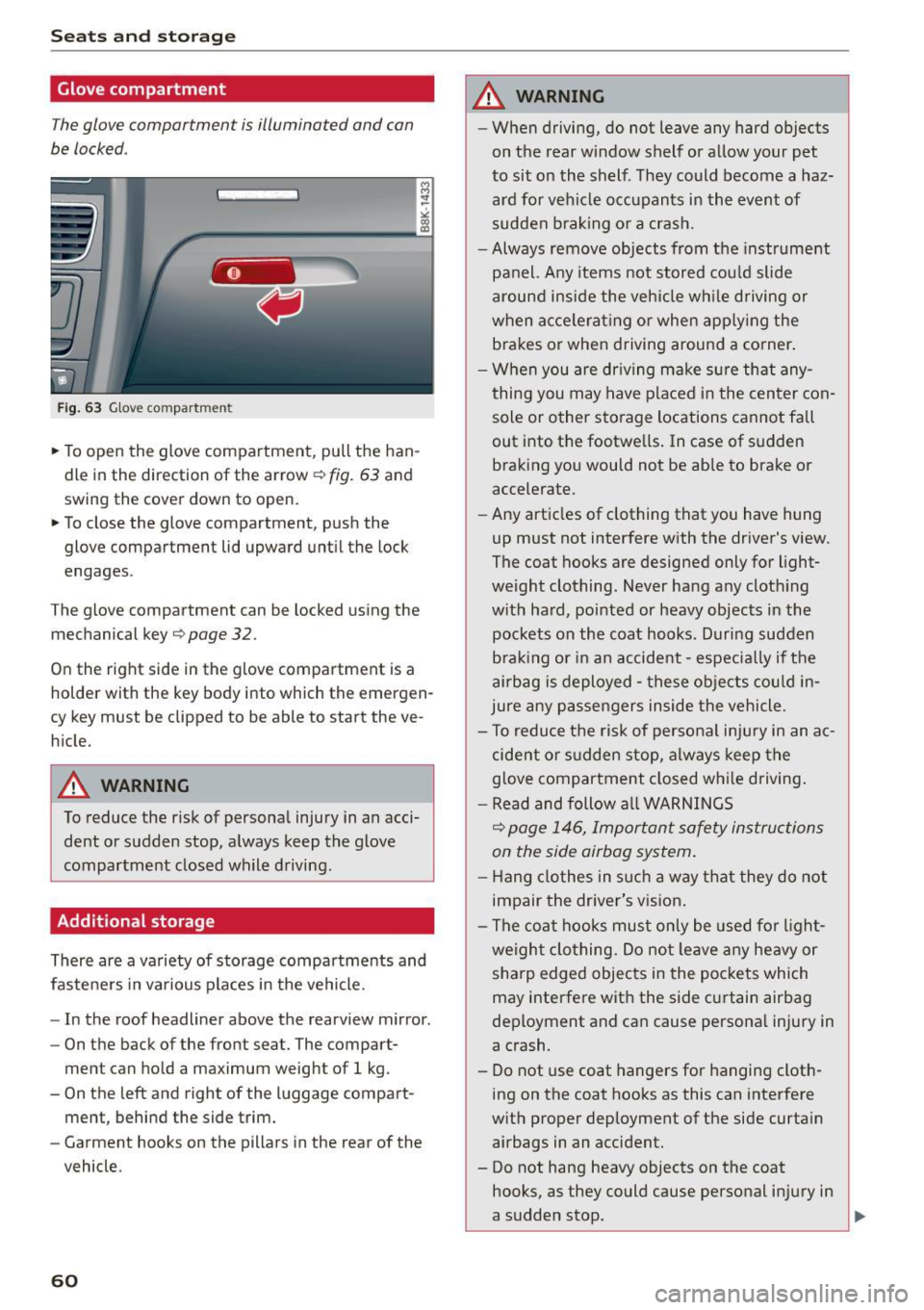
Glove compartment
The glove compartment is illuminated and can
be locked .
Fig. 63 Glove compart ment
.. To open the glove compartment, pull the han
dle in the direction of the arrow
~fig. 63 and
swing the cover down to open.
.. To close the glove compartment, push the
glove compartment lid upward until the lock
engages .
The glove compartment can be locked using the
mechanical key
¢ page 32.
On the right side in the glove compartment is a
holder with the key body into which the emergen
cy key must be clipped to be able to start the ve
hicle.
A WARNING
To reduce the risk of personal injury in an acci dent or sudden stop, always keep the glove
compartment closed while driving.
Additional storage
There are a variety of storage compartments and
fasteners in various places in the vehicle.
- In the roof headliner above the rearview mirror .
- On the back of the front seat. The compart-
ment can hold a maximum weight of 1 kg.
- On the left and right of the luggage compart
ment, behind the side trim.
- Garment hooks on the pillars in the rear of the
vehicle.
60
A WARNING , -
- When driving, do not leave any hard objects
on the rear window shelf or allow your pet
to sit on the shelf . They could become a haz
ard for vehicle occupants in the event of
sudden braking or a crash.
-Always remove objects from the instrument
panel. Any items not stored could slide
around inside the vehicle while driving or
when accelerating or when applying the brakes or when driving around a corner.
- When you are driving make sure that any
thing you may have placed in the center con
sole or other storage locations cannot fall
out into the footwells. In case of sudden braking you would not be able to brake or
accelerate .
- Any articles of clothing that you have hung
up must not interfere with the driver's view .
The coat hooks are designed only for light
weight clothing. Never hang any clothing
with hard, pointed or heavy objects in the pockets on the coat hooks. During sudden
braking or in an accident -especially if the
airbag is deployed -these objects could in
jure any passengers inside the vehicle.
- To reduce the risk of personal inju ry in an ac
cident or sudden stop, always keep the
glove compartment closed while driving.
- Read and follow all WARNINGS
¢ page 146, Important safety instructions
on the side airbag system.
- Hang clothes in such a way that they do not
impair the driver's vision.
- The coat hooks must only be used for light
weight clothing. Do not leave any heavy or
sharp edged objects in the pockets which
may interfere with the side curtain airbag
deployment and can cause personal injury in
a crash.
- Do not use coat hangers for hanging cloth
ing on the coat hooks as this can interfere
with proper deployment of the side curtain airbags in an accident.
- Do not hang heavy objects on the coat
hooks, as they could cause personal injury in
a sudden stop .
~
Page 63 of 254
"' N
0:: loo
rl I.O
"' N
"' rl
-Always keep the compartment above the
rearview mirror closed while driving to re
duce the risk of injury in the event of sudden
braking maneuvers or a collision .
CJ) Note
Objects located on the rear shelf that rub
against the rear window could damage the
heating wires for the rear window defogger.
@ Tips
-A vent slot is located between the shelf and
the rear window. Do not block the vent with
any items you may place on the rear window
shelf.
- Do not place bulky items on the rear window
shelf as they could restrict or block the driv
er's vision in the rear view mirror .
Roof rack
Description and mounting locations
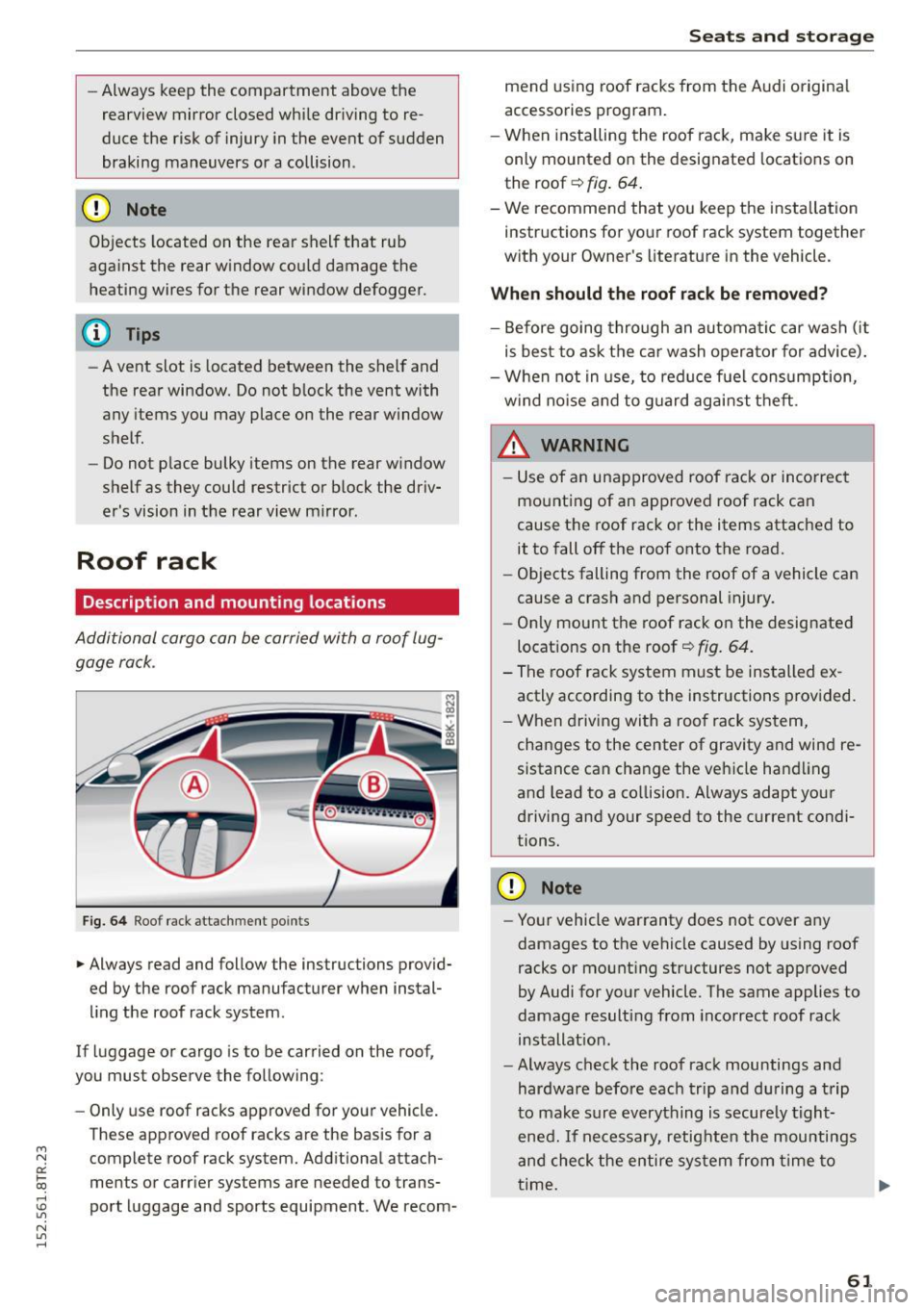
Additional cargo can be carried with a roof lug
gage rock .
Fig. 64 Roof rack attachment points
• Always read and follow the instructions provid
ed by the roof rack manufacturer when instal
ling the roof rack system .
If luggage or cargo is to be carried on the roof,
you must observe the following :
- Only use roof racks approved for your vehicle.
These approved roof racks are the basis for a complete roof rack system. Additional attach
ments or carrier systems are needed to trans
port luggage and sports equipment . We recom-
Seats and storage
mend using roof racks from the Audi original
accessories program.
- When installing the roof rack, make sure it is
only mounted on the designated locations on
the roof
c::> fig. 64.
- We recommend that you keep the installation
instructions for your roof rack system together
with your Owner's literature in the vehicle.
When should the roof rack be removed?
-Before going through an automatic car wash (it
is best to ask the car wash operator for advice).
- When not in use, to reduce fuel consumption,
wind noise and to guard against theft .
_& WARNING ,_____ -
- Use of an unapproved roof rack or incorrect
mounting of an approved roof rack can
cause the roof rack or the items attached to it to fall off the roof onto the road.
- Objects falling from the roof of a vehicle can
cause a crash and personal injury.
- Only mount the roof rack on the designated
locations on the roof
c::> fig . 64.
- The roof rack system must be installed ex
actly according to the instructions provided.
- When driving with a roof rack system,
changes to the center of gravity and wind re
sistance can change the vehicle handling
and lead to a co llision. Always adapt your
driving and your speed to the current condi
tions.
(D Note
- Your vehicle warranty does not cover any
damages to the vehicle caused by using roof
racks or mounting structures not approved
by Audi for your vehicle. The same applies to
damage resulting from incorrect roof rack
installation.
- Always check the roof rack mountings and
hardware before each trip and during a trip
to make sure everything is securely tight
ened. If necessary, retighten the mountings
and check the entire system from time to
time. ..,.
61