manual radio set AUDI RS7 SPORTBACK 2014 Owners Manual
[x] Cancel search | Manufacturer: AUDI, Model Year: 2014, Model line: RS7 SPORTBACK, Model: AUDI RS7 SPORTBACK 2014Pages: 292, PDF Size: 73.56 MB
Page 124 of 292
122 Homelink
@ Tips
To open t he ga rage door, p ress the butto n,
but do not press it for longer ten seco nds
or the Homelink modu le w ill switch to
programming mode.
Programming the transmitter
App lies to vehicles: with Home link
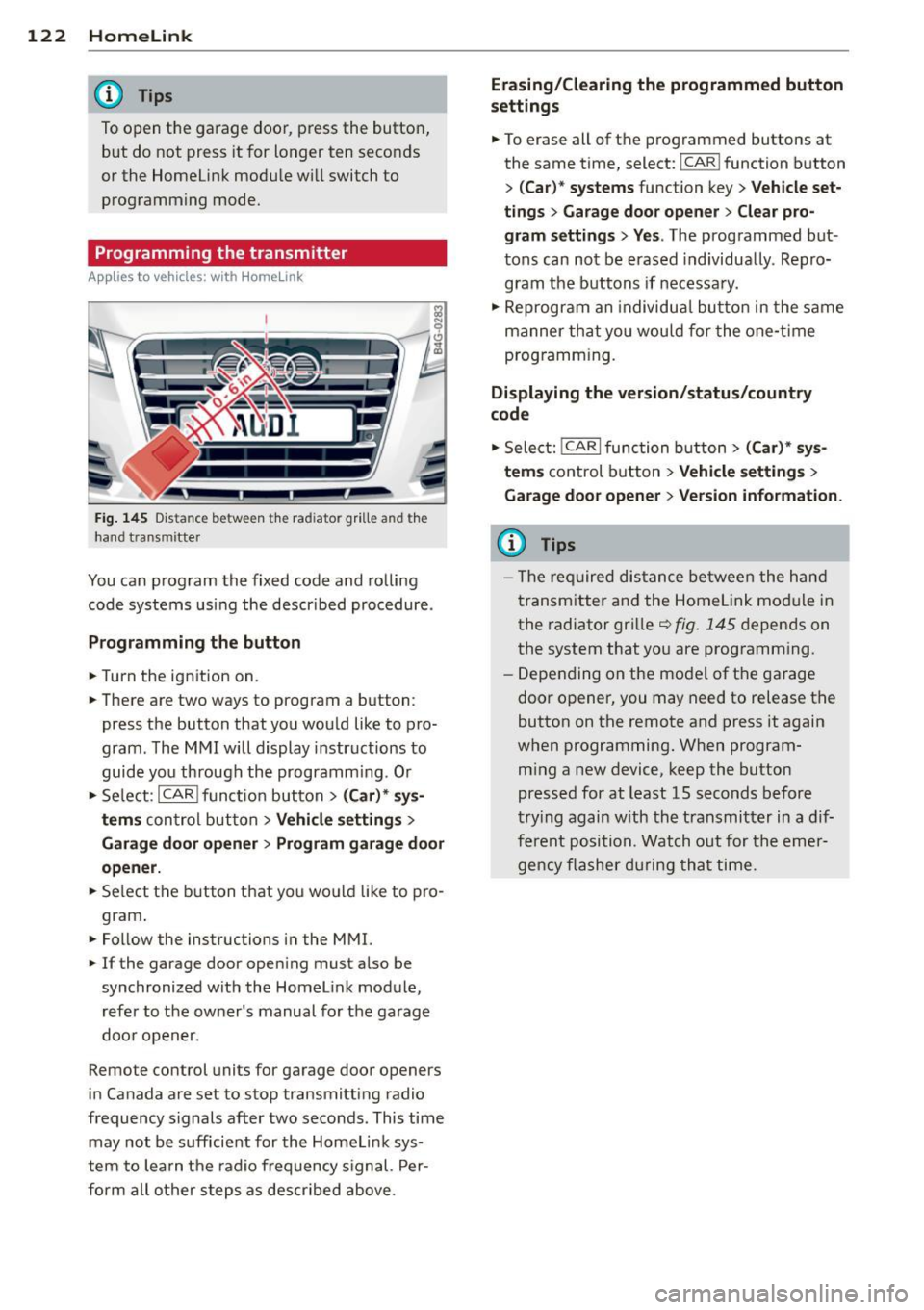
Fig. 145 Dis ta n ce between t he rad iator gr ille and the
hand t ransm itte r
You can prog ram the fixed code and ro lling
code systems us ing the descr ibed procedure .
Programming the button
.. Turn the ign ition on .
.. There are two ways to program a button:
press the button that you wou ld like to pro
gram . The M MI w ill display instructions to
guide yo u through the progr amm ing. Or
.. Se le ct: I CAR I f u ncti on but ton>
(Car) * sys ·
terns
con tro l bu tton > Vehicle settings >
Garage door opener > Program garage door
opener .
.. Se lect t he b utton t hat yo u wo uld like to pro
gram .
.. Fo llow the instructions i n the MMI.
.. If the garage door ope ning must also be
synchronized wit h the Homel ink module,
re fer to the ow ner's manual fo r the ga rage
doo r open er.
Remote control units for garage door openers
in Canada are set to s top transmitting radio
frequency signals after two seconds. This time may not b e sufficient for th e Homel ink sys
tem to lea rn t he radio frequency s ignal. Per
form all o ther step s as descr ibed above.
Erasing/Clearing the programmed button
settings
.. To erase all of t he p rogrammed buttons at
the same time , select: !C A R!function button
>
( Car )* systems function key > Vehicle set
tings
> Garage door opener > Clear pro·
gram settings > Yes .
The prog rammed but
tons can not be erased individua lly. Repro
g ram the b uttons if necessa ry .
.. Reprogr am an individu al bu tton in the same
manner th at you wou ld for the one-t ime
prog ramm in g .
Displaying the version/status/country
code
.. Sele ct: I CAR I func tion button > (Car )* sys
tems
control b utt on > Vehicle settings >
Garage door opener
> Version information.
(D Tips
- T he re qu ired dis tance betwee n the h and
tr ansm itter a nd the Homelink module in
the radiator grill e~
fig . 145 depen ds on
the system that yo u are prog ramm ing .
- Depe nding on the mode l of t he ga ra g e
door o pener, you may need to release t he
button on the rem ote and press it again
when programming . When program·
m ing a new device, keep the button
presse d for at least 15 seconds befor e
tr ying again w ith the t ransmit ter in a dif
fe re nt po sition. Watch out f or th e eme r
ge ncy fl ashe r dur in g tha t time.