power steering AUDI RS7 SPORTBACK 2014 Owners Manual
[x] Cancel search | Manufacturer: AUDI, Model Year: 2014, Model line: RS7 SPORTBACK, Model: AUDI RS7 SPORTBACK 2014Pages: 292, PDF Size: 73.56 MB
Page 4 of 292
2 Table of content s
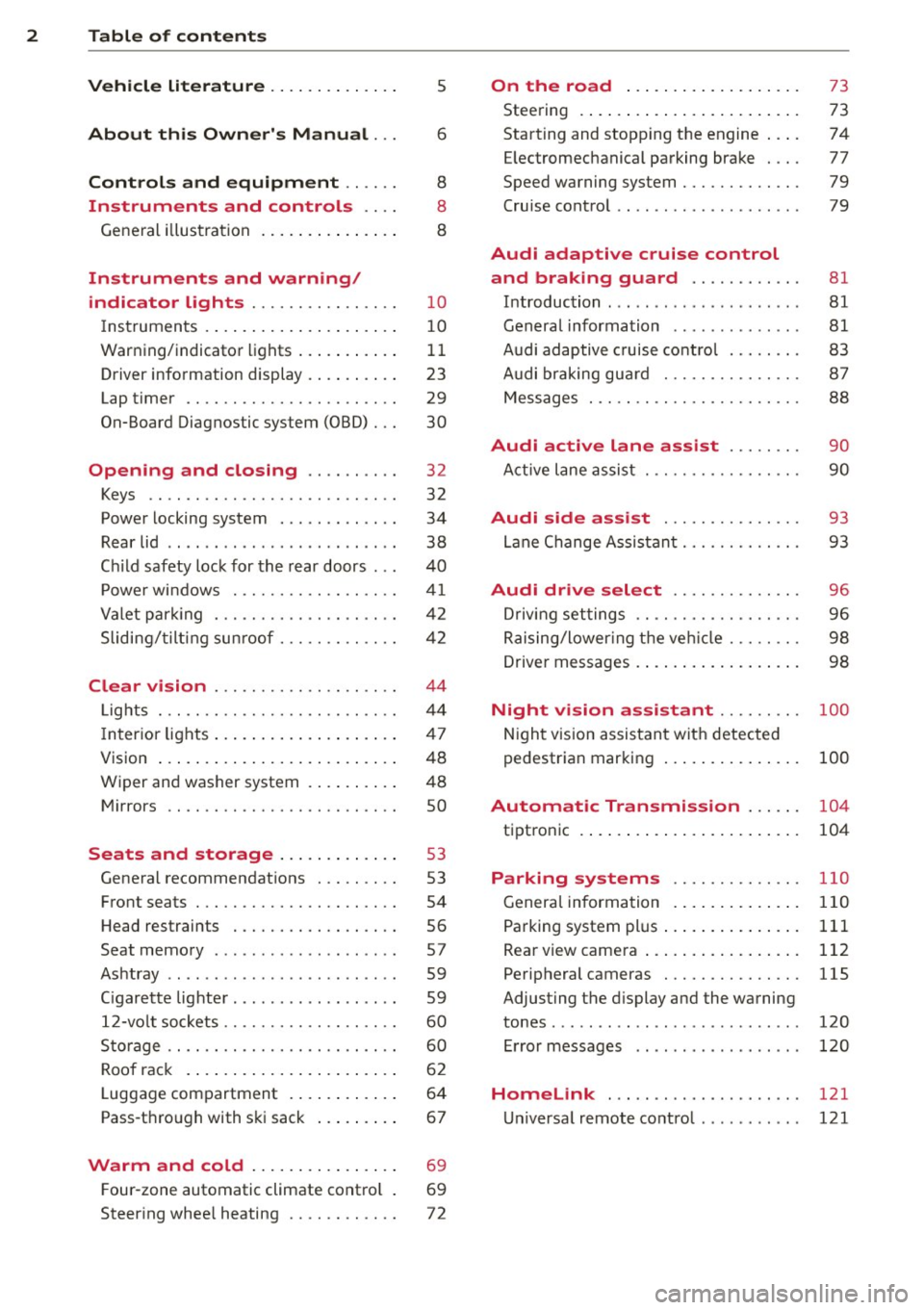
Vehicle lite ratu re .. .. .. .. .. ... .
About thi s Owner' s Manual ...
C ontr ols and equi pm ent .. ... .
Instruments and controls .. . .
General illustration ...... ... .. ... .
Instruments and warning/
indicator lights ............... .
Instruments ............ ... .. ... .
Warning/indicator lights .. ... ... .. .
Driver information display ... ... ... .
Lap timer .. ................ ... . .
On-Board Diagnostic system (OBD) .. .
Opening and closing ......... .
Keys .. .. .................. ... . .
Power locking system .......... .. .
Rear lid .... .................. .. .
5
6
8
8
8
10
10
11
23
29
30
32
32
34
38
Child safety lock for the rear doors . . . 40
Power windows ................. .
Valet park ing ................... .
Sliding/ tilting sunroof ............ .
Clear vision ................... .
Lights ... .. ................ ... . .
I nterior lights .... ......... ... ... .
V1s1on ..... ... ............. .... .
Wiper and washer system ...... .. . .
Mirrors .. ............... ....... . 4
1
42
42
44
44
47
48
48
so
Seats and storage . . . . . . . . . . . . . 53
General recommendations ........ .
Front seats .................. ... .
Head restraints ................. .
Seat memory .. .... ...... .. .. .. . .
Ashtray .. .. ................ ... . .
C igarette lighter ................. .
12-vo lt sockets .................. .
Storage .. ............... ...... . .
Roof rack .. ... ............. .... .
Luggage compartment ..... ... ... .
Pass-through with ski sack ....... . . 53
54
56
57
59
59
60
60
62
64
67
Warm and cold . . . . . . . . . . . . . . . . 69
F our-zone automatic climate control . 69
Steering wheel heating . . . . . . . . . . . . 72
On the road ... .......... ... .. .
Steering .. .... .. .. ............. .
Starting and stopping the engine ... .
E lectromechanical parking brake ... .
Speed warning system ............ .
Cruise contro l .. .. ............... .
Audi adaptive cruise control
and braking guard .......... . .
Introduction ... .. ... .... ........ .
General information ............. .
Audi adaptive cruise control ....... .
Audi braking gua rd ............ .. .
Messages . .... .. ............. .. .
73
73
74
77
79
79
81 81
81
83
87
88
Audi active lane assist . . . . . . . . 90
Active lane assist .............. .. .
Audi side assist .............. .
Lane Change Assistant ............ .
90
93
93
Audi drive select . . . . . . . . . . . . . . 96
Driving settings . . . . . . . . . . . . . . . . . . 96
Raising/lower ing the veh icle . . . . . . . . 98
Driver messages . . . . . . . . . . . . . . . . . . 98
Night vision assistant . . . . . . . . . 100
Night vision assistant with detected
pedestrian marking . . . . . . . . . . . . . . . 100
Automatic Transmission . . . . . . 104
tiptronic . . . . . . . . . . . . . . . . . . . . . . . . 104
Parking systems ........... .. .
General information ............. .
Parking system plus ......... ... .. .
Rear view camera ................ .
Peripheral cameras .............. .
Adjusting the display and the warning
tones ........ .... .............. .
Error messages
Homelink .................... .
Universal remote control .......... . 110
110
111
112
115
120
120
121
121
Page 5 of 292
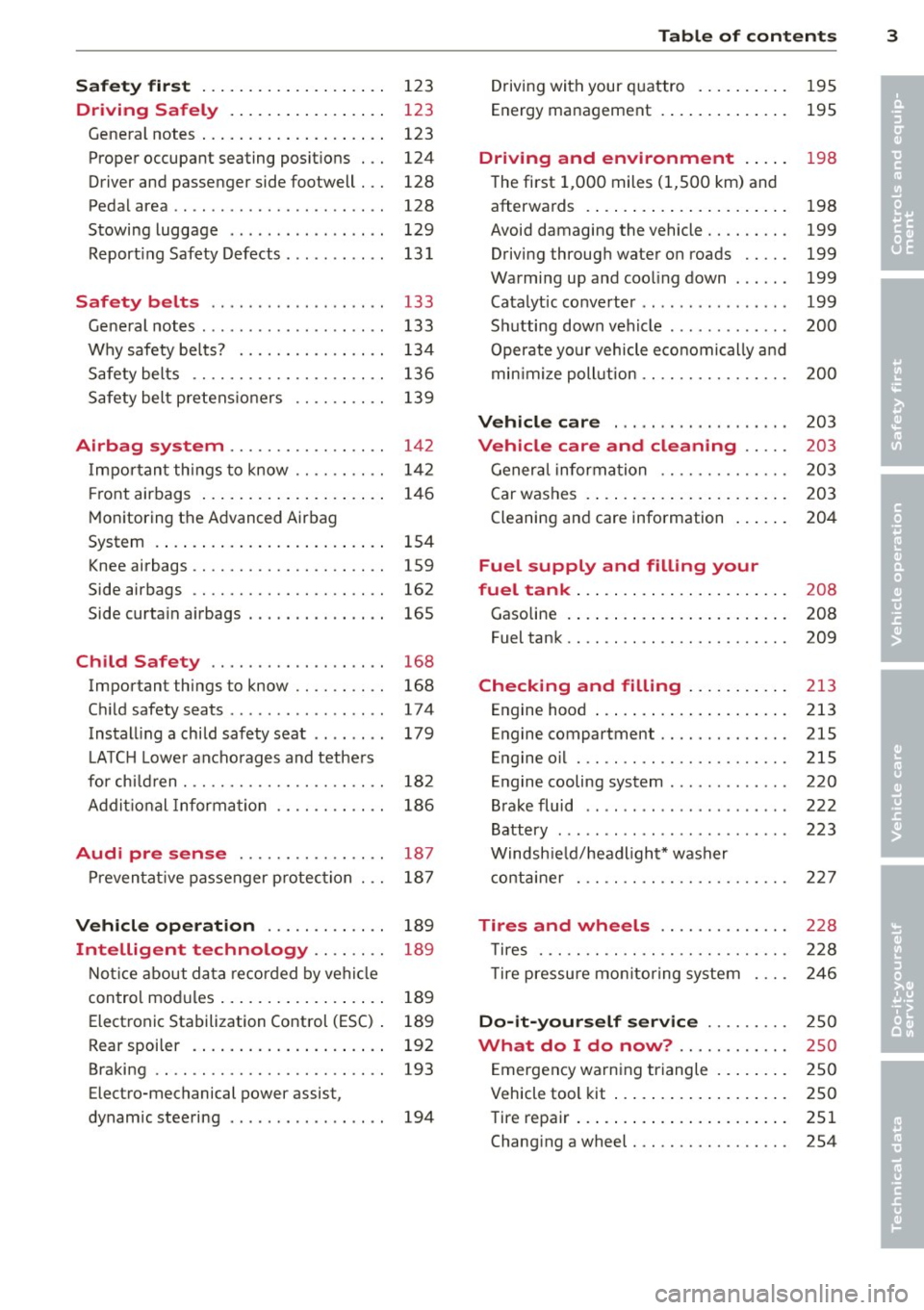
Safet y fir st . . . . . . . . . . . . . . . . . . . . 123
Driving Safely . . . . . . . . . . . . . . . . . 123
General notes . . . . . . . . . . . . . . . . . . . . 123
Proper occupant seating posit ions . . . 124
Driver and passenger side footwell . . . 128
Pedal area . . . . . . . . . . . . . . . . . . . . . . . 128
Stowing luggage . . . . . . . . . . . . . . . . . 129
R eport ing Safety Defects . . . . . . . . . . . 13 1
Safety belts . . . . . . . . . . . . . . . . . . . 133
General notes . . . . . . . . . . . . . . . . . . . . 133
Why safety bel ts? . . . . . . . . . . . . . . . . 134
Safety belts . . . . . . . . . . . . . . . . . . . . . 136
Safety belt p re tens ioners . . . . . . . . . . 139
Airbag system . . . . . . . . . . . . . . . . . 142
I mpor tant th ings to know . . . . . . . . . . 1 42
Fr ont airbags . . . . . . . . . . . . . . . . . . . . 146
M onitoring the Advanced Airbag
System . . . . . . . . . . . . . . . . . . . . . . . . . 154
Knee airbags . . . . . . . . . . . . . . . . . . . . . 159
Side airbags . . . . . . . . . . . . . . . . . . . . . 162
Side curta in a irbags . . . . . . . . . . . . . . . 165
Ch ild Safety . . . . . . . . . . . . . . . . . . . 168
Important things to know .. .. .. .. . .
C hi ld safety seats ............ .... .
Install ing a chi ld safety seat .. .. ... .
L A TC H L ower ancho rages and tethe rs
fo r ch ild ren . ............. .... .. . .
Addit io nal Informa tion
Audi pre sense .......... .. .. . .
Pr even ta ti ve passe nger p rotec tion
Vehicle operation ....... .. .. . .
Intelligent technology .. .. .. . .
N ot ice about da ta re corded by vehi cle
con trol mo dules ... .... ... .. .. .. . .
Electronic Stabilization Control (ESC) .
Rear spoiler . ... ...... ... .. .. .. . .
Braking .. .. ................. .. . .
Electro-mechanical power assist,
dynamic steering .............. .. . 168
174
179
18 2
186
187
18 7
189
189
189
189
192
193
194
Table of contents 3
Driving with your q uattro . . . . . . . . . . 195
Energy management . . . . . . . . . . . . . . 195
Driving and environment . . . . . 198
The first 1,000 miles (1,500 km) and
afterwards . . . . . . . . . . . . . . . . . . . . . . 198
Avoid damaging the vehicle . . . . . . . . . 199
Driving throug h water on roads . . . . . 199
Warmi ng up and coo ling down . . . . . . 199
Catalytic co nverter . . . . . . . . . . . . . . . . 199
Sh utting down vehicle . . . . . . . . . . . . . 200
Operate your vehicle economically a nd
min imi ze poll ution . . . . . . . . . . . . . . . . 200
Vehicle care . . . . . . . . . . . . . . . . . . . 203
Vehicle care and cleaning . . . . . 203
Gener al informa tion . . . . . . . . . . . . . . 203
Car washes . . . . . . . . . . . . . . . . . . . . . . 203
Cleaning and care information . . . . . . 204
Fuel supply and filling your
fuel tank . . . . . . . . . . . . . . . . . . . . . . .
208
Gasoline . . . . . . . . . . . . . . . . . . . . . . . . 208
Fuel tank. . . . . . . . . . . . . . . . . . . . . . . . 209
Checking and filling . . . . . . . . . . . 213
Engine hood . . . . . . . . . . . . . . . . . . . . . 213
Engine compartment.............. 215
Engine oil . . . . . . . . . . . . . . . . . . . . . . . 215
Engine cooling system . . . . . . . . . . . . . 220
Brake fluid . . . . . . . . . . . . . . . . . . . . . . 222
Battery . . . . . . . . . . . . . . . . . . . . . . . . . 223
Windsh ie ld/headlight* washer
c ont ainer . . . . . . . . . . . . . . . . . . . . . . . 227
Tires and wheels . . . . . . . . . . . . . . 228
T ires . . . . . . . . . . . . . . . . . . . . . . . . . . . 228
T ire pressure mo nitor ing system 246
Do-it -yourself service . . . . . . . . . 2 50
What do I do now? ............ 250
E mergency warn ing triangle . . . . . . . . 250
Vehicle tool kit . . . . . . . . . . . . . . . . . . . 250
Tire repa ir . . . . . . . . . . . . . . . . . . . . . . . 251
Changi ng a wheel . . . . . . . . . . . . . . . . . 254
•
•
Page 11 of 292
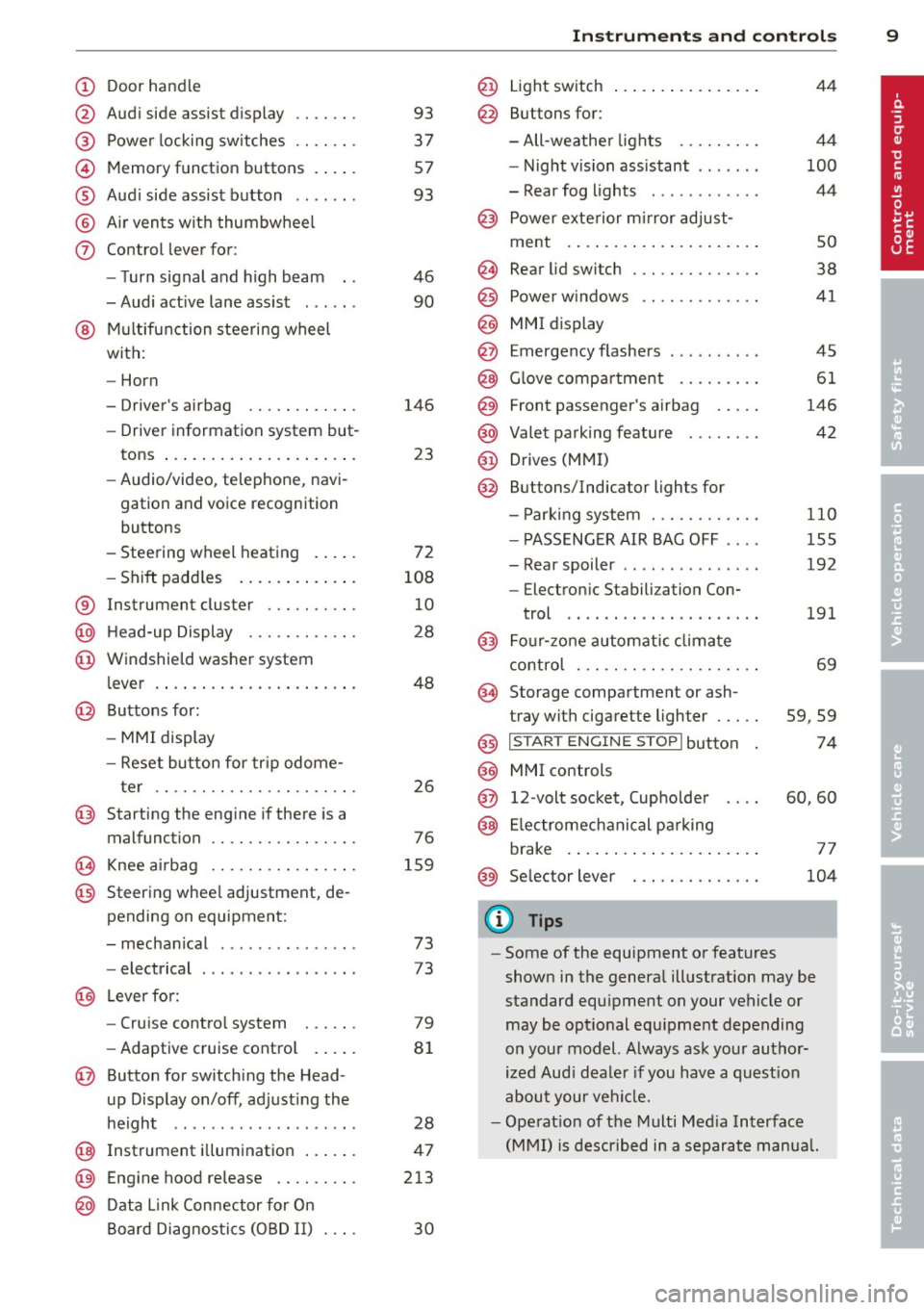
(!) Door handle
@
®
©
®
®
(j)
Audi side assist d isplay
Power locking sw itches
Memory function buttons . ... .
Aud i side assist button .. .. .. .
A ir vents with thumbwheel
Control lever for :
- T urn signal and high beam
- Audi act ive lane assist . .. .. .
@ Mu ltifunction steering wheel
with:
- Horn
- Driver's airbag
- Driver information system but-
tons ... ..... ....... ... .. .
- Audio/video , telephone, navi
gation and voice recognition
buttons
- Steering wheel heating . ... .
- Shift padd les ..... ... .. .. .
® Instrument cluster ..... .. .. .
@ H ead-up Display ....... .. .. .
@ Windsh ield washer system
l ever .... .... ...... ... .. .. .
@ Buttons for :
- MM I display
- Reset button for tr ip odome-
ter .. .. ............. .... .
@ Starting the eng ine if there is a
malfunction
~ Knee airbag ........... .... .
@ Steering whee l adjustment, de
pending on equipment:
- mechanical . ............. .
- electrical
@ Leverfo r:
- Cru ise contro l system
- Adaptive cruise cont ro l .. .. .
@ Button for switch ing the Head
up Display on/off , adjusting the
h eight .. ................ . .
@ Instrument illuminat ion ... .. .
@ Eng ine hood release .... .. .. .
@ D ata Link Connector for On
Board Diag nos tics ( OBD II) . .. .
93
37
57
93
46
90
146 23
72
108 10
28
48
26
76
159
73
73
79
8 1
28
47
213
30
In strument s and control s 9
@ Light switch ..... . .. .. ..... .
@ Buttons for :
- All -weathe r lights
- Night vision assistant . .. ... .
- Rear fog lights . .......... .
@ Power exterior mirror adjust-
ment . ... .... .. . .. .. ..... .
@ Rear lid switc h ............. .
@) Power w indows .... ........ .
@ MMI display
@ Emergency flashers
@ G love compar tment ........ .
@ Front passenger's airbag .... .
@ Valet parking feature ....... .
@ Drives (MMI)
@ Buttons/Indicator ligh ts for
- P arking system ........... .
- PASSENG ER AIR BAG OFF ... .
- Rear spoiler .. .. . .. .... ... .
- E lectron ic Stabili zation Con-
trol .. .. .. .. .. . ... ...... .
@) Four-zone automatic climate
control . .. .. .. .. .. ........ .
@ Storage compartment or ash-
tray with cigarette ligh ter .....
@) I STAR T ENGIN E ST OPI button
@ MMI controls
@ 12-volt socket , (upholde r
@ Elec tromechanical pa rking
brake . ... .. .... . ... ...... .
@ Selector lever
(D Tips
44
4 4
100
44
so
38
41
45
61
146
42
110
155
192
191
69
59,59
74
60,60
77
104
- Some of the equipment or features
shown in the genera l ill ustration may be
standard equ ipment on your vehicle or
may be opt ional equ ipment depending
on you r model. Always ask your autho r
ized Aud i dea le r i f you have a quest ion
about your ve hicl e.
- Ope rat ion of the Multi Med ia Interface
(MMI) is described in a separate manua l.
Page 15 of 292
Instrument s and warnin g/indic ator ligh ts 13
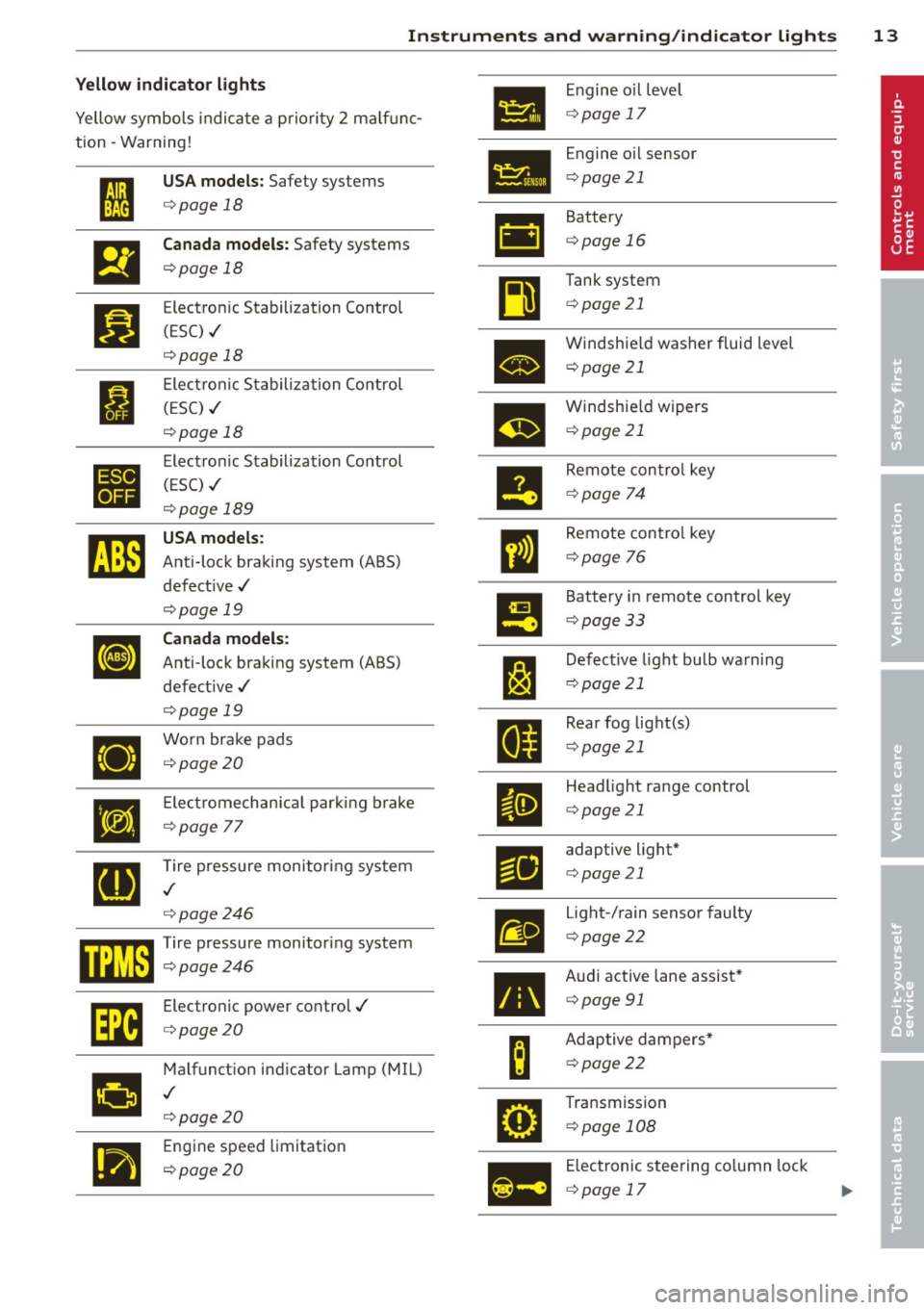
Yellow indi cator li ght s
•
Engine o il level
Yellow symbols indica te a priority 2 ma lf u nc-
c> page 17
tion -Warning!
Engine oil sensor
• I
US A models : Safety systems c>page 21
c> page 18
• Battery
&1
El
Canad a models : Safety systems c>page 16
c>page 18
Tank system
~
Bl
Electronic Stabilization Control c>page 21
(ESC) ./
c>page 18
•
Windshie ld washer fluid level
c> page 21
Electronic Stabiliza tion Control
I (ESC) ./
m
Windshie ld wipers
c> page 18 c>
page 21
•
Electronic Stabilization Control
Remote control key
( E SC) ./
II c>page 74
c>page 189
rJi3
USA models :
ll
Remote contro l key
Anti-lock braking system (ABS)
c>page 76
defect ive ./
c>page 19
!9
Battery in remote control key
Canada models :
c>page 33
[I] Anti-lock braking system (ABS)
J:I
Defective light bulb warning
defect ive ./
c>page 21
c>page 19
Rear fog lig ht(s)
•
Worn brake pads
II c>page 21
c>page20
•
E lect romechan ica l par king brake
II
Head light range control
c>page 21
c>page
77
[g
Tire pressure monitoring system
Fil
adaptive light*
c> page 21
./
c>page246
m
Light-/rain sensor faulty
mm Tire pressure monitor ing system c> page 22
c:::>page246
•
Audi active lane assist*
Im
Electronic power control./ c>page 91
c:::>page20
B
Adaptive dampers*
Malfunct ion ind icator Lamp (MIL)
c>page22
•
./
c>page20
•
Transmission
c> page 108
.,
Engine speed limitation
c> page20
Ill
Electronic steering column lock
c> page 17
Page 34 of 292
32 Opening and clo sing
Opening and closing
Keys
Key set
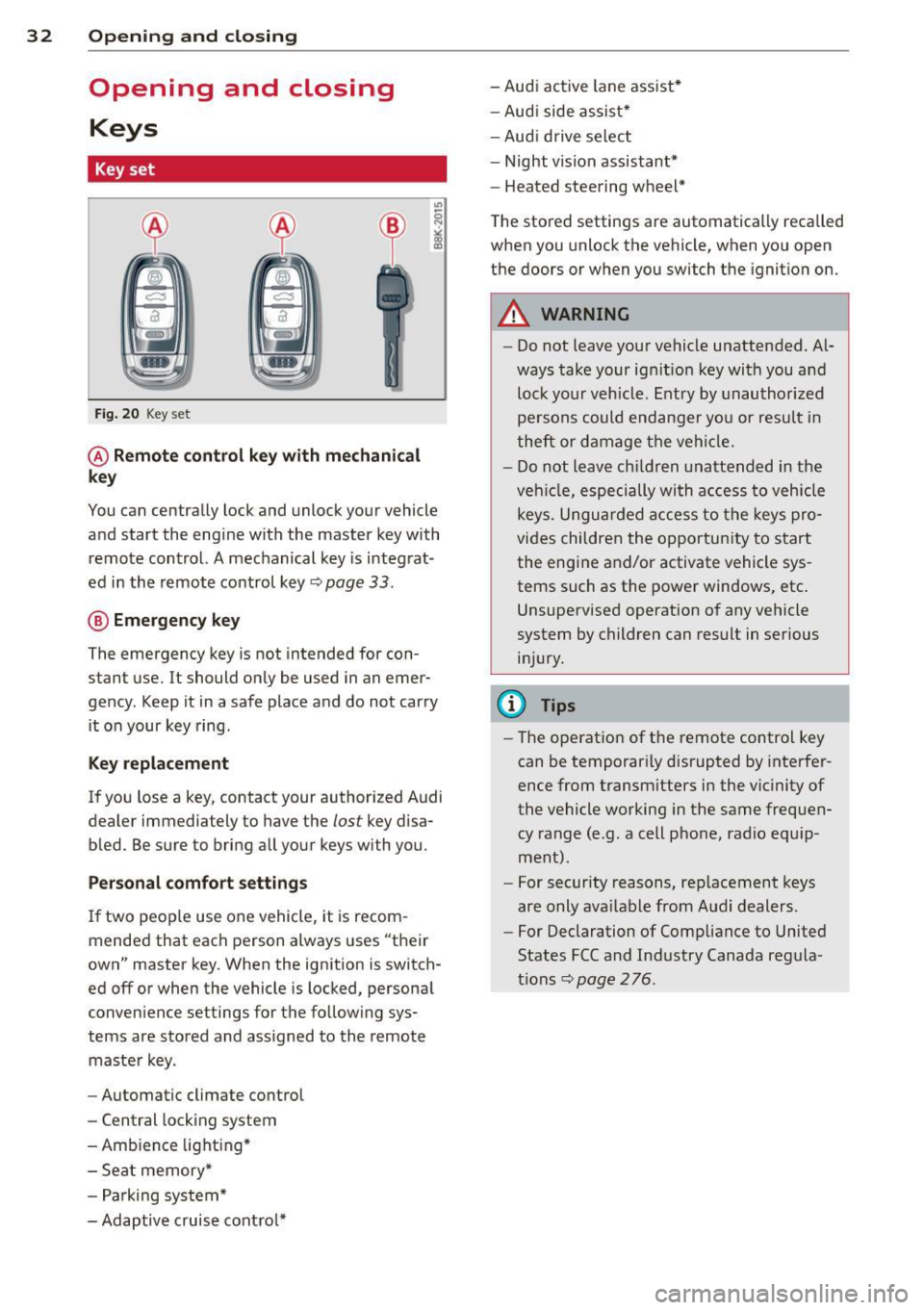
Fig . 20 Key set
@ R emot e con trol k ey w ith m echan ical
ke y
You can centrally lock and unlock your vehicle
and start the engine with the master key with
remote control. A mechanical key is integrat
ed in the remote control key
r:::;, page 33 .
@ Eme rgenc y ke y
The emergency key is not intended for con
stant use.
It should only be used in an emer
gency. Keep it in a safe place and do not carry it on your key ring .
Key replac em ent
If you lose a key, contact your authorized Audi
dealer immediately to have the
lost key disa
bled. Be sure to bring all your keys with you.
P er sonal c omfo rt se ttin gs
If two peop le use one vehicle, it is recom
mended that each person always uses "their
own" master key . When the ignition is switch
ed off or when the vehicle is locked, personal
convenience settings for the follow ing sys
tems are stored and assigned to the remote master key .
- Automatic climate control
- Central locking system
- Amb ience light ing*
- Seat memory*
- Parking system*
- Adaptive cruise control* - Audi active
lane assist *
- Aud i side assist*
- Aud i drive select
- Night vision assistant*
- Heated steering wheel*
The stored settings are automatically recalled
when you unlock the vehicle, when you open
the doors or when you switch the ignition on.
A WARNING
-- Do not leave your vehicle unattended . Al-
ways take your ignit ion key with you and
lock your vehicle . Entry by unauthorized
persons could endanger you or resul t in
theft or damage the vehicle.
- Do not leave children unattended in the veh icle, especially with access to vehicle
keys. Unguarded access to the keys pro
vides children the opportunity to start the engine and/or activate vehicle sys
tems such as the power windows, etc .
Unsupervised operation of any vehicle
system by children can result in serious
injury.
(1) Tips
- The operation of the remote control key
can be temporar ily disrupted by interfer
ence from transm itters in the vic inity of
the vehicle working in the same frequen
cy range (e.g. a cell phone, radio equip
ment).
- For security reasons, rep lacement keys
are only ava ilable from Audi dealers.
- For Declaration of Compliance to United
States FCC and Industry Canada regula
tions
r:::;, page 276.
Page 77 of 292
Starting th e engin e
"'Press the brake peda l r::!> _&..
"'Press the I START ENGINE STOP I button
r::!> fig. 81. The engine will start .
If the engine should not sta rt immediately ,
the sta rting process is automatically stopped
after a short time. Repeat starting procedure .
A WARNING
-Never allow the engine to run in confined
spaces -danger of asphyxiation .
- Never t urn off the engine unti l the vehi
cle has come to a complete stop.
- The brake booster and power steering
only work when the engine is running . If
the engine is off, you have to use more
force when steering or braking. Because
you cannot steer and brake as you usua l
ly would, this could lead to crashes and
ser ious injur ies .
(D Note
-Avoid high engine rpm, full throttle and
heavy engine loads unti l the engine has
reached operating temperature -other
wise yo u risk eng ine damage.
- The eng ine cannot be started by pushing
or tow ing the veh icle.
(D Tips
- After a cold engine is started, there may
be a brief period of increased noise be
ca use oil pressure mus t fi rst bu ild up in
the hyd raulic valve adjusters . This is nor
mal and not a ca use for concern.
- If you leave the vehicle with the ignit ion
switched on, the ignition will switch off
after a certai n pe riod of time. P lease
note tha t electr ica l equipment s uch as
exterior lights wi ll switch off as well
when that happens.
Stopping the engine
"' Bring your vehicle to a complete stop.
"' Move the selector lever to the P or N po si
t ion.
On th e ro ad 75
"'Press the I START ENGINE ST OP I button
r::!>poge 74, fig . 81.
Ste ering lock
T he s teering locks when yo u tur n the engine
off using t he
I S TA RT ENGINE STO P! bu tton
and open the d river 's doo r. The locked steer
ing helps prevent vehicle theft.
Emergency off
If necessary, the engine can be switched off
with the selector lever in the R or D/S posi
t ion. The engine stops if you press the
I S TAR T ENG IN E ST OP I button at speeds below
6 mph (10 km/ h) .
A WARNING
- Never turn off the engine until the vehi
cle has come to a complete stop.
- The brake booster and power stee ring
only work when the eng ine is r unning . If
the engine is off, you have to use more
force when steering or braking. Because
you cannot steer and brake as you usual
ly would, this co uld lead to crashes and
serious injuries .
- For safety reasons , you should a lways
pa rk your vehicle w it h the selector lever
in P. Otherwise, the vehicle could inad
ver ten tly roll away.
- After the eng ine has been switched off,
the radiator fa n can cont in ue to run for
up to 10 minu tes -even with the ignition
sw itche d off . It can also sw itch on again
after some time i f th e coolant tempera
ture rises as the result of a heat b uildup
or if the engine is hot and the engine
compartment is additionally heated by
the sun's rays.
(U) Note
Do not stop the engine immediately after
hard o r extended driving. Keep the engine
running for approximate ly two minutes to
prevent excess ive heat bu ild-up .
Page 98 of 292
96 Audi drive select
Audi drive select
Driving settings
Introduction
Aud i d rive select mak es it possible to expe ri
ence diffe ren t types of vehi cle se ttin gs i n o ne
ve hicl e. The dr ive r can se lect th ree
Comfort ,
Auto
and Dynamic modes in the M MI to
switch between a sporty and a comforta ble
driving mo de.
You c an a lso a djust the setti ng according to
your p re ferences in the
Individual mode . F o r
examp le, you ca n combine settings such as a
sporty en gine t uning with comfortab le steer
ing.
A WARNING
Improper use of the A udi drive select can
cause collisions, ot her acc idents and se ri
ous pe rsonal injury.
Description
The vehicle setup in each mode depends on
the veh icl e's featu res. The engine, t ransm is
sion, stee ring, reve rsible sa fe ty belt tension
e rs a nd adap tive air su spension are alw ays in
volved.
Engine and transmission
Depending on the mode, the e ng ine and the
tra nsmission respond quic ker or i n a more bal
an ced manne r to acce le rator pedal move
men ts. In the sporty dyn ami c mode, the
tra nsmission sh ifts at highe r RP Ms.
Air suspension*
The adaptive air suspens ion/adaptive air sus
pension spor t*
(Air suspen sion in the MM I) is
a n e lec tronic ally con trolled air suspension and
da mpi ng sys tem. They are adjus ted depend
ing on the se lected driving mode, the drive r's
steeri ng, braking an d acceleration input and
the road s urface, ve hicle speed and load. A
sporty setting is generally used in ve hicles
with adaptive air suspension sport*. T
he veh icle clearance varies depending on the
se lected mo de an d the speed .
T he highway setti ng is a ct ivated automatic ally
whe n you dr ive above 7 5 mph (120 km/ h) fo r
more than
3 0 seconds in the Auto or Dynamic
mode. The gro und clea rance is increased a uto
matically if the speed drops below
44 mph
(70 km/h) for more than 120 seconds.
Steering
T he s teer ing adap ts in terms of s teer ing effor t
and steering ratios . Indirect stee ring that
moves easily, like the steer ing in comfo rt
mode, is best suited to long drives on a high
way. In contrast, dynamic mode provides sporty, direct steer ing .
The following app lies to veh icles with dynamic
stee ring* : the steer ing rat io changes based on
vehicle speed in order to ma intain optimum
steering effort for the drive r at all times. This
sets the stee ring to be less sens itive at higher
speeds in order to provide improved vehicl e
control. At reduced speeds, howeve r, s te e ring
is mo re dir ect in o rder to keep the stee ring ef
f or t as minima l as possible when the drive r is
mane uveri ng the veh icle. At low and average
speeds, dynamic stee ring ad dit iona lly pro
vides more responsive steering pe rformance .
Adaptive dampers*
The ad aptive dampe rs* use se nsors to re cord
i nforma tion r egarding steering movemen ts,
braking and ac celera tion ope ra tions by the
driver, road surface, d riving speed, and loa d.
T his ma kes it possible to adapt damp ing to
the driving situation v irtually in rea l time.
Drive select also makes it possib le to satisfy
the des ire fo r sporty suspension (Dynamic)
and comfortab le suspens ion (Comfort) with
out giving up ba lance d tuning (Auto) .
Sport differential*
As a component of the all whee l dr ive system
(quattro)
c:> page 195, the Sport d ifferential*
distributes the d riving power to the rear ax le
depe nd ing on the si tuati on. The dis trib ution
of power var ies depend ing on the selected
mode, from balance d (comfo rt) to agile ..,.
Page 118 of 292
116 Parking systems
& WARNING
- Always read and follow the applicable
warnings
Q .&. in General information on
page
110.
- If the posit ion or the installation angle
of a camera was changed, afte r a colli
sion for example, do not continue to use
the system for safety reasons. Have it
checked by your au thori zed Audi dealer
s hip.
- K eep in m ind that the image i n the dis
play is distorted if the ex ter ior mir ro r
housing has been man ual ly adjusted .
- Use the
re ar mode and the corner view
(re ar)
mode on ly when the luggage com
partment lid is fully closed . Otherwise
the image in the display will be distort
ed.
- The veh icle surroundings are shown us
ing the camera images . The vehicle im
age is shown by the system. Objects and
obstacles above the camera are not dis
played .
- Camera lenses en large and distort the
field of v is ion. The objects appear both
altered and inaccu rate on the screen.
(D Note
- Always read and follow the applicab le
warnings
c:> (i) in General information on
page
110.
- The In fota inment display shows the d i
rection in wh ich the rear of the vehicle is
traveling based on the steering wheel
angle . The front of the ve hicle front
swings out more than the rear of t he ve
hicle. Ma intain plenty of distance so that
you r outside m irror or a corner of you r
vehicle does no t coll ide wi th any obsta
cles.
@ Tips
I f t he 8/cr;iJ/r:;::::s symbol appea rs i n the
d isp lay and the respec tive display area is
g rayed out, then the power exter io r mir
rors were fo lded in or the driver 's door/ front passenger's door/
luggage compart
ment lid was opened.
Switching on or off
Applies to vehicles: with parking system plus with periph
eral cameras
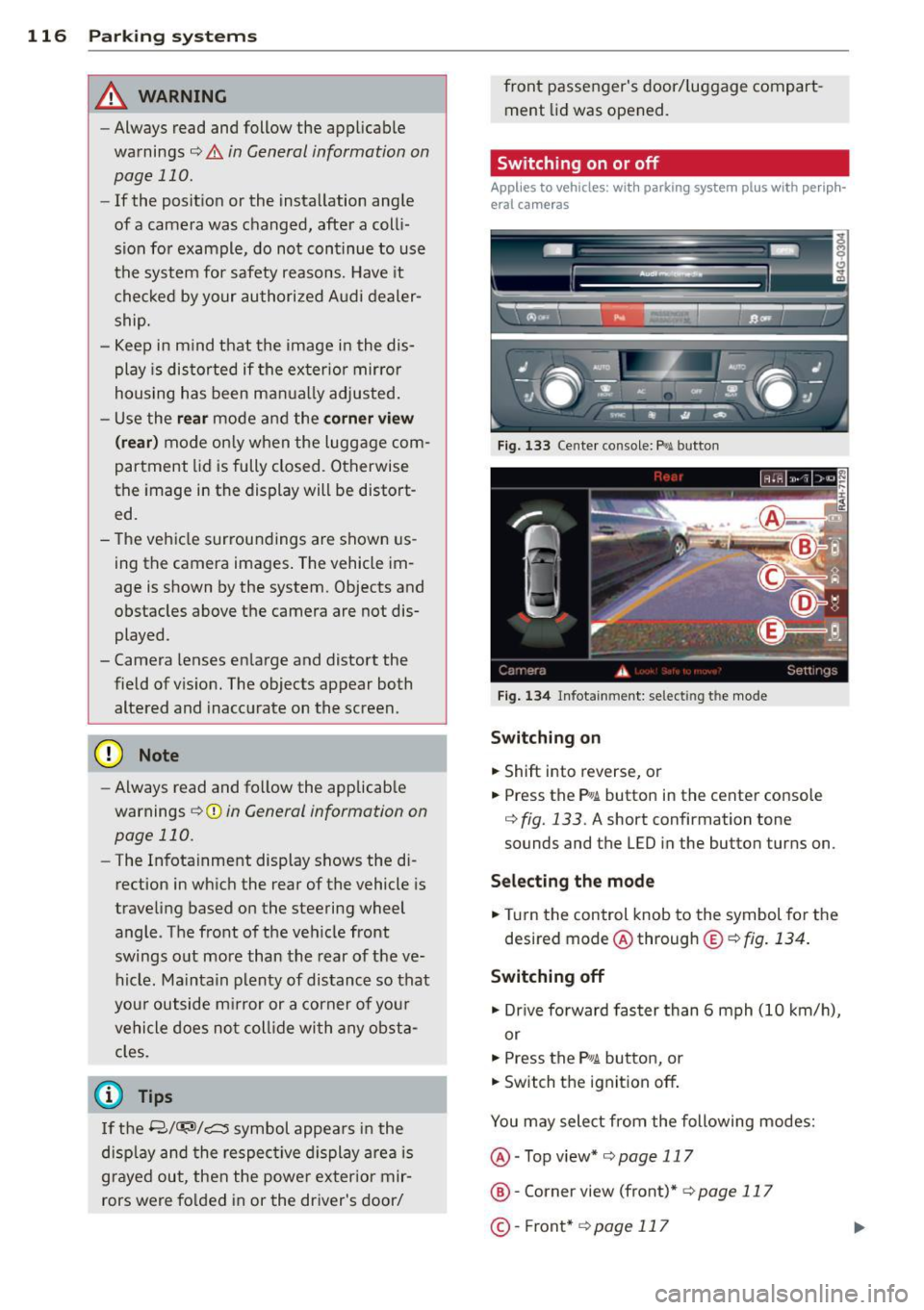
Fig . 1 33 Ce nte r co n sole: f> •JI butto n
Fig. 1 34 Infot ainment: se lect ing t he m od e
Switching on
.. Shift into reverse , or
.. Press the P•QJ\. button in the cente r console
c:> fig. 133 . A short confirmation tone
sounds and the L ED in the button turns on .
Selecting the mode
.. Turn the control knob to the symbol fo r the
desired mode @ through @¢
fig. 134 .
Switching off
.. Dr ive fo rward faster than 6 mph (10 k m/ h),
or
.. Press the
P"li bu tton, or
.. Switch the ignit ion off .
You may sele ct from the following modes:
@ -Top view*
c:>page 117
@ -Corne r view (front)* c:> page 11 7
©-Front * c:>page 117
Page 191 of 292
Intelligent technology Notice about data
recorded by vehicle
control modules
Your vehicle is not equipped with an Event Da
ta Recorder (EDR), installed by some manu
facturers for the express purpose of capturing
data for retrieval after an accident or crash
event. EDR's are sometimes called "crash re
corders".
Some state laws restrict the retr ieval or down
loading of data stored by EDR's that were in
stalled in a vehicle for the express purpose of
retrieving data after an accident or crash
event without the owner's consent.
Although your vehicle is not equipped with an
EDR, it is equipped with a number of electron
ic control modules for various vehicle systems
such as, for examp le, engine function, emis
sion control, as well as for the airbags and
safety belts.
These electronic control modules also record
vehicle-related data during norma l vehicle op
eration for diagnostic and repair purposes.
The recording capacity of the electronic con
trol modules is limited to data (no sound is re
corded) and only a small amount of data is ac
tually recorded over a very limited period of
time and stored when a system fault or other
condition is sensed by a control unit. Some of
the data then stored may relate to vehicle
speed, direction, braking as we ll as restraint
system use and performance in the event of a
crash or other condition. Stored data can only be read and downloaded with special equip
ment.
Electronic Stabilization
Control (ESC)
Description
ESC helps to improve road holding and vehicle
dynamics to help reduce the probability of
skidding and loss of veh icle control. It works
only when the engine is running. ESC detects
Intelligent technology 189
certain difficult driving situations, including
when the vehicle is beginning to spin (yaw)
out of control and helps you to get the veh icle
back under control by se lectively braking the
wheels, and/or reducing engine power and
providing steering ass istance to help hold the
vehicle on the driver's intended course. The in
dicator light
JjJ in the instrument cluster
blinks when ESC is taking action to help you
control the vehicle.
ESC has limitations .
It is important to remem
ber that ESC cannot overcome the laws of
physics.
It will not always be able to help out
under all conditions you may come up against.
For example, ESC may not always be able to
help you master situations where there is a
sudden change in the coefficient of friction of
the road surface. When there is a section of dry road that is suddenly covered with water,
slush or snow, ESC cannot perform the same
way it would on the dry surface. If the vehicle
hydroplanes (rides on a cushion of water in
stead of the road surface), ESC will not be
able to help you steer the vehicle because con
tact with the pavement has been interrupted
and the vehicle cannot be braked or steered .
During fast cornering, particularly on winding
roads, ESC cannot always deal as effectively
with difficult driving situations than at lower
speeds.
Always adjust your speed and driving style to
road, traffic and weather conditions. ESC can
not override the vehicle's physical limits, in
crease the available traction, or keep a vehicle
on the road if road departure is a result of
driver inattention. Instead, ESC improves the
poss ibility of keeping the vehicle under con
trol and on the road dur ing extreme maneu
vers by usin g the driver 's steering inputs to
help keep the vehicle going in the intended di
rection. If you are traveling at a speed that
causes you to run off the road before ESC can
provide any assistance, you may not experi
ence the benefits of ESC.
ESC includes and/or works together with the
anti- lock brake system (ABS), brake assist sys -
tem, anti-slip regu lation (ASR), electronic
Ill>
•
•
Page 192 of 292
190 Intelligent technology
differential lock (EDL), dynamic steering* and
selective whee l torque control. ESC is switch
ed on all the t ime. In certa in situations when
you need less traction, you can switch off ASR
by pressing the button
[ill c> page 191,
fig. 180. Be sure to switch ASR on again when
you no longe r need less traction .
Anti-loc k br ak ing system (ABS)
ABS prevents the wheels from locking up
when braking. The vehicle can still be steered
even during hard brak ing. Apply steady pres
sure to the brake pedal. Do not pump the ped
al. A puls ing in the brake pedal ind icates that
the system is he lp ing you to b rake the vehicle.
B rake as sist sys tem
The brake assist system can decrease braking
d istance. It increases braking power when the
driver presses the brake pedal quick ly in emer
gency situations. You must p ress and hold the
b rake pedal until the situation is over. I n
vehicles w ith adaptive cru ise cont rol*, the
b rake assist system is more sens it ive if the
d istance detected to the vehicle ahead is too
smal l.
Anti-slip regulation (ASR)
ASR reduces engi ne power when the d rive
wheels begin to spin and ad apts the fo rce to
the road condit ions. This makes i t easier to
start, accelerate and drive up hills .
Electronic differential lock (EDL)
The EDL brakes wheels that are spinning and
transfers the d rive powe r to the other d rive
wheel o r whee ls if the vehi cle is equipped wi th
a ll-w hee l drive* . This function is available up
to about 75 mph (120 km/h).
I n extreme cases, ED L automat ica lly swit ches
off to help keep the brake o n the braked whee l
from overheating . EDL wi ll switch on again au
tomatically when conditions have returned to
norma l.
Dynamic steering*
On vehi cles w ith dy namic stee ring*, ESC helps
stabilize the steering i n critical s ituations.
Selective wheel torque control
T he sele ctive whee l torq ue con trol ope rates
when driving through c urves . The front whee l
on the inside of th e curve o r both wheels on
the inside of the curve are braked selectively
as needed. This minimizes sliding in the front
whee ls and allows for more precise driving
t hr ough curves. The appl icable system may
not act ivate when dr iv ing in wet or snowy con
ditions .
,&. WARNING
-ESC, ABS, ASR, EDL, dy namic steeri ng*
and the select ive wheel torq ue con trol
c a nnot ove rcome the laws of physics.
T his is especially important on slippery
or wet roads.
If the systems begin acting
to stabilize your veh icle, yo u should im
mediately change your speed to match
the road and traffic conditions. Do not
let the increased safety provided by
these systems tempt you to take r isks.
Doing so will increase the risk of a loss of
veh icle cont ro l, collision and ser ious per
sonal injur ies.
- Always adapt your speed to road, traffic
and wea ther conditions. The risk of los
ing con trol of t he vehicle increases when
d riving too fast, espec ially through
curves and on slippery or wet roads, and
when dr iving too close to vehicles up
ahead. ESC, ABS, the brake assist sys
tem, ASR, EDL, dynam ic steering* and
the selective wheel torque contro l can
not prevent collisions .
- Always accelerate with special care on
even, smooth su rfaces such as those that
are wet or covered with ice and snow .
The drive wheels can spin eve n w ith
these assistan ce systems that cannot al
ways he lp to re duce the risk of loss of ve
h icle control.
(D Tips
- ABS and ASR o nly wo rk correctly when
all four wheels are equipped with identi
cal tires. D iffe ren t tire si zes can lead to a
reduction in engine power.
-
...