engine AUDI RS7 SPORTBACK 2015 User Guide
[x] Cancel search | Manufacturer: AUDI, Model Year: 2015, Model line: RS7 SPORTBACK, Model: AUDI RS7 SPORTBACK 2015Pages: 302, PDF Size: 74.76 MB
Page 21 of 302
Instrument s and warnin g/indic ator ligh ts 19
M N
0:: <.J 'SI: ,...., \!) 1.1'1
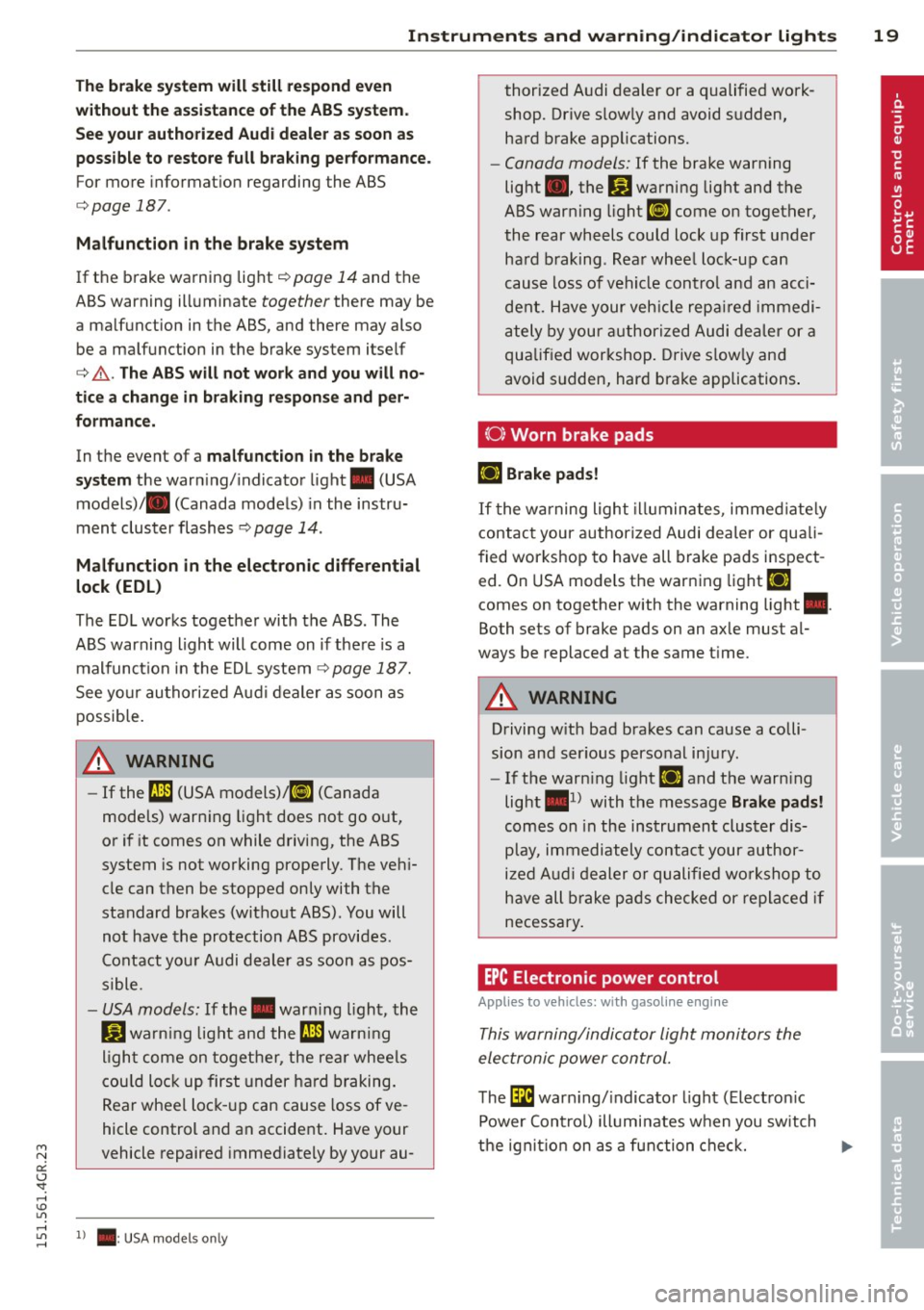
The bra ke s ystem will still re sp ond e ven
w ithout th e ass is ta nce of the ABS system .
S e e you r a uthorized Audi dealer as soon as
po ssibl e to restore full brak ing p erformance.
For more informat ion regarding the ABS
c> page 187.
Malf uncti on in the brak e syste m
If the brake wa rning light c> pag e 14 and th e
ABS wa rning illuminate
together there may be
a ma lfunction in the ABS, and the re may also
be a mal func tion in the brake system it sel f
c> ,&. . Th e AB S will not work and you will no
tic e a ch ange i n braking re spon se and p er
formanc e.
In the event of a malfunct ion in the b ra ke
sy st e m
the warn ing/ indicator light . (USA
models)/ . (Canada models) in the instru
ment cluster flashes
c> page 14 .
Malfunction in the elect ronic differential
lock (EDL )
The ED L works together with the ABS. The
ABS warning light will come on if there is a
malfunct ion in the EDL system
c> page 187.
See yo ur au thorized Aud i dealer as soon as
possib le.
A WARNING
- If the fJl1 (USA models) ;t§J (Canada
models) warn ing light does not go out,
or if it comes on while driving, the ABS
system is not working properly . The veh i
cle can then be stopped only with the
standard brakes (without ABS). You will
not have the protection ABS provides .
Contact you r Audi dealer as soon as pos
sible.
- USA models: If the . warn ing light, the
Ji) warn ing light and the fJl1 warn ing
l igh t come on together , the re ar whee ls
cou ld lock up first under hard braking.
Rear wheel lock -up can cause loss of ve
hicle control and an accident. Have your
vehicle repaired immediately by your au-
5 1 > . : USA models only
thorized A udi dealer or a qualified work
shop. Drive s lowly and avoid s udden,
hard brake app lications.
- Canada models: If the brake warning
light ., the
Bl warning light and the
ABS warning light
EiJ come on together,
the rear wheels could lock up first under
hard b raking . Rea r whee l lock-up can
cause loss of vehicle contro l and an acci
dent. Have your veh icle repa ired immedi
ately by your authorized Audi de aler or a
qualif ied workshop . Drive s low ly and
avoid sudden, hard brake applications .
{0} Worn brake pads
llJ Brake pad s!
If the warning light illuminates, immed iate ly
contact your authorized Audi dea ler or quali
f ied workshop to have all brake pads inspect
e d. On USA mode ls the warning light
llJ
comes on together with the wa rning light •.
Bo th set s of brake pads on an axle mus t al
ways be replaced a t the s ame time .
A WARNING
Driving w ith bad brakes can cause a colli
sion and ser ious personal injury .
- If the warn ing light
llJ and the warn ing
light •
1
) with the message Brake pads!
comes on in the instrument cluster dis
play, immediately contact your author
i z ed Audi dealer or qualified wo rkshop to
have all brake pads checked or replaced if
necessary.
EPC Electronic power control
Applies to vehicles: with gasoline engine
This warning/indicator Light monitors the
electroni c power control.
The l3i warn ing/ indicator light (Electron ic
Power Control) illuminates when you sw itch
-
the ignit ion on as a function che ck. IJII>
Page 22 of 302
20 Instruments and warning/indicator lights
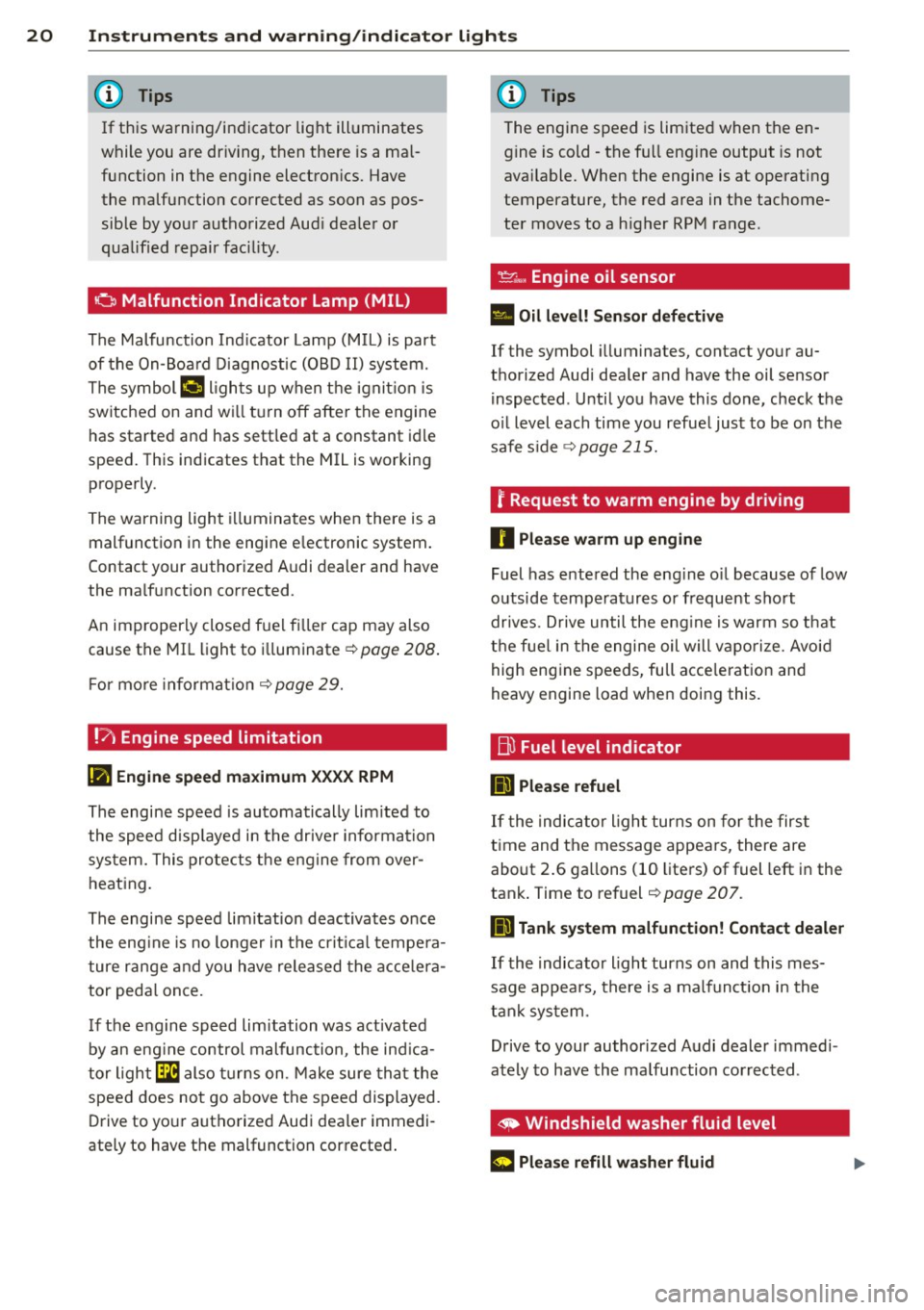
If this warning/indicator light illuminates
while you are driving, then there is a mal
function in the engine electronics. Have the malfunction corrected as soon as pos
sible by your authorized Audi dealer or
qualified repair facility .
o Malfunction Indicator Lamp (MIL)
The Malfunction Indicator Lamp (MIL) is part
of the On-Board Diagnostic (OBD II) system.
The symbol
¢..j lights up when the ignition is
switched on and will turn off after the engine
has started and has settled at a constant idle
speed. This indicates that the MIL is working
properly.
The warning light illuminates when there is a
malfunction in the engine electronic system.
Contact your authorized Audi dealer and have
the malfunction corrected .
An improperly closed fuel filler cap may also
cause the MIL light to illuminate ¢ page 208.
For more information ¢ page 29.
!?) Engine speed limitation
II! Engine speed maximum XXXX RPM
The engine speed is automatically limited to
the speed displayed in the driver information
system. This protects the engine from over
heating.
The engine speed limitation deactivates once
the engine is no longer in the critical tempera
ture range and you have released the accelera
tor pedal once.
If the engine speed limitation was activated
by an engine control malfunction, the indica
tor light
Ga also turns on. Make sure that the
speed does not go above the speed displayed .
Drive to your authorized Audi dealer immedi
ately to have the malfunction corrected.
'
(!) Tips
The engine speed is limited when the en
gine is cold -the full engine output is not
available. When the engine is at operating
temperature, the red area in the tachome
ter moves to a higher RPM range .
~~, Engine oil sensor
• Oil level! Sensor defective
If the symbol illuminates, contact your au
thorized Audi dealer and have the oil sensor inspected . Until you have this done, check the
oil level each time you refuel just to be on the
safe side
¢ page 215.
? Request to warm engine by driving
0 Please warm up engine
Fuel has entered the engine oil because of low
outside temperatures or frequent short
drives . Drive until the engine is warm so that
the fuel in the engine oil will vaporize. Avoid
high engine speeds, full acceleration and
heavy engine load when doing this.
Bu Fuel level indicator
D Please refuel
If the indicator light turns on for the first
time and the message appears, there are
about 2.6 gallons (10 liters) of fuel left in the
tank. Time to refuel
¢ page 207.
D Tank system malfunction! Contact dealer
If the indicator light turns on and this mes
sage appears, there is a malfunction in the
tank system.
Drive to your authorized Audi dealer immedi
ately to have the malfunction corrected.
' ~ Windshield washer fluid level
(r5 iJlease refill washer fluid ...
Page 24 of 302
22 Instruments and warning/indicator lights
There is a malfunction with the sport differen
t ial.
Drive to your authorized Aud i dealer immedi
ately to have the malfunction cor rected.
(II Sport differential: overheating
The transmission temperature has increased
significantly due to the sporty driving manner .
Drive in a less sporty manner until the tem
perature returns to the normal range and the
indicator light switches of.
& WARNING
Contact your authorized Audi dealer or a
qualified workshop if the sport differential
is faulty or malfunctioning. The repair
must be performed by trained personnel
using the correct oil in order to ensure
safety.
¢ Q Turn signals
-
The indicator light blinks when you use either
turn signal.
Whenever you use the left. or the rig ht B
turn signal , the indicator light blinks. When
you use the emergency flashers, both indica
tor lights f lash.
I f one of the turn signal light bulbs burn out,
the turn signa l will blink twice as fast as nor
mal. Carefully drive to your authorized Audi
dealer immediately to have the malfunction
corrected.
@ Tips
For more information on the turn signals,
refer to r::!>
page 46.
CRUISE /"(0) Cruise control
The warning/indicator light II (USA models)/
ll (Canada models) illuminates when the
cru ise control is activated
c::> page 79 .
Driver information
display
Overview
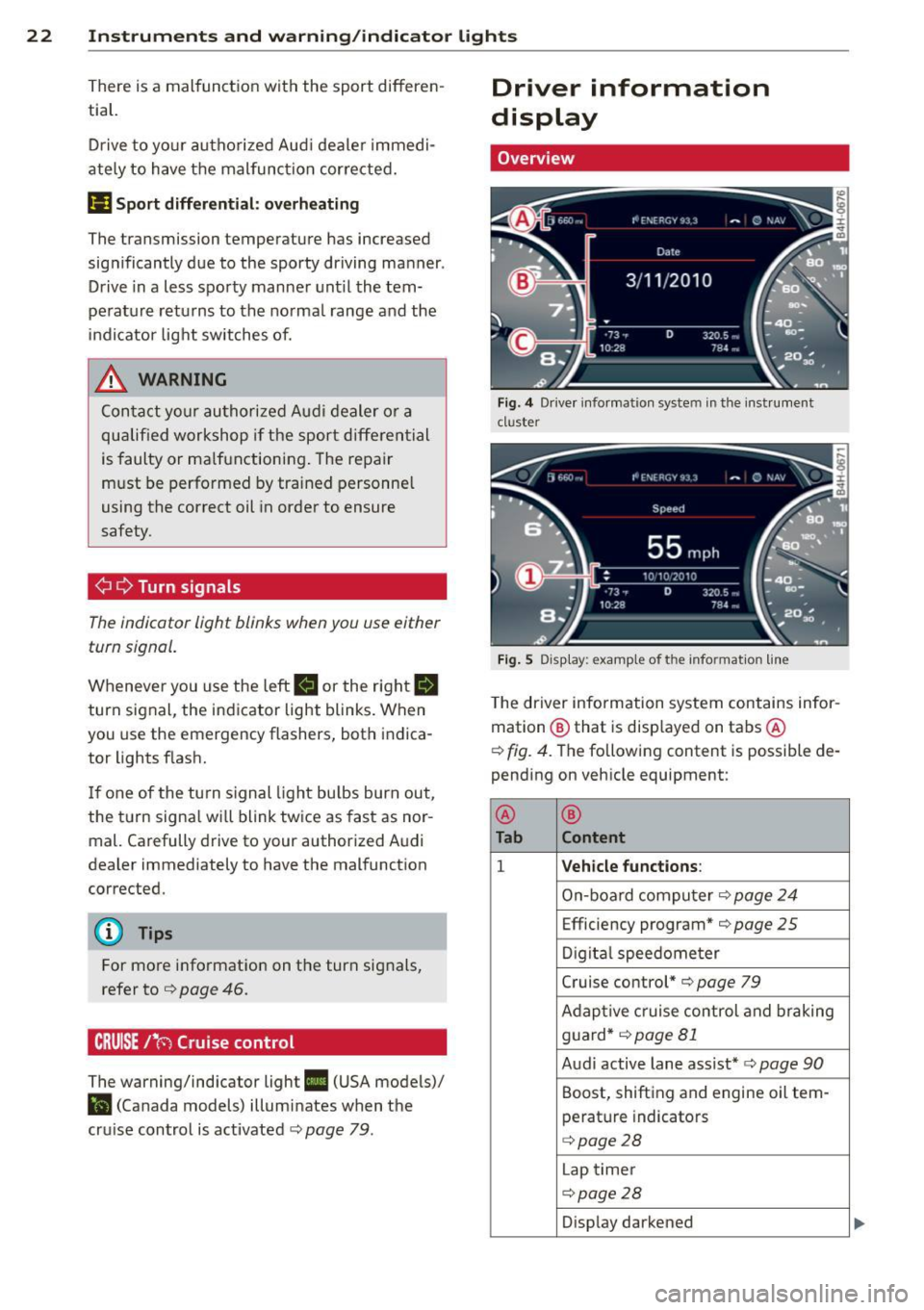
Fig. 4 Dr iver informat ion syste m in the instrument
cl uster
Fig. S Di sp lay: exampl e of t he info rmatio n lin e
The driver information system contains infor
mation @ that is displayed on tabs @
c::> fig. 4. The following content is possible de
pending on vehicle equipment:
@
®
Tab Content
1 Vehicle functions :
On-board computer c::> page 24
Efficiency program* c::> page 25
Digital speedometer
Cruise control*
c::> page 79
Adaptive c ruise control and braking
g uard*
c::> page Bl
Audi active lane assist* c::> page 90
Boost, shifting and engine oil tern-
perature indicators
c::> page 28
Lap timer
c::> page 28
Display darkened
Page 26 of 302
24 Instruments and warning /indicator lights
• Press the button ~ @-The Vehicle func
tion s
menu appears ¢ fig. 7 .
• To select a menu item, turn and press the
th umbwheel @.
Resetting value s to zero
• Se le ct t he on-board computer / Efficien cy
program
men u item in the Vehicle func
tion s
menu.
• You can now select between the long -term
memory and short-term memory .
• To reset the values i n a memory, press and
hold the thumbwhee l@ for o ne second .
Assigning a function to the
programmable steering wheel button*
• Se lect : I CAR I funct ion button> (Car )* sys
tems
control button > Vehicle settings >
Steering wheel button .
The last function selected displays when you
sw itch the ignition o n.
@ Tips
All stored values will be lost if the vehicle
battery is disconnected.
On -board computer
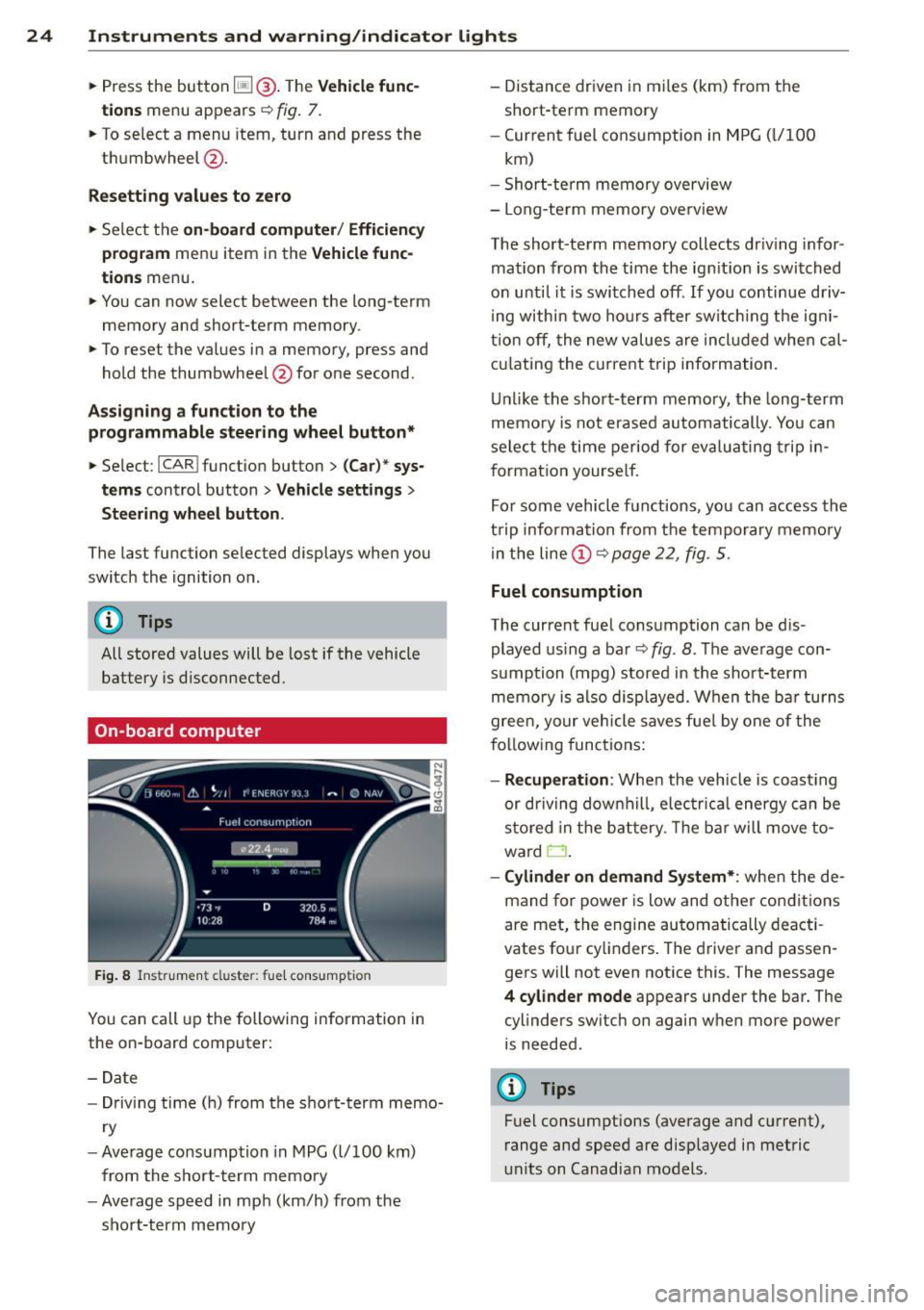
F ig. 8 I n st ru men t cl uster: fu el co nsumpt io n
You can call up the following information in
the on-board computer:
-D ate
- Dr iving tim e (h ) from the s ho rt -te rm memo-
r y
- Ave rag e consump tion in MP G
(l/100 km)
from the s ho rt- term memo ry
- Ave rage spe ed in mph (km/h) from the
s h ort-term memo ry -
Distance driven in mi les (km) from the
short-te rm memory
- Curren t fu el cons umption in MPG
(L/1 00
km)
- Shor t-te rm memory overview
- Long-te rm mem ory ove rview
The short -te rm mem ory collects dr iv in g inf or
mation from the time the ig nitio n is swi tched
o n until it is switched off . If you continu e driv
i ng withi n two ho urs a fter sw itch ing the ig ni
t io n off , the new values are incl uded when cal
c ul ating the c urrent trip inform ation .
Un like the sho rt-term m emory, the long-t erm
memo ry i s not erase d autom atically . You can
se le ct t he time period for eva luating trip in
f ormation yourse lf.
Fo r some vehicle f unct ions, you can access the
t rip informa tion from t he tempo rary mem ory
i n the line@~
page 22, fig . 5.
Fuel consumption
The current fue l cons umption can be d is
played us ing a ba r
~fig . 8. The ave rage con
s u mption (mpg) stor ed in th e sho rt-t erm
m emo ry is a lso displayed. When the ba r tu rns
green, y our veh icle saves fue l by one of the
f ol low ing functions:
- Recuperation : When the vehicle is coast ing
o r driving down hill, elec trica l energy can be
s tor ed in the b attery . Th e ba r will move t o
ward
0 .
-Cylinder on demand Sy stem* : when the de
mand for power is low and other con diti ons
are met, the engine automatically deacti
vates fo ur cylin ders . Th e d river a nd passen
gers will not even notice this. The message
4 cylinde r mode appears under the bar. The
cylinders switch on again w hen more power
is ne eded .
@ Tips
Fuel consumptions (average and current),
r ange and spee d are disp layed i n metric
u nits on Canadian models.
Page 29 of 302
Instruments and warning/indicator lights 2 7
engine, and maintaining its value. Even if
the mileage driven is low, the maximum
period of one year from one service to
the next must not be exceeded.
(D Tips
The information in the Service Remi nder
remains stored even when the vehicle bat
tery is disconnected.
Head-up Display
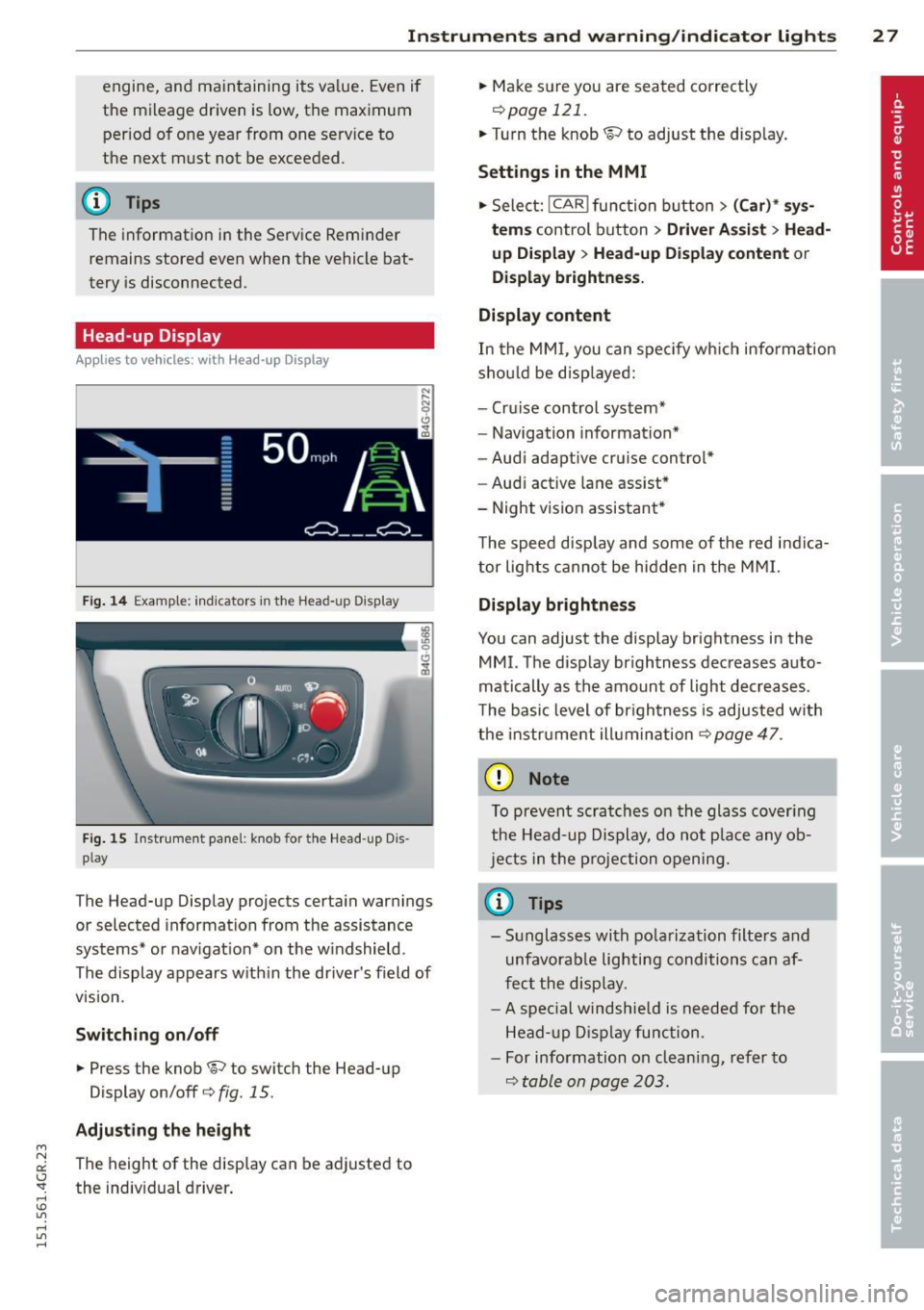
Applies to vehicles: with Head-up Display
Fig. 14 Example: indicators in the Head-up Display
Fig. 15 Instrument panel: knob for the Head-up Dis ·
play
The Head-up Display projects certain warnings
or selected information from the assistance
systems* or navigation* on the windshield.
The display appears within the driver's field of
v1s1on.
Switching on/off
.,. Press the knob~ to switch the Head-up
Display on/off¢
fig. 15.
Adjusting the height
"' N a:: The height of the display can be adjusted to I.J "". the individual driver. rl I.O
"' rl
"' rl
.,. Make sure you are seated correctly
¢page 121 .
.,. Turn the knob ~ to adjust the display.
Settings in the MMI
.,. Select: !CAR ! function button> (Car)* sys
tems
control button > Driver Assist > Head
up Display
> Head-up Display content or
Display brightness.
Display content
In the MMI, you can specify which information
should be displayed:
- Cruise control system*
- Navigation information*
- Audi adaptive cruise control*
- Audi active lane assist*
- Night vision assistant*
The speed display and some of the red indica
tor lights cannot be hidden in the MMI.
Display brightness
You can adjust the display brightness in the
MMI. The display brightness decreases auto
matically as the amount of light decreases.
The basic level of brightness is adjusted with
the instrument illumination¢
page 47.
(D Note
To prevent scratches on the glass covering
the Head-up Display, do not place any ob
jects in the projection opening.
(D Tips
-Sunglasses with polarization filters and
unfavorable lighting conditions can af
fect the display.
- A special windshield is needed for the
Head-up Display function.
- For information on cleaning, refer to
¢ table on page 203.
Page 30 of 302
28 Instruments and warning/indicator lights
Boost, shifting and engine oil
temperature indicators
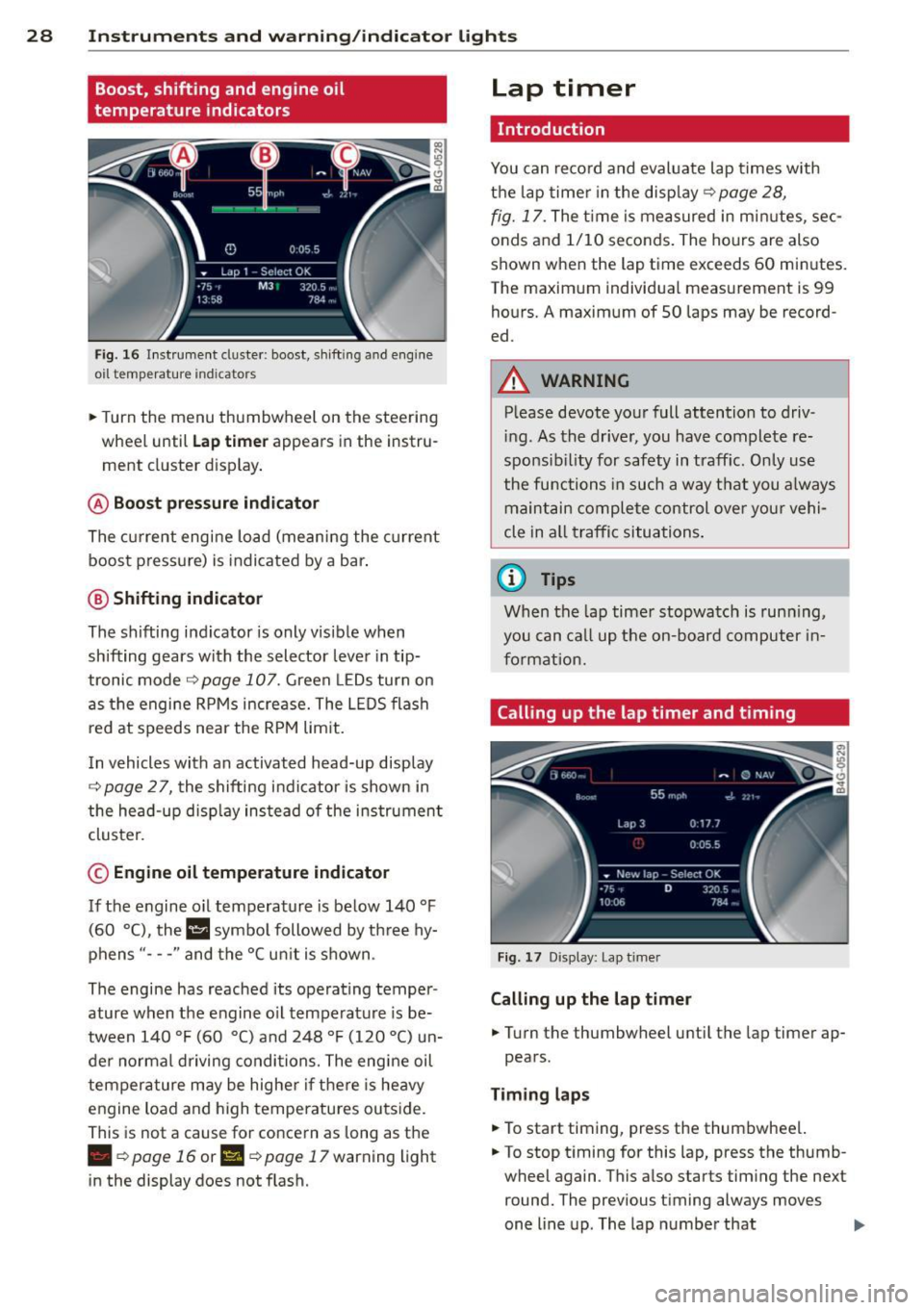
Fig. 16 Instrument duster : boost, shift ing a nd engine
o il t emp erature indicato rs
• Turn the menu thumbwheel on the steering
wheel until
Lap timer appears in the instru
ment cluster display .
@ Boost pressure indicator
The current engine load (meaning the current
boost pressure) is indicated by a bar .
@ Shifting indicator
The shifting indicator is only visible when
shifting gears with the selector lever in tip
tronic mode¢
page 107. Green LEDs turn on
as the engine RPMs increase. The L EDS flash
red at speeds near the RPM lim it.
I n vehicles with an activated head-up display
¢ page 2 7, the shifting indicator is shown in
the head-up disp lay instead of the instrument
cluster.
© Engine oil temperature indicator
If the engine oil temperature is below 140 °F
(60 °(), the l!I symbo l followed by three hy
phens "- - -" and the °C un it is shown .
The engine has reached its operating temper
ature when the engine o il temperature is be
tween 140
°F (60 °() and 248 °F (120 °() un
der normal d riving conditions. The engine oil
temperature may be higher if there is heavy
engine load and high temperatures outside.
This is not a cause for concern as long as the
• ¢page 16 or II ¢page 17 warning light
in the display does not flash.
Lap timer
Introduction
You can record and evaluate lap times with
the lap timer in the disp lay ¢
page 28,
fig. 17. The time is measured in minutes, sec
onds and 1/10 seconds. The hours are also
shown when the lap time exceeds 60 minutes .
The maximum individual measurement is 99
hours.
A maximum of SO laps may be record
ed.
A WARNING
-Please devote your full attention to driv -
in g. As the driver, you have complete re
sponsib ility for safety in traff ic. Only use
the functions in such a way t hat you a lways
maintain complete control over your vehi
cle in all traffic situations .
(i) Tips
When the lap timer stopwatch is running,
you can call up the on-board computer in
formation.
Calling up the lap timer and timing
Fig . 17 D isplay: Lap t imer
Calling up the lap timer
• Turn the thumbwheel until the lap timer ap-
pears.
Timing laps
• To start timing, press the thumbwheel.
• To stop timing for this lap, press the thumb
wheel again . This also starts timing the next
round. The previous timing always moves
one line up . The lap number that
II>
Page 31 of 302
"' N
a:: I.J "". rl I.O
"' rl
"' rl
Instrument s and warning /indicator lights 29
corresponds to the timing is displayed in
front of the ind ividual timings .
Displaying intermediate time and pausing
timing
.. To disp lay an intermediate time, press the
t h umbwheel. The timing cont in ues to run in
t h e background .
.. To pa use tim ing, press the thumbwhee l.
.. To continue t iming, press the thumbwheel
again.
If t iming is paused, you can continue it later
even if you switch the ignit ion
off.
Evaluating times and continuing or
resetting timing
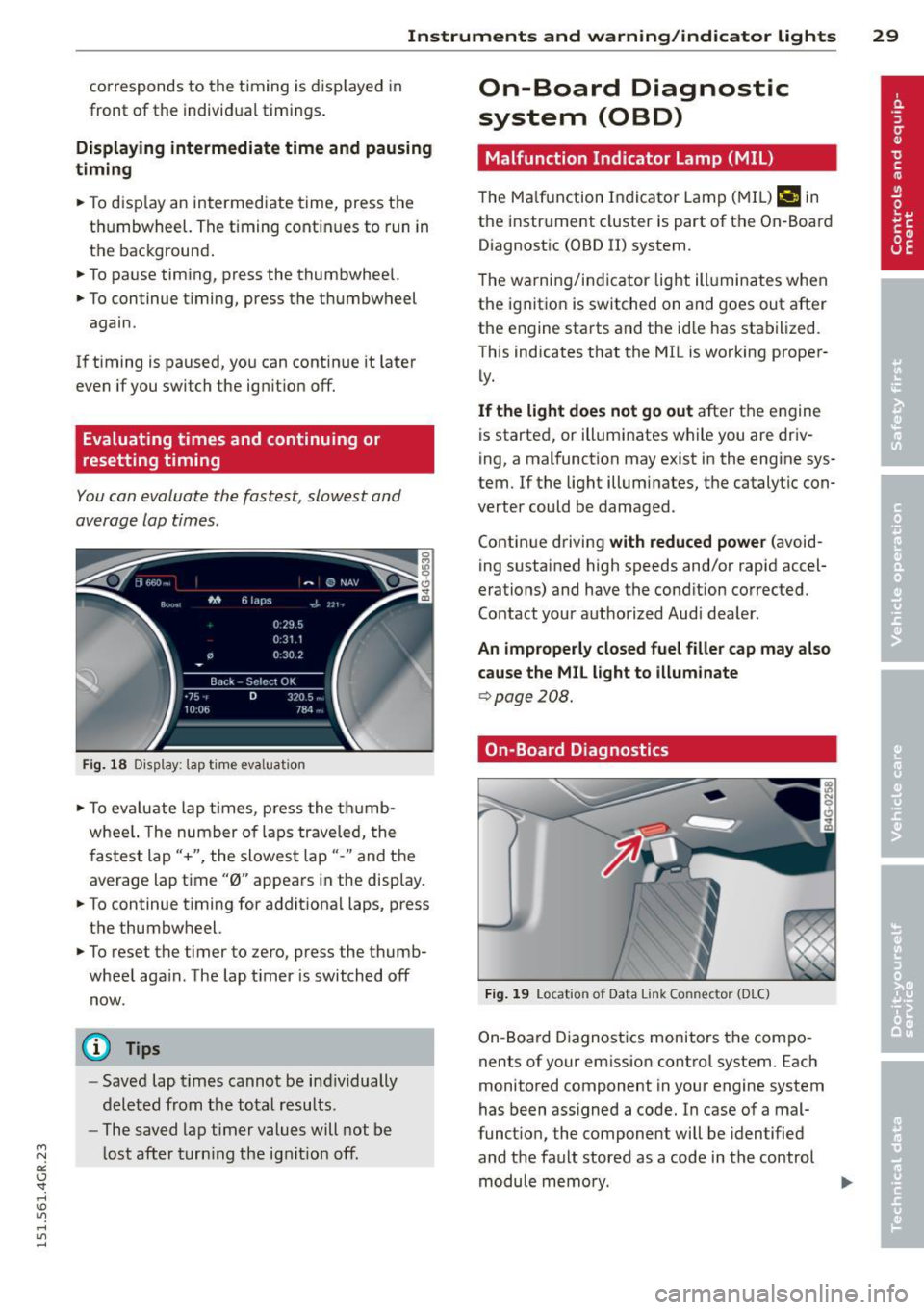
You can evaluate the fastest, slowest and
average lap times.
F ig. 1 8 Dis pl ay: lap t ime eva luat ion
.. To ev aluate lap t imes, press the t humb
whee l. The number of laps traveled, the
f astest lap"+", the slowes t lap" -" and the
average lap time "0" appears in the disp lay .
.. To continue t iming for addit iona l laps, press
t h e thumbwheel.
.,. To reset the timer to ze ro , press the thumb
whee l aga in . The lap t imer is switched
off
now.
(D Tips
- Saved lap t imes cannot be ind iv idually
dele ted from t he tota l resu lts .
- The saved lap timer values will not be
l ost after turn ing the ig nitio n
off.
On-Board Diagnostic
system (OBD)
Malfunction Indicator Lamp (MIL )
The Ma lfunction Indicator Lamp ( MIL) ¢'4 in
the instr ument cluster is part of the On-Board
Diagnostic (OBD II) system .
T he wa rni ng/indicator light ill uminates when
the ignit io n is switched on and goes out after
the engine sta rts and the id le has stab ilized.
This indicates that the M IL is working proper
ly .
If the light does not go out afte r th e engine
is started, or illuminates while you are dr iv
ing, a mal function may exist in the engine sys
tem .
If the light illum inates, the catalyt ic con
verter could be damaged .
Contin ue driving
with reduced power (avoid
ing s ustained high speeds and/or rapid accel
erations) and have the cond ition corrected.
Contact your aut horized Audi dea ler.
An improperly closed fuel filler cap may also
cause the MIL light to illuminate
¢ page 208.
On-Board Diagnostics
Fig. 19 Locat io n of Data Li nk Co nnector (D LC)
On-Board Diagnostics monitors the compo
nents of your emission contro l system. Each
monitored component in your engine system
has been ass igned a code. In case of a mal
funct ion , the component will be identified
and the fault stored as a code in the control module memo ry.
Page 33 of 302
"' N
a:: I.J "". rl I.O
"' rl
"' rl
Opening and closing Keys
Key set
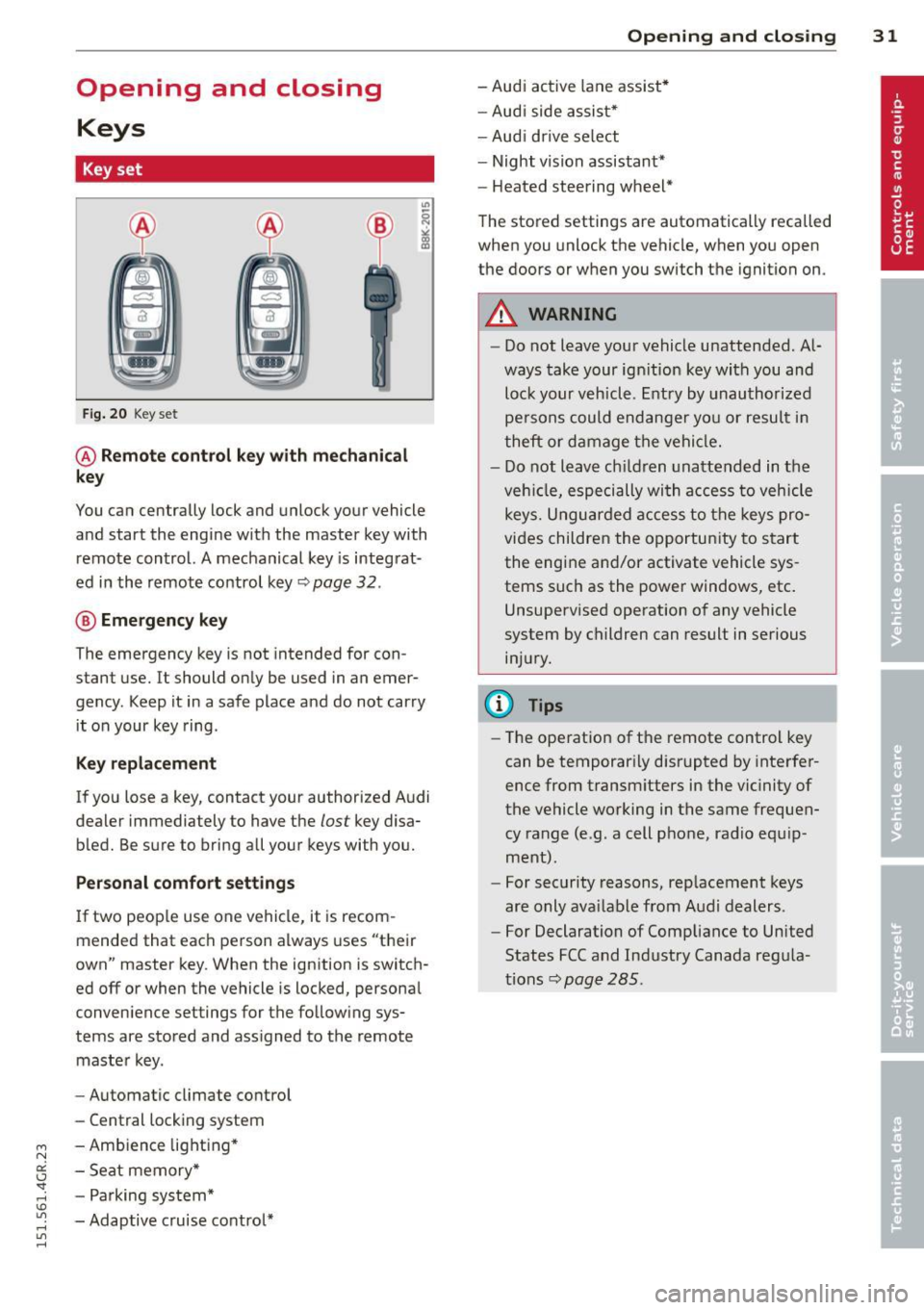
Fig. 20 Key set
@ Remote control key with mechanical
key
You can centrally lock and unlock your vehicle
and start the engine with the master key with
remote control. A mechanical key is integrat
ed in the remote control key~ page
32 .
® Emergency key
The emergency key is not intended for con
stant use.
It should only be used in an emer
gency. Keep it in a safe place and do not carry
it on your key ring .
Key replacement
If you lose a key, contact your authorized Audi
dealer immed iately to have the
lost key disa
bled. Be sure to bring all your keys with you.
Personal comfort settings
If two people use one vehicle, it is recom
mended that each person always uses "their
own" master key. When the ignition is switch
ed off or when the vehicle is locked, personal
convenience settings for the following sys
tems are stored and assigned to the remote
master key.
- Automatic climate control
- Central locking system
- Ambience lighting*
- Seat memory*
- Parking system*
- Adaptive cruise control*
Opening and closing 31
- Audi active lane assist*
- Audi side assist*
-Audi drive select
- Night vision assistant*
- Heated steering wheel*
The stored settings are automatically recalled
when you unlock the vehicle, when you open
the doors or when you switch the ignition on.
A WARNING
-Do not leave your vehicle unattended. Al
ways take your ignition key with you and
lock your vehicle. Entry by unauthorized
persons could endanger you or result in
theft or damage the vehicle.
- Do not leave children unattended in the
vehicle, especially with access to vehicle
keys. Unguarded access to the keys pro
vides children the opportunity to start
the engine and/or activate vehicle sys
tems such as the power windows, etc.
Unsupervised operation of any vehicle
system by children can result in serious
injury.
(D Tips
- The operation of the remote control key
can be temporarily disrupted by interfer
ence from transmitters in the vicinity of
the vehicle working in the same frequen
cy range (e.g. a cell phone, radio equip
ment).
- For security reasons, replacement keys
are only available from Audi dealers.
- For Declaration of Compliance to United
States FCC and Industry Canada regula
tions~ page
285.
Page 34 of 302
32 Opening and clo sing
Remov ing the mechanical key
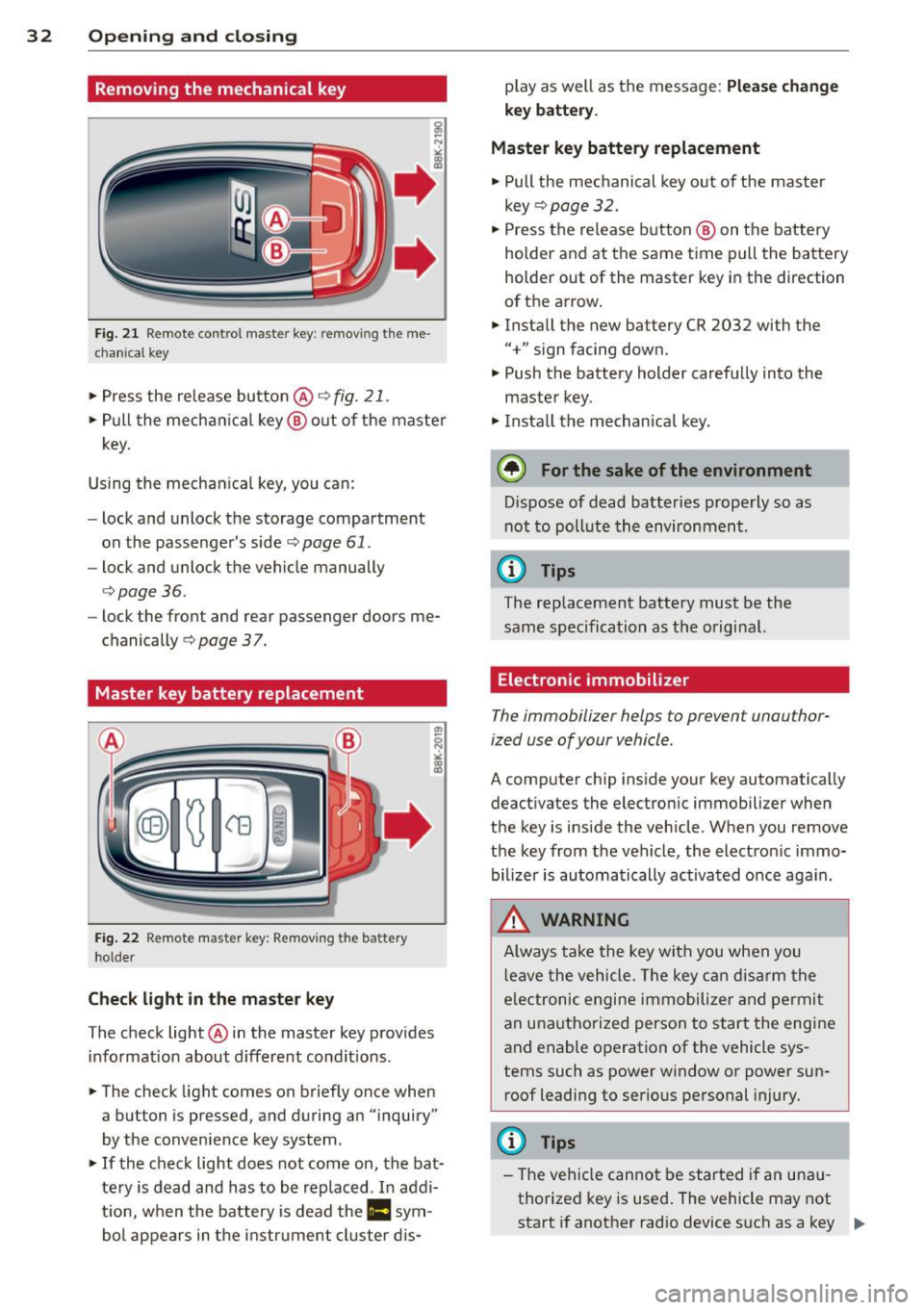
Fig. 21 Remote control master key : removing the me
chanical key
"'Press the release button@r=>.> fig. 21.
.. Pull the mecha nica l key @ out of the master
key.
Using the mechan ica l key, you can:
- lock and unlock the storage compartment
on the passenger's side
c::> page 61.
- lock and unlock the vehicle manually
<=>page 36.
-lock the front and rear passenger doors me
chanically
c::> page 37.
Master key battery replacement
Fig . 22 Remote master key: Removing the battery
holder
Ch eck light in the master ke y
The check light @in the master key provides
information about d ifferent cond itions .
.. The check light comes on briefly once when
a button is pressed, and during an "inquiry"
by the convenience key system .
.. If the check light does not come on, the bat
tery is dead and has to be rep laced. In addi
t ion, when the battery is dead the
II sym
bol appears in the instrument cluster dis- play as well as the message:
Plea
se ch ange
key b attery.
Ma ster key battery replacement
.. Pull the mechanical key out of the master
key
c::> page 32 .
.. Press the release button @ on the battery
holder and at the same time pull the battery
holder out of the master key in the direction
of the arrow .
.. Install the new battery CR 2032 with the
"+" sign facing down.
.. Push the battery holder carefully into the
maste r key .
.. Insta ll the mechan ica l key.
@ For the sake of the environment
D ispose of dead batteries properly so as
not to poll ute the environment.
(D Tips
The replacement battery must be the
same specification as the original.
Electronic immobilizer
The immobilizer helps to prevent unauthor
ized use of your vehicle.
A computer chip ins ide your key automatically
deactivates the electron ic immobilizer when
the key is inside the vehicle . When you remove
the key from the vehicle, the electron ic immo
bilizer is automatically ac tivated once aga in.
_& WARNING
-
A lways take the key with you when you
l eave the vehicle. The key can disarm the
e lectronic engine immobilize r and permi t
an unauthorized person to start the engine
and enable operation of the vehicle sys
tems such as power window or power sun
roof leadi ng to serious personal injury.
(D Tips
- The vehicle cannot be started if an una u
thorized key is used . The vehicle may not
start if another radio device s uch as a key .,..
Page 37 of 302
M N
0:: <.J 'SI: ,...., \!) ..,.,
,...., ..,., ,....,
~ Press button t'fJ (@ ) to lock the vehicle q .&.
in General description on page 33.
~ Press button c:s <© ) briefly to un lock the
rear lid.
~ Push the red IPANICI button( @) to activate
the panic function. The horn sounds and the
turn signals flash. Push the red
I PANIC ! but
ton aga in to deactivate the panic function.
If the vehicle is unlocked and no door, the rear
lid or the hood is opened within 60 seconds,
the vehicle locks itself agai n automatically .
This feature p revents t he ve hicl e from be ing
accidenta lly left unlocked over a long period
of t ime.
It depends o n the settings i n the MMI wheth
e r the entire veh icle is unlocked or on ly cer
tain doors ¢
page 34.
A WARNING
Read and follow all WARNINGS¢ &. in
General description on page 33.
(D Tips
- In o rder to make sure the locking func
tion is working, you s hou ld always keep
you r eye on the vehicle to make sure it is
proper ly locked.
-
- Do not use t he remo te control if you are
i nside the car, otherwise you may unin
tentiona lly lock the ve hicle, and then yo u
would set
off the anti-theft alarm w hen
you try to start the engine or open a
door. In case this happens anyhow, push
the unlock button
0.
- The vehicle can only be locked when the
se lector lever is in the P posit ion.
- Use the panic function only i f you are in
an emergency situation.
Opening and clo sin g 35
Locking and unlocking with convenience
key
Applies to veh icles: w ith conven ience key
Th e doors and th e rear lid can be unlocked
and locked without operating the master key.
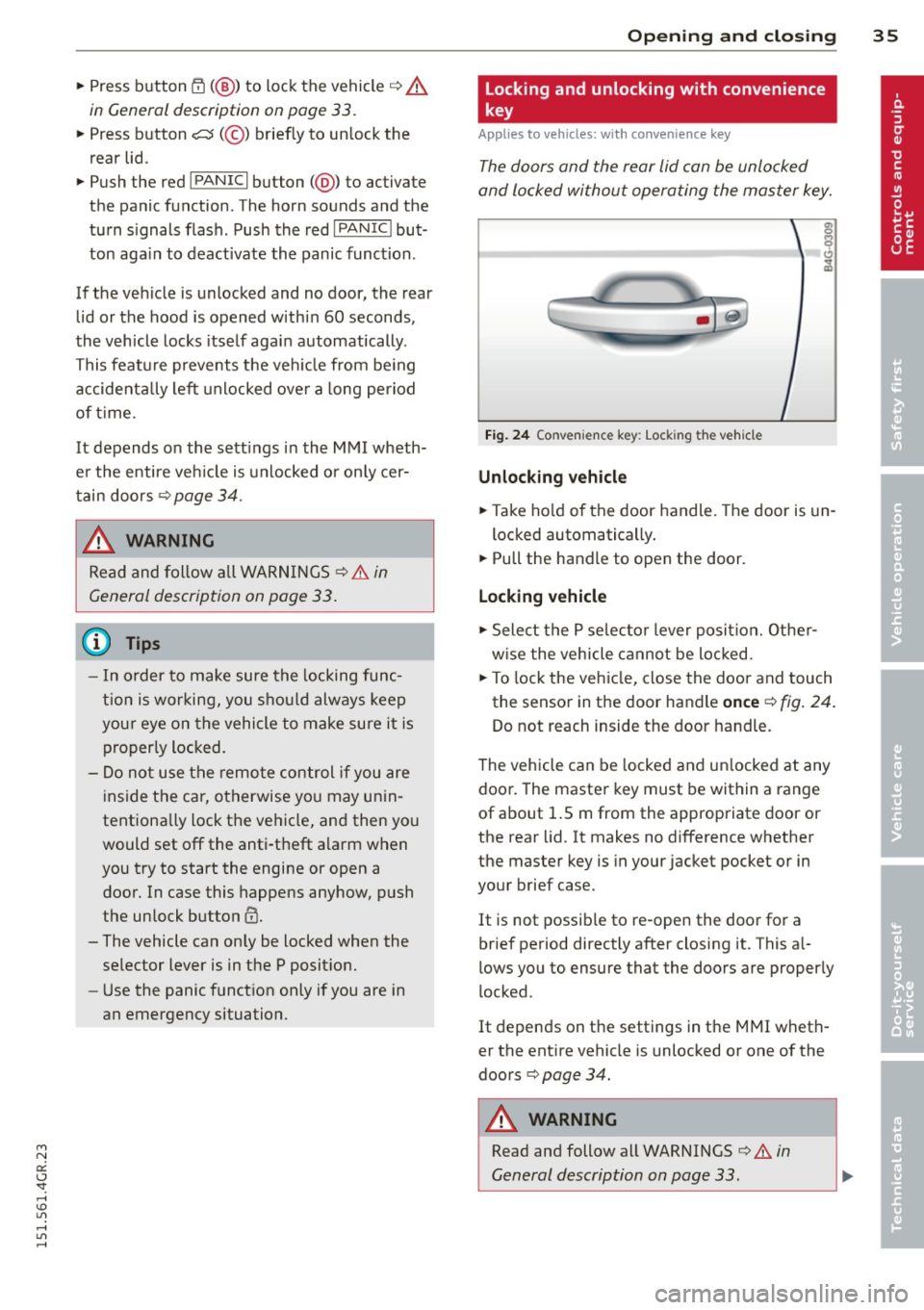
Fi g. 24 Convenience key: Lock ing the vehicle
Unlocking vehicle
~ Take ho ld of the door handle. The door is un -
locked automatically .
~ Pull the handle to open the door.
Locking vehicle
~ Select the P se lec to r lever posit ion. Othe r
w ise the vehicle canno t be loc ked.
~ To lock the veh icle, close the doo r and touch
the senso r in t he door handle
once ¢ fig. 24 .
Do not reach inside the door handle.
T he vehicle can be locked and un locked at any
door . The master key must be within a range
of about 1.5 m from the appropriate door or
the rear lid. It makes no difference whether
the master key is in your jacket pocket or in
your brief case.
It is not possib le to re-open the door for a
brief period directly after closing it. This al
lows you to ensure that the doors are proper ly
locked.
It depends on t he settings in the MMI wheth
er the ent ire vehicle is unlocked or one of the
doors ¢
page 34.
A WARNING
Read and follow all WARNINGS ¢&. in
General description on page 33.
-