remote control AUDI RS7 SPORTBACK 2015 User Guide
[x] Cancel search | Manufacturer: AUDI, Model Year: 2015, Model line: RS7 SPORTBACK, Model: AUDI RS7 SPORTBACK 2015Pages: 302, PDF Size: 74.76 MB
Page 78 of 302
76 On the road
Driver message in the instrument
cluster display
Turn off ignition befor e le a v ing car
This message appears and a warning tone
sounds if yo u open the dr iver's door when the
ignition is switched on.
Press brake p edal to start engin e
This message appears if you press the
I STAR T ENGINE ST OP ! button to start the en
g ine and do not depress the brake pedal. The
engine can on ly be started if the brake pedal
is depressed.
II Is key in th e vehicle ?
If the indicator light turns on and the mes
sage appears, the remote control key was re
moved from the vehicle while the engine was
running. If the ig nit ion key is not in the vehi
cle you w ill not be able to sw itch on the ign i
tion or resta rt the engine after it has been
switched off. You w ill also not be ab le to lo ck
the veh icle from the outside.
Shift to P , otherwise vehicle can roll away .
Doors do not lo ck if lever i s not in P .
This message appears for safety reasons
along w ith an audib le warn ing tone if the P
selector lever posit io n is not engaged when
stopping the engine with the
I STAR T ENGINE ST OP ! button. Select the P se
lec tor lever po sition. Othe rwise the veh icle
could ro ll and it cannot be locked.
II Ke y is n ot r ecogniz ed . Hold ba ck of key
aga in st marked area . Se e owner' s manual.
If the indicator light turns on and th is mes
sage appears, there is a malfunction
c::> page 76.
Starting the engine if there is a
malfunction
It may not be possible to start the engine un
der certain circumstances, for example if the
battery in the vehicle key
is drained, if inter
ference has affected the key or if there
is a
system malfunction .
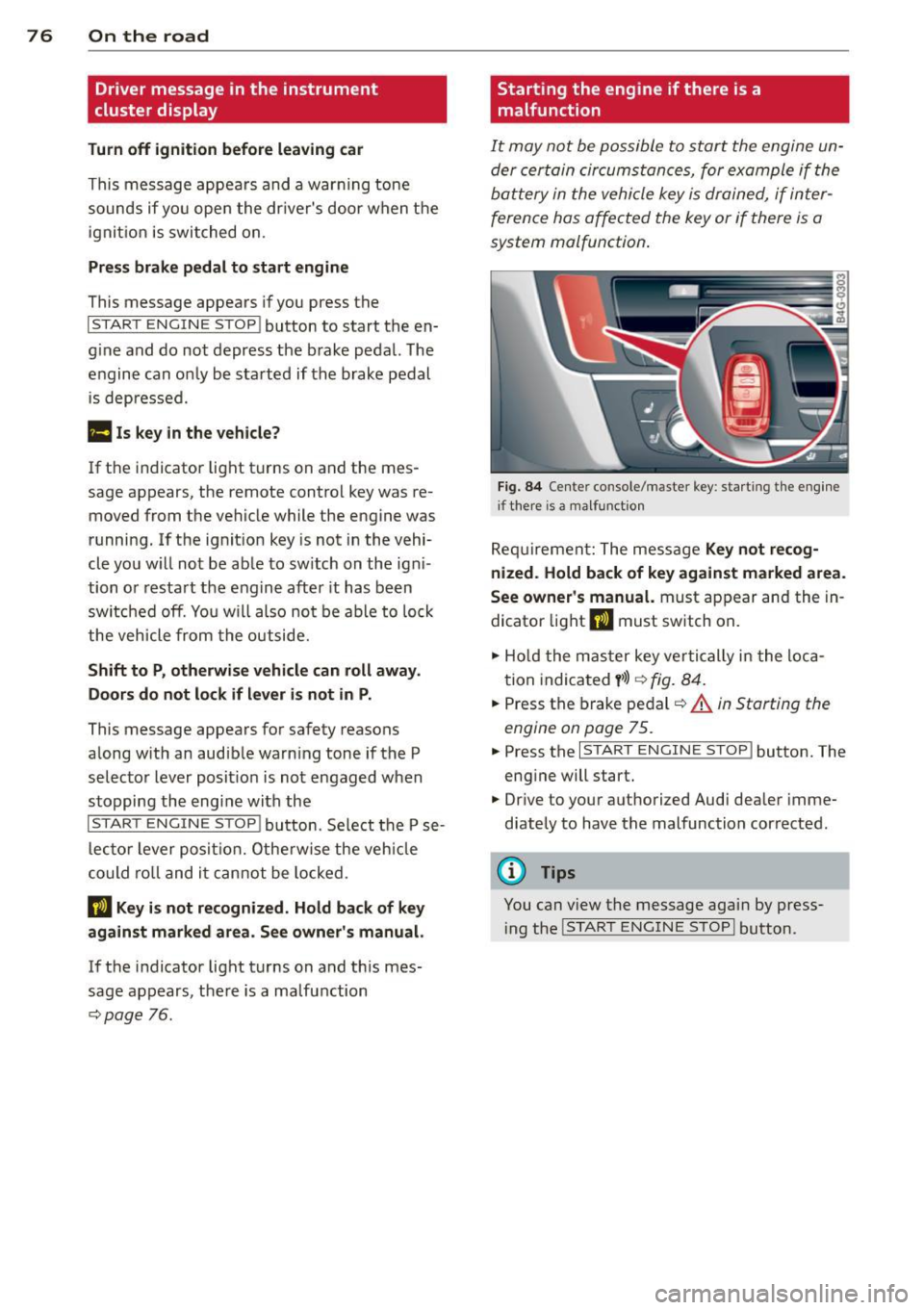
Fig . 8 4 Center console/master key: start ing the eng ine
i f there is a malfunction
Req uirement: The mess age Ke y not r ecog
ni ze d. H old back of ke y again st ma rked are a.
See owne r's manual.
must appear and the in
dicator light
II must sw itch on.
.,. Ho ld the mas ter key vertically in the loca
tion indicated
y >l) r=:> fig. 84 .
.,. Press the brake pedal c::> A in Starting the
engine on page 75 .
... Press the I S TART ENGINE S T OP ! button. The
eng ine will start.
.,. Dr ive to your authorized Audi dealer imme
diately to have the malfunction corrected .
(D Tips
You can view the message again by press
i ng the
I STAR T ENGINE STOP I button.
Page 88 of 302
86 Audi adaptive cruise control and braking guard
When approaching a moving vehicle up ahead,
the adaptive cruise control system automati
cally brakes to match that object's speed and
then maintains the stored distance. If the ve
h icle ahead accelerates, adaptive cruise con
trol will also accelerate up to the stored
speed.
The higher the speed , the greater the distance
in yards (meters)
c::> & . The Distance 3 setting
is recommended .
The distances prov ided are spec ified values .
Depending on the driving situation and the
how the vehicle ahead is driving, the actual
d istance may be more or less than these tar
get distances.
The various symbols for the time increments
appear briefly in the information line @
c::> page 83, fig . 93 when you change the set
tings .
~-~- --Distance 1 : This setting corre
sponds to a distance of 92 feet/28 meters
when traveling at 62 mph (100 km/h), or a
time interval of 1 second.
~--~- -Distance 2: This setting corre
sponds to a distance of 118 feet/36 meters
when traveling at 62 mph (100 km/h), or a
time inte rval of 1.3 seconds .
~--- ~-Distance 3: This setting corre
sponds to a distance of 164 feet/SO meters
when traveling at 62 mph (100 km/h), or a
time interval of 1.8 seconds .
~---- ~ Distance 4: This setting corre
sponds to a distance of 210 feet/64 meters
when traveling at 62 mph (100 km/h), or a
time interval of 2.3 seconds .
A WARNING ,. -
Following other vehicles too closely in
creases the risk of collisions and serious
personal inj ury.
- Setting short distances to the traffic
ahead reduces the time and distance
available to bring your vehicle to a safe
stop and makes it even more necessary
to pay close attention to traffic. -
Always obey applicable traffic laws, use
good judgment, and select a safe follow ing d istance for the traff ic, road and
weather conditions.
@ Tips
- Distance 3 is set automatically each time
you switch the ignition on.
- Your standard settings are automatically
stored and assigned to the remote con
trol key being used.
Selecting the driving mode
Applies to veh icles: w ith Audi adaptive cruise co ntrol
.,. Select the desired driving mode in drive se
lect
c::> page 96 .
(D Tips
Your settings are automatically stored and
ass igned to the remote control key being
used.
Prompt for dr iver intervention
Applies to veh icles: w ith Audi adaptive cruise co ntro l
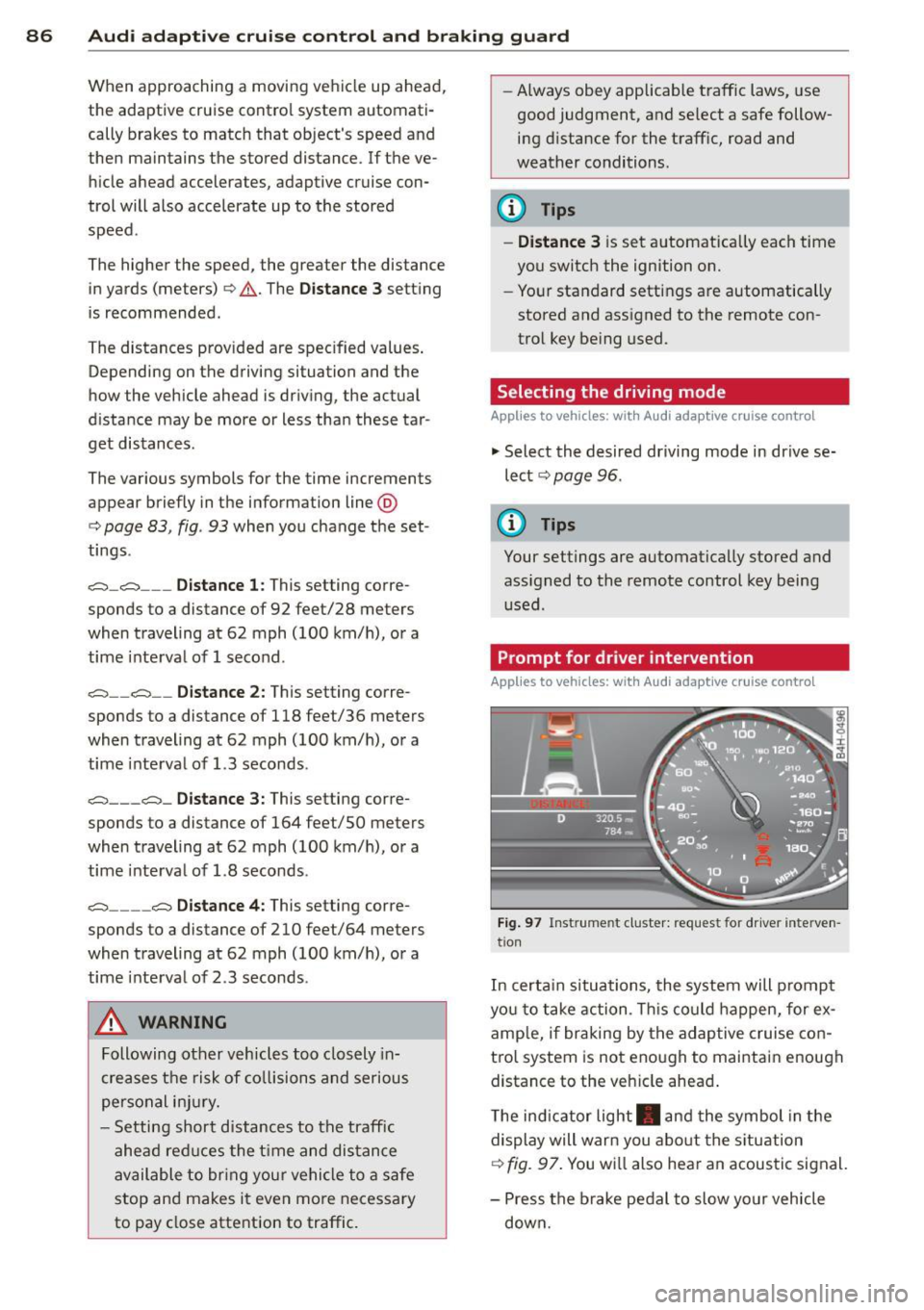
Fig. 97 Instrume nt cluster: req uest fo r drive r inte rven
t ion
In certain situations, the system will prompt
yo u to take action . This could happen, for ex
amp le, if braking by the adap tive cruise con
tro l system is not enough to maintain enough
distance to the veh icle ahead .
T he indicator light . and the symbol in the
display will war n you abo ut the situat ion
c::> fig. 97. You wi ll also hear an acoustic signal.
- Press the brake pedal to slow yo ur vehicle
down.
Page 90 of 302
88 Audi adaptive cruise control and braking guard
stopped vehicle or stationary obstacle (end of a traffic jam or vehicle that has
broken down in traffic).
- Always remember that the radar sensor
for the braking guard works only within
defined detection and range limits that
may prevent the proper detection of oth
er vehicles.
- The radar sensor's function and range
can be reduced by rain, snow and heavy
spray . Moving vehicles up ahead may not
be promptly detected or may not be de
tected at all.
- Reflective surfaces including crash barri
ers or tunnel entrances may impair the
function of the radar sensor.
({) Tips
-You can cancel the braking with increas
ing force that is initiated by the system
by braking yourself, by accelerating no
ticeably or by swerving.
- Braking guard error messages
¢page 88.
- Keep in mind that braking guard can
brake unexpectedly . Always secure any
cargo or objects that you are transport
ing to reduce the risk of damage or in
jury.
Settings in the MMI
Applies to vehicles: with Audi adaptive cruise co ntrol
.. Select : I CARI function button > (Car)* sys
tems
control button > Driver assist > Audi
braking guard.
System -
Switch braking guard On and Off.
When you switch the ignition on, the message
Audi braking guard off appears if the system
is switched off.
Early warning -The distance and approach
warnings in the display can be switched
On/
Off.
(D Tips
- Your settings are automatically stored
and assigned to the remote control key being used at the time the settings are
made.
- If you restrict or switch off the ESC, the
braking guard also switches itself off
¢page 189.
- Switch braking guard off when you are
loading the vehicle onto a vehicle carrier,
train, ship or other type of transporta
tion. This can prevent undesired warn
ings from the braking guard system.
Messages
Applies to vehicles: with Aud i adapt ive cru ise contro l
Braking guard: off
This driver message appears if the system is
turned off via the infotainment. Otherwise , if
the system is turned off, the information ap
pears every time shortly after the start of the
trip.
The driver message also appears if the system
is not available due to a malfunction or if the
ESC is not switched on¢
page 189. If this is
the case, the system will not provide warnings about a possible collision.
Braking guard: activated
This driver message appears if sharp brake
pressure was applied due to an acute warning.
ACC: Unavailable!
ACC and Audi braking guard: not available
The system cannot detect moving vehicles up
ahead correctly and is switched off. The sen
sors have been displaced or are not working
properly. The Audi pre sense functions may al
so be affected . Drive to your authorized Audi
dealer or authorized Audi service facility im
mediately to have the malfunction corrected.
ACC: currently unavailable. No sensor vision
ACC and braking guide: currently unavaila
ble. No sensor vision
This message appears if the sensor view is ob
structed, for example by leaves, snow, heavy
spray or dirt. Clean the sensors¢
page 81,
fig. 88. ll>-
Page 121 of 302
M N
0:: <.J 'SI: ,...., \!) 1.1'1 ,...., 1.1'1 ,....,
Setting the mode
Applies to vehicles: with parking system with peripheral
cameras
.,. Select : I CARI function button > (Car)* sys
tems
control button > Driver assist > Park
ing aid
> Change to front /rear > Auto or
Manual.
Auto -
This view behind the vehicle (Rear
mode) is displayed automatically when you
shift into reverse. This view in front of the ve
hicle
( Front mode) is d isp layed automatically
when yo u sh ift i nto the forward gea rs.
Manual -This view beh ind the vehicle ( Rear
mode) is a lways d isp layed when you turn on
the system .
Adjusting the display
and the warning tones
Appl ies to vehicles: with parking system plus/r ear view
camera/peripheral cameras
The display and warning tones can be adjust
ed in the Infotainment.
.,. Select : I C ARI function button > (Car)* sys
tems
control button > Driver assist > Park
ing aid.
Display
On * -
optical d isplay is shown for the parking
system plus, rear view camera image is shown
for parking system plus with rear view cam
e ra* .
Off -when the park ing system is sw itched on,
only audible signa ls are given .
Warning tones
Front volume -
Volume for the front area
Rear volume -Volume for the rear area
Front frequency -Frequency for the front area
Rear frequency -Frequency for the rear area
Music volume while parking -When the park
ing system is turned on , the volume of the au
dio/video source is lowered.
Parking systems 119
The newly adjusted va lue is briefly heard from
the signal generator.
(0 Tips
- Th e warn ing tones can also be adjusted
directly from the visua l display o r the
camera image. Simply press the
Settings
control button.
- Changed settings are activated when the
parking system is switched on again.
- The settings are automatica lly stored
and assigned to the remote contro l key
that is in use.
Error messages
Applies to vehicles: with parking system plus/ rear view
camera/periphera l cameras
T he re is an er ror in the system if the LED in
the
p, q! button is blinking and you hear a con
tinuous alarm for a few seconds after switch
ing on the parking system or when the park
ing system is already activated . If the error is
not corrected before you switch off the igni
tion, the LED in the P, #~ button will blink the
next t ime you switch on the parking system by
shifting into reverse.
Parking system plus
If a sensor is faulty, the~ symbol will appear
in front of/behind the vehicle in the Infotain
ment display . If a rear sensor is faulty, only
obstacles that are in areas @ and @ are
shown
~ page 110, fig . 123. If a front sensor
is fau lty, on ly obstacles that are in areas ©
and @are shown.
Peripheral cameras*
There is also a system error if:
- the
'C&l " symbol appears in the display and
the corresponding display area is shown in
blue. The camera is not work ing in this area.
- all segments aro und the vehicles are red or
if no segments are displayed.
Drive to your authorized Audi dealer or au
thorized repair facility immediately to have
the malfunction corrected .
Page 260 of 302
258 Tires and wheels
WARNING
Read and follow the important informa
tion and notes
~ page 2 56.
Malfunctions
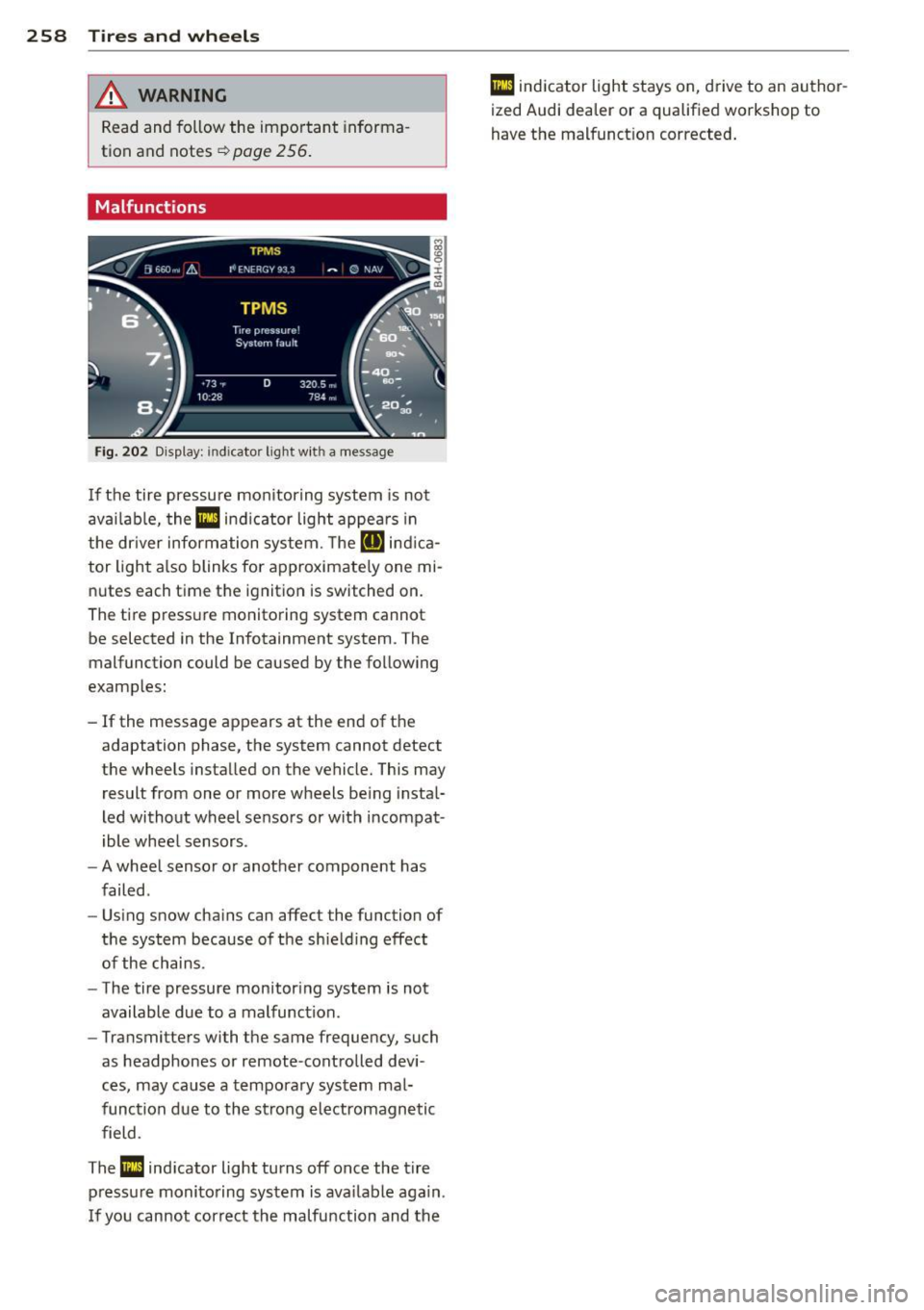
Fig. 202 Display: indicator light wit h a message
If the tire pressure monitoring system is not
available, the
Ill ind icator light appears in
the dr iver information system. The
RIJ ind ica
tor light also blinks for approximate ly one mi
nutes each time the ignit ion is switched on.
The tire pressure monitoring system cannot be selected in the Infotainment system. The
malfunction could be caused by the following
examples:
- If the message appears at the end of the
adaptation phase, the system cannot detect
the wheels installed on the vehicle. This may
result from one or more wheels being instal
led without wheel sensors or with incompat
ible wheel sensors .
- A wheel sensor or another component has
failed .
- Using snow chains can affect the function of
the system because of the shielding effect
of the chains.
- The tire pressure monitoring system is not
available due to a malfunction.
- Transmitters with the same frequency, such
as headphones or remote-controlled devi
ces, may cause a temporary system mal
function due to the strong electromagnetic
field .
The
Ill indicator light turns off once the tire
pressure monitoring system is available again.
I f you cannot correct the malfunction and the
Ill indicator light stays on, drive to an author
ized Audi dealer or a qualified workshop to
have the malfunct ion corrected.
Page 287 of 302
M N
0:: <.J 'SI: ,...., \!) 1.1'1 ,...., 1.1'1 ,....,
This will help ensure that vehicle f unction,
performa nce and safety are not impaired
c::> _& .
Attempting to wo rk on electronic components
and the softwa re used with them can cause
malfunctions. Because of the way electronic
components are interconnected with each
other, such malfunctions can also have an ad
verse affect on other systems that are not di
rectly involved . Th is means that you risk both
a substantial reduction in the operat ional
safety of you r vehicle and an increased wear of
ve hicle parts
c::> ,& .
Author ized Audi dealers w ill perform this
work in a profess ional and competent manner
or, in special cases, refer you to a professional
company that specializes in such mod ifica
tions.
A WARNING
Imprope r repairs and modifica tions can
change the way vehicle systems work and
cause damage to the veh icle and ser ious
personal in jury.
(D Note
-
If emergency repairs must be performed
elsewhere, have the ve hicle examined by
an authorized A udi dealer as soon as possi
ble.
Declaration of
Compliance, Telecom
munication and
Electronic Systems
Radio Frequency Devices and Radiocommuni
cation Equipment User Manual Notice.
The manufacturer is not responsible for any
radio or TV interference caused by unauthor
ized modifications to th is equ ipment.
Devices
The fo llowing devices each comp ly with FCC
Part 15 .19, FCC 15.21 and RSS-Gen Issue 1:
- Adaptive cruise control*
Con sumer In formation 285
- Audi side assist*
- Cell phone package*
- Conven ience key*
- Electron ic immobilizer
- Garage door opener (Homelink)*
- Remote control key
- Tire press ure monitoring system
FCC Part 15.19
This device complies with part 15 of t he FCC
Ru les. Oper ation is subject to the fo llow ing
two conditions:
(1) This device may not cause harmful i nte r
fere nce, and
(2) this device must accept any i nterfe rence
received, including interference that may
ca use undes ired operation .
FCC Part 15.21
CAUTION:
Changes or modificat ions not expressly ap
proved by the party responsible for compli
ance could vo id the user's authority to operate
the equipment.
RSS-Gen Issue 1
Operation is subject to the fo llow ing two con
ditions :
(1) this devi ce may no t c au se inte rfe rence,
and
(2) this device must accept any interfe rence,
includ ing in terference that may cause unde
s ir ed opera tion of the device .
•
•
Page 290 of 302
288 Index
Child restra int system anchors ....... . 179
Ch ild safety .. ................ ... ... 165
Conve rtible locking retracto r .. .. .... . 176
Important safety instructions for u sing
chi ld safety seats ..................
169
Important things to know when driving
with children .... ....... ... .. .... .
165
Tether anchors . . . . . . . . . . . . . . . . . . . . 182
Tether straps . . . . . . . . . . . . . . . . . . . . . 182
Ch ild safety lock
Rear doors ............... ... .... .. 40
Ch ild safety seats ............... ....
17 1
Booster seats . . . . . . . . . . . . . . . . . . . . . 17 4
Conve rtible child seats ............. 172
Convertible locking retractor .. .. .... . 176
How do I properly install a child safety
seat in my vehicle? ......... ... .... .
169
Infant seats .............. ... .... . 171
Installing .... ............. ...... . 176
Installing a child restraint using the
LATCH system .... ..... .... ... ... ..
181
LATCH system ................. .... 181
Lower anchorages ................. 180
Mount ing and releasing the ancho rage
hook .. .. .. ... .......... ...... .. .
181
Safety instructions ............ .... . 169
Unused safety belts on the rear seat .. 171
C igarette lighter . . . . . . . . . . . . . . . . . . . . . 59
C leaning .. ................. .. .... . 201
C limate control (four-zone)
Operation . . . . . . . . . . . . . . . . . . . . . . . . .
70
Clock .. .... ................... ... .. 26
C losing
Rear lid .. ............... ........ ..
37
Sliding/tilting sunroof ....... .. .. .. . . 41
Cold ti re inflation pressure .... ... .... . 233
Com ing home ... .... ...... .. .. .. .. ..
46
Compartments ............ .. .. .. .. .. 60
Compl iance ........................ 285
Consumer Information . . . . . . . . . . 128, 282
Consumption (fue l) ..... ... .. .. .... .. 24
Contact ing NH TSA .................. 128
Controls
Cleaning . .. ..................... . 203 Convenience key
... ... ....... ... ... .. 35
Starting the engine ............ .. .. .
74
Stopping the eng ine (START ENGINE
STOP button) ......................
75
Switching the ignition on ............ 74
Unlocking and locking vehicle ....... .. 35
Convertib le child safety seats . . . . . . . . .
172
Convertib le locking retractor
A ctivating . .... .. ............. ....
178
Deact ivat ing . ................. .. .. 178
Using to secure a child sa fety seat l.76, 178
Coolant
refer to Eng ine coolant ............. 217
Cooling mode (automat ic climate control) 70
Cruise cont ro l
Changing speed .. ... .. ..... ... .. .. . 80
Presetting your speed .. ..... ... .. .. . 80
Switching off ...................... 80
Switching on . . . . . . . . . . . . . . . . . . . . . . .
79
Warning/ind icator lights ............ . 22
(upholder .. .... .. .. ... ..... ... .. .. . 60
Curve light ........ .. .............. .. 96
Cylinder management
refer to Cylinder on demand System .. . 24
Cylinder on demand System . . . . . . . . . . .
24
D
Data recorde r ... .. ............. .... 186
Date d isp lay .. ...... .............. .. 26
Daytime running lights . .. ..... ... .. .. . 44
Declarat ion of compliance
Adaptive cruise control .............
285
Audi side ass ist .. ............. .. .. 285
Cell phone package . . . . . . . . . . . . . . . . 285
Convenience key . ... ... ......... ... 285
E lectronic immobilizer ... .... ... .. .. 285
Garage door opener (Homelink) ...... 285
Remote control key . . . . . . . . . . . . . . . . 285
Tire pressure monitoring system ..... 285
Decorative parts/trim
Cleaning . ..... .. ... .. ..... ... .. .. 203
D EF
What does this mean when it appears in
the tr ip odometer display? ...........
25
Defective light bulb warni ng ......... .. 21
Page 296 of 302
29 4 Index
Rear light
Defective . . . . . . . . . . . . . . . . . . . . . . . . . 21
Rear she lf . . . . . . . . . . . . . . . . . . . . . . . . . . 64
Rear spoiler ................. .. .... . 190
Rear view camera
refer to Parking systems . . . . . . . 110, 111
Rear view mirror .. ...... .... ... .. .. .. 51
Rear window heating (automat ic climate
control) . . . . . . . . . . . . . . . . . . . . . . . . . . . . 71
Recirculation mode (automatic climate
control) . . . . . . . . . . . . . . . . . . . . . . . . . . . . 70
Recuperation . . . . . . . . . . . . . . . . . . . . . . . . 24
Refuelling . .. ............. .. .. .. ... 208
Remote control Un lock ing and locking ... .. .. .... .. . . 34
Repai r manua ls ............. ... .. .. . 282
Repairs Airbag system ............... .... . 155
Replacing Bulbs . ..... .. . .. ..... ... .. .. .... . 272
Fuses . ..... ... ... .... ... .. .. .... . 269
Tires and whee ls ......... .. .. .. .. . 246
W indshield wiper blades ... .. .. .... .. 49
Report ing Safety Defects . ... .. ... ... . 128
Request to wa rm eng ine by driving
Warn ing/ indicato r lights . .. .. .. .. .. .. 20
Reset button . . . . . . . . . . . . . . . . . . . . . . . . 25
Retractor . ... ... ... .... ... .. .. .... . 133
Revers ible mat . .. ...... .... ... .. .. .. 67
Rims Cleaning ................ ........ . 202
Roo f rack .. ... ............ .. .. .. .. .. 62
L oading ..... .. .. ..... ... .. .. .... .. 63
Roof weig ht . . . . . . . . . . . . . . . . . . . . . . . 63
s
SA FE ... .. ... ............ .. .. .. .. .. 25
Safe driving hab its . . . . . . . . . . . . . . . . . . 120
Safety belt position . . . . . . . . . . . . . . . . . 134
Safety belt he ight ad justment .. .. ... 136
Safety belts worn by pregnant women . 135
Safety belt pretens ioner ... .. .. .. .. .. . 13 6
Service and disposal . ... .. .. .. .. ... 13 7
Safety belt pretens ioners
P re sense .... ........... .. .. .. .. . 184 Safety be
lts ..... .. ... .. ..... .... . .. 133
Cleaning . ..... .. .. ... .. ..... ... .. 203
Danger to passengers who do not wear a
safety belt ...... ............. .... 131
Fastening . ...... ............. .... 133
Height ad justment ................ . 136
Improperly worn .... .. .. ... ..... .. 136
Not worn ..... .. .......... ... ... . 131
Safety be lt pos it ion ............ .. .. 134
Safe ty in str uctions ... .......... .. .. 133
Secu ring child safety seats . ... .. .. .. 176
Specia l considerations for pregnant
women ... .... .. .. ... .. ..... ... .. 135
U nfastening ... .. ................. 135
Warning/ind icator light ......... .... 130
Warning light .... ............. ..... 16
WhyYOUMUSTwearthem .......... 130
Worn p roperly ... ... .. .. ... ..... .. 132
Safety be lt tens ioner
drive select .... .. ... .......... .... . 96
Sa fety be lt warning ligh t ......... .. .. 130
Safety comp liance sticker ........... . 279
Safety eq uipment . ... ... ..... ... .. .. 120
Safety featu res for o ccupan t rest ra in t and
pro tection .. .. .. .. ... .......... .... 120
Safety gu idelines
Seat adjustment . . . . . . . . . . . . . . . . . . . . 53
Safety instr uctions
Engine compartment ........... .. .. 211
for side curtain airbags ............. 163
for using child safety seats ....... ... 169
for us ing safe ty belts ... ......... ... 133
Moni to ring the Advanced Airbag Sys-
tem ...... .. .. .. .. ........... .... 15 4
Safety systems Warning/ind icator lights .. ... ..... .. . 18
Saving f uel
Cylinder on demand System . . . . . . . . . . 24
Efficiency program . . . . . . . . . . . . . . . . . . 25
Recuperat ion . . . . . . . . . . . . . . . . . . . . . . 24
Seat adjustment Controls . . . . . . . . . . . . . . . . . . . . . . . . . . 54
Driver's seat . . . . . . . . . . . . . . . . . . . . . . . 53
Front passenger's seat . . . . . . . . . . . . . . . 54
Front seats . . . . . . . . . . . . . . . . . . . . . . . . 53
Head restra ints . . . . . . . . . . . . . . . 56, 124
Safety gu idel ines . ... ........... ... . 53
Page 298 of 302
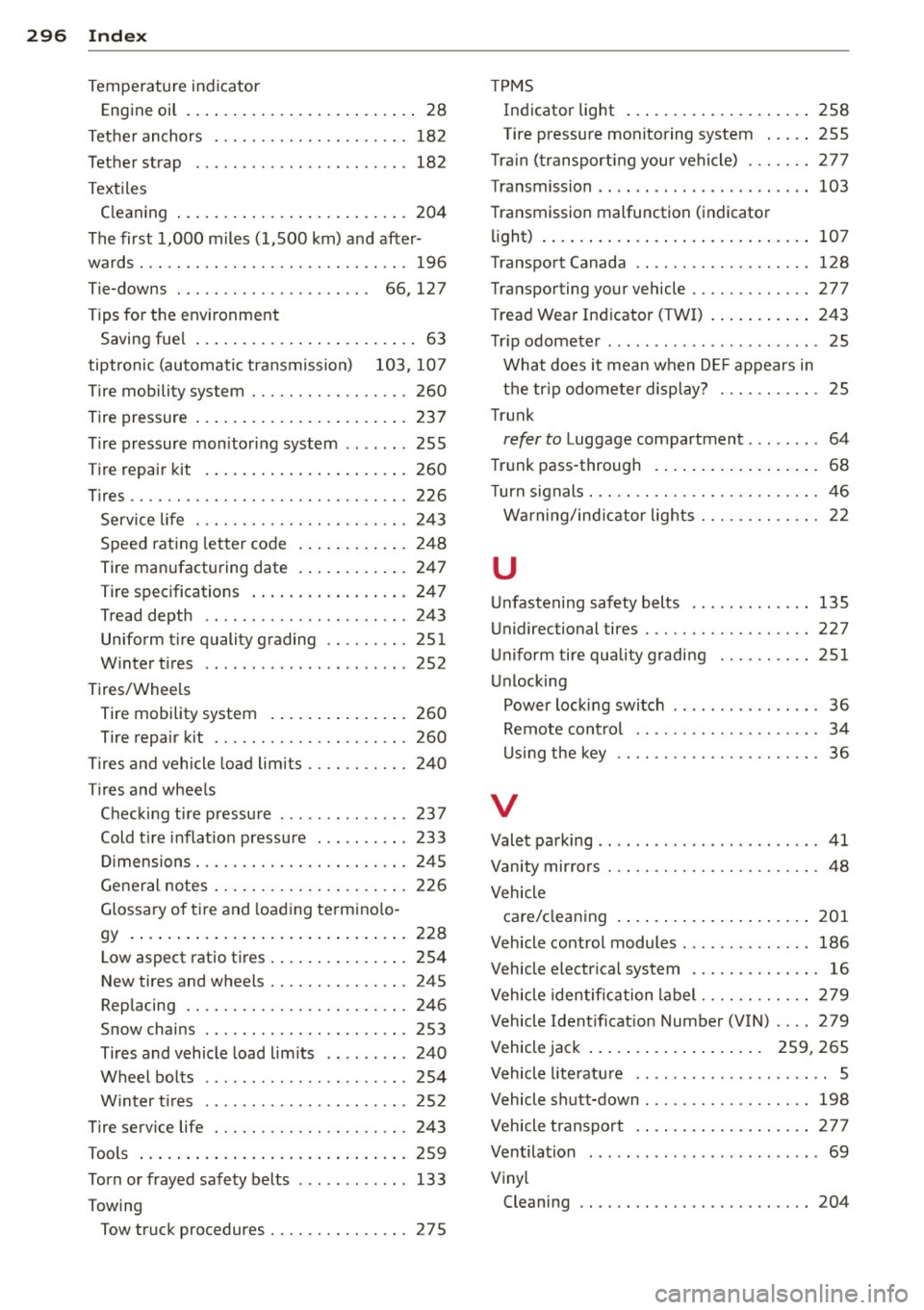
296 Index
Temperature indicator Engine oil . .... . ...... ... .. .. .... .. 28
Tet he r anchors . ........... .... .... . 18 2
Tether strap . . . . . . . . . . . . . . . . . . . . . . . 182
Textiles Cleaning ... ... .. ..... ... .. .. .... . 204
The first 1,000 m iles (1,500 km) and after-
wards . .. .. .... ........... .. .. .... . 196
Tie-downs . . . . . . . . . . . . . . . . . . . . . 66, 127
Tips fo r the env ironment
Saving fue l . . . . . . . . . . . . . . . . . . . . . . . . 63
tiptronic (automatic tra nsmission) 103, 107
T ire mobility system ........ .. .. .. .. . 260
T ire pressure .. .. .. ..... ... .. .. .... . 23 7
T ire pressure monitor ing system .. .. .. . 255
Tire repair kit . ... ...... ... .. .. .... . 260
T ires .. .. ...... ........... .. .. .... . 226
Service life . . . . . . . . . . . . . . . . . . . . . . . 24 3
Speed rating letter code ... .. .. .. ... 248
Tire man ufacturing date ... .. .... .. . 247
Tire specifications ..... ... .. .. .... . 247
Tread depth ............. .. .. .. .. . 243
Uniform tire quality grading .. .. ..... 251
W inter t ires .......... .... ... .. .. . 252
Tires/Wheels Tire mobility system . ... .. .. ... ... . 260
Tire repair kit ............ .. .. .... . 260
Ti res and vehicle load lim its .. .. .. .. .. . 240
Tires and whee ls
C heck ing ti re pressu re . .. .. .. .. .. .. . 237
Cold t ire i nflat ion p ressu re . .. .. .. .. . 233
Di mensions .............. .. .. .... . 24 5
G eneral notes . ......... .. .. .. .. .. . 226
Glossary of tire and load ing te rmino lo -
gy . .. ... ... .. .. ..... ... .. .. .... . 228
L ow aspect ratio ti res . ... .. .. ... ... . 254
N ew tires and wheels ........ .. .... . 245
Replacing ............... .. .. .... . 246
Snow chains ... .. ..... ... .... .. .. . 253
Tires and vehicle load lim its .. .. .. ... 240
Wheel bo lts ... .... ...... .. .. .. .. . 254
W inter t ires ... .......... .. .. .. .. . 25 2
T ire serv ice life . ........... .. .. .... . 243
Tools ... .... .. .. ...... ... .. .. .... . 259
Torn or frayed safety belts ....... .. ... 133
Towing Tow tr uck procedures .......... .. .. . 275 T
PMS
In dicator light
258
Tire pressure monitoring system ... .. 255
T rai n (tr ansport ing you r vehi cle) . .. .. .. 277
Transmission .. .. .. .. .. ...... ... .. .. 103
T ransmission malfunction ( indicator
li ght) . ... .. .... .. .. ... ..... ... .. .. 107
T ranspo rt Canada .. ............. .... 1 28
Transporting your vehicle ......... .... 277
T rea d Wea r Ind icator (TWI) .... ... .. .. 2 43
T rip odometer ..... ................ .. 25
What does it mean when D EF appears in
t h e tr ip odometer display? .... .. .... . 25
Trunk
refer to Luggage compartment . ...... . 64
T ru nk pass-through . .... ..... ... .. .. . 68
T urn s ignals . .. .. . .............. .. .. . 46
W arning/ind icator lights ........ .. .. . 22
u
Un fastening safety b elts
U nidirectional tires . ... .......... .. . .
Unif orm tire qu ality gradi ng ........ . .
Un locking 135
227
251
Power loc king switc h ........ .... ... . 36
Remote cont rol . . . . . . . . . . . . . . . . . . . . 34
U si ng the key .. .. ............. .. .. . 36
V
Vale t pa rking .. .. .. .......... ...... .. 41
Vanity mirro rs ...................... . 48
Vehicle ca re/clean ing .... .. .... .... ... .. .. 201
Vehicle control modules .. .. ... ..... .. 186
Vehicle electrical system . . . . . . . . . . . . . . 16
Vehicle identification label ...... .. .. .. 279
Vehicle Ident ificat ion Number (VIN) .. .. 279
Vehicle jack . . . . . . . . . . . . . . . . . . . 259, 265
Vehicle lite ratu re ............... .. .. .. 5
Vehicle shutt-down ... ........... .. .. 198
Vehicle transport . ... .... .... ... .. .. 2 77
Ventila tion . . . . . . . . . . . . . . . . . . . . . . . . . 69
Vinyl Cleaning .. .... .. ............. .... 204