instrument cluster AUDI S3 2009 User Guide
[x] Cancel search | Manufacturer: AUDI, Model Year: 2009, Model line: S3, Model: AUDI S3 2009Pages: 324, PDF Size: 76.02 MB
Page 34 of 324
Driver information display
low oil level warning . By then , your engine may alre ady have
suffered seriou s damage. •
Applies to vehic les: w ith eng in e spee d lim itat ion
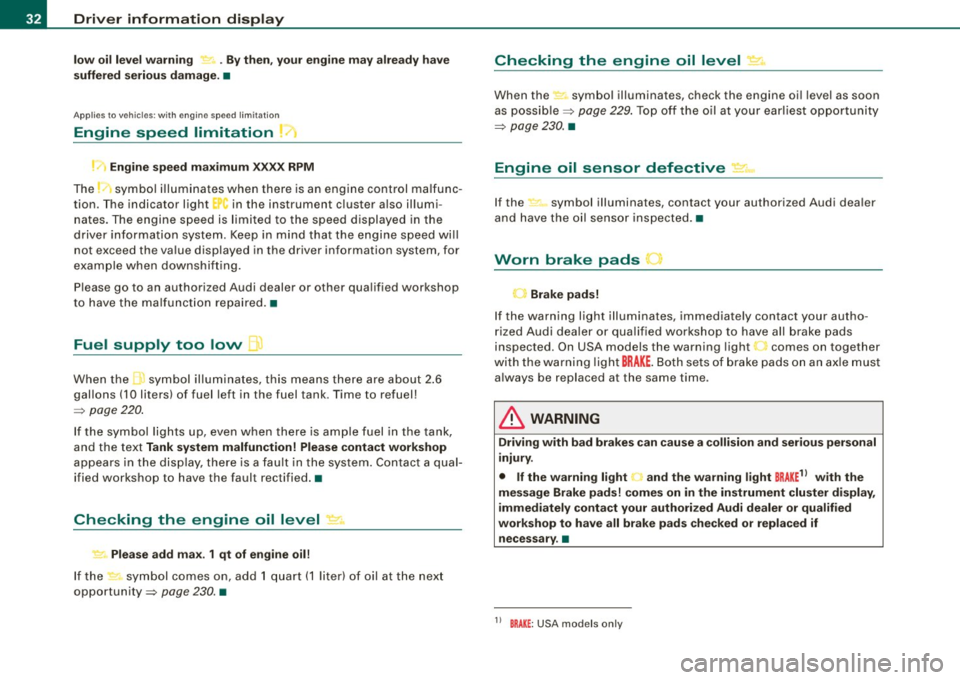
Engine speed limitation 1<
Engine speed ma ximum XX.XX RPM
The J symbo l illuminate s when there is an engine cont rol malfunc
tion . T he indicator l ight
..J., in the instrument cluster also illum i
nates. The engine speed is limited to the speed displayed in the
d river in for mation system. Keep in mind tha t the engine speed w ill
not exceed the va lue displayed in the driver information system, for
example when downshifting.
Please go to an authorized Audi dealer or other qua lified workshop
to have the ma lf u nct ion re paired. •
Fuel supply too low
When th e L symbol illuminates, this mea ns th ere are about 2 .6
gallons (10 liters) of fuel left in the fuel tank . Time to refuel!
~ p age 220 .
If the symbol l ights up, eve n when there is ample fuel in the tank,
and the text
Tank system malfunction! Please contact workshop
appears i n the d is pl ay, ther e is a fau lt in the syste m. C ontac t a qual
ified workshop to have the fault rectified. •
Checking the engine oil level .2'..
~ Please add max. 1 qt of engine oil!
If th e sy mbol co mes o n, a dd 1 q uart (1 lit er) of oil a t the next
opportunity~
page 230 . •
Checking the engine oil level ~
When the symbol illuminates, c heck the engine oil level as soon
as po ssi ble~
page 22 9. Top off t he o il at your ear liest o pp o rt un ity
~ page 230 . •
Engine oil sensor defective ...
If the -symbol illuminates, contact your authorized Audi dea ler
an d h ave the oil se nso r ins pected. •
Worn brake pads
-Brake pads!
If the warn ing light illuminates, immediate ly contact your autho
riz ed Aud i dea ler o r qua lifi ed worksh op to have all bra ke pads
inspected. On USA models the warning light comes on together
with the wa rning ligh t
BRAKE . Both sets of brake pads on an ax le m ust
a lways be replaced at the same time .
& WARNING
Driving with bad brakes can cause a collision and serious personal
injury.
• If the warning light
C. and the warning l ight BRAKE1l with the
message Brake pads! comes on in the in strument cluster display ,
immediately conta ct your authorized Audi dealer or qualified
workshop to have all brake pads checked or replaced if necessary .•
1 1 BRAK£ : USA mod els only
Page 45 of 324

Closing the rear lid
- Pull it down and shut it firmly~ &-There is a recess in
the interior trim of the lid to make it easier to pull down.
& WARNING
• After closing the rear lid, always pull up on it to make sure that
it is properly closed. Otherwise it could open suddenly when the
vehicle is moving.
• To help prevent poisonous exhaust gas from being drawn into
the vehicle, always keep the rear lid closed while driving. Never
transport objects larger than those fitting completely into the
luggage area, because then the rear lid cannot be fully closed.
• Never leave your vehicle unattended especially with the rear lid
left open. A child could crawl into the car through the luggage
compartment and pull the lid shut, becoming trapped and unable
to get out. To reduce the risk of personal injury, never let children play in or around your vehicle. Always keep the rear lid, as well as
the vehicle doors, closed when not in use.
[ i] Tips
• If the rear lid is open or not properly locked when the ignition is
turned on, the door and rear lid warning appears in the instrument
cluster display.
• If the rear lid on a locked vehicle is unlocked with the middle
button
c:::5 on the remote key, the rear lid is automatically locked
again immediately after closing. This is indicated by the turn signals
blinking. •
Contro ls and eq uip
ment
Opening and closing
Emergency release for rear lid
If the rear lid cannot be opened, an emergency release is
provided.
Fig . 32 Rear and trunk
section: Access to
emergency release
Fig . 33 Rear lid interior
section: Emergency
release
The emergency release is located on the inside of the rear
lid . To release the rear lid, proceed as follows:
Fold down the right rear seat back~ fig. 32.
Take your ignition key and move through the opening
until your head and shoulders are in the trunk .
Now insert the key bit into the slot in the cover as shown
in
~ fig. 33 (D and pry the cover up carefully. ~
Vehicle care I I irechnical data
Page 60 of 324
Clear vision
Igniti on ON , light swit ch at ::oo: or fD .
With the lights switched on, the brightness of instrument cluster
!i.e . needles, gauges and displays) and center console il lumination
can be adjusted.
0 Note
The instrument cluster and cent er console illumina tion (gauges and
needles) comes on when you swi tch on the igni tion and the
vehi cle
h eadlights are off .
Be aware of the following difference between
models built to US or Cana dian speci fica tions :
• USA model s: illumination of the in strument clu ster (gauges and
needle s), dash and center con sole around the gear shift lever i s
c o ntrolled by a light sensor lo cated in the instrument panel. The
i n strument panel ill umination will automatically become dimmer
a s th e daylight fades awa y and eventu ally w ill go out completel y
when outside l ight i s very low . Thi s is to remind you , the driver , to
swi tch on the headlight s befo re it get s to o dar k.
• Canada models: in strument panel illumination will stay bright
re gardle ss of the i ntens ity of ambient light . Al wa ys be aware of
change s in out sid e light conditi ons while you are d riving. Re spond
i n time t o fading daylight by turn ing the light swit ch to posit ion
fD
(or "AUTO" if your car is equipped with this feature) to turn on your
headlights . •
Ap plies to vehi cles: with b i-xeno n headli ghts
Bi-Xenon headlights*
After starting the engine, the bi -xenon headlights are automatica lly
adjus ted to the load and angle of the vehic le (for example , during
acce lerat ion and brak ing) . This prevents oncoming traffic fro m
experiencing unnecessary headlight g lare from your bi-xenon head
lights .
If the system is not operating properly, a warning symbol in the
Auto -Check Control is displayed ::::;,
page 33. •
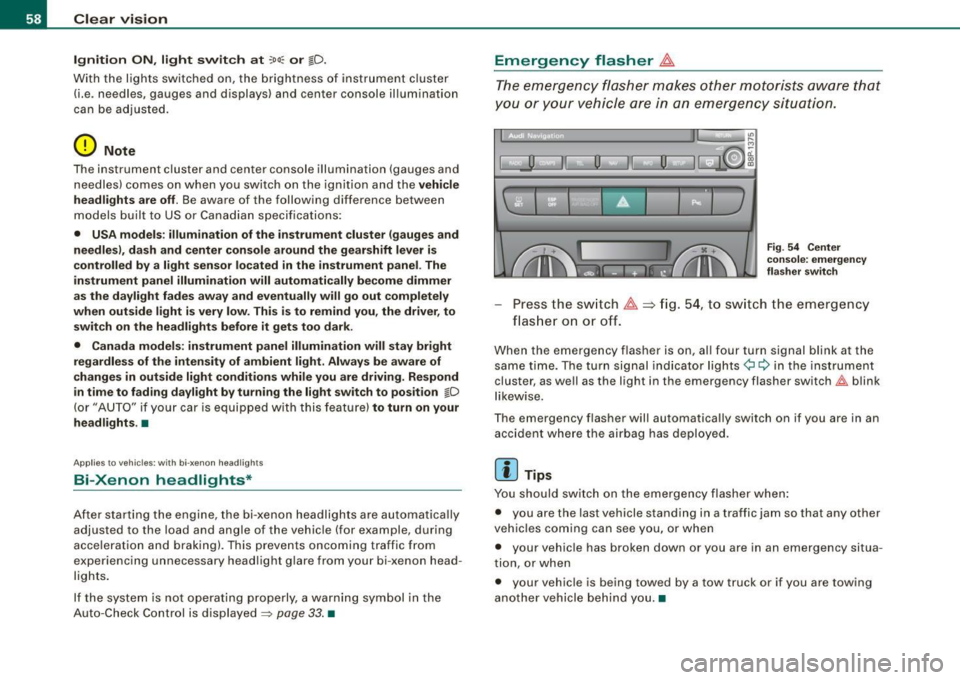
Emergency flasher ~
The emergency flasher mak es othe r moto rists aware that
you or your vehicle are in an emergency situation.
1 1 Q
-
II D ll1
[ Ii J
a
l 'l
"' " "'
J
Fi g. 5 4 Cen ter
co nso le : em erge ncy
fl as her swi tc h
Press the sw itch ~==>fig. 54, to sw itch the emergency
flas her on or off.
When the emergency flasher is on, al l four turn signal blink at the
same time. The turn signal indicator lights¢ Q in the inst rument
cluster, as we ll as the light in the emergency flasher switch~ blink
l ikew ise.
The emergency flasher will automatically switch on if you are in an accident where the airbag has deployed .
[ i ] Tips
You should switch on the emergency flasher when :
• you are the last vehicle standing in a traffic jam so that any other
veh ic les coming can see you, or when
• your vehic le has broken down or you are in an emergency situa
tion, or when
• your vehicle is being towed by a tow truck or if you are towing
another vehicle behind you. •
Page 61 of 324

Turn signals -¢ Q and high beam ~D lever
The lever on the left side of the steering column is used to
operate the turn signals and the high beam as well as the
headlight flasher.
Fig . 55 Turn signal and
high beam lever
The turn signal and high beam lever has the following func
tions:
Turn signals ¢ ¢
- Lift the lever up all the way~ fig. 55 G), to use the right
turn signals, or push the lever down all the way
0 to use
the left turn signals.
Auto-blink
- Move the lever (up or down) just to the point of resis
tance to use the turn signals for as long as you need
them, for example when changing lanes.
- Briefly move the lever up or down just to the point of
resistance and then release it to flash the turn signals
three times in succession. This feature allows to indicate
lane changes clearly and with minimum effort when
driving on highways.
Con tro ls and eq uip
ment
Clear vision
High beam
~D
- Push the lever forward 0 to switch on the high beam.
- Pull the lever back towards you to switch off the high
beam .
Headlight flasher ~D
Pull the lever toward the steering wheel © to use the
headlight flasher.
Notes on these features
• The turn signals only work with the ignition switched on. The
indicator lights¢ or¢ in the instrument cluster=> page 11 also
blink.
• After you have turned a corner, the turn signal switches off auto
matically .
• The high beam works only when the headlights are on. The indi
cator light ~Din the instrument cluster illuminates when the high
beams are on.
• The headlight flasher works only as long as you hold the lever -
even if there are no lights switched on. The indicator light ~D in the
instrument cluster illuminates when you use the headlight flasher.
0 Note
Do not use the high beam or headlight flasher if you know that these
could be blinding oncoming traffic.•
Vehicle care I I irechnical data
Page 112 of 324

• ..__O_ n_ t_h _ e_ r_ o_ a_ d ____________________________________________________ _
0 Note
Do not stop the engine immediately after hard or extended driving.
Keep the engine running for approximately two minutes to prevent
excessive heat build-up. •
Parking brake
Parking brake
When the parking brake is set, it prevents the vehicle from
rolling away unintentionally.
Setting the parking brake
Fig . 114 Center
console: Parking brake
set
- Pull the parking brake lever all the way up.
Releasing the parking brake Pull the parking brake lever up slightly
and press the
release button at the same time=> fig. 114 -arrow-.
Keep the release button pressed and lower the parking
brake=>
& -
If you should drive off with the parking brake still set, a warning tone
will sound and the following will appear in the instrument cluster to remind you to release the parking brake:
Parking brake set
The parking brake warning comes on only after you have driven for longer than 3 seconds and faster than 5 mph (5 km/h).
The parking brake warning light Brake (USA)/
{CD) (CON) illuminates
when the parking brake is set and you switch on the ignition.
& WARNING
Always release the parking brake completely . A partially engaged
brake will overheat the rear brakes, reduce their effectiveness and
cause excessive wear. This could lead to brake failure and an acci
dent.
0 Note
Only after the vehicle has come to complete stop, should you firmly
set the parking brake and either move the gearshift lever into 1st .
gear (manual transmission) or move the selector lever into "P"
(Automatic transmission). •
Parking
To prevent a parked vehicle from rolling away, there are a
few things you should do.
When you park your vehicle, do the following:
- Stop the vehicle using the brake pedal.
- Set the parking brake firmly.
- Move the selector lever into the
P position (automatic
transmission)
or move the gearshift lever into 1st. gear
(manual transmission) => &. .,_
Page 116 of 324

• .___O_ n_ t_h _e _ r_o _a_ d __________________________________________________ _
CRUISE (US model)/ r,,f (Canadian model) will also light up in the
instrument cluster.
& WARNING
• Always pay attention to traffic even when the cruise control is
switched on. You are always responsible for your speed and the
distance between your vehicle and other vehicles.
• For safety reasons, the cruise control should not be used in the
city, in stop-and-go traffic, on twisting roads and when road condi
tions are poor (such as ice, fog, gravel, heavy rain and hydro
planing) -risk of accident.
• Turn off the cruise control temporarily when entering turn
lanes, highway exit lanes or in construction zones.
• Please note that inadvertently "resting" your foot on the accel
erator pedal causes the cruise control not to brake. This is because
the cruise control is overridden by the driver's acceleration.
[ i J Tips
• Vehicles with manual transmission : You can attain the set speed
only if the currently engaged gear allows it and the engine is not
stressed. Shifting to a higher or lower gear promptly will allow the
engine to run smoothly.
• The cruise control cannot maintain a constant speed when
driving downhill. The vehicle will accelerate under its own weight.
Downshift to a lower gear or use the brakes to slow down. •
Changing speed
- Press lever in the 0 or Q direction~ page 113, fig. 116
to increase or decrease your speed.
Release the lever to save that speed .
Change speed in increments of 1 mph (1 km/h) by lightly pressing
the lever. If you keep the lever pressed down, you will alter your
speed in 5 mph (10 km/h) increments.
You can also press the accelerator pedal down to increase your
speed, e .g. if you want to pass someone. The speed you saved
earlier will resume as soon as you release the accelerator pedal.
If, however, you exceed your saved speed by 5 mph (10 km/h) for
longer than 5 minutes, the cruise control will turn off temporarily.
The symbol will go out but the saved speed will be retained. •
Presetting your sp eed
You can preset your desired speed while the vehicle is not
moving.
- Turn on the ignition.
Pull lever into position
G) ~ page 113, fig. 116.
Press the lever in the
0 or Q direction to increase or
decrease your speed.
- Release the lever to save that speed.
This function makes it possible, for example, to save the speed you
want before driving on the highway. Once on the highway, activate
the cruise control by pulling the lever toward
G) . •
Switching th e system off
Temporary deactivation
Press the brake pedal, or
- Keep the clutch pedal pressed down
longer, or
Press the lever into position
0 (not clicked into place)
~ page 113, fig. 116, or ._
Page 119 of 324

_______________________________________________________ T_ ra_ n_s_ m __ is_s_ io_ n __ ftllll
S tronic transmission
Ap plies to veh ic les: w ith S tronic®
Introduction
Your vehicle is equipped with a S tronic transmission, also called a
double -clutch system/transmission.
Power is transferred between the engine and the transmission by
means of two independent clutches. They replace the torque
~
converter of conventiona l automatic transmissions and allow the
vehic le to acce lerate without a noticeable break in the power flow.
With the aid of
tiptronic , the gears can optionally be shifted manu
ally => page 121. •
Ap plies to veh ic le s: w ith S troni c®
Selector lever positions
All the selector lever positions are explained in this
section.
Fig . 120 Display :
Selector lever posi
tion s
The se lector lever position is shown in the instrument cluster
display by highlighting the appropriate symbol.
Controls and equip
ment P
-Park lock
In this position the gears are mechanically locked .
The park lock must only be engaged with the veh icle
stationary
=> & .
To engage P and to remove the lever from this position, you must
depress the release button (button in the se lector lever handle)
and
simultaneously you must step on the brake pedal.
R -reverse
In this position, reverse is engaged.
Reverse gear must only be engaged with the vehicle
stationary and
the engine running at idle speed =>& .
To engage R, you have to depress the release button
and simulta
neously step on the brake pedal. In the R position, the back -up lights
illuminate with the ignition on.
N -Neutral
The transmission is in neutral in this position .
D -Normal position for driving forward
In this position, the forward gears are automatically shifted up and
down, depending on engine load and vehicle speed.
To engage S from N, the brake pedal must be depressed at speeds
below 5 km/h or when the vehicle is stationary=>& .
In certain circumstances (driving in the mountains for example) it
can be beneficial to switch temporarily to the manua l shift program
=> page 121 in order to adjust the gear ratios to driving conditions
manually .
S -Sport setting
The S setting should be selected for sporting driving . The power
reserves of the engine can be fully exploi ted through later upshifts.
To engage S from N, the brake pedal must be depressed at speeds
below 5 km/h or when the vehicle is stationary =>& .
~
I • •
Page 124 of 324

-Tr
ansmi ssio n
..__ ______________ _
Applies to vehic les: with S Ironic® and with Tip tronic contro ls on the steering whee l
Steering wheel with Tiptronic ® controls
The selector paddles allow the driver to keep both hands
on the steering wheel when shifting gears.
Shifting up
Fig . 125 S port
s teer ing wheel w it h
se lector padd les
- Pu ll the right paddle, marked G) => fig . 125 briefly
towards you.
Shiftin g down
Pu ll the left paddle, marked O => fig. 125 briefly towards
you .
The selector paddles on the steering wheel are activated when the
selector lever on the center console is in
D, S, or in the manual posi
tion (Tiptronic mode).
You can also shift gears in the Tiptronic mode using the selector
lever on the center console.
[ i ] Tips
With the gear selector lever in either "D" or "S" the transmission wi ll
switch back to the automatic mode if you do not use the paddles
within approx . 30 seconds .•
Ap plies to vehicles: wi th S tronic®
Kick-down feature
The kick-down feature allows maximum acceleration .
If you depress the accelerator pedal fu lly beyond the full -throt tle
position, the transmission automatically downshifts one gear,
depending on vehic le speed and engine rpm. The upshift into the
next higher gear takes place as soon as the maximum specified
engine speed is reached.
& WARNING
Pleas e n ote t hat th e dr ive whee ls ca n sp in if th e kick -do wn i s used
o n a s mooth slipp ery road -ris k of skiddin g!•
Ap plies to vehic les: with S tron ic®
Launch Control Program
The Launch Control Program permits maximum accelera
tion.
In order to use Launch Control, the ASR (Anti-Slip Regu la
tion) must be disabled. When ASR is disabled, the ESP
warning/indicator light in the instrument cluster illumi
nates . So that Launch Control can be used, the engine must
be at operating temperature and the steering wheel must
not be turned.
- With the engine running, briefly press the ESP button.
The message "ASR off" appears in the instrument cluster
d isplay.
- Shift the gear lever to "S" or the tiptronic® position.
- Step on t he brake pedal with your left foot a nd keep the
brake pedal fully depressed fo r at least one second. _,,,
Page 125 of 324
Transmission -_______________ ___.
- With your right foot, step on the accelerator to the wide
open throttle position or Kickdown. The engine speed
settles at about 3,200 rpm.
Take your left foot off the brake.
The S tronic® in your vehicle is electronically controlled. A special
Launch Control Program provides the best acceleration from a
standing start.
& WARNING
• Always adapt your driving to the traffic flow.
• Only use Launch Control when road and traffic conditions allow
it and other drivers will not be endangered or annoyed by your
driving and the acceleration of the vehicle.
• Make sure that ESP remains enabled . With the ESP disabled,
the vehicle could brake away, particularly on a slick and slippery road -risk of skidding!
• Once acceleration is finished, switch ASR on again by briefly
pushing the ESP button. •
Applies to veh ic le s: w ith S t ron ic ®
Back -up program
In the event of a system ma/function, there is an back-up
program.
In the event of system malfunction, the automatic transmission
switches to the fail-safe mode. All of the selector lever position
displays for the automatic transmission are highlighted with a light
background in the instrument cluster display. In some cases you
cannot drive in the reverse gear any more.
If the transmission switches to fail-safe mode, you should take the
vehicle to an authorized Audi dealership as soon as possibl e to have
the condition corrected. •
Contro ls and eq uip
ment
Ap plies to vehic les: w ith S tron ic ®
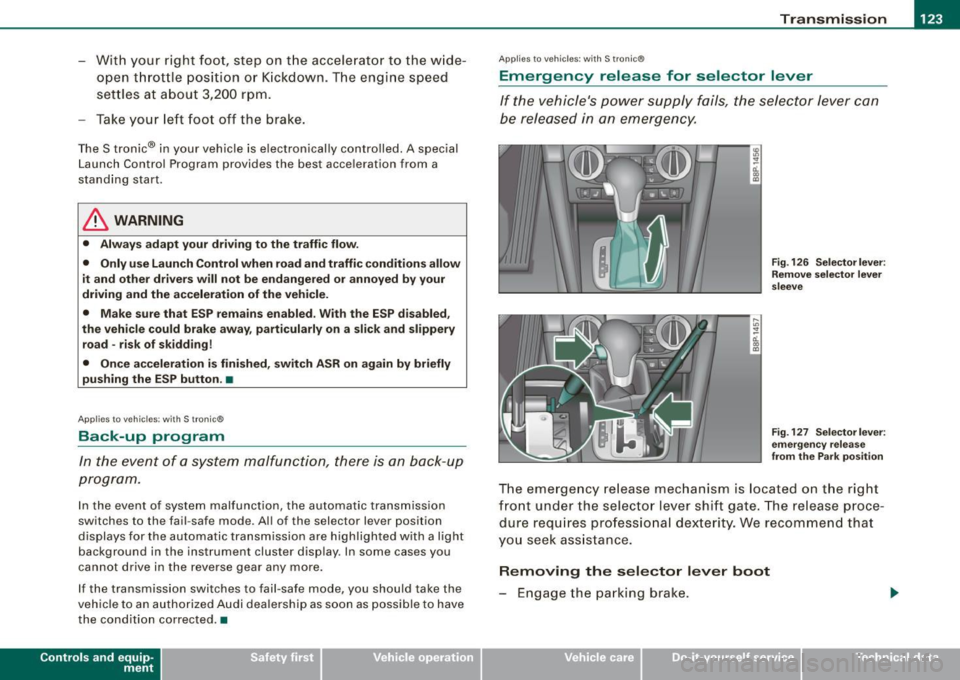
Emergency release for selector lever
If the vehicle's power supply fails, the selector lever can
be released in an emergency.
~ ..
-ti. ., m
Fig. 126 Selector lever :
Remove selector lever
sleeve
Fig . 127 Selectorlever :
emergency release
from the Park position
The emergency release mechanism is located on the right
front under the selector lever shift gate. The release proce
dure requires professional dexterity. We recommend that
you seek assistance.
Removing the selector lever boot
- Engage the parking brake.
Vehicle care I I Technical data
Page 139 of 324

Safety belts -----------------=-------
Safety belts
General notes
Always wear safety belts!
Wearing safety belts correctly saves lives!
This chapter explains why safety belts are necessary, how
they work and how to adjust and wear them correctly.
- Read all the information that follows and heed all of the
instruct ions and WARNINGS.
& WARNING
Not wearing safety belts or wearing them improperly increases
the risk of serious personal injury and death.
• Safety belts are the single most effective means available to
reduce the risk of serious injury and death in automobile acci
dents . For your protection and that of your passengers , always
correctly wear safety belts when the vehicle is moving.
• Pregnant women, injured, or physically impaired persons must
also use safety belts . Like all vehicle occupants, they are more
likely to be seriously injured if they do not wear safety belts . The
best way to protect a fetus is to protect the mother -throughout
the entire pregnancy. •
Number of seats
Your Audi has a total of five seating positions: two in the front and
three in the rear. Each seating position has a safety belt.
Controls and equip ment Safety first
Vehicle operation
& WARNING
Not wearing safety belts or wearing them improperly increases
the risk of serious personal injury and death .
• Never strap more than one person, including small children,
into any belt. It is especially dangerous to place a safety belt over
a child sitting on your lap.
• Never let more people ride in the vehicle than there are safety
belts available.
• Be sure everyone riding in the vehicle is properly restrained
with a separate safety belt or child restraint. •
Safety belt warning light ~
Your vehicle has a warning system for the driver and front
seat passenger (on USA models only) to remind you about
t he importance of buckling-up.
Before driving off, always:
Fig. 132 Safety belt
warning light in the
instrument cluster -
enlarged
- Fasten your safety belt and make sure you are wearing it
properly.
1J,,
Vehicle care Do-it-yourself service Technical data