warning AUDI S3 2009 User Guide
[x] Cancel search | Manufacturer: AUDI, Model Year: 2009, Model line: S3, Model: AUDI S3 2009Pages: 324, PDF Size: 76.02 MB
Page 18 of 324
Instruments and warning/indicator lights
Anti-lock brake system
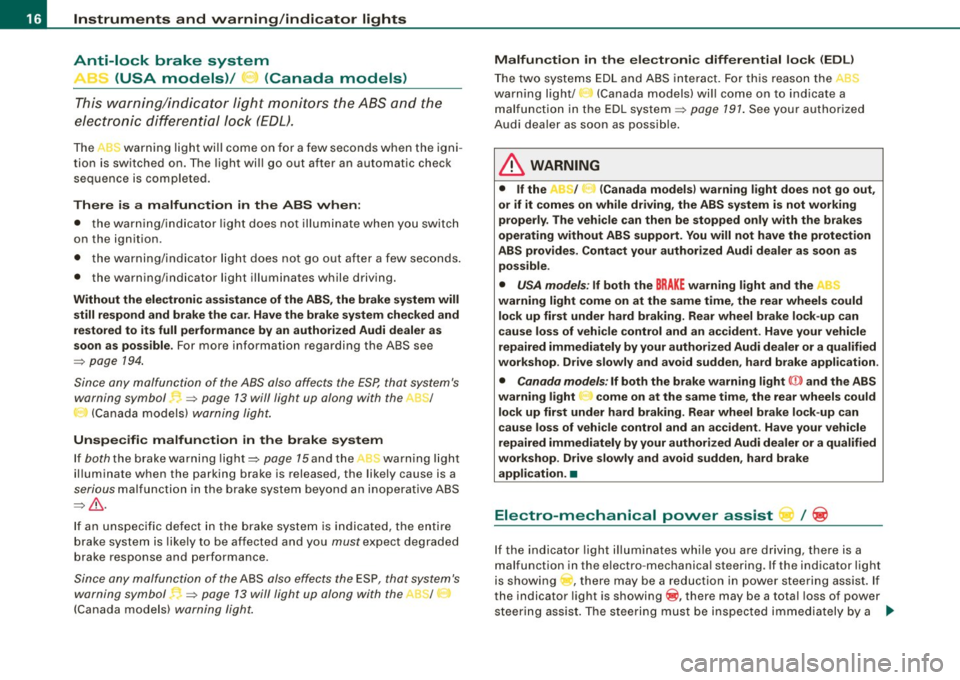
~ _ (USA models)/ .... (Canada models)
This warning/indicator light monit ors the A BS and the
electronic differenti al lock (EO L).
The ,I<-warning light wi ll come on for a few seconds when the igni
tion is switched on. The light will go out after an automatic check
sequence is completed.
There is a malfunction in the ABS when:
• t he war ning/in dicat or li ght does not illuminate when yo u switc h
on the ignition .
• th e warning/indicator l ig ht doe s no t go out after a few sec onds.
• the warning/indicator light illum inates while driving.
Without the electronic assistance of the ABS , the brake system will
still respond and br ake the car. Have the brake system che cked and
restored to its full performance by an authorized Audi dealer a s
soon as possible.
For more information regarding the ABS see
=> page 194 .
Since any malfunction of the ABS also affe cts the ESP, that system's
warning symbol •
=> page 13 will light up along with the A8~/
I':!. (Canada models) warning light.
Unspecific malfunction in the brake system
If bo th the brake warn ing lig ht=> page 15and the wa rn ing l ight
il luminate when the parking brake is released, the likely cause is a
serious m alfun ction in t he brake system beyond an inoperative ABS
=> & .
If an unspec ific defect in the brake sys te m i s indica ted, the e ntire
brake system is likely to be affected and you
must expect degraded
bra ke response and performance.
Since any malfunc tion of the ABS a lso effects the ESP, that system's
warning symbol ~=> page 13 will light up along with the ~1
J
(Canada models) warning light . Malfun
ction in the ele ctronic differential lock
(EDL )
The two syste ms E DL and ABS in te ract. F or th is rea son th e,. ::,
warning li ght/
~ (Canada mode ls) wi ll come on to ind icate a
m alf unctio n in the EDL system =>
page 191 . See your a uthor ized
Aud i dea ler as soon as poss ib le.
& WARNING
• If the / .t (Canada models} warning light does not go out ,
or if it comes on while driving , the ABS system is not working
properly . The veh icle can then be stopped only with the brakes
operating without ABS support . You will not have the protection
ABS provides. Contact your authori zed Audi dealer as soon a s
possible .
• USA models : If both the BRAKE warning light and the
warning light come on at the same time, the rear wheels could
lock up first under hard braking. Rear wheel brake lock -up can
cause loss of veh icle control and an accident . Have your vehicle
repaired immediately by your authorized Audi dealer or a qualified
workshop . Drive slowly and avoid sudden , hard brake application .
• Canada models : If both the brake wa rning light {(j)) and the ABS
warning light come on at the same time , the rear wheels could
lock up first under hard braking. Rear wheel brake lock -up can
cause loss of vehicle control and an accident . Have your vehicle
repaired immediately by your authorized Audi dealer or a qualified
workshop . Drive slowly and avoid sudden, hard brake
application. •
Electro-mechanical power assist / ~
If the i ndicator ligh t illum inates w hile you a re driving, ther e is a
malfunction in the e lectro -mechanica l steering . If the indicator light
is showi ng ....,, , ther e may be a r educ tion i n po w er s teerin g assist. I f
the indicator light is showing @, there may be a total loss of power
s teer ing assis t. The stee ring must be i nspec ted i mme diately by a ._
Page 19 of 324

qualified workshop=> &. With the eng ine not running (e .g . when
t he car is being towed), there is also no power assis t availa ble.
& WARNING
If there is a malfunction , the indi cator light for the electro -mechan
ical power assist illuminates . Seek profess ion al assistance . •
Controls and equip
ment
Instruments and warning /indi cator lights
I • •
Page 20 of 324

Driver informati on displ ay
Driver information display
Introduction
Introduction
The Driver information display inside the instrument
cluster provides you , the driver, with important informa
tion.
Ce nter d isplay
Fig . 6 Inst rum ent
c lu ster : cente r dis pl ay
Fig .
7 Wiper lever :
co ntrol s for t he m enu
d isp lay
W ith th e ignition on, the displ ay in th e Driver Info rmation System
shows the follow ing information :
• CD* inserted or Radio* station set •
Outside tempe rature *: At temperatures below 41 °F ( +5 °C l, a
snowflake symbol appea rs in front of the temp erature display ~& .
• Warning: front lid , door or engine compartment l id open: The
display appears if the door, the engine compartment lid or front lid
is not closed .
• Warning : close fuel tank cap: The Driver information display indi
cates when the filler cap is not secured or missing~
page 221.
Additional fun ctions
You can open the following fun ctions in the Driver Information
System display by pressing the
I RESE T] button ~ fig. 7 one or more
times :
Trip computer Digital s peedometer*
Menu display
~ page22
~ page23
The speed warning system is also displayed in the Driver Informa
t ion System. You can read how to set it in~
page 26.
Auto Check Con trol
Some functions and vehicle componen ts are scanned for their oper
ating status when you switch the ignition on and wh ile you are
driving. Malfunc tions or required service procedures are signa led
audib ly and indicated by red and yel low illuminated symbols and
rem inders in the display~
page 28 .
& WARNING
• Never rely e xclusivel y on the outside temperature di spla y to
det ermine if a road surface is ic y or not. Keep in mind that road
s urface s, esp ec ia lly bridge s and overp asses, co uld be i ce cove red
and slippery even at an out side t emperatur e above 41 °F (+ 5
°C l. -.,
Page 21 of 324

& WARNING (continued)
• Always remember, even if the "snowflake" symbol (ice
warning) does not appear in the display, black ice could be on the
road.
• Always reduce your speed and drive with special care in cold
weather conditions when the chance of encountering icy road
surfaces increases.
[ i] Tips
• If the vehicle is stationary , or if you are driving at a very low
speed, the temperature shown in the display might be slightly
higher than the actual outside temperature. This is caused by the
heat being radiated from the engine.
• On vehicles with S tronic, the reminders do not appear in the
display until you select a gear .
• On vehicles with Audi Navigatio n system*, the displays may
differ from their normal appearance during navigation. •
Applies to ve hicles: with g ears hift indicator and manual transmi ssio n
Gearshift recommendation
This indicator can help conserve fuel.
Controls and equip
ment
+55°F
~ 340mi
3~4 Fig . 8 Gearshift
recommendation
Driver information display
In order to become familiar with the gearshift indicator , begin
driving as usual. If the current gear is not the best one for
conserving fuel, the indicator will display the recommended gear .
The display shows the current gear and the recommended gear
=> fig. 8 .
• Upshifting: The display is to the right of the current gear if a
higher gear is recommended.
• Downshifting: The display is to the left of the current gear if a
lower gear is recommended.
Sometimes the indicator will recommend skipping a gear (3.,. 5l.
[ i] Tips
• This indicator should help you conserve fuel. It is not designed
to recommend the correct gear in all driving situations. Only the
driver can decide which gear is correct in certain driving situations
such as when accelerating or driving on hills.
• The display switches off when the clutch pedal is pressed .
• Gear shift recommendation can be deactivated in the driver
information system=>
page 23. •
I • •
Page 23 of 324
On-Board Diagnostic system (08D)
On-Board Diagnostics
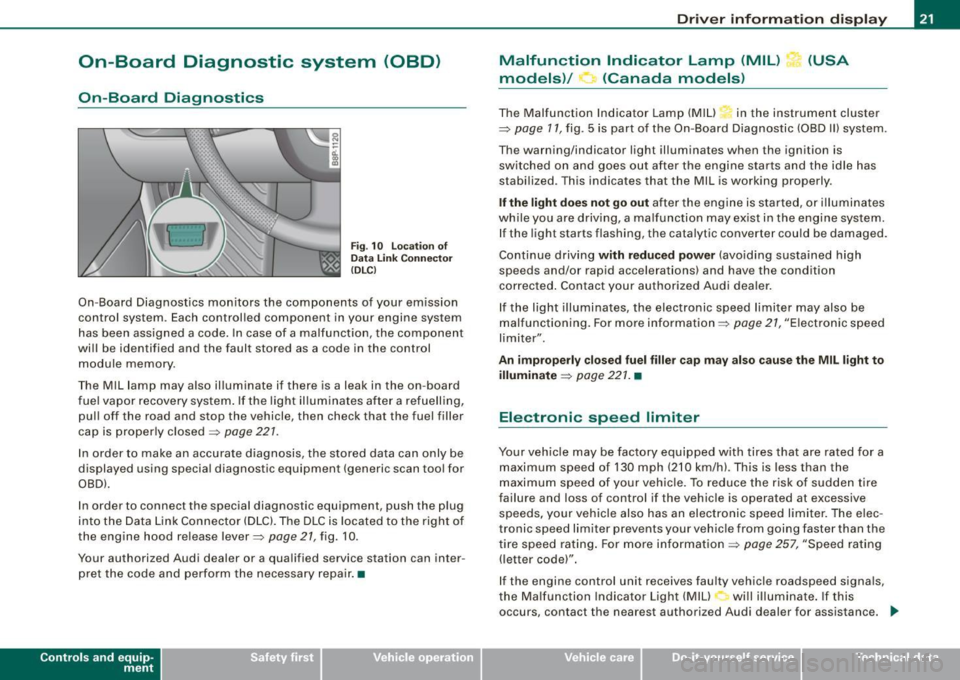
Fig. 10 location of
Data Link Connecto r
( DL C)
On-Board Diagnostics monitors the components of your emission
control system . Each controlled component in your engine system
has been assigned a code. In case of a malfunction , the component
will be identified and the fault stored as a code in the control
module memory .
The Mil lamp may also illuminate if there is a leak in the on-board
fuel vapor recovery system . If the light illuminates after a refuelling,
pull off the road and stop the vehicle, then check that the fuel filler
cap is properly closed=>
page 227.
In order to make an accurate diagnosis, the stored data can only be
displayed using special diagnostic equipment (generic scan tool for
OBDl.
In order to connect the special diagnostic equipment, push the plug
into the Data Link Connector (DLC). The DLC is located to the right of
the engine hood re lease lever=>
page 21, fig. 10 .
Your authorized Audi dealer or a qualified service station can inter
pret the code and perform the necessary repair. •
Contro ls and eq uip
ment
Driver information display
Malfunction Indicator Lamp (MIL) (USA
models)/ (Canada models)
The Malfunction Indicator Lamp (MIU in the instrument cluster
=> page 17, fig . 5 is part of the On-Board Diagnostic (OBD II) system .
The warning/indicator light illuminates when the ignition is
switched on and goes out after the engine starts and the idle has
stabilized. This indicates that the Mil is working properly .
If the light does not go out after the engine is started, or illuminates
while you are driving, a ma lfunction may exist in the engine system.
If the light starts flashing, the catalytic converter cou ld be damaged.
Continue driving
with reduced power (avoiding sustained high
speeds and/or rapid accelerations) and have the condition
corrected . Contact your authorized Audi dealer.
If the light illuminates , the electronic speed limiter may also be
malfunctioning. For more information=>
page 27, "Electronic speed
limiter".
An improperly closed fuel filler cap may also cause the MIL light to
illuminate => page 221. •
Electronic speed limiter
Your vehicle may be factory equipped with tires that are rated for a
maximum speed of 130 mph (210 km/h) . This is less than the
maximum speed of your vehicle. To reduce the risk of sudden tire
failure and loss of control if the vehicle is operated at excessive
speeds, yo ur vehicle also has an electronic speed limiter. The elec
tronic speed limiter prevents your vehicle from going faster than the
tire speed rating. For more information
=> page 257, "Speed rating
(letter code)".
If the engine control unit receives faulty vehicle roadspeed signals,
the Malfun cti on Indicator Light (MIU will illuminate . If this
occurs, contact the nearest authori zed Audi dealer for assistance. _.,
Vehicle care I I irechnical data
Page 24 of 324
Driver information display
& WARNING
Always observe the posted speed limits and adjust your speed to
suit prevailing road, traffic and weather conditions. Never drive
your vehicle faster than the maximum speed rating of the tires
installed. •
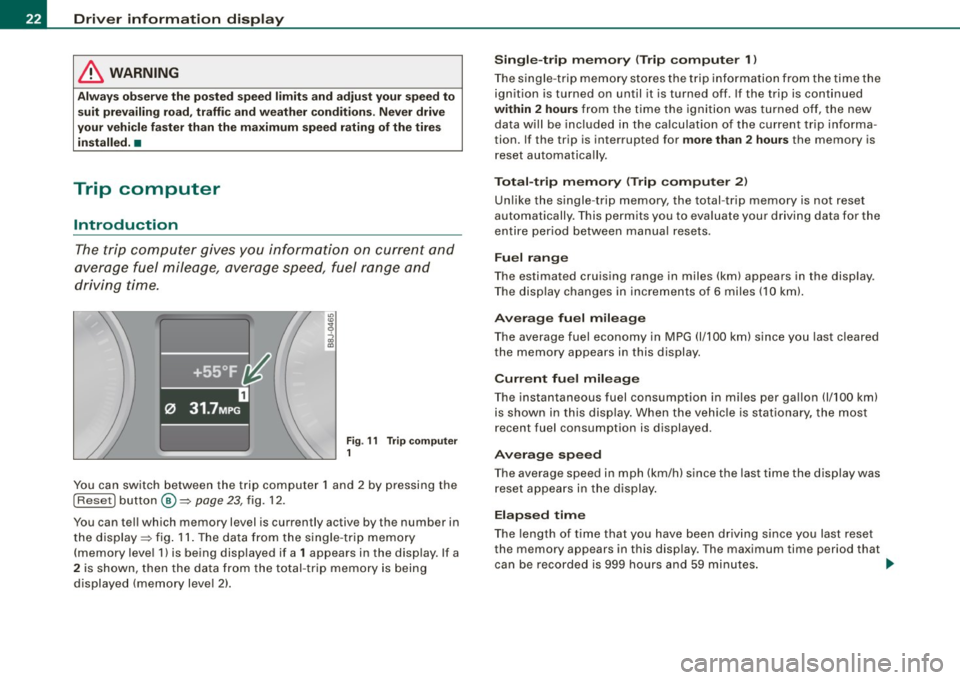
Trip computer
Introduction
The trip computer gives you information on current and
average fuel mileage, average speed, fuel range and
driving time.
Fig . 11 Trip computer
1
You can switch between the trip computer 1 and 2 by pressing the
I Reset I button @=> page 23, fig. 12.
You can tell which memory level is curren tly active by the number in
the display => fig. 11. The data from the single -trip memory
(memory level 1) is being displayed if a
1 appears in the display . If a
2 is shown, then the data from the total -trip memory is being
displayed (memory level 2).
Single-trip memory (Trip computer 1)
The single -trip memory stores the trip information from the time the
ignition is turned on until it is turned off. If the trip is continued
within 2 hours from the time the ignition was turned off, the new
data will be included in the calculation of the current trip informa
tion. If the trip is interrupted for
more than 2 hours the memory is
reset automatically.
Total-trip memory (Trip computer 2)
Unlike the single-trip memory, the total-trip memory is not reset
automatically. This permits you to evaluate your driving data for the
entire period between manual resets.
Fuel range
The estimated cruising range in miles (km) appears in the display .
The display changes in increments of 6 miles (10 km).
Average fuel mileage
The average fuel economy in MPG 0/100 km) since you last cleared
the memory appears in this display.
Current fuel mileage
The instantaneous fuel consumption in miles per gallon 0/100 km)
is shown in this display. When the vehicle is stationary, the most
recent fuel consumption is displayed.
Average speed
The average speed in mph (km/h) since the last time the display was
reset appears in the display.
Elapsed time
The length of time that you have been driving since you last reset
the memory appears in this display . The maximum time period that
can be recorded is 999 hours and 59 minutes.
~
Page 26 of 324
Driver informati on displ ay
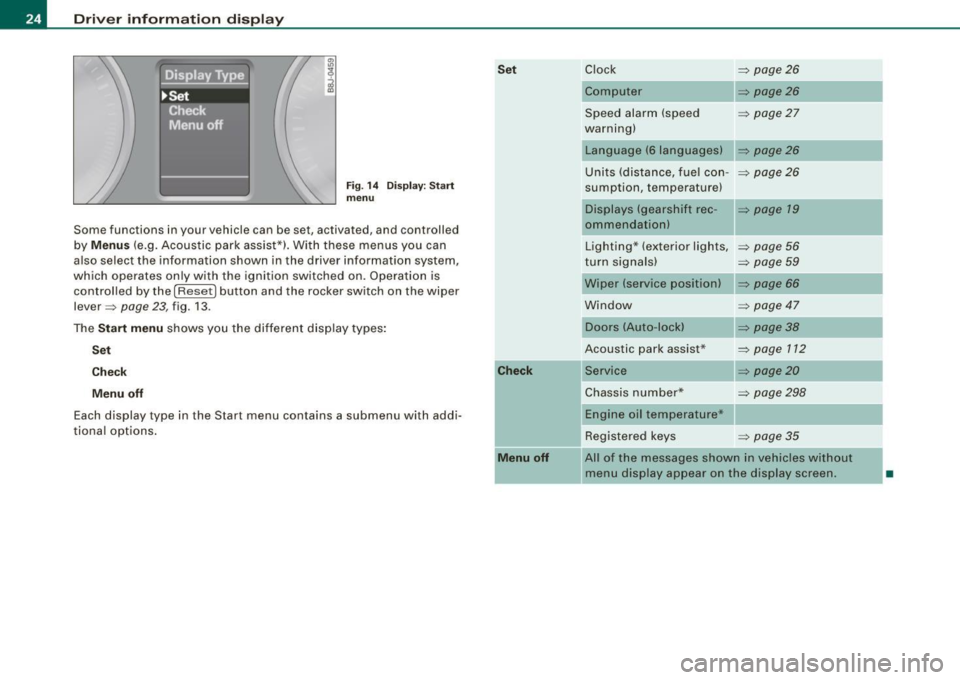
Fig. 1 4 Display : Start
menu
Some functions in your vehicle can be set, activated, and controlled
by
M enu s (e.g. Acoustic park assist*). With these menus you can
also select the information shown in the driver information system,
which operates only with the ignition switched on. Operation is
control led by the
I Reset) button and the rocker switch on the wiper
lever =>
page 23, fig. 13 .
The
S ta rt m enu shows you the different disp lay types :
Set
C he ck
M enu off
Each display type in the Start menu contains a submenu with addi
tiona l options .
Set
C he ck
M enu off
Clock => page 26
Computer => page26
Speed alarm (speed => page27
warning)
Language (6 languages)
Units (distance, fuel con-
=> page26
sumption, temperature)
Displays (gearshift rec -=> page 19
ommendationl
Lighting* (exterior lights, => page 56
turn signals) => page 59
Wiper (service position) => page 66
Window => page 47
Doors (Auto-lock)
Acoustic park assist*
Service
=> page38
=> page 112
=> page20
Chassis number* => page 298
Engine oil temperature*
Registered keys
=> page 35
All of the messages shown in vehicles without
menu display appear on the display screen.
•
Page 28 of 324
Driver informati on displ ay
Selecting settings
The Driver Information System settings are menu-guided.
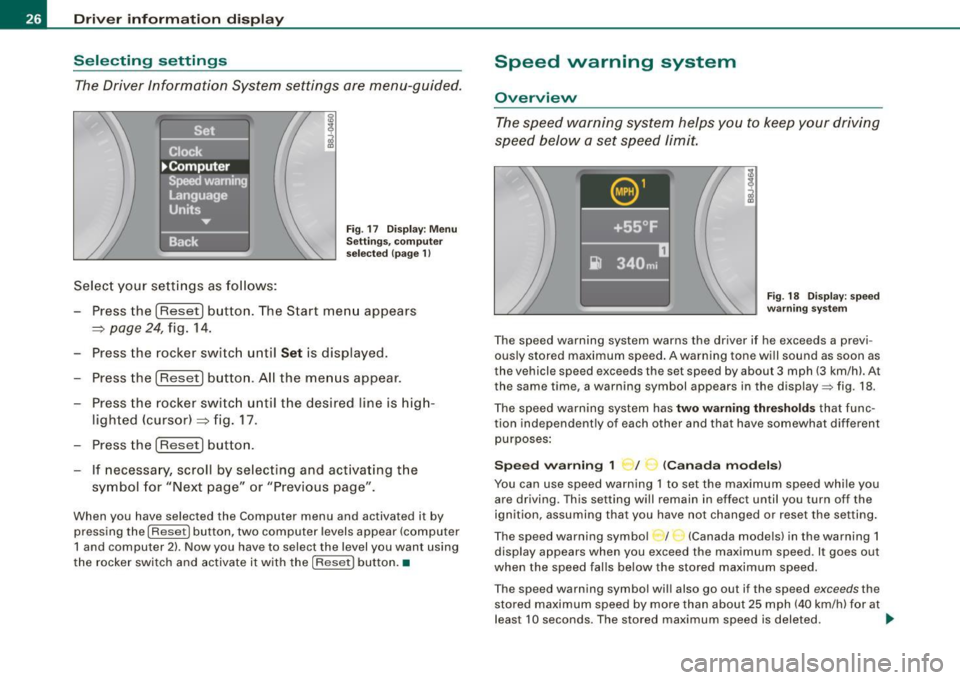
Select your settings as follows:
Fig . 17 Dis play: Men u
Sett ings, co mputer
sel ected (page 1)
- Press the !Reset] button. The Start menu appears
~ page 24, fig. 14.
- Press the rocker switch until
Set is displayed.
- Press the [Reset] button. All the menus appear.
- Press the rocker switc h until the desired line is hig h-
lighted (cursor)~ fig. 17.
- Press the !Reset] button .
- If necessa ry, scroll by selecting and activating t he
symbol for "Next page" or "Previous page".
When you have selected the Computer menu and activated it by
pressing the
I Reset] button, two computer levels appear (computer
1 and computer 2) . Now you have to select the level you want using
the rocker switch and activate it with the [R ese t] button. •
Speed warning system
Overview
The speed warning system hel ps you to keep your driv ing
speed below a set speed limit.
F ig. 18 Disp lay : sp ee d
w arni ng s yste m
The speed warning system warns the dr iver if he exceeds a previ
ous ly stored maximum speed . A warning tone will sound as soon as
the vehicle speed exceeds the set speed by about 3 mph (3 km/h). At
the same time, a warning symbol appears in the display=> fig. 18.
The speed war ning system has
two warn ing thre shold s that func
tion independently of each other and that have somewhat different
purposes :
Spee d warning 1 ~ / (Canad a mod els)
You can use speed warning 1 to set the maximum speed whi le you
are driving. This setting will remain in effect until you turn off the
ignition, assuming that you have not changed or reset the set ting.
The speed warning symbo l / (Canada models) in the warning 1
display appears when you exceed the maximum speed. It goes out
when the speed falls below the stored maximum speed.
T he speed warning symbol wi ll also go out if the speed
exceeds the
stored maximum speed by more than about 25 mph (40 km/h) for at
leas t 10 seconds . The stored maximum speed is deleted. .,_
Page 29 of 324

Setting speed warning 1 ~ page 27.
Speed warning 2 ,,. / (Canada models)
Storing warning 2 is recommended if you always want to be
reminded of a certain speed, for example when you are traveling in
a country that has a general maximum speed limit, or if you do not
want to exceed a specified speed for winter tires.
The speed warning 2 symbol, /
,J. (Canada models) appears in the
display when you exceed the stored speed limit. Unlike warning 1,
it will not go out until the vehicle speed drops below the stored
speed limit.
Setting speed warning 2
~ page 27.
[ i ] Tips
Even though your vehicle is equipped with a speed warning system,
you should still watch the speedometer to make sure you are not
driving faster than the speed limit. •
Speed warning 1: setting a speed limit
Warning threshold 1 is set by the button.
Storing the maximum speed
-Drive at the desired maximum speed .
Contro ls and eq uip
ment
Fig . 19 Section of
instrument cluster:
Set/Check button
Driver information display
- Press the knob button~ fig. 19 until the~ page 26,
fig. 18 symbol appears.
Resetting the maximum speed
- Drive the vehicle at a speed of at least 3 mph (5 km/h)
- Press the knob for more than 2 seconds.
The speed warning symbol·-(USA models) /- (Canada models) will
appear briefly in the display when you release the button to indicate
that the maximum speed has been stored successfully.
The maximum speed remains stored until it is changed by pressing
the button again briefly or until it is deleted by a lengthy push on the
button. •
Speed warning 2: setting a speed limit
Switches in the wiper arm are used to operate warning
threshold 2.
To store maximum speed
- Turn off the ignition.
Vehicle care I I
Fig. 20 Wiper lever:
Trip computer controls
irechnical data
Page 30 of 324
Driver inf ormati on displ ay
- Briefly press the button in t he ins trument cluster
=>
page 27, fig . 19. T he odome ter and the digita l clock are
now illuminated .
- Press the button for at least
2 seconds. The currently
stored maximum speed appears in the display
or the
crossed out symbol for warning threshold
2, if no
maximum speed was set previously .
- Press the function selector switch in the wiper lever @
=>
page 27, fig. 20 up or down to change t he set value .
Values r un up or dow n in steps of
6.2 mph (10 km/h) .
To dele te max imum sp eed
-Turn off the ignition.
- Briefly press the button in t he instrument cluster
=>
page 27, fig . 19. The odometer and the digita l clock are
now illuminated.
- Press the butt on for at least 2 seconds. T he currently
stored maximum speed appears in the display.
- Press the rese t button in the wiper lever @=>
page 27,
fig. 20 unt il the crossed out speed warning symbo l for
warning threshold 2 appears in the display.
A few seconds after the adjustment is comp leted, the i llumination
for the odometer and the digital clock wil l go out .
[ i ] Tip s
This warning threshold can also be controlled through the trip
computer =>
page 25, "Navigating the menu". •
Warnings and symbols
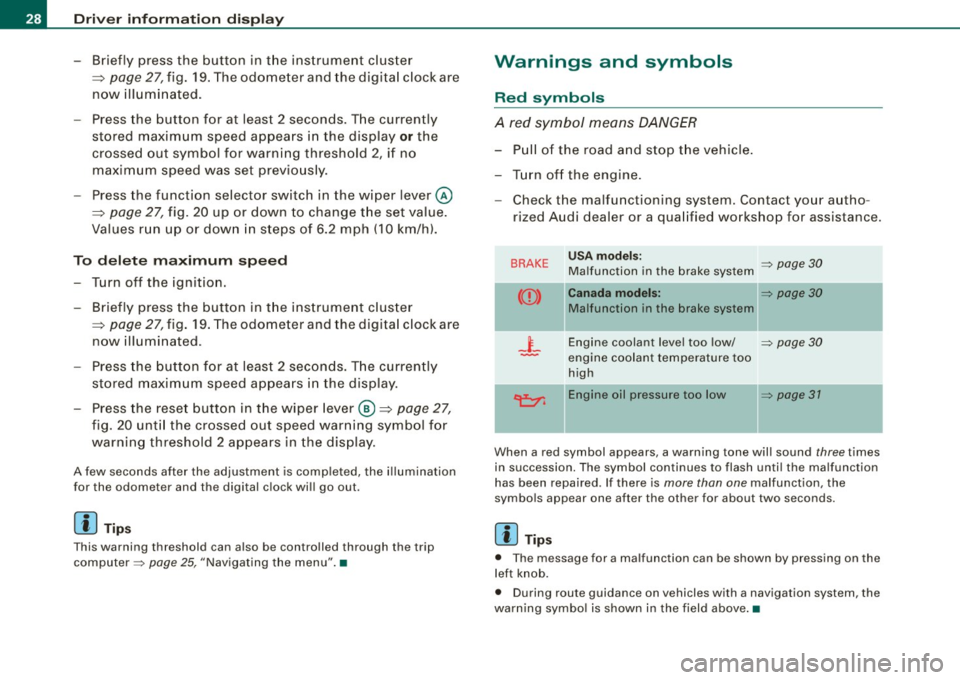
Red symbols
A red symbol means DANGER
-Pull of the r oad and stop t he vehicle .
- Turn o ff the engine .
Check the malfunctioning system. Contact your autho
rized Audi dealer or a qua lified workshop for assistance .
BRAKE USA m odels: => page 30 Ma lfunction in the brake system
CCD > Ca na da m odel s: => page 30
Malfunction in the brake system
_t_ Engine coolant level too low/ => page 30
-engine coolant temperature too
high
~ Engine oil pressure too low => page 37
- --
When a red symbol appears, a warning tone will sound three times
in succession. The symbol continues to flash unti l the malfunction
has been repaired . If there is
more than one malfunction, the
symbols appear one after the other for about two seconds.
[ i ] Tip s
• The message for a malfunction can be shown by pressing on the
left knob.
• During route guidance on vehicles with a navigation system, the
warn ing symbo l is shown in the field above .•