warning AUDI S3 2009 Owner's Guide
[x] Cancel search | Manufacturer: AUDI, Model Year: 2009, Model line: S3, Model: AUDI S3 2009Pages: 324, PDF Size: 76.02 MB
Page 45 of 324

Closing the rear lid
- Pull it down and shut it firmly~ &-There is a recess in
the interior trim of the lid to make it easier to pull down.
& WARNING
• After closing the rear lid, always pull up on it to make sure that
it is properly closed. Otherwise it could open suddenly when the
vehicle is moving.
• To help prevent poisonous exhaust gas from being drawn into
the vehicle, always keep the rear lid closed while driving. Never
transport objects larger than those fitting completely into the
luggage area, because then the rear lid cannot be fully closed.
• Never leave your vehicle unattended especially with the rear lid
left open. A child could crawl into the car through the luggage
compartment and pull the lid shut, becoming trapped and unable
to get out. To reduce the risk of personal injury, never let children play in or around your vehicle. Always keep the rear lid, as well as
the vehicle doors, closed when not in use.
[ i] Tips
• If the rear lid is open or not properly locked when the ignition is
turned on, the door and rear lid warning appears in the instrument
cluster display.
• If the rear lid on a locked vehicle is unlocked with the middle
button
c:::5 on the remote key, the rear lid is automatically locked
again immediately after closing. This is indicated by the turn signals
blinking. •
Contro ls and eq uip
ment
Opening and closing
Emergency release for rear lid
If the rear lid cannot be opened, an emergency release is
provided.
Fig . 32 Rear and trunk
section: Access to
emergency release
Fig . 33 Rear lid interior
section: Emergency
release
The emergency release is located on the inside of the rear
lid . To release the rear lid, proceed as follows:
Fold down the right rear seat back~ fig. 32.
Take your ignition key and move through the opening
until your head and shoulders are in the trunk .
Now insert the key bit into the slot in the cover as shown
in
~ fig. 33 (D and pry the cover up carefully. ~
Vehicle care I I irechnical data
Page 48 of 324
Opening and closing
Power windows
Controls
Fig. 37 Driver's door :
power window
switches
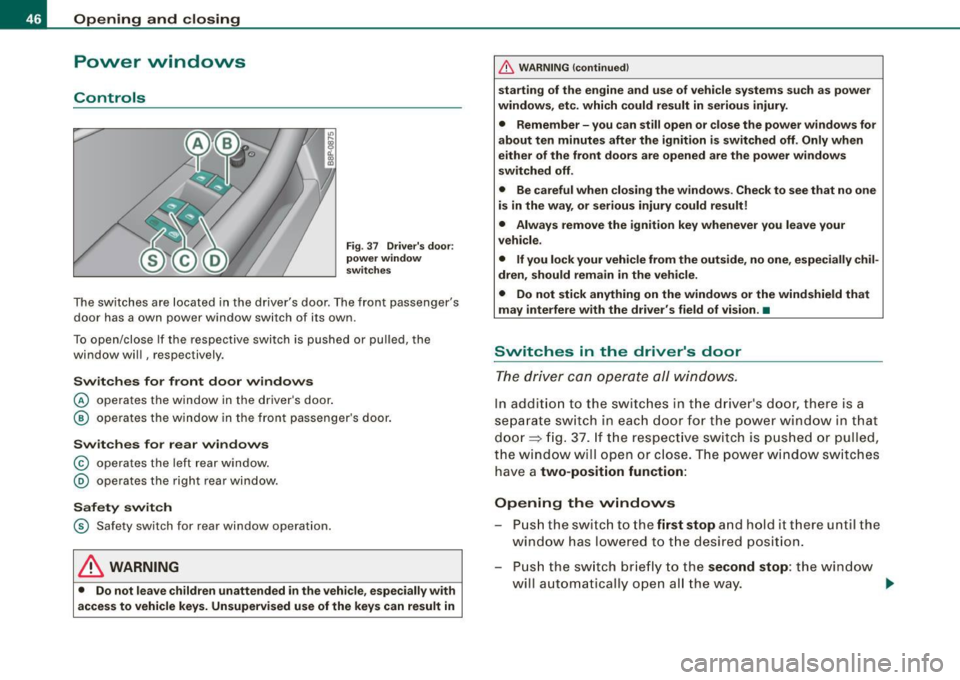
The switches are located in the driver's door . The front passenger's
door has a own power window switch of its own.
To open/close If the respective switch is pushed or pulled, the
window will , respectively.
Switches for front door windows
© operates the window in the driver's door.
@ operates the window in the front passenger's door.
Switches for rear windows
© operates the left rear window.
@ operates the right rear window.
Safety switch
© Safety switch for rear window operation.
LJ}. WARNING
• Do not leave children unattended in the vehicle, especially with
access to vehicle keys. Unsupervised use of the keys can result in
& WARNING (continued)
starting of the engine and use of vehicle systems such as power
windows, etc. which could result in serious injury.
• Remember -you can still open or close the power windows for
about ten minutes after the ignition is switched off. Only when
either of the front doors are opened are the power windows
switched off.
• Be careful when closing the windows. Check to see that no one
is in the way, or serious injury could result!
• Always remove the ignition key whenever you leave your
vehicle.
• If you lock your vehicle from the outside, no one, especially chil
dren, should remain in the vehicle.
• Do not stick anything on the windows or the windshield that
may interfere with the driver's field of vision.•
Switches in the driver's door
The driver can operate all windows.
In addition to the switches in the driver's door, there is a
separate switch in each door for the power window in that
door=> fig. 37. If the respective switch is pushed or pulled,
the window will open or close. The power window switches have a
two-position function:
Opening the windows
Push the switch to the first stop and hold it there until the
window has lowered to the desired position.
- Push the switch briefly to the
second stop: the window
w ill automatically open all the way. _.
Page 49 of 324
Closing th e window s
- Pull the switch up to the
first stop and hold it there until
the window has risen to the desired position.
- Pull the switch quickly to the
second pos iti on: the
window will automatically close all the way~
& in
"Controls".
A cti vating /d eacti va ting r ear window s
- Pu sh the switc h to the
depressed pos ition to a ctiv ate the
rear windows -the l ight in the sw itch wi ll go out.
- Briefly press t he switch to
de activat e the rear windows -
the switch will return to the sa fety position and the light
w ill illuminate.
The safety switch©=> page 46, fig. 37 in the armrest on the driver's
door turns off the rear power windows. Only when the safety switch
is depressed can the rear windows be opened or closed. The symbol
in the safety switch il lum inates when the power windows in the rear
doors are switched off (button NOT depressed). This feature has
been provided for the safety of small children riding in the rear of
the vehicle .
[ i J Tip s
The windows can still be opened and closed for about ten minutes
after the ignition has been turned off. The power windows are not
shut off until one of the front doors is opened. •
Contro ls and eq uip
ment
Op ening and clo sing
Convenience close /open feature
You can close or open the windows from outside when
you lock or unlock your c ar with the key.
---==- ~fit ~-:..--.:..-_-_-_-_- _-_- _-_-_-_--:-
c -= ® !)®
Conv eni ence open f eatur e
N ;:.
-0:. a, m
Fig . 38 Key turns for
o pen ing a nd clos ing
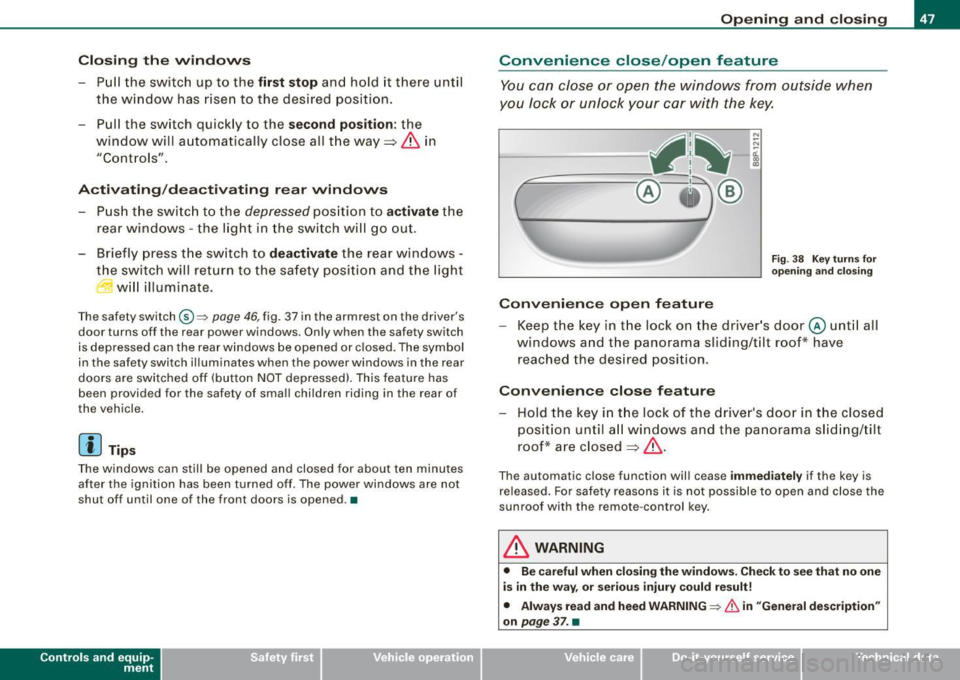
Keep the key in the lock on the driver 's door @ unt il all
windows and the panorama sliding/tilt roof* have
reached the desired position.
Con venience close feature
- Hold the key in t he lock of the driver's door in t he closed
position unti l a ll windows and the panorama s lid ing/tilt
roof* are closed
~ & .
The automatic close function will cease im me diat ely if the key is
re leased. For safe ty reasons it is not possible to open and c lose the
sunroof with the remote -control key.
& WARNING
• Be c are ful when clo sin g th e window s. Check to se e that no one
i s in the way, or se riou s inju ry could result!
• Alwa ys read and heed WARNIN G~
& in "Gen eral de scription "
o n
pa ge 3 7. •
Vehicle care I I Technical data
Page 51 of 324
Closing complete ly
- Press the sw itch 0 ~ p age 48, fig . 39 until the roof is
completely closed
~ & .
Closing partially
- Press the sw itch 0 ~ page 48, fig. 39 until the roof has
reac hed the des ired position~ &. If the roof is almost
closed and you interrupt the operation, the roof opens
automatically to a min imum setting; this is the smallest
possible opening that can be set.
If you park your vehicle in the sun, we recommend that you c lose the
sun b lind . You should especially make certain that the panoramic
s liding sunroof is c losed when the sun blind is closed when parked
or if there is a sudden rain shower.
The sun blind has two positions : completely open or completely
closed . The sun blind is manually operated.
& WARNING
Never clo se the pan oramic sliding sunroof careless ly or wi thout
wa tc hing -th ere i s a ri sk of per son al injur y. For t his re aso n, a lways
remove the ignit ion ke y wh en l eav ing the vehi cle.
[ i ) Tips
• When you park your vehicle, we genera lly recommend closing
the panoramic sliding sunroof and the sun blind.
• When the vehicle is parked, a wet roof shou ld be dried light ly
with a soft cloth
before it is op ened so that water does not drip into
the interior .
• In an emergency , the panoramic sliding sunroof can be closed
manually ~
page 49, "Emergency mechan ical closing for the
panoramic sliding sunroof".•
Contro ls and eq uip
ment
Op ening and clo sing
Ap plies to vehicles: wi th panoramic sliding sunroof
Comfort closing
The open roof can also be closed from the outside.
- Hold the key in the driver's door lock in the loc k position
until the roof is closed ~& .
& WARNING
Never clo se the panor ami c sliding su nroof careles sly or without
wat ching -ther e is a r isk of p ers onal injury. •
Emergency mechanical closing for
the panoramic sliding sunroof
App lies to veh icles: with panoramic s liding sun roof
Uncovering the light unit
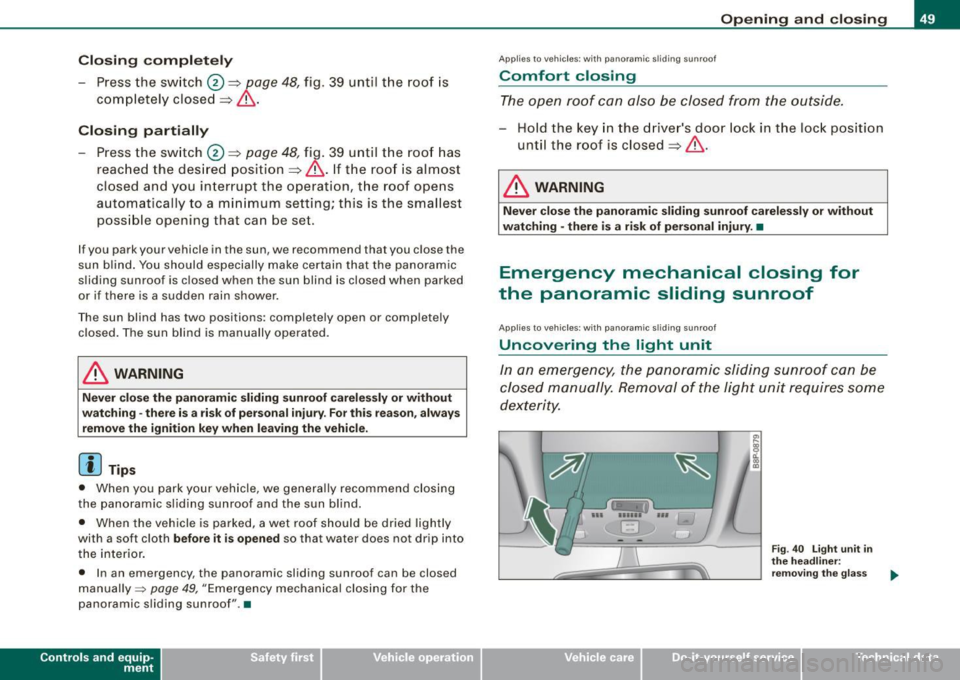
In an emergency, the panoramic sliding sunroof can be
closed manually. Removal of the light unit requires some
dexterity.
--- '!!ii '-,-.. ---i
EJ
Vehicle care I I
~ 0:. CD
th e head line r:
re m ov ing t he g lass
Technical data
Page 52 of 324
Opening and closing
Fig. 41 Light unit in
the headliner:
removing the switch
cover
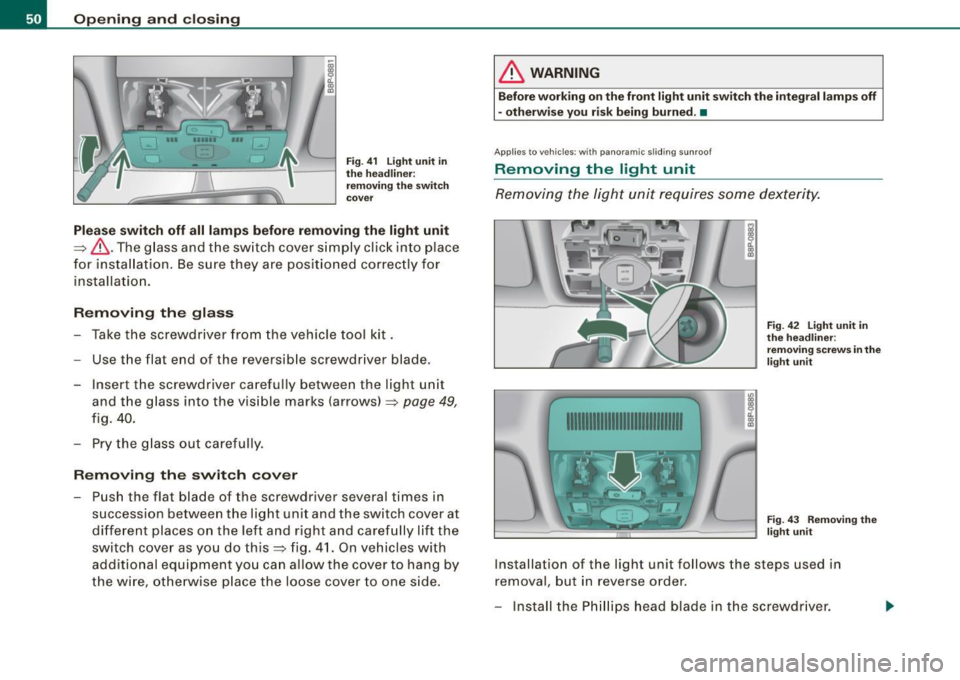
Please switch off all lamps before removing the light unit
=>& .The glass and the switch cover simply click into place
for insta llation. Be sure they are positioned correctly for
installa tion.
Removing the glass
Take the screwdriver from the vehicle tool kit.
- Use the flat end of the reversible screwdriver blade.
- Insert the screwdriver carefully between the light unit
and the glass into the visible marks (arrows) => page
49,
fig . 40.
- Pry the glass out carefully.
Removing the switch cover
Push the flat blade of the screwdriver several times in
succession between the light unit and the switch cover at
different places on the left and right and carefully lift the
switch cover as you do this::::> fig. 41. On vehicles with
additional equipment you can allow the cover to hang by
the wire, otherwise place the loose cover to one side.
& WARNING
Before working on the front light unit switch the integral lamps off
- otherwise you risk being burned . •
Appl ies to vehicles : with panoramic s lidi ng sunroof
Removing the light unit
Removing the light unit requires some dexterity.
1111111111111111111111111111111
Fig. 42 Light unit in
the headliner :
removing screws in the
light unit
Fig . 43 Removing the
light unit
Installation of the light unit follows the steps used in
removal, but in reverse order.
- Insta ll the Phillips head blade in the screwdriver.
Page 54 of 324
Clear vision
Clear vision
Lights
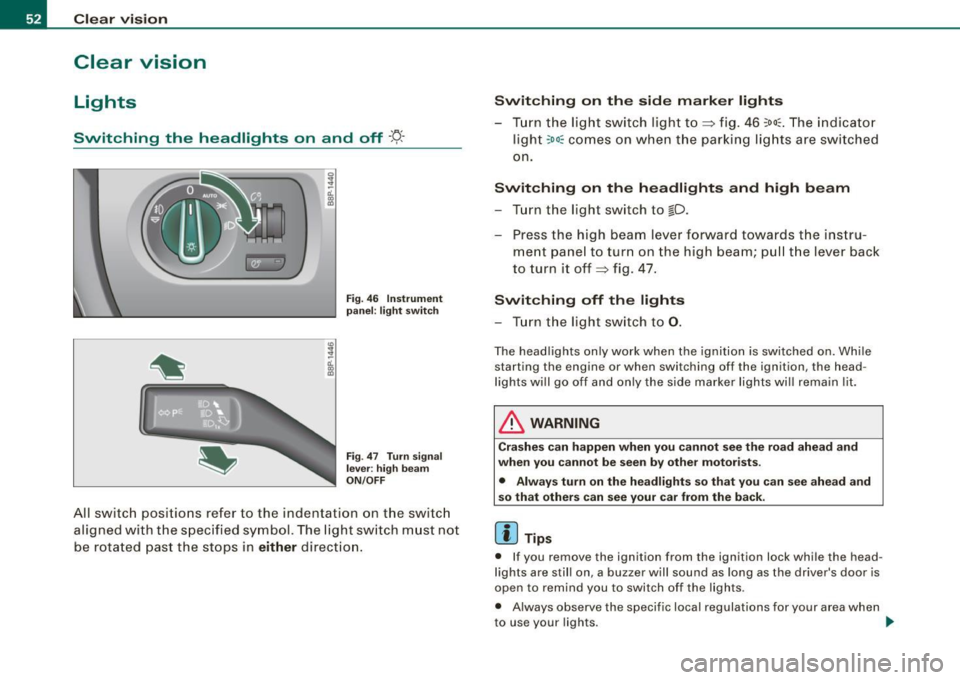
Switching the headlights on and off ·t/.·
3
-ti. ID
pa nel: li ght switch
F ig .
47 T urn sign al
l e v er: high b eam
ON /OFF
All sw itch positions refer to the indentation on the sw itc h
aligned with the spec ified symbol. The light switch must not
be rotated past the stops in
either direction .
Switching on the side mark er lights
- Tur n the light switch light to~ fig . 46 ~oo~ . The indicator
ligh t
~oo~ comes on when the parking lig hts are switched
on .
Switching on th e he adl ights and high be am
- Turn the light switch to lD.
- Press the high beam lever forward towards t he instru-
ment panel to turn on the high beam; pul l th e lever back
to turn it off~ fig. 47.
Switching off th e lights
- Tu rn the light switch to 0.
The head lights on ly work when the ignition is switched on. Whi le
starting the engine or when switching off the ignition , the head
l ights wi ll go off and only the side marker lights wi ll remain lit.
& WARNING
Cr as hes c an happen when you cannot see the r oad ahe ad and
whe n you cannot be s een by other motor ists.
• Alwa ys tu rn on the headligh ts so th at you ca n see ahe ad an d
s o that others can see your car from the back .
[ i ] Tips
• If you remove the ignition from the ignition lock while the head
lights are still on, a buzzer will sound as long as the driver 's door is
open to remind you to switch off the lights .
• Always observe the specif ic local regulations for your area when
to use your lights .
~
Page 55 of 324
• In cool or damp weather conditions the headlights may fog over
temporarily on the inside.
- The critical factor is the temperature difference between the
interior and the exterior of the headlight lens.
- With the main beams switched on, the light -emitting area will
be free of condensation after a short time, however the edges of
the glass may still be fogged .
- The rear lights and turn signals may also be affected.
- This physical phenomenon has no effect on the life of your
vehicle's lighting system .•
A pplies to vehic les : wit h ligh t sens or p ack age
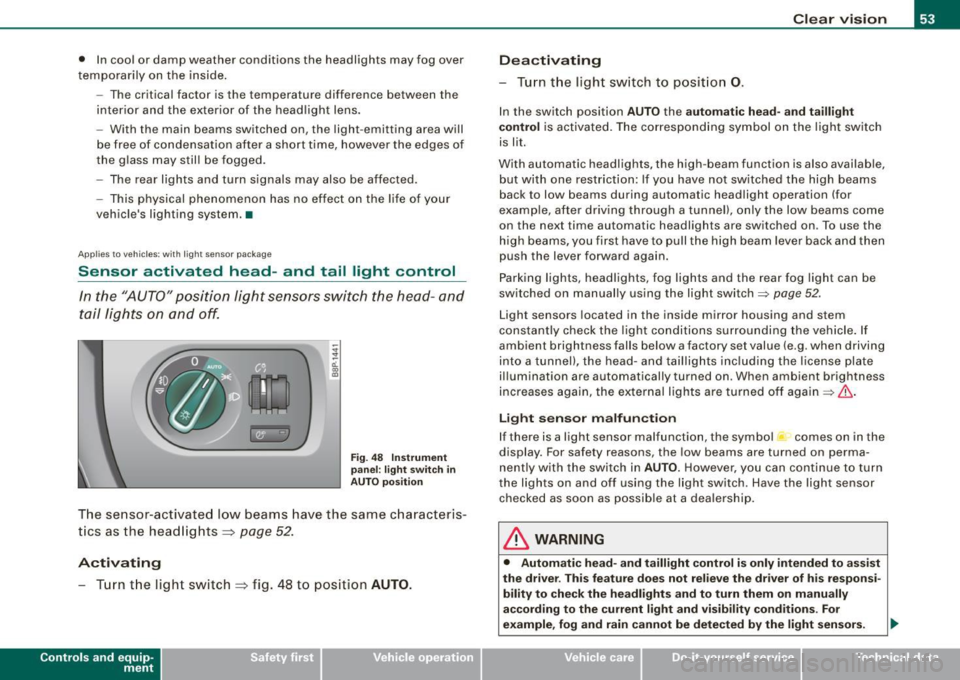
Sensor activated head- and tail light control
In the "AUTO" position light sensors switch the head- and
tail lights on and off.
Fig. 48 Instrument
panel : light switch in
AUTO position
The sensor-activated low beams have the same characteris
tics as the headlights ~
page 52.
Activating
-Tur n t he light switch ~ fig . 48 to position AUTO.
Con tro ls and eq uip
ment
Clear vision
Deactivating
- Turn the light switch to position 0.
In the switch position AUTO the automatic head-and taillight
control
is activated. The corresponding symbol on the light switch
is lit.
With automatic headlights, the high -beam function is also available,
but with one restriction: If you have not switched the high beams
back to low beams during automatic headlight operation (for
examp le, after driving through a tunnel), only the low beams come
on the next time automatic headlights are switched on . To use the
high beams, you first have to pull the high beam lever back and then
push the lever forward again .
Parking lights, headlights, fog lights and the rear fog light can be
switched on manually using the light switch=>
page 52 .
Light sensors located in the inside mirror housing and stem
constantly check the light conditions surrounding the vehicle. If
ambient brightness falls below a factory set value (e .g . when driving
into a tunnel), the head-and taillights including the license plate
illumination are automatically turned on . When ambient br ightness
increases again, the external lights are turned off again=>
If:::..
Light sensor malfunction
If there is a light sensor malfunction, the symbol comes on in the
display. For safety reasons, the low beams are turned on perma
nently with the switch in
AUTO. However, you can continue to turn
the ligh ts on and off using the light switch . Have the light sensor
checked as soon as possible at a dealership.
& WARNING
• Automatic head -and taillight control is only intended to assist
the drive r. This feature does not relieve the driver of his responsi
bility to check the headlights and to turn them on manually
according to the current light and visibility conditions. For
example, fog and rain cannot be detected by the light sensors. .,
Vehicle care I I irechnical data
Page 56 of 324
Clear vision
& W ARNIN G (con tinued )
Conseq uently , alwa ys swit ch the headl ights i o on under these
weather condition s and when driving in the da rk .
• Cra she s ca n happen when you c annot see the road ahe ad and
when you c annot be seen by other motori sts .
• Alway s turn on the headlights so that you c an see ahead and
s o that ot hers can see you r ca r from the back.
[ i ] Tips
• In the AUTO mode, the low beams are turned off when the igni
tion is turned off. The remaining l ights are turned off when the key
is taken out of the igni tion lock.
• Do not attach stickers to the windshie ld in front of the sensors as
this can disable the automatic head- and tail light control and the
automatic glare -dimming of the rearview mirror(s) .
• Always observe the specific local regulations for your area when
to use your lights .
• In the event of a light sensor malfunction , the driver information
display will show the symbol . If a ligh t sensor malfunction is indi
cated, you must use the light switch to turn the low beams on and
off. •
App lies to t he market: USA mode ls
Applies to vehicles: with daytime ru nni ng lights and bi-xeno n ligh ts
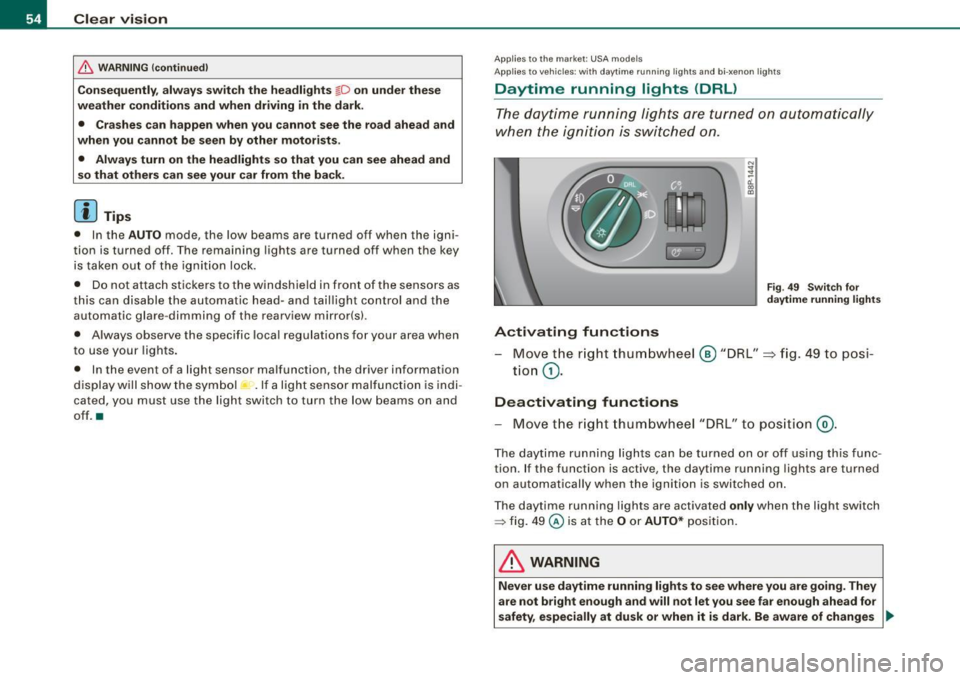
Daytime running lights (DRL)
The daytime running lights are turned on autom atically
when the ignition is switched on .
®r @'
Activating functions
F ig . 4 9 Swit ch for
d ayt ime running li ghts
- Move the r ight thum bwhe el @ "DRL" =} fig. 49 to posi-
tio n
G).
Deactivating functions
- Move t he r ig ht thum bwhee l "DRL" to po siti on @ .
The day time running lights ca n be turned on or off using this func
tion. If the function is active, the daytime running lights are turned
o n aut omatically when the ignition is switched on.
The daytime running lights are activated
only when the light switch
=> fig . 49 @ is at the O or AUTO* posi tion.
& WARNING
Never u se dayt ime running light s to see where you are goin g. They
are not bright enough and will not let you see far e nough ahead for
safety , especially at dusk or when it is dark. Be aware of change s _..
Page 57 of 324
& WARNING (continued)
in outside light conditions when you are driving and respond by
switching on your low beams
io.
0 Note
Always be aware of changes in outside light conditions while you
are driving . Respond in time to fading daylight by turning the light
switch to position
io (or "AUTO" if your car is equipped with this
feature)
to turn on your headlights. •
Applies to the market: Canada models
Daytime running lights (Canada models only)
When you turn on the ignition the daytime running lights
will come on automatically.
The daytime running lights are activated only when the light switch
@=> page 54, fig . 49 is either at the O or the ;oo:c position. When the
ignition is switched on, there is a difference between vehicles with
bi-xenon lights and halogen lamps :
• On vehicles with bi -xenon lights only the daytime running lamps
in the headlights will come on .
• On vehicles with halogen lights the front fog lights, side marker
lights and tail lights come on automatically
& WARNING
Never use daytime running lights to see where you are going. They
are not bright enough and will not let you see far enough ahead for
safety, especially at dusk or when it is dark. Be aware of changes
in outside light conditions when you are driving and respond by
switching on your low beams
io.
Controls and equip
ment
Clear vision
0 Note
• With the light switch at the O or ooo:c position, only your front fog
lights remain turned on when it turns dark outside. Even though
your instruments appear well lit, the road ahead of you is not. The light pattern provided by fog lights alone is not sufficient for safe
driving in poor light or darkness. Therefore:
• Always be aware of changes in outside light conditions while
you are driving. Respond in time to fading daylight by turning the light switch to position
io (or "AUTO" if your car is equipp ed with
this feature)
to turn on your headlights.
[ i] Tips
The daytime running lights function cannot be turned off.•
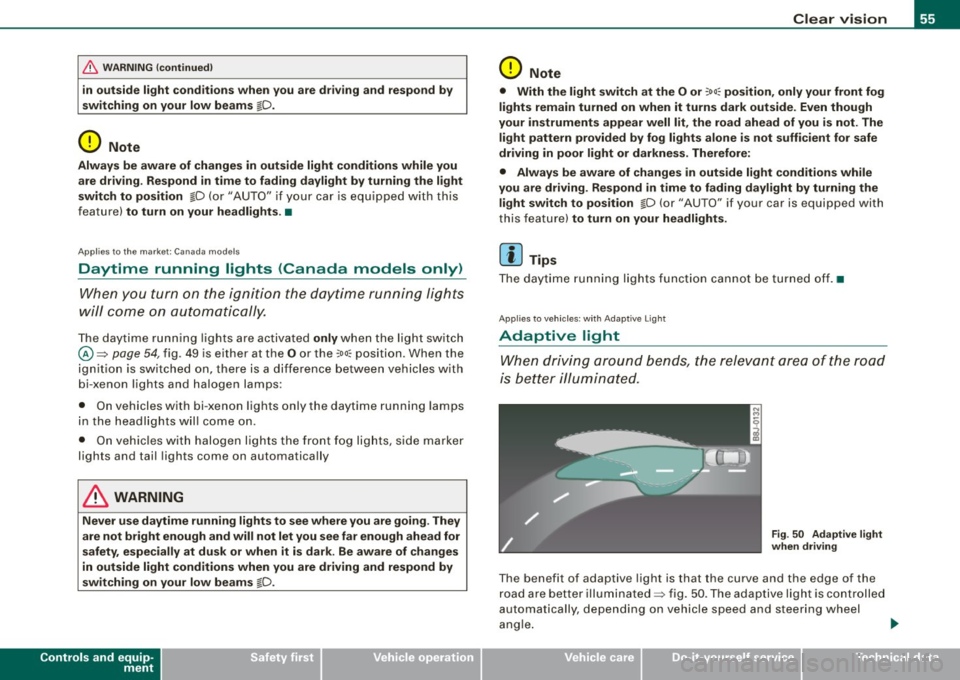
Applies to vehic les : w ith Ada ptive ligh t
Adaptive light
When driving around bends, the relevant area of the road
is better illuminated.
Fig . 50 Adaptive light
when driving
The benefit of adaptive light is that the curve and the edge of the
road are better illuminated=> fig . 50 . The adaptive light is controlled
automa tically , depending on vehicle speed and steering wheel
angle. _,,,,
I • •
Page 60 of 324
Clear vision
Igniti on ON , light swit ch at ::oo: or fD .
With the lights switched on, the brightness of instrument cluster
!i.e . needles, gauges and displays) and center console il lumination
can be adjusted.
0 Note
The instrument cluster and cent er console illumina tion (gauges and
needles) comes on when you swi tch on the igni tion and the
vehi cle
h eadlights are off .
Be aware of the following difference between
models built to US or Cana dian speci fica tions :
• USA model s: illumination of the in strument clu ster (gauges and
needle s), dash and center con sole around the gear shift lever i s
c o ntrolled by a light sensor lo cated in the instrument panel. The
i n strument panel ill umination will automatically become dimmer
a s th e daylight fades awa y and eventu ally w ill go out completel y
when outside l ight i s very low . Thi s is to remind you , the driver , to
swi tch on the headlight s befo re it get s to o dar k.
• Canada models: in strument panel illumination will stay bright
re gardle ss of the i ntens ity of ambient light . Al wa ys be aware of
change s in out sid e light conditi ons while you are d riving. Re spond
i n time t o fading daylight by turn ing the light swit ch to posit ion
fD
(or "AUTO" if your car is equipped with this feature) to turn on your
headlights . •
Ap plies to vehi cles: with b i-xeno n headli ghts
Bi-Xenon headlights*
After starting the engine, the bi -xenon headlights are automatica lly
adjus ted to the load and angle of the vehic le (for example , during
acce lerat ion and brak ing) . This prevents oncoming traffic fro m
experiencing unnecessary headlight g lare from your bi-xenon head
lights .
If the system is not operating properly, a warning symbol in the
Auto -Check Control is displayed ::::;,
page 33. •
Emergency flasher ~
The emergency flasher mak es othe r moto rists aware that
you or your vehicle are in an emergency situation.
1 1 Q
-
II D ll1
[ Ii J
a
l 'l
"' " "'
J
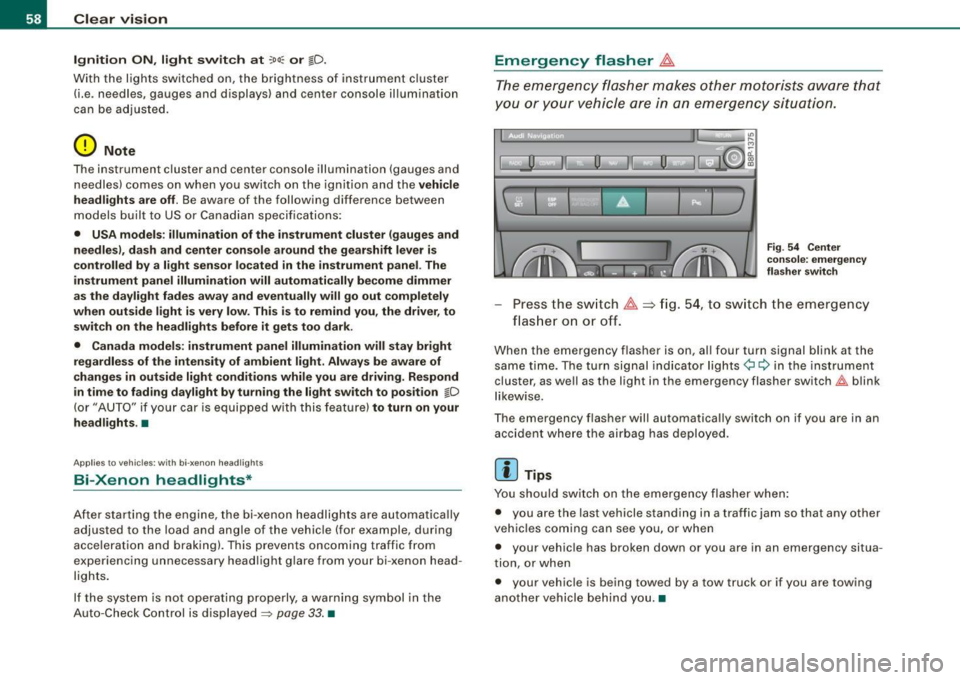
Fi g. 5 4 Cen ter
co nso le : em erge ncy
fl as her swi tc h
Press the sw itch ~==>fig. 54, to sw itch the emergency
flas her on or off.
When the emergency flasher is on, al l four turn signal blink at the
same time. The turn signal indicator lights¢ Q in the inst rument
cluster, as we ll as the light in the emergency flasher switch~ blink
l ikew ise.
The emergency flasher will automatically switch on if you are in an accident where the airbag has deployed .
[ i ] Tips
You should switch on the emergency flasher when :
• you are the last vehicle standing in a traffic jam so that any other
veh ic les coming can see you, or when
• your vehic le has broken down or you are in an emergency situa
tion, or when
• your vehicle is being towed by a tow truck or if you are towing
another vehicle behind you. •