warning lights AUDI S3 2011 User Guide
[x] Cancel search | Manufacturer: AUDI, Model Year: 2011, Model line: S3, Model: AUDI S3 2011Pages: 320, PDF Size: 75.79 MB
Page 19 of 320
& WARNING (continued)
• USA model s: If both , the BRAKE warning light and the C
warning light come on at the sam e time, the rear wheels could
lock up first under hard brak ing. Lo ck-up of the rear wheel brakes
can cause los s of vehicle control and an accident. Have your vehicle
repaired immediately by your authorized Audi dealer or a qualified
workshop. Drive slowly and avoid sudden, hard brake appli cation .
• Canada models : If both, the brake warning light
ABS warning light
J come on at the same time, the rear wheels
could lock up first under hard b raking. Loc k-up of the rear wheel
brake s can cause loss of vehicle control and an accident . Have your
veh icle repaired immediately by your authorized Audi dealer or a
qualified workshop. Drive slowly and avoid sudden, hard brake
application •
Electro-mechanical power assist /@
If the ind icator light illuminates while you are d riving, there is a
m alfu nction in the ele ctro-mech anical steering . If the ind ic a tor ligh t
is showing , there may be a reduction in power steer ing ass ist . If
t he indi cato r light is sh owing @, there may be a tot al loss o f power
steeri ng assist . The stee ring must be inspected immediately by a
qualif ie d workshop =>
&-With the engi ne not running (e.g. when the
car is be ing towed), t he re is also no power ass ist available.
& WARNING
If there is a malfunction , the indicator light for the electro
mechanical power a ssist illuminate s. Seek professional
assistance. •
Controls and equip
ment Safety first
Instruments and warning
/indicator lights
Vehicle care Technical data
Page 33 of 320
Engine oil sensor malfunction =>page35
._ -
Engine speed limitation =>page34
Diesel particulate filter =>page34
Worn brake pads =>page35
USA models : =>page35 Speed warning 1
Canada models: =>page35 Speed warning 1
USA models : =>page35 Speed warning 2
Canada models: =>page35 Speed warning 2
!! Dynamic headlight range control*
defective
=> page35
Con tro ls a nd e quip
m en t
Windshield washer fluid level low => page35
Battery voltage too high or too low => page 35
Defective light bulb =>page36
USA models : =>page36
Defective brake light
Canada models : =:>page36
Defective brake light
Light/rain sensor defective (auto-
=> page 36
matic headlights)* defective
Tire pressure monitor ing system*
=> page 36
Vehicle OP-eration
Driver information display
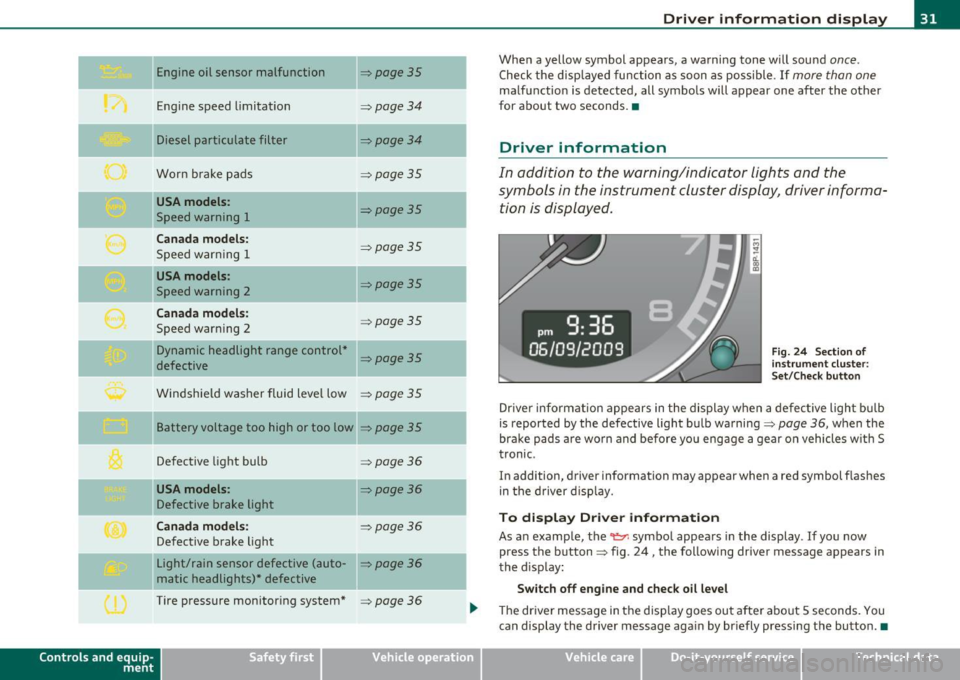
When a yellow symbol appears, a warning tone will sound once.
Check the displayed function as soon as possible . If more than one
malfunction is detected, all symbols will appear one after the other
for about two seconds .•
Driver information
In addition to the warning/indicator lights and the
symbols in the instrument cluster display, driver informa
tion is displayed .
-~ a:.. CD m
Fig. 24 Section of
instrument cluster:
Set/Check button
Driver information appears in the display when a defective light bulb
is reported by the defective light bulb warning=>
page 36, when the
brake pads are worn and before you engage a gear on vehicles w ith S
tronic .
In addition, driver information may appear when a red symbol flashes
in the driver disp lay.
To display Drive r information
As an example, the~ symbol appears in the display . If you now
press the button => fig. 24, the following driver message appears in
the disp lay:
Switch off engine and check oil level
The driver message in the display goes out afte r about 5 seconds. You
can display the driver message again by br iefly pressing the button .•
Vehicle care Do-it-yourselt service iTechnical data
Page 35 of 320
If the generator warning/indicator light shou ld also illuminate
=> page 15, t hen t he fan belt m ay be damaged .
& WARNING
• If your vehicle should break down for mechanical or other
reasons , pa rk at a safe distance from mo ving traffic, turn off the
engine and turn on the hazard warning lights=>
page 59, "Emer
gency flasher
A. ".
• Never open the hood if you see or hear steam or coolant
escaping from the engine compartment -you risk being scalded.
Wait until you can no longer see or hear steam or coolant
escaping .
• The engin e compartment of any vehicle i s a dangerou s ar ea .
Before you p erform any work in the engine compartment , turn off
the engine and allow it to cool. Follow the warning sti ckers
=> page 218 , "Engine compartment ".
0 Note
Do not continue driving if the -¥- symbol illuminates . There is a
ma lf u nction in the engine coo ling sys tem -yo u could damage your
eng ine. •
Engine oil pressure malfunction ~
The red engine oil pressure warning symbol requires
immediate se rv ice o r repair.
If the 9=r. symbo l app ears in the d is pl ay a nd flash es, th e oil
p ressure is to o lo w . In add ition to the sym bol, the f ollow ing
messag e al so a pp ea rs in the dis play :
Switch off engine and check oil level
- P ull off the road a nd stop t he ve hicle.
Controls and equip
ment Safety first
Driver information display
-
Shut the eng ine down .
- Check t he eng ine oi l level=>
page 231 .
-Contact your authorized Aud i dea le r for assis tance i f
necessary .
Engine o il level too low
If the eng ine oi l leve l is too low , top off oil to t he p roper level
=>page 232.
Engine oil level OK
If the 't'!::;r. symbol starts flashing again even thoug h the engine oil
level checks O K on t he d ipstick,
do not start driving again and do not
let the engine run at idle .
Instead, contact you r authorized Audi
dealer fo r assis tance.
[ i ] Tips
• The engine oil pressure symbol 'I=:?: is not an indic ato r for a low
engine oil level. Do not rely on it . Instead , check the oil level in your
engine at regular intervals , preferably each t ime you refuel, and
always before going on a long tr ip .
• The yellow oil level warning indication requires oil refill or
workshop service without de lay . Do not wait until the red oil pre s
s ure warning symbol~ starts to flash before you respond to the
low oil level warning _, . By then, your engine may already have
s uffered serious damage. •
Applies to vehicles: with manual trans miss ion
-;y Clutch pedal
T he indica tor lig ht illuminates if you do no t press t he cl utch pedal
when starting the engine . For safety reasons, the engine will only
sta rt when the clut ch pedal is pressed. •
Vehicle care Technical data
Page 36 of 320
Driver information display
Fuel supply too low I
When the symbol illuminates, this means there are about 2.6
gallons (10 liters) of fuel left in the fuel tank. Time to refuel!
=;, page 221.
If the symbol lights up, even when there is ample fue l in the tank, and
the text
Tank system malfunction! Please contact workshop appears
in the display, there is a fault in the system. Contact a qualified work
shop to have the fault rectified .•
App lies to veh icles: w ith eng ine speed limitat ion
Engine speed limitation ~
Engine speed maximum XXXX RPM
The symbol illuminates when there is an engine control malfunc
tion. The indicator light
C in the instrument cluster also illuminates.
Th e eng ine speed is limited to the speed displayed in the driver infor
mation system. Keep in mind that the engine speed will not exceed
the value disp layed in the driver information system, for example
when downshifting .
Please go to an authorized Audi dealer or other qualified workshop to
have the malfunction repai red. •
App lies to vehicles: with diesel eng ine and diesel particulate filter
Diesel particulate filter clogged
Particulate filter ! See owner's manual
If the indicato r light in the instrum ent cluster comes on, the
diesel particulate filter has become blocked with soot as the result of
constant short -distance driving. When the symbol illuminates,
you can alter your driving style to assist the filter self-cleaning
process. Drive for approximately 15 minutes in 4th or 5th gear (auto
matic transm ission w ith the selector lever in the 5 posit ion) at a min
imum speed of 37 mph (60 km/h) and an engine speed of approx
imate ly 2,000 RPM. The temperature increase that will result from
this can burn off the soot in the f ilter. The symbol will switch off when
the cleaning is successful. After a successfu l cleaning, there is no
need to bring the car to an authorized dealer or qualified workshop
because this is part of normal vehicle operation.
If the symbol does not switch off, see your authorized dealer or
other qualified workshop to have the problem corrected.
As long as the indicator light remains on (diese l particulate filter
plugged), you can expect increased fuel consumption and poss ibly
also a loss of engine performance.
For more information on the diesel particulate filter, refer to
=;, page 199.
& WARNING
Always adapt your speed to the current weather, road and traffic
conditions . You should never disobey traffic laws in order to
follow driving recommendations. •
Checking the engine oil level ~-
'LF. Please add max. 1 qt of engine oil!
If the ..:,; symbo l comes on, add 1 quart (1 liter) of oil at the next
opportun ity=-;,
page 232. •
Checking the engine oil level~
When the _ symbol illuminates, check the engine oil level as soon as
possible ~
page 231. Top off the oil at your earliest opportunity
=;, page 232. •
Page 38 of 320
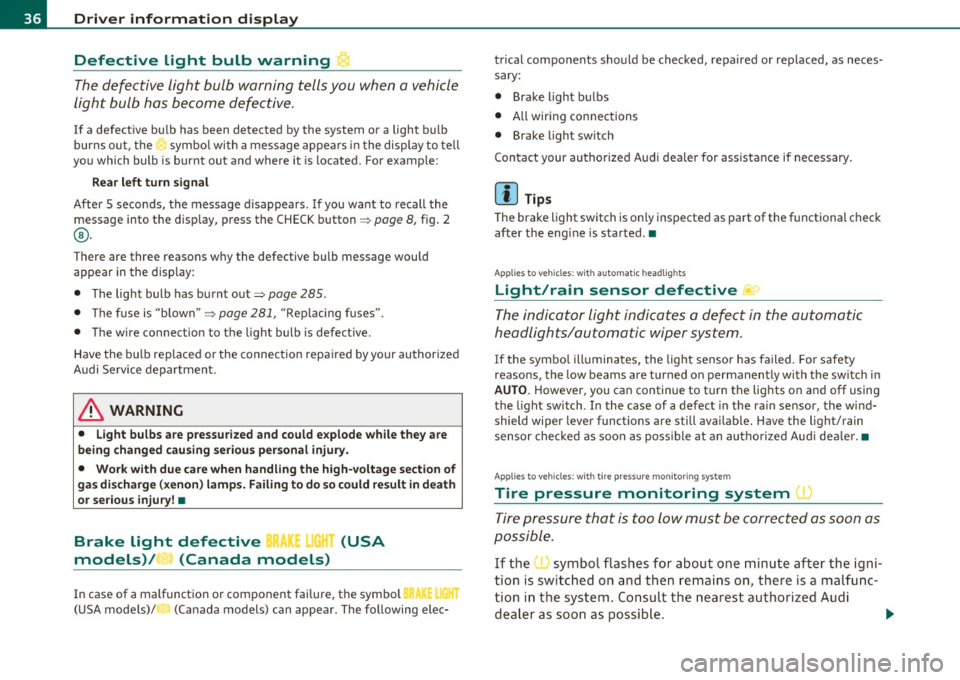
Driver information display
Defective light bulb warning
The defective light bulb warning tells you when a vehicle
light bul b has become defective .
If a defective bu lb has been detected by the system or a light bulb
burns ou t, the symbo l w ith a message appea rs in the display to te ll
you which bulb is burnt out and where it is located. For example:
Rear left turn signal
After 5 seconds, the message d isappears . If you want to recall the
message into t he disp lay, press the CHECK button ::::,
page 8, fig. 2
® ·
There are three reasons w hy the defective bulb message would
appea r in the d ispl ay :
• The light bulb has burnt out::::,
page 285 .
• Th e fuse is "b lown" ::::, page 281, "R ep laci ng fuses".
• The wire connect io n to the light bulb is defective.
Have the bu lb rep lace d or the connec tion repa ired by your au thor ize d
Audi Service department.
& WARNING
• Light bulbs are pressurized and could e xplode while they are
being changed cau sing seriou s personal injur y.
• Work with due care when handling the high-voltage section of
ga s di scharge (xenon ) lamp s. Failing to do so could re sult in death
or se rious injury !•
Brake light defective B • urn (USA
models)/ (Canada models)
In case of a malfunct ion or component fai lure, the symbol
(USA models)/ (Ca nada models) can appea r. The following elec· trical components should be checked
, repaired or rep laced, as neces
sary:
• Brake ligh t bul bs
• All wiri ng connec tions
• Brake light switch
C on tact your au thorized A udi deale r for assistance if necessary .
(I) Tips
The brake light switch is on ly inspected as part of the functional check
after the engine is sta rted .•
A pplies to veh icles: w ith au toma tic head ligh ts
Light/rain sensor defective
The indicator light indicates a defec t in the automatic
headlights/automatic wi per system.
If the symbo l ill umina tes, the ligh t se nso r has failed. Fo r safety
reasons, the low beams are turned on permanen tly with the sw itch in
AUTO . However, you can continue to t urn the lights on and off using
the light sw itch . In the case of a defec t in the ra in se nsor, the wi nd
shield wiper lever functions are still avai lab le . Have the light/rain
s ensor che cked as soon a s poss ible at an a uth oriz e d Au di dea le r.•
A pp lies t o veh icles : wit h tire p ressure mon itoring system
Tire pressure monitoring system )
Tire press ure that is too lo w m ust be correc ted as soon a s
possible.
If the symbo l flashes for about one min ute after the igni
tion is sw itc hed on and then re m ain s on, t here is a malfu nc
tion i n the syste m. Co nsu lt the neares t au thori zed Aud i
d ealer a s so on as possib le.
~
Page 43 of 320
All the doors and the rear lid are locked by the central locking system
when you lock the vehicle.
The unlock ing and locking mode* can be changed in the driver infor
mation system~
page 22.
Unlocking the vehicle
You can unlock the vehicle from outside either by using the remote
control
or by inserting and turning the key in the driver's door lock .
When you
unlock your vehicle:
• Th e anti-theft alarm system is deactivated briefly.
• The vehicle interior lights illuminate for approximately 30
seconds .
• All turn signa l lights will flash twice when the car is unlocked .
• After unlocking the vehicle, you have 30 seconds to open a door or
the rear lid. Afte r 30 seconds, the vehicle automatica lly locks and the
anti-theft alarm system activates again.
The rear lid can be locked or unlocked either by using the remote
control or by inserting and turning the key in the dr iver's door lock.
Unlocking the vehicle with the remote control~ will only
unlock the
rear lid, to
open it, the lid handle needs to be pressed.
Locking the vehicle
You can lock the vehicle from outside either by using the remote
control
or by inserting and turning the key in the drivers's door lock.
When you
lock the vehicle:
• All doors and the rear lid are locked.
• All turn signal lights will flash once when the car is locked.
• Th e anti-theft alarm system is activated. The horn of the anti
theft alarm system will sound and the anti-theft alarm system readi
ness light, located in the center of the instrument panel below the
windshield on the right side of the air vent, will start to blink.
• Th e vehicle interior lights turn off.
Controls and equip
ment Safety first
Opening and closing
Automat
ic locking*
The automatic locking feature locks all the vehicle doors and the rear
lid when you drive faster than 9 mph (15 km/h).
You can unlock the vehicle from the inside by:
• removing the key from the ignition switch (the vehicle wi ll auto
matically unlock itself) or
• pressing the unlock part of the power lock switch
ll::D or
• pulling the inside handle for that door (once - the front door is
unlocked and opened at the same time, twice to open the rear door).
If you wish, you can have an authorized Audi dealer convert your
power door lock system to automatic locking.
& WARNING
• When you lock your vehicle from outside, nobody· especially
children - should remain inside the vehicle. Remember, when you
lock the vehicle from the outside the windows cannot be opened
from the inside .
• When you leave the vehicle, always remove the ignition key
and take it with you. This will prevent passengers (children, for
example) from accidentally being locked in the vehicle should
they accidentally press the power locking switch on the center
console.
• Do not leave children inside the vehicle unsupervised. In an
emergency it would be impossible to open the doors from the
outside without the key.
[ i ] Tips
• In the event of a crash with airbag deployment all locked doors
will be automatically unlocked to give access to the vehicle occupants
from the outside .
• If the power locking system sho uld fail, you can still open the fuel
tank flap in an emergency~
page 224 . .,_
Vehicle care Technical data
Page 44 of 320
Opening and closing
• You are well advised not to keep valuables inside an unattended
vehicle, v isible or not . Even a properly locked vehicle cannot provide
the security of a safe! •
Unlocking and Locking the vehicle with the
remote control
How the remote control works.
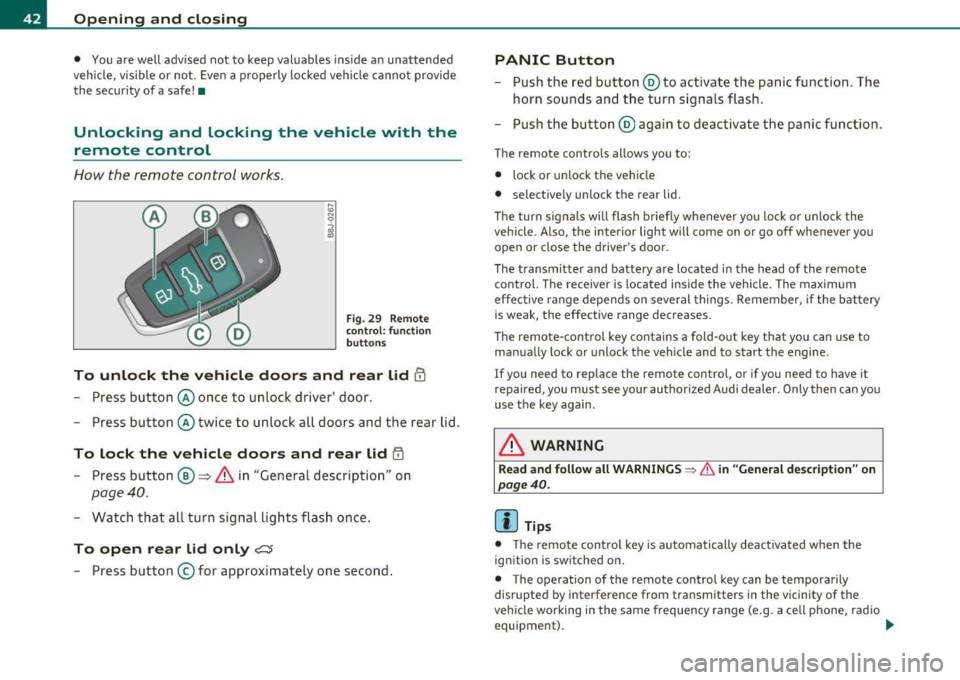
Fig. 29 Remote
control : function
buttons
To unlock the vehicle doors and rear lid !TI
- Press button @once to unlock d river' door.
- Press button @twice to unlock all doors and the rear lid.
To lock the vehicle doors and rear lid iTI
- Press button ®~ & in "General description" on
page 40.
-Watch that all turn signal lights flash once.
To open rear lid only?:$
-Press button © for approximately one second .
PANIC Button
-Push the red button @to activate the panic function. The
horn sounds and the turn signals flash.
- Push the button @ again to deactivate the panic function.
The remote contro ls allows you to:
• lock or unlock the vehicle
• selective ly unlock the rear lid.
Th e turn signa ls will flash briefly whenever you lock or unlock the
vehicle. Also, the interior light will come on or go off whenever you
open or close the driver's door.
The transmitter and battery are located in the head of the remote
control. The receiver is located inside the vehicle. The maximum
effect ive range depends on several things. Remember, if the battery
is weak, the effective range decreases.
Th e remo te-control key contains a fold-out key that you can use to
manually lock or unlock the vehicle and to start the engine.
If you need to replace the remote control, or if you need to have it
repaired, you must see your authorized Audi dealer . Only then can you
use the key again.
& WARNING
Read and follow all WARNINGS ~ & in "General description" on
page 40.
(I] Tips
• The remote contro l key is automatically deactivated when the
ignition is switched on .
• The operation of the remote control key can be tempora rily
disr upted by interference from transmitters in the vicinity of the
vehicle wo rking in the same frequency range (e.g. a cell phone, radio
equipment). _..
Page 59 of 320

brightness increases again, the low beams are turned off again auto
matically =>& .
In the
AUTO position the low beams are switched off automatically
when the ignition is turned off.
Light Sensor Malfunction*
In the event of a light sensor ma lfunct ion, the driver is notified in the
instrument cluster display:
Automatic headlights/automatic wipers defective
For safety reasons the low beams are turned on permanently with t he
switch in
AUTO*. H owever, you can continue to turn the lights on and
off using the light switch. Have the light sensor checked as soon as
possible at a dealership.
Coming home/leaving home function*
The function is sw itched on when the sw itch is in the AUTO* position
and the function is shown as active in the driver information system.
The
coming home funct ion illuminates the area around the vehicle
when the ign it ion is switched
off and the driver's door is opened. The
length of time the lights rema in on can be set in the menu display
( Illumination > Exterior lights > coming home ).
The leaving home function illuminates the area around the vehicl e
when u nlocking it .
& WARNING
• Never use daytime running lights to see where you are going.
They are not bright enough and will not let you see far enough
ahead for safety, especially at dusk or when it is dark. Always
switch on the low beams at dusk or when it is dark.
• Automatic headlights are only intended to assist the driver .
They do not relieve the driver of his respon sibility to check the
headlights and to turn them on manually according to the current
light and visibility conditions. For example, fog and rain cannot be
Controls and equip
ment Safety first
Clear vision
& WARNING
(continued )
detected by the light sensors. So always switch on the headlights
under these weather conditions and when driving
in the dark io.
• Crashes can happen when you cannot see the road ahead and
when you cannot be seen by other motorists.
- Always turn on the headlights so that you can see ahead and
so that others can see your car from the back.
(I) Tips
• With the switch in AUTO front fog lights cannot be turned on in
addition.
• Th e light senso r for headlight control is located in the rear view
mirror mount . Do not apply any stickers to the windshield in this area
to prevent malfunctions or fail ures .
• Some exterior lighting functions can be adjusted in the driver
information system => page 22 ,
• If you remove the ignition from t he ignition lock whi le the head
lights are still on, a buzzer will sound as long as the driver's door is
open to remind you to turn off the lights .
• Always observe the specific local regulat ions for your area as to
when to use your lights.
• With automatic headlights, the high-beam funct ion is also avail
able, but with one restr iction:
If you have not switched the high
beams back to low beams during automatic headlig ht operation (for
example, after driving through a tunnel), only the low beams come
on the next time automatic headlights are switched on . To use the
high beams, you first have to pull the high beam lever back and then
push the lever forwa rd again .
• In cool or damp weather, the inside of the headlights, turn signa ls
and ta il lights can fog over due to the temperature difference
between the inside and outside. They will clear shortly after switching
them on. This does not affect the serv ice life of the light ing . _,,
Vehicle care Technical data
Page 66 of 320

Clear vision
Applies to veh icles : w ith automat ically dimm ing inside mirror
Automatically dimming inside mirror
The automatic dimming function can be turned on and
off if required .
Disabling auto dimming
Fig . 60 I nside rea r
v ie w mirror
- Press butt on @ ~ fig . 60 brie fly, -the green indic ator
light ® goes out.
Activating/reactivating auto dimming
- Press button @ briefly, -the green indicator ligh t® goes
on.
Automat ic dimming function
The automatic dimming function is activated every time the ignition
is turned on. The g ree n indicator light is lit to indica te auto d imming
is active.
W hen dimm ing is act ivated, the inside mir ror w ill darke n
automati
cally
in response to the amou nt of light striking the mirror (such as
head lights from rearward approaching vehicles). Even in d imming
mode, the mirror surface turns br ight when:
• the interior light is switched on
• reverse gear is engaged.
& WARNING
Broken glass of automatic dimming mirror can cause electrolyte
fluid leakage . Electrolyte fluid can irritate skin , eyes, and respira
tory system .
• Repeated or p rolonged expo sur e to electrolyte can cau se irrita
tion to the resp iratory system, esp ecially among people with
asthma or other r espiratory conditions. Get fre sh air immediately
by le aving the vehicl e or, if that is not po ssible , open window s and
doors all the wa y.
• If ele ctrolyte gets into the eye s, flush them thoroughly with
large am ount s of clean water f or at lea st 15 minute s; medical
attention is re commended .
• If electrolyte contacts skin , flush affected area with clean
water for at l east 15 minutes and then wash aff ected area with
s oap and water; medical attention is rec ommended . Thoroughly
wash affected clothing and shoe s before reu se.
• If swallowed and person i s con sciou s, rinse mouth with water
for at least 15 minutes. Do not induce vomit ing unle ss instru cted
to do so by medical profe ssional. Get medical attenti on immedi
ate ly .
0 Note
Liquid e lectrolyte leaked from a broken mir ror g lass will damage any
plastic surfaces it comes in contact with. Clean up spi lled electrolyte
immediately with clear wate r and a sponge.
[I) Tips
• Check to make su re t he re are no obje cts preventing light from
reac hing the inside mirror.
• Do not attach any st ick er s to the w indshield in front of the light
sensor, as this would interfere with the a utomatic operation of the
head lights and the a utomat ic dimming of the inside mir ror. •
Page 94 of 320

Seats and storage
Glove compartment
The glove compartment is illuminated and can be locked.
To open glove compartment
Fig. 94 Glove
compartment
- Pull the handle => fig. 94 in the direction of the arrow push
down lid to the fully open position.
To close glove compartment
-Push the glove compartment lid upward until the lock
engages.
The light will illuminate when the parking/headlights are turned on
and the glove compartment is open.
In the glove compartment lid, you will fi nd a place to store a pen and
a pad of paper.
& WARNING
To reduce the risk of personal injury in an accident or sudden stop,
always keep the glove compartment closed while driving. •
Applies to veh icles: with storage compartment in cente r con sole
Storage compartment for small objects Ca
Fig. 95 Center console
storage compartment
- To open the compartment, press th e cover Ce=> fig. 95.
- To close the compartment, push the drawer all the way in
until it clicks in place.
An additional storage compartment3> for relatively small objects is
located in the cente r console next to the brake lever. •
3
l Not available on vehicles wi th Aud i Naviga tion System .