ABS AUDI S3 2015 User Guide
[x] Cancel search | Manufacturer: AUDI, Model Year: 2015, Model line: S3, Model: AUDI S3 2015Pages: 310, PDF Size: 76.15 MB
Page 151 of 310
M N
0 > co ,...., \!) ..,.,
M ..,., ,....,
detailed information about airbags, safety
belts and child safety in this and the other
chapters that make up the owner's literature.
Please be sure to heed the WARNINGS -they
are ex tremely important for your safety and
the safety of your passengers, especially in
fants and small children .
A WARNING
Never rely on airbags alone for protection.
- Even when they deploy, airbags provide only supplemental protection .
- Airbag work most effectively when used
with properly worn safety belts .
- Therefore, always wear your safety belts
and make sure that everybody in your ve
hicle is properly restrained .
- Always hold the steering wheel with both
hands on the outside of the steering
wheel rim at the 9:00 o'clock and 3:00
o'clock positions to help reduce the risk
of personal injury if the driver's airbag in
flates.
- Never hold the steering wheel at the 12
o'clock position or with your hands any
where inside the steering wheel or on the
steering wheel hub. Holding the steering
wheel the wrong way increases the risk of severe injury to the arms, hands, and
head if the driver airbag deploys .
A WARNING
Objects between you and the airbag will
increase the risk of injury in a crash by in
terfering with the way the airbag unfolds
and/or by being pushed into you as the air
bag inflates.
- Always make sure nothing is in the front
airbag deployment zone that could be
struck by the airbag when it inflates.
- Objects in the zone of a deploying airbag
can become projectiles when the airbag
deploys and cause serious personal in
jury.
- Never hold things in your hands or on
your lap when the vehicle is in use .
-
Airbag system 149
-Never place accessories or other objects
(such as cup holders, telephone brackets,
note pads, navigation systems, or things
that are large, heavy, or bulky) on the
doors; never attach then to the doors or
the windshield; never place them over or
near or attach them to the area marked
,,AIRBAG " on the steering wheel, instru
ment panel or the seat backrests; never
place them between these areas and you
or any other person in the vehicle.
- Never attach objects to the windshield
above the passenger front airbag, such
as accessory GPS navigation units or mu
sic players. Such objects could cause seri
ous injury in a collision, especially when
the airbags inflate.
- Never recline the front passenger seat to transport objects. Items can also move
into the deployment area of the side air
bags or the front airbag during breaking
or in a sudden maneuver . Objects near
the airbags can fly dangerously through
the passenger compartment and cause
injury, particularly when the seat is re
clined and the airbags inflate.
A WARNING
-=
A person on the front passenger seat , es-
pecially infants and small children, will re
ceive serious injuries and can even be kil
led by being too close to the airbag when
it inflates.
- Although the Advanced Airbag System in your vehicle is designed to turn
off the
front passenger airbag if an infant or a
small child is on the front passenger
seat, nobody can absolutely guarantee
that deployment under these special conditions is impossible in all conceiva
ble situations that may happen during
the useful life of your vehicle.
- The Advanced Airbag System can deploy
in accordance with the ,,low risk" option
for 3-and 6-year-old children under the
•
•
•
Page 153 of 310
M N
0 > co ,...., \!) ..,.,
M ..,., ,....,
the passenger side may deploy (the PASS EN
GER AIR B AG OFF
light does not come on).
For exa mple, the ai rba g may d epl oy if :
- a small child that is heavier than a typical 1
year-o ld child is on the front passenger seat
(regardless of whether the child is in one of
the ch ild seats listed
¢ page 172),
- a ch ild who has outgrown child restra ints is
on the front passenge r seat.
If the front passenger airbag is turned off, the
P A SSENGER AIR BAG OFF light in the center
of the instrument panel w ill come on and stay
on.
If the front passenger airbag deploys, the
Federal Standard requires the airbag to meet
the "low risk " deployment criteria to help re·
duce the risk of injury through interaction
with the airbag . "Low risk" deployment occurs
in those crashes that take place at lower de
celerations as defined in the electronic control unit
r=> page 156.
Alwa ys r em emb er: E ven tho ugh you r vehicle
is equipped with Advanced Airbags, the safest
p lace for children is properly restrained on the
back seat . Please be sure to read the impor
tant information in the sect ions that follow
and be sure to heed all of the WARNINGS .
A WARNING
To reduce the risk of injury when an airbag
inflates, always wear safety belts properly .
- If you are unrestrained, lean ing forward,
sitting sideways or out of position in any
way, your risk of injury is much higher .
- You w ill also receive serious injuries and
cou ld even be killed if you are up against
the a irbag or too close to it when it in·
flates -even with an Advanced Airbag
r::!v page 144.
A WARNING
A child in a rearward-facing child sea t in
stalled on the front passenger sea t will be
ser iously injured and can be killed if the
-
A irbag system 15 1
front airbag inflates - even with an Ad·
vanced Airbag System .
- Altho ugh the Advanced Airbag System in
your veh icle is designed to turn off the
front airbag when a rearward-facing
child restraint has been installed on the
front passenger seat, nobody can abso
lutely guarantee that deployment is im
possible in all conceivable s ituations that
may happen dur ing the usefu l life of your
veh icle.
- The inflating airbag will h it the ch ild seat
or infant carrier with grea t force and will
smash the child seat and child against
the backrest, center armrest, door, or
roof.
- Always install rearward -facing chi ld re
straints on the rear seat .
- I f you must install a rearward fac ing
child seat on the front passenger seat
because of exceptional circumstances
and the
PASSENG ER AIR BAG O FF light
does not come on and stay on, immed i·
ately install the rear-fac ing child seat in a
rear seat ing pos ition and have the airbag
system inspected by your Audi dealer .
A WARNING
If, in except ional circumstances, you must
install a forward-facing child restraint on
the front passenge r's seat:
- Always make sure the forward-facing
seat has been designed and certified by
its manufacture r fo r u se on a front seat
with a passenger front and s ide a irbag.
- Never put the fo rward-faci ng child re
straint up against or ve ry near the instru
ment panel.
- Always move the passenge r seat into its
rearmost pos ition in the seat's fore and
aft ad justment range, as fa r away from
the airbag as possible before installing
the forward-fac ing chi ld restraint . The
backrest must be adj usted to an upright
position.
- Always make sure that there is nothing
on the front passenger seat that will •
•
•
Page 163 of 310
....,
N
0 > co
rl I.O
"' ....,
"' rl
www.dtsc.ca.gov/hazardouswaste/perchlorate. When the vehicle or parts of the
restraint system includ ing airbag modules
and safety belts with pretensioners are
scrapped, all applicable laws and regula
tions must be observed. Your authorized
Audi dealer is familiar with these require
ments and we recommend that you have
your dealer perform this serv ice for you.
Other things that can affect Advanced
Airbag performance
Changing the vehicle's suspension system can
change the way that the Advanced Airbag Sys
tem performs in a crash. For example, using
tire-r im combinations not approved by Audi,
lowering the vehicle, changing the stiffness of
the suspension, including the springs, suspen
sion struts, shock absorbers etc. can change
the forces that are measured by the airbag sensors and sent to the electron ic control
unit. Some suspension changes can, for exam
ple, increase the force levels measured by the
sensors and make the airbag system deploy in
crashes in which it would not deploy if the
changes had not been made. Other kinds of
changes may reduce the force levels meas
ured by the sensors and prevent the airbag
from deploying when it should .
A WARNING
Changing the vehicle's suspension includ
ing use of unapproved tire-rim combina
tions can change Advanced Airbag per
formance and increase the risk of serious
personal injury in a crash.
- Never install suspension components
that do not have the same performance characteristics as the components origi
nally insta lled on your vehicle.
- Never use tire-rim combinations that
have not been approved by Audi.
Airbag system 161
Knee airbags
Description of knee airbags
Applies to vehicles: wi th knee airbags
The knee airbag system can provide supple
mental protection to properly restrained
front seat occupants.
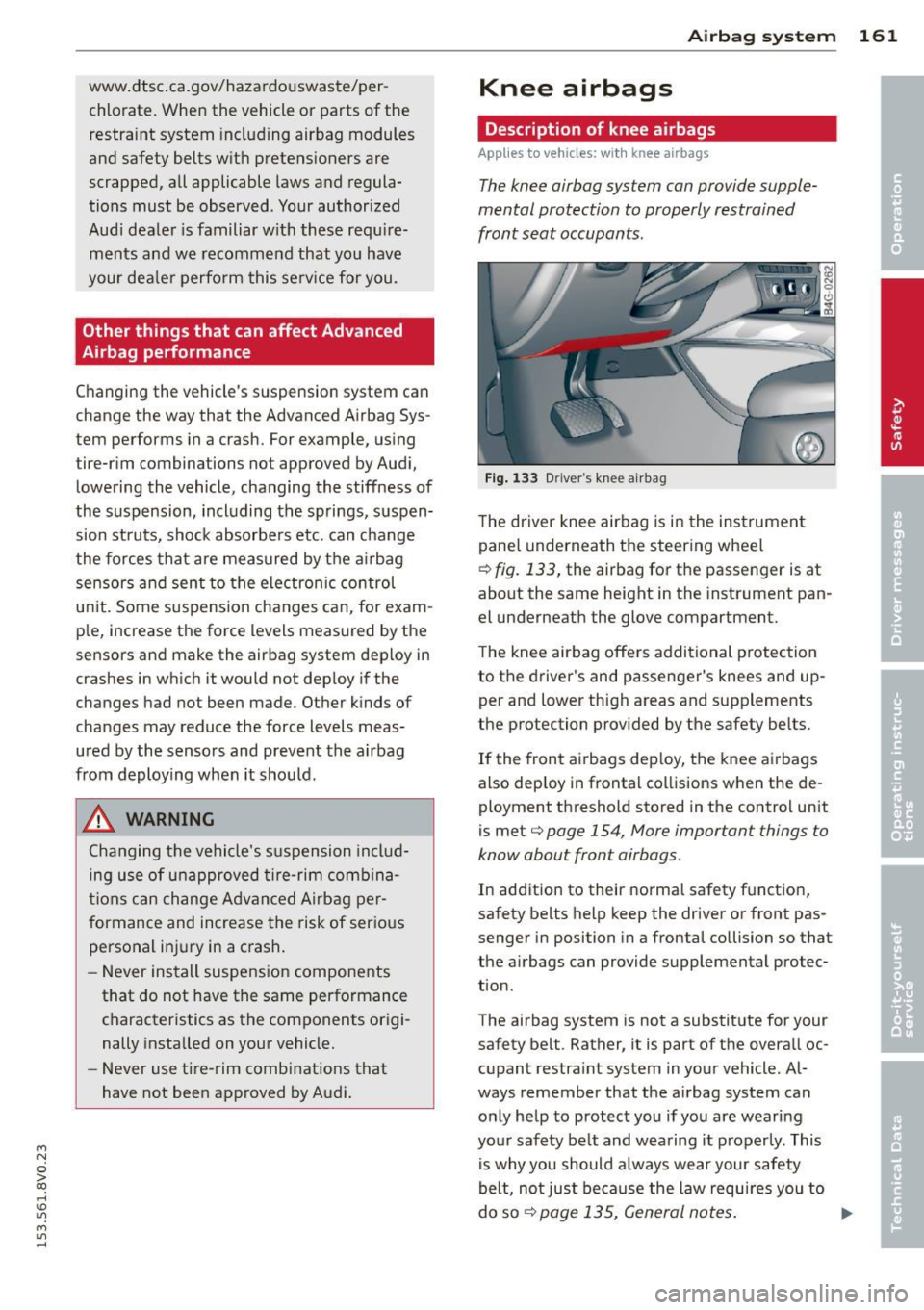
Fig. 133 Driver's kn ee airbag
The dr iver knee airbag is in the instrument
panel underneath the steering wheel
¢
fig. 133, the airbag for the passenger is at
about the same height in the instrument pan
el underneath the glove compartment.
The knee airbag offers additional protection
to the driver's and passenger's knees and up
per and lower thigh areas and supplements
the protection provided by the safety belts.
If the front airbags deploy, the knee airbags
also dep loy in frontal collisions when the de
ployment threshold stored in the control unit
is met¢
page 154, More important things to
know about front airbags.
In addition to their normal safety function,
safety belts help keep the driver or front pas
senger in position in a frontal collision so that
the airbags can provide supplemental protec
tion.
The airbag system is not a substitute for your
safety belt. Rather, it is part of the overall oc
cupant restraint system in your vehicle. Al
ways remember that the airbag system can
only help to protect you if you are wearing
your safety be lt and wearing it properly. This
is why you should always wear your safety
belt, not just because the law requires you to
do so¢
page 135, General notes. ..,_
Page 191 of 310
M N
0 > co ,...., \!) 1.1'1
M 1.1'1 ,....,
Smart Technology
Information about
data recorded by
vehicle control
modules
Your vehicle is not equipped with a crash data
recorder. This device is installed by some vehi
cle manufacturers to record data about crash
es so that it can be analy zed later . Crash data
recorders are also called "Event Data Record
ers ( EDR)" .
In some legal jurisdictions, it is not permitted
to access or download data recorded by pre
installed crash data recorders in order to eval
uate a crash without clear consent of the vehi
cle owner .
Your vehicle is not equipped with a crash data recorder. However it does contain a variety of
electronic control modules for various vehicle
systems such as engine function, exhaust
treatment or airbags and safety belts .
These electronic control modules record vehi cle data during normal driving for diagnosis
and repair purposes . The recording capability
of the electronic control modules is limited to
data only- no sound is recorded.
If the control
module detects a system ma lfunction or other
change in status, a very limited amount of da
ta is recorded for an extremely small period of
time . Data that is recorded in such a case may
include vehicle speed, d riving direction, the
load on the brakes and head restraints and
performance in the event of an acciden t or
other change in status . The stored data can
only be read or downloaded with special devi
ces.
Electronic stabilization
control (ESC)
Description
The Electronic Stabilization Control (ESC) con
tr ibutes to driver safety. It reduces the risk of
slipp ing and improves driving stability. ESC
Smart Technolog y 189
detects critical situations such as the vehicle
oversteering and understeering or the wheels
are spinning . The vehicle is stabilized by ap
plying the brakes or reducing engine torque.
Once the ESC is activated, the indicator light
m blinks in the instrument cluster .
The following systems are integrated in the
ESC:
Anti-lock braking system (ABS )
ABS prevents the whee ls from locking when
braking. The vehicle can still be steered even
during hard braking. Apply steady pressure to
the brake pedal. Do not pump the pedal. A
pulsing in the brake peda l indicates that the
system is acting to stabilize the vehicle.
Brake assi st sys tem
The brake assist system can decrease braking
distance. It increases braking power when the
driver presses the brake pedal quickly in emer
gency situations. You must press and hold the brake pedal until the dangerous situation is
over . In vehicles with adaptive cruise control*,
the brake assist system is more sensit ive if the
distance detected to the vehicle ahead is too
small.
Anti-slip regulation (ASR)
ASR reduces engine power when the drive
wheels begin spinning and adapts the force to
the road conditions . This makes it easier to
start , accelerate and dr ive up inclines .
Electronic differential lock (EDL)
The EDL brakes wheels that are spinning and
transfers the drive power to the other drive
wheel or wheels if the vehicle is equ ipped with
all wheel drive*). This function is not available
at higher speeds .
In extreme cases, EDL automatically switches
off to keep the brake on the braked wheel
from overheating . The vehicle is still working
correctly. EDL will switch on aga in automat i
cally when cond itions have returned to nor-
mal. .,..
•
•
•
Page 192 of 310
190 Smart Technology
Steering r ecommendat ion
The ESC helps to stabilize the vehi cle by
changing the steering torque.
Select ive wh eel torqu e co ntrol
Select ive wheel torque control is used when
driving on curves . The front wheel on the in
side of the curve or both wheels on the inside
of the curve are braked selective ly as needed.
Th is a llows more precise driv ing in c urves.
Automatic post -collision braking system
The "Automatic post-collision braking system"
can he lp to reduce the risk of sliding and of
other coll is ions after an acc ident. If the airbag
control mod ule detects a collision above acer
tain vehicle speed, the vehicle is braked by the
ESC.
The vehicle does not brake automatically if:
- the driver presses the accelerator pedal , or
- the braking fo rce genera ted by the pressed
brake pedal is greater than the braking force
that would be initiated by the system, or
- the ESC, the brake system or the vehicle
electrical system are not functioning .
A WARNING ,.
- The ESC and its integrated systems can
not overcome the lim its posed by natural
physical laws. This is especia lly impor
tant on s lippery or wet roads. If the sys-
Switching on /off
terns begin acting to stabilize your vehi
cle, you should immediately a lter your
speed to match the road and traffic con
ditions . Do not let the increased safety
provided tempt you into taking r isks .
This could increase your risk of a co lli
sion .
- Please note the r isk of a coll is ion increas
es when driving fast, especially through
curves and o n slippe ry or wet roads, and
when dr iv ing too close to objects ahead.
The ESC and i ts integrated systems can
not a lways p revent collisions -there is
still a risk of accidents!
- Press the acce lerator pedal caref ully
when acce lerating on even, slippery sur
faces such as ice and snow. The drive wheels can spin even when these control
systems are installed and this can affect
driving stability and increase the risk of a
coll is io n.
(D Tips
- ABS and ASR only function correctly
when all four wheels are equ ipped w ith
identical t ires . Different t ire sizes can
lead to a reduction in engine power.
- You may hear noises when the systems
descr ibed are working .
- If the
DJ or [IJ indicator light appears,
there may be a malfunction¢
page 22.
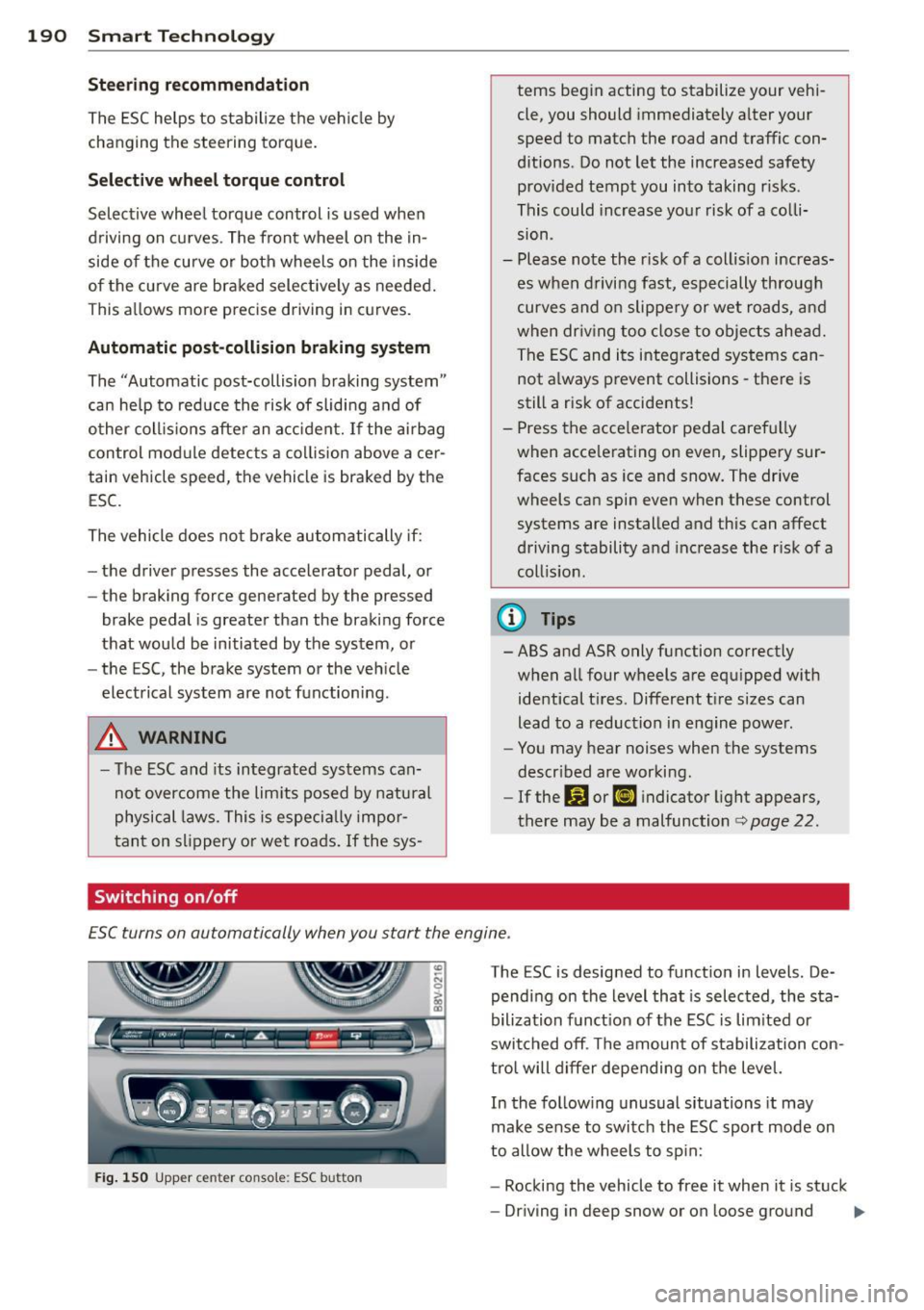
E SC turns on automatically when you start the engine .
Fig. 1 50 Upper c ente r conso le : ESC but to n
The ESC is designed to funct ion in levels . De
pending on the level that is selected, the sta
bilization funct io n of the ESC is lim ited or
swit ched off . The amoun t of stabilization con
tro l will differ depending on t he level.
In the follow ing unusual situations it may
make sense to switch the ESC sport mode on
to allow the wheels to sp in:
- Rocking the vehicle to free it when it is stuck
- Driving in deep snow or on loose ground
ll>
Page 204 of 310
202 Trailer towing
Trailer towing Driving with a trailer
General information
Your Audi was designed primarily for passen
ger transportation .
If you plan to tow a tra iler, p lease remember
that the addit ional load will affect durab ility,
economy and performance .
T railer towing not on ly places more stress on
the vehicle, it also calls for more concentra
tion from the driver.
F or this reason, always fo llow the operating
and drivi ng i nstr uctions provided and use
common sense.
Technical requirements
Traile r hitch
Use a weight-carrying hitch conforming to the
gross trailer we ight. The hitch must be suita
b le for your veh icle and trailer and mu st be
mounted secure ly on the ve hicle's chassis at a
technically sound location . Use only a trailer
h itch with a removab le ball mount. A lways
check with the tr ailer hitch manu fac tur er to
make sure tha t you are using t he cor rect
hitch.
Do not us e a bumper hitch .
The hitch must be installed in such a way t hat
it does not interfe re with t he impact-absorb
ing bumper syst em . No mod ifications should
be made to the vehi cle exhaust and brake sys
tems . From time to time, check th at a ll hit ch
mo unt ing bo lts remain secure ly fastened.
When you are not towing a trail er, remove the
tra iler hitch ba ll mount. This prevents the
hi tch from causing d amage sho uld your ve hi
cle be str uck from be hind
¢ A .
Trailer brakes
If you r tra ile r is eq uipped w ith a braking sys
tem, check to be su re that it conforms to a ll
r egulat ions . T
he trailer hyd raulic brake system mus t not be
direct ly connected to the vehicle's hydraulic
brake system .
Safety chains
Always use s afety chains be tween your ve hicle
and t he tra ile r.
Trailer lights
Tra ile r li ghts must meet all regulations. Be
su re to c hec k w ith your Audi dea le r fo r cor rect
wiring, swi tches and relays.
Mirrors
If you are unable to see the traffic behind you
u sing the regular o utside m irrors, then you
must insta ll ext ended mirro rs . It is important
t h at you
always have clea r vis io n to the rea r.
,8. WARNING
-
Afte r removing t he trailer hit ch, d o no t
s tore it in yo ur vehicle . In case of sudden
br aking, t he h itch cou ld fly forward an d in
j ur e you or yo ur passengers .
Operating instructions
Maximum traile r weight
A trai le r fo r you r vehicle is limited to a typi cal
class 1 or class 2 trai le r.
Trailer load distribution
B e sure the load in the t ra ile r is held secure ly
i n p lace to p reven t it from shift ing forw ard,
backw ard or sideways.
Never allow a passenger to ride in a trailer
¢ A in Driving instru ctions on page 203.
Engine cooling system
Towing a trailer makes the engine work hard
er . It is impo rtant that the cooling system 's
performance is up to the additional load .
Make su re that the coo ling system has enough
fl uid .
Tire pressure
When towing a trailer, inflate the tires of your
vehicle to t he cold tire pressure listed under
ll>
Page 206 of 310
204 Trailer towing
different weight distribution. Safety, perform
ance and economy wi ll greatly depend on how
carefu lly you load your trailer and operate
your rig.
Before you actually tow your trailer, practice
turning, stopping and backing up in a n area
away from traffic. Keep practicing until you
have become comp letely fam iliar with the way
your veh icle-trailer comb ination behaves and
responds.
Backing up is d iff icult and requires practice.
Backing up with a tra iler genera lly requires
steering action opposite to that when back ing
up your veh icle without a trailer.
Maintain a greater distance between your ve
h icle and the one in front of you. You will need
more room to stop. To compensate for the
trailer, you will need a larger than normal
turning radius.
When passing, remember that yo u cannot ac
celerate as fast as you normally would be
cause of the added load. Make sure you have
enough room to pass. After passing, allow
p lenty of room for your tra iler before chang
ing lanes aga in.
Avoid jerky starts, sharp turns or rapid lane
changes.
(D Tips
- Do not tow a tra iler dur ing the break-in
period of you r vehicle.
- If you tow a trailer, your Audi may re
quire more frequent maintenance due to
the ext ra load
¢ page 289.
Parking on a slope
Do not park on a slope with a trailer. If it can
not be avoided, do so only after doing the fol
lowing:
Wh en park ing:
.. Apply the foot brake .
.. Have someone place chocks under both the
vehicle and the trailer wheels. ..
With chocks in place, slowly release the
brakes unti l the whee l chocks absorb the
load.
.. Turn the whee ls towards the curb.
.. App ly the parking brake.
.. Select the P selector lever posit ion.
When re starting afte r park ing :
.. App ly the foot brake.
.. Start the engine.
.. Select the D/S se lector lever position.
.. Release the parking brake and s lowly pull
out and away from the wheel chocks .
.. Stop and have someone retr ieve the wheel
chocks .
@ Tips
If you move the selector leve r of the auto
matic transmission to P befo re applying
the pa rking brake and before bloc king the
whee ls, you may h ave to use more force
la ter to move the lever out of the P posi
tion .
Page 210 of 310
208 Care and cleaning
Component Situ ation Solution
Tex tile s,
Deposits adhering to Vacuum cleaner
art ifi cial l eather , the surface
Alcan ta ra Water-based depos- Absorbent cloth and m
ild soap so lution a>
its such as coffee,
tea, blood, etc.
Oil-based deposits Apply
a mild soap solut ion a>, blot away the dissolved oil
such as oil, make- or dye, treat afterward w ith water, if necessary
up, etc.
Special deposits Special stain remover, blot with absorbent material,
such as ink, nail pol-treat afterward with mild soap so lution, if necessary a)
ish, latex paint, shoe
polish, etc.
Natu ral leathe r Fresh stains Wool
cloth with a mi ld soap so lutiona >
Water-based depos- Fresh stains: absorbent cloth its such as coffee, Dr ied stains: stain remover suitable for leather
tea, blood, etc.
Oi l-based deposits Fresh stains: absorbent cloth and stain remover suitable
such as oil, make- for leather
up, etc . dried stains: Oil clean ing spray
Special deposits Spot remover suitable for leathe r
such as ink, nail po l-
ish, latex paint, shoe
polish, etc.
Ca re Regularly apply cond it io ni ng cream that protects from
light and penetrates into the mater ia l. Use spec ially-
co lored! conditioning cream, if necessary.
Carb on p art s Deposits clean th e same way as plastic parts
a) Mi ld soap solution: maximu m two tablespoons of neutral soap in 1 quart (l liter) of water
_& WARNING
The windsh ie ld may not be treated with
water-repelling windshield coating agents .
Unfavorab le conditions such as wetness,
darkness, or low sun can result in in
creased glare. Wiper blade chatter is also
possible .
([) Note
-Headlight s/tail li ght s
-Never clean headlights or tail lights
w ith a dry cloth or sponge.
- Do not use any cleaning product that
conta ins alcohol, because they could
cause cracks to form.
-
- Whee ls
- Never use any pa int polish or other
abrasive materials.
- Damage to the protective layer on the
rims s uch as stone chips or scratches
must be repaired immediately.
- Sen sors/ cam era len ses
-Never use warm or hot water to re-
move snow or ice from the camera
lens. This could cause the lens to crack.
- Never use abrasive cleaning mater ials
or alcohol to clean the camera lens.
This could cause scratches and cracks.
-Door windo ws
-Remove snow and ice on windows and
exter ior mirrors with a plastic scrape r.
Page 229 of 310
....,
N
0 > co
rl I.O
"' ....,
"' rl
Radiator fan
The radiator fan switches on automatically by
itself
An auxiliary electric radiator fan switches on
and off depending on coolan t temperature
and other vehicle operating conditions .
After you switch the engine off, the auxiliary
fan can continue running for up to 10 minutes
- even with the ignition off. It can even switch
on again later by itself<=>.& , if
- the temperature of the engine coolant rises
due to the heat build-up from the engine in
the engine compartment, or
- the engine compartment heats up because
the vehicle is parked in intense sunlight.
A WARNING
-To reduce the risk of personal injury nev
er touch the radiator fan.
- The auxiliary electric fan is temperature
controlled and can switch on suddenly
even when the engine is not running.
- The auxiliary radiator fan switches on au
tomatically when the engine coolant
reaches a certain temperature and will
continue to run until the coolant temper
ature drops.
Brake fluid
Checking brake fluid level
N
N
N
>< ~
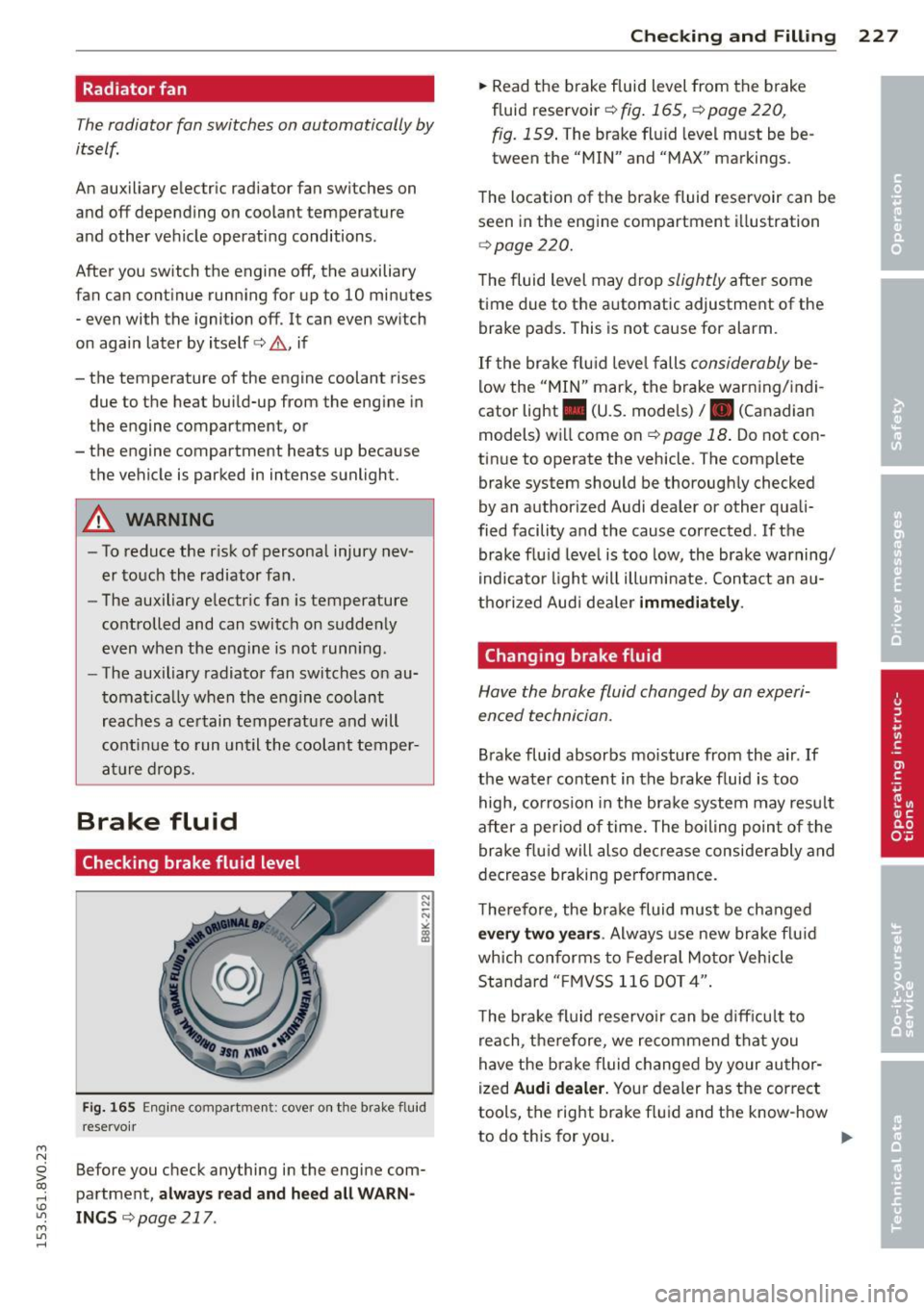
Fig. 165 Engine compa rtment: cove r on the brake fluid
rese rvoir
Before you check anything in the engine com
partment,
always read and heed all WARN
INGS r::;, page 217 .
Checking and Filling 22 7
.. Read the brake fluid level from the brake
fluid reservoir <=>
fig. 165, <=> page 220,
fig. 159.
T he brake fluid level must be be
tween the "MIN" and "MAX" markings.
The location of the brake fluid reservoir can be seen in the engine compartment illustration
<=>page 220.
The fluid level may drop slightly after some
time due to the automatic adjustment of the
brake pads. This is not cause for alarm.
If the brake fluid level falls considerably be
low the "MIN" mark, the brake warning/indi
cator light . (U.S. models)
I. (Canadian
models) will come on
c:> page 18 . Do not con
tinue to operate the vehicle. The complete
brake system should be thoroughly checked
by an authorized Audi dealer or other quali
fied facility and the cause corrected . If the
brake fluid level is too low, the brake warning/
indicator light will illuminate. Contact an au
thorized Audi dealer
immediately.
Changing brake fluid
Have the brake fluid changed by an experi
enced technician.
Brake fluid absorbs moisture from the air . If
the water content in the brake fluid is too
high, corrosion in the brake system may result
after a period of time. The boiling point of the
brake fluid will also decrease considerably and
decrease braking performance.
Therefore, the brake fluid must be changed
every two years . Always use new brake fluid
which conforms to Federal Motor Vehicle
Standard "FMVSS 116 DOT 4".
The brake fluid reservoir can be difficult to
reach, therefore, we recommend that you
have the brake fluid changed by your author
ized
Audi dealer. Your dealer has the correct
tools, the right brake fluid and the know-how
to do this for you.
II>-
Page 267 of 310
M N
0 > co ,...., \!) 1.1"1
M 1.1"1 ,....,
reached the level to trigger illumination of the
TPMS low tire pressure telltale.
Your veh icle has also been equ ipped with a
TPMS malfunction indicato r to indica te when
the system is not operating properly . The
TPMS malfunction indicator is combined with
the low tire pressure tellta le . When the sys
tem detects a malfunct ion, the telltale will
flash for approximately one minute and then
remain cont inuous ly illuminated. This se
quence will continue upon subsequent vehicle
start-ups as long as the ma lfunction ex ists .
When the malfunct ion indicator is illuminat
ed, the system may not be able to detect or
sig nal low t ire pressure as intended . TPMS
malfunct ions may occur for a variety of rea
sons, including the installa tio n of replace
ment or a lternate tires or whee ls on the veh i
cle that prevent the TPMS from funct ion ing
properly. Always check the TPMS malfunction
tellta le after replacing one or more tires or
wheels on your veh icle to ensure that the re
placement or alternate tires and wheels allow
the
TPMS to continue to function properly.
If the Tire Pressure Monitoring System
indicator appears
Applies to vehicles: with tire pressure monito ring system
The tire pressure indicator in the instrument
cluster informs you if the tire pressure is too
low or if there is a system malfunction .
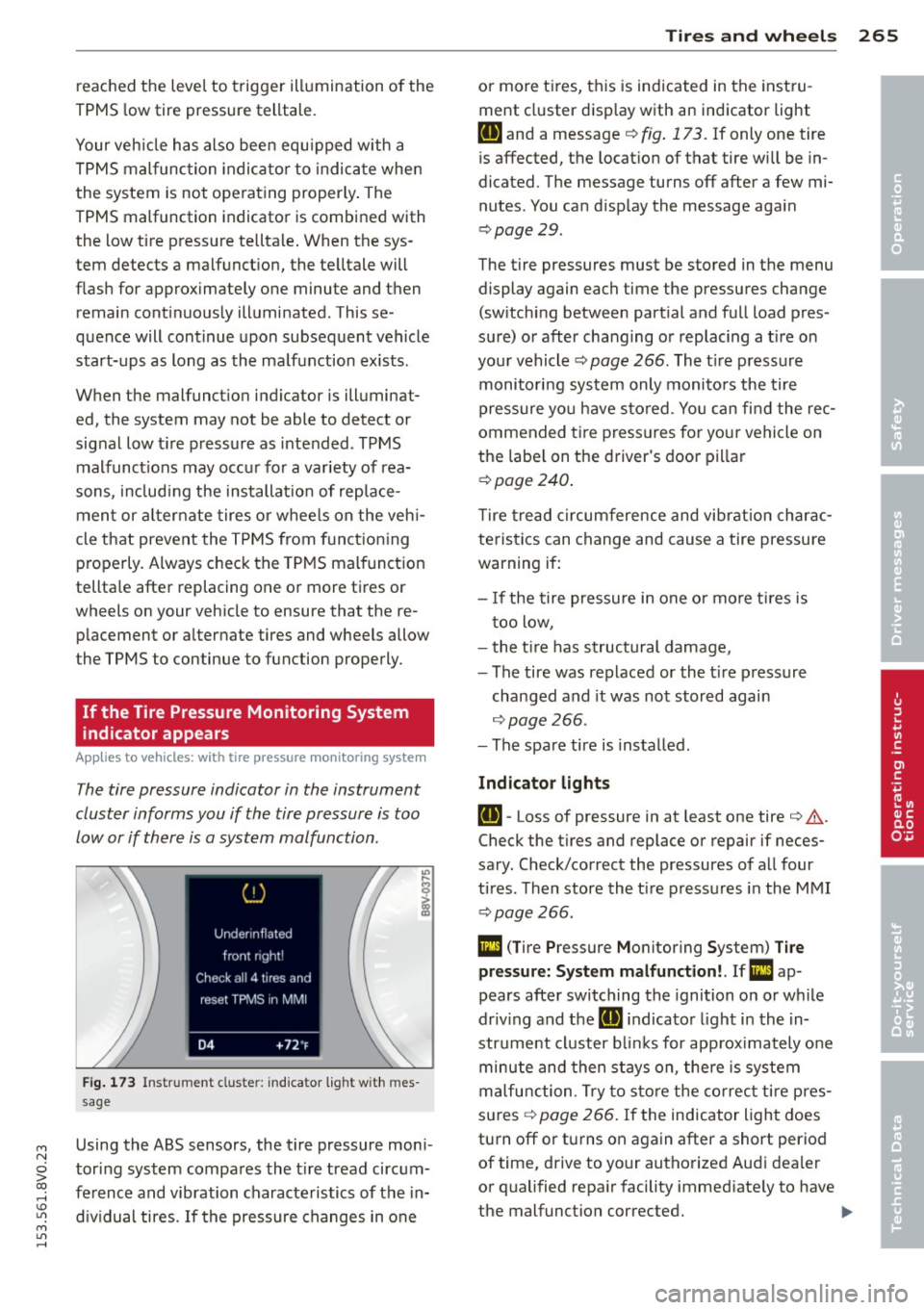
Fig . 173 In strum ent clus te r: indica tor l igh t w ith mes
sage
Using the ABS sensors, the tire pressure moni
toring system compares the t ire tread circum
ference and vibration characteristics of the in
d iv idual tires . If the pressure changes in one
Tire s an d wheel s 265
or more tires, this is indicated in the instru
ment cluster disp lay with an indicator light
ti] and a message c:::> fig . 17 3. If only one tire
is affected, the locat ion of that tire will be in
dicated. The message turns off after a few mi
nutes . You can d isplay the message aga in
c:::> page 2 9 .
The tire pressures must be stored in the menu
display again each time the pressures change
(sw itching between partial and full load pres
sure) or after chang ing or replacing a t ire on
your vehicle
c:::> page 266 . The t ire press ure
monitori ng system only monito rs the tire
pressure yo u have stored . Yo u can find the rec
ommended t ire press ures for your vehicle on
the labe l on the driver 's doo r pillar
c:::> page240 .
Tire t read circumference and vib rat ion charac
teristics can change and cause a tire pressu re
warning if :
- I f the tire pressure in one or mo re tires is
t oo low,
- the t ire has structural damage,
-The tire was replaced or the t ire p ressure
changed and it was not stored again
c:::> page 266 .
- The spare tire is installed .
Indicator light s
ti]-Loss of pressure in at least one tire c:::> &.
Check the tires and replace or repair if neces
sary. Check/correct the pressures of all four
tires . Then store the t ire pressures in the MMI
c:::> page 266 .
DI (T ire Pressure Monitoring System) T ir e
press ure: S ystem malfunct ion!. If Ill ap
pears afte r switching the ignition on or while
driv ing and the
ti] indicator l ight in the in
str ume nt cluster b links for app rox imately one
minute and then stays on , the re is system
malfunction. Try to s to re the co rrec t ti re pres
s u res
c:::> page 266. If the indicator ligh t does
turn off or tu rns on again after a short period
of time, drive to yo ur authorized Aud i dea ler
or qualified repa ir facility immed iate ly to have
the malfunction corrected. .,..
•
•
•